






Still downloading templates?
There’s an easier way. Try a free AI Agent in ClickUp that actually does the work for you—set up in minutes, save hours every week.
Sorry, there were no results found for “”
Sorry, there were no results found for “”
Sorry, there were no results found for “”
When you adopt AI coding tools, the real question is not “Can this generate code?” You need to know whether the tool helps your development teams ship production code within their project architecture. That matters because even strong teams lose time to rework.
In DORA research, high performers still reported spending 21% of their time on unplanned work or rework. AI tools can reduce routine tasks, but they can also create more pull requests across multiple repositories, more code reviews, and more edge-case handling when the model misses context.
In this blog, you’ll get a comparison of Amazon Q and Claude across security, AWS ecosystem fit, supported IDEs, and developer CLI workflows, along with their pricing.
You’ll also find out how and where ClickUp fits if you want a single place to track decisions, docs, and delivery.
If you want a quick take on Amazon Q vs Claude before you get into the feature details, start here. This snapshot shows where each tool fits best, what complex problems it solves, and how it works with new repositories and agentic workflows.
| Category | Amazon Q | Claude |
| Ideal for | Teams deep in the AWS ecosystem who want AI help for building and operating software on AWS | Teams that want a chat-first assistant, plus Claude Code for hands-on coding across codebases |
| Coding help inside your IDE | Amazon Q Developer supports chat and inline suggestions in supported IDEs | Claude Code can work with IDE workflows too, but it’s built around a terminal-first, agentic style |
| Finding answers within enterprise knowledge | Amazon Q Business is designed for permission-aware answers across connected enterprise content, often with citations | Claude supports enterprise knowledge work via Team/Enterprise controls and a chat-first experience |
| Where you use the assistant beyond coding | Appears inside AWS services (example: QuickSight) so teams can build analyses, calculations, and dashboards using natural language close to AWS data and tooling | Extends into everyday work tools through integrations like Chrome, Slack, and Excel, which helps when the assistant needs to show up where collaboration and analysis already happen |
| Modernization and code transformations | Amazon Q Developer Transform focuses on modernization workflows (like upgrades and conversions), with review-and-apply steps | Claude Code can still support modernization, but it’s more general-purpose: you define the approach, and Claude helps execute it via terminal-based workflows |
📖 Also Read: Free Software Development Plan Templates to Use
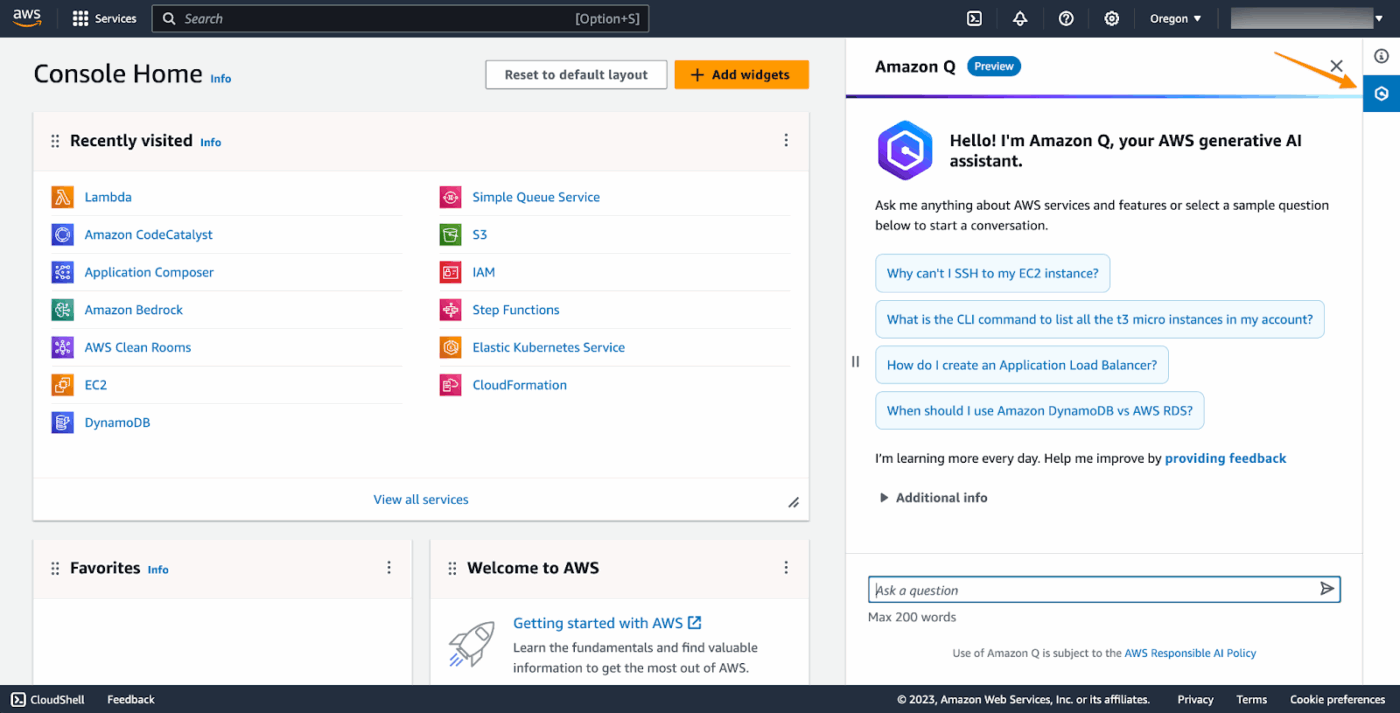
Amazon Q is a generative AI assistant from AWS that helps you move faster across both software work and business work. In practice, you use it to ask natural-language questions, get answers grounded in AWS knowledge, and speed up tasks that often require a lot of context switching.
Amazon Q typically shows up in two tracks, and that split matters when you’re evaluating enterprise fit:
If you already run a lot of systems on AWS, the advantage is simple: you can keep engineering decisions closer to the environment you’re shipping in, instead of moving sensitive context into yet another tool.
Most teams view Amazon Q in two ways: Amazon Q Developer for day-to-day coding work, and Amazon Q Business for finding answers in enterprise content without breaking permissions.
The features below focus on what helps you move faster in the AWS ecosystem, especially when you’re maintaining legacy systems and tightening development workflows.
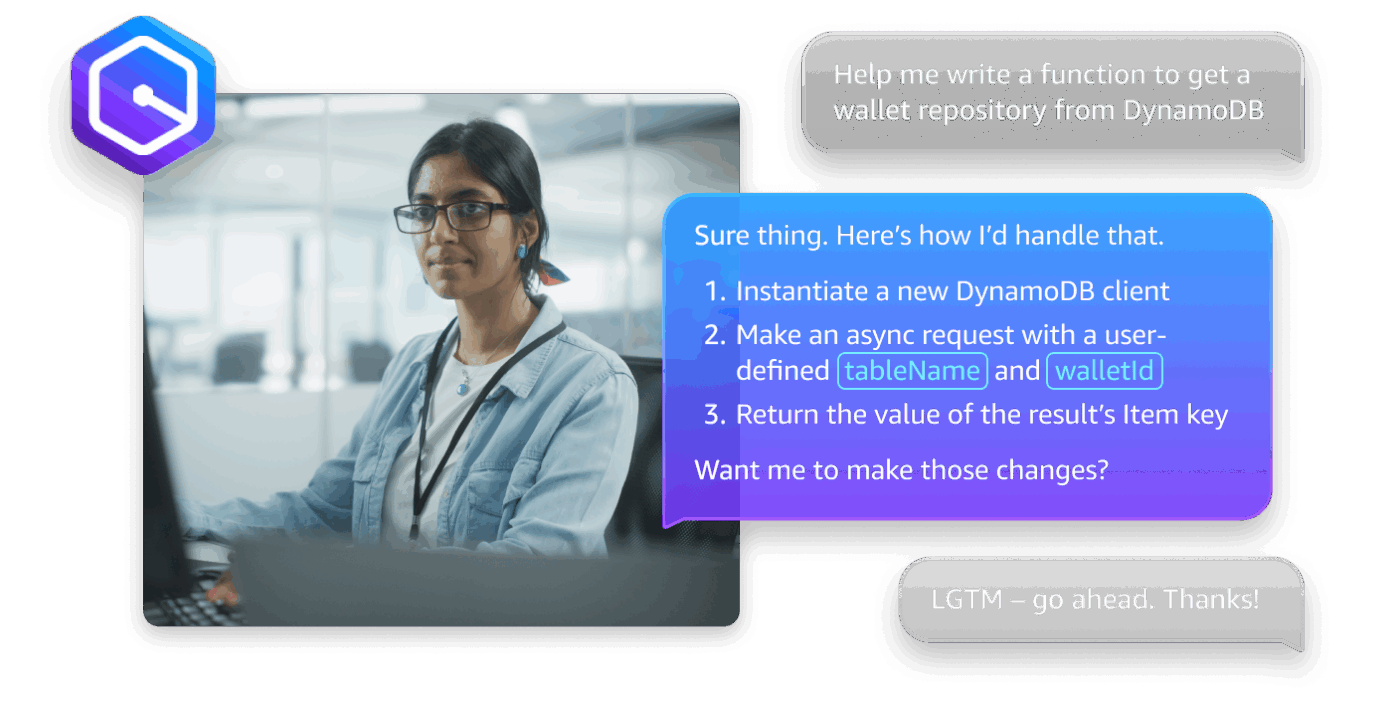
Amazon Q Developer is the part of Amazon Q you use most when you want help inside your editor, not in a separate chat window. You can ask questions in natural language, request changes, and get in-context help while you work through the existing code.
When you use inline chat, Amazon Q shows the suggested update as a diff in the file. You can accept or reject the change, keeping developer oversight intact and making the tool easier to trust during code reviews.
This setup helps you move through pull requests faster by reducing time spent copying snippets between tools and increasing time spent validating code quality where it matters.
🤔 Did You Know: Amazon CodeWhisperer officially became part of Amazon Q Developer on April 30, 2024, so a lot of “CodeWhisperer” docs and workflows now map to Amazon Q Developer in AWS rollouts.
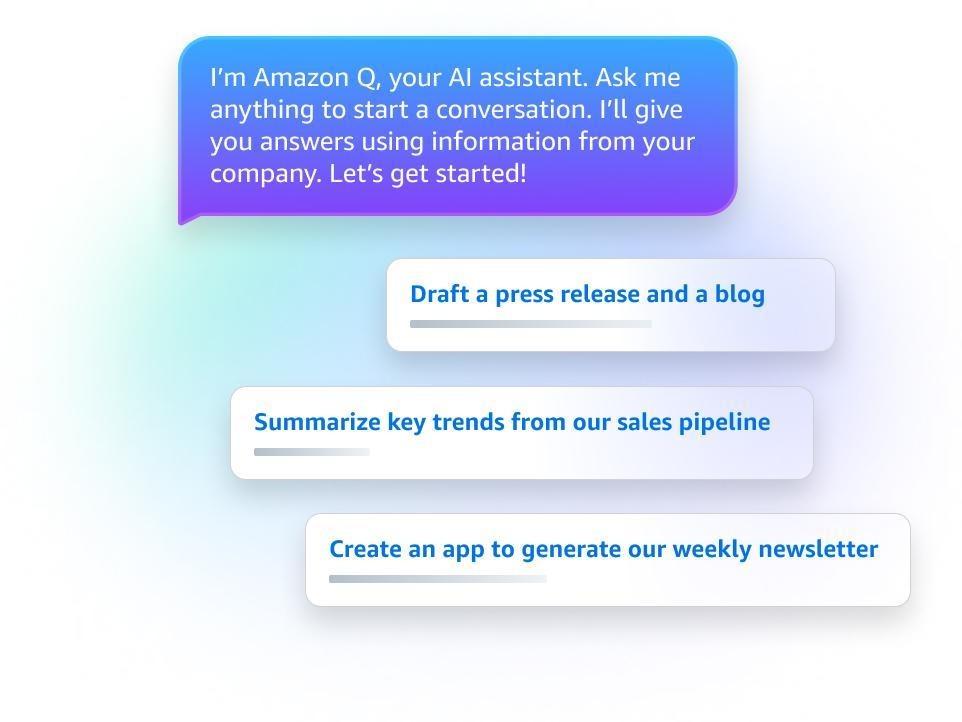
When your developer loses time hunting for the latest runbook, architecture note, or the “correct” version of a decision doc, Amazon Q Business is designed to reduce that drag.
You connect it to the tools your teams already use, then users can ask questions and get answers pulled from approved sources, so fewer threads turn into long back-and-forth conversations.
The enterprise-friendly part is access control. Amazon Q Business is built to respect permissions, so users only see what their identity is allowed to see.
That helps enterprise adoption because you’re not forcing teams to duplicate content into a new system just to make the assistant usable.
📮 ClickUp Insight: Work worries don’t stop when the workday ends. 28% of employees say work constantly follows them, while another 8% frequently struggle to switch off. That’s over a third of workers bringing stress home. 😣
ClickUp’s Reminders can help reinforce your end-of-day rituals and maintain boundaries. Automate a “wrap-up” reminder, set work-free notification zones, and schedule personal time. Switching off should be intentional, not optional!
💫 Real Results: Lulu Press saves 1 hour per day, per employee using ClickUp Automations—leading to a 12% increase in work efficiency.
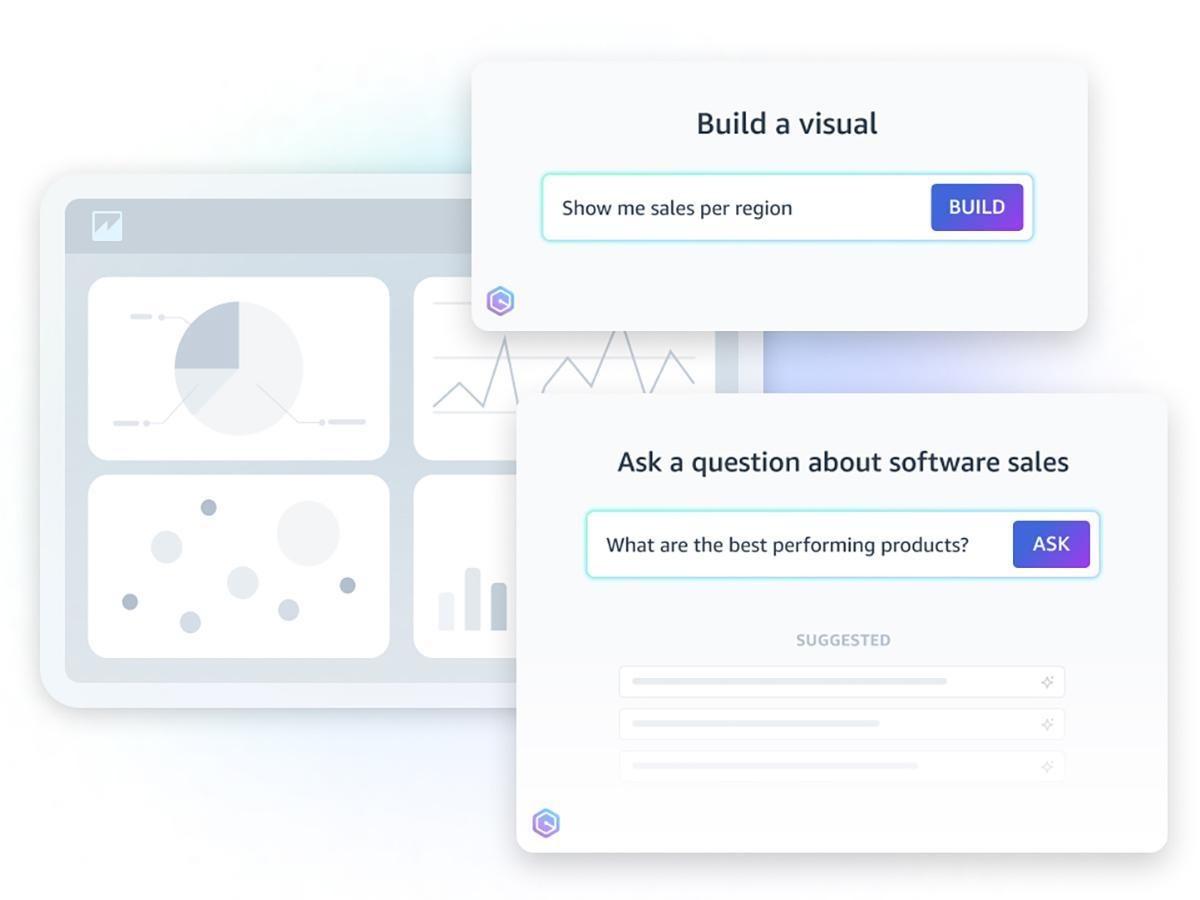
Amazon Q also shows up inside AWS services, which helps when you want insights without moving data into another tool. For example, Amazon Q in Amazon QuickSight lets users build dashboards, visualizations, and complex calculations using natural language.
If you support product reporting or platform health metrics, this functionality is practical. Your teams can explore drivers and trends faster, then turn the output into something stakeholders can act on. You spend less time translating questions into queries and more time validating results.
This is useful when enterprise teams want business intelligence workflows to stay close to the AWS ecosystem, especially when access controls and approved data sources matter.
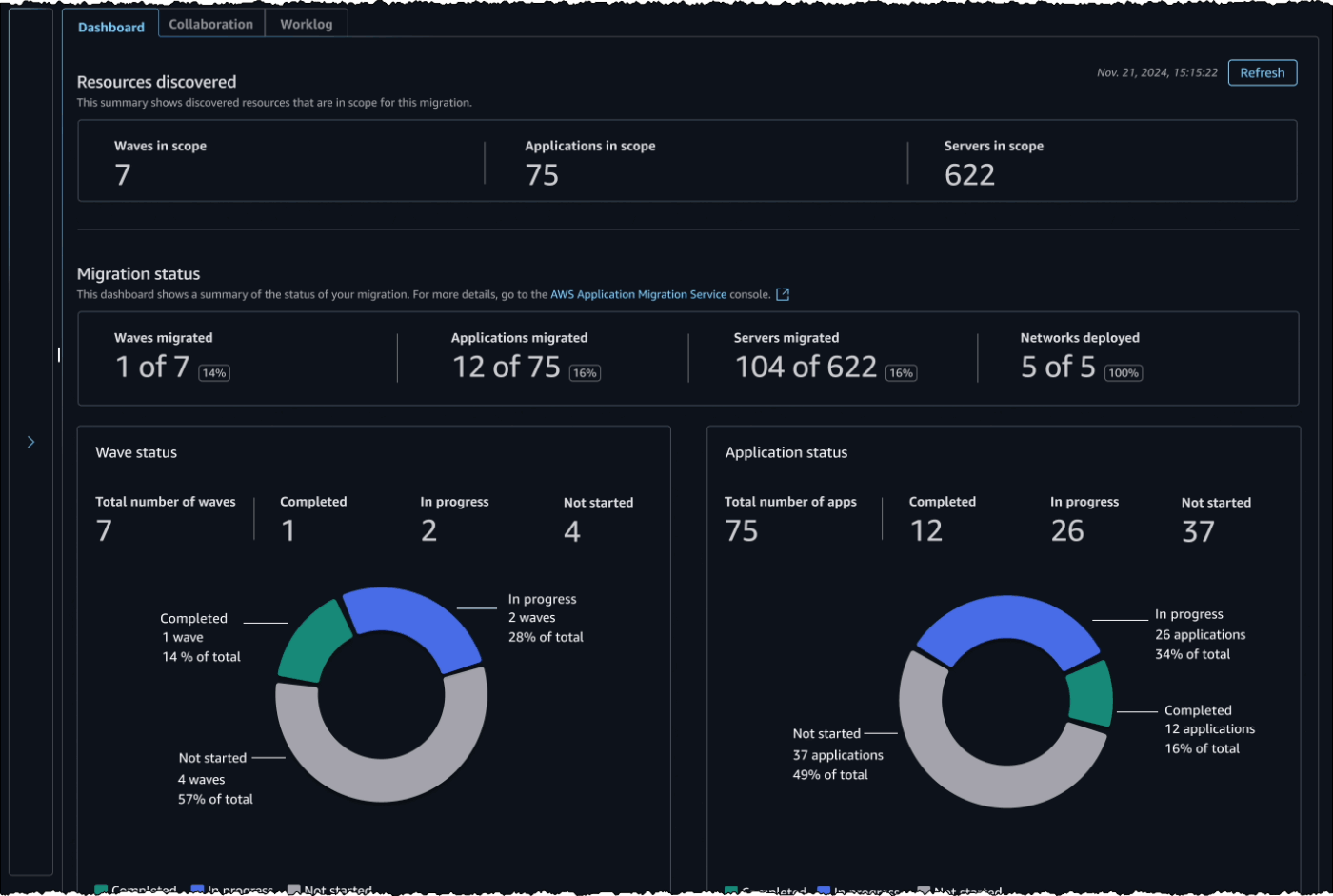
If your team ships on AWS but spends a chunk of every quarter paying down tech debt, the hardest work is often “in-between” engineering: upgrading runtimes, replacing deprecated APIs, and refactoring legacy systems without breaking production code.
Amazon Q Developer Transform is built for that kind of structured change. In supported IDEs, it can perform automated language and OS-level upgrades and conversions, generate changes across files, and then let you review and apply those changes like any other diff.
A practical example is Java modernization. Amazon Q Developer can upgrade Java applications to newer versions (including updating deprecated components/APIs and upgrading dependencies), and the workflow is designed around verification in your IDE before you accept changes.
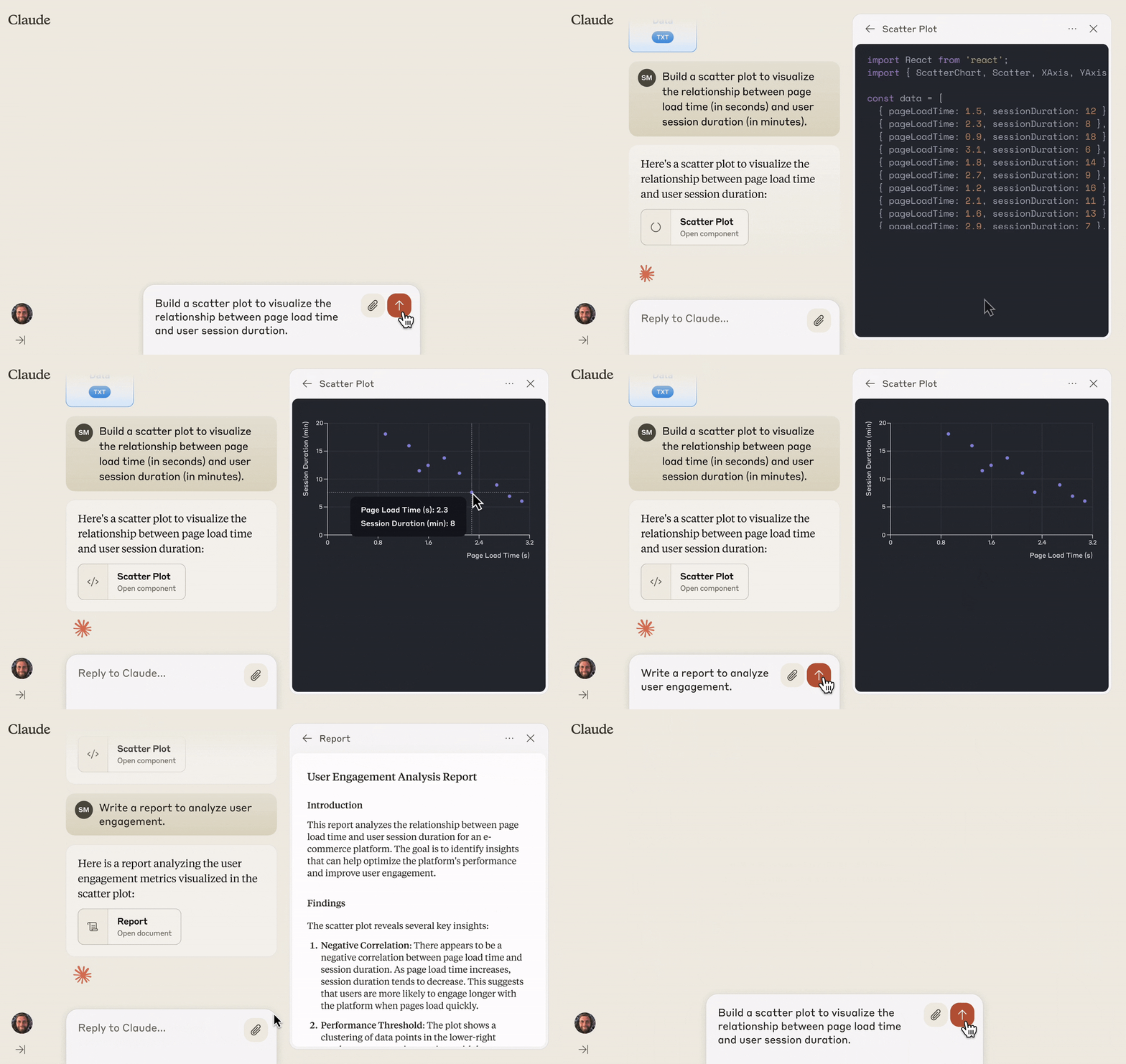
Claude is an AI assistant built by Anthropic to help you do knowledge work and technical work, including writing, analysis, and coding, through a chat experience and an API.
For software teams, Claude Code is the version designed for hands-on engineering work. You can use it to work directly in your codebase, including editing files and running commands, so you can move from a request to working changes without constantly copy-pasting context between tools.
You spend less time re-explaining context and more time validating the final output before you ship.
📖 Also Read: Best Claude AI Alternatives
Claude offers a mix of coding and day-to-day productivity capabilities that help you move faster without sacrificing quality or access.
The features below cover what matters most for product leaders, developers, and enterprise teams evaluating Claude for secure adoption and practical workflows.
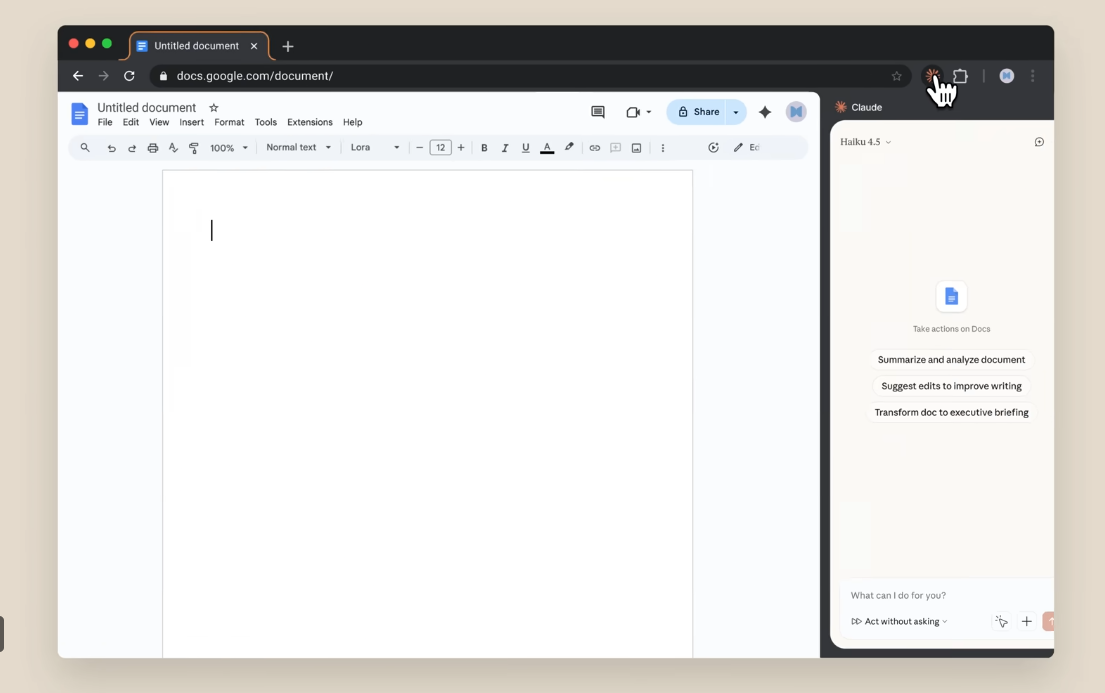
Claude in Chrome brings Claude into your browser so you can ask questions about the page you’re viewing and take action without switching tools. Claude can navigate pages, click buttons, and fill forms, which helps when you’re trying to move quickly through web-based tasks.
Claude can also assist with repetitive browser-based tasks, so you don’t have to repeat the same checks every day.
This is useful when your team needs consistent outputs from browser-based workflows without adding extra manual steps.
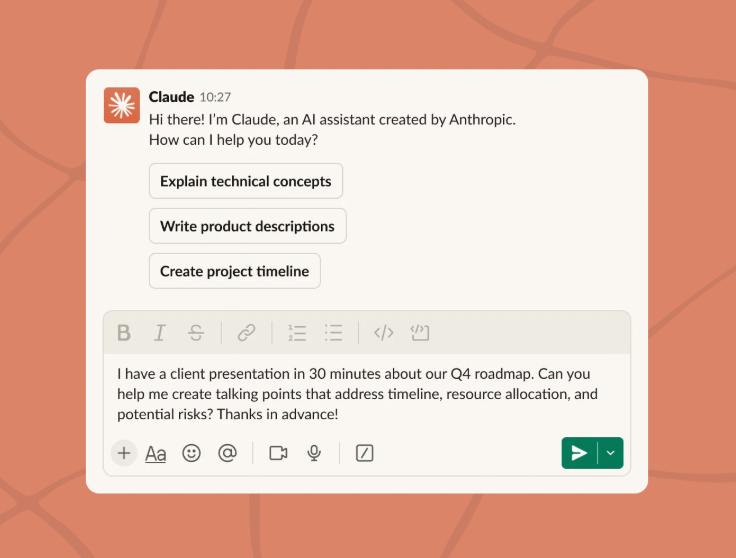
Claude in Slack brings Claude into the place where your development teams already collaborate, so you can ask questions in a thread and get help without moving context into another tool. Claude respects the Slack permissions you already have in place, and Slack admins approve the app.
When Claude detects a coding request, Claude in Slack can hand off coding requests to Claude Code workflow and start a remote session that you can review, including links to open a pull request.
This is useful when you want faster coordination in Slack without losing developer oversight over changes.
🤔 Did You Know: Anthropic prices some Claude models in “million input tokens” and “million output tokens,” for example Claude Sonnet 4.5 lists pricing per million tokens on Anthropic’s own model page, which is helpful when you’re comparing usage-based pricing across tools
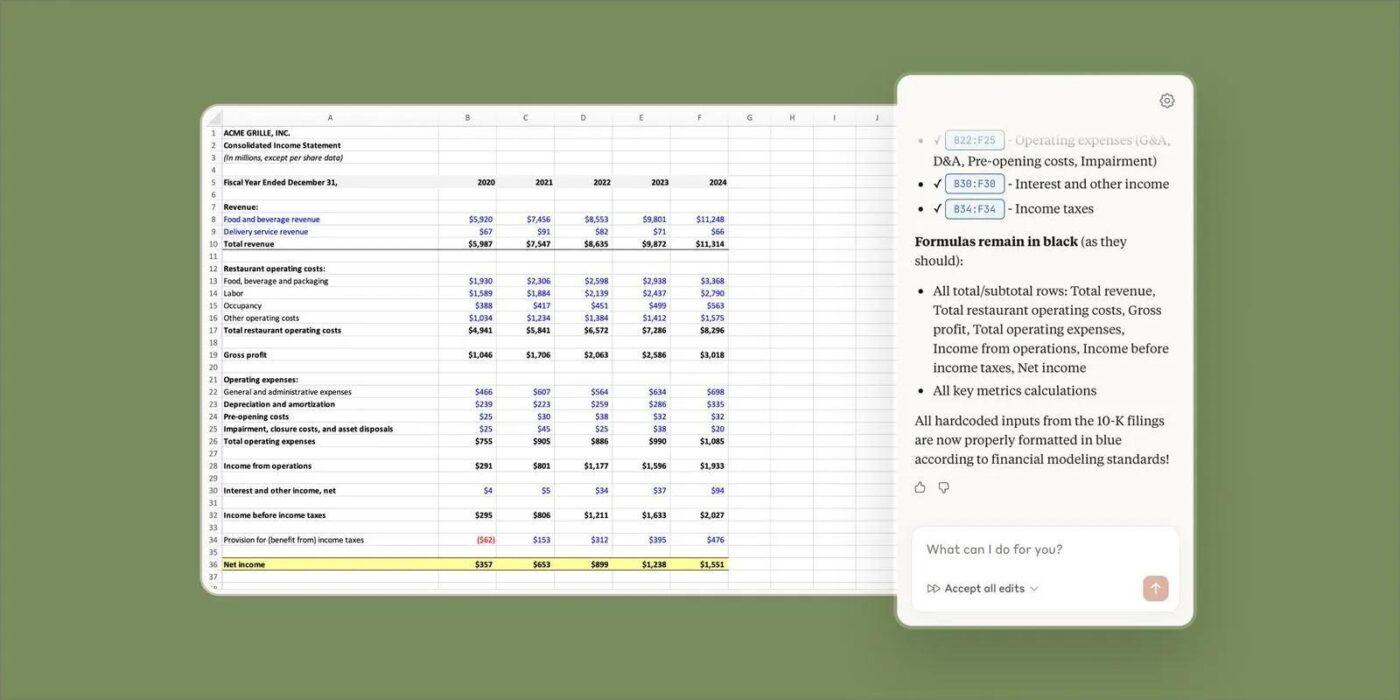
Claude in Excel helps you understand an entire workbook, including nested formulas and dependencies across tabs. You can ask questions in natural language and get explanations with cell-level citations so you can verify the logic instead of guessing.
You can also test scenarios without breaking formulas and debug errors like #REF!, #VALUE!, or circular references by tracing what caused them.
This is useful when enterprise teams need answers that stay transparent, especially when the spreadsheet is part of a bigger system or decision.
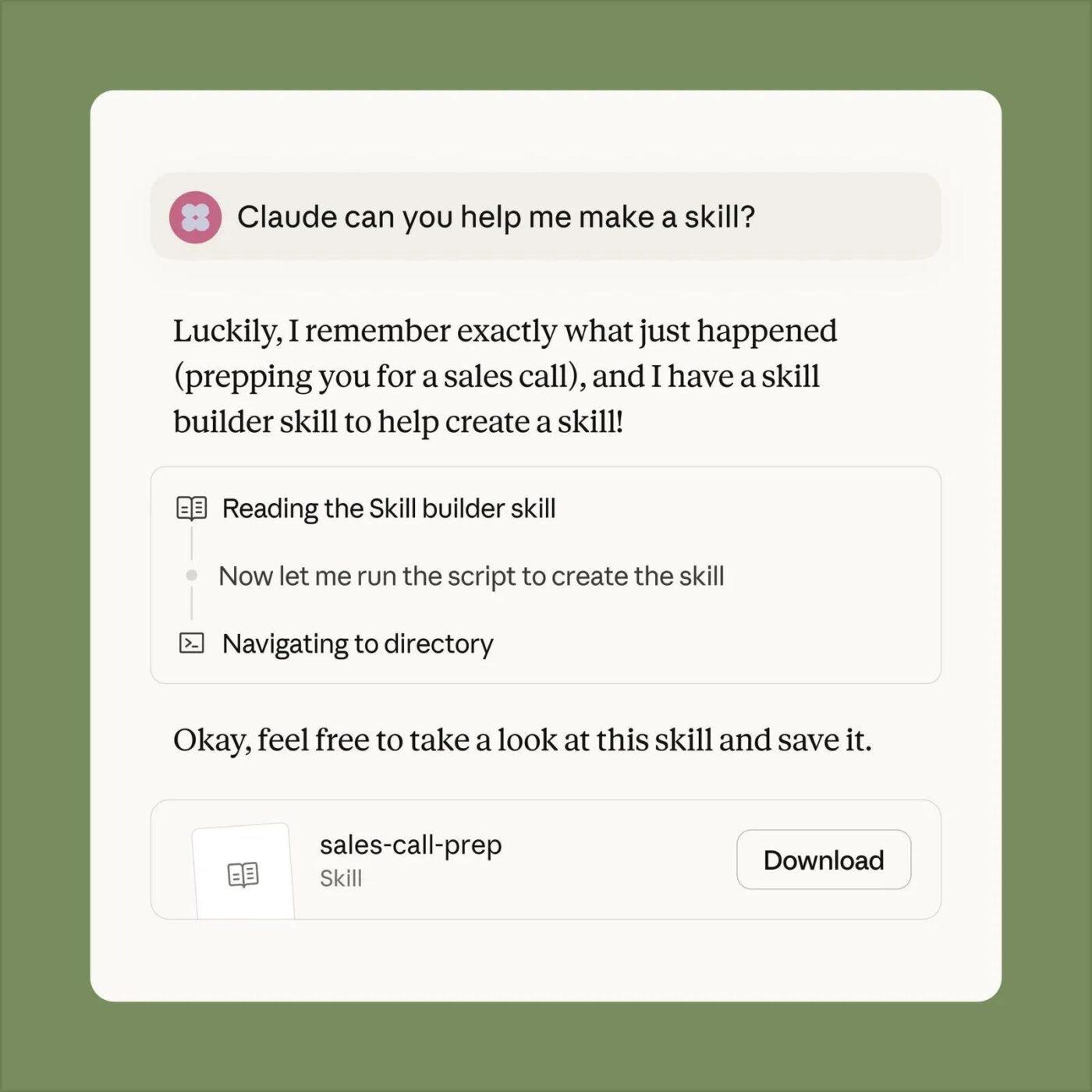
Claude Skills let you turn your procedures and best practices into reusable instructions or standardized workflows, so Claude can apply them the same way every time. That means more consistent output on specialized tasks and less “prompt wrangling” when different teams need the same format or workflow.
Skills also work across Claude.ai, Claude Code, and the API, so you can build once and use the same approach in different places.
This technique is useful when you want teams working in different tools to still follow one systematic approach to documentation and workflow.
Amazon Q and Claude can both support AI-assisted work, but they fit into enterprise systems in different ways. Amazon Q is built around the AWS ecosystem, with Amazon Q Developer for coding and Amazon Q Business for permission-aware answers. Claude focuses on a chat-first experience, with Claude Code plus integrations like Chrome, Slack, Excel, and Skills.
Next, we’ll compare them across the features that matter most for development workflows and day-to-day engineering output.
📖 Also Read: Unlocking the Power of ClickUp AI for Software Teams
If your teams build inside the AWS ecosystem, Amazon Q Developer is designed to stay close to AWS-related development work. It runs in supported IDEs and gives you chat and inline help, so you can generate code, make edits, and review changes without leaving your editor. Inline experiences are useful for safer updates because you can review suggested changes before you apply them.
Claude Code can also support IDE workflows, but it’s built around a terminal-first, agentic flow. It works well when you want one assistant to operate across a codebase, make changes across multiple files, and help you move from request to implementation without constantly copying context between tools.
🏆 Winner: Tie.
Choose Amazon Q Developer if your day-to-day development workflows are AWS-first and you want IDE-native support.
Choose Claude Code if you prefer terminal-based workflows and want an agentic assistant that can work across your codebase.
📖 Also Read: Best Code Editors for Developers
Amazon Q Business is built for permission-aware answers across enterprise content. You connect data sources, maintain identity and access controls, and provide responses with citations so your team can verify the source before acting on a solution.
Claude can support enterprise knowledge work too, especially on Team and Enterprise plans, where you get admin controls like SSO and role-based permissions. Claude’s strength is a smoother assistant experience across apps, but the “connectors plus citations” pattern is more explicit on the Amazon Q Business side.
🏆 Winner: Amazon Q Business, if you want permission-aware answers with citations across connected systems by default.
Amazon Q shows up inside AWS services, which helps when you want answers and insights without moving data to other tools. A clear example is Amazon Q in Amazon QuickSight, where you can build dashboards, visualizations, and complex calculations using natural language.
Claude focuses on bringing the assistant to everyday tools your teams already use. You can use Claude in Chrome to navigate sites and complete browser tasks, Claude in Slack to collaborate in channels, and Claude in Excel to understand workbooks with cell-level citations you can verify.
🏆 Winner: Tie.
Choose Amazon Q if your workflows live inside AWS services.
Choose Claude if your team needs the assistant across browsers, chats, and spreadsheets every day.
Amazon Q Developer has a dedicated “Transform” capability aimed at modernization work, including automated upgrades and conversions in IDE workflows, with an explicit review-and-apply step so teams can keep developer oversight intact.
Claude Code can still support modernization work, but it’s a more general agentic approach. It largely works as a terminal-based tool that can edit files, run commands, and create commits, which can help you execute an upgrade plan across a complex repo as long as your team defines the steps and validates results.
🏆 Winner: Tie.
Amazon Q Developer, if modernization is a core requirement (Java upgrades, conversions, repeatable transformation flows).
Pick Claude Code if you want a flexible terminal agent to help execute migrations you’re designing yourself across different stacks and workflows.
Before you take any pricing page or feature list at face value, it’s worth seeing how developers talk about these tools when they’re actually using them. The comments below give you a quick pulse check on where Amazon Q and Claude feel genuinely helpful and where teams hit friction.
Some Redditors state how helpful Amazon Q is:
✅ “Amazon Q is enormously helpful! The RAG is great… But really, great great job on providing accurate…”
While other users stated:
🚩 “At first it was very helpful… That included functions that don’t exist.”
About Claude, Redditors say:
✅ “Claude Code just feels different… Claude Code with Opus 4.5 is the premium developer experience right now.”
While some said:
🚩 “I can’t get anything done by constant handholding… Don’t read files, does not try to understand anything.”
📖 Also Read: How to Become a Better Programmer
A sprint rarely breaks because your team cannot write code.
A sprint breaks because the “final” decision lives in chat, the requirements live in a doc, and the task has links to three different places. Then someone drops an AI answer into the workflow, but nobody can tell what context shaped the output.
That is work sprawl. You still ship, but you waste time chasing the source of truth because tasks, docs, and conversations do not stay connected.
Now add AI sprawl. One team leans on Amazon Q in AWS. Another team leans on Claude Code in a separate flow. Prompts get rewritten, outputs get copied across tools, and it gets harder to explain why a change was made.
That is where ClickUp, being a converged AI workspace, fits perfectly. ✨️
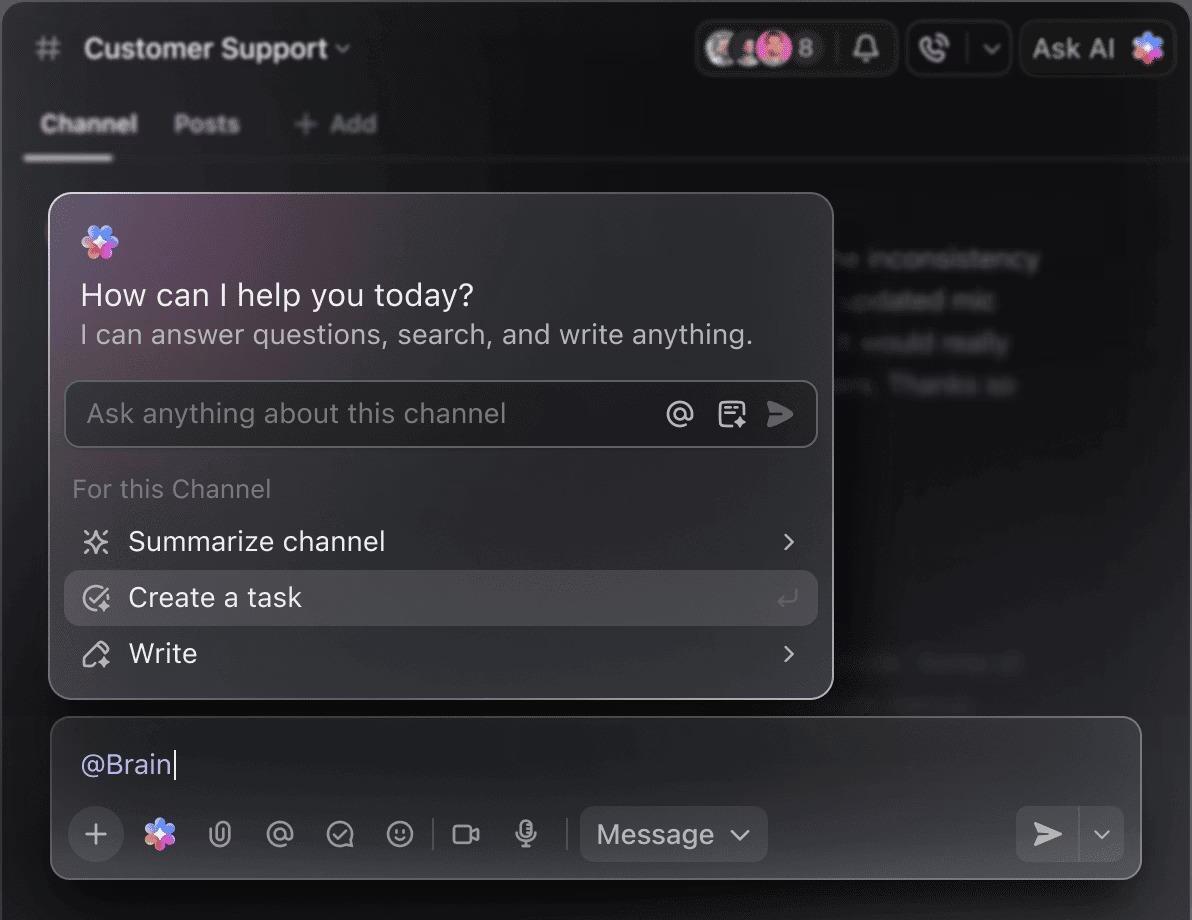
ClickUp brings your work and AI into one connected system, so tasks, docs, and workflows stay tied to the same context. ClickUp Brain can pull action items from docs and chats and turn them into structured tasks, which helps you move from AI output to real execution without losing traceability.
Next, you’ll see what this looks like for software teams, including how ClickUp can keep delivery moving with agents and automations.
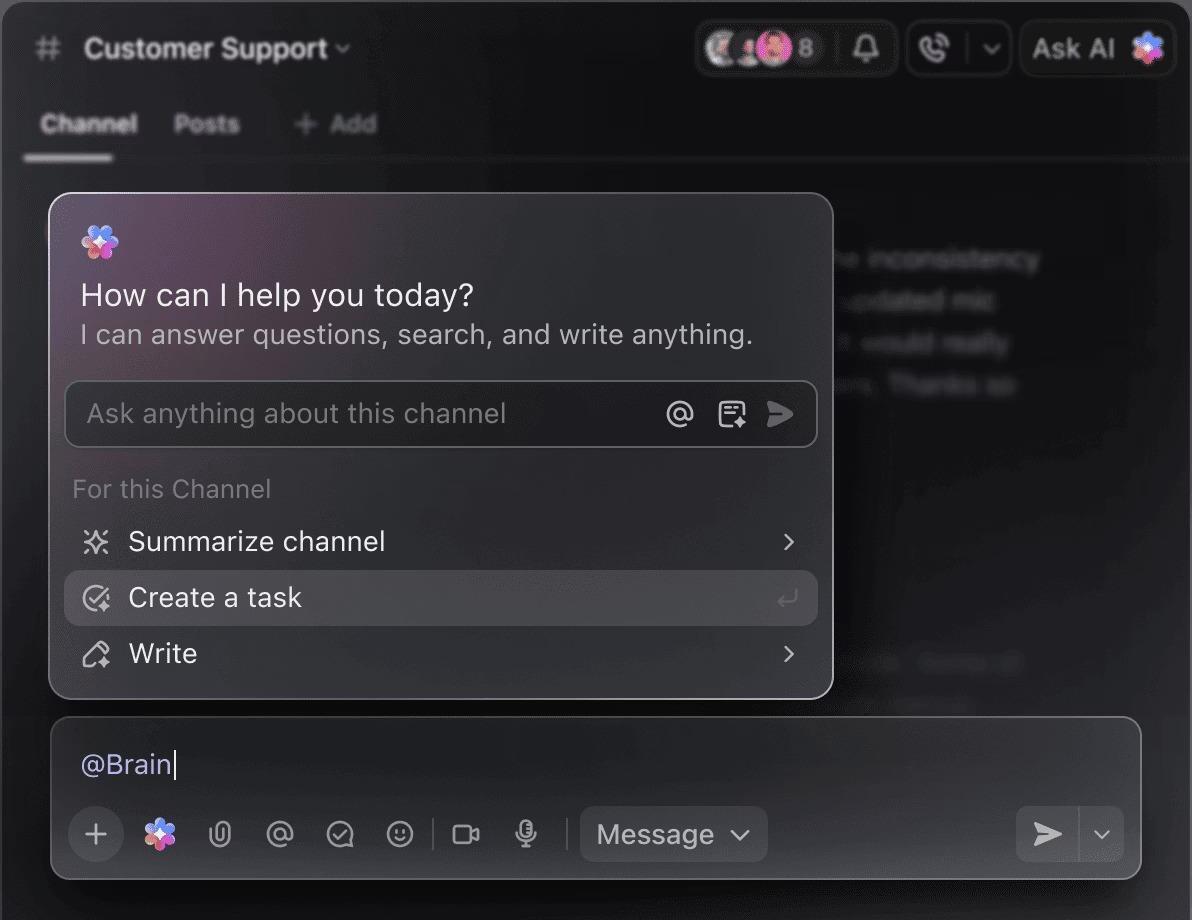
When you compare Amazon Q vs Claude Code, you quickly realize the hard part is not picking the “best” model. You need one place where AI output stays attached to the work your team ships. Otherwise, answers float around in chat, and nobody can trace decisions back to the actual tasks and docs.
ClickUp Brain solves that by embedding AI directly into your workspace, so you can turn notes, docs, and conversations into structured execution. You can create tasks from chats and docs, generate briefs, and get answers with context from your workspace instead of starting from scratch every time.
When your architecture decisions, specs, and action items live in the same system, you spend less time re-explaining context and more time shipping with confidence.
💡 Pro Tip: ClickUp Brain MAX helps you keep coding work grounded in the same place your team plans, reviews, and ships.
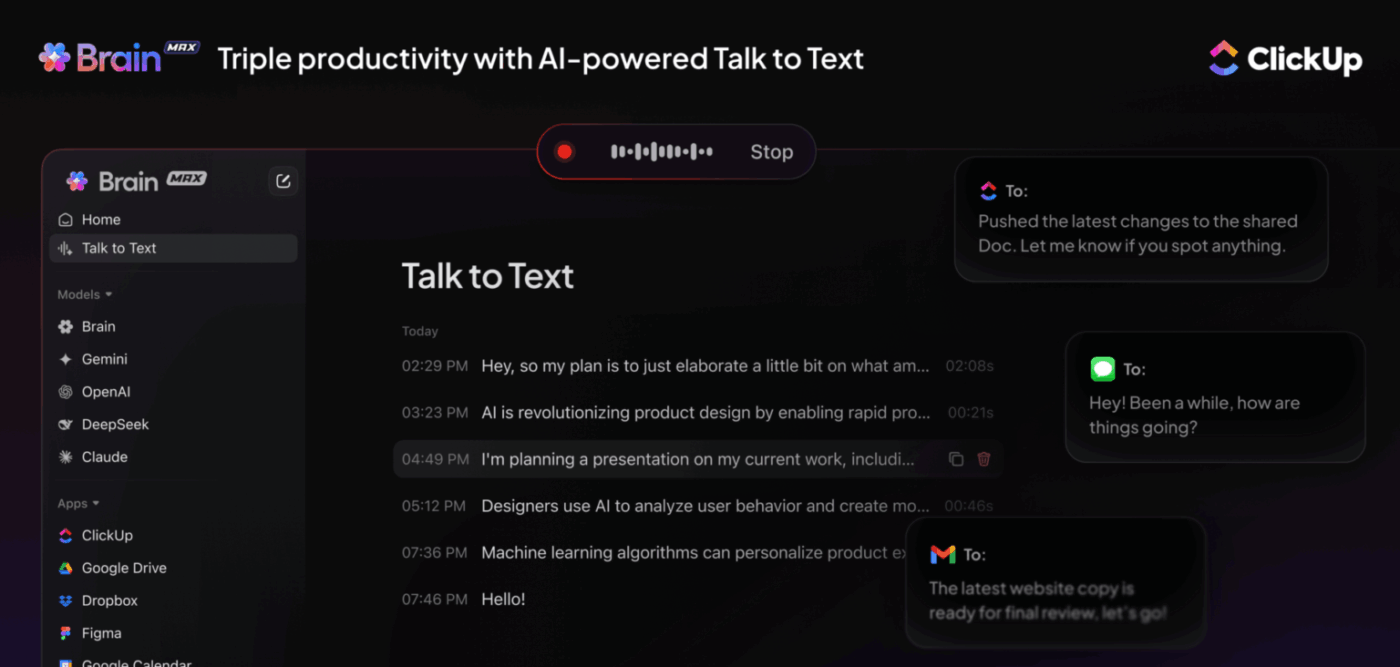
Here’s a simple workflow you can reuse:
When you compare Amazon Q vs Claude Code, you’ll notice a pattern. The assistant can suggest solutions, but your team still needs a reliable way to turn those suggestions into real execution across files, reviews, and handoffs.
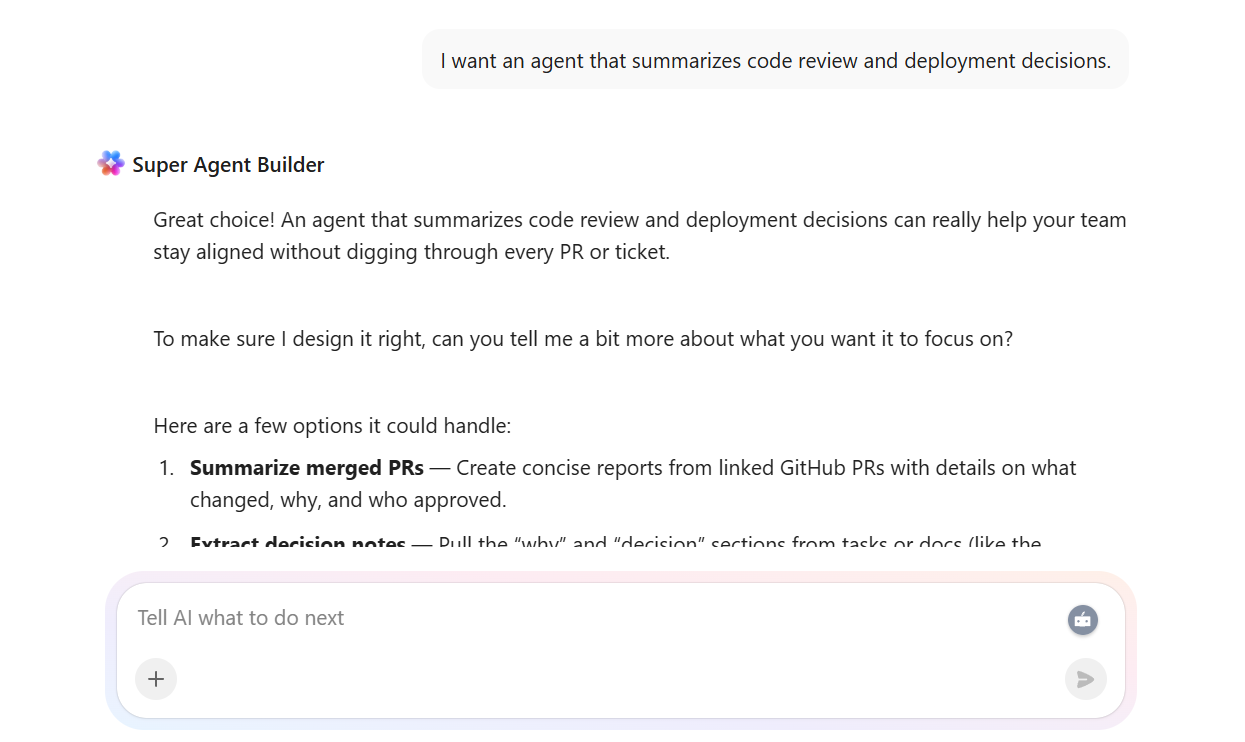
That’s where ClickUp Brain Super Agents fit. You can create and customize agents that act inside your workspace. This feature allows routine tasks, such as summarizing context, drafting updates, and maintaining workflow continuity, via the same process your team already uses.
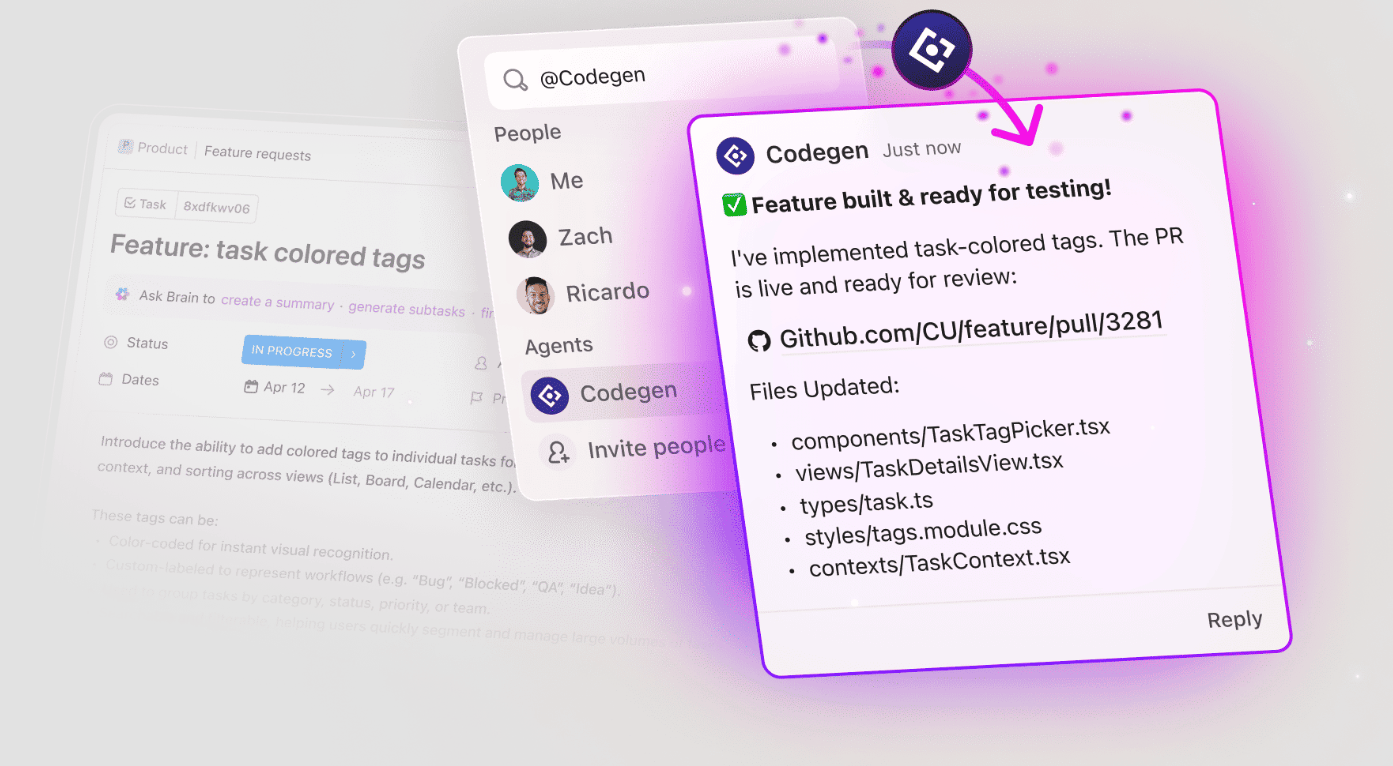
Then you connect that to ClickUp Codegen. ClickUp Codegen is an AI developer teammate you can mention on a task to answer code questions in natural language and help produce production-ready pull requests. This helps your work move from request to PR without living in scattered chats and other tools.
Together, agents handle the coordination, and ClickUp Codegen handles the build step, so your team spends less time stitching context across tools and more time shipping with developer oversight.
💡 Pro Tip: After ClickUp Codegen drops a pull request, ask ClickUp Brain to summarize what changed, why the change was made, and what to test next, then save that summary in the task. Later, you can use ClickUp Enterprise Search and Ask to quickly answer, “Why did we change this module?” and get a citation-backed response from the exact task, document, or comment where the decision happened.
You can also ask ClickUp Brain to create ClickUp Brain Super Agents to summarize all your work details for better and faster results
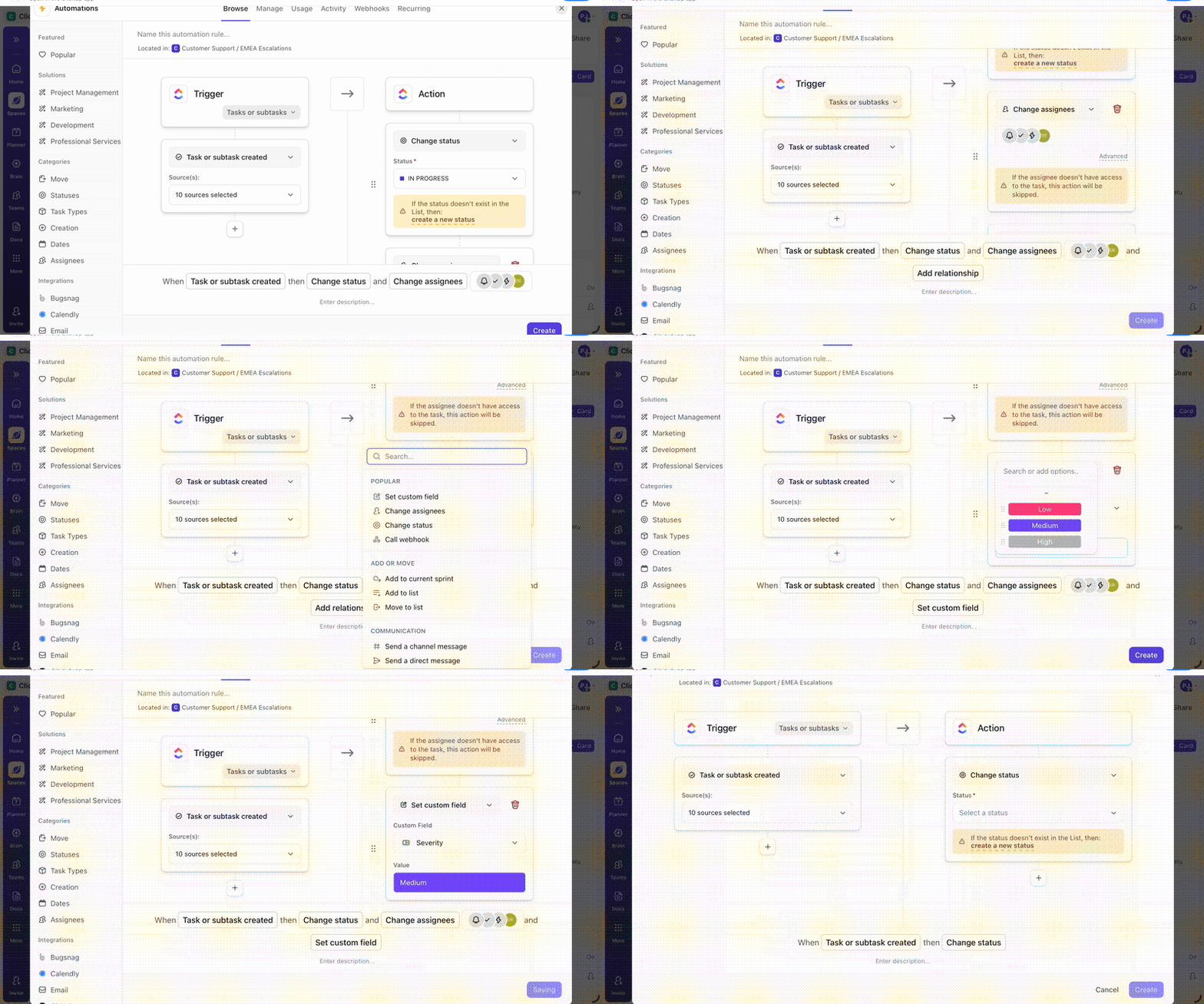
AI can help you generate code and refine solutions, but you still lose time when work stalls on handoffs. A PR gets opened, and nobody gets notified. A status change occurs, but the next step stays stuck. That is where ClickUp Automations makes the difference.
ClickUp Automations let you set triggers and actions, with optional conditions, so routine tasks move forward without manual follow-ups. You can start with prebuilt automations or build your own to automatically assign work, apply templates, or push updates when a status changes.
This helps you turn AI output into consistent execution, keeping your development workflows predictable even when multiple tools are involved.
💡 Pro Tip: Once your ClickUp Automations start assigning reviewers and nudging the next owner, the next bottleneck is visibility. Leaders still ask, “What’s stuck?” and senior developers still get pulled into status threads.
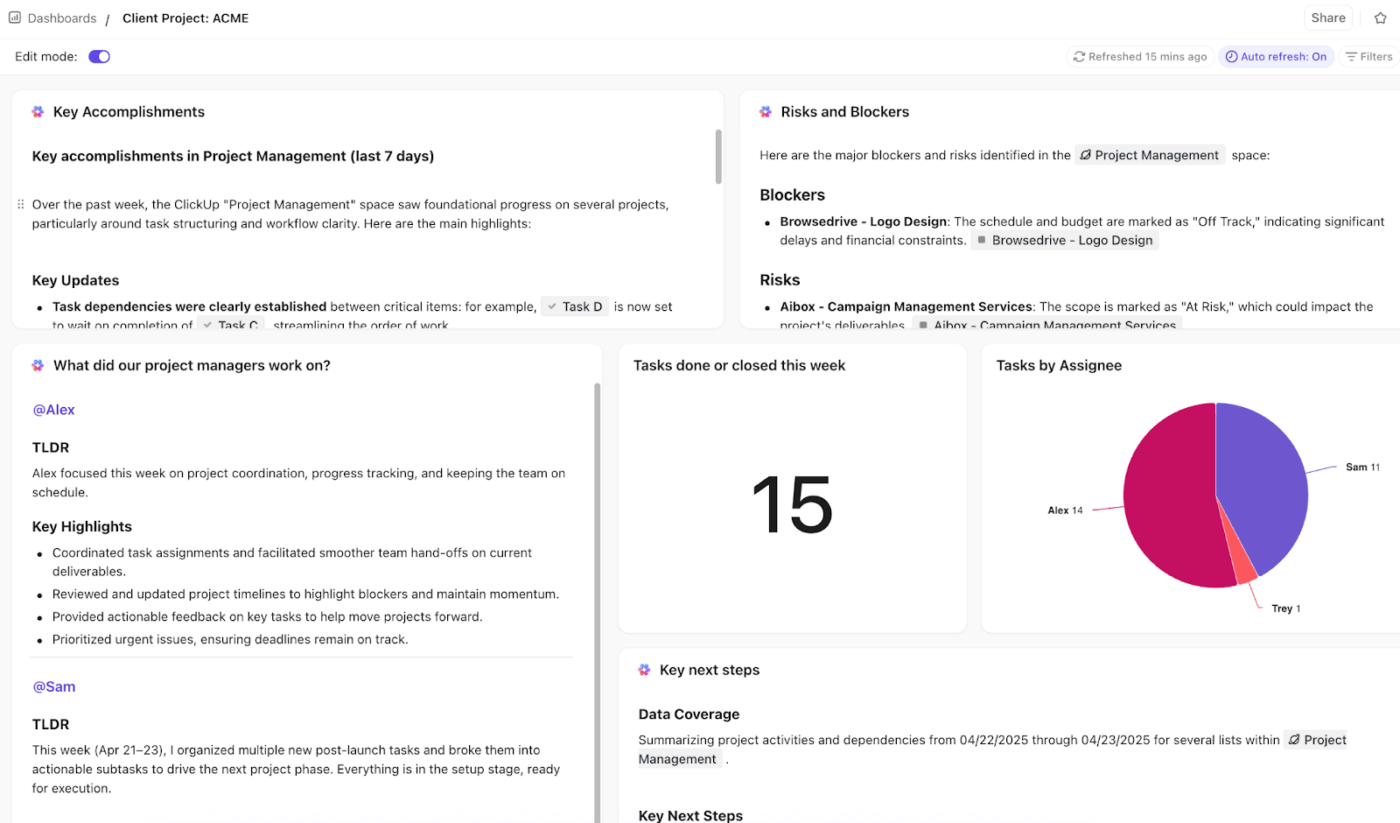
Add ClickUp’s AI Cards to a ClickUp Dashboard so the answers come from the work itself, not from check-ins:
Amazon Q can feel like the right choice when your development workflows sit deep in the AWS ecosystem and work with large codebases. Claude Code can feel like the better fit when you want a chat-first assistant that supports work across everyday tools across a simple learning curve.
Either way, the real risk is the same. AI output gets copied into chat, decisions get lost, and nobody can trace why a change was made to the new code or AWS infrastructure.
ClickUp helps you stop that and more with a different approach. You keep AI answers tied to the work your team actually ships, so execution stays connected to context. This helps with maintaining version control of your information and helps manage predictable costs and complex codebases.
Sign up for ClickUp to run your planning, coding workflows, and AI follow-through from one workspace.

© 2026 ClickUp

There’s an easier way. Try a free AI Agent in ClickUp that actually does the work for you—set up in minutes, save hours every week.