
Sorry, there were no results found for “”
Sorry, there were no results found for “”
Sorry, there were no results found for “”
Did you know? Instagram’s algorithm for Reels changes every four weeks.
Just when you think you’ve cracked the code, it switches things up again.
With the high costs of hiring professional video editors and booking studios, you might find it challenging to produce enough high-quality videos to meet your needs.
Want to know my strategy to create stunning videos in a short time? Using an AI video generator.
An AI video generator and video editor can create anything from byte-sized clips to feature-length videos in seconds. These AI-generated videos don’t just look good—they take considerably less time to produce.
In this article, I’ll share the best AI video tools I’ve personally used and loved. We’ll discuss their best features, limitations, pricing, and online reviews.

Before you use AI for your next video, get clear on the 6 video ideas that are most likely to hurt your credibility.
When choosing the best AI video generator, I always consider a few key features.
First, video editing capabilities matter. You want an AI video editor that offers a seamless editing process, such as trimming, adding background music, or incorporating video clips and stock footage.
Next, check for customization options.
Whether you’re making explainer videos, social media videos, or longer YouTube cinematic videos—the best AI video makers should allow you to work with video templates and offer flexibility in creating content in any video format.
Advanced features like AI avatars and text-to-video can be game-changers for producing content quickly.
? For example, when creating videos with popular AI video tools like Pictory or Synthesia, I can simply upload a script, select my preferred AI avatar, and generate a professional video in just a few clicks.
Lastly, user experience is important.
? For example, with some tools, you can create amazing videos that are ready for publishing—without spending hours editing or worrying about production quality.
Also Read: Top 50 AI Tools and Software in 2024
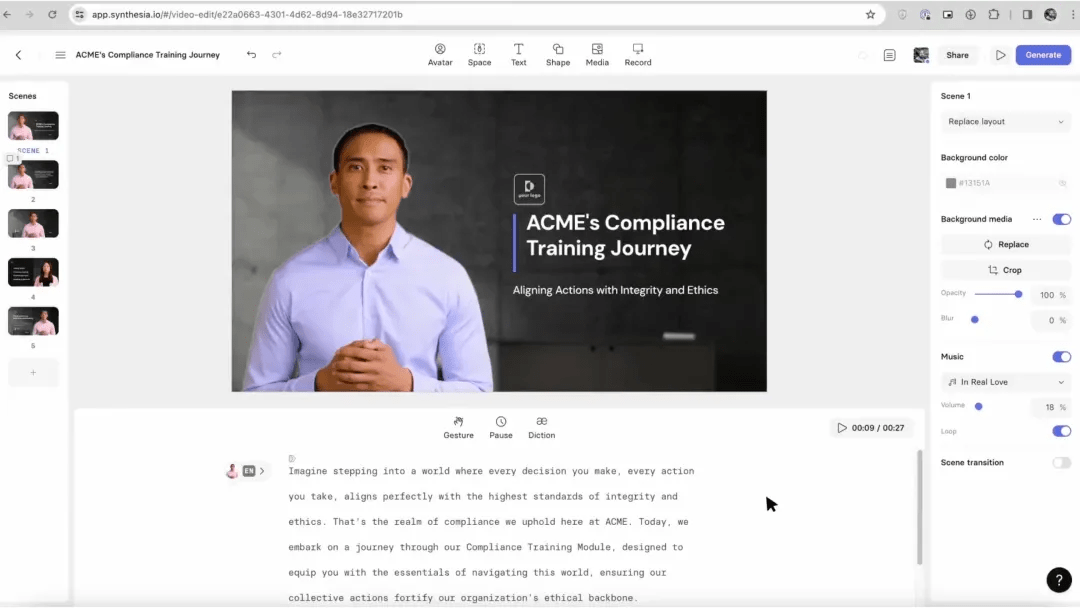
Synthesia is a leading AI video generator that makes creating videos without extensive video production skills simple and intuitive.
I have used Synthesia to transform long, complex help articles into user-friendly videos (especially beneficial for customer service teams).
Sythesia’s multiple AI avatars and advanced voiceover capabilities make its video content engaging, especially for creating training and marketing videos.
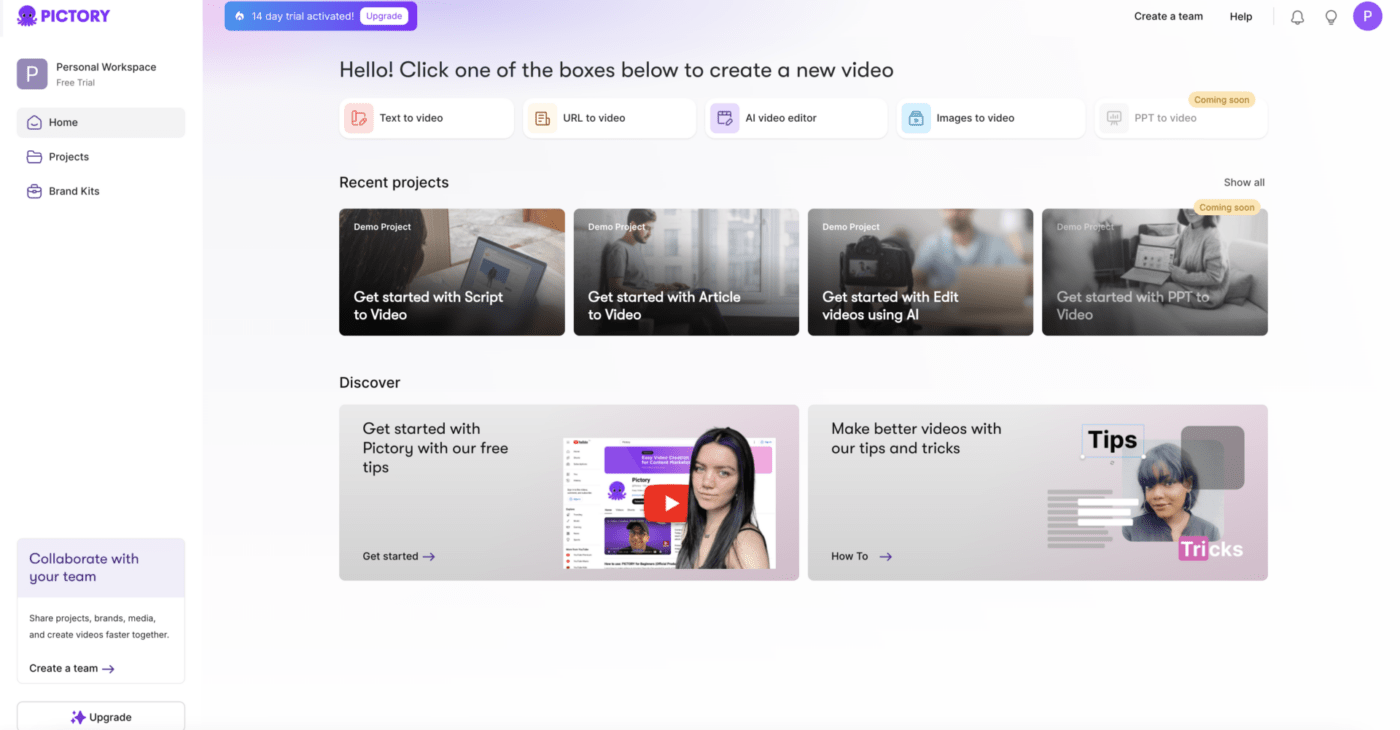
As someone who frequently creates content for social media and online courses, Pictory has been a game-changing AI video generator for me.
This video creator caters to a wide range of users, including content creators, marketers, and educators, and works well for users who lack video editing experience and those who are new to video creation. Pictory’s text-to-video features are on par with the top AI video generators.
Additionally, the video generator has an automatic captioning feature, and you can generate social media-friendly content in a couple of minutes.
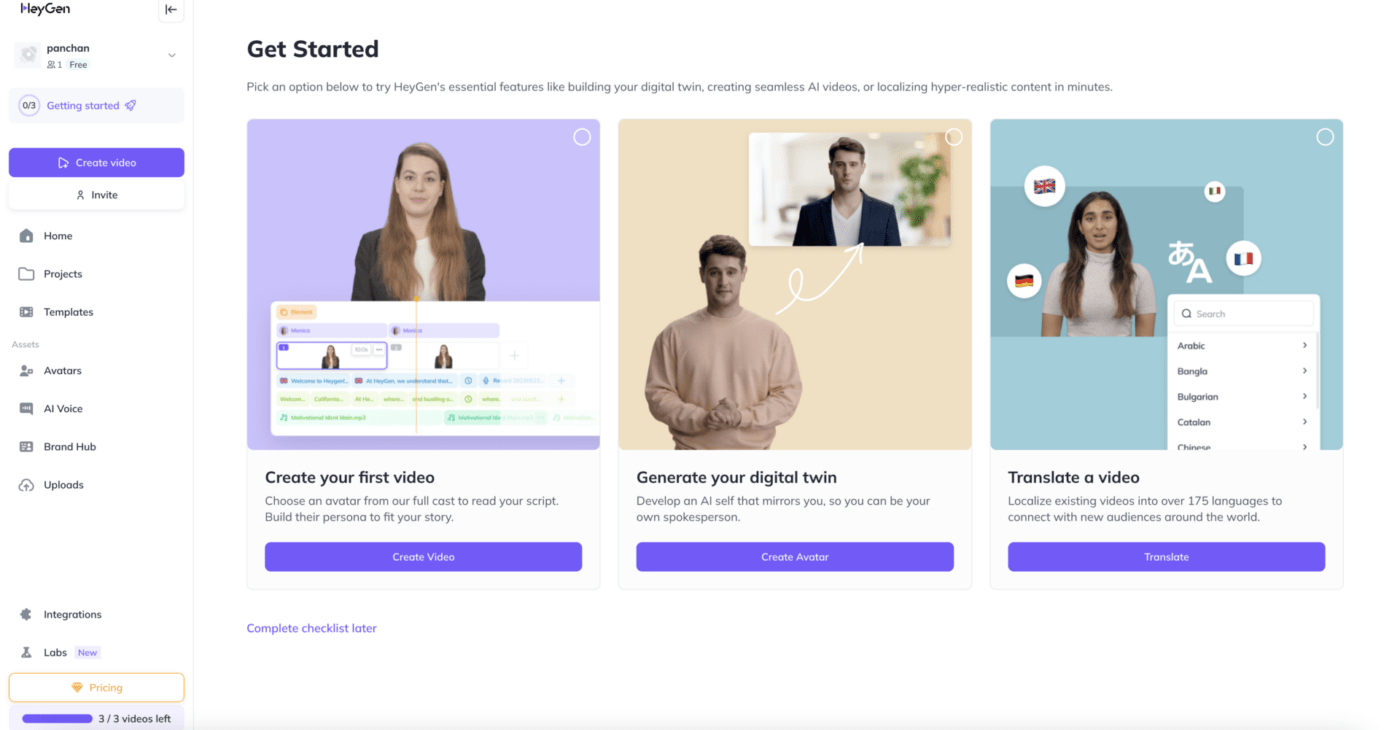
If you’re a content creator looking to speak multiple languages or expand into new markets, HeyGen can help you create high-quality videos with voiceovers and customizable avatars.
Instead of positioning itself as an all-purpose AI video generator, HeyGen’s claim to fame is its video generation capabilities, which produce studio-quality videos in over 175 languages. You can even customize your video avatar with various outfits and themes.
The tool also has a fairly intuitive user interface.
However, HeyGen has useful but limited native integrations, with most integrations routed via Zapier. This can complicate things for your video creation workflow.
Also Read: 10 Best Video Marketing Software in 2024
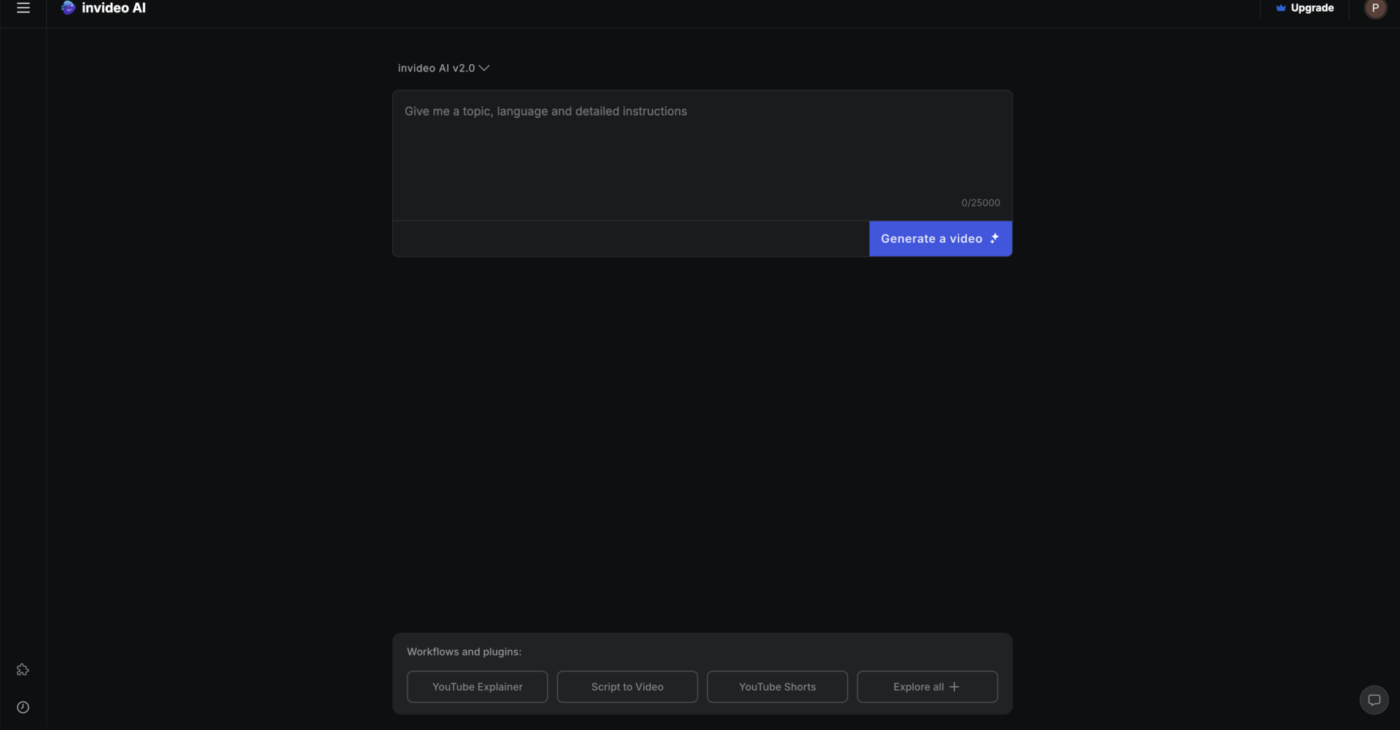
Ideal for marketers, educators, and content creators who need to produce high-quality videos efficiently—InVideo is another great AI video generator tool that makes video production accessible to everyone, regardless of their technical skills.
InVideo has over 4,000 video templates, offering new users a great chance to start without learning the basics.
Furthermore, adding narration and music for the background is a handy benefit offered in most of InVideo’s plans.
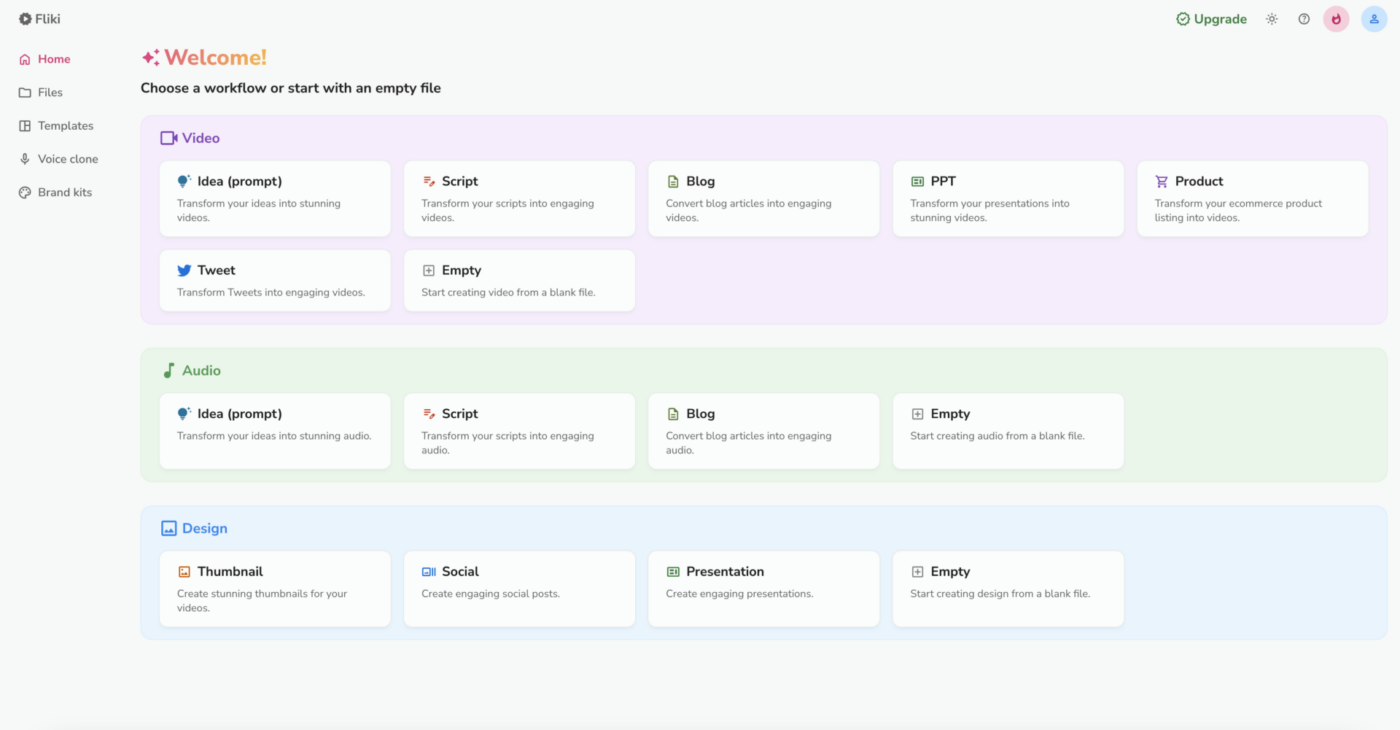
Fliki makes content creation incredibly easy, whether you’re converting blogs into videos or adding voiceovers to projects.
With over 1,300 AI voices and support for 75+ languages, it’s perfect for producing content globally resonant content.
I’ve used it to quickly turn a blog post into a slick YouTube video—with no advanced editing needed.
Fliki’s voice-cloning feature also adds a personal touch, keeping things consistent across projects. Creating AI videos with the tool is fast, simple, and scalable—perfect for creators, marketers, and educators.
While Fliki’s voiceovers can sometimes sound robotic, this is a small tradeoff for the speed and versatility it offers.
Also Read: Project Management for Video Production
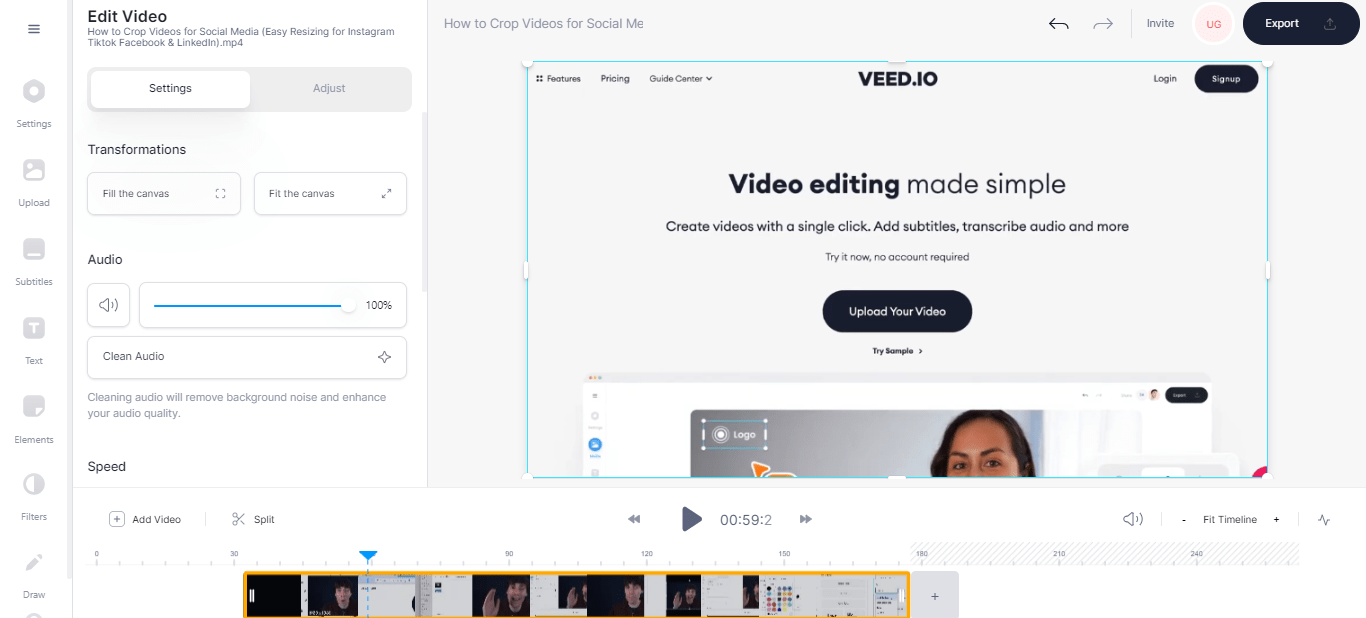
Veed.io is probably one of the most popular AI video generators today.
The tool makes video editing straightforward for everyone—from beginners to pros- whether polishing up client demos or creating social media content.
With features like drag-and-drop clips and auto-generated subtitles, it’s designed for efficiency.
`You can even remove background noise in just a few clicks. While the free version provides basic features, upgrading unlocks more advanced tools like 4K exports and additional storage. It’s a good choice if you want to create quality videos without a significant learning curve.
It also has a multi-track editing feature that seamlessly blends footage from various sources, including client-provided B-roll, stock video, and custom animations.
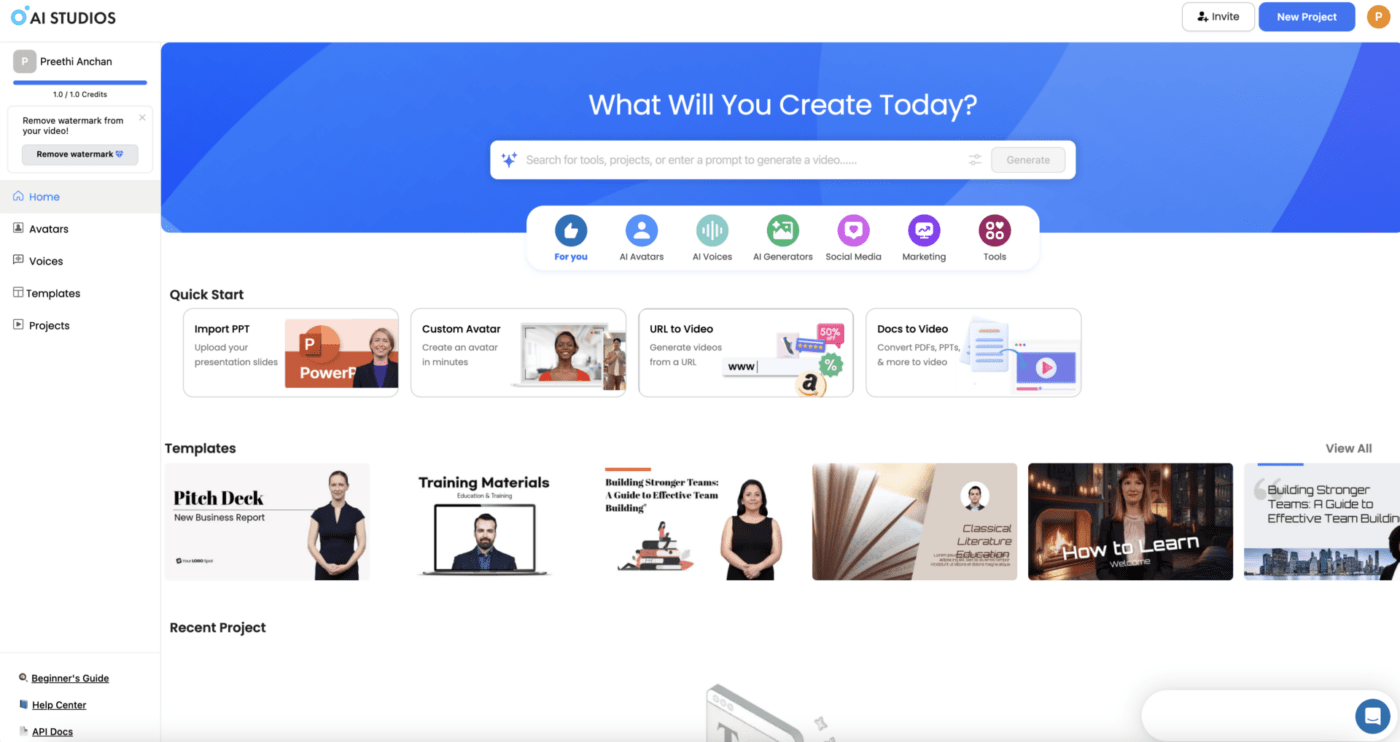
In my experience, DeepBrain AI’s ChatGPT integration is a standout feature—it writes scripts for your avatars, making video creation almost effortless (almost zero video editing skills needed).
This makes it extremely easy to use for users who have no prior experience with video creation or editing.
Plus, the template library offers plenty of ready-to-use options, saving you time in a pinch.
?Pro Tip: Look for AI video editing tools, including text-to-video features and AI avatars.
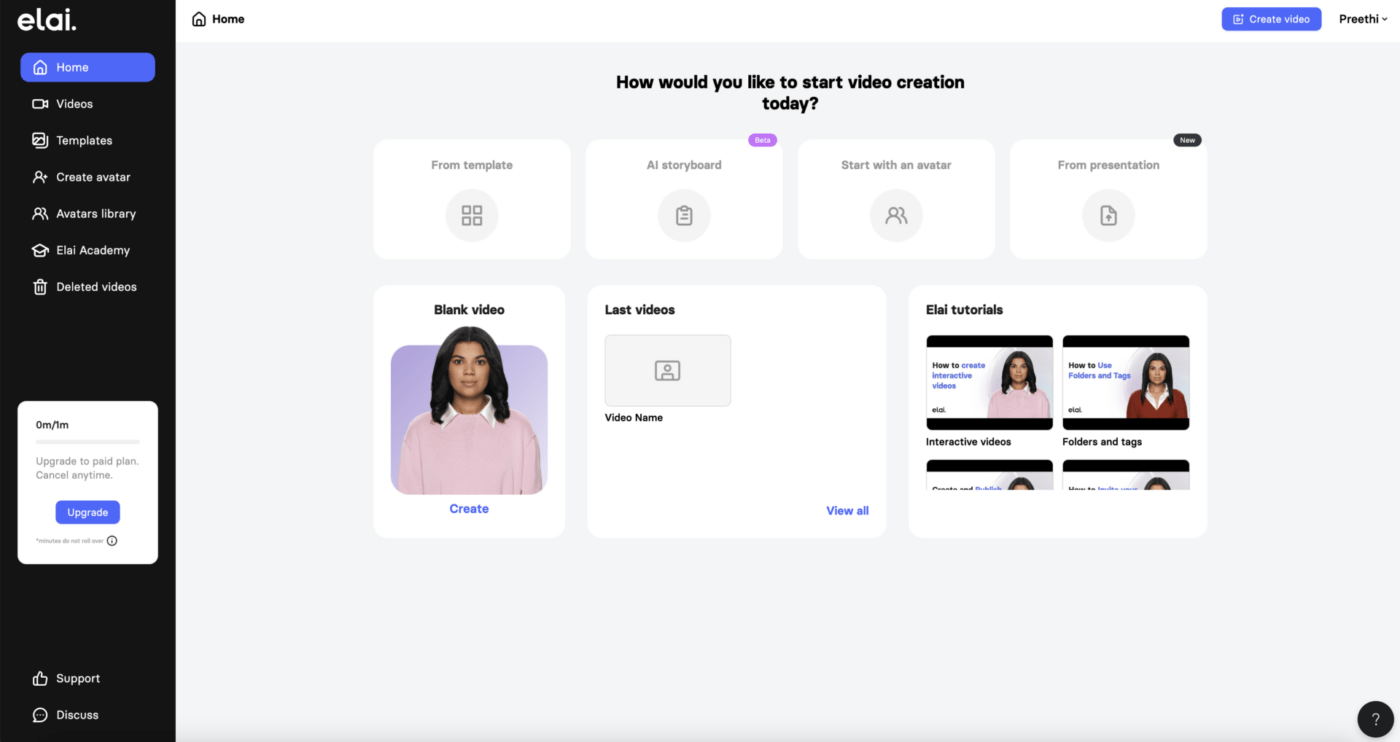
Do you need to create personalized video content at scale but without the headache of endless editing? I tested Elai to see if it could tackle this challenge.
The custom avatar feature immediately caught my attention. I could create digital presenters that looked professional and spoke multiple languages—perfect for reaching diverse audiences.
The text-to-video function was another strong point. I could instantly generate video scripts by simply uploading product descriptions, a huge time saver. However, while the lip-sync accuracy was impressive, I sometimes find the movements of the AI avatars generated to be stiff.
With its API integration, you can automate hundreds of personalized videos overnight, which no other platform has managed so smoothly yet.
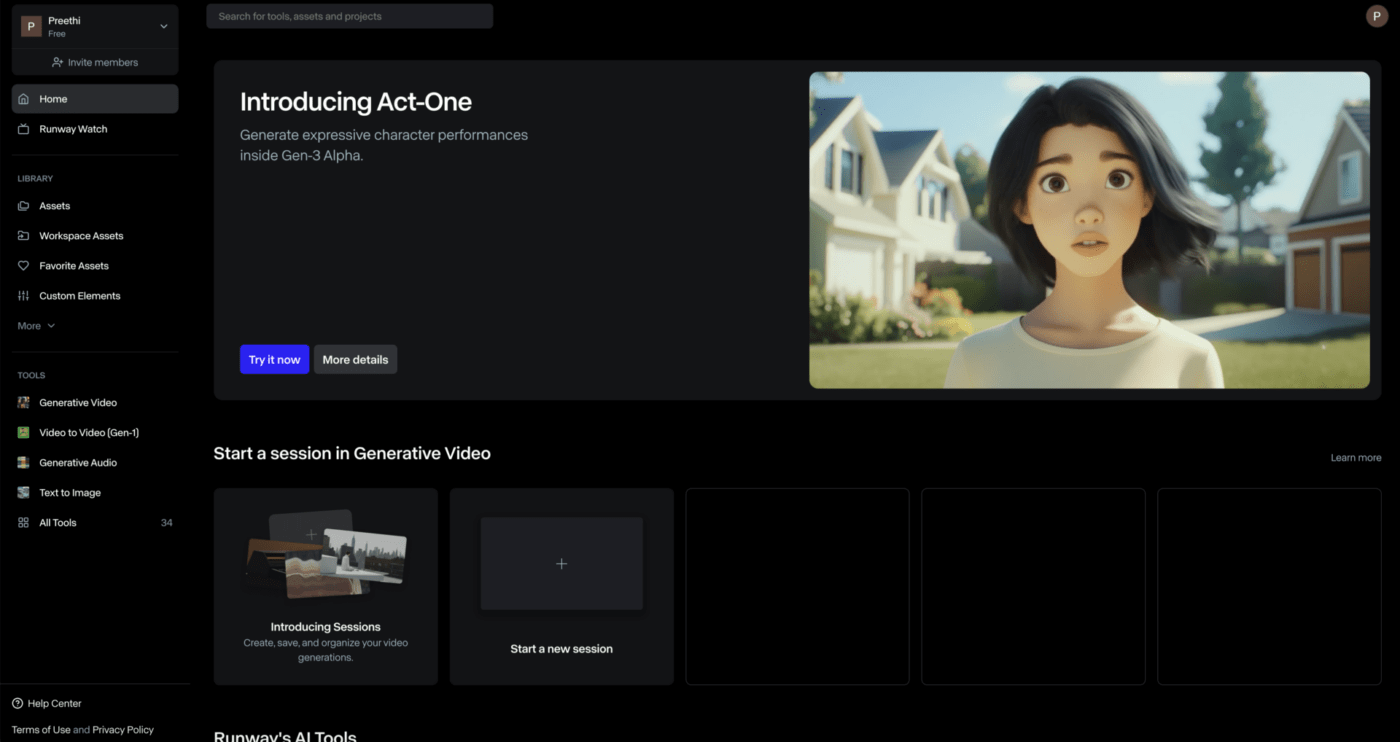
What if you could instantly generate futuristic, high-quality video output or add complex effects without traditional VFX software? I tested Runway to see if it delivers.
The text-to-video feature stood out to me. I typed in simple prompts, and within minutes, the AI-generated video was delivered and needed only a few minor adjustments.
Another highlight was the Motion Brush tool. It allowed me to add flowing animations that typically take hours quickly.
The image-to-video tool also worked well. I uploaded a still render and generated a 360-degree rotation that looked incredibly realistic. Its ability to automatically generate background music was a nice touch.
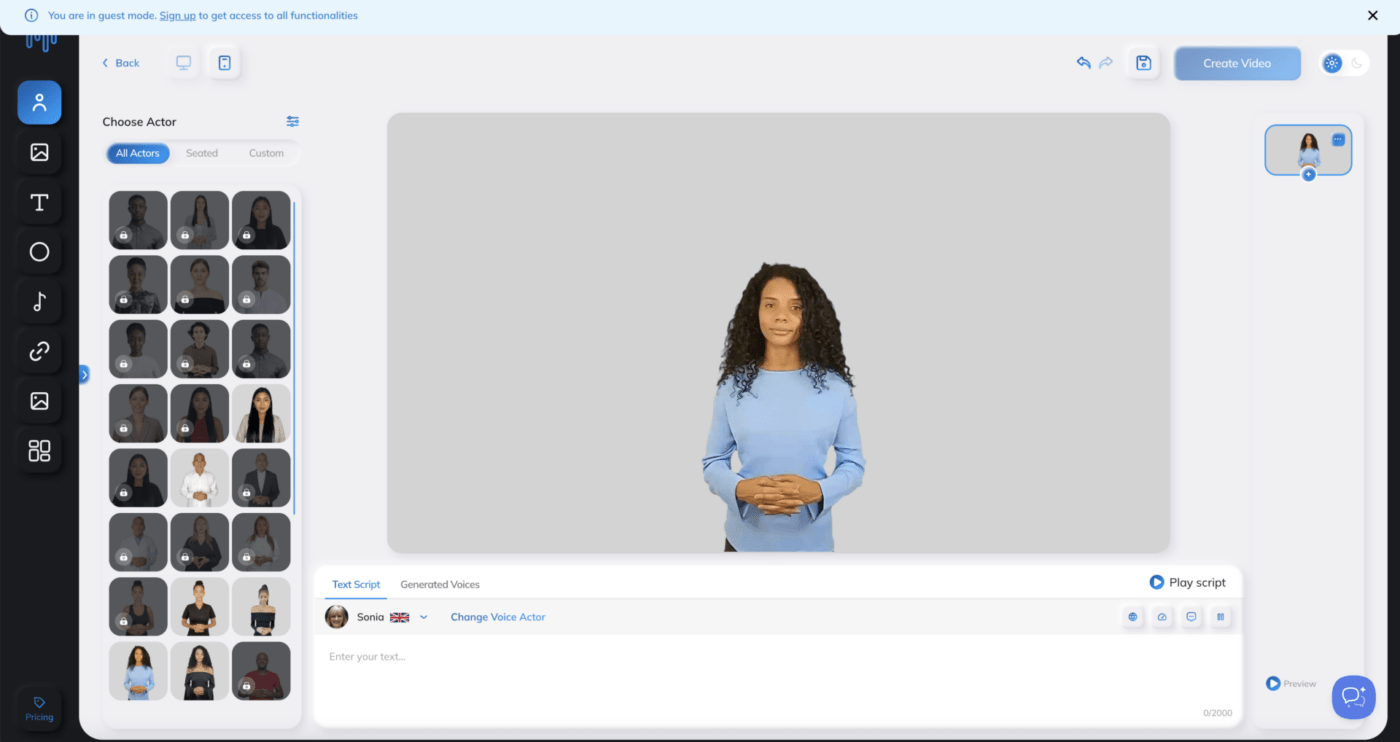
I tested Synthesys to explore its capabilities as an AI video editor, and it performed quite well overall.
The multilingual AI avatars generated were realistic, with smooth expressions and movements, which worked effectively for professional video content. However, avatar customization felt somewhat limited.
The text-to-speech feature and the various video templates on the platform were accurate, but the rendering times for longer videos can often be frustratingly slow.
The platform’s video templates were useful and saved time, though some options were fairly basic.
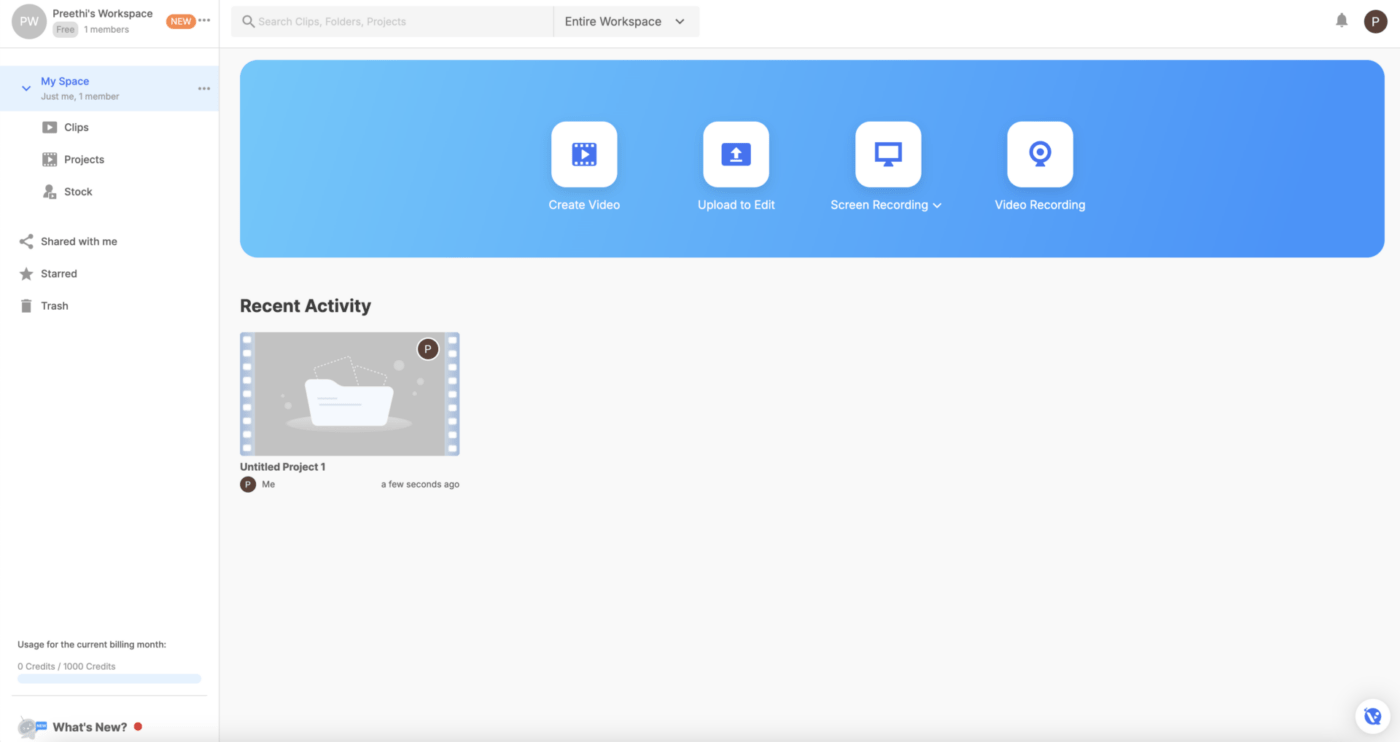
Need an AI platform that lets you handle storyboard, script, B-roll, voice-over, subtitles, and more for different video styles? Visla does that and more.
The AI script generation feature is a timesaver, crafting well-structured scripts from basic product briefs.
AI avatars were quite lifelike, though I found the selection somewhat limited for more niche industries (imagine not being able to make your AI chef avatar wear the iconic white chef hat).
However, the text-to-video tool was efficient, automatically pulling relevant stock footage and adding animations, but the customization options for advanced users felt restricted.
Visla also provides solid branding tools, making it simple to keep visuals on-brand with logos and color schemes. The multilingual adaptation and collaboration features were helpful, especially for teams across regions.
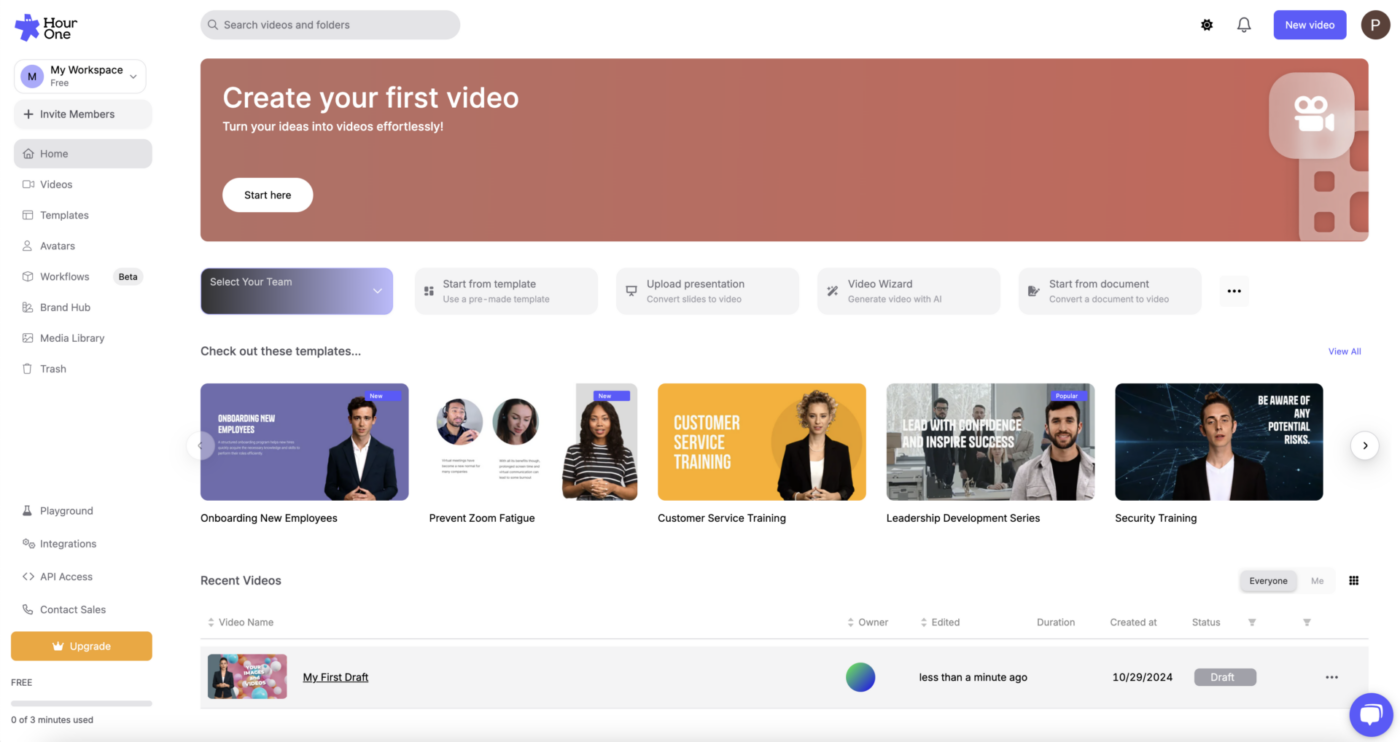
I tested Hour One’s AI avatar video creation and found it helpful for producing videos quickly, especially for internal communications.
The AI avatars were lifelike enough, though not as polished as I expected. The avatars’ voice-to-expression matching was a bit off at times, affecting overall realism.
The multilingual capability was highlighted, allowing me to create localized versions with accurate lip-syncing across languages.
Overall, Hour One is effective for quick, scalable video creation, but there’s potential for improvements in avatar quality and expression syncing.
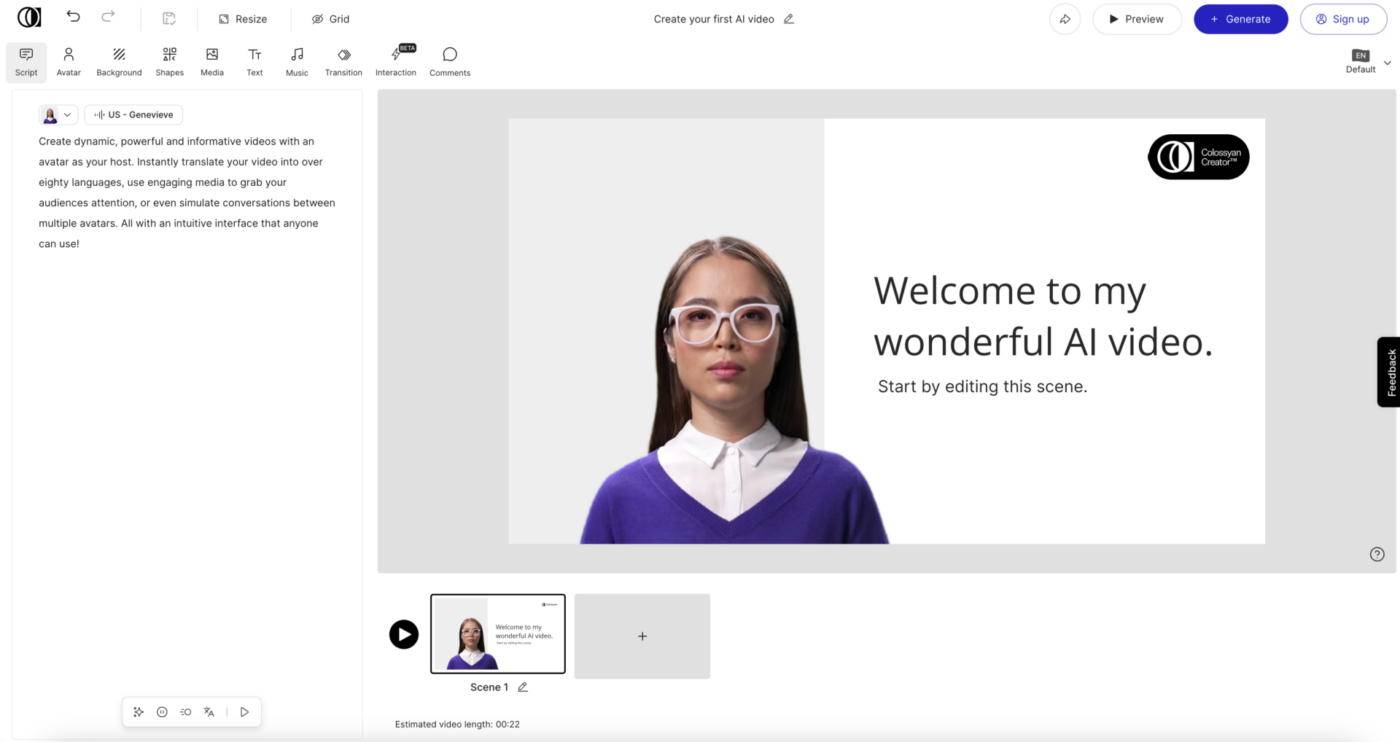
Reviewing Colossyan was interesting.
The platform offers plenty of features for anyone to create AI videos, but there are areas for improvement. Multi-language support is a strong point, with accurate translations and lip-syncing that make content localization easy.
However, while the AI avatars looked realistic, a noticeable head wobble made them feel a bit unnatural, and their expressions didn’t always match the tone of their voices.
The PowerPoint integration was smooth, quickly converting slides into dynamic videos with animations and voiceovers, which saved time. Interactive elements like quizzes added engagement, but some advanced customization options were lacking.
While ClickUp isn’t a traditional video creation tool, it excels in managing video projects and enhancing your workflow with its versatile features. You can also create fantastic explainer videos with ClickUp Clips! More on that below.
As the everything app for work, ClickUp is designed to streamline project management, task tracking, and team collaboration. With its intuitive interface and robust functionality, ClickUp empowers teams to stay organized and efficient, making it an ideal choice for content creators and marketers alike. ?
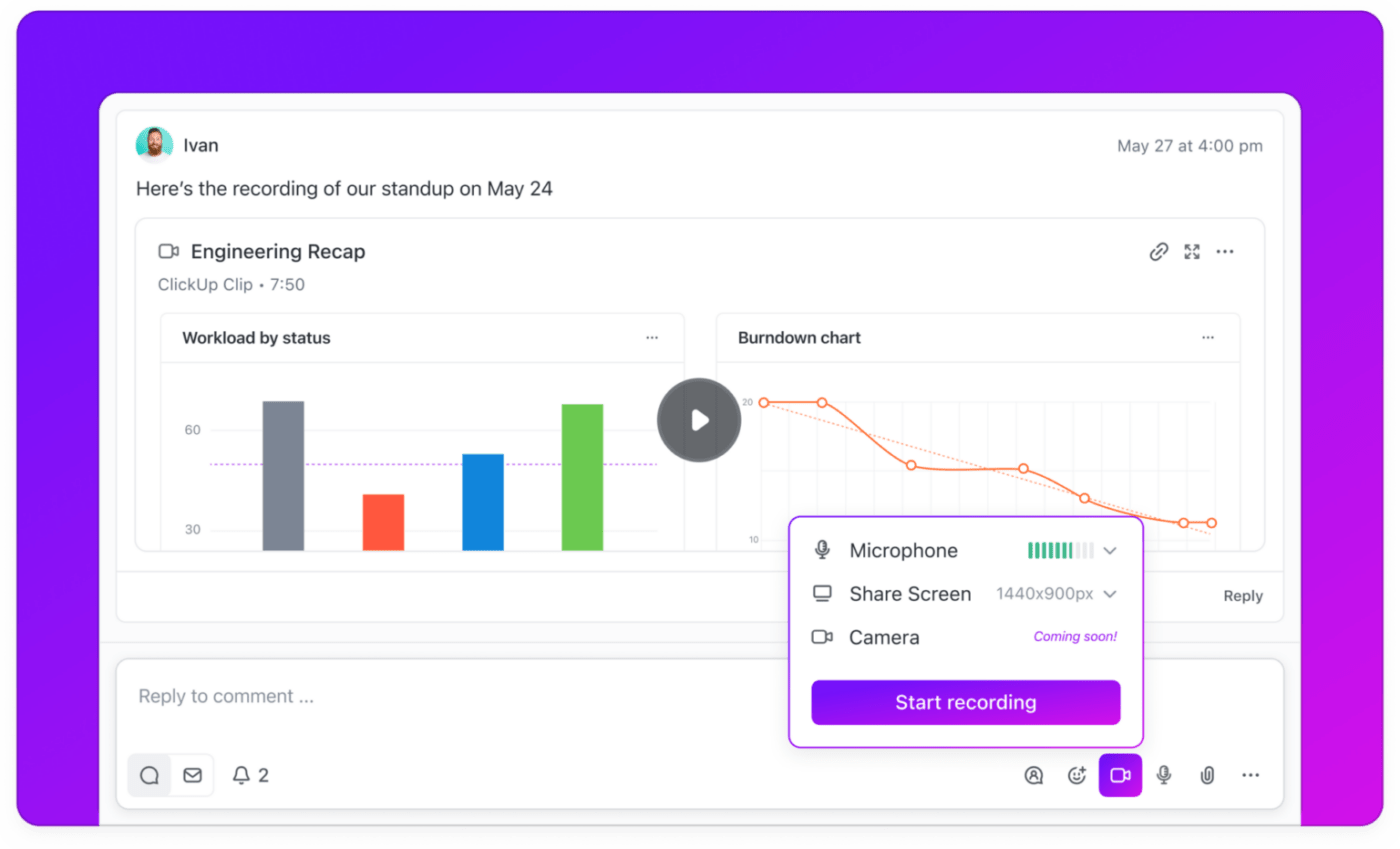
ClickUp Clips is a powerful tool for recording screen and webcam videos directly within ClickUp. Whether you’re capturing a quick update, explaining a complex process, or brainstorming new ideas, Clips makes it easy to communicate visually with your team.
One standout feature of Clips is its AI-powered transcription capability. When you record a Clip, ClickUp automatically generates a video transcript, allowing you to read through the content and jump to specific parts by clicking on the transcript. This is a massive time-saver for reviewing material and pinpointing key moments without rewatching entire videos.
Clips are ideal for:
By making it easy to share and revisit important discussions, Clips enhances collaboration and keeps everyone on the same page.
With ClickUp Clips, you can repurpose your recorded content for maximum engagement. Extract key insights and highlights from meeting recordings to transform them into engaging YouTube videos or social media clips. This not only amplifies the value of your content but also keeps your audience engaged across multiple platforms.
For YouTube creators, Clips can be a game-changer:
Take your content creation to the next level by combining Clips with ClickUp AI. ? This smart assistant supports your video curation needs by:
ClickUp AI acts as a creative partner, offering suggestions and organizing your thoughts so you can focus on delivering high-quality content to your audience.
To streamline your video creation process even further, consider creating templates within ClickUp for different types of videos, such as tutorials, updates, or brainstorming sessions. This allows you to standardize your workflow, making it easier to plan, record, and edit your Clips.
Include sections for video titles, key points to cover, and timestamps based on your transcription. By having a structured template ready, you can save time, maintain consistency, and focus more on delivering engaging content that resonates with your audience. ?✨
Whether you’re managing a YouTube channel or curating social media content, ClickUp’s tools help you create a cohesive content calendar, ensuring your online presence is consistent and engaging.
The ClickUp Video Production Template helps significantly streamline your video creation process.
This template includes pre-built workflows for pre-production, production, and post-production stages, making it easier to manage complex video projects from ideation to final delivery.
Start by establishing clear expectations regarding the goal, audience, and timeline. Next, create a timeline to organize tasks and ensure deadlines are met.
Once that’s done, assign tasks to your team, detailing who handles each step. ✅
Finally, monitor progress closely to keep track of projects, timelines, task assignments—and your overall video project progress.
People almost always forget one crucial part of a video editor’s job—storytelling. ✨
If the latest, ever-changing technical trends constantly bog you down, your creativity can quickly get lost in translation. Not ideal, right?
ClickUp makes sure this is not the case.
When you integrate AI into your workflow, you stay in the driver’s seat. You keep control of the narrative while drastically cutting down on the heavy lifting. ?
It’s a win-win.
And here’s the best part: ClickUp is the most affordable way to make this strategy a reality. Oh, and did I mention the bonus part? You also get a built-in project management tool that makes delegating, organizing, and executing your project a breeze!
Don’t just take my word for it. Sign up on ClickUp for free today and see for yourself!

Sean Hardy
Max 26min read

Manasi Nair
Max 19min read
Manasi Nair
Max 19min read

© 2026 ClickUp