
Sorry, there were no results found for “”
Sorry, there were no results found for “”
Sorry, there were no results found for “”
As a product leader, a large part of your week is probably spent in roadmap reviews, sprint planning, stakeholder syncs, and post-mortems.
You gather input from feedback tools, delivery systems, documents, and conversations, then assemble a view you can reason with.
This traditional product management process is slow. Information arrives in different formats, at different times, and with different levels of reliability.
By the time you have a coherent picture, the discussion has often moved on. AI shortens that gap.
AI tools help product leaders:
Ahead, we share the top AI tools for product managers, along with their key features, limitations, and pricing, to help you make an informed choice.
Look for tools with the following AI features for product managers:
⭐ Bonus: Whether mapping out a product strategy or drafting a quick response to leadership, here are 25+ AI prompts for product managers to help you work faster.
Short on time? Here’s a side-by-side comparison of the leading AI products for product leadership.
| Tool | Key features | Best for | Pricing* |
| ClickUp | Tasks, docs, goals, dashboards, AI summaries across work | Product teams turning execution, planning, and outcomes into one operating system | Free Forever; Customization available for enterprises |
| Productboard | Feedback ingestion, prioritization frameworks, visual roadmaps, AI briefs | Teams translating continuous customer feedback into prioritized direction | Paid plans start from $25/month per user |
| Aha! | Strategy-to-roadmap mapping, dependency planning, ideas portals, AI drafting | Leaders expressing strategy as clear, executable roadmaps | Paid plans start from $59/month per user |
| Notion AI | Cross-tool search, database generation, summaries, workflow creation | Teams making product context and decisions searchable across workstreams | Paid plans start from $24/month per user |
| Coda AI | Programmable docs, live tables, automations, cross-app AI | Product orgs building custom decision and planning systems without engineering | Free; Paid plans start from $12/month per user |
| Jira Product Discovery | Idea intake, impact scoring, Jira linkage, semantic search | Teams grounding prioritization in real customer demand and delivery linkage | Free; Paid plans start from $10/month per user |
| Linear Insights | Workspace analytics, scope creep views, AI triage, fast issue flow | Product leaders monitoring delivery patterns and operational drift | Free; Paid plans start from $12/month per user |
| Figma + FigJam AI | Prompt-to-wireframe, real-time collaboration, AI synthesis | Teams aligning on ideas and intent through real-time visual collaboration | Free; Paid plans are custom-priced |
| Amplitude AI | Anomaly detection, funnels, AI queries, session replay | Product orgs tracing outcomes and roadmap impact back to user behavior | Free; Paid plans start from $61/month per user |
| Dovetail AI | Research ingestion, theme detection, AI synthesis, alerts | Teams turning research into a continuous, decision-ready signal | Free; Paid plans start from $20/month per user |
There’s no single AI stack that works for every product leader. The tools below support different parts of the product decision-making process—from discovery to delivery.
As a competent product manager with a high workload, there’s always an invisible drag of context-switching, misalignment, and data spread across silos.
Not to mention, the volume of work in terms of managing users, market, strategy, features, stakeholders, and launch outcomes!
Enter ClickUp: the world’s first Converged AI Workspace.
What does that mean? 👇
Below, we show you how ClickUp’s Product Management Software makes your life easier, with AI-powered features.
A product manager’s day involves reviewing user feedback, analyzing trends, and keeping up with competitor updates. Sorting through all this information manually is time-consuming and error-prone.
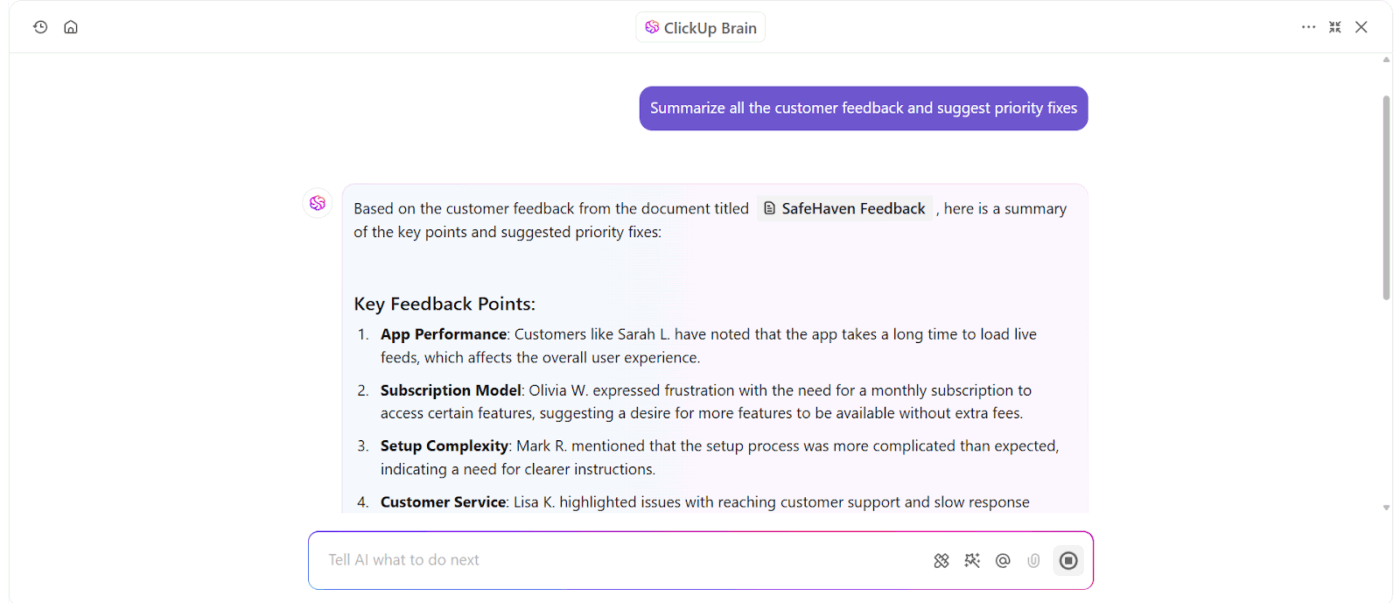
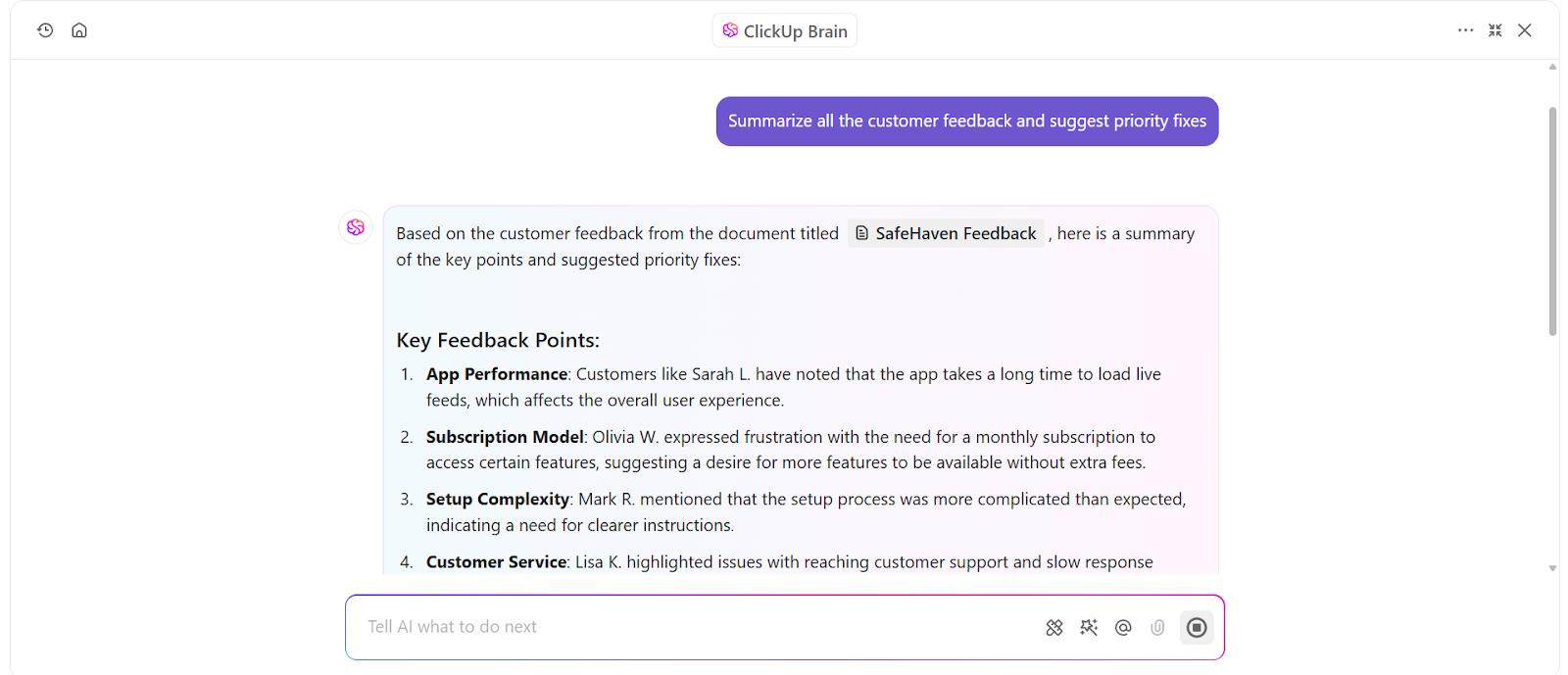
ClickUp Brain, the platform’s contextual AI assistant, simplifies this process by summarizing long-form content, identifying patterns, and even suggesting next steps for complex tasks.
📌 Example: Hundreds of customer support tickets mention issues after a recent product update. ClickUp Brain scans the tickets, highlights recurring problems, and suggests priority fixes.
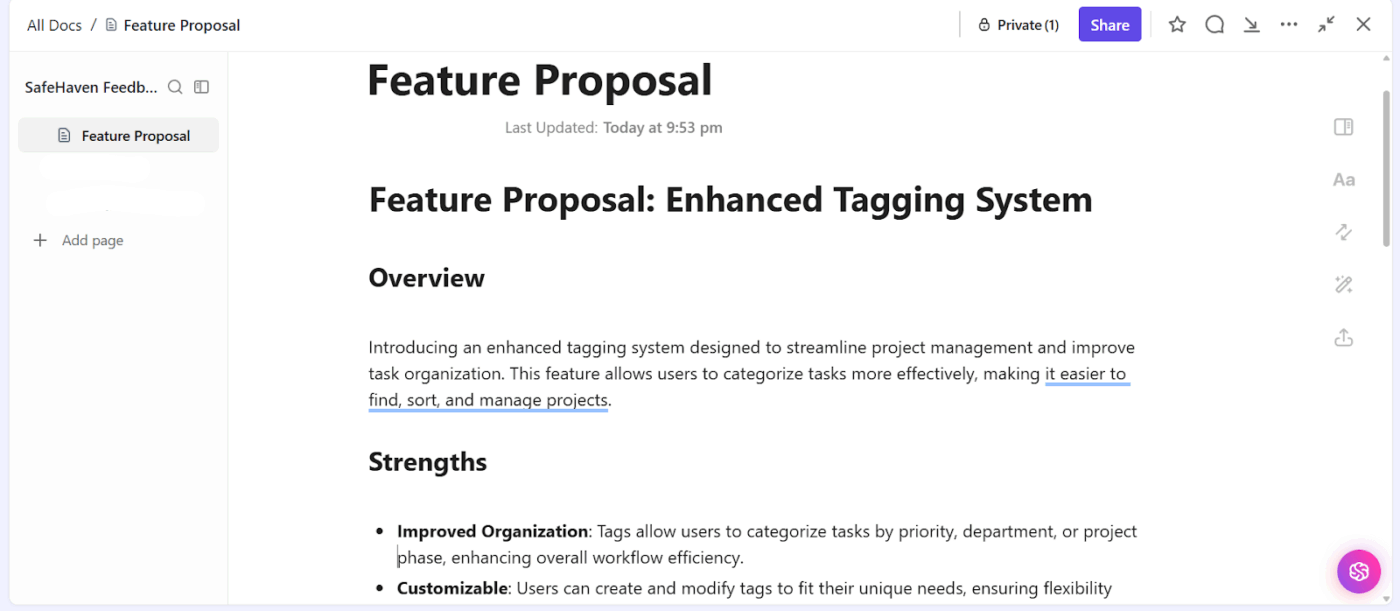
A structured report makes sharing key findings with the engineering team easier.
ClickUp Brain also helps refine feature requests. Let’s say a new product enhancement is being considered. Instead of spending hours reviewing scattered notes and past discussions, AI generates a structured proposal via ClickUp Docs, with user pain points, supporting data, and potential solutions.
ClickUp Docs gives your product managers a single place to document requirements, capture meeting decisions, collaborate with teams in real time, and link every idea directly to tasks and execution.
Inside Docs, ClickUp Brain helps draft and update Docs using context from tasks, discussions, and past decisions. Your documentation stays current without extra effort.
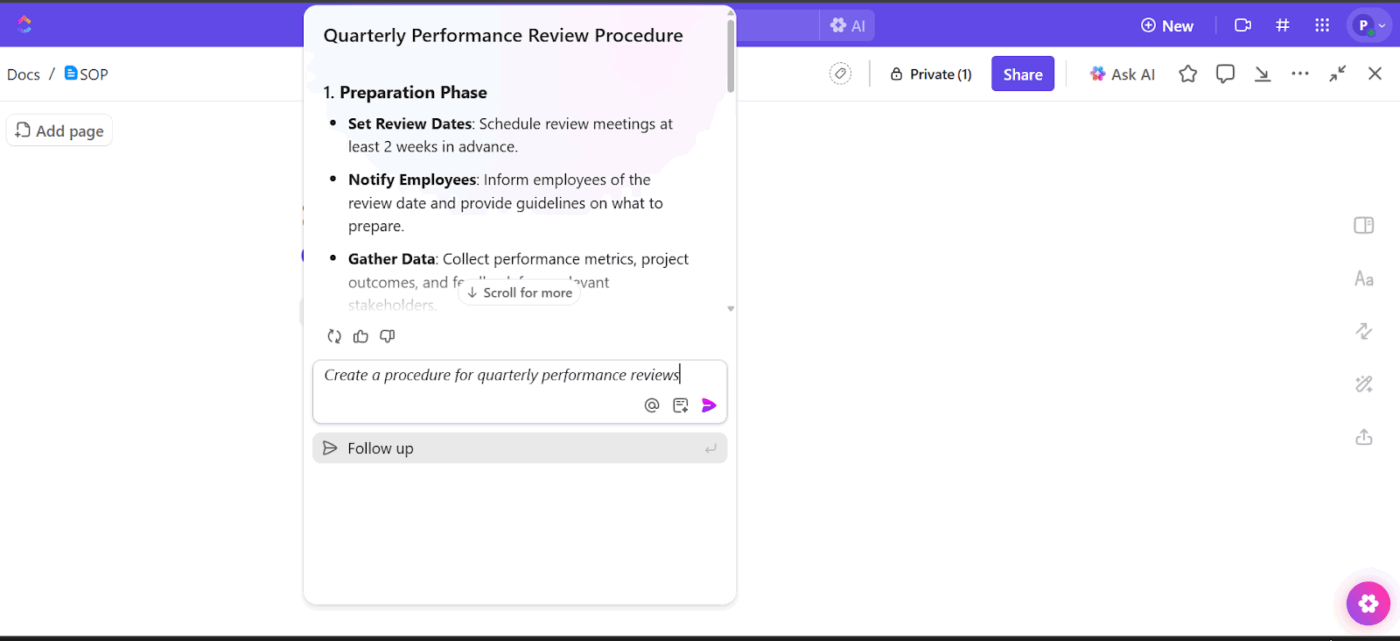
⭐ Bonus: One part is to create product documentation. The second, equally important part is to convert them into action.
How do you do this within the ClickUp Workspace? Create ClickUp Tasks directly from Docs, comments, or AI outputs. This step ensures requirements, decisions, and acceptance criteria move straight into execution.
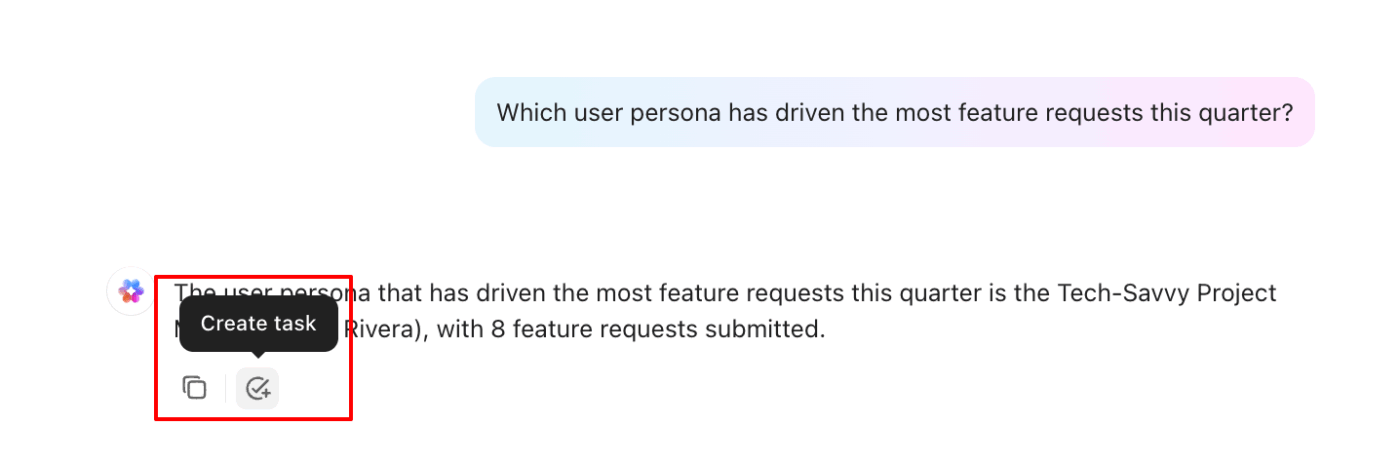
As work progresses, task updates automatically reflect the current state of the product.
ClickUp’s AI Agents go beyond on-demand assistance. They work continuously inside your workspace, observing tasks, timelines, dependencies, and activity patterns as they evolve.
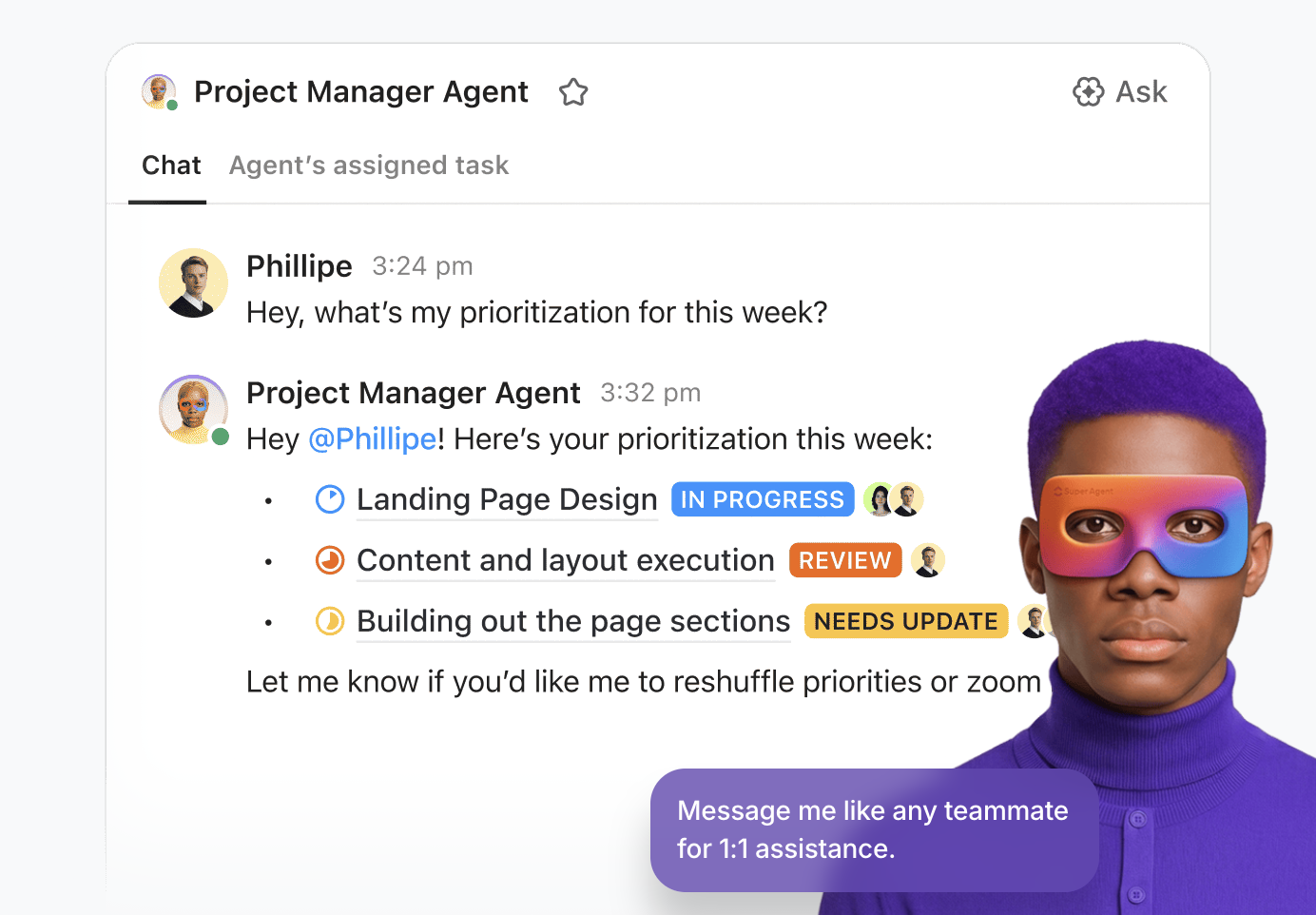
Instead of waiting for manual check-ins, AI Agents can:
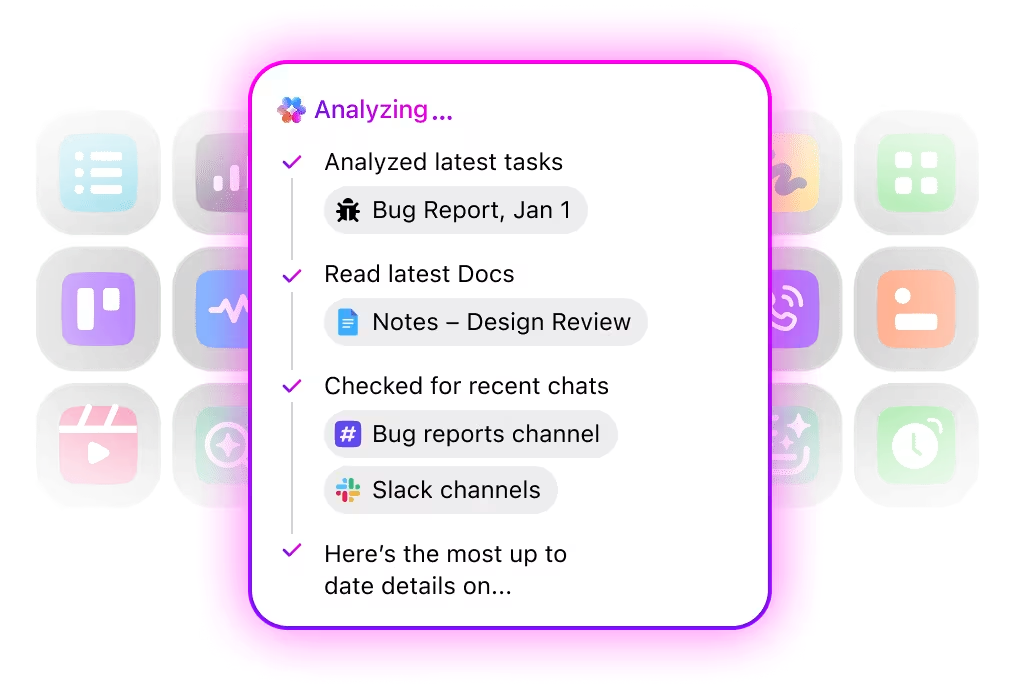
One of the strongest capabilities of ClickUp Brain is Enterprise Search.
It enables AI-powered search across your entire workspace and connected tools, including:
Instead of relying on keyword matching, Brain understands how work is structured.
Instead of hunting through folders or dashboards, product leaders can ask natural-language questions like:
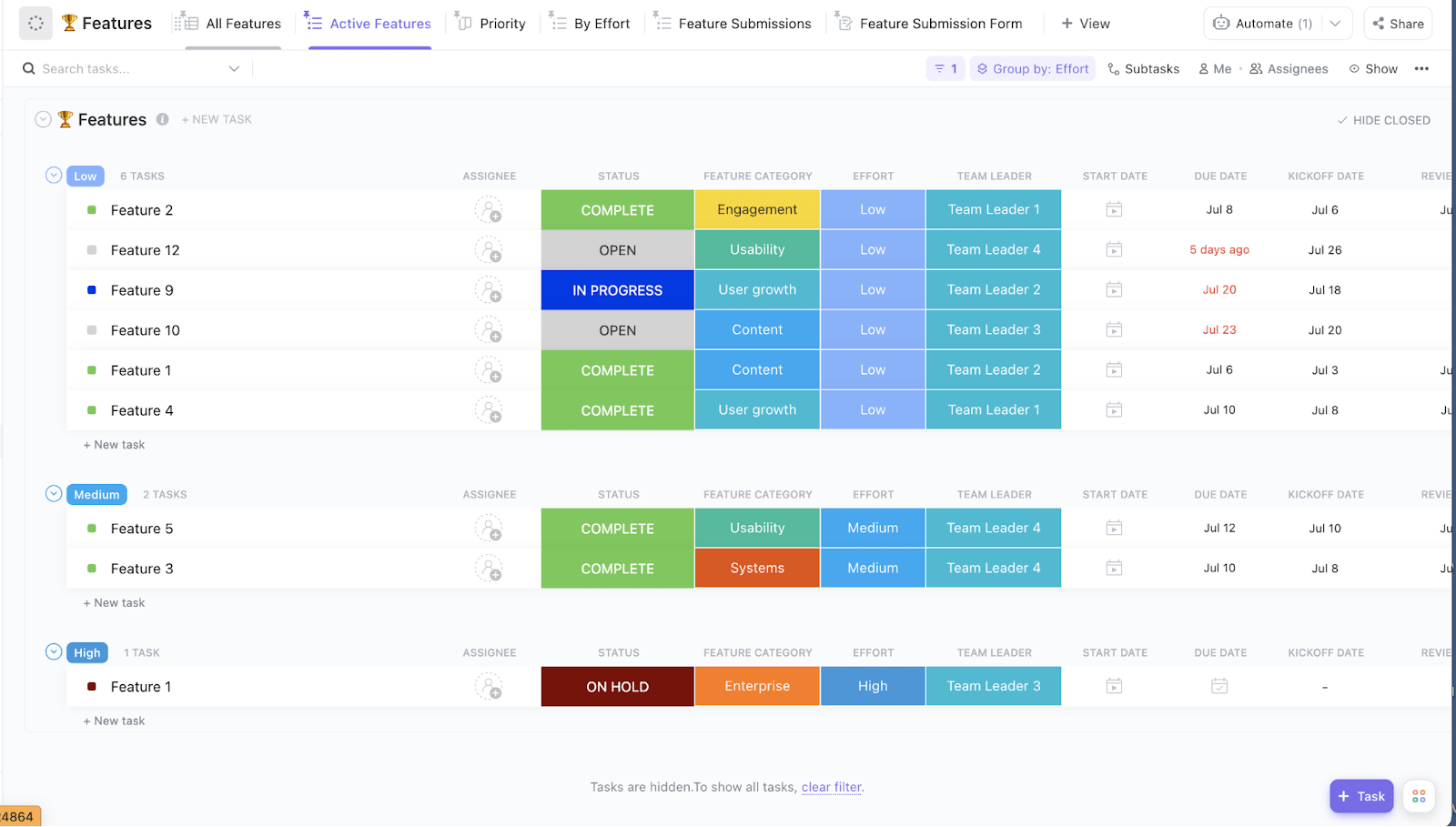
ClickUp’s Product Strategy Template helps product leaders translate high-level strategy into an executable, prioritized feature plan. It gives you a clear view of what’s being built, why it matters, how much effort it requires, and who owns delivery—so strategy doesn’t drift once execution starts.
Why you’ll love this template
A G2 user says:
ClickUp brings all our tasks, documents, goals, and time tracking into one unified workspace. We’ve been using it since 2018, and it’s incredibly flexible for managing both internal workflows and client projects. The customizable views (List, Board, Calendar, etc.) and detailed automation options save us hours each week. Plus, their frequent feature updates show they’re serious about improving the platform.
⚡ Template Archive: Top Free Product Management Templates to Help Product Managers Save Time
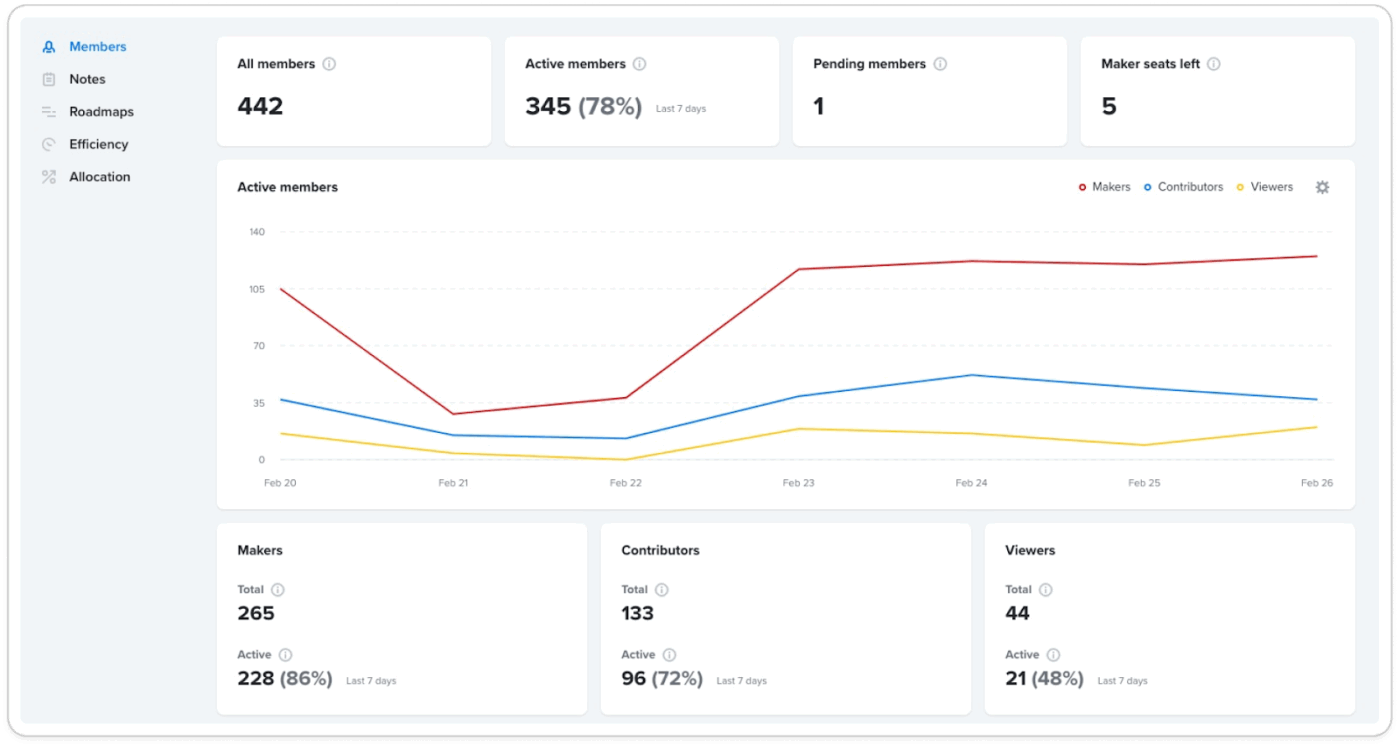
Productboard is a product management platform that supports the entire product lifecycle, from discovery through delivery. It lets you plan initiatives, author briefs, and run competitive analysis using an AI assistant that understands your goals and the competitive landscapes you operate in.
For instance, you can map features visually, drag a feature idea across impact-effort grids, and score it using frameworks like RICE or KANO to help prioritize ideas based on real-world examples of value.
Inline prompts enable you to inject AI summaries of customer needs or market context directly into your artifacts. This reduces the back-and-forth among research tools, documents, and planning systems and helps teams keep context close to the decisions being made.
A G2 user says:
Productboard helps us streamline our product prioritization process, and I like that. It’s really easy to use, and my team can implement it without extensive training. By integrating with other tools like Slack and Jira, it becomes even more integrated to our workflow. They’ve also been incredibly responsive to any questions we had in the support team.
📮 ClickUp Insight: If all your open tabs disappeared in a browser crash, how would you feel? 41% of our survey respondents admit that most of those tabs won’t even matter.
That’s decision fatigue in action: closing tabs involves too many decisions and feels overwhelming. So we keep them all open instead of choosing what to keep. 😅
As your ambient AI partner, ClickUp Brain naturally captures all your work context. If you’re working on a research task about LangChain models, for instance, Brain will already be primed and ready to search the web for the topic, create a task from it, assign the right person to it, and schedule a meeting for a kickoff discussion.
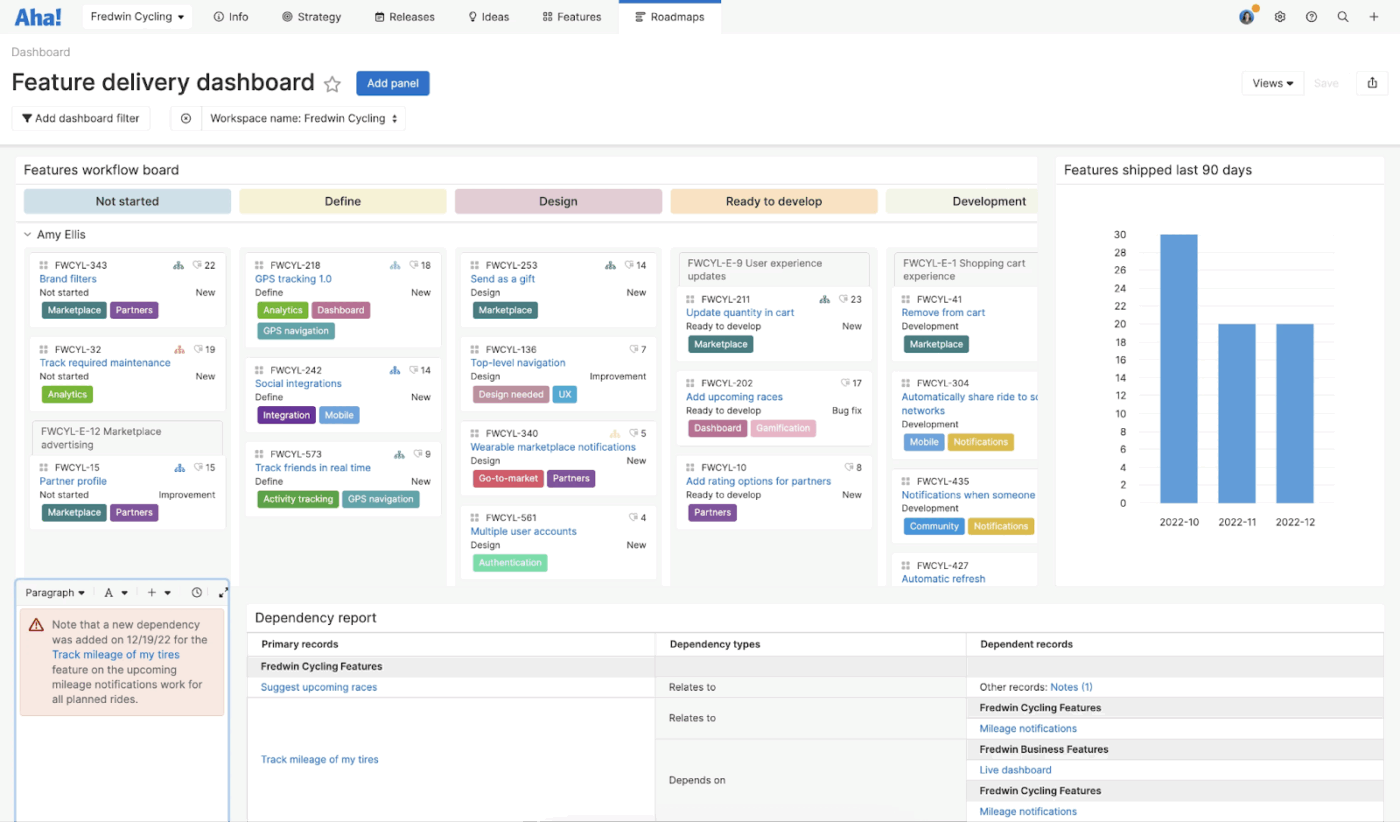
Want to make the why and the when of your product journey more visible? Consider Aha!, a system built around product management principles and modern product management trends.
You can link every new feature to company goals, ensuring entire phases of work remain anchored to outcomes. Track complex dependencies across software development teams using Gantt charts. Aha! also supports competitive analysis and rich integrations to keep product and engineering teams aligned.
With Ideas, you can gather input from customers and partners. Use generative AI to draft a product requirements document, release notes, or acceptance criteria from existing feature data.
A G2 user says:
What I like best about Aha! is its flexibility and how it can be modeled to support the complex operating models of a large organization. For example, we needed to design a sophisticated, hybrid integration that connects our high-level strategic Releases in Aha! to our engineering teams’ granular Fix Versions in Jira. Aha! provided the tools and configurability to achieve this.
👀 Did You Know? The Gantt chart, the most widely used project management tool, traces its roots back to the early 20th century. It’s named after American mechanical engineer Henry Laurence Gantt, who developed and popularized the chart between 1910 and 1915 as a way to visually map project schedules, timeline progress, and task relationships.
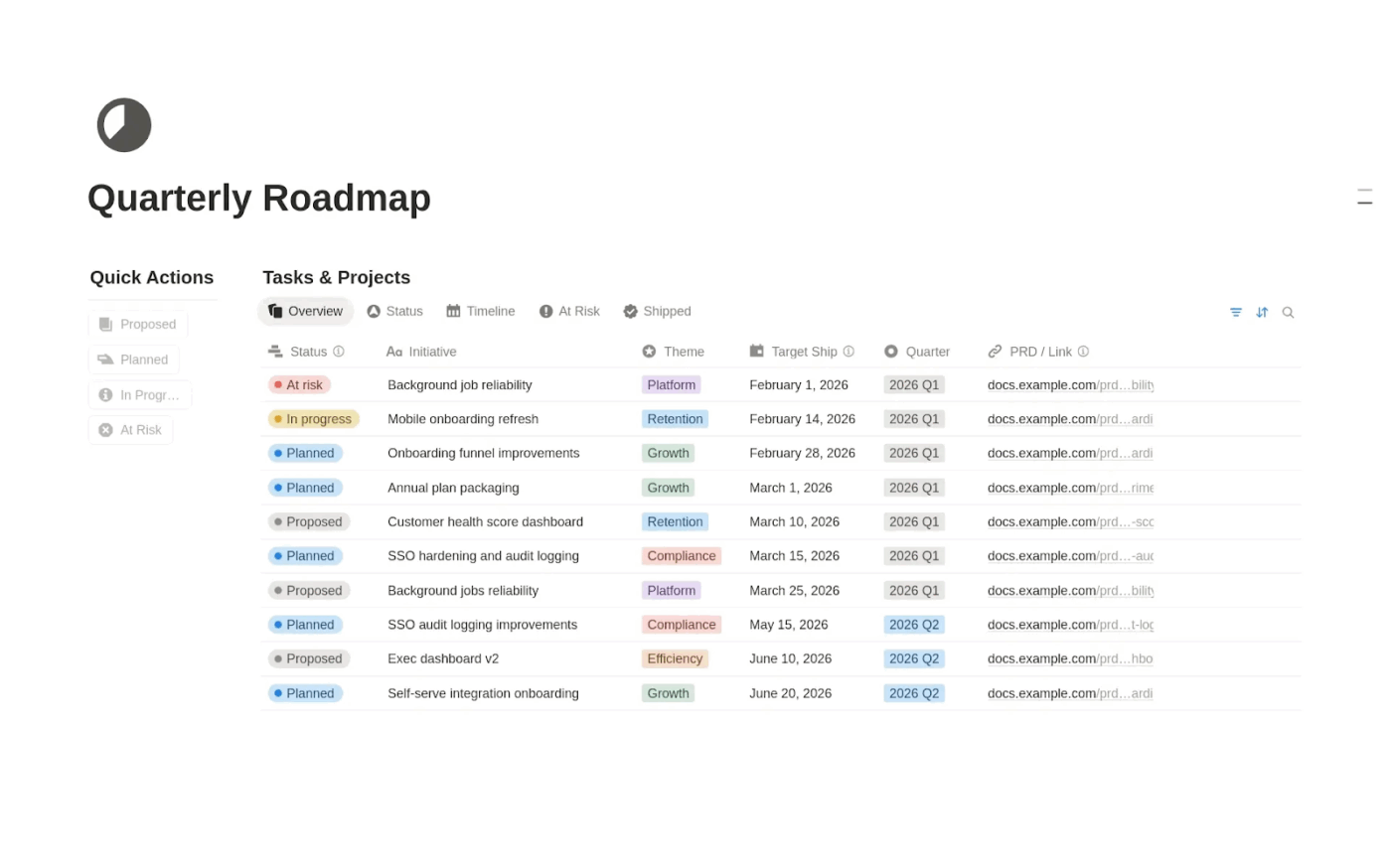
Although Notion is an all-in-one digital workspace, it acts as a living product management glossary. It automates synthesis across user research, meeting notes, and docs.
You can cluster feedback into structured tables or describe a workflow in natural language, letting large language models build a product management dashboard for you.
Ask questions in plain English and pull answers from across your Notion workspace and supported connected apps, so you can recover decisions and context without chasing threads across tools.
A G2 user says:
Notion is by far the best tool I’ve used for bringing my projects, ideas, and tasks all into a usable space without overwhelm or clutter. The databases are incredibly robust, and using the views to get actionable insights or quickly create a personal dashboard has been invaluable. I’ve also recently started trying the AI Agents, but so far they’ve been both helpful and genuinely exciting to use.
Are you a new product manager? Looking for cues on how to write a great PRD? We created this video just for you 👇
📚 Read More: How to Write a PRD (with Examples and Templates)
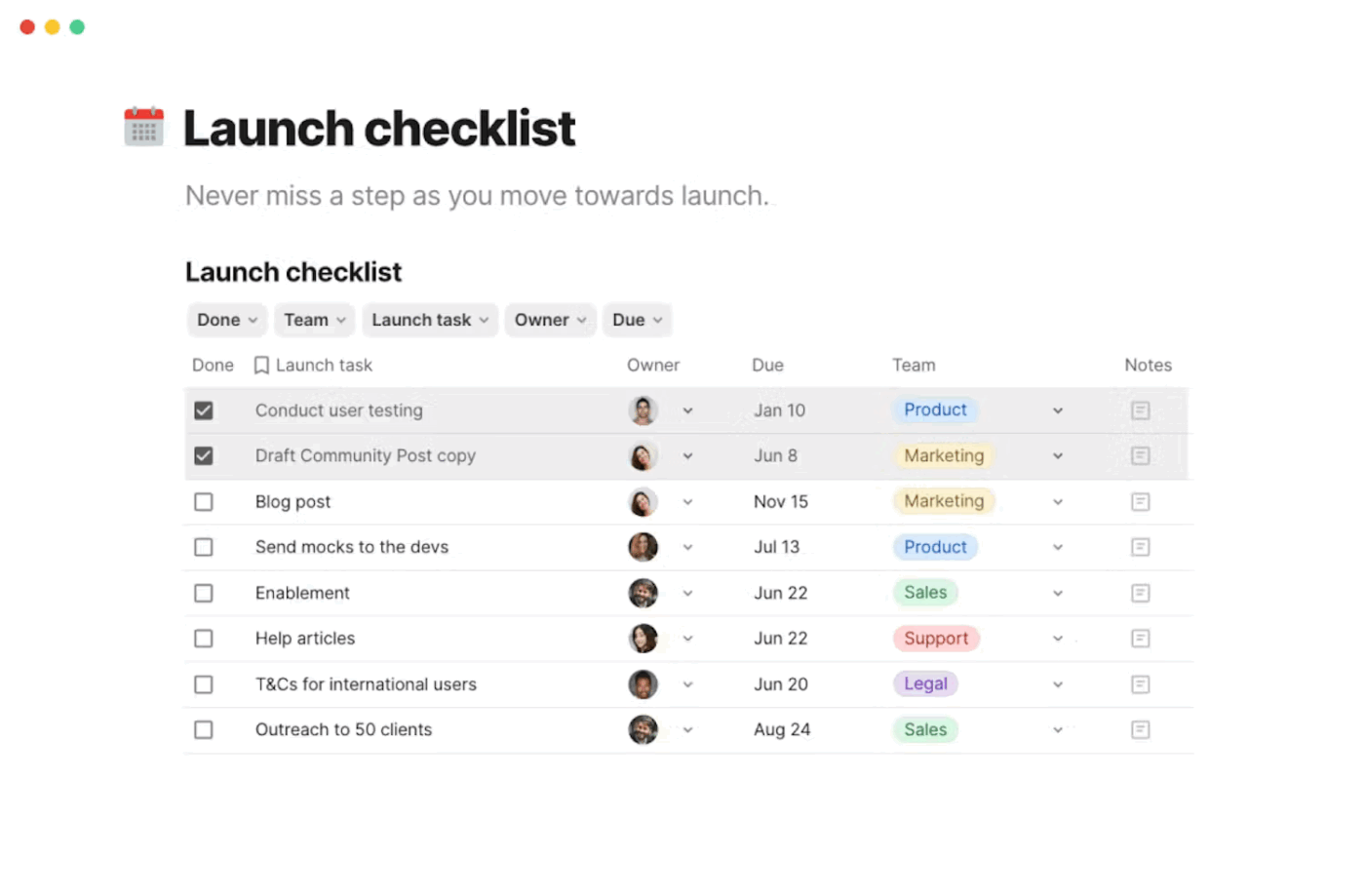
Coda AI, an all-in-one collaboration workspace, helps you simplify your product development process.
For starters, its AI can analyze a project tracker and generate executive-level status reports, flagging risks and bottlenecks so you can leverage AI for faster data analysis and AI campaign execution for product launches without waiting for weekly updates.
It can even pull actionable decisions from the comments of your Google Docs, enabling you to align with your team, whether you’re working live or async.
Unlock your data’s potential with AI-powered knowledge assistance that connects to 600+ integrations with popular tools like Figma, Slack, Salesforce, Zoom, and AWS.
A G2 user says:
What I like best about Coda is how it combines documents, spreadsheets, and workflows into one flexible platform. As an account manager, I love being able to centralize project plans, client notes, and performance tracking all in one place. The customizable templates and automation features save a lot of time, and the ability to collaborate in real time keeps everyone aligned and accountable. It’s a powerful tool for keeping teams organized and clients informed.
📚 Also Read: How to Apply the 7 Principles of Product Management
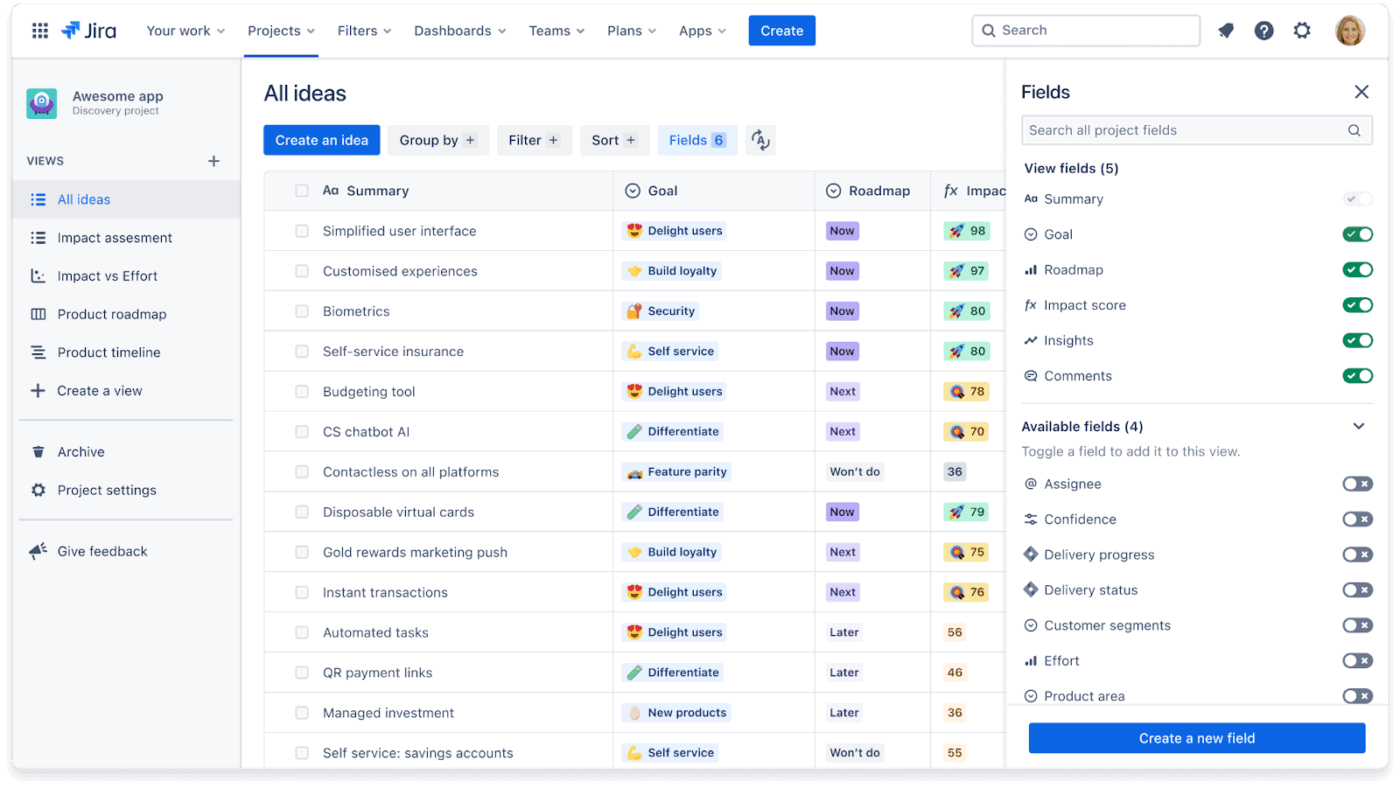
Jira Product Discovery (JDP) is a prioritization and roadmapping tool by Atlassian.
It enables you to gather and organize your product opportunities, user feedback, and feature requests all in one place, then surface and rank ideas by real-world impact.
Want to see exactly how many customers asked for a specific feature? Highlight snippets of text from customer calls (via the Chrome extension or Slack) and link them directly to an Idea.
In addition, leverage Atlassian Intelligence to draft Idea descriptions, user stories, and risk notes directly inside JPD with simple prompts. Its semantic search will also query the platform in plain language and uncover related work across Jira and Confluence.
A G2 user says:
JPD is integrated with the entire JIRA ecosystem, offering an intuitive and pleasant user experience. I also appreciate the ability to create multiple views, which is a great feature. I also appreciate the license options and the possibility to allow JSM customers to access data, this is probably one of the best things for us.
👀 Did You Know? The Kanban board was first used in Toyota’s factories to signal that materials from another department were needed. The result was less waste and an increase in the efficiency of processes.
Visualizing workflow processes helped Toyota identify potential issues and bottlenecks that could be resolved to maintain an optimal pace.
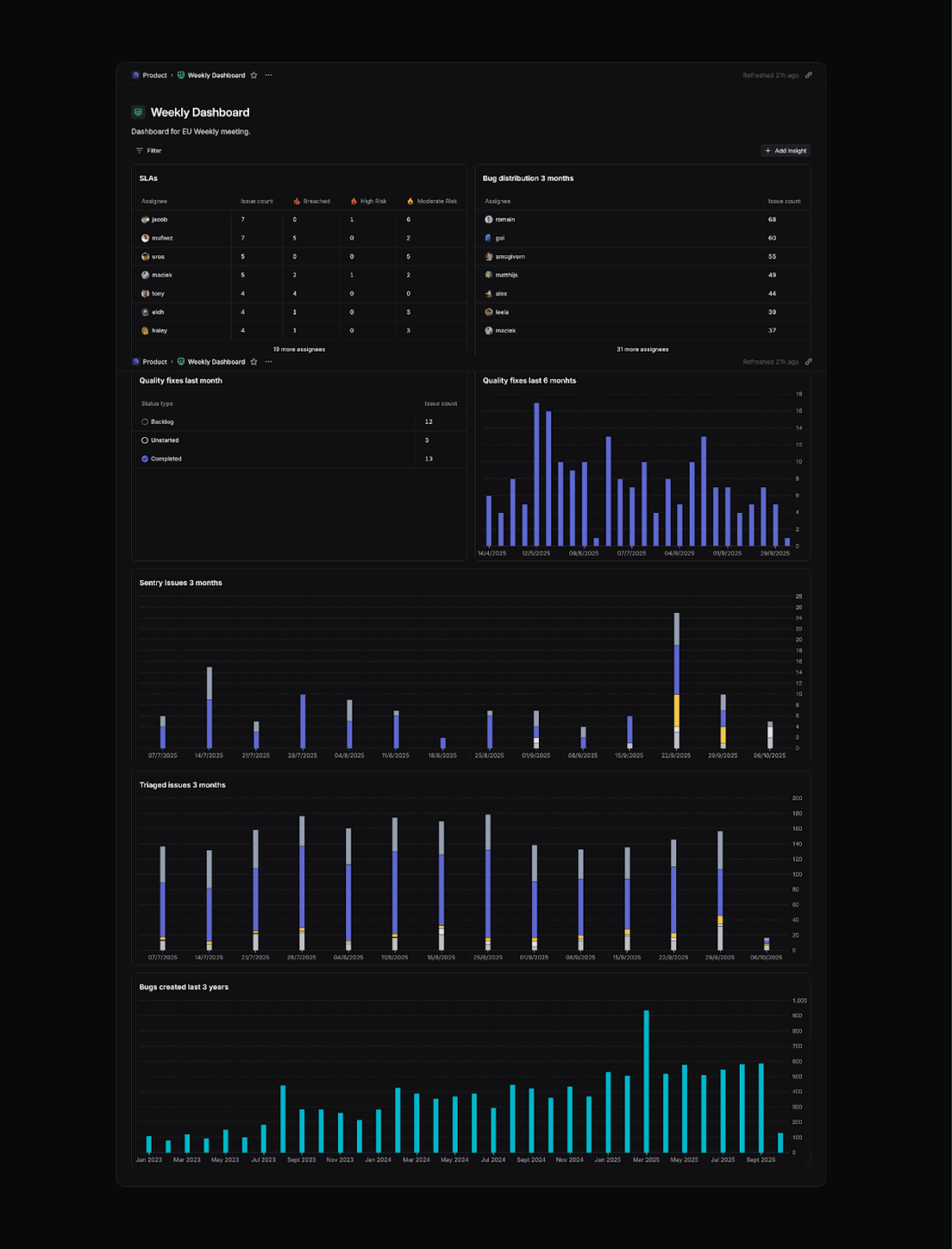
Linear is built for fast-moving product and engineering teams that want a clean execution layer and lightweight operational insight without heavyweight process. Its built-in insights help product leaders track delivery health through cycle time trends, throughput, aging work, and the shape of the backlog, so you can catch drift early, before it becomes a roadmap surprise.
A G2 user says:
Linear feels incredibly fast and responsive, which makes it easy to stay in the flow while managing tasks. The interface is clean and minimal without being confusing, and shortcuts make navigation surprisingly smooth. I also really like how issues, projects, and roadmaps all tie together in a way that keeps everything connected without adding extra layers of complexity. It feels built for speed and focus, which makes day-to-day work much easier.
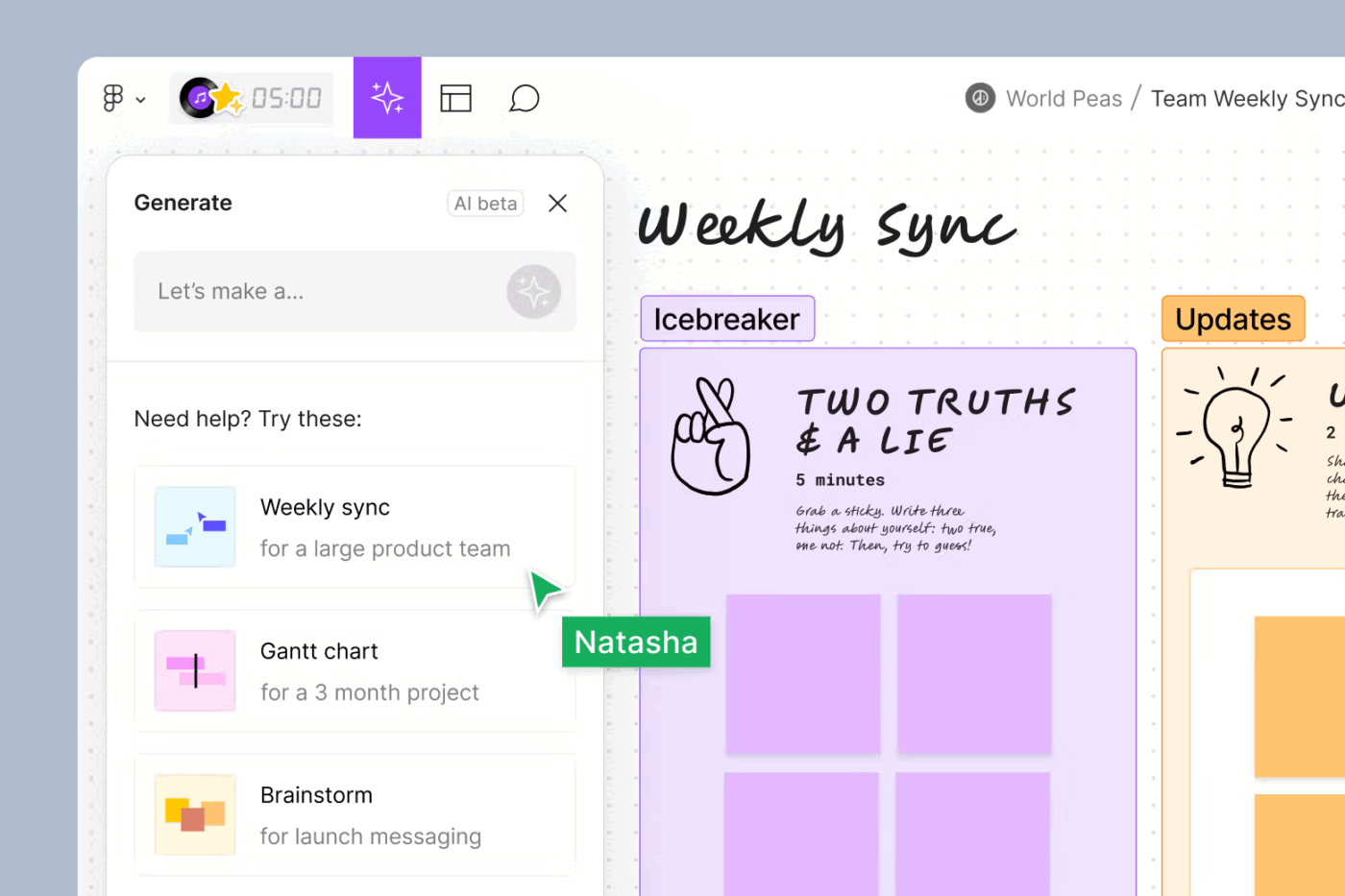
Figma is an online collaborative whiteboard, which enables you to create wireframes and prototypes to test out a Proof of Concept (PoC). It allows you to collaborate on designs in real time to generate new iterations or support strategic thinking.
Your product maangers can transform a written prompt or a PRD document into an editable wireframe in minutes, to visualize a concept during a strategy session. This is useful when exploring early product directions or doing different types of software testing.
If you deal with a lot of messy qualitative data, Figma AI becomes a synthesis engine. For example, after a brainstorming session or a user research download with 100+ sticky notes, you can ask AI to summarize them. It will categorize the notes into themes and write a high-level summary.
You can also move from raw data to actionable themes in a single click, ensuring the voice of the customer is reflected in the roadmap.
A G2 user says:
What I appreciate most about Figma is its flexibility and the real-time collaboration it offers. Collaborating with my team—whether they are designers or developers—at the same time has truly transformed the way we work. The interface is intuitive, making it simple to bring ideas to life as polished designs. Additionally, the community plugins provide significant added value, offering everything from icons to tools for automating tasks.
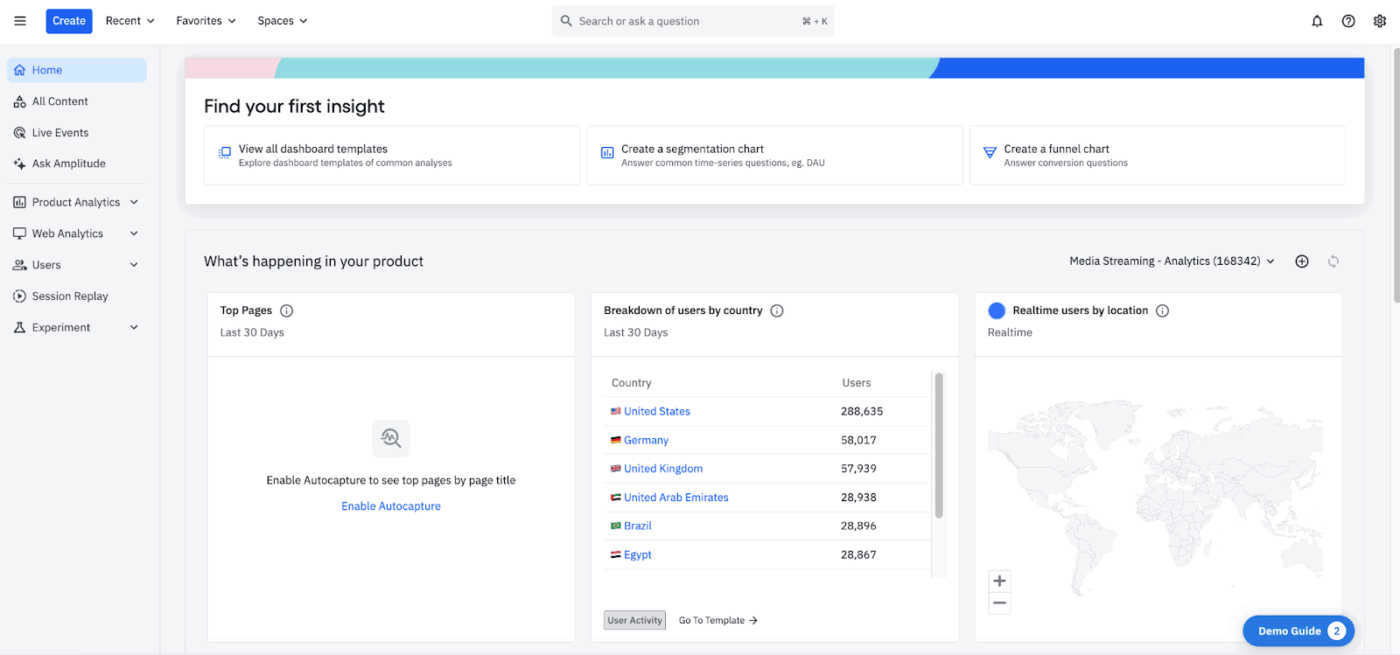
Want an effective system to automate anomaly detection, hypothesis generation, and experiment design? Amplitude AI, an AI product analytics platform, is worth a look.
You can ask questions in plain language and have Amplitude connect patterns across funnels, cohorts, sessions, and experiments. When a metric shifts, the tool helps you trace it back to specific behaviors, flows, or releases.
This is especially powerful during onboarding and activation, where small changes compound quickly. Amplitude AI also closes the gap between what users do and what they say.
Session Replay, Guides, and Surveys are interpreted together, so quantitative drops and qualitative signals reinforce each other. You see not only where users struggle, but how that struggle unfolds in real interactions.
A G2 user says:
Amplitude has been a reliable source of truth for the growth marketing function as we optimize on first-touch/last-touch hybrid attribution. Every department has access to the analytics and can create their own reporting easily. We’re also able to run PLG experiments easily and monitor metrics. Every major department uses Amplitude, including engineers and creative strategists!
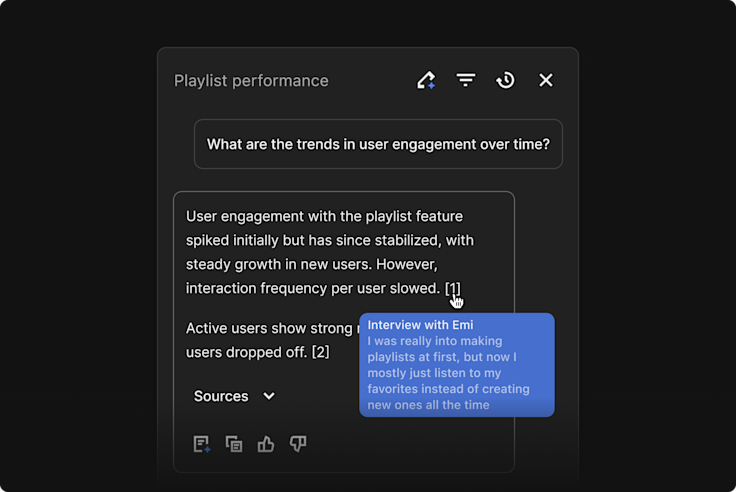
Dovetail AI is a customer intelligence platform that centralizes and analyzes your customer data to pinpoint the work that drives usage and revenue.
You can configure rules to notify Slack or Teams when specific segments mention defined issues, turning customer signals into an operational input.
Continuous feedback flows through Channels. Incoming data from support tools, app stores, or NPS pipelines is classified in real time, producing live sentiment trends by theme.
Dovetail also functions as a research query engine. You can ask questions like “What causes onboarding drop-off?” and receive synthesized answers across all historical studies, with every claim linked back to its source.
A G2 user says:
Without Dovetail, I wouldn’t be able to conduct as many user interviews or extract actionable insights as effectively as I do now. Having access to a complete transcript, automated highlights, and the ability to edit everything allows me to relax and concentrate fully on each interview. I use Dovetail several times a week.
Most AI tools sit next to your work. ClickUp’s converged AI workspace operates inside it.
ClickUp brings AI into the same system where your product strategy turns into execution—across tasks, roadmaps, Docs, chats, and timelines. That means AI doesn’t just respond to prompts. It understands what’s already in motion, what’s blocked, who owns what, and what needs attention next.
The advantage comes from convergence:
Ready to explore ClickUp’s AI capabilities? Sign up on ClickUp for free. ✅
© 2026 ClickUp