






Still downloading templates?
There’s an easier way. Try a free AI Agent in ClickUp that actually does the work for you—set up in minutes, save hours every week.
Sorry, there were no results found for “”
Sorry, there were no results found for “”
Sorry, there were no results found for “”
You’re not short on alerts. You’re short on time to triage them.
Alerts need context before you can act. That means pulling data from logs, traffic patterns, and prior incidents across tools. While that work happens, response slows and the queue keeps growing.
You can automate parts of this flow. But the harder part is knowing how to apply them. According to PwC, knowledge and skill gaps were the top barriers to adopting AI in security operations over the past year.
This article explores how to use AI for network security in everyday workflows, starting with alert review and moving through investigation and follow-up. You’ll also see how keeping that work in ClickUp gives your team a single place to move incidents forward without deep automation expertise. ⬇️
AI for network security refers to systems that analyze network activity and help detect, investigate, and respond using machine learning and automation.
You apply it when manual review cannot keep up with the volume of logs, traffic, and user behavior generated by your network. Instead of relying only on fixed rules or known threat signatures, AI evaluates patterns and deviations based on how your environment normally operates.
When activity spans multiple systems, AI correlates those signals into a single view, so investigation starts with context instead of disconnected alerts.
The need for AI shows up when review and response cannot keep pace with network activity.
Your environment generates nonstop logs, traffic, and user actions, and attackers use automation to move faster than manual investigation allows. As volume increases, review defaults to delay. You validate alerts later, and you lose the chance to respond early.
That gap widens as environments expand. You add cloud services, remote access, and connected devices, but you keep the same investigation process. Each new entry point adds more to review, while your team still reviews at the same pace.
Benefits of AI in cybersecurity show up at this point because it changes how reviews and prioritization happen under pressure:
🔍 Did You Know? Gartner reports that 62% of organizations experienced at least one deepfake attack in the last 12 months involving social engineering or automated process exploitation.
AI in cybersecurity is not a single system making decisions in isolation. It is a set of techniques that appear at different stages of detection, investigation, and response.
AI uses two common approaches to learn what normal activity looks like in your environment:
This approach does not rely on predefined signatures. Detection is based on behavior, which allows previously unseen threats to surface without waiting for rules to be updated.
Once activity crosses a confidence threshold, the response does not need to wait for manual action. AI-driven systems can trigger predefined actions to limit impact while the investigation continues.
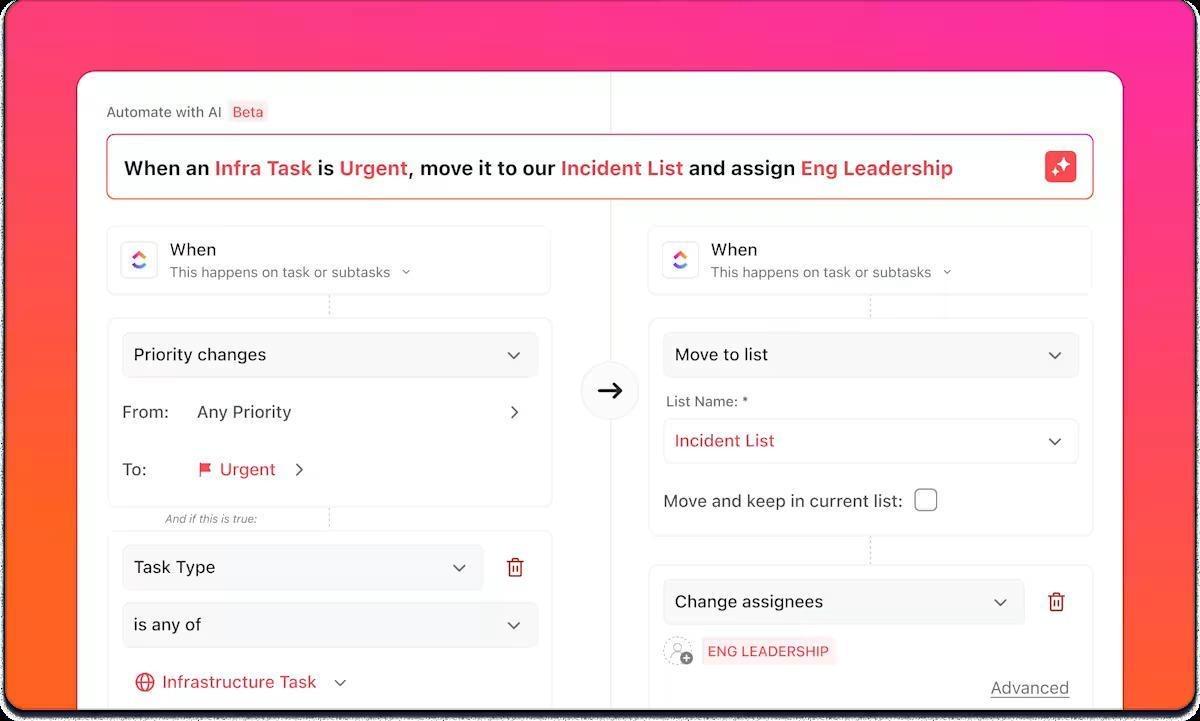
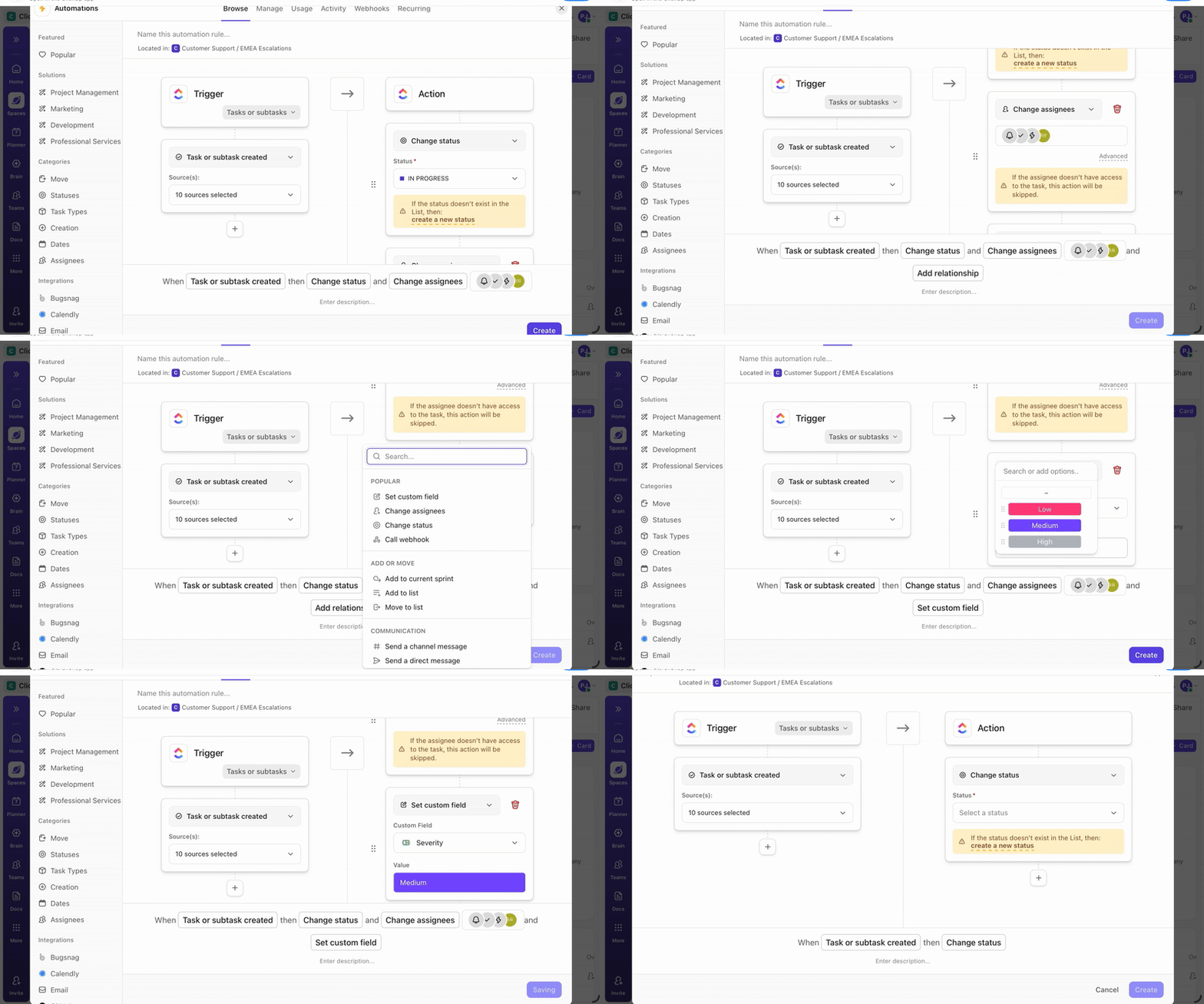
ClickUp Automations support this by letting you build response workflows using a plain-language AI builder. You describe what should happen when certain conditions are met, and the automation is configured directly on the relevant Space, Folder, or List. This makes it easier to translate response rules into execution without scripting or custom tooling.
Common responses include isolating a compromised endpoint, blocking a suspicious IP address, or disabling an account showing signs of takeover. For higher-risk actions, response can pause for analyst approval, so automation supports decisions without removing control.
This shortens the window between detection and containment, which matters most during fast-moving attacks.
AI is also used before incidents occur. Models analyze historical attack data and external threat intelligence to identify which risks are most relevant to your environment.
Instead of treating every vulnerability the same, AI helps prioritize issues based on their likelihood of exploitation and the impact they would have. This shifts effort toward fixing the gaps that matter most, rather than chasing severity scores in isolation.
Many attacks start with communication, not malware. Natural language processing is used to analyze email and messaging content for signs of social engineering.
These systems look beyond keywords. They evaluate tone, structure, and intent, including urgency cues, impersonation patterns, and requests that do not align with normal communication behavior. This makes detection more effective against phishing and business email compromise attempts that avoid obvious indicators.
🧠 Fun Fact: Mandiant reports a global median dwell time of 11 days. In the executive edition, median dwell time is 26 days when external entities notify the victim.
Traditional controls like firewalls, signatures, and predefined rules still do important work, especially for known threats and policy enforcement. The problem shows up when activity does not match what those rules expect, or when volume pushes review beyond what people can process in time.
AI does not replace traditional security. It changes how detection and response behave when patterns are unclear, signals are fragmented, or speed matters more than perfect certainty.
| Aspect | Traditional security | AI-driven security |
|---|---|---|
| Detection | Rule-based, signature-driven | Behavioral and pattern-based |
| Threat coverage | Primarily known threats | Known and novel activity patterns |
| Adaptation | Manual updates | Continuous learning and tuning |
| Scale | Limited by review capacity | Handles high data volume |
| Response | Manual or delayed | Automated or near real time |
| False positives | Higher with fixed thresholds | Reduced with context-aware scoring |
In practice, you use both together. Traditional controls protect you from known threats. AI reduces manual review, groups related activity, and speeds response when behavior falls outside known patterns.
📮 ClickUp Insight: The average professional spends 30+ minutes a day searching for work-related information—that’s over 120 hours a year lost to digging through emails, Slack threads, and scattered files. An intelligent AI assistant embedded in your workspace can change that. Enter ClickUp Brain. It delivers instant insights and answers by surfacing the right documents, conversations, and task details in seconds—so you can stop searching and start working.
💫 Real Results: Teams like QubicaAMF reclaimed 5+ hours weekly using ClickUp—that’s over 250 hours annually per person—by eliminating outdated knowledge management processes. Imagine what your team could create with an extra week of productivity every quarter!
The following AI use cases in cybersecurity map to points in the workflow where human review slows down, either because volume is high or context is spread across systems.
Each one shows where AI reduces decision friction without replacing existing controls or requiring end-to-end automation.
💡 Pro Tip: Only 29% of enterprises train non-security staff to move into security roles. There’s limited adoption even when tools are available.
You can close part of this gap operationally with ClickUp University. Analysts, IT teams, and adjacent roles can learn how incident workflows, documentation, and response coordination work inside ClickUp. That shared baseline makes it easier for more people to support security work without needing deep detection or automation expertise upfront.
AI changes how you do security work, but it does not replace the need for structure, data governance, or clear operations. As you rely more on AI for network security and monitoring, gaps in compliance, ownership, and workflow become the limits you run into first.
AI depends on consistent, reliable data. If logs are incomplete, delayed, or poorly normalized, detection quality drops, and alerts lose context.
✅ How to fix it: Standardize log sources early, define required data fields, and validate coverage before expanding automation.
Your network behavior changes over time. As you add new applications, shift access patterns, or change workflows, models that once worked well lose accuracy unless you monitor them and retrain them regularly.
✅ How to fix it: Monitor detection performance continuously and retrain models as part of regular security operations, not as a one-off task.
AI tools need access to existing security systems to correlate activity effectively. When integrations are partial or brittle, signals stay isolated and investigation slows.
✅ How to fix it: Start with integrations that support investigation and response workflows end to end, not isolated detection outputs.
Some models flag activity without explaining the reasoning behind it. When you cannot see why the system raised an alert, you spend more time validating it, and you hesitate to trust automated actions.
✅ How to fix it: Use workflows and models that expose contributing signals and decision paths so analysts can verify and act quickly.
Attackers actively test and adapt to detection systems. Gradual data poisoning and evasive behavior can reduce model effectiveness if safeguards are not in place.
✅ How to fix it: Combine behavioral detection with guardrails such as validation checks, human review for high-impact actions, and continuous model testing.
Running AI in security operations requires coordination across security, operations, and data teams. Gaps in ownership or expertise limit how much value automation delivers.
✅ How to fix it: Define clear responsibility for model oversight, incident handling, and follow-up, and embed AI decisions into existing security workflows instead of creating a separate layer.
You get the best results from AI cybersecurity tools when you introduce them with a clear purpose and run them as part of your daily security operations.
Choose a specific problem to solve, such as reducing phishing incidents or detecting lateral movement. Deploy AI where the outcome is measurable, rather than enabling it broadly and sorting results later.
AI relies on consistent inputs. Before rollout, audit your log sources to confirm full coverage, accurate timestamps, and proper data handling, especially for sensitive information.
Map how AI outputs will flow into your existing SIEM, SOAR, and endpoint tools. Detection without a clear path to investigation and response adds friction instead of reducing it.
Define escalation paths upfront. Decide which actions can run automatically and which require analyst approval so automation supports response without removing control.
Monitor detection accuracy, false positives, and response outcomes over time. Treat model tuning as an ongoing operational task, not a setup step.
Create runbooks for handling AI-generated alerts. Use investigation outcomes to adjust thresholds, improve correlation logic, and tighten response steps as conditions change.
You can identify which alerts deserve attention with AI, but there’s a serious caveat about what comes next.
After an alert requires action, you often split the investigation and response across tools. You review evidence in one system, discuss findings in chat, track remediation in another system, and assemble reports later. As more people step in, context scatters and response speed drops, even though detection did its job.
ClickUp can keep that work in a single operational flow rather than letting it splinter.
When an AI signal requires action, it needs ownership and a place to evolve. In ClickUp, each incident becomes a task that carries the entire investigation and response lifecycle.
That ClickUp Task acts as the working record of the incident. You document findings directly as you review activity, attach logs and screenshots as evidence, and update status as severity changes. The task shows clear ownership at every stage, so you never have to guess who is responsible from chat threads or side tickets.
Here’s how they make incident management easier:
Put simply, ClickUp Tasks sit at the center of the workspace, serving as the reference point for everything that follows, rather than just another ticket to manage.
Every tool switch during an incident carries a cost. If your runbooks and past investigations live outside the response workflow, you pay that cost repeatedly while the clock keeps running.
ClickUp Docs keeps response playbooks, investigation checklists, and post-incident reviews directly linked to the incident task. Analysts can open the relevant procedure during live response, follow it step by step, and note where reality diverges from the documented flow.
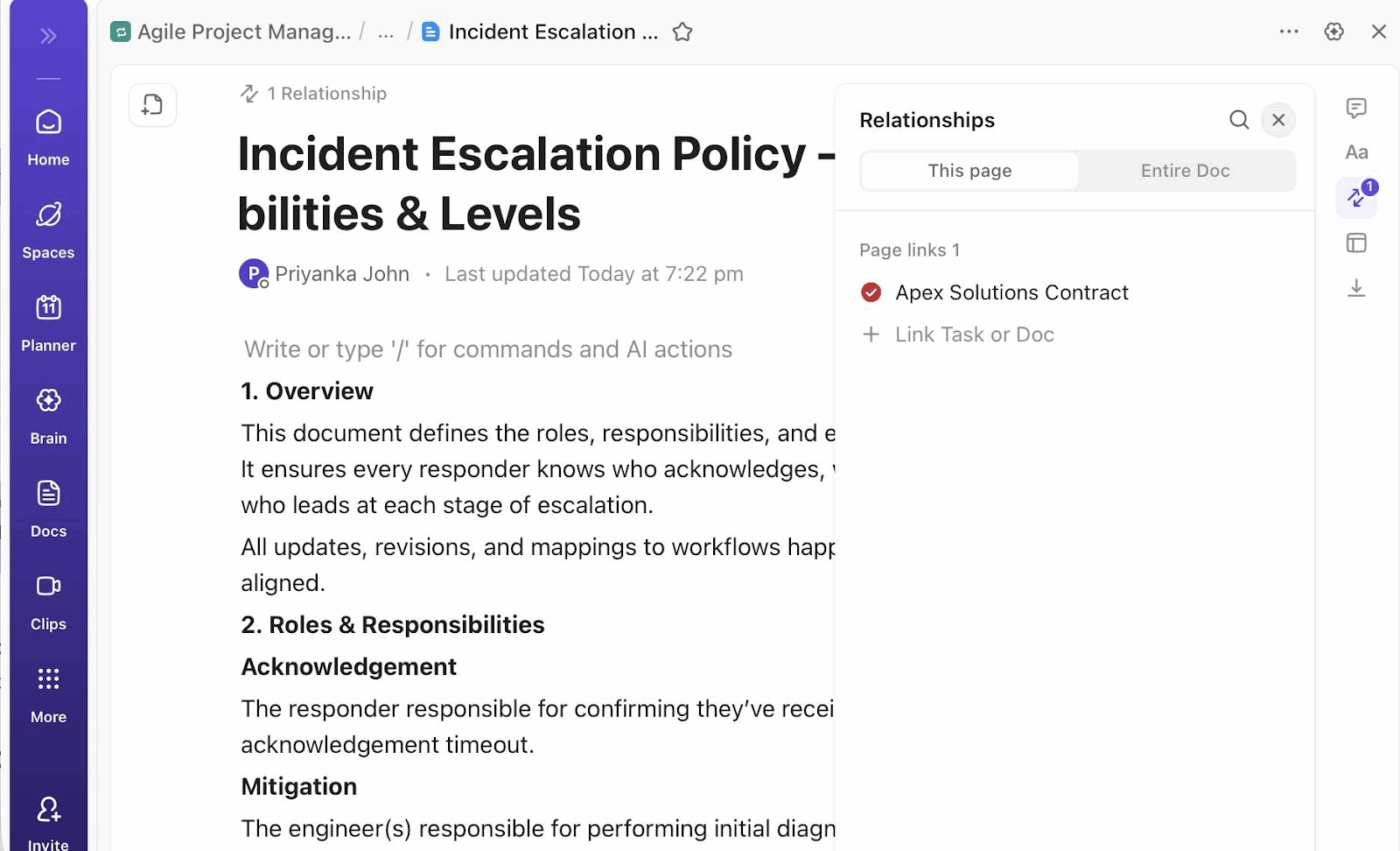
Those updates remain attached to the incident, which means the post-incident review starts with accurate context instead of memory.
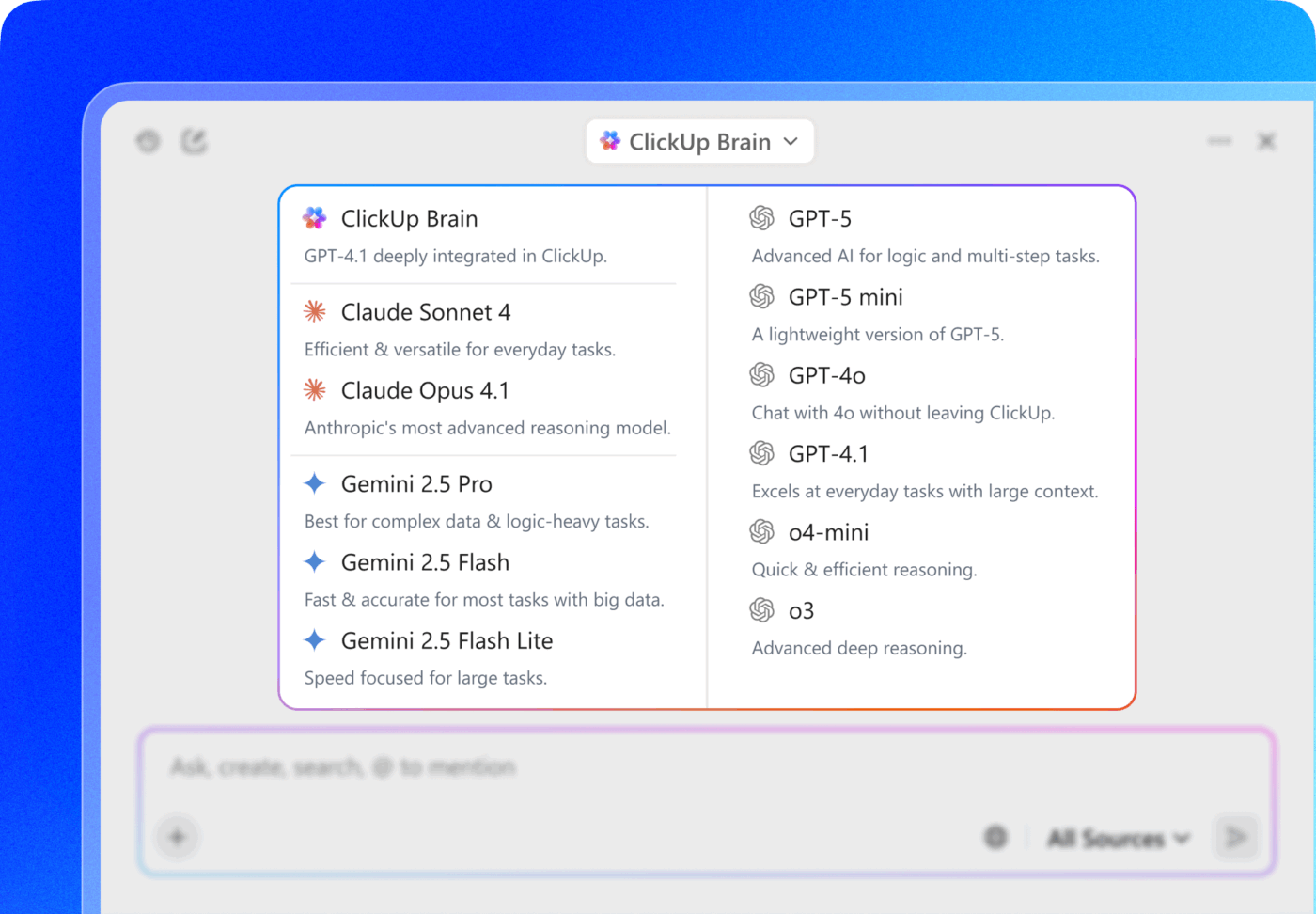
ClickUp Brain works directly across tasks and Docs as the investigation unfolds. It summarizes progress, pulls out key decisions from comments, and drafts incident updates using live task activity. Your team keeps documentation current while responding, rather than reconstructing events after the incident has slowed.
As incidents evolve, coordination usually breaks down at transition points. Severity changes, ownership shifts, and stakeholder visibility needs often occur simultaneously.
ClickUp Automations handle these transitions based on task state rather than manual follow-ups:
Custom Fields structure incident data throughout the response. Analysts update severity, affected systems, compliance impact, and resolution status directly on the task as they work. Reports and audits then reflect what the team did during the incident, not what someone reconstructed later.
As multiple incidents run in parallel, visibility becomes an execution problem. Leads grow more interested in seeing what is happening now so they can adjust their response before delays stack up.
ClickUp Dashboards pull from the same tasks your team uses to investigate and respond to incidents. As analysts update task status, ownership, or severity, the dashboards update with them. Your team avoids manual tracking, and leadership sees live response work instead of delayed summaries.
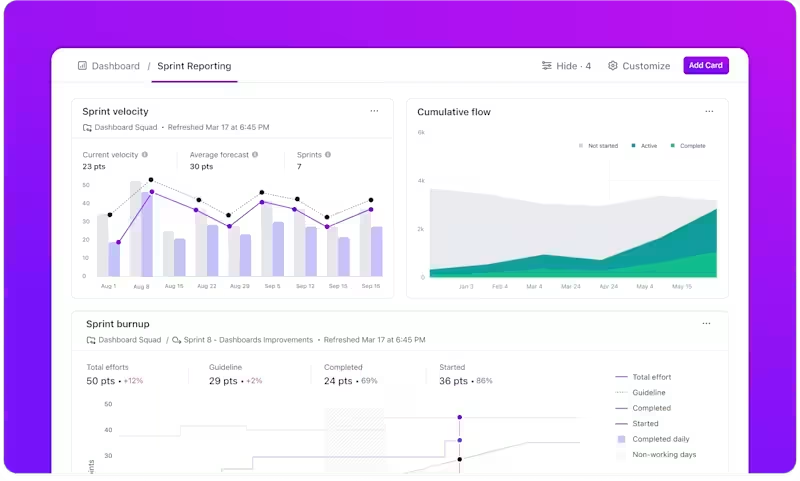
Dashboards support active response by making critical signals visible:
ClickUp Dashboards pull directly from task data and Custom Fields, so the view updates as incidents change. Your team skips the separate reporting workflow, and leaders see exactly what’s happening while response work is still underway.
ClickUp Brain extends this visibility when questions come up mid-response. Leads can ask direct questions about incident status or workload and get answers based on the same dashboard data already in use.
In other words, you adjust response while work is in motion, rather than discovering gaps after incidents are already behind schedule.
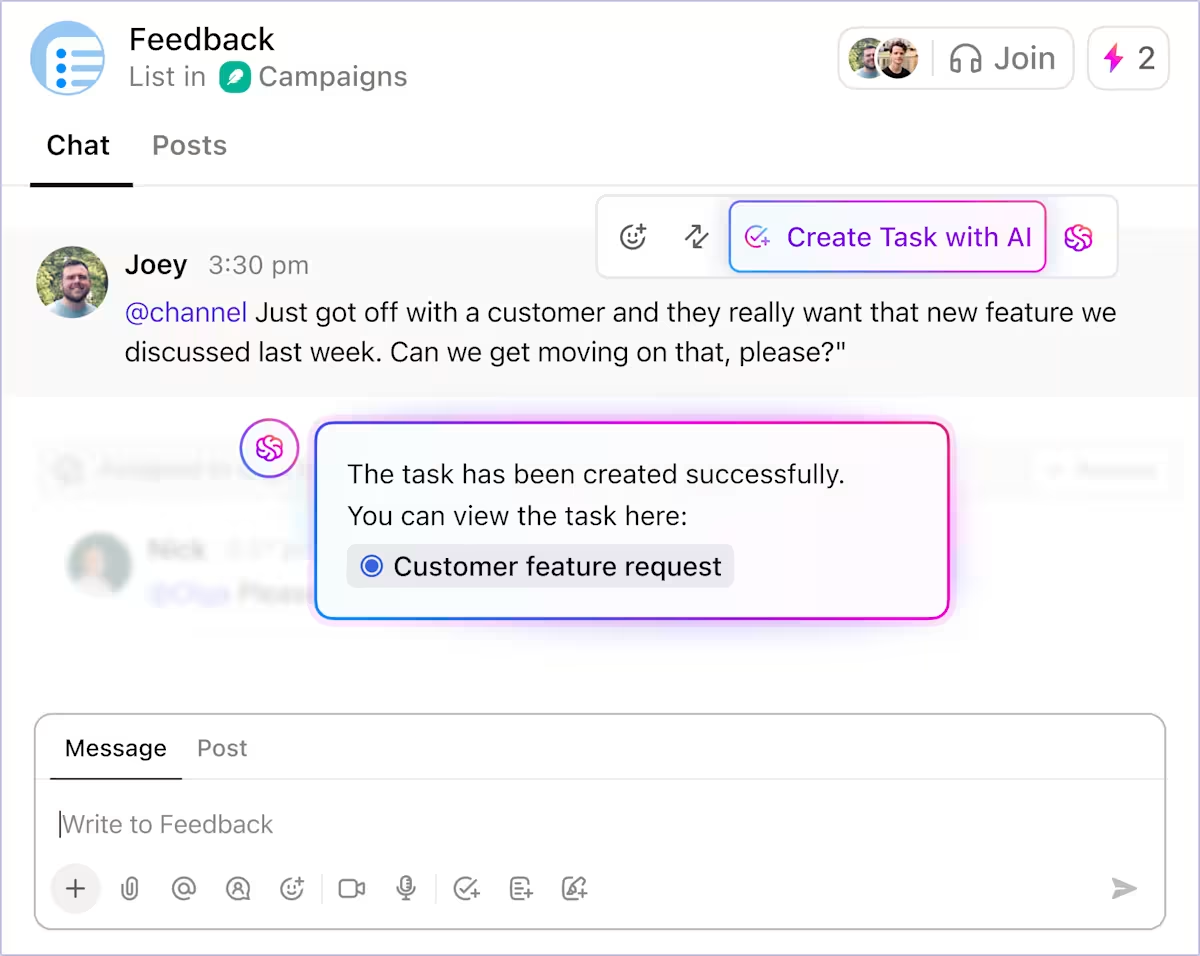
💡 Pro Tip: During incident response, your team makes decisions fast, but task tracking falls behind. When you leave those decisions in chat, your team misses follow-ups. ClickUp Chat lets you turn messages into tasks immediately, assign owners, and keep every next step visible.
After an incident, you still need to finish the work. You need to assign follow-ups, document what changed, and carry those decisions into the next response. Fragmented workflows, in that case, slow your next investigation before it even starts.
ClickUp gives you a connected ecosystem to close that loop. You run incidents, decisions, documentation, and follow-up work in a single workflow, so nothing depends on memory or requires cleanup later.
Start using ClickUp for free and build an incident response workflow your team can rely on long after the alert clears.
AI for cybersecurity uses AI tools to protect your networks, while AI security focuses on protecting AI models from attacks such as data poisoning or manipulation.
Non-technical teams benefit from a safer work environment, reduced phishing risk, and clearer communication during security incidents, as workflow tools keep them informed without technical jargon.
AI is here to augment security professionals, not replace them, by handling repetitive tasks so they can focus on strategic work that requires human judgment and expertise.
The future of AI in cybersecurity includes tighter integration between security tools and business workflows, with more user-friendly interfaces and improved automation of routine security decisions.

© 2026 ClickUp

There’s an easier way. Try a free AI Agent in ClickUp that actually does the work for you—set up in minutes, save hours every week.