What makes event management hard? It’s not so because you’ve to execute one big task. Rather, it’s the hundred small ones that you don’t account for.
There are timelines to manage, content to ship, sponsors to coordinate, and updates to share—often all at once. And if you’re leading the work, you’re usually expected to keep the big picture moving and jump in when details slip.
When you’re managing an entire event by yourself, you don’t have time to moonlight as a content strategist, project coordinator, and COO.
That’s the problem I set out to solve with AI-powered event planning using ClickUp Super Agents.
Summarize this article with AI ClickUp Brain not only saves you precious time by instantly summarizing articles, it also leverages AI to connect your tasks, docs, people, and more, streamlining your workflow like never before.
Summarize this article for me please
About Me: A ClickUp Verified Consultant
I’m Anna Bulock, a ClickUp Verified Consultant, and I spend a lot of my time helping teams design systems that can run complex initiatives without burning people out. In a recent ClickUp Community webinar, I shared how I use ClickUp Super Agents for event management.
In this blog post, I’ll walk you through a practical example of planning an entire event campaign for the Annual Games conducted by an org—let’s call it the Youth Center—from hierarchy to hype, using AI Super Agents in ClickUp.
Summarize this article with AI ClickUp Brain not only saves you precious time by instantly summarizing articles, it also leverages AI to connect your tasks, docs, people, and more, streamlining your workflow like never before.
Summarize this article for me please
Why AI Event Planning Breaks Down without Structure
Most teams jump into AI the same way they jump into new tools: by asking it to do something flashy first.
“Draft the announcement.” “Create a timeline.” “Write social posts.”
The problem is that without context, AI can only guess.
In event planning, guessing leads to generic plans, missed dependencies, and work that looks good on paper but falls apart in execution.
That’s why I always start with structure before automation.
ClickUp Super Agents, too, work best with context. To set them up for success, you have to build the world they work in first.
With the right hierarchy in place, a small team plus a few well-designed Super Agents can run a full campaign while you stay focused on leading.
🦄 New to ClickUp?
Two concepts matter most for everything in this post: ClickUp Hierarchy and Super Agents.
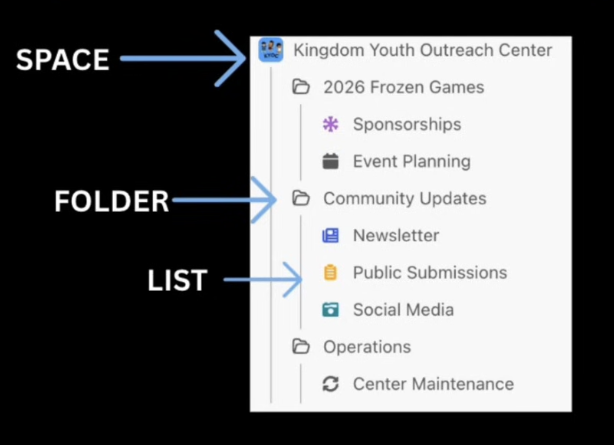
ClickUp Hierarchy is how work is organized inside ClickUp, so both humans and AI understand it:
A Space represents a big area of work (like an event, department, or campaign)
Folders group related workflows inside that space (planning, content, operations)
Lists hold the actual tasks, with statuses, owners, and due dates
When this structure is clear, ClickUp becomes a single source of truth instead of a collection of disconnected tools.
ClickUp Super Agents are AI teammates that live inside that hierarchy. Instead of working from a blank chat window, they:
Read tasks, Docs, timelines, and activity in context
Follow the same permissions and structure as your team
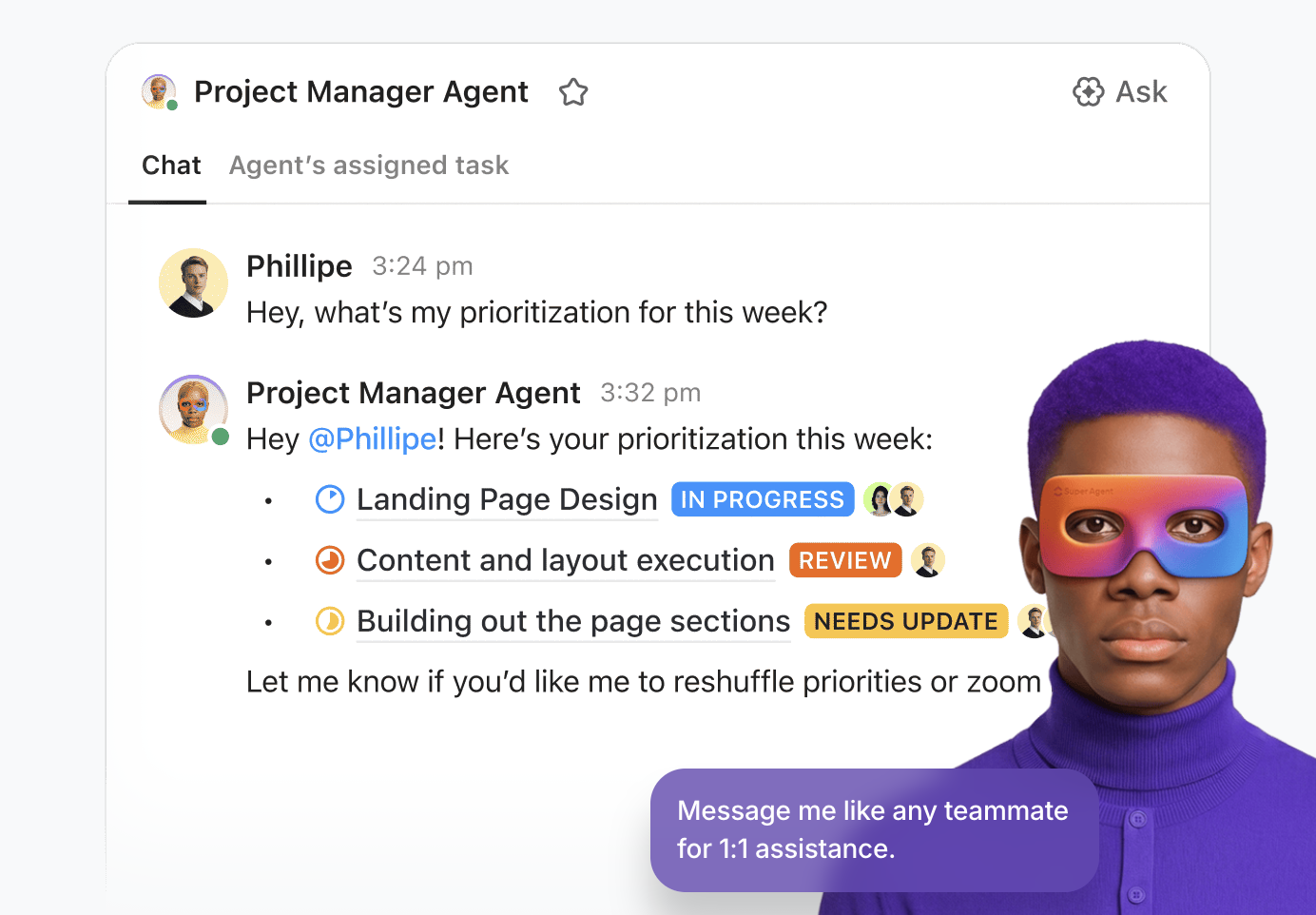
Execute focused jobs, like planning an event, managing content, or surfacing priorities
Think of hierarchy as the map, and Super Agents as the operators who can actually navigate it.
The more intentional your structure is, the smarter and more reliable your agents become.
Summarize this article with AI ClickUp Brain not only saves you precious time by instantly summarizing articles, it also leverages AI to connect your tasks, docs, people, and more, streamlining your workflow like never before.
Summarize this article for me please
Start with Hierarchy Before You Add AI Agents for Event Planning
Before I asked a single agent to plan events, write content, or manage outreach, I designed a clean ClickUp Hierarchy for the Youth Center.
I created a dedicated Space for the outreach center. Inside it, I added a small number of focused Folders and Lists:
One folder for the annual games campaign
A Community Updates folder for newsletters and announcements
An Operations list for the center’s day-to-day work
Organize your event management workspace neatly with ClickUp’s Project Hierarchy
This mattered more than any prompt.
By keeping all related work inside a single, intentional space, I gave Super Agents a clear boundary. They could see what mattered, ignore what didn’t, and operate without getting lost in unrelated work.
💡 Pro Tip: If you are just getting started, this is where to pause and design your own version of Anna’s space: one space, a few focused folders, and lists that mirror how your team actually works with ClickUp Tasks and ClickUp Views.
Summarize this article with AI ClickUp Brain not only saves you precious time by instantly summarizing articles, it also leverages AI to connect your tasks, docs, people, and more, streamlining your workflow like never before.
Summarize this article for me please
Why Hierarchy Before Hype Matters for AI Event Planning
It is tempting to start with the flashy part: asking a super agent to draft emails, social posts, or sponsor outreach. I deliberately held back.
Before bringing AI into the picture, I made sure each list had:
Custom Fields that captured real details (like sponsor tier or event type)
Obvious naming that made sense to both humans and agents
Once that structure was in place, I invited ClickUp AI into the workflow. That’s when the agents stopped guessing and started executing.
If you start with social media first, your agent might promote your center in general. But without event context, it cannot build the specific campaigns you actually need.
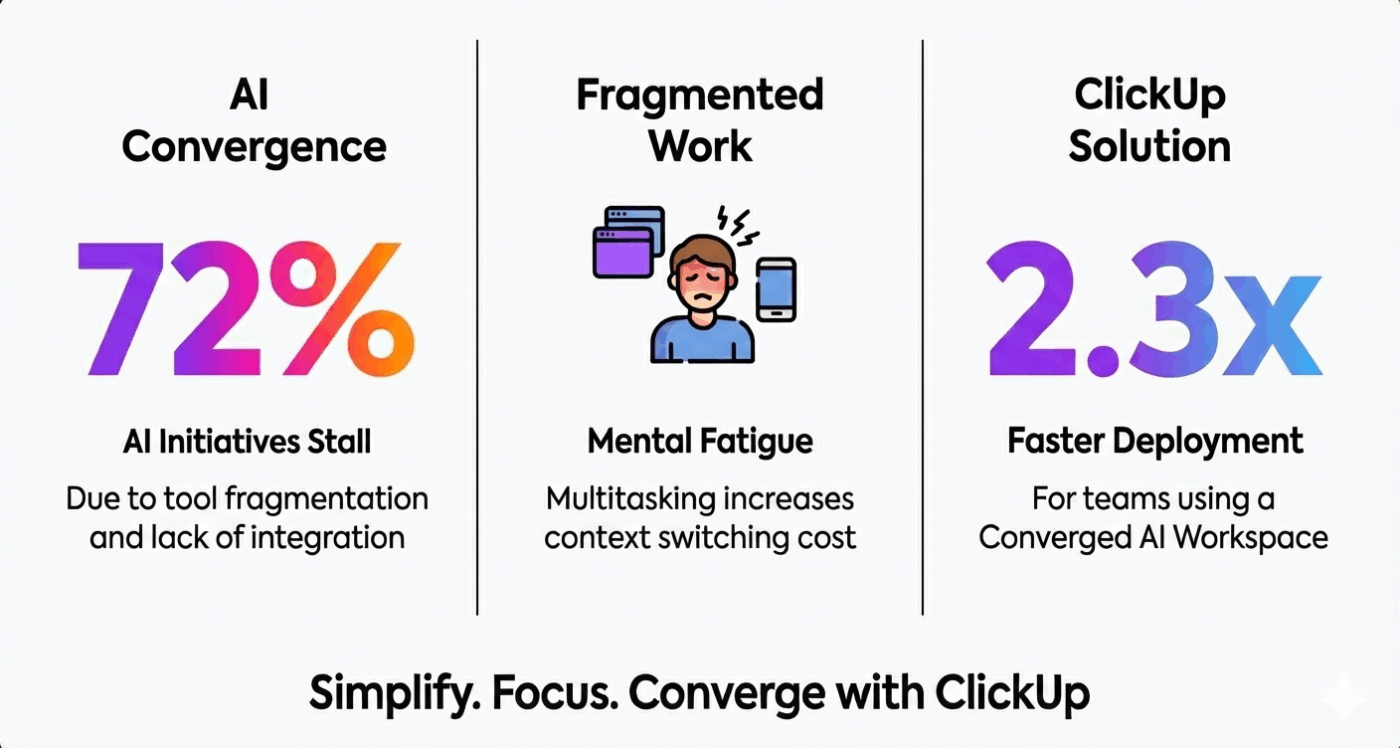
Converge your work and AI in one place with ClickUp
Contextual AI that understands your tasks, docs, chats, and timelines delivers far more accurate and relevant insight because it reasons over real work data, not isolated prompts. ClickUp’s Converged AI Workspace unifies work and intelligence so agents act with full context, not fragmented signals.
👀 Did You Know? Roughly 62% of organizations are experimenting with AI agents, but far fewer (about 23%) are scaling them beyond pilot stages—suggesting that maturity, workflow integration, and operating models matter for realizing real value.
Summarize this article with AI ClickUp Brain not only saves you precious time by instantly summarizing articles, it also leverages AI to connect your tasks, docs, people, and more, streamlining your workflow like never before.
Summarize this article for me please
Build Your First AI Event Planner for Your Flagship Campaign with AI Super Agents
The first agent I built acted as an AI event planner for the flagship games.
This was a large, multi-month initiative with multiple activities, volunteers, and deadlines. I gave the agent access to the campaign folder and a clear job: help turn a rough idea into a workable plan.
Instead of starting from a blank list, I let the agent draft the initial structure—tasks, subtasks, and groupings that mapped to how real event work happens.
From there, I reviewed and refined, rather than inventing everything myself.
Turn a fuzzy idea into a realistic AI-powered event plan
With a single prompt, the event planner agent is asked to:
Understand the goals of the Annual Games
Generate tasks for each type of event and activity
Group work into lists and subtasks that map to real workflows
I could then view the entire plan in a Timeline view and see how everything connected across the season.
The first version of any event plan hides problems. Deadlines drift. Prep work slips past execution dates.
Instead of scanning every task manually, I gave the event planner agent a second job: reconcile dates against reality.
The agent flagged tasks that were scheduled after the work they supported, adjusted timelines, and surfaced risks early. That alone saved hours of cleanup and prevented last-minute scrambles.
The agent:
Spots tasks that are scheduled after the event they support
Re-maps due dates so prep work happens before game day
Keeps the overall timeline realistic and achievable
By letting an event planner agent audit and adjust your dates, you avoid last-minute scrambles and keep your campaign grounded in reality.
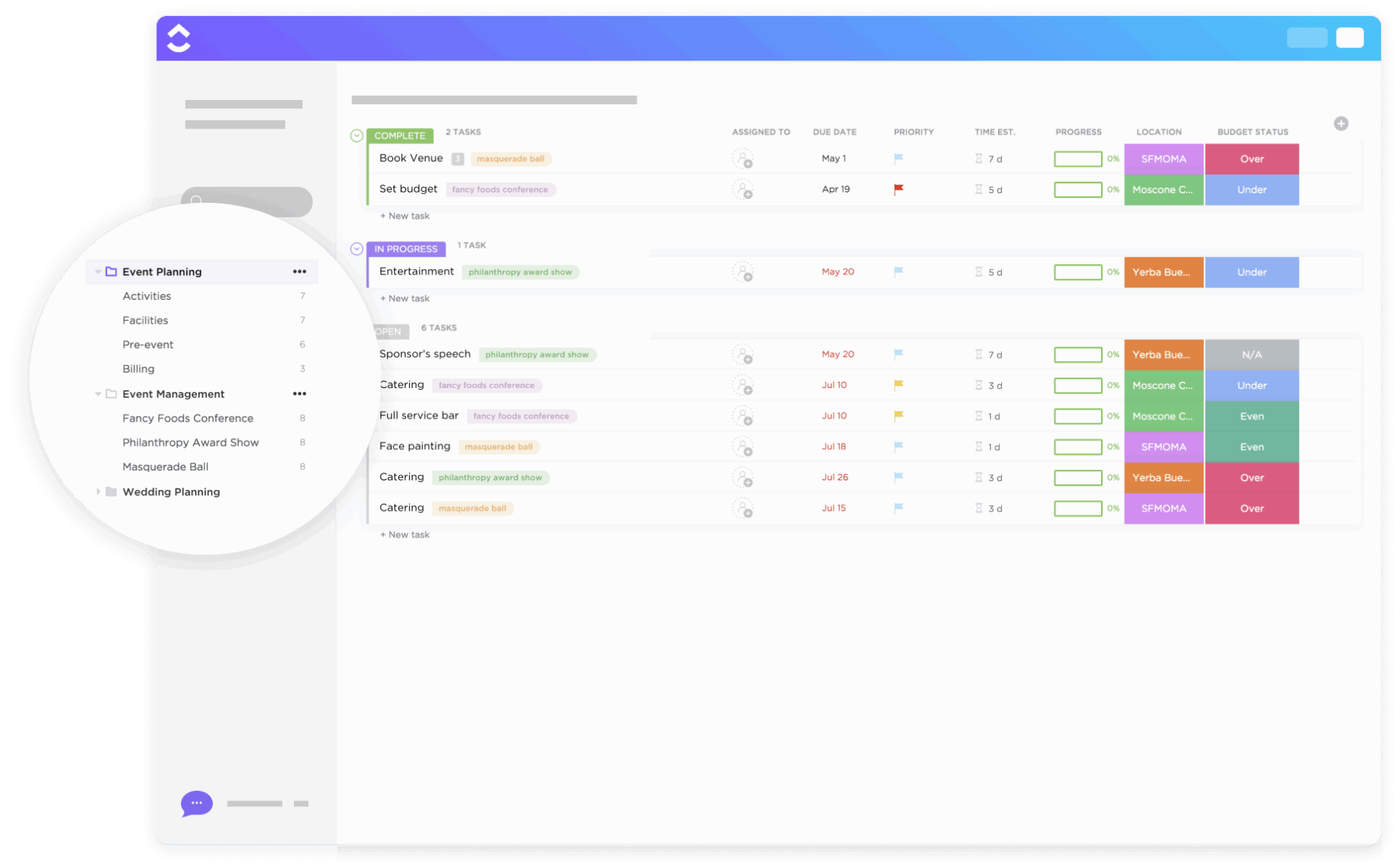
💡 Pro Tip: If you’re just getting started—or want to skip building every list and field from scratch—grab ClickUp’s Event Planning Template as your foundation before you add agents.
Get a headstart on structuring your events workspace with the ClickUp Event Planning Template
This template comes with pre-built lists for logistics, timelines, budgets, staffing, and more, so your Super Agents have meaningful structure and data to work with from day one.
Summarize this article with AI ClickUp Brain not only saves you precious time by instantly summarizing articles, it also leverages AI to connect your tasks, docs, people, and more, streamlining your workflow like never before.
Summarize this article for me please
Add Specialist AI Event Planning Agents for Sponsorships and Event Content
Once the event plan was solid, the real work began: sponsorships and content.
Rather than juggling spreadsheets and inboxes, I assigned each workstream to its own specialist Super Agent.
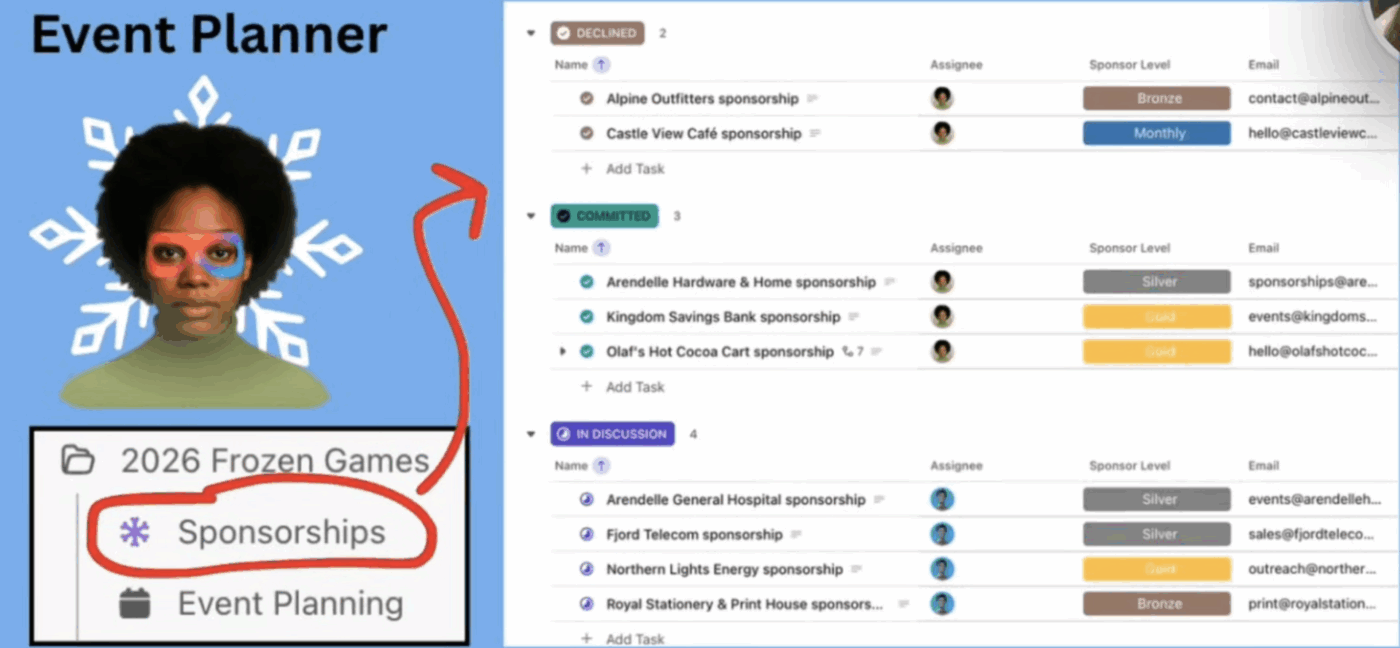
Give sponsorships an owner who never drops a follow-up
Every event needs funding. In the Youth Center, the native treasury helps, but outside sponsors are still critical.
I created a dedicated sponsorships List with Custom Fields for:
Sponsor name and contact information
Sponsorship tier and benefits
Status of outreach and agreement
Then I assigned a Super Agent directly to that list.
🔑 Key Takeaway: Because the agent lived inside ClickUp with full context, it could track who needed follow-ups, summarize sponsor status, and suggest next steps—without anyone having to remember where things stood.
Put a content manager agent at the heart of your campaign
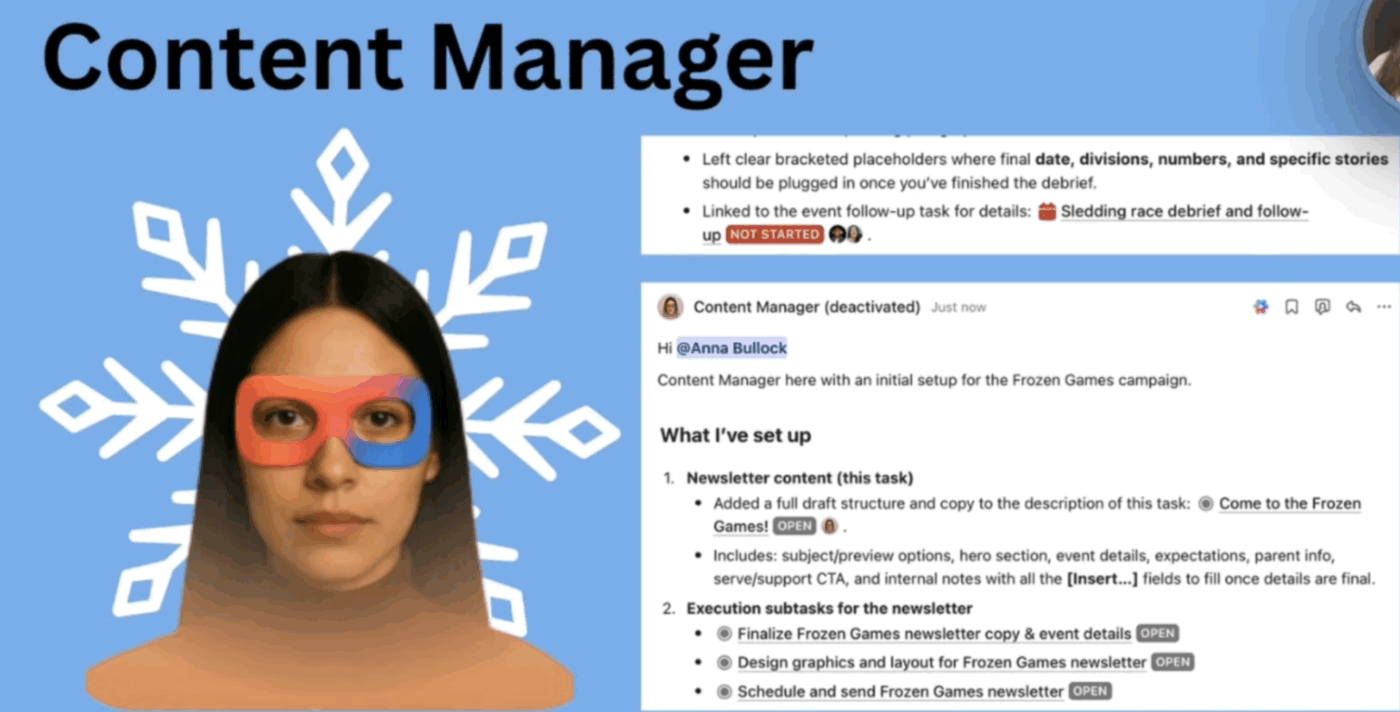
With the event plan and sponsors in motion, you still need to communicate and promote the event to your audience. That is where the Content Manager Super Agent comes in.
My team and I created:
A Newsletter List with a Board view for writing, editing, and ready-to-send content
A Social Media List connected to the Frozen Games, including key dates and assets
A public-facing ClickUp Form for community submissions and stories
The Content Manager agent was given the context of these lists and the overall campaign. From there, it could:
Suggest Statuses and Custom Fields if the List was missing structure
Populate those new fields once they are added
Draft newsletter editions and social posts tied to specific events
Create subtasks or checklists to cover details humans might forget, such as confirming the registration link or including a volunteer call-to-action
One of my favorite behaviors is asking the Content Manager Agent to review community submissions and flag which ones best support current campaigns.
🔑 Key Takeaway: When you treat content as a structured workflow inside ClickUp, a Content Manager Agent can move work from idea to published without letting anything fall through the cracks.
Watch how ClickUp’s own team uses AI Super Agents to run their content programs:
Summarize this article with AI ClickUp Brain not only saves you precious time by instantly summarizing articles, it also leverages AI to connect your tasks, docs, people, and more, streamlining your workflow like never before.
Summarize this article for me please
Keep Quality High with Statuses, Forms, and Submissions
Super Agents are powerful, but they become truly effective when paired with clear workflows that everyone understands.
Statuses, Forms, and Views inside ClickUp give your agents guardrails so they can move fast without breaking your brand.
Use ClickUp Views and Task Statuses to keep every story moving
For the newsletter and social content, I lean heavily on Board and List views:
Board views make it easy to see what is in writing, in review, approved, and published
List views help the team quickly scan deadlines and owners
Color-coded Task Statuses highlight what is done versus what has not been started
The Content Manager Agent respects these statuses when proposing next steps, which keeps human collaborators and AI aligned.
Let an agent triage community submissions against your goals
When your community is eager to share stories, photos, and ideas, it’s fantastic for engagement, but overwhelming to manage manually.
By routing public form submissions into a ClickUp List, I give the Content Manager agent a clear inbox to work from. The agent can:
Read each submission in context
Compare it against the center’s strategic goals and active campaigns
Recommend which stories to spotlight now and which to save for later
Instead of scrolling through a noisy inbox, the team gets a curated set of community stories that actually move their mission forward.
📮 ClickUp Insight: 62% of respondents say AI agents don’t live up to the hype yet, describing them as early-stage or even creating more work than they remove.
That frustration often shows up in the handoff. An agent summarizes a meeting, suggests next steps, or flags an issue, and then stops. You still have to create tasks from the action items, assign owners, update statuses, and follow up manually.
Super Agents are designed to take care of all those steps. They can use chain actions to turn meeting notes into tasks, update project statuses, route work to the right owners, and keep workflows moving inside the same system where execution happens.
When an AI agent can take work from “here’s what should happen” to “it’s already in motion,” the value becomes real.
Summarize this article with AI ClickUp Brain not only saves you precious time by instantly summarizing articles, it also leverages AI to connect your tasks, docs, people, and more, streamlining your workflow like never before.
Summarize this article for me please
Coordinate Everything with a COO-Style AI Agent
Even with an event planner and content manager, someone still has to keep the big picture in view. For us, that someone is a COO-Style Super Agent built right inside ClickUp.
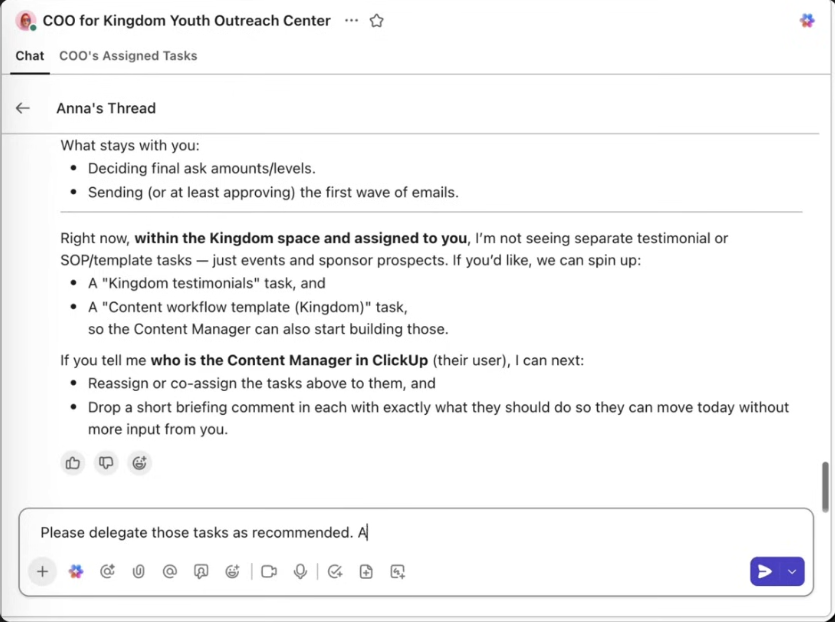
I gave this agent visibility across the entire space and a simple mandate: surface what needs leadership attention and help delegate the rest.
From there, delegation becomes a one-step conversation. I can say things like:
Anything in the Annual Games space should be delegated to the event manager
Anything under Community should go to the content manager
The COO Agent then assigns those tasks accordingly, so work gets routed to the right owner without me manually reassigning every card.
Stay accountable without living in the weeds
The magic of this setup is that my team and I stay informed without living inside the task list all day.
The COO agent surfaces what truly needs a leader’s decision
The event planner and content manager agents execute against that direction
Notifications let humans know when critical items are complete
🔑 Key Takeaway: With a COO Agent orchestrating work between specialized agents, leaders can stay in control of outcomes while letting ClickUp handle the busywork.
Summarize this article with AI ClickUp Brain not only saves you precious time by instantly summarizing articles, it also leverages AI to connect your tasks, docs, people, and more, streamlining your workflow like never before.
Summarize this article for me please
How to Build Your Own AI Event Planning System in ClickUp with a Team of Super Agents
This setup isn’t unique to large events. It works for any high-stakes campaign.
Here is how to adapt it to your own team:
Map one focused Space. Start with a single Space dedicated to a clear initiative, like a launch, event series, or marketing program
Design your Folders and Lists. Create Folders for planning, execution, and communications, and Lists that mirror how you already work
Define Custom Statuses and Fields. Make sure each list has meaningful Statuses and the Custom Fields your agents will rely on
Spin up your first Super Agent. Start with one event planner or project manager agent, and let it draft tasks, timelines, and dependencies
Add specialist agents. Layer in agents for sponsorships, content, support, finance, or operations as your workflow grows
Top it off with a COO Agent. Once you have multiple agents in play, create a COO-style agent to coordinate work and surface what you should do next
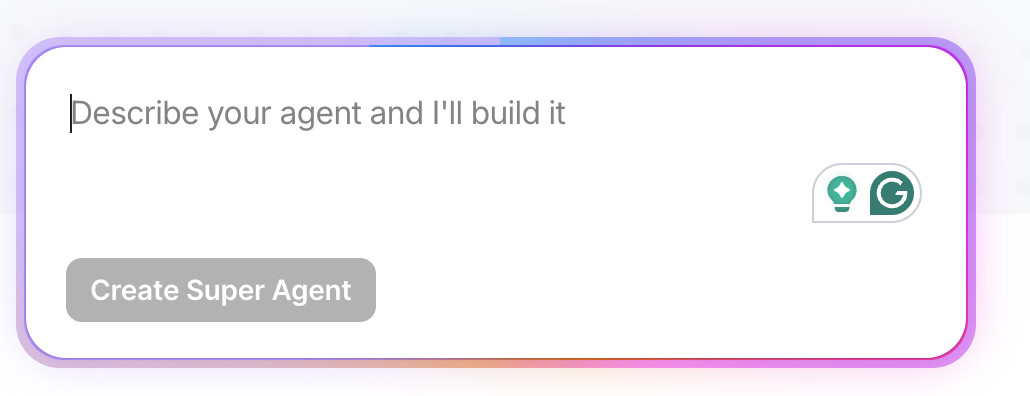
💡 Pro Tip: You don’t need code to build an AI event planner agent in ClickUp. Using the natural-language Super Agent builder in the AI sidebar, I simply described the agent’s role—plan the event, manage timelines, and flag risks. ClickUp guided me through choosing the right lists and folders, setting a schedule, and shaping how the agent reasons about event work.
Once the agent was live, I tested it by asking for timelines and date checks directly in chat. Because it can read tasks, Docs, and schedules together, its plans stayed grounded in the real event—not generic campaign ideas.
Create a no-code AI Agent simply with a natural-language prompt inside ClickUp
🔑 Key Takeaway: You don’t need a royal budget to get started. You just need a thoughtful hierarchy and a small team of super agents tuned to your goals.
Summarize this article with AI ClickUp Brain not only saves you precious time by instantly summarizing articles, it also leverages AI to connect your tasks, docs, people, and more, streamlining your workflow like never before.
Summarize this article for me please
From Manual Event Planning to AI-Led Execution
So, what changed for the Youth Center with ClickUp’s AI Super Agents in the picture?
Instead of chasing updates across tools, the team worked inside one converged system. Agents handled structure and follow-ups. Humans focused on judgment, creativity, and leadership.
That’s what effective AI event planning looks like in practice: fewer tools, less noise, and systems that scale with your ambition instead of collapsing under it.
If you build the hierarchy first and give your agents clear jobs, they can carry far more of the operational load than most teams expect.
Anna Bullock is a creative strategist, project manager, and systems thinker—and your business Mom when you need clarity and care. Through consulting, content, and online workspace development, she helps ambitious people turn ideas into action, build supportive systems, and grow businesses that actually fit their lives.
Everything you need to stay organized and get work done.