







Still downloading templates?
There’s an easier way. Try a free AI Agent in ClickUp that actually does the work for you—set up in minutes, save hours every week.
Sorry, there were no results found for “”
Sorry, there were no results found for “”
Sorry, there were no results found for “”
Every teacher wants to spark students’ curiosity and motivate them to learn. This goal becomes a little easier when you have a trusty KWL chart. (For the uninitiated, KWL stands for “know,” “want to know,” and “learned.”)
A KWL chart template is valuable for boosting reading comprehension. They’ll help you supercharge metacognition and fire up student engagement in social studies, language arts, or any other subject.
With a customizable KWL chart template in your teaching toolkit, you’ll be able to create educational adventures that are both fun and effective.
So get ready to explore a treasure trove of six free printable KWL chart templates and other teaching resources to ignite classroom curiosity and supercharge learning. It’s time to turn your lessons into exciting quests for knowledge! 🍎
The KWL chart was designed by Donna Ogle in 1986. It’s a straightforward educational tool that helps students activate their prior knowledge, get curious, and organize what they learn about a new topic.
KWL charts do this by sorting information into three columns based on the acronym “KWL”:
Students might do this individually, in small groups, or as a whole class. The process promotes critical thinking, engagement, and a structured method of exploring new topics of study.
A blank KWL chart template allows educators to customize each section for individual lesson plans. For example, you might add a prompt to the last column asking students to review previous misconceptions about a topic.
Primary school, middle school, high school, and college students alike benefit from a guided approach to KWL worksheets. Here are five tips for introducing and using a KWL chart template:
Every educator has unique teaching strategies to guide students. If you have anything you want to add or change, go for it! That’s the point of editable KWLs, after all.
You and your students deserve a KWL template that serves its purpose and brings joy to the learning process. You want a KWL chart that captures knowledge, inspires enthusiasm, and sparks curiosity.
The best templates allow you to create custom tools and worksheets that resonate with you and your students, making the journey of acquiring knowledge even better.
So, let’s start this educational adventure, where the destination isn’t just the pursuit of knowledge but creating an engaging, effective learning experience.
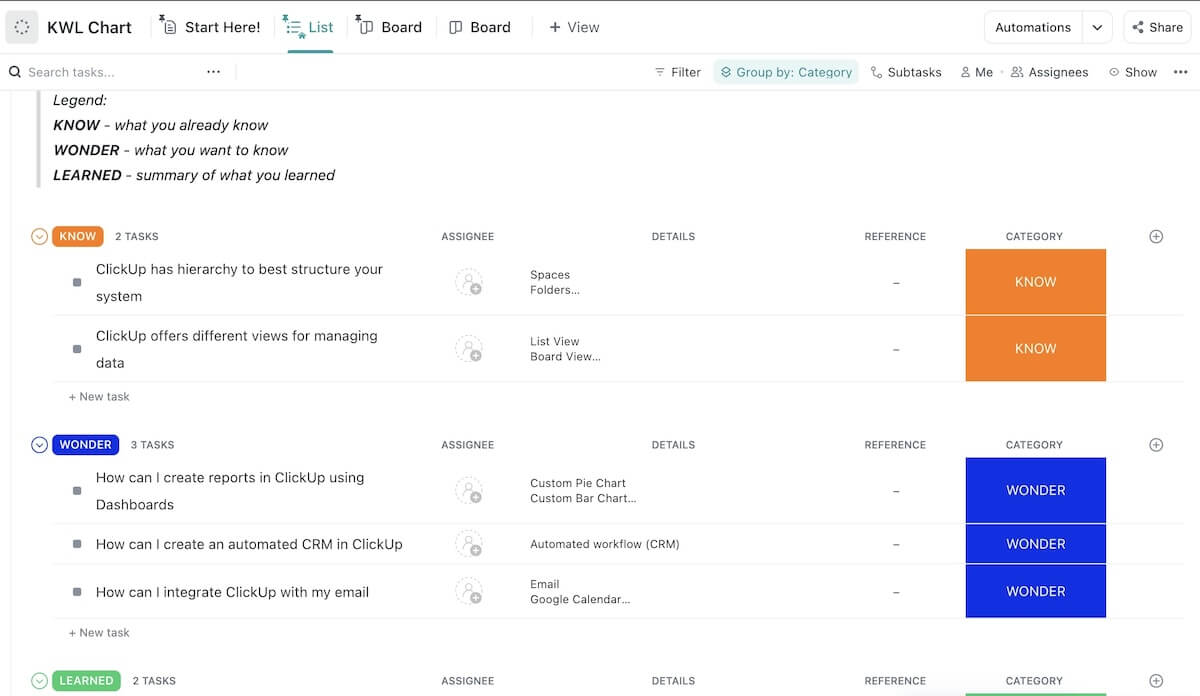
The ClickUp KWL Chart Template is a versatile tool that gives educators and students what they need to tackle any subject area, regardless of its size or complexity. Whether you’re jumping into a vast realm of knowledge or exploring a smaller, more focused topic, this template has you covered.
It’s a straightforward graphic organizer that makes it easier than ever to customize your template to:
ClickUp’s free KWL chart template is flexible, making it easier for you to help your students grasp and retain new information. It uses powerful software designed for big projects, meaning you and your class can dissect any subject into its key components.
Use our KWL chart to keep your students on the same page and set them on the right path as they learn to plan strategies for success. Help them explore new knowledge, catch all the details, and gain a deeper understanding of your lessons.
Keep things digital by working with students, parents, and administrators directly on ClickUp for smooth and convenient collaboration. Or, if you like physical worksheets, it’s easy to print KWL charts directly from ClickUp. You can also export them to Excel and Google Docs.
ClickUp makes it easy to customize dashboards, views, permissions, task assignments, and more. You can communicate in real time, add relevant links or documents, and access thousands of templates to bring every lesson to life, just the way you envisioned it.
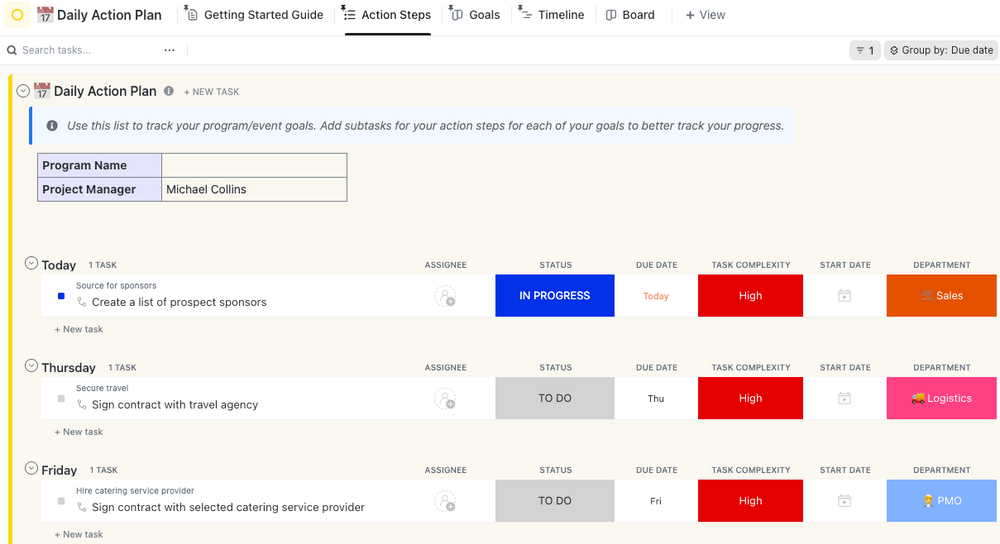
The ClickUp Teacher Action Plan Template features a thoughtful design that’ll help you plan and execute practical lessons to use alongside your KWL charts.
With ClickUp’s Teacher Action Plan template, you’ll be able to:
The Teacher Action Plan Template is flexible enough to help you plan lessons, homework, tests, and anything else you need to engage your class.
Use it to craft lessons that excite your learners and expand their knowledge. You can create daily action plans weeks or months in advance so you always know what’s coming up and what you’re doing with your class.
Improve student engagement by combining the Teacher Action Plan Template with your introductory lesson about KWL charts. Pull examples directly from upcoming lessons as you walk your entire classroom through each column to prep them for what they’re learning next.
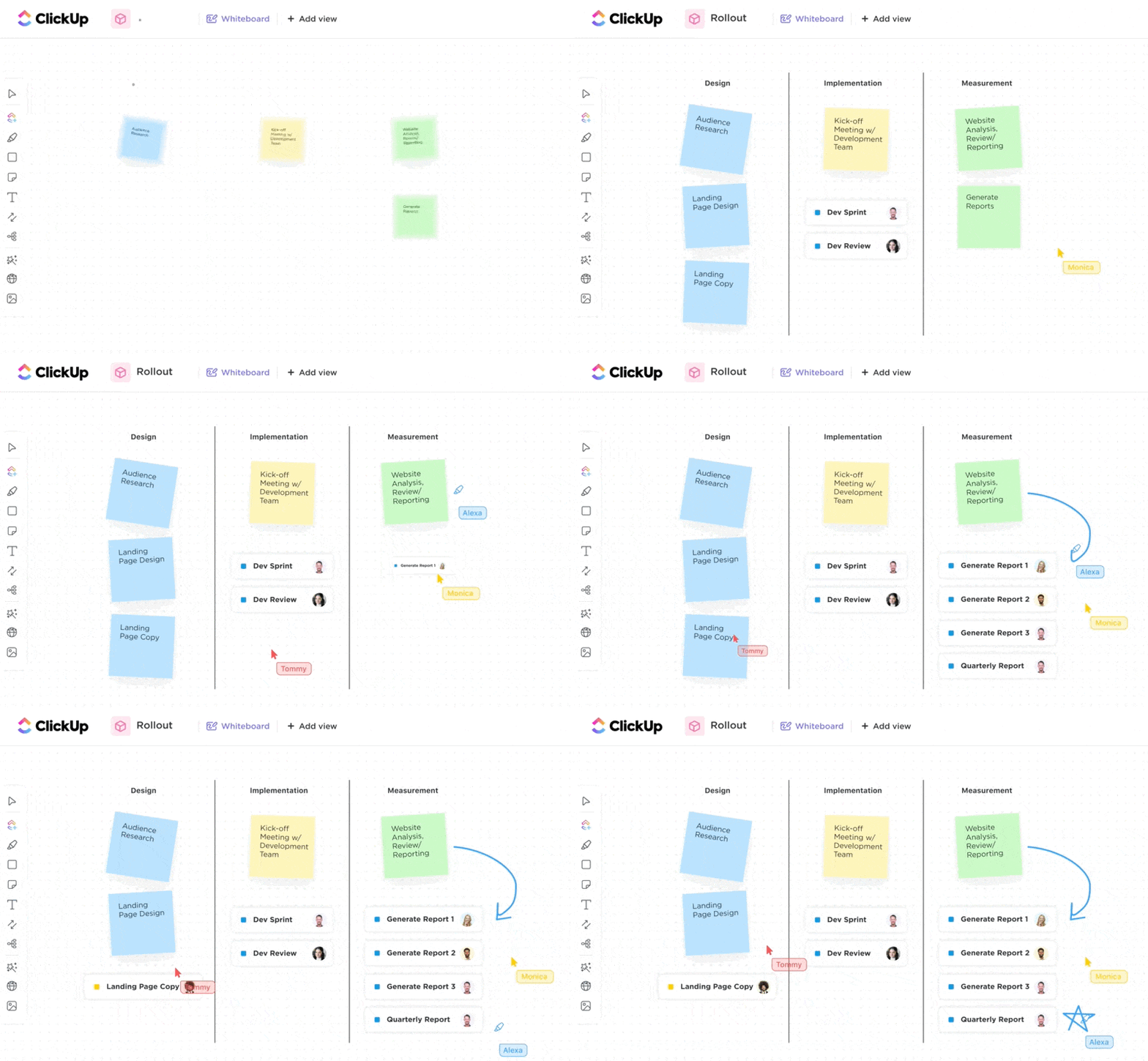
Try using the ClickUp Kanban Board as an interactive way for your class to track their KWL progress, complete tasks, and collaborate on assignments. The Kanban Boards let students visually monitor their progress, share relevant links, and participate in discussions to further their learning.
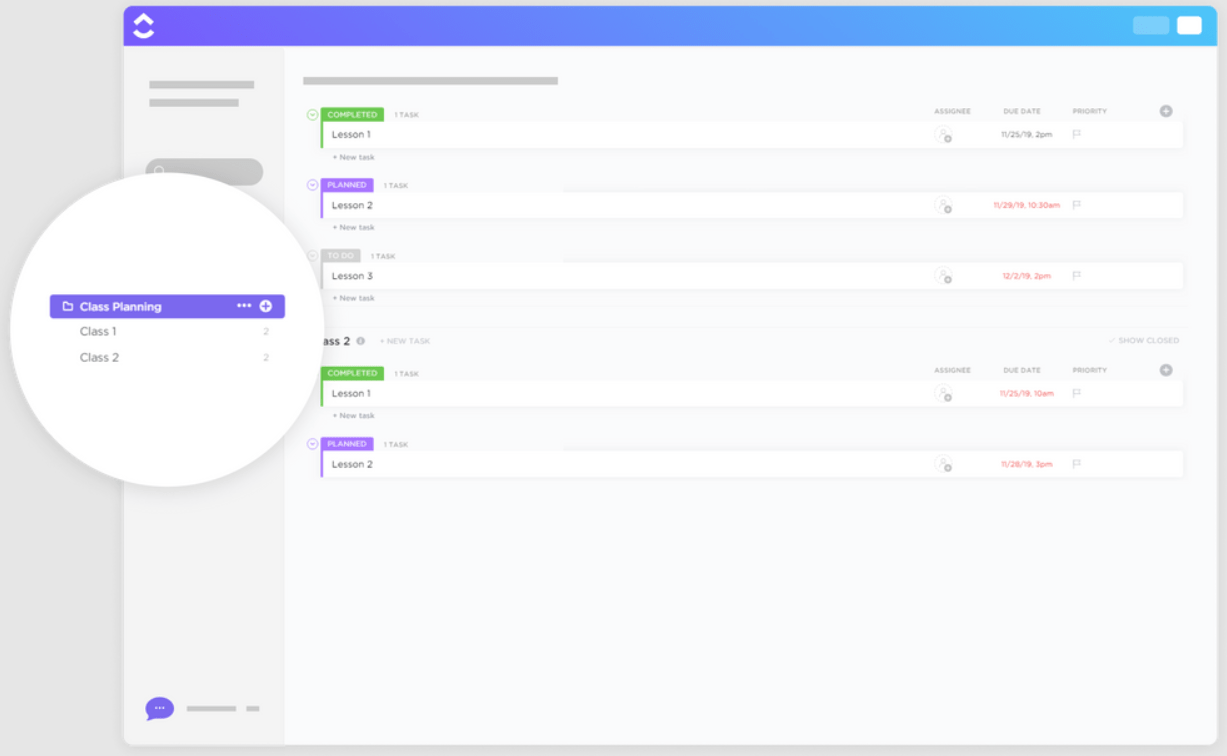
The ClickUp Class Planning Template reduces overwhelm for busy teachers by keeping your class organized and on track.
This folder-style template gives you everything you need to:
With ClickUp’s Class Planning Template, everything you need to teach your class is accessible from one easy-to-use dashboard.
Use it to update your curriculum and to identify potential areas of improvement. You can also check your plan to ensure you’ve touched on everything you need to cover during each class.
You’ll save time and effort by combining your KWL chart with ClickUp’s Class Planning Template, which provides a structured lesson framework. Check your class plan when you reflect on the content you’ve already covered so you can better help students update the “what I’ve learned” section.
To take it a step further, use ClickUp’s Form view to ask students about their thoughts, questions, and insights after each lesson. This feedback loop can foster a sense of ownership and participation by providing a platform to express their views and receive tailored feedback.
It’s quick and easy to create forms for your lessons with the educator’s guide to ClickUp Forms and tons of helpful templates, so you don’t have to start from scratch.
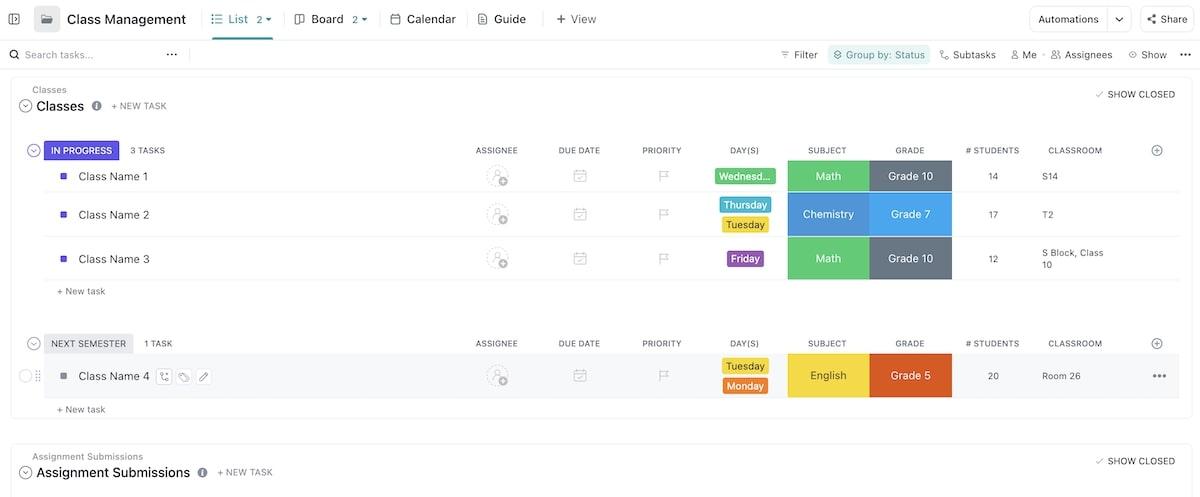
The ClickUp Class Management Template is a concise folder-style dashboard to help you master the mythical teaching Zen.
This template is beneficial if you’re an educator with multiple classes because it helps you:
Access the Class Management Template using any of five versatile views, including Guide view, Calendar view, List view, Board view, and the specialized My Classes view.
Make your KWL chart more effective by breaking new topics into smaller sections using ClickUp’s Class Management Template. Prompting students to create multiple KWL charts for an extensive lesson can help prevent overwhelm, sustain interest, and inspire an eagerness to keep learning.
To further captivate your learners and help them get more from KWL charts, combine this with ClickUp’s roadmap project management features. This approach can also help you decide when to introduce new topics, incorporate interactive elements, initiate discussions, or introduce hands-on activities.

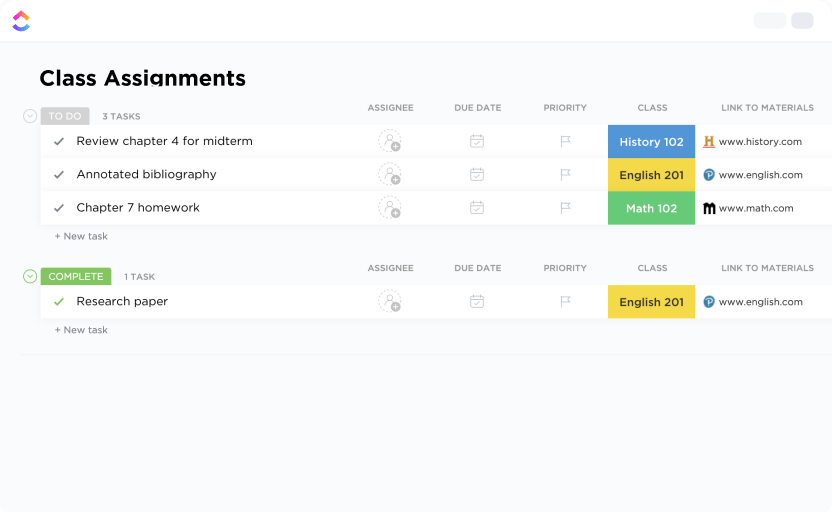
The ClickUp Class Assignment Template makes tracking student assignments easier than ever using the customizable Space view.
This life-saving template reduces the hassle, so you can put more energy into teaching your class. Use it to:
With our Class Assignment Template, you can grade assignments faster, speed up lesson creation, and eliminate the monotony of making every assignment from scratch. Use it as a straightforward way to communicate requirements to students and provide individual feedback.
Since ClickUp’s Class Assignment Template enables smooth communication between students and teachers, it’s a perfect KWL chart companion. Start by creating a list of class assignments in your class Space and then add a link to the KWL chart alongside lesson details in the task description for each assignment.
Alternatively, you can turn your KWL charts into ClickUp Docs and link them directly to individual assignment tasks.
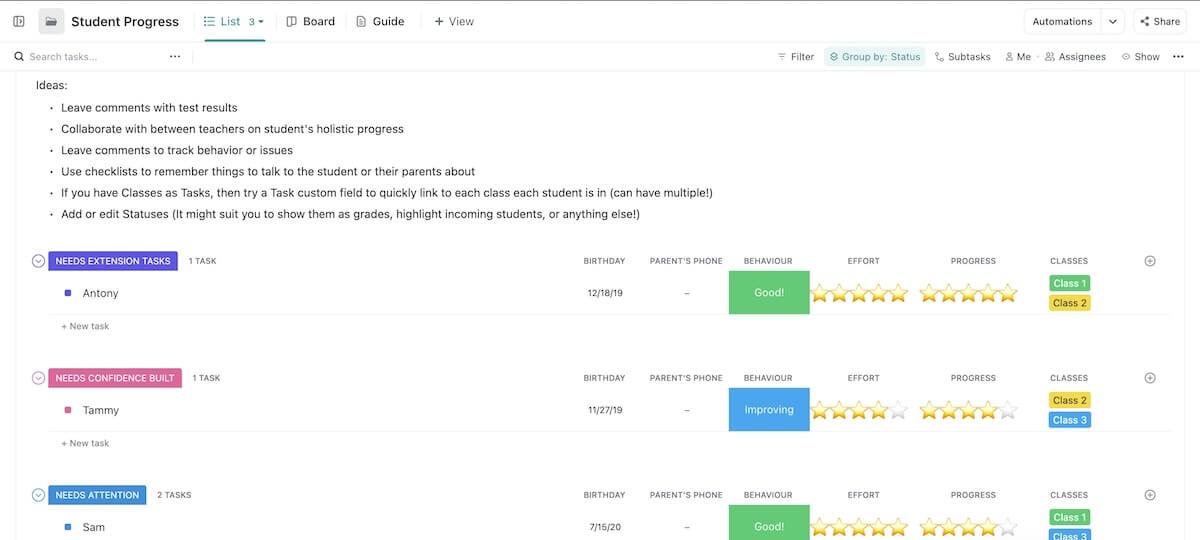
The ClickUp Student Progress Template is like a secret weapon for academic success. It’ll help you stay organized and connected with each student’s progress.
Teachers, administrators, and even parents can collaborate to help students reach their potential using this template to:
Creating a simple overview of progress for every learner has never been easier. With ClickUp’s Student Progress Template, you can engage everyone involved in their growth, development, and overall progress toward academic goals.
By attaching completed and current KWL charts to ClickUp’s Student Progress tracker, you can easily manage their individual progress. The “what I know,” “what I want to know,” and “what I learned” sections provide unique insights into how the student is progressing on their academic journey, making it easier to identify potential areas for improvement.
Take this a step further by implementing our AI tools for note-taking. ClickUp AI can summarize information from a student’s progress tracker or individual KWL charts to provide insight into their personal learning experiences.
Use these KWL chart templates and teaching resources to invite students to actively participate in their lessons. And prepare yourself to be wowed by a classroom full of curious, excited learners!
A customizable KWL chart template can inspire self-driven inquiry and discovery by encouraging students to explore what they know, wonder about what they want to learn, and reflect on what they’ve learned.
Ready to give your class a sense of agency and inspire a shared enthusiasm for knowledge? Get started with ClickUp now—it’s free! ✍️ 🙂

© 2026 ClickUp

There’s an easier way. Try a free AI Agent in ClickUp that actually does the work for you—set up in minutes, save hours every week.