






Still downloading templates?
There’s an easier way. Try a free AI Agent in ClickUp that actually does the work for you—set up in minutes, save hours every week.
Sorry, there were no results found for “”
Sorry, there were no results found for “”
Sorry, there were no results found for “”

Tired of hitting roadblocks with Veed.io? Maybe the pricing’s a stretch, the free plan runs out too fast, or you’re craving features it just doesn’t offer. Whatever’s holding you back, one thing’s clear: it’s time for a smarter, smoother way to edit videos.
The good news? There’s no shortage of Veed.io alternatives—and many of these video editing software tools go beyond what you’re used to. Think AI-powered video editing capabilities, studio-grade tools without the studio price, and interfaces that actually make editing feel fun again.
From crafting YouTube videos and marketing content to finding an online editor that won’t box you in, these top picks are built to match your workflow. Ditch the editing headaches—these tools put creativity back in your hands, minus the friction.
Here’s a quick look at the best options available if you’re switching from Veed.io.
| Tool Name | Best for | Key features | Pricing |
| ClickUp | AI-driven video creation and workflow automation for teams of all sizes | AI-powered scripts and summaries; video production management; built-in video recording (Clips); real-time collaboration | Free plan available; Customizations available for enterprises |
| HeyGen | Scaled video generation with AI for startups and content creators | Customizable AI avatars; automated voiceovers; multi-language support | Free plan available; Paid plans start at $29/user/month |
| Descript | AI-powered editing and transcription for agencies | Edit video like text; AI voice cloning; automatic transcription; multi-track editing; podcast tools | Free plan available; Paid plans start at $24/user/month |
| InVideo | Quick and easy online video creation for small teams | Text-to-video; stock media and templates; multiple aspect ratios | Free plan available; Paid plans start at $35/user/month |
| Synthesia | AI-generated human-like avatars for businesses of all sizes | Custom avatars; 120+ languages; auto transcripts and captions | Free plan available; Paid plans start at $29/user/month |
| Camtasia | Video recording and tutorials for professionals | Screen and webcam recording; drag-and-drop editing; annotations and callouts | Free plan available; Paid plans start at $179.88/user/year |
| DeepBrain AI | Realistic AI video presenters for small and mid-sized businesses | Emotionally responsive avatars; multi-language support; facial expression capture; voiceover integration | Free plan available; Paid plans start at $29/user/month |
| Colossyan | AI-powered training and corporate videos for enterprises | Automated training video creation; custom avatars; brand assets and colors; voiceovers | Plans start at $27/user/month |
| Canva | Simple, drag-and-drop video editing for individuals | Huge template and stock library; team collaboration; intuitive AI design tools | Free plan available; Paid plans start at $15/user/month |
| Adobe Premiere Pro | Professional-grade video editing for enterprises and large agencies | Industry-standard tools; multi-cam sync; advanced effects and color grading; Adobe ecosystem integration | Price starting at $37.99/month (annual) |
| Vimeo | High-quality video hosting and sharing for creators and marketers | HD video hosting; analytics; live streaming; AI-powered captions and SEO; private sharing | Free plan available; Paid plans start at $20/user/month |
The best Veed.io alternative depends on what matters most to you beyond basic editing features—AI automation, affordability, pro tools for professional videos, or a smoother experience. That said, here are some key factors to consider:
👀 Did You Know? The average person watches over 7.2 hours of video content per day!
Here’s a breakdown of the best Veed.io Alternatives—what they do well, where they fall short, how much they cost, and what users think about them.
Our editorial team follows a transparent, research-backed, and vendor-neutral process, so you can trust that our recommendations are based on real product value.
Here’s a detailed rundown of how we review software at ClickUp.
While Veed.io is a popular choice for video editing, a tool that meshes similar functionalities with additional features can help smooth your pipeline even better.
ClickUp is the everything app for work that combines project management, knowledge management, and chat—all powered by AI that helps you work faster and smarter.
The platform offers tools to help creators, marketers, and businesses manage video production, collaborate in real-time, and automate tedious tasks.
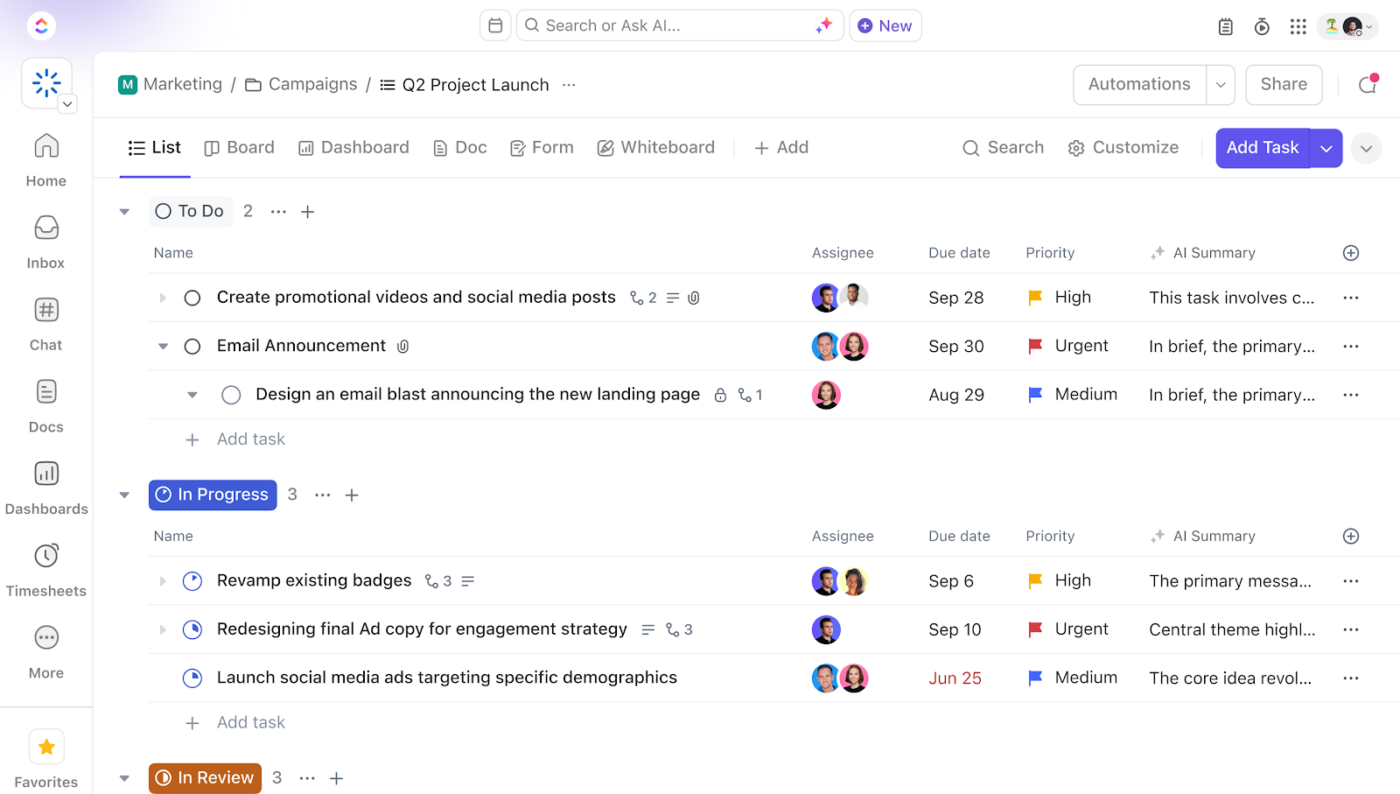
With ClickUp for Project Management, tasks, docs, and video collaboration can be combined in one platform. After all, keeping your project on track requires a clear overview of deadlines, priorities, and team progress. And ClickUp does just that.
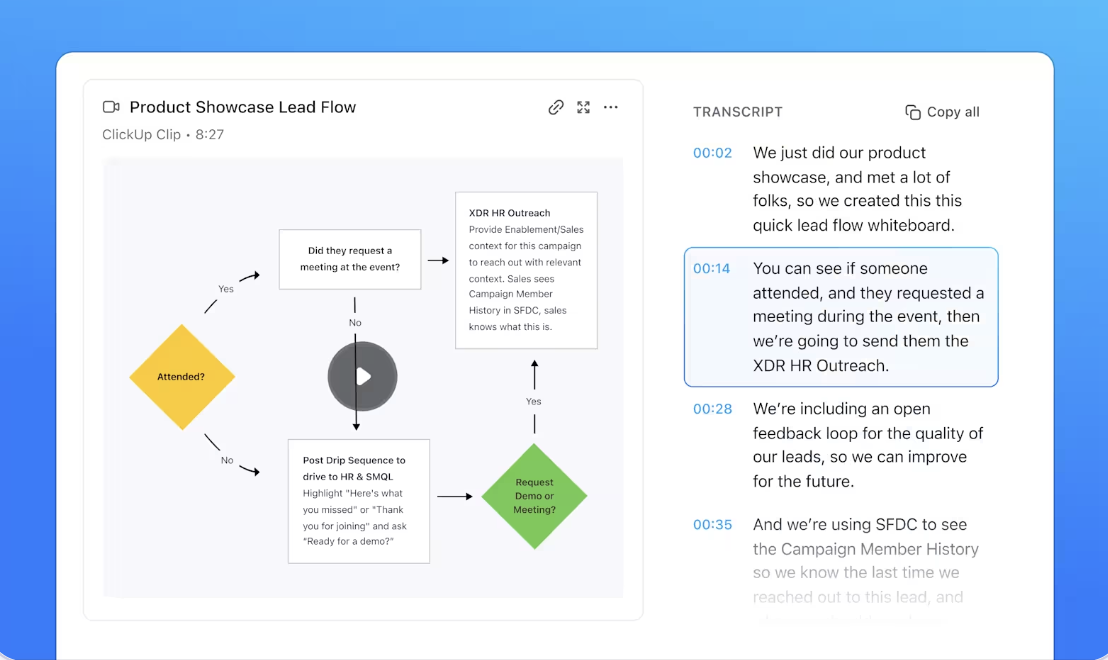
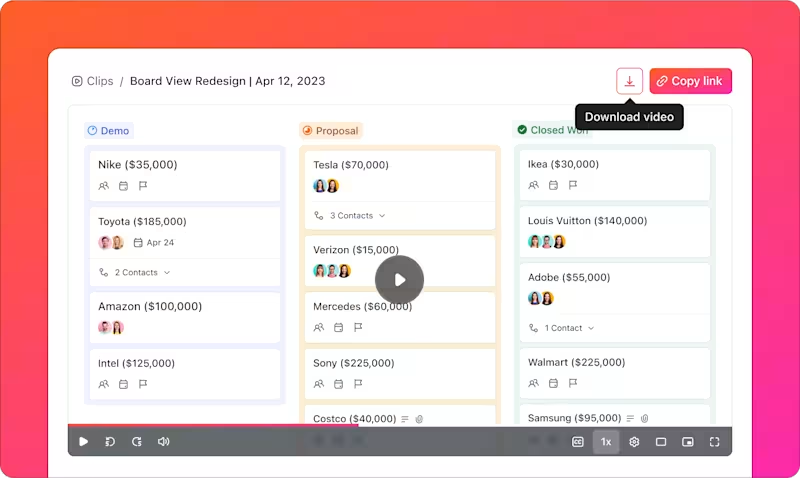
One of ClickUp’s standout features for video creators is ClickUp Clips, a built-in video tool that lets you record, annotate, and share video snippets directly within tasks.
Instead of relying on third-party recording software or juggling multiple apps, Clips allows you to easily create tutorial videos, walkthroughs, or team updates.
You can highlight important sections, add comments, or mark timestamps for quick reference. With Clips, you can record explainer videos, document feedback, and capture insights from meetings within ClickUp—keeping your workflow organized and accessible.
Facing writer’s block? Take the manual work out of video production by automating scriptwriting, summarizing long videos, and generating audio files and transcriptions in seconds with ClickUp. Simply fire up ClickUp Brain, the built-in AI assistant, to do the job for you.
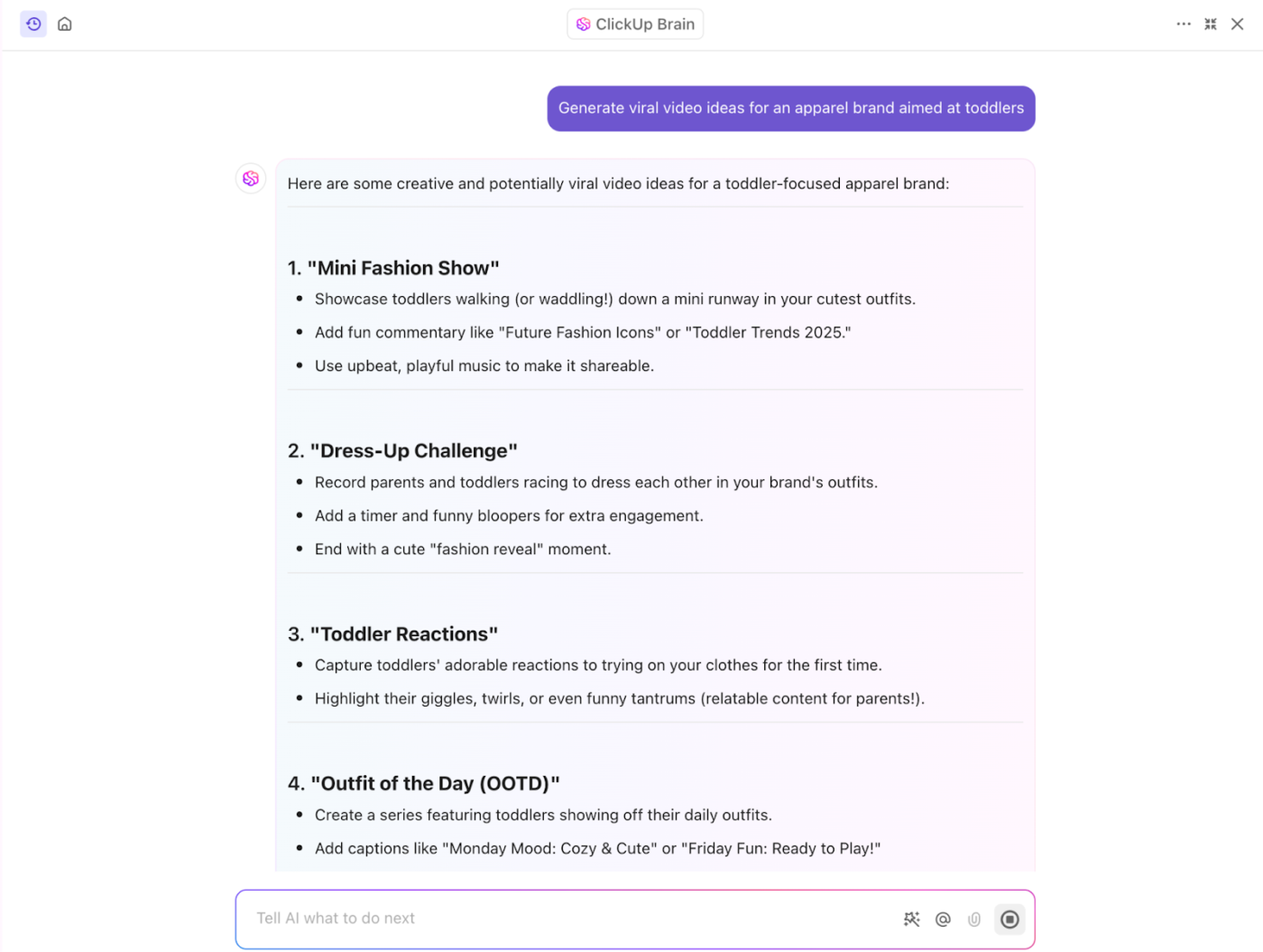
Whether creating a YouTube tutorial, an ad, or an explainer video, ClickUp Brain can generate structured, high-quality scripts tailored to your needs.
For content creators and video production businesses, this means less manual work, faster video production, and better organization, allowing you to focus on creativity rather than tedious tasks.
📮ClickUp Insight: Nearly 88% of our survey respondents now rely on AI tools to simplify and accelerate personal tasks. Are you looking to generate those same benefits at work?
ClickUp is here to help!
ClickUp Brain, ClickUp’s built-in AI assistant, can help you improve productivity by 30% with fewer meetings, quick AI-generated summaries, and automated tasks.
ClickUp isn’t just an excellent tool for content creation—it’s also built to manage the entire video production process from start to finish.
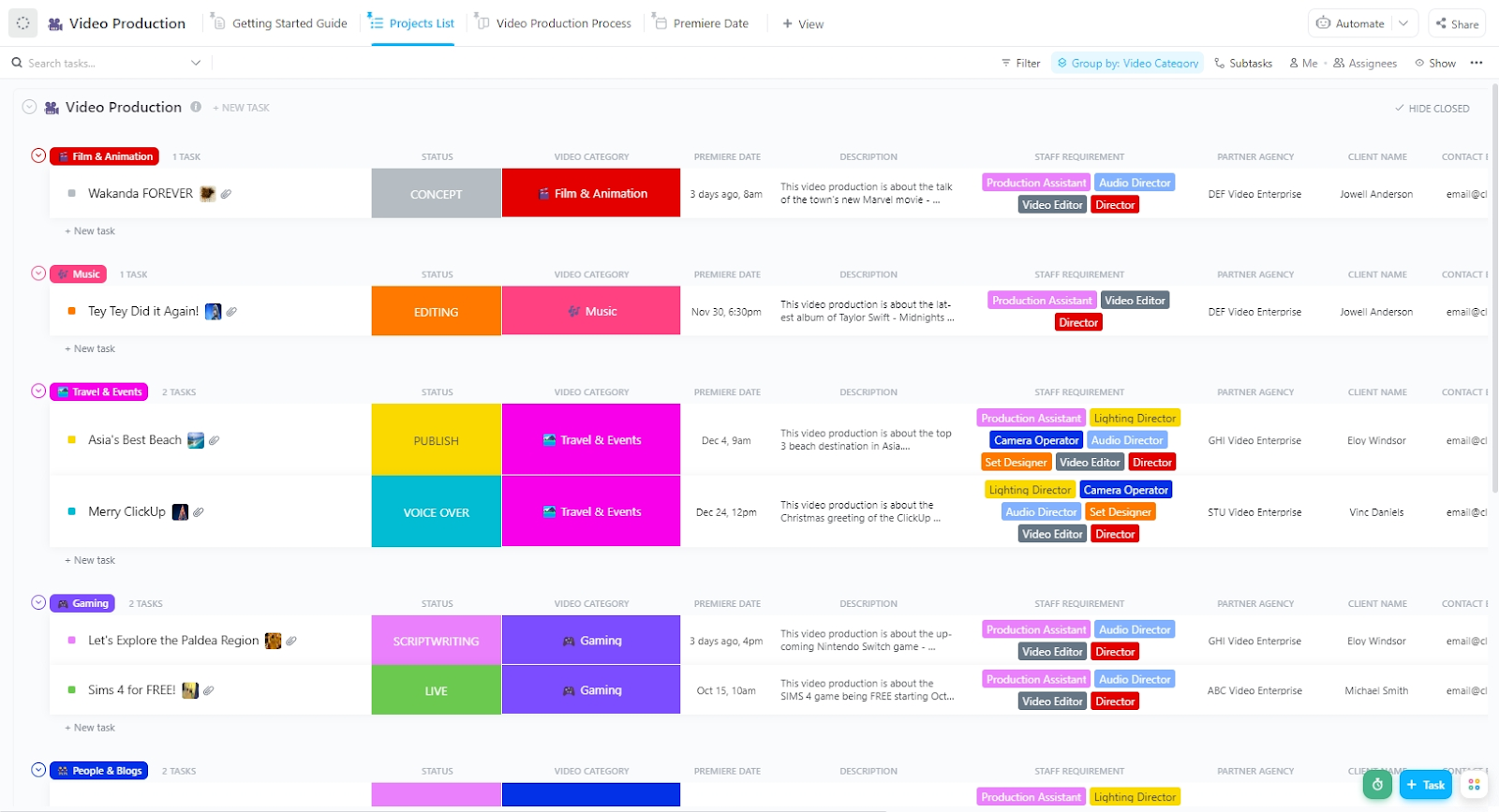
With the ClickUp Video Production Template, teams can organize projects into structured workflows, ensuring every production stage runs smoothly.
This template lets you plan video ideas, create scripts, and assign roles using ClickUp Docs and AI-generated scripts. You can also schedule release dates, track platform performance, and manage video marketing assets.
👀 Did You Know? Videos with captions get 80% more views on social media.
A G2 reviewer says:
We have an intricate process for video production that involves multiple people in various stages of the pipeline, several rounds of review, with each unique deliverable necessitating its own deadline. I am able to streamline all this by using the automations available in ClickUp, keeping everything on track.
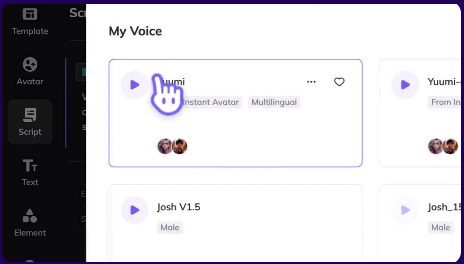
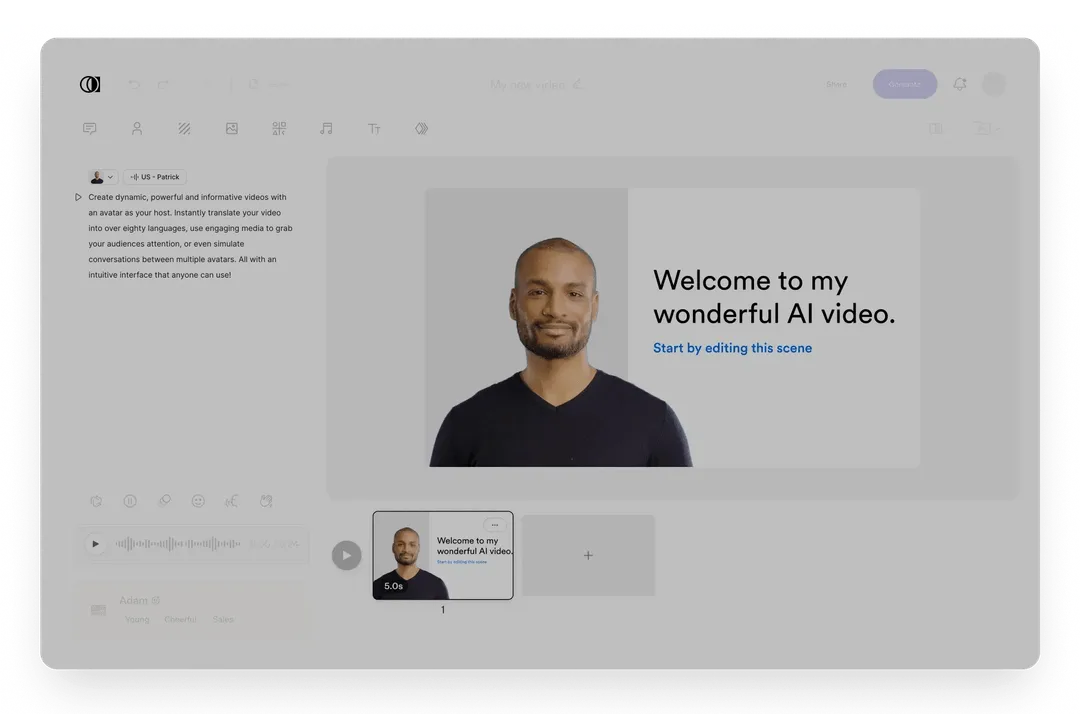
Video creation doesn’t have to be complicated—HeyGen tries simplifying it. The platform makes video creation easy—no camera, no crew, just AI. Whether you’re localizing content, personalizing outreach, or automating production, it has the tools to help.
Its AI avatars let you create a digital version of yourself that speaks naturally and follows your script. Use your webcam to generate one or pick from pre-designed options. You can also tweak voices, outfits, and backgrounds with just a few clicks.
A G2 review shared:
I’m using HeyGen to create content for my youtube channel, and using the Avatars is giving a new level for my videos. I already used three different avatars just in the free plan, and was awesome. All my team liked the new format and my Youtube is just increasing in numbers.
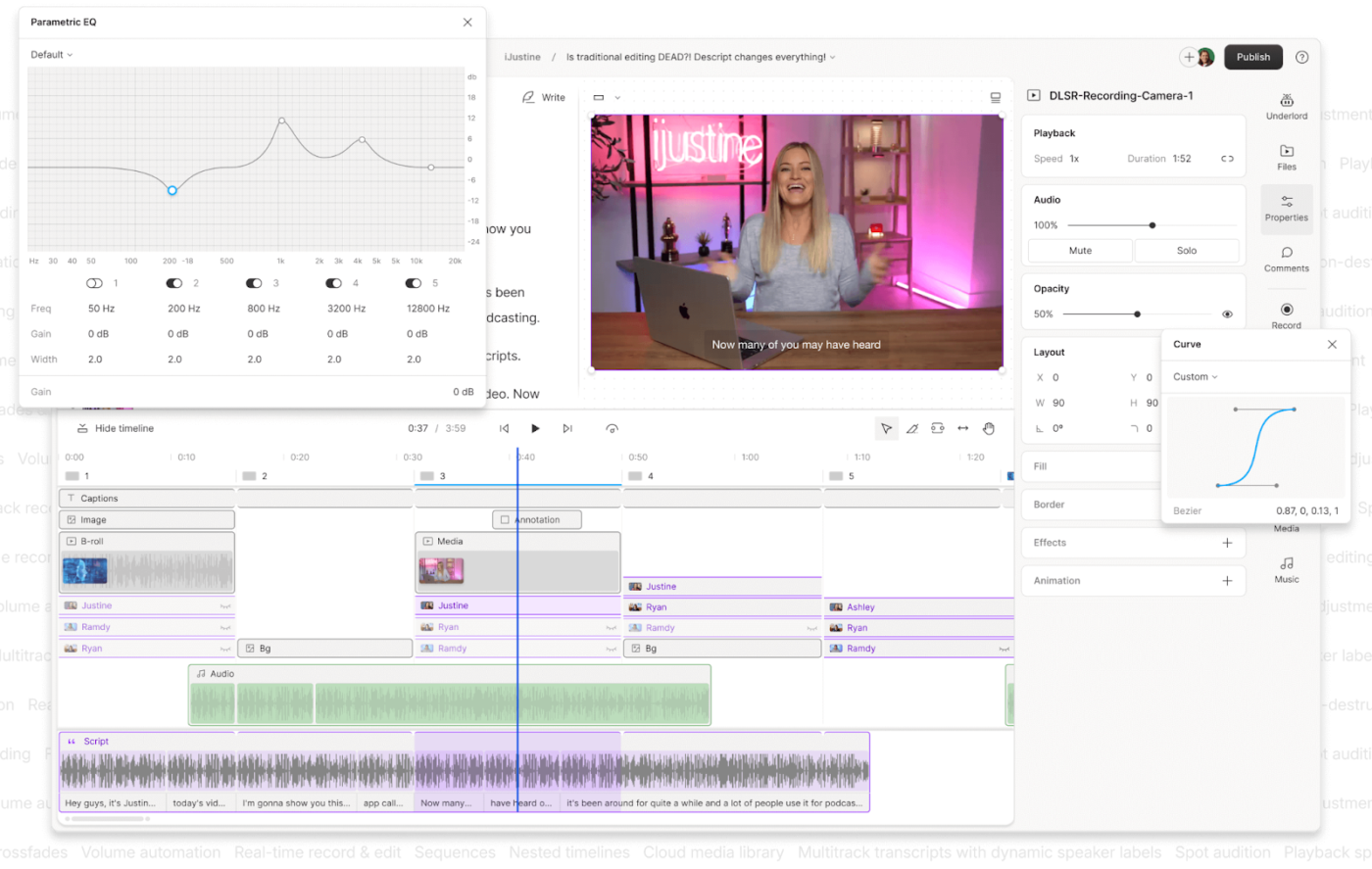
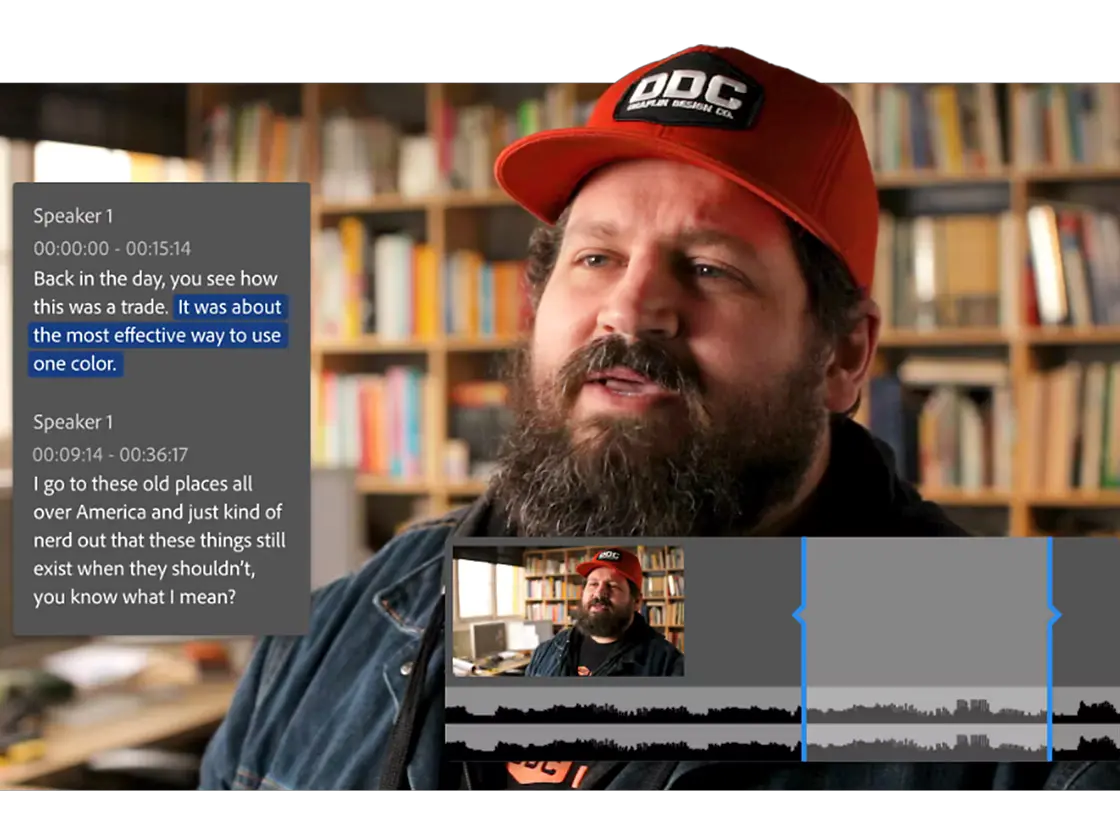
One of the oldest tools on the list of Veed alternatives is Descript. If you need efficiency and AI-powered tools, Descript delivers in a way traditional editors simply can’t. Instead of scrubbing through timelines, you can edit videos like a text document, cutting out words and mistakes in seconds. Plus, you can see previous versions and restore any draft.
The Overdub feature allows you to create an AI-generated clone of your voice to fix errors without re-recording. You can even record your screen, your webcam, or both at once. It’s super useful for tutorials, training, or walkthrough videos—and it integrates instantly with the editing timeline.
A Reddit reviewer says:
My editing game has completely changed. I had heard of Descript back in the day, but I only thought it was purely for transcribing audio (which I don’t really care about). However, now that they offer other services in their suite, I decided to give it a shot! I am realy glad I did, the ability to overdub with your own voice, simply deleting a word(s) to edit your podcast (not to mention a simple click to remove filler words).
👀 Did You Know? YouTube is the second-largest search engine in the world.
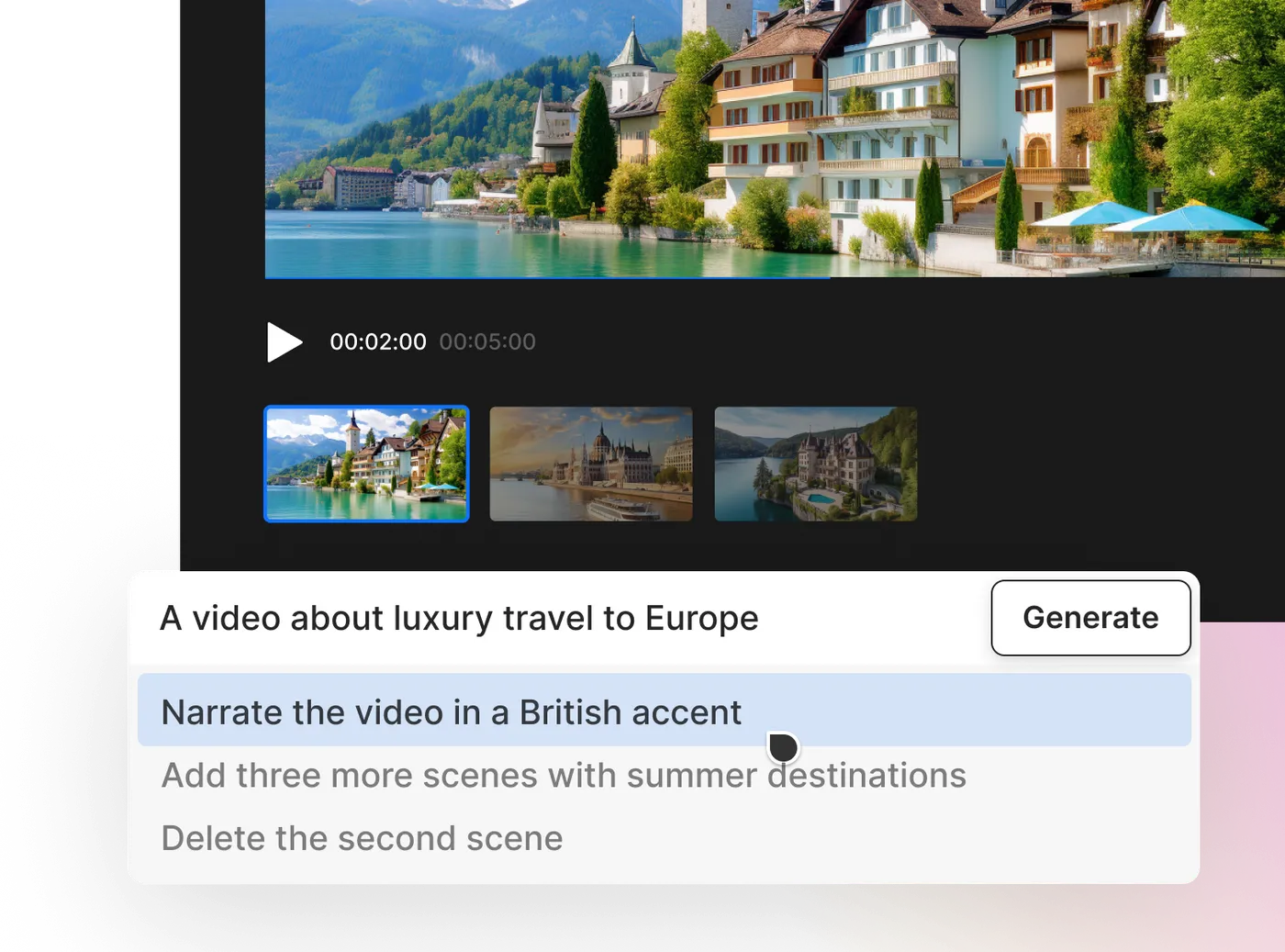
For marketers, social media managers, and small businesses, InVideo removes the complexity of traditional editing software. Its template-based workflow makes creating videos as easy as filling in the blanks.
With thousands of customizable templates and access to 16 M+ stock media, InVideo makes it easy to create professional-looking videos—no need to spend hours learning complicated software.
A Capterra review says:
Compared to more complicated video editing apps, you may make videos on the site rather rapidly because of its features and facilities. Because it’s a web-based platform, you can use it anywhere you have an internet connection to view and edit films.
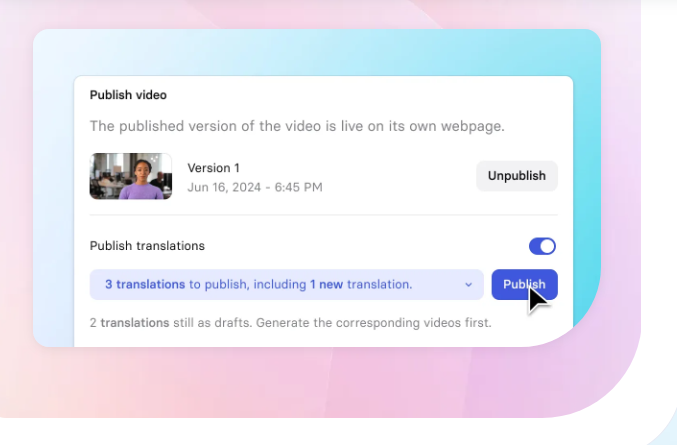
Instead of hiring actors or setting up a studio, Synthesia allows you to choose from a wide range of AI avatars, type in your script, and let the platform generate a polished, professional-looking video.
The avatars in this Veed alternative sync their lip movements realistically to your text. With support for over 120 languages, it’s a powerful tool for global businesses that need high-quality videos without the overhead of production teams.
A G2 review says:
Simple interface for creating videos with AI avatars; easy to understand, fast-responsive, with preview option; also great is the connection to databases of freely available images and videos that can be used in generated videos.
🧠 Fun Fact: The first video uploaded to YouTube was a short clip titled ‘Me at the Zoo.’
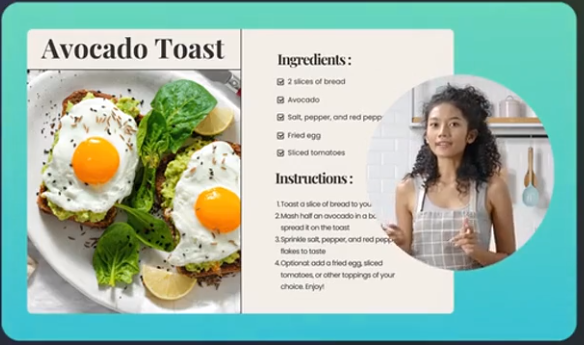
Camtasia is a favorite for educators, trainers, and businesses that need pro-level screen recordings without the headache. It lets you capture your screen, webcam, and audio in one go—perfect for tutorials and presentations.
But it’s not just about recording; you can spice things up with effects, annotations, callouts, and even quizzes to keep viewers engaged. Built-in templates, transitions, and animations make editing a breeze.
Plus, it works on both Windows and Mac, so no one’s left out.
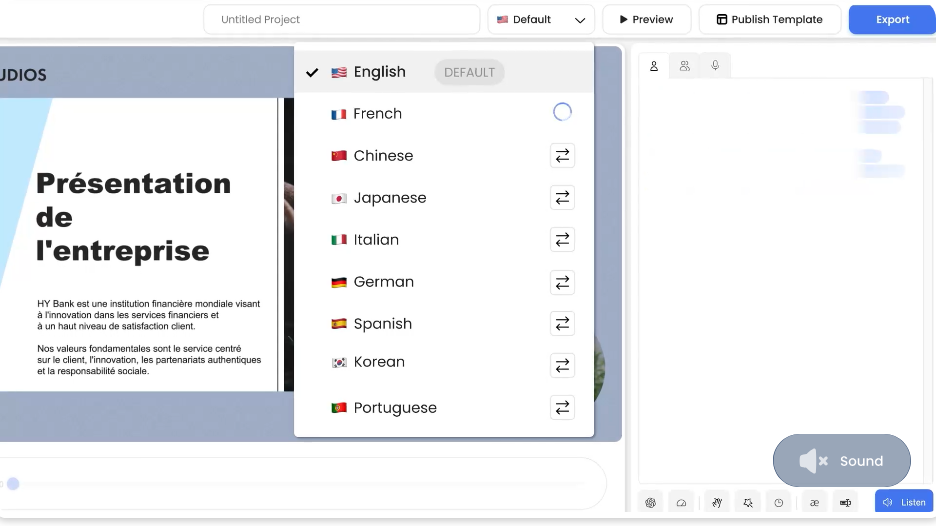
Next on our list of Veed alternatives is DeepBrain. Suppose you’re in the business of creating engaging corporate presentations or customer-facing training videos. In that case, DeepBrain AI allows you to put a ‘face’ to your content without hiring a human presenter.
What’s impressive about the tool is its ability to adjust an avatar’s emotional response based on the script’s context—whether it’s a serious corporate message or a casual promotional video.
🧠 Fun Fact: You’ve heard a picture is worth a thousand words. But Dr. James McQuivey of Forrester Research says a single minute of video is worth 1.8 million words! Businesses can make a stronger statement via video than a static image.
Creating training videos from scratch can be time-consuming, but AI makes it easier. Colossyan automates the process, helping HR teams, trainers, and compliance officers produce professional learning content at scale. By eliminating the need for expensive production resources, it reduces both costs and effort.
What sets Colossyan apart from other Veed alternatives is its ability to automate creating employee training videos using AI. It offers a way to reduce the overhead of video creation while maintaining professional standards.
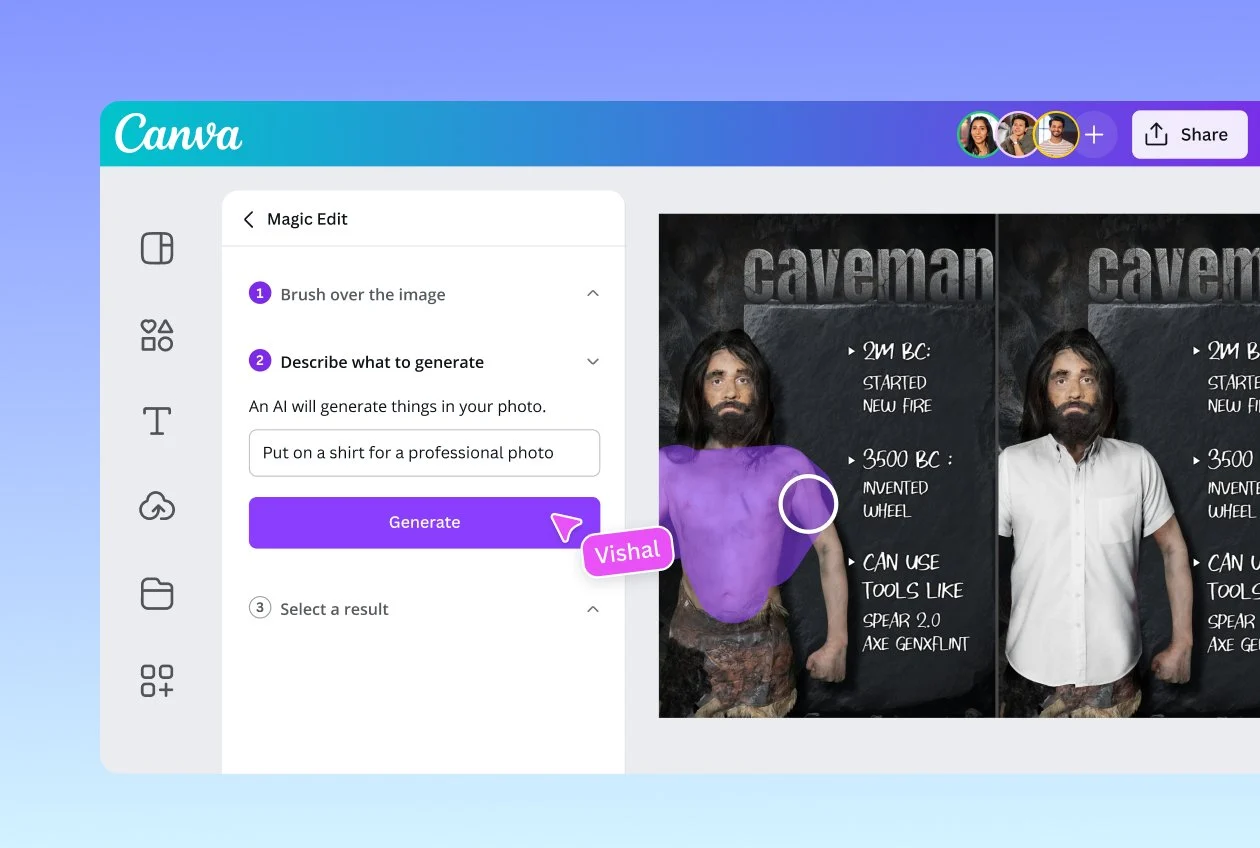
Canva’s USP is its simplicity—it’s a tool designed for speed and ease for designers and anyone who needs to create quick, polished content. It is among the more popular Veed alternatives out there today.
Its drag-and-drop interface makes producing stunning videos in minutes possible, which is helpful for those with limited time but high content demands.
However, Canva is most popular for user accessibility. You don’t need to be a video editor to create a compelling social ad or a team presentation with this tool. And with Canva AI, you can generate designs using simple text prompts, too.
📖 Also Read: Best Canva Alternatives & Competitors
For those aiming for professional-grade editing, Adobe Premiere Pro offers extensive customization with advanced features. Third-party plugins and tools further expand its functionality.
Its integration into the broader Adobe ecosystem is a plus for the tool. This allows users to easily switch between tools like After Effects and Audition. Premiere Pro is built for those who prioritize flexibility, control, and precision in their editing workflow.
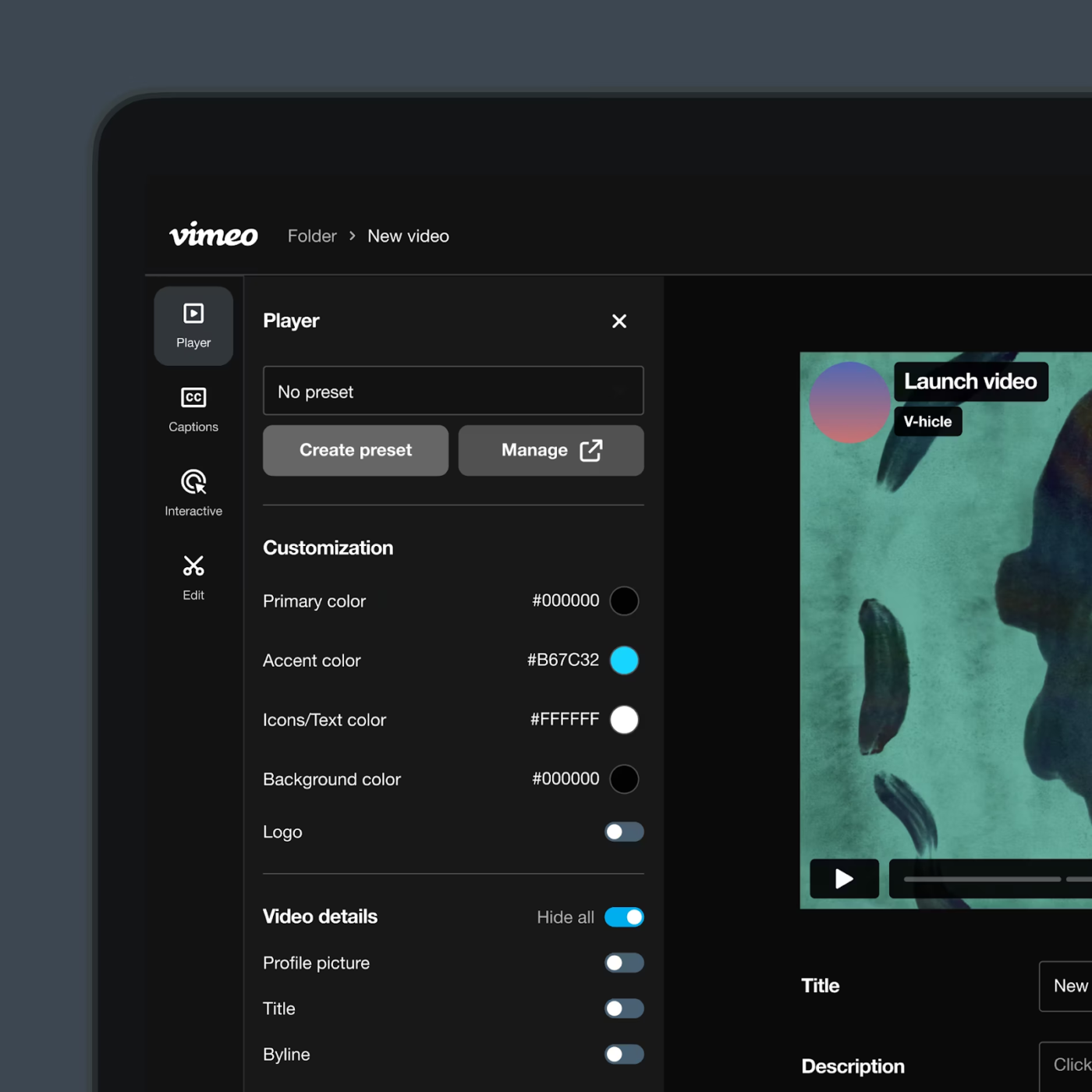
Vimeo has been a go-to for filmmakers, artists, and professionals who want their videos to look their best.
Unlike YouTube, it prioritizes high-definition quality, delivering sharp playback suited for big screens and professional presentations. More than just a hosting site, Vimeo allows creators to showcase work, share private content with clients, or live stream events.
📖 Also Read: Top AI Transcript Summarizers to Save You Time
Each of these Veed alternatives offers something unique, from easy social media video creation to advanced editing tools.
But for teams needing more than just online video editing, ClickUp stands out by combining the video creation process with project management, collaboration, and task tracking. By keeping everything in one place, it helps teams stay organized from start to finish.
ClickUp isn’t just about editing—it’s about streamlining the entire content process.
Ready to try it? Sign up for a free ClickUp account today!

© 2026 ClickUp

There’s an easier way. Try a free AI Agent in ClickUp that actually does the work for you—set up in minutes, save hours every week.