







Still downloading templates?
There’s an easier way. Try a free AI Agent in ClickUp that actually does the work for you—set up in minutes, save hours every week.
Sorry, there were no results found for “”
Sorry, there were no results found for “”
Sorry, there were no results found for “”
You don’t need millions of followers to make money creating content.
You just need a phone, a good idea, and a system that keeps the business side from burying you.
That’s the real beauty of being a UGC creator. You’re not chasing brand deals—you’re creating them. Brands pay you for content that looks and feels real. You don’t post it. You don’t need to be famous. You just need to be good.
But while the videos may look effortless, running a UGC business isn’t.
Scattered briefs, missed deadlines, lost payments—it’s easy for things to fall through the cracks when your whole workflow lives across ten different apps.
In this guide, you’ll learn exactly how to get started as a UGC creator, what brands are looking for, and how to manage everything—from pitches to payment—with zero chaos using ClickUp.
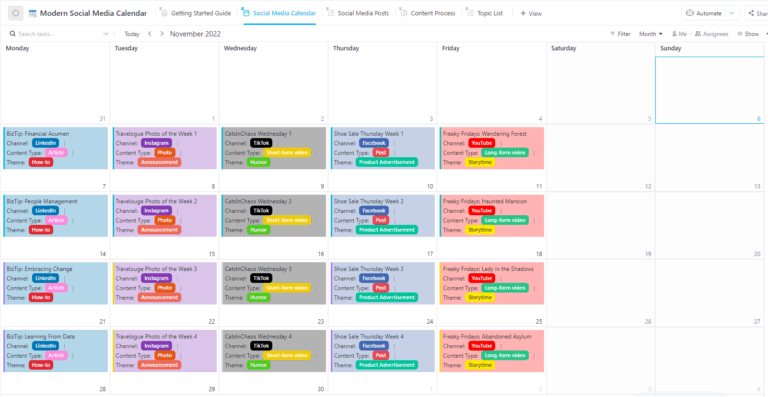
The ClickUp Modern Social Media Calendar Template helps creators and marketing teams plan, organize, and schedule content effortlessly across platforms. It centralizes your ideas, deadlines, and deliverables so you can stay consistent, collaborate smoothly, and publish high-quality content without the chaos.
A UGC creator produces authentic-looking videos, photos, and reviews that brands purchase for their marketing. UGC stands for user-generated content—content made by real people instead of by brands themselves. Brands use this content on their social channels and in paid ads because it feels genuine and relatable, not like a polished commercial.
Here’s the best part: You don’t need a large following. Brands are paying you for the content itself, not for you to post it to your own audience. They value your creativity and your skill in making content that feels like it came from a real customer, not a professional studio.
Common types of UGC include:
🐣 Fun Fact: Many UGC creators film with the front camera because eye contact feels more personal and viewers subconsciously lean in.
It’s easy to mix these up, but the jobs are quite different. The key distinction? What brands are paying for.
Influencers get paid for their audience and reach. They post sponsored content on their own channels for their followers to see. UGC creators get paid for the creative assets they produce, which they hand over to the brand to use however they want.
Because of this, many UGC creators have small followings or none at all. Follower count doesn’t matter because brands aren’t buying influence—they’re buying authentic-looking content. Some people do both, but the business models are fundamentally different.
| Factor | UGC Creator | Influencer |
|---|---|---|
| What brands pay for | The content itself | Audience reach and engagement |
| Follower count needed | Not required | Typically essential |
| Where content appears | Brand’s channels and ads | Creator’s own channels |
| Primary value | Authentic-looking assets | Social proof and exposure |
📢 Read This: Faceless Digital Marketing
Want to know how brands are winning big without ever showing a face? Dive into our latest blog to uncover the secrets, strategies, and real-world examples behind faceless digital marketing. Perfect for marketers looking to make an impact while staying behind the scenes!
Audiences trust people more than ads—and marketing teams know it.
65% of shoppers rely on ratings, reviews, photos, or videos from other consumers before buying.
That’s why UGC creators are so powerful. Their authenticity builds trust and drives performance.
They also help teams keep content fresh without the cost of big studio shoots. Instead of hiring full production crews, marketers can work with multiple creators to quickly test different messages and visual styles.
But managing UGC at scale gets messy—fast.
Briefs disappear in email threads.
Content lives in ten different folders.
Feedback hides in chat apps.
Deadlines slip because no one knows what’s due when.
That’s context sprawl in action: time lost hunting for information across disconnected tools instead of creating.
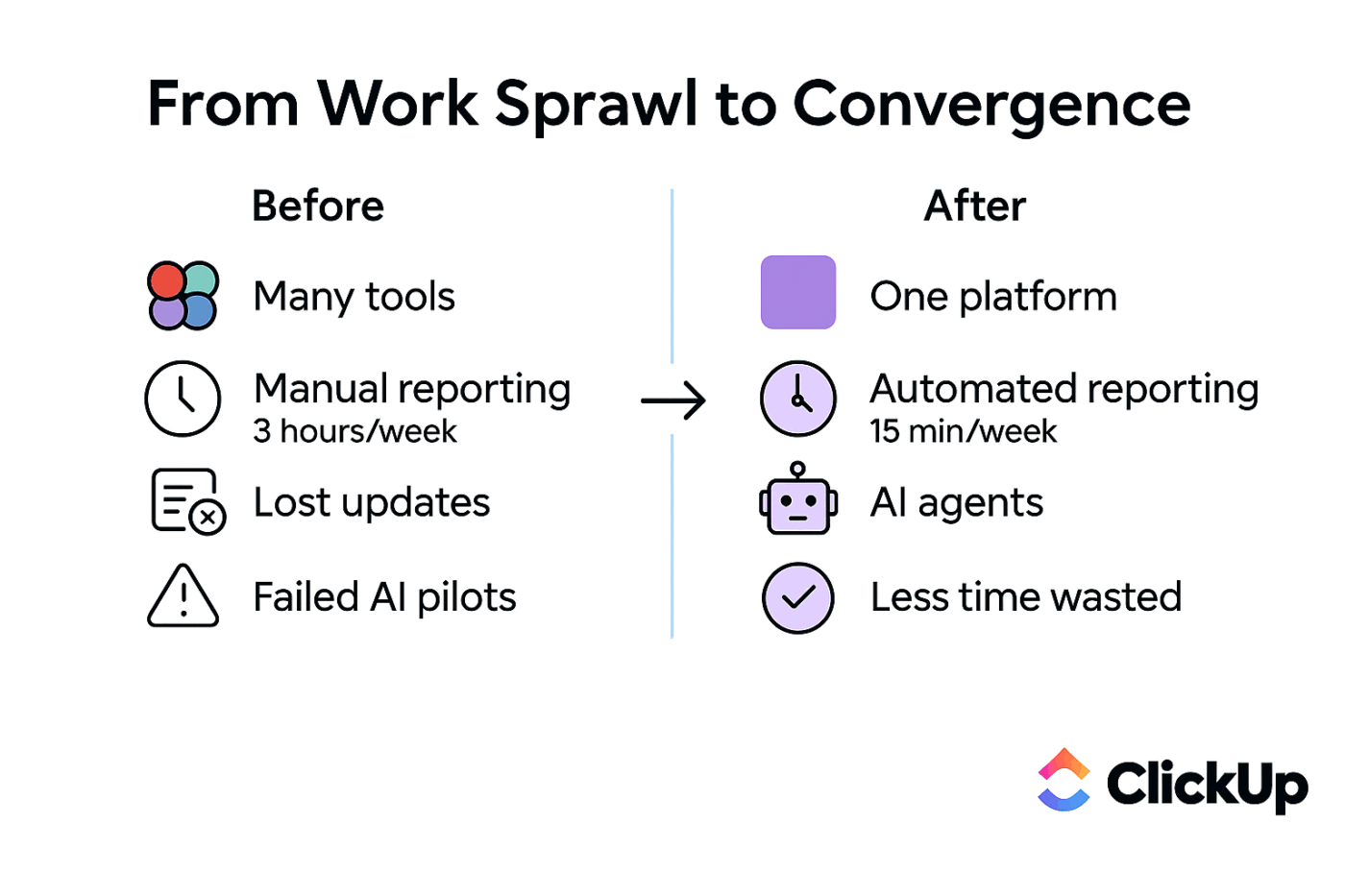
ClickUp pulls everything into one place as a converged AI workspace.
📄 Store all creator briefs in ClickUp Docs so everyone works from the same playbook
✅ Track each creator relationship as a task with clear deliverables and deadlines
🏷️ Use Custom Fields to tag content by campaign, platform, or creator
Suddenly, managing twenty creators across five campaigns feels structured—not chaotic.
Here are the key benefits UGC creators bring to marketing teams:
🎥 This YouTube video is a fantastic example of user-generated content (UGC) for ClickUp.
It’s not just a tutorial—it’s a real user sharing their unique ClickUp journey, creative hacks, and honest feedback. Content like this brings the ClickUp community to life, inspires others to experiment, and proves that the best ideas often come straight from our users. If you want to see ClickUp in action, there’s nothing better than authentic stories like this!
Ready to jump in? You don’t need a fancy degree or expensive equipment. Just a strategic approach, creativity, and consistent effort. These steps will guide you whether you’re starting from scratch or transitioning from another creative field.
Choosing a niche matters because brands want to work with creators who genuinely understand their products and audience. When you focus on a specific area, you build expertise that shines through in your content, making you a more attractive partner for brands in that space. Your content feels more authentic, and ideas come more easily.
Popular UGC niches include:
Skincare and beauty, tech and gadgets, food and beverage, fitness and wellness, home and lifestyle, parenting and baby products, fashion and accessories, and pet products.
To find your niche, start with what you already know and love. Think about products you use every day and could talk about for hours. Your personal experience and passion make your content believable and engaging.
Ask yourself these questions:
Once you’ve chosen your niche, create simple ClickUp Docs to track potential brands in that space.
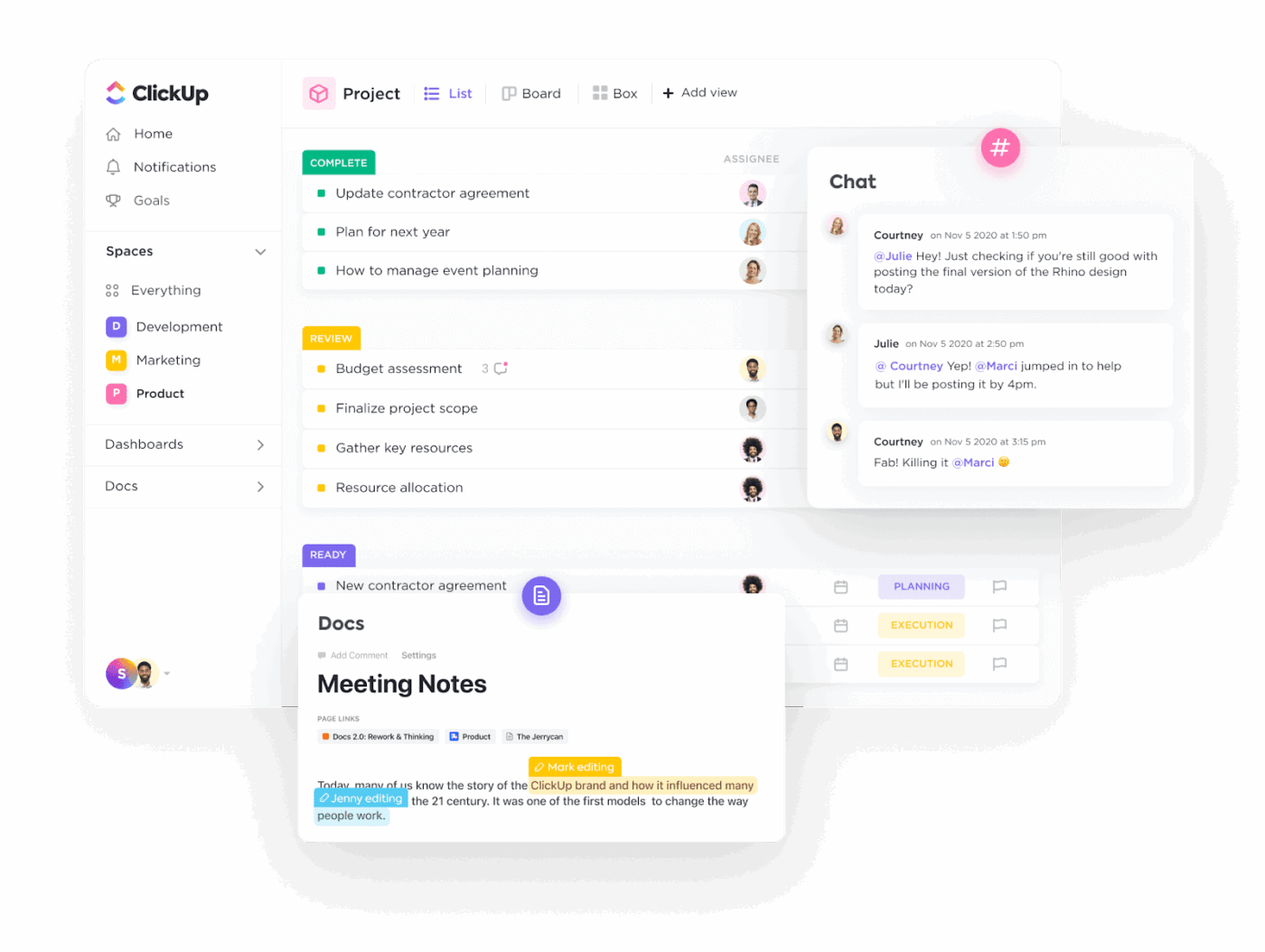
List companies you already buy from, brands you admire, and competitors you’ve noticed. Add columns for contact info, pitch status, and notes. This becomes your target list as you start reaching out.
Read This: How to Create a Style Guide
Ready to bring consistency and professionalism to your brand’s content? This blog walks you through the essential steps to build a style guide that keeps your messaging clear and on-brand—no matter who’s writing.
You don’t need a brand deal to start building your portfolio. Sample content is your chance to prove your skills using products you already own. Focus on creating a variety of video formats to show brands your range and creativity.
Authenticity over polish: Brands want content that looks real, so don’t worry about being perfect. Film in natural lighting with your smartphone—no expensive camera needed.
Keep it short and snappy: Most UGC videos are under 60 seconds. Focus on a strong hook in the first three seconds to grab attention.
Showcase different styles: Create a mix of talking-head reviews, product demos, aesthetic lifestyle b-roll, and unboxing clips.
🐣 Fun Fact: Creators often improvise micro-hooks (a sigh, a gasp, a whisper) because these grab attention faster than polished lines.
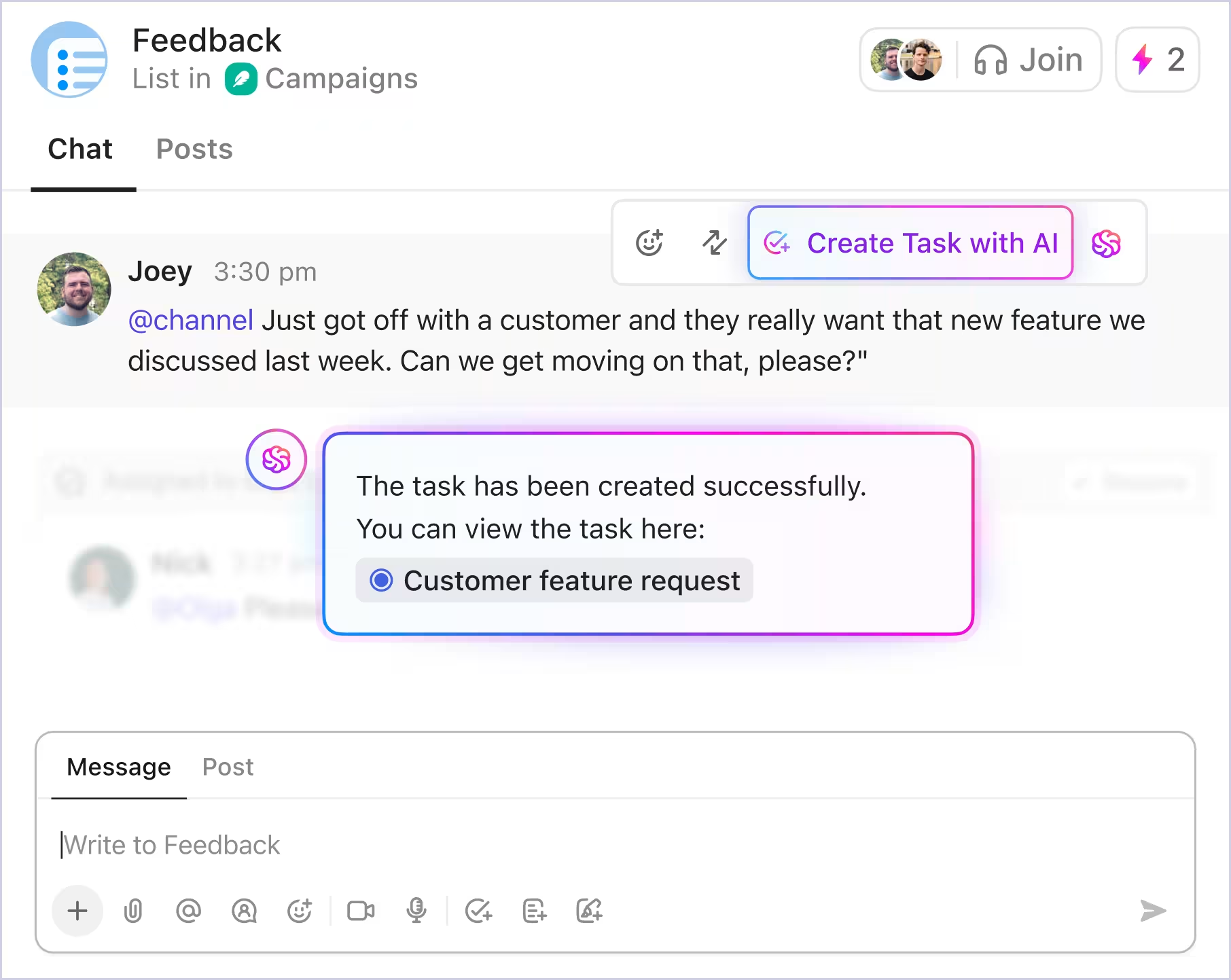
As ideas hit you throughout the day, capture them immediately. Use ClickUp’s Talk to Text feature to quickly log video concepts while you’re out and about. “Unboxing idea: morning coffee routine with new mug.” Later, when you’re ready to film, all your shot ideas are waiting in one place instead of scattered across random notes apps.
Store all your creative plans in ClickUp Docs—shot lists, talking points, script drafts. Link each doc to the corresponding task so when you’re ready to film that skincare review, everything you need is right there. No more hunting through files or trying to remember where you saved that perfect hook.
📢 Read This: Content Plan Templates
Want to organize your content creation process with ease? This blog features ready-to-use content plan templates to help you streamline planning, boost productivity, and keep your team on track.
Your portfolio is your digital resume—what you’ll send brands to show them what you can do. It should be a clean, professional showcase of your best sample content, making it easy for a brand manager to say “yes” to working with you. Host it on a simple website, a Notion page, or even a well-organized Google Drive folder.
Include a brief bio introducing you and your niche focus. Add your contact information and links to relevant social media profiles. As you create content with brands, keep your portfolio updated by swapping older samples with your strongest recent work.
Here’s a pro move: Create a ClickUp Task called “Update Portfolio” that recurs monthly.
Set it as a reminder to review your latest work and swap in fresh samples. Your portfolio stays current without you having to remember to update it manually.
🎥 You’ll learn five practical steps—from setting measurable goals and defining your ICP to tracking KPIs in real time—plus a simple framework that keeps your playbook relevant as your team grows.
Having the right tools makes your life as a creator so much easier, helping you streamline both content creation and the business side.
For creating content, you don’t need much:
A smartphone with a good camera, simple lighting like a ring light or natural window light, a tripod or phone mount to keep shots steady, and a basic editing app like CapCut or InShot.
For managing the business side, this is where creators typically struggle. You’ve got brand emails in Gmail, contracts in Google Drive, invoices in a spreadsheet, deadlines on your phone’s calendar, and creative briefs scattered across all of it. This is how opportunities get missed, and deadlines slip.
Instead, run your entire UGC business from ClickUp.
Here’s how successful creators use it:
Track every brand deal as a task. Create a task the moment you land a gig. Add all the details—deliverables, deadline, payment amount, revision rounds included. Attach the contract and brand brief directly to the task. Everything you need for that project lives in one place.
Store scripts and guidelines in Docs. Write your video scripts, store brand voice guidelines, and keep contract templates in ClickUp Docs linked to your tasks. When a brand sends you a brief via email, copy it into a Doc and link it to the task. Now it’s searchable and connected to your workflow instead of buried in your inbox.
See all your deadlines at once. Use Calendar View to visualize everything you’ve committed to. See that you’ve got three videos due next Tuesday and can’t take on another rush job. This prevents overcommitting—one of the fastest ways to burn out as a creator.
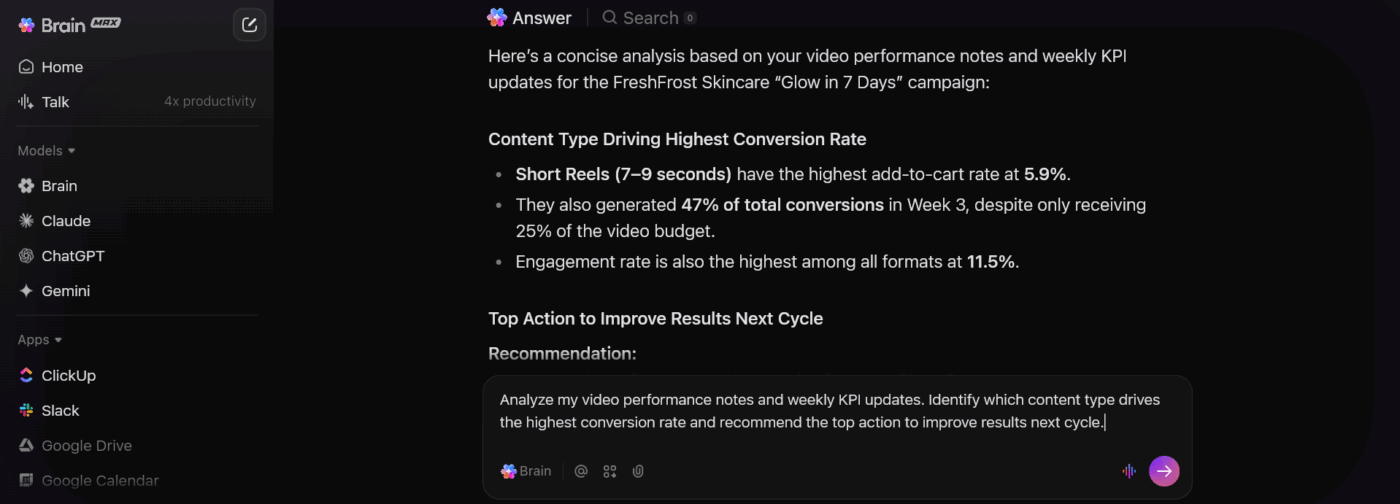
Beat creative block with AI. Stuck on how to open a product review? Ask ClickUp Brain to suggest hooks for a fitness supplement video. Need to draft a pitch email to a skincare brand? Have Brain write a first draft you can customize. It’s like having a creative partner available 24/7.
📮 ClickUp Insight: 37% of our respondents use AI for content creation, including writing, editing, and emails. However, this process usually involves switching between different tools, such as a content generation tool and your workspace.
With ClickUp, you get AI-powered writing assistance across the workspace, including emails, comments, chats, Docs, and more—all while maintaining context from your entire workspace.
📢 Read This: How to Use ClickUp for User-Generated Content Curation
Looking to streamline your user-generated content process? This blog shows you how to leverage ClickUp to organize, curate, and maximize the impact of content created by your audience. Perfect for marketers and content teams aiming to boost engagement and efficiency!
If you’re running your UGC creator business across multiple brands, platforms, and deadlines, you already know how chaotic content planning can get. The ClickUp Modern Social Media Calendar Template simplifies everything. It gives you a clear, visual way to plan posts, track deliverables, manage campaigns, and keep all your creative assets in one place—without hopping between five different apps.
Whether you’re juggling TikTok hooks, Instagram reels, or a brand’s monthly content deliverables, this template helps you stay consistent, organized, and on top of what’s due when. Think of it as your command center for every piece of content you create.
Key features
There are two main ways to find paid UGC opportunities: applying for jobs on dedicated platforms or pitching brands directly.
Platforms like Billo, Trend.io, and Insense connect creators with brands actively looking for content. You can also find gigs on freelance marketplaces like Upwork and Fiverr.
Pitching brands directly can be very effective. Find the right contact—usually a social media or marketing manager—on LinkedIn or the company’s website. Send them a short, personalized email explaining why you’re a great fit for their brand and including a link to your portfolio.
Make your outreach more effective with:
🐣 Fun Fact: Consumers trust recommendations from people they know and “people like them” far more than brand ads.
Now here’s where organization becomes critical. You can’t just send fifty cold emails and hope for the best without tracking them. You’ll forget who you contacted, when to follow up, or what you even said to them.
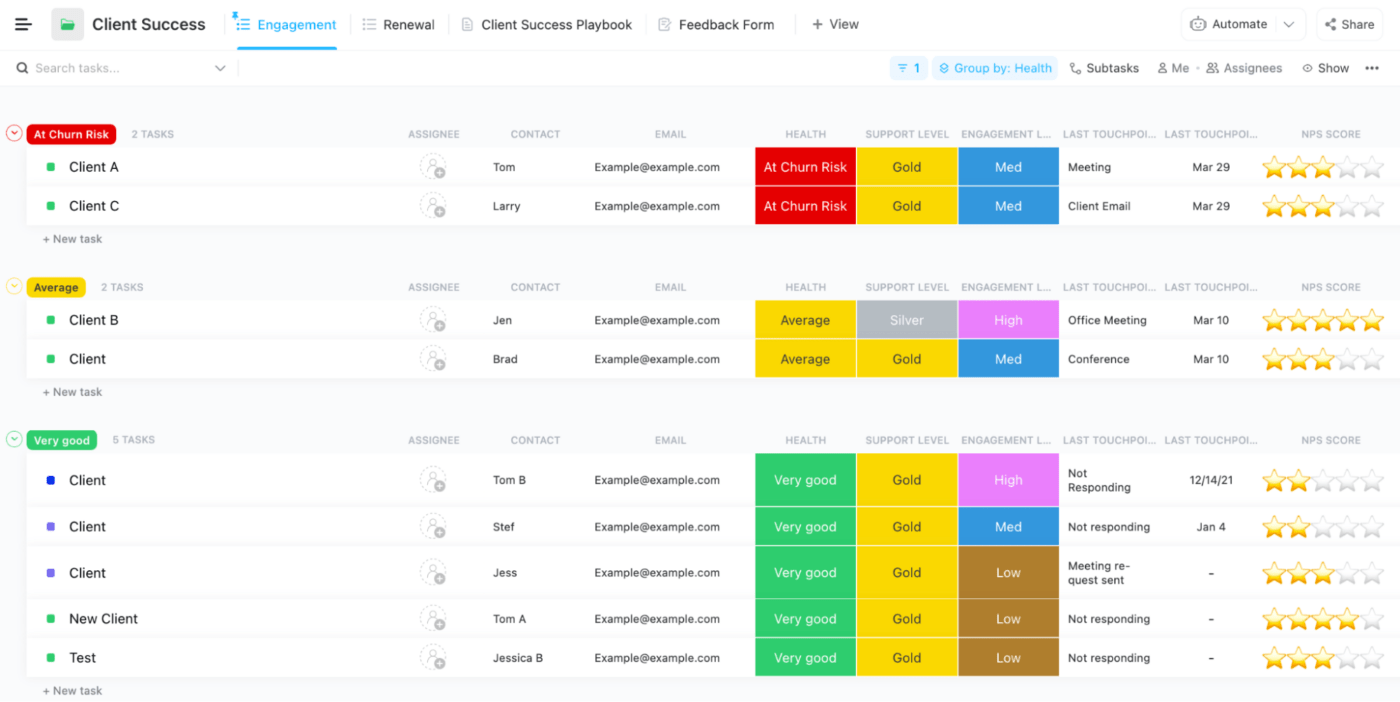
This system prevents you from looking unprofessional by accidentally pitching the same brand twice or forgetting to follow up with someone who showed interest. It turns scattered outreach into a trackable process.
Figuring out what to charge can be tricky, but don’t undervalue your work. Your rates depend on your experience, the type of content you’re creating, and how the brand plans to use it. As a beginner, you might start around $100–$250 for a single video. As you build your portfolio and gain experience, you can increase rates significantly.
Always have a rate card ready to send potential clients, but be open to negotiation, especially when starting out. Most importantly, always use a clear contract outlining deliverables, timelines, usage rights, and payment terms.
Store your rate card template in ClickUp Docs. When a brand asks about pricing, you can quickly duplicate it, customize for their project, and share it. Keep your contract template there too. Having these ready to go makes you look professional and speeds up the booking process.
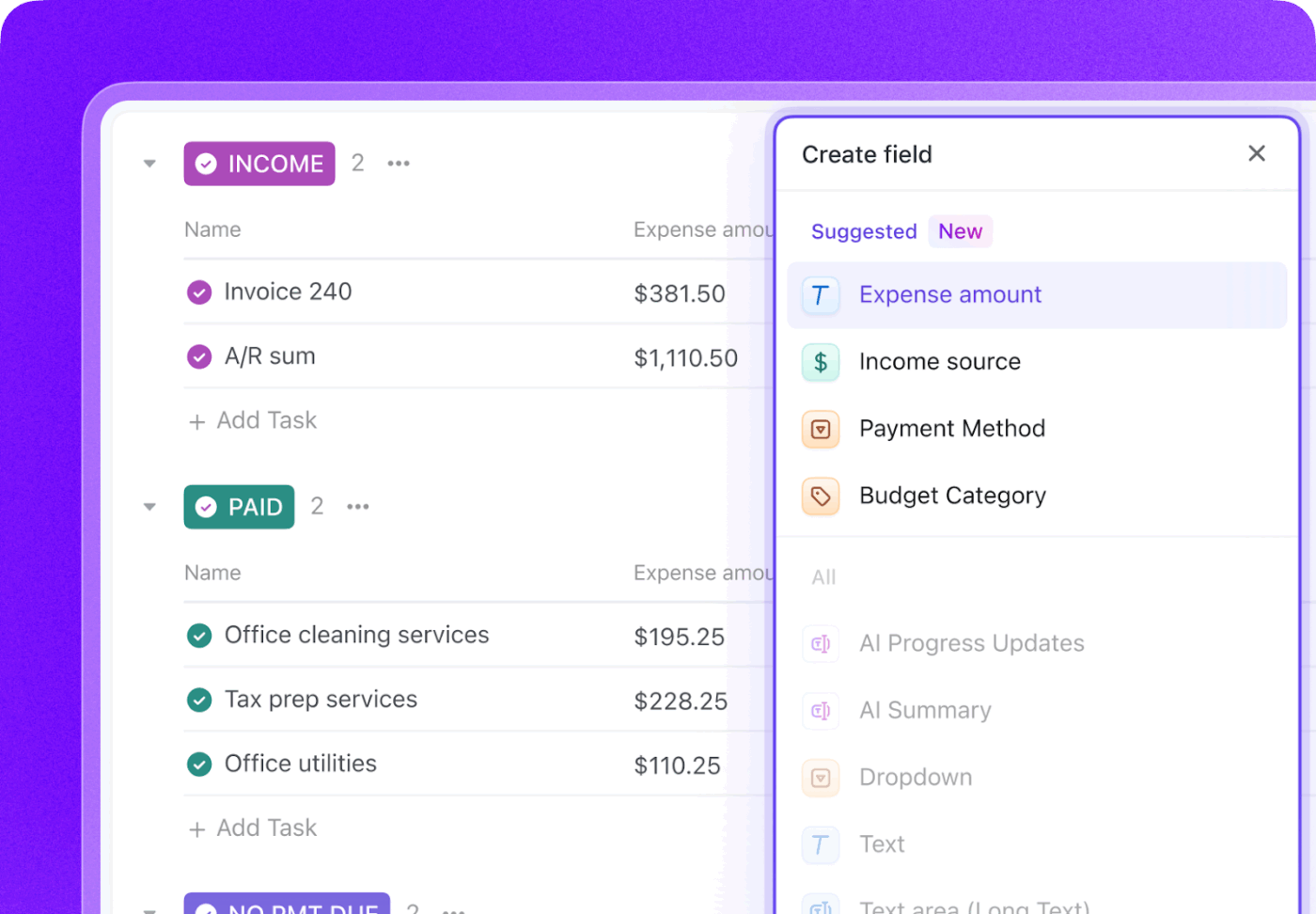
Track payment status using a Custom Status workflow: “Invoice Sent” → “Payment Pending” → “Paid.” Add a Custom Field for “Invoice Amount” so you can quickly see how much revenue you’re bringing in each month. When you’re deciding whether to raise your rates, you’ll have actual data to look at instead of guessing.
Key factors that impact your pricing:
| Factor | Impact on Rate |
|---|---|
| Video vs. photo | Video almost always commands higher rates than photo sets |
| Usage rights | Content for paid ads costs more than organic social posts |
| Exclusivity | If a brand wants you to work exclusively with them, charge a premium |
| Revisions | Base rate should include one or two rounds; more cost extra |
| Turnaround time | Rush jobs that require dropping everything need a rush fee |
Creating great content is the first step, but building a sustainable career as a UGC creator is about more than filming videos. Long-term success comes from building strong relationships, staying on top of trends, and running your creative work like a real business.
The UGC community is incredibly collaborative. Think of other creators as colleagues, not competition. Building relationships with peers can lead to job referrals, valuable advice, and emotional support when you’re having a slow month.
Join creator communities on platforms like Discord, Facebook, or X (formerly Twitter). Engage genuinely by sharing tips, celebrating others’ wins, and asking thoughtful questions. You’ll be surprised how often another creator will pass a brand deal your way because they’re too busy or not the right fit.
When you meet other creators who work in complementary niches, add them to a doc labeled “Creator Network.” Note their specialty, contact info, and any brands they work with regularly.
When a brand reaches out asking for content in a niche that’s not your strength, you can refer someone from your network—and they’ll do the same for you.
📢 Read This: Marketing Career Path
Wondering how to grow your career in marketing? This blog breaks down the different roles, skills, and steps you need to succeed in the marketing world—whether you’re just starting out or looking to level up.
Social media moves fast, and brands want to work with creators who understand what’s current. Spend a little time each day scrolling through TikTok, Instagram Reels, and YouTube Shorts to see what’s trending. Pay attention to popular sounds, editing styles, and video formats.
You don’t have to copy trends exactly. The best creators adapt them to fit their own niche and style. Staying current makes your content more valuable and shows brands you know how to create videos that will perform well on their target platforms.
When you spot a trend that could work for your niche, capture it immediately.
Create a task called “Trending Format Ideas” and use AI tools like ClickUp Brain to help you adapt it. “How could I apply the ‘get ready with me’ trend to tech product reviews?.”

ClickUp Brain can suggest angles you might not have thought of, turning a generic trend into something uniquely yours.
As you start landing more brand deals, staying organized becomes non-negotiable. Juggling multiple projects, deadlines, and revision requests can quickly lead to burnout and missed deliverables. Having a solid system in place makes all the difference.
Here’s what a complete UGC creator workflow looks like in ClickUp:
Brand reaches out or you land a gig → Create a task with all project details, attach the brief and contract, set the deadline.
Time to create → Open the task, review the brief in the attached Doc, check your shot list, film the content.
Submit for approval → Upload your video to the task using Clips, notify the brand through a comment, move status to “Awaiting Approval.”
Revisions requested → Brand comments directly on the task with feedback, you make edits, resubmit without losing the thread.
Approved → Move to “Invoice Sent” status, track payment, mark complete when paid.
Everything for that project—from initial pitch to final payment—lives in one task with a complete history. No searching. No forgetting. No stress.
🎥💭 Want to see exactly how workflow automation can save you hours each week? Watch this quick tutorial on building no-code automations that streamline your entire UGC creator workflow—from project tracking to deadline management.
Manage everything from pitches to payments in one place with ClickUp and turn your creator side hustle into a sustainable business.
Here’s the truth about becoming a successful UGC creator: The content creation part gets easier with practice. Filming improves. Editing becomes second nature. Finding your voice happens naturally.
What separates creators who burn out after three months from those building sustainable businesses? Systems.
Successful creators track their pitches, know their numbers, and never miss deadlines because everything lives in one place—not scattered across apps they forget to check. You don’t need to be naturally organized. You just need a workspace that keeps you organized automatically.
Start treating your creator work like the business it is. Build your systems now, while things are manageable. When you’re juggling ten brand deals with overlapping deadlines, it’s too late—you’re already drowning.
Get started with ClickUp for free and build a creator business that scales without the chaos.
Absolutely. Many successful creators specialize in “faceless” content, such as hands-only product demos, aesthetic b-roll footage, or videos with voiceovers. Brands value the content quality and authenticity, not whether they see your face.
Most creators are paid per deliverable via bank transfer, PayPal, or directly through the UGC platform that connected them with the brand. Payment usually occurs after the content is approved and delivered.
UGC creators are paid for the content itself, which brands use on their own channels. Influencers are paid for access to their audience. You don’t need a large following to be a UGC creator—your follower count doesn’t matter.
Yes, it’s a great side hustle because it’s flexible. You control your schedule, work from anywhere, and take on as many or as few projects as you like. Many creators start part-time and scale up as they land more brand deals.

© 2026 ClickUp

There’s an easier way. Try a free AI Agent in ClickUp that actually does the work for you—set up in minutes, save hours every week.