






Still downloading templates?
There’s an easier way. Try a free AI Agent in ClickUp that actually does the work for you—set up in minutes, save hours every week.
Sorry, there were no results found for “”
Sorry, there were no results found for “”
Sorry, there were no results found for “”
Managing your finances efficiently requires clear and structured documentation, and a statement of account (SOA) is crucial.
Why? A statement of accounts lets you track all the financial transactions to maintain transparency and organization.
Using a well-structured statement of account (SOA), you create a detailed summary of all transactions between you and your customer over a specific period, ensuring clarity in outstanding balances, payments made, and due invoice amounts.
Moreover, its structured format simplifies bookkeeping, reduces errors, and enhances financial accuracy.
Let’s identify a good statement of account template for tracking payments. As a bonus, we’ll share free templates from ClickUp, the everything app for work.
🔎 Did You Know? Small businesses spend around 10% of the workday chasing unpaid invoices
A statement of account (SOA) template is a structured format that provides a comprehensive overview of all transactions between a business and a client over a specific period, including invoices, payments, and outstanding balances. It provides a clear overview of the payables and receivables to help with financial accounts and cost savings.
Here are the key elements of a statement of account (SOA) template:
Here’s a quick guide on how to set up and customize a project in ClickUp:
Here’s a list of statement of account templates to create invoices and track payments efficiently.
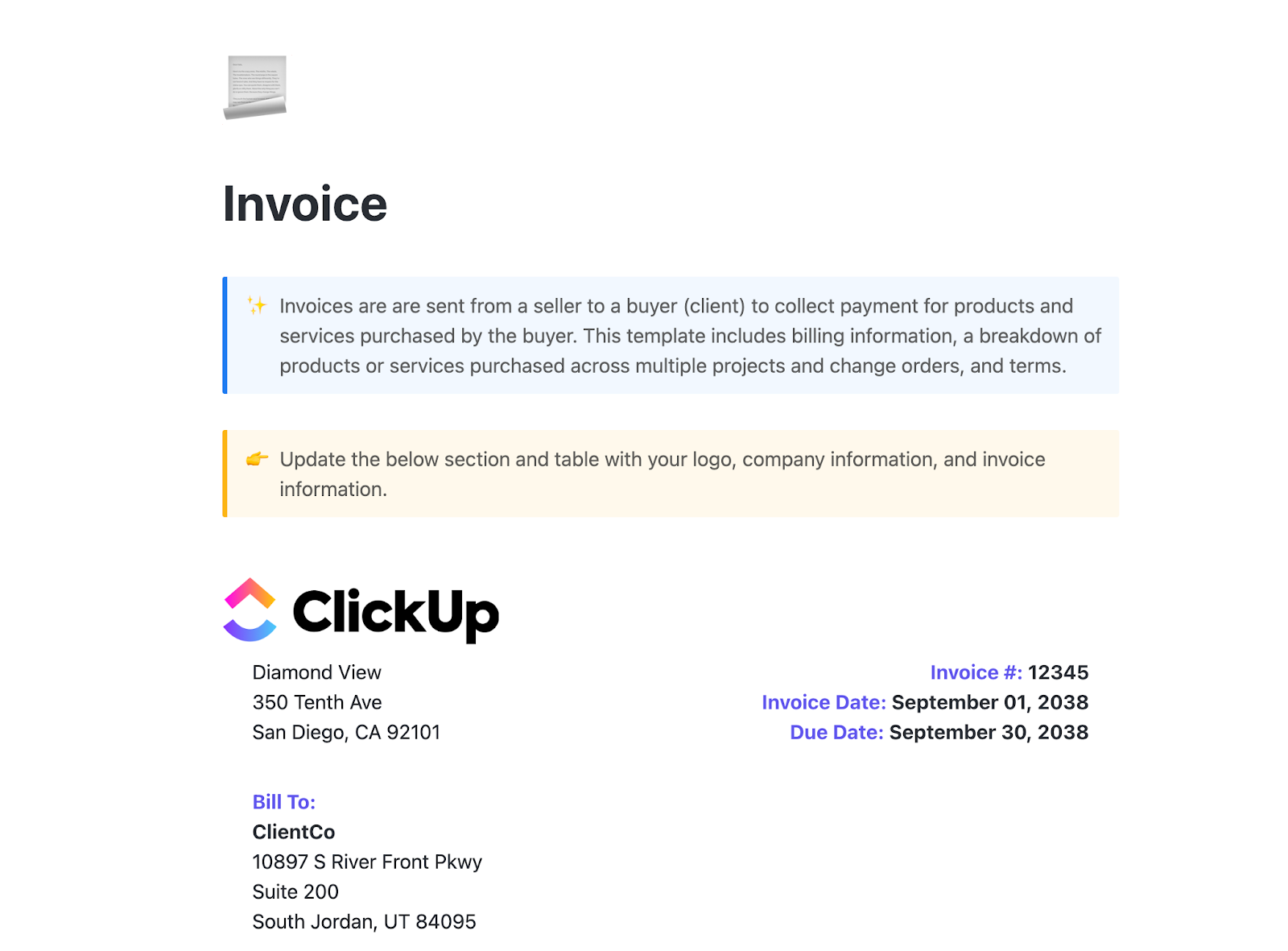
Managing all your data and creating invoices might seem challenging, but a structured format helps streamline the process by ensuring all essential information is included. The ClickUp Invoice Template provides exactly that.
The template lets you do more than generate invoices—it helps you store and organize all relevant data in one place. Create custom invoices, track payments, and manage everything seamlessly, ensuring your billing, payments, and accounting are handled the right way—quickly and efficiently.
🔑 Ideal for: Business owners and freelancers looking to manage the invoices of different projects.
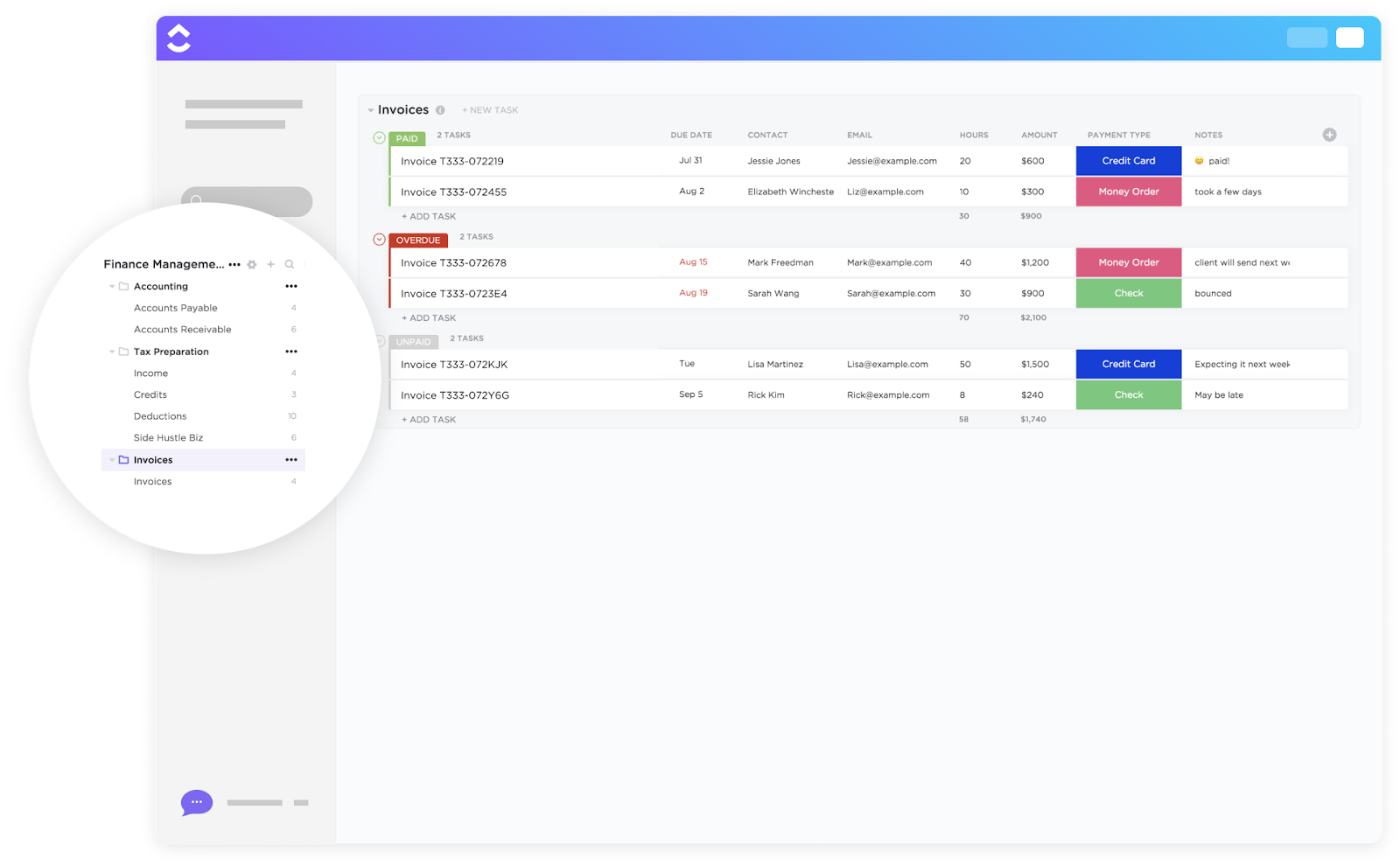
The ClickUp Invoice Tracking Template tracks and creates accurate, professional invoices quickly and efficiently. With a consistent format, you save time and stay organized effortlessly, even with billing software or format changes.
Moreover, the template lets you accurately maintain records of your clients. It ensures compliance with tax laws and regulations while eliminating duplication.
🔑 Ideal for: Business owners, entrepreneurs, and accounting professionals who want an organized way to generate and manage invoices.
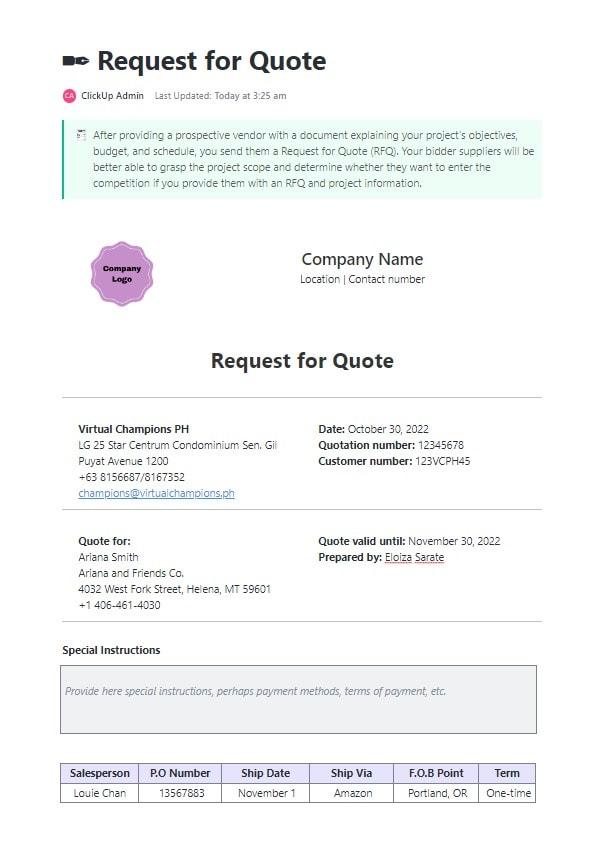
Comparing vendors is the best way to secure fair deals, and the ClickUp Request for Quote Template provides all the tools you need to create detailed RFQs and receive competitive bids.
The template assists you in collecting key information, making it easy to compare and analyze bids from different vendors to find the best fit. Whether sourcing materials or services, this template streamlines the process, allowing you to send and track RFQs efficiently.
🔑 Ideal for: Purchasing agents, project managers, and procurement teams who want to streamline the RFQ creation and tracking process.
💡 Pro Tip: If you want to create professional quotes to give a clear picture of the scope of work and cost, consider using business price quote templates to streamline the process.
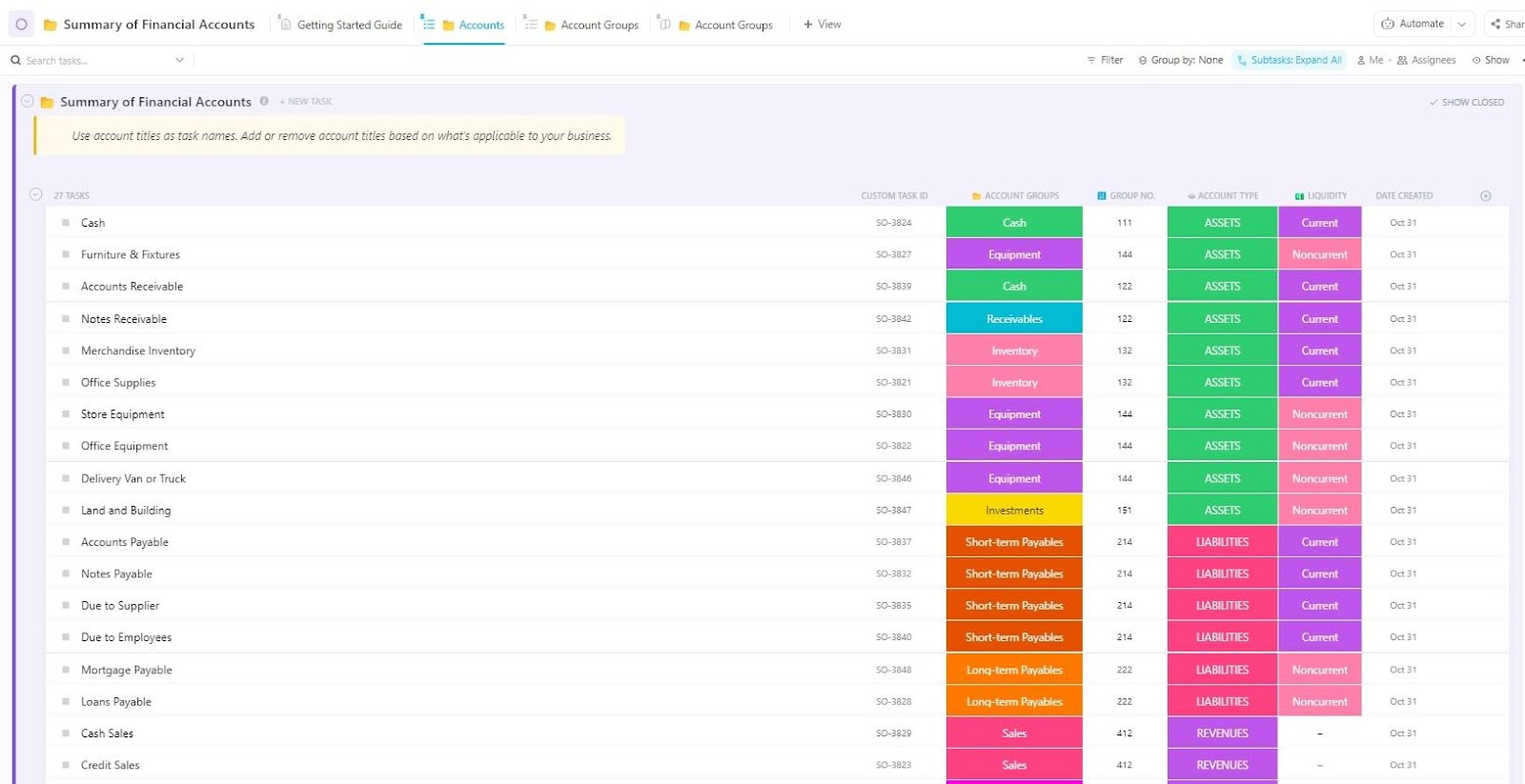
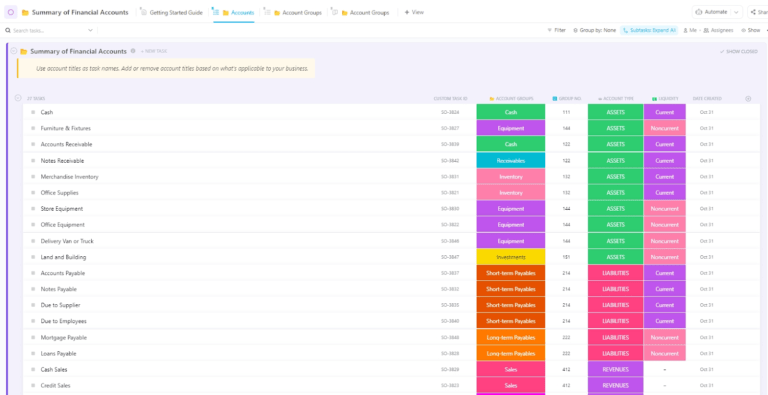
The ClickUp Summary of Financial Accounts Template helps you track and organize your finances, giving you a clear, real-time view of your company’s financial position. Its structured format makes it easy to organize and analyze financial data.
Spot discrepancies, maintain transparency, and ensure accountability for you to make smarter, more informed financial decisions.
🔑 Ideal for: Financial analysts, business owners, and accountants looking to assess and manage their company’s financial position.
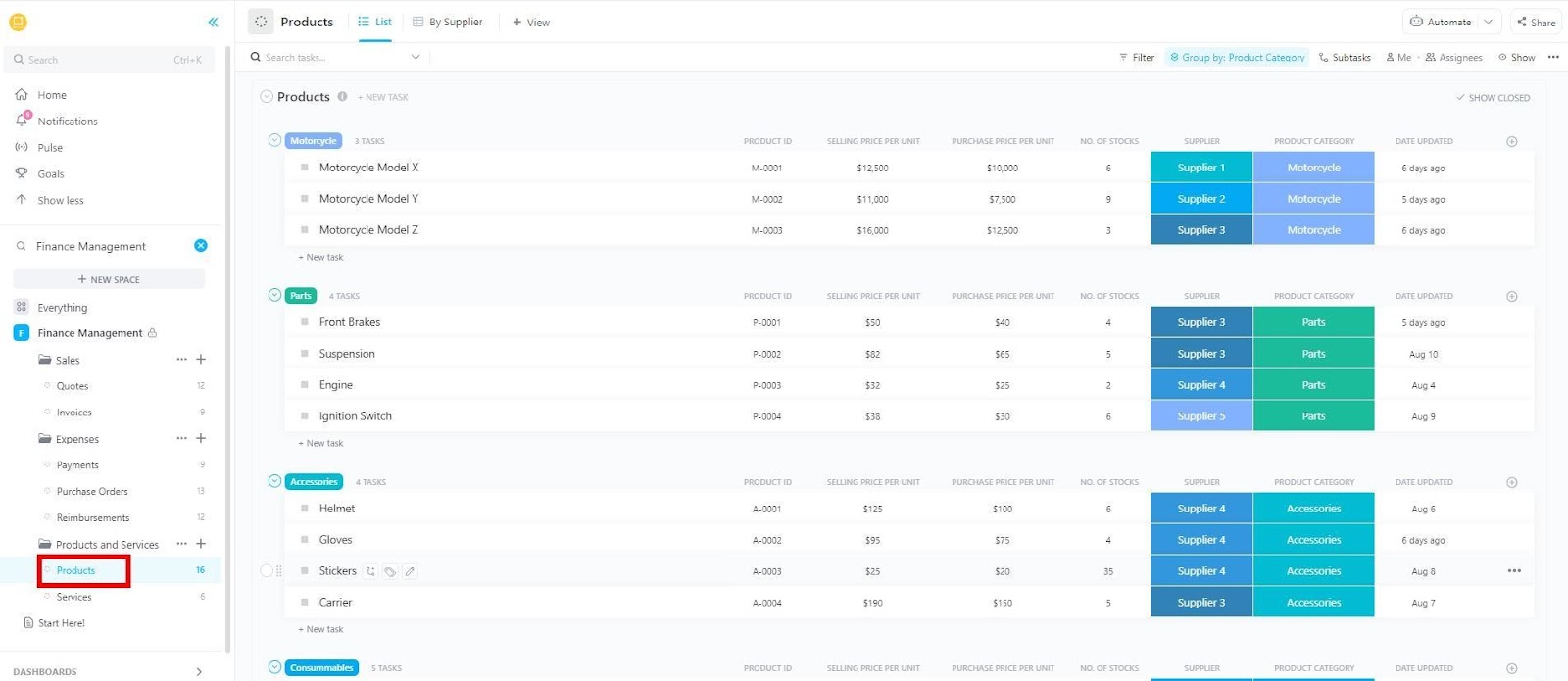
The ClickUp Finance Management Template brings everything into one place—budgeting, expense tracking, and cash flow monitoring—so you can manage your finances with confidence.
Every transaction, forecast, income statement, and report stays organized, helping you make informed decisions.
Custom dashboards, automated calculations, and collaborative tools create a seamless financial workflow. Instead of getting lost in numbers, focus on strategy and growth while maintaining control over your finances.
🔑 Ideal for: Accountants, finance professionals, and business owners looking to plan and track finances efficiently.
📚 Also Read: How to Organize Finances: A Step-by-Step Guide
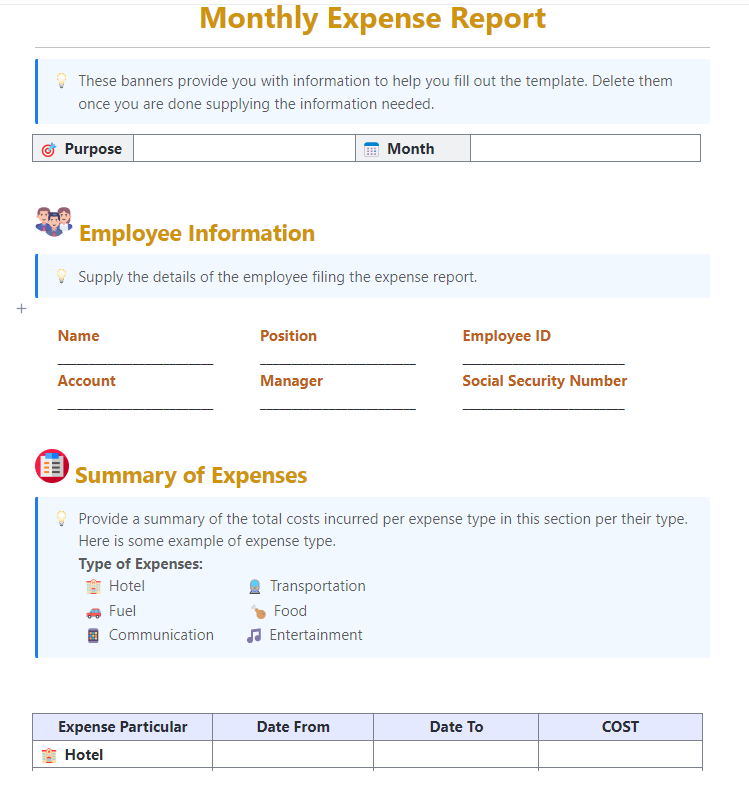
Tracking and reporting monthly expenses doesn’t have to be complicated. The ClickUp Monthly Expense Report Template categorizes expenses, automates data entry, and generates detailed reports without the hassle of manual updates.
Designed for accuracy and convenience, this template keeps all records in one place, reducing the risk of misplaced receipts or overlooked transactions. Whether you need quick insights or full financial transparency, this tool optimizes expense management from start to finish.
🔑 Ideal for: Finance teams, business owners, freelancers, and project managers handling recurring expenses.
What does Judy Hellen, Administrative Support Manager at SMB, think about using ClickUp?
Tracking and organization of company projects is very easy and effective with ClickUp software. From simple lists to complicated projects, ClickUp software has been used to get things done as expected. It is a very effective software when addressing task management problems and tracking the progress of an organization’s ongoing tasks and projects.
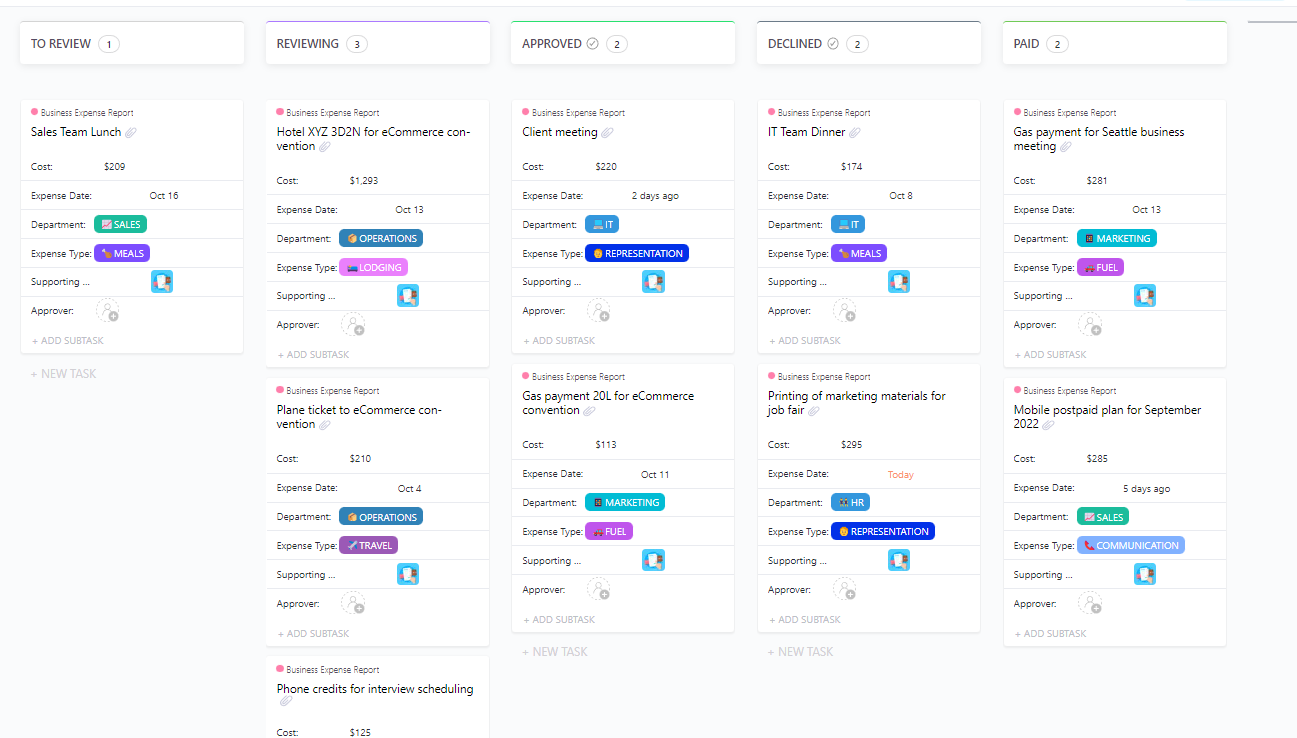
Keeping track of business expenses requires a structured framework so that no important detail is overlooked. The ClickUp Business Expense and Report Template provides exactly that and more by organizing spending records, simplifying reimbursement processes, and ensuring compliance with company policies.
Moreover, the template makes it simple to visualize spending data and spot trends in expenses. Perform accurate budgets and forecasts to maintain better control over cash flow.
🔑 Ideal for: Corporate finance teams, HR departments, startups, and small businesses managing employee expenses and looking to identify spending patterns and keep financial goals on track.
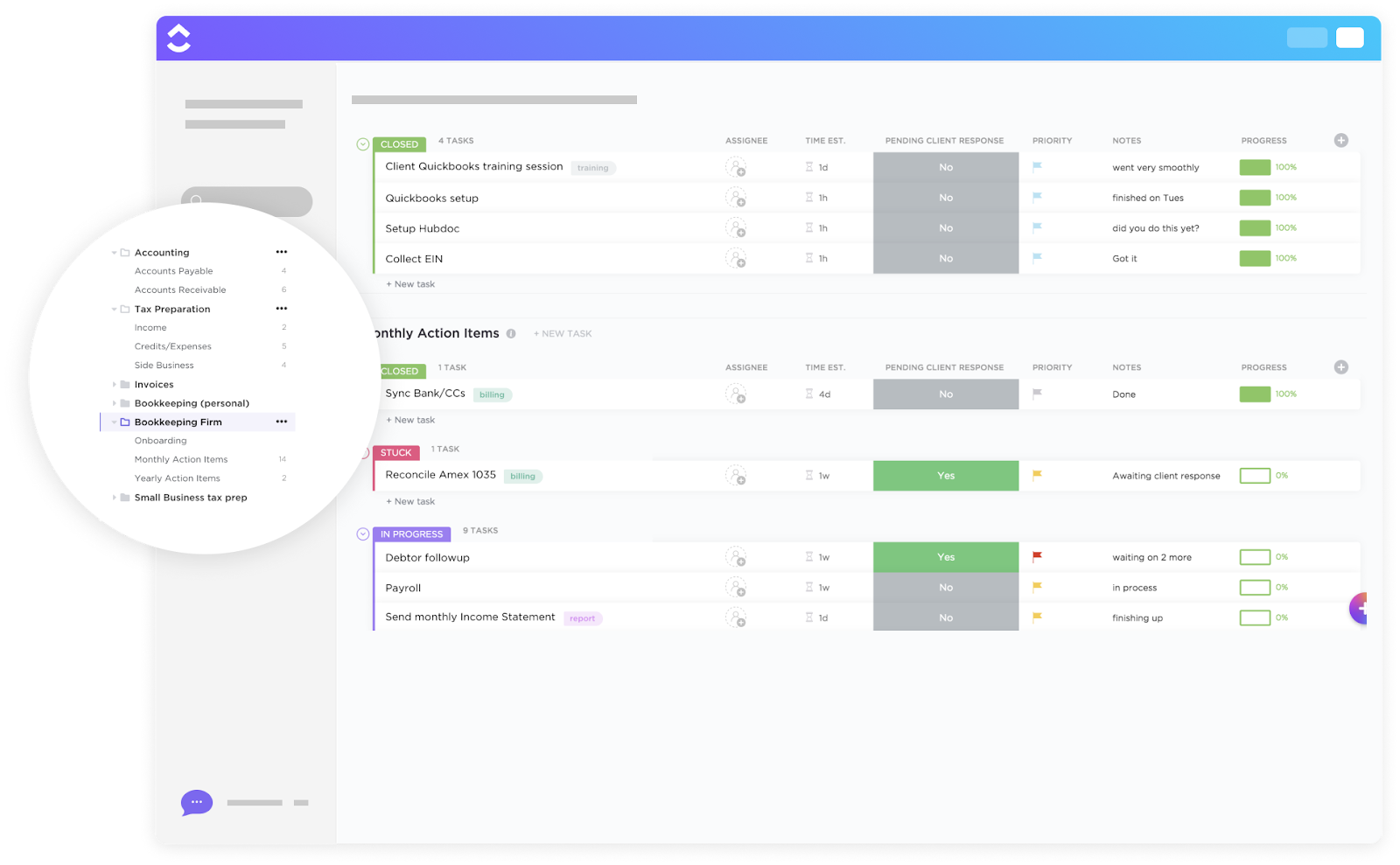
Bookkeeping is often challenging, but the right tools ensure accuracy and efficiency as financial needs evolve. The ClickUp Bookkeeping Firm Template offers tools to optimize everything from data entry to financial reporting.
A combination of structured workflows, task automation, and seamless data tracking allows bookkeepers to reduce errors and enhance efficiency. Every financial detail stays organized, ensuring that records are updated and ready for reporting.
🔑 Ideal for: Bookkeepers and accounting professionals looking to manage client tasks efficiently.
💡 Pro Tip: With AI-powered tools like ClickUp Brain, create clear and comprehensive account statements to:
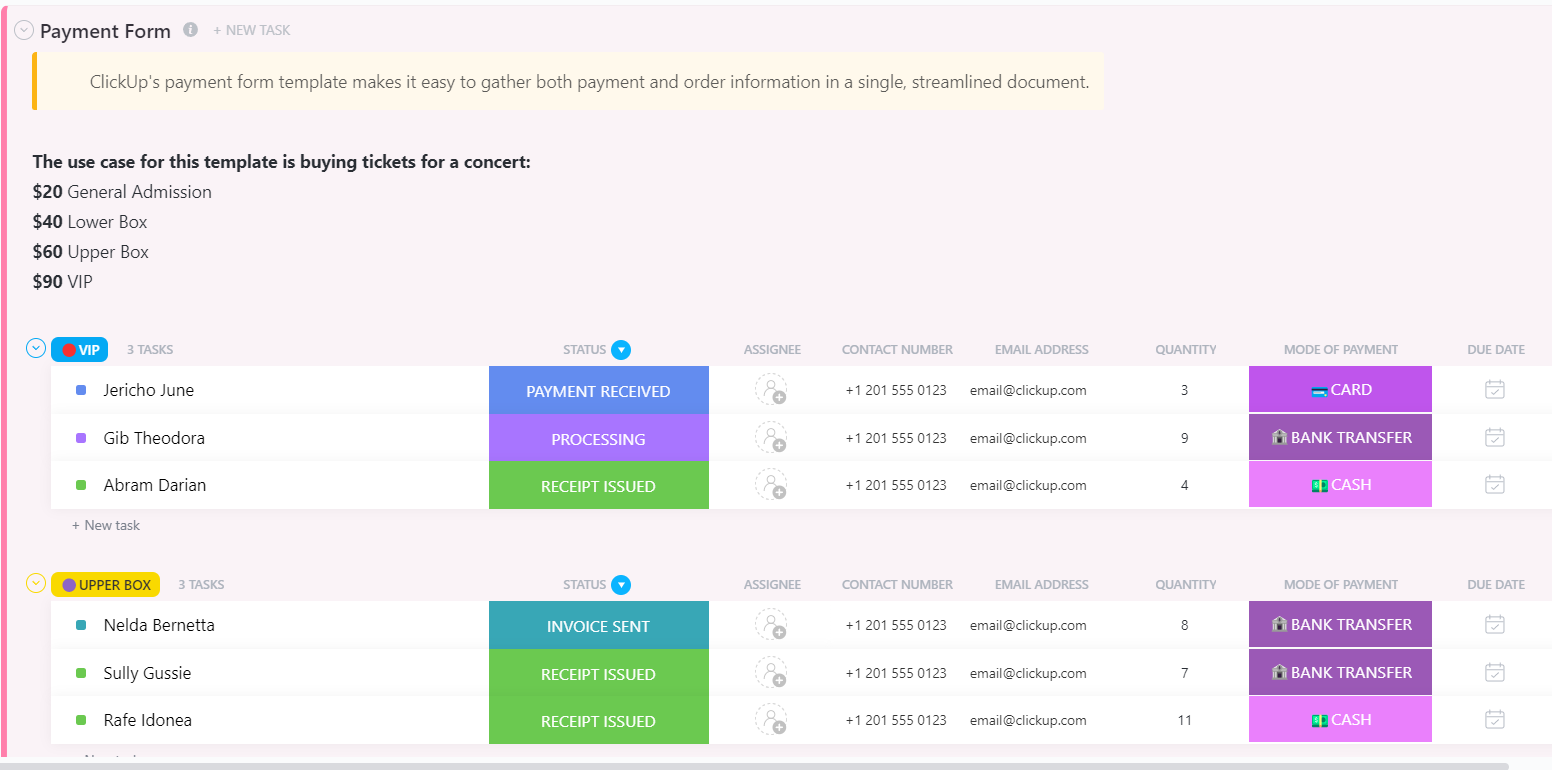
As the name suggests, the ClickUp Payment Form Template helps businesses streamline payment requests, track due dates, and maintain organized bank statements and financial records.
Instead of relying on scattered emails or spreadsheets, use structured forms and automated tracking to keep payment processes efficient. By minimizing human errors and missing information, this template ensures every transaction is recorded, verified, and completed without confusion or delays.
🔑 Ideal for: Business owners, retailers, and freelancers looking for an organized way to handle multiple payments.
📚 Also Read: How to Use AI in Accounting (Use Cases & Tools)
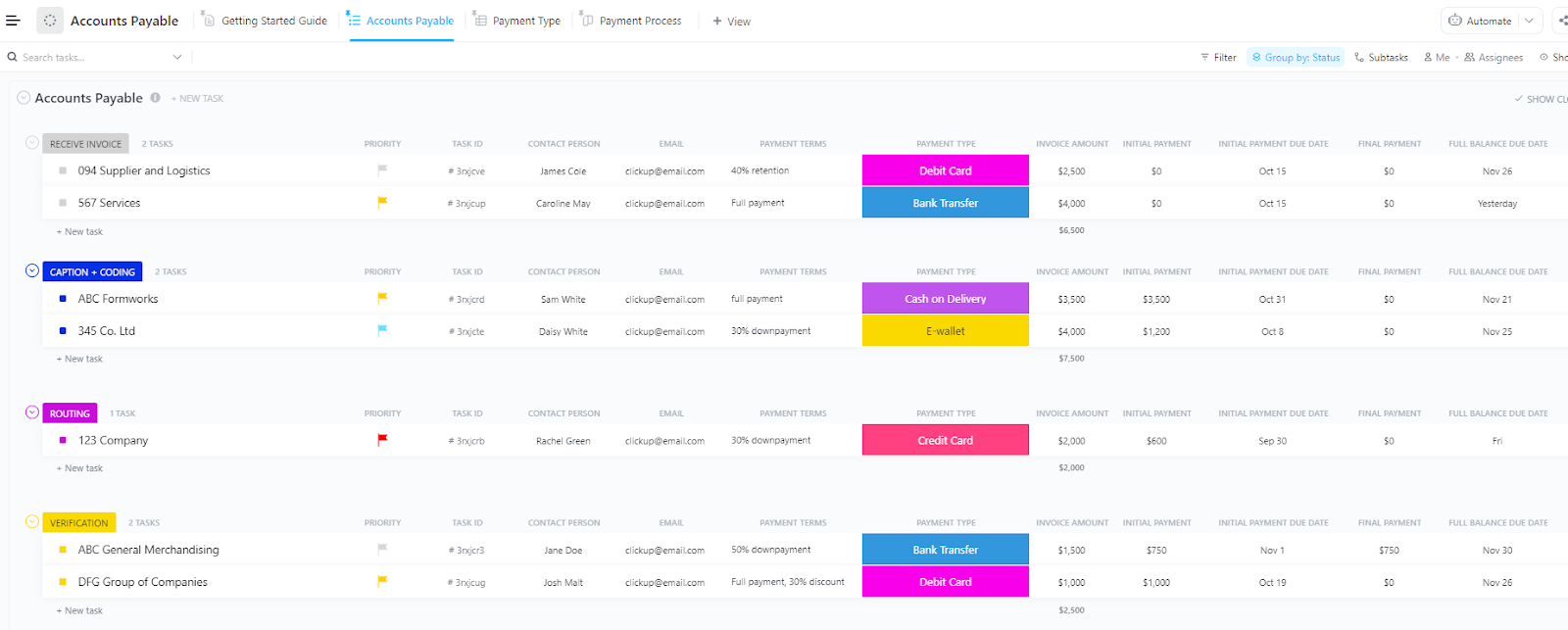
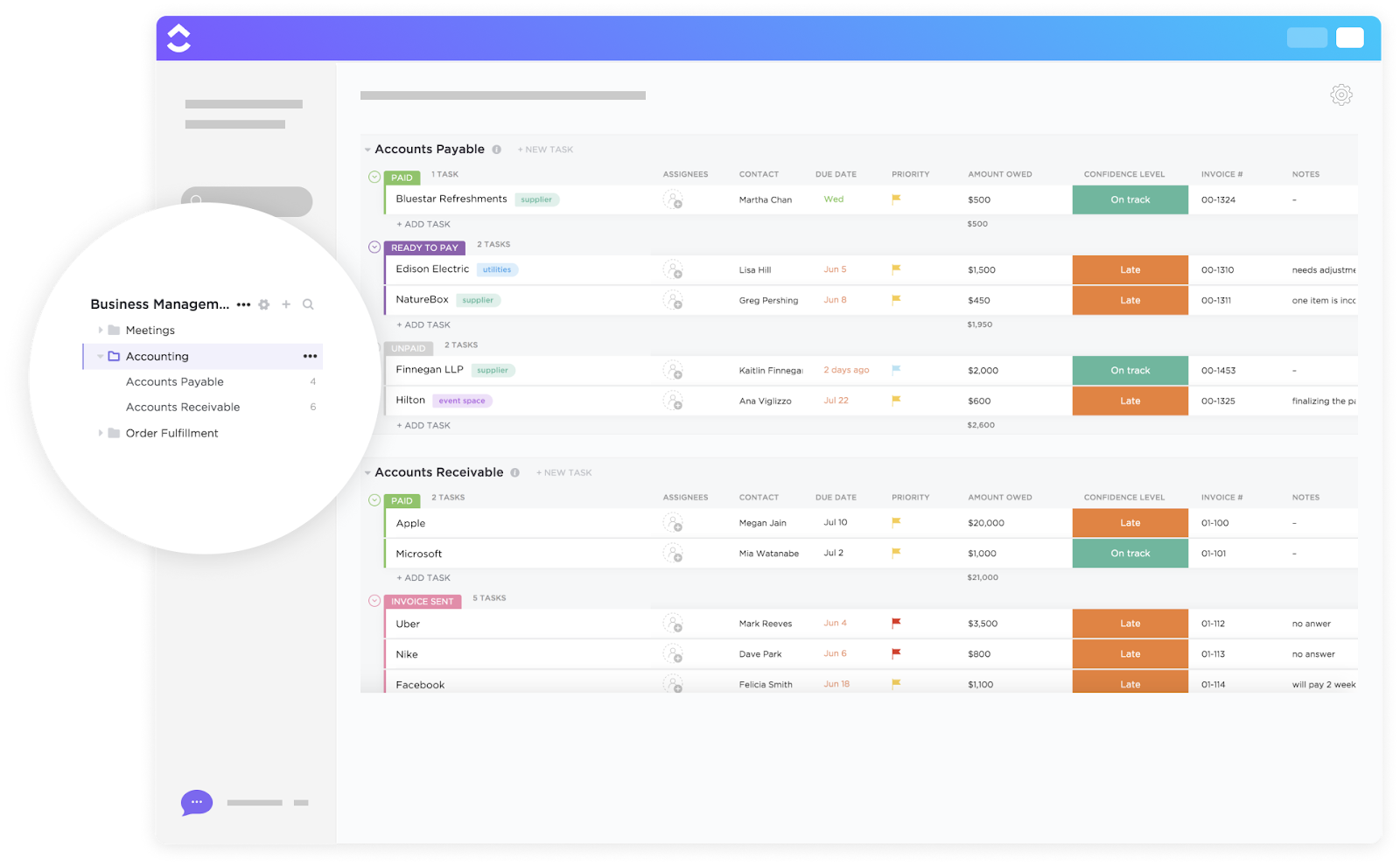
Maintaining a structured accounts payable system enables businesses to make timely payments and strengthen vendor relationships. The ClickUp Accounts Payable Template offers a central space to track invoices, monitor due dates, and streamline approvals.
Every invoice is recorded and processed without delay, reducing the risk of missed payments. Thus, finance teams can focus on efficiency, ensuring compliance and accuracy while optimizing cash flow management.
🔑 Ideal for: Accountants, bookkeepers, business owners, retailers, and anyone who wants to streamline the payment process.
🧠 Fun Fact: Small and medium businesses that use financial software have reported a drop in overdue payments of 25% and cash flow improvement of 21%.
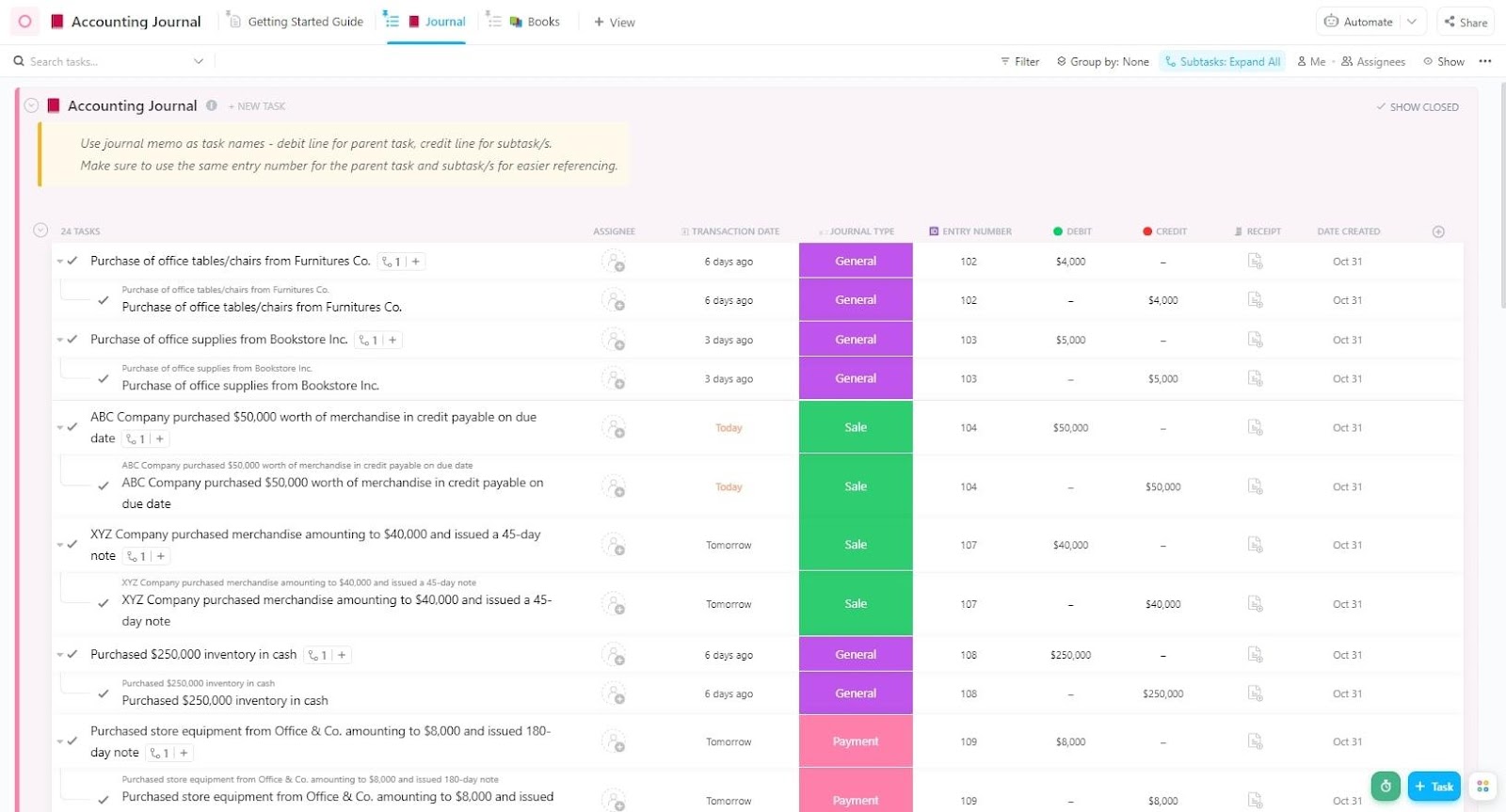
A well-maintained accounting journal ensures that financial transactions remain organized and accessible. The ClickUp Accounting Journal Template simplifies recording, eliminates manual errors, and effortlessly balances accounts.
The template lets you quickly and accurately record transactions without constant manual data entry. Instead of dealing with cluttered spreadsheets, it offers automated categorization, reconciliation tools, and structured entry fields for a smooth accounting workflow.
🔑 Ideal for: Accountants, business owners, and finance teams looking to streamline the process of recording transactions and creating financial statements.
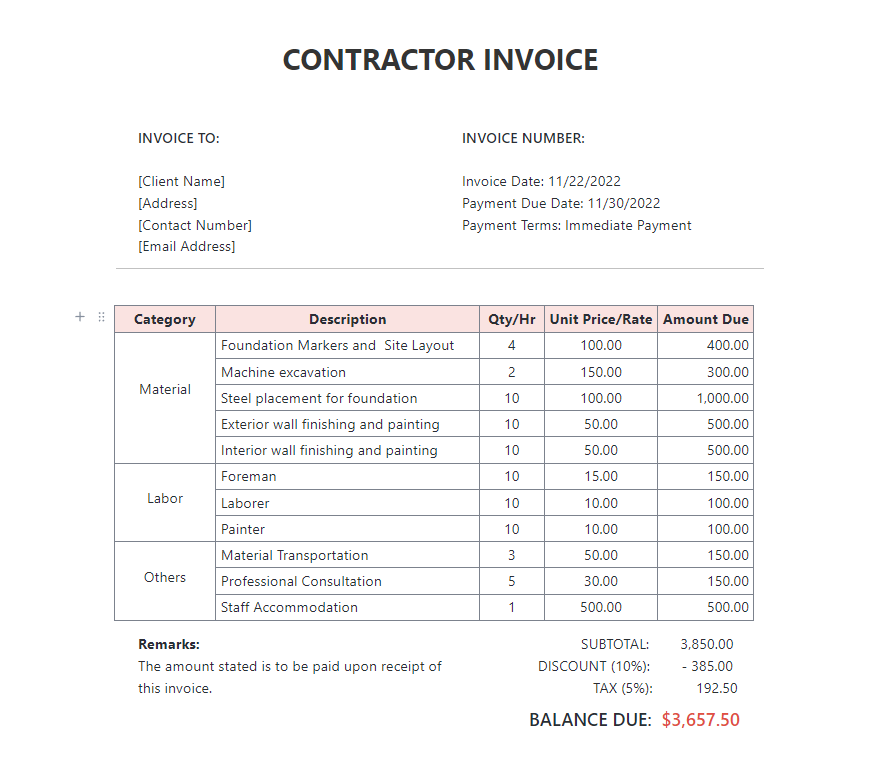
The ClickUp Contractor Invoice Template offers a professional format for billing clients, tracking payments, and effortlessly maintaining financial records. It helps you easily generate and send professional invoices.
With improved accuracy and organization, ensure no payment slips through the cracks, leading to smoother transactions and timely client payments.
🔑 Ideal for: Freelancers and business owners looking for an efficient way to generate invoices and track payments.
Take a look at the best practices for the Calender View in ClickUp:
The ClickUp Accounting Template helps you manage sales records, income, invoices, predicted revenue, and more in one place. It organizes financial data, tracks transactions effortlessly, and communicates with your team to ensure seamless accounting operations.
With a clear overview of your finances, you can improve the cash flow statement, avoid missed payments, and confidently deliver client work.
🔑 Ideal for: Accountants, business owners, and freelancers looking to manage accounts receivable and payables.
📮 ClickUp Insight: Low-performing teams are 4 times more likely to juggle 15+ tools, while high-performing teams maintain efficiency by limiting their toolkit to 9 or fewer platforms.
As the everything app for work, ClickUp brings your tasks, projects, docs, wikis, chat, and calls under a single platform, complete with AI-powered workflows.
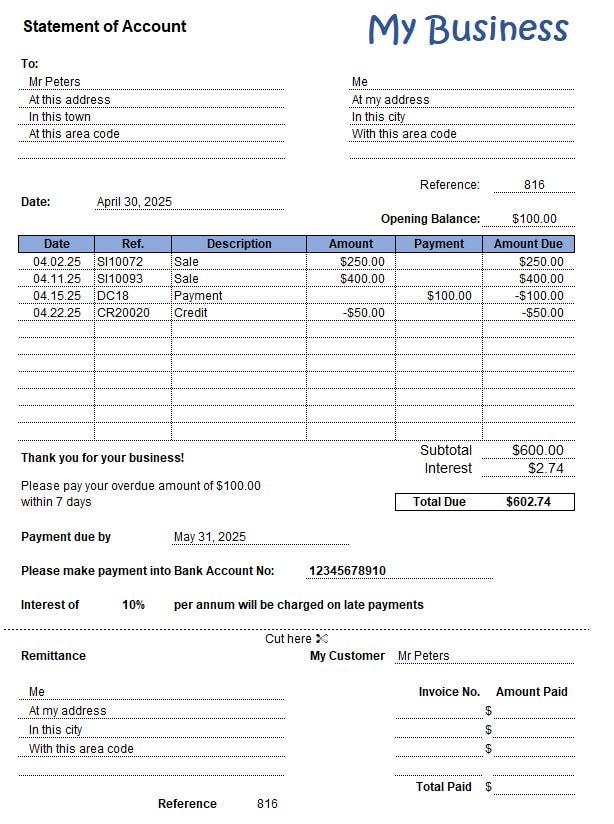
The Excel Statement of Account Template by Spreadsheet123 is a simple and efficient tool for tracking customer transactions, overdue balances, and payments.
The Excel template simplifies financial management through a single-entry bookkeeping system, allowing you to maintain clear and accurate records. Whether you are just starting out or have a low volume of transactions, you have a complete overview of all the transactions.
🔑 Ideal for: Small businesses and freelancers looking for an efficient way to send invoices.
The PDF Statement of Account Template by Beginner Bookkeeping provides a standardized format for tracking customer transactions, outstanding balances, and payments received in a polished document ready to send.
This PDF file template lets you show a summary of all the sales invoices in a structured format. If the client specifically requests it, you can get complete details about the amount receivable.
🔑 Ideal for: Small business owners, retailers, freelancers, finance teams, and service providers who need quick, formatted statements to maintain customer invoices.
💡 Pro Tip: Implementing a Cost Breakdown Structure (CBS) dissects all projected expenses into clear, organized categories, revealing exactly where your funds are allocated. This level of financial transparency allows for strategic budgeting and effective cost control.
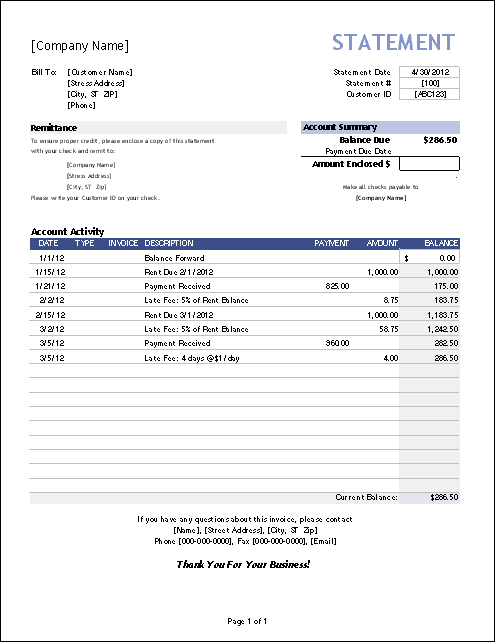
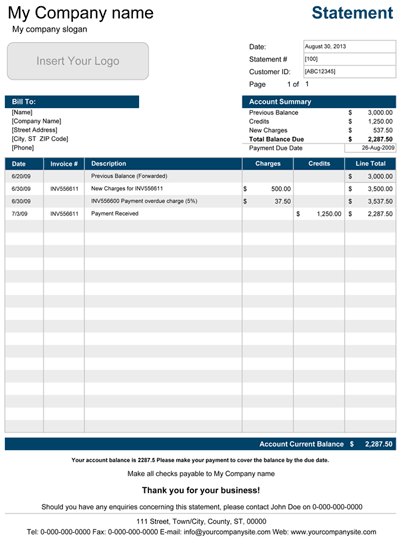
The Excel Billing Statement Template by Vertex42 is a simple yet effective tool for tracking invoices, managing customer accounts, and monitoring payments. It provides an organized way to maintain account balances and send customer statements.
With built-in formulas and auto-calculated totals, this template minimizes manual work while providing a clear overview of all transactions. Track due amounts, generate statements, and maintain financial accuracy effortlessly.
🔑 Ideal for: Small business owners looking for a structured way to send customer invoices.
➡️ Read More: Free Purchase Order Templates in Excel, Word, & ClickUp
A good statement of account template should be structured, clear, and easy to use. It should help you track payments and assess your financial position while adapting to your business’s evolving needs.
Here’s what you should look for in a free statement of account template:
Maintaining statements of accounts to capture payments and financial position accurately might seem complex, but a statement of accounts template provides a structured format for tracking all transactions.
ClickUp provides an all-in-one platform for managing finances and assessing financial positions.
With features like ClickUp Brain, ClickUp Docs, and statement of accounts templates, ClickUp will help you optimize invoice tracking and financial assessment processes.
Don’t let scattered sheets and unorganized records complicate financial tracking—sign up for ClickUp today and record every penny efficiently! 🚀

© 2026 ClickUp

There’s an easier way. Try a free AI Agent in ClickUp that actually does the work for you—set up in minutes, save hours every week.