







Still downloading templates?
There’s an easier way. Try a free AI Agent in ClickUp that actually does the work for you—set up in minutes, save hours every week.
Sorry, there were no results found for “”
Sorry, there were no results found for “”
Sorry, there were no results found for “”
You’ve duct-taped APIs, rigged Slack bots, and begged ChatGPT to behave like a teammate.
But without real context, AI’s just guessing. It breaks when your tools change and hallucinates when your data isn’t clearly mapped or accessible.
Model context protocol (MCP) changes that. It creates a shared language between your model and your stack: structured, contextual, and built to scale. MCP enables you to stop shipping AI that acts smart and start building AI that is smart.
In this blog post, we’ll understand MCP in detail and how to implement it. Additionally, we’ll explore how ClickUp serves as an alternative to MCP protocols. Let’s dive in! 🤖
Model context protocol is a framework or guideline used to define, structure, and communicate the key elements/context (prompts, conversation history, tool states, user metadata, etc.) to large language models (LLMs).
It outlines the external factors influencing the model, such as:
In simple terms, it sets the stage for the model to operate effectively and ensures that it is technically sound, relevant, and usable in the scenario it’s built for.
Key components of MCP include:
LangChain is a developer-friendly framework for building applications that use LLM agents. MCP, on the other hand, is a protocol that standardizes how context is delivered to models across systems.
LangChain helps you build, and MCP helps systems talk to each other. Let’s understand the difference between the two better.
| Feature | LangChain | MCP models |
| Focus | Application development with LLMs | Standardizing LLM context and tool interactions |
| Tools | Chains, agents, memory, retrievers | Protocol for LLMs to access tools, data, and context |
| Scalability | Modular, scales via components | Built for large-scale, cross-agent deployments |
| Use cases | Chatbots, retrieval-augmented generation (RAG) systems, task automation | Enterprise AI orchestration, multi-model systems |
| Interoperability | Limited to ecosystem tools | High, enables switching models and tools |
Want to see what real-world MCP-based automations look like in practice?
Check out ClickUp’s guide on AI workflow automation that shows how different teams, from marketing to engineering, set up dynamic, complex workflows that reflect model context protocol’s real-time interaction strengths.
RAG and MCP both enhance LLMs with external knowledge but differ in timing and interaction.
While RAG retrieves information before the model generates a response, MCP allows the model to request data or trigger tools during generation through a standardized interface. Let’s compare both.
| Feature | RAG | MCP |
| Focus | Pre-fetching relevant info for response generation | Real-time, in-process tool/data interaction |
| Mechanism | Retrieves external data first, then generates | Requests context during generation |
| Best for | Static or semi-structured knowledge bases, QA systems | Real-time tools, APIs, tool-integrated databases |
| Limitation | Limited by retrieval timing and context window | Latency from protocol hops |
| Integration | Yes, RAG results can be embedded into MCP context layers | Yes, it can wrap RAG into MCP for richer flows |
If you’re building a hybrid of RAG + MCP, start with a clean knowledge management system inside ClickUp.
You can apply ClickUp’s Knowledge Base Template to consistently organize your content. This helps your AI agents pull accurate, up-to-date information without digging through clutter.
While MCP is the interface, various types of AI agents act as the actors.
MCP models standardize how agents access tools, data, and context, acting like a universal connector. AI agents use that access to make decisions, perform tasks, and act autonomously.
| Feature | MCP | AI agents |
| Role | Standard interface for tool/data access | Autonomous systems that perform tasks |
| Function | Acts as a bridge between models and external systems | Uses MCP servers to access context, tools, and make decisions |
| Use case | Connecting AI systems, databases, APIs, calculators | Writing code, summarizing data, managing workflows |
| Dependency | Independent protocol layer | Often relies on MCP for dynamic tool access |
| Relationship | Enables context-driven functionality | Executes tasks using MCP-provided context and capabilities |
❗️What does it look like to have an AI agent that understands all of your work? See here.👇🏼
⚙️ Bonus: Need help figuring out when to use RAG, MCP, or a mix of both? This in-depth comparison of RAG vs. MCP vs. AI Agents breaks it all down with diagrams and examples.
For modern AI systems, context is foundational. Context allows generative AI models to interpret user intent, clarify inputs, and deliver results that are accurate, relevant, and actionable. Without it, models hallucinate, misunderstand prompts, and generate unreliable outputs.
In the real world, context comes from diverse sources: CRM records, Git histories, chat logs, API outputs, and more.
Before MCP, integrating this data into AI workflows meant writing custom connectors for each system [a fragmented, error-prone, and non-scalable approach].
MCP solves this by enabling a structured, machine-readable way for AI models to access contextual information, whether that’s user input history, code snippets, business data, or tool functionality.
This standardized access is critical for agentic reasoning, allowing AI agents to plan and act intelligently with real-time, relevant data.
Plus, when context is shared effectively, AI performance improves across the board:
Here’s an example of how ClickUp’s AI solves for this context gap, without you having to deal with extensive MCP workflows or coding. We’ve got it handled!
💡 Pro Tip: To go deeper, learn how to use knowledge-based agents in AI to retrieve and use dynamic data.
MCP follows a client-server architecture, where AI applications (clients) request tools, data, or actions from external systems (servers). Here’s a detailed breakdown of how MCP works in practice. ⚒️
When an AI application (like Claude or Cursor) starts, it initializes MCP clients that connect to one or more MCP servers. These server-sent events can represent anything from a weather API to internal tools like CRM systems.
🧠 Fun Fact: Some MCP servers let agents read token balances, check NFTs, or even trigger smart contracts across 30+ blockchain networks.
Once connected, the client performs capability discovery, asking each server: What tools, resources, or prompts do you provide?
The server responds with a list of its capabilities, which is registered and made available for the AI model to use when needed.
📮 ClickUp Insight: 13% of our survey respondents want to use AI to make difficult decisions and solve complex problems. However, only 28% say they use AI regularly at work.
A possible reason: Security concerns! Users may not want to share sensitive decision-making data with an external AI. ClickUp solves this by bringing AI-powered problem-solving right to your secure Workspace. From SOC 2 to ISO standards, ClickUp is compliant with the highest data security standards and helps you securely use generative AI technology across your workspace.
When a user gives an input (e.g., What’s the weather in Chicago?), the AI model analyzes the request and realizes it requires external, real-time data not available in its training set.
The model selects a suitable tool from the available MCP capabilities, like a weather service, and the client prepares a request for that server.
🔍 Did You Know? MCP draws inspiration from the Language Server Protocol (LSP), extending the concept to autonomous AI workflows. This approach allows AI agents to dynamically discover and chain tools, promoting flexibility and scalability in AI system development environments.
The client sends a request to the MCP server, specifying:
The MCP server processes the request, performs the required action (like fetching the weather), and returns the result in a machine-readable format. The AI client integrates this returned information.
The model then generates a response based on both the new data and the original prompt.
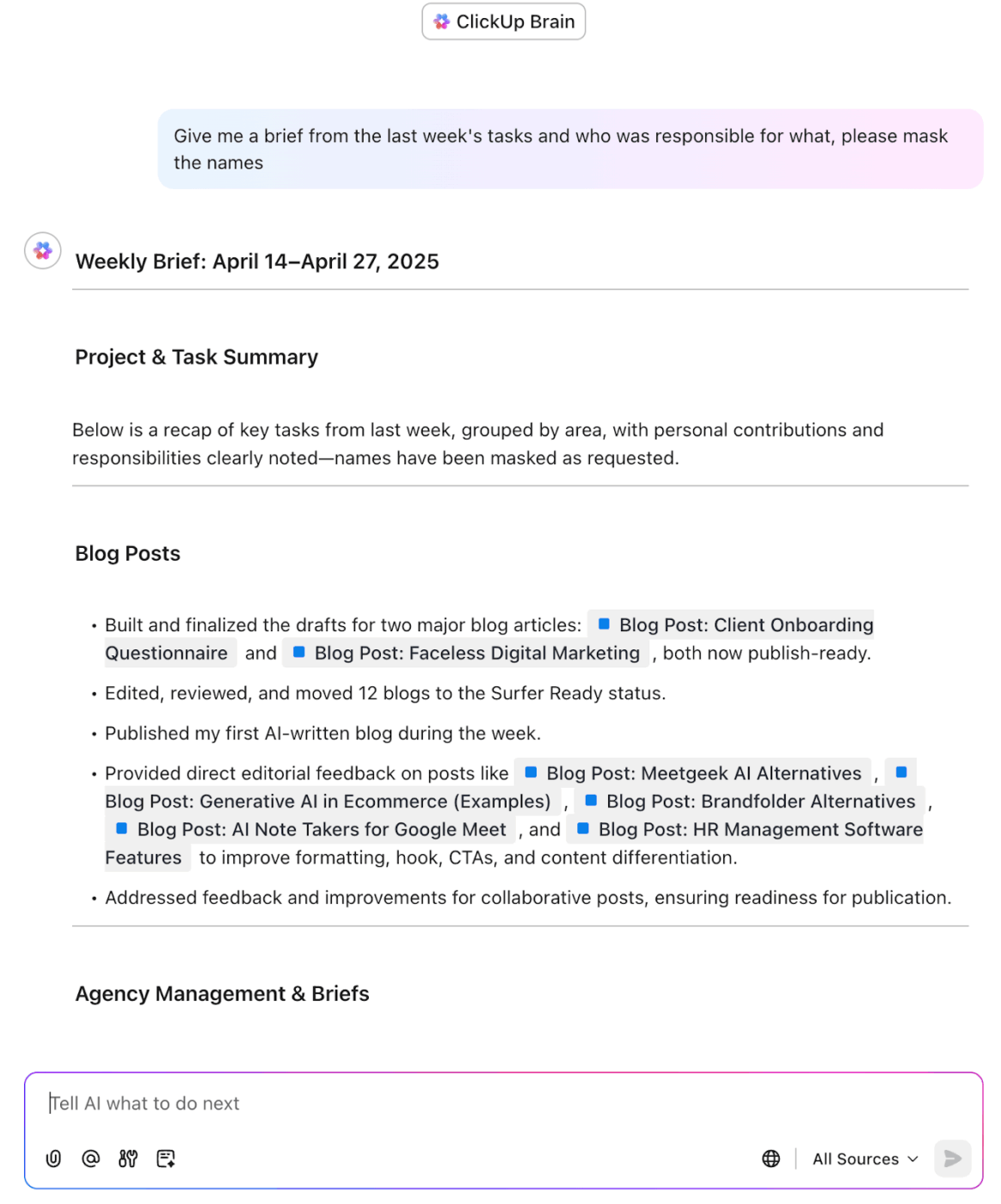
Retrieve information from your workspace using ClickUp Brain
💟 Bonus: Meet Brain MAX, the standalone AI desktop companion from ClickUp that saves you the hassle of building your own custom MCP workflows from scratch. Instead of piecing together dozens of tools and integrations, Brain MAX comes pre-assembled and ready to go, unifying all your work, apps, and AI models in one powerful platform.
With deep workspace integration, voice-to-text for hands-free productivity, and highly relevant, role-specific responses, Brain MAX gives you the control, automation, and intelligence you’d expect from a custom-built solution—without any of the setup or maintenance. It’s everything you need to manage, automate, and accelerate your work, right from your desktop!
Managing context in AI systems is critical but far from simple.
Most AI models, regardless of architecture or tooling, face a set of common roadblocks that limit their ability to reason accurately and consistently. These roadblocks include:
These issues reveal the need for standardized, efficient context management, something MCP protocols aim to address.
🔍 Did You Know? Instead of sending commands directly, modules subscribe to relevant data streams. This means a robot leg might just be passively listening for balance updates, and spring into action only when needed.
MCP makes it easy to integrate diverse sources of information, ensuring the AI offers precise and contextually appropriate responses.
Below are a few practical examples demonstrating how MCP can be applied in different scenarios. 👇
One of the most widely used applications of AI copilots is GitHub Copilot, an AI assistant that helps developers write and debug code.
When a developer is writing a function, Copilot needs access to:
🧠 Fun Fact: MCP Guardian acts like a bouncer for AI tool use. It checks identities, blocks sketchy requests, and logs everything. Because open tool access = security chaos.
Virtual assistants like Google Assistant or Amazon Alexa rely on context to provide meaningful responses. For example:
AI-driven data management tools, such as IBM Watson, help organizations retrieve critical information from massive databases or document repositories:
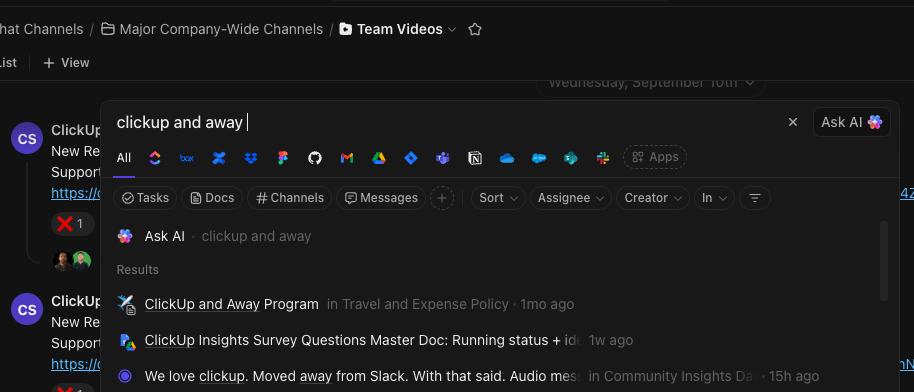
Organize, filter, and search across your company’s knowledge with ClickUp Enterprise Search
🪄 ClickUp Advantage: Build a verified, structured knowledge base in ClickUp Docs and surface it through ClickUp Knowledge Management as a context source for your MCP Gateway. Enhance Docs with rich content and media to get precise, personalized AI recommendations from a centralized source.
In the healthcare space, platforms like Babylon Health provide virtual consultations with patients. These AI systems rely heavily on context:
🔍 Did You Know? Most MCPs weren’t designed with security in mind, which makes them vulnerable in scenarios where simulations or robotic systems are networked.
Implementing a model context protocol allows your AI application to interact with external tools, services, and data sources in a modular, standardized way.
Here’s a step-by-step guide to set it up. 📋
Start by deciding what tools and resources your MCP server will offer:
Then implement handlers. These are functions that process incoming tool requests from the client:
📌 Example: A summarize-document tool might validate the input file type (e.g., PDF or DOCX), extract the text using a file parser, pass the content through a summarization model or service, and return a concise summary along with key topics.
💡 Pro Tip: Set up event listeners that trigger specific tools when certain actions happen, like a user submitting input or a database update. No need to keep tools running in the background when nothing’s happening.
Use a framework like FastAPI, Flask, or Express to expose your tools and resources as HTTP endpoints or WebSocket services.
It’s important to:
💡 Pro Tip: Treat context like code. Every time you change how it’s structured, version it. Use timestamps or commit hashes so you can roll back without scrambling.
The MCP client is part of your AI system (e.g., Claude, Cursor, or a custom agent) that talks to your server.
On startup, the client connects to the MCP server and fetches available capabilities (tools/resources) via the /capabilities endpoint. Then, it registers these tools for internal use, so the model can decide which tool to call during a session.
💡 Pro Tip: Inject invisible metadata into context, like tool confidence scores or timestamps. Tools can use this to make smarter decisions, say, skipping stale data or boosting outputs that came from high-confidence sources.
Before going live, test your remote MCP server with an actual AI client:
This helps ensure seamless integration with business tools and prevents runtime errors in production.
To protect sensitive tools or data:
This way, you can build powerful, flexible AI systems that scale context access cleanly without the overhead of writing custom integrations for every tool or use case.
While model context protocols solve key context sharing challenges, they come with their own trade-offs:
Model context protocols provide a structured way for AI systems to retrieve external context through standardized calls. However, building and maintaining these systems can be complex, especially in collaborative team environments.
ClickUp takes a different approach. It embeds context directly into your workspace where work actually happens. This makes ClickUp an enhancement layer and a deeply integrated agentic system optimized for teams.
Let’s understand this better. 📝
At the heart of ClickUp’s AI capabilities is ClickUp Brain, a context-aware engine that acts as a built-in memory system.
Unlike traditional MCPs that rely on shallow prompt history or external databases, Brain understands the structure of your workspace and remembers critical information across tasks, comments, timelines, and Docs. It can:
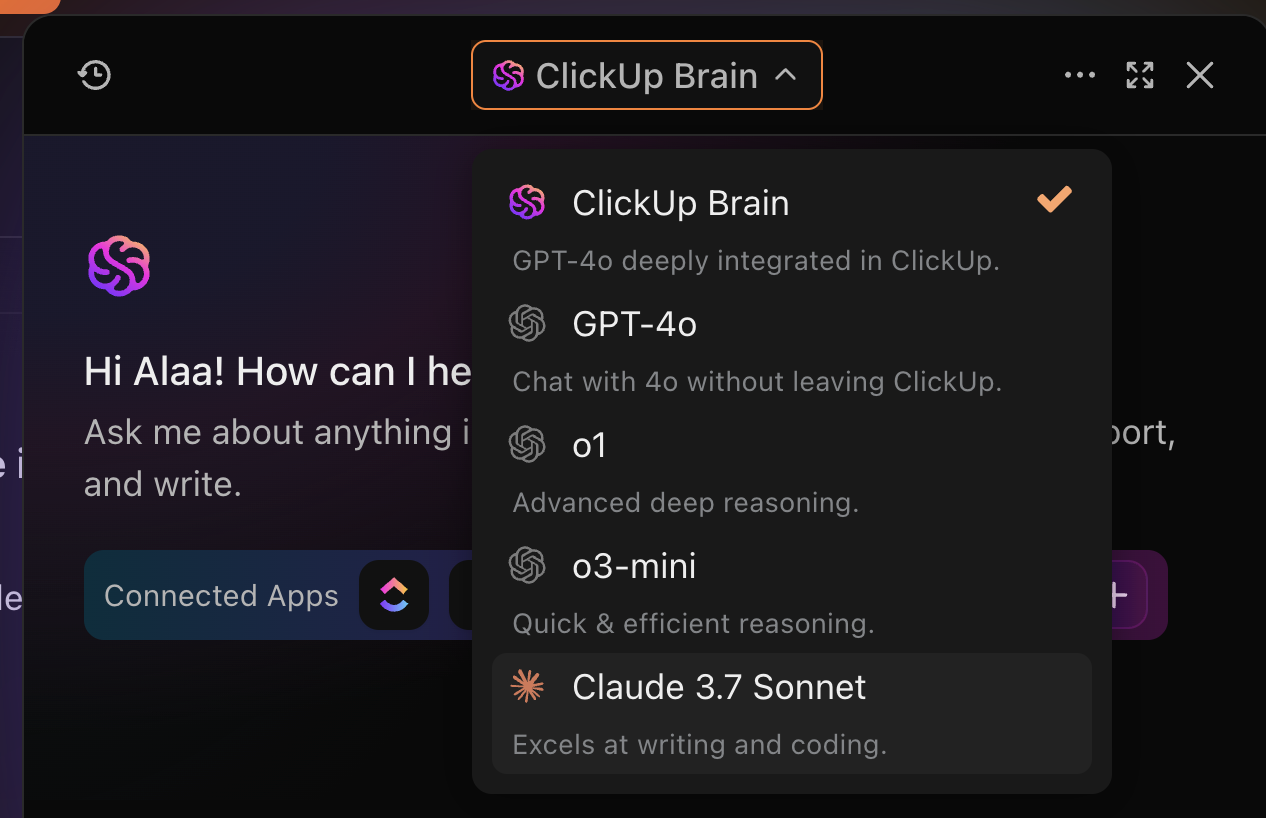
📌 Example: Ask Brain to ‘Summarize progress on Q2 marketing campaigns,’ and it references related tasks, statuses, and comments across projects.
While MCP implementations require ongoing model tuning, ClickUp, as a task automation software, brings decision-making and execution into the same system.
With ClickUp Automations, you can trigger actions based on events, conditions, and logic without writing a single line of code. You can also use ClickUp Brain to build custom data entry automations with natural language, making it easier to create personalized workflows.
Leverage ClickUp Brain to create custom triggers with ClickUp Automations
📌 Example: Move tasks to In Progress when the status changes, assign the team lead when marked High Priority, and alert the project owner if a due date is missed.
Built on this foundation, ClickUp Autopilot Agents introduce a new level of intelligent autonomy. These AI-powered agents operate on:
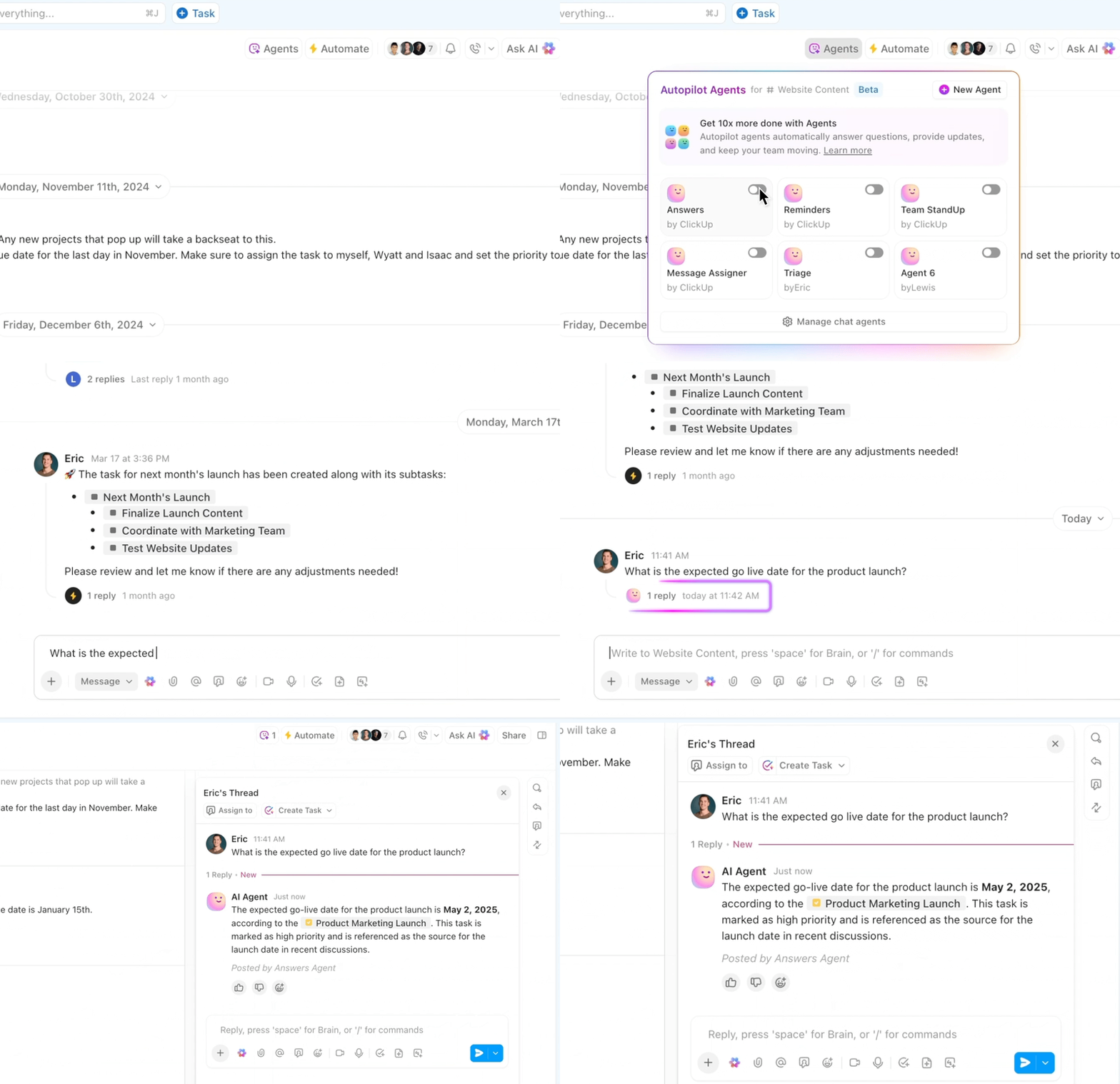
ClickUp, as an AI agent, uses your existing workspace data to act smarter without setup. Here’s how you can turn all that information from your workspace into action-ready context:
Watch AI-powered Custom Fields in action here.👇🏼
As AI continues to shift from static chatbots to dynamic, multi-agent systems, the role of MCPs will become increasingly central. Backed by big names like OpenAI and Anthropic, MCPs promise interoperability across complex systems.
But that promise comes with big questions. 🙋
For starters, most MCP implementations today are demo-grade, use basic studio transport, lack HTTP support, and offer no built-in authentication or authorization. That’s a non-starter for enterprise adoption. Real-world use cases demand security, observability, reliability, and flexible scaling.
To bridge this gap, the concept of an MCP Mesh has emerged. It applies proven service mesh patterns (like those used in microservices) to the MCP infrastructure. MCP Mesh also helps with secure access, communication, traffic management, resilience, and discovery across multiple distributed servers.
At the same time, AI-powered platforms like ClickUp demonstrate that deeply embedded, in-app context models can offer a more practical alternative in team-centric environments.
Going forward, we may see hybrid architectures, paving the way for AI agents that are both aware and actionable.
Model context protocol standardizes how AI can access external systems, but demands a complex technical setup.
While powerful, MCP requires technical setup, which increases development time, costs, and ongoing maintenance challenges.
ClickUp offers a practical alternative with ClickUp Brain and Automations built right into your workspace.
It understands task context, project data, and user intent automatically. This makes ClickUp an ideal low-code solution for teams wanting scalable, context-aware AI without the engineering overhead.
✅ Sign up to ClickUp today!

© 2026 ClickUp

There’s an easier way. Try a free AI Agent in ClickUp that actually does the work for you—set up in minutes, save hours every week.