






Still downloading templates?
There’s an easier way. Try a free AI Agent in ClickUp that actually does the work for you—set up in minutes, save hours every week.
Sorry, there were no results found for “”
Sorry, there were no results found for “”
Sorry, there were no results found for “”
Choosing an AI model for your dev workflow might sound like a simple question: Which one should we use?
But underneath that is a bigger decision about how you want to build and run AI in your stack.
Do you go with Mixtral, Mistral AI’s open-weight model that gives teams more control over deployment and customization? Or ChatGPT, OpenAI’s widely used AI assistant known for powerful proprietary models and an easy-to-use ecosystem?
That choice affects everything—from how much control you have over infrastructure to how quickly you can ship AI features.
In this guide, we’ll break down Mixtral vs. ChatGPT across architecture, performance, customization, cost, and privacy—so you can decide what fits your team best. We’ll also show how many developers are skipping the either/or debate by using multiple models side by side inside their workflow with all-in-one tools like ClickUp. ⚒️
Ready? Let’s dive in.
Mixtral and ChatGPT are excellent tools for developers, but each excels in different areas. Before we go into those details, here’s a quick summary of their features:
| Feature/Category | Mixtral | ChatGPT | ClickUp Brain |
|---|---|---|---|
| Model architecture | Open-weights mixture-of-experts (8x7B); sparse activation means only a subset of parameters are active per token, reducing inference cost | Proprietary transformer architecture; a dense model with all parameters active during inference | Multi-LLM access including Claude, GPT, Gemini, and DeepSeek within a converged workspace |
| Open-source availability | Fully open-weights under the Apache 2.0 license; you can download and modify it freely | Closed-source; you have no access to the model weights or architecture details | A SaaS platform that accesses multiple model providers |
| Context window | Up to 32K tokens native; extended context is available in some deployments | 8K-128K tokens depending on the model version (GPT-4 Turbo supports 128K) | Workspace-aware context that pulls from your tasks, docs, and conversations automatically |
| Self-hosting option | Yes; you can run it locally or on private cloud infrastructure | No; it’s only accessible via API through OpenAI servers | Cloud-based with enterprise security controls |
| Fine-tuning support | Full fine-tuning and LoRA/QLoRA adapters are supported | Limited fine-tuning is available on select models via API | Uses foundation models; customization is done via prompts and workspace context |
| Team Size | Solo developers to large engineering teams with MLOps capacity | Teams of any size comfortable with API-based workflows | Teams of all sizes across all departments |
| Pricing | Free (if self-hosted); API costs vary by provider | Subscription and usage-based API pricing | A Free Forever plan is available |
Our editorial team follows a transparent, research-backed, and vendor-neutral process, so you can trust that our recommendations are based on real product value.
Here’s a detailed rundown of how we review software at ClickUp.
Mixtral is an open-weight model from Mistral AI built around a mixture-of-experts (MoE) architecture. Think of it like a team of eight specialist consultants. Instead of everyone working on every task, the model calls in only the experts it needs.
For each prompt, Mixtral selects the two most relevant experts to generate the answer while the others stay idle. The result: you get performance similar to a much larger model, but with far less compute used per request.
ChatGPT is the flagship conversational AI from OpenAI, available to developers through APIs like GPT-4, GPT-4 Turbo, and GPT-4o. Its biggest strength comes from extensive Reinforcement Learning from Human Feedback (RLHF), where human reviewers evaluate and rate responses to make the model more helpful, accurate, and safe.
For you as a developer, that means the responses you get are usually polished and well-structured right out of the box, especially for conversational use cases.
Let’s break down how Mixtral and ChatGPT actually stack up across the features that matter to you.
ChatGPT, especially GPT-4, tends to write code like a thoughtful teammate. Even when you use basic prompts, it’ll produce a detailed code, add comments, and handle errors right out of the box. This makes it great for generating production-ready code.
Mixtral, on the other hand, can match the performance, but it’s more concise by default, which means you’d need to spend extra time on prompt engineering to get the same level of polish.
And for basic, boilerplate code, either model works well. But when things get complex, ChatGPT’s clearer and more refined output often gives it the edge.
🏆 Verdict: ChatGPT wins for a more polished, production-ready code.
💡 Pro Tip: Don’t just benchmark models—benchmark them inside your workflow. Test how Mixtral and ChatGPT outputs integrate into your actual dev process, not just isolated prompts. It saves time and avoids tab-hopping later.
Working on a large, complex codebase is tough when your AI assistant forgets what you were talking about three prompts ago. It’s why the context window—the amount of text a model can remember at once is very important to you as a developer. Both tools approach it differently:
🏆 Verdict: GPT-4 Turbo wins, thanks to its huge capacity that can tackle massive codebases, but Mixtral still performs really well within its 32K token window, making it efficient for most projects.
📮 ClickUp Insight: Only 12% of our survey respondents use AI features embedded within productivity suites. This low adoption suggests current implementations may lack the seamless, contextual integration that would compel users to transition from their preferred standalone conversational platforms.
For example, can the AI execute an automation workflow based on a plain-text prompt from the user? ClickUp Brain can! The AI is deeply integrated into every aspect of ClickUp, including but not limited to summarizing chat threads, drafting or polishing text, pulling up information from the workspace, generating images, and more! Join the 40% of ClickUp customers who have replaced 3+ apps with our everything app for work!
The quality of an AI model doesn’t matter if integrating it into your workflow is a painful, time-consuming process. Poor documentation, a lack of SDKs, and an unreliable API can kill a project before it even starts.
OpenAI provides a highly polished developer integration experience with well-documented APIs, SDKs for major languages, and advanced features like function calling.
In contrast, Mixtral’s API access is fragmented across multiple providers (like Mistral’s own platform, Together AI, or Fireworks), each with its own documentation and reliability. This understandably offers choice, but it also means you’re juggling different docs, reliability, and setups, which can create inconsistencies.
🏆 Verdict: Draw because OpenAI’s API offers a great developer experience for rapid integration, while Mixtral gives you more flexibility in provider choice for teams with specific infrastructure needs.
Off-the-shelf AI models are great, but customization makes a big difference when your team has a unique coding style, a proprietary codebase, or a specialized domain. If you can’t tailor the model to your specific needs, you’re missing out on a lot of value.
This is Mixtral’s biggest strength. Because it’s open weights, you can:
ChatGPT, on the other hand, offers limited customization through its API, but you can’t access the underlying model weights. You’re fundamentally constrained by what OpenAI allows.
🏆 Verdict: Mixtral wins as the top choice for customization and self-hosting, making it the go-to for teams with specialized needs or strict data requirements.
For many engineering teams, sending proprietary code or sensitive customer data to a third-party API isn’t even an option.
Mixtral’s self-hosting option gives you full data control, a key principle of strong privacy and data security, as your prompts and code never leave your own infrastructure. This is ideal for teams in regulated industries like finance or healthcare.
ChatGPT Enterprise also offers robust compliance features like SOC 2 and HIPAA eligibility, but you still need to trust a third party with your data.
🏆 Verdict: Mixtral wins since its self-hosting capabilities give you the strongest privacy guarantees.
The short answer is, it depends on what your needs are. Here’s a simple framework to guide your decision:
A better answer is, you don’t have to pick just one. Many teams use a hybrid approach, leveraging ChatGPT for general assistance and a self-hosted Mixtral for sensitive, internal tasks.
And with tools like ClickUp, you can get real productivity gains by using both models inside a single Converged AI Workspace, connecting their outputs directly to your tasks, docs, and projects—so the insights you generate with AI immediately become part of the work you’re actually doing, no matter which model you use.
Choosing between Mixtral and ChatGPT usually comes down to trade-offs.
Mixtral gives you open-weight flexibility and deployment control.
ChatGPT gives you highly refined outputs and strong conversational tuning.
But there’s a practical issue you’ll probably run into as a developer: both tools typically live outside your actual development workflow.
You prompt an AI model in one tab, copy the result, paste it somewhere else, then manually turn it into tasks, documentation, or action items.
Over time, this creates Tool Sprawl: you use AI for generating ideas, another tool for managing work, another for documentation, and yet another for automation.
ClickUp approaches this differently.
Instead of treating AI models as separate assistants, ClickUp embeds them directly into a workspace where your code discussions, documentation, tasks, and automation already live.
That means your AI outputs don’t just generate ideas—they immediately plug into the work you and your team are doing.
Here’s how that works.
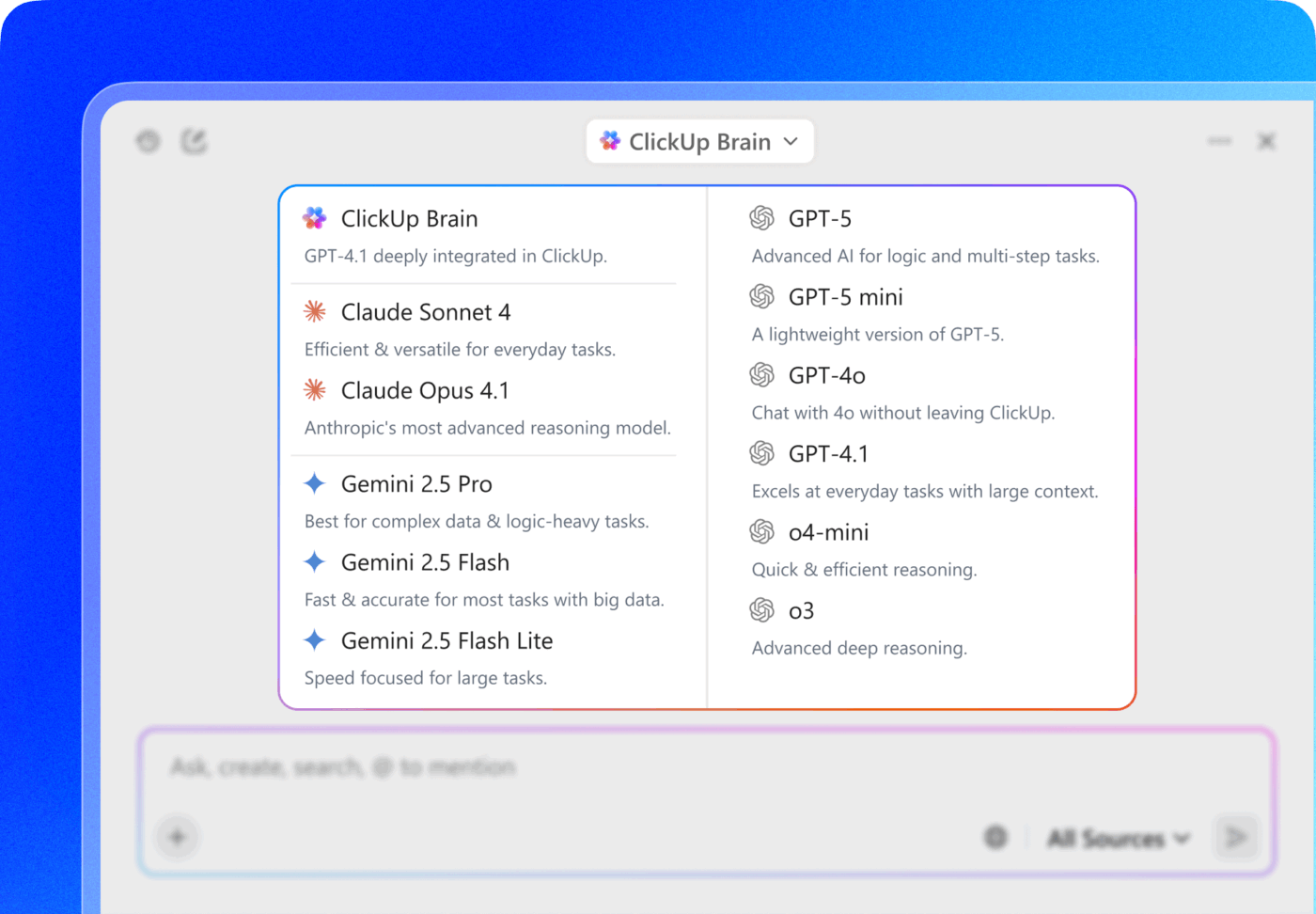
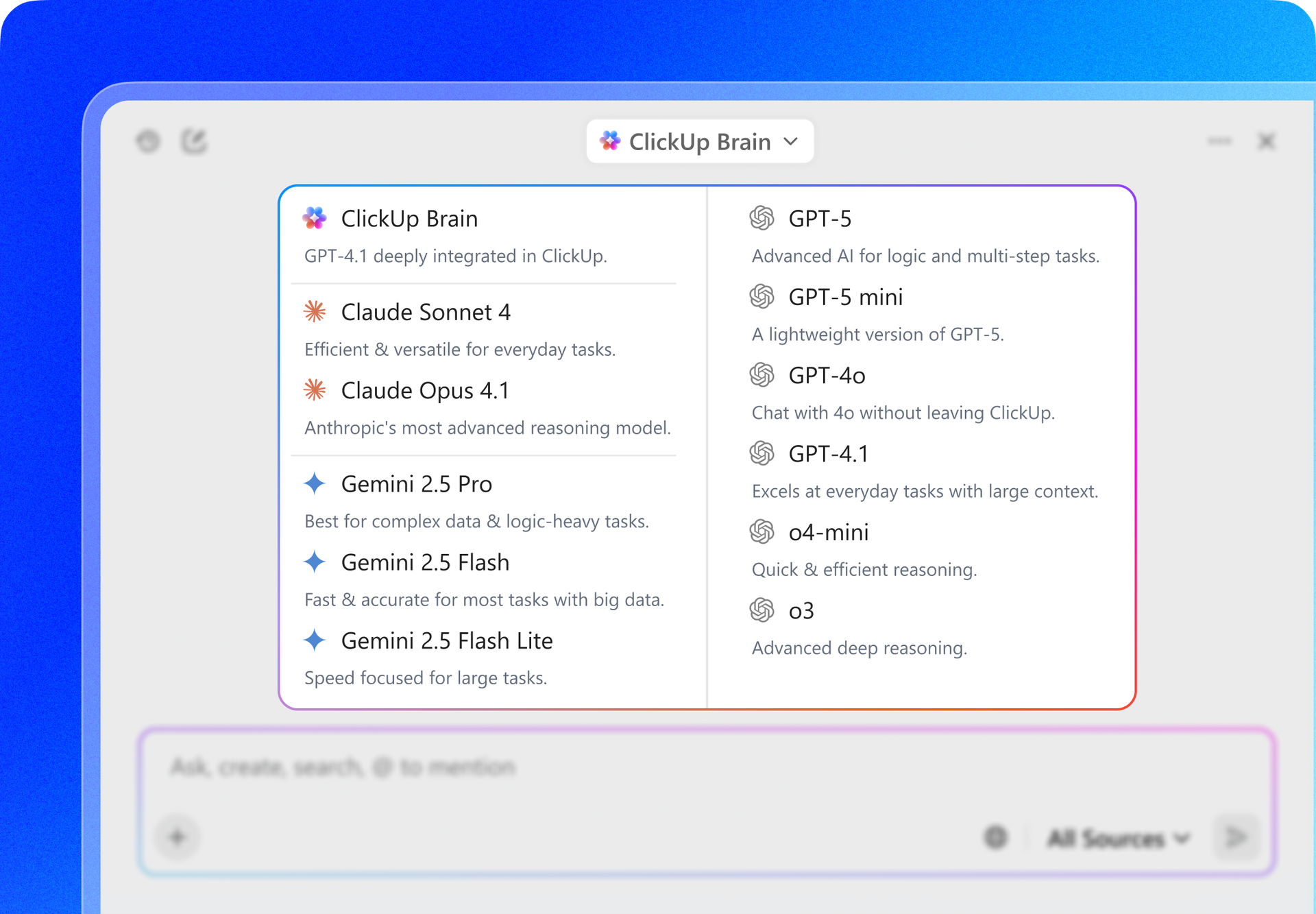
With ClickUp Brain, you’re not limited to a single AI model. You can access ChatGPT, Gemini, Claude, and other leading models directly inside your workspace, and switch between them depending on the task.
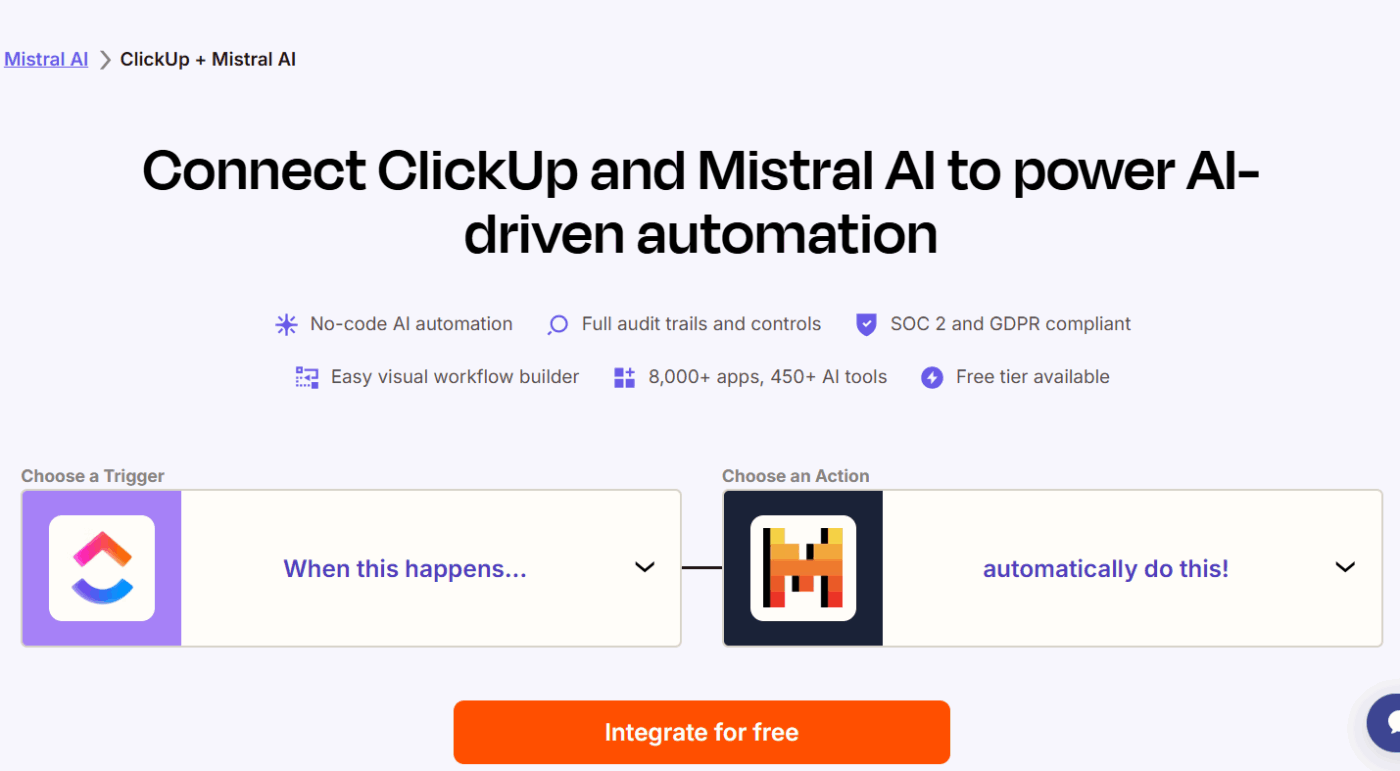
Even better, integrations via Zapier allow you to connect models like Mixtral into your workspace, so you and your team can experiment with open-weight models while still keeping your work organized in one place.
For you as a developer, this flexibility matters.
You might use ChatGPT for structured documentation, another for brainstorming architecture ideas, and Mixtral for summarizing code reviews. So instead of switching between tabs to open multiple AI tools, you can generate responses right where your project data already lives.
💡 Pro Tip: Try running the same prompt through Mixtral and ChatGPT within ClickUp Brain. Compare the outputs, then decide which is production-ready, and link the preferred result to your task, perfect for critical features where accuracy matters.
As a developer, you might already use tools like Cursor AI agents or Codegen AI agents to generate code, review functions, or refactor logic.
ClickUp allows you to incorporate those workflows into the same environment where your development work is tracked.
You can @mention Cursor or Codegen AI agents like you’re calling on a teammate, assign a ClickUp task to it, and it will work in the background, freeing you to focus on more important tasks. Once the task is complete, the agent will automatically update you.
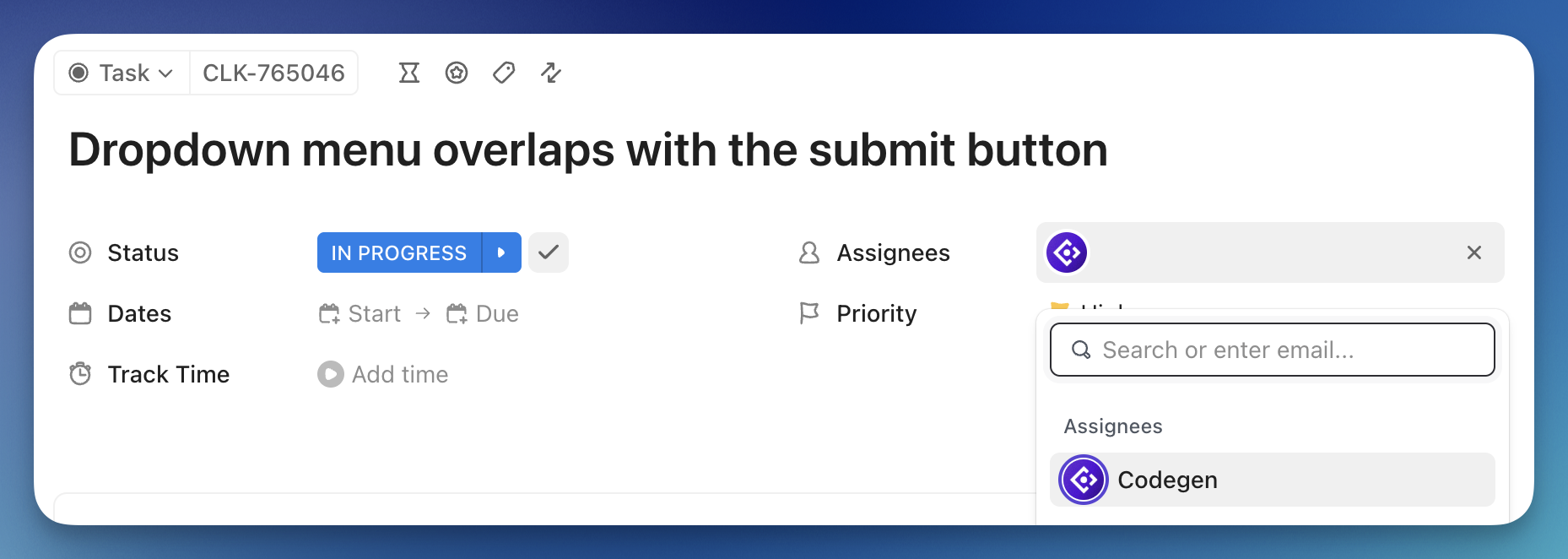
At that point, you decide whether to implement the fix, assign it to another developer, or push it into the next sprint.
Development processes usually involve a lot of documentation: API references, architecture notes, onboarding guides, and troubleshooting documentation.
Without a centralized system, those resources end up scattered across Google Docs, internal wikis, or Notion pages.
With ClickUp Docs, you can store all your technical documentation next to the tasks and projects they support in ClickUp Tasks.
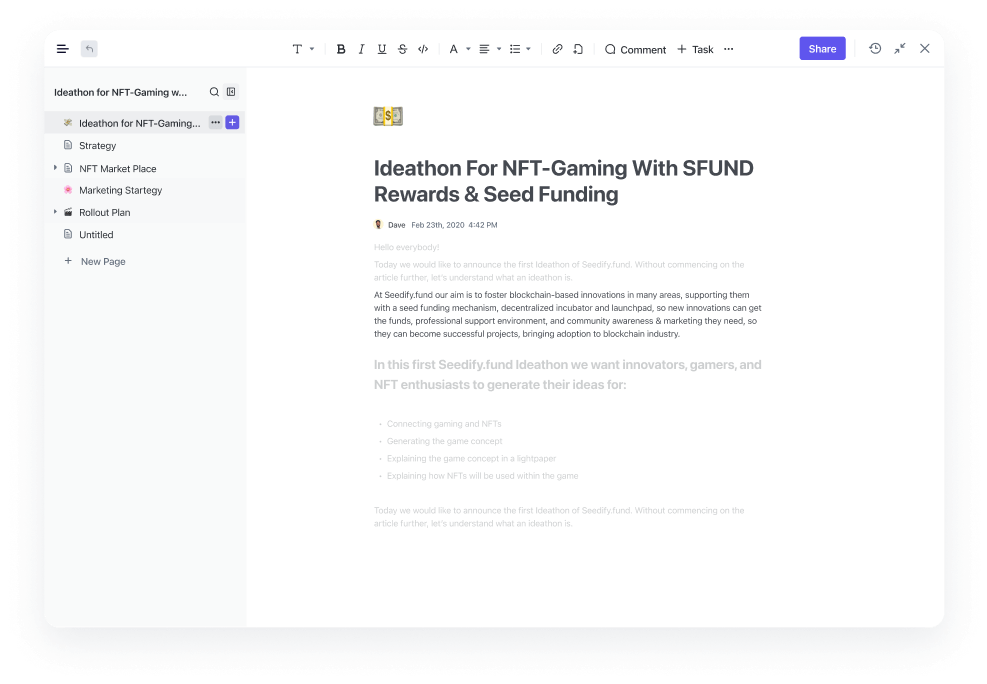
If you’re documenting a new authentication system, you can create a technical spec inside ClickUp Docs, link it to the development tasks implementing it inside ClickUp Tasks, and update the documentation as the feature evolves.
And when you need insights on how the tasks are progressing throughout the project, you can simply ask ClickUp Brain, the intelligence layer built into your workspace, and it’ll pull answers directly from those Docs, with full context into your project data.
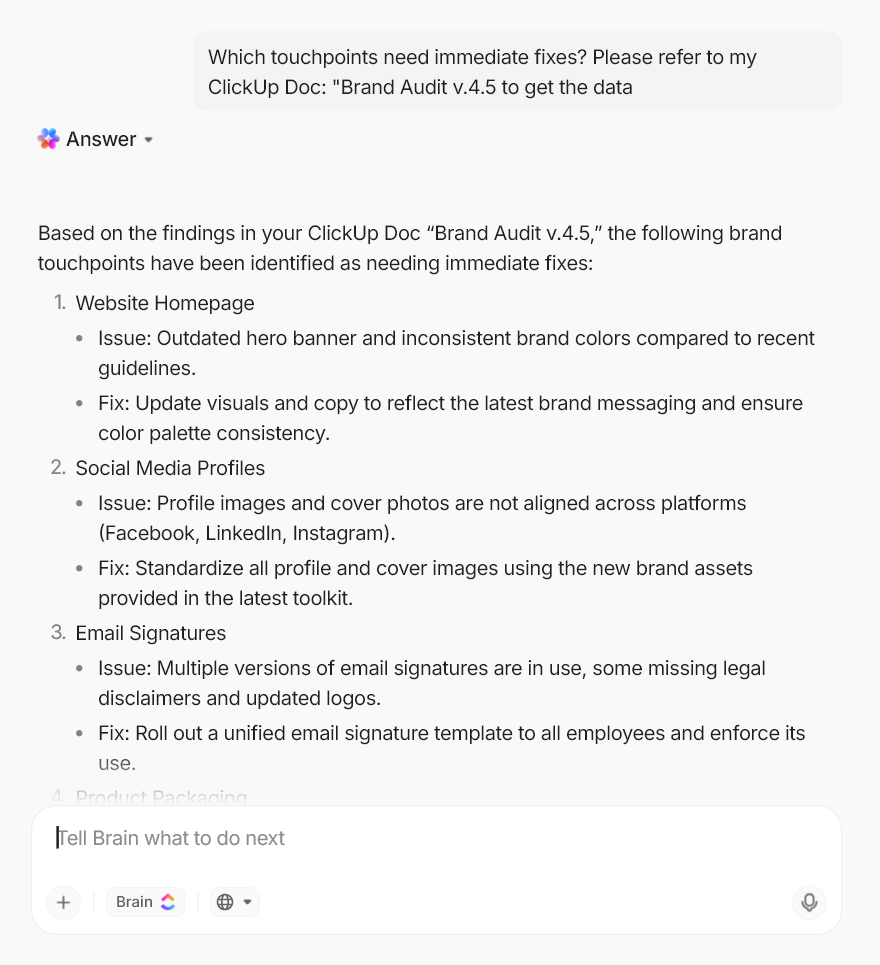
That means your documentation doesn’t just sit in a separate knowledge base—it becomes part of the living workflow of the project.
ClickUp Integrations keep external platforms connected, making it easy to bring historical knowledge and updates into the workspace, whether it’s GitHub, Slack, Figma, or other connected apps.
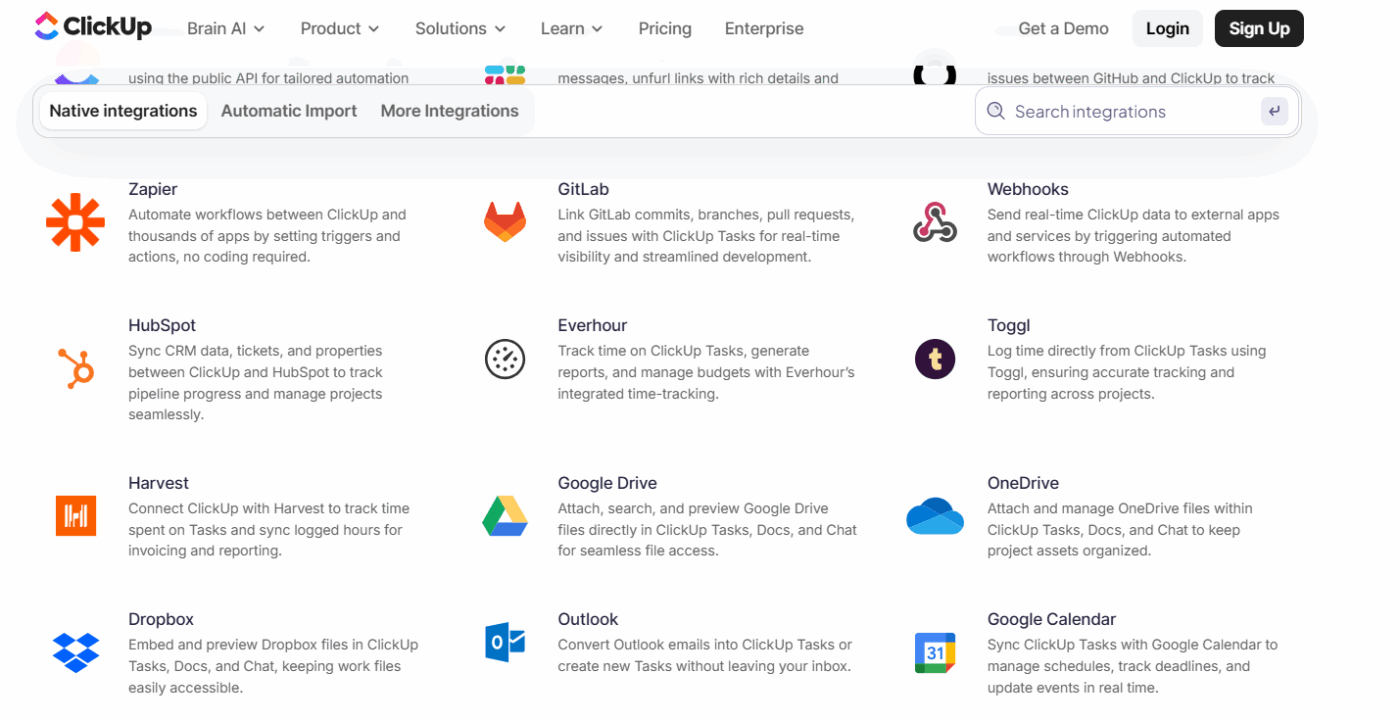
Documentation or code references from GitHub can be linked directly to related tasks. Updates or discussions from Slack can be converted into actionable tasks. Even files or project assets from other tools can flow into the same workspace.
Pro Tip: With ClickUp Chat, you can ditch the back and forth between Slack and project tasks entirely—keep all your team discussions and developer workflows right inside ClickUp.
Tag teammates instantly and assign comments directly into tasks from chat messages, without ever leaving the workspace, so nothing gets buried in conversations. All your updates, decisions, and follow-ups stay in context with the project, making collaboration faster and way less messy.
ClickUp Automations removes the manual steps that often slow development teams down. They can trigger actions based on task status, deadlines, or custom fields.
When a feature moves to ‘Ready for QA,’ ClickUp can automatically assign the task to a tester and notify the QA team.
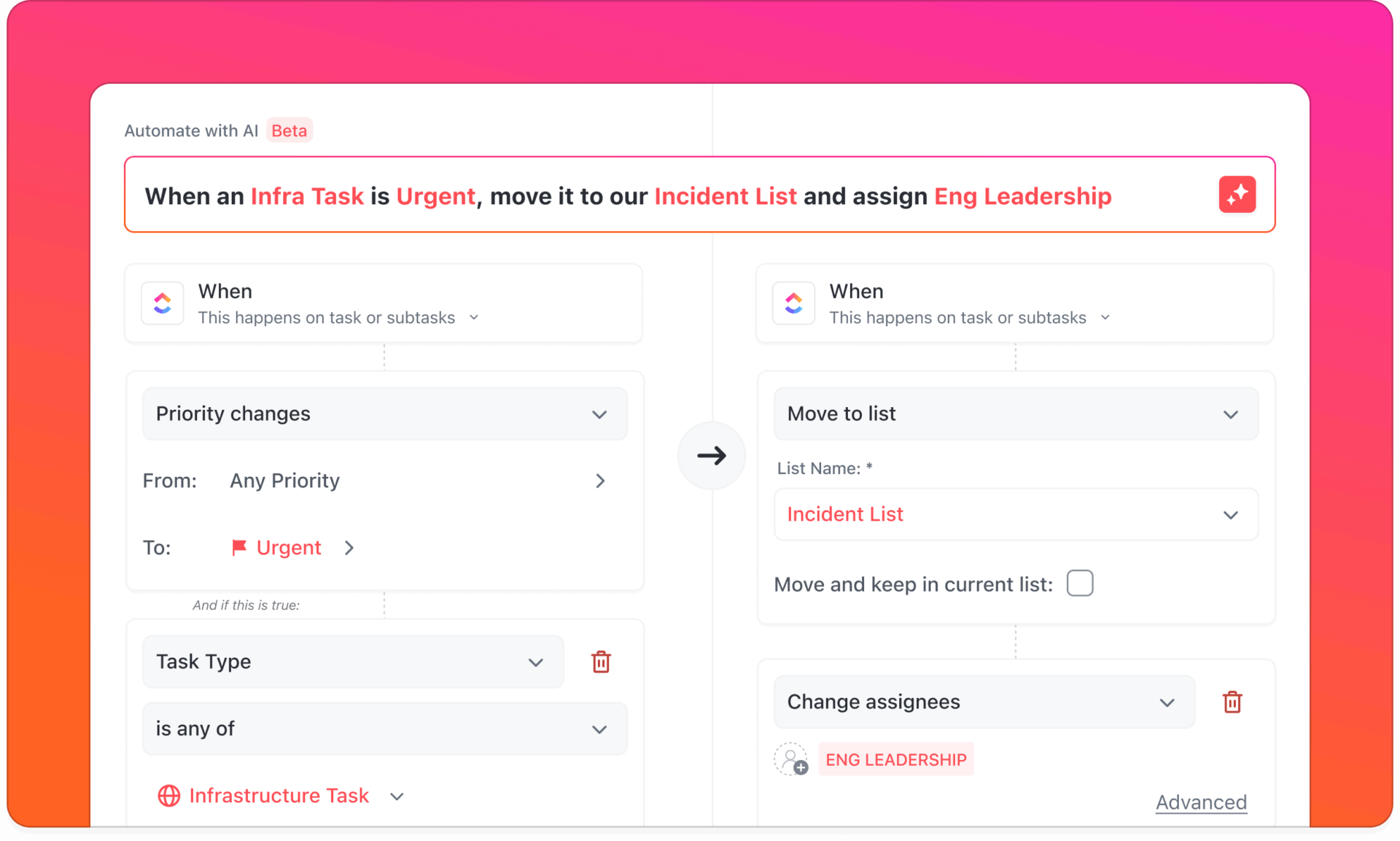
If the tester flags a bug, the automation can reopen the task, tag the developer responsible, and move the issue back into the sprint backlog. So at any stage of your choice, your workflow continues automatically.
To truly make AI work for you, don’t just pick a model, pick a workspace that connects your models to your work. Mixtral brings flexibility, open weights, and control. ChatGPT delivers polished outputs and a massive ecosystem. Both are excellent, but on their own? They live outside your workflow, leaving you to juggle tabs, copy-paste outputs, and manually turn insights into tasks or documentation.
By embedding AI directly into your workspace, you can use multiple models side by side, connect outputs to tasks and docs, collaborate with team members, centralize knowledge, and automate repetitive workflows, so the insights you generate with Mixtral, ChatGPT, or any other AI don’t just sit in a separate tool—they immediately become part of the work you’re already doing.
Ready to see it in action? Get started for free with ClickUp✨.
Mixtral-8x7B uses a mixture-of-experts architecture, which is like having eight specialist models in one, while standard models like Mistral 7B are single, dense models. This allows Mixtral to deliver the performance of a much larger model with greater efficiency.
Yes, Mixtral’s open-weight license allows you to run it on your own hardware for complete data control. This requires a powerful GPU, but quantized versions of the model can run on more consumer-grade equipment.
If you use AI daily for coding, debugging, and documentation, the faster response times and priority access of ChatGPT Plus are likely worth the subscription cost. For occasional users, sticking with the usage-based API might be more economical.
You can use a platform that aggregates multiple AI models into a single interface. ClickUp Brain, for example, provides access to models from OpenAI, Anthropic, and Google, allowing you to use the best AI for any task without leaving your workspace.

© 2026 ClickUp

There’s an easier way. Try a free AI Agent in ClickUp that actually does the work for you—set up in minutes, save hours every week.