










Still downloading templates?
There’s an easier way. Try a free AI Agent in ClickUp that actually does the work for you—set up in minutes, save hours every week.
Sorry, there were no results found for “”
Sorry, there were no results found for “”
Sorry, there were no results found for “”
Outages get stressful fast, and unclear communication often makes them worse. When updates are inconsistent or delayed, teams struggle to coordinate and customers lose confidence. That’s why effective incident response depends on having clear, repeatable communication at every stage, from internal planning to external updates.
These 10 ready-to-use maintenance message templates cover everything from internal coordination to customer-facing apologies, along with best practices for timing, tone, and delivery across multiple channels.
A maintenance message is a proactive communication that informs users, customers, or team members about planned or unplanned service interruptions, system updates, or downtime. Whether you’re an IT team scheduling server updates or a product team rolling out new features, using maintenance message templates helps you communicate clearly and reduce confusion. Without a standardized approach, teams often scramble to write these messages on the fly.
This ad-hoc process leads to inconsistent tone, missing details, and frustrated stakeholders who feel blindsided by a system outage or downtime notification. As a result, support tickets spike, customers lose trust, and internal teams waste valuable time answering the same questions over and over.
Pre-built templates eliminate this guesswork by providing a consistent framework that covers all essential details like timing, impact, and next steps. They help you differentiate between scheduled maintenance, which involves planned updates announced in advance, and emergency maintenance for unexpected issues that require immediate communication.
Maintenance communication often gets deprioritized, but treating it as an afterthought creates real problems. Customers get confused, your brand’s reputation takes a hit from a poor website down message to customers, and your support team gets flooded with duplicate inquiries.
This chaos is made worse by context sprawl—the fragmentation of critical information across disconnected tools where teams waste 60% of their time switching between apps and searching for what they need. When maintenance plans live in one tool, talking points are in a random doc, and status updates are buried in a Slack channel, no one has the full picture. A converged workspace—a single, secure platform where projects, documents, conversations, and analytics live together—eliminates this fragmentation. Your customer success team might be telling users one thing while engineering is working on a completely different timeline. This misalignment erodes trust both internally and externally.
Centralizing your communication planning is the only way to fix this. When everyone operates from a single source of truth, you can achieve three key benefits:
📮 ClickUp Insight: 83% of knowledge workers rely primarily on email and chat for team communication. However, nearly 60% of their workday is lost switching between these tools and searching for information. With an everything app for work like ClickUp, your project management, messaging, emails, and chats all converge in one place! It’s time to centralize and energize!
Vague maintenance messages leave users with more questions than answers. A vague “we’ll be back soon” notice fails to give users the information they need. To avoid creating that frustration for your own users, every effective maintenance message needs to include a few non-negotiable elements.
These components ensure your audience gets all the critical information at a glance, so they can adjust their work and expectations accordingly. The best maintenance page examples are scannable, allowing a user to grasp the key details in under 10 seconds.
Here’s what every downtime notice must include:
The following maintenance message templates cover everything from internal team planning to customer-facing apologies. Each one is designed for a specific use case, helping you move from reactive scrambling to proactive, strategic communication. Centralize these communications and connect them directly to the tasks your team is already working on by using ClickUp Templates.
🎥 To see how project planning templates work in ClickUp and help streamline your maintenance communication workflow, watch this quick walkthrough that demonstrates the power of using templates for consistent project planning:
Major updates have dozens of moving parts that require careful coordination. If you’re just “winging it,” you’re bound to miss a beat—a social media post goes out late, or the support team is caught off guard by customer questions. This creates a chaotic, unprofessional experience.
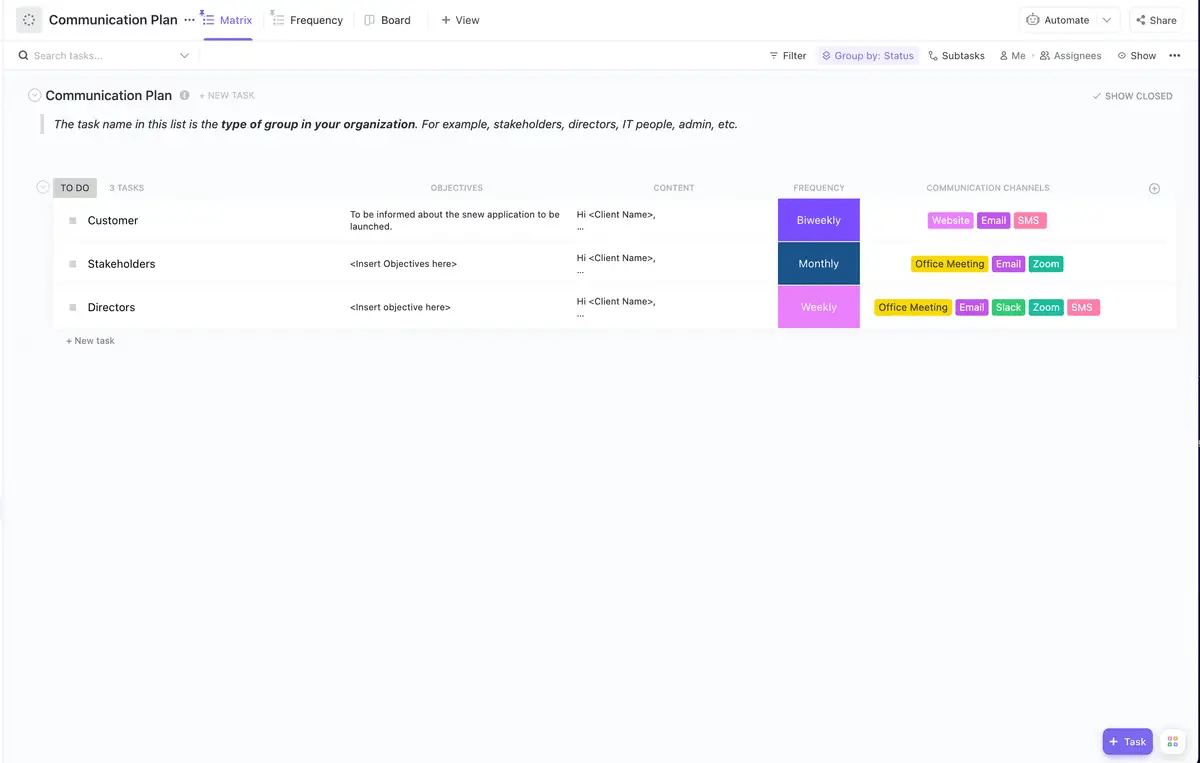
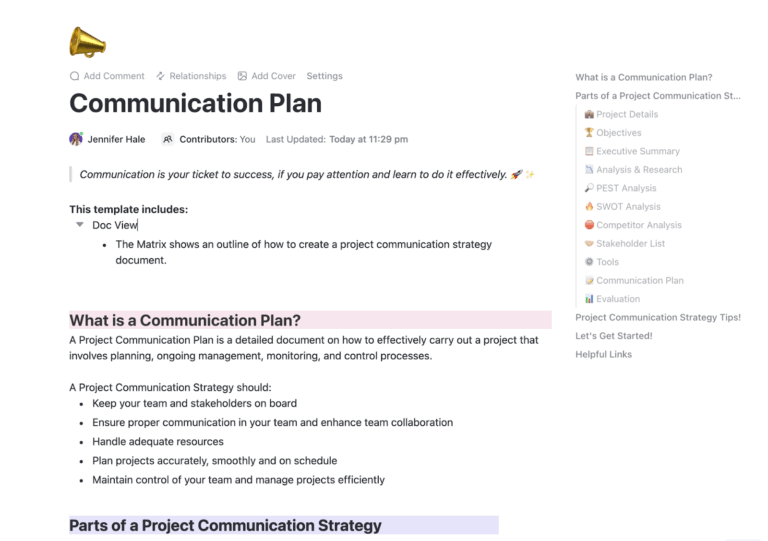
The ClickUp Communication Plan Template provides a strategic framework to map out every message before, during, and after the event. It’s best for complex maintenance windows that require coordinated messaging across multiple channels and stakeholders. For example, a SaaS company scheduling a database migration would use this to coordinate engineering updates, customer success talking points, and marketing’s status page copy.
This template enables timeline mapping so you can schedule pre-maintenance alerts, during-maintenance updates, and post-maintenance confirmations. It supports channel coordination by assigning owners for email, status page, in-app banners, and social media posts. It also allows stakeholder segmentation to create distinct message tracks for internal teams, customers, and partners. You can even use ClickUp Brain to generate first-draft messages based on your maintenance details, cutting your prep time in half.
Sending the same generic maintenance message to your high-value enterprise clients and your free-tier users is a common mistake. The enterprise client feels ignored, while the free user is confused by mentions of features they don’t have. This one-size-fits-all approach fails everyone.
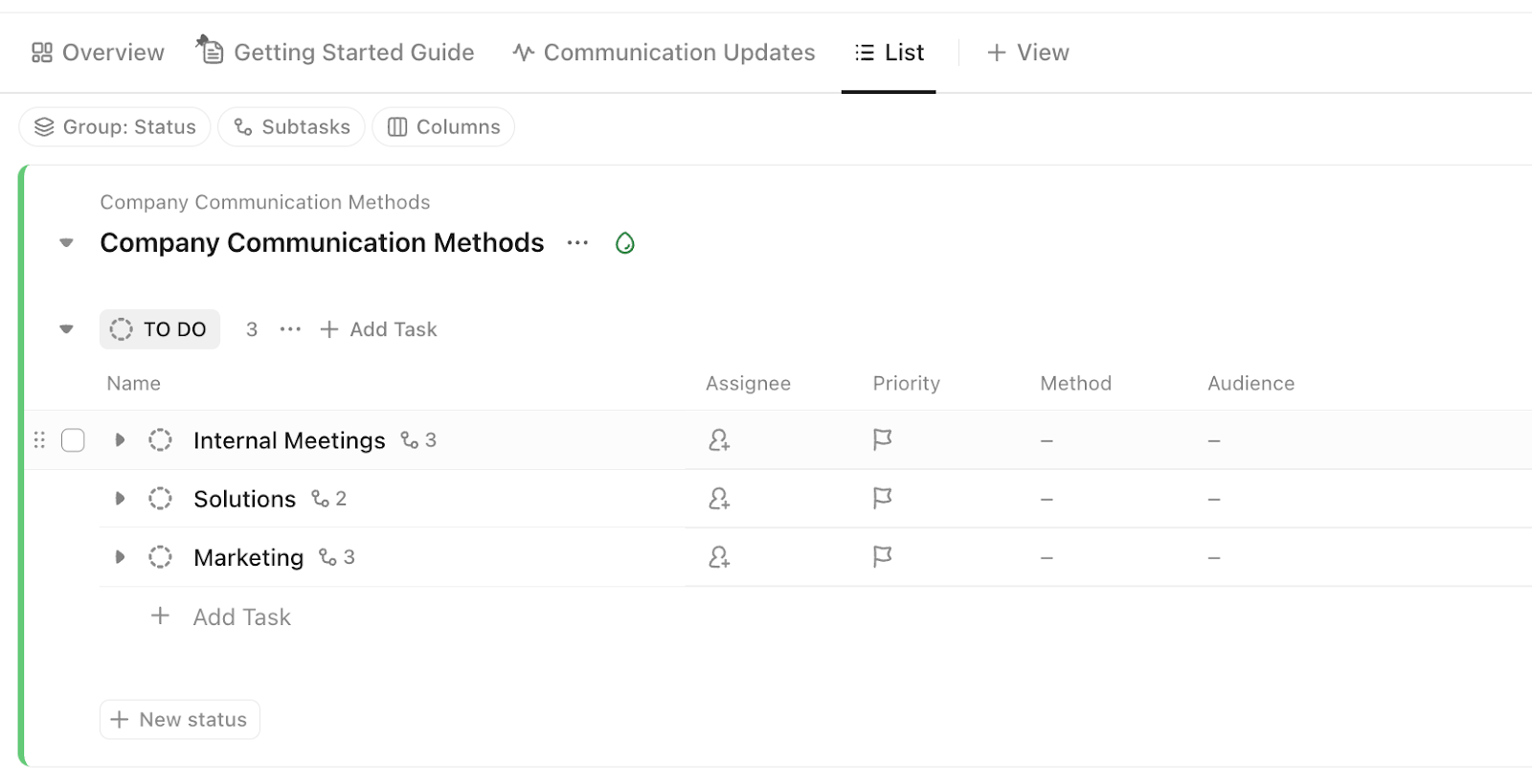
The ClickUp Messaging Matrix Template solves this by creating a structured grid that defines what to say, to whom, through which channel, and when. It’s perfect for organizations with multiple customer segments or internal departments that need tailored versions of the same core message. This approach prevents the “telephone game” effect where different teams end up sharing conflicting information.
The template uses audience columns to define segments like enterprise customers, free users, internal teams, and partners. Channel rows specify the delivery method, such as email, SMS, in-app notifications, or a status page. Urgency variations help you prepare different message versions for routine maintenance versus an emergency outage. Use ClickUp Custom Fields to tag messages by audience type and channel—when maintenance plans change, you only have to update it in one place, and every stakeholder instantly sees the latest version.
When maintenance is announced, your customer-facing teams are on the front lines. If they don’t have the right information, they can’t answer questions confidently, leading to frustrated customers and a support team that feels unprepared and unsupported.
The ClickUp Employee Communication Template is an internal-facing tool designed to keep your teams informed about any maintenance event that affects their work. It gives them the context and talking points they need to handle customer interactions smoothly. While customer messages are brief, internal messages can be more detailed to help employees understand the technical context.
This template includes a summary section providing a quick overview of what’s happening and why. It covers internal impact with a clear description of how the maintenance will affect internal tools and workflows. Customer-facing talking points provide pre-approved language for what to say if customers ask questions. Escalation contacts list who to contact during the maintenance window if issues arise.
Centralize your internal announcements with ClickUp Docs. You can @mention specific departments, attach relevant technical specifications, and even track acknowledgments to ensure no one can say they “didn’t get the memo.”
During a high-pressure maintenance window, confusion about who should be on the coordination call causes delays and missed updates. When engineers, support leads, and leadership don’t have a clear meeting cadence, updates get missed and decisions are delayed. This disorganization can turn a minor hiccup into a major incident.
The ClickUp Team Communication and Meeting Matrix Template provides a framework for coordinating all maintenance-related meetings, standups, and check-ins. It’s essential for complex events that require real-time coordination.
The template covers pre-maintenance planning by defining who needs to attend planning meetings and setting clear agenda items. During-maintenance check-in cadence establishes a regular sync, whether it’s every 30 minutes or hourly. Post-maintenance retrospective structure sets up a format for reviewing what went well and what could be improved. RACI ownership clearly assigns who is Responsible, Accountable, Consulted, and Informed for all communication decisions. You can even set up recurring check-ins with ClickUp Automations that trigger based on a task’s status.
Leadership needs real-time visibility during maintenance events without interrupting the team. But if their only way to get updates is by pinging the engineering lead, they’re pulling a key player away from the actual work. This constant context switching slows down the resolution and adds unnecessary stress to the team.
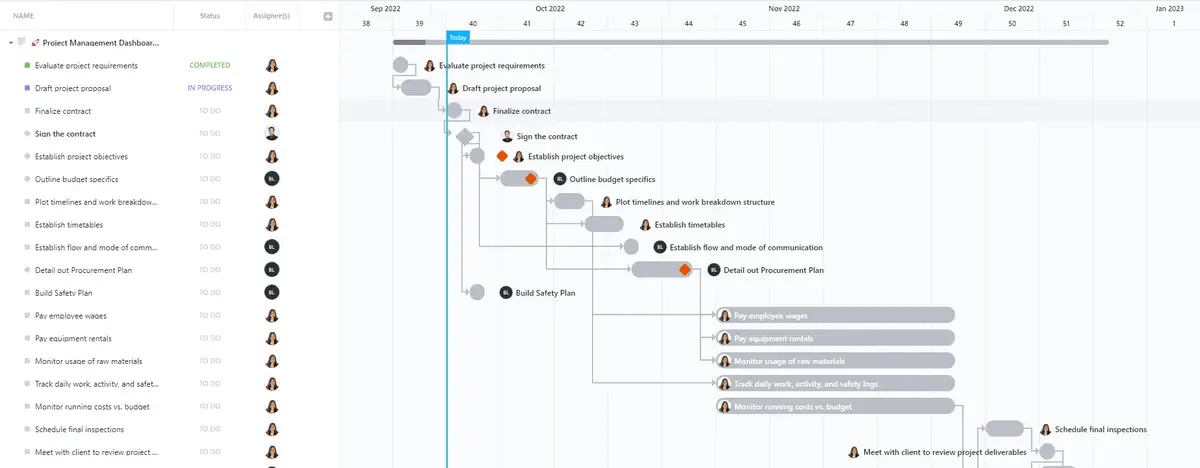
The ClickUp Project Management Dashboard Template solves this by creating a visual command center that displays status, progress, and key metrics in real-time. It gives managers, operations leads, and executives at-a-glance visibility without them having to interrupt the team.
The template includes an event timeline widget showing the current maintenance status and progress. A communication checklist tracks pre-, during-, and post-maintenance messages and whether they’ve been sent. Support tracking provides a live count of open support tickets related to the maintenance. Team status offers a view of team availability and on-call assignments. ClickUp Dashboards update automatically, so you don’t need to waste time building manual status reports.
Bugs and issues often surface after maintenance is complete. Without a formal system to capture them, they can get lost in random Slack messages or email threads. This means critical regressions might not get fixed, and you miss a valuable opportunity to learn from the incident.
The ClickUp Bug and Issue Tracking Template provides a structured system for logging, prioritizing, and resolving any issues discovered during or after maintenance. It’s a must-have for engineering and QA teams who need to manage post-maintenance fixes.
The template enables severity classification to categorize issues as critical, high, medium, or low priority. Reproduction details include the exact steps and environment details needed to reproduce the bug. Resolution workflow assigns the issue to the right person and tracks its progress to completion. Communication triggers define rules for when a bug is severe enough to require a customer notification. Use ClickUp Custom Fields to tag issues as “maintenance-related” and set up ClickUp Automations to notify the communication team whenever a critical bug is logged.
Simple maintenance windows need only one notification, but major events require a multi-touch communication sequence. The ClickUp Communication Campaign Template is a multi-touch sequence designed for major maintenance events that require sustained customer engagement. It treats the communication process like a marketing drip campaign, ensuring your message is heard.
For example, a platform migrating users to a new authentication system could use this to send educational content, deadline reminders, and a final confirmation over a three-week period.
This template includes campaign timeline functionality to schedule messages to go out at key intervals, such as two weeks out, one week, 24 hours, during, and after. Message content plans the specific copy for each touchpoint in the sequence. Channel mix decides on the right mix of channels and the frequency of messages for each. Success metrics track open rates, support ticket volume, and customer sentiment to measure effectiveness.
Manage your maintenance announcements like a pro with your communication tools. You can schedule sends, segment audiences, and track performance all in one place. Use ClickUp Automations to trigger reminder tasks based on the maintenance date, ensuring no communication gets missed.
Server maintenance communication requires a delicate balance—you need to inform users about upcoming downtime while maintaining a professional, reassuring tone. Without a standardized format, these notices often end up either too technical for end-users or too vague to be useful.
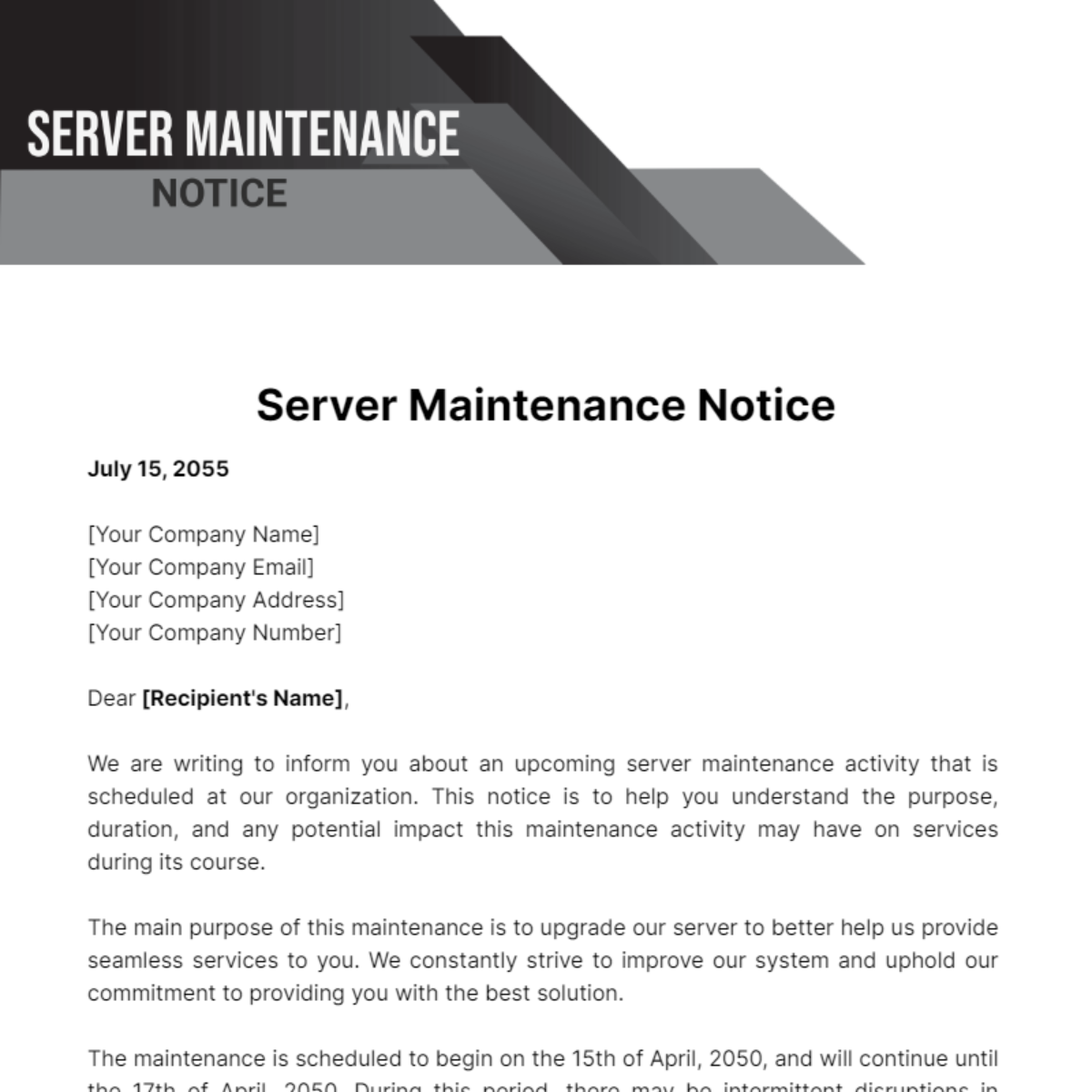
The Template.net Server Maintenance Notice Template provides a professional, ready-to-use framework for communicating server maintenance to customers and stakeholders. It’s fully customizable using Template.net’s AI Editor Tool, allowing you to tailor the message to your specific situation.
The template includes pre-formatted sections for company details, recipient information, maintenance purpose, and scheduled dates. It clearly explains the reason for maintenance, sets expectations for potential service disruptions, and reassures recipients that contingency plans are in place. The professional letter format maintains a courteous tone while delivering all essential information.
This template is ideal for IT teams, DevOps engineers, and hosting providers who need to communicate infrastructure maintenance to customers in a clear, professional manner.
Property managers and real estate professionals face a unique communication challenge when maintenance affects tenants. Building repairs, HVAC servicing, and plumbing work all require advance notice that balances legal requirements with tenant convenience. Without a standardized approach, property managers risk miscommunication that leads to access issues and tenant frustration.
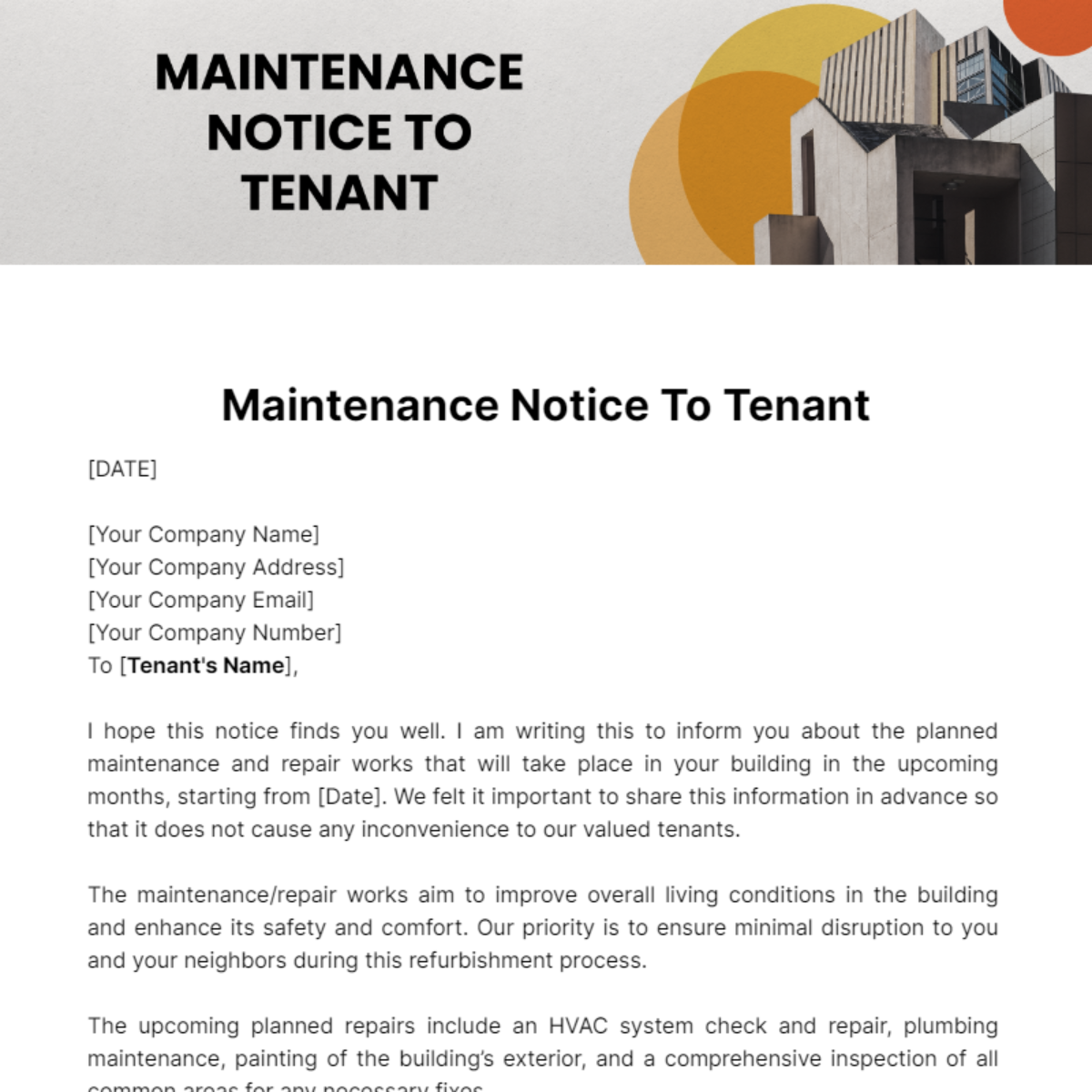
The Template.net Maintenance Notice to Tenant Template provides a professional, customizable framework for communicating maintenance schedules to tenants. It streamlines communication with a pre-built structure that covers all essential elements of tenant notification.
The template includes dedicated fields for company information, tenant details, maintenance start and end dates, and a detailed description of the work being performed. It addresses common maintenance scenarios like HVAC system checks, plumbing repairs, exterior painting, and common area inspections. Sections for access requirements, special instructions, and contact information ensure tenants know exactly what to expect and how to raise concerns.
This template is ideal for property managers, landlords, and real estate professionals who need to maintain clear, professional communication with tenants about scheduled maintenance work.
When maintenance involves specific property addresses and requires tenant cooperation, you need a notice that clearly communicates both the logistics and the action items. Generic maintenance notices often fail to specify what tenants need to do to prepare, leading to delays and incomplete work.
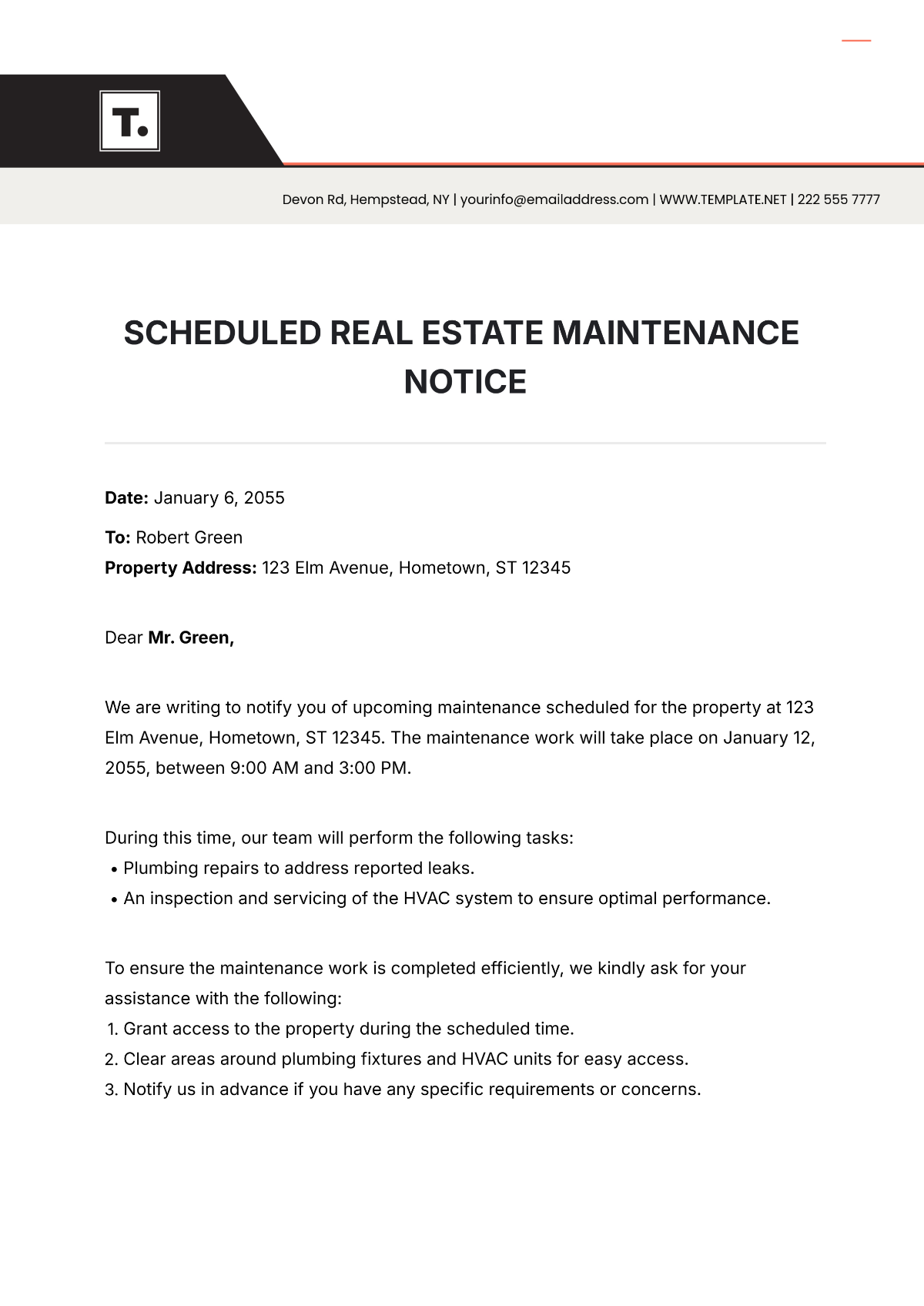
The Template.net Scheduled Real Estate Maintenance Notice Template is designed specifically for property managers who need to communicate scheduled maintenance with clear expectations for tenant preparation. It ensures you can notify tenants about upcoming work while specifying exactly what they need to do.
The template includes property address fields, specific date and time windows, and a detailed task list of what will be performed. A numbered list of tenant action items covers essentials like granting access, clearing areas around fixtures, and notifying the property manager of special requirements. The tone stays professional yet approachable, acknowledging the inconvenience while emphasizing the importance of property upkeep.
This template is perfect for real estate professionals who manage multiple properties and need consistent, professional notices that clearly communicate both the maintenance schedule and tenant responsibilities.
A well-written maintenance message still fails if sent at the wrong time or through the wrong channel.
To ensure your messages have the intended impact, you need a clear delivery strategy. This means thinking through timing, channels, and follow-up for every maintenance event.
Your maintenance message templates are in one place, your communication plan is in another, and the actual maintenance tasks are somewhere else entirely. This work sprawl—the fragmentation of work activities across multiple disconnected tools—creates chaos, slows down your incident response, and leads to inconsistent messaging. A converged workspace brings everything together.
Effective maintenance messages all share a few common elements: clear timing, specific impact descriptions, and proactive updates. But the real secret to great incident communication is a single, unified system that brings your work and your communication together. As systems become more complex, unified incident communication becomes essential for maintaining customer trust.
Stop the scramble and bring your maintenance message templates, ClickUp Tasks, and team communication into one workspace. Get started for free with ClickUp and let ClickUp Brain help you draft clear, consistent maintenance messages in seconds. ✨
Scheduled maintenance messages are sent in advance for planned updates, giving users time to prepare. Emergency maintenance messages go out during or immediately after unexpected outages and focus on acknowledging the issue and providing resolution updates.
Send the first notification 48-72 hours before maintenance, with reminders at 24 hours and one hour before the window begins. You should adjust this timing based on the severity of the impact and your users’ expectations.
Internal messages include technical details, escalation contacts, and talking points for support teams. Customer-facing emails focus on the impact, timing, and next steps without overwhelming users with technical jargon.
Use multiple channels at once, such as email, in-app banners, and a status page. For critical outages, consider using SMS. You can also require acknowledgment for internal communications and track open rates to see who may have missed the message.

© 2026 ClickUp

There’s an easier way. Try a free AI Agent in ClickUp that actually does the work for you—set up in minutes, save hours every week.