






Still downloading templates?
There’s an easier way. Try a free AI Agent in ClickUp that actually does the work for you—set up in minutes, save hours every week.
Sorry, there were no results found for “”
Sorry, there were no results found for “”
Sorry, there were no results found for “”
If you’ve ever been writing a fantasy scene and suddenly wondered, “Can this character actually do that?”—you’ve stepped straight into the territory of magic systems.
A magic system is simply the set of rules that explains how magic works in your world: what’s possible, what isn’t, and what it costs when someone pushes the limits.
The catch? You need to build that system from the ground up. That’s where magic system templates can help.
You can use them to shape the logic behind your magic, whether you want something soft and mysterious or structured and rule-based—along with checklists to keep things consistent from chapter to chapter or campaign to campaign. You’ll also see examples that illustrate how each magical ability is tied to real story stakes.
By the end, you’ll have a clear, usable reference that lets you write scenes with confidence—and keeps your readers (or players) thinking, “Yep, that tracks.”
So, whether you’re looking to build a new magic system or solve conflict within the story, one of these templates has got what you need!
Here’s a summary table for all the ClickUp and community magic system planning templates:
| Template Name | Download Template | Ideal For | Best Features | Visual Format |
| ClickUp Book Planning Template | Get free template | Fantasy authors/RPG designers organizing chapters, settings, lore, and a housed Magic System Template | Statuses Prewriting→ Publishing; custom fields (Characters, Plot, Location); views (Chapters, Writing Process, Novel Details) | List, Board, Doc |
| ClickUp Story Outline Template | Get free template | Writers aligning plot beats, character arcs, and magic logic | Scene/act structure; statuses Idea→Complete; fields for chapters/stages | List, Board (Folder) |
| ClickUp Storyboard Template | Get free template | Authors/filmmakers/RPG teams visualizing key scenes and spell effects | Ready-to-use whiteboard; frames; real-time collaboration | Whiteboard |
| ClickUp Story Planning Template | Get free template | Writers planning characters, settings, scenes, and magic rules in one hub | 30 statuses; List + Doc views; quick setup | List, Doc |
| ClickUp Game Design Document Template | Get free template | TTRPG & video-game teams defining mechanics and magic systems | Doc-first blueprint; feature/asset lists; List/Gantt/Workload/Calendar | Doc, List, Gantt, Calendar |
| ClickUp Vision Board Template | Get free template | Authors/designers visualizing magical hierarchies, symbols, inspirations | Vision Board, Priority, Start Here, Form views; simple status tracking | List, Board, Form |
| ClickUp Mood Board Template | Get free template | Fantasy authors/RPG teams collecting visual references and cultural motifs | Drag-in images/notes; group by school/element/rank; instant sharing | Whiteboard |
| ClickUp Brainstorming Template | Get free template | Teams brainstorming magic rules, powers, and plot ideas collaboratively | Custom Fields (Problem, Winning Solution, Resources); Timeline/Stages/Department/Priorities views | List, Timeline, Board |
| ClickUp Content Writing Template | Get free template | Writers/editors managing drafts, lore articles, and release timelines | Status workflows; collaborative Doc; List/Calendar/Gantt | Doc, List, Calendar, Gantt |
| ClickUp Kanban Board Template | Get free template | Teams categorizing spells/abilities by stage (Concept→Refined→Done) | Columns Open/In Progress/Review/Blocked/Closed; card fields for element/cost | Board |
| ClickUp ChatGPT Prompts for Fantasy Writing Template | Get free template | Writers/RPG creators who want fast prompts for worlds, characters, and magic | Prompt packs; organize by chapter/POV; convert to tasks | Doc, Table/List |
| Magic System Template by Scribd | Download this template | Writers/game designers building logical, layered magic via checklists | Sections for source, users, mechanics, limits, social impact | Doc/Checklist |
| Google Docs Magic System Template | Download this template | Writers/GMs using free Docs to design consistent magic rules | “Magic System Template 1.1” sections (Energy Source, Drawbacks, Replenish, History) | Google Doc |
A magic system template is a structured framework that helps writers, RPG designers, and fantasy creators define and organize how magic functions in their world. It outlines the system’s source of power, rules, limitations, costs, and how different people access or control it.
In fantasy writing, this template acts as a blueprint for logical consistency.
It ensures that magic users, from wizards and witches to elemental casters, operate under clear boundaries so the reader understands what’s possible and what isn’t.
📖 Also Read: Best Book Writing Software for Authors
A well-designed magic system template typically includes sections to describe spells, abilities, energy sources, and the consequences of breaking established rules.
It also aligns with Sanderson’s Laws of Magic, helping you connect your story, characters, and plot through predictable cause and effect.
The ideal magic system template should include:
📖 Also Read: Best Outline Generators to Structure Your Writing
Worldbuilding gets messy fast.
This looks like first drafts in Docs, scene cards in a board, spell rules in a spreadsheet, and feedback from colleagues in email. That’s Work Sprawl in action, and it quietly kills momentum.
ClickUp pulls everything into one Converged AI Workspace, so your chapters, lore, magic-system rules, and tasks live together.
Plus, you get AI to summarize notes, surface context, and turn ideas into action.
With ClickUp, you can focus on designing powers, limits, and consequences—not chasing them across tabs. Now, let’s pick the right templates to make your magic system clear, consistent, and fun to write. ✨
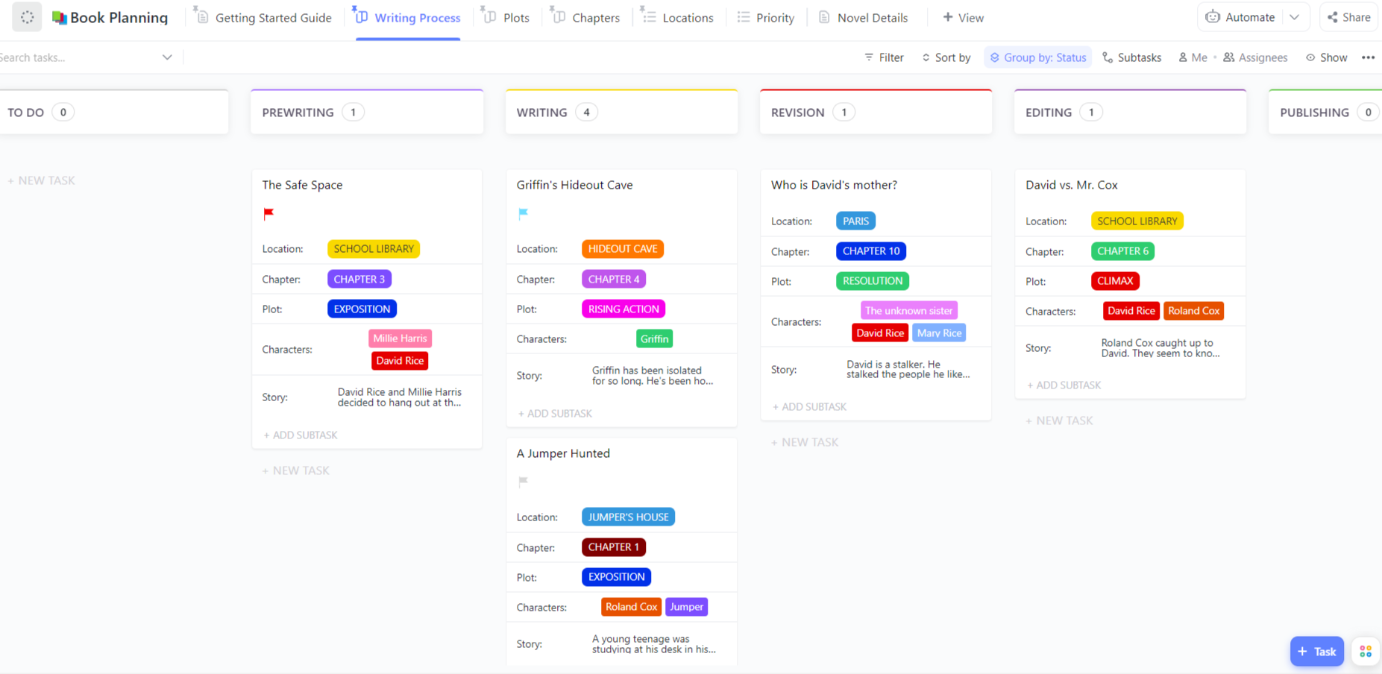
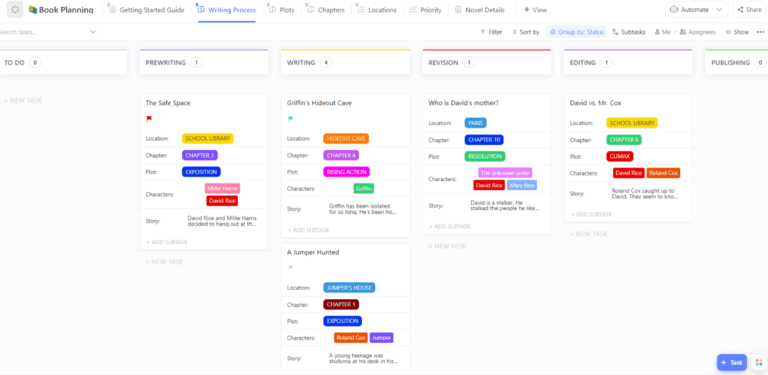
Drafts, lore notes, character cards, and a growing magic system doc don’t belong in scattered spreadsheets. The ClickUp Book Planning Template keeps chapters, settings, characters, and world lore organized in one place.
You can even store your Magic System Template inside ClickUp Docs to map rules, limits, and costs, and show how different people access magic, whether hard or soft magic, right beside your story drafts.
The template includes clear statuses (prewriting, editing, revision, and publishing), Custom Fields for characters and plots, and multiple views, such as chapters, priorities, and the writing process. It helps you break large goals into smaller tasks, track progress, and share updates easily.
✨ Ideal for: Fantasy authors and RPG designers mapping magic rules, tracking magic users, and keeping world lore and plot in sync.
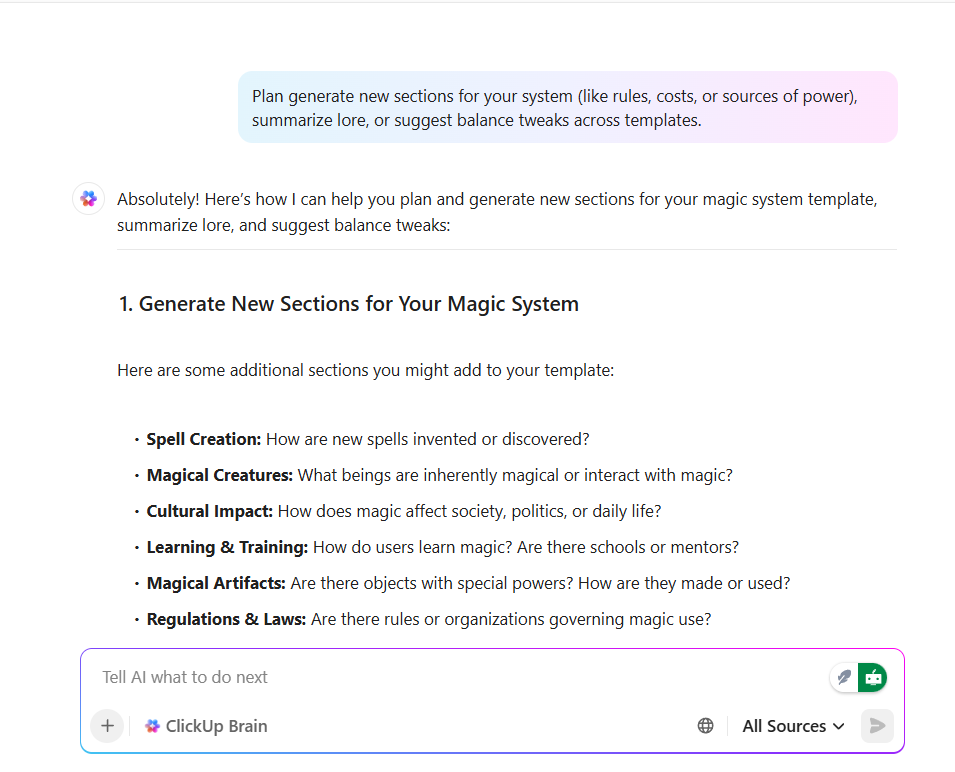
💡 Pro Tip: Creating a consistent magic system takes detail, iteration, and structure—and that’s where ClickUp Brain steps in. Use it to generate new sections for your system (like rules, costs, or sources of power), summarize lore, or suggest balance tweaks across templates.
You can even automate recurring sections using AI Fields and keep ideas synced across Docs, Lists, and Boards. With ClickUp Brain learning your workspace context, every refinement becomes faster and smarter—so you can focus on storytelling, not setup.
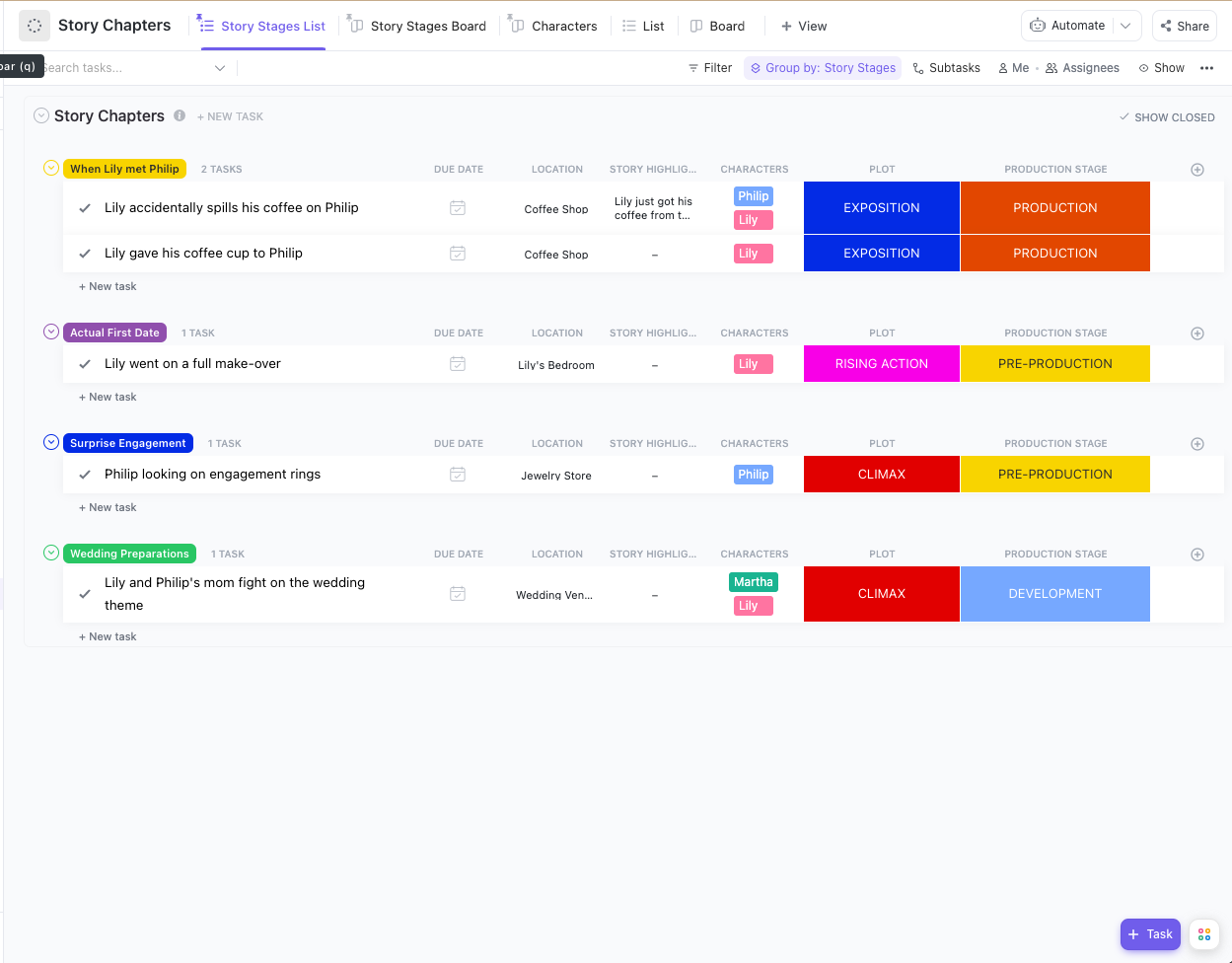
Great stories follow a clear structure. The ClickUp Story Outline Template helps you plan plots, shape characters, and track key story beats with clarity. You can outline acts, scenes, and turning points while noting how magic rules, limits, or spells influence each event.
The template includes simple statuses like “Idea,” “Drafting,” “Editing,” and “Complete,” along with fields for chapters and stages. Everything stays neat and visible, from character arcs to world-building details.
✨ Ideal for: Writers and RPG creators organizing story structure, character arcs, and magic systems in one clean workflow.
📮 ClickUp Insight: 62% of our respondents rely on conversational AI tools like ChatGPT and Claude.
Their familiar chatbot interface and versatile abilities—to generate content, analyze data, and more—could be why they’re so popular across diverse roles and industries.
However, if a user has to switch to another tab to ask the AI a question every time, the associated toggle tax and context-switching costs add up over time.
Not with ClickUp Brain, though. It lives right in your Workspace, knows what you’re working on, can understand plain text prompts, and gives you answers that are highly relevant to your tasks! Experience 2x improvement in productivity with ClickUp!
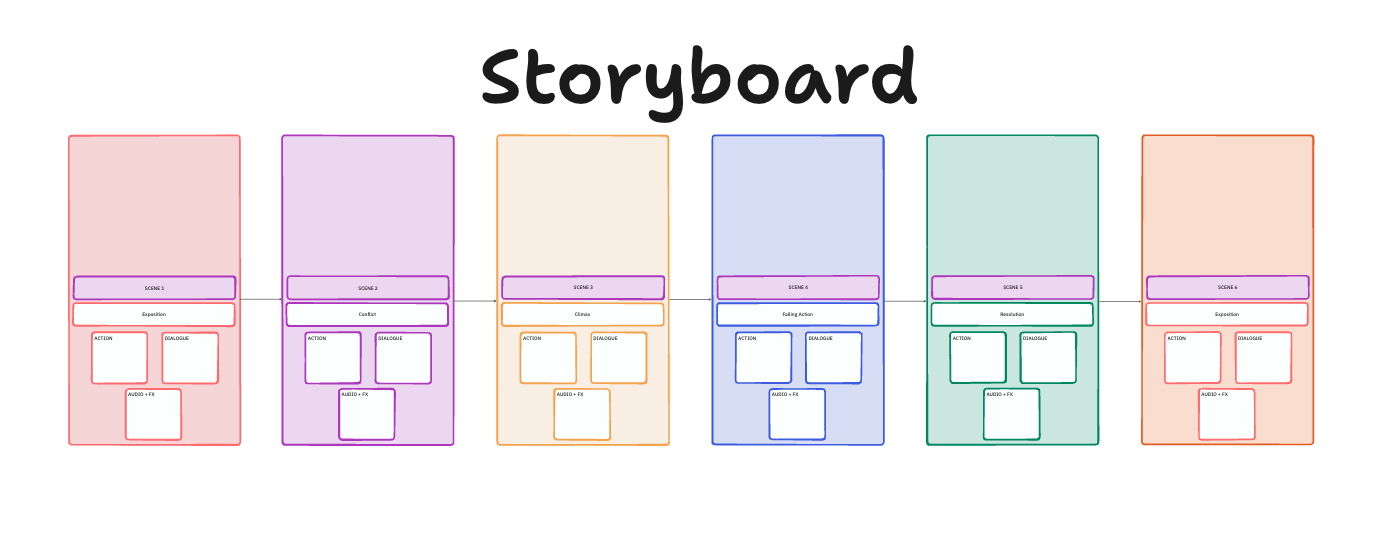
Every fantasy begins with a vision—a single scene that lights the spark. The ClickUp Storyboard Template helps you capture that vision. Then you can easily turn it into a clear sequence of moments that shape your world.
Picture mapping the first time your magic users channel power. Each frame can show the elements, emotions, and energy moving through the caster’s body. You can drop sketches, screenshots, or notes to plan how spells look and evolve.
The ready-to-use whiteboard makes it easy to start and even easier to share. You can plan transitions, adjust pacing, and collaborate with co-writers or artists in real time.
✨ Ideal for: Fantasy authors, game creators, and filmmakers designing visual magic systems and story sequences.
📖 Also Read: Character Sheet Templates to Build Memorable Heroes
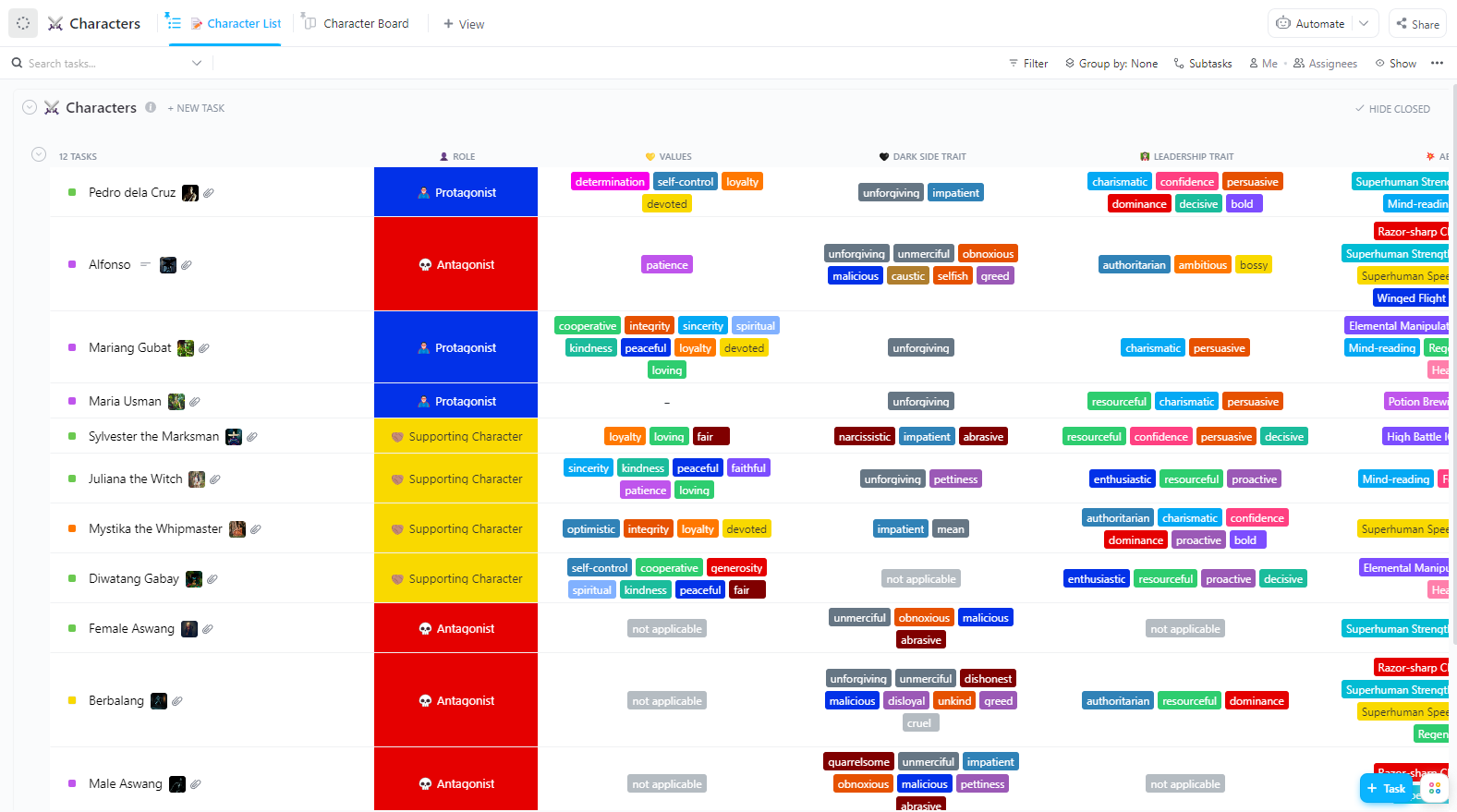
Planning a story means juggling characters, settings, scenes, and magic rules. The ClickUp Story Planning Template puts it all in one tidy place. Describe people and places, break scenes into steps, and keep plot threads aligned with your magic system.
This template is beginner-friendly and fast to set up. You get a ready-to-use folder with two core views, List and Doc, so you can outline beats and keep deeper notes side by side.
✨ Ideal for: Writers and RPG designers who want one hub for worldbuilding, scene planning, and Magic System Template notes.
📖 Also Read: Character Profile Templates to Build Deeper Casts
💡 Pro Tip: When your ideas and notes span multiple tools—Docs, Drive, Figma, or Notion, it’s hard to keep the story moving forward.
What if you can speak it all into one tool instead? You can draft storylines, search across apps, dictate new spell concepts with ClickUp Brain Max’s Talk to Text, and summon quick references for lore, mechanics, or elemental systems without ever breaking flow.
It’s like giving your creative process an AI-powered assistant that keeps your entire magical universe one command away.
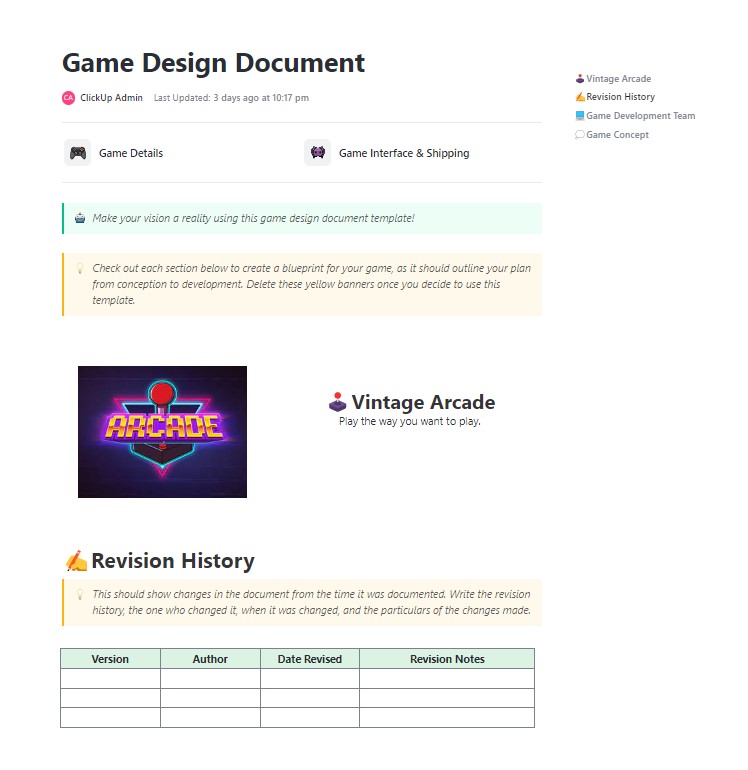
Building a game needs a single source of truth. The ClickUp Game Design Document Template gives you one place to define mechanics, rules, levels, characters, and the magic system that powers them.
You can set goals, outline core loops, and list assets so teams move in step from pitch to launch. Use task lists to break features into tickets. Add notes on abilities, spells, energy costs, and limitations so player access to magic stays balanced, and the system can’t break your story.
✨ Ideal for: Tabletop and video game teams framing magic systems, defining mechanics, and keeping production organized from concept to release.
👀 Fun Fact: “Vancian” magic (the model behind early D&D) has casters memorize a spell, cast it, then forget it—built-in limits without extra bookkeeping.
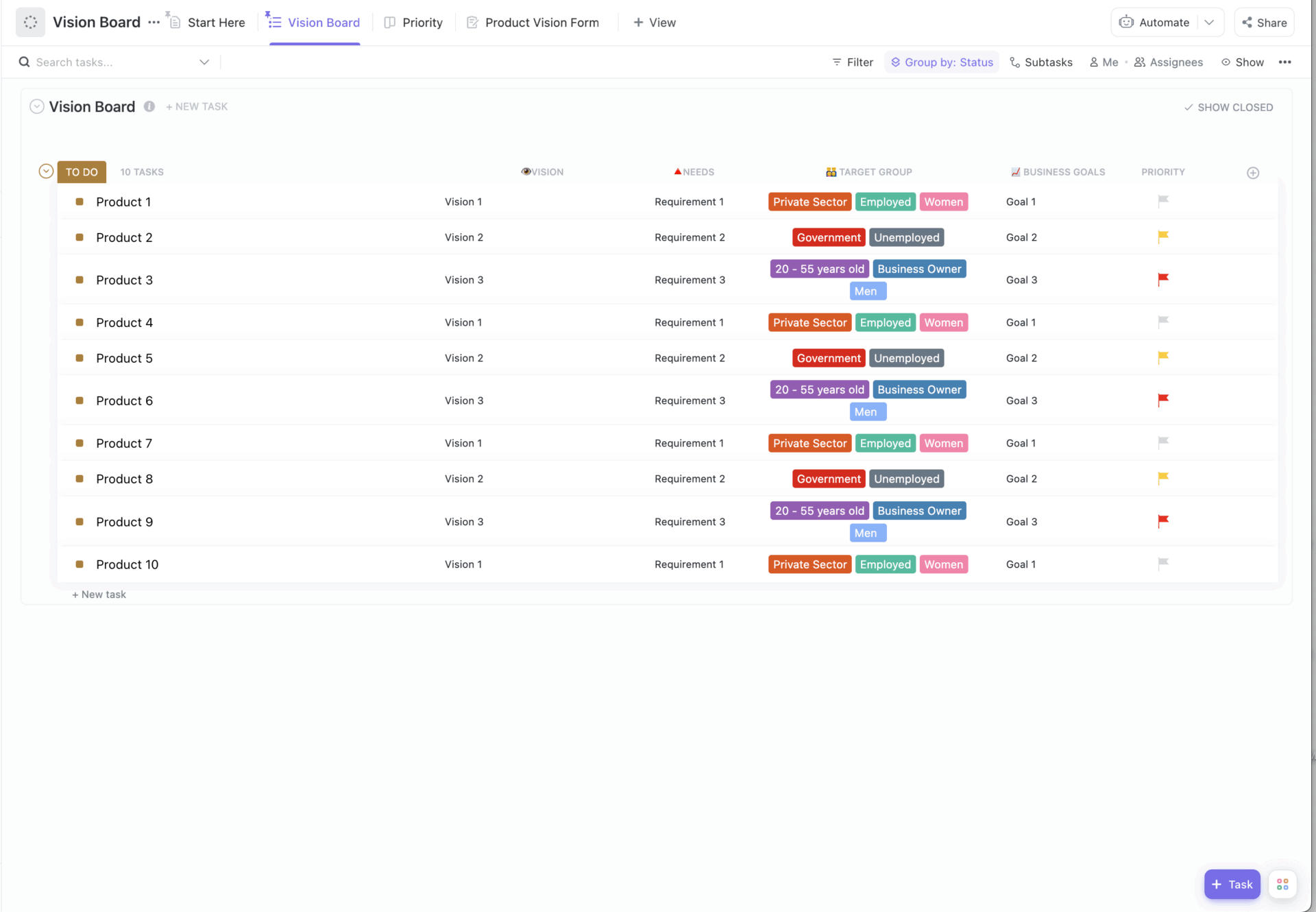
The ClickUp Vision Board Template lets you collect and visualize your ideas in one inspiring space. Whether you’re defining the structure of magical orders, the nature of power sources, or visual motifs like sigils and elements, this template helps you see your world come to life.
You can pin images, sketches, and notes to create visual connections between spells, abilities, and their emotional or social impact. The “Vision Board” and “Priority” views keep your ideas focused, while the “Start Here” view gives you a clear path forward.
✨ Ideal for: Fantasy authors and designers visualize magic systems, symbols, and creative inspiration in one visual hub.
📖 Also Read: How to Use AI for Brainstorming Creative Ideas
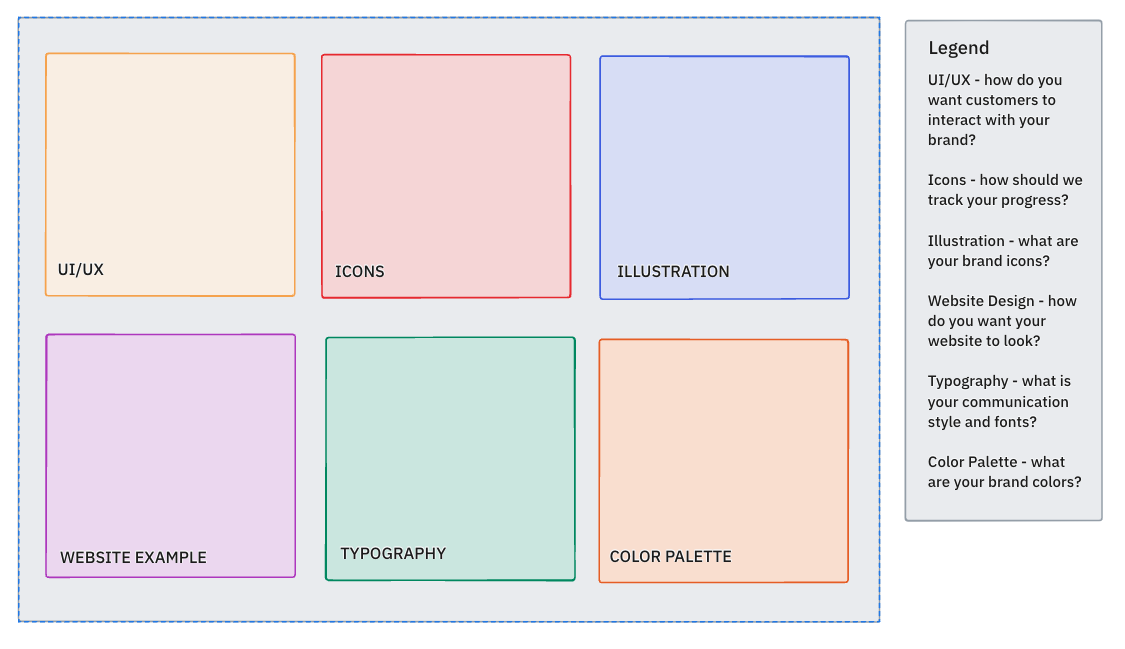
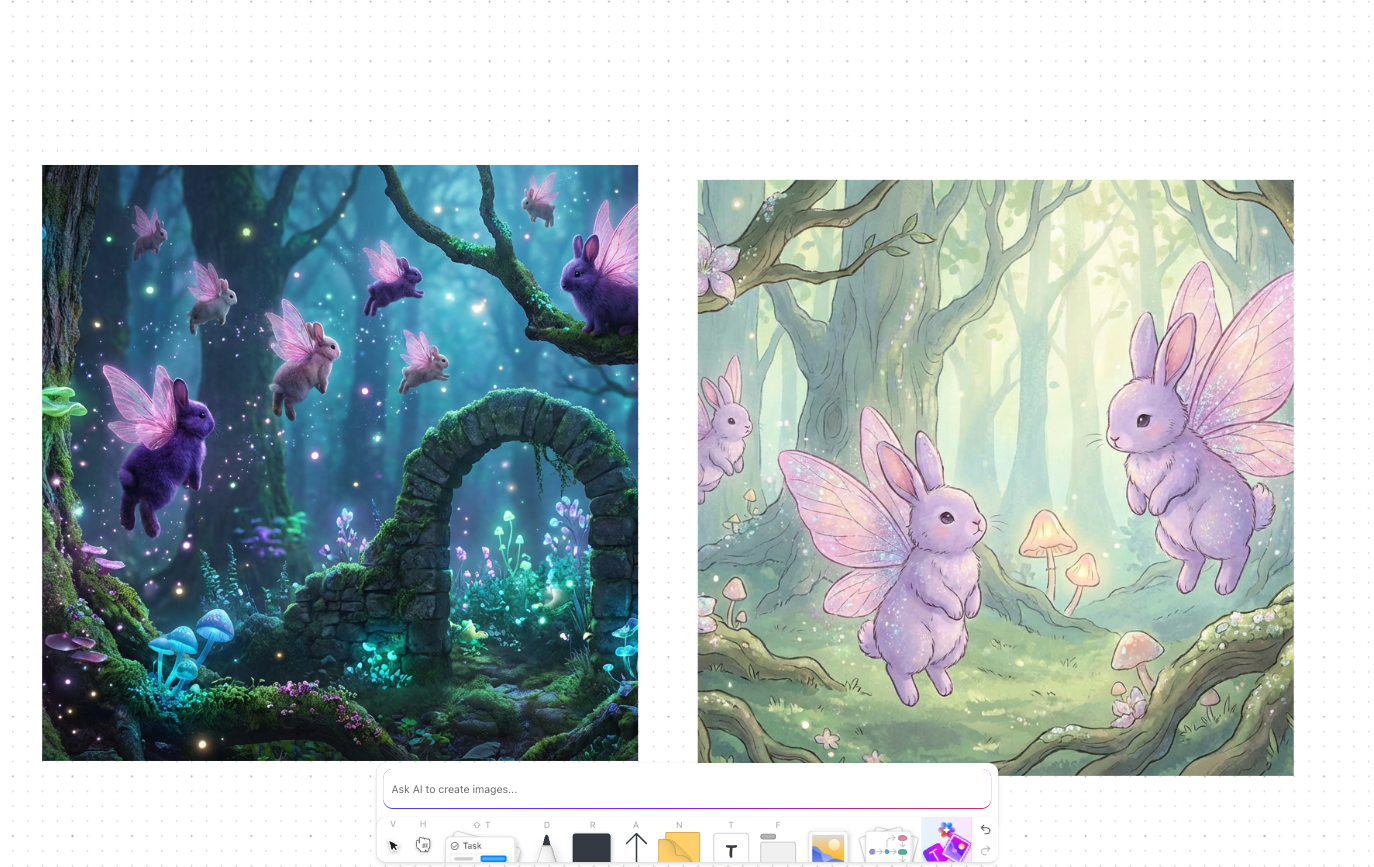
The ClickUp Mood Board Template provides a focused space to collect the look and feel of your world before you begin locking in scenes, spells, or character designs.
Use it to map out magical hierarchies, cultures, and environments: one section for artifacts, another for spell effects, and another for locations or factions. Because it’s built on ClickUp Whiteboards, you can drag and resize elements, cluster them into groups, and add quick notes or comments so every visual has context.
✨ Ideal for: Fantasy authors, RPG teams, and art leads collecting inspirations and cultural references for a cohesive magic system.
💡 Pro Tip: Lock your vibe on the Mood Board, then open ClickUp Whiteboard to map schools, sources, costs, and limits on an infinite canvas.
Here’s how you can use it for magic world-building:
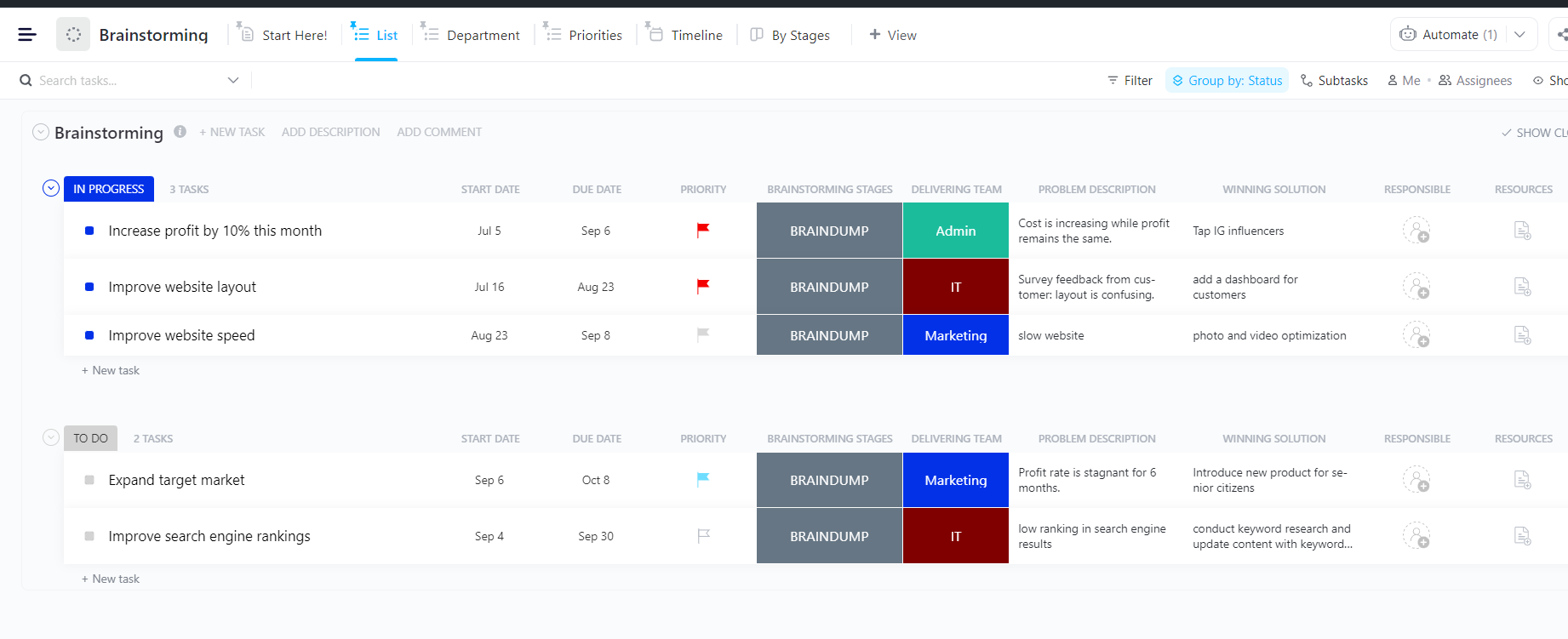
The ClickUp Brainstorming Template helps you capture, organize, and refine idea sparks into complete stories for your magic system or game design. Jot down rules, spells, energy sources, or creative twists—all in one shared space.
Use lists to group ideas, tag the best ones, and move them through stages like To Do, In Progress, and Complete. Whether you’re writing a fantasy novel, planning a campaign, or designing magic mechanics, this template keeps every idea visible and easy to expand.
✨ Ideal for: Writers, RPG designers, and creative teams brainstorming magic systems, plot ideas, or fantasy mechanics collaboratively.
Writing compelling lore takes time and focus. The ClickUp Content Writing Template keeps fantasy authors and RPG teams on track as you draft spell codices, system rules, bestiaries, and in-world articles tied to your magic. Plan releases, assign deadlines, and manage revisions in one place.
✨ Ideal for: Writers, editors, and storytellers managing multiple drafts, lore entries, or articles related to magic systems or world-building.
👀 Fun Fact: The word “spell” originally meant “story” or “speech” in Old English—only later did it take on a magical sense. Try naming spells as spoken phrases to echo those roots.
Track your magic system in the form of a creative production. The ClickUp Kanban Board Template lets you sort spells, abilities, and lore tasks into clear stages—Concept, Defined, Refined, In Progress, Review, and Done.
Move cards as the rules, limits, and consequences solidify. This way, you can break big ideas and chunks into small steps.
✨ Ideal for: Fantasy authors and RPG teams who categorize magic work by stage, maintain balance rules, and sync updates across chapters, quests, and mechanics.
Watch: Want to design your magic system, map out lore, or build game mechanics visually? In this video, we break down the best mapping tools—comparing features and strengths so you can choose the perfect fit for your game or magic framework.
The ClickUp ChatGPT Prompts for Fantasy Writing Template gives you ready-made prompts to spark openings, twists, characters, and world details. Generate hooks, quests, and the scene beats in minutes.
Capture the best lines, then refine them to fit your magic system, from soft magic mysteries to clearly defined rules and limits.
You can draft, edit, and save everything in one place, so inspiration moves straight into your workflow.
✨ Ideal for: Fantasy writers and RPG creators who want fast, structured prompts to build worlds, shape characters, and craft magic systems efficiently.
📖 Also Read: Best AI Script Generators for Faster Scene Writing
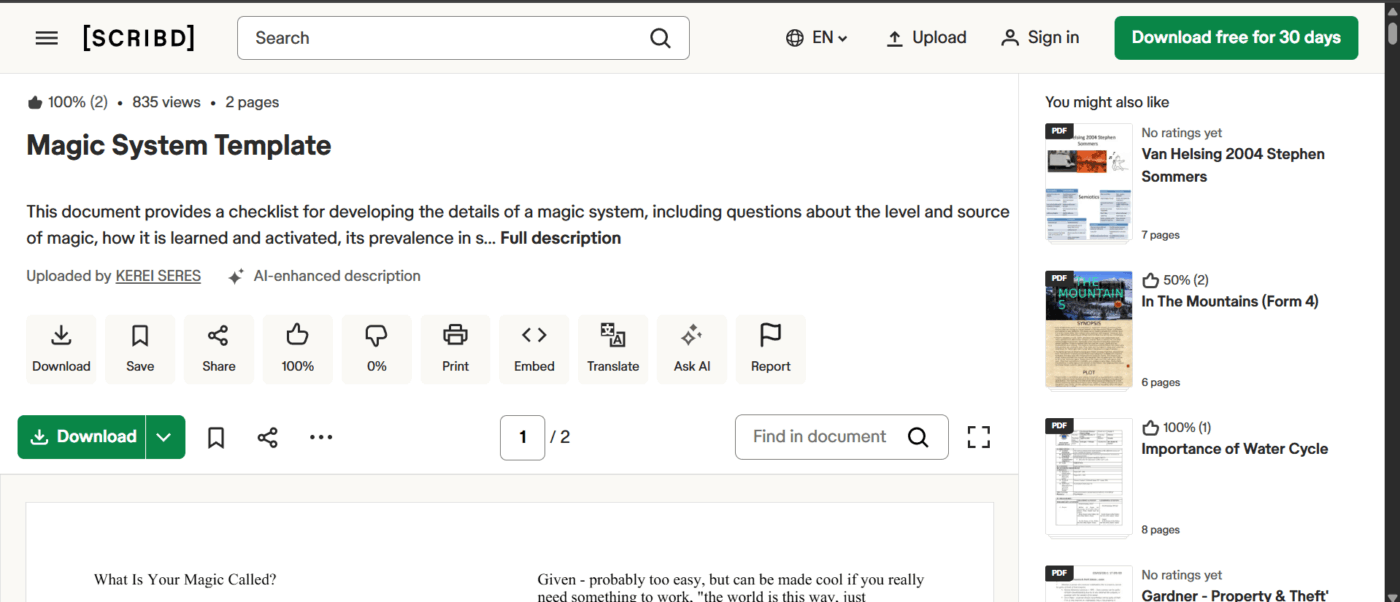
Bring logic to your magic with the Magic System Template by Scribd. This guided framework helps you define your world’s magical laws—how it works, who wields it, and what it costs. Perfect for authors and game designers, it transforms vague ideas into structured systems that feel real and purposeful.
You’ll explore origins, rules, sources, users, mechanics, and social consequences. This ensures your story’s magic strengthens gradually. Whether you’re crafting elemental sorcery, divine power, or artifact-based magic, this checklist keeps everything consistent and coherent.
✨ Ideal for: Writers and game designers building logical, layered, and believable magic systems.
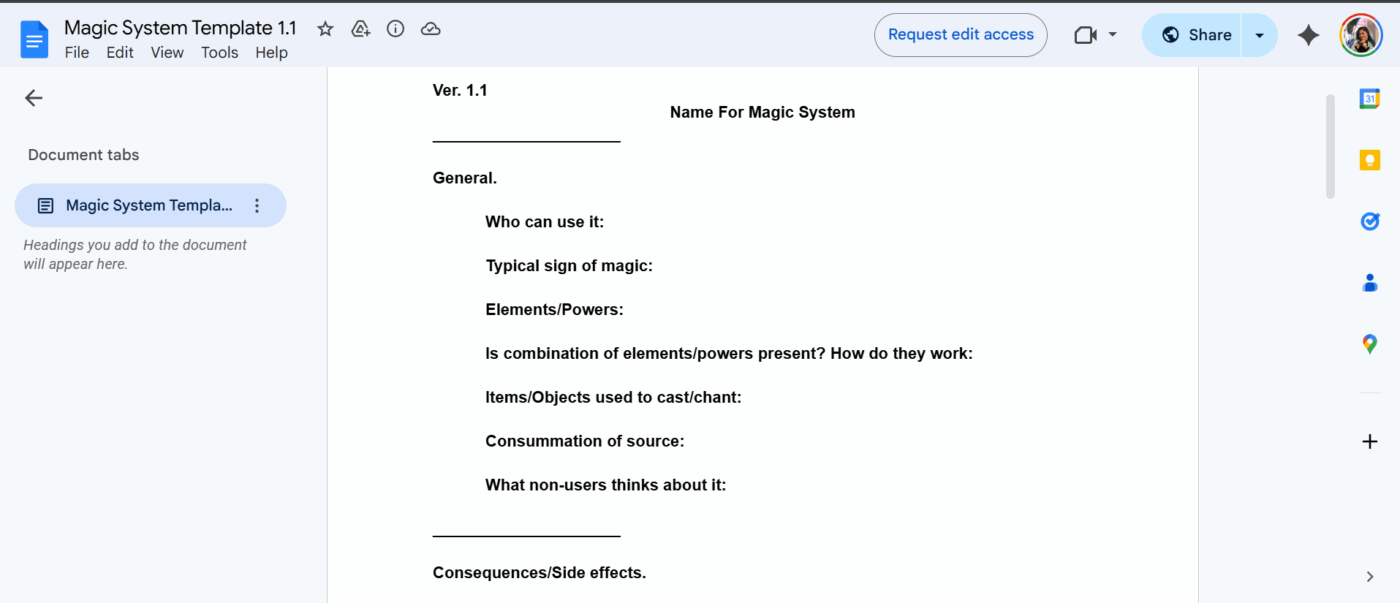
The Google Docs Magic System Template is a go-to tool for writers and game masters who want a structured way to map out their world’s magic. It walks you through every key element, from defining who can use magic to clarifying its origins, rules, and consequences.
Based on community-shared templates like “Magic System Template 1.1,” it’s perfect for anyone who wants flexibility. Each section, like Energy Source, Casting Aids, Drawbacks, and Societal Perception, keeps your magic consistent and believable across your story or campaign.
✨ Ideal for: Writers and RPG creators who want a lightweight, structured guide to design their own magic systems collaboratively or solo.
👀 Fun Fact: Mana comes from Polynesian/Melanesian cultures and refers to spiritual power or authority, not just a blue resource bar. Consider how access to magic might shape society.
Great stories are built, refined, and organized like the best systems of magic.
We’ve walked through the best templates to shape your world’s logic, lore, and laws of power. But if you want one space where your ideas, drafts, and designs all live together, ClickUp is the true spellbook.
With ClickUp, you can plan your chapters, organize your worlds, visualize storyboards, and even co-create with AI.
Whether you lean toward a soft magic system that leaves room for wonder or design a unique magic system with clearly costed magical abilities, aim for equal value trades—power for price, so your world feels fair when elemental magic meets the mundane.
In writing fantasy, let consequences touch the soul and the body alike—healing that literally exhausts a caster and rules that blur in the gray area—so every spell choice carries weight.
Sign up for ClickUp today and start conjuring worlds that run as smoothly as your imagination. ✨

© 2026 ClickUp

There’s an easier way. Try a free AI Agent in ClickUp that actually does the work for you—set up in minutes, save hours every week.