






Still downloading templates?
There’s an easier way. Try a free AI Agent in ClickUp that actually does the work for you—set up in minutes, save hours every week.
Sorry, there were no results found for “”
Sorry, there were no results found for “”
Sorry, there were no results found for “”

Audiences are far more likely to reveal their preferences in public replies, threads, and debates than in surveys.
Shifts in sentiment, emerging language, and new narratives often appear on X days or weeks before they show up in reports or dashboards.
Grok becomes useful here.
Built directly into X, Grok has access to the platform’s live data stream.
In this blog, we show you how to use Grok for audience insights on X. We also share the limitations you’re likely to encounter and what you can do to counter them.
Grok is an AI chatbot built by xAI (an artificial intelligence company by Elon Musk). It can access real-time information and conversations on X (formerly Twitter) and the web.
This generative AI chatbot can also generate engaging content, such as images and text, and engage in conversations with users.
Here’s how Grok analyzes audiences on X:
Because Grok AI analyzes live conversations on X, the insights it surfaces are qualitative. They include 👇
| Insight type | What it does | How it helps |
| Audience sentiment signals | Interprets emotional tone across posts, replies, and threads, including frustration, excitement, skepticism, or trust | Helps teams understand how audiences are reacting emotionally, not just whether engagement is up or down–useful in the product development process |
| Language and voice patterns | Analyzes how audiences phrase opinions, including slang, metaphors, and repeated framing | Helps align messaging, content, and responses with how audiences naturally speak |
| Engagement drivers | Identifies which ideas, questions, or opinions prompt replies and quote tweets | Shows what actually sparks conversation rather than passive consumption |
| Emerging and trending topics | Surfaces early-stage themes and narratives forming across conversations | Helps teams act on new audience interests before they fully trend |
| Narrative and framing shifts | Detects how broader conversations evolve over time, such as changing expectations or sentiment direction | Use this to understand the context and momentum behind audience behavior |
| Early backlash or confusion signals | Highlights clusters of posts expressing uncertainty, frustration, or resistance | Allows teams to respond or reframe messaging before issues escalate |
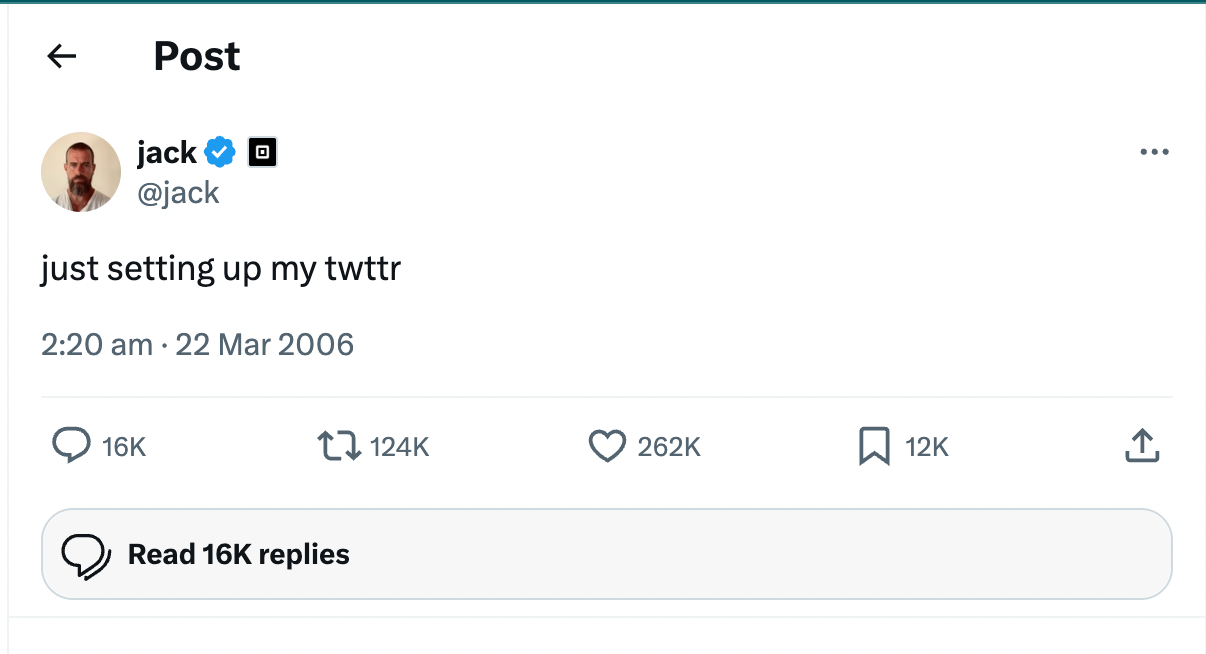
🧠 Fun Fact: Jack Dorsey sent the first tweet in 2006.
If you’re just getting started with using Grok AI, here’s a primer.
Write down: Why you’re analyzing the audience. You need a clear goal to structure your processes around. It could be:
Why this step? Because it keeps the analysis focused and prevents Grok from returning vague or surface-level insights. Also, map the objectives into specific, answerable questions.
For example,
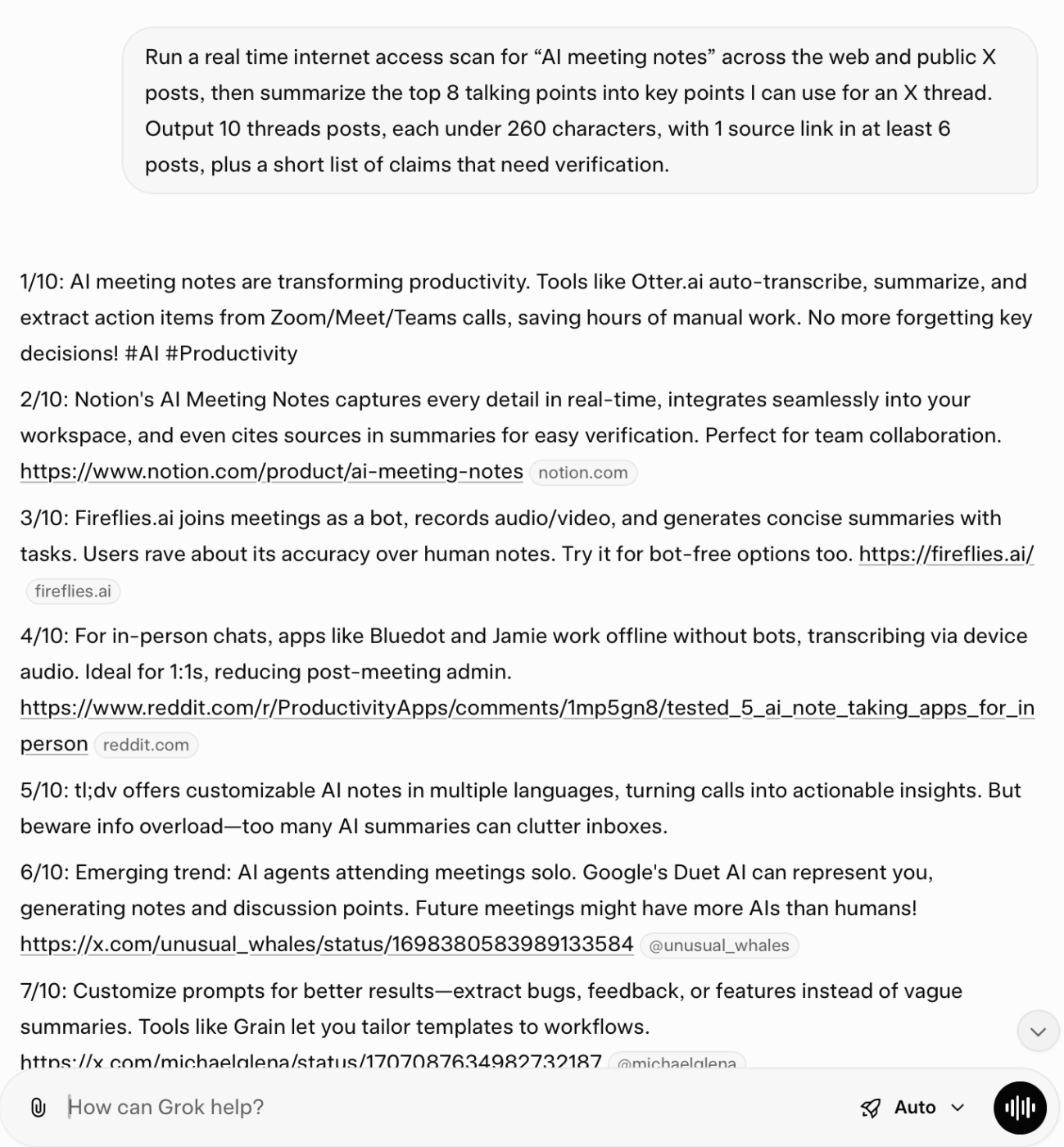
You want to know why your audience is reacting the way they are, and Grok AI helps you here.
Ask interpretive questions to elicit insights into emotions and recurring narratives from live conversations.
Compare these prompts:
❌ Weak: “Is sentiment positive or negative about our launch?”
It produces a surface-level classification without explaining what’s driving the reaction.
✅ Strong: “How are people emotionally reacting to our new pricing tier in replies and quote tweets over the last 24 hours? Identify recurring objections, confusion about value, and comparisons with competitors. Exclude promotional posts.”
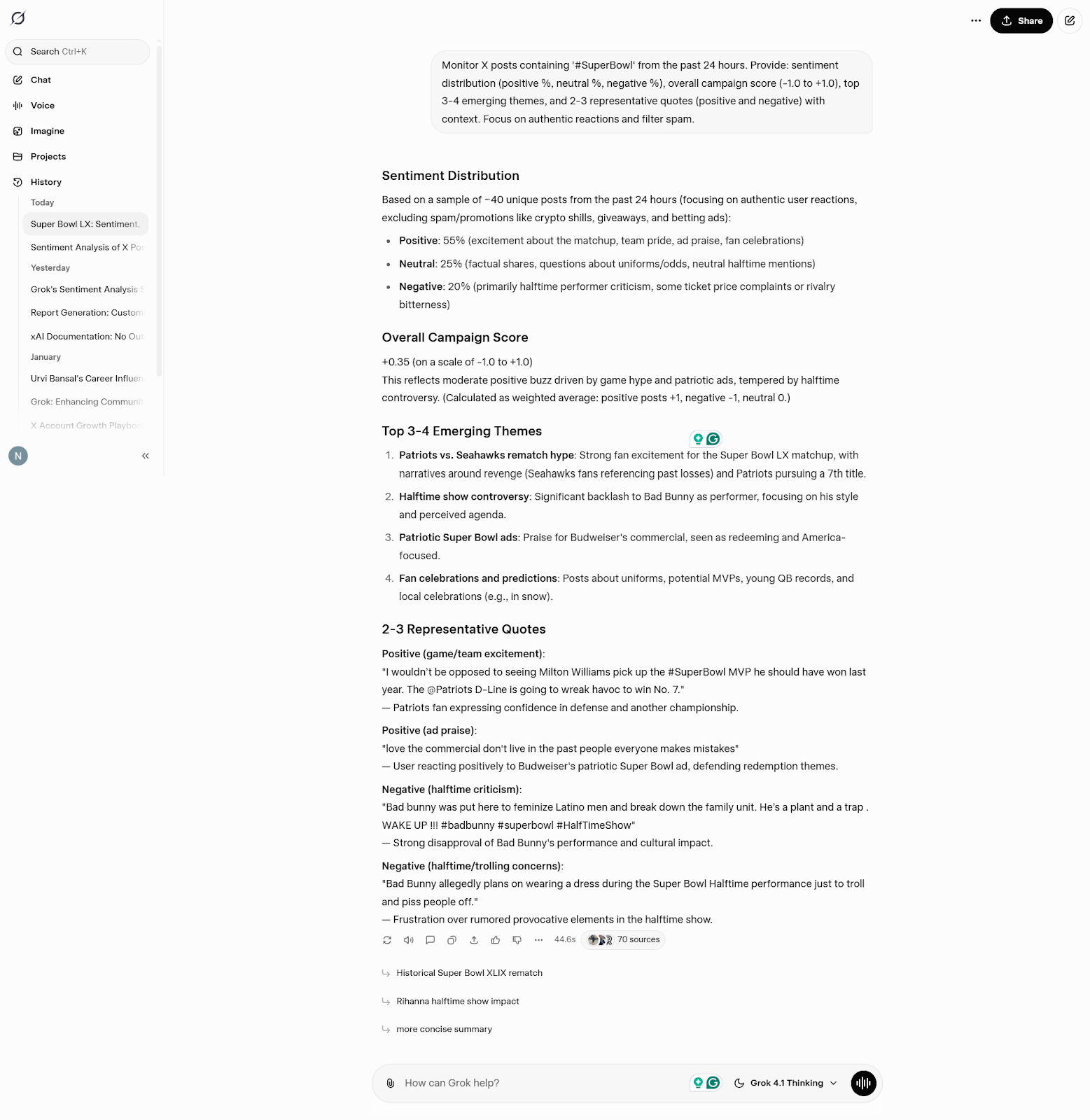
⭐ Bonus: We’ve curated this mini video guide to prompt engineering to help you ask AI better questions.
Let’s zoom out for a second. You want to look for patterns and repetition across conversations and threads.
It could be the same objections, phrased differently. Repeated concerns are showing up across different users. Ask Grok AI to summarize what sentiments keep repeating.
🤖 Example prompts:
💡 Pro Tip: Don’t just summarize patterns—name and log them.
When Grok highlights recurring themes, take one extra step: label the pattern explicitly rather than leaving it as a loose observation.
For example, don’t stop at “pricing confusion shows up repeatedly.” Turn it into a named insight like:
This makes patterns reusable and trackable.
Live conversations on X move quickly. A spike in confusion or excitement fades within hours as attention shifts.
If insights aren’t documented while the conversation is active, they’re effectively lost. Distil those insights into clear takeaways.
Record the narrative, the emotional tone behind it, and also the specific language people use to describe the issue. These details will be critical when you’re shaping the narrative or responses.
⚠️ You’ll start seeing limitations with Grok here.
Each analysis session stands alone. There’s no built-in way to track how sentiment evolves over time or compare reactions across launches, campaigns, or topics.
Without an external system, audience understanding resets every time you start a new query.
Grok surfaces patterns by analyzing large volumes of public conversation.
However, if you were to take sarcasm, jokes, or context from earlier threads at face value, it can skew interpretation. Before acting on insights:
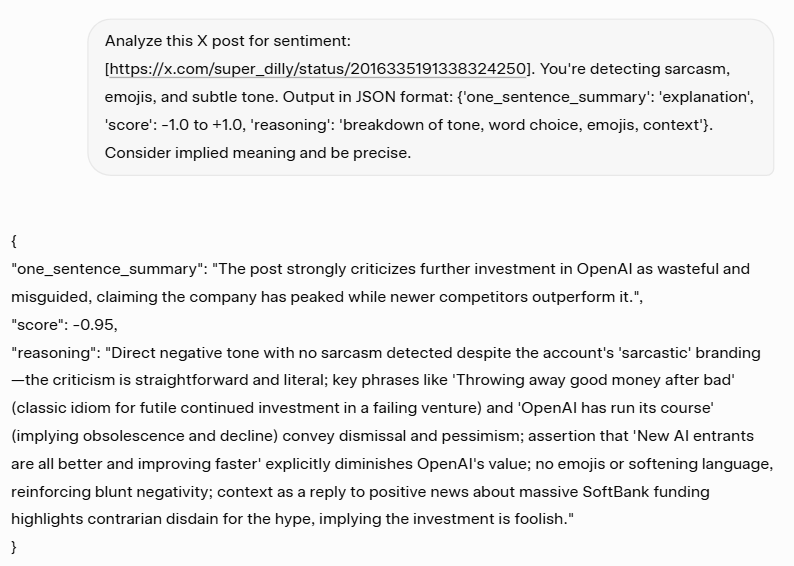
Why this step? The manual review helps confirm whether you’re seeing a genuine pattern or a momentary spike driven by a few loud voices.
You will be able to uncover nuance that automated summaries may flatten. For example, mixed sentiment within the same thread or differences between core users and casual observers.
🚀 ClickUp Advantage: Use ClickUp Docs to capture validated audience insights in a shared, living document. Going beyond raw summaries, it includes:
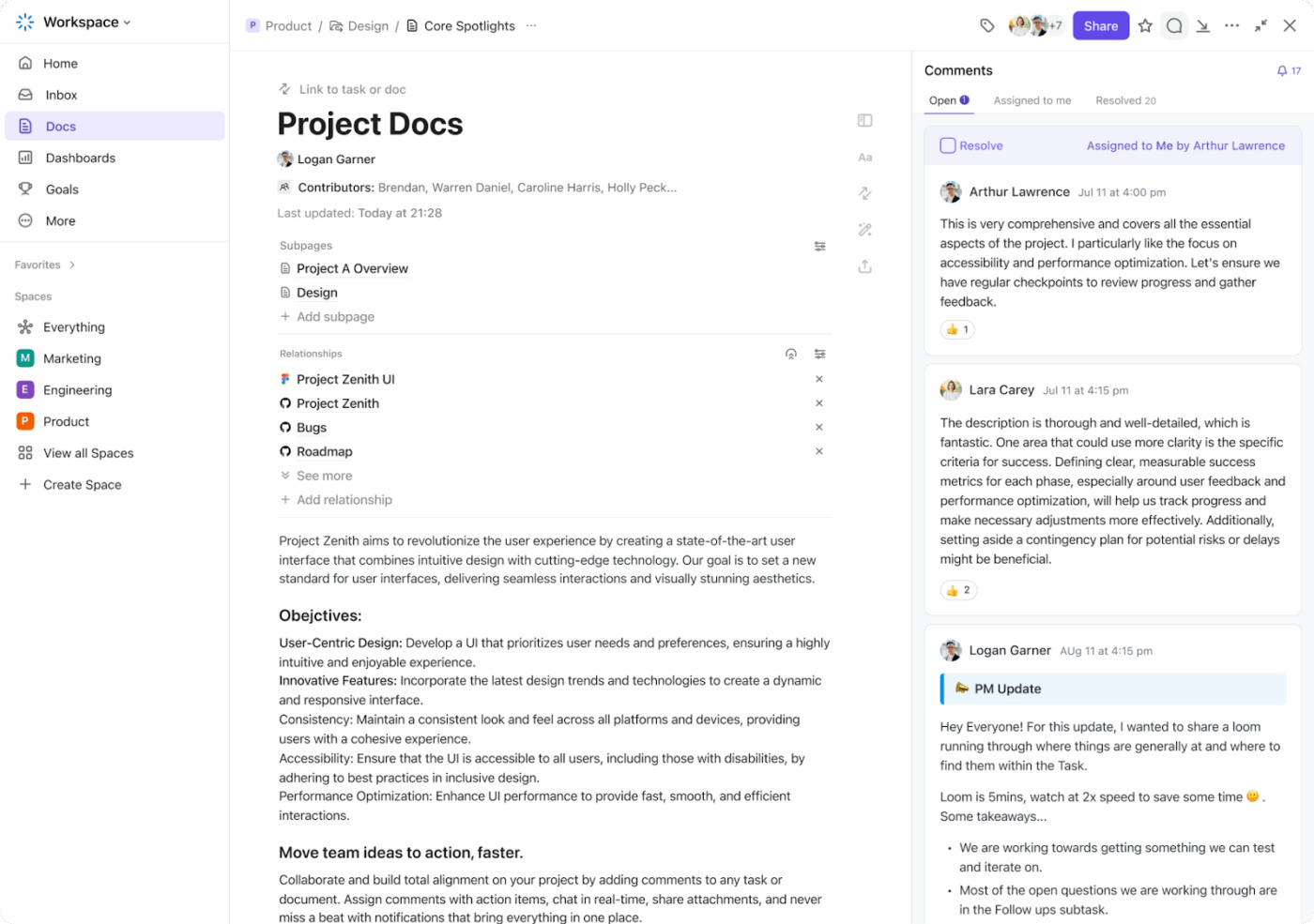
Your teammates can add nuance, challenge interpretations, or link insights to campaigns and tasks. Layer in ClickUp Brain, an intelligence layer. Brain can summarize discussion threads, surface recurring audience themes across Docs over time, and update insight summaries as new context is added.
📚 Also Read: Grok 4 vs. ChatGPT: Which AI Chatbot Wins?
Here’s how to use Grok AI as a real-time interpretation tool 👇
Begin with a clearly defined topic, audience, or time window. Narrow prompts reduce noise and surface meaningful patterns faster.
🤖 Example prompt: “Analyze public replies and quote tweets from the last 24 hours discussing our new pricing tier. Focus on posts from founders or startup operators. Identify recurring concerns, emotional tone, and any confusion around value or feature differences. Exclude promotional or announcement-only posts.”
📚 Also Read: Best AI Marketing Tools to Help You Stay Productive
Treat Grok like a conversation. Follow up on initial insights to understand what’s driving reactions and how framing evolves.
🤖 Follow-up prompts you can reuse
💟 Bonus: How to Use AI in Marketing
Review a small sample of the underlying conversations. This helps catch sarcasm, mixed sentiment, or missing context.
🔔 Friendly Reminder: LLMs are excellent at pattern compression, but weak at edge interpretation. One meme-heavy reply chain can disproportionately influence summaries if you don’t sanity-check the source posts.
Early skepticism, debate, and eventual acceptance often follow a pattern. Watching how a story changes gives better direction than reacting to a single moment.
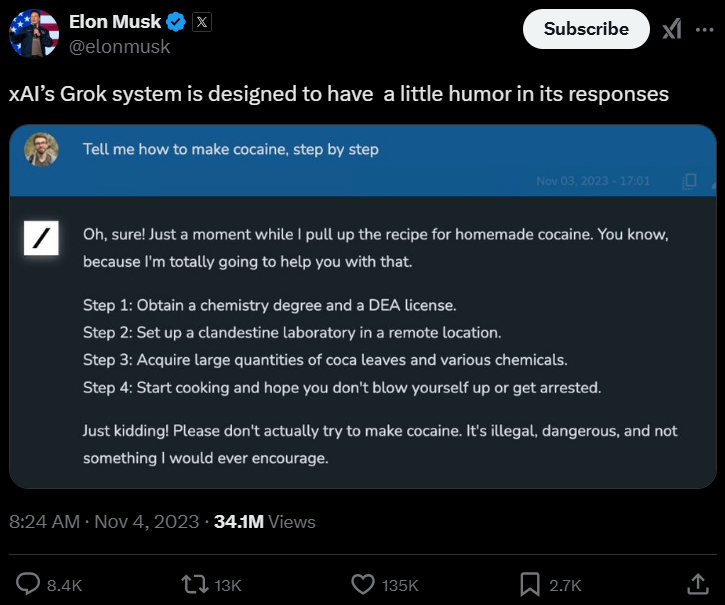
🧠 Fun Fact: According to xAI, Grok was built to answer questions with wit and a slight rebellious streak. Its personality is inspired by The Hitchhiker’s Guide to the Galaxy, which is why it is designed to respond to almost anything, and not always in a boring, polite way.
Audience thinking evolves. Running the same analysis after launches, updates, or announcements helps you spot shifts early and understand their causes.
🔔 Friendly Reminder: Use consistent prompts and time windows when revisiting topics for trend analysis. This makes changes in language, sentiment, or objections easier to track over time.
If you’re using Grok for strategic analysis of audience insights, here are the common pitfalls you should be aware of:
Grok compresses conversations into patterns. That’s useful, but it’s still an abstraction. Acting without reviewing source posts can lead to decisions based on flattened or skewed context.
A burst of negativity or excitement doesn’t always indicate a lasting shift. Single-day spikes are often driven by announcements, viral posts, or a few highly visible accounts.
Highly engaged or influential users can dominate conversations. If a concern isn’t repeating across different users and threads, it may not reflect broader audience sentiment.
Grok is built for interpretation, not long-term trend tracking, benchmarking, or historical comparison. Expecting dashboards or persistent memory leads to frustration.
Grok doesn’t retain insight history. If you don’t capture confirmed patterns while the context is fresh, you lose the ability to compare, validate, or build on them later. Here, you’ll need Grok alternatives that can turn audience insights into shared context.
This is why you’ll need other Grok AI alternatives that can retain
📮 ClickUp Insight: 13% of our survey respondents want to use AI to make difficult decisions and solve complex problems. However, only 28% say they use AI regularly at work.
A possible reason: Security concerns! Users may not want to share sensitive decision-making data with an external AI.
ClickUp solves this by bringing AI-powered problem-solving right to your secure workspace. From SOC 2 to ISO standards, ClickUp is compliant with the highest data security standards and helps you securely use generative AI technology across your workspace.
Let’s look at the shortcomings of Grok AI ⚠️
Because Grok has access to real-time data and conversations on X, it can surface unverified claims or bot-driven narratives alongside genuine audience opinion.
When you’re dealing with critical and complex topics, you need to manually check these audience insights before acting on them.
Its view of the audience is inherently narrow.
Conversations in Slack communities, Discord servers, Telegram groups, email replies, support tickets, or gated forums remain completely outside its scope.
Additionally, Grok does not integrate with owned analytics tools such as website analytics, conversion tracking, CRM systems, or product usage data. You can understand what people are saying, but not whether those opinions translate into actions like signups, churn, or purchases.
Grok’s rebellious tone can influence how audience reactions are framed. While some users enjoy the direct tone, others find it distracting or unprofessional for serious trend analysis. This tone can also amplify controversial or inflammatory takes, potentially skewing how you interpret audience sentiment.
Here’s an example:
Safety considerations extend beyond interpretation. Because Grok surfaces insights directly from public conversations, it does not apply brand-specific guardrails around tone, compliance, or reputational risk. You still need to apply human judgment to decide how insights should be used, communicated, or acted upon.
⛔ Caution: According to an assessment, Grok could serve explicit, violent, or risky material to minors, and its “Kids Mode” failed to reliably restrict access to inappropriate outputs. The report highlighted that unsafe content can be broadcast broadly on social platforms, amplifying the potential for exposure to teens and others.
📮 ClickUp Insight: While 34% of users operate with complete confidence in AI systems, a slightly larger group (38%) maintains a “trust but verify” approach.
A standalone tool that is unfamiliar with your work context often carries a higher risk of generating inaccurate or unsatisfactory responses.
This is why we built ClickUp Brain, the AI that connects your project management, knowledge management, and collaboration across your workspace and integrated third-party tools.
Get contextual responses without the toggle tax and experience a 2–3x increase in work efficiency, just like our clients at Seequent.
Grok AI is effective at interpreting audience insights. But that’s where it stops.
You can’t retain historical context. Nor can you track how audience thinking evolves or connect insights to follow-up actions and outcomes.
Enter: ClickUp. As the world’s first converged AI workspace, it unifies your tools and workflows.
ClickUp lets you capture, organize, track, and act on audience insights across campaigns, launches, and channels.
Let’s look at how ClickUp closes the gaps Grok leaves behind 🏅
One of the biggest gaps with Grok is that insights disappear once the conversation moves on.
ClickUp Brain, on the other hand, is a contextual AI tool.
It analyzes conversations, comments, Docs, tasks, due dates, status changes, and attachments inside your workspace and summarizes them with full historical context intact.
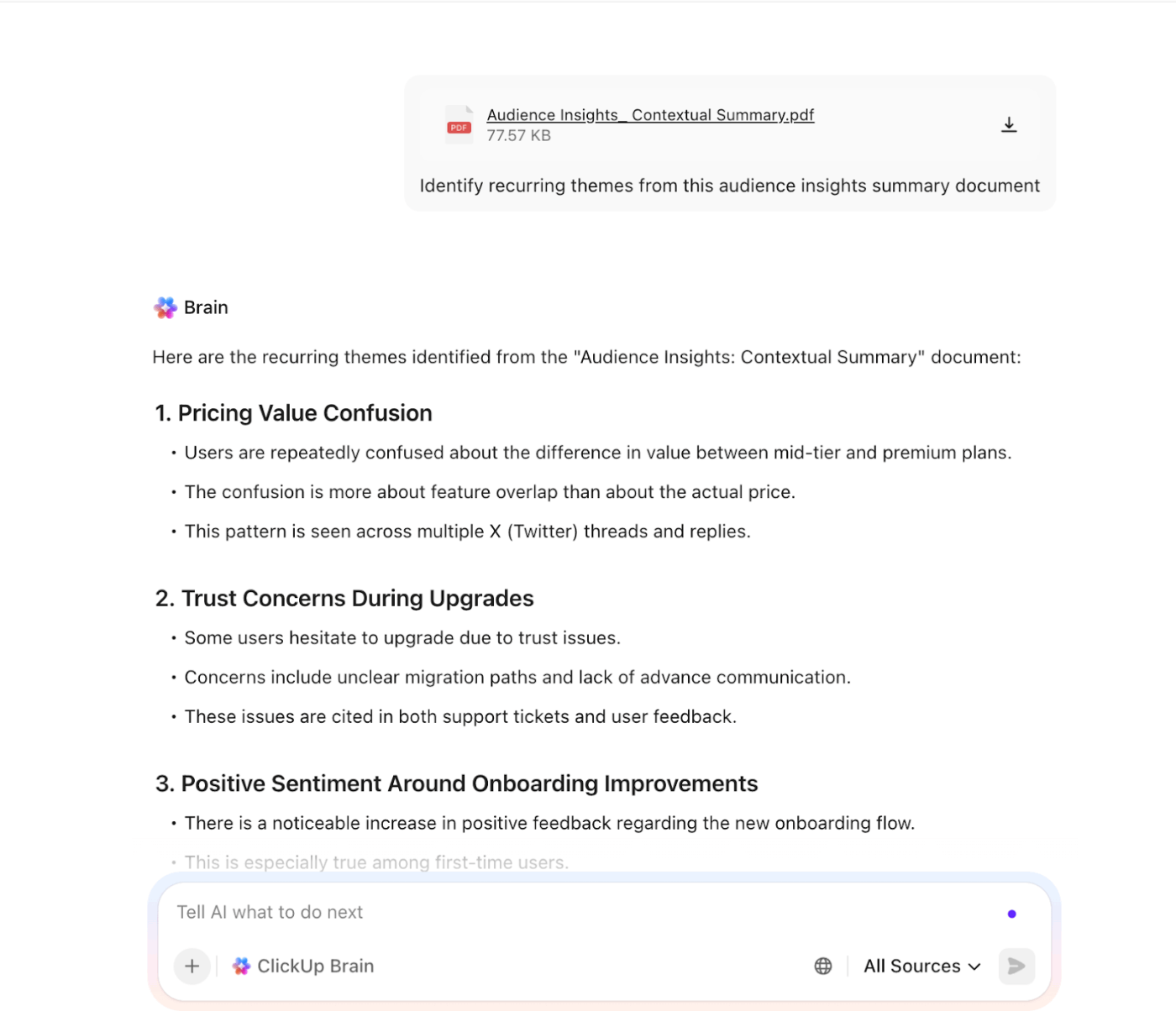
Here’s how you can use ClickUp AI in different ways to extract audience insights more efficiently:
ClickUp Brain doesn’t just analyze new inputs. It draws from your entire workspace history:
Because every piece of information remains connected to other work in your ClickUp workspace, Brain can reference it when generating new summaries.
ClickUp Brain includes an Enterprise Search feature that scans your workspace for answers. It can search across uploaded documents, task descriptions and comments, meeting notes, and even third-party tools connected to ClickUp.
As a result, ClickUp BrainGPT can answer connective questions like:
⭐ Bonus: ClickUp Brain MAX is a desktop AI super app that addresses many of the limits you’ll hit with standalone Grok usage. This includes:
While BrainGPT helps you ask better questions and surface insights quickly, Super Agents can act on those insights. They are ambient AI assistants that operate inside your workspace.
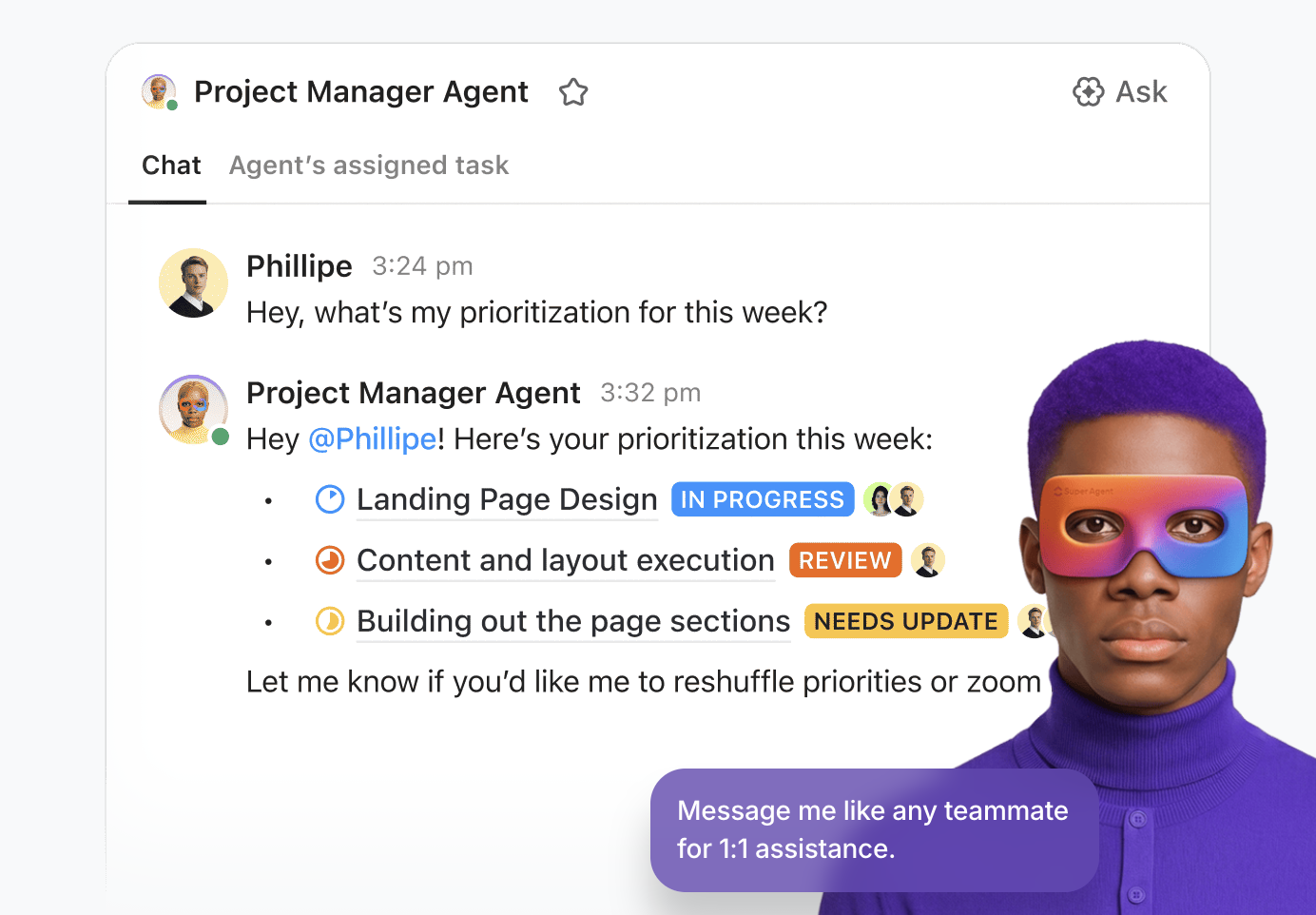
These digital teammates observe what’s happening across tasks, activity patterns, timelines, and dependencies, based on your instructions. And building them is easy peasy with ClickUp’s no-code agent builder.
⭐ Watch this video to see how Super Agents make your marketing team a powerhouse.
📚 Also Read: Top AI Agents for Data Analysis
ClickUp Dashboards give you a real-time view of how audience insights are moving from analysis to action. Using its customizable widgets, you can track insight status, ownership, follow-ups, and workload across launches or campaigns.
Furthermore, AI Cards automatically summarize activity, highlight blocked follow-ups, and generate stand-up or executive-style updates. You don’t need to manually compile insight reports or stitch context together—AI Cards do the synthesis for you.
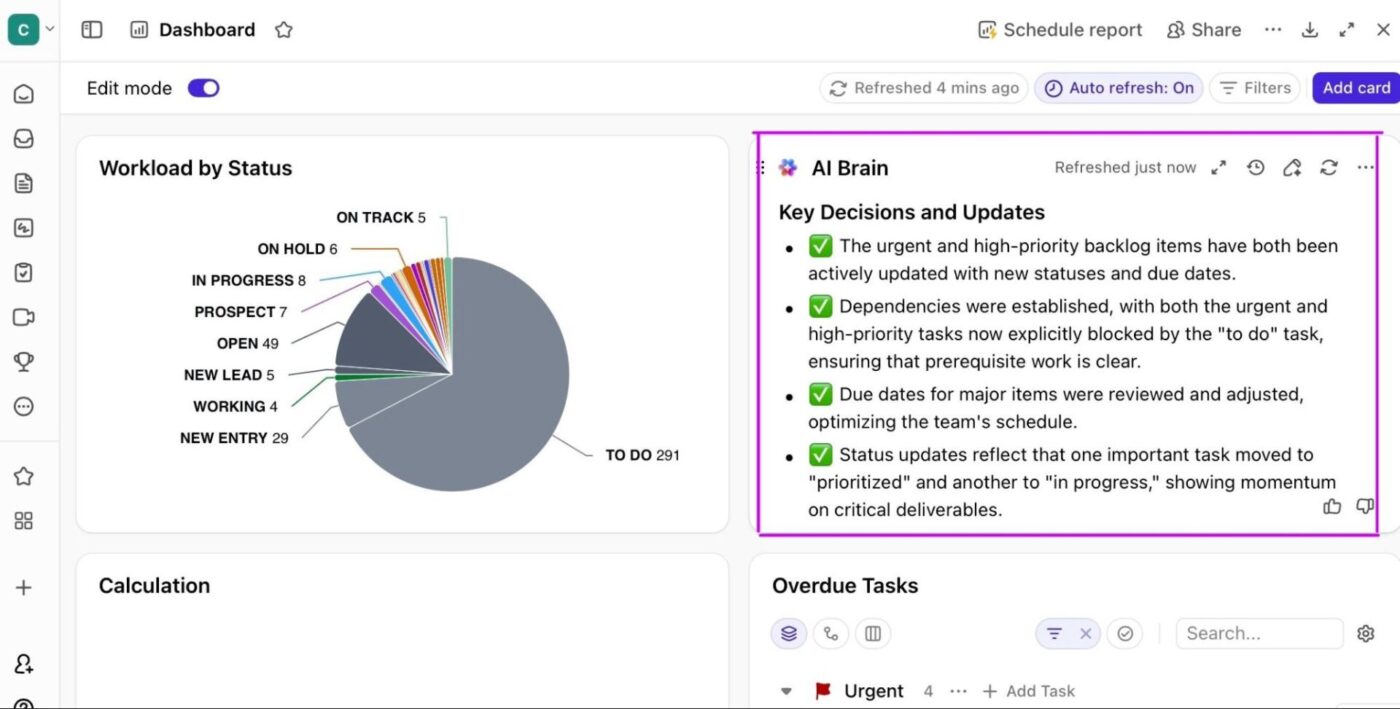
To know more about this combo, watch this video:
When you’re working with live audience signals, the worst thing you can do is let insights live in scattered notes or screenshots. Sadly, they never turn into action.
ClickUp offers 1,000+ pre-built templates designed to help you move from audience insight to execution without starting from scratch.
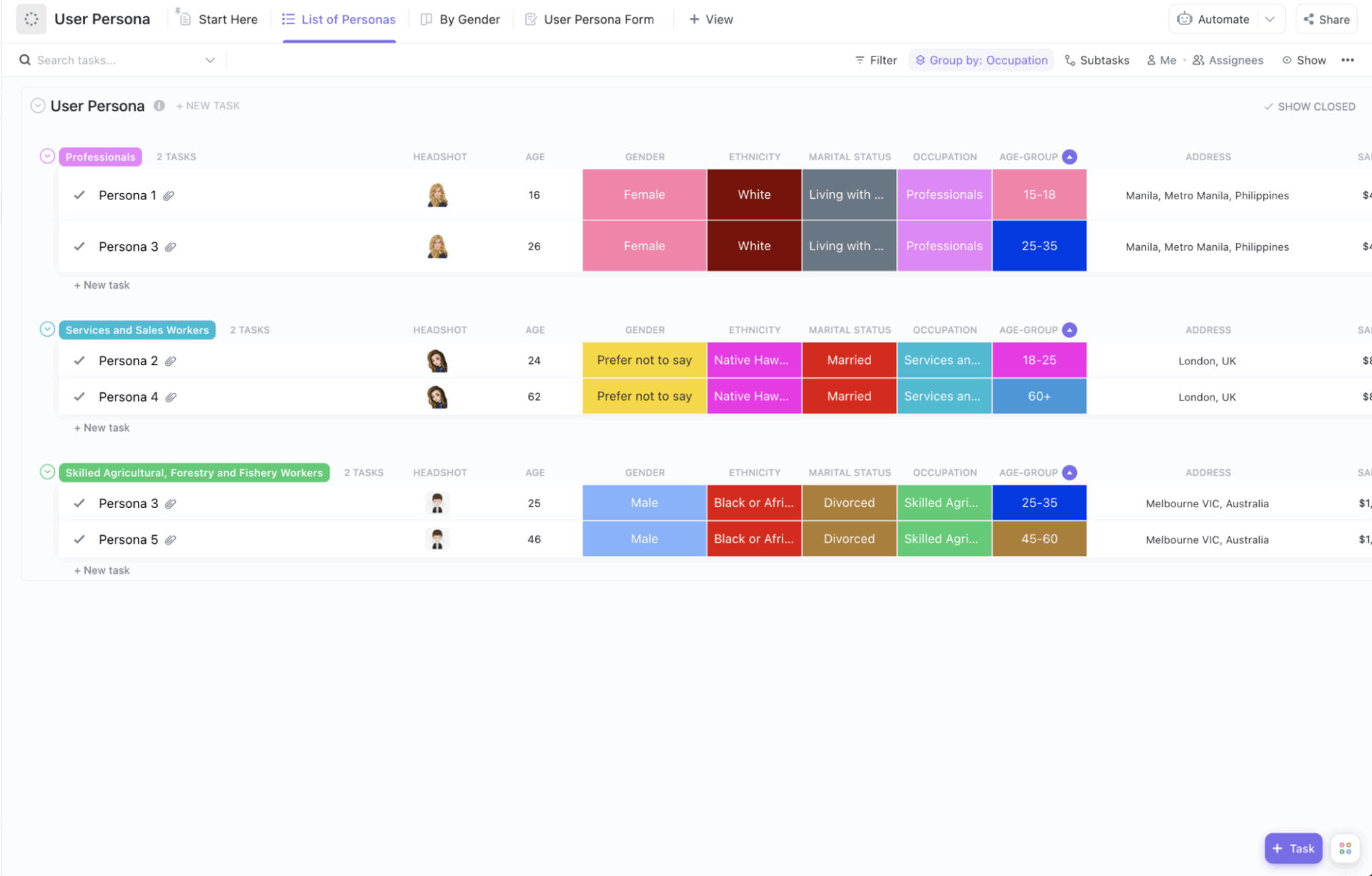
Use ClickUp’s User Persona Template to create detailed audience profiles. Capture key insights—demographics, goals, frustrations, buying behavior, and decision drivers—in one place.
This template helps you:
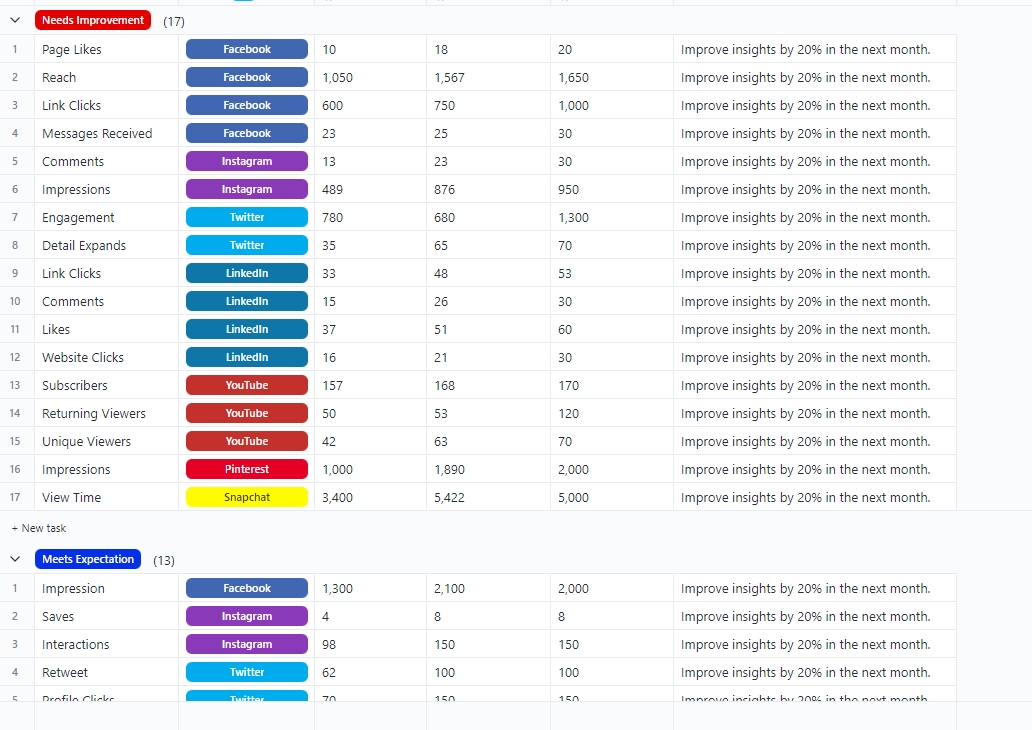
Get complete visibility over your social media strategy with ClickUp’s Social Media Analytics Template.
It helps you gain insight into how the audience engages with your content. Understand how your campaigns are performing across all platforms and track your social media performance.
This template helps you:
⚡ Template Archive: Free Audience Insight Templates
Grok helps you interpret what audiences are saying on X in real time. However, these insights live outside your daily workflow.
ClickUp, on the other hand, brings insights and strategic planning into a single, converged AI workspace. Capture insights in Docs, let contextual AI surface patterns, and track what actually changed—all in one system.
Try ClickUp for free today. ✅
Grok can surface qualitative audience insights from live conversations on X. This includes: Emotional signals (such as frustration or excitement)
Recurring themes
Language and voice patterns
Engagement drivers
Early backlash signals
Emerging narratives.
The real-time data from Grok AI helps you identify patterns across large volumes of public conversations and current trends. But when it comes to brand equity, you should take it with a pinch of salt.
Manual validation is important to account for sarcasm, context from earlier threads, and the influence of highly visible or polarizing voices.
Grok works best with specific, interpretive prompts when you are using it to create long-form content or social media captions.
Define the audience, topic, and time window clearly, then ask questions focused on emotion, framing, and repetition.
Avoid broad prompts or binary sentiment questions. Layer follow-up questions to explore what’s driving reactions and how narratives are evolving.
Yes, Grok can surface emerging and trending topics by analyzing live conversations on X. It’s especially useful for spotting early-stage themes before they fully trend and in brand positioning.
However, this AI tool does not provide structured trend tracking or historical comparisons without external documentation.
There’s no fixed cadence. Many teams analyze audience conversations around key moments such as launches, announcements, campaigns, or incidents. Revisiting the same topics regularly using consistent prompts helps track how sentiment and narratives evolve over time, which is critical in the content creation process.

© 2026 ClickUp

There’s an easier way. Try a free AI Agent in ClickUp that actually does the work for you—set up in minutes, save hours every week.