

Sorry, there were no results found for “”
Sorry, there were no results found for “”
Sorry, there were no results found for “”
Writing code is equal parts art and headache. One moment, you’re in flow, crafting the perfect function. The next, you’re staring at a stubborn bug that refuses to budge.
That’s where AI coding assistants like Claude AI come in. Think of it as your coding sidekick who is always ready to generate snippets, debug errors, and even write documentation while you focus on the real magic: solving problems.
But here’s the real question: How do you turn Claude AI into your ultimate coding sidekick?
Sure, it can generate functions, refactor messy code, and even explain algorithms like a patient tutor. But to truly make it work for you, you need the right approach.
Let’s put Claude AI to the test to explore where it excels and struggles. So that you know how to bridge the gaps with smarter AI coding tools. Time to get coding.
Looking to speed up development and enhance coding accuracy? Here’s how to make the most of AI-assisted coding with Claude AI:
AI can enhance your coding workflow, but structured collaboration and automation make it truly effective.
Claude AI can be your go-to coding assistant…if you know how to use it right. From generating function snippets to debugging and documentation, it streamlines your workflow when given clear, structured prompts.
Here’s how to get the best results:

Before you start, you need access to Claude AI. If you don’t already have an account, sign up on Anthropic’s platform and make sure you have the right permissions to interact with Claude’s API (if using programmatic access).
💡 Example prompt: “I’m working in Python and need a function that converts a JSON file into a CSV. The JSON has nested elements. Can you generate an optimized function?”
One of the biggest time-savers when coding is getting instant, functional code snippets. Instead of writing repetitive boilerplate or searching Stack Overflow for half-matching solutions, you can ask Claude AI to generate precise, optimized code for your needs.
However, the quality of Claude’s output depends entirely on how well you structure your prompt. A vague request like “Write a sorting function in JavaScript” might not give you exactly what you need. But a detailed, well-structured prompt will yield clear, reusable code.
📖 Also Read: How to Use AI in Software Development?
Imagine you’re working on an e-commerce website that displays a list of products. Users want to sort items by price, so you need a function that sorts an array of objects in ascending order based on the price property.
Basic Prompt: “Write a JavaScript function that sorts an array of objects by the ‘price’ property in ascending order.”

This is a clean, functional snippet, but let’s take it a step further.
What if your data sometimes includes missing or invalid prices? Instead of risking NaN errors or unexpected behavior, refine your prompt:
Better Prompt: “Write a JavaScript function that sorts an array of objects by the ‘price’ property in ascending order. Ensure it handles missing or invalid price values gracefully.”

Now, any object without a valid price is moved to the end of the list instead of breaking the function. This makes the code more robust for real-world use cases.
Let’s say you want more flexibility—maybe the function should allow sorting in both ascending and descending order based on a user’s preference.
Advanced Prompt: “Write a JavaScript function that sorts an array of objects by the ‘price’ property. Allow the user to choose ascending or descending order as a parameter.”

By structuring your prompts effectively, Claude AI can help you generate high-quality, reusable code snippets with minimal effort.
No matter how clean your code is, bugs always find a way in. Whether it’s a runtime error, an infinite loop, or an unexpected API failure, debugging can eat up hours—unless you know how to use Claude AI effectively.
Claude AI can analyze your code, identify potential issues, and suggest fixes in seconds. But getting accurate debugging assistance depends on how well you frame your request.
A vague “My code isn’t working” won’t get you far. A well-structured prompt will.
You’re processing API data in Python when you hit this classic error:
TypeError: ‘NoneType’ object is not subscriptable
Instead of manually digging through your script, you can let Claude AI do the heavy lifting.
Prompt: “I’m getting a ‘TypeError: NoneType object is not subscriptable’ in my Python script. Here’s the function. Can you find the issue and suggest a fix?”
Claude AI scans the code and pinpoints the issue:

Claude’s suggested fix:

👀 Did You Know? The first recorded computer bug was an actual bug—a moth stuck in a Harvard Mark II computer in 1947!
Engineers taped it to the logbook, calling it a “bug.” 🦟🔧
You’re building a React app, and your API call isn’t returning consistent data. The app suddenly crashes, giving the following error:
“Uncaught TypeError: Cannot read properties of undefined (reading ’email’)”
Instead of manually logging variables and trial-and-error debugging, you drop the error into Claude AI.
Prompt: “My React app crashes when trying to read ’email’ from an API response. How can I handle undefined properties safely?”
Claude AI identifies the root issue:
This tool can help you prevent runtime crashes and keep the UI functional, even with missing data.
Claude AI can help spot performance bottlenecks in complex queries.
Example:
Your database query is taking way too long to execute. Instead of manually tweaking it, you can ask Claude for a solution
Prompt: “My SQL query runs too slow on large datasets. Can you suggest performance improvements?”
Claude AI might suggest:
With Claude’s recommendations, you rewrite your SQL query for faster, more efficient execution.
Debugging doesn’t have to be time-consuming or frustrating. With structured prompts, Claude AI helps you fix errors faster, optimize performance, and write more resilient code.
📖 Read More: How To Use ChatGPT For Writing Code?
Good documentation is not just an extra—it is essential. Whether you are working solo or collaborating with a team, clear documentation saves time, prevents confusion, and makes debugging easier.
The problem? Writing documentation is tedious, and it often gets pushed to the bottom of the priority list. That is where Claude AI helps. It can generate function descriptions, structured docstrings, and even explain complex algorithms, as long as you provide clear context.
You have written a function, but without a docstring, anyone reading it will struggle to understand what it does. Instead of manually documenting every function, you can ask Claude AI to generate a detailed docstring.
Example function:
def fetch_user_data(user_id):
data = get_api_data(user_id)
if not data:
return None
return {“name”: data[“name”], “email”: data[“email”]}
This function works, but what does it do? What parameters does it take? What does it return? Let’s have Claude generate a proper docstring.
Prompt: “Add a detailed Python docstring to this function, explaining parameters, return values, and error handling.”
Claude AI’s output:

Now, any developer can instantly understand what this function does without having to read through every line of code.
You have implemented an advanced algorithm, but a junior teammate (or even your future self) might struggle to understand the logic. Claude AI can break down the logic into easy-to-follow explanations.
For example, you wrote a binary search function, but it needs a proper explanation.
def binary_search(arr, target):
left, right = 0, len(arr) – 1
while left <= right:
mid = (left + right) // 2
if arr[mid] == target:
return mid
elif arr[mid] < target:
left = mid + 1
else:
right = mid – 1
return -1
Instead of writing the explanation manually, you ask Claude for it.
Prompt: “Explain this binary search function in simple terms, including how it works and its time complexity.”
Claude AI’s output:
This simplifies the algorithm, making it easier to understand without reading through every line of code.
When building an API, you need structured documentation for endpoints, request formats, and response examples. Instead of writing this from scratch, Claude AI can generate structured API docs in the Markdown format.
Prompt: “Generate API documentation for an endpoint that retrieves a user’s profile by ID.”
Claude AI’s output:

⚡ Template Archive: Free Code Documentation Templates for High-Performing Teams
Writing code is one thing, and making sure it runs efficiently and without issues is another. Poorly optimized code can slow down applications, increase server costs, and create unnecessary technical debt. Instead of manually refactoring every inefficiency, Claude AI can help identify slow-performing code and suggest optimizations.
From reducing redundant computations to improving database queries, Claude AI can analyze inefficiencies and provide smarter, more scalable solutions. The key is knowing how to ask for the right optimizations.
Loops are essential, but a poorly written one can drastically slow down performance. Let’s say you wrote a function that checks if an element exists in a list:
def check_existence(lst, target):
for item in lst:
if item == target:
return True
return False
This works, but for large datasets, this approach is inefficient. The function scans the entire list sequentially, making it O(n) time complexity.
Instead of figuring out a better approach manually, you can ask Claude AI to streamline this task.
Prompt: “This function checks if an item exists in a list, but it is slow for large datasets. Can you optimize it?”
Claude AI’s optimized version:

Why does this work?
Slow database queries are a common bottleneck in applications. Let’s say you have an SQL query that retrieves user data but runs too slowly:
SELECT * FROM users WHERE email = ‘user@example.com’;
Instead of spending time tweaking the query manually, ask Claude AI for performance improvements.
Prompt: “My SQL query runs too slow when searching for users by email. Can you optimize it?”
Claude AI’s suggestion for optimization:

Why does this work?
Redundant calculations can slow down front-end applications, leading to laggy user experiences.
Let’s say you wrote a JavaScript function to filter unique values from an array:
function getUniqueValues(arr) {
let result = [];
for (let i = 0; i < arr.length; i++) {
if (!result.includes(arr[i])) {
result.push(arr[i]);
}
}
return result;
}
This approach works, but it uses nested loops, making it O(n²) time complexity. Instead of debugging manually, you ask Claude AI to do the job for you.
Prompt: “This function removes duplicate values from an array, but it is slow for large datasets. Can you optimize it?”
Claude AI’s optimized version:

Why does this work?
By using Claude AI as your optimization partner, you can write cleaner, faster, and more efficient code with less manual effort.
📖 Read More: Best ChatGPT Alternatives for Coding
Claude AI is a powerful tool, but like any AI assistant, it has its limits. While it can generate code snippets, debug errors, and optimize functions, it is not a replacement for human expertise. Understanding where it struggles will help you use it more effectively and avoid potential pitfalls.
Here are some key limitations to keep in mind:
Claude AI cannot integrate directly into collaborative coding environments like GitHub, GitLab, or VS Code Live Share. Unlike pair programming with a human, it does not track project changes, understand team workflows, or integrate feedback in real time.
Claude AI can analyze error messages, suggest fixes, and refactor code, but it does not execute programs or interact with runtime environments. It cannot perform step-by-step debugging, detect memory leaks, or test edge cases within a project.
This makes it useful for identifying syntax errors and logical mistakes, but runtime-specific issues still require manual debugging. To ensure accuracy, always run and test AI-generated fixes in a development environment before applying them to production code.
📖 Also Read: Claude AI vs. ChatGPT
Claude AI works best with self-contained code snippets, but it lacks awareness of entire projects. It does not recognize cross-file dependencies, module imports, or large-scale architecture patterns.
If you ask it to modify a function without providing the full project context, it may suggest changes that break other components or conflict with existing logic. To avoid this, break down requests into smaller, well-defined tasks and provide additional context when asking for code that interacts across multiple files.
AI models rely on existing knowledge and training data rather than real-time updates. This means Claude AI may suggest:
📖 Also Read: Which Is the Best Tool for Developers?
Claude AI does not inherently apply security best practices when generating code. If asked to write authentication logic, API requests, or database queries, it may:
Developers using AI-generated code should always review it for security flaws, implement proper encryption standards, and follow best practices for authentication and data protection. AI should assist coding, not replace critical security measures.
Claude AI can improve coding speed and efficiency, but it is not a substitute for human oversight. To get the most out of Claude AI, use it as a coding assistant, not a replacement for best practices.
📖 Fun Read: Top Developer and Coding Communities to Join
So how do you fill in the gaps where Claude AI falls short? That’s where ClickUp comes in, helping you streamline your coding process without the usual roadblocks.
Claude AI can help generate, debug, and optimize code, but it lacks real-time collaboration, structured project tracking, and centralized knowledge management.
ClickUp fills these gaps, ensuring AI-generated code becomes actionable, organized, and scalable within a structured development workflow.
AI-generated code is useful, but without proper collaboration and tracking, teams struggle to manage feature requests, bug fixes, and code reviews efficiently. ClickUp brings everything together in a single, structured workspace, ensuring clarity, accountability, and smooth communication across development teams.
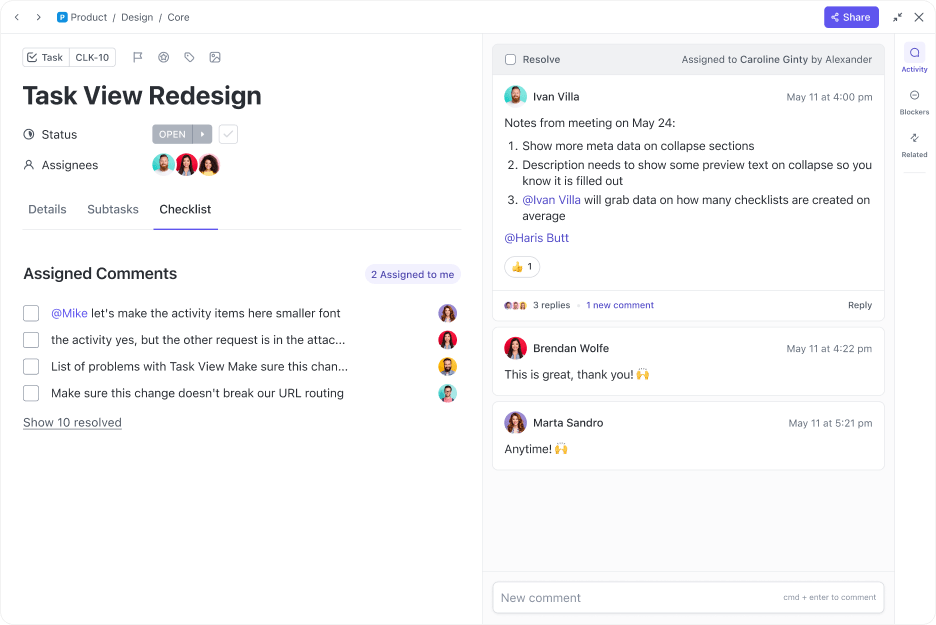
With ClickUp Tasks, developers can:
But coding is rarely a solo effort. Real-time discussions and documentation play a crucial role in keeping projects aligned.
That’s where ClickUp’s collaboration tool can help. With ClickUp Chat, teams can discuss code updates instantly, share AI-generated snippets, and make decisions without switching between multiple tools.
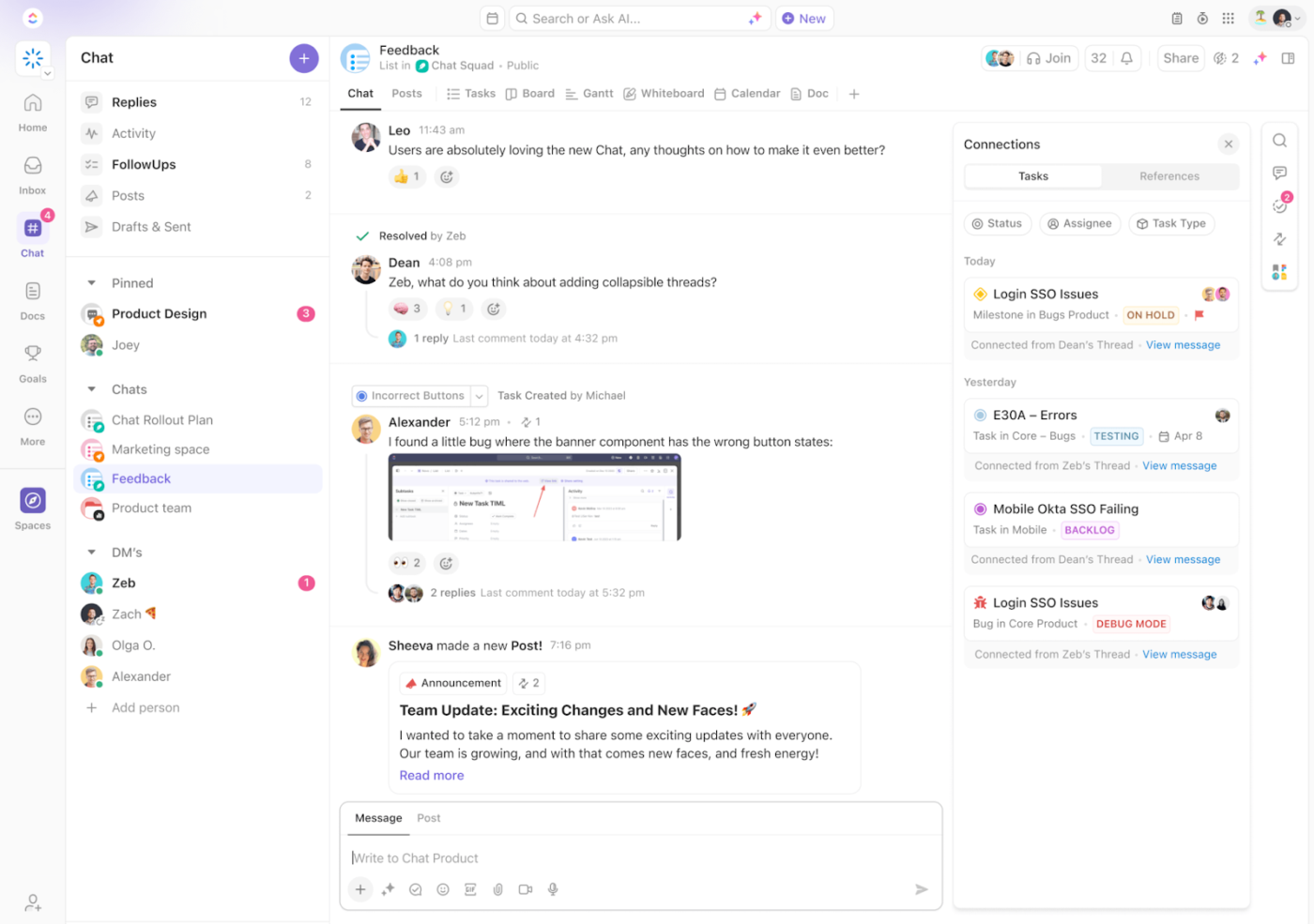
Instead of bouncing between AI responses, chat apps, and tracking tools, developers can centralize their workflows in ClickUp, making AI-assisted coding structured, collaborative, and easy to manage.
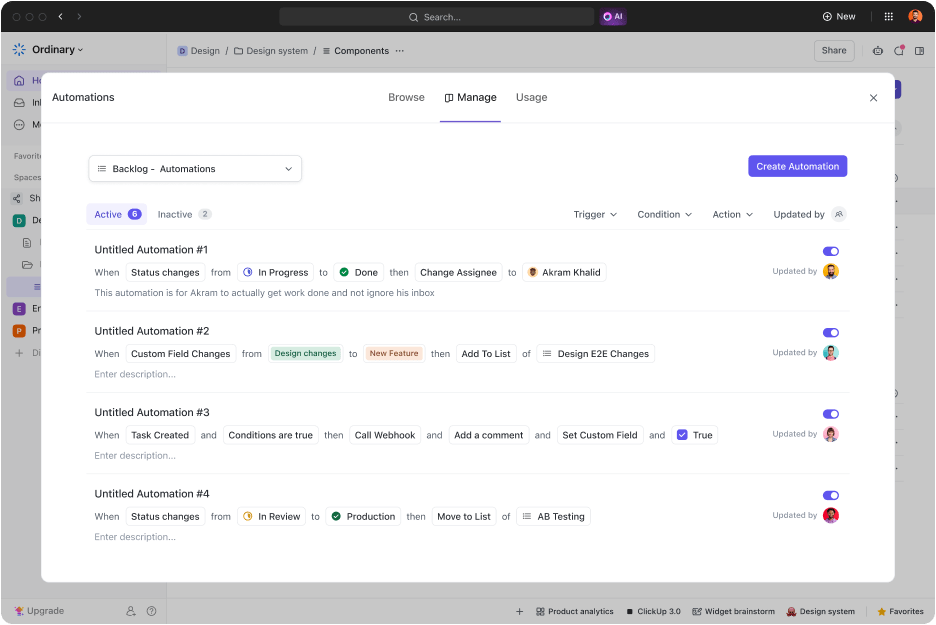
Claude AI can suggest fixes, but it does not provide a historical view of past bugs or automated tracking. With ClickUp Automations, teams can:
By automating issue tracking, developers can focus on fixing problems instead of managing tickets.

Claude AI can generate docstrings and API documentation, but without a centralized knowledge base, teams often lose track of best practices and solutions. ClickUp Docs allows developers to:
Instead of constantly regenerating explanations, ClickUp Docs ensures knowledge is easily accessible and reusable.

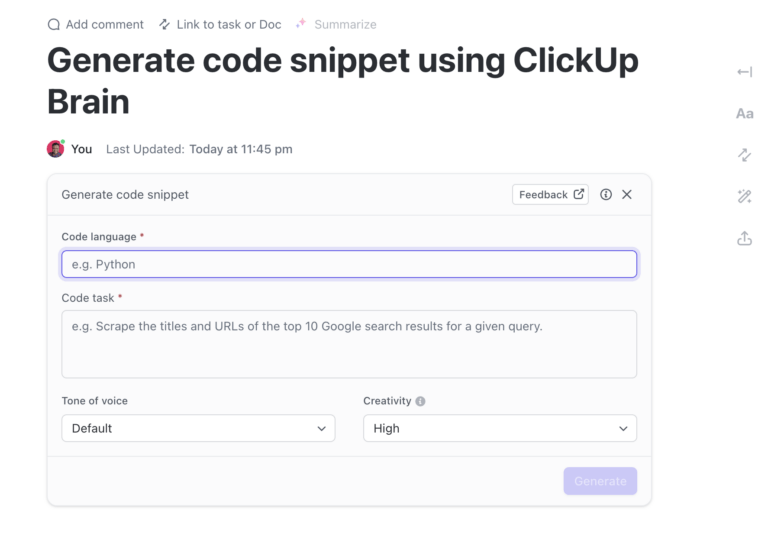
ClickUp’s intelligent AI provides instant solutions, but those solutions often get lost in long chat threads or forgotten over time. ClickUp Brain makes it easy to:
Instead of relying on AI alone, ClickUp Brain makes coding workflows smarter and more efficient.
While Claude AI helps developers code faster, it does not provide a big-picture view of project timelines, sprint goals, or progress tracking. ClickUp Dashboards solve this by:
Instead of coding in silos, ClickUp Dashboards keep development efforts structured and aligned with business goals.
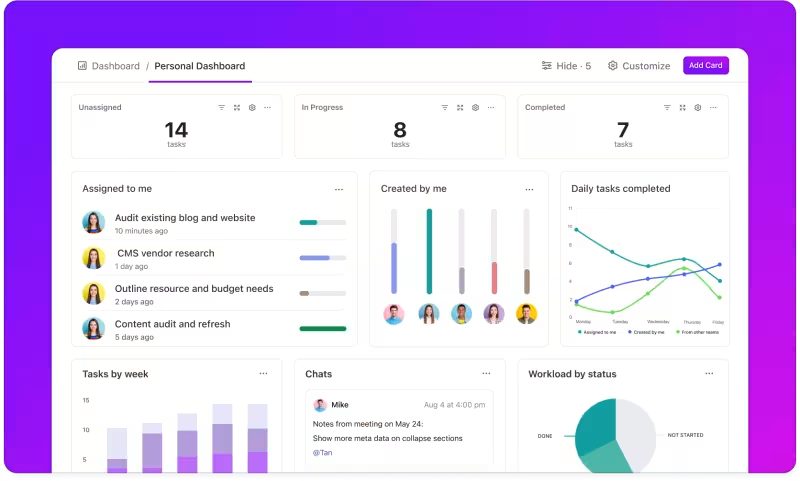
Claude AI is a powerful assistant for generating and optimizing code, but ClickUp ensures that code is properly managed, reviewed, and implemented.
By combining AI assistance with ClickUp’s structured workflows, automation, and real-time insights, development teams can:
Instead of relying solely on AI, ClickUp makes sure AI-driven development stays structured and efficient.
Claude AI helps you write, debug, and optimize code, but without a structured workflow, AI-generated snippets can only take you so far. With collaboration, automation, and organized documentation, you can ensure every line of code is efficient, scalable, and ready for production.
Work smarter, refine faster, and make AI-driven development truly seamless. Sign up for ClickUp today!
Not quite. Claude AI is great for generating, refactoring, and explaining code—but it doesn’t replace your local dev environment, debugging tools, or Git workflows. Think of it as a very smart co-pilot, not your cockpit.
ClickUp bridges Claude’s blind spots—like team collaboration, project context, issue tracking, and historical knowledge. You can save code snippets, track bugs, automate task assignment, and centralize feedback—all in one dev-friendly workspace.
Claude can write solid code, but it’s not foolproof. Always review AI-generated snippets for logic errors, deprecated methods, or missing security best practices before pushing anything live. AI doesn’t come with liability insurance.

Sean Hardy
Max 23min read

Manasi Nair
Max 16min read

© 2026 ClickUp




