






Still downloading templates?
There’s an easier way. Try a free AI Agent in ClickUp that actually does the work for you—set up in minutes, save hours every week.
Sorry, there were no results found for “”
Sorry, there were no results found for “”
Sorry, there were no results found for “”
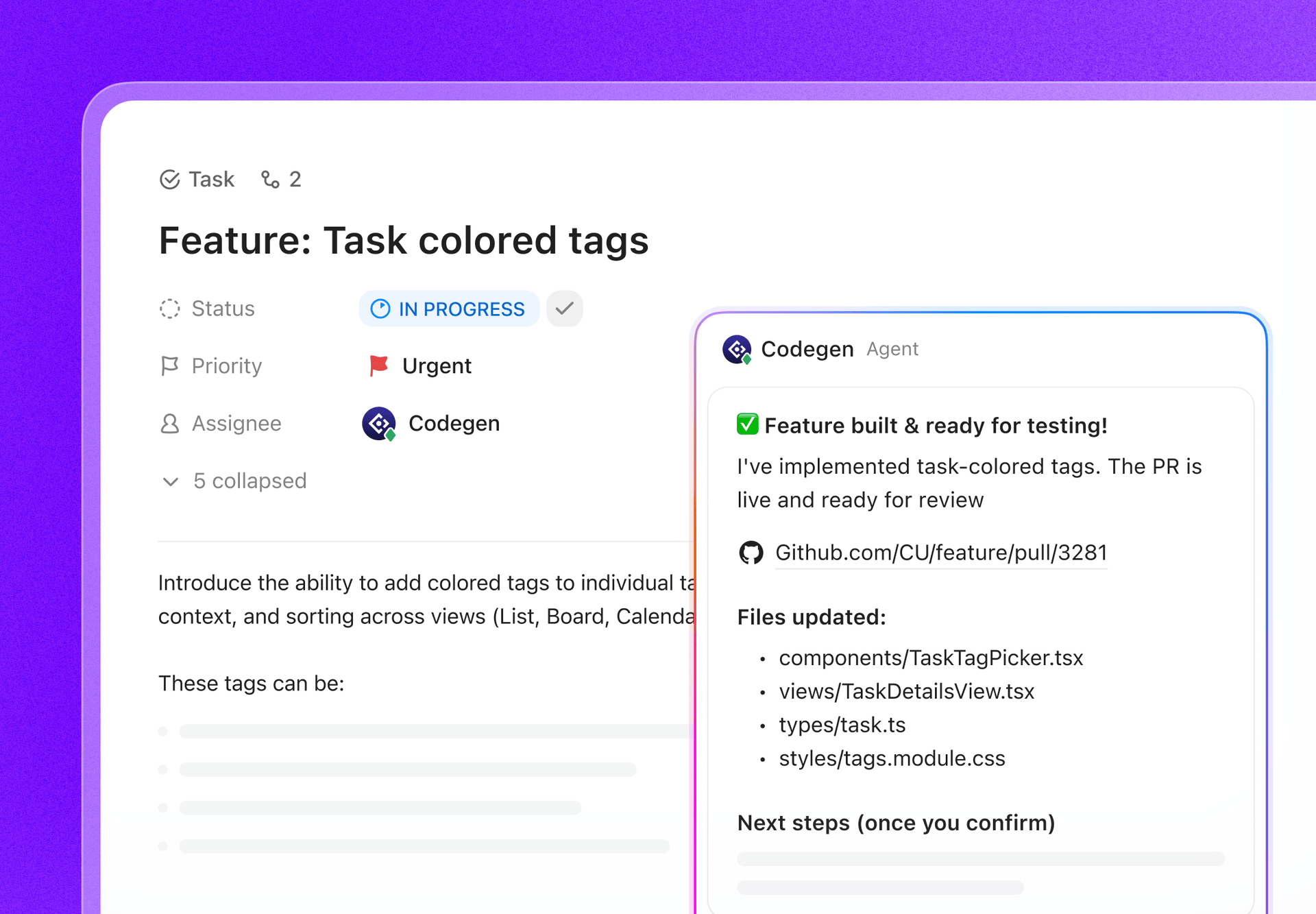
AI coding tools promise to write your entire app, but here’s the catch: without a system to track what they’re building, you’re trading one problem for another.
This guide walks you through using Devin AI for startup development while keeping your projects organized, your team aligned, and your AI-generated code under control.
Devin AI is an autonomous AI software engineer created by Cognition AI. It can independently write, debug, and deploy code from start to finish. Think of it less like a code suggestion tool and more like a junior developer on your team, complete with its own code editor, web browser, and command line shell.
This AI agent has shown impressive results on the SWE-bench, resolving 13.86% of issues, a benchmark that tests an AI’s ability to solve real-world software engineering problems from GitHub. This performance establishes its credibility as a capable AI programmer.
Devin is designed for engineering teams, especially startups with limited developer resources, who need to accelerate their development velocity and ship products faster.
For a startup, the pressure to build and iterate quickly with a small team is constant. This often leads to a painful choice between developing new features or fixing bugs, causing technical debt to pile up that consumes 20-40% of developers’ time. Devin AI helps you extend your engineering capacity without hiring, automating repetitive coding tasks so your team can focus on high-impact work.
However, handing off tasks to an AI creates a new challenge: how do you manage the work? Without a proper project management system, you can lose track of what Devin is building, creating context sprawl—when teams waste hours searching for information across disconnected apps and platforms—and making it impossible to maintain visibility.
Solution: Eliminate context sprawl and keep all AI-generated development organized, tracked, and reviewed in a converged workspace like ClickUp.
📮ClickUp Insight: Context-switching is silently eating away at your team’s productivity. Our research shows that 42% of disruptions at work come from juggling platforms, managing emails, and jumping between meetings. What if you could eliminate these costly interruptions?
ClickUp unites your workflows (and chat) under a single, streamlined platform. Launch and manage your tasks from across chat, docs, whiteboards, and more—while AI-powered features keep the context connected, searchable, and manageable!
Startups are in a constant race against time, and a limited engineering team can feel like a major bottleneck. You’re trying to build an MVP, fix bugs, and keep the backlog from overflowing, all at once. This stretch on resources slows your time-to-market and can lead to developer burnout.
Devin AI excels at taking on well-defined, repeatable tasks that would otherwise consume your developers’ valuable time. It acts as a force multiplier, handling the grunt work so your team can focus on innovation.
Here are the core ways startups can use this AI software engineer to gain a competitive edge: 🛠️
Getting a Minimum Viable Product (MVP) to market is critical for validating your startup’s idea, but it can take months of development work. This delay means you’re burning through cash and giving competitors a chance to catch up.
Devin can take a detailed prompt describing an application and build a functional prototype from scratch, dramatically shortening this cycle.
The workflow is straightforward: Devin sets up the development environment, writes the necessary code, runs tests to ensure functionality, and can even deploy the application to production. This allows you to get real user feedback in days or weeks, not months.
Here are a few examples of MVPs Devin can build:
💡 Pro Tip: Devin works best with clear, detailed specifications. Vague prompts lead to unpredictable results. To avoid this, you need a system for defining and tracking requirements. Gain full visibility into what Devin is building by creating detailed tasks for each feature in ClickUp.
For many startups, the bug backlog is a source of constant stress. It grows faster than your team can shrink it, leading to a buggy product and mounting technical debt. Developers are forced to choose between fixing old issues and building new, revenue-generating features.
Devin can autonomously triage issues from your backlog. It can identify the root cause of a bug, write the code to fix it, and submit the solution as a pull request in GitHub for your team to review.
This is ideal for tackling common backlog items, such as:
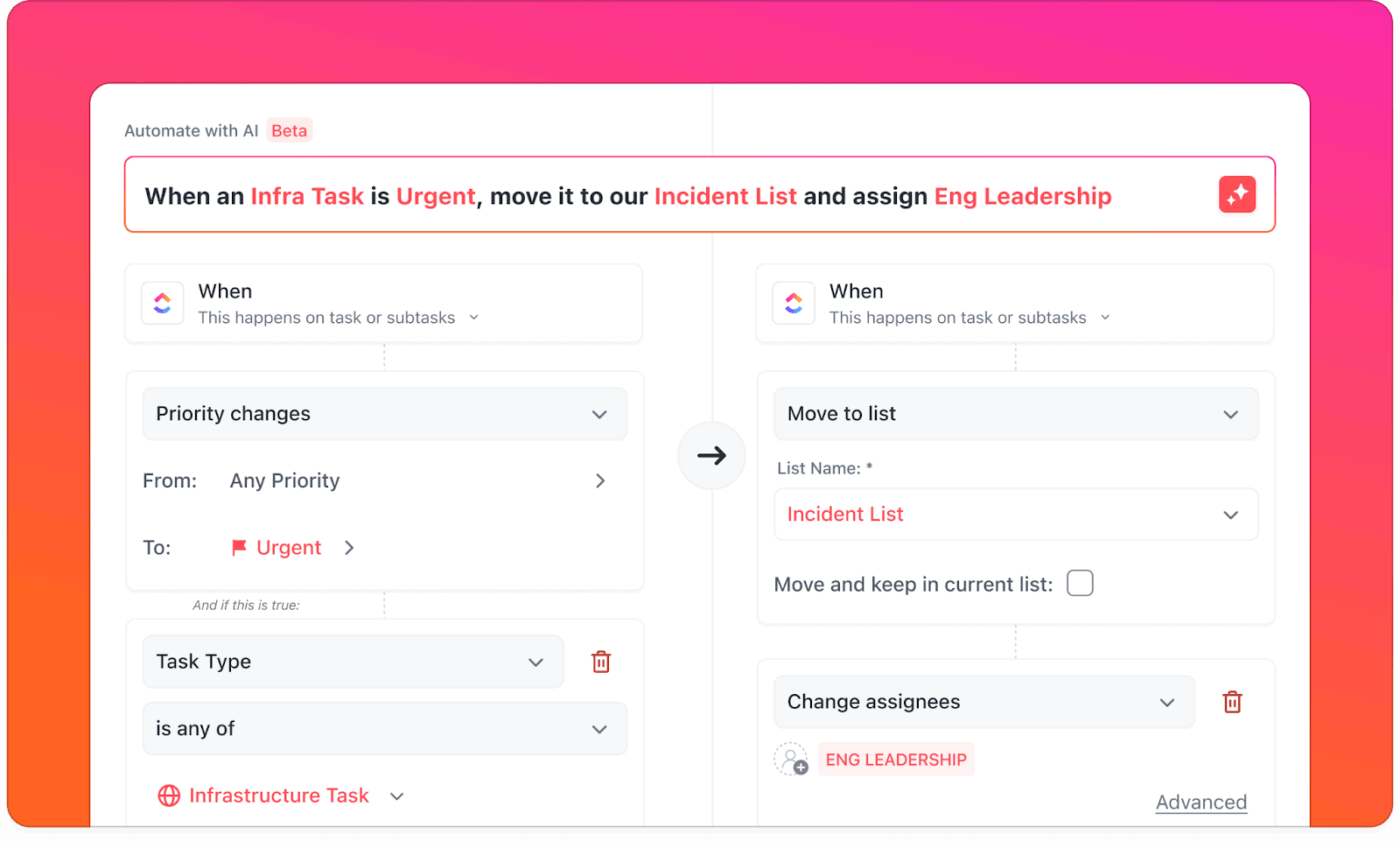
💡 Pro Tip: While Devin proposes the fix, a human engineer should always review the code before it’s merged. Streamline your entire process by automating repetitive steps with ClickUp Automations. Keep your workflow smooth and transparent by automatically assigning bug-labeled tasks to Devin and updating statuses with ClickUp Automations.
Large-scale codebase changes, like framework upgrades or API migrations, are often tedious, time-consuming, and risky. For a small startup team, these projects can derail the product roadmap for weeks. This is another area where Devin can provide significant leverage.
You can delegate well-defined refactoring tasks to Devin, which can learn your codebase’s patterns and apply changes consistently across hundreds of files. This frees up your senior developers to focus on more complex architectural challenges.
Common migration tasks for Devin include:
💡 Pro Tip: Get a clear, high-level view of migration progress and ensure nothing is missed in the refactor by tracking each migration step with ClickUp Custom Fields.
Watch this video to learn how AI Agents can help scale your development processes:
It’s easy to think of AI coding tools as a “black box,” which can be unsettling when you’re trusting it with your codebase. Understanding how Devin works helps demystify the process and allows you to structure tasks more effectively. Unlike simple code completion tools, Devin is a true AI agent with access to its own sandboxed development environment.
This means it doesn’t just suggest code; it actively works on it. The architecture has three key components that allow it to function like a human developer.
Devin operates on a human-in-the-loop model. It works autonomously on a task but will pause and wait for your approval at critical checkpoints. This ensures you always have the final say. Over time, it learns by reading your documentation and exploring your codebase, adapting to your team’s specific patterns and standards.
📚 Also Read: How to Choose Code Collaboration Platforms
Getting a powerful new tool like Devin integrated into your startup’s workflow can feel like a huge undertaking. You might worry about a complicated setup, managing permissions, or the tool not working well with your existing stack. A messy onboarding process can lead to wasted time and a tool that nobody uses.
The good news is that getting started with Devin is a structured process. Proper onboarding is the foundation for effective AI-assisted development.
First, you’ll need to create an account on the Cognition AI platform. Devin’s plans are typically based on usage volume, with different tiers available depending on how much you expect to use it. The model is session-based, meaning tasks consume a certain amount of compute time.
For a startup, it’s wise to start with a smaller plan. This allows you to test out different workflows and understand your usage patterns before committing to a larger, more expensive plan.
Once you have an account, the next step is to connect Devin to your development ecosystem. The most critical integration is with GitHub. This involves installing the Devin GitHub App and granting it access to the repositories you want it to work on. You’ll need to give it read/write permissions so it can create branches and open pull requests.
You can also connect Devin to other tools for a more seamless workflow.
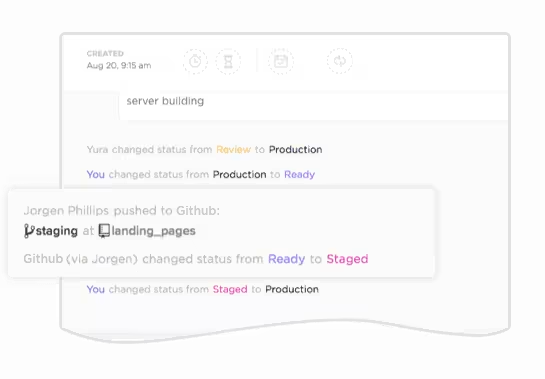
The biggest risk with adding a new tool is creating another information silo. To avoid this, centralize all your development work—both human and AI-generated—in one place. Automatically link pull requests and commits back to your ClickUp Tasks using the GitHub integration. When Devin opens a PR, the corresponding task is updated instantly, eliminating the context sprawl between your code and your project plan.
📮ClickUp Insight: 88% of our survey respondents use AI for their personal tasks, yet over 50% shy away from using it at work. The three main barriers? Lack of seamless integration, knowledge gaps, or security concerns. But what if AI is built into your workspace and is already secure?
ClickUp Brain, ClickUp’s built-in AI assistant, makes this a reality. It understands prompts in plain language, solving all three AI adoption concerns while connecting your chat, tasks, docs, and knowledge across the workspace. Find answers and insights with a single click!
Diving in with a massive project is a recipe for frustration. Your first task with Devin should be small, well-defined, and low-risk. This will help you and your team understand its workflow, capabilities, and limitations without derailing your sprint.
Good first tasks include updating a single dependency, adding a very simple feature, or fixing a well-documented bug. The goal is to learn, not to solve your biggest engineering challenge right away.
The quality of Devin’s work is directly tied to the quality of your prompt. Vague instructions lead to wasted time and unpredictable results. A great prompt gives Devin everything it needs to succeed without ambiguity.
An effective prompt has four key parts:
For example, instead of a vague prompt like “Fix the login bug,” a much better prompt would be: “Fix the login bug where users see a blank screen after entering correct credentials. The issue is in the auth.js file. Add error handling and display a user-friendly message if the API call fails.”
💡 Pro Tip: Make it easy for anyone to assign work to Devin correctly by creating and storing prompt templates in ClickUp Docs and linking them directly to tasks.
Before Devin starts coding, it presents you with its plan. This is a critical checkpoint for human oversight. It’s your opportunity to catch any misunderstandings before they turn into bad code.
When reviewing the plan, look for logical steps, correct file identification, and an approach that aligns with your team’s standards. If something looks off, you can provide feedback and ask Devin to adjust its plan. The reasoning trace explains why it’s making certain decisions, giving you valuable insight into its process.
💡 Pro Tip: Maintain a clear audit trail for all AI-assisted work by documenting plan reviews in ClickUp Task Comments. This creates a historical record of all feedback and approvals, which is invaluable for quality control and debugging later.

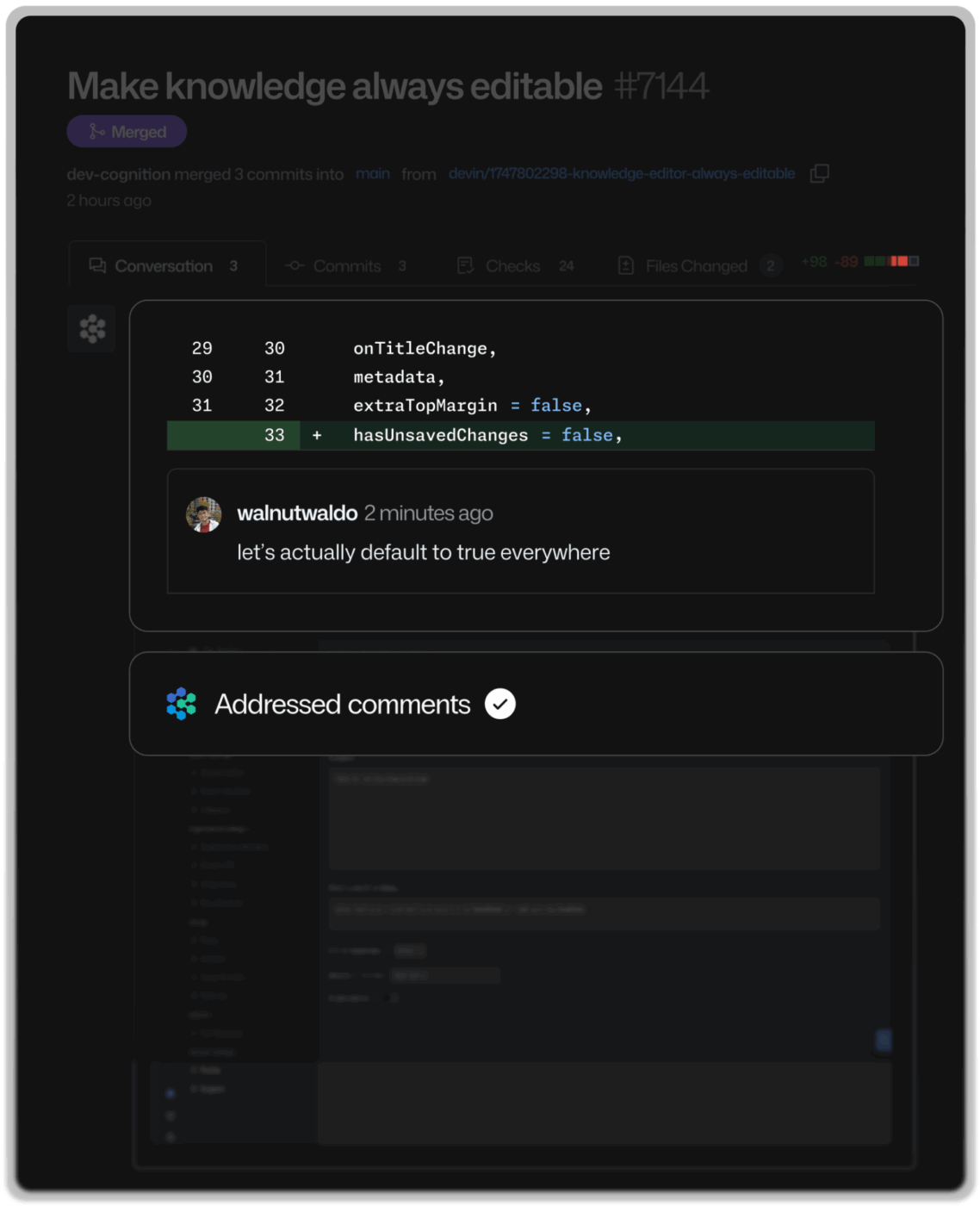
Once Devin completes the work, it will open a pull request on GitHub containing the code changes, any new tests it wrote, and documentation. At this stage, your standard code review process takes over. AI-generated code should be scrutinized just as carefully as human-written code.
During the review, check for:
Once you’re satisfied, you can approve and merge the PR. This is where having an integrated system pays off.
💡 Pro Tip: Keep your project board perfectly in sync without manual effort by automatically updating task statuses to ‘Done’ when you merge a pull request using the ClickUp GitHub integration.
Just giving your team access to a powerful AI tool without a playbook can lead to chaos. You might end up with buggy code merged into production, or developers wasting time cleaning up the AI’s mistakes. To avoid this, you need to establish clear best practices for how your team works with Devin. ✨
Easily filter and create reports, ensure senior developer sign-off on every AI-generated PR, and keep all your technical documentation and prompt templates in one place by operationalizing your workflow in ClickUp.
💡 Pro Tip: Visualize your team’s progress and compare AI vs. human development velocity to identify bottlenecks and opportunities for improvement with ClickUp Dashboards.
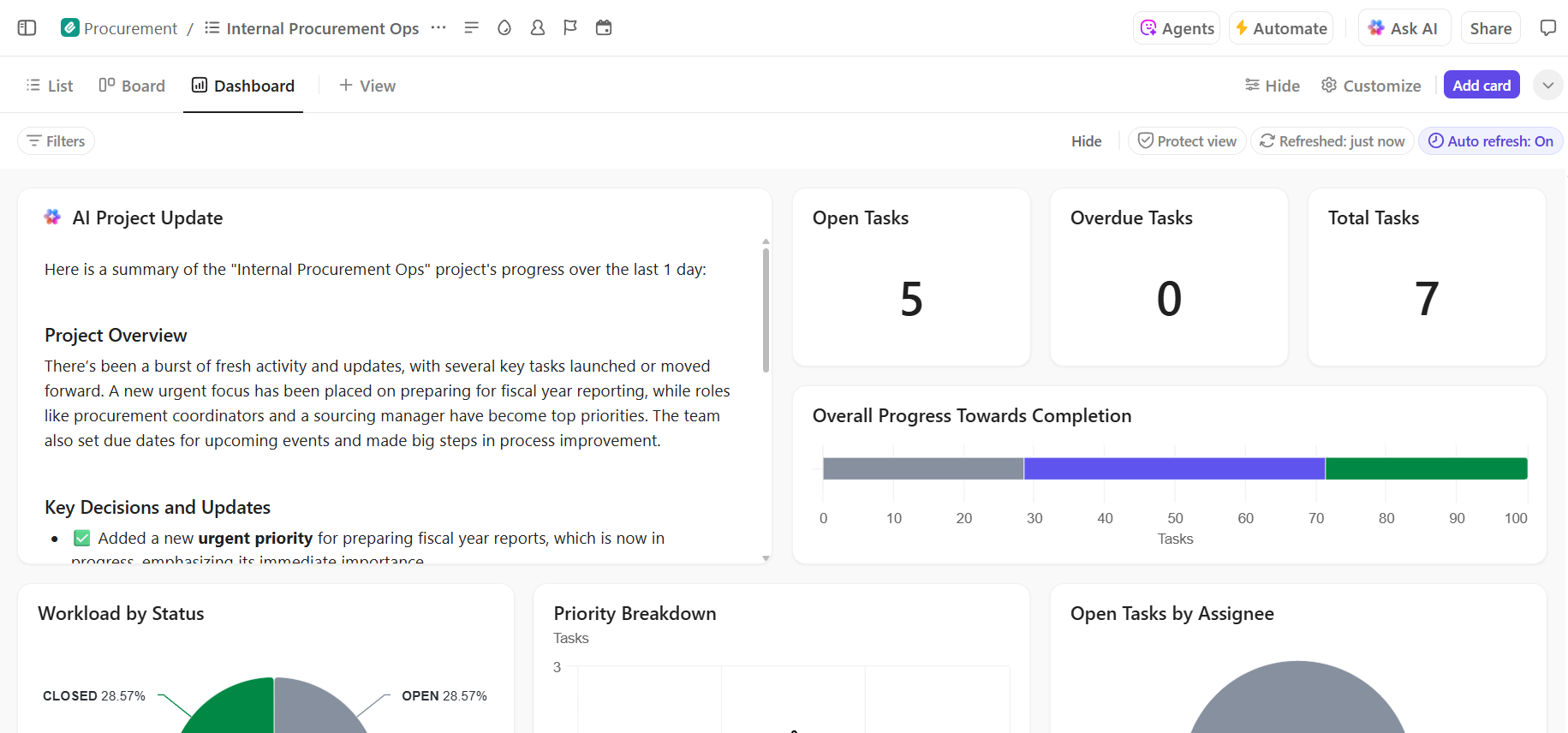
While Devin is a powerful tool, it’s not a magic bullet. Understanding its limitations is key to setting realistic expectations and avoiding frustration. Presenting these limitations honestly helps your team use the tool effectively.
These limitations make having a strong project management process even more critical. You need a system that ensures clear task definitions, provides structured templates, and enforces human oversight at every key checkpoint.
📚 Also Read: How to Use Hugging Face for AI Deployment
While Devin is excellent at code generation, it’s only one piece of the puzzle. Startups need a comprehensive system to manage, track, and coordinate all development work—whether it’s done by a human or an AI.
Juggling Devin, GitHub, Slack, and a separate project management tool creates the exact kind of tool sprawl and AI sprawl—the unplanned proliferation of disconnected AI tools with no oversight or strategy, leading to wasted money and duplicated effort—that slows teams down.
Centralize your project management, documents, and communication in one place with ClickUp to eliminate this problem.
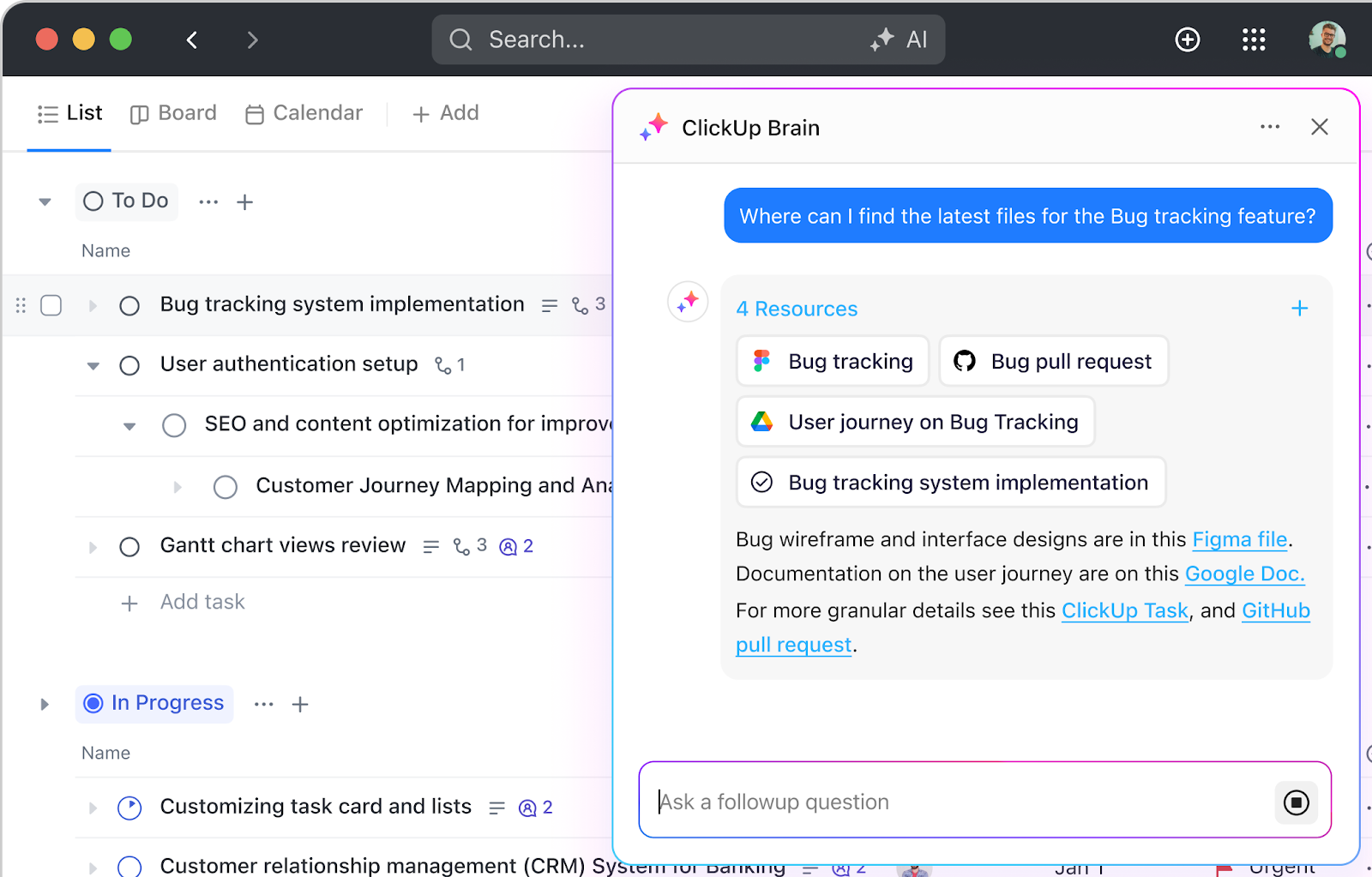
ClickUp’s converged AI workspace—a single, secure platform where projects, documents, conversations, and contextual AI intelligence work together seamlessly—brings everything together, with ClickUp Brain providing intelligence across your entire workspace.
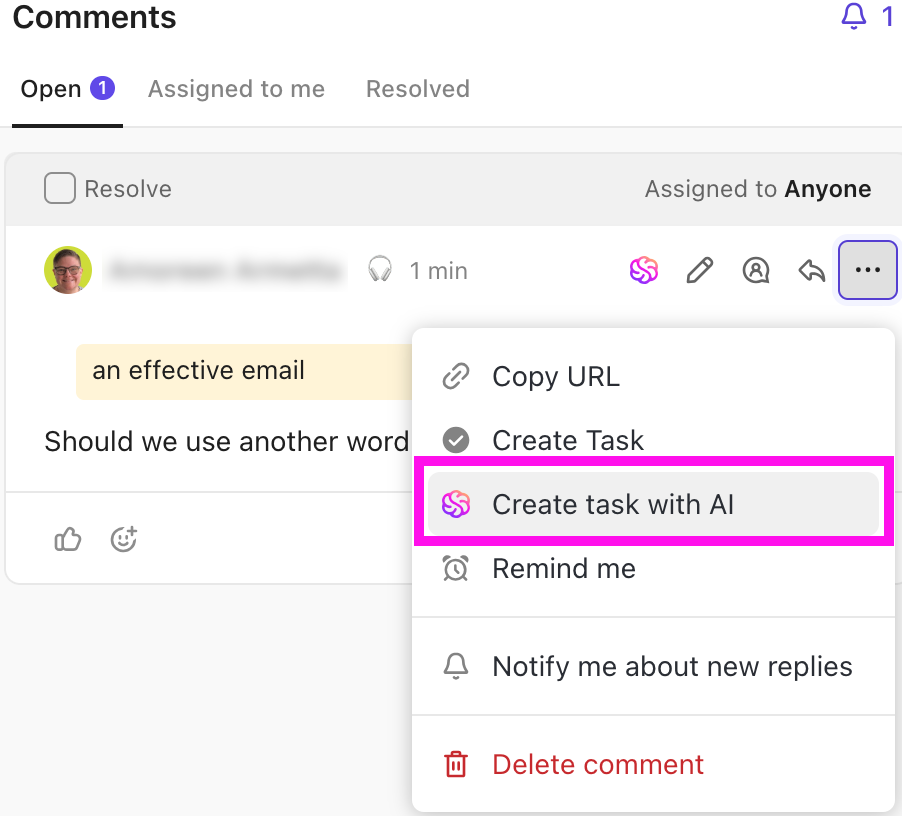
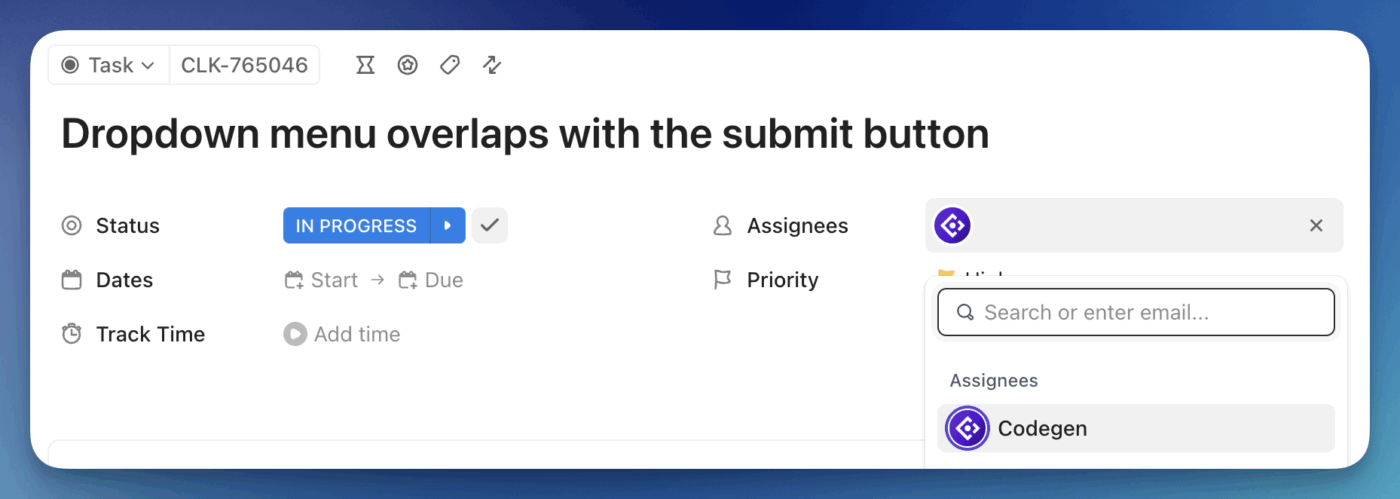
Empower even non-technical team members to execute development tasks with deep project understanding—ClickUp’s Codegen Agent brings AI coding capabilities directly into your project management hub.
Learn more about automating your development workflows with ClickUp:
Devin is a powerful autonomous agent, but it’s not the only AI coding tool on the market. The right choice for your startup depends on whether you need a tool to assist your developers or one to delegate tasks to.
Here’s a quick comparison of some popular tools for coding.
| Tool | Best For | Key Capability | Consideration |
|---|---|---|---|
| GitHub Copilot | In-editor code completion | Real-time suggestions while typing | Requires a human to drive all development |
| Cursor | AI-first code editing | Chat-based code generation in the IDE | Still requires constant developer oversight |
| Replit Agent | Quick prototypes | Browser-based development environment | Limited for complex production applications |
| Claude/ChatGPT | Code explanation and snippets | Conversational code assistance | No direct integration with your codebase |
| Devin AI | Autonomous task completion | End-to-end development with PR output | Requires clear, well-defined task definitions |
Most alternatives are code assistants, designed to augment a developer’s workflow rather than work independently. Devin stands out for its ability to handle entire tasks autonomously. Regardless of which tool you choose, you’ll still need a robust project management platform to track and coordinate all the work.
💡ClickUp Brain works as your coding partner within ClickUp.
Devin AI offers a powerful way for startups to multiply their engineering output, but it’s most effective when used for well-defined, repeatable coding tasks with clear acceptance criteria. Human oversight is not just a suggestion; it’s essential. AI-generated code requires the same level of review rigor as human-written code. By starting with small, low-risk tasks, your team can build the muscle for effective prompting and review workflows. 🤩
Managing an AI-assisted workflow requires visibility, coordination, and clear processes. Build the project management foundation for your AI-powered startup with ClickUp. Get started for free with ClickUp and bring all your development work—human and AI-generated—into one unified workspace.
Devin can build functional MVPs for web applications, internal tools, and API integrations when given clear specifications. However, complex products with novel architectures still benefit from human developer involvement in planning and oversight.
Devin requires technical context to perform well, as you’ll need to provide clear prompts and understand pull requests. Non-technical founders can use Devin effectively by partnering with a technical advisor to handle the code review and oversight.
Devin shows its reasoning and pauses for approval at key checkpoints, and all pull requests should be reviewed before merging. You should plan for a senior developer to review Devin’s output for each task assigned.
Devin uses a session-based pricing model where tasks consume compute time, with different plan tiers available. You should contact Cognition AI directly for current pricing details that fit your startup’s expected usage.
Devin augments developer capacity by handling repetitive tasks, but it doesn’t replace human developers who make architectural decisions and handle complex problem-solving. Think of Devin as a force multiplier for your existing team.
Avoid delegating security-critical code, complex architectural decisions, and novel problems that require creative problem-solving. Devin excels at well-defined, repeatable tasks with documented patterns and clear acceptance criteria.

© 2026 ClickUp

There’s an easier way. Try a free AI Agent in ClickUp that actually does the work for you—set up in minutes, save hours every week.