






Still downloading templates?
There’s an easier way. Try a free AI Agent in ClickUp that actually does the work for you—set up in minutes, save hours every week.
Sorry, there were no results found for “”
Sorry, there were no results found for “”
Sorry, there were no results found for “”
Code reviews drag when the processes around them drag. Review cycles stretch, deployment pipelines stall, and code ships without actually getting better.
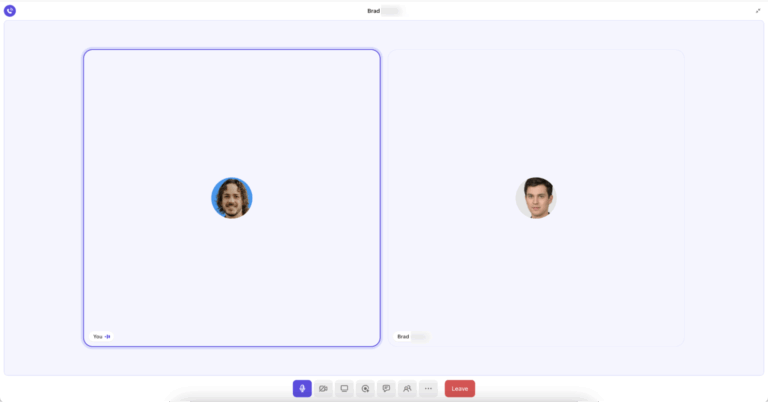
If this sounds familiar despite regular synchronous meetings, let’s show you how engineering leads can use ClickUp SyncUp for code review syncs.
It’s an async-first (or hybrid) way of collaborating designed for distributed teams who need context-rich reviews without scheduling chaos.
Code review syncs aren’t flawed at their core logic or the nature of architecture. Issues such as prolonged processes, vague communication, unclear guidelines, and misaligned incentives turn the rather helpful code review processes ineffective.
Here’s why your traditional sync cycles are not resulting in better code 🧑💻
Most code review syncs cover incremental updates that could be shared asynchronously.
Yet engineers are expected to context-switch mid-build, join a call, restate what’s already in the PR, and then try to drop back into deep work.
Those interruptions add cognitive overhead without improving code quality, and they show up as lost focus and slower delivery.
For distributed teams, it gets worse. Someone is always dialing in early or staying late, which lowers engagement and turns the “sync” into passive attendance.
Over time, engineers stop treating review syncs as problem-solving time and start seeing them as calendar obligations.
Level up your developer workflows with the best AI agents for coding. Use them to generate code, catch bugs, propose improvements, and more.
👀 Did You Know? The accessibility of meeting tools has undoubtedly brought convenience, but does every singular discussion have to be a meeting? When daily meeting time exceeds two hours, most workers, regardless of job level, consider it excessive. According to Flowtrace’s report, an average employee spends 392 hours annually attending meetings.
Your developer has to toggle between 4 separate spaces to find all the information they need to review the code.
The back-and-forth eats into their workplace productivity.
Communication—or lack of it—within the same tool adds another layer of frustration to the rather simple code review process. The longer one has to find information to perform a task, the harder it becomes to pick up where they left off.
📮 ClickUp Insight: We recently discovered that about 33% of knowledge workers message 1 to 3 people daily to get the context they need. But what if you had all the information documented and readily available?
With ClickUp Brain’s AI Knowledge Manager by your side, context switching becomes a thing of the past. Simply ask the question right from your workspace, and ClickUp Brain will pull up the information from your workspace and/or connected third-party apps!
High-level feedback might be discussed in a meeting, clarifications shared in chat, and implementation details buried in Git comments.
This becomes a real problem when:
Without centralized visibility, you will have to repeat discussions and re-explain context.
Code reviews turn into one-time conversations that disappear as soon as the sync ends.
📚 Read More: Best Code Editors for Developers
Traditional code review workflows tie feedback to scheduled syncs. If a question comes up after a review meeting, it waits until the next one.
A pull request might be technically ready, but an unresolved comment holds it back. Engineers either wait for clarification or move on to other tasks, forcing them to reload context later. What should be a short feedback cycle turns into a multi-day stall.
⭐ Bonus: Every engineering team has technical debt. Below, we show you how to manage it before it snowballs into performance issues and missed deadlines 👇
✅ Fact Check: Feedback loops are one of the three key dimensions of Developer Experience (DevEx), alongside cognitive load and flow state. This work explains that slow or ineffective feedback, such as long code review waits, increases friction and interrupts deep work.
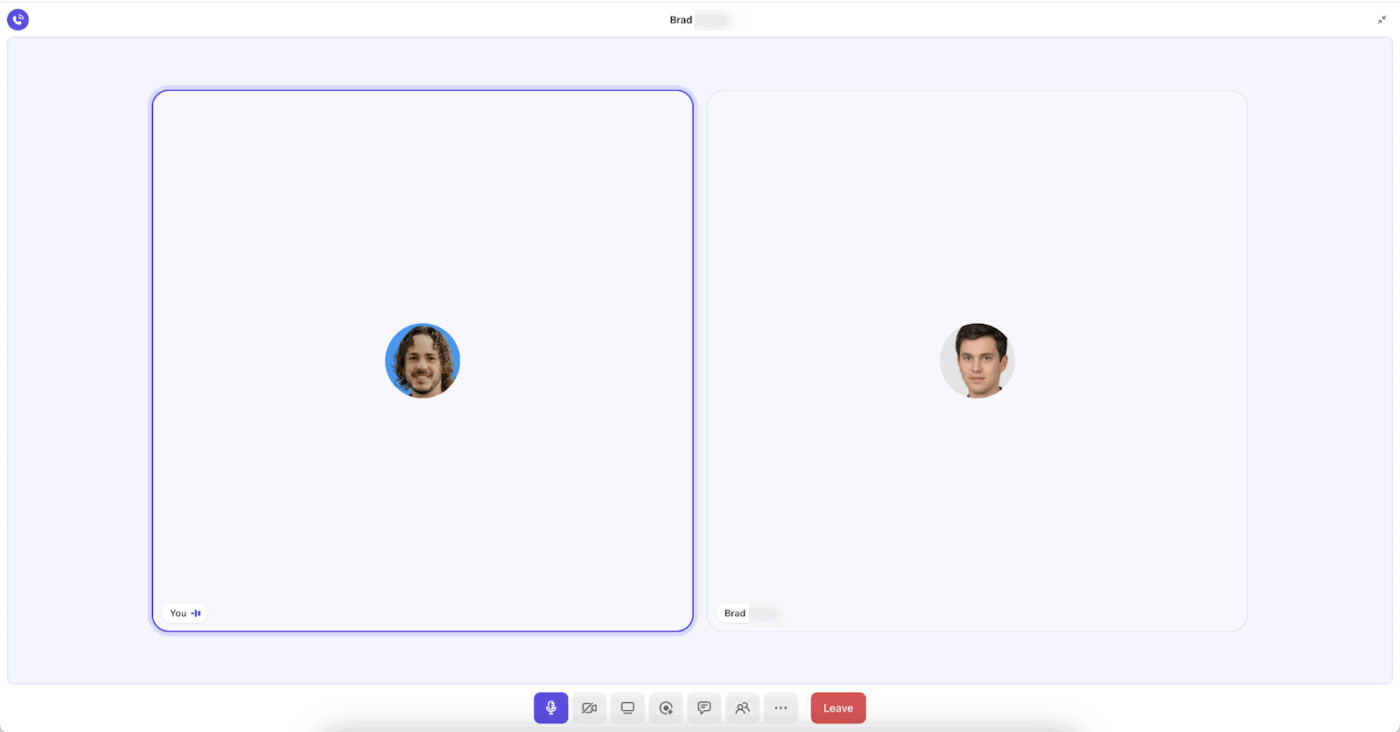
ClickUp SyncUp is a built-in AI-powered video and audio meeting feature within your ClickUp Workspace. It’s designed to make code review syncs collaborative and context-rich.
SyncUps can be initiated from any ClickUp Channel or direct message. For code reviews, start your SyncUp from the Sprint List’s Channel, ensuring all of your files, tasks, and communication related to a sprint are at your fingertips.
You start a SyncUp and start recording:
Anyone who missed the meeting watches the recording or reviews the AI-generated notes, understands the reasoning immediately, and applies the fix without additional back-and-forth.
Here’s how SyncUp offers a comprehensive communication approach for engineering teams:
Some additional scenarios that are great for SyncUps:
With ClickUp SyncUp, you can launch one-on-one or group voice and video calls directly from your Sprint List’s Channel or a direct message.
To ensure no feedback or action items get lost, activate AI Notetaker at the start of your meeting and stay fully engaged. AI Notetaker will record the meeting and take notes for you. Feedback translates into action rather than becoming another forgotten conversation.
Not possible to get on a quick call?
Record an audio or video ClickUp Clip describing the issue instead.
You can record your screen, build walkthroughs, add voice guidance—anything needed to explain why this implementation won’t scale or where the logic breaks.
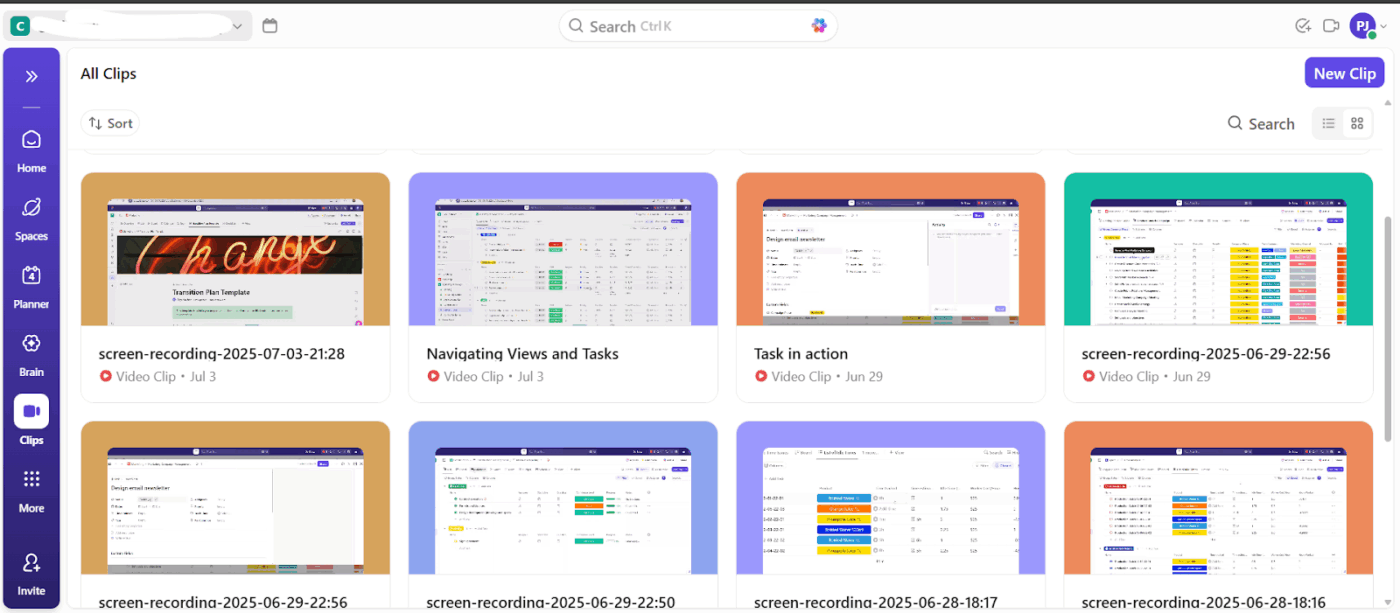
Your developers can view the recorded clips in the Clips Hub when they start work.
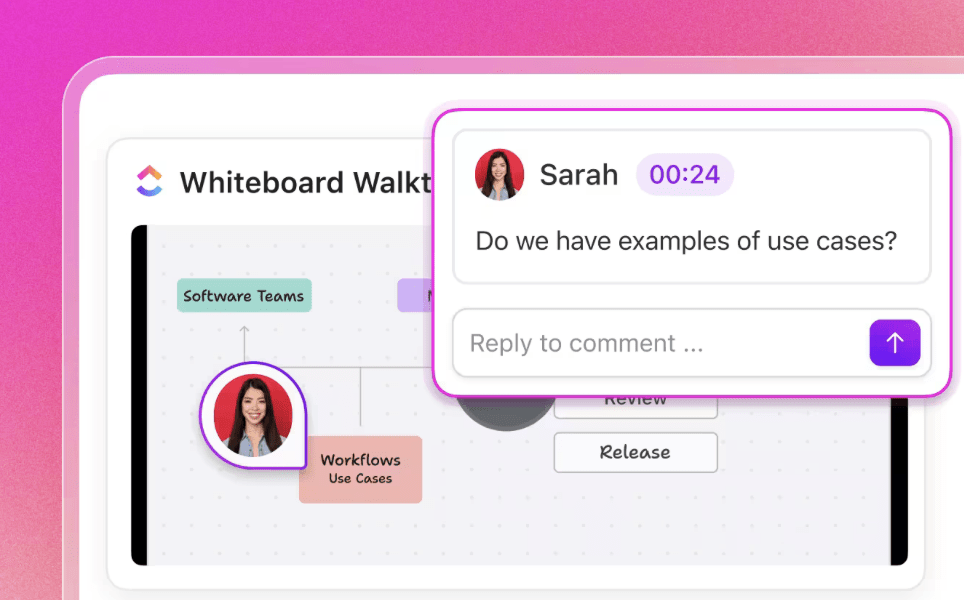
The conversation stays fluid, even async. You can even leave time-stamped comments on the Clip.
You are no longer limited to text-only or synchronous communication models to discuss changes and code reviews.
Focus on delivering detailed feedback that betters the current code and establishes patterns for future work.
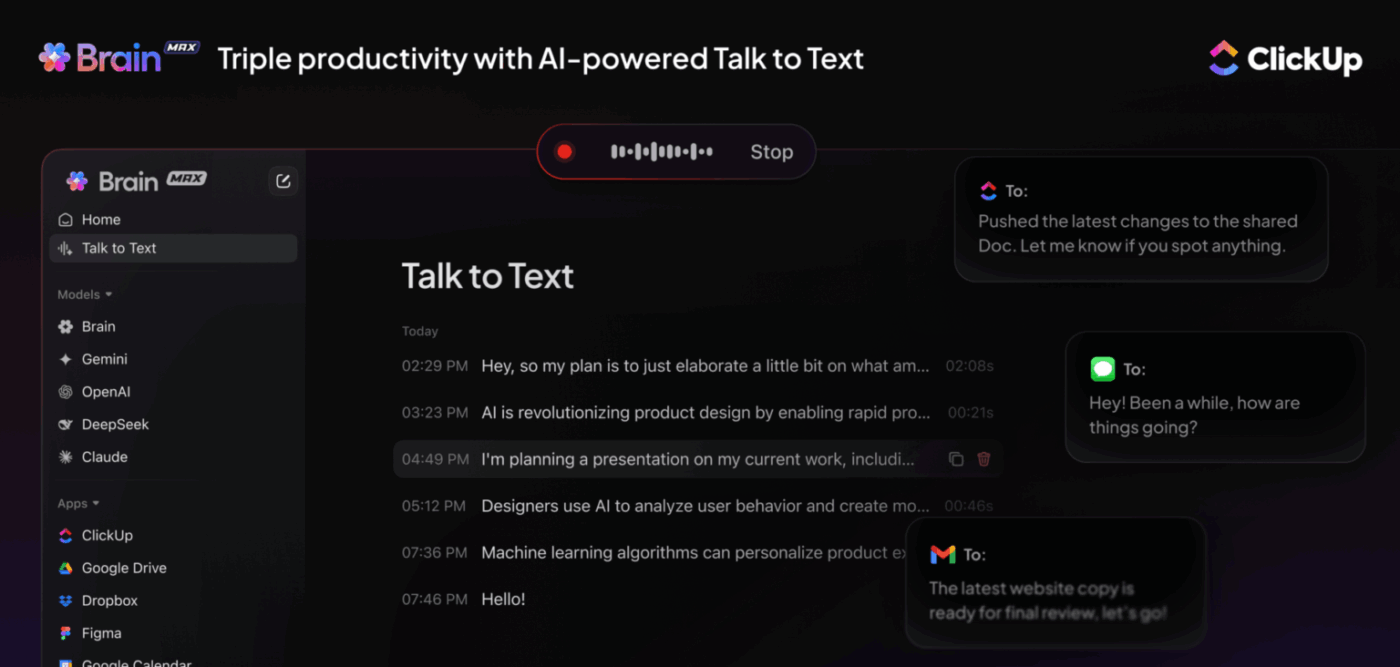
⭐ Bonus: Use ClickUp Talk to Text to dictate detailed feedback without losing your stream of thought. It structures your feedback, removes filler words, and lets you communicate faster than typing while maintaining clarity.
The best part about SyncUps is that everyone gets to see the same SyncUp without needing to be online at the same time.
They can go through the recording, transcript, or AI notes to get context.
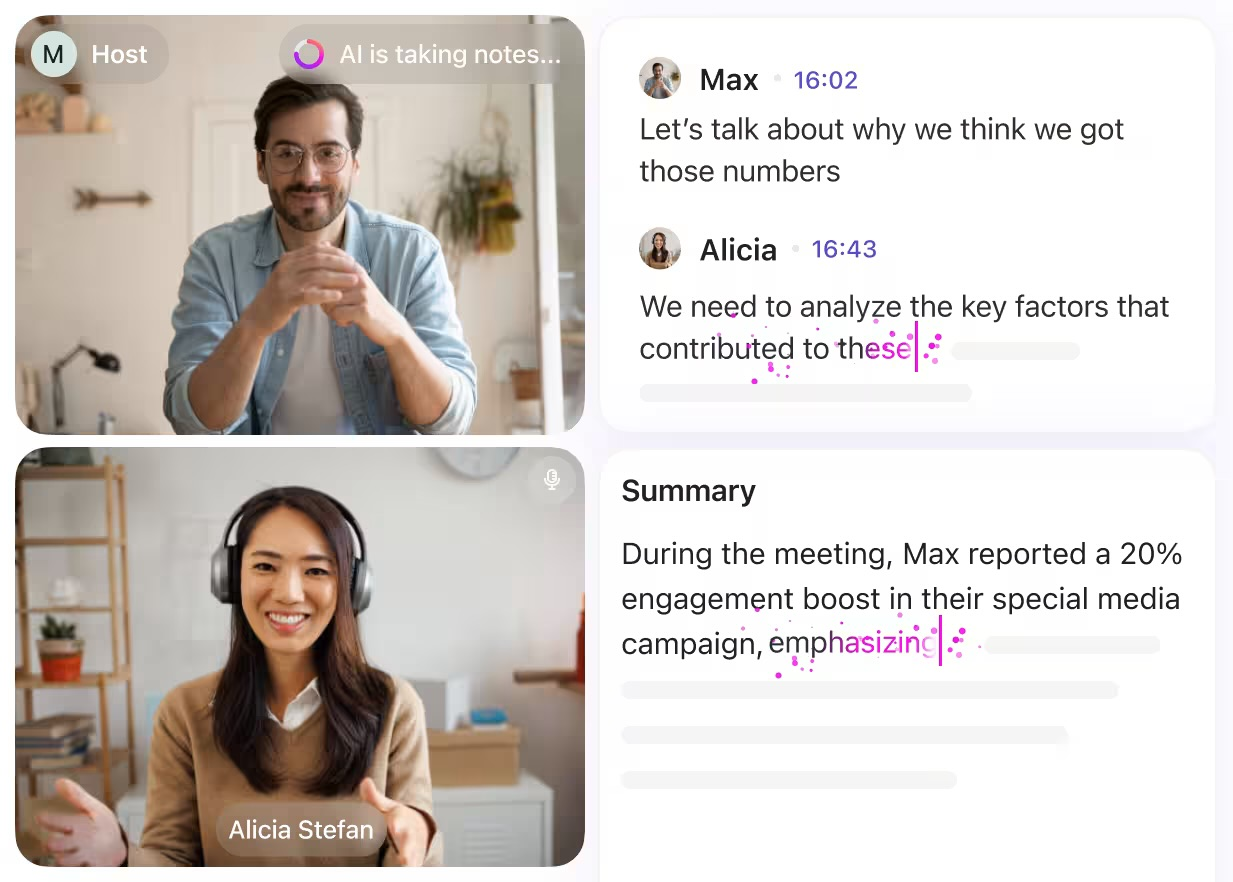
After a recorded meeting ends, your AI-generated notes will include everything, from high-level updates to progress and blockers.
📚 Read More: Best Software Development Tools, Curated for You
👀 Did You Know? The formal process of software inspection was first introduced at IBM by Michael Fagan in the 1970s, where developers would review printed-out code in formal meetings, sometimes with red pens in hand. Code reviews aren’t that vogue after all.
Reviewers can’t efficiently review code when they don’t have sufficient context, such as 👇
With ClickUp, all this context is centralized in one place. Everything—tasks, conversations, files, review recordings—exists within the same workspace where the work is actually happening.
🧩 ClickUp Advantage: Use ClickUp’s GitHub integration to create and manage GitHub issues, branches, pull requests, and commits directly from ClickUp. This eliminates back-and-forth between your project management tool and code repository.
Here’s how you can incorporate ClickUp SyncUp for your code review syncs 👇
If you’re the developer submitting code for review, schedule a SyncUp to walk reviewers through the changes in real time before the pull request is finalized or merged.
📌 Example: You’ve refactored the authentication flow to support OAuth. During the SyncUp, you explain why you chose this approach over JWT and which edge cases you’ve tested.
This upfront context helps reviewers pick up speed immediately and know whether they should scrutinize the architecture or just verify the syntax.
👀 Did You Know? Code reviews aren’t always objective. Research at Google found that developers who identify as women sometimes receive more pushback (21%) during code reviews than their male peers, even for similar code quality.
Structured review processes with clear guidelines help reduce unconscious bias and bring everyone on the same page.
⚡ Template Archive: Free Code Documentation Templates to Simplify Your Software Projects
Instead of leaving long written comments, the reviewers can start a SyncUp to explain their feedback in one pass.
A live discussion also reduces unnecessary revision cycles. Instead of the developer guessing intent from comments and responding multiple times for clarification, both parties can align immediately.
📌 Example: During the SyncUp, a backend reviewer stops at the token refresh logic and asks how refresh failures are handled during concurrent requests. The developer explains the retry strategy and fallback mechanism on the spot, allowing the team to assess whether additional safeguards are needed.
The different means to communicate the changes are ⭐
| Review Type | When to Use | What it Does |
| Inline comments on GitHub PR | Minor syntax fixes, variable naming, and formatting issues | Leave quick text-based feedback directly in code through ClickUp’s GitHub integration |
| Video walkthroughs with timestamps | Architectural changes, performance concerns, complex refactors | Record a Clip in ClickUp showing exactly what code changes are needed. Developers can pause and rewind to strengthen understanding before implementing changes |
| Audio Clips | Explaining nuanced decisions or when tone matters | Developer understands structural changes without misinterpreting flat text |
| Text comments in Tasks | General observations or linking related work | Keep the discussion threaded within the sprint task for future reference |
You also have BrainGPT, the world’s first Converged AI Workspace that helps you with:
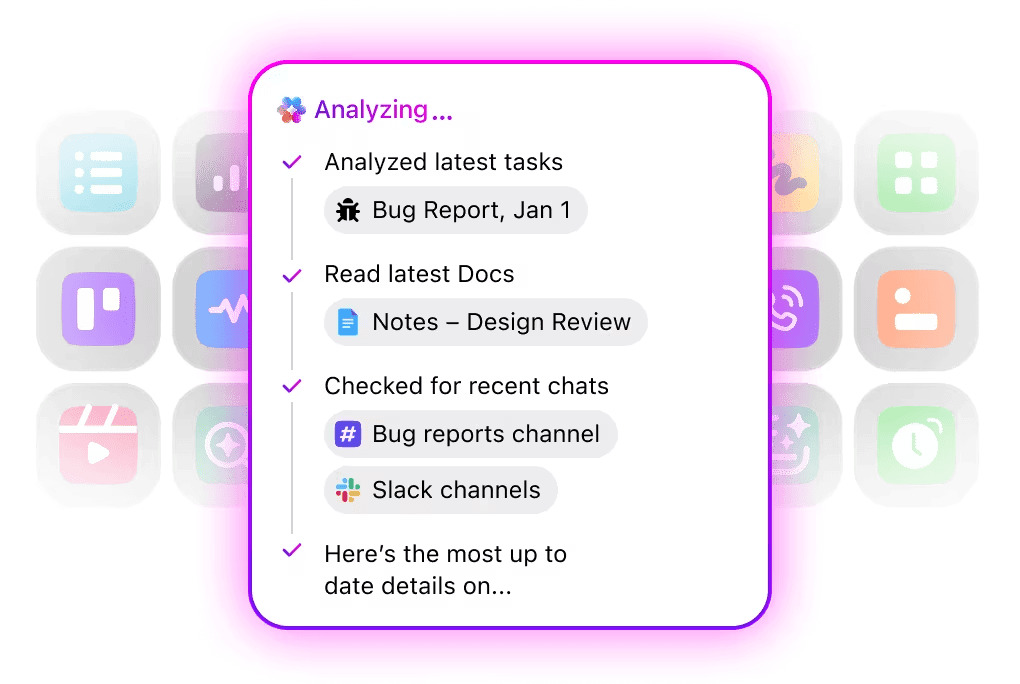
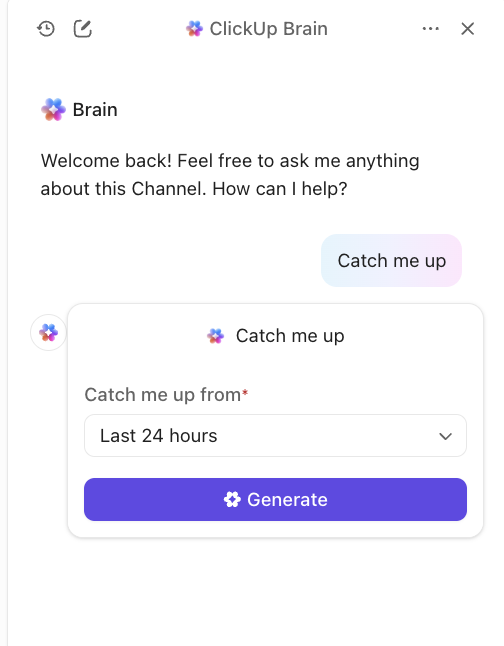
💡 Pro Tip: Too much to catch up on after a few days away? Ask ClickUp Brain to summarize the review thread and AI notes to get you up to speed in seconds.
👀 Did You Know? “Rubber duck debugging” is a real technique where programmers explain their code line by line to an inanimate rubber duck. The act of verbalizing the problem often reveals the solution—proving that sometimes the best code review starts with simply talking through your logic out loud.
GitHub now provides Duck-E, an AI-powered voice assistant that revolutionizes rubber duck debugging by actively engaging in your debugging process instead of just listening silently.
Use ClickUp Dashboards to get a bird’s-eye view of how code reviews are moving across your team.
They offer real-time visibility into task statuses. Your senior engineering leads get a visual overview of how different sprint velocities and review cycles are progressing. They don’t need to manually check GitHub or chase team members for updates.
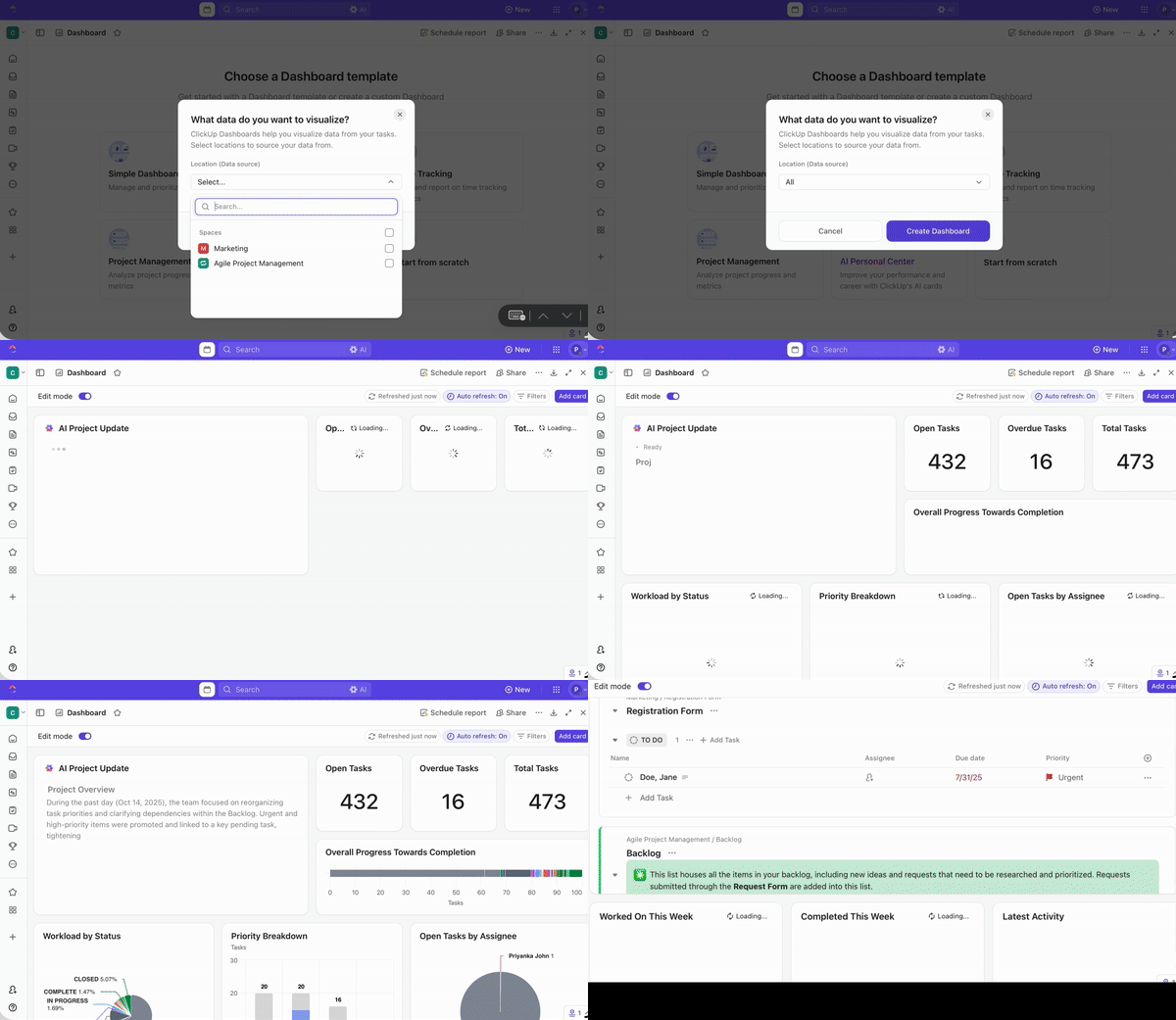
You can customize your Dashboard with different cards like Task Lists, Pie Charts, Bar Charts, or Calculation Cards. They can be used for bug tracking and reviewing turnaround time, approval rates, etc.
💡 Pro Tip: Add ClickUp AI Cards to your dashboard for quick insights. For example,
🧠 Fun Fact: Wondering if automated code reviews are effective? A recent study confirms that 73.8% of automated comments generated by AI tools were actually resolved by developers.
But automation also increased closure times from 5 hours 52 minutes to 8 hours 20 minutes. That said, AI tools may improve bug detection and code quality awareness, but they also bring faulty reviews and irrelevant comments that slow down the process.
It’s practically impossible to keep track of all the code reviews and their endless revision cycles and PRs without an efficient task tracking system. Manual follow-ups eat into time that should be spent writing code, not chasing status updates.
With ClickUp Automations, you can automate engineering workflows that bog down the review process.
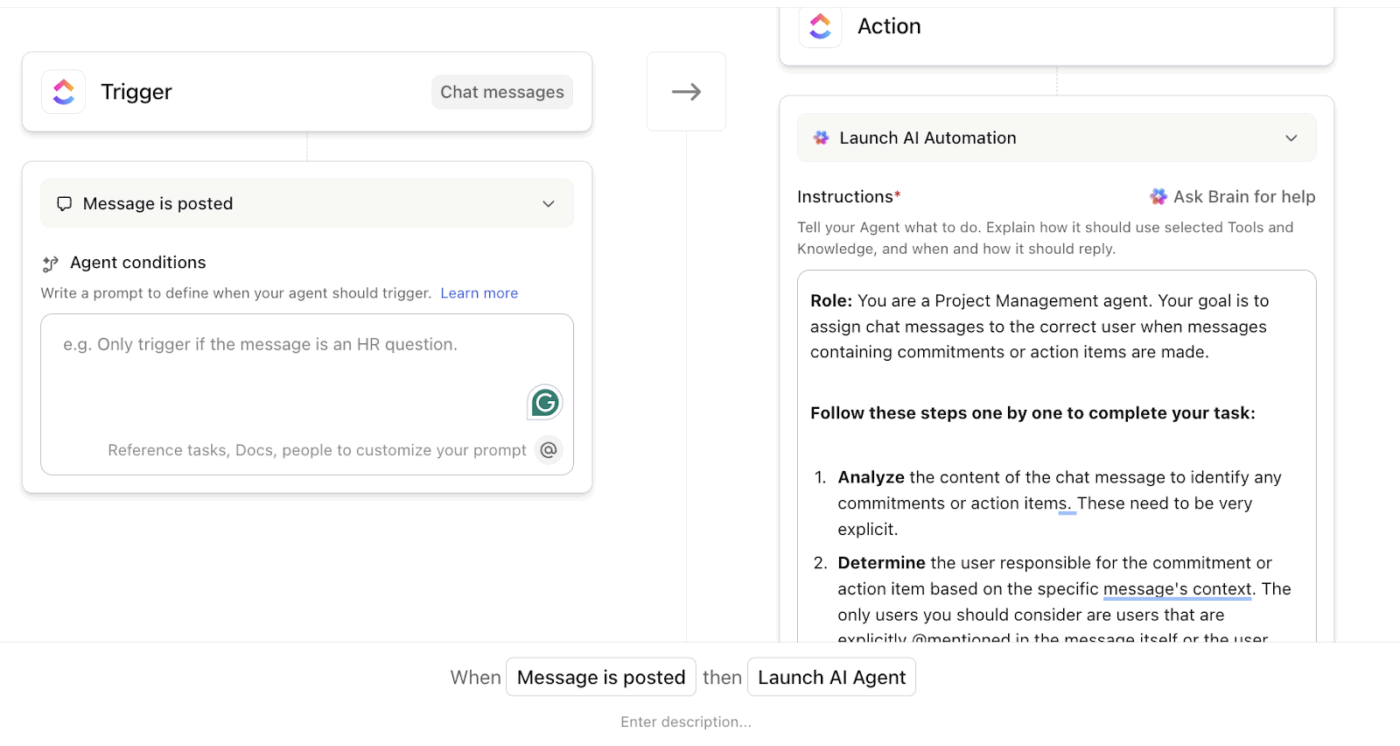
Set triggers like:
These automations reduce manual follow-up chaos and allow your team to focus on actual software development work.
🚀 ClickUp Advantage: Super Agents are AI-powered teammates inside ClickUp that work continuously across your Workspace. They understand tasks, Docs, Chats, and connected tools, and can run multi-step workflows without manual prompts or follow-ups.
Super Agents excel at workflows like:
With ClickUp SyncUp, you can centralize your code review process alongside your actual work. Here’s why it matters 👇
🧠 Fun Fact: Wondering if code reviews actually work? A 200-person organization within AT&T experienced a 14% increase in productivity and a 90% decrease in defects after they introduced code reviews in their process.
Let’s show you how developers and software engineers work with ClickUp SyncUp:
When proposing major system design changes, senior engineers need buy-in without endless alignment meetings.
✅ Try this:
New hires get consistent, comprehensive training without pulling senior developers out of deep work for repetitive walkthroughs.
Try this:
Security vulnerabilities and performance bottlenecks need clear documentation and immediate action.
✅ Try this:
After production incidents, software teams need to understand why systems failed and how to prevent recurrence without blame or information loss.
✅ Try this:
⚡ Template Archive: Free Software Development Plan Templates to Use
SyncUp gives you the tools to streamline reviews, but the tool alone doesn’t fix broken processes. If teams end up with the same bottlenecks they had before, here are the mistakes to watch out for:
| Mistake ❌ | Solution ✅ |
| Recording hour-long review SyncUps | Keep reviews focused—break complex changes into multiple short Clips covering specific concerns |
| Leaving feedback scattered across SyncUps, GitHub, and Slack | Centralize all review conversations within the relevant ClickUp task or sprint thread |
| Not attaching context documents before recording | Link design specs, coding standards, and related PRs to the task before starting your walkthrough |
| Treating SyncUp as just another meeting tool | Use it for async-first communication—record your feedback so reviewers can respond on their schedule |
| No specific timeline guiding async communication | Set clear expectations—e.g., “Review and respond within 24 hours” so async doesn’t become indefinite delays |
| Not leveraging AI | Let AI Notetaker create meeting notes automatically Then, leverage ClickUp Brain to create tasks from the action items that were surfaced |
📚 Read More: Developer and Coding Communities to Join
Effective code reviews narrow the gap between individual development styles and team standards. They unify high-level discussions about architecture and software design with micro-level quality checks automated by continuous integration.
However, more often than not, code reviews turn into a drag because of their siloed approach—fragmented communication, scattered context, and review cycles that stretch for days.
ClickUp eliminates these bottlenecks by centralizing your work and communication in one intelligent workspace. Powered by an in-built AI, it eliminates all forms of Work Sprawl by providing a single place for humans and agents to work together.
Sign up for free on ClickUp now and streamline your code review processes.
ClickUp SyncUp is a built-in video and audio meeting feature within your ClickUp workspace designed to make code review syncs collaborative and context-rich. With it, you can record walkthroughs, leave timestamped feedback, generate rich notes using AI Notetaker, and keep all review conversations centralized alongside tasks, files, and sprint documentation without switching tools.
Yes, developers can record and share code walkthroughs in ClickUp through SyncUps for live sessions or Clips for async reviews. These recordings attach directly to tasks or Chats, allowing reviewers to watch at their own pace, leave timestamped comments, and refer back to them later without scheduling follow-up calls.
When a SyncUp is recorded, AI Notetaker generates meeting notes that include decisions and action items from the call. Use ClickUp Brain to turn this data into assigned tasks in seconds.
Yes, ClickUp integrates with GitHub and Bitbucket, allowing you to manage multiple repositories and create issues, branches, pull requests, and commits directly from ClickUp. Review feedback in SyncUps syncs with your repository, keeping code and conversations connected without manual copying between platforms.
Absolutely. Large and small teams can record SyncUps so developers in other time zones can watch and respond on their own schedule. Timestamped comments and audio responses keep conversations moving 24/7 without requiring constant syncs.

© 2026 ClickUp

There’s an easier way. Try a free AI Agent in ClickUp that actually does the work for you—set up in minutes, save hours every week.