






Still downloading templates?
There’s an easier way. Try a free AI Agent in ClickUp that actually does the work for you—set up in minutes, save hours every week.
Sorry, there were no results found for “”
Sorry, there were no results found for “”
Sorry, there were no results found for “”
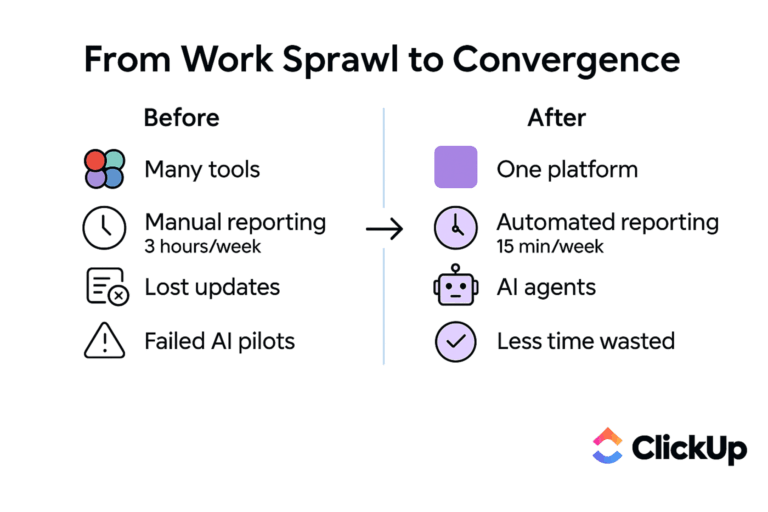
Free tools feel like a win. So do $5 or $10 per-user plans when you’re trying to stay lean and make the numbers work.
Most small teams don’t choose “cheap” out of carelessness. You feel you’re acting responsibly. You’re avoiding bloat by buying only what you need, when you need it.
The problem is what happens next.
One tool can’t quite do the job, so you add another. Then a third to fill the gaps. None of them talk to each other very well, so your team starts copying, pasting, exporting, re-entering, and double-checking. Someone becomes the unofficial owner of “keeping things in sync.”
Work still gets done, but it takes longer, costs more energy, and breaks more often than it should. That’s where the real money leaks out.
⚠️ And that’s the $50K mistake: not investing in one overpriced tool, but rather optimizing for sticker price instead of total cost of ownership (TCO).
Through this article, we want to help you avoid the hidden costs cheap software may be quietly piling on your company.
We’ve seen why the allure of a “free” or budget-friendly tool is strong, especially when you’re running a small business. But these tools often extract payment in currencies other than dollars, creating hidden costs that quietly drain your resources. 🛠️
Do the math with us, quickly.
📌 Say you’re a 10-person team. If each person loses even as few as 5 hours a week to tool friction and manual coordination, that’s 50 hours gone. Over a year, that’s ~2,500 hours in lost productivity. Even at a conservative blended cost, you’re staring at tens of thousands of dollars in lost productivity, without a single “bad” purchase to point to.
You look at your credit card statement and see a dozen small subscriptions that don’t seem like much on their own. But this “subscription creep” is a classic symptom of a fragmented tool stack.
When you keep adding free tools that seem to “complement” each other, soon you’re paying for overlapping functionality across multiple platforms. The worst bit? None of them will do everything you need.
The “affordability” is a trap: What you save in subscription fees, you pay back in other ways. Context switching, rework, and missed opportunities.
A “free” tool that needs manual effort to keep it useful isn’t actually free. It’s just shifting the cost onto your team.
Two hours a week of copy-pasting, updating statuses, or reconciling data might not feel like much. But that’s time your team could be spending on high-value work. You’re paying real money for work that software should be doing for you.
👉🏼 This is the labor cost multiplier in action: every limitation in a tool creates a human workaround. And humans are expensive, especially when they’re doing low-value work instead of the job you hired them for.
A marketing team uses one tool for campaigns, a sales team uses another for their CRM, and operations uses a third for fulfillment. A single customer request forces an employee to navigate all three systems, manually piecing together information.
When information lives in different systems, gaps appear. Someone updates a status in one place but forgets another. A document changes, but the link doesn’t. A deadline shifts, but not everywhere.
Those gaps turn into errors. Errors turn into rework. Rework turns into missed deadlines, internal frustration, and occasionally unhappy customers.
None of this shows up as a line item. But you feel it pinching your business, slowly yet steadily.
When you zoom out, the pattern becomes clear:
| What you see | What you’re actually paying |
|---|---|
| $5/month subscription | Hours each week managing integrations |
| Free tier with limits | Manual workarounds for missing features |
| Low per-user pricing | Training time for every new hire |
| Storage add-ons | Errors from disconnected data |
| Another “small” tool | More context switching, more rework |
This is why the cheapest tool on paper often ends up being the most expensive in practice.
📮ClickUp Insight: Low-performing teams are 4 times more likely to juggle 15+ tools, while high-performing teams maintain efficiency by limiting their toolkit to 9 or fewer platforms. But how about using one platform?
As the everything app for work, ClickUp brings your tasks, projects, docs, wikis, chat, and calls under a single platform, complete with AI-powered workflows. Ready to work smarter? ClickUp works for every team, makes work visible, and allows you to focus on what matters while AI handles the rest.
“We just need a quick tool for this one thing.”
This is how tool sprawl begins.
It’s what happens when you solve problems one tool at a time instead of stepping back and looking at how work actually flows through your business. Each new app fixes one pain point… and quietly creates two more.
Another login. A new place for information to live. Another system that doesn’t quite line up with the rest.
👀 Did You Know? 75% of IT decision-makers now report moderate to extensive technology sprawl.
Eventually, your tech stack becomes a maze that only one or two people on the team truly understand. They become the bottleneck for every question, slowing everyone else down. This chaos manifests in three distinct ways.
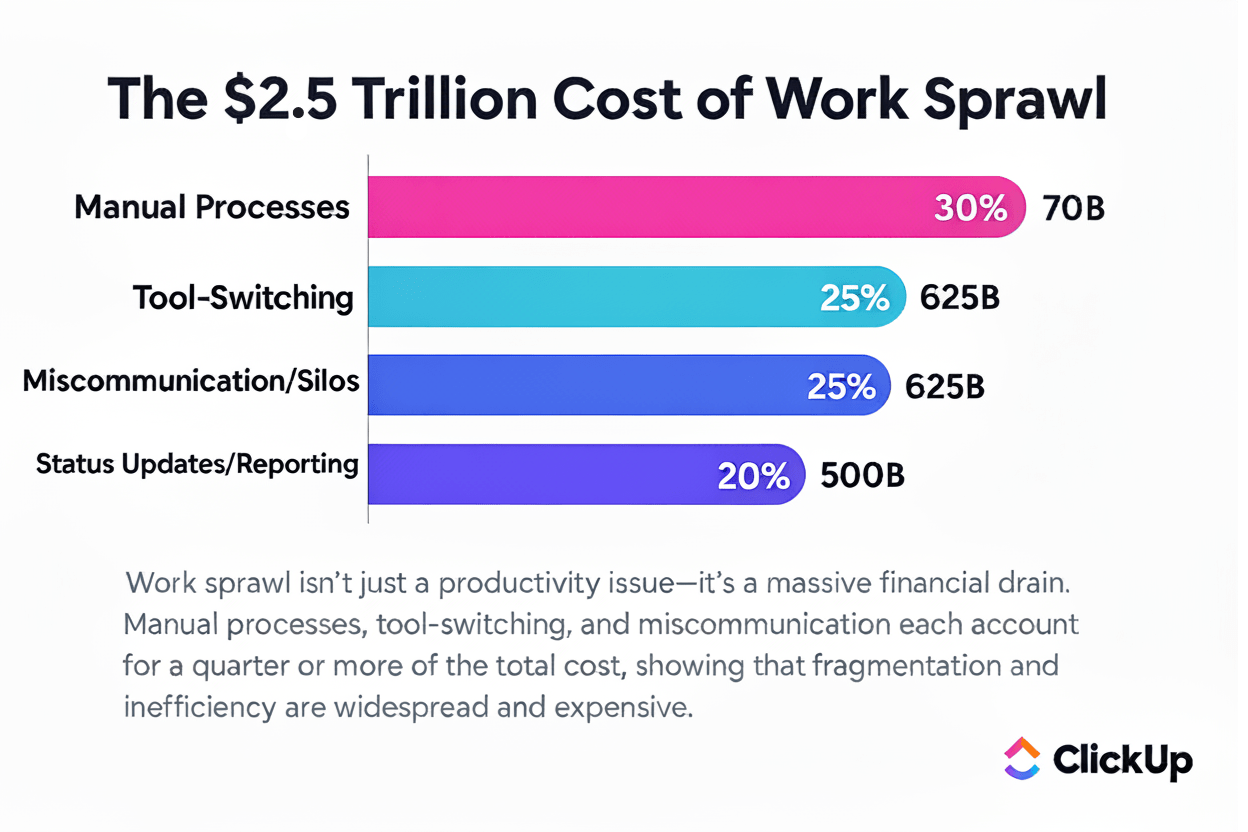
When collaboration breaks down, the costs add up fast. On average, companies lose about $2.5 million annually per 1,000 employees to productivity drain caused by inefficient ways of working. Zoom out to the global workforce—roughly 1 billion knowledge workers—and the price of work sprawl balloons to around $2.5 trillion each year.
🎥 Watch this video to learn more about AI Sprawl:
Are you already in the trap? Here are the warning signs that tool sprawl has snuck up on you. 👀
Large companies can throw IT teams and custom integrations at the problem.
Small businesses don’t have that luxury.
You’re moving fast with few resources, so you grab the most accessible option. It’s understandable that you choose speed over perfection.
Ad-hoc tool adoption feels like the only option. But as you grow, the “we’ll fix it later” mentality compounds until the problem becomes too big to ignore.
There’s a moment every growing business runs into:
Simple questions like “What’s the status of the Q3 campaign?” require checking a spreadsheet, a chat thread, and a project board, all at once.
This is the productivity wall.
What works for a three-person team breaks down completely at 10. The simple project tracker that was fine for basic tasks fails miserably when projects involve multiple departments, complex dependencies, and external stakeholders.
The cost of waiting too long to upgrade is operational and technical debt. The longer you wait, the harder it becomes to migrate. Your team’s habits calcify around broken workflows, and you start losing ground to competitors who invested in scalable systems earlier.
📮 ClickUp Insight: According to our survey, nearly 88% of leaders still rely on manual check-ins, dashboards, or meetings to get updates.
The cost? Lost time, context-switching, and often, outdated information. The more energy you spend chasing updates, the less you have for acting on them.
ClickUp’s Autopilot Agents, available in Lists and Chats, surface status changes and critical discussion threads instantly. Here’s to never having to ask your team to send “quick updates”. 👀
💫 Real Results: Pigment improved team communication efficiency by 20% with ClickUp—keeping teams better connected and aligned.
If you’re unsure whether you’ve hit the wall, ask yourself:
If you’re nodding along, that’s your signal.
The productivity wall is a transition point. And recognizing it early is what turns an emergency overhaul into a planned, strategic upgrade. ↗️
The teams that break through the productivity wall work differently.
At some point, they stop adding tools to patch problems and start questioning the system itself. Instead of asking, “What’s the cheapest app that solves this one issue?” they ask a better question: “Why does this require another tool at all?”
The counterintuitive lesson that high-performing teams learn is simple: spending more on fewer tools usually costs less.
Smart teams abandon the cycle of accumulating single-purpose apps in favor of tool consolidation.
And how do they do this? Well, they look for a 10-in-one tool that can replace their fragmented stack. Projects, docs, communication, workflows, and now AI—not scattered across tabs, but connected by design. ✨
This consolidation does a few important things at once:
We know what you’re thinking. How can one tool replace ten?
Let’s introduce you to one that does: ClickUp!
ClickUp brings your project management, documentation, and team communication into a single platform with a Converged AI Workspace—together with contextual AI. Instead of bouncing between tools to plan, discuss, document, and report on work, everything lives in one connected space.
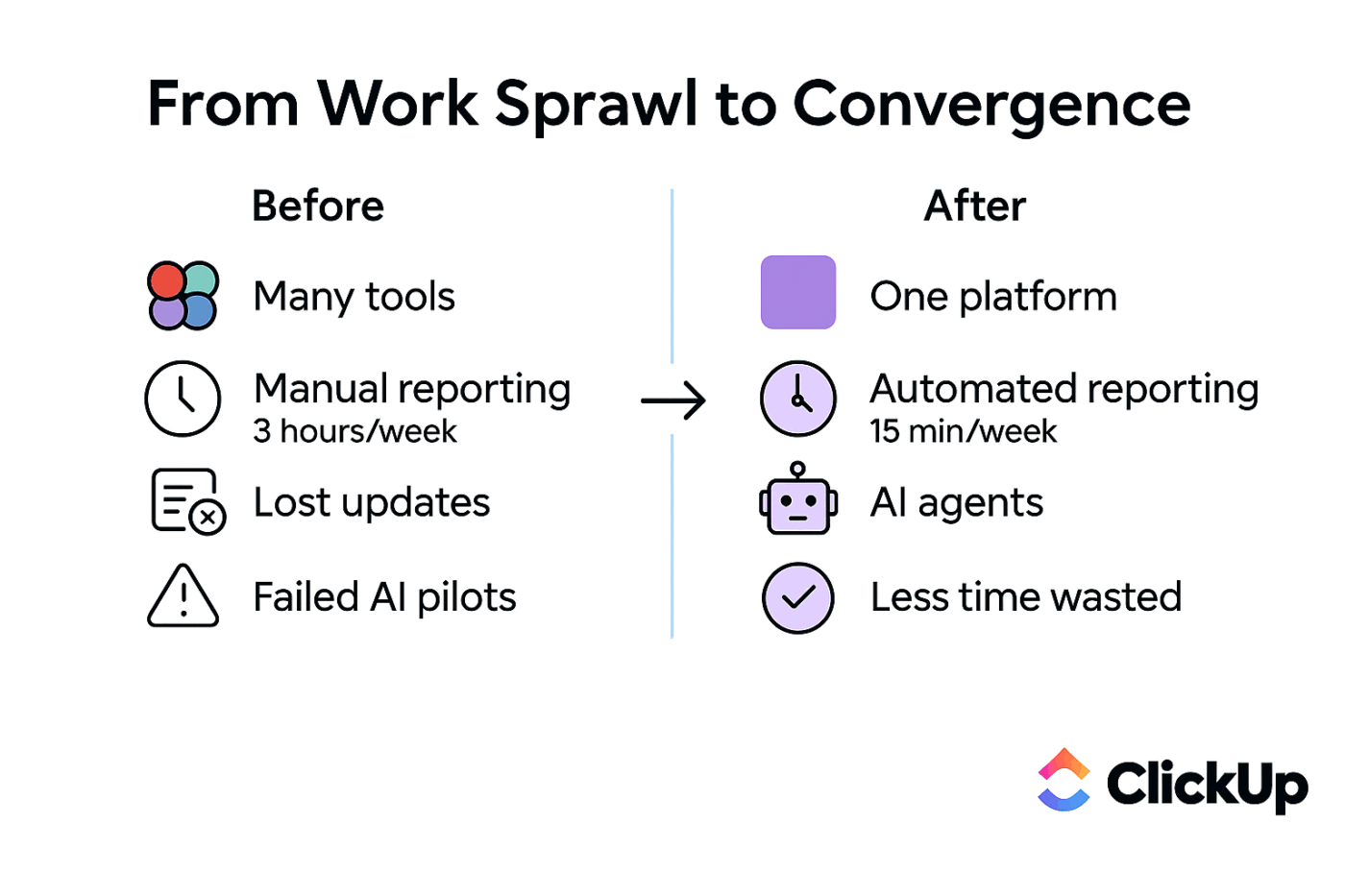
Here are some ways you can use ClickUp to reduce the unintended consequences of using a patchwork of apps for your org:
Want to reclaim hours each week? Let ClickUp Automations handle the repetitive steps cheap tools leave behind: assigning tasks, updating statuses, and triggering notifications, so your team isn’t acting as the glue between systems.
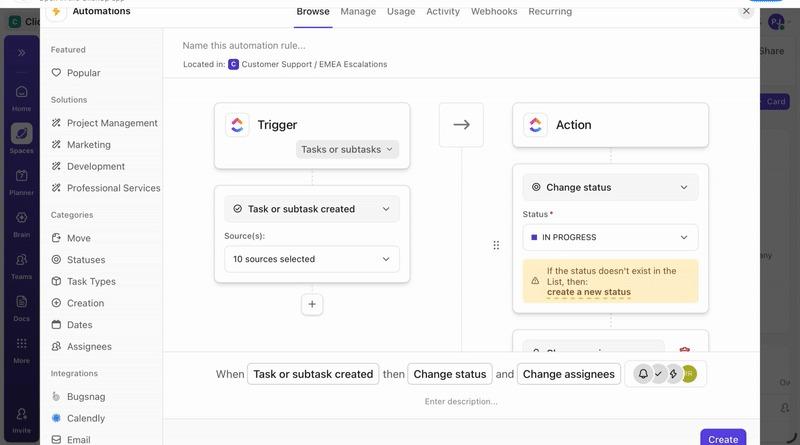
💡 Pro Tip: Go a step further with ClickUp Super Agents.
Instead of automating just one step, Super Agents can monitor work across your workspace, spot issues early, and take action on your behalf. They can flag stalled projects, summarize changes, or nudging the right person when something slips.
It’s the difference between automating tasks and automating outcomes.
Learn how Super Agents work 👇🏽
With ClickUp’s Custom Fields and 15+ project Views in ClickUp (List, Board, Gantt, Calendar, and more), teams don’t have to bend their work to fit the tool. The tool adapts to the work.
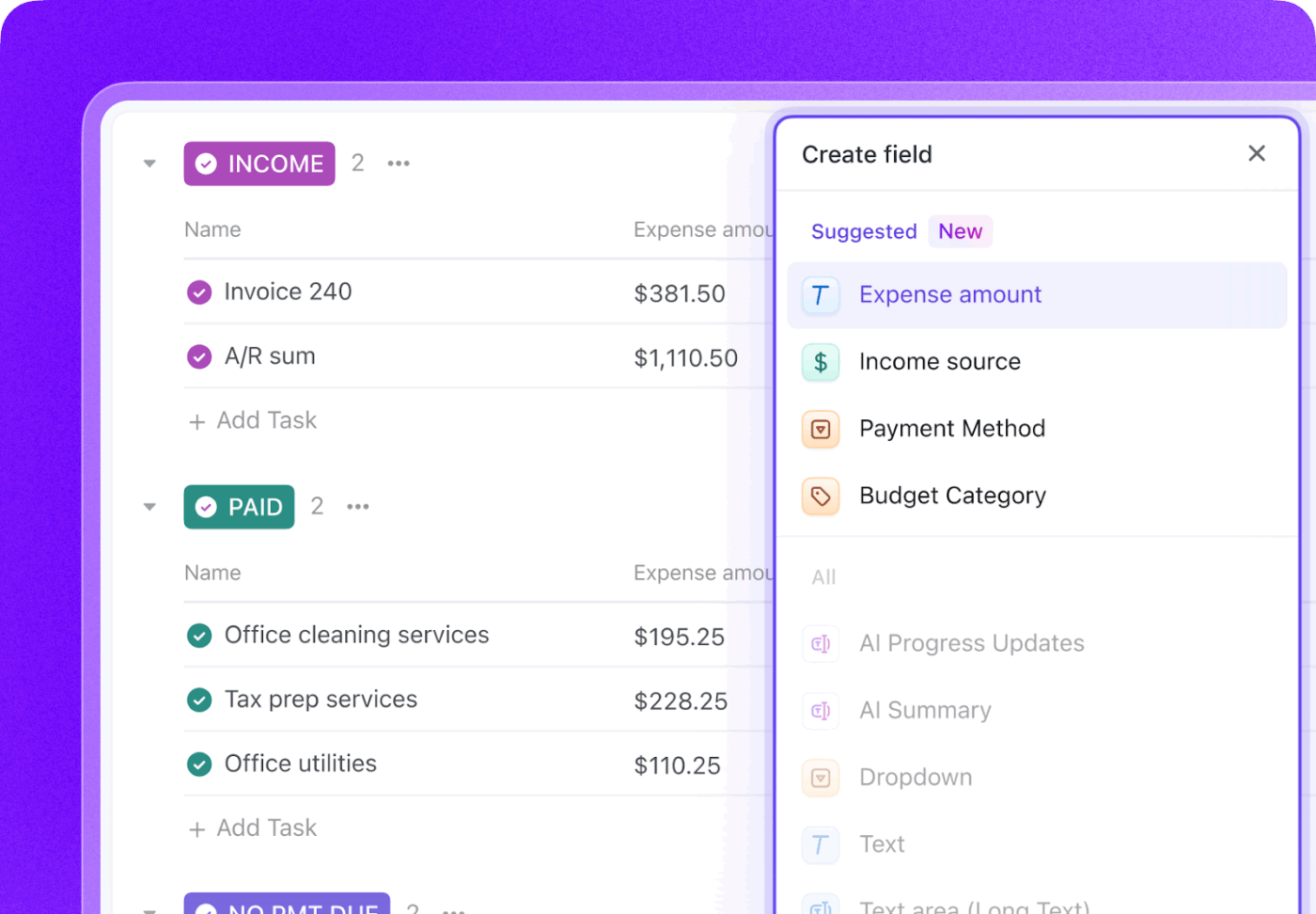
With ClickUp, your Tasks, Docs, comments, and decisions live together. No more hunting through chat threads or email chains to understand what’s actually going on. When work lives in one window, focus stays intact.
With ClickUp Brain, you get access to a built-in AI assistant that lives right alongside your work, instead of using a separate AI tool that has no idea what your team is working on. Use it to search, summarize, ask questions, and write across your entire workspace.
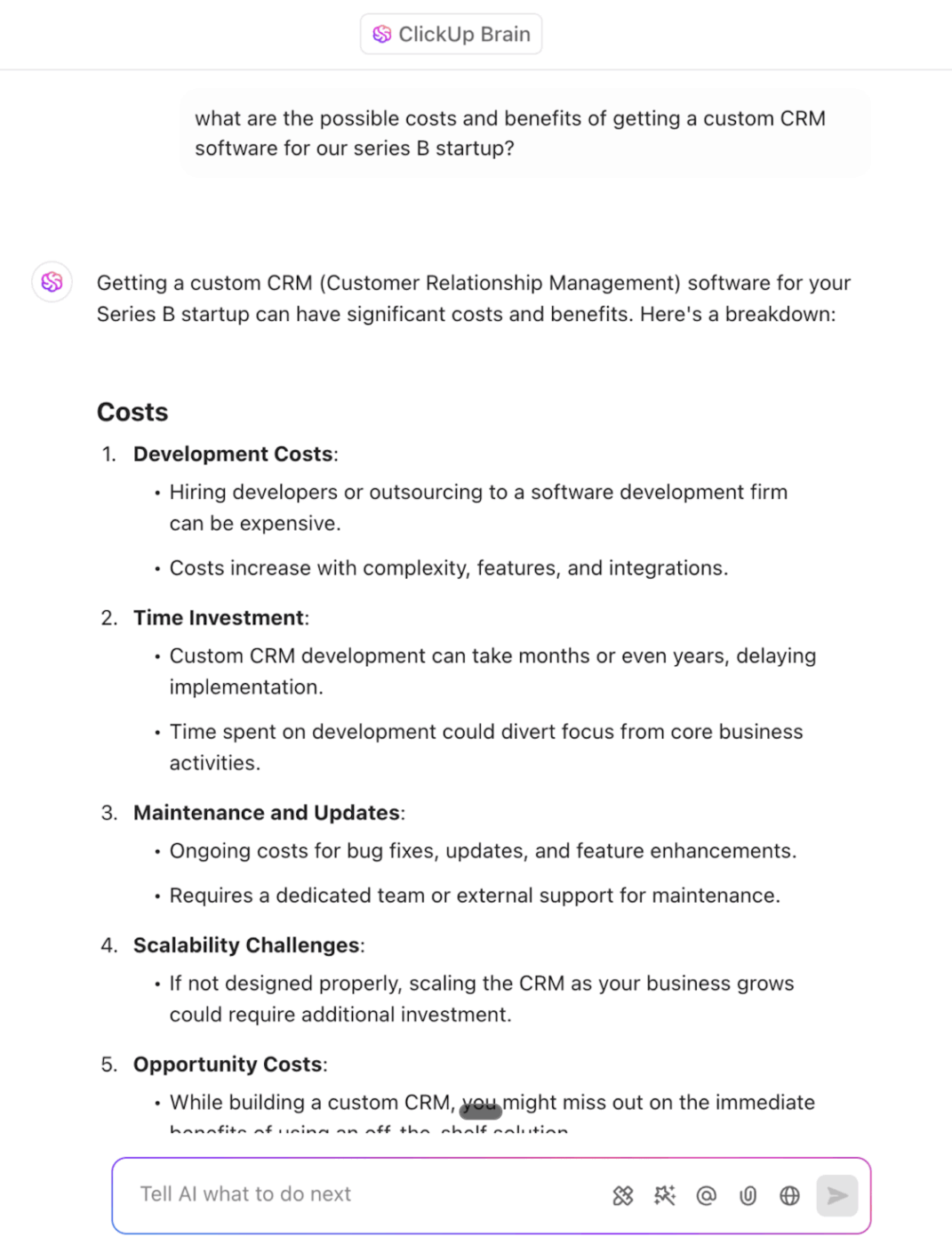
🌟 Because all your work is connected, ClickUp Brain delivers context-aware answers that are actually relevant to your business.
The time you recover from managing tools goes back into building products, serving customers, and moving the business forward.
💡 Pro Tip: Smart teams don’t just compare subscription prices of individual tools. They look at the total cost of ownership.
That includes:
When you look at this full picture, consolidation almost always wins.
If you’ve ever had the feeling that your tools are costing more than they should—without being able to prove it—you’re not imagining things. Most of the real cost doesn’t show up on a receipt.
Before you fix the problem, you need to make it visible.
Here’s a step-by-step guide to auditing what your current tool setup actually costs. 🛠️
Go beyond official subscriptions and hunt down the “shadow IT“—those apps people started using without approval. Don’t forget to include free-tier tools, as they still carry hidden costs. Ask each team member directly; you’ll be surprised by what you uncover.
This is the easy part, and usually the smallest number.
Tally:
Track the hours your team spends connecting tools, fixing sync issues, and manually transferring data. Now put a rough number on it: Hours per week × people involved × hourly cost.
Not-so-fun fact: Knowledge workers waste up to 60% of their time on these processes. 😅
This is often the most shocking number.
Ask yourself: How long does it take for a new hire to feel confident using our tools?
Not productive. Not “kind of knows where things live.” Confident. 💯
Multiply that ramp-up time by:
Complex stacks slow onboarding more than teams realize, and the cost repeats every time you hire.
Think about the last time a mistake was made because someone was working with outdated information. Estimate how often this happens and calculate the cost of fixing those errors in terms of time, materials, and customer impact.
This is the hardest expense to quantify, but often the biggest.
Ask yourself:
You don’t need a dollar figure here. A list is enough.
Once you have these numbers, you can make an informed decision.
Compare the total current cost of your fragmented stack against the cost of a consolidated solution.
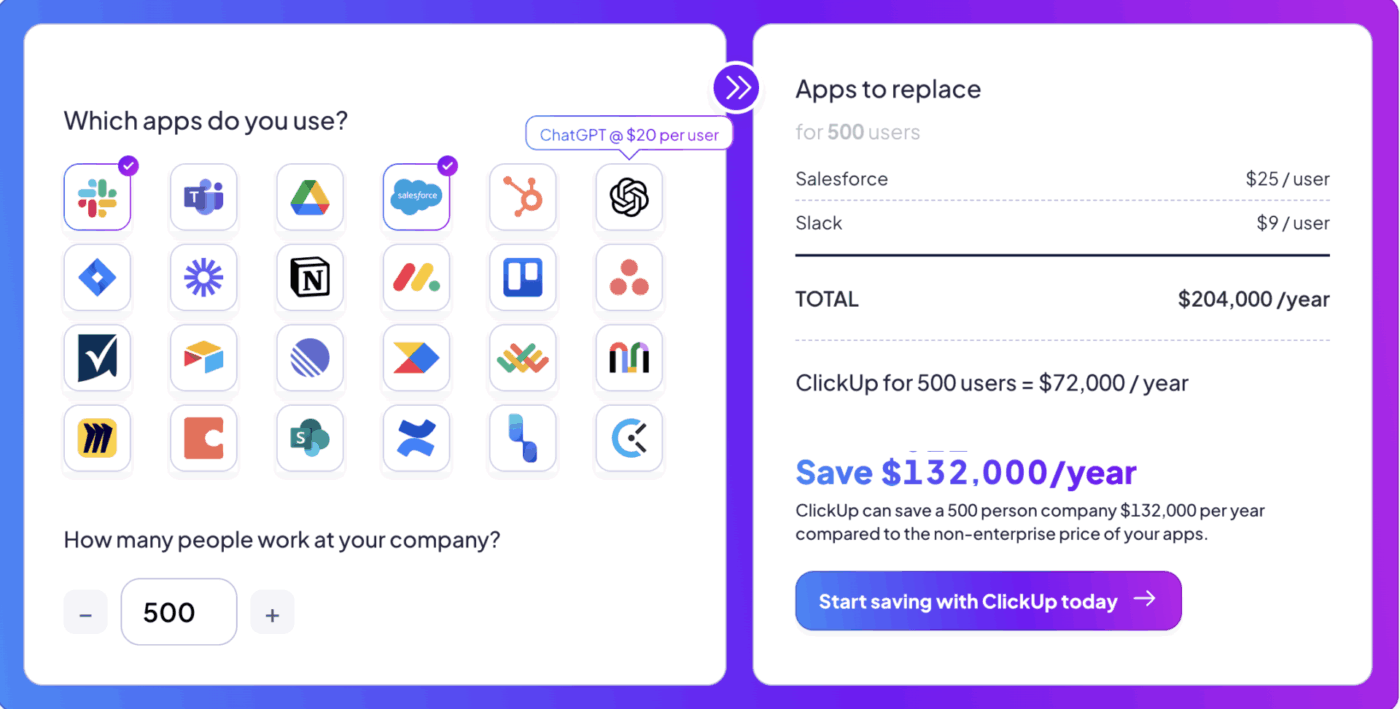
💡 Pro Tip: A dedicated tool, such as a Total Cost of Ownership (TCO) Calculator, can help you visualize the ROI and payback period of making a switch.
The real cost of “cheap” software isn’t the monthly fee. It’s the quiet tax it puts on your time, focus, and ability to move quickly as a team.
When tools are fragmented, every task carries extra weight. Every handoff risks losing context. And tool sprawl is a trap that only gets harder and more expensive to escape the longer you wait.
The fix? Choosing systems that reduce complexity instead of adding to it. One place where work, decisions, and progress actually line up.
As AI becomes more embedded in how teams operate, this choice matters even more. AI can only be as helpful as the context it has access to. Fragmented tools lead to fragmented intelligence. Unified work creates leverage.
If this audit has shown you that your “cheap” stack is costing more than you thought, it’s time to see what a consolidated platform can do for you. Get started today—try ClickUp for free!

© 2026 ClickUp

There’s an easier way. Try a free AI Agent in ClickUp that actually does the work for you—set up in minutes, save hours every week.