






Still downloading templates?
There’s an easier way. Try a free AI Agent in ClickUp that actually does the work for you—set up in minutes, save hours every week.
Sorry, there were no results found for “”
Sorry, there were no results found for “”
Sorry, there were no results found for “”
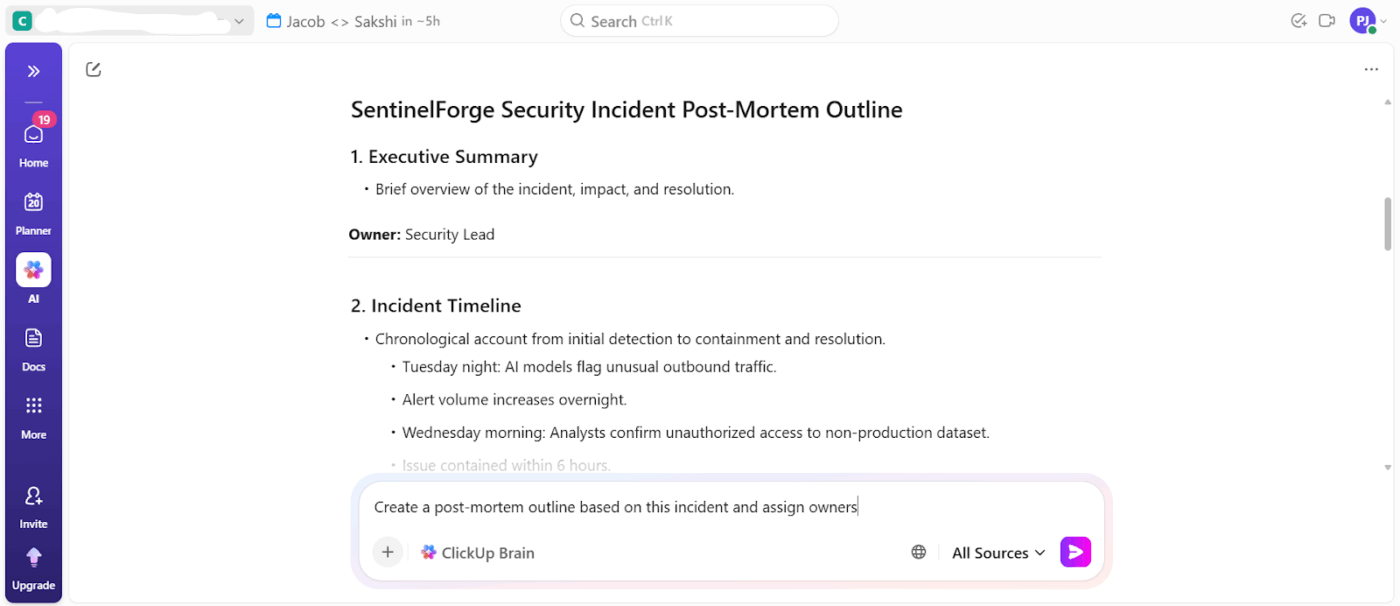
At 2:17 a.m., a security alert lights up your chat. Then another; by morning, there are hundreds. While some matter, most don’t.
That’s the reality for most cybersecurity startups. You’re expected to defend against enterprise-grade threats with a small team, limited time, and tools that weren’t built for how attacks happen today.
This guide walks you through selecting an AI cybersecurity stack that fits your startup’s threat model, team size, and growth trajectory. You’ll learn about core components like data pipelines and ML frameworks, how to evaluate open-source vs. commercial platforms, and how to avoid common pitfalls.
We’ll also look at why ClickUp, the world’s first Converged AI Workspace, is a tool that absolutely has to be in your stack! 🌟
An AI cybersecurity stack is a layered combination of tools, frameworks, and infrastructure that enables machine-learning-powered threat detection, response, and prevention.
Think of it as the complete system, from data collection to action, that lets your security tools learn and adapt. It typically includes data pipelines for security telemetry, machine learning (ML) models trained on threat patterns, deployment infrastructure, and monitoring systems.
It’s crucial to understand the difference between bolting AI onto legacy security tools versus building with AI-native solutions from the ground up. AI-native tools use machine learning as their core, while AI-enhanced legacy systems simply add ML features to older, rule-based architectures.
The right stack for your startup will depend heavily on your specific threat model, your team’s expertise, and your growth plans.
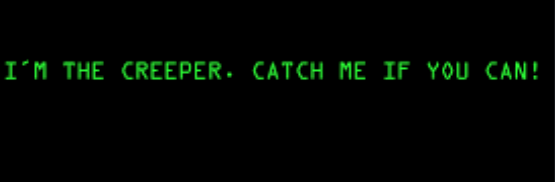
🧠 Fun Fact: Created in 1971 by Bob Thomas at BNN Technologies, the ‘Creeper’ program is widely considered the first computer virus or worm, designed as an experimental self-replicating program. It moved between DEC PDP-10 computers, displaying the message, “I’m the creeper, catch me if you can!”
As a security startup, you’re facing enterprise-level threats with a fraction of the resources, and your team is likely drowning in alerts from traditional tools. Rule-based security tools simply can’t keep up with the pace of modern attacks and require constant manual tuning that lean teams can’t sustain.
AI-powered systems help small teams handle enterprise-level cybersecurity risk management by automating routine work.
Here’s why you need AI in your tech stack:
AI models dramatically shrink the time between an intrusion and your response by offering:
⚙️ Bonus: Cyber Security Risk Register Template
Most startups can’t afford a full-blown Security Operations Center (SOC). AI helps bridge this gap by handling the repetitive, time-consuming tasks that burn out analysts. This includes routine log analysis, initial alert investigation, and even proactive threat hunting.
AI directly combats the security fatigue that sets in when your team is overwhelmed with alerts. By using it to filter out the false positives before they ever reach a human, you ensure your team’s valuable attention is spent on genuine threats.
Your security needs to grow with your business without hiring a new analyst for every new customer or product line. AI-powered systems are designed to handle an expanding attack surface because more users and more data equal cloud services. This reverses the traditional security model, allowing you to scale your defenses efficiently.
📮 ClickUp Insight: While 34% of users operate with complete confidence in AI systems, a slightly larger group (38%) maintains a “trust but verify” approach. A standalone tool that is unfamiliar with your work context often carries a higher risk of generating inaccurate or unsatisfactory responses.
This is why we built ClickUp Brain, the AI that connects your project management, knowledge management, and collaboration across your workspace and integrates third-party tools. Get contextual responses without the toggle tax and experience a 2–3x increase in work efficiency, just like our clients at Seequent.
Without a clear picture of the core components of an AI stack, you risk buying a powerful tool that’s useless because you’re missing a critical piece, like clean data or a way to deploy it.
Here are the four essential layers that work together to form a complete stack. 🛠️
This is the foundation of your entire AI security operation. It’s how you collect, clean, and organize all the security data, or telemetry, from across your organization so it can be used by machine learning models. If your data is messy or incomplete, your AI’s predictions will be unreliable:
🚀 ClickUp Advantage: Govern how your data is collected, normalized, and retained across your stack with documentation in ClickUp Docs.
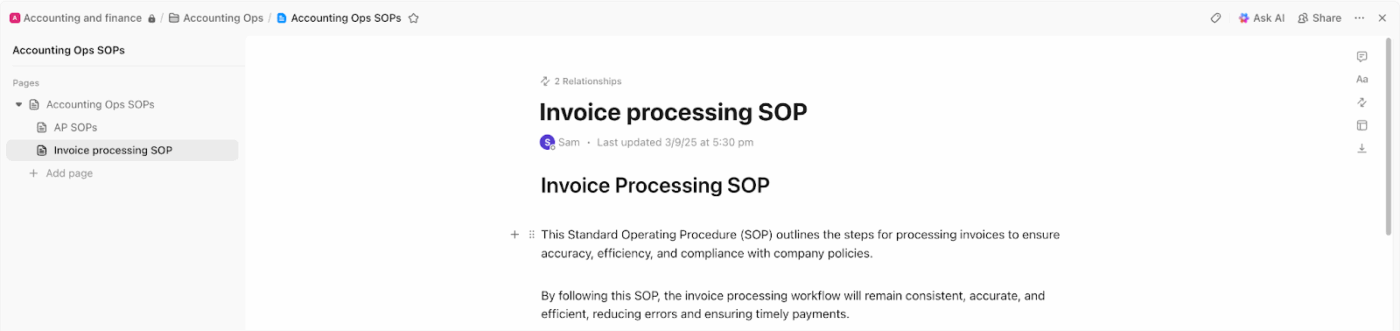
For instance, your startup pulls telemetry from EDR tools, cloud logs, and identity providers. A central ClickUp Doc defines exactly what data sources are ingested, how fields are normalized, what schema models expect, and how long each data type is retained. When pipelines change, those updates are reflected immediately and linked to the engineers responsible.
This is the ‘brain’ of the stack where the actual threat detection happens. Here, you’ll decide between using:
Common model types include supervised learning (trained on labeled examples of known threats) and unsupervised learning (excellent for anomaly detection and finding threats you’ve never seen before).
⚙️ Bonus: Understand the nuances of supervised vs. unsupervised machine learning to pick the better option.
This layer is all about getting your models into a production environment where they can do their job. For startups, the key is finding an approach that doesn’t require a dedicated MLOps (Machine Learning Operations) team to manage. Look for:
This layer tracks model performance to detect issues such as drift, where a model’s accuracy degrades over time as attack patterns change. It also provides the crucial feedback loop for continuous improvement, enabling analysts to act on alerts to retrain and refine the models. Strong observability gives you full visibility into how your AI defenses are performing.
🔍 Did You Know? In one of the first publicly reported AI-orchestrated cyberattacks, a jailbroken AI agent was used to autonomously execute sophisticated actions in a multi-stage intrusion affecting dozens of organizations.
The market is flooded with AI tools, making it hard to know where to start. You can get stuck overspending on an enterprise platform you don’t need or wasting months on a DIY project that never launches.
The landscape breaks down into three main categories to help you narrow your focus based on your budget, team, and goals. 💁
Going open-source gives you maximum control and flexibility at the lowest initial cost, but it comes with a trade-off. You’ll be responsible for the setup, maintenance, and troubleshooting, which requires significant in-house expertise. You work with:
🧠 Fun Fact: Penetration testing was defined in the early 1970s. The practice of simulating attacks to find vulnerabilities was formalized in a 1972 report by James P. Anderson.
For startups that want to move fast and avoid managing infrastructure, cloud-native platforms are a great choice. These services handle the underlying hardware and MLOps, letting your team focus on building and deploying models.
The main providers include AWS, Google Cloud, and Microsoft Azure, all offering powerful managed ML platforms like SageMaker, Vertex AI, and Azure ML.
They also provide security-specific AI services, such as AWS GuardDuty and Google Chronicle, that offer the fastest path to AI-powered detection. The main things to watch for are vendor lock-in and usage-based pricing that can scale unexpectedly.
🔍 Did You Know? The Stuxnet worm in 2010 used four zero-day vulnerabilities to disrupt Iran’s nuclear program, dramatically influencing how governments and companies hunt and stockpile unknown flaws.
If you want the fastest time-to-value, purpose-built commercial platforms are the way to go. These tools are designed specifically for security use cases and come with pre-trained models and polished workflows, though they offer less customization than a DIY approach.
| Category | What It Does | Key Players |
| EDR | Endpoint Detection & Response | CrowdStrike, SentinelOne, and VMware Carbon Black |
| NDR | Network Detection & Response | Darktrace, Vectra AI, and ExtraHop |
| SOAR | Security Orchestration, Automation & Response | Splunk SOAR, Palo Alto XSOAR, and Swimlane |
You’ve invested in a new AI tool, but it’s not delivering the results you expected. Now, instead of solving problems, you’re facing new ones like alert fatigue and integration headaches.
Knowing these common pitfalls upfront helps you plan for them and avoid costly mistakes. 👀
These challenges highlight why skilled human oversight remains essential to guide, interpret, and manage even the most sophisticated AI systems.
🔍 Did You Know? Over half of enterprises now prioritize spending on AI security over traditional security tools, yet many struggle with tool sprawl. Organizations use an average of 85 SaaS applications and more than five separate tools just for data discovery, monitoring, or classification, making security harder to manage and integrate.
You understand the components and the tools, but how do you actually make the final decision? Choosing based on a flashy demo instead of your startup’s unique context can lead you to a stack that doesn’t fit your threat model or scale with your business.
Use this five-step framework to make a systematic, context-aware choice. 👇
Instead of starting with tools, start with your threats. A B2B SaaS startup handling financial data has vastly different security priorities than a mobile gaming company. Mapping your specific risks first ensures you invest in AI that solves your actual problems.
Ask yourself:
🔍 Did You Know? Enterprise CISOs are juggling an average of 75 security tools at once and nearly half say their stack grew just in the last year. Yet more tools haven’t meant fewer problems. Two-thirds still experienced a breach in the past 24 months, showing how complex, bloated stacks can actually make security harder, not stronger.
Your startup already has cloud infrastructure, security tools, and established workflows. An AI tool that doesn’t integrate smoothly with what you already use will create operational friction and work sprawl. Prioritize tools with robust APIs, pre-built integrations, and flexible data format support.
🚀 ClickUp Advantage: Connect your cloud infrastructure, security tools, and collaboration platforms into a single operational layer with ClickUp Integrations. It pulls alerts, updates, and actions into your workspace, reducing sprawl and preserving existing workflows.
Think 18 months ahead, not just about today. A solution that works perfectly for a ten-person team might crumble under the data load of a 100-person company.
Evaluate both technical scalability (can it handle 10 times the data?) and commercial scalability (will the pricing model remain affordable as your usage grows?).
🧠 Fun Fact: The term ‘computer virus’ was coined in 1983 by Fred Cohen while experimenting with self-replicating code.
The sticker price of a tool is only one part of the equation. To understand the true total cost of ownership (TCO), you need to factor in:
Sometimes, the ‘cheapest’ open-source option becomes the most expensive once you account for the engineering hours required to keep it running.
When you’re a lean startup, you can’t afford to get stuck. The quality of a vendor’s documentation, the responsiveness of their support team, and the vibrancy of their user community are critical factors.
For open-source tools, a strong community can be just as valuable as a vendor’s support team, providing a lifeline when you run into trouble.
You’ve deployed your AI stack, but the work isn’t over. Your models can become outdated, performance can degrade, and your expensive stack can become less effective every day.
To avoid this, treat your AI security stack like a living product that requires continuous care and improvement:
🧠 Fun Fact: One of the earliest forms of ‘hacking’ was phone phreaking in the 1960s, where attackers exploited the telephone system using sound frequencies.
You’re about to make a big investment, and you don’t want to choose a tool that will be obsolete in two years. Keeping an eye on emerging trends can help you make future-proof decisions and stay ahead of the curve:
As cybersecurity startups adopt AI, their stacks grow fast, and fragment even faster. Detection tools, cloud platforms, MLOps workflows, documentation, and collaboration systems often live in separate silos, forcing teams to context-switch.
ClickUp acts as the connective tissue across your AI security stack. Instead of adding yet another point solution, it centralizes intelligence, workflows, and execution into a single, context-aware workspace.
Let’s explore how! 👇
ClickUp Brain acts as your contextual AI, living inside your workspace and understanding your projects, tasks, docs, and workflows in real time. Instead of siloed, out-of-context AI responses, it answers questions, summarizes incident investigations, and creates and updates ClickUp Tasks based on security logs.
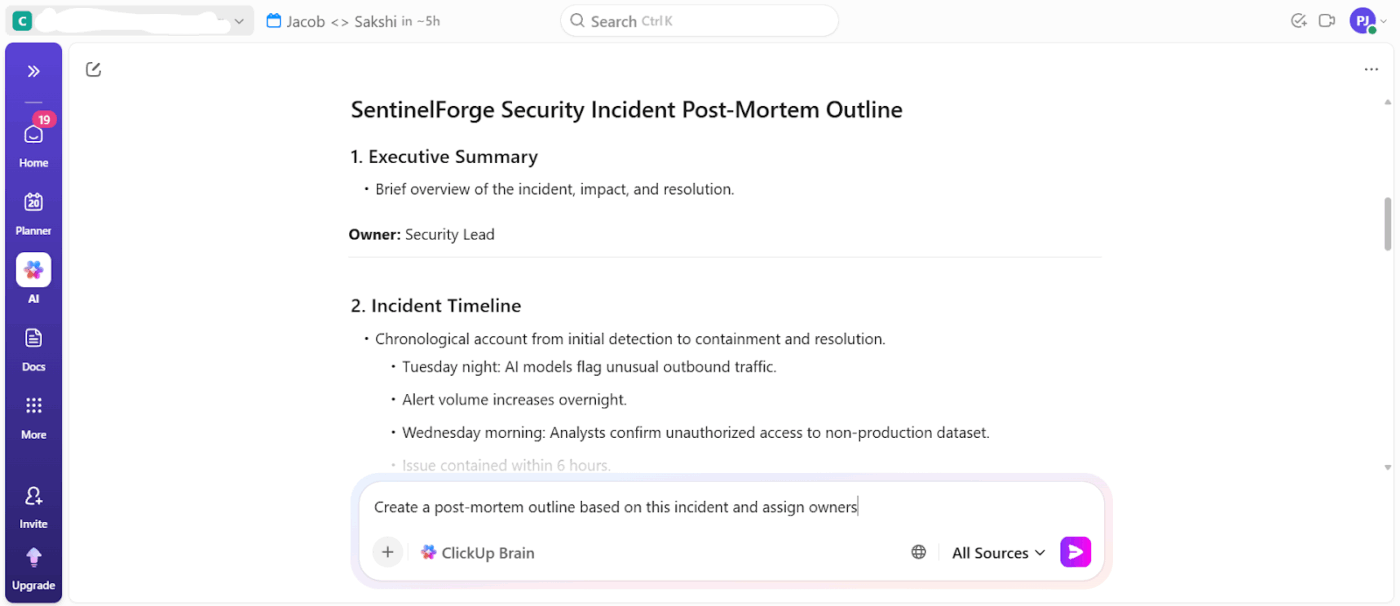
Say a security alert triggers a multi-day investigation involving logs, chat discussions, remediation tasks, and a post-incident review.
You can ask ClickUp Brain directly to summarize the incident using linked Tasks, comments, and Docs, and then automatically generate follow-up actions and leadership gates. This closes the gap between AI analysis and execution, which is where most security tools fall short.
📌 Example prompts:
Best of all, everything is instantly searchable with ClickUp Brain, our AI assistant that can answer questions and find information across your entire Workspace.
Here’s what Kara Smith, MBA, PMP®, Operations Program Manager, Instant Teams, had to say about using ClickUp:
All teams can benefit from automation and ClickUp has had that for literally every scenario I have encountered, however, the BIG plus to ClickUp is the simplification of processes and tools into one workzone…We are an innovative company that operates best with platforms that allow us to keep up with the super-fast pace of a high-growth startup and ClickUp served the purpose best
End AI sprawl and bring all your intelligence into one place with ClickUp Brain MAX. It’s a centralized desktop app that understands your entire toolchain. This way, you don’t have to juggle a dozen AI tools to get meaningful insights.
You get:
Access all the AI tools you need:
Delegate end-to-end tasks and workflows that normally bog down security teams with ClickUp Super Agents. These are AI teammates embedded into your workspace with full memory and contextual understanding of your work items.
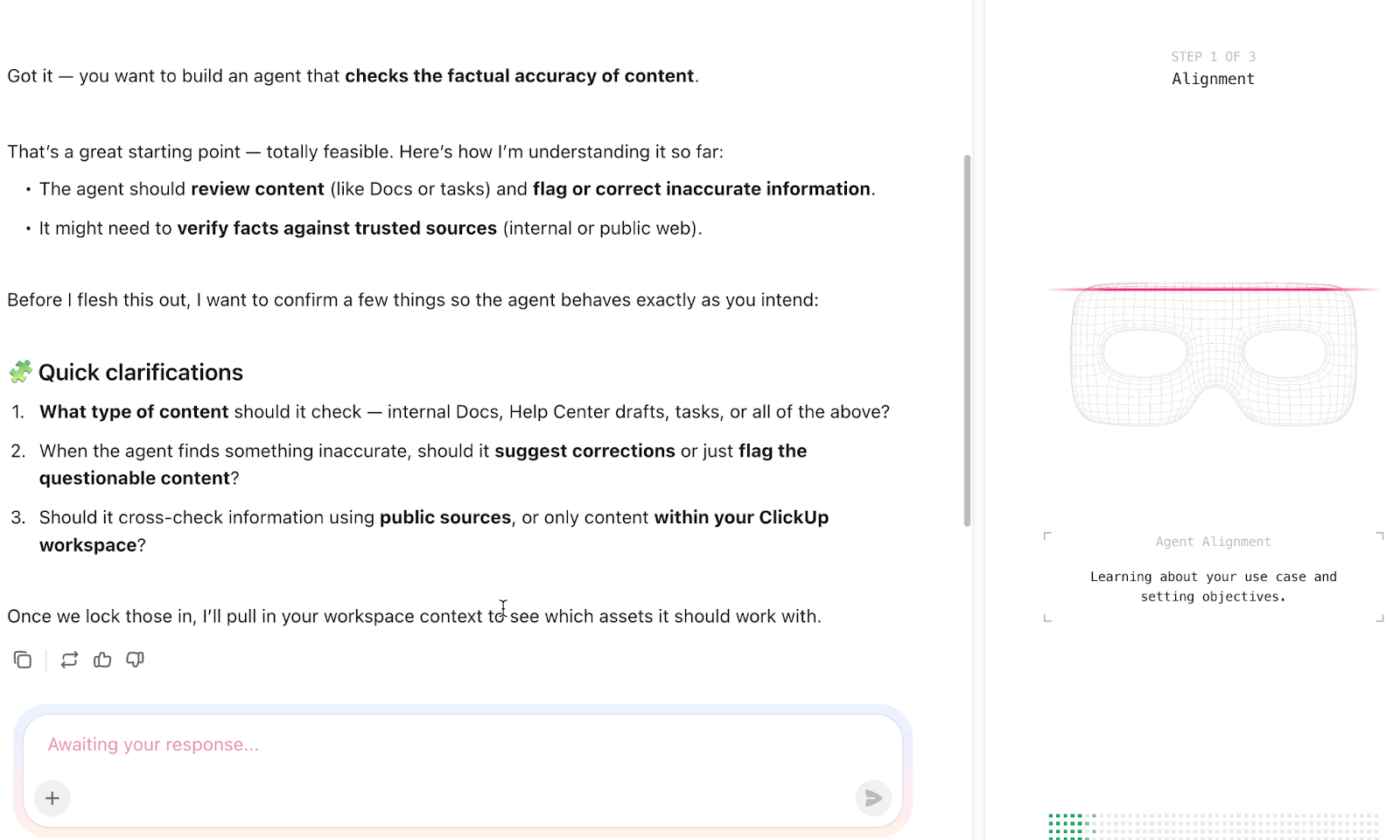
Instead of just answering prompts, they plan, execute, and monitor multi-step workflows using both workspace data and connected apps.
📌 Example prompt: You are a Security Operations Super Agent responsible for coordinating incident response, maintaining visibility across the AI security stack, and reducing manual overhead for the security team. Your goal is to ensure that security alerts, investigations, and follow-up actions are consistently tracked, documented, and escalated.
Build your own Super Agent:
Cybersecurity startups struggle because too many smart tools end up living in too many places, owned by no one. The ‘right’ AI stack is about creating a system where AI outputs turn into real decisions, real workflows, and real accountability.
That’s where ClickUp quietly does the heavy lifting. It gives you a single workspace to manage AI initiatives, document decisions, track ownership, automate follow-ups, and operationalize what your AI tools produce.
With ClickUp Brain, Brain MAX, and Super Agents layered into the same system your team already works in, AI stops being another tab and starts becoming part of how work gets done
Sign up to ClickUp for free today! ✅
What’s the difference between an AI-native cybersecurity tool and an AI-enhanced legacy system?
AI-native tools are built with machine learning as their core, while AI-enhanced legacy systems add ML features to older, rule-based architectures. The practical difference often appears in the flexibility, accuracy, and seamlessness of the AI’s integration into the tool’s workflow.
How do cybersecurity startups coordinate AI security tool implementations across remote teams?
Remote security teams thrive on centralized documentation, clear task ownership, and communication that works across time zones. A converged workspace keeps implementation plans, vendor notes, and technical specs in one place, accessible to everyone.
Can AI fully replace human security analysts at a startup?
No, the goal is augmentation, not replacement. AI is incredibly powerful for processing data at scale, but human analysts provide critical context, make nuanced judgment calls, and investigate novel threats that models have never encountered.
How does an AI security stack differ for startups versus enterprises?
Startups prioritize faster deployment, lower operational overhead, and tools that don’t require a dedicated ML engineering team. Enterprises, with more resources, can invest in greater customization, build larger data science teams, and manage complex, multi-vendor architectures.

© 2026 ClickUp

There’s an easier way. Try a free AI Agent in ClickUp that actually does the work for you—set up in minutes, save hours every week.