






Still downloading templates?
There’s an easier way. Try a free AI Agent in ClickUp that actually does the work for you—set up in minutes, save hours every week.
Sorry, there were no results found for “”
Sorry, there were no results found for “”
Sorry, there were no results found for “”
McKinsey reports that AI personalization can slash your cost-to-serve by 30% while bumping revenue by 8%. But those numbers feel like a reach when you’re still stuck manually syncing data.
An AI personalization engine handles that context for you. It recognizes your intent and automatically syncs logic across your entire stack. You stop managing a database and start using a system that anticipates your next move.
Here is how these engines move past basic automation. We’ll also look at how ClickUp solves data fragmentation by embedding this intelligence directly into your workspace. 🤩
An AI personalization engine is a processing layer that sits between your raw data and your user interface. While a standard automation follows a set of ‘if this, then that’ rules, this engine is different. It uses machine learning to analyze behavior, historical data, and real-time intent.
For example, a static filter will show you ‘marketing tasks’ because you clicked the button. But a personalization engine surfaces a specific brief because it knows your deadline is in two hours.
It works by constantly cycling through three stages:
Put simply, a personalized AI engine turns a passive database into an active participant in your workflow.
AI personalization engines ensure your tools finally understand the intent behind your work. Here is what you can expect when your stack starts working with you instead of against you.
Legacy software has a short memory. It surfaces files based on what you clicked yesterday, regardless of your current priorities. This forces you to waste the first hour of your day just re-locating your own data.
Modern engines use predictive intent modeling to analyze your active windows, mentions, and immediate deadlines.
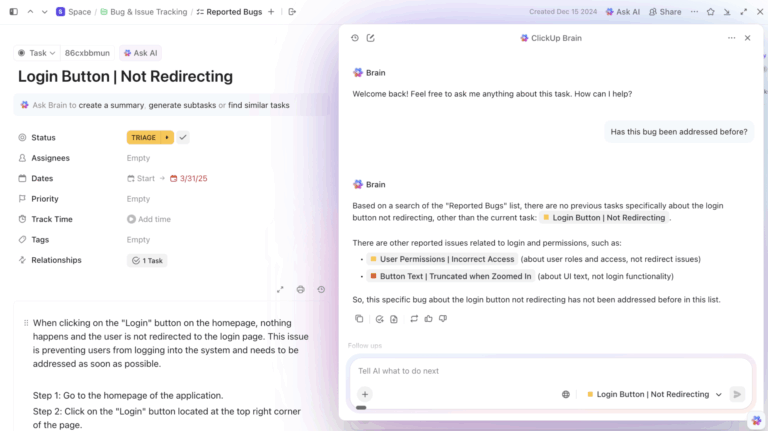
When you start a new campaign brief, the engine uses semantic search to identify the performance data you need. The agents learn your work context and automatically place the required assets at the top of your workspace.
You likely spend half your day oscillating between your apps.
But context switching, resulting from the same, is a significant productivity drain. It happens because fragmented tools operate in isolation, forced to guess what’s happening in the rest of your stack. AI-powered personalization engines function as a unified data layer, promising identity resolution.
Here’s how it works: if a client submits urgent feedback via an external form, the engine starts processing. It parses the intent and automatically adjusts the priority of the related task on your project board in real time. The system, hereby, does two things for you: keeps your data synced across every channel and eliminates work sprawl.
See a sample workflow here:
The primary bottleneck in any growing team is context debt—answering repetitive questions or explaining processes to someone.
To combat this, personalization engines use pattern recognition to flag inconsistencies in a specific task based on the project’s unique parameters. This allows your team to maintain high-level execution without constant oversight.
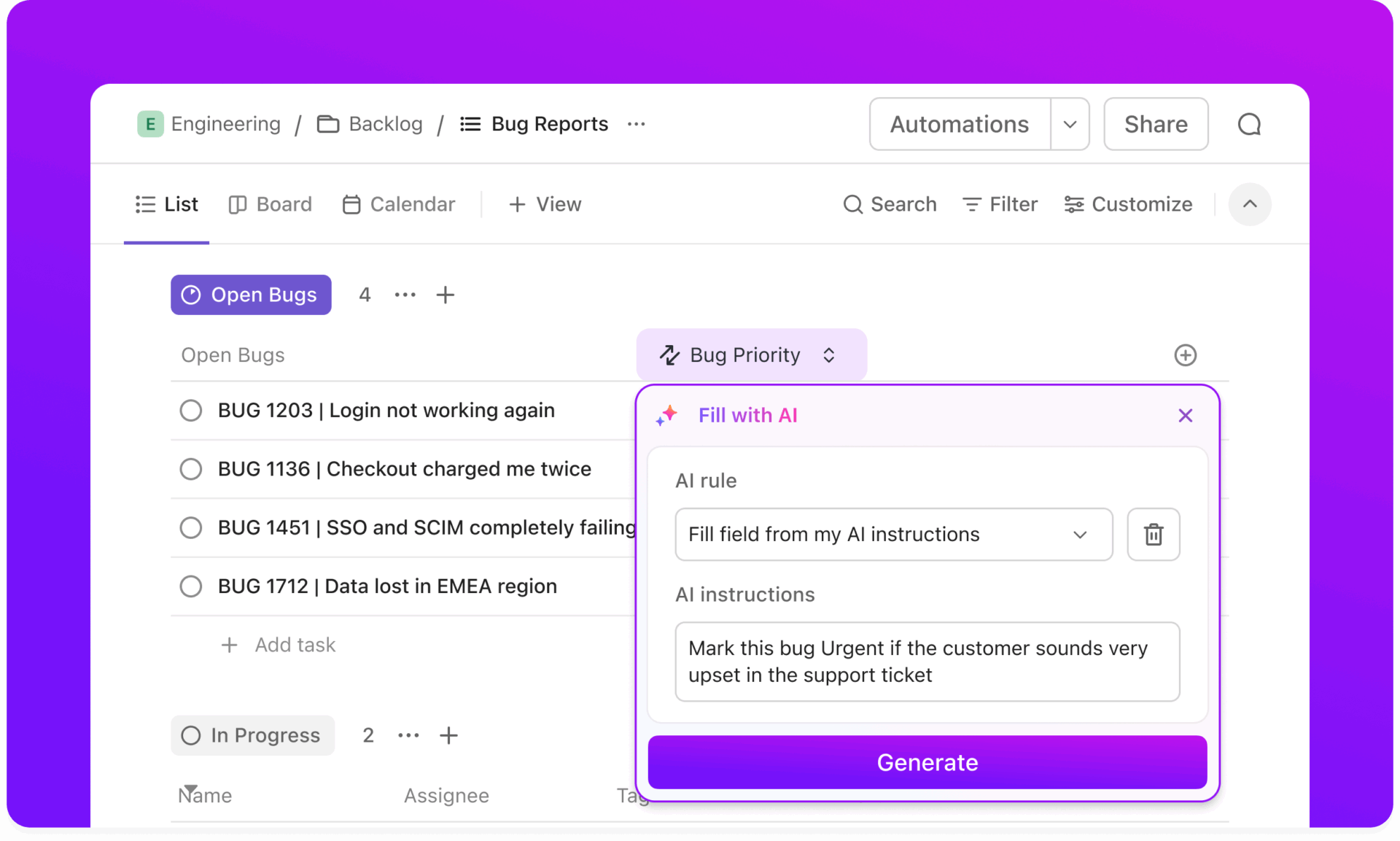
💡Pro Tip: Encode decision logic into the workflow instead of repeating it manually. ClickUp Automations with the AI builder let you describe what you want to automate in plain language and create a workflow. So, when a task meets a specific condition, such as missing information, the automation applies the appropriate steps without requiring someone to interpret the process.
Used this way, automation begins to carry institutional knowledge. The system enforces consistency as work scales, so execution remains high-quality without requiring your most experienced people to be in constant oversight.
A common friction point in project handoffs is the loss of context.
When a lead moves between departments, the specific pain points and preferences they shared earlier get stripped away. It leaves your new team to start from scratch. This lack of continuity disrupts the customer experience and leaves your team confused.
AI personalization tools use data orchestration to maintain an up-to-date customer profile across departments. This is especially helpful when zero-party data (information a customer intentionally shares with you) is the primary driver of growth.
The personalization platform preserves every interaction, and your team inherits a single source of intelligence. Everyone operates within the personalized workflow, ensuring a seamless transition without recurring meetings.
📮 ClickUp Insight: More than half of all employees (57%) waste time searching through internal docs or the company knowledge base to find work-related information. And when they can’t? 1 in 6 resorts to personal workarounds—digging through old emails, notes, or screenshots just to piece things together.
ClickUp Brain eliminates the search by providing instant, AI-powered answers pulled from your entire workspace and integrated third-party apps, so you get what you need—without the hassle.
While the backend infrastructure handles the data, the real impact shows up in how you communicate with your audience.
In marketing, personalization has moved beyond simply swapping a first name in an email. It’s now about tailoring the entire customer journey based on real-time intent.
Standard recommendation widgets often feel like an afterthought. They show generic ‘frequently bought together’ items that don’t actually fit your current needs.
AI personalization engines use collaborative filtering and deep learning to analyze your customers’ current sessions alongside their long-term preferences.
If someone is browsing high-end camera gear, your system won’t just suggest a random lens. It will identify the specific mount and focal length they’ve previously researched to offer a compatible, high-value add-on.
Netflix uses this strategy to keep you watching. Their algorithms look past your last-watched show to analyze how you interact with your homepage, notifications, and even your TV remote. This turns a massive, overwhelming catalog into a curated selection, with your best option usually waiting at the top of the screen.
We’ve all dealt with AI chatbots that can only answer five preset questions before getting stuck in a loop. AI content personalization engines use natural language understanding to maintain conversation context.
These systems don’t force users down a rigid decision tree. Instead, they can handle complex, multi-part queries like: ‘I need to upgrade my plan, but only if it includes the team seats I discussed with sales last week.’
Access to unified customer profiles helps these agents in delivering these experiences. It also allows them to act without a human agent.
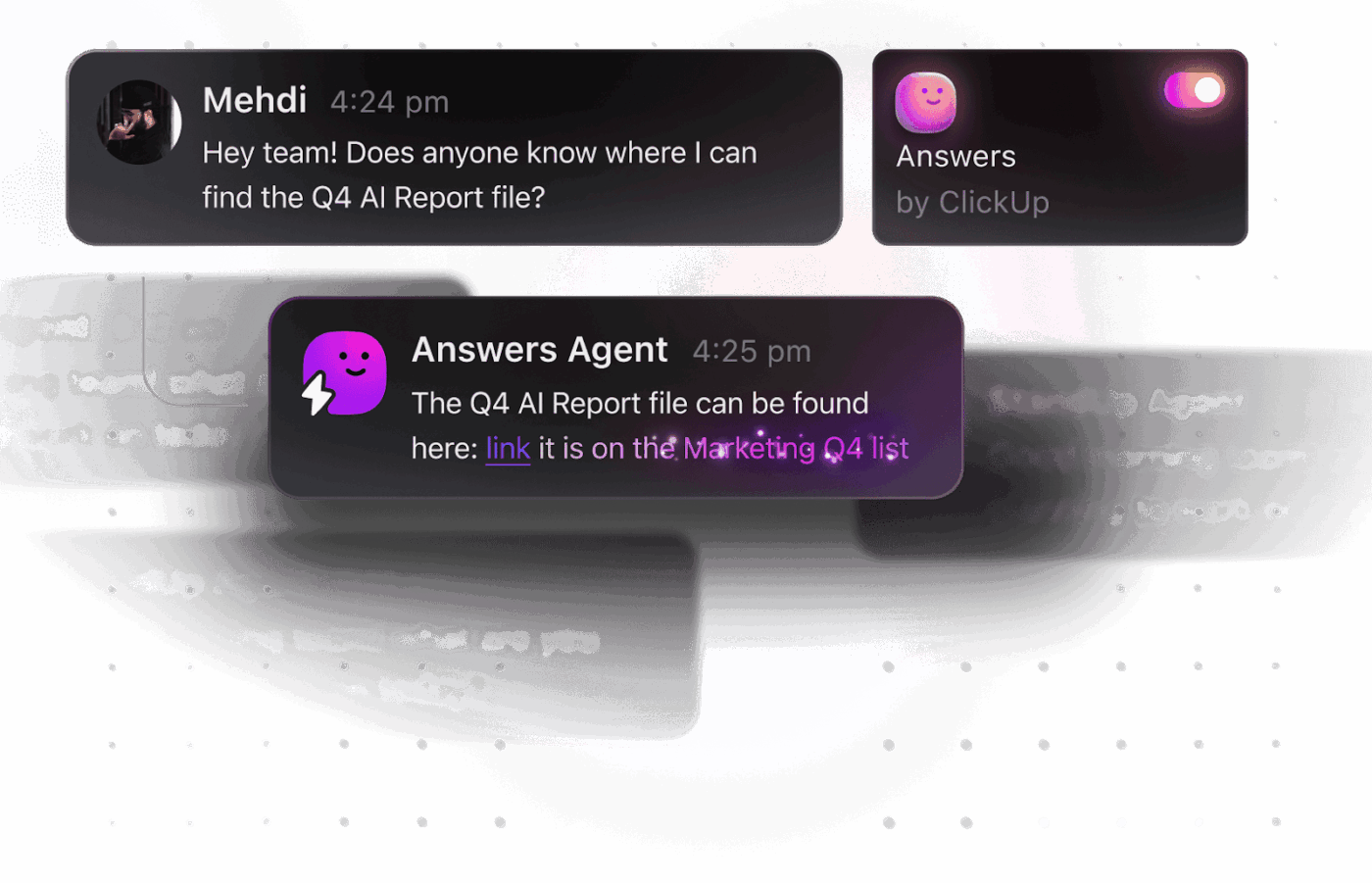
Here’s an AI-powered agent example from ClickUp:
Klarna is a prime example of this working at scale. Its AI assistant handles two-thirds of all customer service chats, doing the equivalent work of 700 full-time agents. It doesn’t just parrot help articles; it taps into real-time customer data to resolve specific financial queries, like managing refunds or disputes, in over 35 languages. It has reduced their average resolution time from 11 minutes to under 2 minutes.
Generic websites try to speak to everyone at once, which usually means they end up speaking to no one.
Dynamic content and messaging enable the page to adapt based on the viewer. Instead of a one-size-fits-all layout, the customer personalization engine replaces elements in real time based on a visitor’s industry.
For example, a visitor from a team-scaling article sees a narrative about headcount and growth. Or, when someone searches for workload tracking, they see a dashboard view. It ensures the first thing your customer reads is the specific answer to their problem.
Amazon uses this to ensure no two shoppers see the same homepage. Their system analyzes your past purchases and current browsing behavior to build a storefront tailored to your specific interests. If you’re a skincare junkie, you might see new launches and seasonal sunscreens; if you’re an office manager, you’ll see bulk supplies. Put simply, it ensures the first thing you see is the specific solution that brought you there.
The best support is the kind that happens before you even realize you’re stuck.
Traditionally, we wait for a user to cancel a subscription or stop responding before we try to win them back. By then, the relationship is usually already over.
Predictive personalization spots the subtle signs that you’re losing interest. If a personalized predictive AI engine notices you’re logging in less often, it can trigger a check-in to clear the hurdle.
Starbucks uses this to ensure its customers never hit a roadblock during their morning routine. Their machine-learning personalization system uses computer vision and 3D spatial intelligence to track inventory in real time. It identifies low-stock items before they run out, allowing time to restock. It’s a proactive approach that addresses potential friction in the supply chain before it becomes a reason for a customer to leave dissatisfied.
While the benefits are clear, building a system that feels helpful rather than intrusive presents its own hurdles. Here are the common pitfalls you need to watch out for.
The more a system knows about you, the better it performs, but that creates a natural tension around privacy. For your team, the biggest hurdle may be AI access to sensitive communications or internal data.
Building trust requires moving away from opaque data collection toward a transparent model.
You need to ensure your engine adheres to strict identity resolution protocols and data governance policies. It restricts access to information for which it lacks explicit permission. Without these guardrails, your well-intentioned efforts can quickly feel like overreach.
Transitioning from standard software to an AI-driven engine requires a significant upfront investment of time and technical resources. It also requires you to clean your data and ensure your tools can communicate with each other. If your organization’s fragmented data is not effectively parseable by an AI, it can lead to a long period of data debt cleanup.
You must account for the time your team will spend training the models. While also having resources to refine outputs before the system begins delivering the promised ROI.
🧠 Did You Know: Employees spend 21% of their workday on duplicative work and information recreation.
There is a fine line between being proactive and being annoying.
Over-personalization is when an engine triggers too many automated check-ins that feel forced. If every small change in your behavior triggers a new notification, the system becomes another source of disruption.
Avoiding message fatigue means fine-tuning your engine’s ambient awareness so it only intervenes when it can provide high-value context. Here’s the difference between the two:
| Aspect | Helpful personalization | Over-personalization |
| Frequency | Intervenes only when a specific, high-value milestone or blocker is detected | Sends a notification for every minor edit or file opening |
| Context | Surfaces information related to your active task and immediate deadline | Recommends items based on old habits that aren’t relevant to your current project |
| Delivery | Operates quietly in the background until an answer is needed | Uses intrusive pop-ups or @mentions for low-priority updates |
| User Control | Allows you to easily adjust or mute specific triggers and suggestions | Operates as a ‘black box’ with no way to dial back the automated noise |
The goal is to stay helpful in the background without constantly demanding your attention for every minor update. Right calibration makes the engine feel like an extension of your workflow, only stepping in to surface a resource when needed.
The ClickUp Advantage: ClickUp Brain MAX redefines personalization. It’s a standalone AI workspace that lives across your desktop and browser, designed to think with you wherever work happens.
With Talk to Text, you can speak naturally and watch Brain Max turn raw thoughts into structured tasks, clean summaries, drafts, or action plans in seconds. Just capture → clarify → execute.
It pulls from your actual ClickUp context, connects to multiple AI models, and can search the web when needed, so you’re not bouncing between ChatGPT, your task manager, and fifteen open tabs. As a Chrome extension and desktop companion, it works on top of your workflow, not outside it.
The result feels different: instead of juggling tools, you’re operating from one AI command center that remembers your work, respects permissions, and turns ideas into motion instantly.
To move beyond basic automation and build an intuitive system, prioritize data quality over quantity. Set the right guardrails from day one:
What is the difference between you managing the software and the software finally managing the work for you? Having a converged AI workspace, just like ClickUp!
In ClickUp, AI isn’t layered on top. It’s embedded across tasks, docs, chat, dashboards, and search.
That means personalization doesn’t happen in one place. It flows through the entire system.
Most AI tools personalize based on prompts. ClickUp Brain personalizes based on context.
Because tasks, Docs, comments, timelines, and dashboards are already connected, Brain understands relationships between projects, owners, deadlines, and past decisions. When you ask a question like:
It pulls from live workspace data, not a static summary. That’s where personalization starts. Not with generic responses, but with answers shaped by your team’s real priorities, language, and workflow history.
ClickUp’s converged workspace also includes Super Agents that operate within your workspace with full context and governed permissions. These aren’t prompt-and-forget bots. They inherit:
You can @mention an agent to generate a structured feature brief from a messy idea. Or have it summarize sprint risks based on backlog movement. Or ask it to draft release notes from completed tasks. Because the agent works inside your actual system of record, it remembers prior threads, previous decisions, and how your team typically structures work.
That continuity is what makes personalization durable, not disposable.
In ClickUp, if a milestone is slipping, you don’t have to click through five reports to understand why. You can simply ask AI.
Brain looks across dependencies, workload distribution, overdue tasks, shifting priorities, and recent activity to explain what’s happening and where pressure is building. The dashboard stops being a snapshot and starts becoming a decision layer.
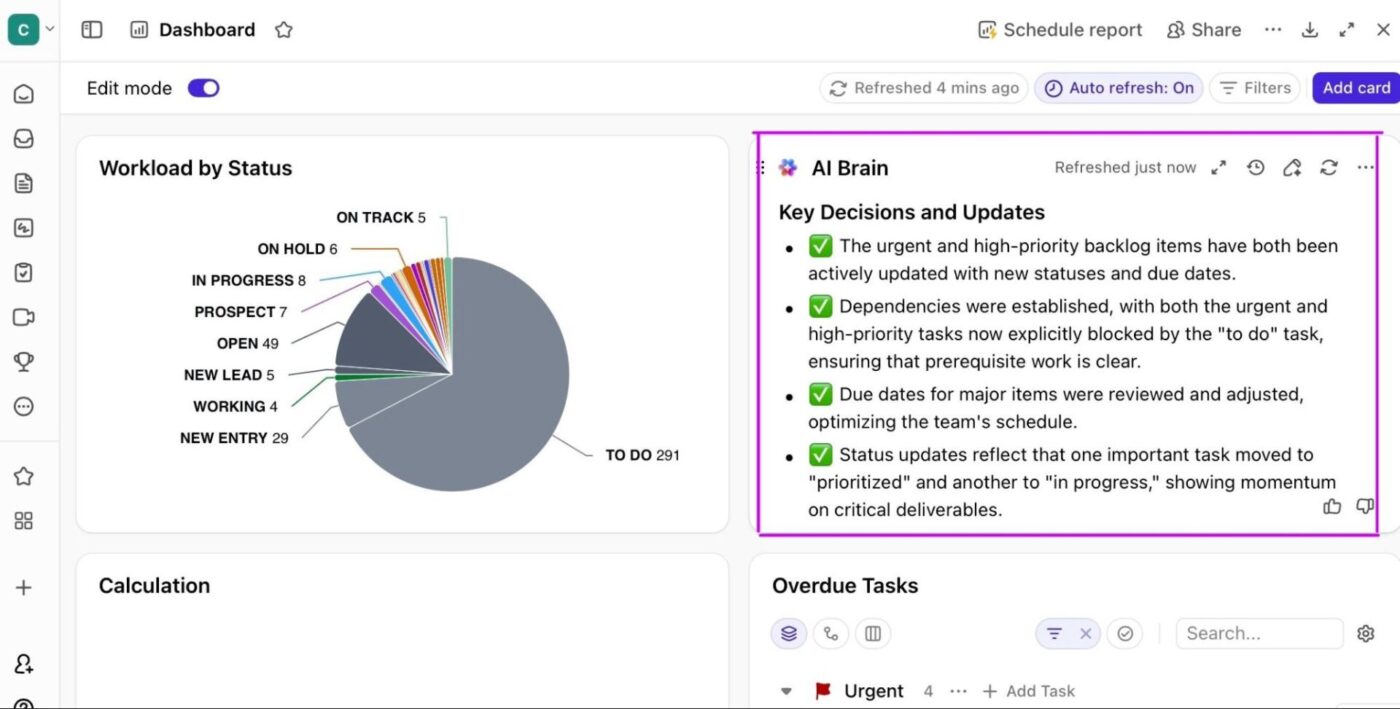
That’s the shift. Your reporting isn’t separate from execution.
It’s powered by the same system that runs the work. Context flows from task to document to dashboard without breaking, and personalization isn’t something you configure once and forget. It emerges naturally because the system understands how your team actually operates.
See the workflow in action here:
Recent trends shaping the future of personalization are:
🔎 Did You Know: 47% of digital workers struggle to find the information needed to effectively perform their jobs. Hence, centralizing knowledge in an AI-powered workspace is becoming a structural necessity for meeting deadlines.
The difference between cost reduction and another failed software rollout is context.
AI can only personalize your experience if it has a complete view of your data, including your team’s specific brand voice and historical project logic.
By moving your work into a converged environment, you replace manual syncing with ClickUp Brain. It ensures every task you assign and every document you create is automatically grounded in your workspace’s collective intelligence.
Get started with ClickUp for free, and don’t let fragmented tools limit your team’s capacity.
Basic automation follows fixed rules and triggers the same action every time a condition is met. AI personalization adapts those actions based on context, timing, and past behavior. Instead of asking you to define every edge case, it adjusts as work evolves.
Modern platforms like ClickUp embed AI natively into the workflow, so you can get personalization benefits without building or maintaining custom models.
Recommendation engines suggest content based on past clicks or similarities. AI personalization operates within your workflow and responds to intent, urgency, and the state of your work. It also helps shape what happens next.
Yes, because when fewer people handle more responsibilities, repeated explanations and manual coordination add up quickly. Personalization helps embed judgment into the system early, before scale turns those gaps into bottlenecks.

© 2026 ClickUp

There’s an easier way. Try a free AI Agent in ClickUp that actually does the work for you—set up in minutes, save hours every week.