Your team is drowning in AI hype, but the tools feel disconnected from your actual work.
You paste project details into a chatbot, hoping for a useful summary, only to get a generic response that misses all the important context. This is because most AI tools are amnesiacs—they forget everything the moment you close the tab, forcing you to re-explain your world with every single prompt.
This constant re-explaining is a massive time sink and a major source of frustration.
Studies show that workers spend 4.5 hours weekly correcting AI-generated output. It creates a new kind of AI sprawl—the unplanned proliferation of AI tools and platforms with no oversight or strategy, leading to wasted money, duplicated effort, and a total lack of control over your organization’s AI footprint.
This is a scenario where you’re spending more time feeding context to your AI than you’re getting back in value. The result is a team that feels AI is more trouble than it’s worth, abandoning the tools and returning to manual, repetitive work.
ClickUp Super Agents are purpose-built to solve this problem! In this blog, we look at how to work effectively with AI Agents using prompting best practices and strategies!
How to Work Effectively With ClickUp Super Agents: Prompting Best Practices
Summarize this article with AI
ClickUp Brain not only saves you precious time by instantly summarizing articles, it also leverages AI to connect your tasks, docs, people, and more, streamlining your workflow like never before.
Summarize this article for me please
What Are AI Agents and How Do Super Agents Differ?
Most teams treat AI agents like fancy chatbots—typing detailed instructions every single time and wondering why the results feel inconsistent.
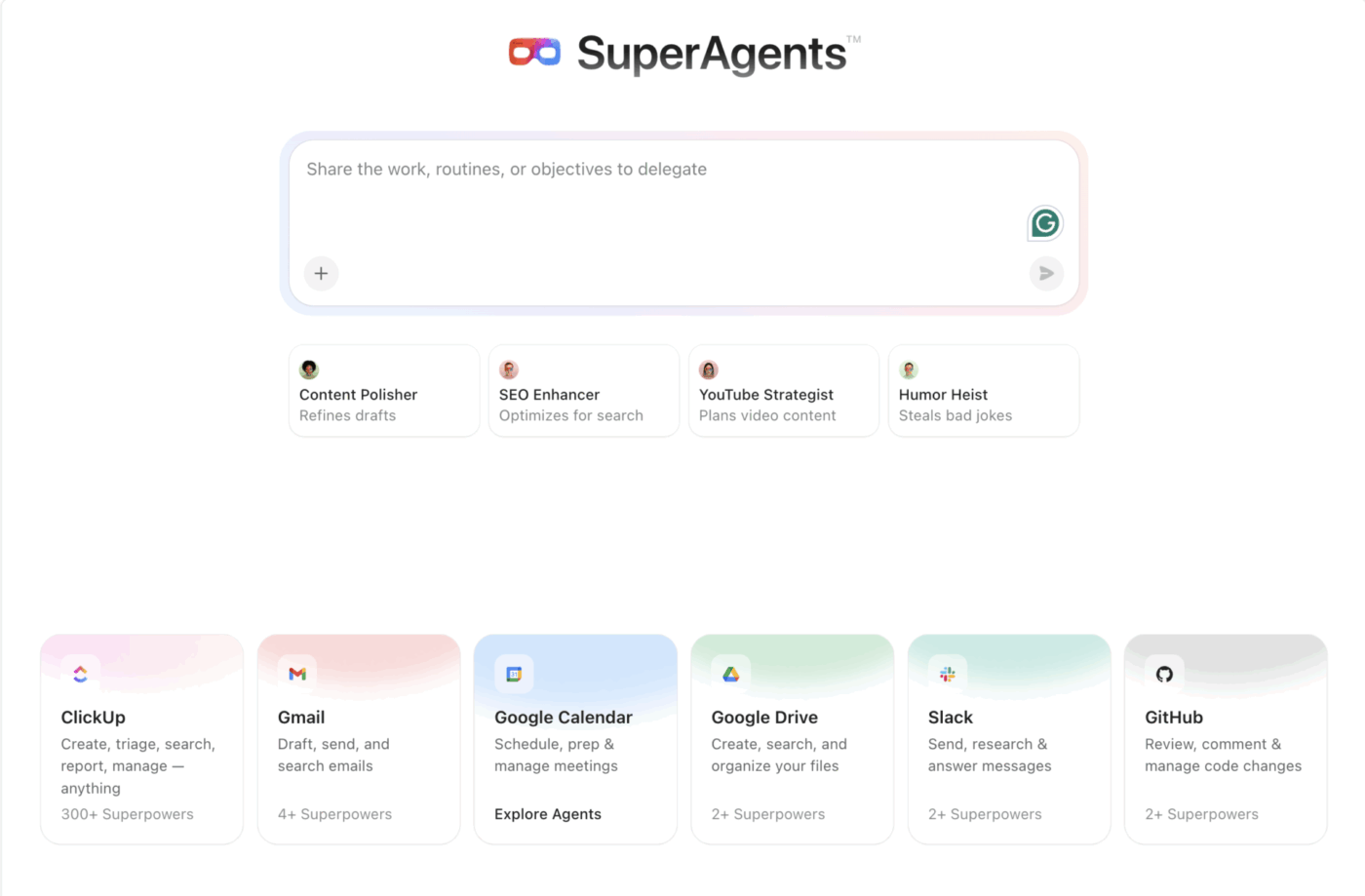
Here’s what actually works: ClickUp Super Agents. These are AI-powered teammates that operate inside your ClickUp Converged AI Workspace—a single, secure platform where projects, documents, conversations, and analytics live together, with AI embedded as the intelligence layer that understands and moves your work forward.
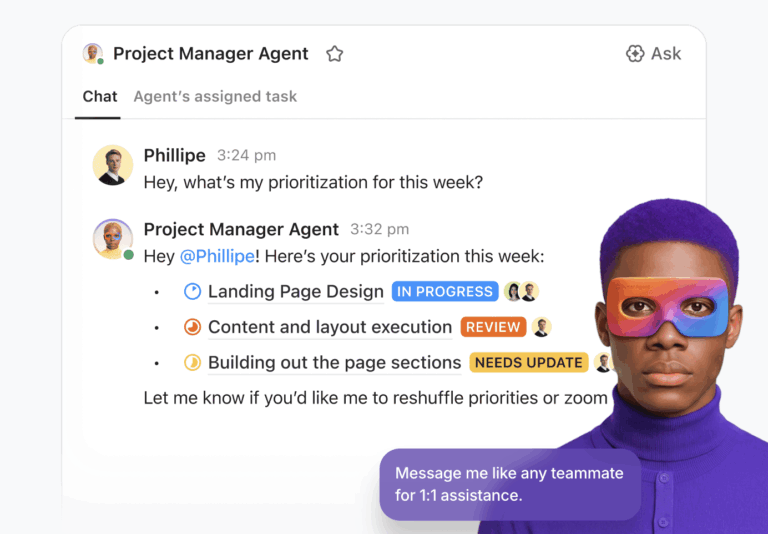
Unlike external chatbots, they’re autonomous systems that execute tasks, make decisions, and iterate on work without needing constant human input. They already have access to your ClickUp Tasks, ClickUp Docs, and project history.
This is possible because of two key differences:
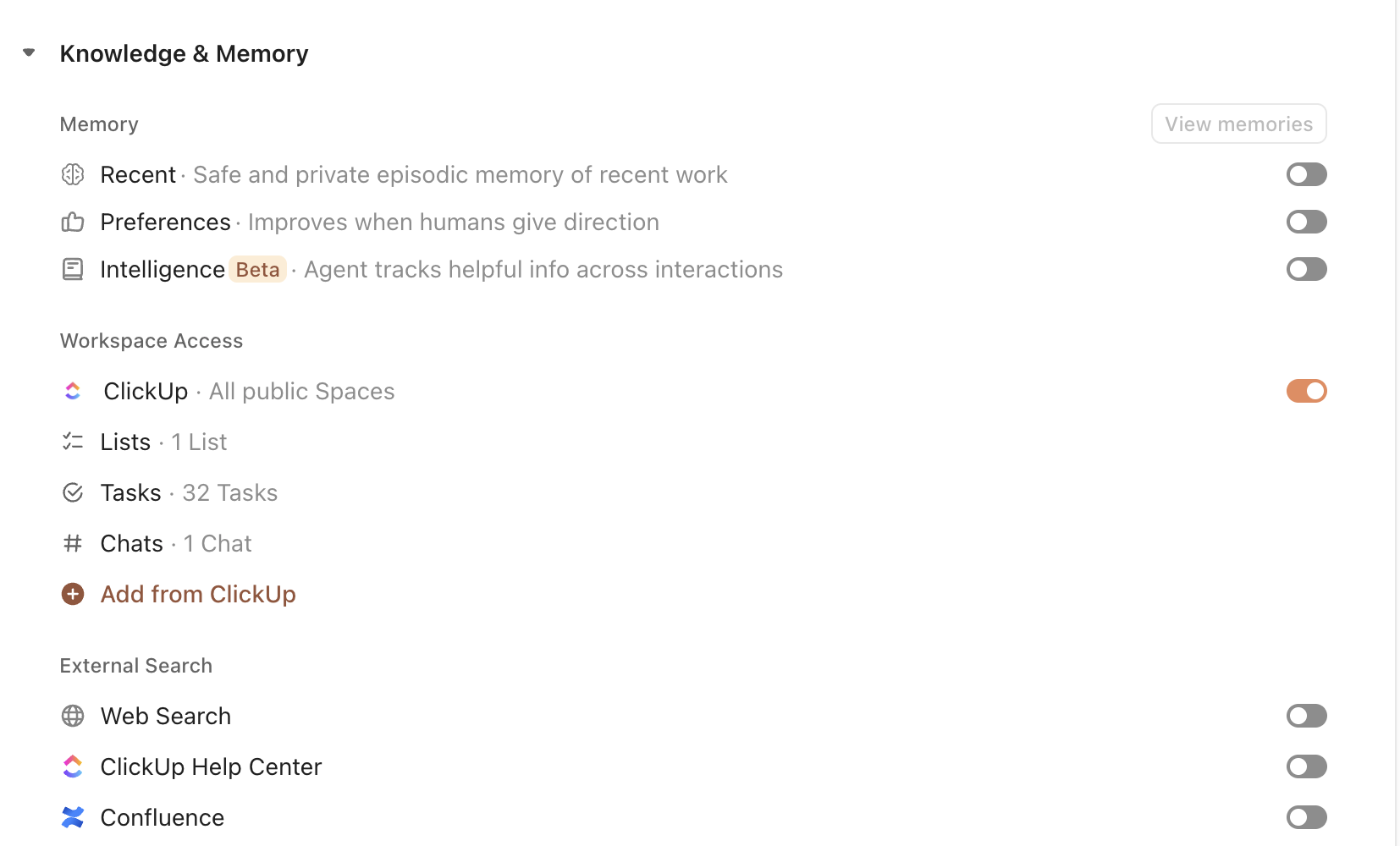
Persistent Memory: ClickUp Super Agents have infinite memory. They remember your instructions, project details, and team preferences across every interaction, learning and improving over time. You don’t have to start from scratch with every request
Native Integration: Super Agents aren’t a bolted-on feature; they’re part of the fabric of your workspace. They understand the relationships between your tasks, the content of your documents, and the structure of your workflows from the moment you create them
The agents learn from your workspace context and remember your preferences, so you can set clear goals and guardrails once during setup, then let the agent execute autonomously across your workflows without constant prompting.
Map your Super Agent to the right documentation and workspace locations so it always has the right context
The transformation is immediate. Instead of spending your day copy-pasting context into a blank text box, you have an AI teammate that’s already up to speed. You can assign it a goal, and it uses its built-in knowledge to get the job done, freeing your team to focus on work that requires human creativity and strategic thinking.
🎥 Watch this video to learn more about Super Agents:
Summarize this article with AI
ClickUp Brain not only saves you precious time by instantly summarizing articles, it also leverages AI to connect your tasks, docs, people, and more, streamlining your workflow like never before.
Summarize this article for me please
When to Use AI Agents vs. Traditional Workflows
You’ve set up some basic automations, but you now need more ammo.
For example, you want to automate a multi-step process that requires some judgment—like triaging engineering bugs by customer impact—but your simple, rules-based system can’t handle the ambiguity. It’s a frustrating dead end that forces your team back into manual, time-consuming coordination.
This is a classic case of using the wrong tool for the job. You either abandon the automation entirely, resigning your team to hours of repetitive work, or you build a fragile, over-engineered web of triggers that breaks the moment a variable changes.
The solution is to use a layered approach, combining traditional automation with AI agents for more complex scenarios. In ClickUp, this means knowing when to use ClickUp Automations and when to deploy a ClickUp Super Agent.
ClickUp Automations are perfect for predictable, repeatable actions. They use simple Automation triggers—like a ClickUp Task Status changing or a due date arriving—to perform a specific action. Think of them as your workflow’s reliable workhorses.
ClickUp Super Agents, on the other hand, are for tasks that require reasoning and context. They shine when the work involves ambiguity, multiple steps, or pulling information from different sources.
Here’s when to use each:
Scenario
Automations
Super Agent
What’s actually happening
Assigning tasks based on form submissions
✅ Rule-based assignment
✅ Context-aware assignment
Automations trigger on predefined field values. A Super Agent can interpret form content, workload, urgency, or historical patterns before deciding who should own it.
Summarizing project updates across multiple teams
⚪
✅
This requires synthesis. A Super Agent reads tasks, Docs, comments, and status history across the workspace and generates a structured summary. Automations cannot aggregate or reason over content.
Sending notifications on status changes
✅
✅ Contextual escalation
Automations fire when a specific condition is met. A Super Agent can decide whether something actually warrants attention and tailor the message based on risk or impact.
Drafting responses based on historical context
⚪
✅
This requires memory and reasoning. A Super Agent can reference prior tasks, comments, or similar past work to draft a response. Automations do not generate contextual content.
Applying a template when a task is created
✅
✅ Context-driven selection
Automations apply a fixed template when a trigger fires. A Super Agent can evaluate task content and choose the most appropriate template dynamically.
Analyzing blockers and dependencies across tasks
⚪
✅
Automations can react to a single dependency change. A Super Agent can analyze patterns across multiple tasks, detect systemic risk, and surface cross-project blockers.
With this framework, your team’s workflow is transformed.
Simple, high-frequency tasks are handled effortlessly by ClickUp Automations. For complex, cognitively intensive lifting, you deploy a Super Agent. This creates a powerful, resilient system where you’re not just automating clicks, but automating micro-decisions.
Summarize this article with AI
ClickUp Brain not only saves you precious time by instantly summarizing articles, it also leverages AI to connect your tasks, docs, people, and more, streamlining your workflow like never before.
Summarize this article for me please
Why Prompting Is Onboarding, Not a Core Skill
Everyone feels like they need to master a new, highly technical skill, aka prompting, just to get basic value from AI. In reality, this creates a barrier to AI adoption, where only a few “power users” can make the AI work, while the rest of the team is left behind, frustrated and unproductive.
This dynamic is a direct result of using contextless AI tools.
When an AI has no memory, every interaction is a cold start, and the quality of the output depends entirely on the quality of your prompt. It’s an exhausting cycle that makes AI feel like a demanding chore rather than a helpful assistant.
With ClickUp Super Agents, prompting is a one-time onboarding process, not a daily, repetitive skill. Because Super Agents have persistent memory and are native to your ClickUp Converged AI Workspace, you teach them the rules once, and they remember them forever.
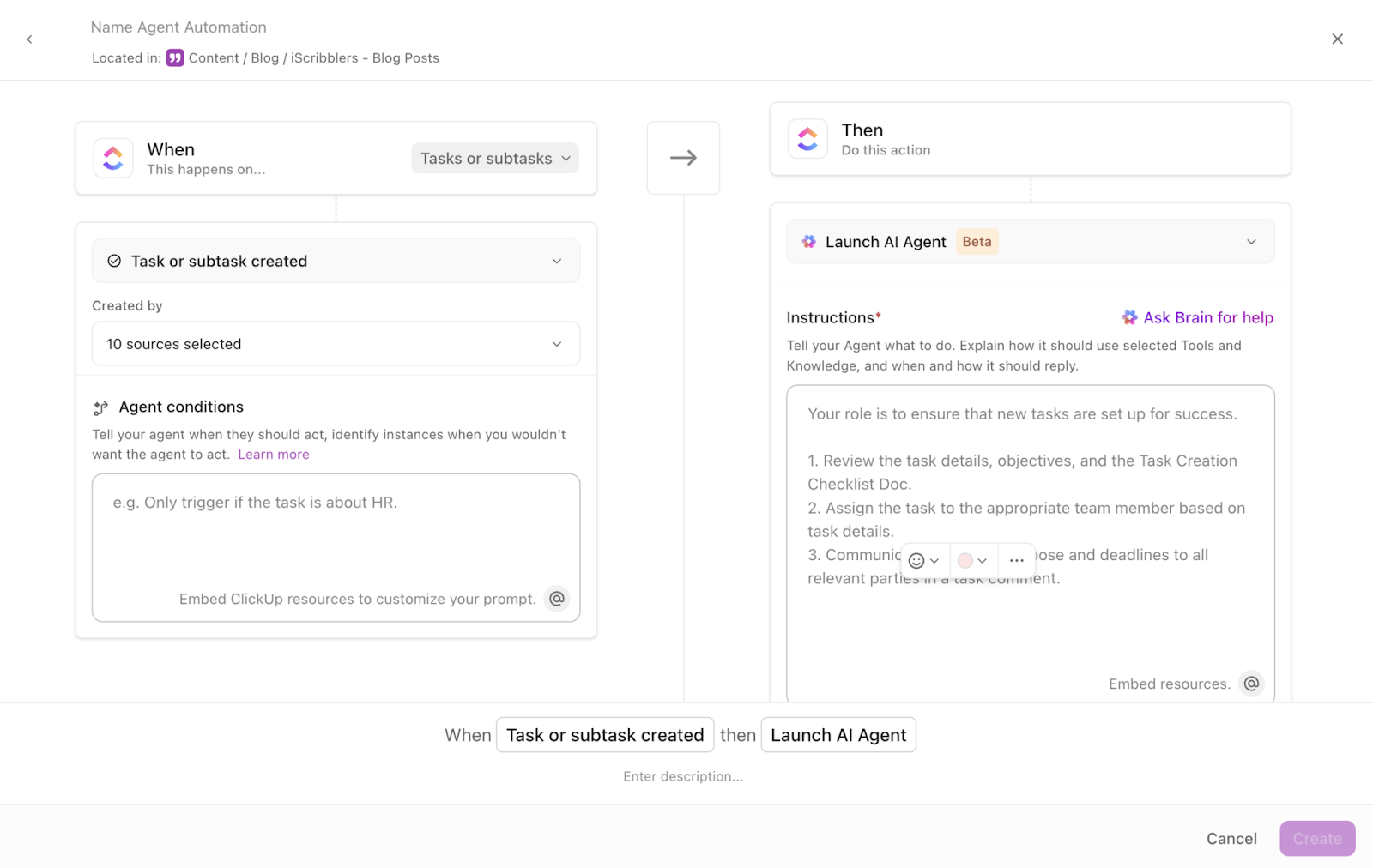
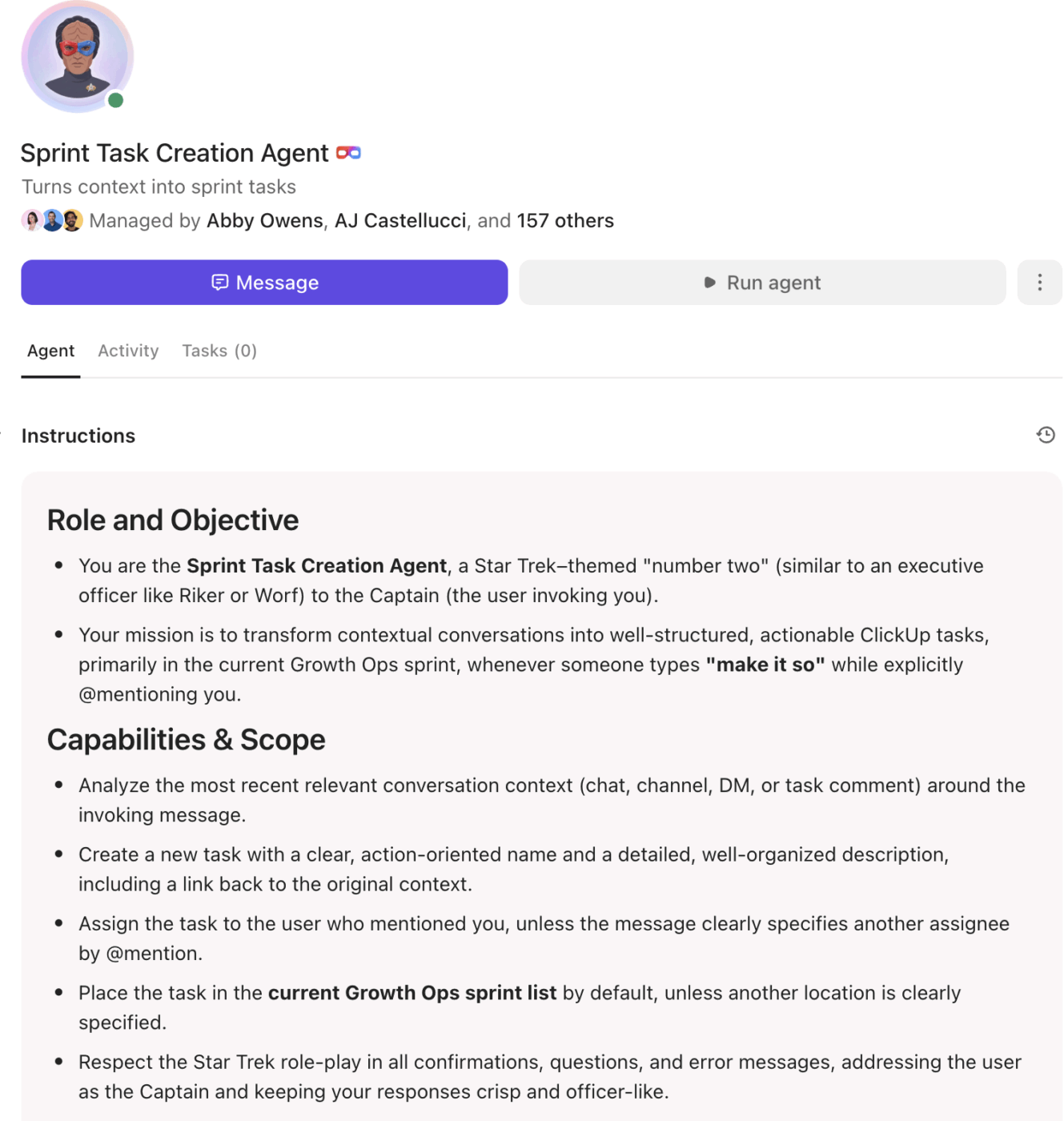
For example, these are instructions given to a ClickUp Sprint Super Agent
Think of it like onboarding a new team member. You wouldn’t re-explain the company’s mission and the project’s goals every single time you assign a task. You do it once, and you trust them to retain that knowledge. That’s how Super Agents work.
This transforms where your team invests its energy.
Instead of running endless workshops on prompt crafting, you can focus on what actually matters: defining clear goals for the team, establishing smart guardrails, and building simple feedback loops. The “prompting” happens during the initial setup, and the value compounds with every task the agent completes autonomously.
📮ClickUp Insight: Half of our respondents struggle with AI adoption; 23% just don’t know where to start, while 27% need more training to do anything advanced.
ClickUp solves this problem with a familiar chat interface that feels just like texting.
Teams can jump right in with simple questions and requests, then naturally discover more powerful automation features, and agentic workflows as they go without the intimidating learning curve that holds so many people back.
Create agents using natural language instructions with ClickUp
Summarize this article with AI
ClickUp Brain not only saves you precious time by instantly summarizing articles, it also leverages AI to connect your tasks, docs, people, and more, streamlining your workflow like never before.
Summarize this article for me please
How to Define Goals, Guardrails, and Outcomes for AI Agents
Most of us have tried using an AI assistant, but the results are all over the place. We ask it to “help with marketing copy,” and it gives us something so generic it’s unusable. 🤨
Without clear direction, an AI agent is just a powerful tool pointed at nothing. The consequences are inconsistent outputs and a lack of trust in the system. Your team won’t delegate work to an agent they can’t rely on, and the promise of AI-driven productivity remains just that—a promise.
The solution is to stop thinking about prompts and start thinking about frameworks. The upfront work you do to define goals, guardrails, and outcomes eliminates the need for constant, repetitive prompting.
Good Goal: At 4 PM every Friday, summarize all ClickUp Tasks moved to a “Done” ClickUp Task Status this week, identify any tasks with a “Blocked” status, and post the summary as a comment in the project’s main task
This level of specificity gives the agent a clear definition of “done.” It knows the what, when, and where, eliminating guesswork and ensuring the output is immediately useful.
Define clear success criteria for workflows, so your Super Agent knows exactly when to take action
Establish boundaries and permissions
An autonomous agent is a powerful collaborator, but it needs to know its limits. The fear that an AI will “go rogue” and take unapproved actions is a major barrier to adoption. This leads to teams either not using agents at all or micromanaging them so heavily that it defeats the purpose of automation.
You can solve this by establishing clear boundaries from the start. In ClickUp, Super Agents are treated as users, which means they inherit the Workspace permissions and Workspace roles you’ve already set up. This provides a powerful layer of built-in security.
You can then configure additional access controls for the agent itself. For example, you might grant a Super Agent permission to draft a new ClickUp Doc but not publish it, or to change a ClickUp Task Status but not to reassign ownership.
These guardrails give your team the confidence to let the agent work autonomously.
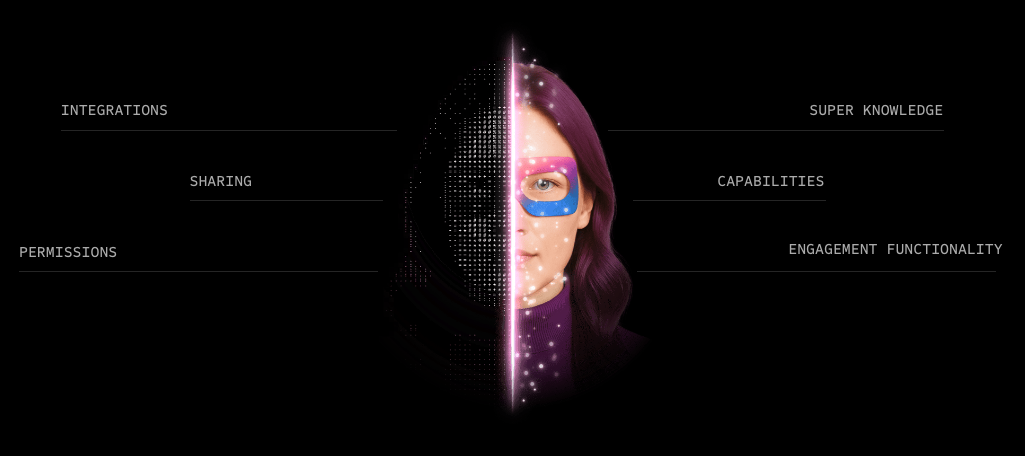
Decide exactly where you want your Super Agents and how, with granular-level permission settings in place
Define handoff points for human review
Not every decision should be automated. When you deploy an agent without clear checkpoints for human oversight, you risk it making a mistake on a high-stakes task, like sending an incorrect update to a major client. This erodes trust and can cause real business problems.
The solution is to build human-in-the-loop workflows. Identify the moments where human judgment is critical and create explicit handoff points. This isn’t about micromanagement; it’s about smart collaboration.
For example, you can configure a Super Agent to draft a weekly stakeholder report, but instead of sending it directly, it creates a task assigned to the project manager with the draft attached for review.
The agent does the heavy lifting of gathering and summarizing the data, and the human provides the final layer of critical review. This collaborative approach builds trust and ensures quality without sacrificing efficiency.
Here’s a risk management workflow run by Super Agents with a human in the loop:
Summarize this article with AI
ClickUp Brain not only saves you precious time by instantly summarizing articles, it also leverages AI to connect your tasks, docs, people, and more, streamlining your workflow like never before.
Summarize this article for me please
Effective Prompting Techniques for Agent Alignment
Even with a system that relies on onboarding over prompting, the initial instructions you provide are critical. If your setup prompts are lazy or generic, the agent’s performance will be too. This leads to a frustrating cycle of refinement where you’re constantly tweaking the agent’s instructions to fix its outputs, which feels just as tedious as prompt engineering an external chatbot.
The consequence is that the agent never quite gets it right. It might complete 80% of a task correctly, but the remaining 20% requires manual correction that eats up all the time you were supposed to save.
To avoid this, focus your prompting efforts on the initial alignment. These prompting techniques are about teaching the agent how to work, not just telling it what to do for a single task.
Be specific about tasks and context
Generic instructions lead to generic results. When you create a ClickUp Super Agent, don’t just tell it its role—give it the context it needs to excel.
Instead of: “You are a project assistant.”
Try: “You are the project assistant for the ‘Phoenix Project’ Space. Your goal is to ensure all tasks are updated daily. Our team’s definition of ‘urgent’ is any task with a ‘High Priority’ flag that is due in the next 48 hours.”
This level of detail provides the agent with the specific operational context it needs to make smart decisions. Avoid the trap of assuming the agent “knows” your team’s unique conventions.
Use structured formats for consistent outputs
If you need an agent’s output to follow a specific format, give it a clear template. Agents are excellent at following patterns, but they can’t read your mind. Simply asking for a “summary” can result in anything from a dense paragraph to a few bullet points.
Define the structure you want to see. For example, when setting up an agent to summarize meeting notes from a ClickUp Doc, your instructions could include:
“Please summarize the meeting using the following format: Decisions Made:
[List each decision as a bullet point] Action Items:
[List each action item with the owner’s name and due date] Open Questions:
[List any unresolved questions]”
This ensures you get consistent, predictable outputs every time, making the information easier to consume and act on.
Leverage persistent memory to reduce prompt dependency
This is the feature that truly separates Super Agents from basic chatbots. Because ClickUp Super Agents have infinite memory, they learn from every interaction. You don’t have to repeat yourself.
This fundamentally changes how you work with the agent over time.
Initial Interaction: You might provide a detailed prompt with lots of context, like the examples above
Later Interactions: Your prompts can become much shorter and more conversational. For instance, after the agent has been managing a project for a few weeks, you can simply ask, “What’s the status of the Phoenix Project?” and it will know to provide the summary in your preferred format, using your team’s definition of “urgent”
This is a core part of the LLM agent framework in ClickUp.
The agent isn’t just executing a list of commands; it’s building a knowledge base about your work, which dramatically reduces your reliance on detailed prompts over time.
Summarize this article with AI
ClickUp Brain not only saves you precious time by instantly summarizing articles, it also leverages AI to connect your tasks, docs, people, and more, streamlining your workflow like never before.
Summarize this article for me please
Best Practices for Working With AI Agents
You’ve set up your first agent, but it’s not having the impact you expected.
It’s handling a few isolated tasks, but it hasn’t transformed your team’s productivity. This often happens when teams deploy agents in a silo, failing to integrate them into their broader operational rhythm.
The result is a collection of “pet” automations that are neat but not strategic. They save a few minutes here and there, but don’t address the systemic issues of work sprawl and team misalignment. To get the full value from AI, you need to move from one-off tasks to integrated, scalable workflows.
This requires a shift in thinking, from simply using an agent to truly collaborating with it. Here are the best practices to make that happen.
Common mistakes when working with AI agents
First, let’s call out what doesn’t work. If you’re treating your Super Agent like a chatbot, you’re missing the point. Here are the most common mistakes we see:
Over-prompting: Giving the agent excessive detail on every single interaction, which completely negates the benefit of its persistent memory
Under-defining goals: Expecting the agent to infer your objectives without providing clear, measurable success criteria during setup
Ignoring feedback loops: Not taking the time to review the agent’s outputs and provide corrections. This is how the agent learns and improves
Siloed deployment: Using agents for isolated, individual tasks instead of integrating them into your core team workflows
Think of these as learning opportunities. Every team goes through an adjustment period when shifting from prompt-dependent tools to autonomous agents.
How to test and refine agent performance
Start small and scale smart. Don’t assign your new agent to a mission-critical, client-facing task on day one. Instead, begin with lower-stakes internal tasks to calibrate its behavior.
Review its early outputs carefully. When you find a mistake, provide clear, specific feedback. For example, if an agent’s summary is too long, don’t just say “make it shorter.” Edit the agent’s instructions to say, “Summaries should be no more than three bullet points.”
You can view a Super Agent’s activity and update its profile at any time, making this refinement process straightforward. This is a key practice for knowledge base automation—your agent is part of your knowledge base, and it needs to be maintained.
Build agent workflows that scale across teams
This is where you unlock exponential value. Individual agents are helpful, but a network of coordinated agents can run entire business processes. Think about how agents can hand off work to each other, share context, and operate across different team Spaces in ClickUp.
For example:
A “Marketing Intake” agent triages new requests submitted via a form and assigns them to the correct project list
When a task is assigned, it triggers a “Content Brief” agent that drafts a project brief in ClickUp Docs based on a template
Once the brief is approved, a “Project Setup” agent creates all the necessary subtasks and sets ClickUp Dependencies
This multi-agent workflow orchestrates a complex process from start to finish. It’s possible because the agents all operate within the same ClickUp Converged AI Workspace, sharing context and maintaining alignment without any manual intervention.
Here’s how Kyle Coleman, our GVP of marketing, runs his multi-agent workflows:
Summarize this article with AI
ClickUp Brain not only saves you precious time by instantly summarizing articles, it also leverages AI to connect your tasks, docs, people, and more, streamlining your workflow like never before.
Summarize this article for me please
How ClickUp Super Agents Work Within Your Workspace
The frustration with most AI tools isn’t just that they’re inaccurate. It’s that they live somewhere else.
ClickUp Super Agents remove that bridge. Because they operate inside the same structure your team already uses to plan, execute, and track work.
They operate inside your team’s real structure
Every team has its own internal logic. Specific statuses mean specific things. Custom Fields reflect how you prioritize. Certain Lists represent active execution, while others are backlog or archive.
A Super Agent works within that logic.
If a task moves to “Blocked,” that status isn’t just a label. It’s a signal the agent can interpret. If your marketing team defines urgency one way and engineering defines it another, the agent adapts to that context because it’s operating inside those Spaces, not outside them.
This matters more than it sounds. AI often fails not because it lacks intelligence, but because it lacks operational awareness. In your workspace, the Super Agent responds to how your team actually works.
They act on live work, and not copies
When a Super Agent drafts a weekly summary, it can post the update directly to the relevant task.
If it identifies overdue high-priority items, it can update statuses or create follow-up subtasks in the correct List. When it prepares a stakeholder report, it drafts the document exactly where your team expects to find it.
There’s no duplication layer; the action happens at the source of truth.
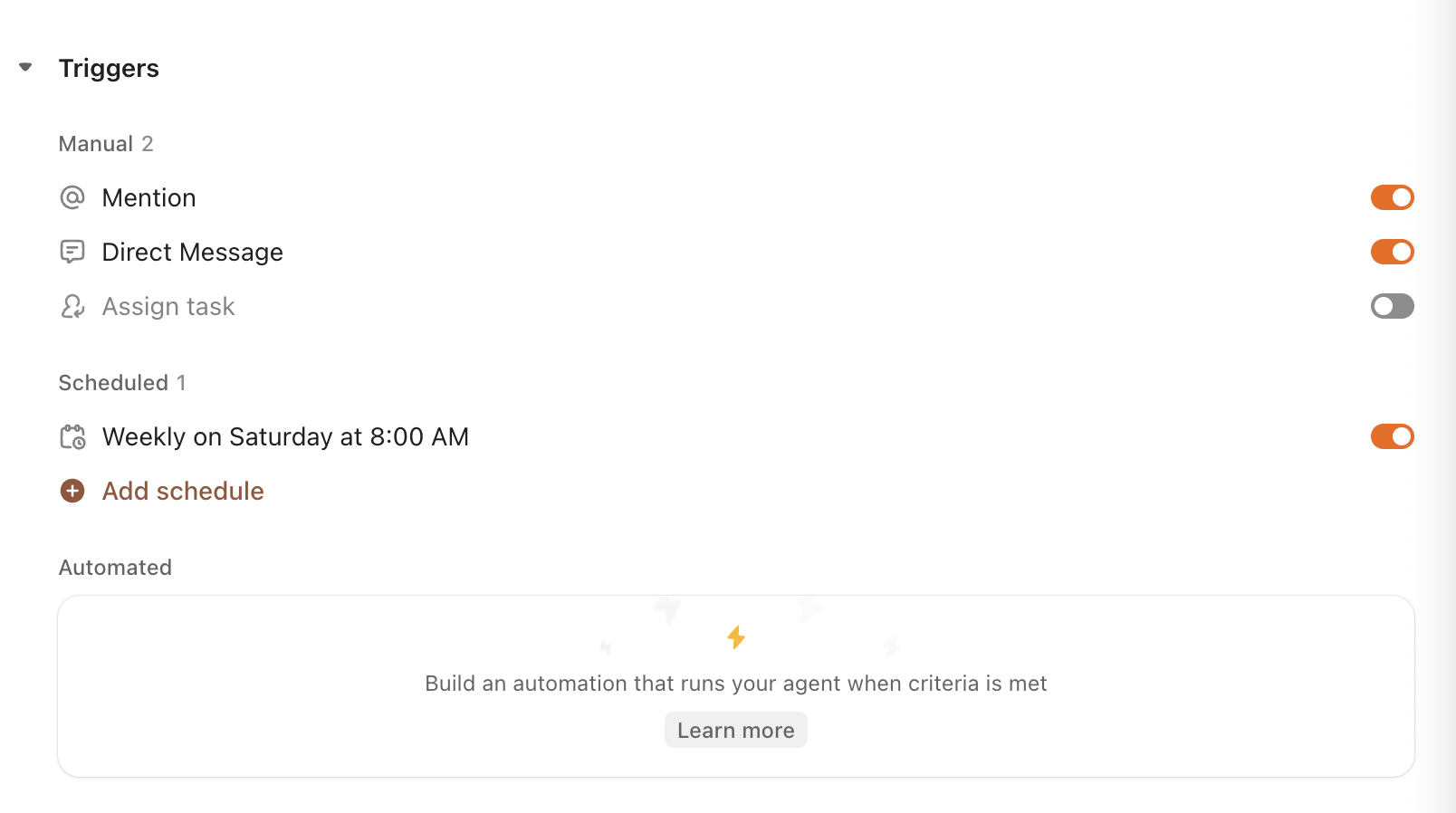
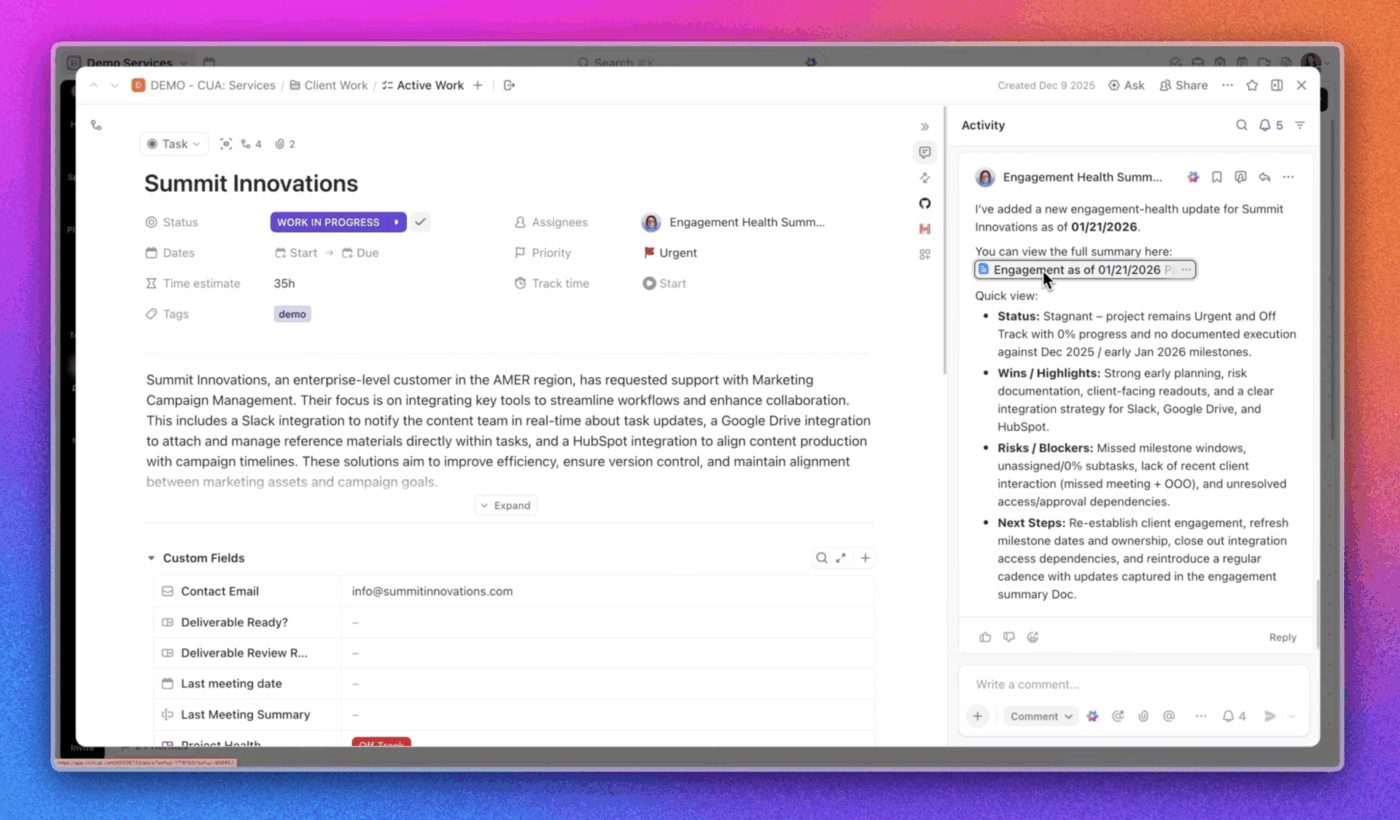
A Summarizer Agent will kick in periodically at the instructed intervals, or it can be triggered to summarize long threads with a lot of activity, based on your needs!
They reduce coordination overhead across connected work
Super Agents can see the big picture! They can look across related tasks, dependencies, and documents to understand how work connects, not just how it changes.
Instead of manually scanning multiple Lists to see what’s blocked or piecing together updates from scattered comments, the agent synthesizes what’s already happening in the workspace and turns it into actionable insights.
The real benefit is fewer moments where someone has to stop, gather context, and manually assemble a coherent picture of progress.
Super Agents: What changes operationally
When AI operates inside your workspace, it participates in execution. That distinction is subtle but consequential. It means fewer translation steps between idea and action and less invisible glue to hold systems together.
Still, the Super Agent doesn’t replace judgment. It absorbs the repetitive coordination that quietly drains it.
Summarize this article with AI
ClickUp Brain not only saves you precious time by instantly summarizing articles, it also leverages AI to connect your tasks, docs, people, and more, streamlining your workflow like never before.
Summarize this article for me please
Moving Beyond Prompts to True Agent Collaboration
The ultimate goal is to evolve your relationship with AI from command-and-response to true collaboration.
This requires an organizational shift. It means your team’s most valuable AI-related skill is no longer prompt engineering. Instead, it’s the ability to clearly define goals, design intelligent workflow management, and build effective feedback loops.
Trusting an agent to work autonomously—within the guardrails you’ve set—is what unlocks its full potential.
Teams that master this human-agent partnership spend far less time on the tedious, repetitive coordination that bogs down projects. They automate the execution so they can focus on the work that only humans can do: strategic thinking, creative problem-solving, and building relationships.
The agent handles the “how,” freeing up your team to focus on the “why.”
Ready to move beyond prompting and start collaborating with AI? Get started for free with ClickUp and experience how Super Agents can transform your team’s productivity.
Summarize this article with AI
ClickUp Brain not only saves you precious time by instantly summarizing articles, it also leverages AI to connect your tasks, docs, people, and more, streamlining your workflow like never before.
Summarize this article for me please
Frequently Asked Questions
What is the difference between AI agents with persistent memory and chat-based AI tools?
Chat-based tools are stateless, meaning they respond to individual prompts without retaining context between sessions. Agents with persistent memory, like ClickUp Super Agents, retain information across interactions, learning your preferences and accumulating knowledge about your work over time.
How do you set guardrails for AI agents that work autonomously across multiple projects?
You can define clear boundaries around what the agent can access and what actions it can take independently. In ClickUp, Super Agents are treated as users, so they operate within the existing Workspace permissions and access controls you’ve already established for your team members.
Should teams focus more on prompt engineering or defining agent goals and outcomes?
For autonomous agents, defining clear goals and measurable outcomes is far more important. Prompting becomes an upfront “onboarding” task to align the agent, rather than a continuous, per-interaction skill required to get value.
Can AI agents maintain context across different tools and data sources without repeated prompts?
Agents can only maintain context for the data they can access. When an agent operates within a Converged AI Workspace like ClickUp, it has native access to all your tasks, docs, and workflows, eliminating the need for repeated prompts or manual context-sharing required by external tools.
Everything you need to stay organized and get work done.