
Mastering Team Dynamics: 10 Effective Strategies to Supercharge Performance

Sorry, there were no results found for “”
Sorry, there were no results found for “”
Sorry, there were no results found for “”
Imagine this scenario: You’ve brought your team together and distributed tasks, but something feels off. Upon closer inspection, you spot one individual dominating the team chat, others struggling to contribute, and a few staying silent. Finally, it hits you—your team dynamics are a mess! 🥴
Effective team dynamics can either make or break a business. When team members openly communicate, collaborate on tasks, and unite to achieve mutual goals, the likelihood of project success increases.
But how can you enhance team dynamics and efficiently boost productivity?
We’re here to explore the significance of team dynamics—let’s examine examples of positive and negative group dynamics and learn about effective strategies and tools to improve them.
Team dynamics encompass the way individual team members interact with one another and how these interactions affect their overall performance. It’s like a cohesive force that binds a team together—it involves communication, collaboration, and organization necessary to reach a shared goal. 🥅
What shapes these dynamics are individual traits such as personality, work style, and attitude, as well as external factors like team culture and the organization’s structure.
When team dynamics are positive, teams become more proficient in achieving their goals, and employees experience higher job satisfaction and engagement. This productive team environment can also lead to cost savings, enhanced employee retention, and greater customer loyalty.
In contrast, negative team dynamics can hinder the workflow. The group might struggle to reach a decision or make poor choices due to a lack of communication.
Good team dynamics reflect positive relationships, communication, and collaboration among team members working toward common goals. Here’s why strong team dynamics matter:
Team dynamics can be negatively affected by leadership issues or individual behaviors. Let’s look at some common factors that can lead to poor team dynamics:
If your team seems to be in constant disagreements, don’t despair. We’re here to introduce you to highly effective strategies to improve team dynamics in no time! 🏃
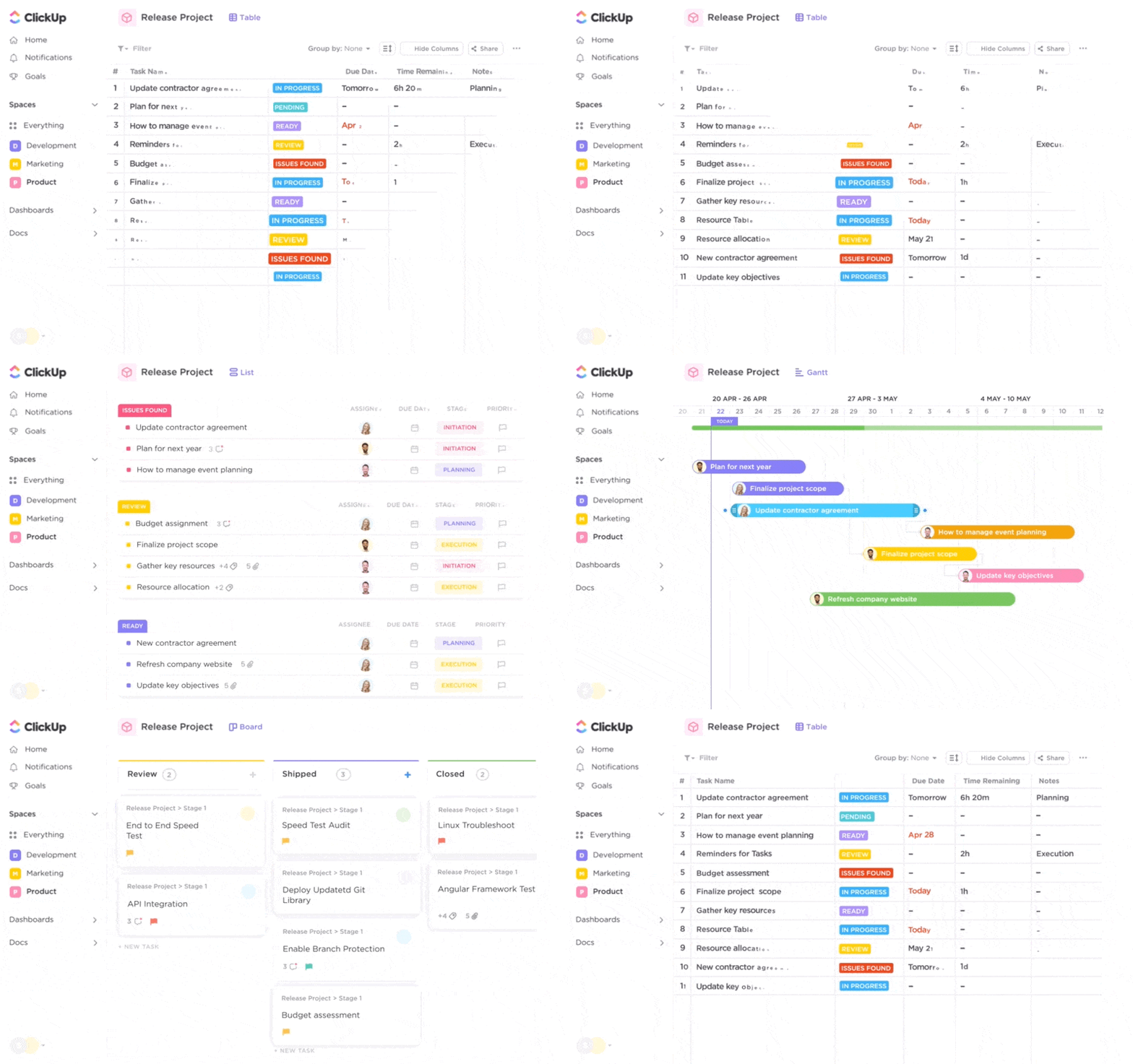
What better way to foster positive team dynamics than to bring teams together to plan, track, and collaborate on any project—all in one place? Project management software solutions like ClickUp make that easier than ever! ✌️
When the whole team has access to a unified project management platform, they can stay updated on the latest changes, task progress, and deadlines, eliminating confusion. ClickUp makes this possible by providing:
Every ClickUp feature is fully customizable—you can employ Custom Fields and Statuses to assign tasks to team members, determine due dates, and set priorities. Plus, the platform encourages communication by letting team members collaborate through tags, comments, and mentions.
Positive team dynamics hinge on effective team interaction as they work together toward a common goal. When everyone is aligned and working in sync, achieving the goal is a piece of cake. 🍰
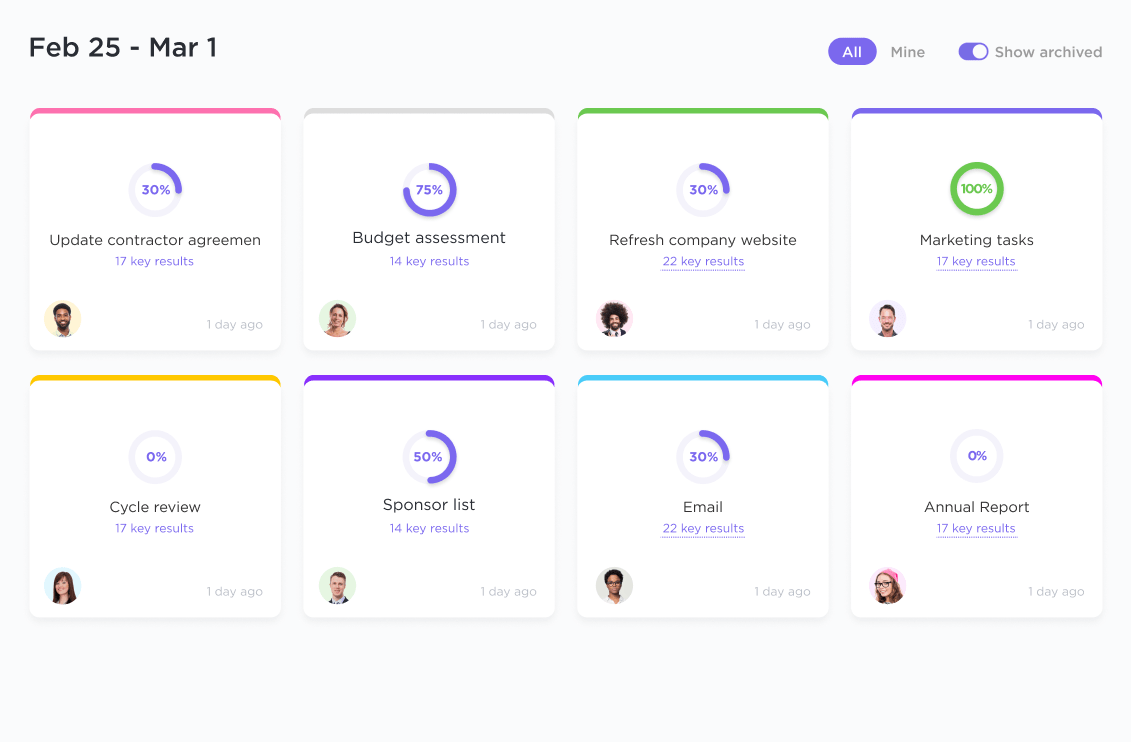
Get your objectives organized and ready to roll with ClickUp Goals! Start by adding key details like the goal, due date, and the person responsible, and you’re good to go!
Highlight crucial stages in your project by tagging them as Milestones and break your big objectives into bite-sized targets so your team can handle them more efficiently. ClickUp lets you:
You can group related goals within folders for a quick, one-stop view of how your overarching objectives are progressing. With the goal in sight, your team will be more motivated to work for it.

Think of a team without a roadmap like a ship without a captain. As people struggle to figure out their roles, poor team dynamics develop. 😞
To avoid this scenario, use the ClickUp Project Management Roles and Responsibilities Template to create a team charter. From the start, define your group’s mission, objective, and responsibilities. It’s crucial to ensure everyone gets a copy so that each member understands and completes their tasks on time.
This Doc template has pre-designed fields that let you create a project overview, list the main objectives, and nail down the goals. To avoid any role confusion, throw in each team member’s profile along with their project responsibilities—you can even add their photo for a personal touch.
No more “When is this due again?” The template comes with a ready-made timeline so that you can map out your project targets, and everyone can see them.
Bonus: Team Charter Templates!
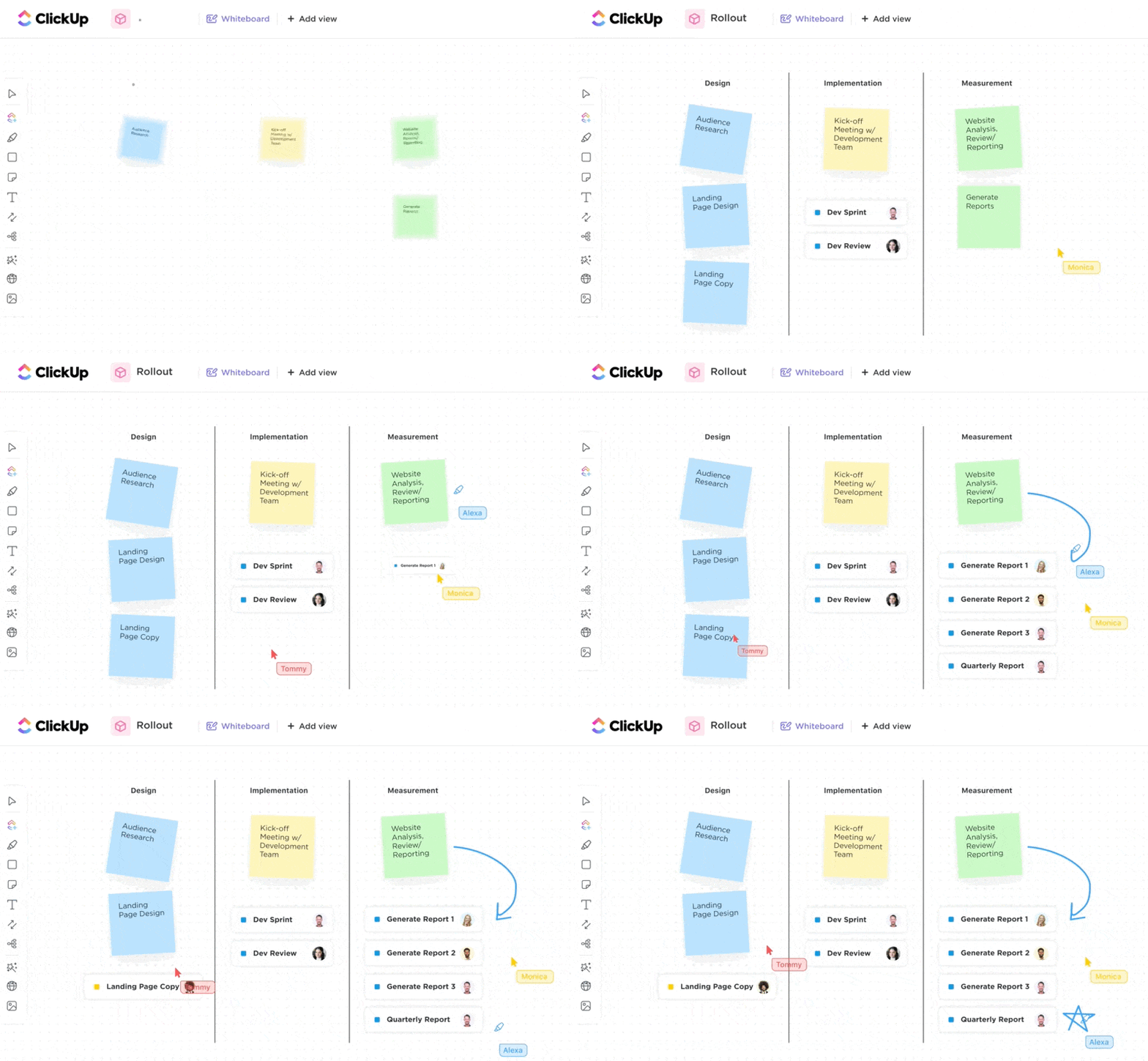
Effective teams rely on the ability to share ideas, communicate seamlessly, and address challenges promptly. A unified collaboration platform is necessary to ensure everyone feels connected and engaged, irrespective of their work location.
ClickUp is a true gem in this department, seamlessly blending team chats, instant communication, and interactive whiteboards into a single workspace. 💎
Real-time collaboration takes center stage within ClickUp Docs. You can edit any document as a team, tag team members in comments, assign action items to one another and effortlessly transform any text into actionable tasks, maintaining organization and efficiency at every step.
ClickUp eliminates the need to switch between project management dashboards and messaging platforms. Use the Chat view to communicate in real-time, celebrate individual contributions, and maintain task-specific discussions within a single thread, keeping everyone connected and engaged.
For visual collaboration, ClickUp Whiteboards shine as your team’s creative canvas. This versatile tool offers unparalleled customization and flexibility, making it the ideal platform for:
Without open communication, you’re setting the stage for problems that can spill over into various aspects of work—missed deadlines, dropped tasks, or requests for time off. Transparency in the workplace creates an environment where team members rely on one another for help without feeling like a burden.
This may be challenging if teams collaborate with colleagues they’ve never met face-to-face. Thus, organizing team building even once or twice a year can strengthen the team, fostering trust and positive team dynamics. 🙌
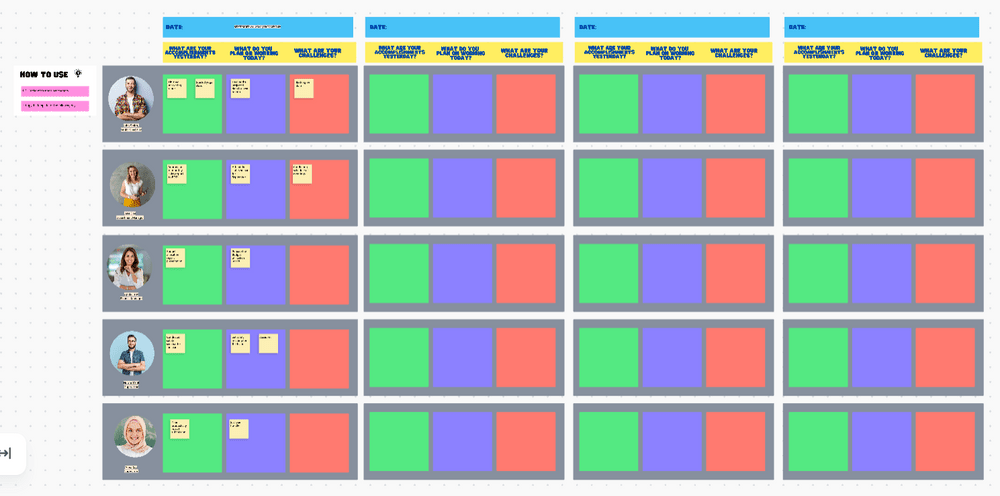
In the meantime, try meeting with your team consistently so that everyone can stay informed about individual and group activities, issues, and achievements. The ClickUp Daily Standup Meeting Template makes this easy by offering a centralized space for:
Plus, the ClickUp AI assistant saves time by summarizing meeting notes and keeping even those team members who couldn’t attend the meeting informed.
People have different work preferences—some prefer flying solo, while others thrive in group settings. If these needs aren’t acknowledged, it could lead to conflicts within a team. A good leader recognizes and supports these differences.
Luckily, ClickUp has a solution for all work preferences. Whether your team is working from the office, remote locations, or a mix of both, this platform ensures everyone feels comfortable.
Since ClickUp is a digital workspace, teams can access it anywhere! Let’s say a part of your team prefers the office, while others would rather use a home-based office or work from a coffee shop. They can all tap into the workspace using their go-to devices—laptop, desktop, smartphone, or iPad. 💻
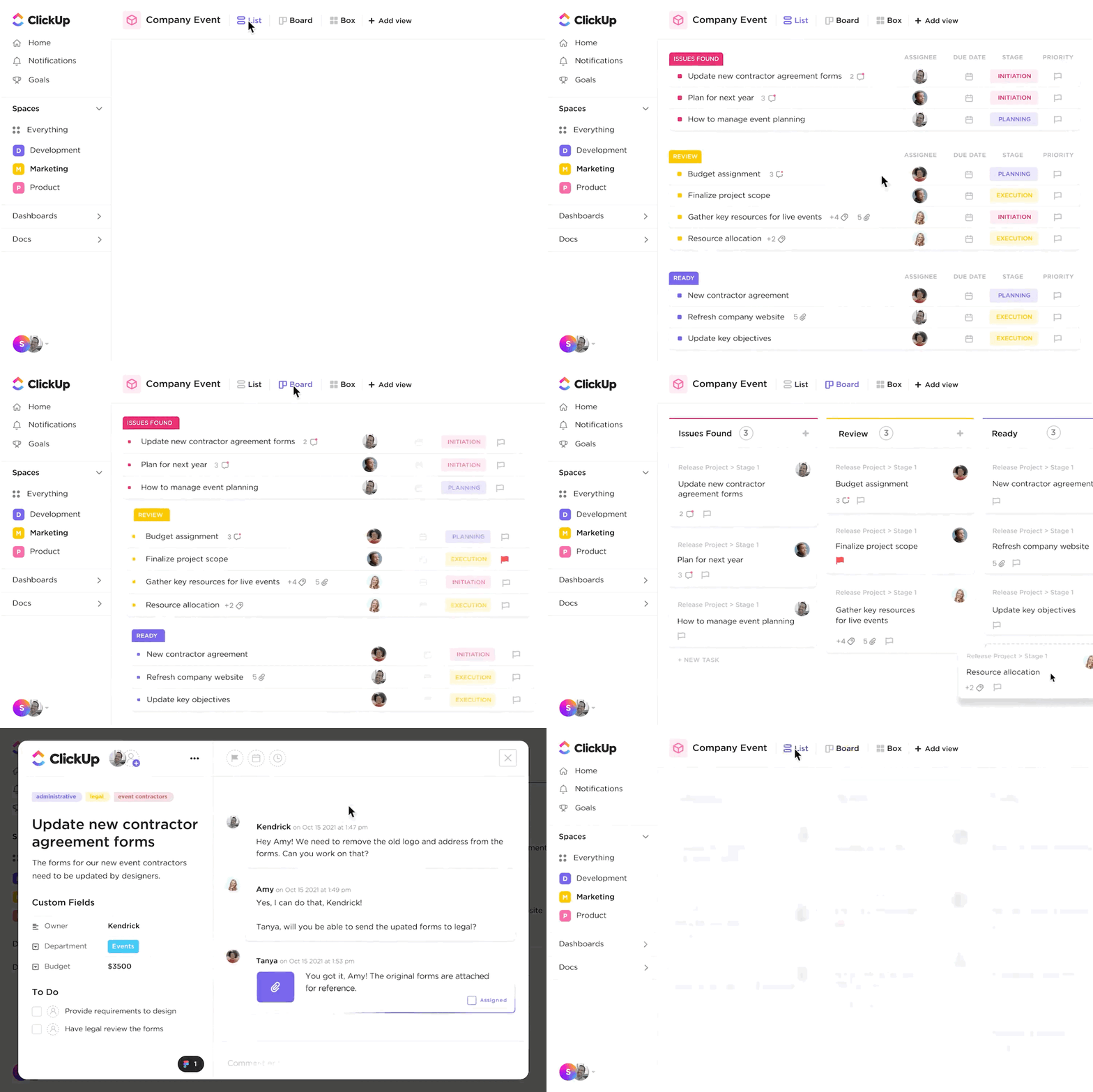
With numerous project views, ClickUp accommodates diverse task-monitoring preferences. Visual thinkers can explore Whiteboards or the visually appealing Gantt chart view, while detail-oriented team members can leverage the Table view with numerous Custom Fields and statutes.
ClickUp offers 1,000+ integrations—connect with Slack, Microsoft Teams, Google Drive, or Dropbox, apps your team already knows and loves.
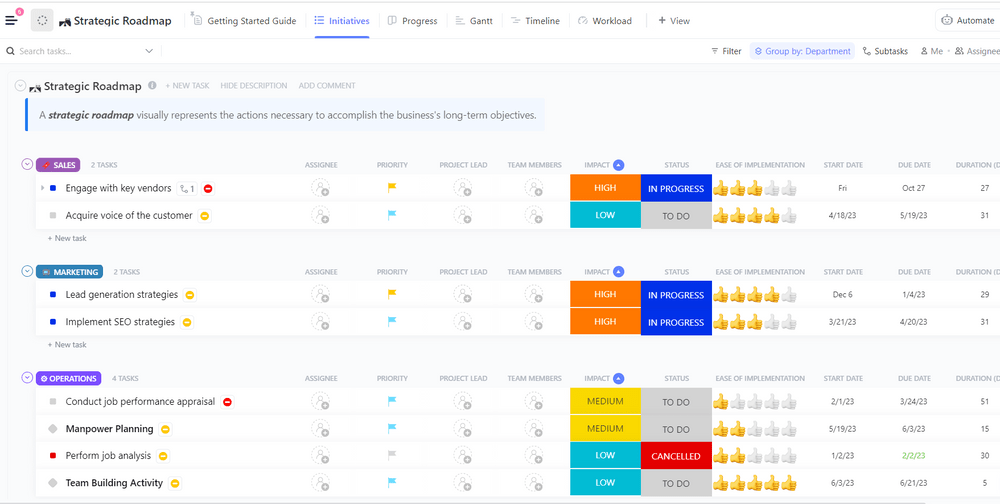
Team leaders are the heart of any team. It’s crucial to have strong, experienced professionals in these roles, capable of effectively setting goals, delegating tasks, and maintaining a positive workplace atmosphere. 🤗
The ClickUp Team Leaders Strategic Plan Template is a powerful ally that empowers team leaders to define goals, develop strategic action plans, and make necessary adjustments for success.
To ensure no one is overwhelmed and undermotivated, leaders can use the Workload view as an overview of each team member’s workload and redistribute tasks accordingly. This prevents burnout and ensures employees are satisfied with their workload.
Gain deeper insight into the distributed tasks by using:
The bonus? The team leader can share this template with the entire team, showing progress, deadlines, and upcoming tasks.
Although addressing performance or behavioral issues with employees can be nerve-wracking, team success and growth often require difficult conversations. If you see a teammate doing something that’s messing up the team dynamics, address it ASAP. ⚠️
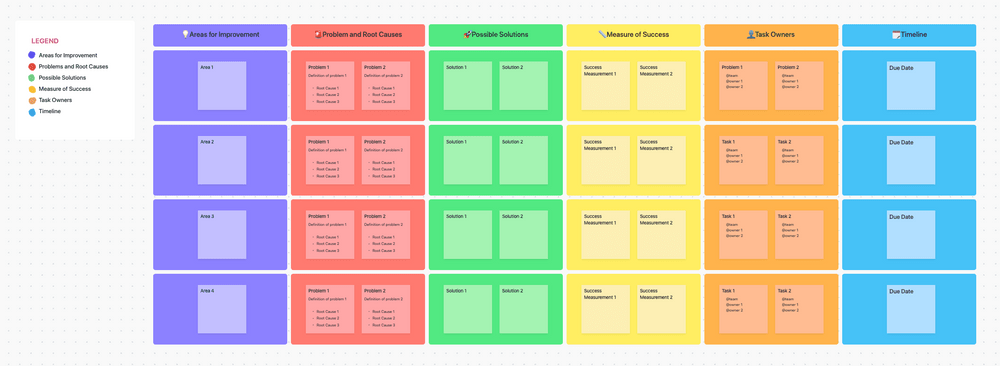
An easy way to do so is using the ClickUp Corrective Action Plan Template—a valuable resource for managers to tackle conflict resolutions.
The template outlines areas for improvement, problems, root causes, potential solutions, success metrics, and accountable team members.
By documenting everything in the template, managers can ensure that team members understand the corrective steps they need to take while tracking the progress over time.
Providing feedback to your team members shows them the impact of their actions and lets them know which areas need improvement. Gathering employee feedback is just as valuable as it helps you understand how satisfied they are, what motivates them, and what changes could improve their work experience. 💪
The ClickUp Form view streamlines the feedback collection process, eliminating the need for complex review systems.
Design surveys to hear from all team members, including new hires, and use Automations to send forms to the right people automatically.
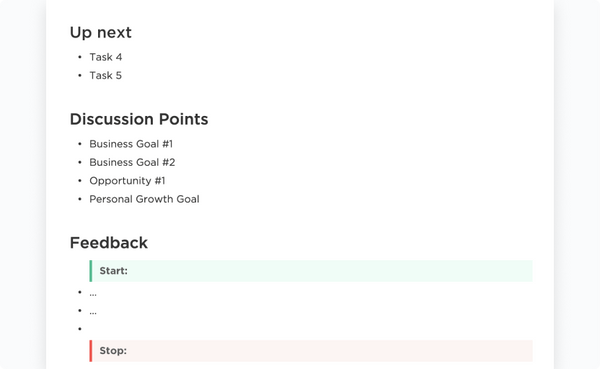
Need help figuring out where to start? The ClickUp Performance Review Template offers a comprehensive assessment framework for providing useful feedback and setting improvement goals. This Doc template enables employees to self-assess their skills, growth, performance, and achievements while managers offer feedback.
Use the ClickUp Employee Feedback Form Template to identify areas for improvement and evaluate team satisfaction. Collect feedback on management, company culture, salaries, perks, and the work environment without starting from scratch.
Give a shoutout to individual members and the team when they perform well. Appreciation boosts a sense of responsibility and makes everyone feel like they’re a key part of the project. 🔑
But here’s the thing—many organizations forget to lay out the ground rules for rewarding their employees. That’s where ClickUp Docs steps in. It’s your go-to for keeping all those important documents in one place.
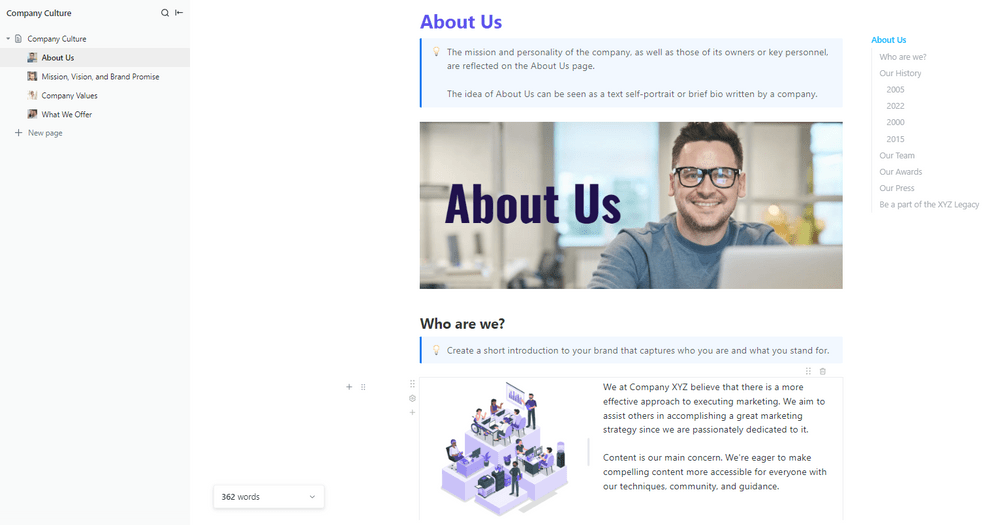
You don’t even need to start from scratch. Leverage the ClickUp Company Culture Template to list your expectations and how you’ll show appreciation. Once the team knows their efforts won’t go unnoticed, they’ll do their part without a second thought.
You can also nudge employees to celebrate and acknowledge individual contributions through the Chat view. It allows your team to bundle discussions about specific tasks in one thread and use emojis and shout-outs for instant peer recognition.
Improving team dynamics is the key to seeing results. That’s why investing in the right tools and crafting a strategic plan of action is crucial. When the team operates seamlessly, project execution follows suit—it’s a win-win scenario!
Explore ClickUp for free! Dive into a realm of user-friendly collaborative features, project management capabilities, and over 1,000 templates for various use cases, ensuring success is right within reach. 🏆

Sudarshan Somanathan
Max 23min read

Manasi Nair
Max 28min read
Sudarshan Somanathan
Max 26min read

© 2026 ClickUp




