Sorry, there were no results found for “”
Sorry, there were no results found for “”
Sorry, there were no results found for “”
If you’re familiar with Jupyter Notebook, you know it’s an excellent tool for creating and sharing documents that contain live code, equations, visualizations, and narrative text.
However, the world of data science and coding constantly evolves, and a collaborative and interactive notebook environment is a must-have. Some users also look for alternatives to Jupyter because it lacks data versioning and code completion features.
No more sharing and managing multiple versions of Jupyter Notebooks! Choose an interactive tool that facilitates collaboration.
Let’s explore the 10 best Jupyter alternatives and competitors today. Whether you’re a seasoned data scientist or just starting your coding journey, there’s something here for everyone.
When searching for Jupyter alternatives, ensure you shortlist those that:
Let’s now explore the best Jupyter alternatives for data science in 2024.
ClickUp is an all-in-one tool that offers a versatile and collaborative approach to managing projects and documents.
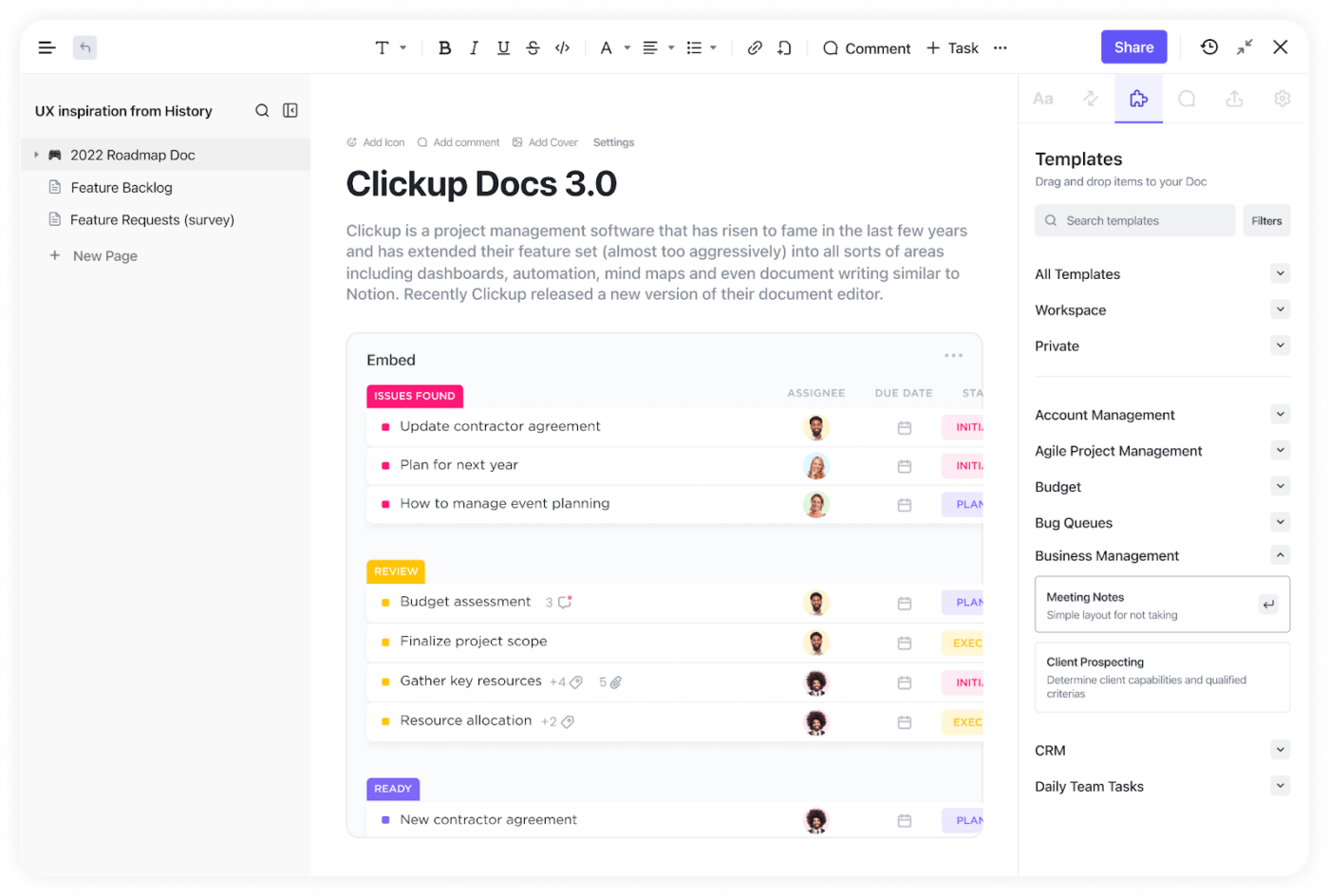
With its user-friendly interface and a wide range of formatting options, you can easily use ClickUp Docs to create and edit documents for any project, roadmap, knowledge base, or task.
And there’s more. ClickUp Docs also allows you to collaborate with your team in real-time. Imagine working on documents together, sharing ideas, and making changes as needed, all in one place.
With version control, tracking changes and reverting to previous versions are a breeze. No more confusion or chaos!
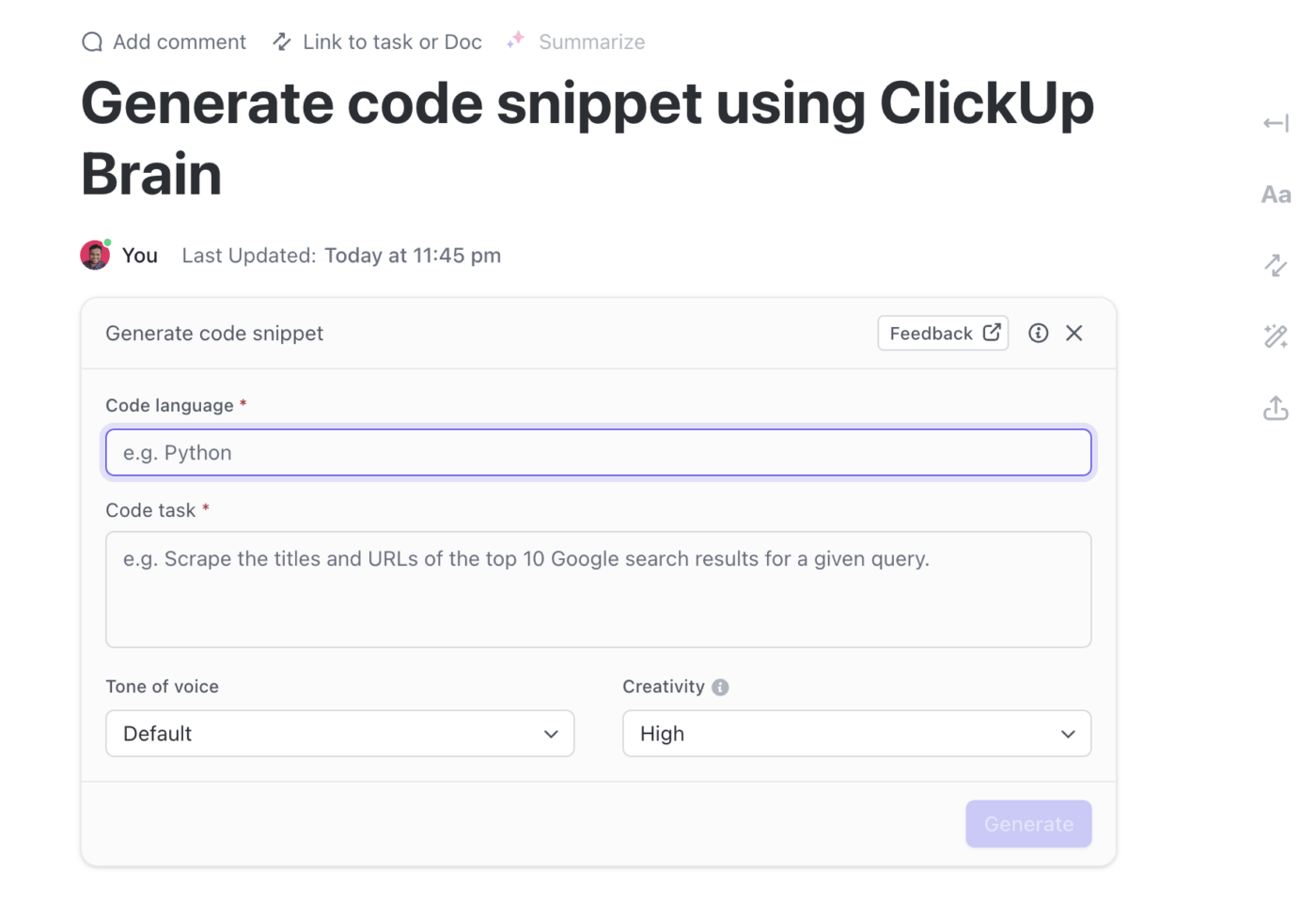
Plus, you can even add HTML files, create test specifications, and generate code snippets with the help of ClickUp Brain, an all-in-one AI assistant that can also help you create templates and tables to store data.
If you’re worried about data analysis, ClickUp has you covered there too. The ClickUp Data Analysis Findings Template is your go-to for organizing and presenting your findings.
With sections for summarizing key findings, visualizing data, and providing recommendations, you can easily create, edit, and share this template with your team.
That’s not all! ClickUp Notepad offers a more versatile approach to note-taking, brainstorming, and organizing ideas than Jupyter Notebook. You can create and organize notes in a hierarchical structure, making it easy to keep track of different topics and subtopics. And with rich formatting options such as bold, italics, and bullet points, your notes will be informative and visually appealing.
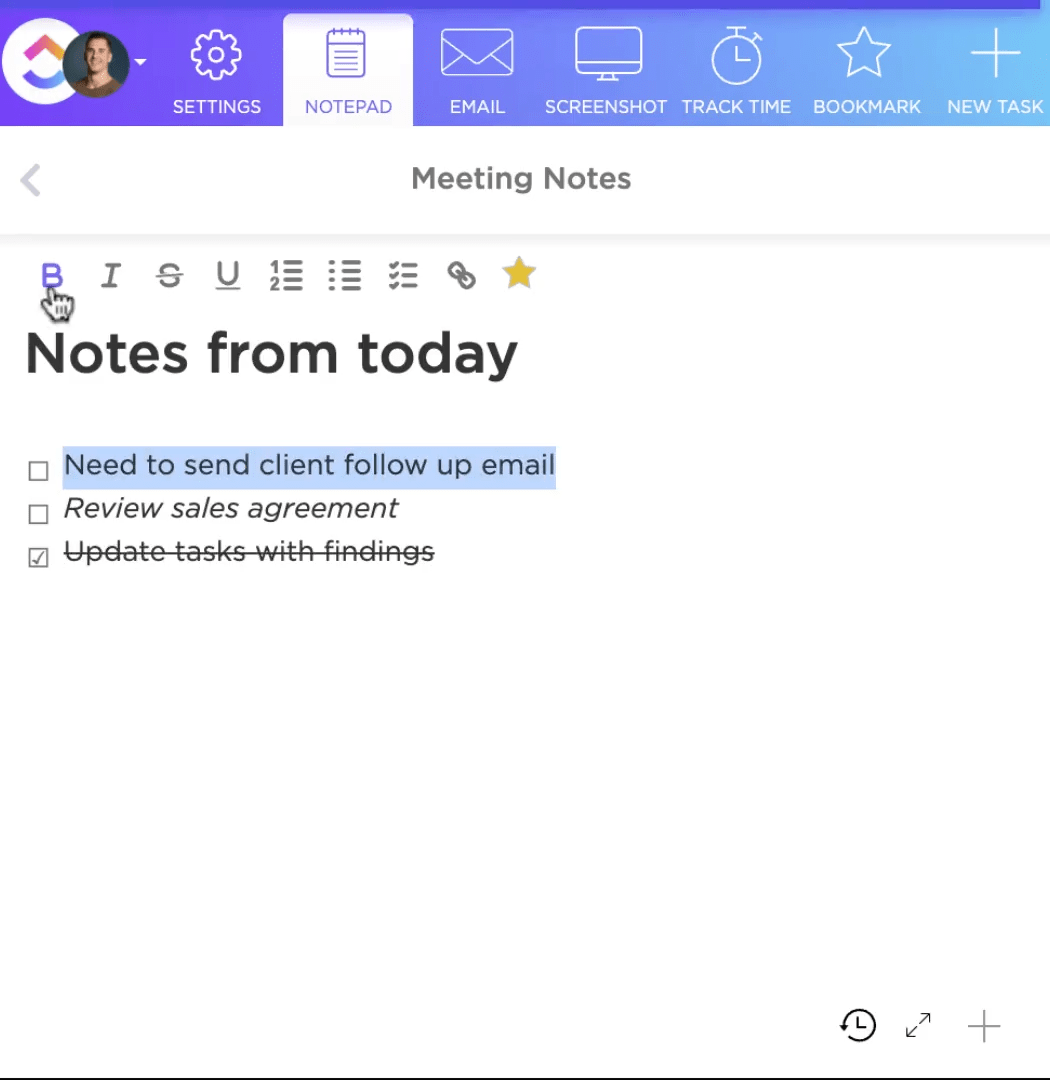
ClickUp Notepad integrates seamlessly with other ClickUp features. Link your notes to tasks, documents, or other ClickUp items, making it easy to reference relevant information. Plus, real-time collaboration means you can brainstorm and share ideas with your team members, no matter where they are.

Collaborative Calculation and Data Science (CoCalc) by Sagemath, Inc., is an online platform for collaborative coding. It best suits students, researchers, and educators for collaborative projects and remote teaching.
It provides an environment where you can create, edit, and run code in various programming languages, including Python, R, Julia, and SageMath.
CoCalc also supports LaTeX document editing and integrates with Jupyter Notebooks.

Nextjournal is a web-based platform that integrates computational code with narrative text.
The platform supports various programming languages, including Python, R, Julia, and Clojure, as well as external data sources and libraries.
One of Nextjournal’s key features is its ability to create reproducible research articles that include all the code, data, and visualizations needed to reproduce the results. This ensures transparency and allows others to build upon the work.
Additionally, Nextjournal offers collaboration features that allow multiple users to work on the same notebook simultaneously. This makes it easy for teams to collaborate on projects and share their work with others.

Another alternative to Jupyter Notebook is Deepnote. It’s an interactive data science platform that aims to make collaboration and reproducibility easier for data scientists and analysts like you.
It provides a code editor and notebook interface similar to Jupyter but with additional features such as real-time collaboration, version control, and the ability to easily share projects with others.
Deepnote integrates with popular data science libraries and tools such as pandas, sci-kit-learn, and TensorFlow, and also supports a wide range of programming languages including Python, R, and SQL.
The platform is designed to be user-friendly, focusing on making it easy for you to get started and work with others on data science projects.

Google Colab, also known as Google Colaboratory, is a cloud-based service that allows you to write and execute Python code in a browser-based environment. It’s among the popular Jupyter alternatives for data analysis, machine learning, and deep learning tasks.
It provides access to Graphics Processing Units (GPUs) and Tensor Processing Units (TPUs) for faster computation, which is especially useful for training deep-learning models. Additionally, Google Colab integrates with Google Drive, making importing datasets and exporting results easy. You can also collaborate with others by sharing your notebooks with them.
Google Colab comes with pre-installed libraries such as NumPy, pandas, matplotlib, and TensorFlow, so you can quickly get started with data analysis and machine learning tasks. It also supports Markdown, allowing you to design documents with embedded code, visualizations, and explanatory text.
Sharing your notebooks with other users is straightforward with Google Colab; you can generate a link or export the notebook as a .ipynb file.

Kaggle is a platform to find and publish data sets, explore and build models in a web-based data science notebook environment, work with other data scientists and machine learning engineers, and enter competitions to solve data science challenges.
The platform provides data cleaning and exploration tools, a web-based coding interface, and a cloud-based execution environment.
Kaggle also offers educational resources, such as tutorials, courses, and webinars, to help you develop your data science and machine learning skills.

Apache Zeppelin is a powerful tool that enables you to explore, analyze, and visualize data using various programming languages such as SQL, Python, Scala, and R.
It counts among the popular Jupyter alternatives for data scientists, analysts, and engineers working with large datasets and performing complex analytics tasks.
With built-in visualization tools and integration with Apache Spark, Zeppelin allows you to create interactive notebooks, share your work, and collaborate with others on data-driven projects.
Whether you’re a beginner or an expert in predictive data analytics, Apache Zeppelin can help you turn raw data into valuable insights.

Saturn Cloud is a leading provider of cloud-based data science and machine learning platforms.
With a focus on accessibility and collaboration, Saturn Cloud enables data scientists and analysts to work smoothly across various machine-learning frameworks and tools. Their platform offers managed environments for popular frameworks such as TensorFlow and PyTorch, facilitating rapid model development and deployment.
Additionally, Saturn Cloud’s support for distributed computing allows you to scale your workloads efficiently.
With features like version control, data management, and deployment capabilities, Saturn Cloud empowers data teams to streamline their machine-learning workflows and bring their models to production faster.
Microsoft Azure Notebooks provides a cloud-based environment that allows you to create and run notebooks without installing any software on your local machine.
This open-source platform makes it easier for teams to collaborate on projects, as they can all access the same notebooks from any device with an internet connection.
In addition to providing a collaborative environment, Azure Notebooks makes managing and sharing notebooks easier. For example, you can create projects to organize your notebooks and use version control to track changes over time. You can also share your notebooks with others by generating a link that opens the notebook in their web browser.
Azure Notebooks is integrated with other Azure services, such as Azure Machine Learning, so you can easily deploy machine learning models created in your notebooks to the cloud. This makes developing and deploying machine learning solutions easier.
The final tool in our list of Jupyter alternatives is IBM Watson Studio. This is a comprehensive data science and machine learning platform designed to help businesses build, train, and deploy AI models.
It provides tools for data preparation, model development, and deployment and collaboration features to facilitate teamwork among data scientists and business analysts.
Watson Studio supports popular programming languages such as Python and R, integrating with various data sources and cloud environments.
The platform also includes advanced capabilities such as AutoAI, which automates process documentation, and Watson Machine Learning, which enables easy deployment and management of models.
There’s a range of Jupyter alternatives to consider if you only want to create and share documents. But with ClickUp, you can do much more. The platform is not just about documents and data analysis. It’s a versatile tool that offers project management, documentation, collaboration, and automation features, making it a great all-in-one solution.
So, if you’re looking to try something new to manage your data science projects efficiently, give ClickUp a try and see the difference it can make to your workflow.

Manasi Nair
Max 26min read
Manasi Nair
Max 20min read

Arya P Dinesh
Max 23min read

© 2026 ClickUp