






Still downloading templates?
There’s an easier way. Try a free AI Agent in ClickUp that actually does the work for you—set up in minutes, save hours every week.
Sorry, there were no results found for “”
Sorry, there were no results found for “”
Sorry, there were no results found for “”
A Reel often succeeds or fails before you even start recording.
If the idea isn’t strong enough to make someone pause while scrolling, editing tricks alone won’t make much difference. And coming up with fresh concepts every week can turn into a routine of chasing trends, saving references, and hoping something clicks when it’s time to post.
Research even suggests that Reels created with a structured strategy can see around 22% higher engagement than random posts, which shows how much the idea itself matters.
Meta AI can help make that process a little more structured. With the right prompts, you can use it to generate scroll-stopping Reel ideas, explore different angles, and refine hooks before you start filming.
This guide walks you through how to use Meta AI to develop Reel ideas step by step. We’ll also look at how organizing those ideas in a centralized workspace like ClickUp makes more sense. 😎
Coming up with fresh Reel ideas consistently can be harder than it looks. Creators are expected to publish regularly, experiment with formats, and keep up with trends that change quickly.
When creative blocks hit, content planning becomes reactive, posts get rushed, and engagement often drops.
This is exactly where tools like Meta AI can help.
Meta AI is a conversational assistant powered by Meta’s Llama family of large language models. It is integrated into platforms like Instagram and Facebook and can be accessed through the search bar or chat interface. You can use it to ask questions, generate content ideas, or explore topics for your videos without leaving the app.
For creators, Meta AI works as a simple brainstorming tool. You can ask it for Reel ideas, hooks, short script outlines, or caption suggestions based on your niche. If you already have a topic in mind, it can suggest different angles to approach it.
🔎 Did You Know? Instagram Reels reach over 2 billion monthly users with 30.81% average reach rate.
However, its capabilities are limited to text support, as Meta AI does not edit videos, create visuals, or publish posts automatically. You still need to use Instagram’s editing and publishing tools for those steps.
You might brainstorm ideas in one place, draft scripts somewhere else, and then return to Instagram to record and publish the video. While this process works, constantly switching between tools can slow things down and create Context Sprawl, where ideas, drafts, and references end up scattered across multiple apps.
Research shows the average knowledge worker switches between apps and websites around 1,200 times per day, losing nearly four hours each week simply reorienting after these switches. .
🧠 Fun Fact: Reels account for 50% of Instagram time spent; creators using AI prompts see 22% higher engagement by structuring ideas first.
Meta AI helps simplify part of this process by keeping ideation inside the same ecosystem where you plan to publish your content. This approach offers a few clear advantages such as:
However, ideation is only one part of the workflow. Once you have ideas, you still need a way to organize them, track drafts, and plan your publishing schedule through a more organized content creation workflow.
📮 ClickUp Insight: 92% of knowledge workers risk losing important decisions scattered across chat, email, and spreadsheets. Without a unified system for capturing and tracking decisions, critical business insights get lost in the digital noise. With ClickUp’s Task Management capabilities, you never have to worry about this. Create tasks from chat, task comments, docs, and emails with a single click!
Even experienced creators eventually reach a point where planning new videos starts to feel harder. When ideas slow down, posting becomes less consistent. On platforms that reward regular publishing, creative burnout can affect your growth.
This is where Meta AI can help. You can use it as a brainstorming assistant when you need new ideas or a fresh perspective.
🧠 Fun Fact: Reels generate 140 billion daily views; Meta AI helps turn trends into scripts that tap this viral potential without endless scrolling.
Many creators now use generative AI tools to explore topics, test hooks, and sketch out scripts before recording. The goal is not to replace your creativity. Instead, AI helps you generate structured starting points that you can refine and adapt to your own style.
Here are a few ways Meta AI can make the ideation process easier for you.
When you feel stuck, you can ask Meta AI to generate several ideas around one topic. This helps you explore different angles without forcing a concept from scratch. You can review the suggestions and build on the ones that feel most relevant to your audience.
🔎 Did You Know? Reels comprise 35% of Instagram screen time; overcome blocks by prompting Meta AI for ‘5 angles on [topic]’ to refresh creativity
You can also ask Meta AI for topic ideas within your niche. This content ideation makes it easier to identify formats or themes that audiences are currently engaging with. From there, you can adapt those ideas to fit your own content style.
Short form videos rely heavily on strong openings. You can ask Meta AI to suggest alternative hooks or storytelling angles that make the first few seconds more engaging. Testing a few hook options before filming increases your chances of capturing attention early.
If you create content alone or work with a small team, you often need to generate several ideas quickly. Meta AI can help you produce multiple concepts in minutes, making it easier to plan content in batches and maintain a consistent posting schedule.
These benefits make Meta AI useful during the planning stage. But the real advantage comes when you combine ideation with a repeatable workflow. The next step is learning how you can use Meta AI to generate Reel ideas more systematically.
Knowing that a tool exists is helpful, but knowing how to use it properly is what makes it valuable.
If you simply ask Meta AI for “Reels ideas,” the results will often feel broad or repetitive. Like most generative AI tools, the quality of the output depends on the context you give it. When your prompts are vague, the suggestions tend to be generic and may not match your niche, audience, or content style.
A more reliable approach is to treat Meta AI as part of a structured ideation process. Instead of asking a single broad question, you guide the AI through a few clear steps that move from topic discovery to content planning. This helps you generate ideas that feel more relevant and easier to turn into actual Reels.
The workflow below shows a practical way you can use Meta AI to develop Reel ideas, refine them into content concepts, and track how those posts perform over time.
Most successful Reels start with a topic people already care about. Before you think about scripts or visuals, it helps to understand what conversations are happening in your niche and what questions your audience is asking.
This is where Meta AI can help speed things up.
Instead of spending a long time scrolling through the Reels feed looking for inspiration, you can ask Meta AI specific questions about your industry or audience. It can suggest trending topics, frequently asked questions, or content directions that creators often explore in that space.
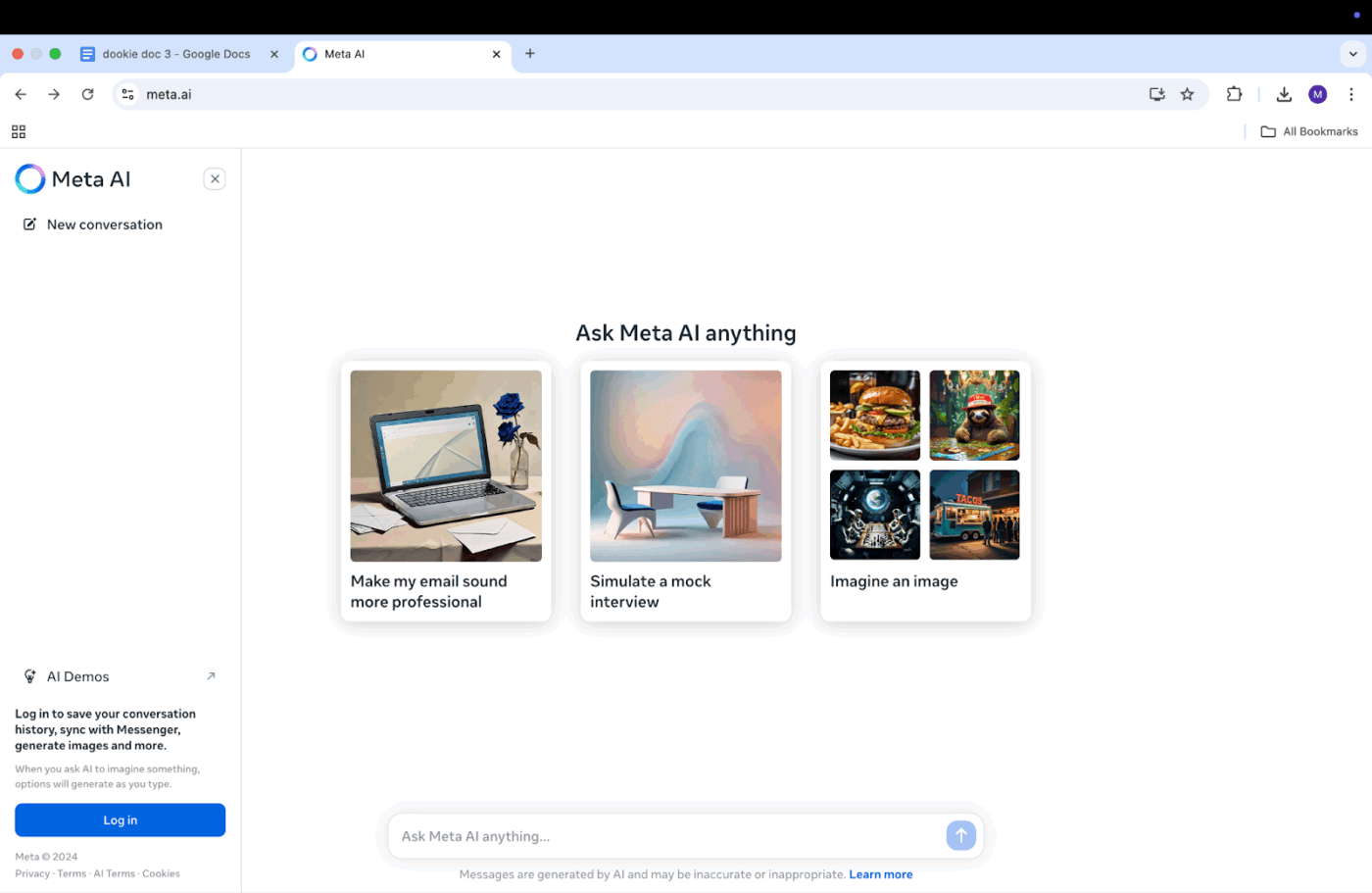
You can access Meta AI directly from Instagram or Facebook and try prompts like these:
Questions like these can quickly surface conversation themes that you can turn into content ideas.
At the same time, remember that AI suggestions are based on patterns in existing data. That means they may not always reflect the latest viral moment on the platform. Because of this, it helps to combine AI research with a quick manual check of the Reels or Explore pages to see what formats and topics are currently gaining traction.
When you use both approaches together, you get a clearer view of what people are actually paying attention to. This makes it easier for you to choose a topic with real engagement potential.
Once you have a topic, the next step is turning that idea into a clear Reel concept. This is where Meta AI can help you explore different creative directions. Instead of relying on one idea, you can ask it to suggest several ways to present the same topic.
Looking at multiple options makes it easier for you to choose a format that fits your audience and content style. Clear prompts usually lead to better results. For example:
Prompts like these encourage the AI to produce more varied responses instead of repeating similar suggestions.
This step can also help you move beyond routine patterns. Over time, many creators fall into the habit of using the same storytelling structure. Reviewing AI generated variations can introduce fresh approaches that may resonate with different parts of your audience.
While these suggestions are useful starting points, the final concept should still reflect your experience and voice. Treat the AI output as a draft that you refine rather than something you publish exactly as written.
In short form videos, the opening moments matter a lot. Viewers often decide whether to keep watching within the first few seconds, which makes the hook one of the most important parts of your Reel.
Instead of relying on one opening line, you can use Meta AI to explore several scroll-stopping hooks to introduce the same idea. Reviewing multiple options helps you find the version that feels most engaging and aligned with your message.
You can try prompts like these:
Looking at several variations often highlights small wording differences that make a hook more compelling. There are also a few hook styles that tend to work consistently well in short form content.
Question hooks: Questions make viewers pause and think about the answer, which can increase watch time.
🔨“Did you know most people are using their air fryer incorrectly?”
Bold statement hooks” Strong claims spark curiosity and encourage viewers to keep watching.
🔨 “This one productivity habit completely changed how I organize my workday.”
Pattern interrupts: These hooks introduce something unexpected, such as a surprising statistic, a strong opinion, or a visual moment that challenges common advice.
🔨 “Stop using this popular budgeting tip. It might actually be costing you money.”
Even when you generate hook ideas with AI, it helps to adjust the wording so it sounds natural in your voice. Authentic delivery usually matters more than the exact phrasing.
–Step 4: Generate visuals and add effects
At this stage, it helps to understand what Meta AI can and cannot do. Meta AI mainly provides text based assistance. It does not create video clips, edit footage, or generate visual assets for your Reels. Recording and editing still happen inside Instagram’s built in tools or other video editing software.
However, Meta AI can still help you plan how your video will unfold.
You can think of it as a simple storyboard assistant that helps you outline the sequence of scenes in your Reel. By describing your idea, you can ask the AI to suggest a basic shot structure that supports your message.
For example, you might ask:
🔨 “Outline a visual sequence for a Reel showing a day in the life of a remote worker.”
The AI might suggest something like:
Suggestions like these help you visualize the flow of your video before you start filming. Once the structure is clear, you can use Instagram’s native editing features such as transitions, text overlays, filters, and music to build the final video. Planning visuals ahead of time usually leads to more cohesive content and fewer last minute changes.
After recording your video, the next step is packaging the content so it performs well on the platform. Captions, hashtags, and calls to action all help your Reel reach the right audience and encourage viewers to engage with it.
🧠 Fun Fact: Over half of Instagram ads ran in Reels in 2025; optimize captions and hashtags with Meta AI to boost discoverability like top advertisers.
Meta AI can help by generating starting drafts for these elements.
For example, you could ask:
When reviewing these suggestions, treat them as a starting point rather than a final copy. Captions usually perform best when they reflect your personality and experience. Adding your own insights, tone, or humor can make the message feel more authentic to your audience.
For hashtags, a mix of broader tags and niche specific ones often works best. This balance helps your Reel reach both larger audiences and smaller communities that care about the topic. Finally, adding a clear call to action guides viewers on what to do next, whether that is commenting, following your account, or saving the post.
Once your Reel is recorded and optimized, the final step is publishing it and reviewing how it performs.
Meta AI does not currently provide analytics or performance tracking. Instead, you can rely on Instagram’s built in tools such as Insights or Meta Business Suite to measure results.
These tools provide several useful metrics that help you evaluate the success of your post. Some of the most common indicators include:
Reviewing these metrics regularly helps you understand which topics, hooks, and formats resonate most with your audience.
Tracking one Reel is fairly simple. But as you publish more content, managing ideas, scripts, publishing schedules, and performance insights can become difficult when everything is scattered across different tools.
That is why many creators eventually move to a centralized workflow that helps you organize the entire content process, from brainstorming ideas to reviewing post performance.
Tired of getting generic responses from AI? The key often lies in the prompt. Here is a table of AI prompts you can use to get more specific and useful Reel ideas.
| Use Case | Example Prompt |
| Idea generation | 🔨”Give me 10 Reels ideas for a small business owner selling handmade candles that could go viral.” |
| Script writing | 🔨”Write a 30-second Reel script with a strong hook about three common mistakes people make when watering houseplants.” |
| Hook creation | 🔨”Write five scroll-stopping opening lines for a Reel about the benefits of journaling.” |
| Caption writing | 🔨”Write an engaging Instagram caption for a Reel showing a before-and-after home organization project. Include emojis and a CTA to comment on their biggest organizing challenge.” |
| Hashtag research | 🔨”Suggest 15 hashtags for a Reel about a DIY craft project, targeting parents looking for kids’ activities.” |
| Trend adaptation | 🔨”How can I adapt the ‘unboxing’ trend for my B2B software company’s Instagram account?” |
The key takeaway is to be specific. Include your niche, target audience, and content goal in the prompt so the results are more relevant. Treat AI responses as a first draft that you can refine, not the final result.
Jumping into AI without a strategy can lead to content that feels robotic and fails to connect with your audience. You might be creating more, but the quality suffers, and your engagement drops. Here are some common mistakes to avoid.
Once you start using Meta AI regularly, you may realize it is helpful for brainstorming but not enough to manage your entire content workflow. At that point, you might begin exploring other tools to support different parts of the process.
However, this can quickly create a new challenge: tool sprawl. You may end up using one tool for writing scripts, another for generating visuals, and a separate platform for scheduling posts. Over time, your ideas, drafts, and assets get scattered across multiple apps.
This fragmented setup slows you down. Even though these tools are powerful on their own, switching between them creates a disconnected workflow. Before long, you are spending more time managing tools than actually creating content.
Here are some common categories of tools creators often add to their stack:
Standalone AI writing tools: Tools like ChatGPT, Claude, or Jasper AI can help you develop longer scripts, content outlines, and detailed briefs.
AI image generators: Platforms such as Midjourney, DALL·E, or Canva allow you to generate custom visuals you might include in your Reels.
AI video generators: Tools like Runway or Pika can create short video clips from text prompts, although they are not built directly into Instagram.
Social media management platforms: Many social media tools now combine scheduling, analytics, and basic AI assistance to help you manage publishing and track performance.
The issue is not that there are too few AI tools. The real challenge is AI sprawl. When you keep adding tools without a clear system, your workflow becomes harder to manage instead of easier.
That is why many creators eventually look for a way to bring ideation, planning, and execution into a more organized system.
You have used Meta AI to generate a dozen strong Reel ideas. The next question is what you do with them.
If those ideas stay inside a chat window, they are easy to lose or forget. This is where many content strategies start to break down. The problem is rarely a lack of ideas. It is the lack of a system to capture, organize, and execute them.
This is also where context sprawl becomes a problem. When ideas live in chat threads, notes apps, spreadsheets, and messaging tools, it becomes difficult to track progress or maintain a consistent content schedule.
One way to solve this is by centralizing your content workflow inside ClickUp. Instead of managing ideas across several disconnected tools, you can bring planning, collaboration, and execution into one workspace.
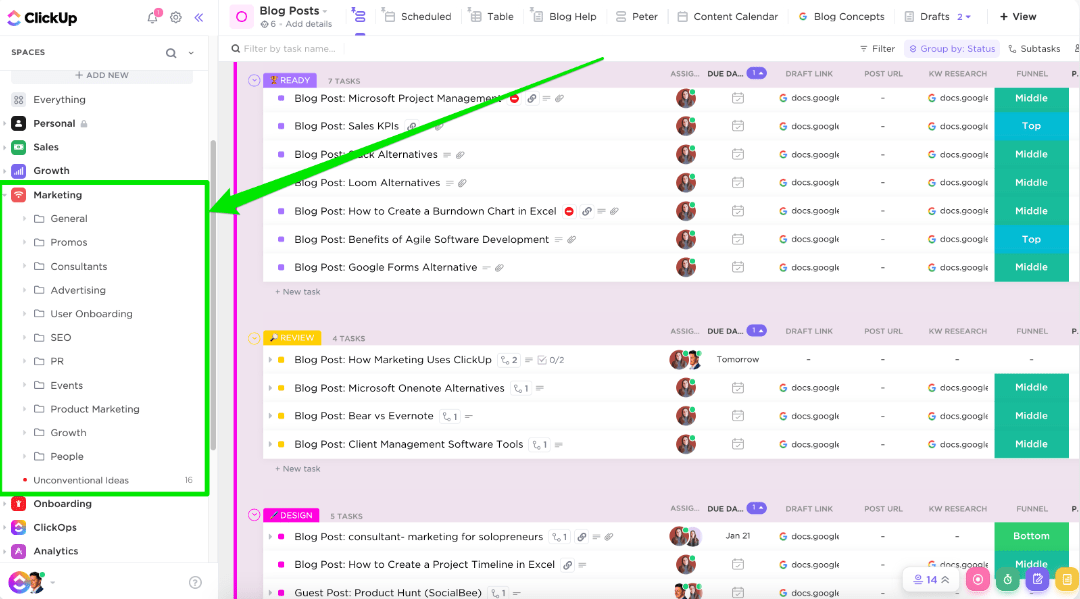
With ClickUp, you can turn AI-generated ideas into a structured content pipeline where every Reel concept moves from brainstorming to publishing in a clear and organized way. ClickUp provides a converged workspace where projects, documents, tasks, and conversations live together. This reduces tool switching and helps you keep your entire content process in one place.
Below are a few ways you can use ClickUp to manage your Reels workflow more effectively.
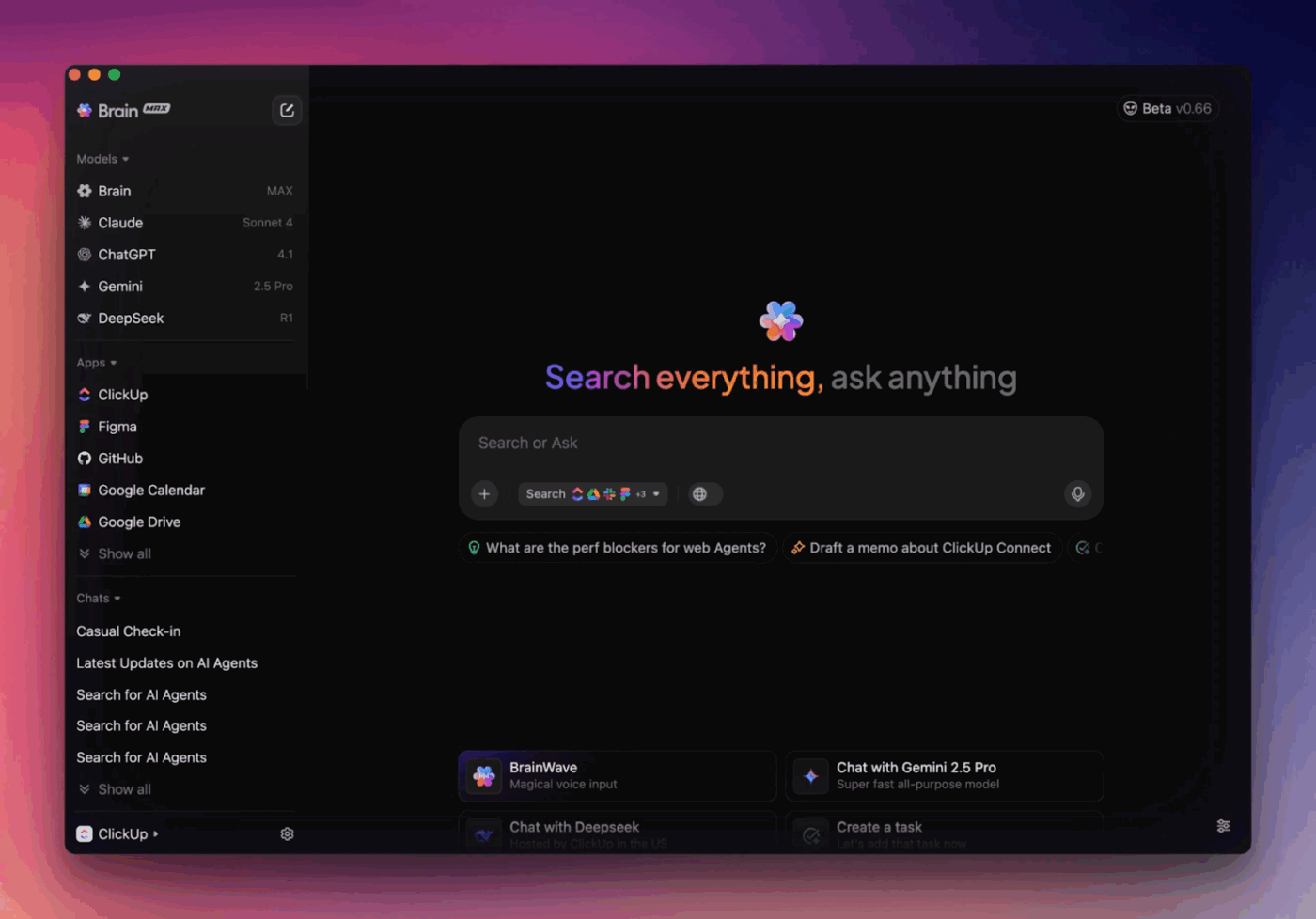
Once you have generated initial ideas with Meta AI, you can use ClickUp Brain to expand them into more detailed content plans. For example, you might turn a simple Reel concept into a full script, outline the talking points for a video, or generate a list of filming steps.
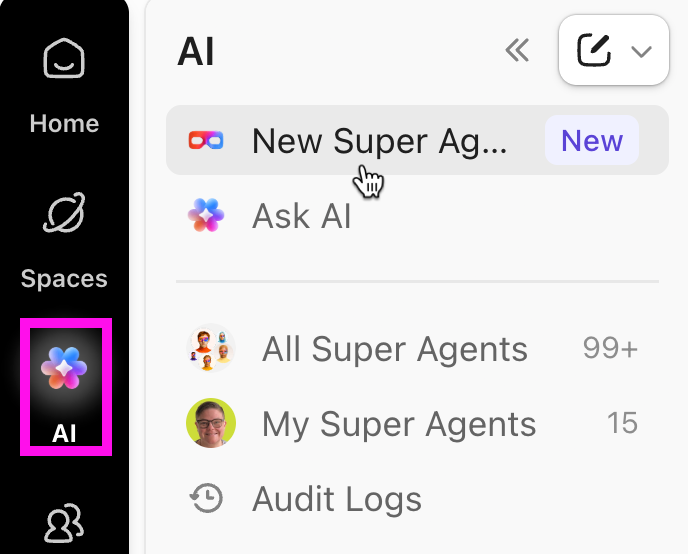
Because ClickUp Brain is built directly into your workspace, you can also use it inside tasks and comments. You can also create ClickUp Super Agents when you need help refining a script, summarizing a brief, or creating action items. The Super Agent jumps in, understands all context, and performs your desired action, like creating a new draft.
Instead of leaving ideas buried inside chat histories, you can store them in ClickUp Docs. Think of Docs as a central library for your content ideas, scripts, creative briefs, and planning notes.
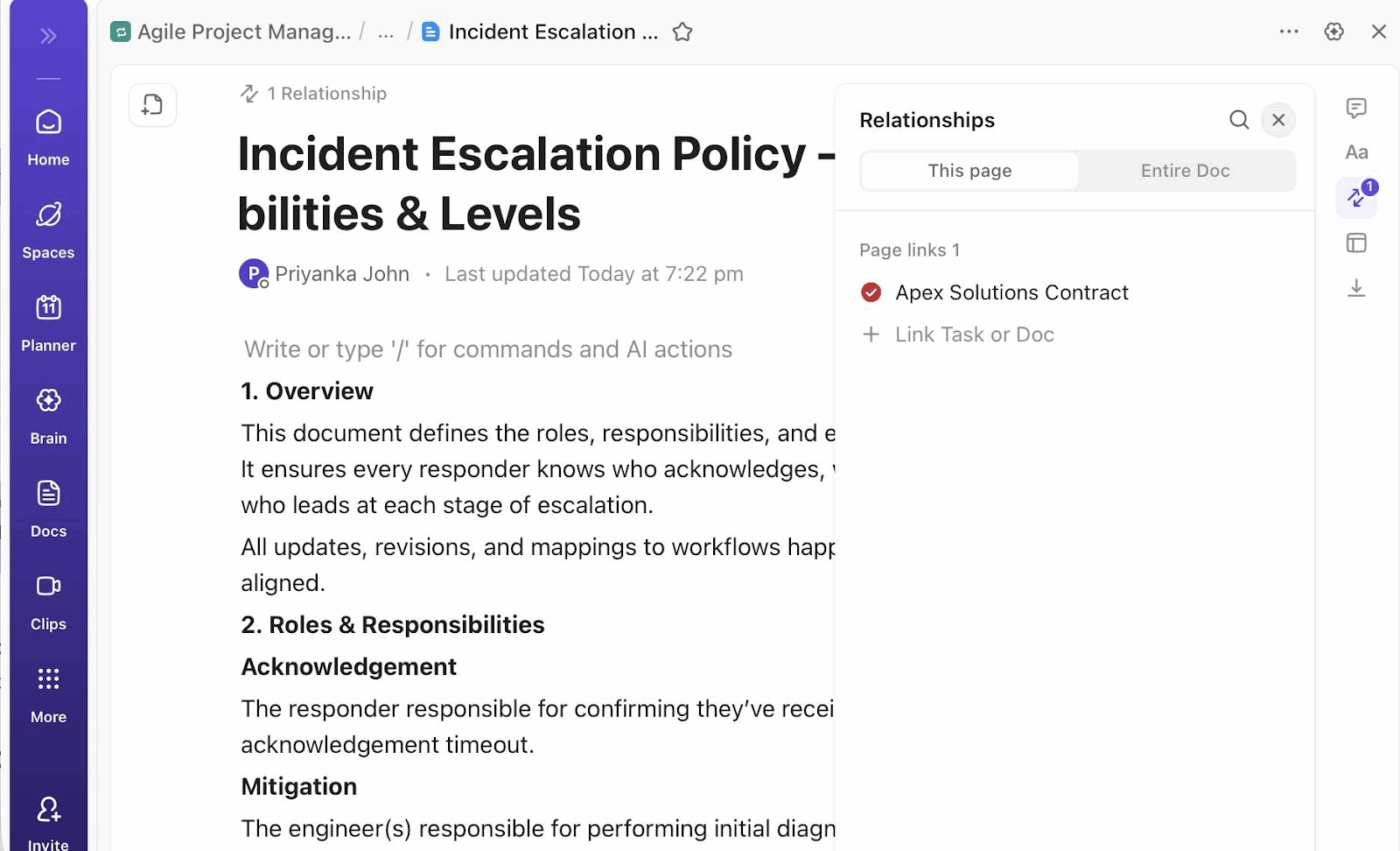
Each document is searchable and can be connected directly to tasks. This means your Reel ideas do not just sit in a document. They can easily move into the production pipeline when you are ready to start working on them.
Every Reel idea can be turned into an actionable task in ClickUp Tasks. This helps you move from brainstorming to execution in a clear and structured way.
For example, you might create tasks for scripting, filming, editing, and publishing. You can assign responsibilities, set deadlines, and track the status of each Reel as it moves from ‘Idea’ to ‘In Production’ to ‘Published.’ This makes it much easier to manage multiple pieces of content at the same time.
As your content operation grows, you may want a high-level overview of everything happening across your workflow.
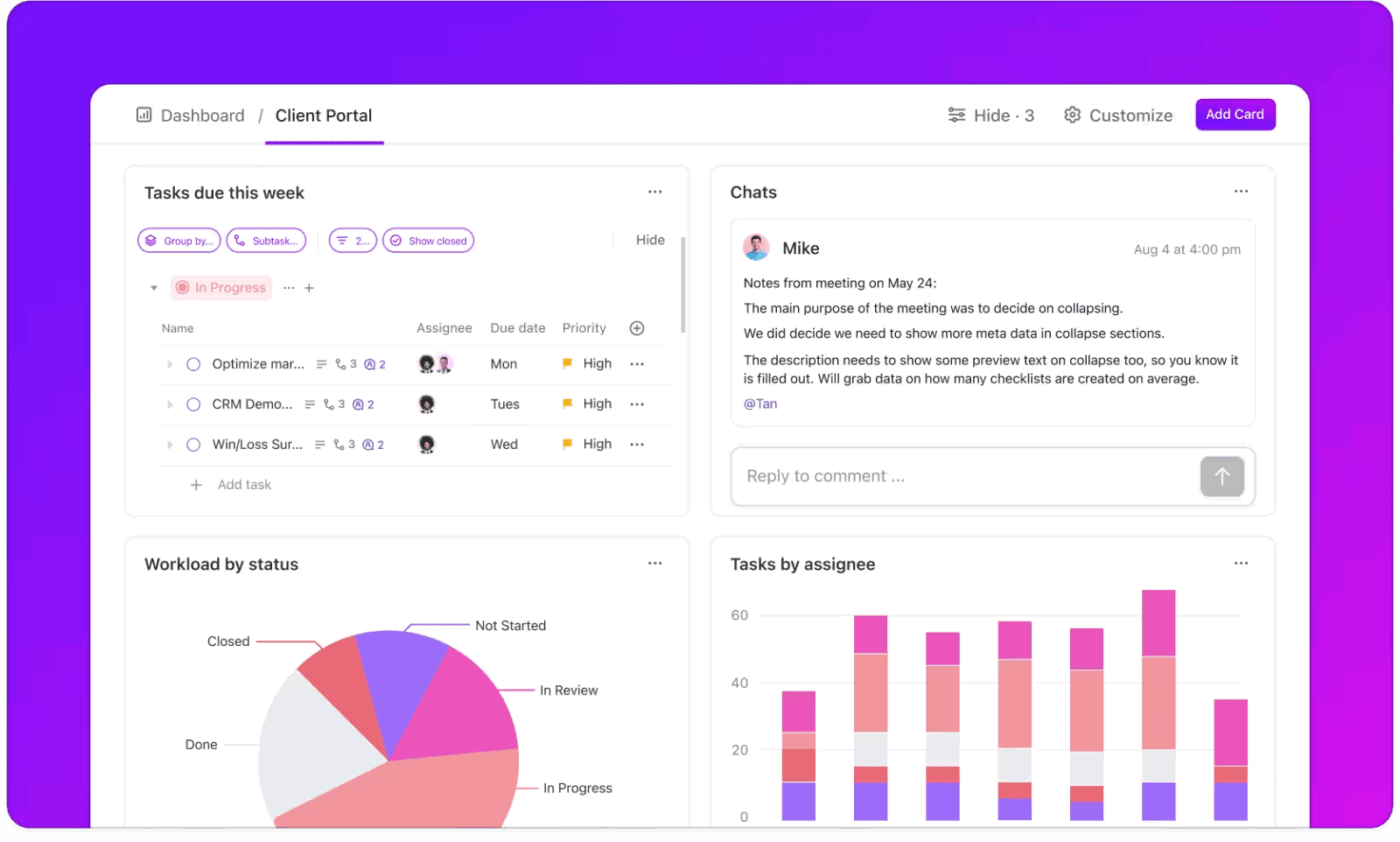
ClickUp Dashboards allow you to create visual reports that track production progress, team workload, and upcoming publishing deadlines. Instead of checking multiple tools, you can see the status of your entire content pipeline in one place.
Meta AI helps creators brainstorm Reel ideas, outline scripts, and draft captions without leaving Instagram or Facebook. With clear prompts and a bit of personal editing, it can speed up the early stages of content creation.
However, ideas alone aren’t enough. Without a system, concepts get buried in chats, scripts get lost in notes, and planning becomes chaotic.
A better approach is to pair AI ideation with a structured workflow, use Meta AI to generate ideas, then move them into a centralized workspace to organize tasks, schedule posts, and track performance. If you want to scale your content workflow, consider using ClickUp to manage the entire process in one place.
Ready to turn your Reels ideas into an organized content operation? Get started with ClickUp today for free!
Meta AI is a text-based assistant that generates ideas, scripts, and captions; it does not create or edit video content. You will still need to film and edit your Reels yourself or with other tools.
Teams can use Meta AI individually for brainstorming and then centralize those ideas in a shared workspace like ClickUp. There, they can manage tasks, assign deadlines, and provide feedback collaboratively, as Meta AI lacks team features.
Meta AI helps with text-based ideation like scripts and hooks directly within Meta’s apps, while standalone AI video generators create actual video clips. Meta AI is for brainstorming, whereas video generators are for producing visual assets.
Meta AI cannot generate video clips, create images, edit footage, schedule posts, or provide performance analytics. It functions best as an ideation and writing assistant, not an all-in-one production tool.

© 2026 ClickUp

There’s an easier way. Try a free AI Agent in ClickUp that actually does the work for you—set up in minutes, save hours every week.