






Still downloading templates?
There’s an easier way. Try a free AI Agent in ClickUp that actually does the work for you—set up in minutes, save hours every week.
Sorry, there were no results found for “”
Sorry, there were no results found for “”
Sorry, there were no results found for “”
Students using Claude AI report spending 40% less time on research synthesis compared to traditional methods, yet most never tap into its education-specific features that actually improve learning outcomes.
This guide walks you through Claude’s academic capabilities, from its Socratic Learning Mode to extended context windows for research papers. You’ll also learn how to organize your AI-generated insights into actionable study plans using ClickUp’s Converged Workspace—a single, secure platform where your projects, documents, conversations, and analytics live together with contextual AI that understands your work.
Switching between multiple AI tools drains time and leads to inconsistent results—knowledge workers already toggle 1,200 times daily between applications. Without knowing which assistant actually fits your academic needs, you’re left with half-finished drafts and untapped potential.
[Image placeholder: Video overview of AI tools for academic work and where Claude fits within your educational toolkit]
Claude AI is a conversational AI assistant from Anthropic, designed with a focus on being helpful, harmless, and honest. For students, Claude AI refers to both the general platform and specific education-focused features. It’s particularly known for its ability to provide nuanced writing assistance, synthesize complex research, and offer thoughtful explanations that go beyond simple answers.
Many students are gravitating toward Claude because of its more natural conversation style and its longer context window, which means it can “remember” more of your conversation at once. But while Claude is great for brainstorming and discussion, the real challenge is organizing those AI-generated insights into an actionable study plan. This is where the ideas you generate can get lost in the shuffle—a problem known as AI Sprawl—the unplanned proliferation of AI tools and platforms with no oversight or strategy, leading to duplicated effort and lost productivity.
📮 ClickUp Insight: 62% of knowledge workers rely on conversational AI tools like ChatGPT and Claude. Their familiar chatbot interface and versatile abilities—to generate content, analyze data, and more—could explain their popularity across diverse roles and industries. However, switching to another tab to ask the AI a question every time adds up in toggle tax and context-switching costs over time. Not with ClickUp Brain, though—it lives right in your Workspace, knows what you’re working on, and gives you answers highly relevant to your tasks.
Not all of Claude’s features carry equal weight for your grades. Understanding which capabilities actually strengthen critical thinking versus which simply shortcut the learning process helps you use the tool more effectively.
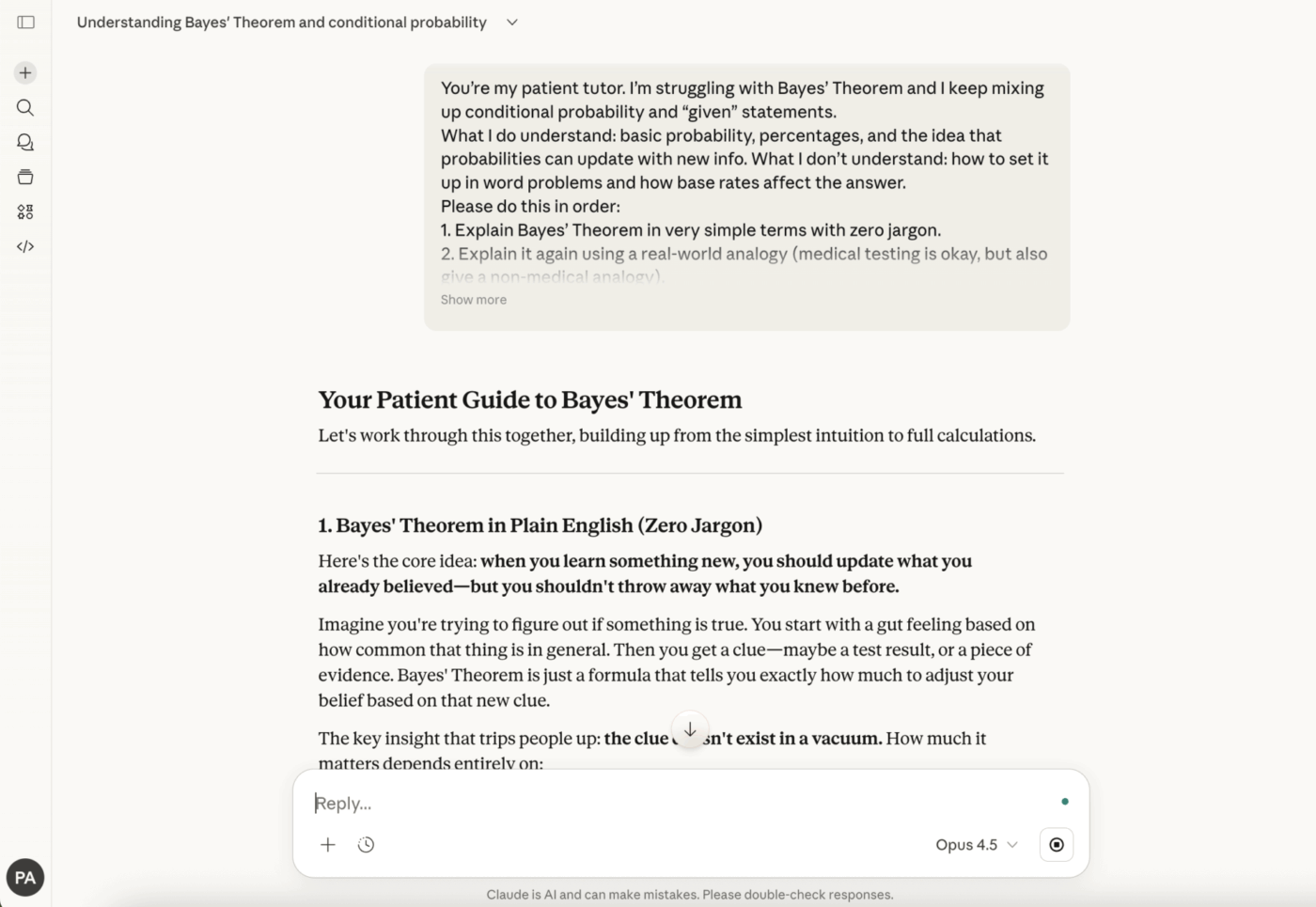
Instead of just handing you the answer, Learning Mode guides you through problems step-by-step. It uses a technique called the Socratic method, asking you questions to help you arrive at the solution on your own. This approach strengthens academic integrity because the focus is on teaching you the concept, not doing the homework for you.
For example, if you’re stuck on a thesis for an essay, Learning Mode might ask, “What is the central tension in the sources you’ve read?” instead of just writing a thesis for you. While this mode helps build understanding, you still need a system to track what you’ve learned and apply those concepts to your actual assignments.
A context window is simply how much text Claude can remember in a single conversation. Think of it as the AI’s short-term memory. Claude’s larger context window lets students paste longer documents and maintain conversation continuity, which means you can work with entire research papers, synthesize information across multiple sources with up to 288% performance boost, and keep your academic discussions focused without losing important context from earlier in the conversation.
This extended memory becomes particularly valuable when you’re analyzing complex texts or building arguments that draw from multiple sources. Rather than having to re-explain your project every few exchanges, Claude maintains the thread of your discussion.
Claude excels at providing writing feedback that goes beyond basic grammar checking. It can help you strengthen arguments, identify logical gaps, suggest alternative phrasings, and maintain consistent tone throughout longer pieces. For academic writing specifically, Claude can help you understand the conventions of different disciplines and formats.
The key distinction from other AI assistants is that Claude tends to explain why certain changes improve your writing, turning the revision process into a learning opportunity rather than a simple editing exercise.
When working with multiple sources, Claude can help identify themes, contradictions, and gaps in existing literature. This is particularly useful for literature reviews and research proposals where you need to demonstrate comprehensive understanding of a topic while identifying where your contribution fits.
However, always verify any claims Claude makes about specific sources, as AI assistants can sometimes misattribute or misremember details from the materials you’ve shared.
Knowing Claude’s features is one thing; applying them effectively to real coursework is another. The following workflows show you how to leverage Claude’s strengths while avoiding common pitfalls that can undermine your learning.
When you encounter difficult material, Claude can serve as a patient tutor who explains concepts in multiple ways until something clicks. Start by sharing the specific concept you’re struggling with and any context about what you already understand. Claude can then provide analogies, step-by-step breakdowns, and practice problems tailored to your current knowledge level.
The most effective approach is to ask Claude to explain the concept, then attempt to explain it back in your own words. This active engagement helps cement understanding far more than passively reading explanations.
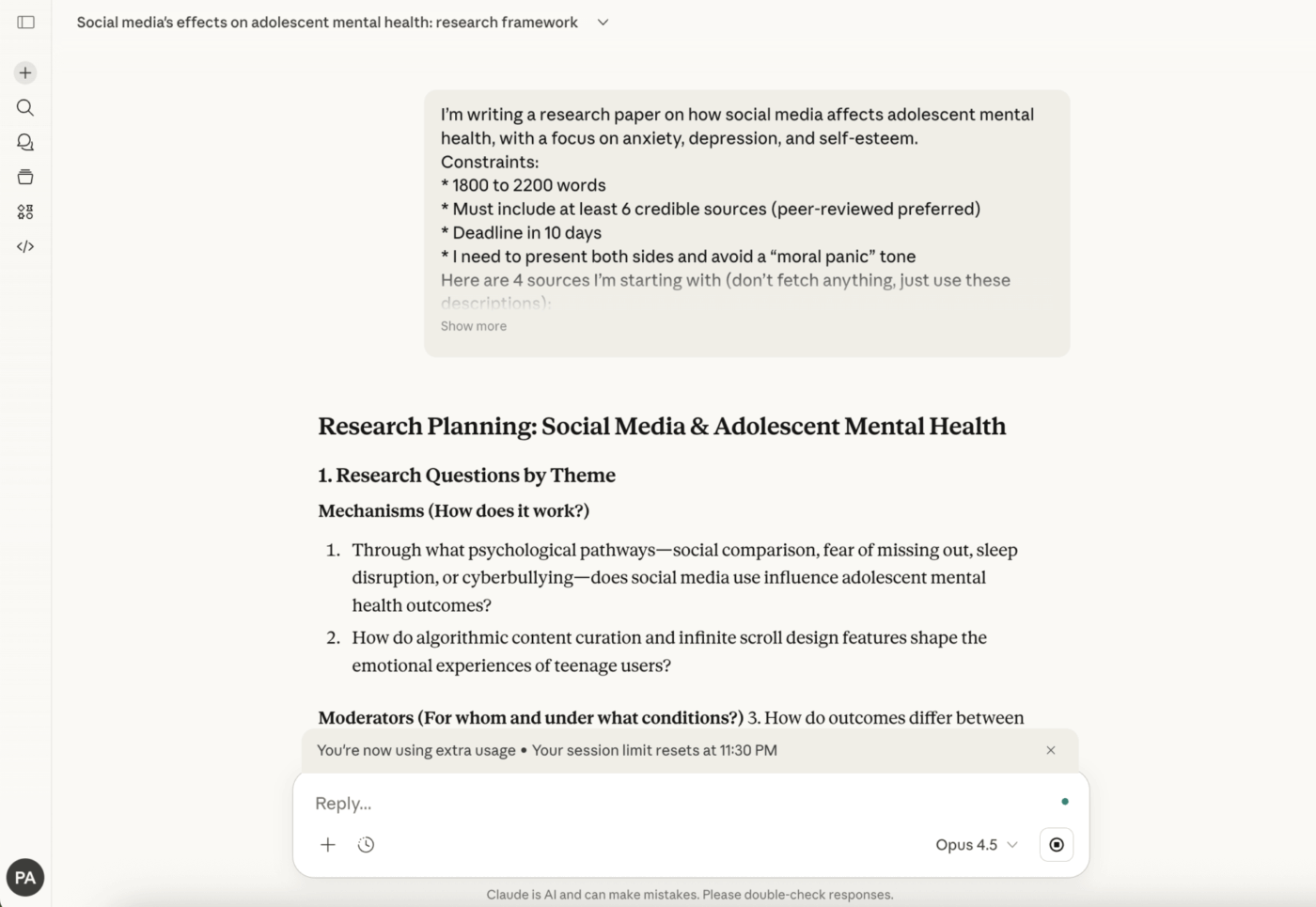
Before diving into writing, use Claude to help organize your research approach. Share your topic and any initial sources, then ask Claude to help you identify key questions, potential arguments, and areas where you might need additional research. This planning stage can save hours of unfocused reading and help you approach sources with specific questions in mind.
Claude can also help you create annotated bibliographies by asking targeted questions about each source’s main arguments, methodology, and relevance to your project.
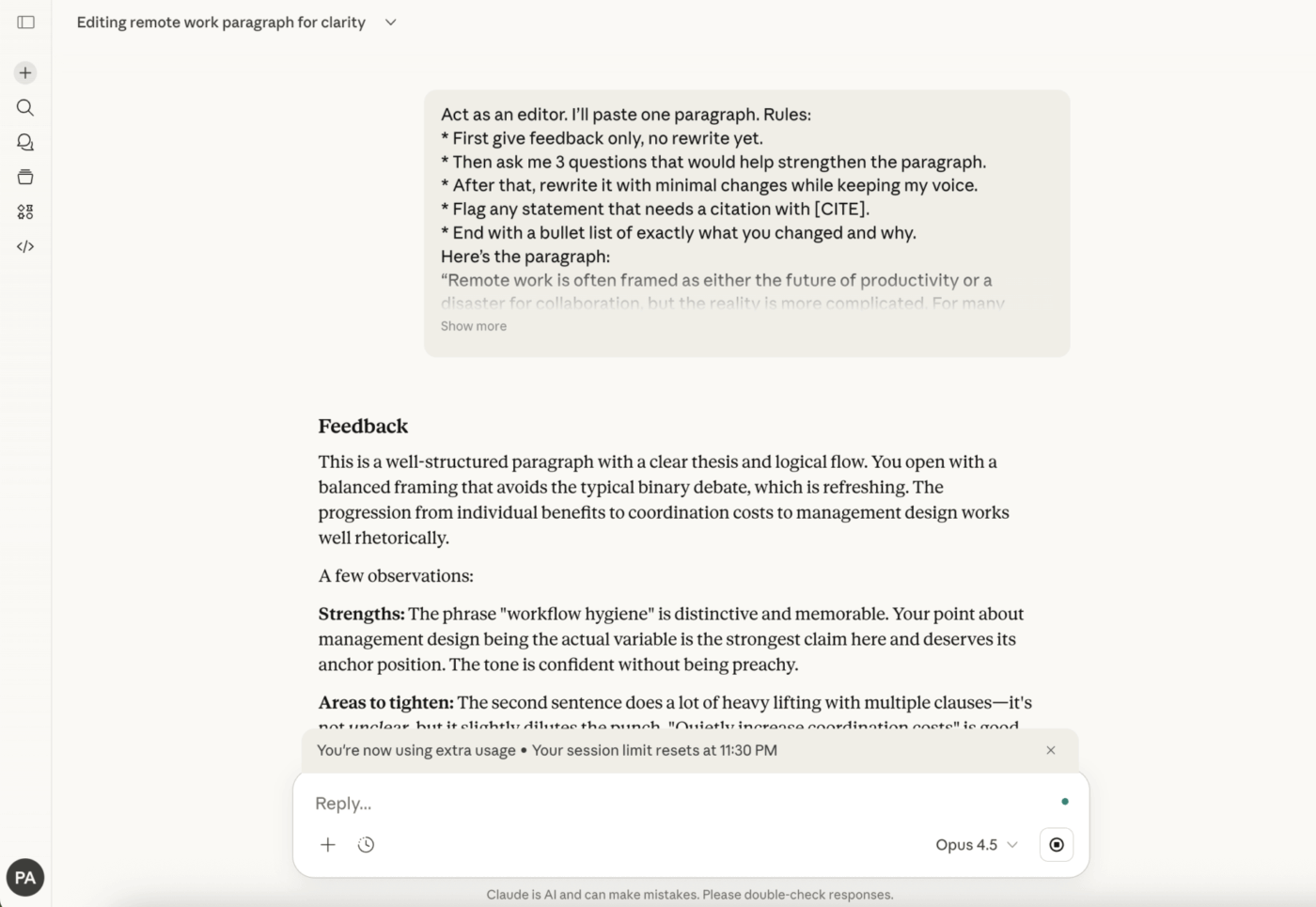
Rather than asking Claude to write content for you, use it as a feedback partner during revision. Share a draft paragraph and ask for specific feedback on argument strength, clarity, or evidence integration. Claude can identify where your reasoning might lose readers or where additional support would strengthen your claims.
For citation and formatting help, Claude can explain the requirements of different style guides and help you understand when and how to cite sources properly—though always double-check specific formatting details against official style manuals.
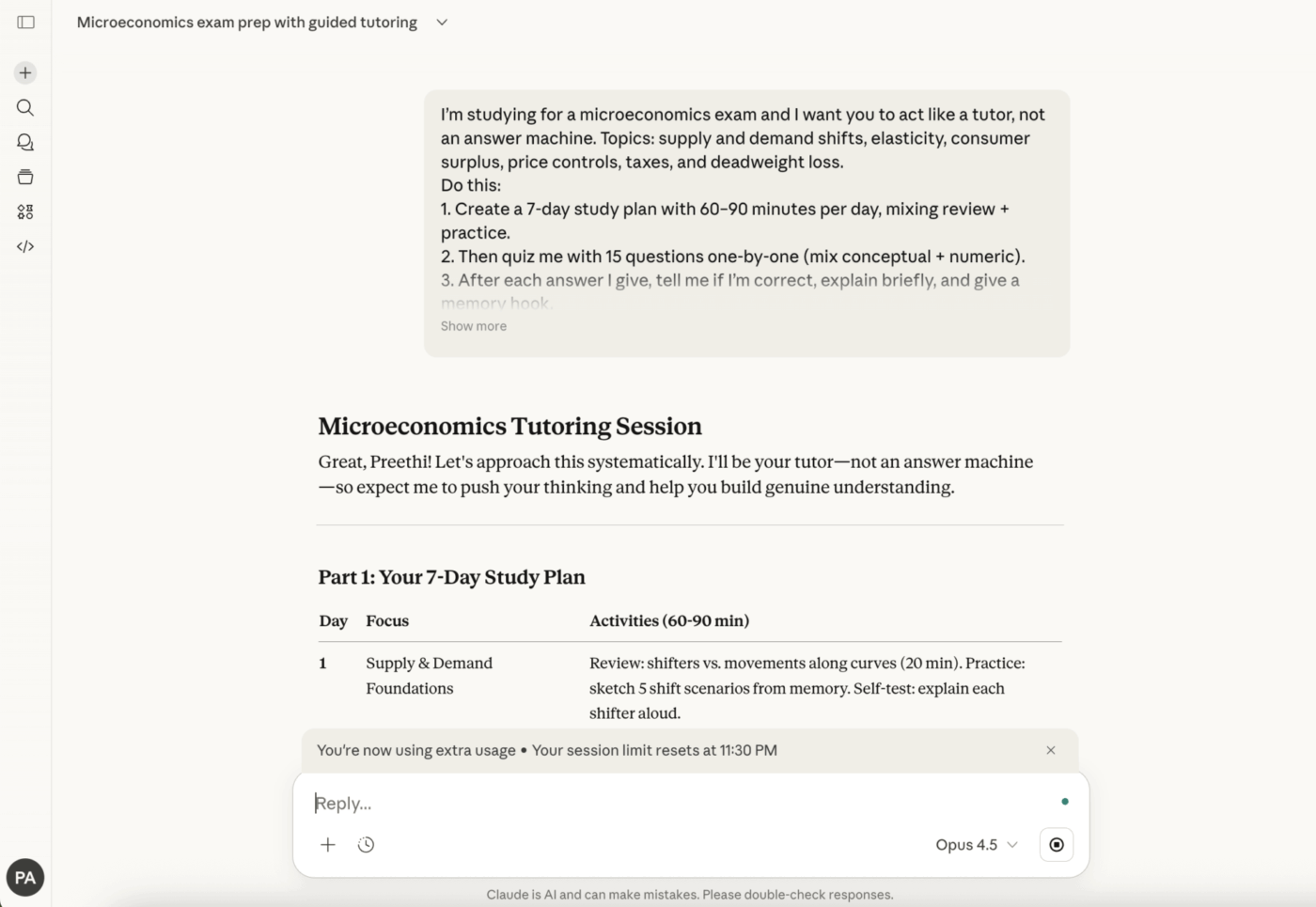
Claude can help you create study materials that go beyond simple flashcards. Ask it to generate practice questions based on your course materials, explain why certain answers are correct or incorrect, and identify connections between topics that might appear on comprehensive exams.
For subjects that require problem-solving, work through practice problems with Claude acting as a tutor who guides you toward solutions rather than simply providing answers. This approach builds the problem-solving skills you’ll need during actual exams.
💡 Pro Tip: When using Claude for exam prep, ask it to identify common misconceptions about the topics you’re studying. Understanding where students typically go wrong helps you avoid those same traps and demonstrates deeper mastery of the material.
Students often wonder which AI assistant best fits their academic needs. While all major AI tools offer conversational assistance, their strengths differ significantly in educational contexts.
ChatGPT’s broader training and plugin ecosystem make it versatile for general tasks, but Claude’s extended context window and Socratic approach often make it more suitable for deep academic work. Claude tends to be more cautious about providing direct answers to homework questions, instead guiding students toward understanding—which, while sometimes frustrating, better supports actual learning.
ChatGPT may be preferable when you need quick factual answers or want to use specific plugins for tasks like coding or data analysis. Claude often excels when you’re working through complex arguments or need sustained engagement with lengthy materials.
Google’s Gemini offers tight integration with Google Workspace, which can be convenient if your school uses Google tools. However, Claude’s handling of nuanced instructions and longer documents often makes it more effective for serious research synthesis.
Gemini’s real-time information access can be valuable for current events or rapidly evolving fields, while Claude’s focus on the materials you provide ensures responses stay grounded in your actual sources.
No single AI assistant is best for every academic task. Consider using Claude for deep reading and writing work, ChatGPT for quick questions and coding help, and Gemini when you need current information or Google integration. The key is matching the tool to the task rather than forcing one assistant to handle everything.
🔍 Did You Know? 86% of students already use AI in their studies, but most use multiple disconnected tools. This creates what researchers call “AI Sprawl”—where jumping between different AI assistants for different tasks fragments your workflow and makes it harder to build on previous work.
Understanding Claude’s limitations helps you use it more effectively and avoid common mistakes that can undermine your academic work.
Like all AI assistants, Claude can generate plausible-sounding but incorrect information. This is especially problematic in academic work where accuracy matters. Never cite Claude as a source, and always verify any factual claims against authoritative references. Treat Claude’s outputs as starting points for your own research, not as reliable facts.
Claude’s training data has a cutoff date, meaning it lacks information about recent developments. For current events, recent publications, or rapidly evolving fields, you’ll need to supplement Claude’s assistance with up-to-date sources.
Using AI assistance raises important questions about academic honesty. Most institutions now have policies about AI use, and these vary significantly. Some allow AI for brainstorming but not drafting, others require disclosure of any AI assistance, and some prohibit AI use entirely for certain assignments.
Always check your institution’s policies and individual course requirements before using Claude or any AI tool for academic work. When in doubt, ask your instructor directly. The goal is to use AI to enhance your learning, not to shortcut the educational process or misrepresent your own work.
Even Claude’s extended context window has limits. For very long documents or projects involving dozens of sources, you may need to work in chunks or summarize materials before sharing them. This chunking can sometimes cause Claude to miss connections between distant sections of your work.
💡 Pro Tip: Keep a running document of key insights from your Claude conversations. Because Claude doesn’t maintain memory between separate conversations, this external record helps you build on previous discussions without re-explaining your project each time.
Getting great ideas from Claude is only half the battle—you still need to turn those insights into completed assignments and track your progress across courses. This is where many students lose momentum, as AI-generated notes scatter across chat windows, documents, and browser tabs.
Claude excels at conversation and content generation, but it doesn’t track deadlines, manage multiple courses, or help you see which assignments need attention. Using Claude in isolation creates the same work sprawl problem that plagues professional teams—valuable insights trapped in disconnected tools with no system to act on them.
The solution is pairing Claude’s conversational strengths with a workspace that can turn insights into action. ClickUp for Students combines task management, note-taking, and AI assistance in one platform, eliminating the friction of switching between apps.
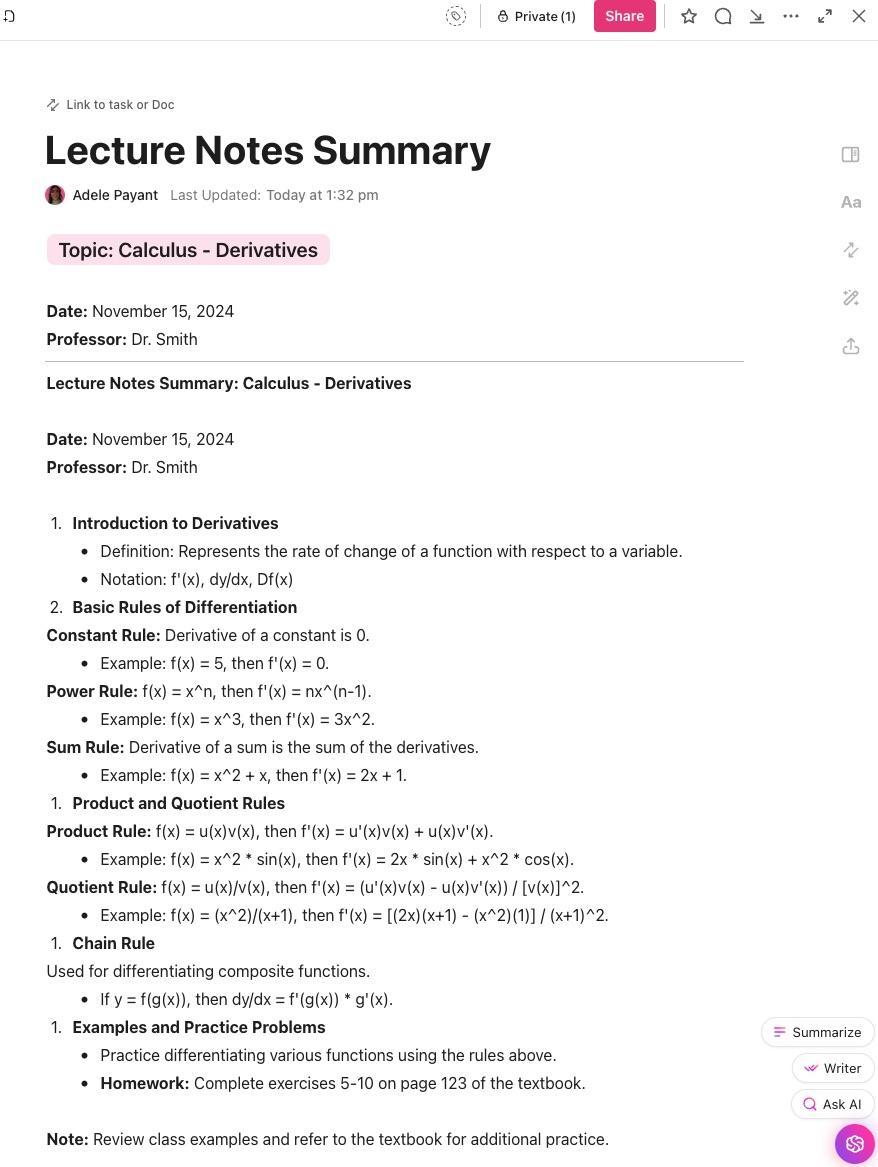
When Claude helps you synthesize research or develop arguments, save those insights directly to ClickUp Docs where they connect to your actual assignments. Unlike scattered chat logs, Docs let you organize, tag, and search your notes across all courses. You can link specific insights to tasks, ensuring nothing gets lost between the brainstorming phase and the final assignment.
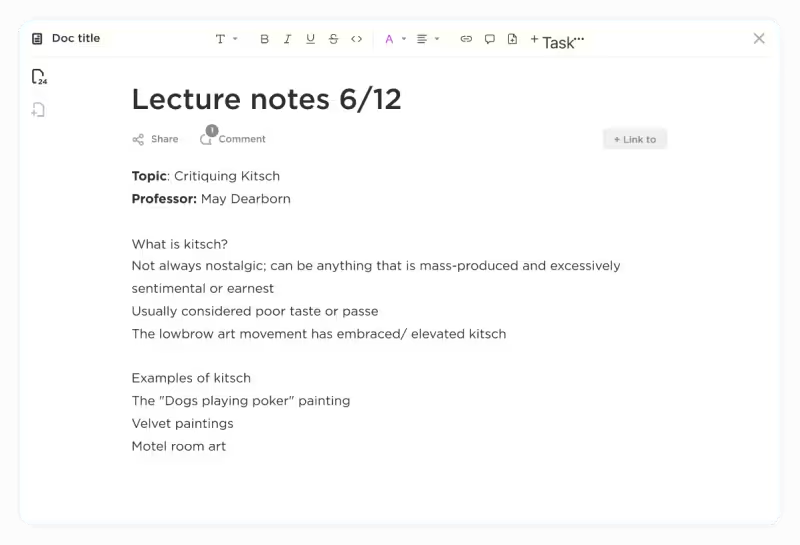
ClickUp Docs also support real-time collaboration, making them ideal for group projects where multiple team members might be gathering research or developing different sections.
ClickUp Brain brings AI directly into your workflow without the context-switching costs of using Claude in a separate tab. Ask Brain to summarize your research notes, generate task lists from assignment requirements, or explain concepts using the context of your actual projects. Because Brain understands your workspace—your tasks, deadlines, and documents—its responses are immediately actionable.
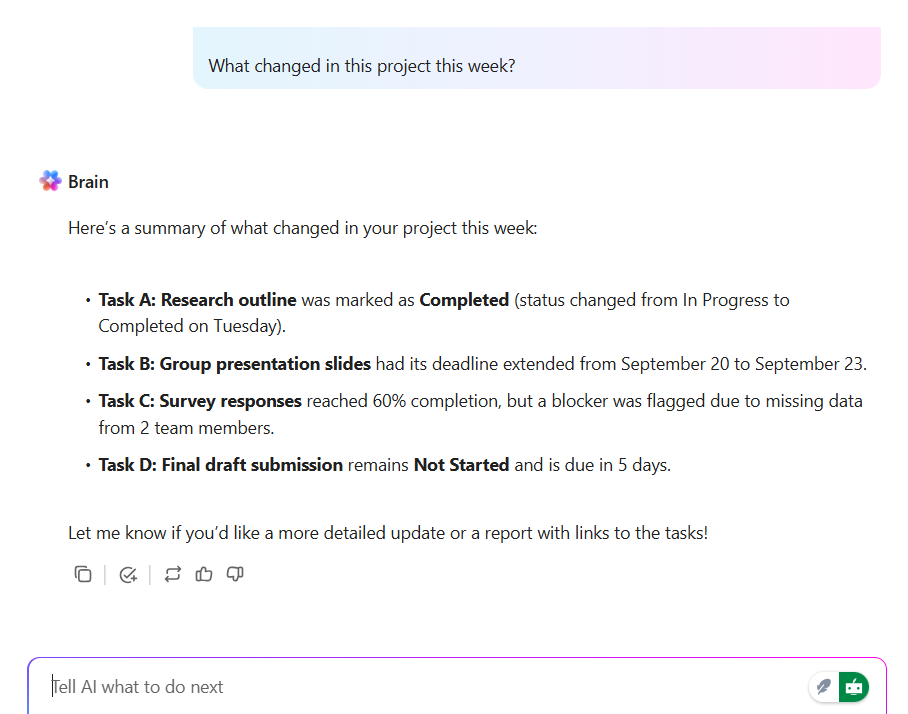
For students, this means you can ask Brain questions like “What do I need to work on this week?” or “Summarize what I’ve learned about this topic” and get answers grounded in your actual coursework rather than generic responses.
Rather than building your academic workflow from scratch, start with ClickUp’s Student Template. This template centralizes all your coursework details, helps you organize study materials, manages assignments, and tracks deadlines so you can focus on learning rather than logistics.
Additional templates like the Class Schedule and Time Study Template help you connect your daily schedule to academic tracking, while the Cornell Notes Template modernizes the classic note-taking system with custom sections for cues, notes, and summaries.
The most effective student workflows combine AI assistance with systematic organization. Use Claude for deep thinking and content development, then immediately transfer insights to ClickUp where they connect to your broader academic system. Set up recurring tasks for weekly review sessions, use ClickUp Goals to track semester objectives, and leverage ClickUp Dashboards to see your academic progress at a glance.
This combination eliminates the toggle tax of switching between disconnected tools while giving you both the conversational AI you need for learning and the structured system you need for execution.
✨ Real Results: Students using ClickUp report significant improvements in organization and stress reduction. As one student noted: “ClickUp has made me a much more organized person in my workspace as a student, along with day-to-day reminders for my other hobbies. It also allows in-depth customization using templates to make the space more personal.”
📖 Also Read: Best AI Tools for Students
Using AI responsibly requires more than just following rules—it means understanding how AI assistance affects your actual learning and making choices that serve your long-term academic development.
Before using any AI tool, familiarize yourself with your school’s academic integrity policies and any course-specific guidelines. These policies vary widely and are evolving rapidly as institutions figure out how to address AI in education. When policies are unclear, ask your instructors directly rather than making assumptions.
The goal of education isn’t just producing assignments—it’s developing skills, knowledge, and ways of thinking. AI can accelerate learning when used properly, but it can also shortcut the very processes that education is designed to develop. Ask yourself whether each AI interaction is helping you understand material better or simply getting the work done faster.
Many courses now expect or require disclosure when AI tools contribute to your work. Even when not required, being transparent about your AI use demonstrates integrity and helps instructors understand your actual skill level. Develop a practice of noting when and how you used AI assistance.
Never submit AI-generated content without careful review. Check facts, verify citations, and ensure arguments actually make logical sense. AI assistants can be confidently wrong, and submitting inaccurate information damages your credibility and learning.
Over-reliance on AI for writing can flatten your distinctive voice and perspective. Use AI for feedback and idea development, but ensure the final work represents your own thinking and expression. Your unique perspective is what makes your academic contributions valuable.
Claude AI offers genuine value for students who use it thoughtfully—from Socratic guidance that builds understanding to extended context windows that support serious research synthesis. But AI assistance only realizes its potential when paired with systems that turn insights into action.
The most successful students aren’t those who use the most AI tools or the most advanced features. They’re the ones who build workflows that capture ideas, connect them to coursework, and maintain focus across the semester. By combining Claude’s conversational strengths with ClickUp’s organizational power, you create a study system that enhances both learning and productivity.
Get started for free with ClickUp and build the complete academic workflow that turns AI insights into academic success.
Is using Claude AI considered cheating in school? Whether AI use constitutes cheating depends entirely on your institution’s policies and individual course requirements. Many schools now allow AI for certain tasks like brainstorming or research while prohibiting it for others. Always check relevant policies and ask instructors when uncertain. Using AI to understand concepts is generally viewed more favorably than using it to generate content you submit as your own work.
How can I use Claude AI without violating academic integrity? Focus on using Claude as a learning tool rather than a content generator. Use it to explain concepts, provide feedback on your drafts, generate practice questions, and help structure your thinking. Always do your own writing, verify any facts Claude provides, and disclose AI use when your institution requires it. The key question is whether AI is helping you learn or simply doing your work for you.
What are the best Claude AI prompts for students? Effective prompts focus on learning rather than answers. Try “Explain this concept to me as if I’m a beginner, then ask me questions to check my understanding” or “I’ve drafted this paragraph—what’s weak about my argument and how could I strengthen it?” For research, ask “What questions should I be asking about this topic?” rather than “Tell me about this topic.”
Can Claude AI help with math and science courses? Claude can explain concepts, work through problems step-by-step, and help you understand where your reasoning went wrong. It’s particularly useful for building intuition about why certain approaches work. However, always verify mathematical calculations independently, as AI assistants can make computational errors. Use Claude to understand the concepts behind problem-solving rather than to get answers you can copy.
How do I organize what I learn from Claude? Transfer valuable insights immediately to a persistent system like ClickUp Docs where they connect to your actual coursework. Tag notes by course and topic, link insights to relevant assignments, and review periodically to reinforce learning. Since Claude doesn’t maintain memory between conversations, this external system ensures you build on previous learning rather than starting fresh each time.

© 2026 ClickUp

There’s an easier way. Try a free AI Agent in ClickUp that actually does the work for you—set up in minutes, save hours every week.