5 Free Software Deployment Plan Templates for Better Collaboration and Results
Sorry, there were no results found for “”
Sorry, there were no results found for “”
Sorry, there were no results found for “”
Rolling out new software should feel like a well-orchestrated event, not a chaotic scramble. Yet, for many teams, the path from development to deployment is fraught with hurdles.
Take it from seasoned tech managers who’ve seen their fair share of hiccups during deployments. Even the best-designed software releases can spiral into stressful troubleshooting sessions without a robust deployment plan.
According to McKinsey, one reason is tech debt—a hidden culprit that can eat up 20% to 40% of an organization’s tech stack value. A solid software deployment plan ensures deployments run smoothly and helps identify and prevent future tech debt.
In this blog, we’ll dive into five deployment plan templates and assess how they can save you from costly mistakes and keep your deployment goals and team on track.🚦
Software deployment plan templates outline the steps and processes required to successfully implement new software systems or services into your teams and organizations. These templates can standardize your deployment process and minimize errors when shifting to new systems.
These templates are handy to ensure that all critical tasks are accounted for and that the deployment proceeds in a coordinated and efficient manner.
Customizable software deployment templates let you tweak these pre-planned, implemented, and executed processes. They outline the project scope and objectives and offer easy-to-understand information on timelines, resources, risk management, testing, user adoption, and contingency problems.
Above all, these templates contain a detailed and systematic approach to covering all critical tasks, responsibilities, and considerations while incorporating a new tool into your organization.
A good deployment template is designed to guide the implementation of new software systems or services into your organization’s tech stack.
Here are the key factors that each deployment plan template framework should ideally include:
💡Pro Tip: Upgrade your tech stack with IT automation software to boost team productivity.
These templates make the transition to new software smoother and support innovation management. They enable your team to consistently share new ideas and give your software unique selling points.
Here are five free software deployment plan templates:
Deploying new tools into your workflows can be challenging, considering your team requires training and awareness of their features.
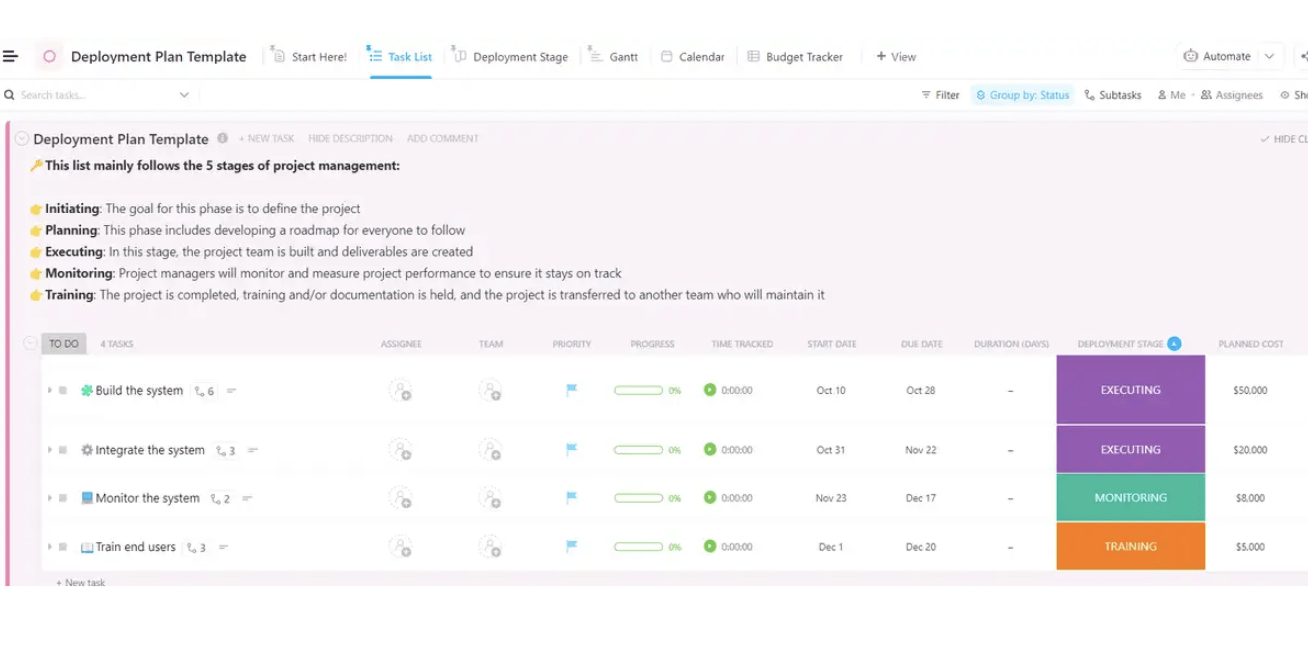
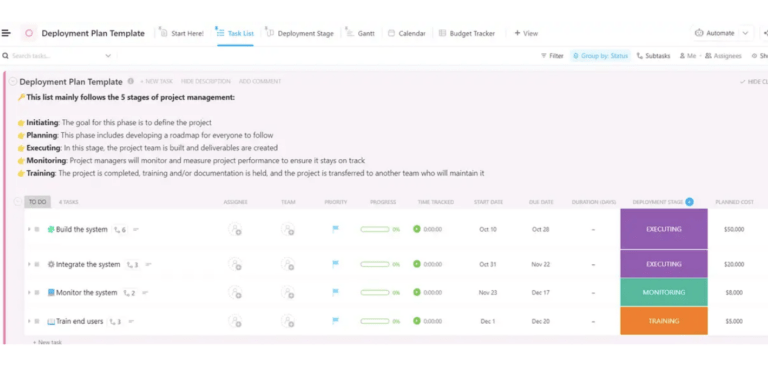
ClickUp’s Deployment Plan Template offers a structured framework to track how a new software release is introduced to your team. From monitoring the durations of each step to aligning your team’s task-by-task flow, this template lets you plan and stay mindful of the monetary, time, and personnel investments needed.
You can create dependencies between deployment tasks and add tags with assignees to categorize responsibilities and task owners. ClickUp Custom Fields lets you access custom attributes and visualize time, cost, or team-centric charts to visualize where your team stands on its deployment mission.
Here are some additional features you can leverage to optimize deployment:
This deployment template lets you add integration checklists and steps to integrate the new software with existing systems.
Such well-equipped continuous deployment tools ensure compatibility and smooth data migration, reducing the risk of post-release integration issues.
Managing end-to-end software development projects demands you document the ideation, implementation, and research phases.
Accessing this information readily in an organized format can considerably improve your end product, ensuring you deliver what you promise to your stakeholders and meet your end users’ expectations.
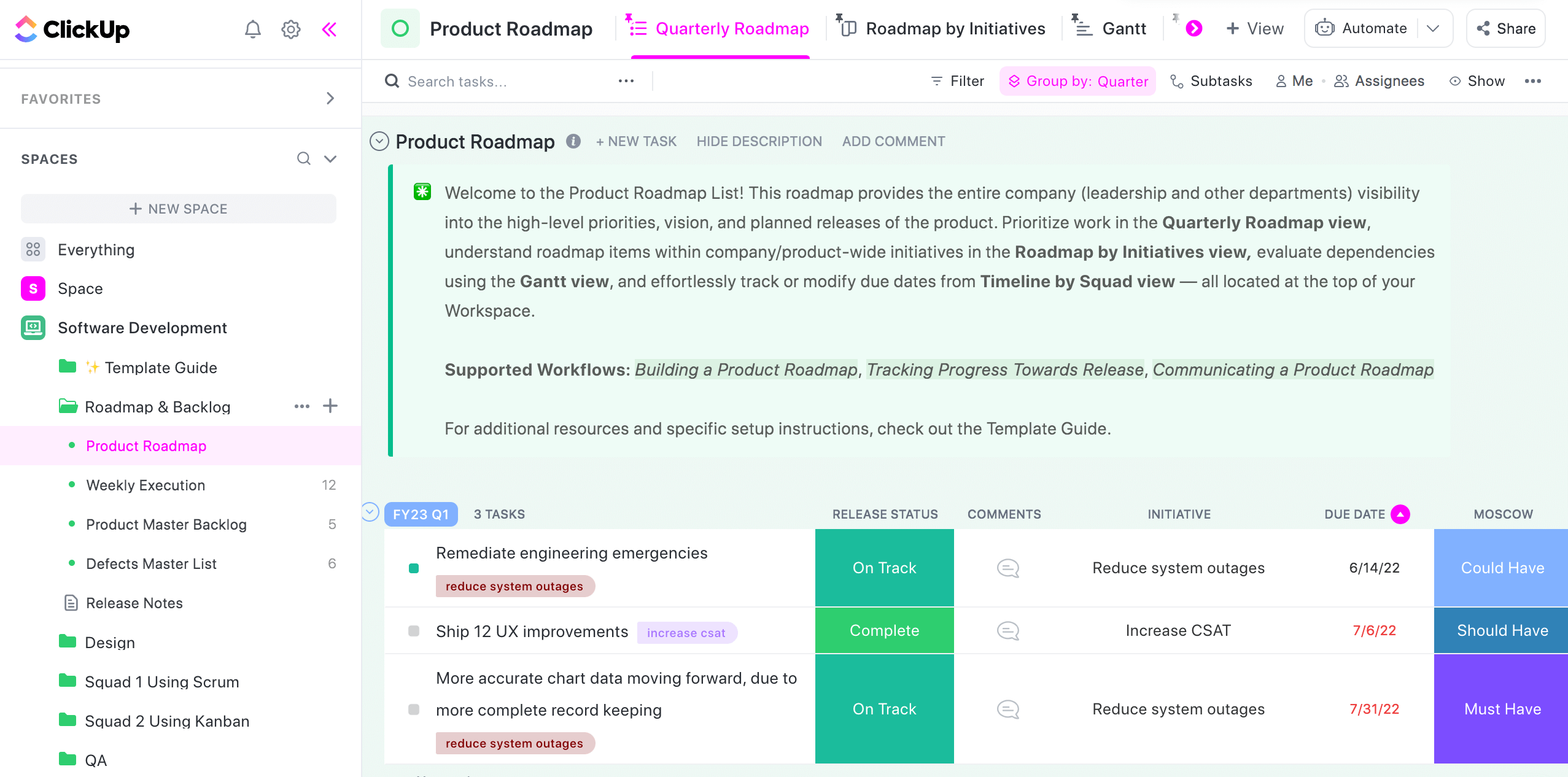
ClickUp’s Software Development Template provides sections for detailed project planning, monitoring, and roadmap creation. You can set objectives and KPIs to measure the progress of your software development and deployment goals.
This template also includes comprehensive task management capabilities for creating, managing, and automating task tracking. It organizes your development activities and breaks down large projects into smaller, manageable tasks.
The template also helps:
You can manually check task statuses or set triggers to update the status of pending or completed tasks.
Moreover, this template allows your team members to access real-time updates on tasks dependent on different teams of software developers, designers, backend experts, and more.
📮 ClickUp Insight: Nearly 42% of knowledge workers prefer email for team communication. But it comes at a cost. Since most emails only reach select teammates, knowledge stays fragmented, hampering collaboration and quick decisions. To improve visibility and accelerate collaboration, leverage an everything app for work like ClickUp, which turns your emails into actionable tasks within seconds!
Using digital tools for time management can improve how you develop and deploy projects. Beyond managing time wastage, you can speed up your growth strategies and be ready for unexpected setbacks.
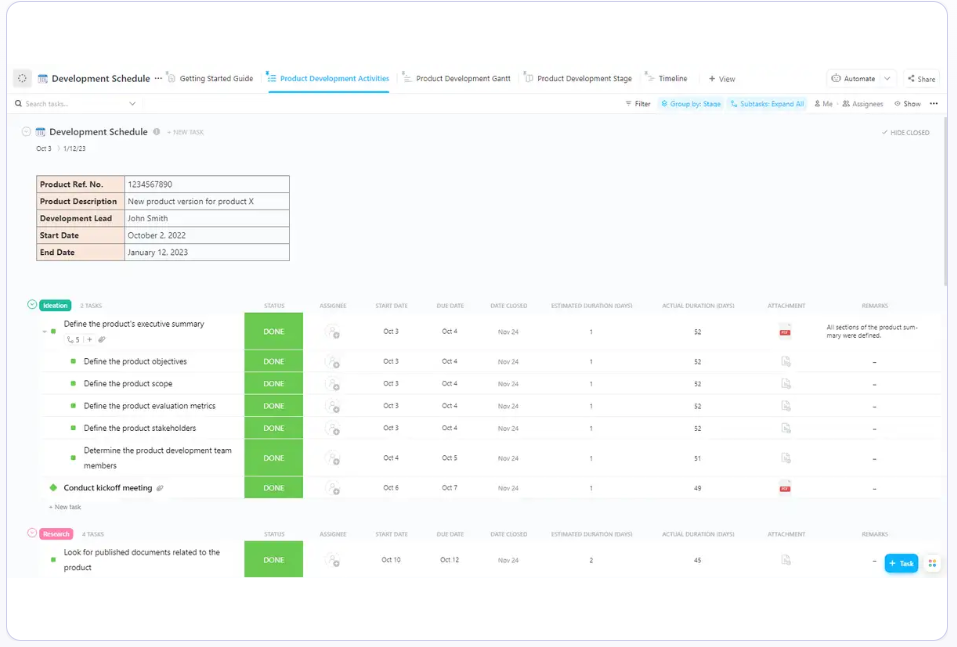
ClickUp’s Development Schedule Template improves your time management ethics through custom views and Custom Fields. The framework offers slots to allocate schedules tailored to your product’s development phases.
An interconnected template automates your scheduling tasks through fields like remarks, estimated durations, statuses, and start-to-end dates.
The added scheduling facilities work together to guarantee your resources are optimally utilized. For example, well-formulated dependencies help you adjust your product’s progress as per the project’s evolving scope and requirements.
This template also offers:
The timelines are interactive, using color-coded messages and customizable text blocks to visually describe your product’s progress. The version control feature lets you track different versions and maintain detailed records, ensuring every iteration is fully traceable.
Brewing your software project on a feature-rich digital template is better than letting it marinate in your diary or an Excel sheet. Above all, using software development templates enables you to store your ideas and create a step-by-step workflow to move your software concept from brainstorming and ideation to execution and completion.
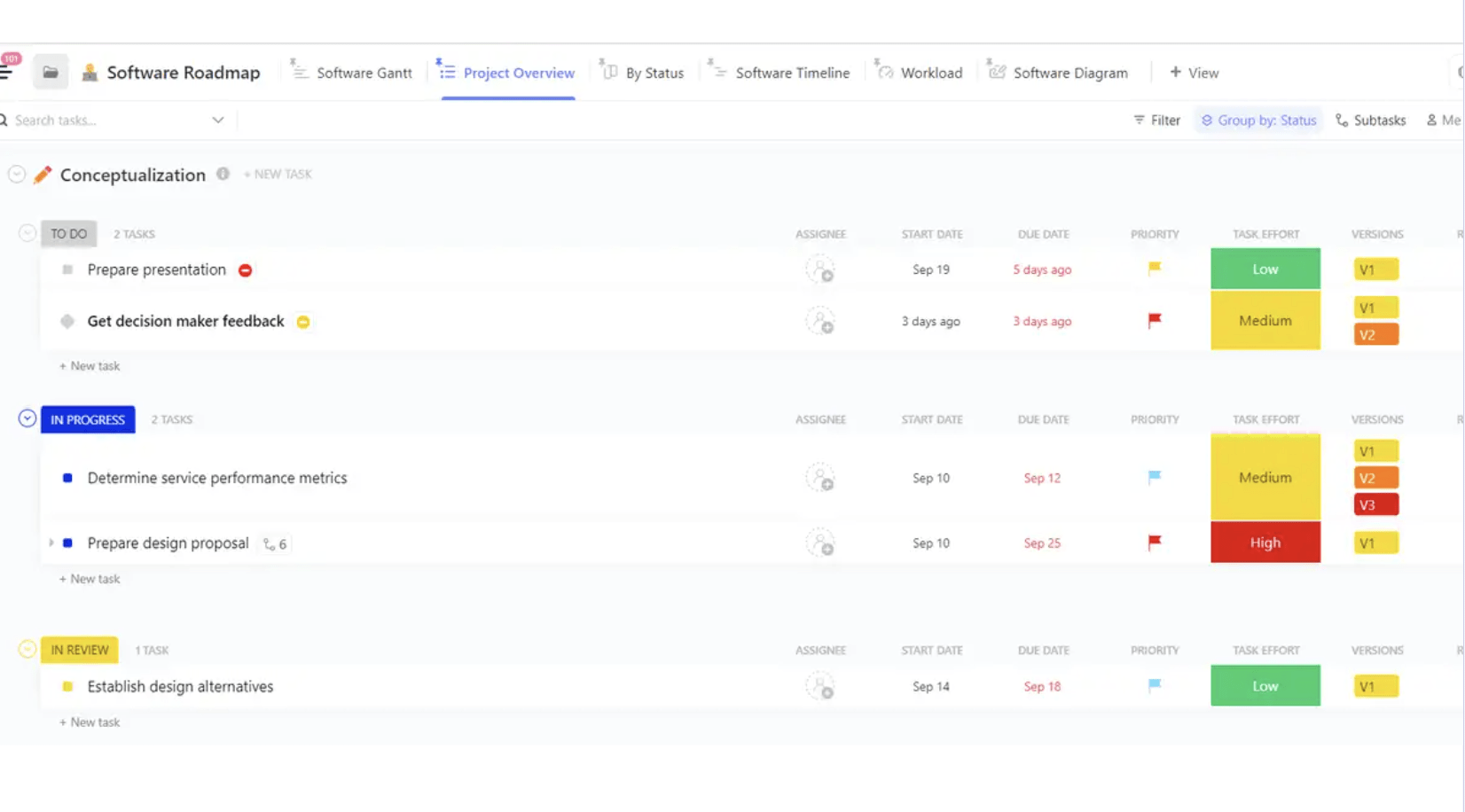
ClickUp’s Software Project Template, for example, enables you to store files for your project’s in-development documentation, permitting multiple teams to access and edit the data as needed.
You can also integrate your email software and sync all communication on this project management tool with other collaboration tools.
Create checklists of features to be tested and allocate them weekly or monthly as action items for different teams as part of your deployment schedule. Use ClickUp Whiteboards to draw mind maps and help your team understand your target user’s behavior when interacting with the software. This template also
👀Bonus: ClickUp offers 100+ engineering templates to make your technical processes and documentation accessible to non-technical marketing and sales teams.
Launching software involves more than ensuring users are guided through the initial setup and utility options. Your deployment strategy and conceptualization must be reflected in your software’s design, and each bug reported in the prototypes must be resolved well in advance.
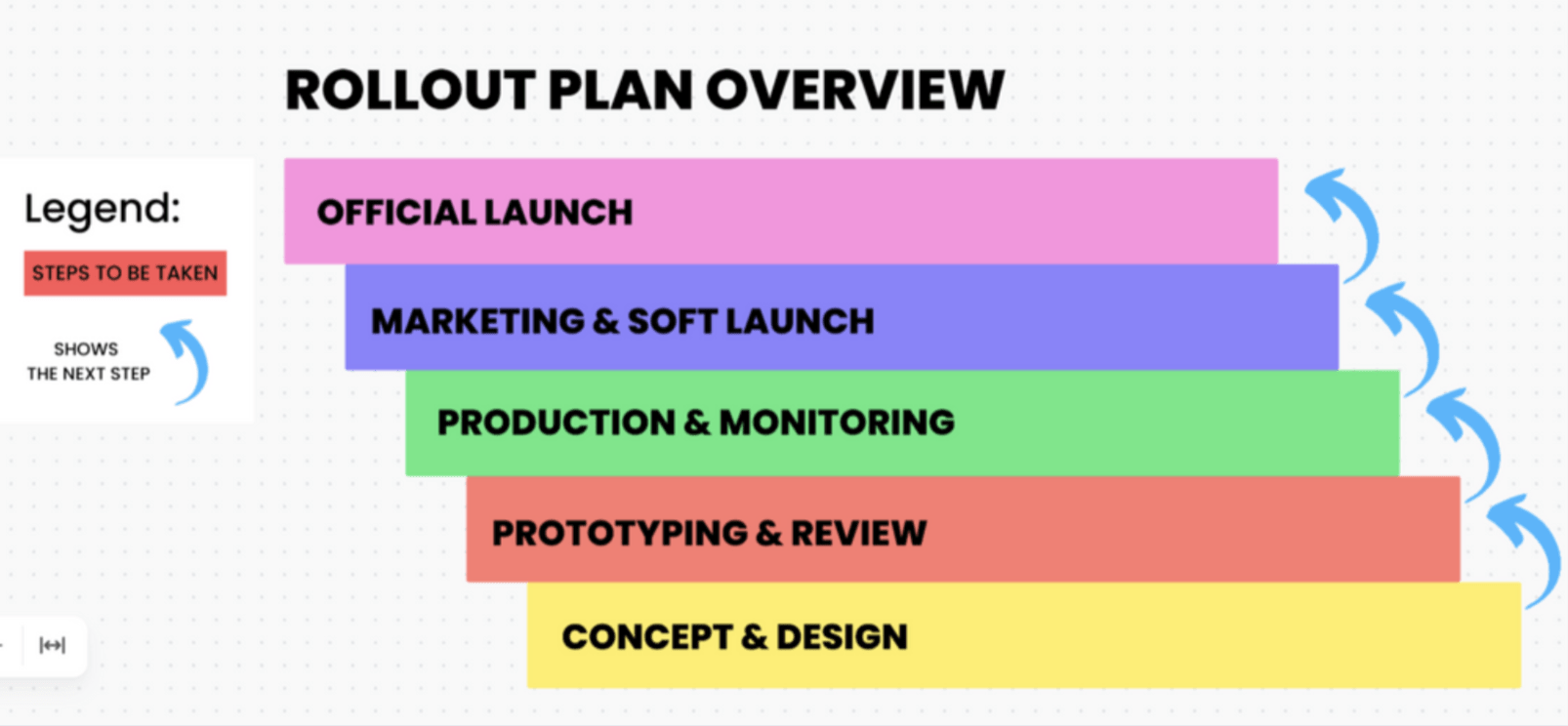
ClickUp’s Software Rollout Timeline Template is designed to create a desirable first impression once you launch your software. The template helps monitor the efficacy of your launch by tracking downloads, inquiries, or the number of users who’ve accessed specific features and shared the software link with prospective users.
You can study the visual cues of tasks and their respective dependencies to prepare for possible delays in the rollout phase.
Leverage this ClickUp template to:
The template’s user-friendly design lets you easily drag and drop customizable boxes to quickly update your team on any changes to the rollout plan.
You can also integrate software development tools to combine screenshots, code, and documents from other platforms.
Relying on a one-size-fits-all solution to track software deployment can negatively impact your monitoring and collaboration goals. You are likely to be successful when you have a deployment strategy that offers comprehensive workflow integration and supports agile methodologies.
With various template options like those from ClickUp, you can effectively manage and launch projects of all sizes, from small software ideas to large-scale projects, within a single tool.
These templates can also be used for general project maintenance. Visit our template library to access a curated engineering and product-related templates repository.
Get started with ClickUp for free today!

Praburam Srinivasan
Max 20min read
Praburam Srinivasan
Max 27min read

PMO Team
Max 9min read

© 2026 ClickUp