Most developer teams have already felt the ceiling of today’s AI tooling.
Coding assistants can generate snippets quickly, but they don’t reduce the real bottleneck in software delivery: coordination. Writing code is rarely the slow part. Reviews, tests, documentation, deployments, and cross-team alignment are where work stalls.
That coordination still happens across disconnected tools, owned by different people, and stitched together manually.
As more AI tools get layered into the workflow, the problem often compounds. Each assistant handles a narrow task, but developers are left to manage context across their editor, task tracker, docs, and chat. The overhead stays firmly human.
AI super agents are designed to address that gap, not by being better coders, but by taking responsibility for the coordination work that surrounds code. Let’s break down how they support Dev Teams!
Summarize this article with AI
ClickUp Brain not only saves you precious time by instantly summarizing articles, it also leverages AI to connect your tasks, docs, people, and more, streamlining your workflow like never before.
Summarize this article for me please
What Are AI Super Agents in Software Development?
AI super agents represent a different type of agentic operating model.
Instead of a single agent reacting to prompts, a super agent system is composed of multiple specialized agents that collaborate across a workflow. Each agent has a defined role, shared context, and the ability to act autonomously within clear boundaries.
This distinction matters for software teams. Because features don’t fail to ship because code wasn’t written. Delays come in because dependencies weren’t tracked, reviews stalled, documentation lagged, or decisions were lost between teams.
Super agents are built to operate across that full lifecycle. For example, a super agent system can take a single feature request and orchestrate the entire process:
One agent drafts the implementation plan
Another writes the initial code based on the plan
A third agent generates unit and integration tests
A fourth updates the user documentation to reflect the new feature
This entire process is handled by a human developer acting as a supervisor, not a manual operator.
However, this only works if the agents aren’t blind. They fail when your code is on GitHub, your tasks are in another tool, and your documentation is in a third tool.
Research backs up the cost. According to a Pryon survey, 70% of enterprise leaders say employees waste over an hour a day just searching for information.
A Converged AI Workspace addresses this at the system level. When tasks, docs, conversations, and decisions live together, agents can operate with the same situational awareness as the teams they support.
Summarize this article with AI
ClickUp Brain not only saves you precious time by instantly summarizing articles, it also leverages AI to connect your tasks, docs, people, and more, streamlining your workflow like never before.
Summarize this article for me please
Why Teams of AI Agents Outperform Single-Agent Solutions
It’s reasonable to ask why one highly capable AI assistant isn’t enough. The problem is that single-agent solutions hit a capability ceiling.
A generalist AI forced to context-switch between writing code, reviewing pull requests, and drafting release notes will only ever be mediocre at each task. The quality of its output degrades as the complexity of your requests increases, leaving your team to clean up the mess.
Multi-agent systems solve this through specialization.
While one agent is writing tests, another can be updating the changelog. This frees up your human developers to focus on high-level architecture and problem-solving instead of executing every manual step. The tradeoff is that this requires a more sophisticated infrastructure.
This level of parallel execution reduces project cycle time, but the bigger gain is coherence. Agents need a shared context layer to prevent them from duplicating work or overwriting each other’s progress.
In ClickUp, each Super Agent is designed for a narrow function. A Codegen Agent, for example, focuses exclusively on implementation. It works from a clearly defined task, understands related Docs, and stays scoped to writing code. It doesn’t review its own output or decide release readiness.
That separation is intentional.
While the Codegen Agent is implementing a change, other agents can operate in parallel. One can generate unit and integration tests. Another can update documentation. Another can surface risks or blockers. All of this happens against the same shared context.
Summarize this article with AI
ClickUp Brain not only saves you precious time by instantly summarizing articles, it also leverages AI to connect your tasks, docs, people, and more, streamlining your workflow like never before.
Summarize this article for me please
Key Benefits of AI Super Agents for Development Teams
AI super agents deliver the most value when they operate within a unified system rather than as a collection of isolated tools. These benefits stack up, leading to major improvements in speed, quality, and collaboration for your development team.
Faster development cycles and reduced rework
Your sprint gets derailed by familiar bottlenecks—a critical code review sits in someone’s queue for days, or a major bug is found right before release, forcing last-minute rework. These delays are frustrating and push your timelines back. Super agents eliminate the waiting.
An agent can provide an initial code review within minutes of a pull request being opened. Another agent can identify potential bugs or requirement ambiguities before a single line of code is written. This “shift-left” approach to quality catches issues early when they are cheap and easy to fix.
Automated first-pass reviews: Agents flag common formatting and style issues, freeing up human reviewers to focus on logic and architecture
Parallel task execution: A testing agent and a documentation agent can work on the same feature simultaneously, cutting down on total delivery time
Instant context retrieval: Agents can pull relevant technical specs, past decisions from meeting notes, and related code snippets without any manual searching
💡Pro Tip: You can stop chasing down teammates for reviews and let AI handle the first pass. Trigger agent workflows automatically with ClickUp Automations.
When a Task’s status changes to “Ready for Review,” an agent can immediately begin its analysis and post the findings directly in the Task’s comments, keeping all context in one place.
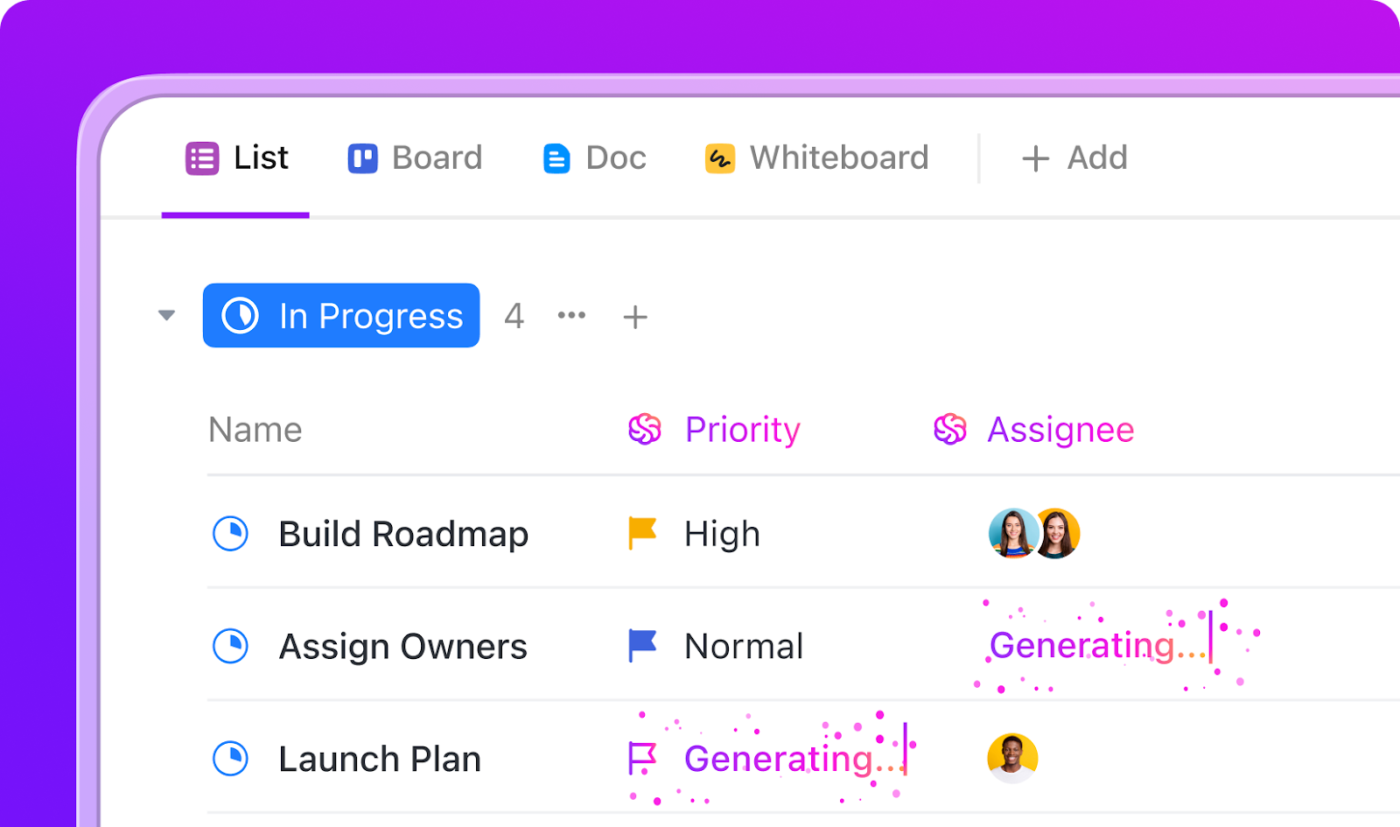
Use ClickUp’s AI Assign, AI Prioritize, and AI Cards to automate task management and surface real-time insights instantly
Improved code quality and consistency
Code quality is often a moving target and can feel inconsistent.
One developer’s work is always clean and well-documented, while another’s is a bit rushed. Style guides exist, but they’re often forgotten during a time crunch, leading to a messy and hard-to-maintain codebase.
AI super agents act as your team’s tireless quality enforcers. They apply the same level of rigor to every single review and documentation update, creating a baseline of quality that elevates your entire codebase over time.
This doesn’t mean you can fire your senior developers. Agents are great at pattern-matching and rule enforcement, but they lack the creative problem-solving and architectural wisdom of an experienced human. The best results come from pairing agent consistency with human expertise.
Are your developers constantly being pulled away from deep work?
This could be because:
Product managers need status updates
Designers want to see how their mockups are being implemented
QA is asking for context on recent changes
This communication overhead is a major source of context sprawl. It’s a scenario where teams waste hours searching for the information they need to do their jobs, switching between apps, hunting down files, and repeating updates across multiple platforms—and kills productivity, with knowledge workers spending two hours weekly on email that AI tools can eliminate.
Super agents can act as translators between different teams. They can summarize technical progress for non-technical stakeholders, flag UI changes that impact the design team, and generate easy-to-understand test scenarios for QA. This keeps everyone aligned without interrupting your developers.
This only works if the agents have access to the conversations. If decisions are made in a Slack channel, status is tracked in a project tool, and requirements live in a separate doc, the agent has no way to form a complete picture. It ends up asking humans for information that is scattered across the organization.
🚀 The ClickUp Advantage: Stop the endless search for context. Agents have access to the full communication history in Comments and ClickUp Chat right alongside the Tasks and Docs they relate to in ClickUp. When an agent generates a project update, it knows what was discussed, what blockers were raised, and what decisions were made, all without you having to re-explain anything.
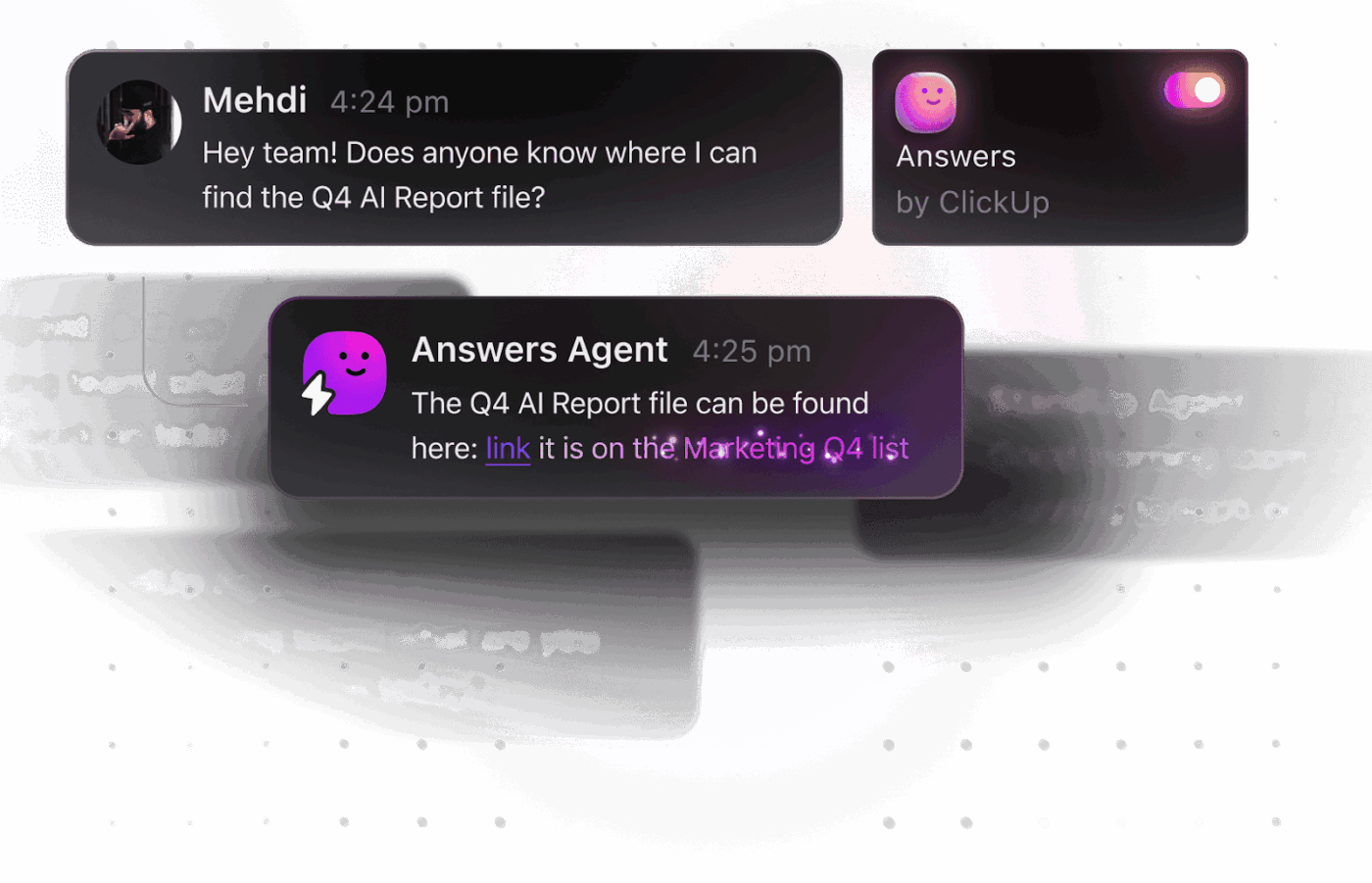
Get instant automated answers with Agents in ClickUp
Summarize this article with AI
ClickUp Brain not only saves you precious time by instantly summarizing articles, it also leverages AI to connect your tasks, docs, people, and more, streamlining your workflow like never before.
Summarize this article for me please
How Dev Teams Use AI Super Agents in Practice
Here’s how your development team can actually use AI super agents in day-to-day workflows.
Here’s how your development team can actually use AI super agents in your day-to-day workflows. 🛠️
Automating code reviews and testing
The moment a developer opens a pull request, your workflow is often stuck waiting for a human reviewer. This manual handoff is slow and often focuses on trivial things like formatting instead of complex logic. This is a perfect task for an AI software agent.
When a pull request is opened, an agent can automatically analyze the code against your team’s code review checklists, check for common security vulnerabilities, and verify that test coverage hasn’t decreased. The agent then posts its findings as an initial review, allowing human reviewers to focus on the more complex aspects of the code.
You can also have agents draft test cases based on the code changes, covering both the expected behavior and potential edge cases. Your developers can then review and refine these tests instead of writing them from scratch.
📮 ClickUp Insight: 24% of workers say repetitive tasks prevent them from doing more meaningful work, and another 24% feel their skills are underutilized. That’s nearly half the workforce feeling creatively blocked and undervalued. 💔
ClickUp helps shift the focus back to high-impact work with easy-to-set-up AI agents, automating recurring tasks based on triggers. For example, when a task is marked as complete, ClickUp’s AI Agent can automatically assign the next step, send reminders, or update project statuses, freeing you from manual follow-ups.
💫 Real Results: STANLEY Security reduced time spent building reports by 50% or more with ClickUp’s customizable reporting tools—freeing their teams to focus less on formatting and more on forecasting.
Managing documentation and knowledge sharing
You know the pain of outdated documentation. A new team member tries to follow a setup guide, only to find that it’s a year old and actively misleading.
The “why” behind a critical architectural decision is often lost forever when the person who made it leaves the company.
Agentic software development helps solve this. Super agents can monitor code changes and automatically flag documentation that needs to be updated. They can even draft the updates for you, ensuring your API docs and user guides are always in sync with your product.
More importantly, agents can capture the “why.” They can synthesize decisions made in Task Comments, meeting notes, and code review threads into a searchable knowledge base.
💡Pro Tip: Give your team a single source of truth with ClickUp Docs and ClickUp Brain. Because all your work, conversations, and knowledge live in one place, ClickUp Brain can instantly find the answer when a developer asks, “Why did we choose this database technology?” It can surface the original discussion, the decision-making document, and the tasks related to the implementation.
Your deployment pipeline is a complex machine with many moving parts.
Monitoring build statuses, provisioning testing environments, and managing rollbacks often require manual intervention, which is slow and prone to error. This is another area where AI agents for software development can provide massive leverage.
Super agents can orchestrate your entire DevOps deployment pipeline. They can monitor build statuses, automatically provision a new environment for testing, and even manage a rollback if post-deployment monitoring detects an issue.
During an outage, agents can help reduce devops metrics like the mean time to resolution (MTTR) by gathering diagnostic information, notifying the on-call engineer, and creating a draft incident report. This automates the chaotic information-gathering phase of incident response, letting your team focus on the fix.
💡Pro Tip: Give your entire organization visibility into these processes with ClickUp Dashboards. Your AI agents can monitor and capture information from these dashboards automatically, keeping every stakeholder informed without a single developer being interrupted.
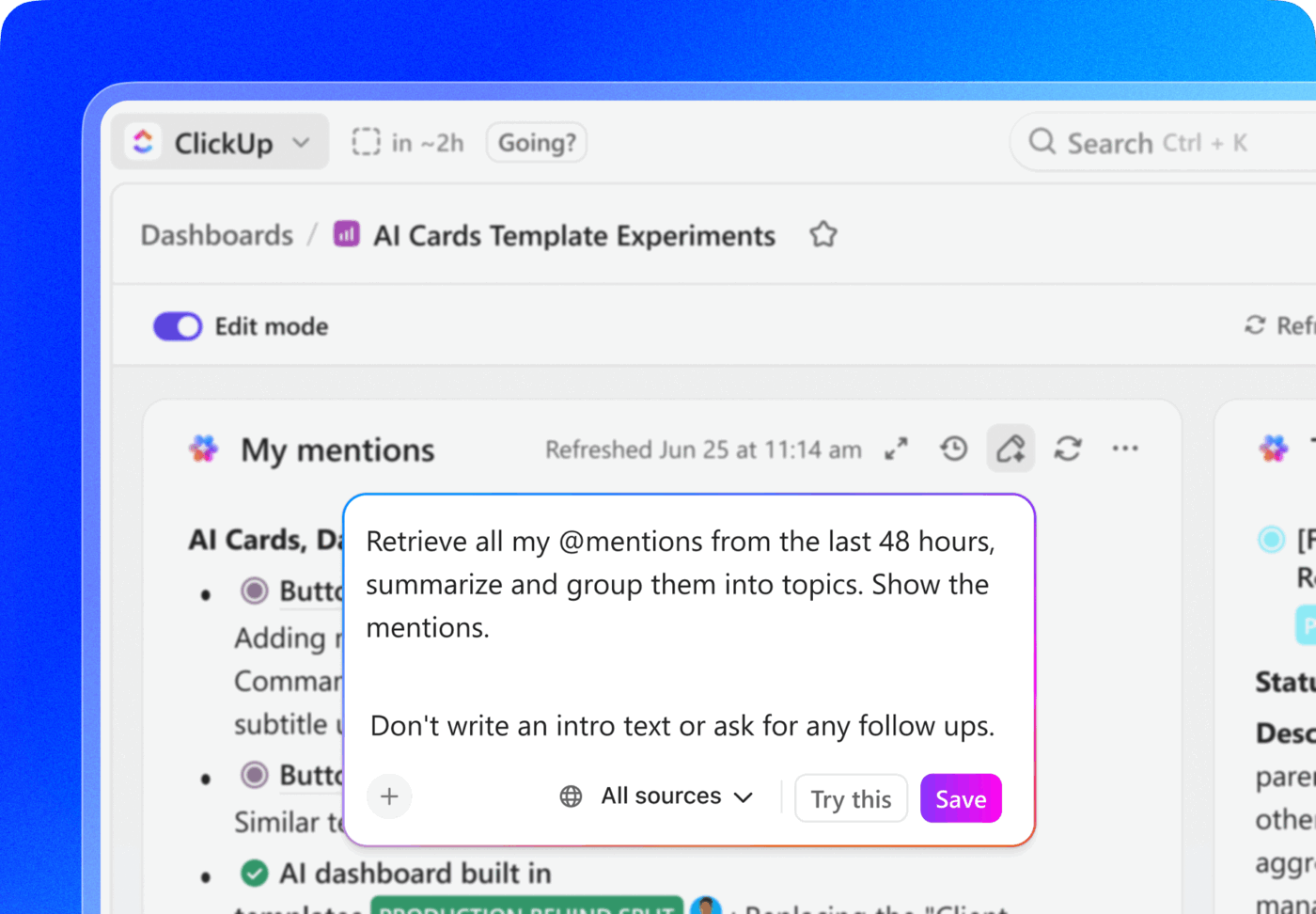
Get those summaries faster with AI summaries in ClickUp Dashboards
Summarize this article with AI
ClickUp Brain not only saves you precious time by instantly summarizing articles, it also leverages AI to connect your tasks, docs, people, and more, streamlining your workflow like never before.
Summarize this article for me please
How to Integrate AI Super Agents Into Your Development Workflow
The first and most important step is to consolidate your work into a unified system.
Adopt a crawl-walk-run approach to integration:
Crawl: Start with a single-purpose agent for a high-volume, low-risk task like code formatting or checking for broken links in documentation
Walk: Introduce coordination between two agents on a related workflow, like having a review agent hand off its findings to a test-generation agent
Run: Deploy a fully orchestrated agent system that can handle an end-to-end process, like taking a feature request from idea to deployment
Sounds simple enough, right? And it is as simple as long as your agents have context.
To be effective in their workflows, agents need access to your team’s collective knowledge—your coding standards, architectural principles, and decision-making history. This requires you to be intentional about knowledge management.
You can skip the painful integration work by adopting a Converged AI workspace that’s designed for interconnected agentic workflows.
Instead of asking teams to configure everything from scratch, the Accelerator gives you a ready-made setup built specifically for product and engineering workflows. You start with a fully converged AI workspace where your docs, tasks, chat, dashboards, and sprint data are already connected. On top of that sits ClickUp Brain, the intelligence layer that understands how your work fits together.
From there, you get a set of prebuilt super agents designed for real product and engineering work, not demos.
Agents that can turn completed sprint tasks into structured release notes
Agents that summarize sprint progress, blockers, and risks for stakeholders without another status meeting
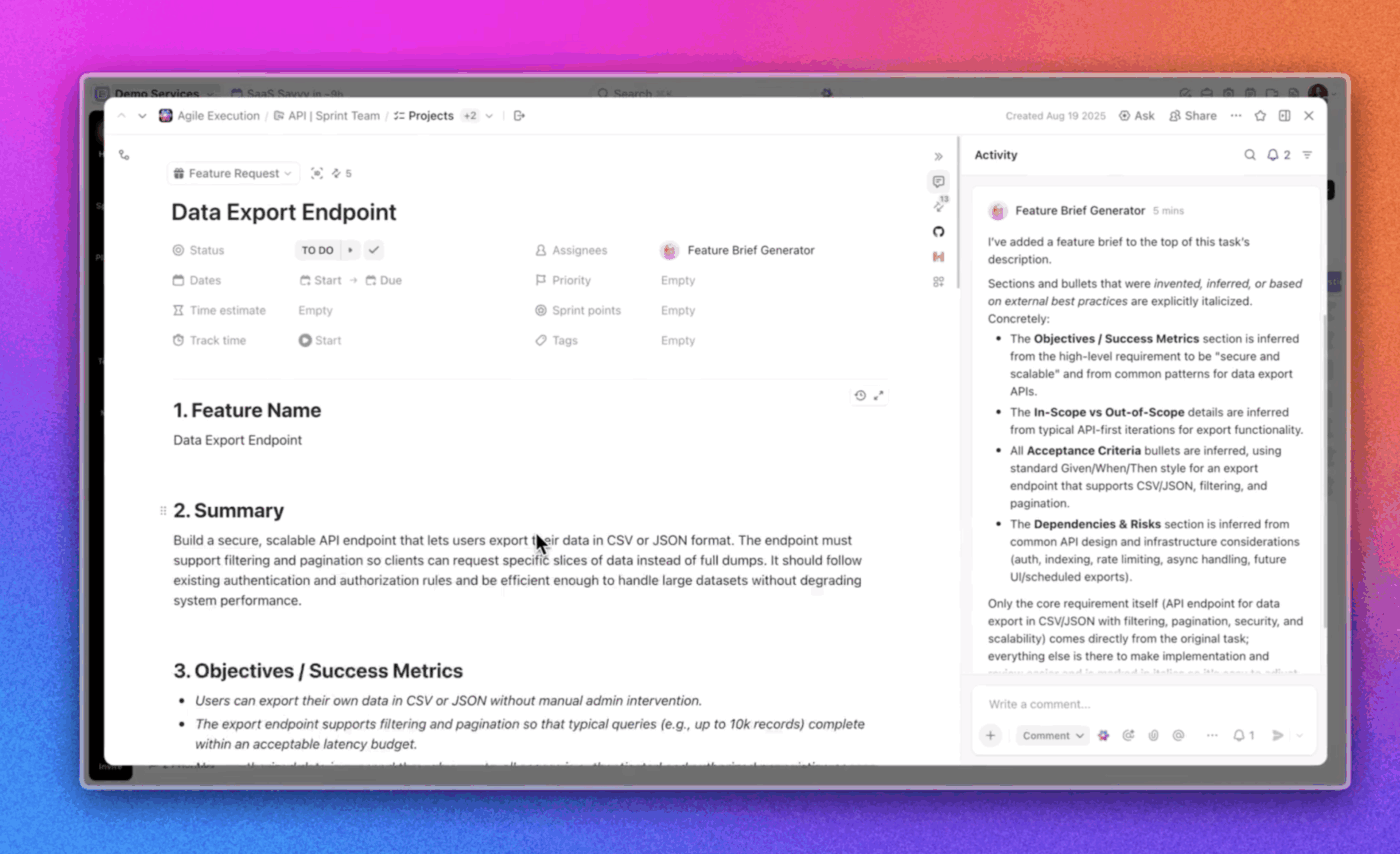
Agents that take a raw feature request and synthesize it into a clear, aligned feature brief using existing task context.
Because these agents run inside ClickUp, they’re working from live sprint data, real discussions, and actual ownership. No exporting. No re-prompting. No re-explaining how your team works.
The goal isn’t to add more AI. It’s to remove friction from the work you’re already doing. The ClickUp Accelerator makes sure your systems can keep up.
Let’s look at how you can build a crawl-walk-run workflow with ClickUp!
Step 1: Clean up incoming work automatically
Most friction happens before a developer ever writes code. Vague tickets. Missing context. Long comment threads that explain the “why” but never get summarized.
In ClickUp, that workflow usually starts with a task.
A feature request comes in. It becomes a ClickUp Task with a description, acceptance criteria, and a thread of discussion attached to it. That single task is the unit agents work around.
Here, an agent can do one simple job: normalize the request.
When a new feature task is created, the agent checks for missing fields, summarizes the discussion so far, and flags gaps in acceptance criteria. If something critical is missing, it surfaces before the task ever reaches “In Progress.” Developers stop acting as translators and start working with clearer inputs.
For instance, this agent can capture all the details from your workspace and create a clear feature brief.
Step 2: Keep work moving through reviews and handoff
Once a task moves into development, delays usually come from handoffs. Your reviews may be sitting unassigned, or context gets lost between status changes.
In ClickUp, agents can respond to those transitions.
When a task moves to “Ready for Review,” an agent assigns the correct reviewer based on ownership rules, adds a checklist pulled from your team’s standards, and notifies the right channel. If a task sits in review too long, it gets flagged before it becomes a blocker.
Automate complex workflows end-to-end with custom ClickUp Super Agents
Step 3: Surface risk before it becomes a problem
As work progresses, issues rarely show up all at once. They accumulate quietly. Too many tasks for one engineer. Repeated back-and-forth on the same type of ticket. Features that keep slipping, a sprint at a time.
Because ClickUp connects tasks, statuses, timelines, and ownership, agents can watch the system, not just individual items.
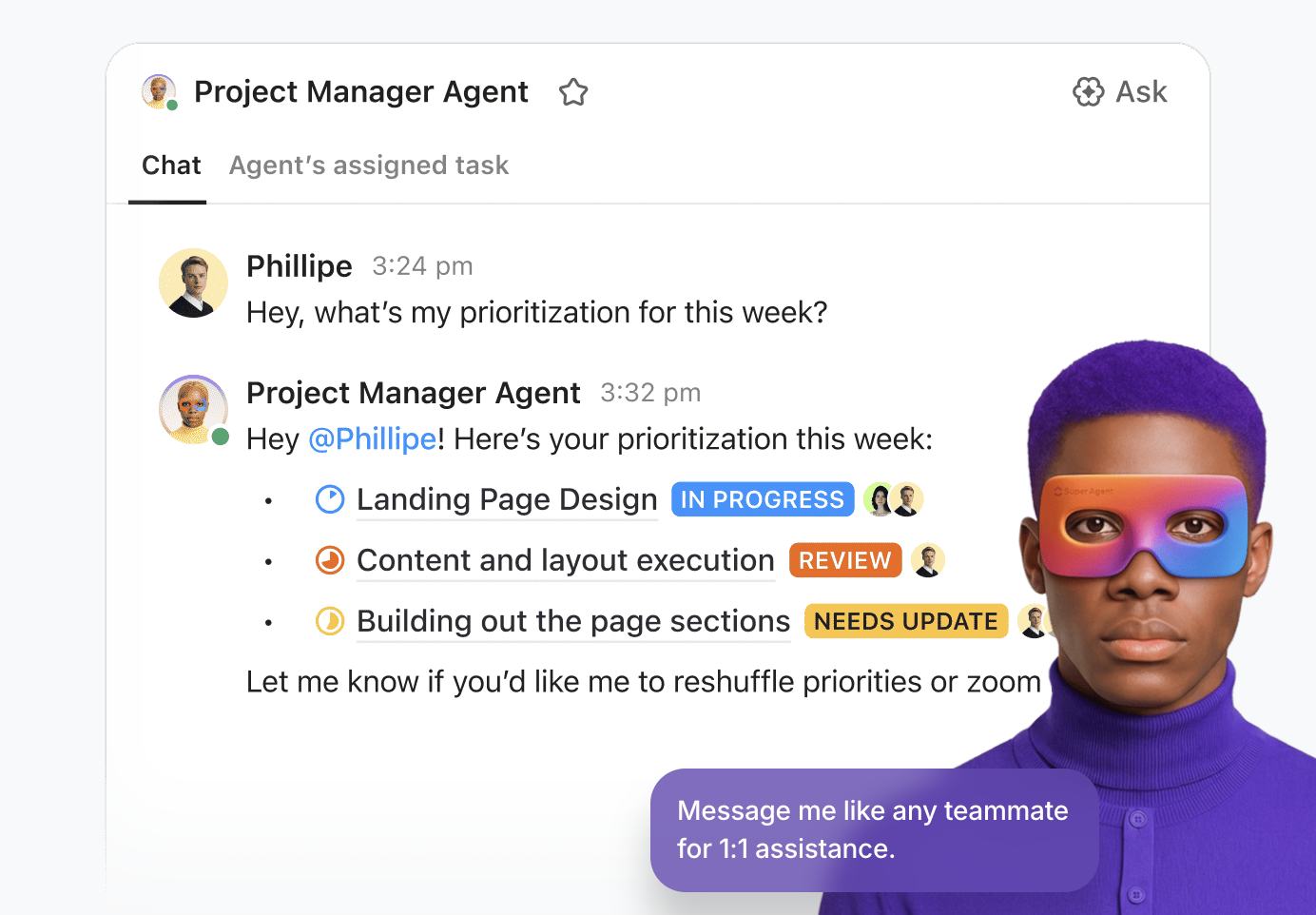
Instead of someone scanning dashboards, you can ask:
What’s been stuck in review this week?
Which features are trending late?
Where are we overloading the same people?
The answers come from live workflow data, not manual reports.
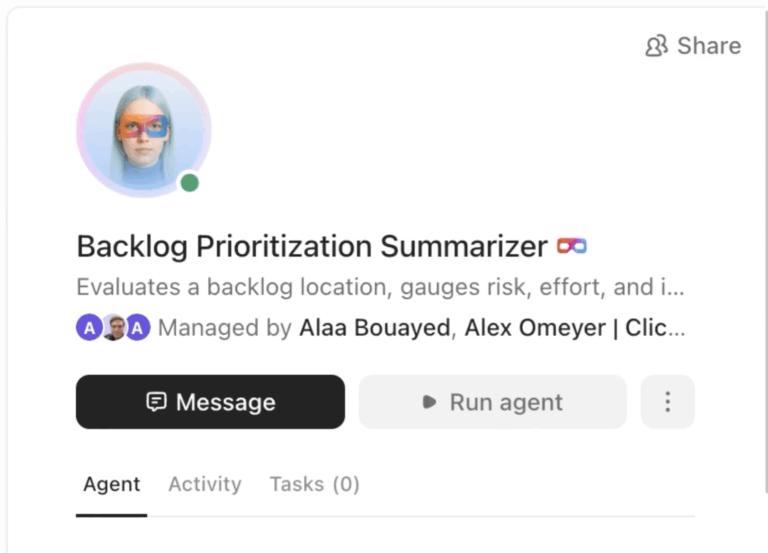
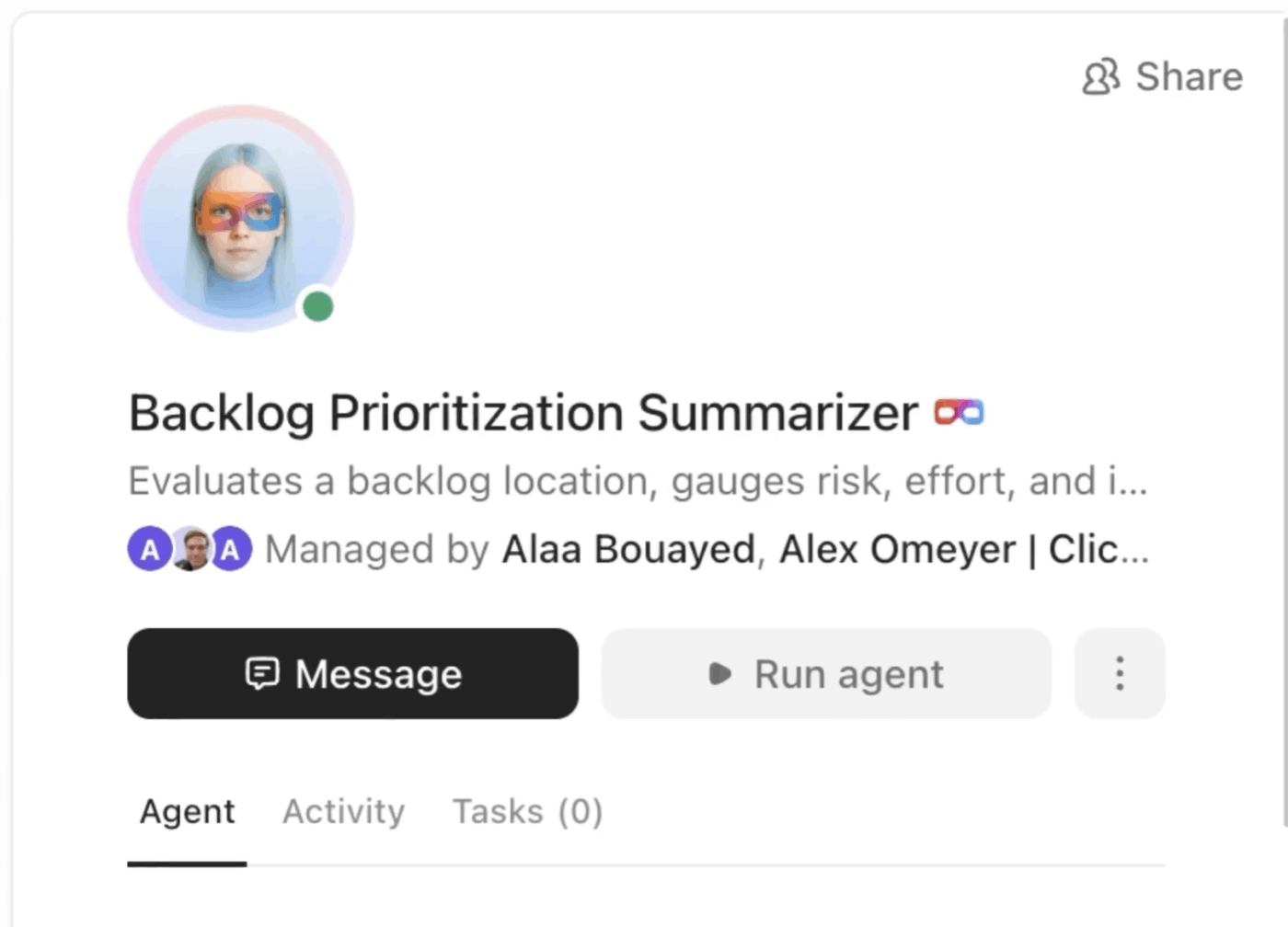
This Agent stays on top of all your critical backlog tasks
Step 4: Close the loop after the work ships
After deployment, the lessons learned never make it back into the system.
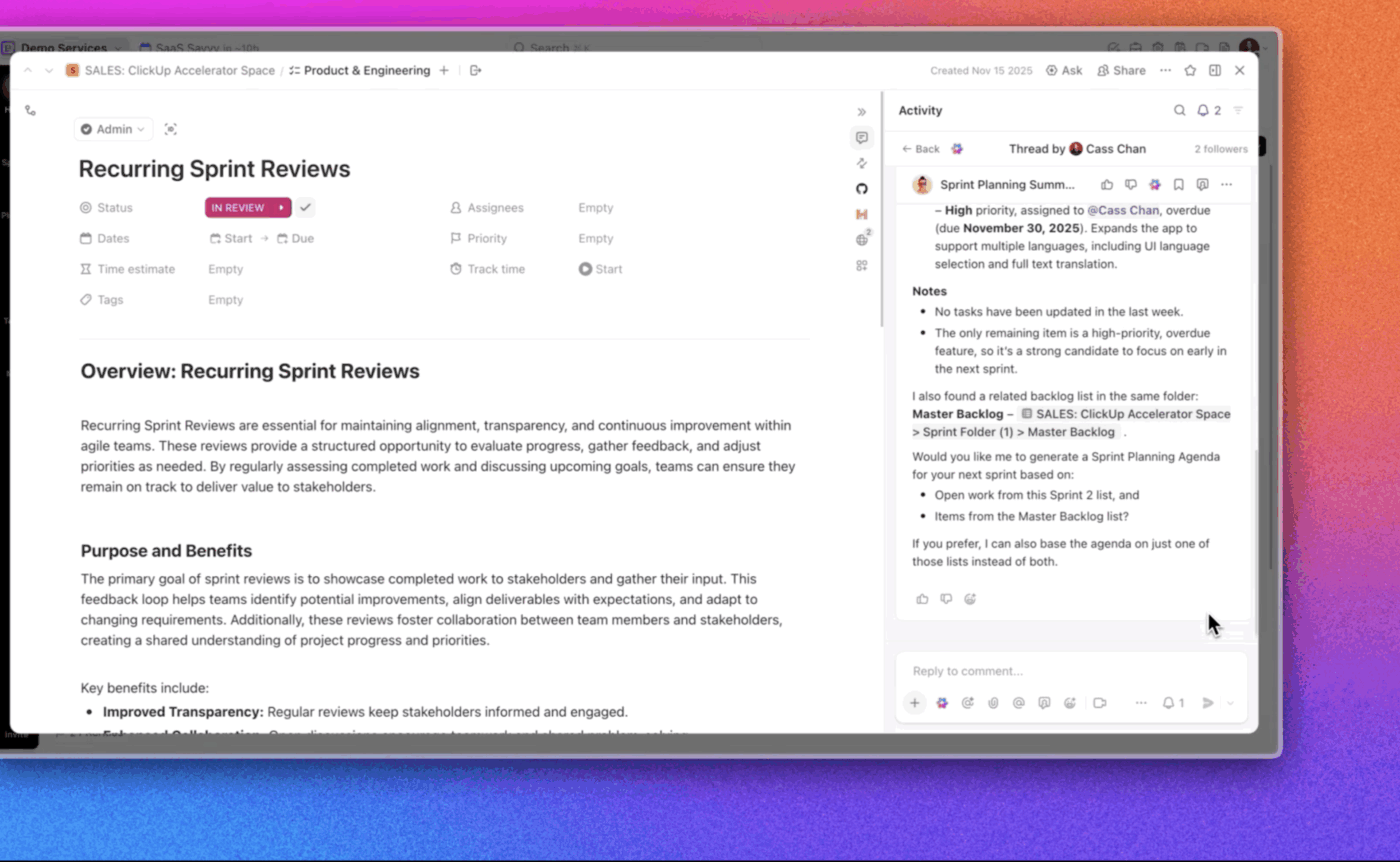
Agents, like the Sprint Review Summarizer or a Release Note Writer, can help here too.
They collate what changed, capture decisions from release discussions, and attach that context back to the task or doc. The next time a similar feature comes up, the reasoning is already there.
That’s how systems get smarter over time instead of resetting every sprint.
Ask the Sprint Review Agent to collate all the learnings, and you get a summary in seconds!
Why this works in ClickUp specifically
Agents only work when they can see the full picture.
In ClickUp, tasks, docs, comments, timelines, and permissions are already connected. Agents inherit the same access rules as your team and operate inside the same structure. There’s no duct-taping context together or maintaining fragile integrations.
😓 The Problem:“Work about work” was blocking real productivity
Bell Direct’s operations team was swamped. Every day, they handled 800+ client emails, each requiring manual reading, triage, categorization, and routing to the right person. The situation put pressure on team efficiency, visibility, and service quality, even though the company was delivering strong outcomes for clients.
✅ The Solution: A unified workspace + AI agents that work like teammates
Instead of adding another disconnected tool to the stack, Bell Direct chose ClickUp as its central command center. They consolidated everything from tasks and docs to processes and knowledge into one workspace where AI had full context. Rather than relying on generic bots or templates, they deployed a Super Agent they called “Delegator“. It’s an autonomous teammate trained to triage incoming work:
It reads every email coming into the shared inbox
It classifies urgency, client, and topic using AI-powered Custom Fields
It prioritizes and routes each task to the right person in real time
It does all of this without manual touchpoints from human operators
😄 The Impact: Measurable operational gains
20% boost in operational efficiency, meaning more work gets done faster with the same resources
2 full-time employees’ worth of capacity freed, now available for high-value strategic tasks
800+ daily client emails triaged in real time
The Super Agent now routes work the way a human would, but at machine speed and scale.
Summarize this article with AI
ClickUp Brain not only saves you precious time by instantly summarizing articles, it also leverages AI to connect your tasks, docs, people, and more, streamlining your workflow like never before.
Summarize this article for me please
Common Mistakes When Adopting AI Agents for Software Development
Adopting AI agents can transform your workflow, but many teams stumble out of the gate.
Here are the most common pitfalls to avoid. 👀
Deploying agents across fragmented toolchains: This is the number one reason agentic AI initiatives fail. If your agents have to hunt for context across multiple disconnected systems, they will create more chaos than value. You must solve your work sprawl problem first
Expecting agents to make decisions or replace human judgment: Agents are incredibly powerful for handling repetitive, pattern-based work, but they are not a substitute for human creativity and experience. Don’t ask an agent to solve a novel business problem or interpret complex software development architecture
Skipping the context-building phase: You can’t expect an agent to automatically know your team’s specific coding conventions or architectural preferences. You have to provide this context by documenting your standards in a place that the agents can access
Automating everything at once: Don’t try to automate everything at once. Start with a small, well-defined, and low-risk workflow. This allows you to learn and iterate without the risk of a major failure that could poison your organization against the technology
Ignoring agent outputs: Agents learn and improve through feedback. If your team just rubber-stamps everything an agent produces, you’re missing a critical opportunity to refine its performance and catch errors before they become bigger problems
Summarize this article with AI
ClickUp Brain not only saves you precious time by instantly summarizing articles, it also leverages AI to connect your tasks, docs, people, and more, streamlining your workflow like never before.
Summarize this article for me please
Crack Super Agents With ClickUp!
AI super agents automate the coordination overhead that currently bogs down your team. They can handle reviews, manage documentation, and streamline communication, but only if they have access to a unified source of truth.
So, the platform you work on matters more than the individual agents you deploy.
Super agents thrown into a fragmented ecosystem of disconnected tools will only amplify the existing chaos. The teams that succeed are the ones that first solve their context sprawl problem by consolidating their work into a single, converged workspace.
By investing in the right platform today, you’re preparing to leverage increasingly powerful agentic AI systems. Ready to give your AI agents the context they need to succeed?
Summarize this article with AI
ClickUp Brain not only saves you precious time by instantly summarizing articles, it also leverages AI to connect your tasks, docs, people, and more, streamlining your workflow like never before.
Summarize this article for me please
Frequently Asked Questions
How do AI super agents differ from traditional AI coding assistants?
Traditional coding assistants are like calculators for code; they respond to one-off prompts in isolation. Super agents are more like a virtual project manager, coordinating a team of specialized AI capabilities to execute complex, multi-step workflows autonomously.
No, agents support your team, not replace it. They excel at handling repetitive, rule-based tasks but lack the creative judgment and strategic thinking required for complex problem-solving and architectural design.
What security concerns should teams consider with AI agents?
You should be mindful of agent access to sensitive code and credentials, how the underlying AI models handle your data, and the ability to audit agent actions. It’s crucial to evaluate a platform’s security and privacy practices before deploying agents on production systems.
Everything you need to stay organized and get work done.