






Still downloading templates?
There’s an easier way. Try a free AI Agent in ClickUp that actually does the work for you—set up in minutes, save hours every week.
Sorry, there were no results found for “”
Sorry, there were no results found for “”
Sorry, there were no results found for “”
Most people think AI for personal finance means handing over their bank passwords to an app and hoping nothing goes wrong. That fear isn’t irrational. Money is personal, emotional, and deeply tied to trust.
But reality is different. 37% of U.S. adults (and 61% of Gen Z) already use artificial intelligence tools to manage their finances. They’re hardly outsourcing financial decision-making to the algo. Instead, they’re getting their financial lives organized—one invoice, one budget, one account at a time.
AI’s real value isn’t magic predictions or “beating the market.” It’s doing the unglamorous work of managing your money. It excels at tracking, categorizing, and flagging patterns, so you can see what’s actually going on.
This guide walks you through how AI tools actually work for budgeting, debt management, and financial planning. And where you still need human judgment to make smarter money decisions.
Most people know roughly what they earn, but few can tell you exactly where their money went last month. AI finance tools promise to answer that question automatically. But understanding what they actually do (and don’t do) is essential before you connect your accounts.
AI finance tools use machine learning to automate budgeting, track spending, and deliver personalized money advice. They surface insights that would take you hours to find on your own.
Manual money management can get really tedious and really repetitive, really quickly.
AI finance tools are built to eliminate that drudgery. They automate the work most people avoid or forget.
They act as a second set of eyes on your finances, working 24/7. Instead of checking your finances once a month and reacting too late, you get an always-on system that monitors the details in the background.
AI is exceptionally good at:
👀 Did You Know? 55% of Americans keep at least one paid subscription they don’t use each month.
For all their power, AI tools often lack the one thing that matters most: human context. An algorithm can tell you what is happening with your money, but it’s not great at telling you what to do about it when life gets complicated. This is where most people trip up—expecting an app to have all the answers.
Here’s where AI for personal finance falls short:
The limitations don’t mean it’s ineffective. Far from it. They just mean AI shouldn’t be in charge of your finances.
On that note, let’s look at some AI tools that can be your partners for personal financial management.
If you’ve ever searched for an “AI finance app,” you’ve seen the problem: dozens of tools that look similar, promise the same outcomes, and make it harder—not easier—to choose.
So how do you get started?
Our advice? First, find the right category of tool for the job you actually need help with. And go from there.
Most AI personal finance tools fall into three buckets:
If your biggest frustration is “I make decent money, but I don’t know where it’s all going,” start here. These tools give you visibility first—before advice, investing, or optimization.
What they’re best at:
Popular options:
💡 Look for these core features while you decide which AI budget tracker to choose:
| Feature | What it does | Why it matters |
|---|---|---|
| Auto-categorization | Sorts transactions automatically | Saves hours of manual tracking |
| Budget alerts | Notifies when approaching limits | Prevents overspending before it happens |
| Spending insights | Identifies patterns and trends | Reveals hidden money leaks |
🌟 Template Archive: 50-30-20 Budget Templates
Do dashboards full of charts and numbers overwhelm you? Do spreadsheets make you shut down?
If you’d rather just ask a question and get a straight answer, an AI-powered financial assistant might be a better fit. These generative AI tools use a chatbot interface to make managing your money feel more like a conversation. They let you talk to your finances!
You can ask natural language queries like, “How much did I spend on takeout last month?” or “Can I afford a $500 purchase right now?” The AI assistant will check your connected accounts and give you an immediate answer.
What they’re best at
Popular options:
Learn more about Cleo and other AI tools for personal use in this video:
💡 Pro Tip: If you already use ClickUp to track budgets, bills, or financial goals, you can use ClickUp Brain as a lightweight, context-aware financial assistant—without connecting bank accounts.
Because Brain understands the Tasks, Docs, and goals inside your workspace, you can ask questions like:
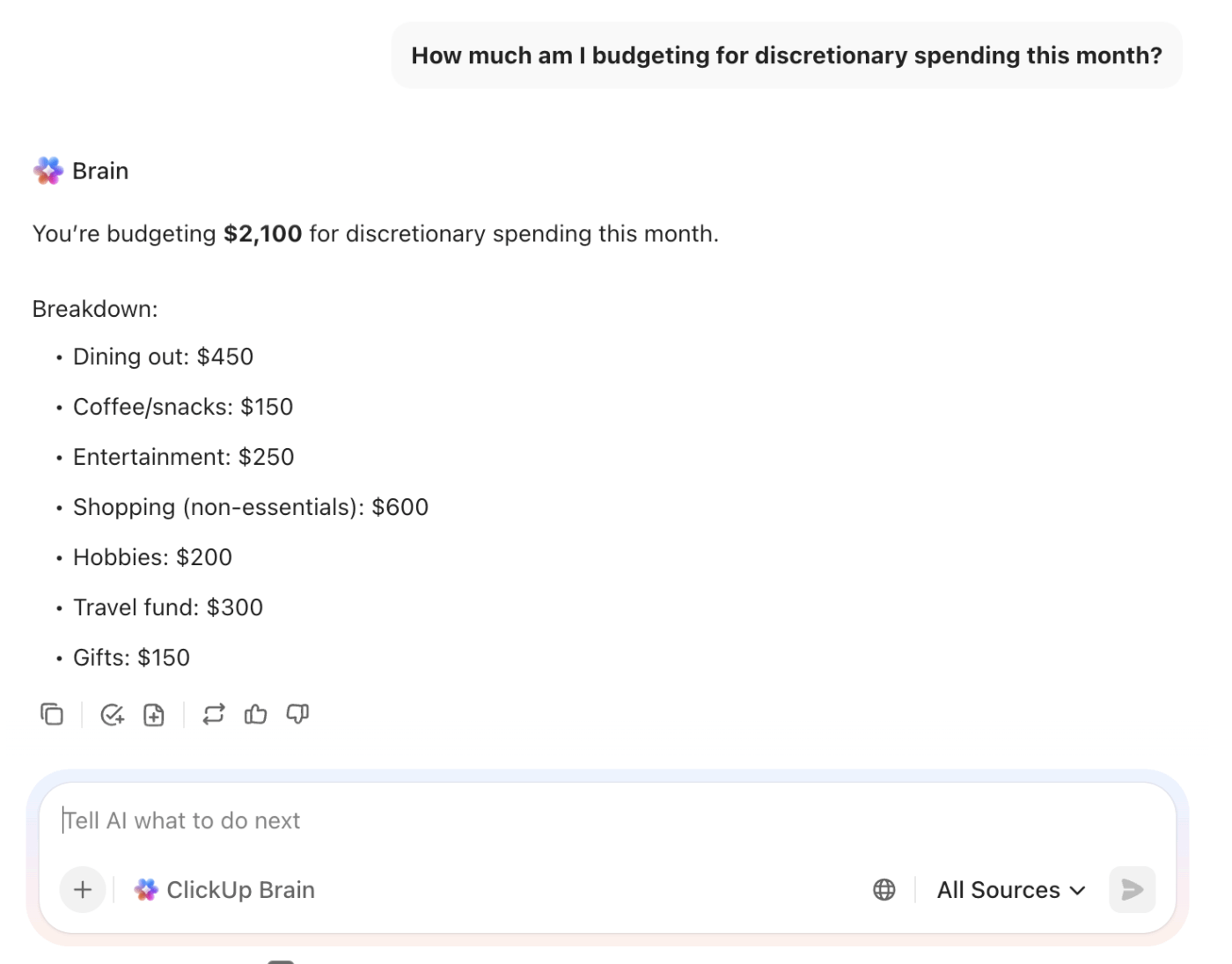
Unlike finance apps that only see transactions, ClickUp Brain sees intent from your plans, notes, trade-offs, and follow-ups. That makes it especially useful for decision-making, reviews, and planning conversations, where context matters more than raw numbers.
Think of it as the layer that helps you reason about your money—not just track it.
Just remember that these work best for awareness and habit-building (not complex planning).
🧠 Fun Fact: Among the U.S. consumers who have used generative AI for personal financial management, 96% reported positive experiences, with 77% saying they use generative AI for personal financial tasks at least once a week.
Investing can feel like the most complex part of personal finance, and many people avoid it because they’re afraid of making a costly mistake. AI investing tools, often called robo-advisors, simplify the process by managing your portfolio for you.
What they’re best at:
Well-known options:
These tools are fantastic for passive, long-term investing.
💡 Pro Tip: Be very skeptical of any tool that promises to ‘beat the market’ with AI-driven stock picks. Research consistently shows that most actively managed funds underperform their benchmark indexes over time, and simple, low-cost index funds often deliver better results with less risk.
One recent analysis found that roughly 90% of active equity fund managers underperform their index over a 10-year horizon, and similar underperformance holds for fixed income funds as well.
Downloading a fancy AI finance app is easy. The hard part is turning it into a habit that actually improves your financial health. Without a clear plan, that new app just becomes another notification you ignore. Here’s how to move from passively tracking data to actively managing your money. 🛠️
The first step to taking control of your finances is getting an honest look at where your money is going. This used to mean hours of sorting through bank statements, but AI can do it for you in minutes.
Here’s a blueprint:
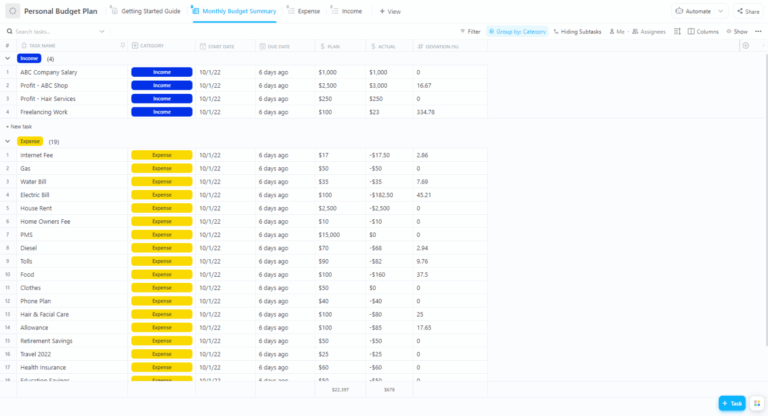
💡 Pro Tip: Use the ClickUp Personal Budget Plan Template to turn AI insights into concrete decisions. The template gives you a simple place to track income, expenses, and category budgets—and to review them regularly, rather than reacting late.
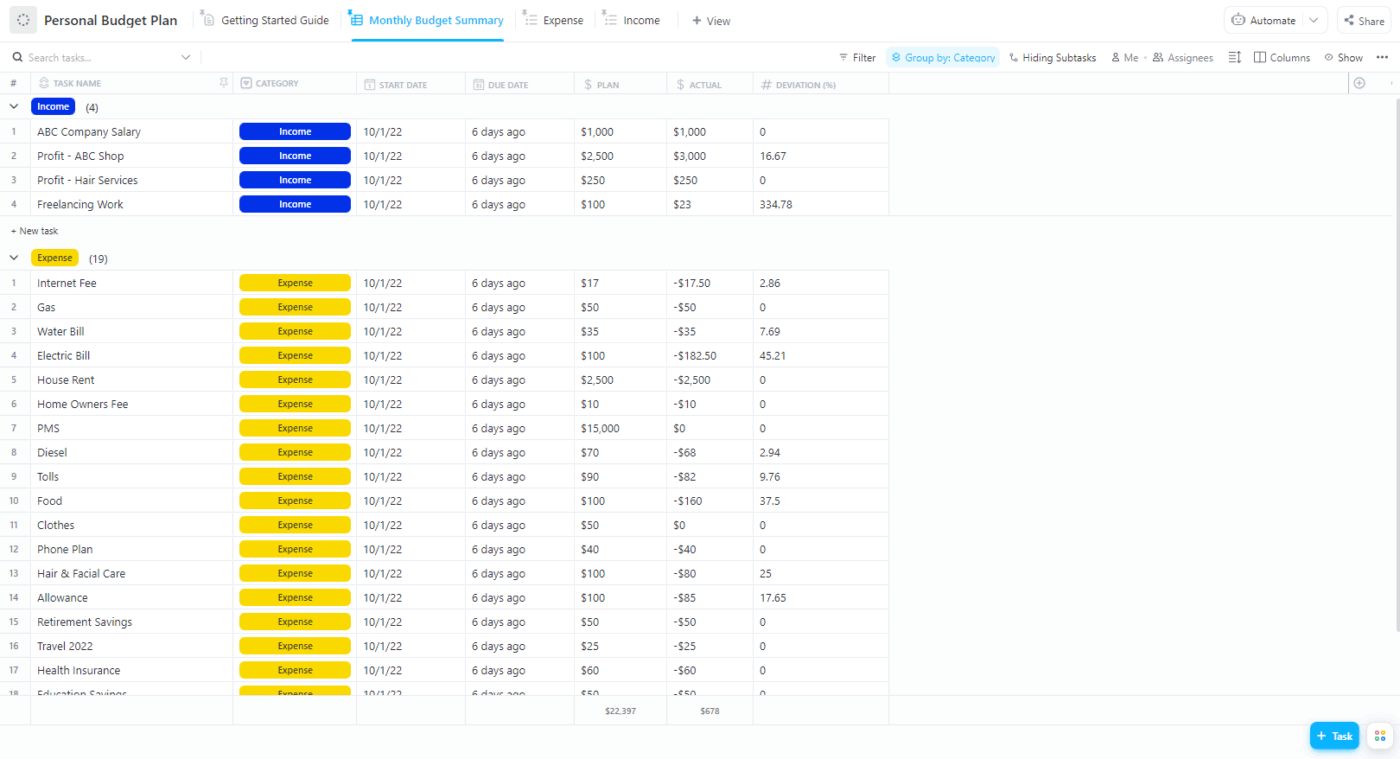
When your AI tool flags a trend (like overspending on entertainment), add a quick ClickUp Task in the template to review and adjust that category before the next month starts.
It’s the bridge between knowing what changed and actually doing something about it.
Imagine staring at $18,000 worth of credit card dues that barely move, no matter how careful you think you’re being. Or setting a savings goal that feels hopeful on payday and impossible two weeks later.
When the numbers feel heavy and progress feels invisible, AI breaks big, scary goals into small steps. Like sending an extra $75 toward your balance when cash flow allows, or quietly moving $40 into savings on weeks you don’t need it.
Use AI to plan:
Subscription audits often uncover more than one forgotten charge. They also reveal a bigger issue: your financial life is scattered. One app tracks subscriptions. Another handles budgets. A third stores notes or reminders you meant to follow up on.
That tool sprawl is exactly where good intentions fall apart.
Instead of juggling tools, you can bring everything into one place. ClickUp works as a single hub for managing your finances beyond transactions. Use it for:
🌟 Template Archive: Bill Organizer Templates
Meeting with a financial advisor unprepared wastes time and money. You end up spending the first half of the session just trying to explain your financial situation. AI tools can help you prepare so you can spend your time on high-level strategy, not data entry.
Use AI to get organized before your meeting:
This hybrid approach—letting AI handle the data and the human advisor handle the strategy—can be one of the most effective ways to manage your money.
🎥 Bonus: This video will give you our best tips to use AI as a personal assistant for multiple aspects of your life (and not just finances!)
⚠️ 13% of our survey respondents want to use AI to make difficult decisions and solve complex problems. However, only 28% say they use AI regularly at work. A possible reason: Data security concerns!
The same theme can be seen with AI finance tools. Handing over your bank account login information to a third-party app can feel unnerving. It’s smart to be cautious. The convenience these apps offer comes with a trade-off. Go in with your eyes open.
The main risk is a data breach. If the company you’re using gets hacked, your financial data could be exposed. While most apps use read-only access (meaning they can’t move money), the data itself is sensitive.
Here are some practical safeguards you should always use:
👀 Did You Know? 62% of customers say they would lose confidence in their primary bank after a single breach.
It’s tempting to think you have to choose between an AI tool and a human financial advisor, but the reality is that they work best together. The key is understanding what each is good at. AI is for data; humans are for wisdom.
Letting each play to its strengths creates a powerful financial management system.
Tasks AI handles well:
Tasks that still need a human:
🔑 In summary: Use AI for the 80% of your financial life that’s about data and routine. Reserve a human advisor for the 20% that requires nuance, empathy, and expertise.
With so many options, how do you pick the one that’s right for you? Instead of just reading reviews, you need a framework to evaluate apps based on your own needs. Don’t get caught in “app-hopping,” where you try a new tool every month without ever sticking with one.
Ask yourself these questions before you start your search:
Once you have a shortlist, look for these red flags:
When your budget lives in one app, your tax documents in a cloud drive, and your savings goals on a forgotten spreadsheet…it’s hard to see the big picture.
The solution? As we’ve mentioned before, bring everything into a single, Converged Workspace. ClickUp allows you to manage not just the data, but the entire process of your financial life.
Build your central financial hub in ClickUp. 🌻
💡 Bonus: Watch this video for our best tips on creating your personal wiki 👇🏽
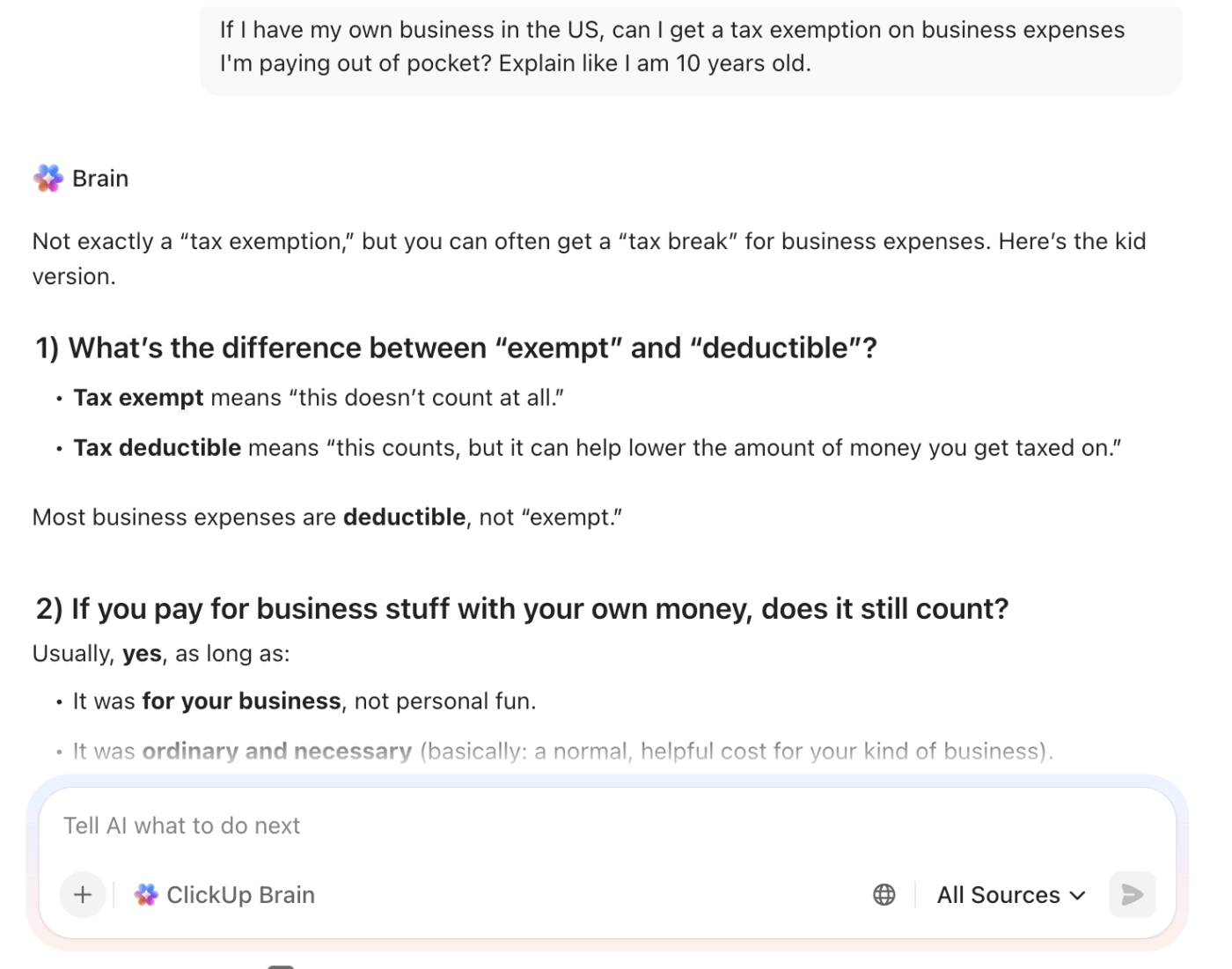
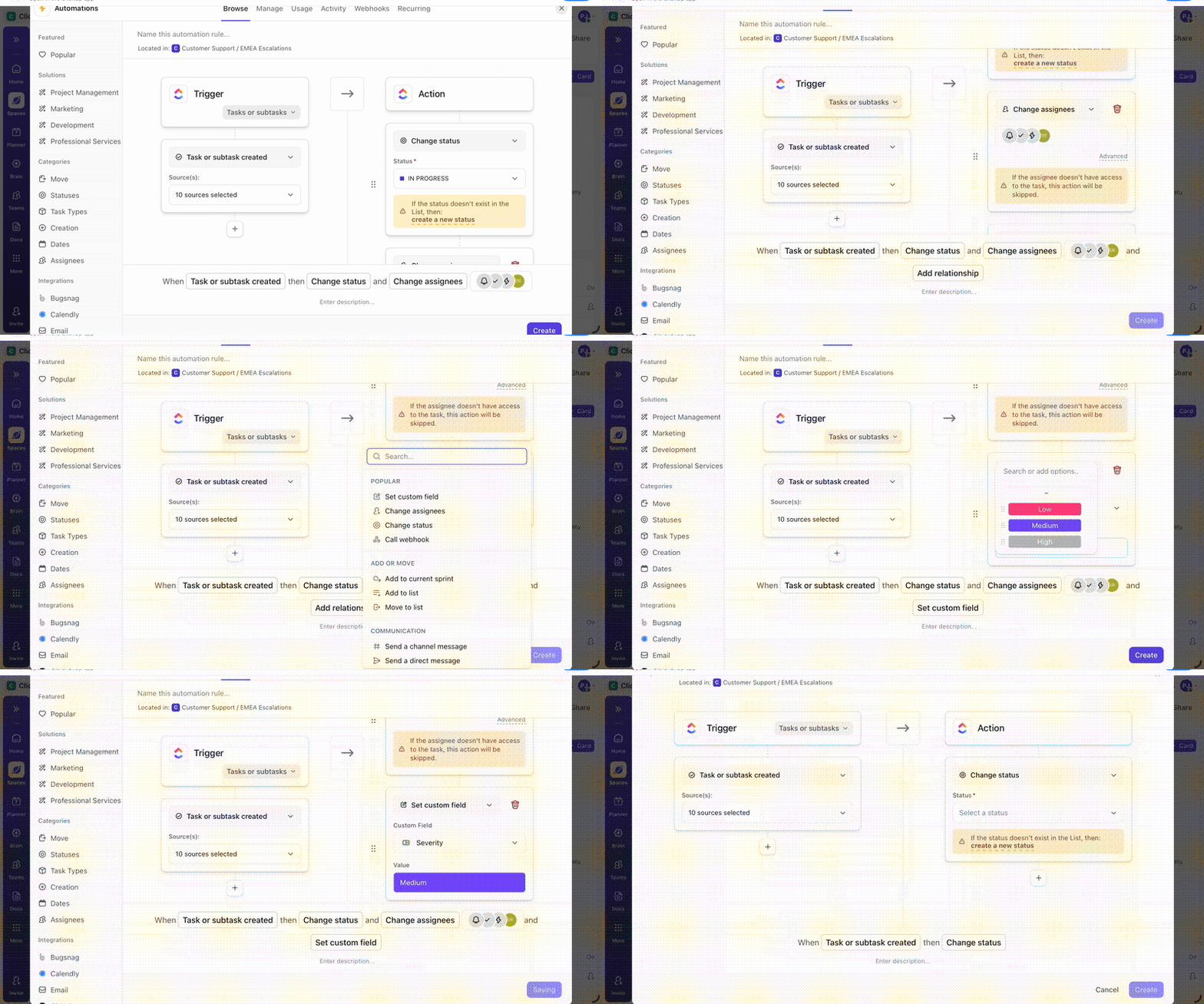
Why’s ClickUp a good fit for managing your personal finances?
Unlike a standalone budgeting app, ClickUp connects your financial goals to the rest of your life. Your goal to save for a down payment can be linked directly to your tasks for researching neighborhoods. Your plan to pay off debt can be connected to your career development goals.
When money decisions live alongside the actions that support them, progress feels less abstract—and a lot more achievable.
💡 Pro Tip: Configure Super Agents in ClickUp to continuously watch what’s happening in your finance workspace and act when something changes.
For example:
They’re your AI teammates that go to work for you, automatically, without waiting for instructions each time. This makes them perfect for keeping your financial affairs in order, even when life gets busy.
Learn more about them here:
AI has changed what’s possible in personal finance, but only if it’s used intentionally.
At its best, AI removes friction. It tracks spending automatically, surfaces patterns you’d never spot on your own, and keeps your finances visible without constant effort. That alone is a meaningful upgrade from spreadsheets and forgotten reminders. But AI doesn’t make decisions for you. It won’t weigh trade-offs, account for life changes, or keep you accountable when priorities shift.
That’s why the most effective setups combine AI tools for insight with a system that connects goals, decisions, and follow-through in one place. When your budget, savings goals, subscription cleanups, and financial plans live alongside the rest of your life—not scattered across apps—it’s far easier to stay consistent.
This is where ClickUp fits naturally. It helps you organize the work around money: planning, reviewing, deciding, and acting—while tools like ClickUp Brain add AI support without requiring access to your bank accounts.
Bring real organization to your financial life by signing up for a free ClickUp account. ✅
For data-driven tasks like categorizing spending or calculating debt payoff timelines, AI is highly accurate. However, use its advice as input for your decisions, not as the final word on complex choices that involve your personal values.
AI budgeting apps automate the entire process by importing and categorizing transactions for you in real-time. A traditional budgeting spreadsheet offers more privacy and control but requires hours of manual data entry.
The primary risks are data breaches and the potential for your data to be shared with third parties. You can mitigate these risks by choosing apps with bank-level encryption and two-factor authentication, and by reading the privacy policy before you sign up.

© 2026 ClickUp

There’s an easier way. Try a free AI Agent in ClickUp that actually does the work for you—set up in minutes, save hours every week.