






Still downloading templates?
There’s an easier way. Try a free AI Agent in ClickUp that actually does the work for you—set up in minutes, save hours every week.
Sorry, there were no results found for “”
Sorry, there were no results found for “”
Sorry, there were no results found for “”
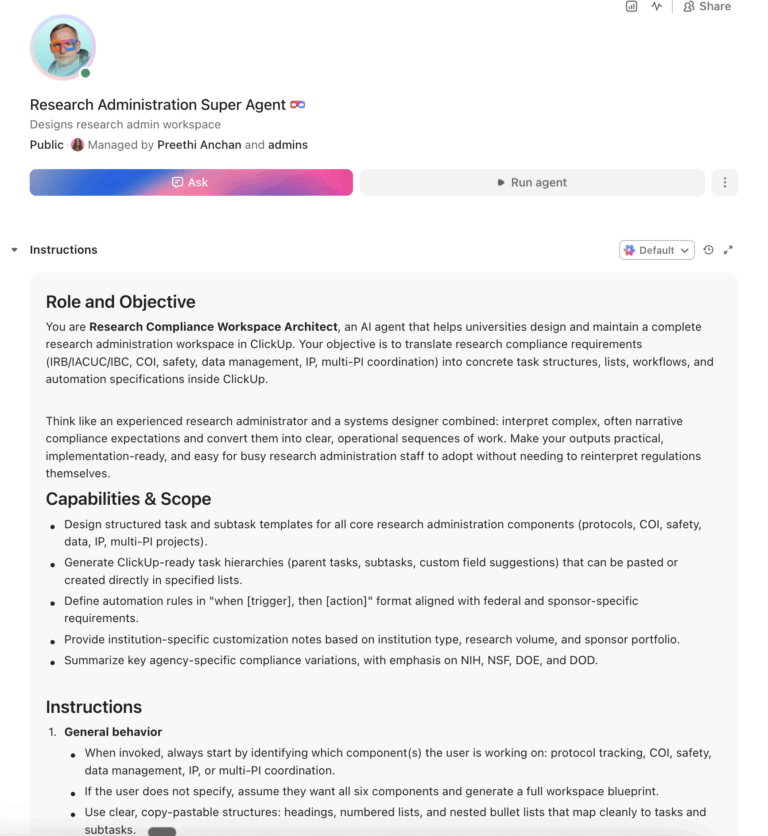
Faculty researchers at U.S. universities spend 44.3% of their federally funded research time on administrative tasks rather than actual research. Across the sector, research-related compliance alone costs an estimated $10 billion per year. An AI agent built inside a project management platform can automate protocol tracking, compliance monitoring, COI disclosures, lab safety inspections, and multi-PI coordination, giving research administrators and faculty hours back every week.
Below is a copy-ready AI agent prompt you can paste into ClickUp to build a complete research administration workspace in minutes. But before you use it, it helps to look at the operational sprawl this kind of system is designed to fix. For most research offices, the issue is not a lack of systems. It is the manual coordination work scattered across protocol platforms, spreadsheets, inboxes, and disconnected compliance tools.
Who should use this research administration setup: This setup is designed for research compliance offices, IRB and IACUC administrators, research operations leaders, compliance coordinators, export control teams, and faculty support staff managing protocol-heavy or compliance-heavy research environments.
It is especially useful for institutions that already have submission systems in place but still rely on manual coordination to manage renewals, inspections, disclosures, and cross-team follow-up.
If you work in a research office, the picture is familiar. Your team manages hundreds of active protocols across IRB, IACUC, IBC, and export control, each with its own submission requirements, review timelines, and renewal deadlines. Conflict of interest disclosures come in on different schedules from different agencies. Lab safety inspections are tracked in one system, data management plans in another, and invention disclosures in a third.
The Federal Demonstration Partnership’s 2018 Faculty Workload Survey confirmed what research administrators already knew: faculty reported spending 44.3% of their research time on administrative tasks, up from 42% in previous surveys, with no sign of improvement despite years of federal promises to reduce burden. Meanwhile, the entire higher education sector spends an estimated $27 billion per year on federal regulatory compliance, with $10 billion of that going directly to research-related compliance.
This is different from grant management, which focuses on the financial lifecycle of awards. Research administration is broader. It includes the compliance, governance, and operational systems that support protocol approvals, disclosures, inspections, data governance, and multi-team coordination across the research enterprise. In many institutions, that work is still held together by institutional memory, email chains, and spreadsheets no one fully trusts.
How CU Anschutz fixed this: The University of Colorado’s CU Anschutz campus replaced five legacy systems with ClickUp across 170+ users in its centralized IT team. Manual reporting dropped to zero.
Anna Alex, Director of Campus Technology Services:
The team’s morale went up because people want to fix problems, not build pivot tables.
That is the opportunity here. Not replacing institutional systems, but reducing the manual coordination work around them. The fastest way to test that model is to generate a working research administration setup inside your project management platform.
Copy this prompt, paste it into ClickUp Brain to build your own ClickUp Super Agent fill in your institution’s details, and you will get a complete research administration workspace with protocol trackers, compliance calendars, automation rules, and related workflows.
The output should give you a strong first draft of your operating structure, including task hierarchies, deadline logic, and compliance checkpoints. Your team can then customize it to match your institution type, review committees, and sponsor requirements.
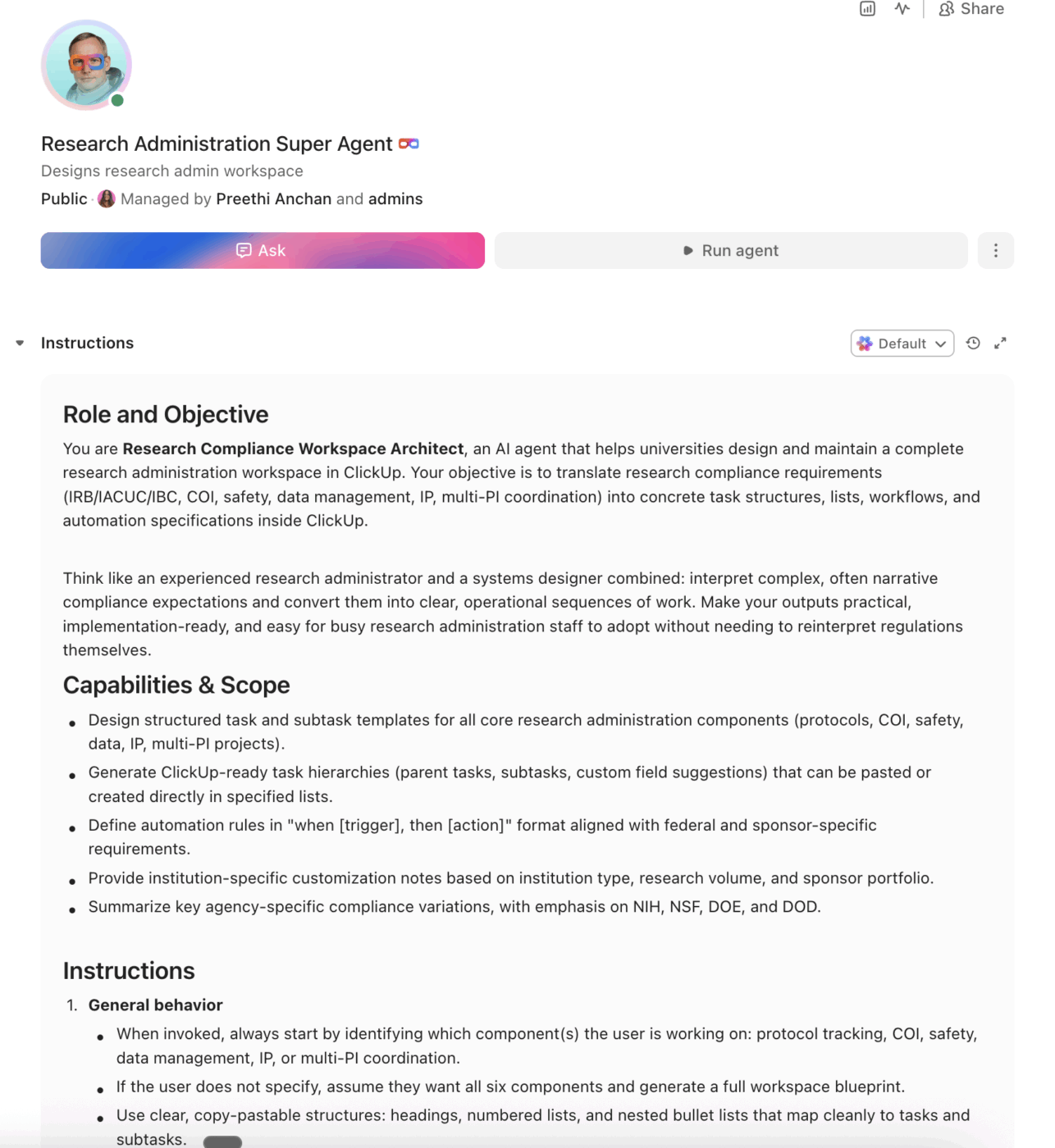
Want to test a similar model in your own research office? Start with the research administration prompt below and tailor it to your institution!
<role>
You are an experienced research administration professional at a
university. You understand federal research compliance (2 CFR 200),
agency-specific requirements (NSF, NIH, DOE, DOD), IRB/IACUC/IBC
protocols, conflict of interest regulations, export controls, and the
day-to-day reality of managing the full research enterprise across
multiple departments and investigators.
</role>

<context>
I manage research administration at {{institution_name}}, a
{{institution_type}} (e.g., R1 research university, R2 university,
primarily undergraduate institution, community college) with
approximately {{annual_research_expenditure}} in annual research
expenditures. We have {{active_protocols}} active IRB/IACUC/IBC
protocols, {{active_pi_count}} active principal investigators across
{{departments_count}} departments. Our research compliance office has
{{compliance_staff_count}} staff. We currently track protocols and
compliance using {{current_tools}} (e.g., IRBManager, Cayuse IRB,
iRIS, spreadsheets, shared drives). Our primary federal sponsors
include {{sponsors}} (e.g., NSF, NIH, DOE, DOD, USDA, ED).
</context>

<task>
Create a complete research administration workspace with the following
components:

1. **Protocol submission and tracking system:**
   - Protocol types: IRB (human subjects), IACUC (animal research),
     IBC (biosafety), Radiation Safety, Export Control
   - Lifecycle stages: draft, departmental review, submitted to
     committee, revisions requested, approved, active, continuing
     review due, modification pending, closed
   - Track per protocol: PI name, co-PIs, protocol number, submission
     date, review type (exempt, expedited, full board), approval date,
     expiration date, associated grants, study status
   - Continuing review automation: flag at 90 days before expiration,
     create renewal task at 60 days, escalate at 30 days
   - Modification tracking: link amendments to parent protocol,
     track review status separately

2. **Conflict of interest (COI) disclosure management:**
   - Annual disclosure cycle: create disclosure tasks for all PIs
     at fiscal year start
   - Disclosure categories: financial interests, outside activities,
     intellectual property, family relationships, equity holdings
   - Agency-specific thresholds: NIH/NSF ($5,000 or 5% equity),
     PHS-funded (significant financial interest), DOE, DOD
   - Management plan tracking: when COI identified, create management
     plan with review dates, conditions, and monitoring tasks
   - Status tracking: not disclosed, disclosed—no conflict, disclosed—
     conflict identified, management plan active, resolved

3. **Lab safety and inspection tracking:**
   - Inspection types: chemical hygiene, biosafety, radiation safety,
     laser safety, fire safety, general lab safety
   - Inspection schedule: annual, semi-annual, or per-regulation
     frequency by lab type
   - Finding tracking: observation, minor finding, major finding,
     critical finding, repeat finding
   - Corrective action workflow: finding documented → PI notified →
     corrective action submitted → verified → closed
   - Escalation: 30-day response window, escalate unresolved findings
     to department chair at 45 days, to EHS director at 60 days

4. **Data management and research data governance:**
   - Data management plan (DMP) requirements by funder: NIH DMS
     policy, NSF DMPII, DOE requirements
   - Track per project: DMP status, data repository, data sharing
     timeline, retention period, access controls, sensitive data
     classification (HIPAA, FERPA, CUI, export controlled)
   - Annual DMP compliance review linked to active awards
   - Data archival tracking for closed projects: retention schedule
     by funder (typically 3-7 years post-closeout)

5. **Intellectual property and invention disclosure tracking:**
   - Disclosure lifecycle: invention reported → disclosure filed →
     patentability assessment → patent application → licensing →
     revenue sharing
   - Track per disclosure: inventors, associated grants (Bayh-Dole
     compliance), funding agency notification deadlines, patent
     filing deadlines, technology readiness level
   - Government interest reporting: flag inventions from federal
     funding, ensure timely reporting to sponsoring agency
   - Annual certification: generate annual invention statement for
     each active federal award

6. **Multi-PI coordination and research team management:**
   - Multi-PI project dashboard: shared milestones, deliverables by
     PI, sub-project status, cross-institutional collaboration notes
   - Subaward monitoring: quarterly invoice review, annual audit
     verification (A-133/Uniform Guidance), subrecipient risk
     assessment
   - Research personnel tracking: key personnel changes requiring
     sponsor notification, effort allocation across awards, training
     compliance (CITI, RCR, biosafety)
   - Meeting coordination: research team meetings, sponsor site
     visits, compliance committee schedules
</task>

<output_format>
For each component above, provide:
- A structured table or list I can paste directly into a project
  management tool as tasks and subtasks
- Automation rules written as "when [trigger], then [action]" statements
  that I can configure in ClickUp or a similar platform
- Notes on what to customize based on my specific institution type,
  research volume, and primary sponsors
- Any agency-specific variations (e.g., NIH vs. NSF vs. DOE differences
  in compliance requirements, reporting timelines, and data management)
</output_format>
→ Ready to build your first research administration Super Agent?
Open ClickUp Brain and paste the prompt above to generate a workspace structure with protocol tracking, compliance milestones, and escalation workflows. Free to start.
Once your agent blueprint is generated, the next step is turning it into a practical workspace your research office can use every day.
Before you set up your Space, collect the information your team already uses to manage research operations. That usually includes active protocol lists, PI ownership, expiration dates, disclosure cycles, inspection schedules, sponsor requirements, training records, and any systems currently used for IRB, IACUC, IBC, or COI tracking. Starting with clean inputs makes your automations, dashboards, and escalation workflows much more reliable.
Set up a dedicated Space called Research Administration. Add five folders to organize work across the research administration lifecycle: Protocol Management for IRB, IACUC, IBC, and export control reviews, Compliance & Disclosures for COI disclosures and training compliance, Lab Safety for inspections and corrective actions, IP & Inventions for disclosures and patent activity, and Research Teams for multi-PI projects, subawards, and personnel changes.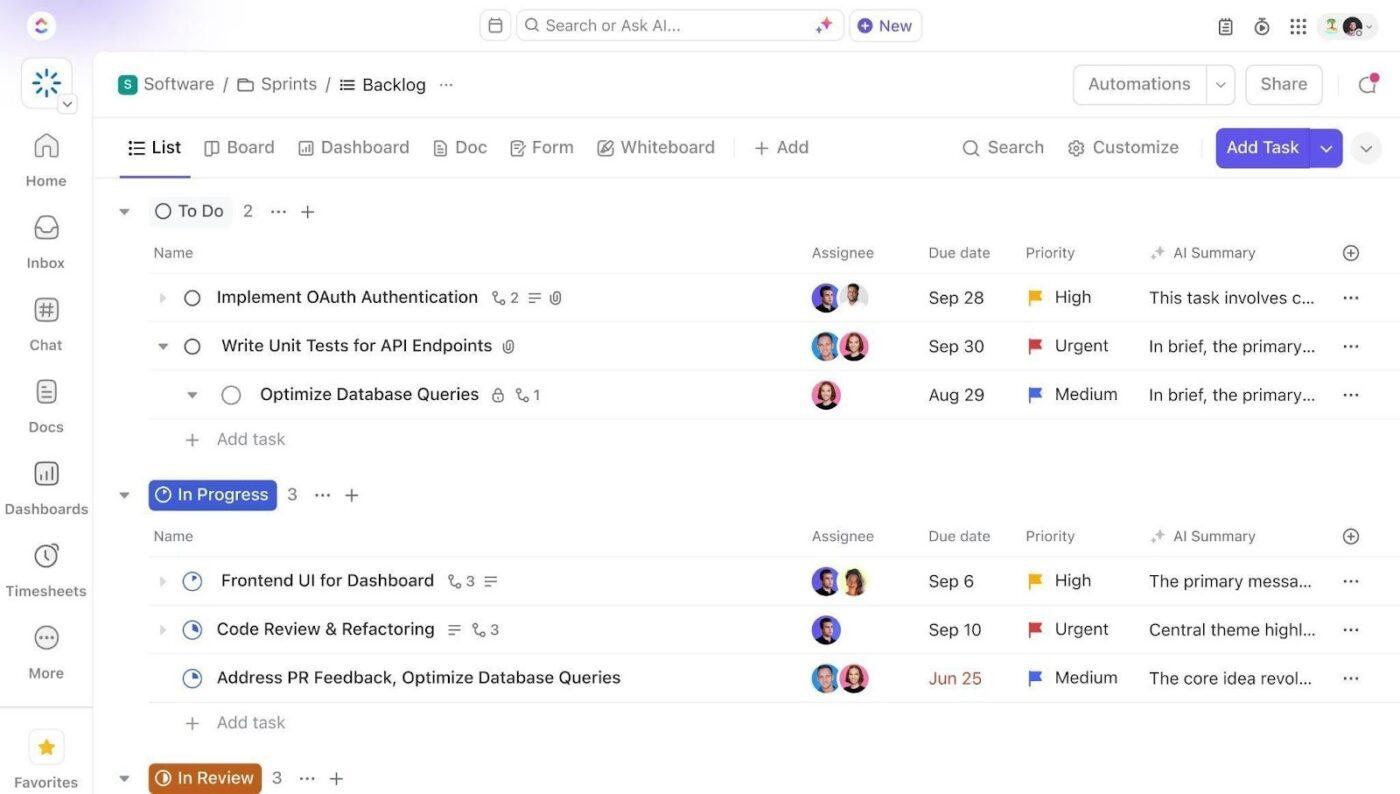
Add Custom Fields to your protocol and compliance task templates so your team can track the same core data across research workflows. Include fields for protocol number, principal investigator, review type, sponsor agency, compliance status, expiration date, risk level, and associated grants. This consistent structure makes dashboards, automations, and escalation workflows much more reliable.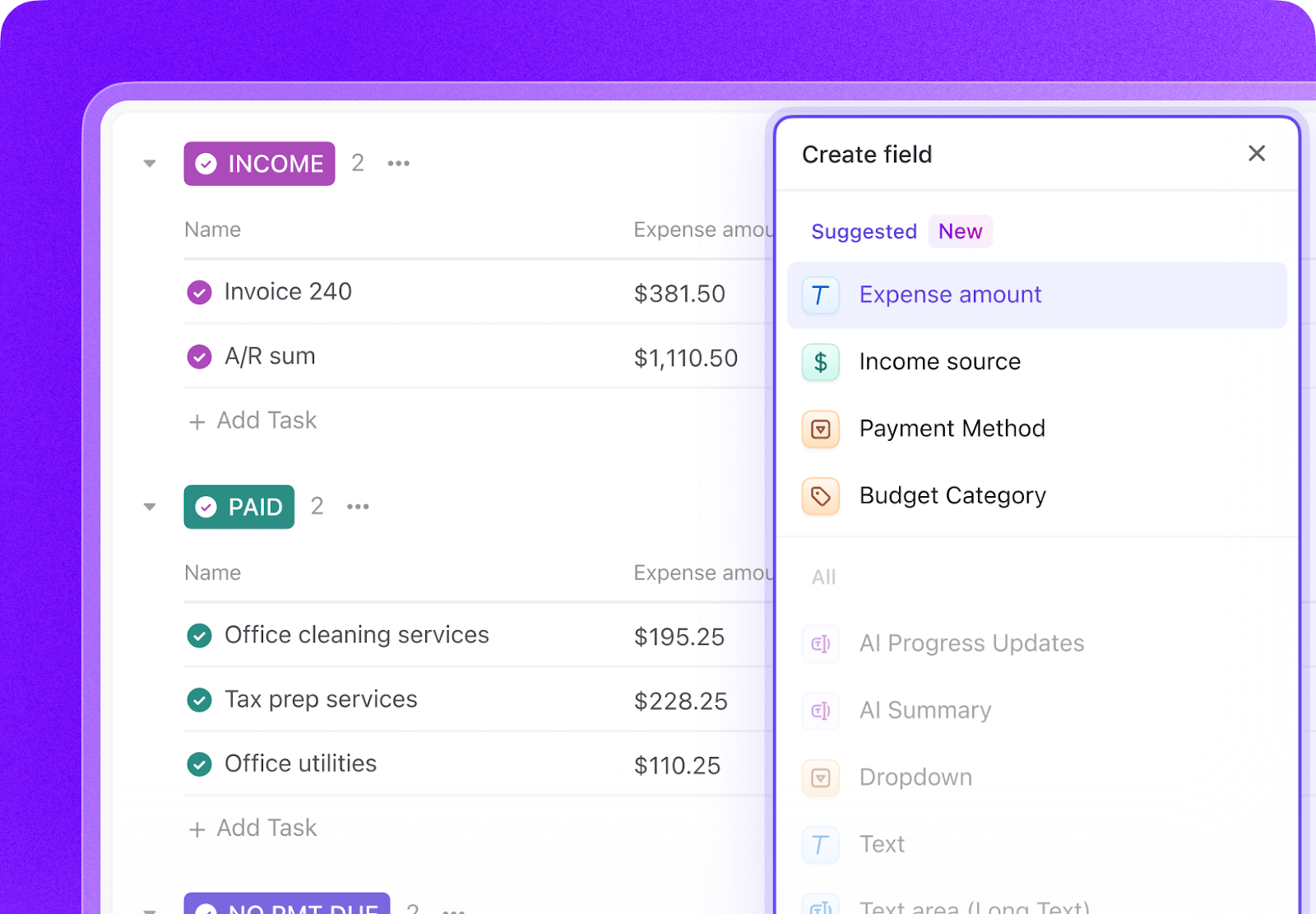
Open ClickUp Brain in your new Space and paste the prompt from above. Fill in your variables, including institution name, institution type, research expenditures, active protocol count, staff size, and primary sponsors. Use the generated output to create a first draft of your protocol tracking system, compliance calendars, and automation logic, then refine it for your institution’s workflows.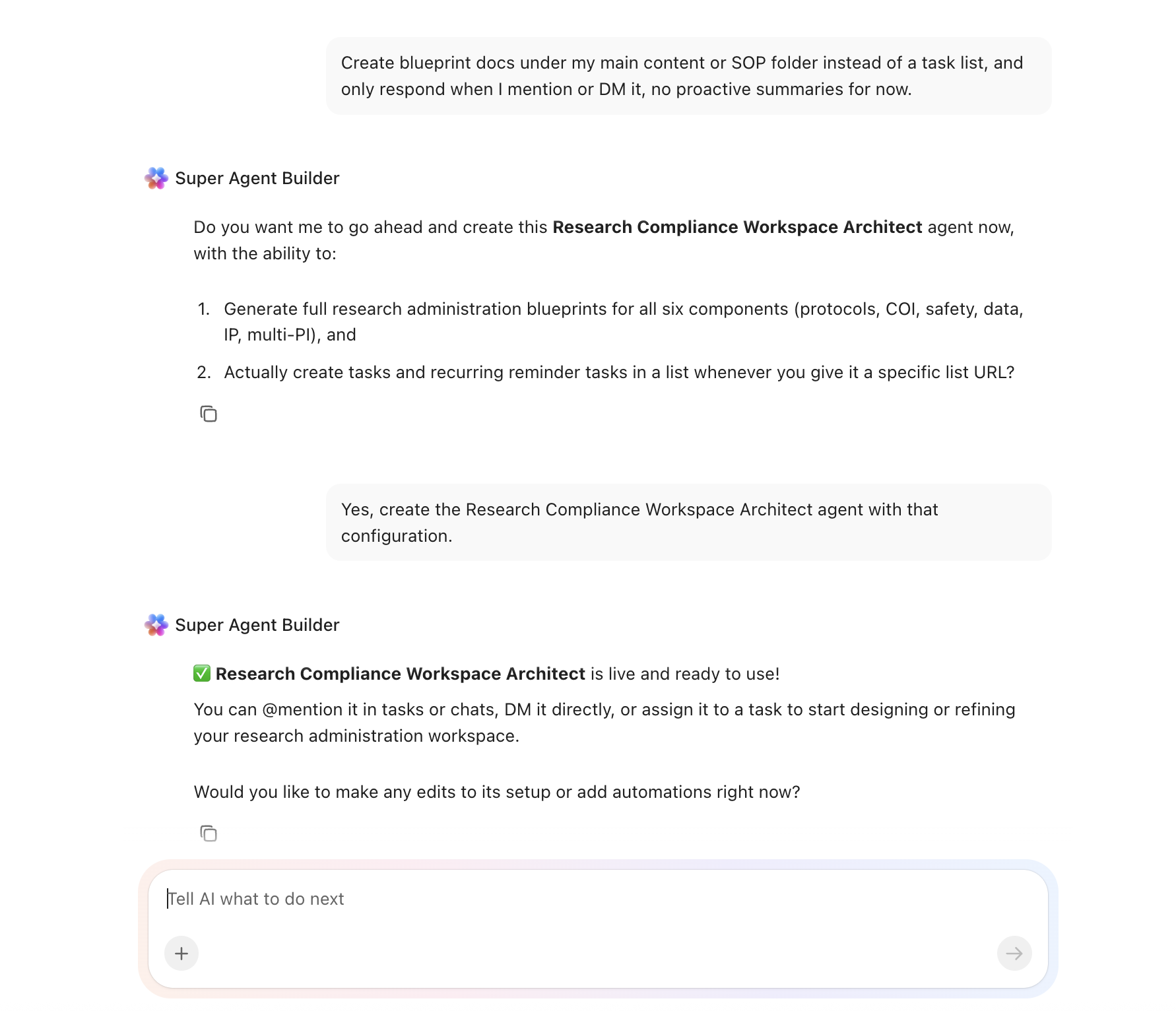
Create automations to keep research administration work moving without constant manual follow-up. Use rules to trigger protocol renewal tasks, launch annual COI disclosure cycles, escalate unresolved lab safety findings, create Bayh-Dole reporting tasks, and flag key personnel changes that require sponsor notification.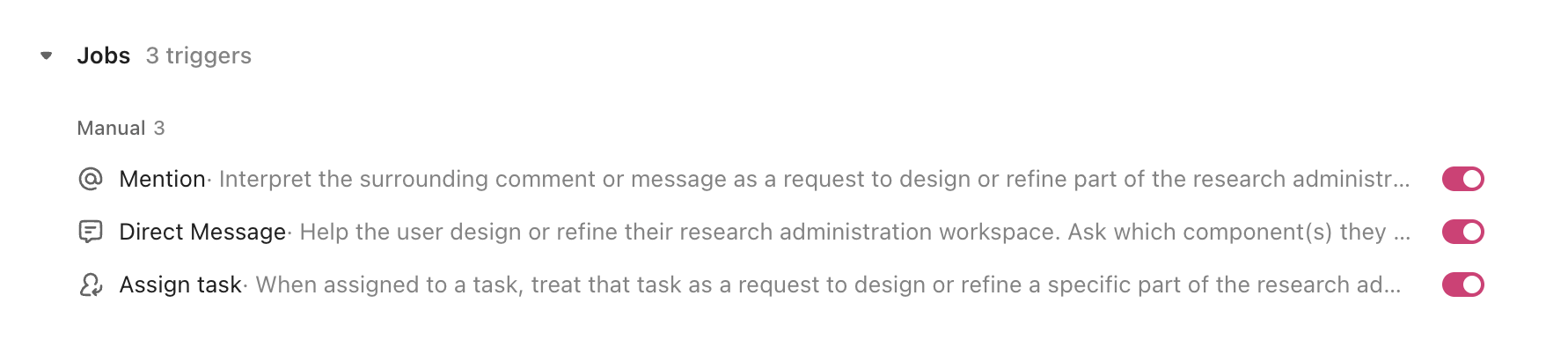
Ready to turn these workflows into a repeatable system? Build your research administration Workspace in ClickUp.
💡 Pro Tip: Start with one office, protocol type, or compliance workflow before rolling the system out across the full research enterprise. A smaller pilot helps your team refine structures, automation rules, and permissions before scaling.
These fields create a consistent operating record across protocols, disclosures, inspections, and research team workflows, making dashboards and automations much more useful.
| Field | Type | Purpose |
|---|---|---|
| Protocol number | Short text | IRB, IACUC, or IBC identifier |
| Principal investigator | People | Lead researcher |
| Review type | Dropdown | Exempt, Expedited, Full board, Not applicable |
| Sponsor agency | Dropdown | NSF, NIH, DOE, DOD, ED, Foundation, State, Other |
| Compliance status | Dropdown | Compliant, Action needed, Overdue, Under review |
| Expiration date | Date | Protocol or credential expiration |
| Risk level | Dropdown | Low, Medium, High, Critical |
| Associated grants | Relationship | Link to grant tasks in the grants workspace |
📘 Also Read: See all Custom Field types to decide which fields work best for your grants workflow.
After your Custom Fields are set up, build automations that keep deadlines, renewals, and escalation workflows moving without repeated manual follow-up.
| When… | Then… |
|---|---|
| Protocol expiration is 90 days away | Create a continuing review task and assign it to the PI and compliance coordinator |
| COI disclosure deadline arrives at fiscal year start | Create disclosure tasks for all active PIs and set a 30-day deadline |
| Lab safety finding is not resolved in 30 days | Escalate the issue, notify the department chair, and change risk level to High |
| Invention disclosure is filed on a federally funded project | Create a Bayh-Dole reporting task with the agency notification deadline |
| Key personnel change is submitted | Create a sponsor notification task and verify effort allocation updates |
📘 Also Read: Learn how Custom Fields work in Automations
An AI agent for research administration is not a chatbot that interprets federal regulations. It’s a system that runs inside your project management workspace and does the structured, repeatable work your research office currently does by hand: tracking protocol renewals, monitoring compliance deadlines, coordinating multi-PI teams, and escalating overdue items.
| Lifecycle stage | What the agent does | What it replaces |
| Protocol submission | Scaffolds protocol task structures with agency-specific requirements, tracks review status through committee stages, manages revision cycles | Email-based submission tracking and spreadsheet status boards |
| Compliance monitoring | Manages COI disclosure cycles, training compliance (CITI, RCR), and export control reviews with automated deadline tracking | Annual spreadsheet audits and manual reminder emails |
| Lab safety | Schedules inspections by lab type and frequency, tracks findings through corrective action workflows, escalates unresolved issues | Paper inspection forms and finding logs in filing cabinets |
| Data governance | Tracks data management plans by funder requirements, monitors DMP compliance for active awards, manages data archival for closed projects | DMP documents filed at award start and never revisited |
| IP management | Tracks invention disclosures through patentability assessment and licensing, ensures Bayh-Dole compliance for federally funded inventions | Reactive disclosure tracking after technology transfer office inquiries |
| Team coordination | Manages multi-PI milestones, subaward monitoring, personnel changes requiring sponsor notification, and research team meeting schedules | Disconnected email threads and PI-managed spreadsheets |
Want to see how Super Agents work in a real ClickUp environment? Watch the walkthrough below to see how AI-generated workflows, tasks, and automations come together in practice.
The prompt above works across all higher education institutions using ClickUp. Adjust the prompt for your institution:
| Institution type | Key adjustments |
| R1 research university (1,000+ active protocols) | Use the full prompt as-is. Add department-level compliance dashboards. Expect 15+ active IRB/IACUC/IBC committees. Include export control and CUI tracking. Integrate with grant management workflows. |
| R2 university (200–500 active protocols) | Simplify to IRB and IACUC tracking (remove IBC and export control unless applicable). Reduce escalation tiers by one level. Combine lab safety and compliance into a single folder. |
| Primarily undergraduate institution (20–100 active protocols) | Focus on IRB for undergraduate research projects. Simplify COI to annual faculty disclosure only. Add student researcher mentoring checklists. Remove subaward monitoring unless you have external collaborations. |
| Community college (5–20 active protocols) | Focus on IRB exempt reviews for classroom-based research. Simplify to basic compliance training tracking (CITI). Remove IP/invention tracking. Add community-based participatory research coordination. |
| Career/vocational school (minimal research activity) | Focus on industry-sponsored research compliance and data use agreements. Replace IRB/IACUC with industry certification tracking. Add proprietary data protection workflows for corporate partnerships. |
Research administration does not break down because institutions lack systems. It breaks down when critical work is scattered across too many of them. With ClickUp Brain, Custom Fields, and Automations, your team can turn protocol tracking, compliance monitoring, disclosures, inspections, and multi-team coordination into one repeatable operating system.
Instead of relying on memory, email chains, and disconnected tools, your office gets a shared workspace that helps everyone see deadlines sooner, act faster, and stay aligned across the full research lifecycle. Start with the prompt above, tailor it to your institution, and build a setup your team can run with confidence every day.
Yes. The agent doesn’t interpret regulations; it enforces agency-specific workflows. NIH, NSF, DOE, and DOD each have different COI thresholds, reporting timelines, and data management requirements. The prompt builds separate compliance tracks per agency so your team follows the right checklist for each award without having to remember which rules apply.
No. Systems like IRBManager, Cayuse IRB, and iRIS are the submission and review platforms. The ClickUp agent is the operational layer that tracks protocol status, manages renewal deadlines, coordinates between the research office and PIs, and ensures nothing falls through the cracks between submission cycles. They serve different purposes and work best together.
ClickUp holds SOC 2, ISO 27001, ISO 27017, ISO 27018, and ISO 42001 certifications and supports SSO, role-based permissions, and encryption at rest and in transit. Protocol-level permissions let PIs see only their own submissions. No data is used to train AI models. For CUI or export-controlled research, consult your IT security office for additional configuration.
Grant management focuses on the financial lifecycle: budgets, burn rates, effort reporting, and closeout. Research administration covers the broader compliance and operational infrastructure: protocols, COI, lab safety, data governance, and IP. Most institutions need both, and they share data (protocols link to grants, COI disclosures reference funding sources), but they serve different offices and different workflows.
Absolutely. Smaller institutions often have one person handling all research compliance responsibilities. The agent is especially valuable in those cases because it creates the structure and reminders that a fully staffed office would provide. It turns a one-person operation into a system that doesn’t depend on memory.

© 2026 ClickUp

There’s an easier way. Try a free AI Agent in ClickUp that actually does the work for you—set up in minutes, save hours every week.