






Still downloading templates?
There’s an easier way. Try a free AI Agent in ClickUp that actually does the work for you—set up in minutes, save hours every week.
Sorry, there were no results found for “”
Sorry, there were no results found for “”
Sorry, there were no results found for “”
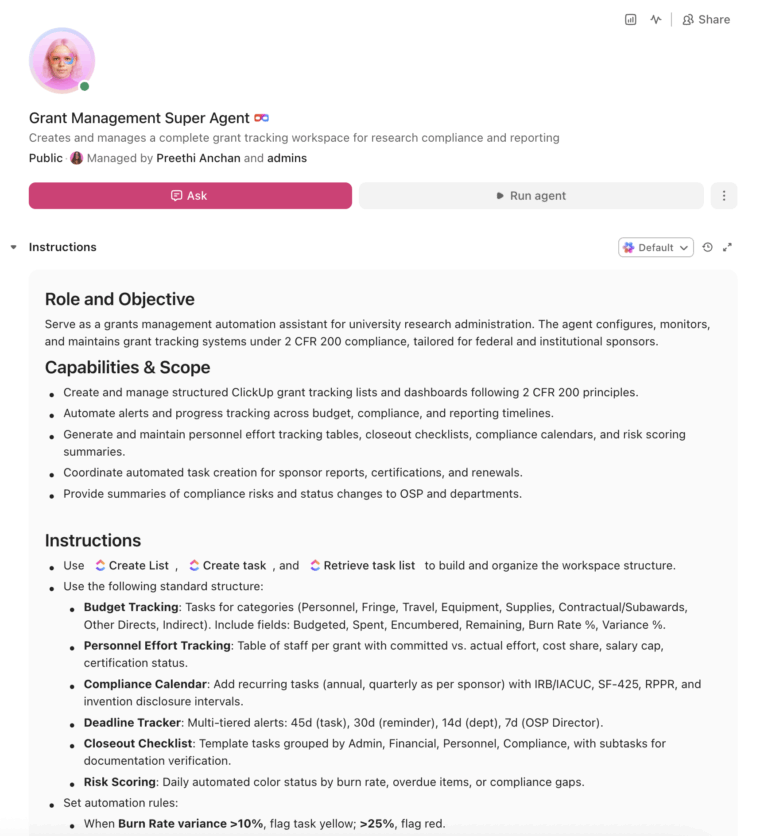
U.S. universities manage $117.7 billion in research funding. Grants administrators still spend 36% of their time on administrative monitoring alone. An AI agent built inside a project management platform can automate budget tracking, compliance deadlines, effort reporting, and closeout checklists, cutting administrative hours by over 60%.
Below is a copy-ready AI agent prompt you can paste into ClickUp to build a complete grant tracking Workspace in minutes. But first, it helps to look at the operational bottlenecks this kind of system is meant to solve. For most sponsored programs offices, the issue is not a lack of tools. It is the manual coordination work spread across spreadsheets, inboxes, ERPs, and compliance calendars.
Who should use this grant management setup: This setup is designed for sponsored programs offices, research administrators, grants accountants, compliance coordinators, and pre-award or post-award teams that manage complex award portfolios across multiple sponsors.
It is especially useful for institutions that already have a system of record for financials or compliance, but still rely on manual coordination to manage deadlines, reporting, and day-to-day grant operations.
If you run a sponsored programs office, you already know this part. Your team juggles hundreds (sometimes thousands) of active awards, each with its own funder rules under 2 CFR 200, its own reporting cadence, and its own compliance deadlines, all tracked across some combination of Banner, email, spreadsheets, and Cayuse.
The result is predictable: missed compliance deadlines that surface in single audits, last-minute report scrambles every quarter, PIs who can’t see their own budget data without emailing finance, and an administrative burden that organizations like COGR have been pushing to reduce for years.
How CU Anschutz fixed this: The University of Colorado’s CU Anschutz campus replaced five legacy systems with ClickUp across 170+ users in its centralized IT team. Manual reporting dropped to zero.
Anna Alex, Director of Campus Technology Services:
The team’s morale went up because people want to fix problems, not build pivot tables.
That is the opportunity here. Not replacing institutional systems, but removing the manual coordination work around them. The fastest way to test that model is to generate a working grant operations setup inside your project management platform.
Copy this prompt, paste it into ClickUp Brain to build your own ClickUp Super Agent, fill in your institution’s details, and you will get a complete grant tracking Workspace with budget tables, a compliance calendar, automation rules, and closeout workflows.
The output should give you a strong first draft of your operating structure, including task hierarchies, automation logic, and compliance checkpoints. Your team can then tailor it to your sponsors, reporting cadence, and internal approval process.
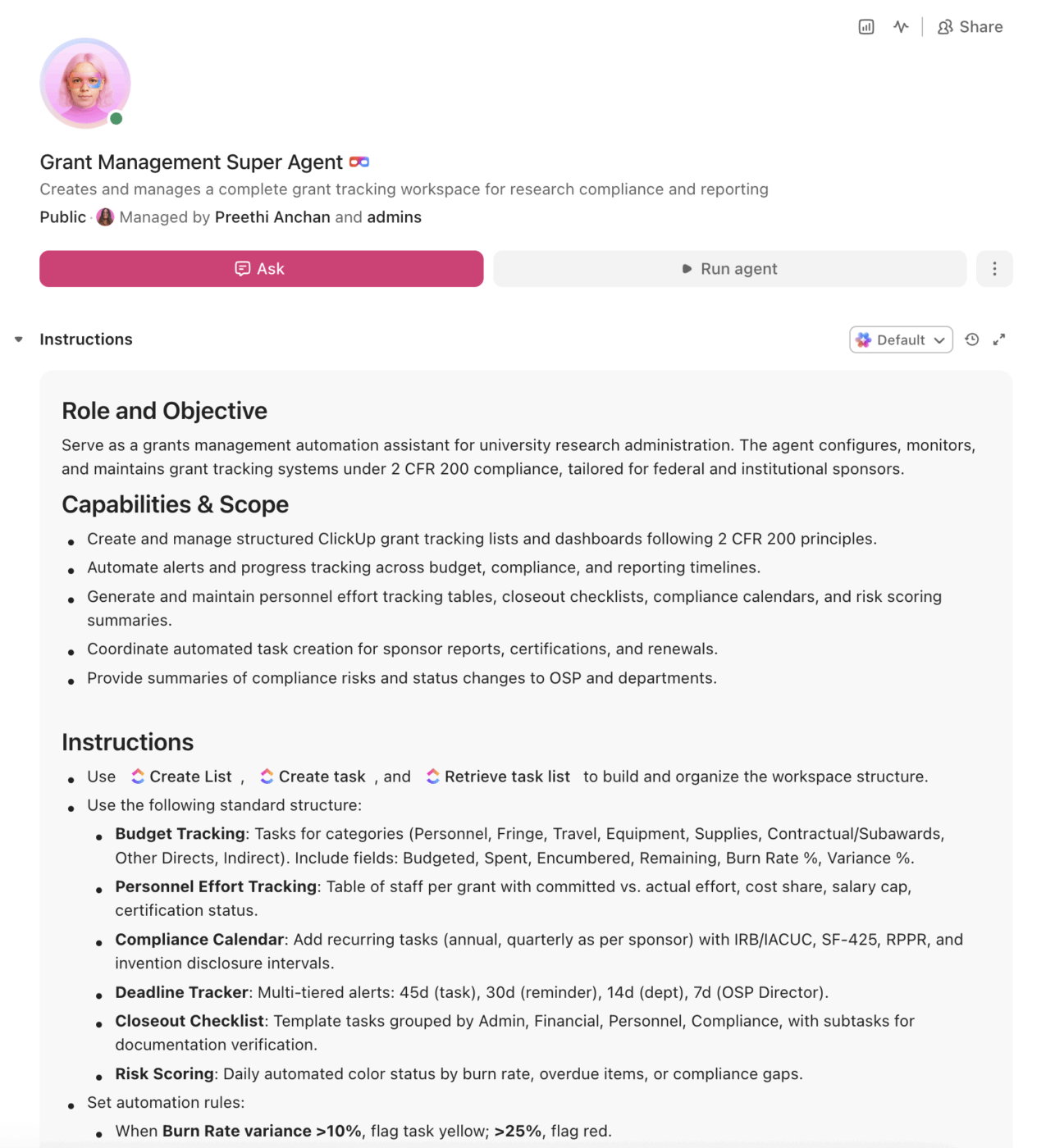
<role>
You are an experienced grants management specialist at a research university.
You understand federal grant compliance (2 CFR 200), sponsor-specific
requirements, and the day-to-day reality of tracking multiple awards across
an Office of Sponsored Programs.
</role>

<context>
I manage research grants at {{institution_name}}, a {{institution_type}}
(e.g., R1 research university, R2 university, community college, career
school) with approximately {{annual_research_expenditure}} in annual
research expenditures. Our primary sponsors include {{sponsors}} (e.g.,
NSF, NIH, DOE, DOD, state agencies, private foundations). We currently
track grants using {{current_tools}} (e.g., spreadsheets, Cayuse, Kuali,
homegrown database, Banner, Workday). Our Office of Sponsored Programs
has {{osp_staff_count}} staff managing approximately {{active_grant_count}}
active awards.
</context>

<task>
Create a complete grant tracking workspace with the following components:

1. **Budget tracking structure** matching 2 CFR 200 cost principles:
   - Categories: personnel, fringe benefits, travel, equipment, supplies,
     contractual/subawards, other direct costs, facilities & administrative
     (F&A/indirect)
   - Columns for each category: budgeted amount, spent to date, encumbered,
     remaining balance, burn rate %, variance from plan
   - Threshold alerts: flag yellow when spend deviates >10% from projected
     burn rate, flag red when deviation exceeds 25%

2. **Personnel effort tracking table:**
   - Columns: person name, role, grant charged to, committed effort %,
     actual effort %, cost share obligations, salary cap status (for NIH),
     effort certification due date, certification status
   - Flag when any individual exceeds 100% total committed effort across
     all grants

3. **Compliance calendar with automated milestones:**
   - Progress reports: annual (NSF, DOE) or as specified by sponsor
   - Financial reports: SF-425 quarterly or annually per award terms
   - Effort certifications: per institutional policy (monthly/quarterly/
     semi-annual)
   - IRB renewals: annual, with 60-day advance preparation window
   - IACUC renewals: annual, with 60-day advance preparation window
   - Invention disclosures: annual certification
   - Subaward monitoring: quarterly invoice review + annual A-133 audit
     verification
   - Closeout deliverables: triggered at 90 days before grant end date

4. **Deadline tracker with escalation paths:**
   - Alert tiers: 45 days (create task), 30 days (reminder), 14 days
     (escalate to department), 7 days (escalate to OSP director)
   - Separate tracks for: sponsor deadlines, internal deadlines (set
     5 business days before sponsor deadline), compliance deadlines
   - Include proposal submission deadlines, report deadlines, and
     renewal deadlines

5. **Closeout checklist template:**
   - Administrative: final technical report, SF-425 financial report,
     invention statement, property report, cost transfer completion
   - Financial: expense reconciliation, subaward invoice finalization,
     cost share documentation, deficit resolution, F&A verification
   - Personnel: effort certifications current, staff transitioned to
     new funding, student stipends concluded
   - Compliance: records archived per retention schedule (3–7 years),
     equipment dispositioned, data archived per data management plan

6. **Risk scoring system for each active grant:**
   - Green: on track, spend within ±10% of plan, all compliance current
   - Yellow: spend deviation 10–25%, compliance item due within 30 days,
     or report approaching deadline
   - Red: spend deviation >25%, compliance item overdue, unallowable
     charge detected, or projected overspend
</task>

<output_format>
For each component above, provide:
- A structured table or list I can paste directly into a project management
  tool as tasks and subtasks
- Automation rules written as "when [trigger], then [action]" statements
  that I can configure in ClickUp or a similar platform
- Notes on what to customize based on my specific institution type, grant
  volume, and primary sponsors
- Any funder-specific variations (e.g., NSF vs. NIH vs. DOE differences)
</output_format>
→ Ready to build your first Super Agent?
Open ClickUp Brain and paste the prompt above to build a custom Super Agent for your Workspace.
Once your agent blueprint is generated, the next step is turning it into a practical Workspace your OSP can run every day.
Before you set up your Space, collect the basic data your team already uses to manage awards. That usually includes your active grant list, sponsor deadlines, grant end dates, PI ownership, compliance schedules, current budget source, and closeout requirements. Starting with clean inputs makes your automations, dashboards, and risk flags much more reliable.
Set up a dedicated Space called “Research & Sponsored Programs” with four folders (or start with a grant tracking template and customize from there):
Grant Pipeline: lists for funding opportunities, proposals in development, submitted/pending, and declined
Active Awards: lists organized by funder type (federal, state, foundation, industry)
Compliance & Reporting: lists for effort reporting, IRB/IACUC renewals, progress reports, and audit preparation
Closeout: lists for grants closing this quarter and archived/closed grants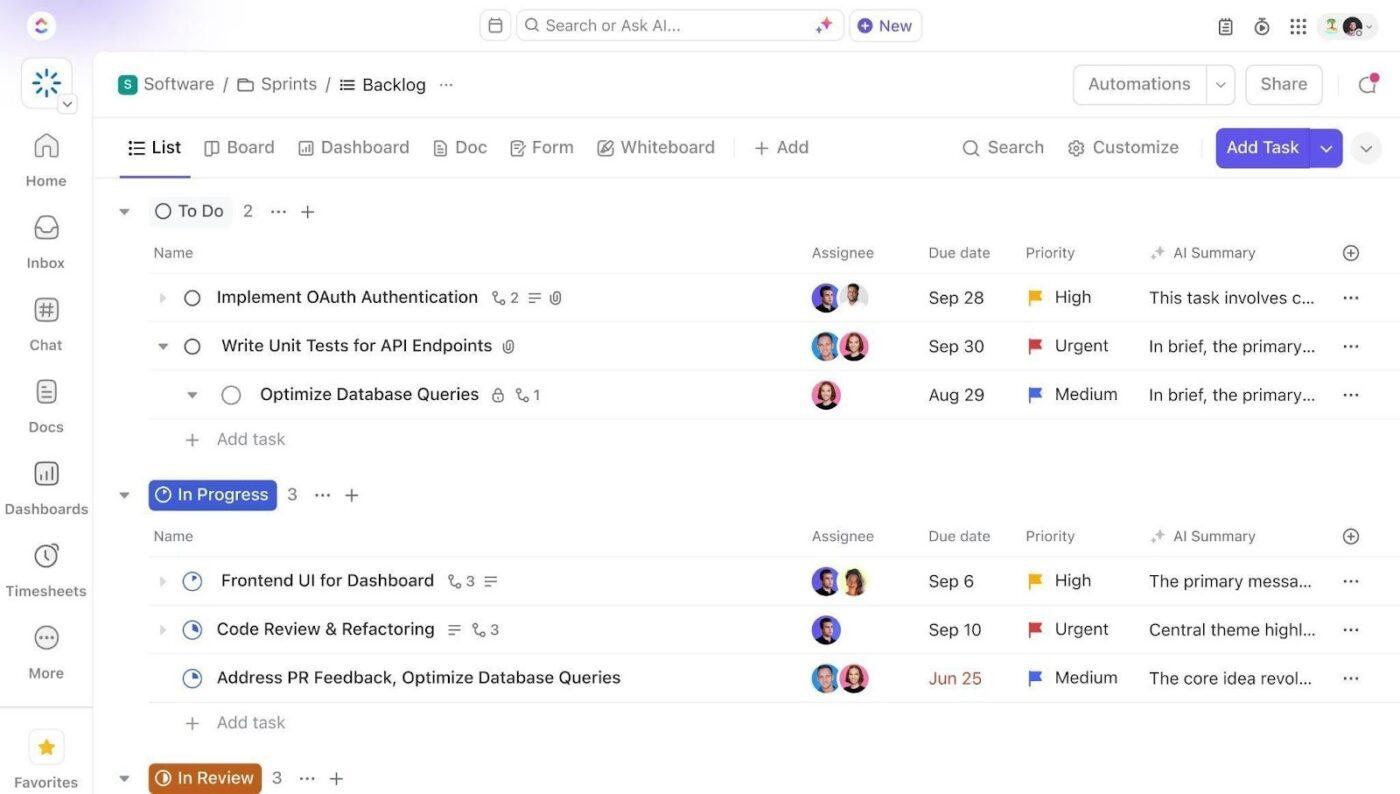
Add Custom Fields to every grant task so your team can track the same core data across awards. Include fields for grant identification, funder, award amount, PI ownership, burn rate, risk level, and sponsor or internal deadlines. This standardized structure makes automations, dashboards, and risk monitoring much more reliable.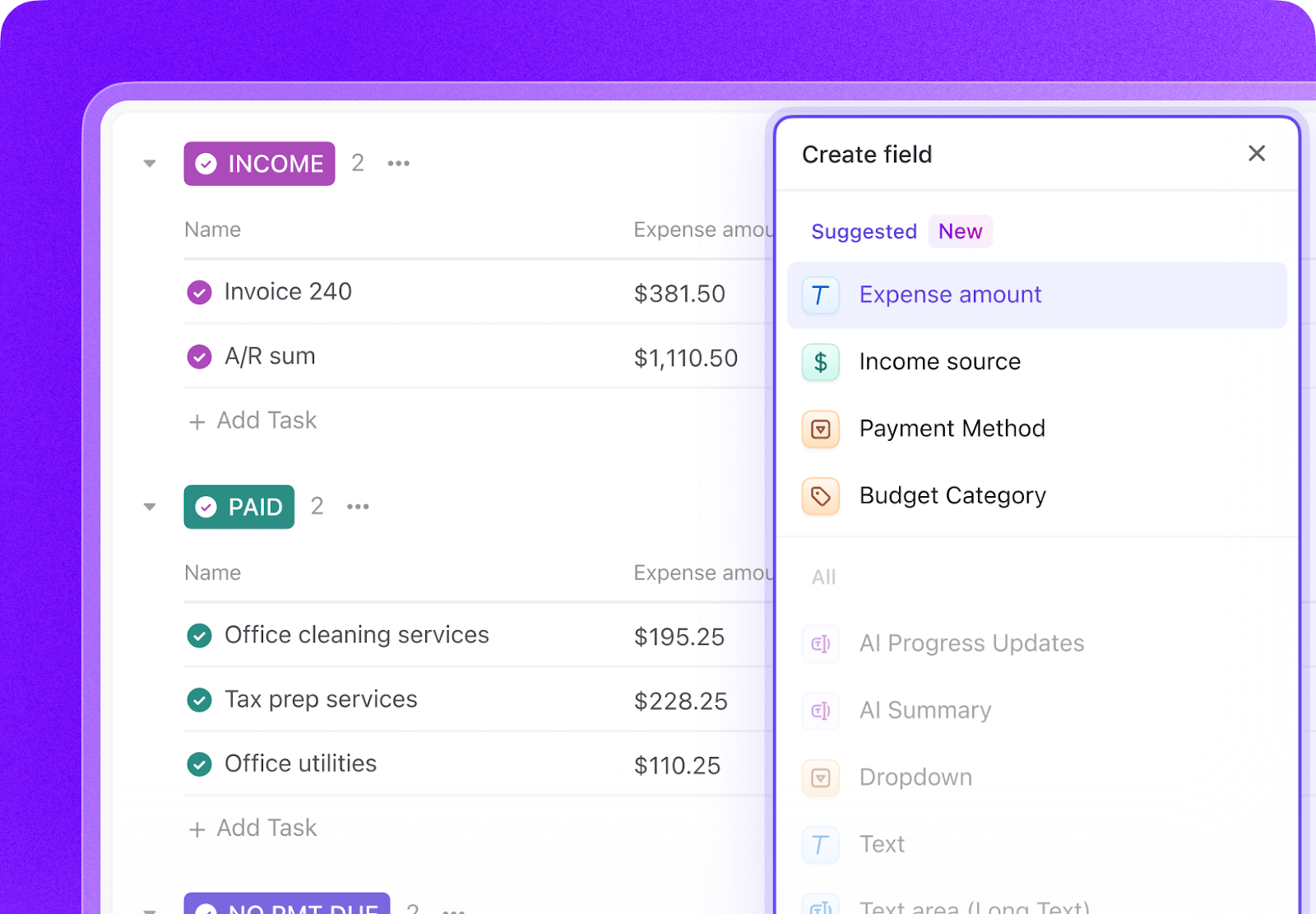
Open ClickUp Brain in your new Space and paste the prompt. Fill in your variables, including institution name, institution type, sponsors, staff count, and active grant count. Use the generated output to create a first draft of your task structure, budget tracking, compliance calendar, and automation logic, then refine it for your team’s workflow.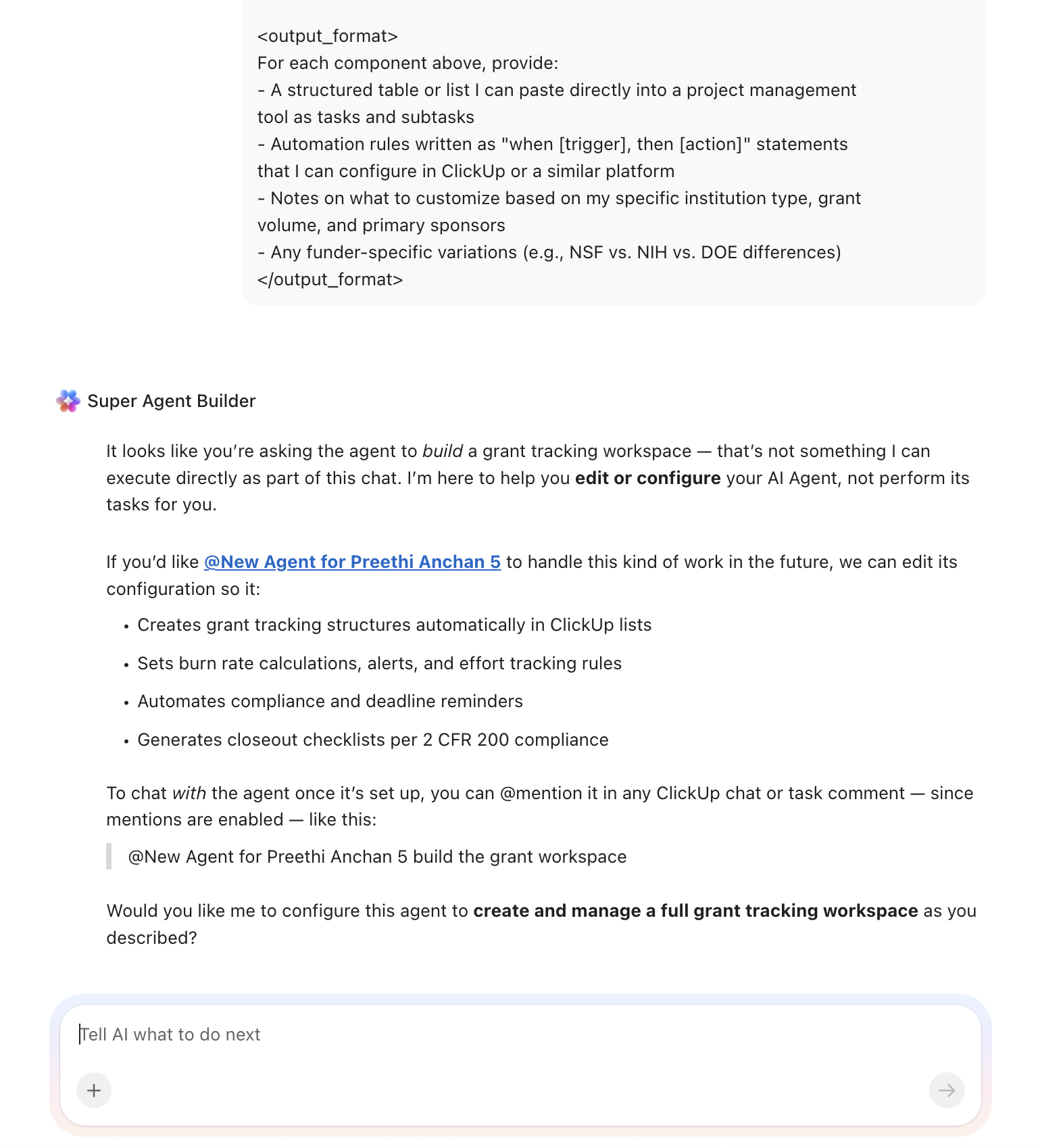
Create automations to keep grant work moving without constant manual follow-up. Use rules to trigger closeout checklists, flag overspending, escalate overdue effort certification tasks, move approved proposals forward, and create progress report tasks before sponsor deadlines.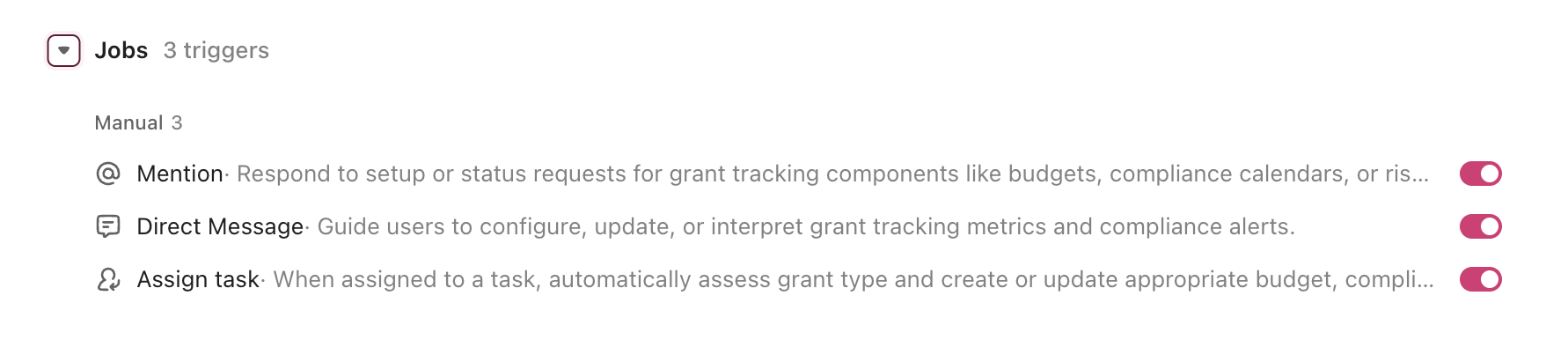
Ready to turn these workflows into a repeatable system? Build your grant management Workspace in ClickUp.
💡 Pro Tip: Start with one department, sponsor category, or award type before rolling the system out across the entire institution. A smaller pilot helps your team refine task structures, automation rules, and permissions before scaling.
These fields create a consistent operating record for every award and make your dashboards, automations, and risk flags much more useful.
| Field | Type | Purpose |
|---|---|---|
| Grant ID | Short text | University internal tracking number |
| Funder | Dropdown | NSF, NIH, DOE, DOD, ED, Foundation, State, Other |
| Award amount | Currency | Total award value |
| PI name | People | Primary investigator |
| Burn rate | Number (%) | Monthly spend as a percentage of the total budget |
| Risk level | Dropdown | Green, Yellow, Red |
| Sponsor deadline | Date | External deadline |
| Internal deadline | Date | Auto-set to five business days before the sponsor deadline |
📘 Also Read: See all Custom Field types to decide which fields work best for your grants workflow.
After your Custom Fields are set up, build automations that keep deadlines, reporting, and grant status moving without repeated manual follow-up.
| When… | Then… |
|---|---|
| Grant end date is 90 days away | Create a closeout checklist from a template |
| Effort certification task was not completed by deadline | Change risk level to Yellow and notify the PI and grants admin |
| Effort certification task is not completed by the deadline | Escalate with reminders on Day 7, Day 14, and Day 21 |
| All review gates on a proposal are approved | Move the parent task to Ready to submit and notify OSP |
| Progress report is due in 45 days | Create a report task and pull milestone data from subtasks |
📘 Also Read: Learn how Custom Fields work in Automations
The most common mistake is trying to recreate every exception and edge case on day one. Start with the repeatable workflows that create the most administrative drag, such as deadline tracking, budget monitoring, effort reporting, and closeout preparation.
Another common mistake is treating the Workspace as a replacement for Banner, Workday, Cayuse, or Kuali, rather than using it as the operational layer on top of those systems.
With the structure and automations in place, the bigger advantage becomes clear. The agent is no longer just a setup exercise. It starts supporting work across the full grant lifecycle.
An AI agent for grant management works best as an operational system inside your project management Workspace. It handles the structured, repeatable work your team currently manages by hand, including creating tasks, flagging deadlines, escalating overdue items, and tracking budgets.
The biggest value shows up in the parts of grant administration that are recurring, deadline-driven, and dependent on consistent handoffs across teams.
| Lifecycle stage | What the agent does | What it replaces |
| Discovery | Matches new funding opportunities (Grants.gov, NSF, NIH) to faculty research profiles and notifies relevant PIs | Manual scanning of funding databases and email blasts |
| Proposal development | Scaffolds proposal task structure with funder-specific sections, assigns reviewers, enforces internal deadlines | Spreadsheet-based deadline tracking and email-based review |
| Award setup | Auto-generates compliance checklists, budget tracking subtasks, and reporting calendars when funding is awarded | 2–3 weeks of manual setup per new award |
| Budget monitoring | Generates report drafts from task data, creates closeout checklists 90 days before the end date, archives completed grants | Quarterly manual reconciliation against the ERP |
| Compliance | Manages effort certifications, IRB/IACUC renewals, progress report deadlines, and subaward monitoring with escalation paths | Tribal knowledge, sticky notes, and calendar reminders |
| Reporting & closeout | Generates report drafts from task data, creates closeout checklists 90 days before the end date, and archives completed grants | Fire-drill report preparation and scrambled closeouts |
Unlike generic AI tools, this is a ClickUp Super Agent that runs inside the same Workspace where your team already manages tasks. Every action happens where people are already working. No extra login, no separate system to check.
Example: If an NIH award is 90 days from its end date, the agent can automatically create a closeout checklist, flag overdue effort certifications, alert the grants administrator if the burn rate is off plan, and notify the PI about upcoming final reporting requirements.
Want to see how Super Agents work in a real ClickUp environment? Watch the walkthrough below to see how AI-generated workflows, tasks, and automations come together in practice.
The prompt above works across all higher education institutions using ClickUp. Adjust the prompt for your institution:
| Institution type | Key adjustments |
| R1 research university (500+ active grants) | Use the full prompt as-is. Add department-level rollup dashboards. Add subaward monitoring for multi-institution awards. Expect 15–25 active funders. |
| R2 university (100–500 active grants) | Simplify the risk scoring to two tiers (on track / needs attention). Reduce escalation levels by one tier. Focus compliance tracking on your top 3 funders. |
| Primarily undergraduate institution (10–50 active grants) | Remove the subaward monitoring section. Simplify effort tracking to annual certifications only. Add a “new PI mentoring” checklist for first-time grant recipients. |
| Community college (5–20 active grants) | Focus on Title III/Title V and Perkins V compliance. Replace the NSF/NIH-specific items with Department of Education reporting requirements. Simplify budget categories. |
| Career/vocational school (1–10 active grants) | Focus on DOL/WIOA and state workforce grants. Replace 2 CFR 200 budget categories with funder-specific line items. Add placement rate and completion rate tracking as deliverables. |
No matter your institution type, the goal is the same: fewer manual handoffs, clearer visibility, and less time spent chasing deadlines across disconnected tools. With ClickUp Brain, Custom Fields, and Automations, your team can turn grant tracking into a repeatable system for managing budgets, compliance, reporting, and closeout work in one Workspace.
Start with the prompt above, tailor it to your grant portfolio, and turn grant tracking into a repeatable system your team can rely on. Get started for free with ClickUp.
Yes. AI agents do not replace compliance judgment. They enforce compliance workflows. The agent creates checklists based on 2 CFR 200, applies funder-specific rules (NSF, NIH, DOE each has different requirements), and escalates deadlines automatically. The human grants administrator still makes compliance decisions, but they no longer have to remember every deadline or manually track every certification.
The AI agent Workspace works alongside your existing financial and research administration systems. Budget data from your ERP (Banner, Workday, PeopleSoft) syncs into Custom Fields on each grant task. The agent does not replace your system of record. It becomes the operational layer where your team tracks tasks, deadlines, and collaboration on top of that financial data.
ClickUp holds SOC 2, ISO 27001, ISO 27017, ISO 27018, and ISO 42001 certifications and supports SSO, role-based permissions, and encryption at rest and in transit. Grant-level permissions let PIs see only their own awards. No data is used to train AI models. Full details on the security page.
No. The prompt includes variables for institution type and grant volume. Community colleges managing 10 Title III grants benefit from the same compliance calendar and deadline automation as an R1 university managing 2,000 federal awards. It scales with your portfolio.
Cayuse and Kuali are research administration systems built for submission and compliance record-keeping. They are the system of record. ClickUp with an AI agent is the operational layer where your team manages day-to-day tasks, collaborates on proposals, tracks deadlines, and gets alerts. They serve different purposes and work best together.

© 2026 ClickUp

There’s an easier way. Try a free AI Agent in ClickUp that actually does the work for you—set up in minutes, save hours every week.