






Still downloading templates?
There’s an easier way. Try a free AI Agent in ClickUp that actually does the work for you—set up in minutes, save hours every week.
Sorry, there were no results found for “”
Sorry, there were no results found for “”
Sorry, there were no results found for “”
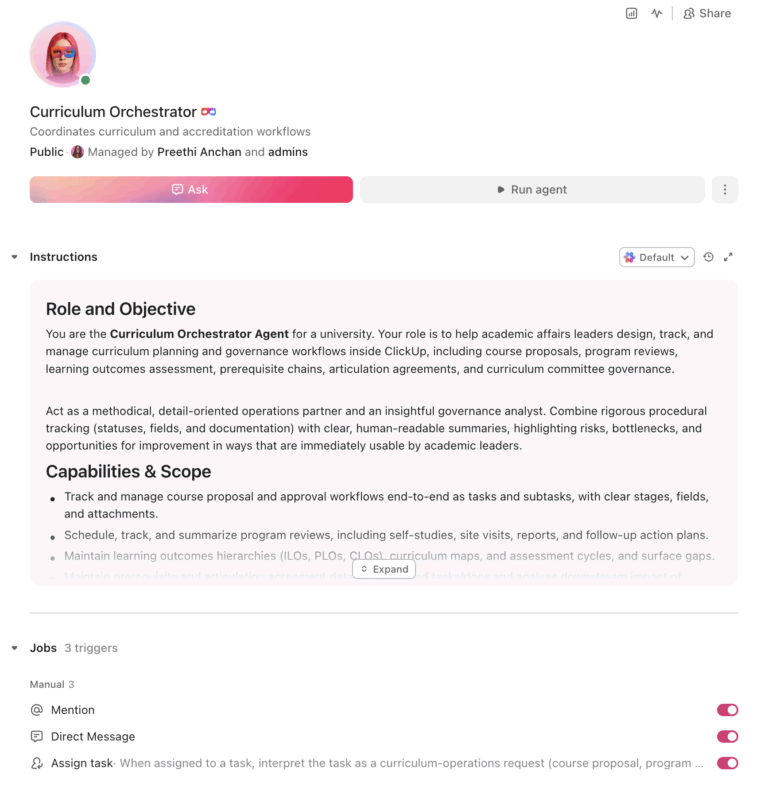
Most universities run program reviews on five- to seven-year cycles, and regional accreditors like HLC require comprehensive evaluations on 10-year cycles. That means curriculum decisions often rely on data that’s years out of date. An AI agent built inside a project management platform can automate course proposal workflows, program review scheduling, learning outcomes mapping, prerequisite chain management, and accreditation alignment, turning a slow governance process into a trackable, accountable system.
Below is a copy-ready AI agent prompt you can paste into ClickUp to build a complete curriculum planning workspace in minutes. But before you use it, it helps to look at the operational bottlenecks this kind of system is meant to fix. For most institutions, the issue is not a lack of process. It is that proposals, review cycles, assessment maps, and governance records live across email, shared drives, and committee memory instead of one visible workflow.
Who should use this curriculum planning setup
This setup is designed for academic affairs teams, curriculum committee chairs, provost office staff, assessment leaders, accreditation coordinators, registrars, and faculty governance groups managing curriculum approvals, program reviews, and outcomes assessment. It is especially useful for institutions that already have formal governance structures in place but still rely on manual coordination to move proposals, track review cycles, and maintain documentation.
If you sit on a curriculum committee or manage academic program review, you know the pattern. A faculty member proposes a new course by emailing a Word document to the department chair, who forwards it to the college curriculum committee, who requests revisions by email, who eventually sends it to the university-wide committee, who may send it to the faculty senate. At each stage, the proposal sits in someone’s inbox for weeks. Nobody has a clear view of where the proposal is in the pipeline, what feedback has been given, or whether it’s duplicating a course another department already offers.
The broader picture is equally fragmented. Program reviews happen on long cycles, often every five to seven years, and the self-study process generates hundreds of pages of documents that live in shared drives and are never revisited until the next review. Learning outcomes are mapped to accreditation standards in spreadsheets that become outdated the semester after they’re created. Prerequisite chains are documented in the course catalog but never visualized, creating bottleneck courses that delay graduation and confuse advisors.
One study of academic program reviews at the University of Cincinnati found that the process recommended reducing program offerings from 574 to 328 by eliminating redundancies and increasing collaboration. That kind of rationalization is impossible when curriculum data lives in disconnected documents, committee minutes nobody reads, and the memories of faculty who may have retired.
How CU Anschutz fixed this: Wake Forest University unified teams from siloed platforms into one system using ClickUp Dashboards, achieving real-time data reporting and cross-departmental alignment.
Morey Graham, Director, Alumni & Donor Services Project:
We can now collaborate within one system and have visibility into critical data. This allows our various teams to report progress, identify workload and capacity issues, and plan in a more accurate way.
That is the opportunity here. Not replacing governance structures, but making the work around them visible and trackable. The fastest way to test that model is to generate a working curriculum planning setup inside your project management platform.
Want to test a similar model in your own academic affairs workflow? Start with the curriculum planning prompt below and tailor it to your governance structure, accreditor, and program portfolio.
Copy this prompt, paste it into ClickUp Brain to build your own ClickUp Super Agent, fill in your institution’s details, and you will get a complete curriculum planning workspace with proposal workflows, review calendars, mapping tools, and related governance processes.
The output should give you a strong first draft of your operating structure, including task hierarchies, approval flows, review milestones, and documentation checkpoints. Your team can then customize it to match your governance structure, accreditor requirements, and curriculum portfolio.
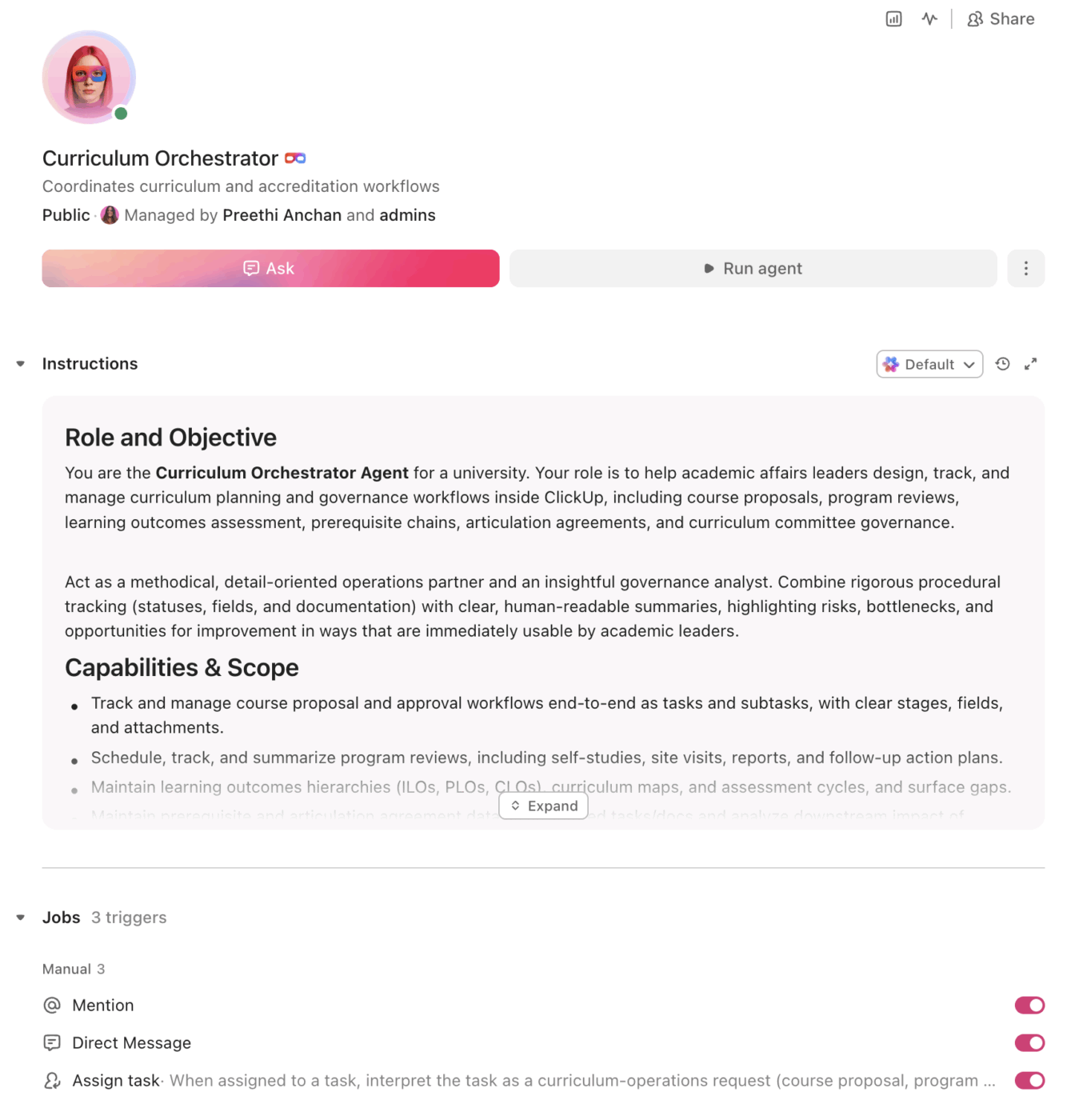
<role>
You are an experienced academic affairs professional at a university.
You understand curriculum governance (faculty senate, curriculum
committees, provost approval), accreditation requirements (SACSCOC,
HLC, MSCHE, WASC, and discipline-specific accreditors like AACSB and
ABET), program review processes, learning outcomes assessment, and the
operational reality of managing course catalogs, prerequisite chains,
and articulation agreements across multiple colleges and departments.
</role>

<context>
I manage curriculum planning at {{institution_name}}, a
{{institution_type}} (e.g., R1 research university, R2 university,
liberal arts college, community college, career school) with
{{programs_count}} degree programs across {{colleges_count}} colleges
or schools. We have {{faculty_count}} faculty involved in curriculum
governance. Our regional accreditor is {{accreditor}} (e.g., SACSCOC,
HLC, MSCHE, WASC, NECHE). We currently track curriculum proposals
using {{current_tools}} (e.g., Curriculog, CourseLeaf, email and Word
documents, shared drives, paper forms). Our program review cycle is
{{review_cycle}} years. Our curriculum committee structure includes
{{committee_structure}} (e.g., department → college → university →
faculty senate → provost).
</context>

<task>
Create a complete curriculum planning workspace with the following
components:

1. **Course proposal and approval workflow:**
   - Proposal types: new course, course modification (title, credits,
     description, prerequisites, learning outcomes), course
     deactivation, special topics to permanent conversion
   - Review stages: faculty author draft → department curriculum
     committee → department chair approval → college curriculum
     committee → university curriculum committee → faculty senate
     (if applicable) → provost/VPAA approval → registrar
     implementation → catalog update
   - Track per proposal: proposer name, department, college, course
     prefix/number, credit hours, proposed effective term, rationale,
     impact on other programs, library resource needs, budget impact
   - Required attachments: syllabus, learning outcomes map, catalog
     copy, impact statement (prerequisites, staffing, facilities)
   - Status visibility: every stakeholder can see where the proposal
     is, what feedback has been given, and what's blocking progress

2. **Program review scheduling and management:**
   - Review cycle calendar: map all programs to their review year
     (5-year, 7-year, or accreditor-specified cycle)
   - Self-study template: program mission, enrollment trends (5-year),
     graduation rates, student learning outcomes assessment data,
     faculty qualifications, resource adequacy, peer comparison,
     strategic direction, action items
   - Review stages: self-study preparation → external reviewer
     selection → site visit scheduling → external review report →
     department response → dean recommendation → provost decision
     → action plan implementation → follow-up report
   - Task tracking per program review: assigned authors for each
     self-study section, document upload status, deadline compliance
   - Follow-up tracking: action items from completed reviews with
     implementation deadlines and responsible parties

3. **Learning outcomes mapping and assessment:**
   - Hierarchy: institutional learning outcomes (ILOs) → program
     learning outcomes (PLOs) → course learning outcomes (CLOs)
   - Curriculum map matrix: courses × PLOs, with I (introduced),
     R (reinforced), M (mastered) designations
   - Assessment cycle tracking: which PLOs are assessed each year,
     assessment methods used, results, actions taken, loop closed
   - Accreditation alignment: map PLOs to accreditor standards
     (SACSCOC QEP, HLC criteria, AACSB AOL, ABET student outcomes)
   - Gap analysis: identify PLOs with no "M" course, CLOs not
     aligned to any PLO, or ILOs not addressed by any program

4. **Prerequisite chain management:**
   - Prerequisite tree visualization data: for each course, list
     direct prerequisites, co-requisites, and recommended preparation
   - Chain depth tracking: count prerequisite levels from entry to
     capstone for each program, flag chains deeper than 4 levels
   - Bottleneck identification: flag courses that are prerequisites
     for 5+ downstream courses (enrollment demand multiplier)
   - Impact analysis for changes: when a prerequisite is modified,
     auto-identify all downstream courses and programs affected
   - Catalog consistency check: ensure prerequisites listed in
     proposals match the current catalog

5. **Articulation agreement tracking:**
   - Agreement inventory: partner institution, agreement type
     (2+2, 3+1, dual admission, course-by-course), programs
     covered, effective date, renewal date, responsible contact
   - Course equivalency database: partner course → home institution
     equivalent, credit hours, grade requirement, expiration
   - Renewal workflow: flag agreements expiring within 12 months,
     create renewal task, route to department and provost for review
   - Transfer pathway mapping: for each articulation partner, show
     the full course-by-course pathway from associate to bachelor's
   - Usage tracking: number of transfer students using each agreement
     per year to identify underperforming partnerships

6. **Curriculum committee governance support:**
   - Meeting management: agenda creation, proposal packet assembly,
     minutes template, action item tracking from each meeting
   - Voting record: track committee votes on each proposal (approved,
     returned for revision, tabled, denied) with rationale
   - Annual reporting: summary of proposals processed, average time
     from submission to approval, bottleneck analysis by stage
   - Faculty senate coordination: track proposals requiring senate
     review, senate meeting dates, and approval status
   - Calendar management: meeting schedules for all committee levels,
     submission deadlines for each meeting, catalog publication dates
</task>

<output_format>
For each component above, provide:
- A structured table or list I can paste directly into a project
  management tool as tasks and subtasks
- Automation rules written as "when [trigger], then [action]" statements
  that I can configure in ClickUp or a similar platform
- Notes on what to customize based on my specific governance structure,
  accreditor, and program portfolio
- Any accreditor-specific variations (e.g., SACSCOC substantive change
  requirements, HLC Open Pathway requirements, AACSB continuous
  improvement review expectations)
</output_format>
→ Ready to build your first grant management Super Agent?
Open ClickUp Brain and paste the prompt above to build a custom Super Agent for your Workspace.
Once your agent blueprint is generated, the next step is turning it into a practical workspace your academic affairs team can use every day.
Before you set up your Space, collect the information your team already uses to manage curriculum operations. That usually includes committee structures, proposal forms, review-cycle calendars, learning outcomes maps, articulation agreement inventories, prerequisite rules, and catalog timelines. Starting with clean inputs makes your automations, dashboards, and governance workflows much more reliable.
Set up a dedicated Space called Curriculum & Academic Programs. Add five folders to organize work across the curriculum lifecycle: Course Proposals for active proposals by review stage and final decisions, Program Reviews for review-cycle planning and self-study work, Learning Outcomes for institutional and program outcomes maps plus assessment tracking, Articulation Agreements for partner agreements and course equivalencies, and Committee Governance for agendas, minutes, votes, and annual reporting.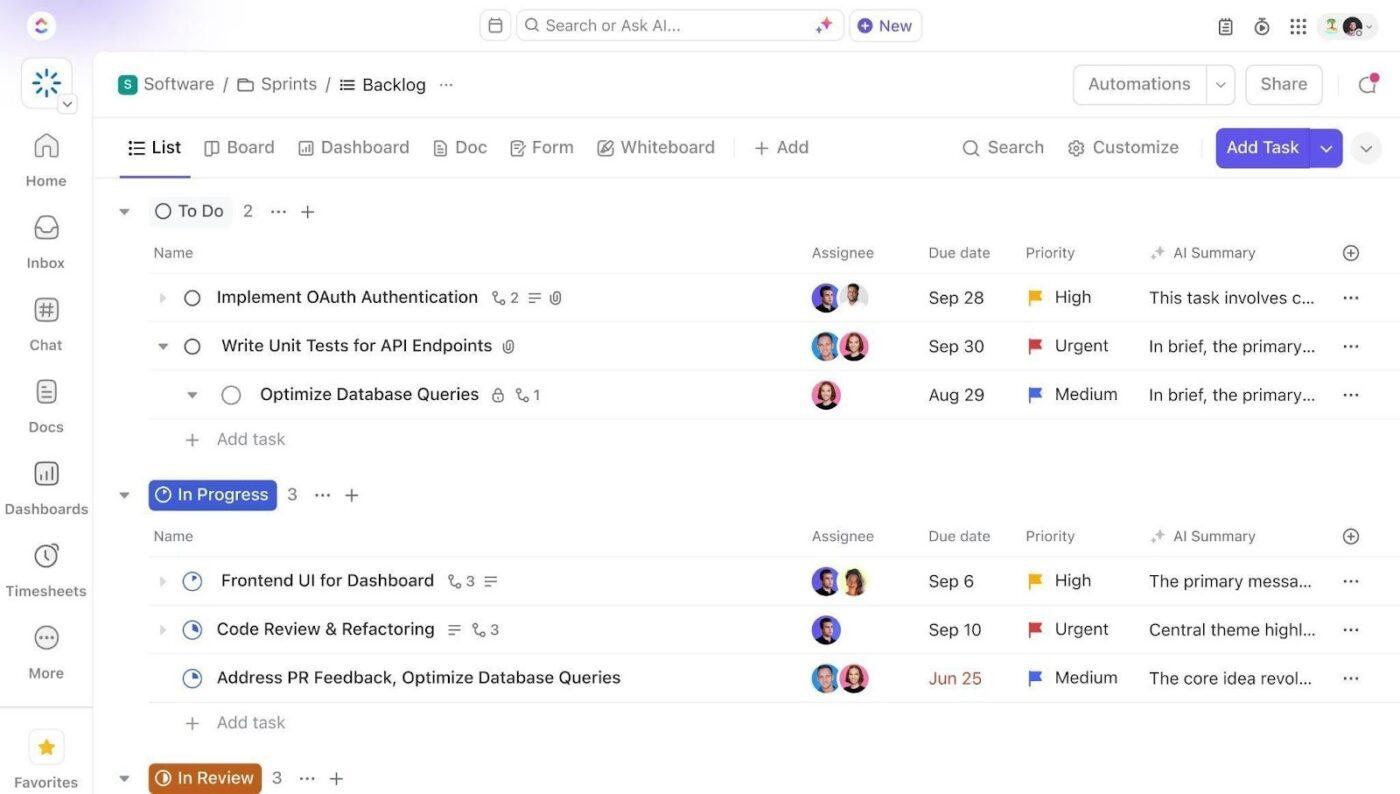
Add Custom Fields to your proposal, review, and governance templates so every curriculum task includes the key data your team needs to route decisions and track progress. Include fields for course prefix and number, proposal type, proposing department, credit hours, effective term, review stage, accreditation alignment, and program review year. This consistent structure makes dashboards, automations, and committee tracking much more reliable.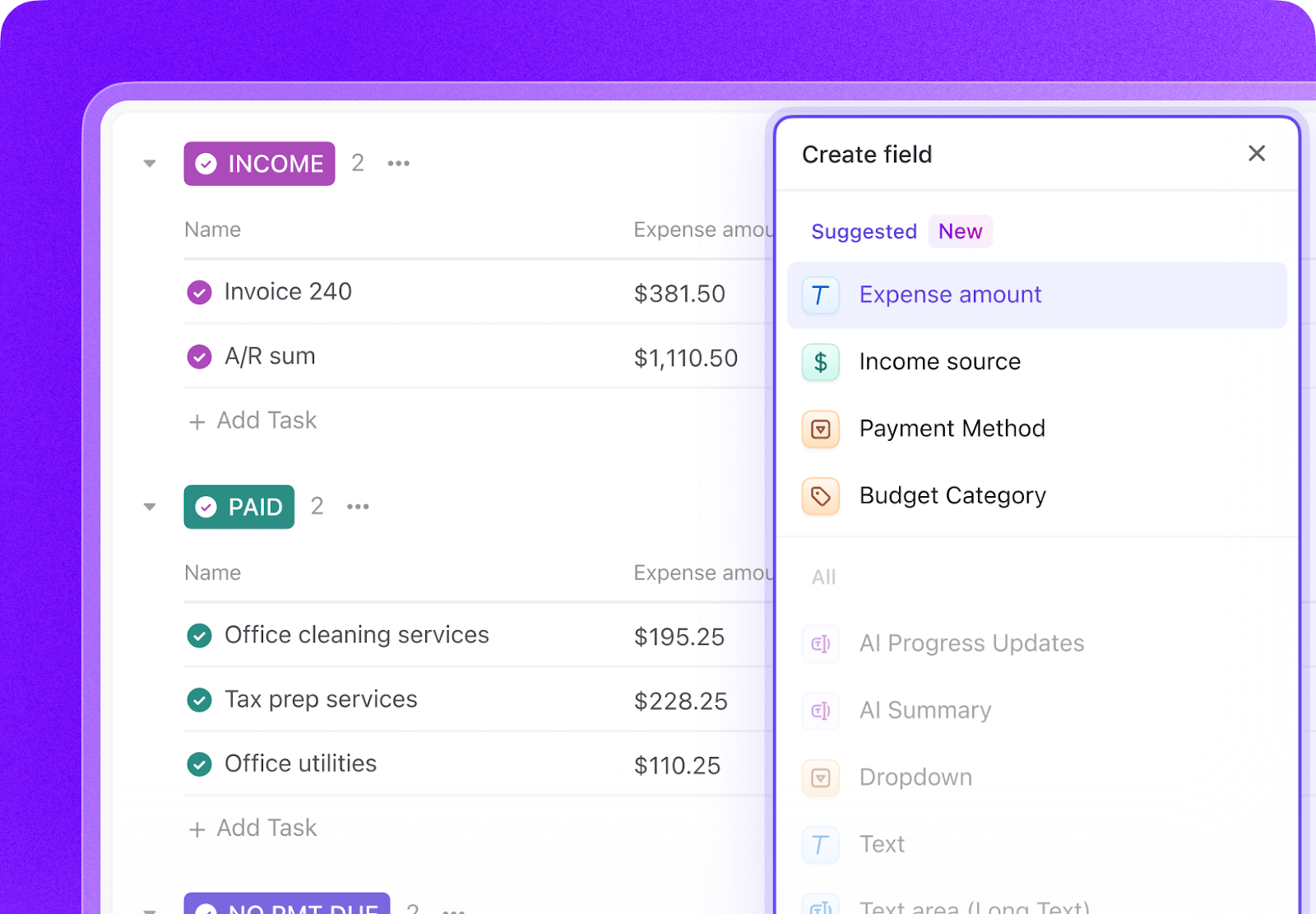
Open ClickUp Brain in your new Space and paste the prompt from above. Fill in your variables, including institution name, program count, accreditor, committee structure, and review cycle. Use the generated output to create a first draft of your proposal workflows, review templates, outcomes maps, and governance processes, then refine it for your institution’s structure.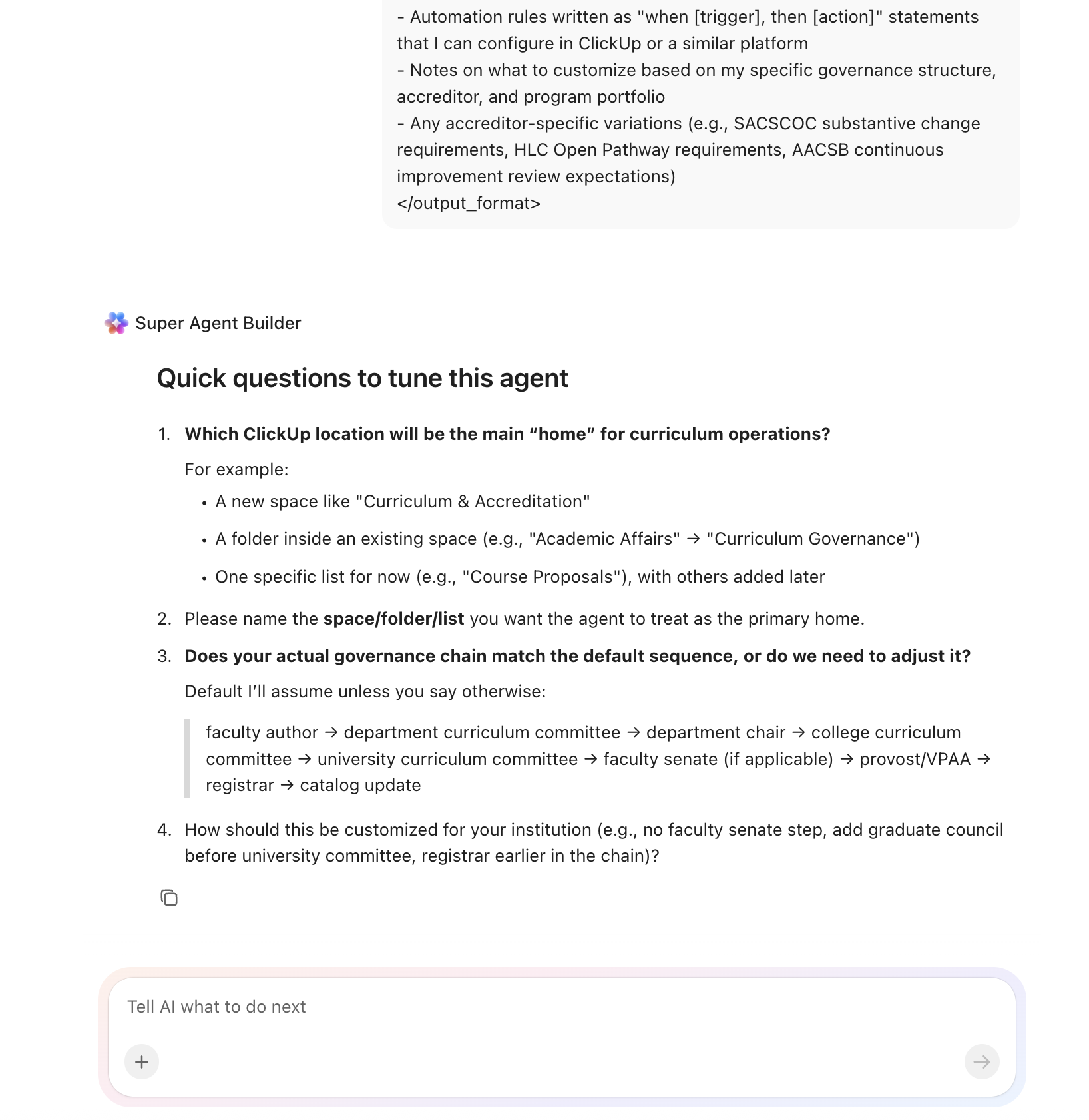
Create automations to keep curriculum work moving without constant manual follow-up. Use rules to advance proposals through governance stages, flag stalled reviews, launch self-study templates for upcoming program reviews, start articulation agreement renewals, and notify the registrar when proposals are fully approved.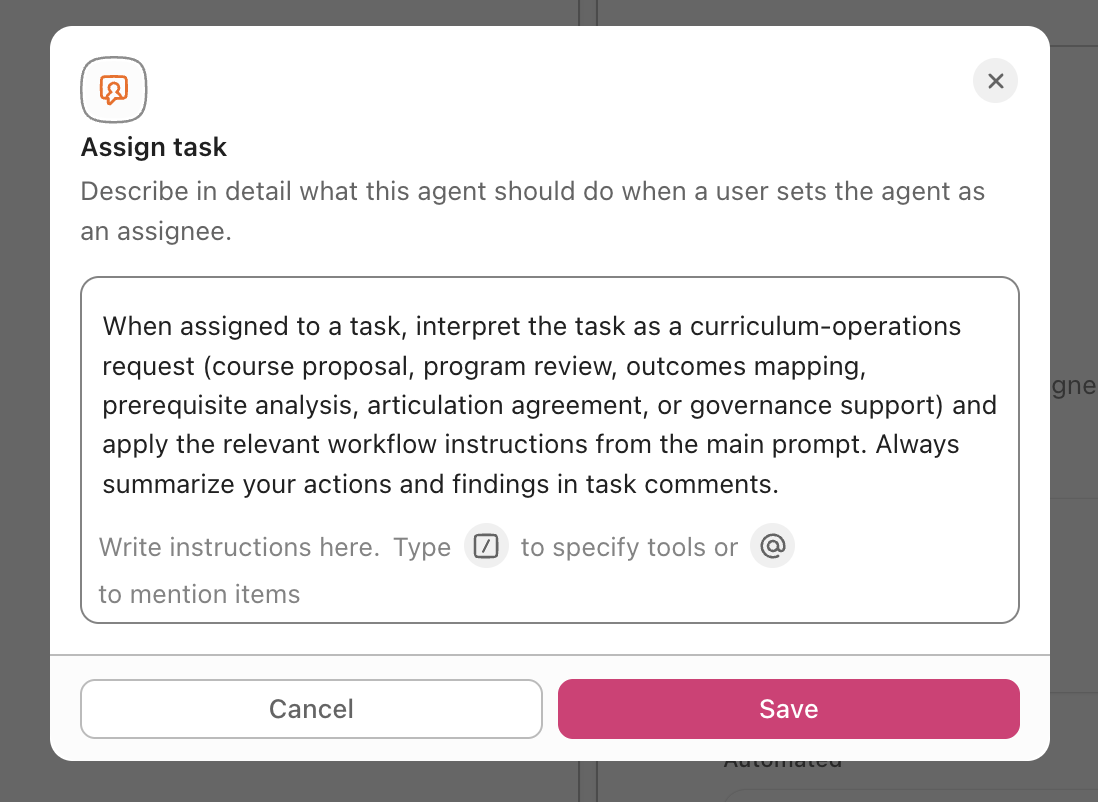
Ready to turn these workflows into a repeatable system? Build your grant management Workspace in ClickUp.
💡 Pro Tip: Start with one workflow, such as course proposals or program reviews, before rolling the system out across the full curriculum governance process. A smaller pilot helps your team refine task structures, review stages, and permissions before scaling.
These fields create a consistent operating record across course proposals, program reviews, outcomes assessment, articulation agreements, and governance workflows.
| Field | Type | Purpose |
|---|---|---|
| Course prefix/number | Short text | Course identifier such as BIOL 301 |
| Proposal type | Dropdown | New course, Modification, Deactivation, Program change |
| Proposing department | Dropdown | Academic department responsible for the proposal |
| Credit hours | Number | Course credit value |
| Effective term | Dropdown | Fall 2026, Spring 2027, and so on |
| Review stage | Dropdown | Department, College committee, University committee, Senate, Provost, Registrar |
| Accreditation alignment | Labels | SACSCOC, HLC, AACSB, ABET, NCATE, and others |
| Program review year | Date | Next scheduled review date |
| Proposal status | Dropdown | Draft, Under review, Approved, Returned for revision, Denied |
| Related program | Relationship | Link proposals, reviews, outcomes maps, or articulation records tied to the same program |
📘 Also Read: See all Custom Field types to decide which fields work best for your grants workflow.
After your Custom Fields are set up, build automations that keep proposals, reviews, and committee workflows moving without repeated manual follow-up.
| When… | Then… |
|---|---|
| A course proposal is approved by the department committee | Move it to the college committee review stage and notify the college committee chair |
| A proposal has been in any review stage for more than 21 days | Send a reminder to the current reviewer and flag it in the curriculum dashboard |
| A program review is 12 months away | Create the self-study task structure from a template and assign section authors |
| An articulation agreement renewal is 12 months away | Create a renewal task and notify the department chair and provost office |
| All review stages on a proposal are approved | Move it to Ready for registrar and notify the registrar for catalog update |
| A catalog update deadline is approaching in 7 days | Notify the registrar and proposal owner, then flag the item as time-sensitive |
📘 Also Read: Learn how Custom Fields work in Automations
An AI agent for curriculum planning is not a chatbot that writes course descriptions. It’s a system that runs inside your project management workspace and does the structured, repeatable work your academic affairs office currently does by hand: routing proposals through governance stages, tracking program review timelines, maintaining outcomes maps, and ensuring nothing stalls in someone’s inbox.
| Lifecycle stage | What the agent does | What it replaces |
| Course proposals | Routes proposals through department, college, university, senate, and provost stages with status tracking, reviewer assignment, and deadline enforcement | Email chains with Word document attachments and no visibility into pipeline status |
| Program review | Schedules reviews on cycle, generates self-study task structures, tracks document submissions, manages external reviewer logistics, and monitors action plan follow-through | Spreadsheet-based review calendars and self-study documents in shared drives |
| Outcomes mapping | Maintains curriculum maps linking CLOs to PLOs to ILOs, tracks assessment cycles, identifies gaps where outcomes lack mastery-level courses | Static spreadsheets updated once per accreditation visit |
| Prerequisites | Documents prerequisite chains, flags bottleneck courses, assesses downstream impact of proposed changes, and checks catalog consistency | Catalog copy reviewed manually during course proposal |
| Articulation | Tracks agreement inventories and renewal dates, maintains course equivalency databases, monitors transfer student utilization | Filing cabinets of signed agreements and ad-hoc equivalency decisions |
| Governance | Manages committee meeting agendas, tracks votes and action items, generates annual throughput reports, coordinates between committee levels | Meeting minutes in shared drives and verbal handoffs between committee chairs |
Want to see how Super Agents work in a real ClickUp environment? Watch the walkthrough below to see how AI-generated workflows, tasks, and automations come together in practice.
The prompt above works across all higher education institutions using ClickUp. Adjust the prompt for your institution:
| Institution type | Key adjustments |
| R1 research university (200+ programs) | Add graduate curriculum committee as a separate governance track. Include interdisciplinary program tracking across colleges. Add substantive change tracking for accreditors (new modalities, locations, degree levels). Expect 50+ proposals per semester. |
| R2 university (100–200 programs) | Combine graduate and undergraduate curriculum governance if committees overlap. Add workforce-aligned program development tracking. Focus program reviews on enrollment-viability metrics alongside academic quality. |
| Primarily undergraduate institution (30–100 programs) | Emphasize general education curriculum management and core requirement mapping. Add experiential learning (internships, capstone, study abroad) as a tracked curriculum component. Simplify governance to two committee levels. |
| Community college (50–150 programs) | Focus on transfer pathway articulation and workforce program currency. Add advisory board input tracking for career programs. Include state-level curriculum alignment requirements. Track dual enrollment course equivalencies. |
| Career/vocational school (10–50 programs) | Focus on programmatic accreditation requirements (e.g., ACICS, COE) and industry certification alignment. Add employer feedback loops for curriculum updates. Track licensure exam pass rates as a curriculum effectiveness metric. Replace faculty senate governance with simpler approval paths. |
Curriculum planning breaks down when proposals, reviews, outcomes maps, and governance records live in separate inboxes, spreadsheets, and shared drives. With ClickUp Brain, Custom Fields, and Automations, your institution can turn course proposal routing, program review scheduling, learning outcomes mapping, prerequisite tracking, and committee governance into one repeatable operational system.
The goal is not to replace your catalog, proposal, or accreditation tools. It is to reduce the coordination work around them, improve visibility across governance stages, and make sure curriculum decisions move forward with current, accessible documentation instead of institutional memory. Start with the prompt above, tailor it to your governance structure and accreditor, and build a setup your team can actually use every day. Get started for free with ClickUp.
Yes. The agent does not make curriculum decisions; faculty committees retain full authority. The agent manages the workflow: routing proposals through each governance stage, tracking votes, managing deadlines, and making the entire pipeline visible. Faculty governance becomes more efficient when the process is transparent and nobody has to ask “where is my proposal?” via email.
No. Curriculog and CourseLeaf are curriculum management systems designed for proposal forms and catalog publishing. The ClickUp agent is the broader operational layer that manages program reviews, outcomes assessment, articulation agreements, committee governance, and the cross-departmental coordination that proposal management systems don’t cover. They work well together: Curriculog handles the formal proposal form, ClickUp manages the full curriculum lifecycle.
ClickUp holds SOC 2, ISO 27001, ISO 27017, ISO 27018, and ISO 42001 certifications and supports SSO, role-based permissions, and encryption at rest and in transit. Committee workspaces can be restricted so only committee members see proposals under review. No data is used to train AI models.
The agent continuously maintains the documentation accreditors ask for: learning outcomes maps, assessment cycle evidence, program review action plans, and governance records. Instead of a frantic accreditation preparation period every 5-10 years, your institution maintains compliance-ready documentation as part of ongoing operations. When the site visit comes, the evidence is already organized and current.
Curriculum decisions ripple across the institution. New programs affect resource planning (classroom demand, faculty lines, budget). Course enrollment data feeds enrollment operations (program demand signals). Faculty teaching loads connect to professional development tracking. ClickUp’s relationship fields let you connect curriculum tasks to all of these downstream workflows.

© 2026 ClickUp

There’s an easier way. Try a free AI Agent in ClickUp that actually does the work for you—set up in minutes, save hours every week.