






Still downloading templates?
There’s an easier way. Try a free AI Agent in ClickUp that actually does the work for you—set up in minutes, save hours every week.
Sorry, there were no results found for “”
Sorry, there were no results found for “”
Sorry, there were no results found for “”
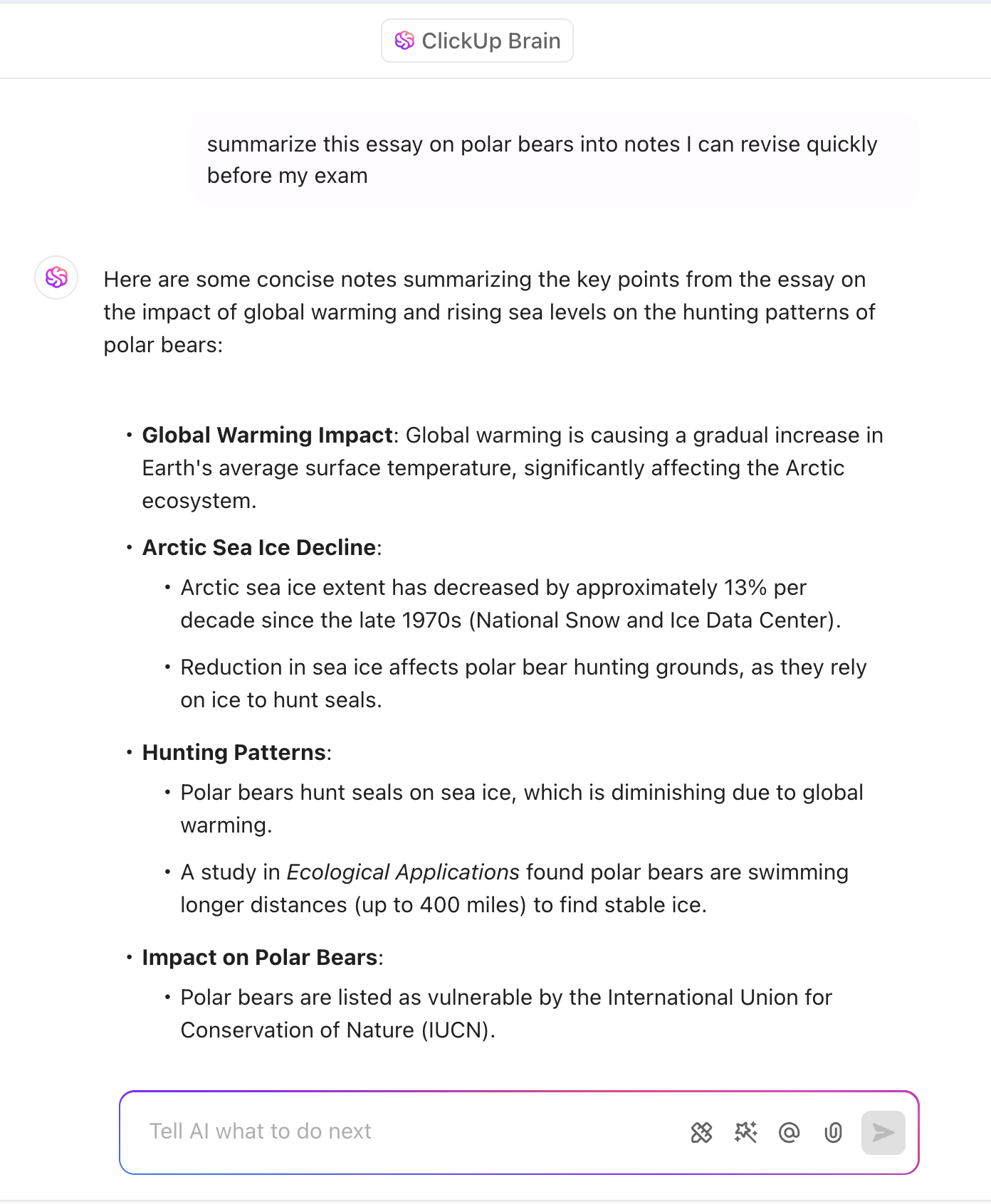
College students now toggle between an average of 11 different apps just to complete a single assignment, according to research on digital learning platforms. This fragmentation creates a hidden tax on productivity—research shows that task-switching can cost up to 40% of productive time due to the cognitive load of moving between tasks. When nearly half of students have missed critical academic deadlines because fragmented campus portals hid the information they needed, the problem isn’t willpower. It’s the tools.
This guide breaks down which AI tools actually solve the chaos of academic life and which ones just add to it. You’ll learn how to build a workflow that consolidates your coursework instead of scattering it. And you’ll understand the ethical guardrails you need to use AI responsibly without accidentally plagiarizing your way out of a degree.
AI for college students refers to artificial intelligence tools designed to help with academic tasks—writing, research, studying, organization, and project management. These tools range from grammar checkers and citation generators to full-blown AI assistants that can summarize lectures, create study guides, or help you manage group projects without losing your mind.
The core problem they solve is the overwhelming amount of work college throws at you simultaneously. You’re juggling multiple classes, each with its own deadlines, readings, and assignments. You might also have a job, extracurriculars, and a social life to maintain. Traditional methods like sticky notes and sheer willpower simply can’t handle this volume.
This constant juggling leads to information overload and context switching. Your brain gets tired just from jumping between a dozen different apps for your notes, tasks, calendars, and communication. AI tools can handle the repetitive, low-value work so you can focus on what matters: actual learning and critical thinking.
However, it’s crucial to understand that not all AI tools are created equal. Some are built to help you write, others to help you study, and a select few are designed to organize your entire academic life. Knowing the difference is key to building a tech stack that actually helps you succeed.
💡 Pro Tip: Before downloading another app, audit what you already have. Most students discover they’re using three or four tools that do essentially the same thing. Consolidate first, then look for gaps that genuinely need filling.
You’re drowning in apps, but are you actually more productive? The pain of having a separate app for notes, another for your to-do list, another for your calendar, and three different group chats for your projects is real
Every time you switch apps, you lose focus. You waste precious mental energy just trying to remember where you saved that important link or what the deadline was for that group project.
This fragmentation creates a significant cognitive load. Your brain has to work harder just to keep track of everything, leaving less capacity for deep thinking and learning
This is where adding more AI tools often backfires. Adding more single-purpose AI tools to the mix only makes the problem worse, creating AI sprawl—the unplanned buildup of disconnected AI tools that waste money and create chaos—on top of your existing tool sprawl.
You need fewer, more powerful tools—not more of them—especially since 75% of students prefer a single, centralized digital platform instead of juggling multiple apps and portals. A converged workspace approach, where everything lives in one place, is the only way to truly beat the chaos. Instead of juggling a dozen apps, you have one place for your academic life. You’ll spend less time searching for information and more time getting work done
📮 ClickUp Insight: Context-switching is silently eating away at your team’s productivity. Our research shows that 42% of disruptions at work come from juggling platforms, managing emails, and jumping between meetings. What if you could eliminate these costly interruptions?
ClickUp unites your workflows (and chat) under a single, streamlined platform. Launch and manage your tasks from across chat, docs, whiteboards, and more—while AI-powered features keep the context connected, searchable, and manageable!
The “best” AI tool is the one that solves your specific problem. A pre-med student cramming for the MCAT has different needs than a creative writing major working on their portfolio. The following breakdown covers tools by category so you can pick the right ones for your coursework.
Before diving into specific tools, watch this overview to see how different AI tools can transform your academic workflow and help you choose the right ones for your needs.
When you’re facing a blank page and a looming deadline, these tools can help you get started and polish your final draft. They’re designed to assist with the entire writing process, from brainstorming and research to citation and proofreading.
Grammarly serves as your first line of defense for catching embarrassing grammar mistakes, spelling errors, and awkward phrasing. It’s excellent for a final polish on any document, though it won’t teach you how to form a better argument—that’s still your job.
QuillBot handles rephrasing when you need to avoid repetition or check for accidental plagiarism. If a sentence feels clunky but you can’t figure out how to fix it, QuillBot can suggest alternatives quickly.
Scholar AI speeds up research-heavy assignments by connecting directly to academic databases and summarizing dense research papers. When you need to quickly understand the gist of a source without reading it cover-to-cover, this tool delivers.
Google Gemini works as a powerful, general-purpose AI assistant that’s excellent for brainstorming essay topics, creating outlines, or explaining complex theories in simple terms. Think of it as a research partner who can help you think through problems.
Microsoft Copilot integrates directly into Microsoft Word, making it incredibly convenient if you live in the Microsoft ecosystem. Draft sections, summarize text, and get suggestions without ever leaving your document.
Zotero and Mendeley are non-negotiable for any serious research project. These dedicated citation managers organize your sources and automatically generate bibliographies in any format, saving hours of tedious formatting work.
🧠 How ClickUp does this too
ClickUp Brain can help you move from prompt to plan fast: turn an assignment brief into a structured outline, propose counterarguments, and generate a “what to research next” checklist based on gaps in your draft.
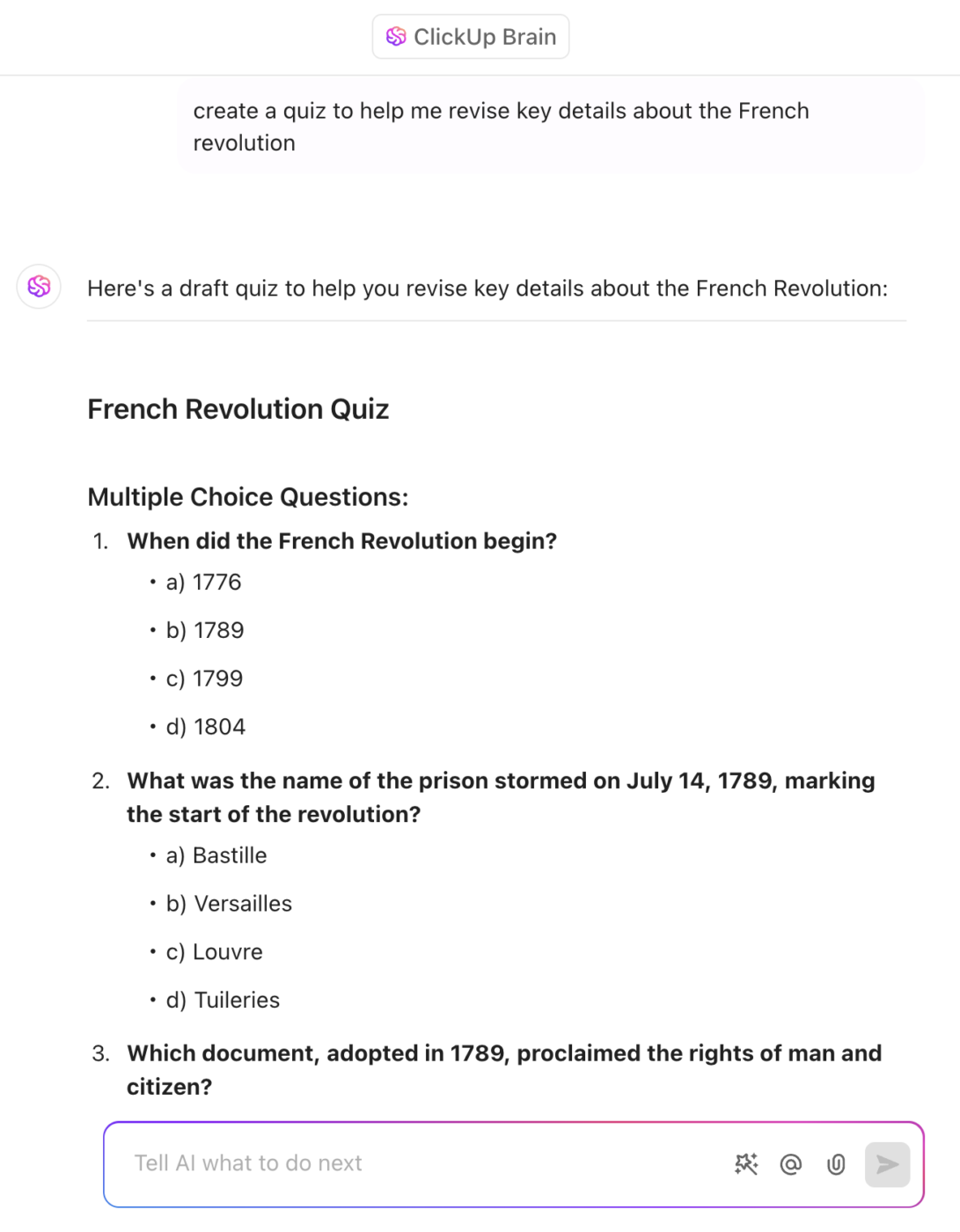
🔍 Did You Know? A 2025 meta-analysis found that productivity apps showed a positive correlation with academic performance, while entertainment and social media apps showed negative associations. The type of digital tool matters as much as how often you use it.
Studying isn’t just about re-reading your notes; it’s about actively engaging with the material. These AI tools help you absorb, retain, and test your knowledge so you’re prepared for exams.
Otter.ai transcribes your lectures in real-time, creating a searchable text document. It’s perfect for auditory learners or for those moments when your professor is talking a mile a minute and you can’t keep up with handwritten notes.
Notion AI excels at building a personal “second brain.” You can organize all your notes in one place, and its AI features can summarize them or help you find connections between different topics across your coursework.
Caktus AI and Exam AI turn your notes into active study materials by automatically generating flashcards, practice quizzes, and mock exams. They help you practice active recall, which research consistently shows is one of the most effective ways to study.
Socratic and Tutor.ai provide step-by-step explanations when you’re stuck on a problem in a STEM course. They act like a virtual tutor, guiding you through the process instead of just giving you the answer.
Wolfram Alpha functions less like a tutor and more like a super-powered calculator. This computational engine can solve complex math, science, and engineering problems in an instant when you need to verify your work.
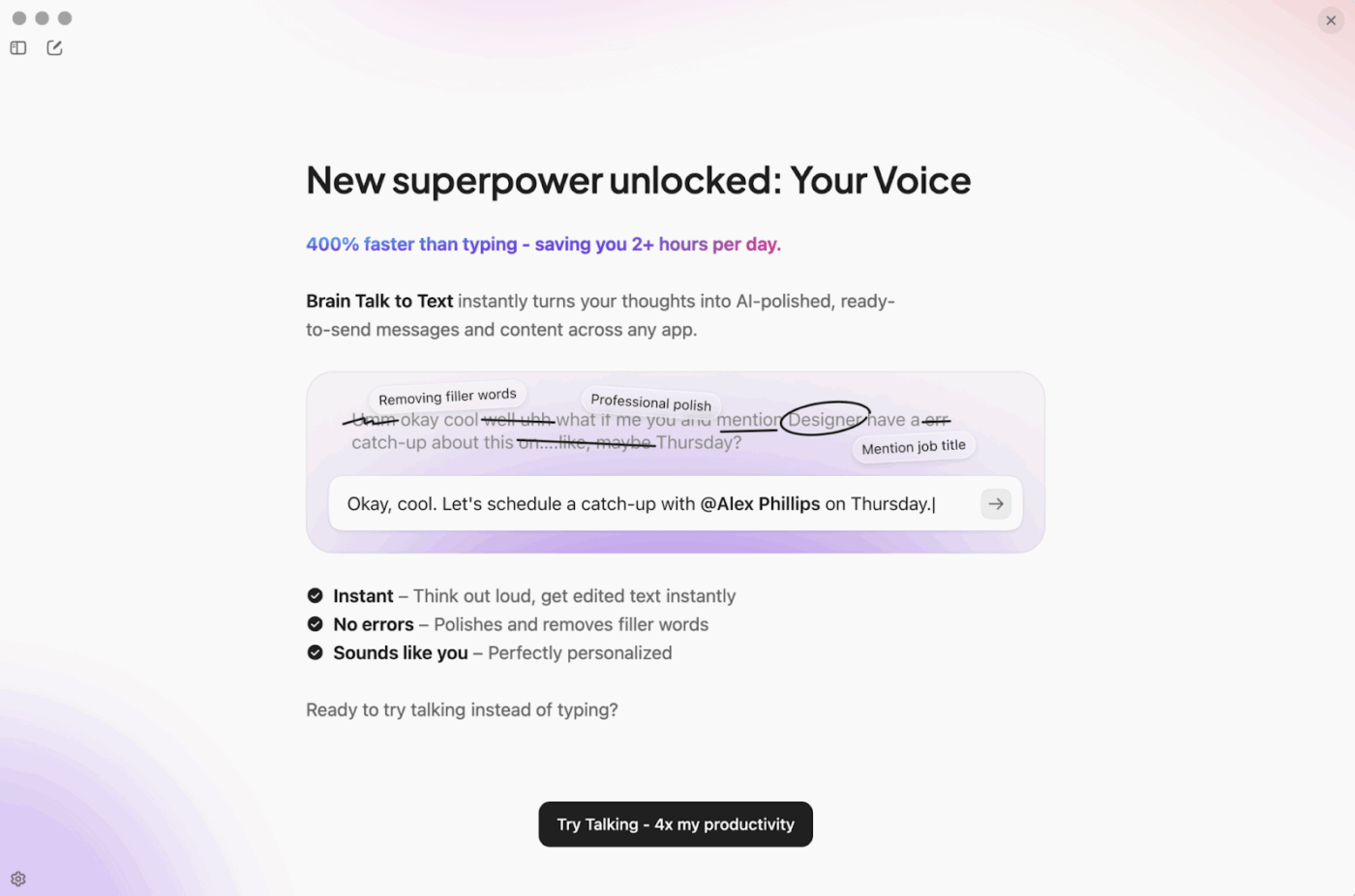
🎙️ How ClickUp does this too
With ClickUp Brain MAX, you can capture messy, spoken thoughts and convert them into clean study assets: a revision plan, a list of weak topics to drill, and quick “explain it back to me” prompts you can use for self-testing. This is clutch when you’re walking to class or your brain is fried and typing feels illegal.
The biggest challenge for many students is simply keeping track of everything. Your essay outline is in one app, your research notes are in another, and your group project chat is in a third. This is where a true productivity tool helps by bringing everything together.
ClickUp brings your tasks, documents, chat, and calendars into one central hub, eliminating the chaos of scattered information. The built-in AI feature, ClickUp Brain, can summarize notes, auto-generate task lists from syllabi or assignment prompts, and answer questions about your projects—all without leaving the platform. Because ClickUp Brain understands context across all your work, you get smarter, more relevant help than standalone AI tools can provide.
Todoist offers a simple and clean task manager that’s great for capturing to-dos with natural language. If you need something lightweight without the full feature set of a comprehensive platform, it handles basic task tracking well.
MyStudyLife is a scheduler built specifically for academic life, helping you track classes, exams, and assignments with a student-focused interface.
Google Calendar with Tasks provides a basic but reliable combination if you’re already heavily invested in the Google ecosystem and want to keep things simple.
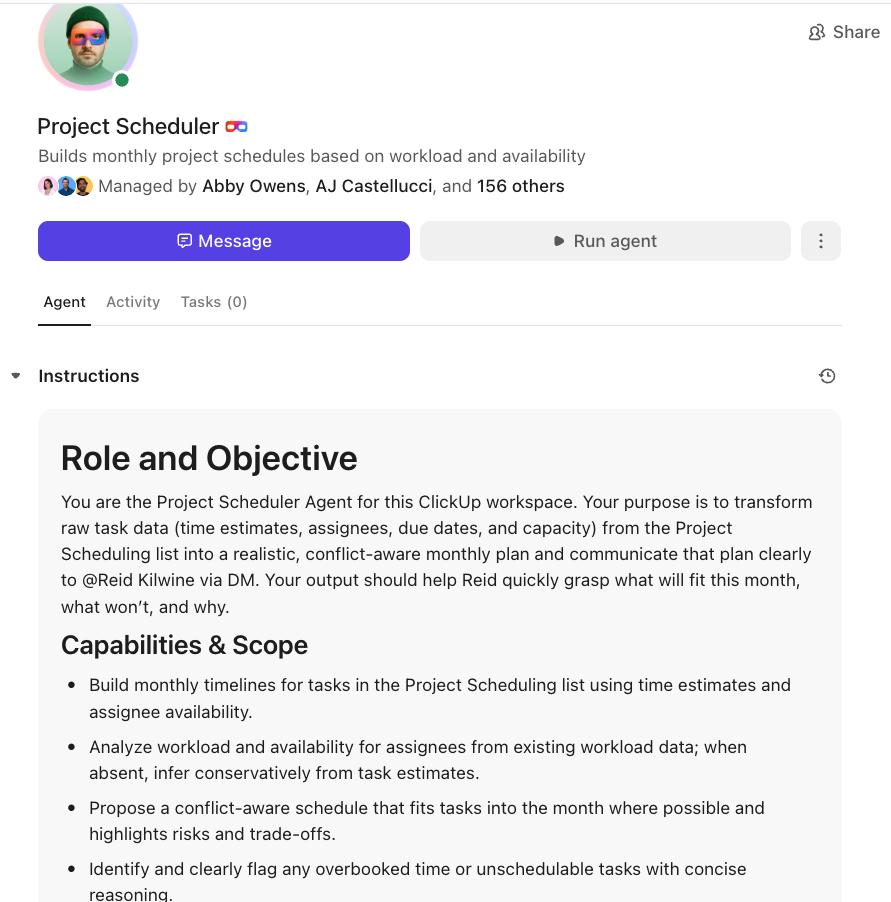
🤖 How ClickUp does this too
ClickUp Super Agents can run the annoying admin layer for you. Example: when you add a new assignment or paste a syllabus, an agent can auto-create a checklist of milestones, tag what’s “high effort,” and nudge you when you’re drifting toward deadline crunch mode. You’re not adding another tool. You’re adding an autopilot layer inside the same workspace.
📖 Also Read: Best Productivity Apps for Students
For projects that require more than words on a page, these AI tools help you create stunning visuals and presentations even without a design background.
Canva serves as the go-to for accessible design. It offers thousands of templates and uses AI to suggest layouts, color palettes, and fonts, making it easy to create professional-looking presentations quickly.
Adobe Express with Firefly provides a more advanced option with powerful generative AI features. You can create unique images from text prompts, apply text effects, and more when your project demands something beyond templates.
Slidesgo and Beautiful.ai focus specifically on presentations, offering templates that automatically format your content as you add it. Your slides always look clean and well-designed without manual adjustments.
DALL-E and Midjourney are pure image generation tools. You can use them to create custom visuals for creative projects, but always check your professor’s policy on using AI-generated images before including them in academic work.
🖼️ How ClickUp does this too
ClickUp Brain can generate visuals to support your work: quick concept images for slides, cover visuals for a report, or simple graphics for a project theme, so you’re not stuck hunting stock images at 1 AM.
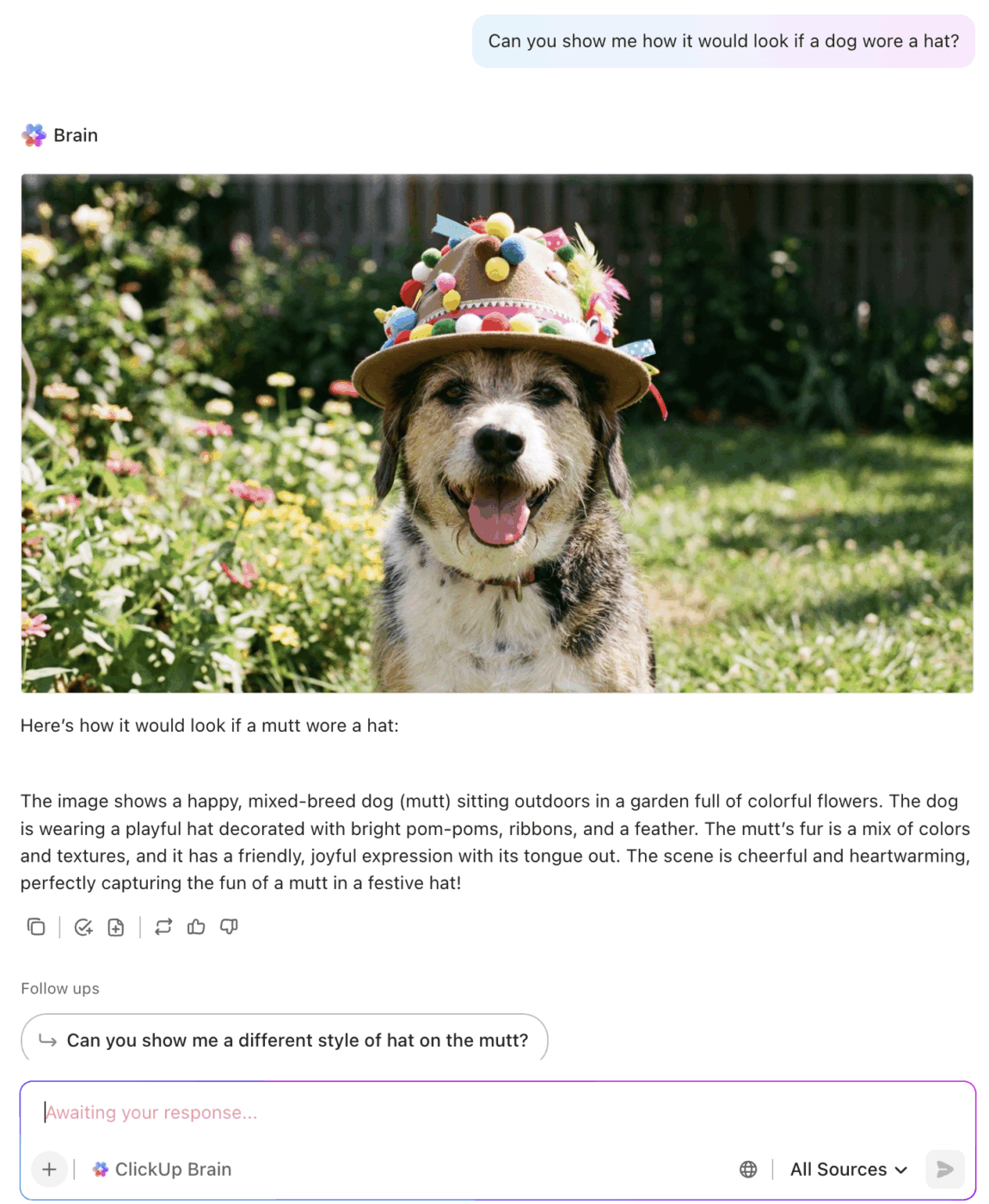
While individual AI tools can help with specific tasks, the real productivity gains come from consolidating your academic life into a single, intelligent workspace. ClickUp for Students brings together everything you need to manage coursework, group projects, and personal goals without the mental overhead of switching between apps.
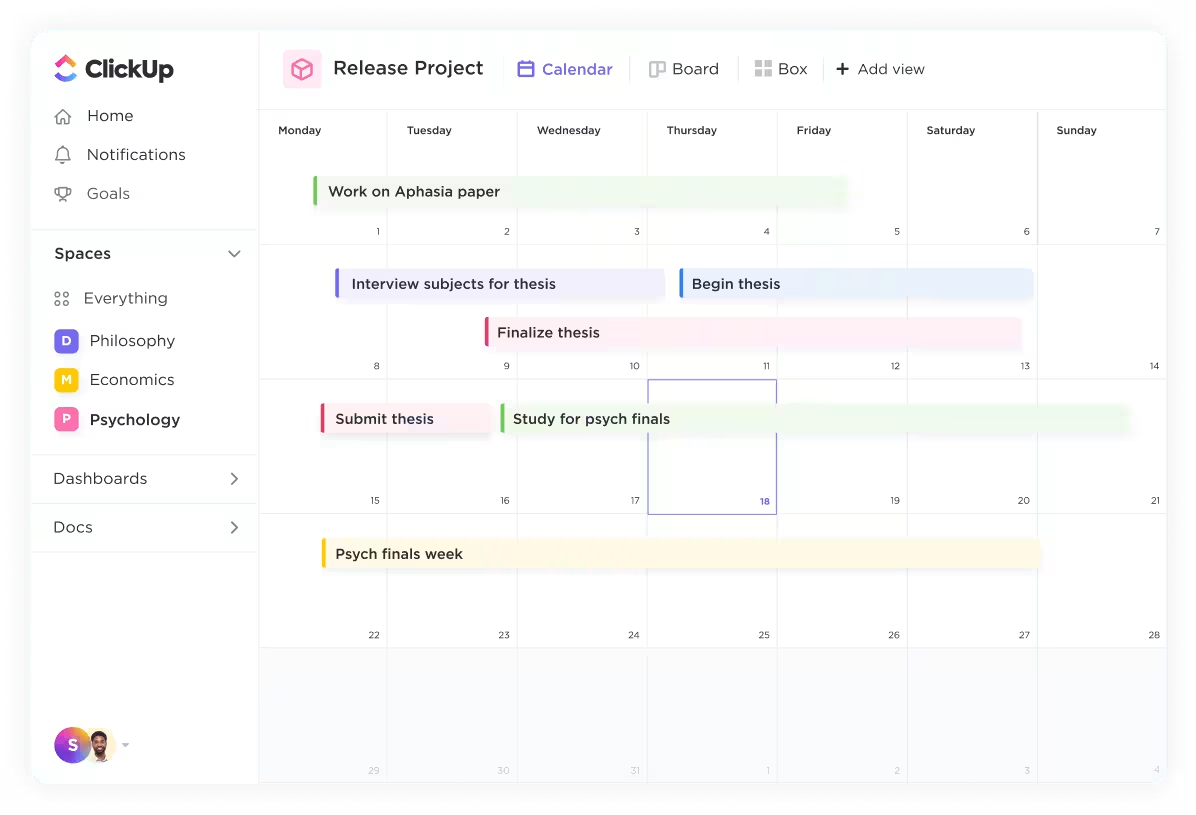
Every assignment, reading, and deadline can live in ClickUp Tasks, organized by course, priority, or due date. Break down large projects into manageable steps with subtasks and checklists.
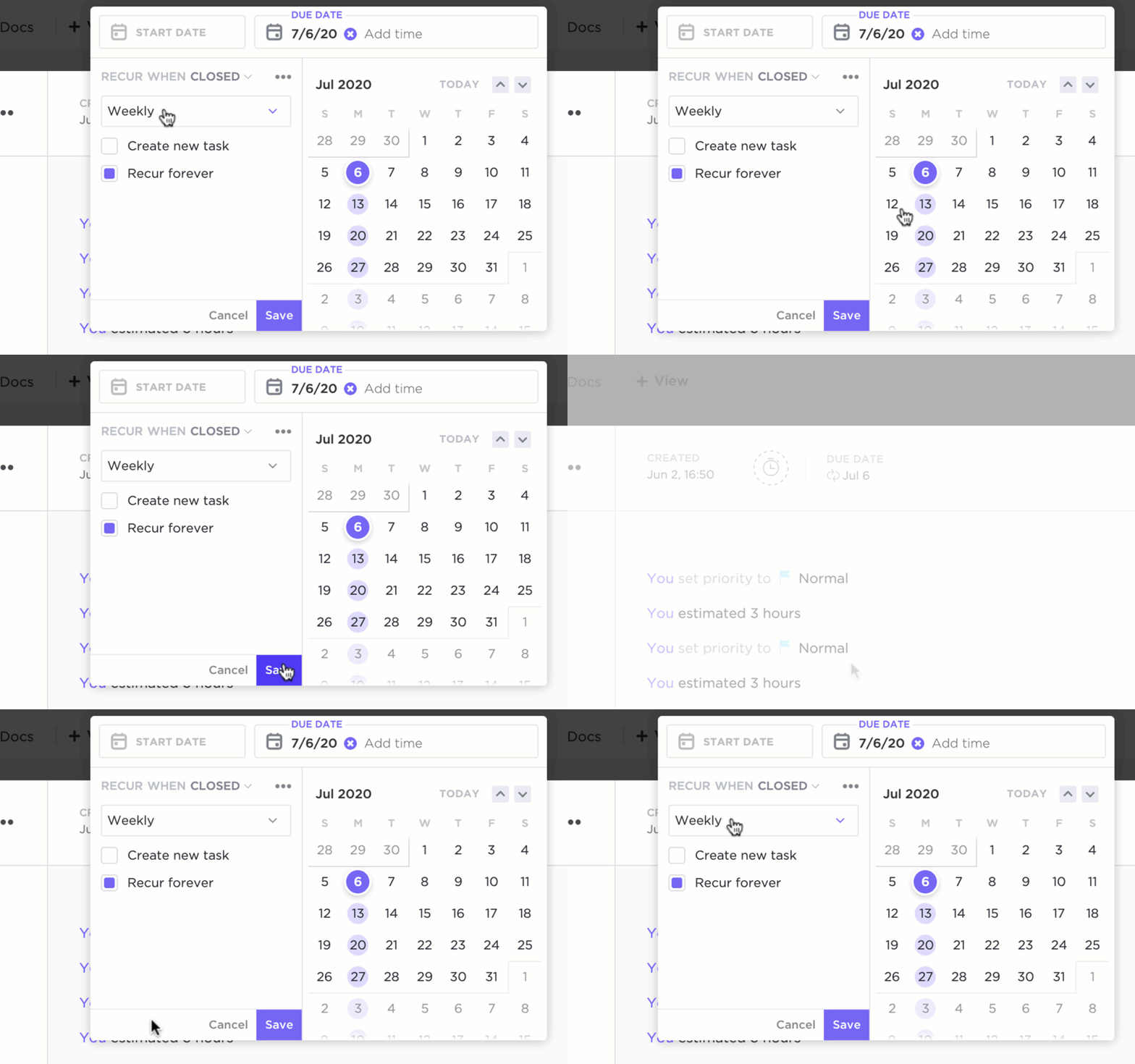
Set reminders that actually reach you before deadlines sneak up. For a research paper, you might create parent tasks for outlining, researching, drafting, and editing—each with its own timeline and checklist of specific action items. This approach aligns with proven organizational tools for students that reduce cognitive load.
The priority system lets you classify tasks as urgent, high, normal, or low priority, then sort them in List View to see everything arranged by importance. When exam season hits, and you’re juggling fifteen different commitments, this visual organization becomes essential for maintaining sanity.
The ClickUp Calendar brings your entire academic schedule into one visual interface. See assignments, exams, and personal commitments side by side. Color-code by course or project type. Drag and drop to reschedule when plans change. Unlike standalone calendar apps, your calendar entries connect directly to tasks with full context—notes, files, and related items are always one click away.
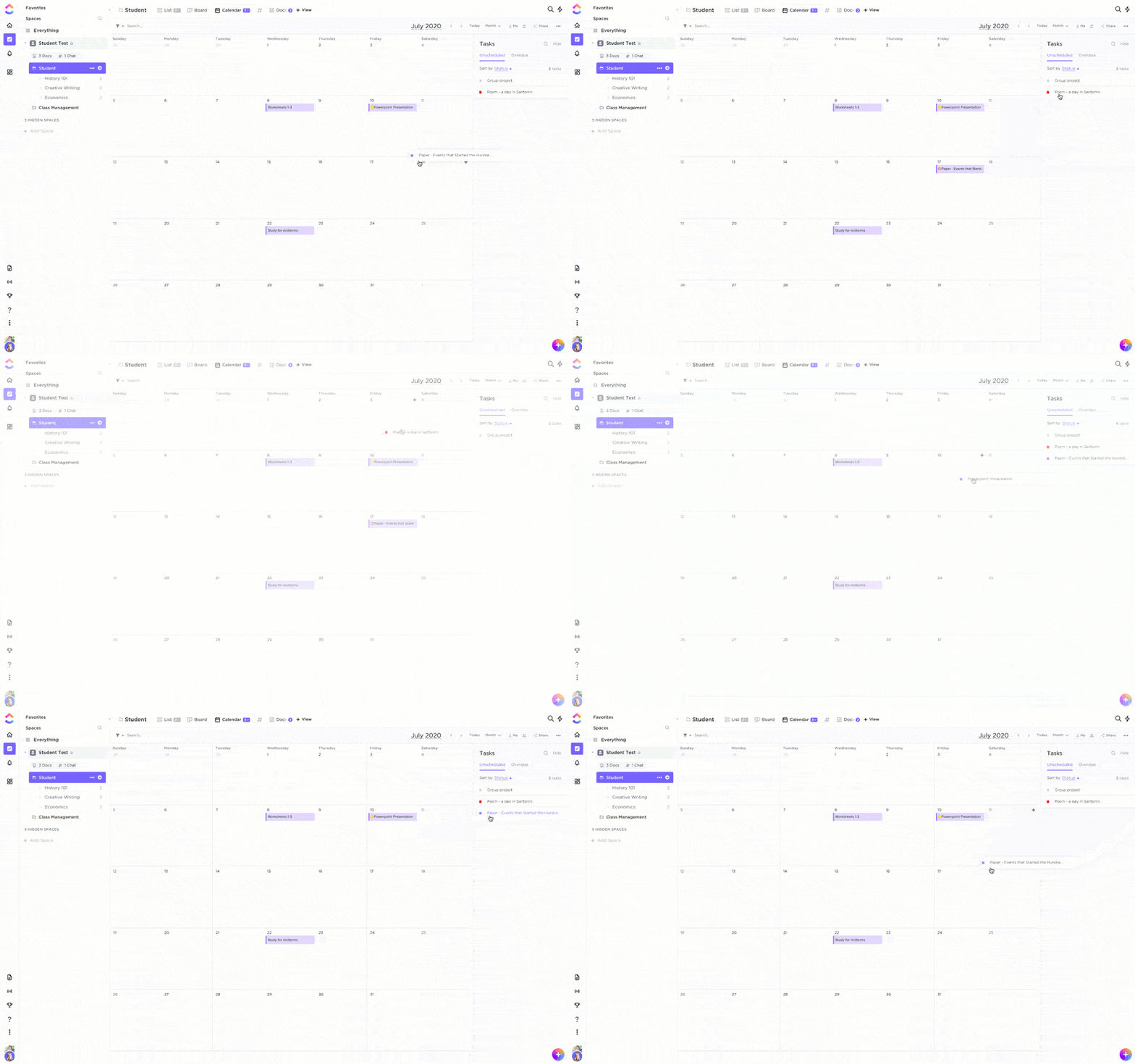
Syncing with external calendars like Google or Outlook means you can integrate all your commitments in one place, ensuring study sessions align with other important events without the mental gymnastics of checking multiple apps.
ClickUp Docs provides a collaborative space where you can draft essays, organize research notes, and build study guides—all connected to your task management system. Link documents directly to relevant tasks so your research is always accessible from the assignment it supports.

For group projects, multiple team members can edit simultaneously with real-time collaboration. Comments and suggestions stay attached to specific text, eliminating the chaos of email chains where feedback gets lost. Version history means you can always recover previous drafts if needed.
ClickUp Brain functions as your AI-powered academic assistant, integrated directly into your workspace rather than existing as a separate tool you have to switch to. Paste a syllabus, and ClickUp Brain can auto-generate a task list with deadlines.
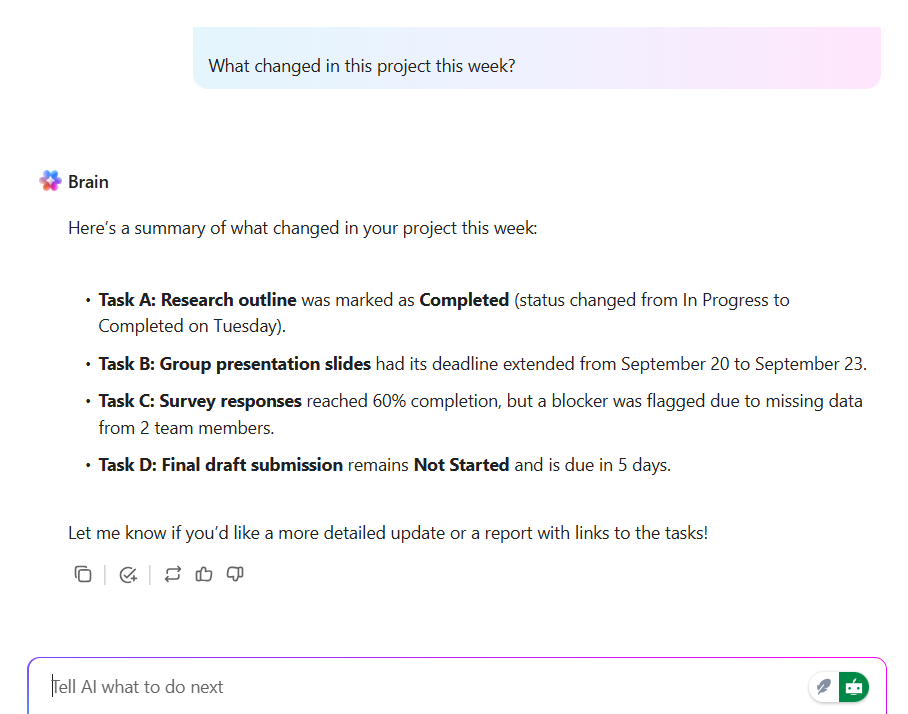
Ask it to summarize your lecture notes or explain a concept you’re struggling with. Because ClickUp Brain understands the context of your workspace—your projects, your notes, your deadlines—it provides more relevant help than standalone AI tools that start from zero every time.

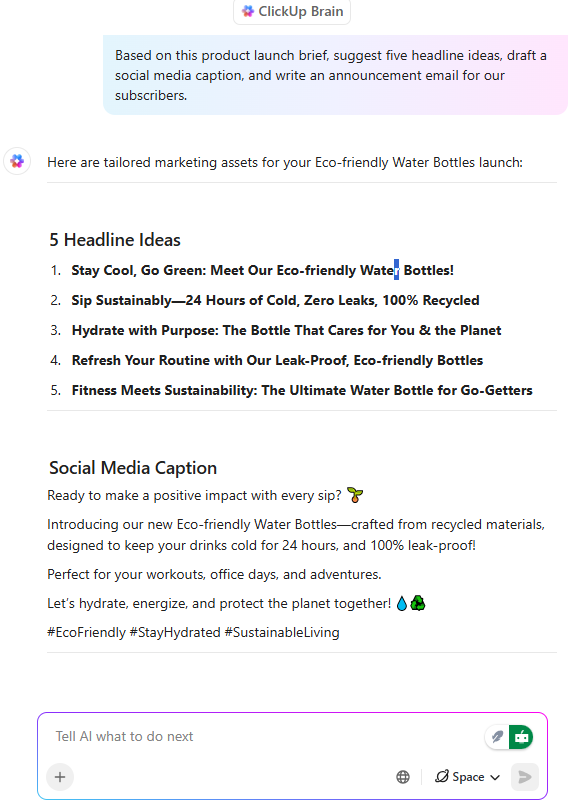
ClickUp Brain can also help with writer’s block by suggesting outlines, generating draft sections, or rephrasing awkward sentences. When you’re stuck at 2 AM trying to finish a paper, having AI assistance that already knows your project context is invaluable.
Group projects don’t have to mean chaotic message threads spread across three different apps. ClickUp Chat keeps all communication tied to the specific work it’s about. Discuss a task in its comment thread, @mention teammates to notify them of updates, and assign comments as mini action items to clarify who’s responsible for what.
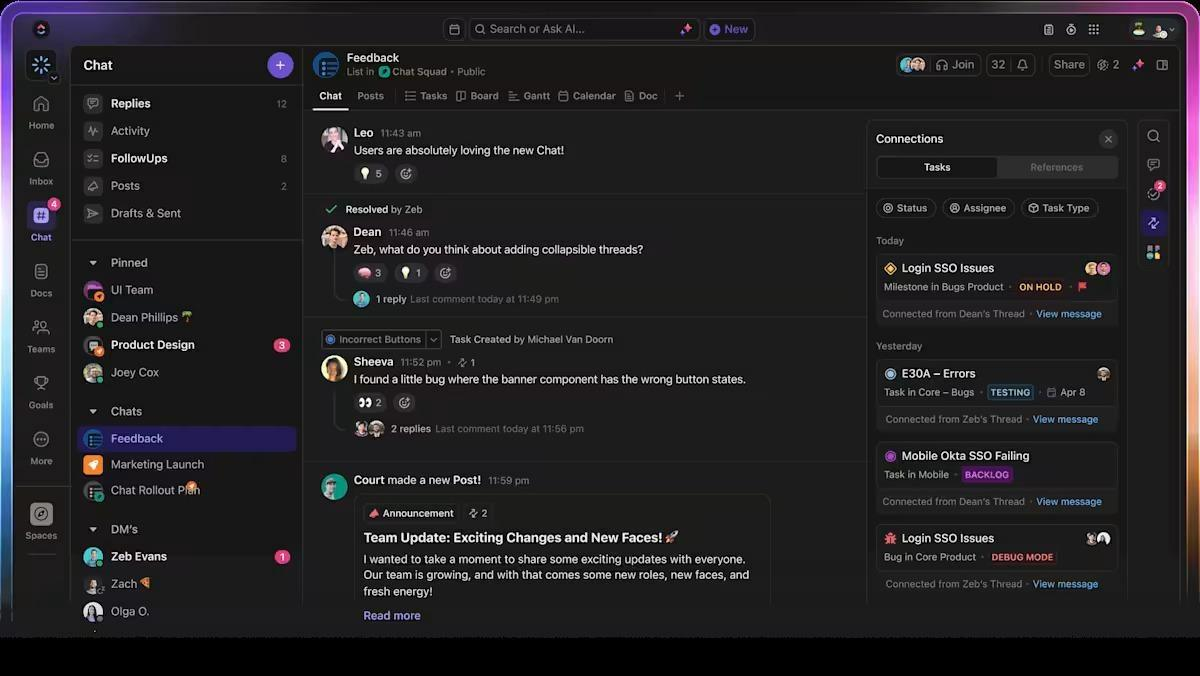
Instead of the “did you see my message in the group chat?” problem, everyone can see task progress, deadlines, and files in one shared space. The visibility alone reduces the friction that makes group projects painful.
Set up workflows in ClickUp Automations to automate repetitive tasks. Create rules to send reminders before deadlines, move tasks to “In Progress” when you start working on them, or notify group members when dependencies are complete.
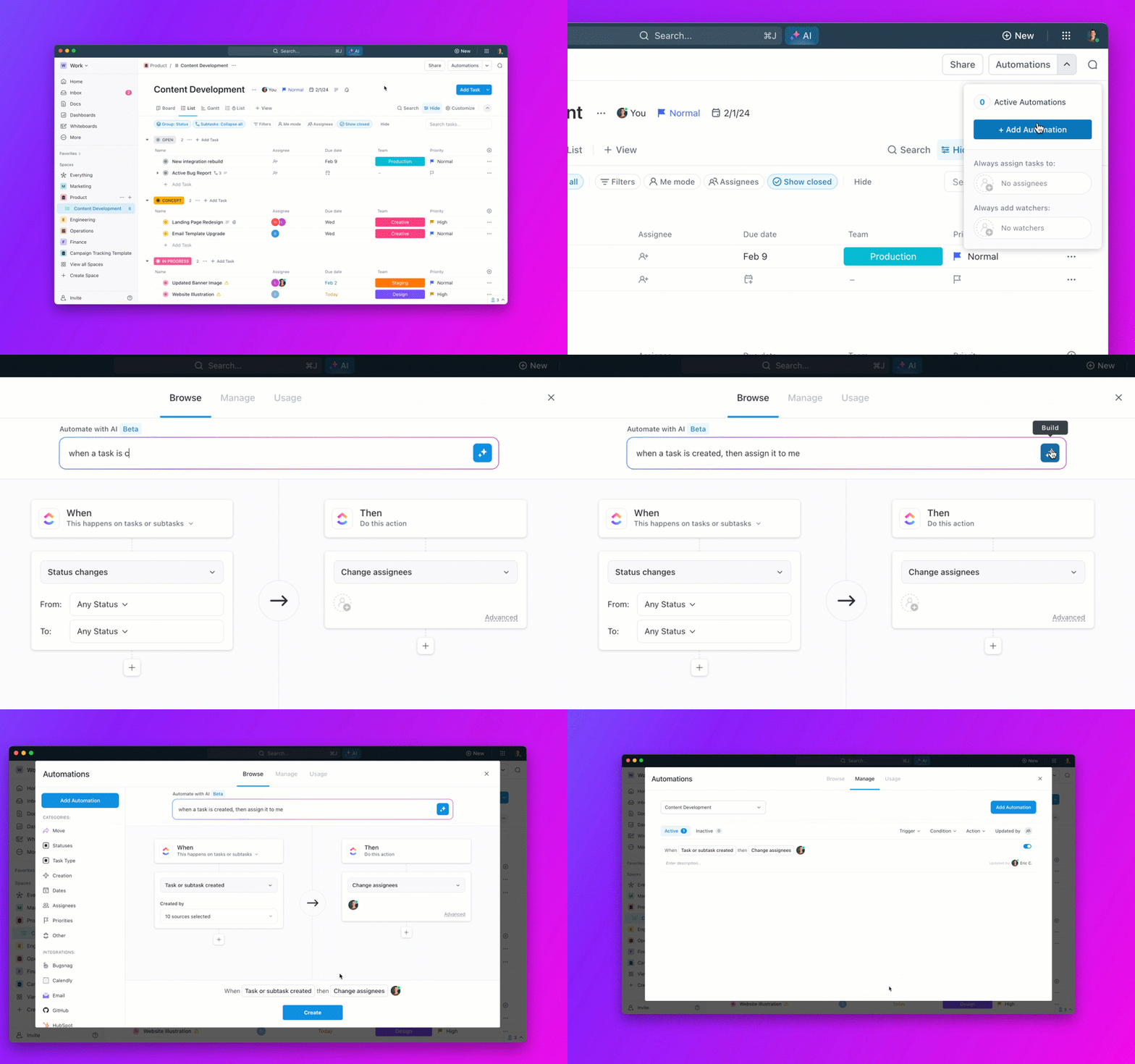
These automations reduce the mental load of project management, letting you focus on the actual work.
ClickUp offers pre-built templates tailored specifically for academic workflows. The Student Template centralizes all coursework details, letting you organize study materials, manage assignments, and track goals without building a system from scratch. Other templates cover everything from Cornell note-taking to homework tracking to semester planning.
You can also explore SMART goals for college students to structure your academic objectives effectively.
Having the right tools is only half the battle. If you’re just using them randomly when you’re in a panic, you’re not getting the full benefit. The key is to build a system—a predictable workflow for every assignment that saves you time and reduces stress.
Starting a project should happen the moment you get a new syllabus or assignment. Instead of manually creating a to-do list, paste the entire text into ClickUp Brain and let it auto-generate a task list with deadlines. This immediately breaks down a big project into manageable steps inside your centralized workspace.
The research phase requires a system for keeping sources organized. As you find sources, use an AI tool to get quick summaries, but don’t let that research live in a separate document. Store your notes and summaries in ClickUp Docs, which can be directly linked to the relevant tasks for your project. This way, your research is always connected to the work it’s for.
Writing and creating should happen directly in ClickUp Docs whenever possible. With your research, outline, and tasks all in the same place, you avoid the constant context switching that kills focus. Use AI for drafting assistance, but always revise in your own voice to maintain academic integrity.
Group projects are where a unified system becomes essential. Use ClickUp’s collaboration features to assign tasks to group members, set dependencies so work gets done in the right order, and track progress. Instead of a chaotic group chat, use task comments to keep all communication tied to the specific work it’s about. You can even @mention Brain in a comment to ask a question and get an AI-powered answer for the whole group.
Review and submission should include using AI for a final proofread and formatting check. Because your entire process is documented in one place, you have a clear record of your work—useful if any questions about academic integrity arise.
💡 Pro Tip: Build templates for recurring assignment types. If you write a lot of research papers, create a task template with subtasks for each phase of your process. The next time you get a similar assignment, you can clone the template instead of starting from scratch.
Are you tired of asking an AI a question and getting a generic, unhelpful response? The problem isn’t always the AI—it’s how you’re asking. Most students use AI like a basic search engine and get poor results, leading them to give up and go back to doing everything the hard way.
Be specific with prompts. Don’t say, “Help me write an essay.” Instead, try, “Act as a history professor and help me outline a five-page essay analyzing the economic causes of the American Revolution, focusing on the impact of the Stamp Act and the Townshend Acts.” The more specific you are, the better the output.
Provide context. AI tools work best when they understand your constraints. Tell them the word count, the target audience, and the specific requirements of the assignment. This is where an integrated tool has a huge advantage—ClickUp Brain already knows about your projects, tasks, and notes, so you don’t have to re-explain everything every time you ask a question.
Iterate, don’t accept first drafts. Treat the AI’s first response as a starting point, not the final product. Ask follow-up questions, request alternative phrasing, and push for more specific details. The conversation approach typically yields far better results than one-shot prompts.
Use AI for the right tasks. AI excels at brainstorming, summarizing, and organizing information. It’s less effective for creating original analysis or capturing your unique creative voice. Match the tool to the task.
Learn the tool’s limitations. Every AI can “hallucinate,” or make things up with complete confidence. Always double-check facts, figures, and quotes, especially when you’re using them in academic work.
The biggest fear for many students is accidentally crossing the line into academic dishonesty. The rules can be confusing, and the consequences are serious. Using AI responsibly isn’t just about avoiding trouble—it’s about ensuring you’re actually learning.
Know your institution’s policies. This is the most important rule. AI policies can vary wildly between schools, departments, and even individual professors. If the policy isn’t clear, ask before you start working on an assignment. Getting permission in advance is always easier than explaining yourself afterward.
Understand the line between assistance and plagiarism. Using AI to brainstorm ideas, check your grammar, or organize your notes is generally considered acceptable. Submitting AI-generated text as your own original work is plagiarism, full stop. When in doubt, think about whether you could honestly explain your process to your professor.
Cite AI use when required. Some professors and institutions require you to disclose when and how you used AI tools. Get into the habit of documenting your process so you can be transparent if asked. This also protects you if questions arise later.
Develop your own skills. The purpose of college is to learn how to think critically and solve problems. AI should be a tool that accelerates your learning, not a crutch that replaces it. If you find you can’t do the work without AI, you haven’t mastered the material.
Be skeptical of AI output. AI models are designed to be confident, even when they’re wrong. Always verify any factual claims, statistics, or quotes that an AI provides. A single incorrect citation in an academic paper can damage your credibility.
🔍 Did You Know? 66% of business leaders would not hire a candidate who lacks AI skills, according to Gartner. Students who graduate with both subject-matter expertise and AI literacy will have a competitive edge in the job market. Use AI to accelerate your learning, not replace it.
The path from overwhelmed student to organized achiever isn’t about finding the perfect single app—it’s about building a system that works together. When your tasks, notes, calendar, and AI assistance all live in one place, you spend less time managing tools and more time actually learning.
Ready to consolidate your coursework, projects, and study materials in one AI-powered workspace? Get started for free with ClickUp and experience what academic productivity looks like without the app-switching chaos.
AI writing tools focus on the text itself, helping you with grammar, style, and paraphrasing. AI productivity tools help you manage the entire workflow of getting that writing done, from initial idea to final submission.
How can college students use AI to manage group projects and team assignments? Use a shared, centralized workspace where everyone can see tasks, deadlines, and files. Clarify responsibilities with Task assignment and get quick answers for the whole group using ClickUp Brain in Chat
Many popular AI tools offer basic functionality, but premium features often require a subscription
Yes, that’s the core benefit of a converged workspace. By bringing your Tasks, Docs, notes, and Calendars into one platform, you eliminate the need to switch between multiple single-purpose apps.

© 2026 ClickUp

There’s an easier way. Try a free AI Agent in ClickUp that actually does the work for you—set up in minutes, save hours every week.