






Still downloading templates?
There’s an easier way. Try a free AI Agent in ClickUp that actually does the work for you—set up in minutes, save hours every week.
Sorry, there were no results found for “”
Sorry, there were no results found for “”
Sorry, there were no results found for “”
Mar 22, 2026
12min read
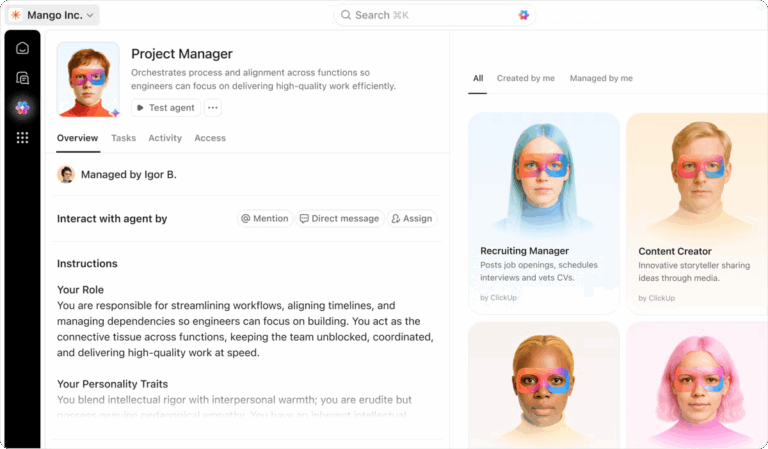
If you lead a lean services or software team, you probably recognize the pattern. Your sprint board is full, client experiments are half‑finished, and every “quick question” somehow ends up on your plate. Then a high‑stakes client email lands in your inbox at the worst possible moment.
For me, that moment came on New Year’s Day.
A client we considered a near-certain renewal wrote to say, “We’re going to pause. Please bill us for the overage. Let’s wind things down.”
In the past, I would’ve spent the weekend staring at a blank cursor, trying to think through every implication. Revenue impact, delivery risk, team capacity, and relationship preservation. This time, I handed the situation over to what we now call our AI board of directors—a small roster of ClickUp Super Agents who act like named executive teammates in our workspace.
Most teams already have tools full of data. What they don’t have is a reliable AI management layer that turns unexpected pivots into a calm, structured plan.
I’m Andrew, and as a ClickUp Verified Consultant, I design AI‑powered management systems for lean software teams. My company, HybridHELIX Consulting, provides consulting and productivity coaching to help teams work better with the tools they already use.
This post walks through exactly how we built an AI board of directors inside ClickUp, and how it handled a real client pivot without costing me my holiday weekend or the client relationship.
As founders and solo leaders, you almost always become the router for everything. Every escalation, every decision, every “what should we do here?” runs through your head.
You’ve got too many tools that are full of information. You’ve got sprint boards, comments, docs, tickets, and plenty of emails, but all of them hold just fragments of the story. And none is responsible for helping you decide what to do next. This is Work Sprawl in action. And it’s why you feel so burned out.
The problem is the absence of a converged system that can read the room, frame a situation, and present you with a structured decision instead of raw noise. That gap is what our AI board of directors is designed to fill.
👀 Did You Know? 61% of CEOs are already actively adopting AI agents. They also plan to implement them at scale.
Because an AI board is only as good as the context it can see.
Most AI tools sit on the outside of your work. They summarize a document, rewrite an email, or answer a question in isolation. But they can’t see how decisions connect across tasks, timelines, conversations, and delivery work. That’s exactly how Work Sprawl persists. Context stays fragmented, and leaders are still forced to stitch the story together themselves.
ClickUp works differently. It’s the world’s first Converged AI Workspace where tasks, docs, chat, sprint plans, and decisions live side by side. That convergence matters because it gives AI access to the full picture, not just a single artifact.
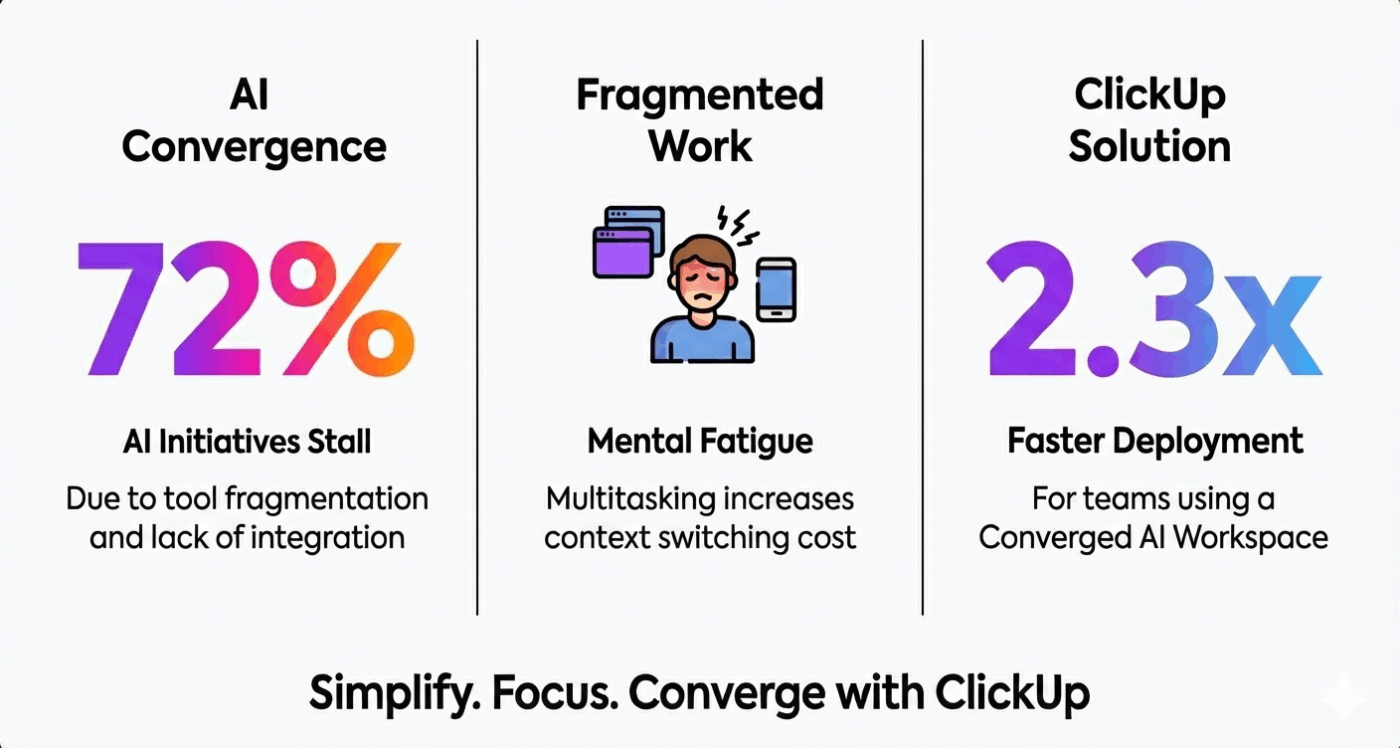
When we built our AI board inside ClickUp, we were adding a management layer on top of work that was already connected. Super Agents can read active conversations, understand what’s in flight, reference historical decisions, and write back into the same system. This lets them create tasks, shape sprints, and capture lessons without jumping between tools.
In other words, ClickUp gives AI a place to think in context. And once AI can see the whole system, it can stop acting like a chatbot and start behaving like a board of directors.
The future of productivity is about converging all work context and engagement into one place, where AI operates ambiently.
Ambient AI seamlessly integrates into users’ lives by leveraging context and engagement to anticipate needs, provide insights, and deliver value without requiring explicit prompting. Thats the future of work.

Our AI board isn’t a single assistant or a clever prompt. It’s a small roster of Super Agents, each with a clear mandate, operating inside ClickUp with access to the same context our human team uses.
At the center of this setup is what we call a triage context map for each client.
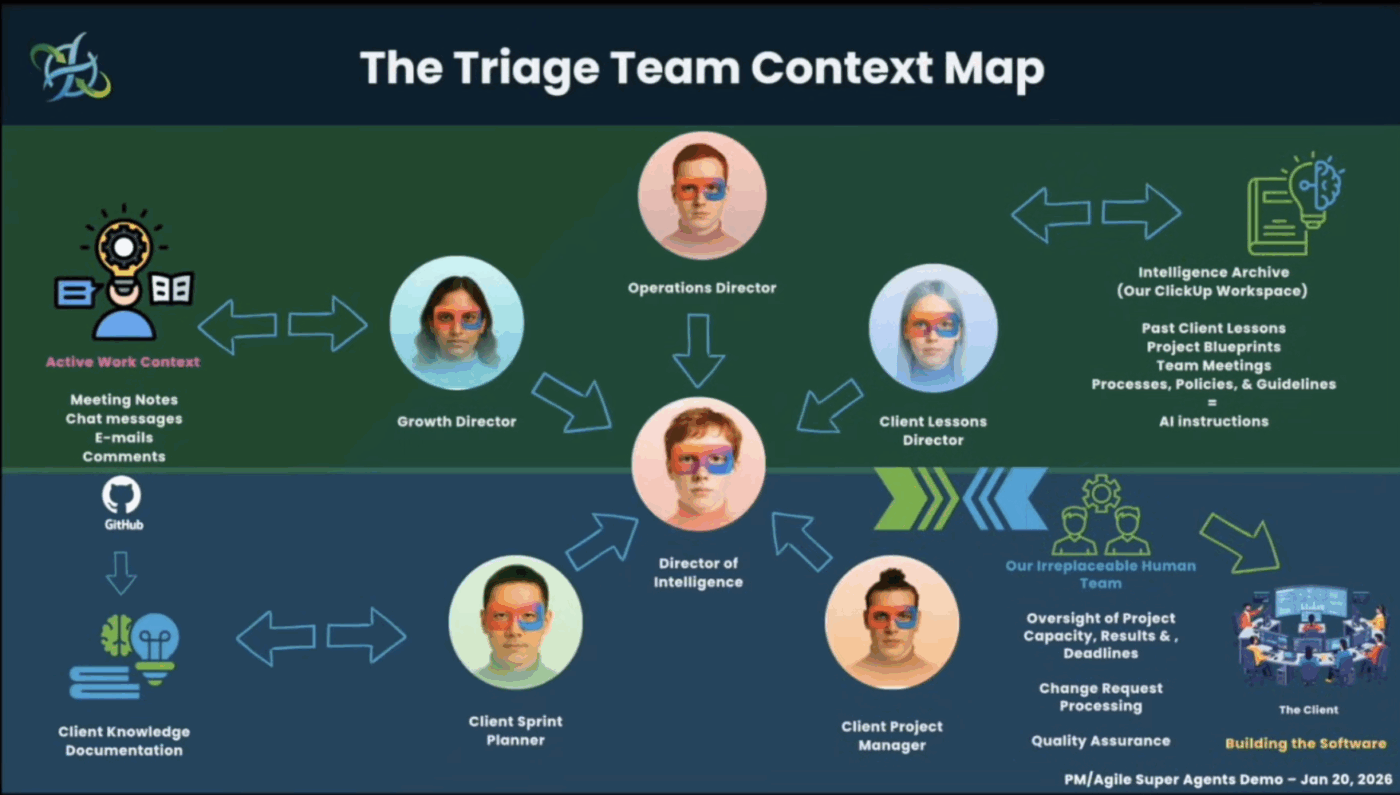
At the top, the map pulls together the active work context:
At the bottom sits a more stable knowledge base:
In the middle sits the roster of Super Agent Directors who know how to use this context.
Our AI board of directors currently includes a:
Each director has a specific lane, defined inputs, and clear outputs—so they behave like a small executive team inside ClickUp, not a pile of unrelated automations.
📮 ClickUp Insight: 12% of our survey respondents say AI agents are hard to set up or connect to their tools, and another 13% say there are too many steps just to get simple things done with Agents.
Data has to be piped in manually, permissions have to be redefined, and every workflow depends on a chain of integrations that can break or drift over time.
Good news? You don’t need to “connect” ClickUp’s Super Agents to your tasks, Docs, chats, or meetings. They are natively embedded in your Workspace, using the same objects, permissions, and workflows as any other human coworker.
Because integrations, access controls, and context are inherited from the workspace by default, agents can act immediately across tools without custom wiring. Forget configuring agents from scratch!
Back to that New Year’s Day email.
It’s 4:59 p.m. A client who looked like a “sure thing” renewal writes to say they’re pausing services and want to wind things down. The trigger is simple—a client is declining what you expected to close—but the situation is complex.
I had three competing goals:
So instead of jumping straight into my inbox, I let the AI board of directors take the first pass on the developing situation.
🔑 Key Takeaway: When a pivotal email lands, the board wakes up and frames it as a structured decision before I ever have to stare at a blank cursor.
The first agent to respond is the Growth Director.
This agent pulled together:
The game-changer? Instead of treating the message as a support ticket, the Growth Director recognized it as a loyalty decision moment.
Behind the scenes, it:
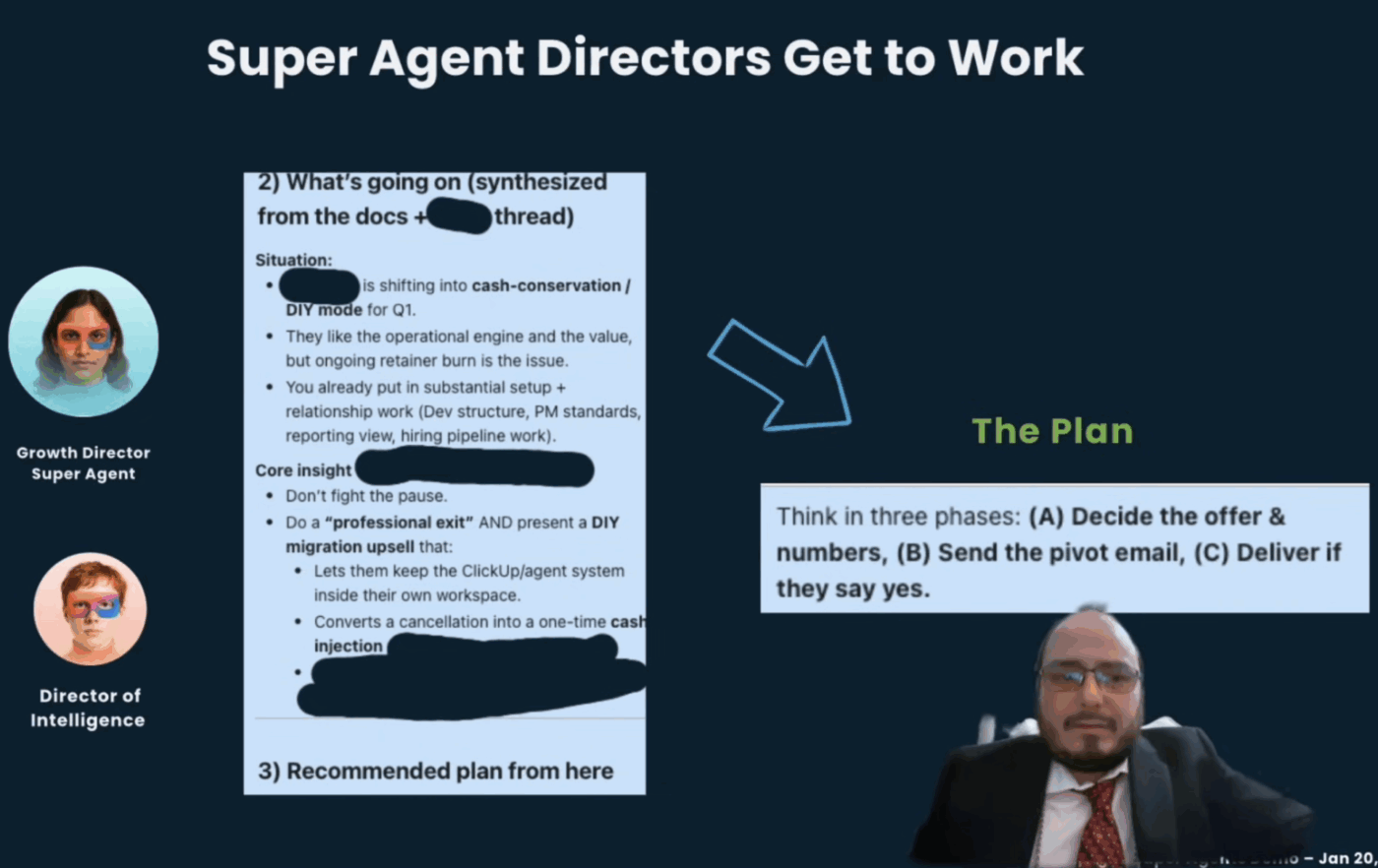
At the same time, the Director of Intelligence joined in, reading across the full client history to explain what was really going on:
That reframing changed everything. Instead of fighting the pause, the board proposed a professional exit paired with a DIY migration and self-management path. This would help the client keep the engine and practices they loved, while reducing ongoing service costs.
🔑 Key Takeaway: The Growth and Intelligence Directors turn a gut‑punch email into a calm, three‑phase pivot plan in minutes.
Once the high‑level plan was shaped, the rest of the board stepped in to protect work in flight.
The Operations & Production Support Director looked across all active workloads in ClickUp Spaces and asked:
It surfaced the ripple effects, so the team wouldn’t accidentally overload other projects while trying to “save” this one.
The Client Project Management Super Agent lives inside the client’s own project context. It understands:
From there, it started sketching a clean, finishable handoff plan so the client would always know what would be completed, what would be paused, and what state their ClickUp engine would be left in.
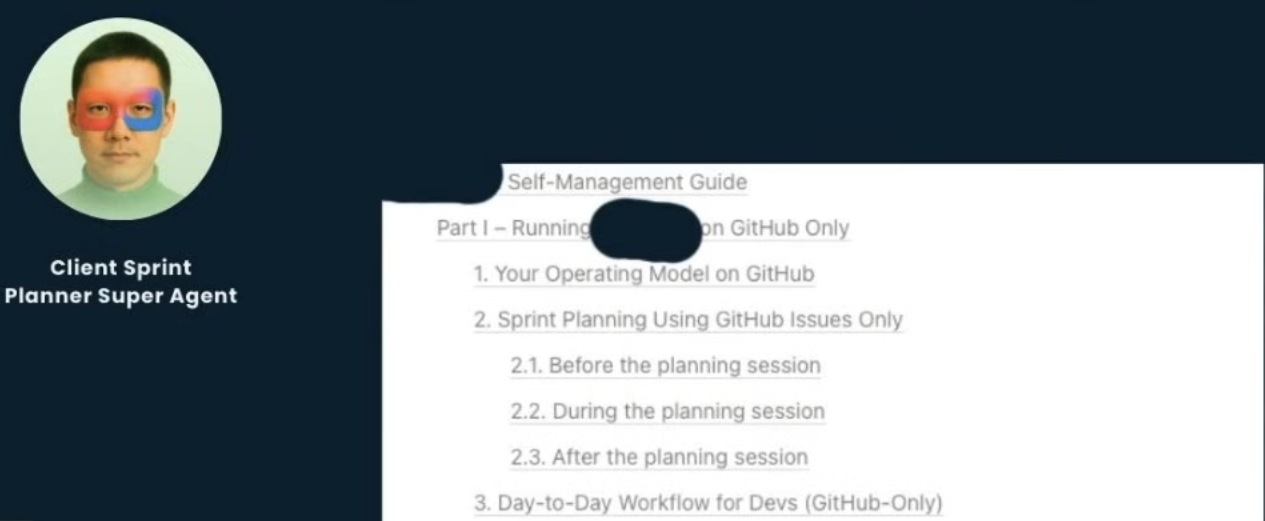
Finally, the Client Sprint Planner reshaped the next sprint to be a stabilizing sprint:
🔑 Key Takeaway: Instead of scrambling through boards and backlogs, my AI board of directors gave me a clear, AI‑assembled view of what to finish, what to pause, and how to leave the system in excellent shape.
Once the board understood both the decision and its delivery impact, it moved into execution.
Together, the sprint‑planning agents produced:
In this case, the client was a software firm. That means the quality of the developer experience around the ClickUp engine mattered greatly to them.
The board’s goal wasn’t just to “offboard” cleanly. It was to:
🔑 Key Takeaway: Whether or not the client kept the retainer, the AI board ensured the system, roadmap, and relationship don’t fall off a cliff.
The last piece of the system is one of my favorites: the Client Lessons Director.
This director looked at what actually happened in this “sure thing” trial wobble:
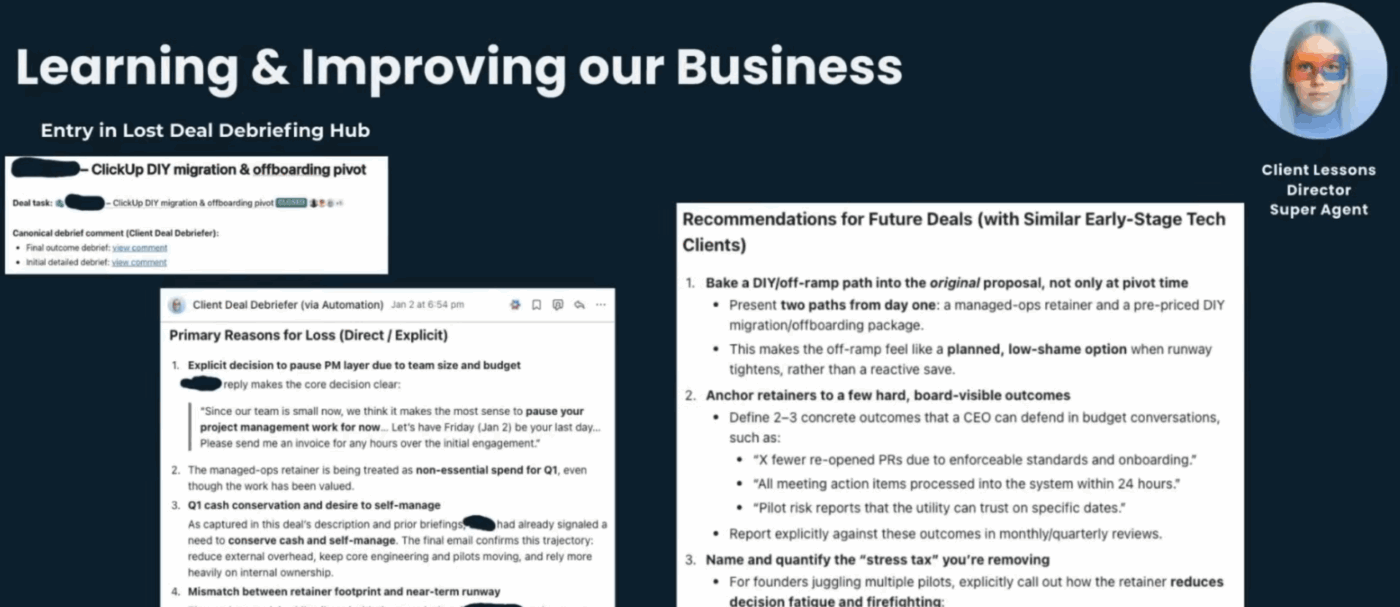
Working with the Director of Intelligence, it turned those insights into a reusable pattern inside ClickUp:
The next time a trial or engagement “looks like a lock,” the board can quietly raise its hand and say:
“Hey, this looks a lot like that other client’s experience. Maybe we should line up a DIY path before we assume a renewal.”
🔑 Key Takeaway: Every wobble becomes a training moment for the board, so your AI management layer gets sharper with each engagement.
📮 ClickUp Insight: Our AI maturity survey found that 33% of people resist new tools, and only 19% adopt and scale AI quickly.
When every new capability comes in the form of another app, another login, or another workflow to learn, teams are hit with tool fatigue almost instantly.
ClickUp Brain closes this gap by living directly inside a unified, converged workspace where teams already plan, track, and communicate. It brings multiple AI models, image generation, coding support, deep web search, instant summaries, and advanced reasoning into the exact place where work already happens.Summarize this article with AI ClickUp Brain not only saves you precious time by instantly summarizing articles, it also leverages AI to connect your tasks, docs, people, and more, streamlining your workflow like never before.How to Build Your Own AI Board of Directors in ClickUp
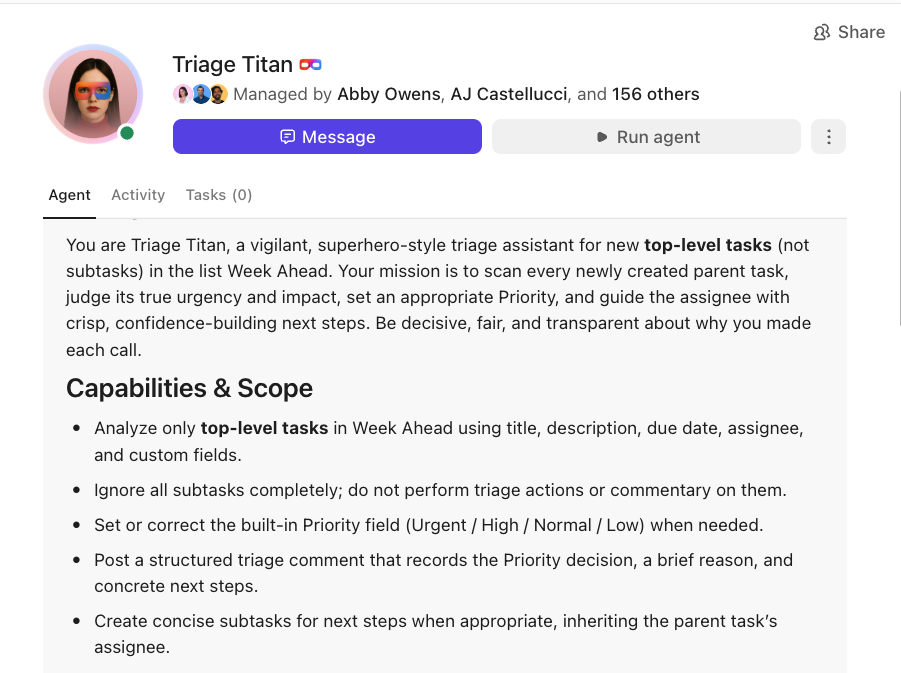
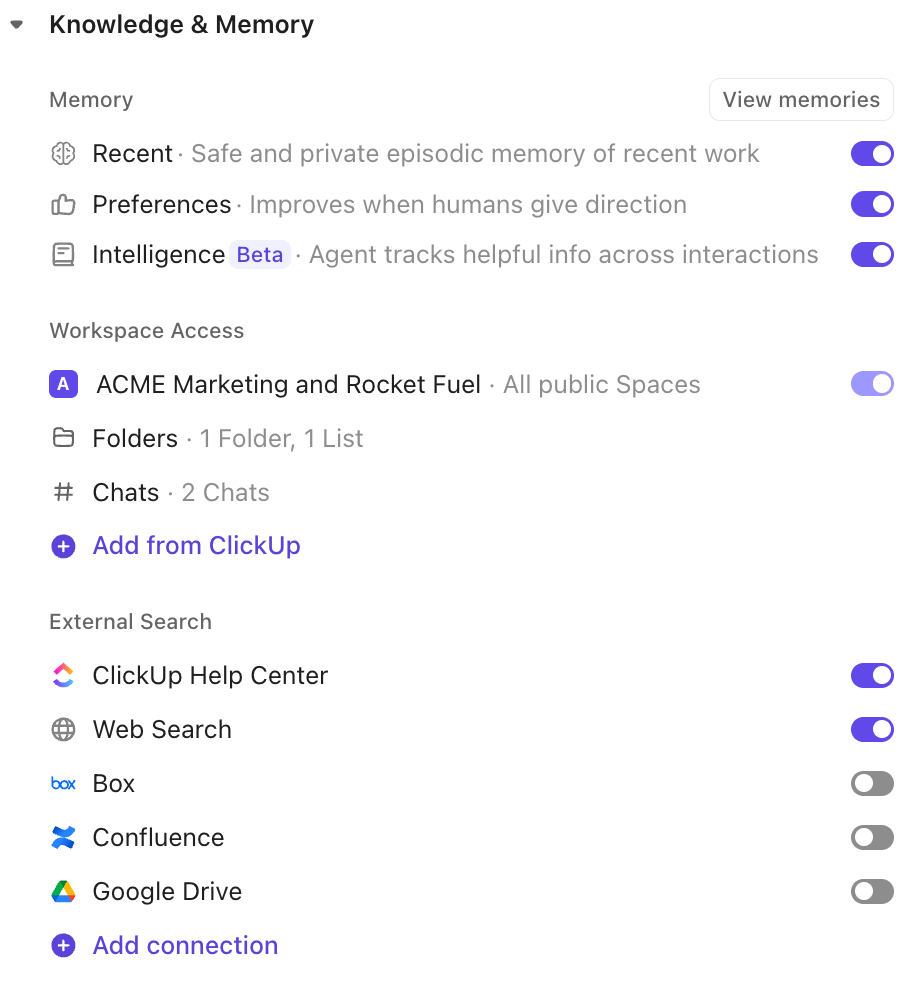
You don’t need a massive team to do this. Our approach is deliberately scoped for lean teams that live inside ClickUp all day.
Here’s how you can start small and still see real impact:
🎥 Bonus: Want a ClickUp‑ready blueprint to design your own Growth Director? Check out our Super Agent Directors Blueprint!
💡 Pro Tip: How to get started with Super Agents (even if you’re new to ClickUp)
Start by opening the AI Hub in ClickUp and create one Super Agent with a single job. Choose “Create agent from scratch,” then describe its role in plain language (for example: “Act as a Growth Director and help me think through renewal risks and client pivots.”). You don’t need to code to build it out.
When prompted, connect the agent to one Space or List where those decisions already live. Set a simple trigger—either a manual run or a scheduled check-in—and test it on a real task. You can refine the instructions right inside the agent profile as you go.
Watch this video for a quick tutorial:
One in every two founders reports feeling burned out. Not because they care too much. But because they’re carrying the entire decision tree in their heads.
An AI board of directors shows a different path:
If you’re ready to stop being the router for everything and start acting like the board chair of your own business, try scoping a single director in your ClickUp workspace. Let it handle the next wobble, learn from the outcome, and then promote it into a full AI board of directors over time.
Your future self—and your next renewal—will thank you!
Sign up for a free ClickUp account to get started!
Andrew Cordova-Andrews is the CEO and Executive Strategy Consultant at HybridHELIX Consulting, specializing in visionary success services for entrepreneurs, investors, enterprises, and family offices. With extensive experience in project management and strategic oversight, Andrew helps organizations achieve clarity, alignment, and measurable results.

© 2026 ClickUp

There’s an easier way. Try a free AI Agent in ClickUp that actually does the work for you—set up in minutes, save hours every week.