






Still downloading templates?
There’s an easier way. Try a free AI Agent in ClickUp that actually does the work for you—set up in minutes, save hours every week.
Sorry, there were no results found for “”
Sorry, there were no results found for “”
Sorry, there were no results found for “”
Lili van Belle is the marketing manager of Marker.io and a TEDx speaker. She combines her passion for great storytelling with a Master’s degree in Literature and a deep understanding of human psychology.
We’re all obsessed with efficiency, aren’t we?
Yet, one of the main struggles in companies today is the communication disconnect between teams. The pandemic did not improve things. 😷
Before COVID-19 hit, it was fairly easy to walk over to a colleague’s desk to ask for more information. Most of us did that daily! But now, a lot of teams work from home full-time. This means we need to be more precise and complete in our communication.
To make the communication surrounding QA testing and bug reporting better, Marker.io now seamlessly integrates with ClickUp!
Bug reporting and QA testing methods are a slow process, even in ClickUp.
This is because no matter who spots the issue, it can take forever to send actionable feedback to your developers. And more often than not, some technical detail is missing.
This is the typical way teams report bugs:
You want to deliver complete and actionable bug reports to your developers, so you go through these motions.
But it can be done a whole lot easier.
Bonus: Incident Report Templates!
There are several elements that make up the perfect bug report, and there is nothing you should leave out if you want your developers to resolve it efficiently. 😅
Let’s take a look at the “perfect bug report template” list below. Download the template here.
Keep it brief and to the point. Always use the terms you agreed on internally.
Does your team always use “cart?” Don’t use “basket” in your bug report!
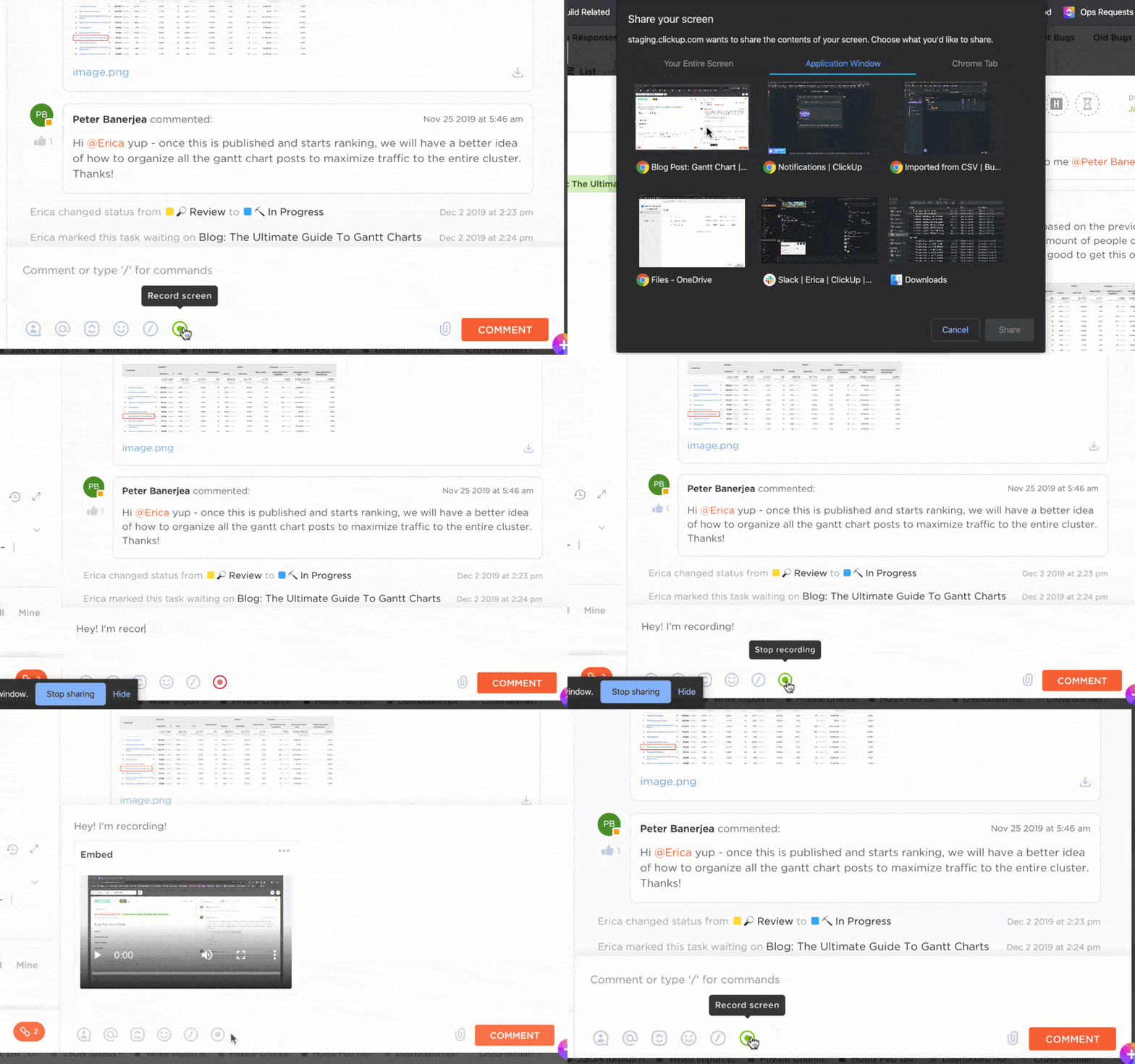
A picture is worth a thousand words. Although it might not be enough, a screenshot or a video will help your developers understand the problem better and faster.
Make it easy for your developers to spot the problem by including the URL of the page where you found the bug.
Also, depending on your browser, operating system, zoom level, and screen size, websites may behave differently from one environment to another. So make sure to always include these. Big time saver!
When things go wrong in a page script, resulting in a bug or an issue, it gets recorded in the console logs. You can find these when “inspecting” a page and taking a screenshot of that bit.

A screenshot is proof that you had a problem, but keep in mind that your developer might not be able to reproduce the bug. Make sure to describe, with as much detail as possible, the steps you took before you encountered the bug.
Marker.io for ClickUp wants to help you become more efficient in this process, without forcing you to pay for yet another tool to track bugs!
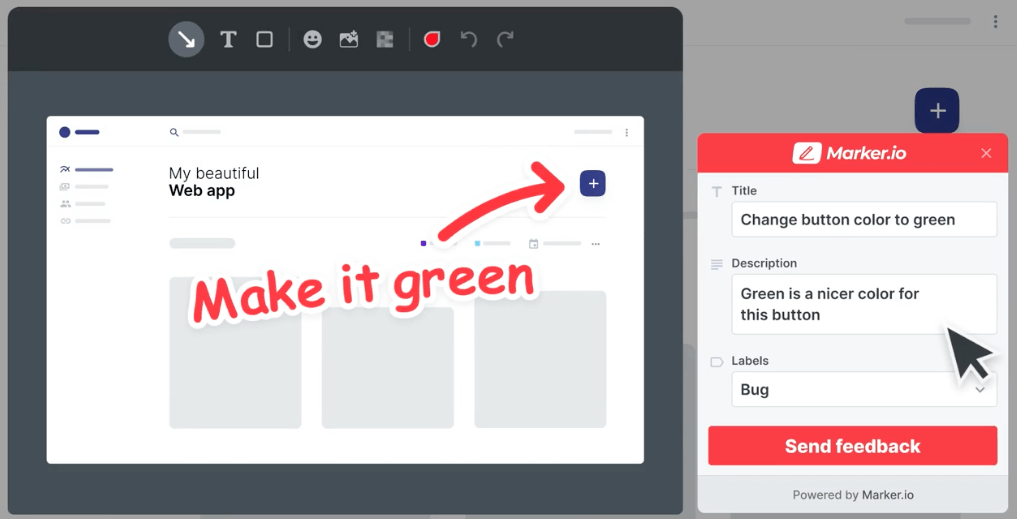
ClickUp is amazing for bug tracking and Marker.io is a connector between your site and your ClickUp folders. You don’t have to leave your website anymore to report issues, you don’t need to use several tools and you can work a lot faster.
Marker.io is all about reducing unnecessary back-and-forth between teams. Now, let’s create a more efficient workflow!
You never had to leave the website and have created a perfect bug report in seconds.
As you can see, the fields inside the widget form actually mirror all your ClickUp fields, even Custom Fields! Your widget form is always up to date and synced between ClickUp and Marker.io
When you check your ClickUp folder, you will see the issue you created through the Marker.io widget. This issue has all the information your developers need to act quickly to squash those bugs… Let’s take a look at the created issue!

You did not have to hunt this information down and your developers now have everything they need. They won’t need to waste time trying to fill in any gaps!
We understand that not everyone is a developer and that most people tend to forget to add viewport, JavaScript console errors, and other technical information. So we add the URL, environment data, and console log recordings for you 😉
Developers are happy, and non-developers spend less time reporting. Everyone is more efficient. That is why the bridge between technical and less technical teams must be made stronger!
Yes, we are all obsessed with productivity!
With the new Marker.io integration for ClickUp, you can make the QA testing and bug reporting workflow more efficient too.
Let your internal and external reporters submit detailed and complete bug reports straight into ClickUp, without leaving their workflow. It is all about bridging that gap between your technical and less technical teams while increasing productivity.
Let every one do the work they do best!
For more information, check out the Marker.io integration for ClickUp here.

© 2026 ClickUp

There’s an easier way. Try a free AI Agent in ClickUp that actually does the work for you—set up in minutes, save hours every week.