
Sorry, there were no results found for “”
Sorry, there were no results found for “”
Sorry, there were no results found for “”
You can’t improve what you don’t measure.
This statement is especially true in production, where even one untracked misstep can disrupt the entire manufacturing process.
According to a study, 82% of companies have suffered unplanned downtime in their manufacturing processes, which can cost up to $260,000 per hour!
Even the best manufacturing execution systems (MESs) can struggle to keep up, leading to stockouts, downtimes, delayed production schedules, and wasted resources that disrupt operations.
The solution is as simple as using the right production scheduling techniques. Effective production planning templates can help your team track inventory levels, error rates, and latency effortlessly.
This blog post will explore free production tracking Excel templates, which enable a streamlined production process and help you plan ahead.
A good production tracking Excel template is a structured spreadsheet that effectively monitors and analyzes production processes, including tasks, timelines, resource allocation, and output metrics.
Tired of messy spreadsheets and missed updates? ClickUp’s free Production Tracking Template keeps everything organized and on track—stress-free. Try it now!
Here’s what you should look for:
Now, let’s find the template that best meets your team’s needs and makes your workflows unstoppable!
A production team is like the behind-the-scenes crew that handles all the necessary operations for putting on a successful show. Let’s discuss the best production tracking templates in Excel to keep them on track.
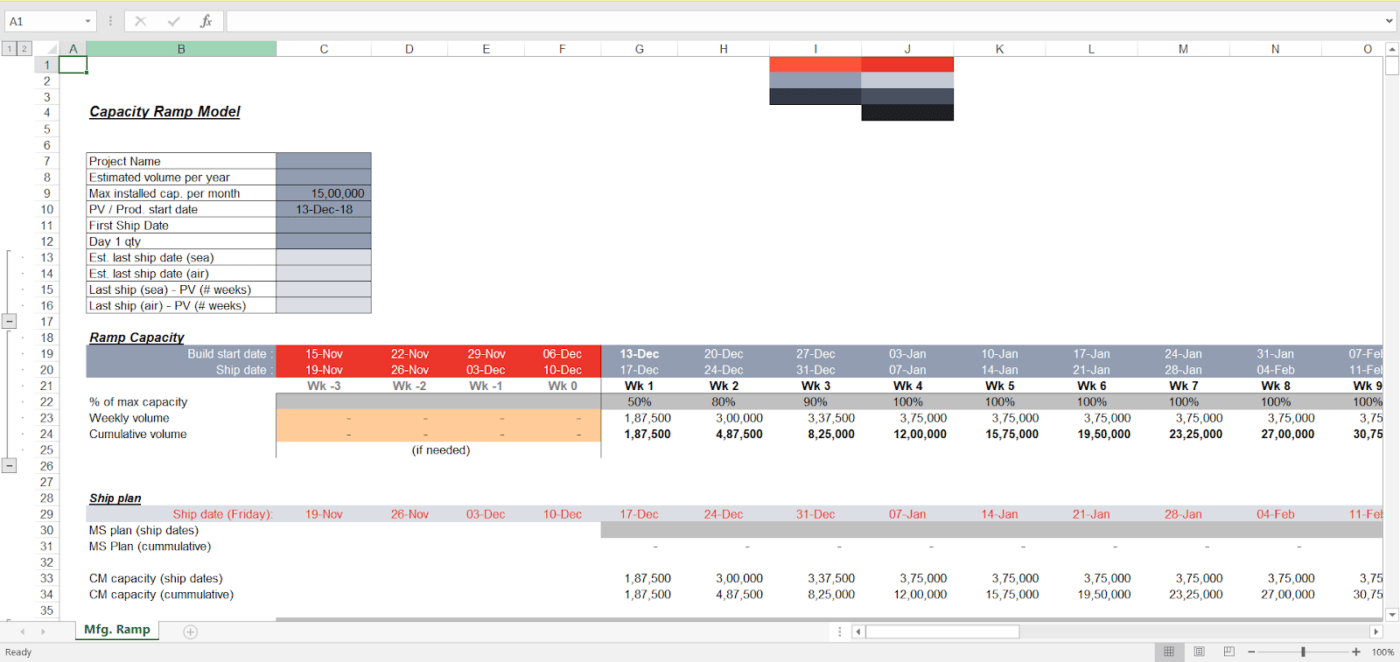
The capacity ramp model featured in Anvyl’s Production Planning Template helps plan your shipment and production schedule by organizing key project details, ramp capacity, and shipping plans over several weeks.
It starts with input parameters like estimated annual volume, maximum monthly capacity, and key dates, which define production limits and timeframes. The ramp capacity section shows the production margin and capacity over several weeks, allowing efficient scaling without overwhelming resources.
The shipping plan section also aligns shipments with production, showing ship dates and cumulative volumes to organize the manufacturing schedule.
✨Ideal for small to medium-sized manufacturing teams in industries like electronics or consumer goods
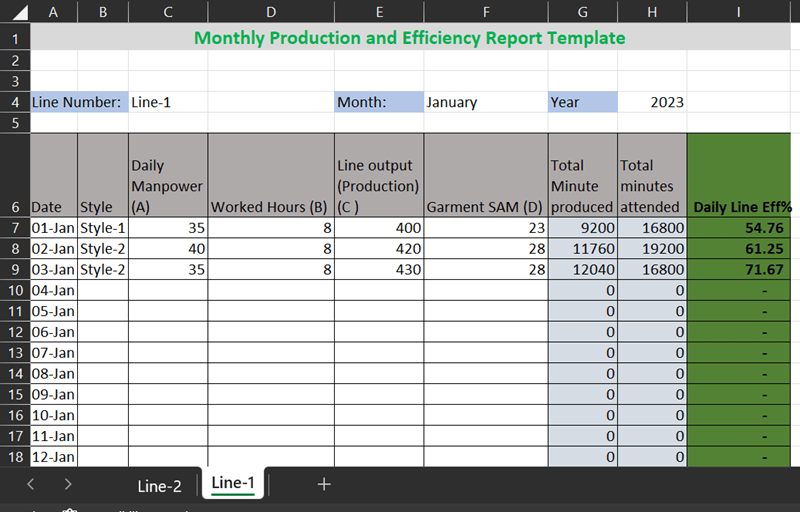
Want to know the secret to a stellar production process? It’s all in the tracking. This Production Line Efficiency Report Format and Formula Template by Online Clothing Study lets the garment manufacturing units track production line efficiency daily and monthly.
This free production schedule template calculates line efficiency using a formula and some key inputs: daily manpower, worked hours, line output, and Garment SAM (Standard Allowed Minutes).
Simply enter these four data points, and the template automatically calculates the SAM produced total minutes worked and daily line efficiency. The protected columns ensure formulas remain intact, reducing errors.
✨Ideal for small teams seeking an easy-to-customize tool to streamline production planning, optimize workflows, and minimize bottlenecks
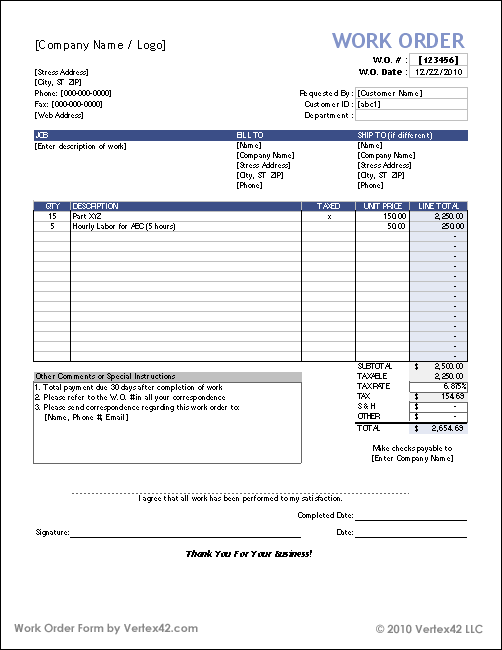
The Work Order Template by Vertex42 is an Excel file curated for managing service, repair, and maintenance tasks. It includes two customizable work order forms on separate worksheet tabs, allowing easy access to multiple job orders in one file.
This free template is ideal for small projects, creating work plans, or generating quotes. You can tailor each work order to fit specific job details, making it versatile and user-friendly.
For those looking to create sales orders instead, Vertex42 also offers a separate purchase order form. Inspired by their free quote template, this work order template is suitable for organizing tasks, tracking job requirements, and improving workflow for smaller service-based operations.
✨Ideal for managing internal work orders related to hardware repairs, software updates, and system maintenance, helping teams stay organized
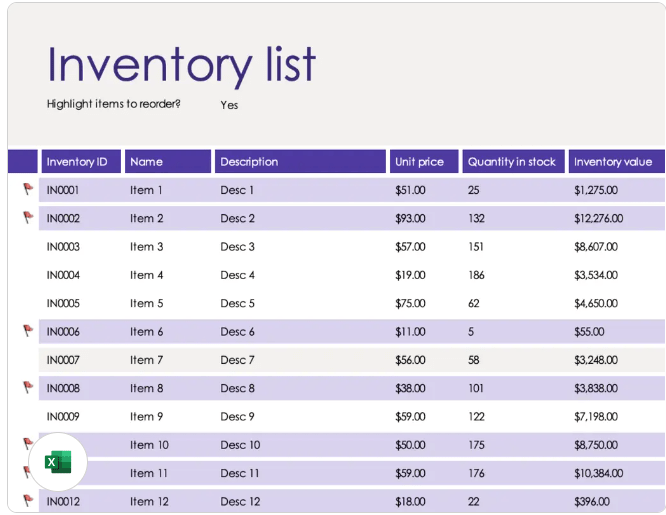
Microsoft Excel’s Inventory List With Reorder Highlighting Template is a simple, accessible tool for tracking and managing stock. Designed in Excel, it allows you to catalog items by inventory ID, name, description, unit price, quantity in stock, and total inventory value.
The template includes conditional formatting to highlight items that need reordering, making it easy to identify low-stock items at a glance. This inventory tracker is ideal for organizing and monitoring stock levels, ensuring timely restocking, and providing a clear overview of inventory value.
✨Ideal for retailers or e-commerce shops looking for an easy-to-use, customizable inventory tracker
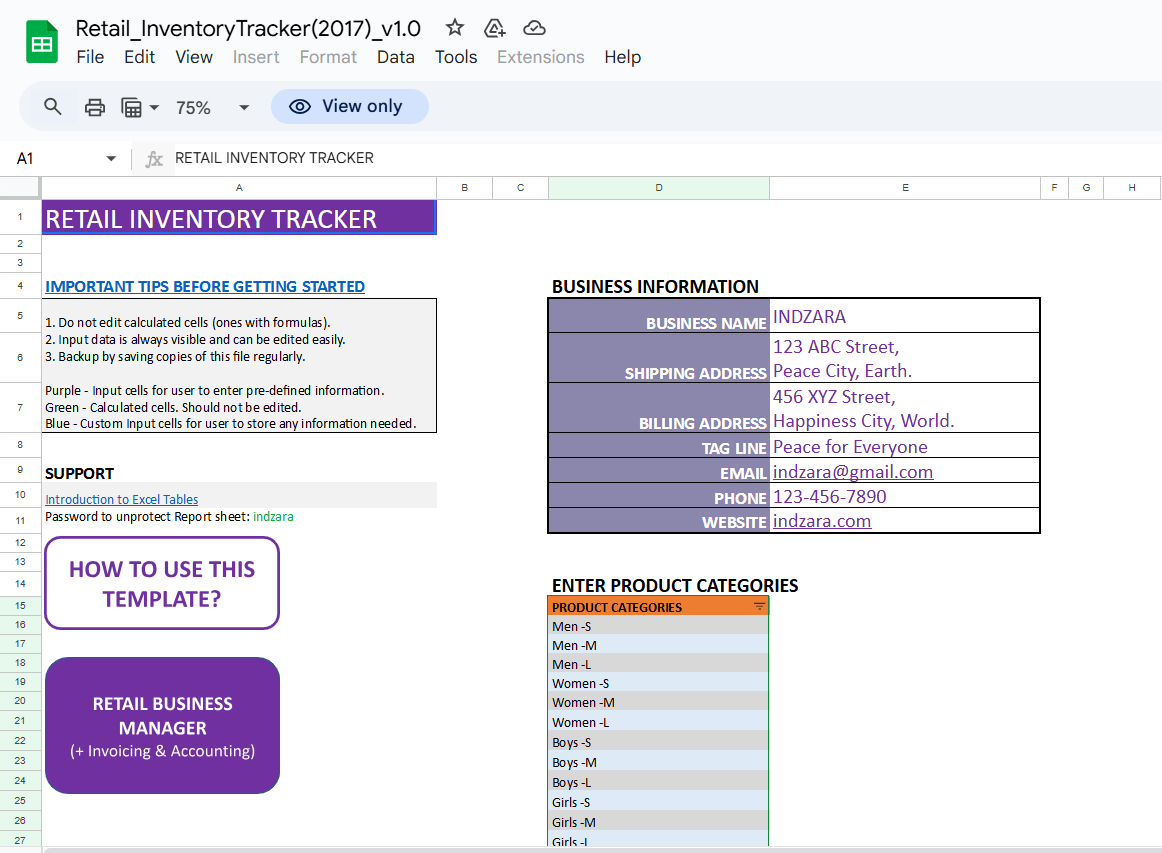
The Retail Inventory Tracker by Indzara is a free Google Sheet template that allows retail business owners to manage their inventory. It tracks product availability, calculates reorder points, and provides insights into supplier and customer performance.
Key features include:
✨Ideal for small retail business owners who need a simple, efficient way to manage inventory, track orders, and optimize supply chain operations using Google Sheets
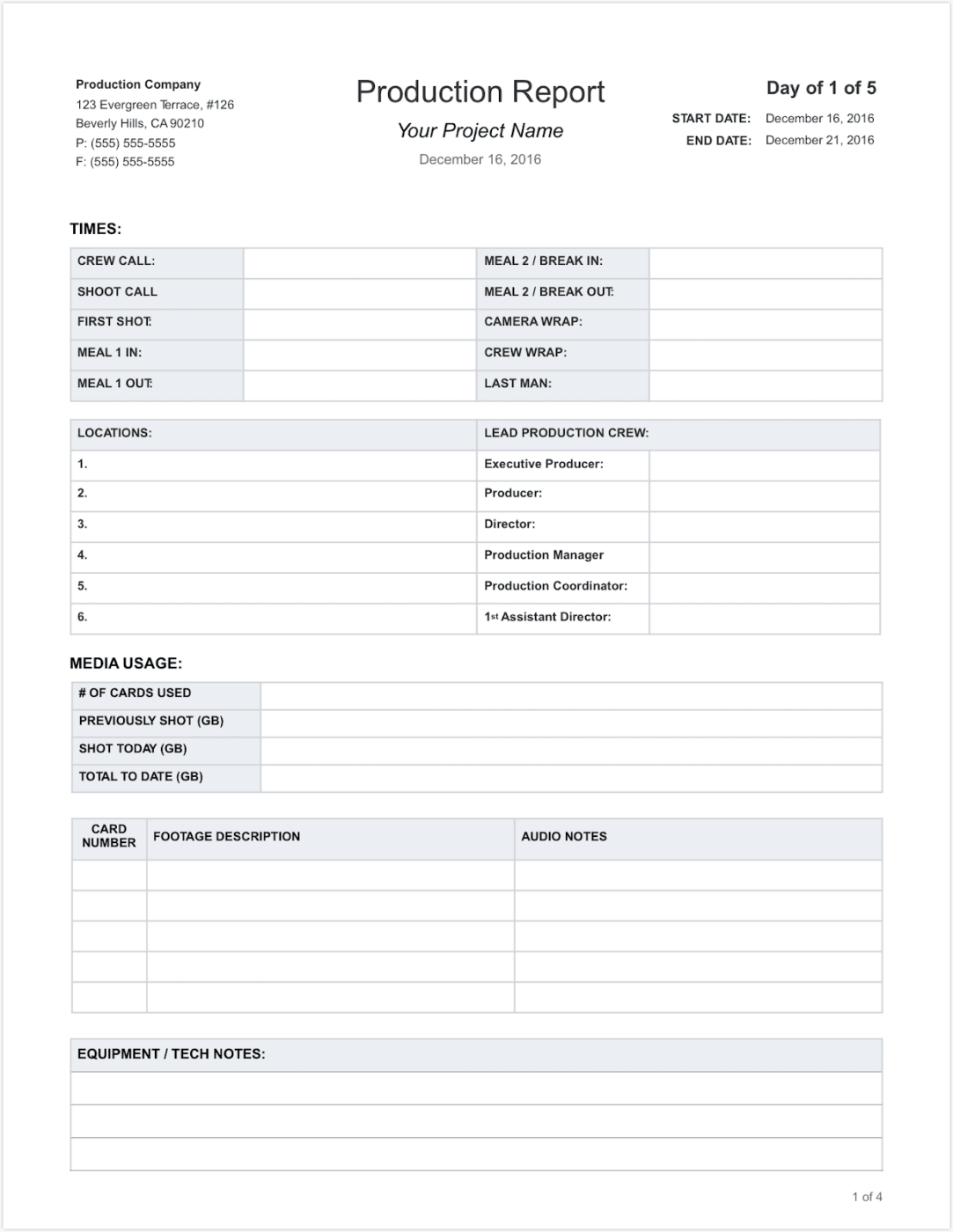
Take control of your film or video production with this all-in-one Daily Production Report Template by Studio Binder. From daily production reports to crew/talent timesheets, this template keeps your shoot organized and on track.
Track crew call times, shoot times, and meal breaks, manage locations, and monitor your lead production team. The template also has designated spaces for location details, crew member names, and media usage information.
These sections improve organization, facilitate decision-making, aid in legal and financial compliance, and provide valuable information for post-production. Additionally, the template provides sections for equipment/tech notes and audio notes.
✨Ideal for production managers and coordinators who need a simple tool to track crew hours, expenses, media usage, and other daily production details in one place
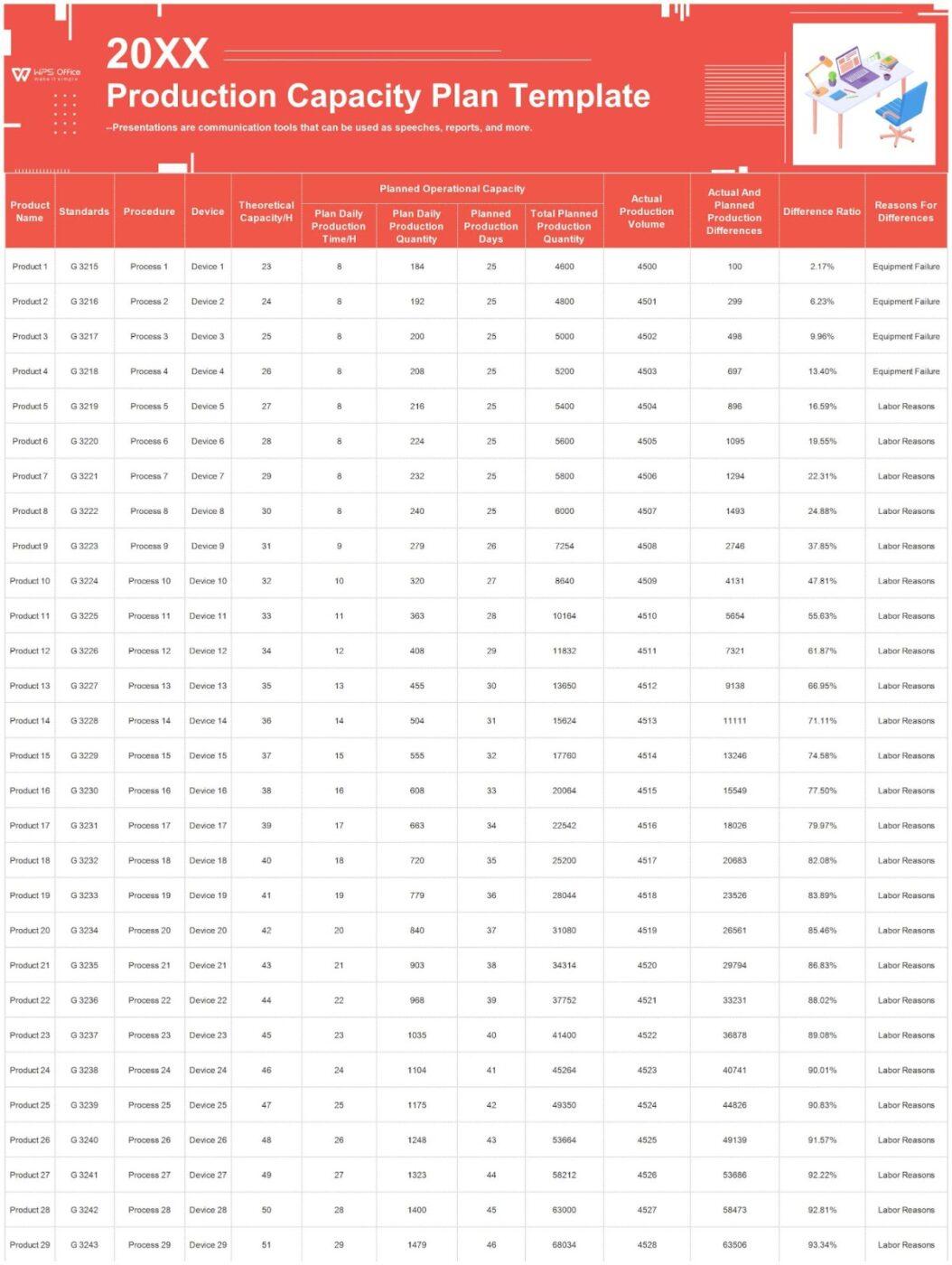
The Production Capacity Plan Template by WPS is a comprehensive tool for planning and tracking production efficiency across multiple products and devices.
It tracks every aspect of production management, from planned daily outputs to real-time performance and potential roadblocks like equipment failures or labor shortages.
Detailed breakdowns by product and device make it easy to spot inefficiencies, optimize the production schedule, and close the gap between goals and actuals. Real-time tracking and percentage-based difference ratios allow you to make smarter decisions and improve workforce productivity.
✨Ideal for production teams that need a detailed and organized way to track timesheets, locations, media usage, crew and talent hours, releases, and catering information throughout the production process
Excel is handy, but its templates will struggle to keep up as and when production scales up.
Here’s why:
Excel struggles with handling large datasets, leading to performance bottlenecks. Critical incidents, like the COVID-19 data mishap, revealed its row limitations, leading to missed entries and potential crashes. Its technical limits, such as a maximum of 1,048,576 rows, can constrain projects requiring extensive data handling.
Excel doesn’t easily integrate with other automated systems, limiting its ability to keep up with real-time data.
Plus, Excel’s static nature prevents it from syncing with databases or updating data in real time, often leaving users to work with outdated information.
While Excel supports basic automation through macros, customizing these requires knowledge of VBA (Visual Basic Application) macros, which is beyond the skill set of most users. For recurring tasks, this lack of user-friendly automation can increase manual workload, delayed responses, and performance issues.
Collaboration in Excel is limited. Version control becomes a nightmare as users share updated files via email or shared drives. Even with cloud options, simultaneous editing can lead to conflicts, broken references, and errors.
Excel is highly susceptible to human errors, such as incorrect formulas or accidental overwrites. These errors are often difficult to trace and can cascade into significant inaccuracies.
Features for sophisticated data analysis, visualization, and reporting are limited. Excel templates lack the robust dashboards, analytics, and task dependencies that production teams may need.
Excel’s lack of robust encryption makes it vulnerable to data breaches, especially when handling sensitive information like PII. While password protection can deter casual access, it’s not enough to thwart determined hackers.
As production tracking becomes more complex, relying on Excel can be detrimental. Luckily, tools like ClickUp offer a smarter solution.
ClickUp is a modern, all-in-one project management solution for manufacturing that upgrades processes with efficient task management, goal-setting, collaboration, and customizable tracking. It has several pre-built templates to keep your manufacturing schedule on track.
Let’s have a look at them one by one!
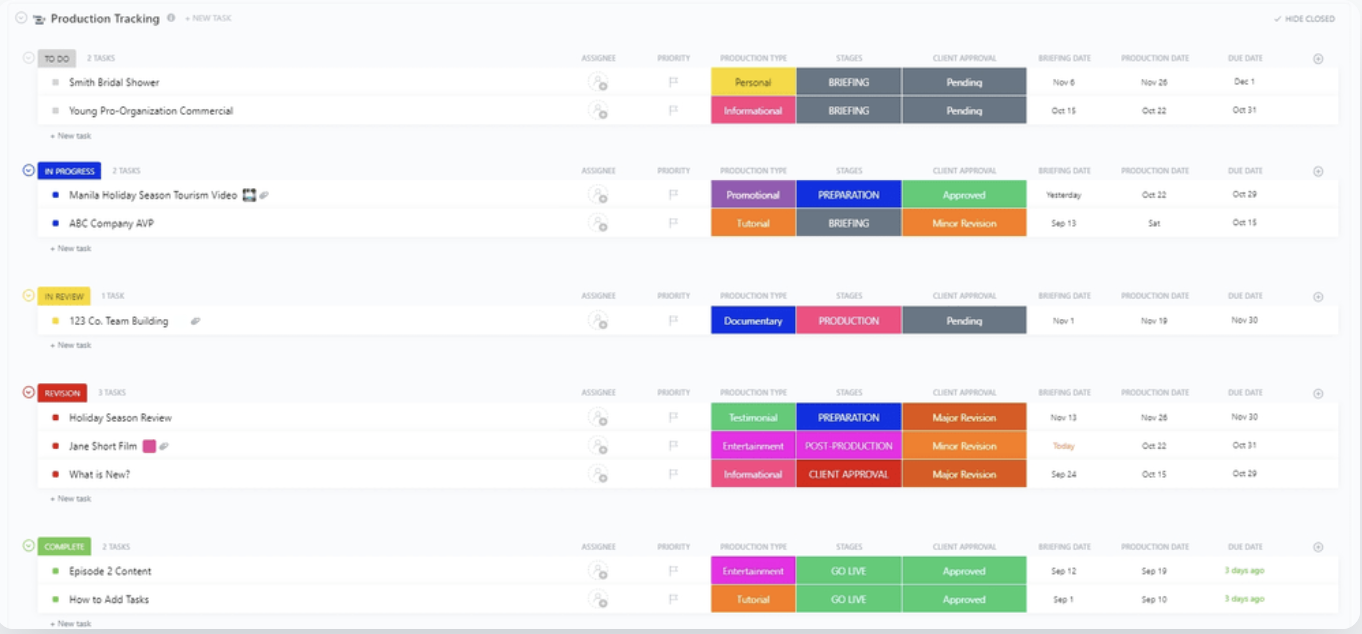
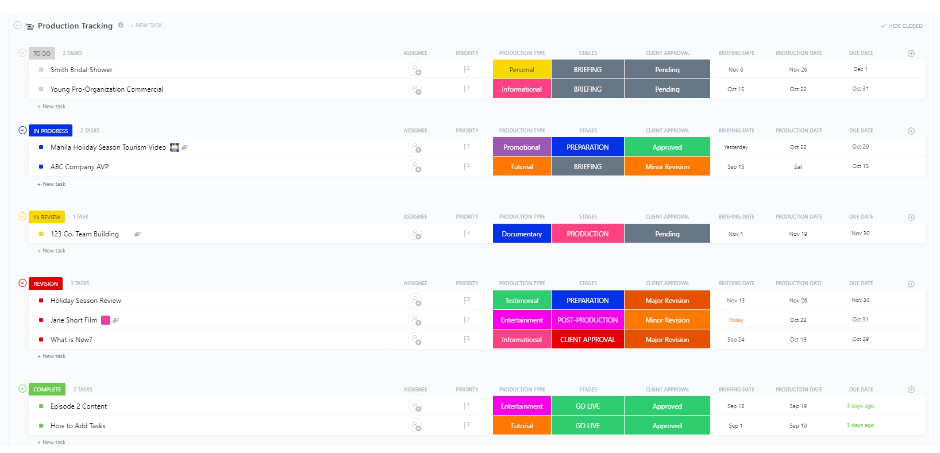
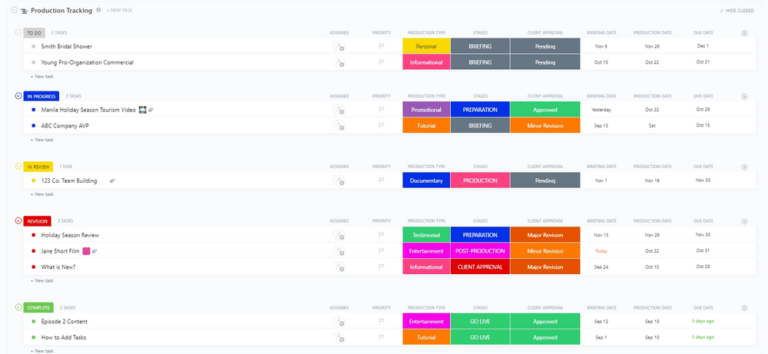
The ClickUp Production Tracking Template is a beginner-friendly template that helps you smoothly transition from pre-production to delivery productively.
This template makes staying organized effortless with Custom Statuses like In Progress, To Do, and Complete to track every step. Capture essential details using 11 custom fields—from Client Approval to Storyboard Links.
Need more clarity? Try its six intuitive Custom Views, including Calendar and Needs Attention, for quick access to updates. With features like Time Tracking, Tags, Emails, and Dependency Warnings, you’ll spot roadblocks before they happen.
✨Ideal for video production teams, creative agencies, and project managers looking to sync workflows, track progress, and deliver high-quality content on time
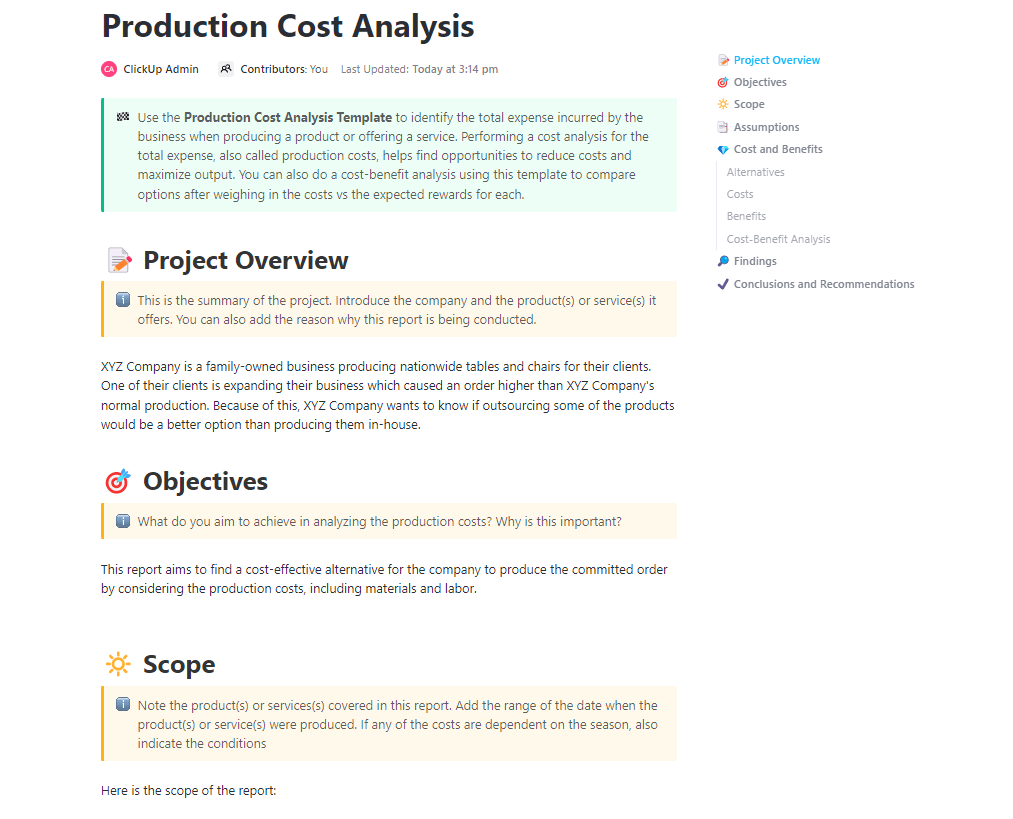
The ClickUp Production Cost Analysis Template acts like your financial compass. It offers a comprehensive view of your project’s costs, from direct expenses to hidden overheads.
This powerful template goes beyond traditional cost analysis by considering all the hidden costs, such as labor, opportunity costs, and quality control measures. It empowers you to create comprehensive project budget proposals while offering other key benefits:
✨Ideal for project managers and financial analysts needing a comprehensive tool to track and analyze expenses
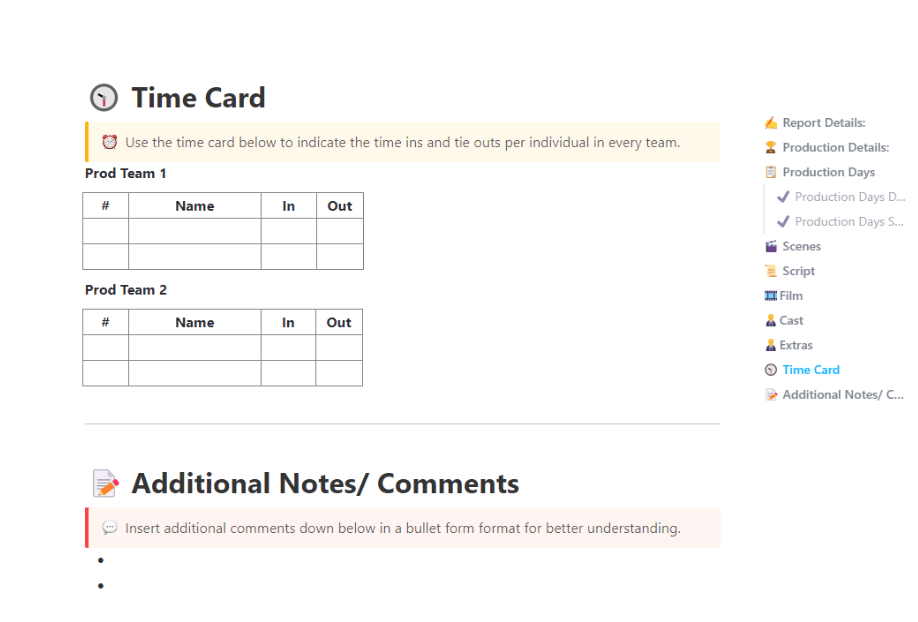
Are you tired of your disorganized production schedule? The ClickUp Daily Production Report Template is here to simplify your day-to-day operations! This template provides a clear, up-to-date progress overview, helping you track shift performance, machine downtime, raw material usage, etc.
With Custom Statuses for task tracking and Custom Fields for detailed categorization, managing daily activities has never been easier. Build workflows using Custom Views like List, Gantt, and Calendar to stay organized.
Advanced features like Task Dependencies, Tags, and Notifications ensure smooth process management. It also allows precise tracking of individual working hours, recording both in and out times. This information is crucial for accurate payroll calculations and efficient scheduling.
✨Ideal for production teams in various production settings, such as film production, construction, and event planning, who need an advanced and practical way to manage time and labor
Nearly half of manufacturing leaders cite hitting deadlines and managing project costs as their top challenges. Efficient planning isn’t just a benefit—it’s a necessity.
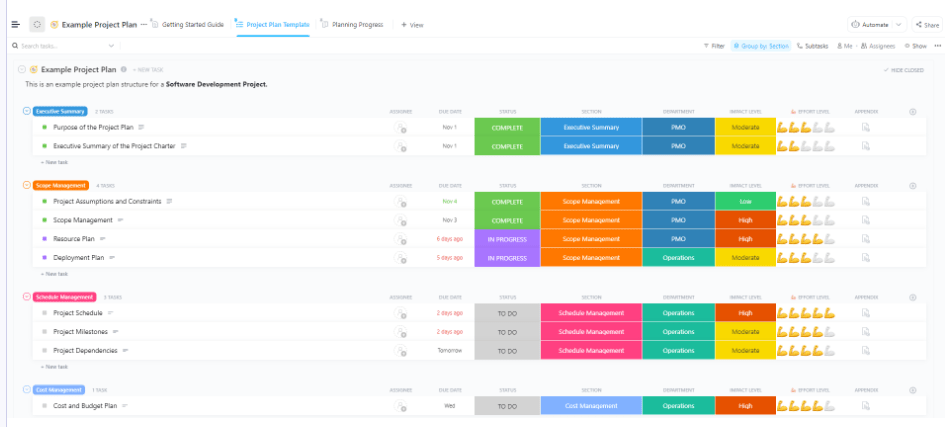
This is where the ClickUp Manufacturing Project Plan Template comes in! It helps you set clear objectives, create manageable task lists, and easily track progress. From defining project goals, timelines, and resource needs to organizing suppliers, workers, and raw materials, everything can be controlled from one place.
The template is divided into several sections dedicated to project planning and management. These include an executive summary, scope management, risk management, deployment plan, project production schedule, and cost and budget plans.
Additionally, the template includes features like task assignment, progress tracking, and a Kanban board view for visual project management. This reduces time spent on planning while ensuring better cost estimates and faster execution.
✨Ideal for project managers who want to simplify their workflow and ensure timely project delivery. Also, it is helpful for teams who want to improve collaboration and accountability with clear task assignments and deadlines
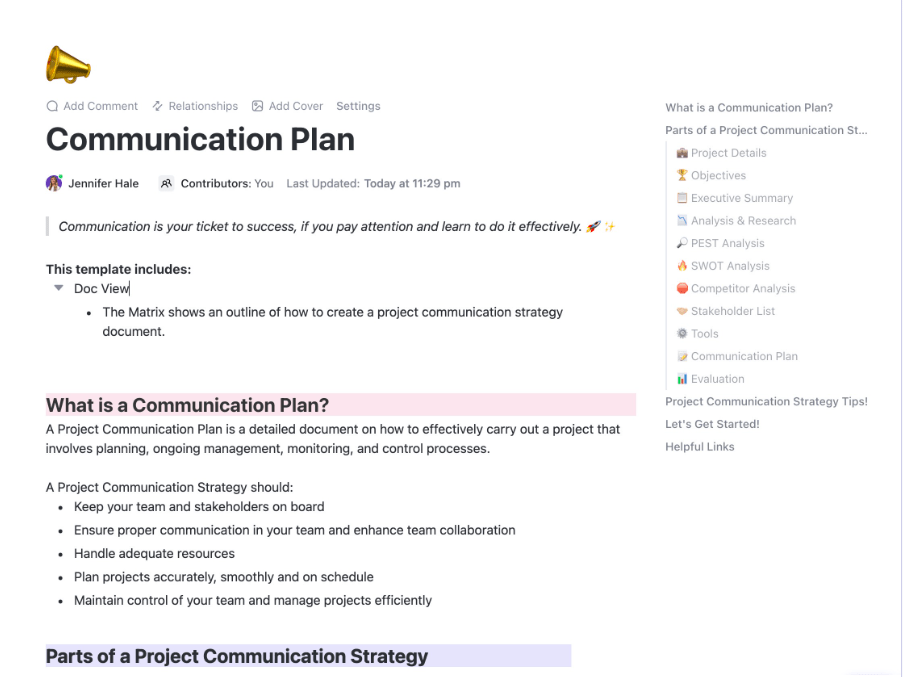
The ClickUp Manufacturing Communication Plan Template helps manufacturing teams refine communication by offering tools to organize project details, objectives, stakeholder lists, and evaluations.
It ensures collaboration through features like competitor analysis, SWOT, and PEST analysis. With a blend of clear matrix and action points, this template keeps stakeholders aligned, supports resource management, and ensures projects stay on schedule.
Custom Statuses like Pending Review and Completed make it easy for the teams to track communication progress effectively. Custom Fields capture key details like recipients, message types, and deadlines, ensuring tasks are well-organized and accessible.
✨Ideal for manufacturing teams seeking to enhance communication, minimize miscommunication, and accelerate collaboration across departments, suppliers, and stakeholders for efficient project execution
📮 ClickUp Insight: We recently discovered that about 33% of knowledge workers message 1 to 3 people daily just to get the context they need. But what if all that information was already documented and readily available? With ClickUp Brain’s AI Knowledge Manager, you can instantly surface critical project details right from your workspace, reducing context switching and keeping your team aligned effortlessly.
Are development deadlines taking you over? Let’s simplify things with the ClickUp Development Schedule Template!
This template ensures your project stays on track, whether you’re rolling out a new product or improving your current offerings.
Here’s how it helps:
✨Ideal for product owners aiming to deliver products on time and within budget and heads of engineering who oversee large-scale projects and team management
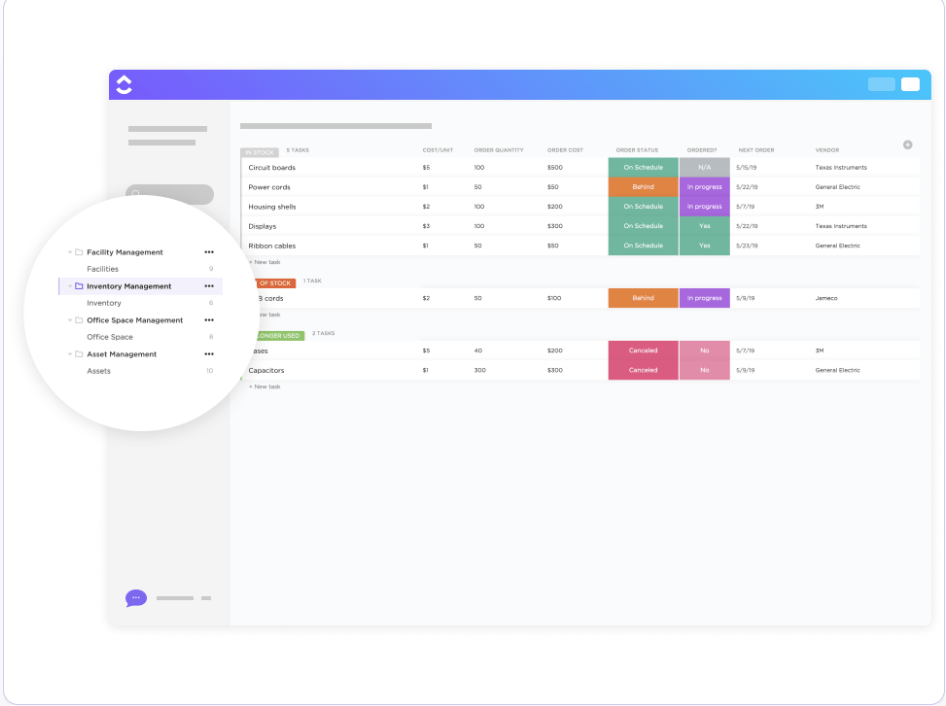
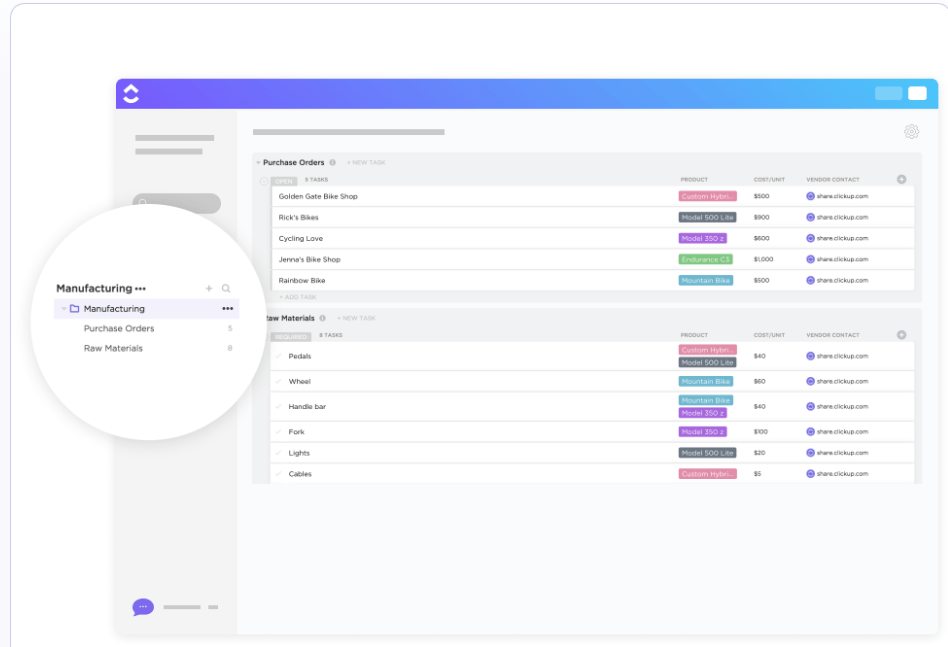
Relieve your stock management workload with the ClickUp Inventory Management Template.
Its highly customizable features simplify inventory tracking and eliminate the hassle of creating an inventory management system from scratch.
With this template, you can:
✨Ideal for businesses, warehouses, and retailers looking to improve inventory planning and tracking, maintain product data, and make smarter restocking decisions with a user-friendly system
Also Read: 10 Best Order Management Software
The ClickUp Order Fulfillment Template lets you organize your shipment process, ensuring timely deliveries and efficient order management.
It helps track, manage, and fulfill orders by their due dates while checking product availability and stock requirements. The template also helps you update customers on their order status once items are packed and ready.
Why you’ll like it:
✨Ideal for e-commerce businesses that want to boost their order fulfillment and improve delivery efficiency
Did you know that 34% of businesses report losing customers due to out-of-stock products?
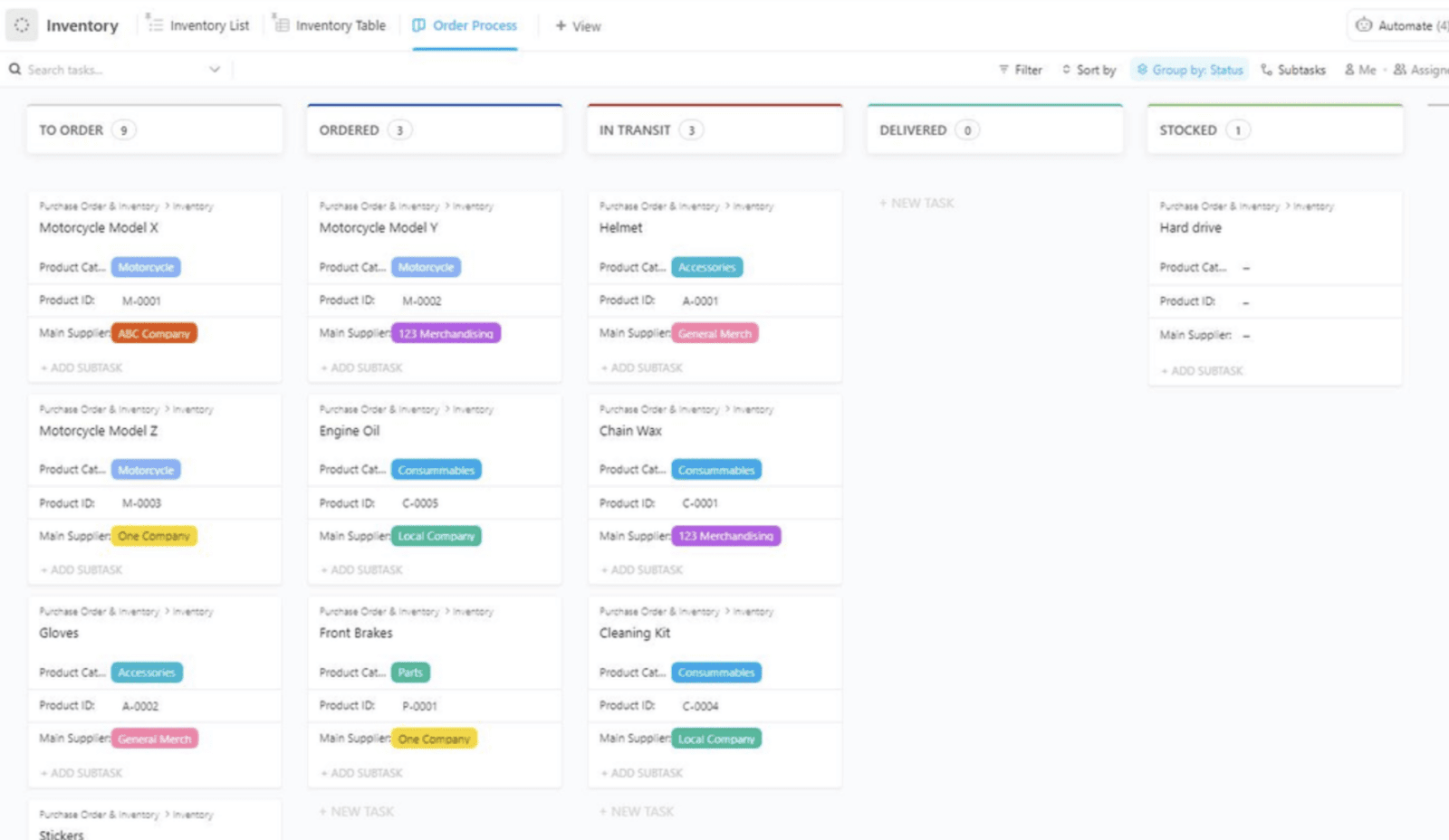
Avoid the chaos with the ClickUp Purchase Order and Inventory Template.
It simplifies the process of ordering products, monitors stock levels to prevent costly stockouts, and keeps purchasing costs in check to maximize profits.
Here’s why you must give it a shot:
✨Ideal for businesses looking to optimize inventory management, streamline purchase orders, prevent costly stockouts or overstocking, and maintain supply chain operations.
Here’s what Donka Stoycheva, General Legal Counsel, BioPharma Laboratories Ltd., says about using ClickUp.
It is great for automating repeating processes, to increase visibility and accountability, and frankly, to prevent the need to go around the factory 3 times to collect info from 3 different team members. I guess people mostly use it to support their administration or projects, but we have implemented it quite well to digitalize our manufacturing process.
Tracking production in Excel feels like driving a manual car in rush hour—functional but exhausting. Excel might organize data for a while but lacks real-time collaboration, automation, and scalability.
That’s where ClickUp helps.
It automates workflows, assigns tasks and jobs, categorizes priorities, and visualizes production timelines. That’s not all. You can analyze production performance, measure success, and offer long-term cost savings with just a few clicks.

Praburam Srinivasan
Max 16min read
Praburam Srinivasan
Max 21min read
Praburam Srinivasan
Max 21min read

© 2026 ClickUp