






Still downloading templates?
There’s an easier way. Try a free AI Agent in ClickUp that actually does the work for you—set up in minutes, save hours every week.
Sorry, there were no results found for “”
Sorry, there were no results found for “”
Sorry, there were no results found for “”
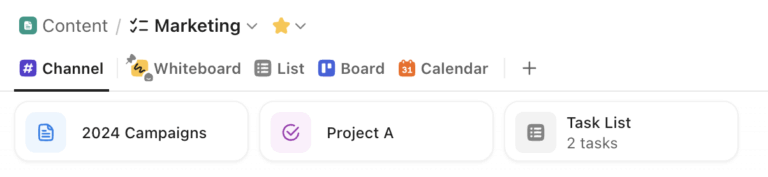
Are you drowning in notifications, missed messages, and scattered conversations across multiple platforms? You’re not alone. Many business owners face the chaos of “Chat Sprawl,” the confusion and inefficiency that comes from juggling too many communication and messaging tools.
That chaos isn’t limited to your inbox and team chats. It’s part of a much bigger problem called Work Sprawl. Work Sprawl happens when work activities, conversations, tasks, and tools are spread across disconnected systems that don’t talk to each other. It forces teams to constantly switch contexts and hunt for information.
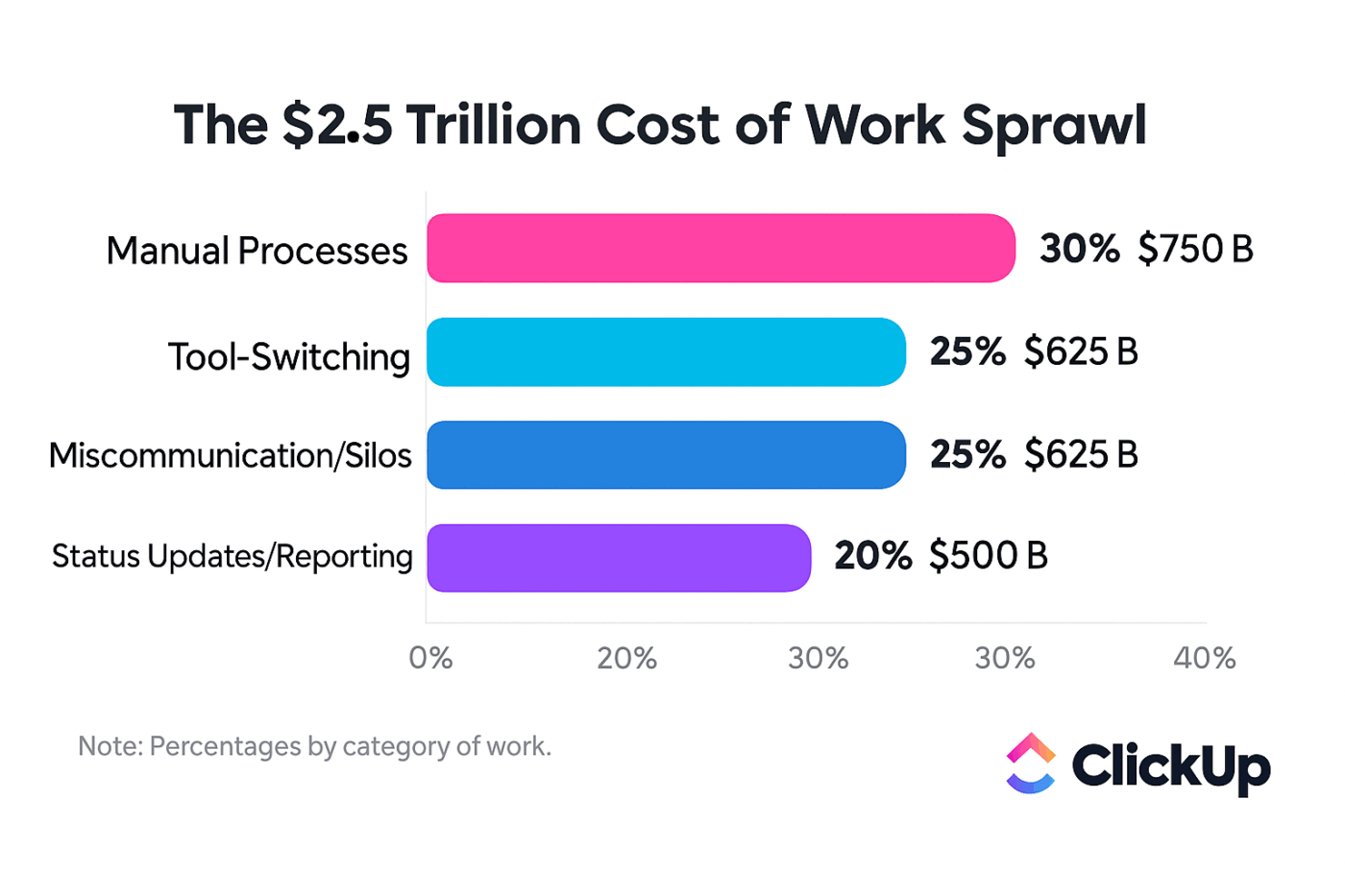
Experts estimate Work Sprawl costs organizations roughly $2.5 trillion in lost productivity every year, as teams waste time toggling between apps, searching for context, and duplicating efforts instead of doing actual work.
But what if you could centralize all your business conversations, updates, and workflows in one place?
I’m Yvonne “Yvi” Heimann, a ClickUp Verified Consultant and Business Efficiency Coach, and I know this struggle all too well. In a recent ClickUp Community webinar, I shared my journey from communication chaos to clarity. And all of it happened as I transformed my ClickUp Workspace into a true business command center!
83% of knowledge workers rely primarily on email and chat for team communication. However, nearly 60% of their workday is lost switching between these tools and searching for information.
My team was losing valuable time and information due to fragmented communication:
This comms sprawl made it hard to stay organized and respond quickly.
My breakthrough came when I started using ClickUp Chat as the hub for all our business communications. Instead of letting conversations live wherever they happened, we intentionally designed Chat to pull work, updates, and decisions into one place.
Here’s how I used ClickUp Chat to eliminate Chat Sprawl for good:
One of the biggest contributors to Chat Sprawl is signal overload. Important updates get mixed in with casual pings, and critical messages disappear the moment something louder shows up.
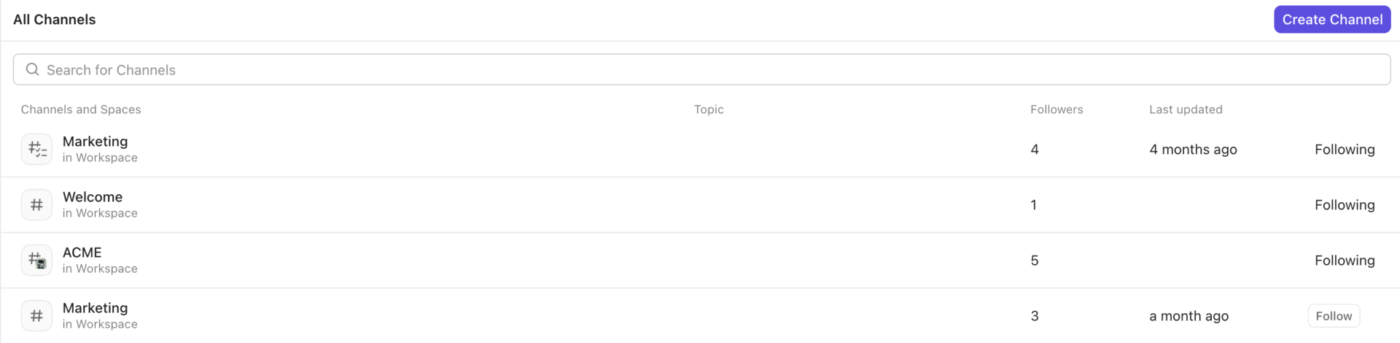
We solved this by routing key notifications—task updates, due date changes, client activity, and project milestones—into specific ClickUp Chat channels tied to actual work. Each channel had a clear purpose, so team members knew exactly where to look for updates that mattered.

Instead of hunting through Slack threads or email chains, everything stayed visible, searchable, and connected to the work itself—dramatically reducing missed deadlines and follow-ups.
Manual status updates are another hidden driver of Work Sprawl. When people have to remember to update others, information inevitably slips through the cracks.
Using ClickUp Automations, I was able to set up workflows that automatically posted updates to Chat whenever something changed, whether it was task progress, approvals, handoffs, or client-related activity. The right people were notified at the right moment, without anyone needing to chase context.
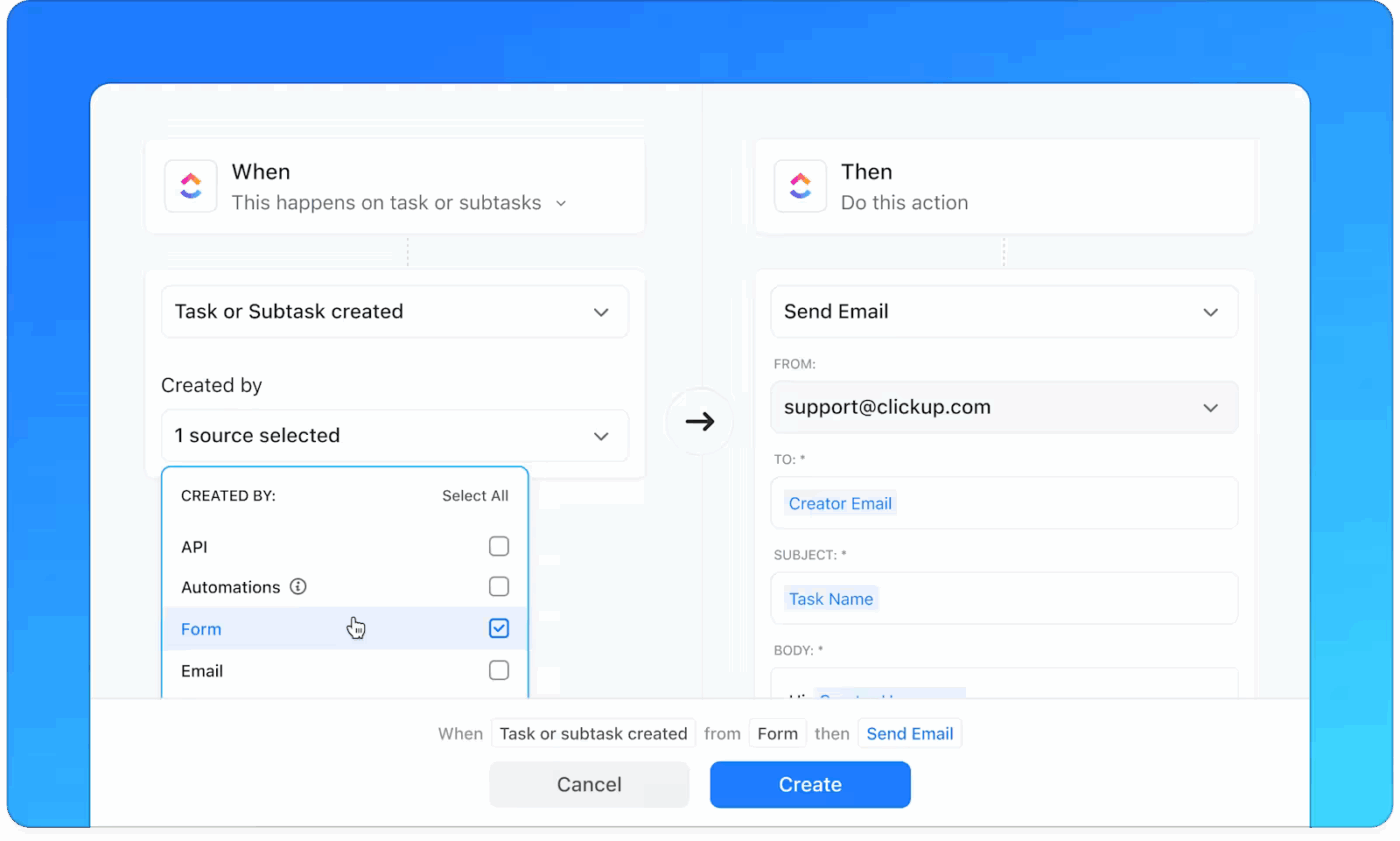
This turned Chat into a real-time activity feed for the business, where work visibly moved forward.
📮 ClickUp Insight: 75% of people we surveyed say opening chat each morning feels like easing into the workday. The rest describe it as a second job!
The paradox? Chat feels productive until you realize half your day is spent scrolling, searching, or re-reading long, rambling threads.
We’ve made chat too fast for context and too fragmented for clear follow-through.
ClickUp Chat brings focus back. It anchors conversations to real work, where a message can instantly become a task, a follow-up, or a decision point. ClickUp Brain also summarizes those because your work and chat are finally connected!
Chat Sprawl isn’t just about too many messages; it’s also about too many places to check for answers. Reports in one tool, conversations in another, updates buried somewhere else.
I started using ClickUp Brain, ClickUp’s native, Contextual AI assistant, to close that loop. Instead of pulling reports manually or switching tools, I could generate real-time insights directly from the Workspace—based on tasks, timelines, and ongoing conversations.
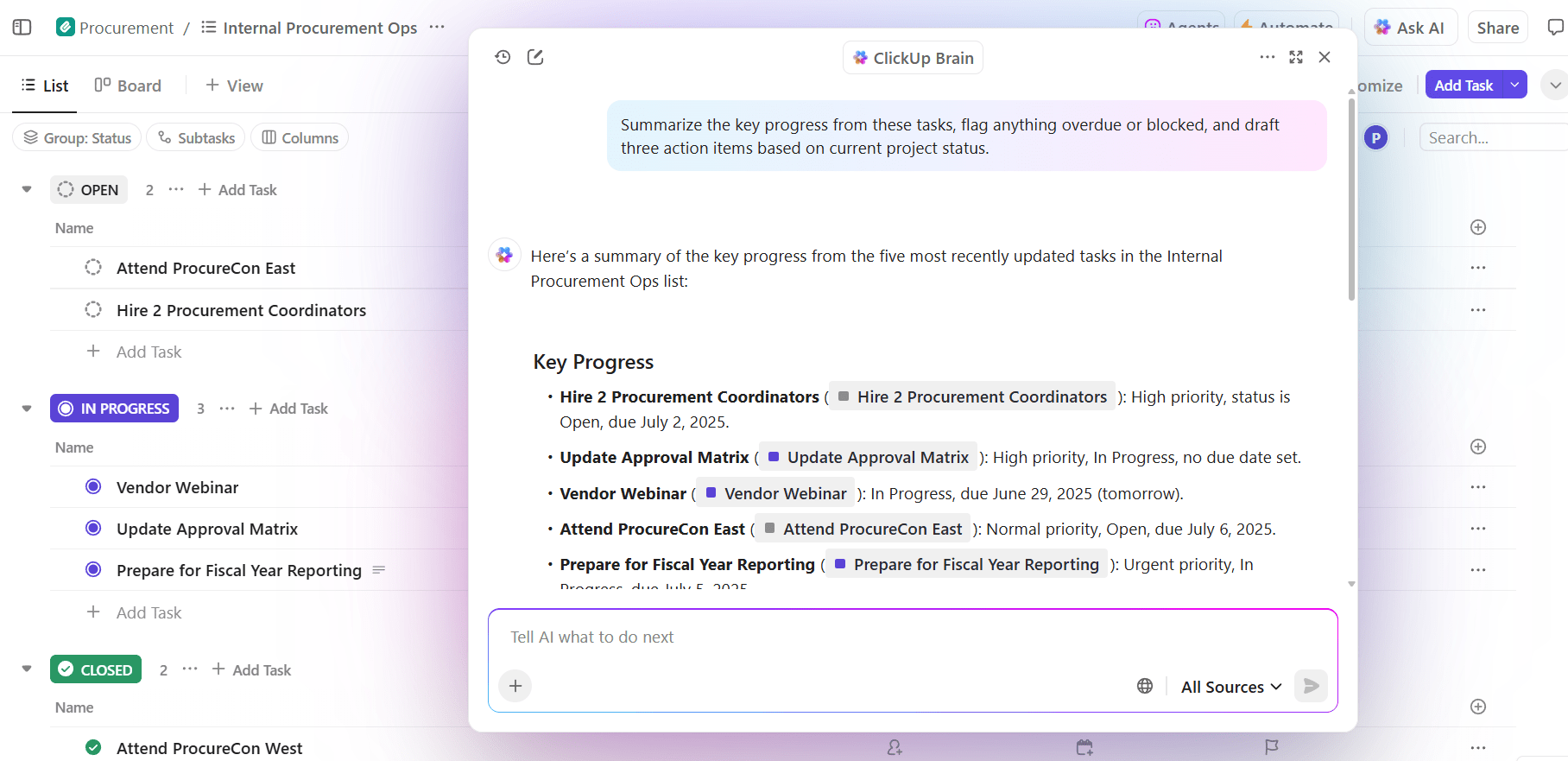
This kind of clear visibility ensured faster decisions and fewer “Can you send me an update?” messages clogging up chat.
💡 Pro Tip: When communication, updates, and reporting all live in one connected system, chat stops being noise and starts becoming context. Centralizing everything in ClickUp doesn’t just reduce interruptions—it creates a single source of truth your entire team can rely on.
With all communication, updates, and reporting centralized in ClickUp, my team eliminated the confusion and inefficiency of Chat Sprawl. Now, every team member, including ClickUp Brain, knows exactly where to look for information, collaborate on projects, and stay aligned with business goals.
Curious about my workflow? Watch this step-by-step demo to see how we turned ClickUp Chat into our business command center and grab my free resource: ClickUp AI Prompt & Make Blueprint.
💡 Pro Tip: Make’s new “Send Chat Message” module has made this even easier. Since this feature is in beta, please check your Make instance to see if you have access.
Chat Sprawl doesn’t feel like a “productivity problem” until you realize you’ve got messages everywhere, but context nowhere.
Fixing this isn’t about adding another tool. It’s about choosing a Converged AI Workspace where work, conversations, and decisions live together—enhanced by AI. By centralizing communication in ClickUp Chat, automating updates, and using real-time reporting, you can also build a business command center that works with you, not against you.
If your days feel noisy and fragmented, take this as a sign: you don’t need more apps—you need fewer places to check.
Ready to take control of your business communications? Build your own command center in ClickUp and see how much lighter work can feel when everything’s finally in one place. ✨
Yvonne Heimann is the founder of FemAuthority LLC, CEO of Ask Yvi, and creator of the Boss Your Business Academy, where she helps founders build sustainable businesses through simple systems and AI-powered workflows. As a ClickUp expert and automation strategist, she specializes in reducing manual work, improving execution, and fostering growth with human-centered design.

© 2026 ClickUp

There’s an easier way. Try a free AI Agent in ClickUp that actually does the work for you—set up in minutes, save hours every week.