






Still downloading templates?
There’s an easier way. Try a free AI Agent in ClickUp that actually does the work for you—set up in minutes, save hours every week.
Sorry, there were no results found for “”
Sorry, there were no results found for “”
Sorry, there were no results found for “”
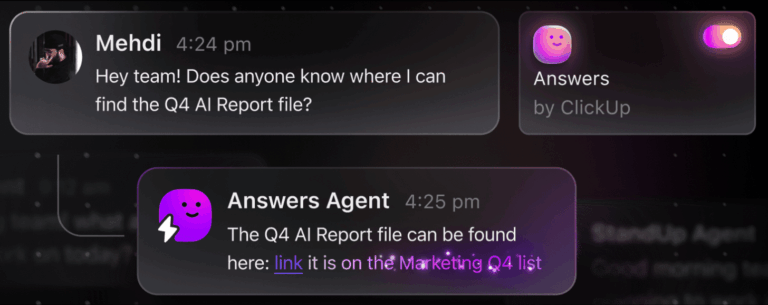
A few months ago, I had a conversation with a business owner that stuck with me. He said, “I feel like I’m the human search engine for my company.”
Everyone came to him for answers. He was bombarded with emails, Slack messages, WhatsApp messages, phone calls, and even people knocking on his door.
I laughed because I knew exactly what he meant. I’ve been in that role too.
So, in this article, I’ll walk you through two ClickUp workflows I built to solve this problem:
Both are designed to remove you from the “human search engine” role and show you how to build an AI knowledge base in ClickUp—the first place your team goes for answers.
📮 ClickUp Insight: More than half of all employees (57%) waste time searching through internal docs or the company knowledge base to find work-related information. And when they can’t? 1 in 6 resorts to personal workarounds—digging through old emails, notes, or screenshots just to piece things together.
ClickUp Brain eliminates the search by providing instant, AI-powered answers pulled from your entire workspace and integrated third-party apps, so you get what you need—without the hassle.
If you zoom out, this isn’t just a communication issue. It’s a knowledge system problem.
Every question feels important:
None of these questions is hard to answer individually. The problem is the constant context switching. On average, knowledge workers like you and me are interrupted every 2 minutes by a meeting, email, or notification.
Every interruption breaks your momentum, steals your focus, and forces you to repeat answers you’ve already given ten times. And it can take us over 20 minutes to fully regain focus afterward.
On top of that, the information lives everywhere except in the tool you actually use to manage work.
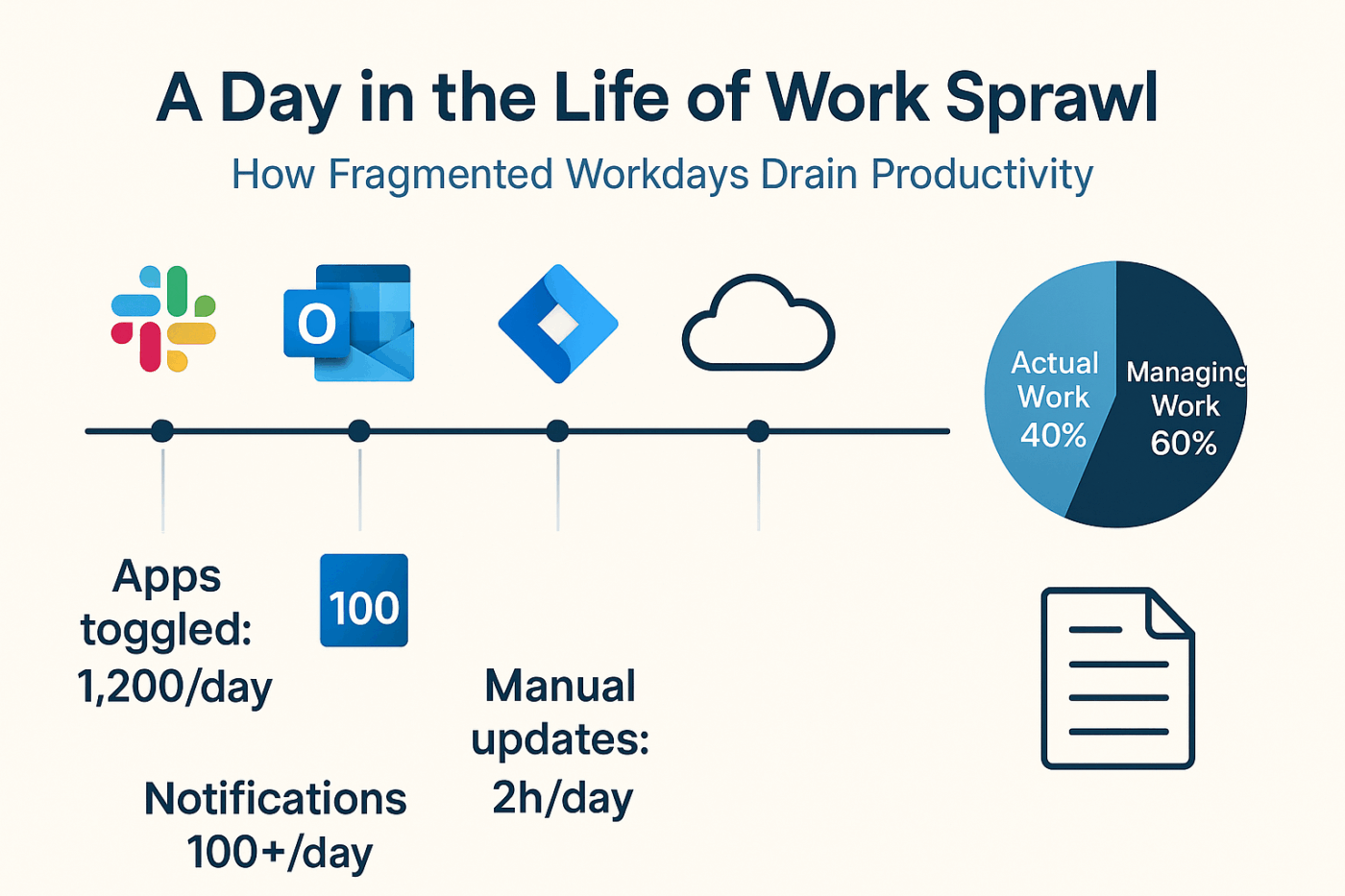
So even if you want to use AI to help, there’s no single source of truth for it to learn from.
📚 Also Read: Top 10 Knowledge Management System Examples
I’m Illia, a ClickUp Verified Consultant and the founder of sProcess, where I help teams turn ClickUp into a system that actually supports how their business runs.
Over the past 6+ years, I’ve worked with 100+ companies implementing ClickUp for real operational workflows—from client delivery and sales pipelines to marketing operations and internal team management.
Before I landed on the setup I share in this post, I saw the same pattern across teams (including my own).
Everyone knows AI could help, but no one implements it properly.
You’ve probably heard of a dozen AI tools:
👀 Did You Know? Nearly half of all workers (46.5%) are forced to bounce between two or more AI tools to complete a single task.
When you’re running a business, that many choices create decision paralysis. You don’t have time to evaluate every tool, wire it into your workflows, and keep it all secure.
That’s why most teams hit two blockers:
1. Too many tools, no clear system
Instead of simplifying work, AI becomes another layer. Another tab. Another place to check. Too many AI tools create AI Sprawl—when AI tools, models, and platforms spread chaotically across an organization—with no oversight, strategy, or idea of who’s using what.
2. Lack of context
AI tools don’t know your business unless you feed them structured context. And most teams don’t have that. If your knowledge is scattered, your AI output will also feel vague and hard to trust.
✅ What you really need is a system where:
A Converged AI Workspace like ClickUp changes the equation. If you’re already managing projects and processes in ClickUp, you don’t need to bolt on another tool.
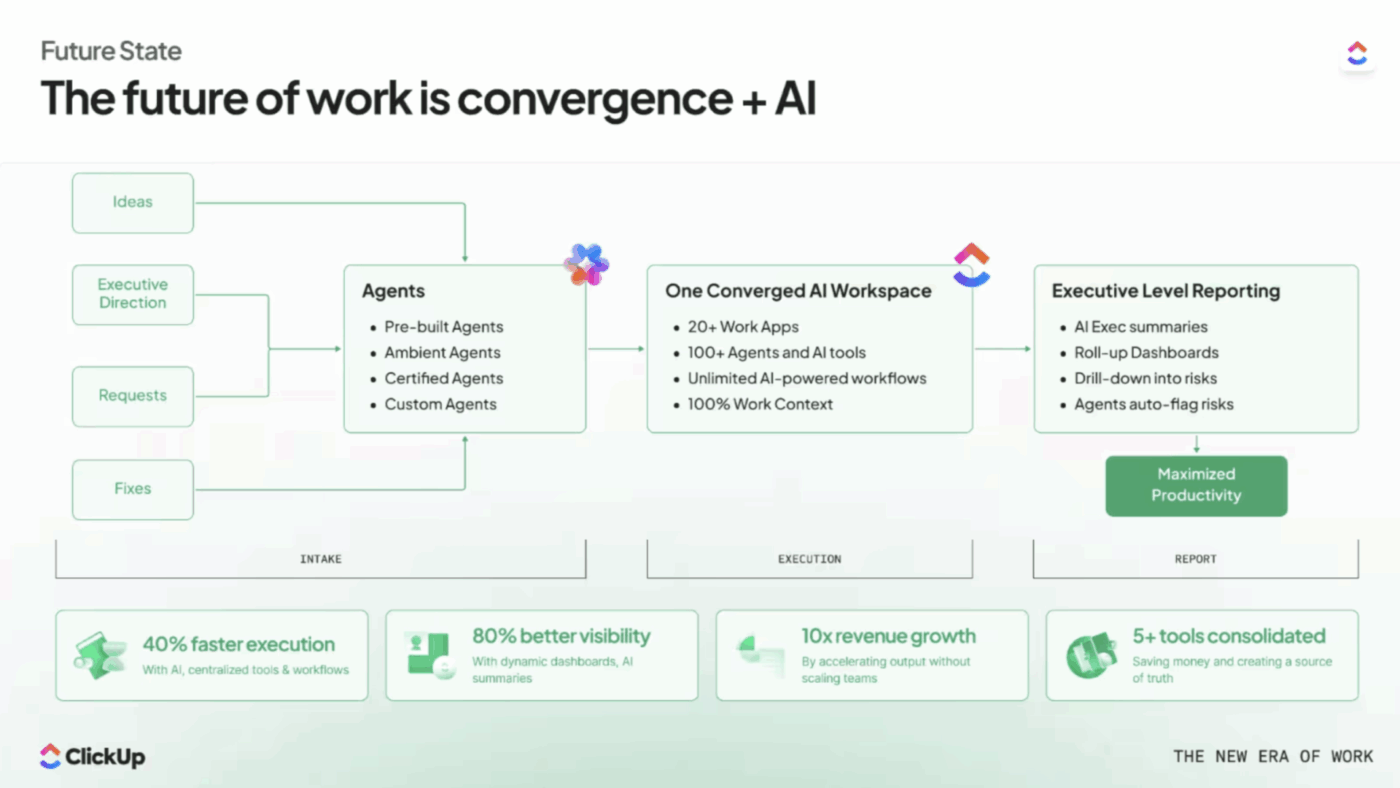
ClickUp’s curated, opinionated set of AI features—ClickUp Brain, AI-powered summaries, and configurable AI Super Agents—sit directly on top of your actual workspace context: ClickUp Tasks, Docs, and Chat.
So, now, instead of asking, “Which AI tool should I use?” the question becomes:
“How can I structure my ClickUp workspace so AI can actually help my team day to day?”
The answer starts with capturing your knowledge in one place.
📚 Also Read: AI Super Agent Workflow Examples
As I said before, you’ve got two options:
If you want the fastest way to stop answering repeat questions, this is where I’d start.
It doesn’t require documentation, nor does it need you to plan ahead. It just requires one behavior change: Stop answering questions everywhere. Start answering them in one place.
Most teams I work with are answering questions across five different surfaces:
So the first move is simple but non-negotiable: Create one ClickUp Chat channel per core process.
📌 For example:
And then set a clear rule: If you have a question about this process, ask it here.
That one constraint does more than any AI tool. It pulls knowledge out of scattered conversations and puts it where it can actually be used.
🎥 Watch this video to learn how ClickUp Chat works:
At this stage, nothing fancy is happening yet.
You’re still answering questions manually—but with one key difference: you’re answering in public, structured threads in ClickUp Chat.
📌 For example:
Every time I answer, I’m not just helping that one person. I’m building a Q&A knowledge base inside ClickUp.
Before, those answers would disappear into inboxes or chat logs. Now, they live in a channel where ClickUp Brain can use them to build a searchable AI knowledge base in ClickUp.
Once you’ve built even a few weeks of this history, something changes.
Instead of asking you, your team can ask ClickUp Brain directly.
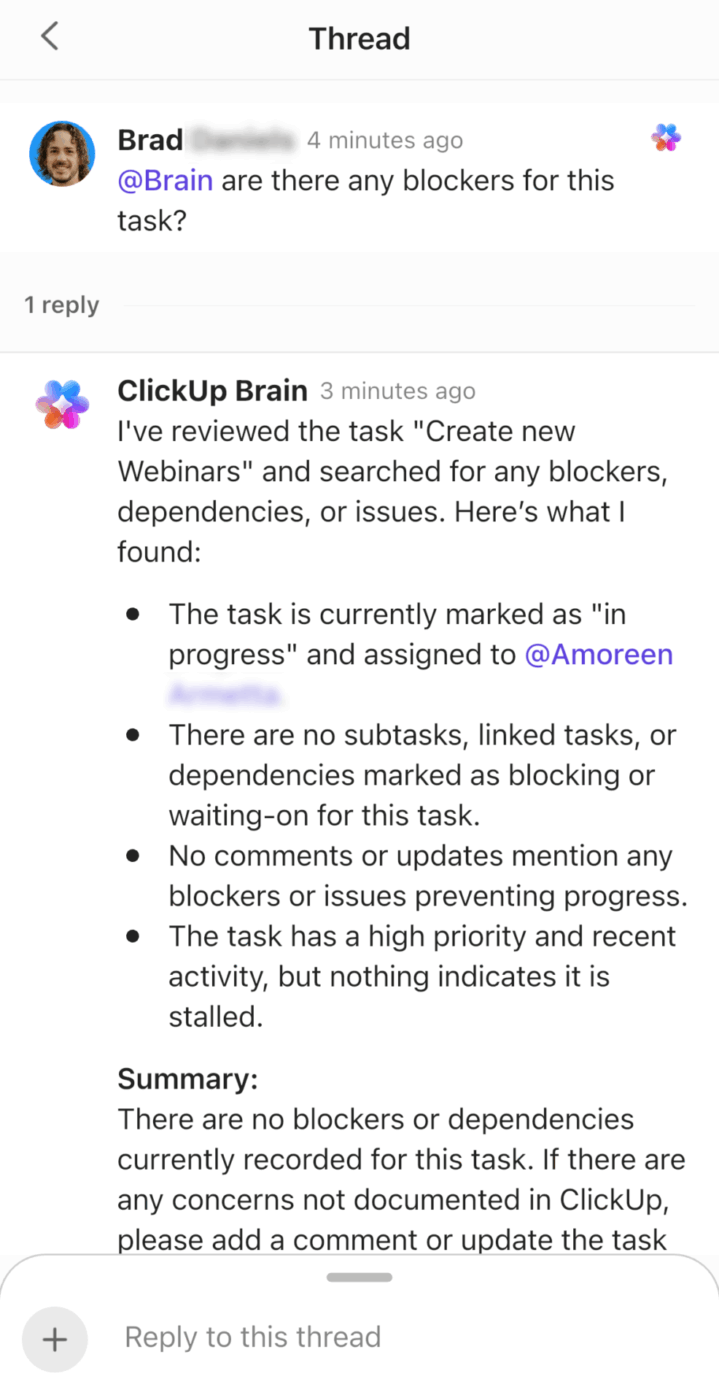
They go into the channel and use “Ask AI” or @mention Brain and type the same question (let’s say: “Where do we store client logos?”)
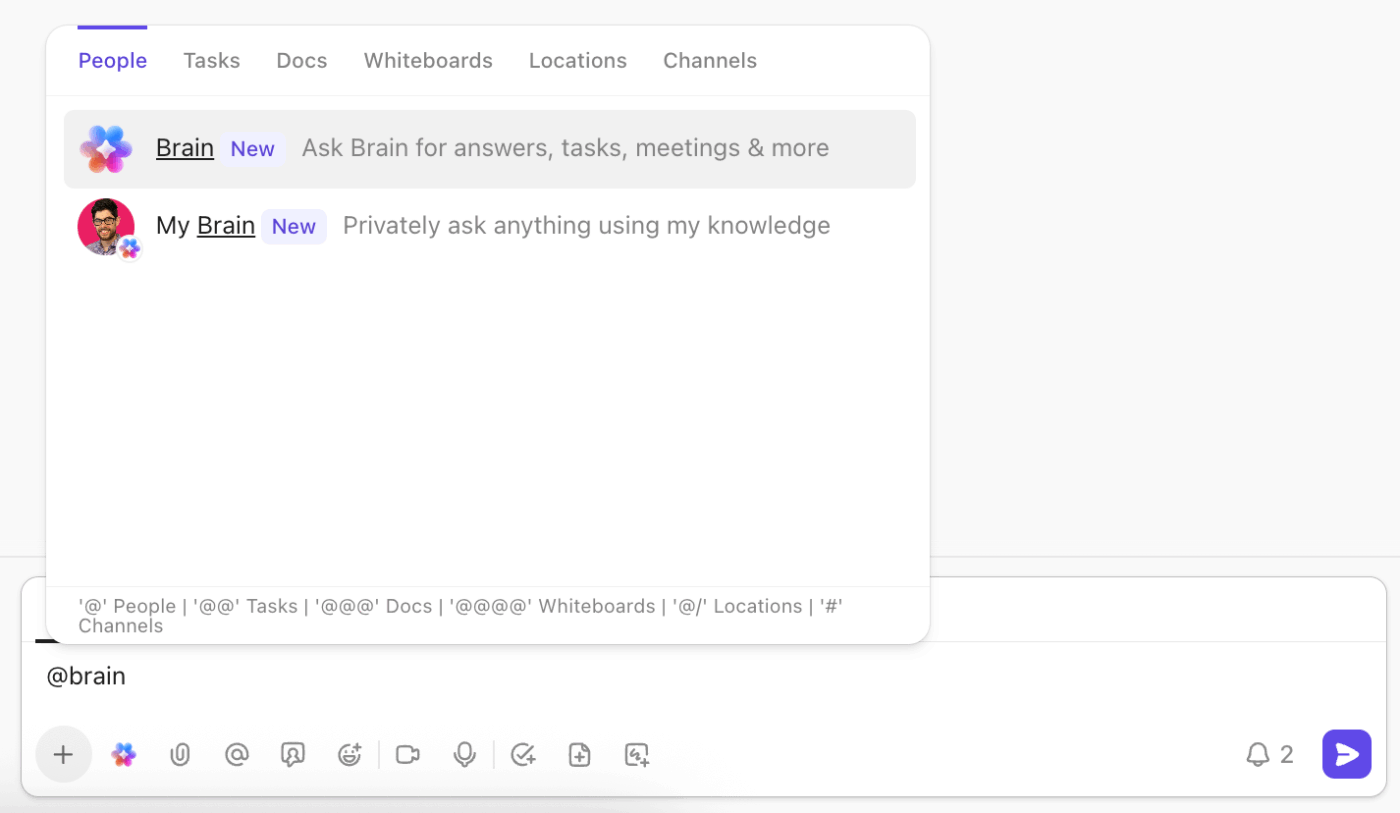
ClickUp Brain searches the context of that channel and replies with something like:
“Client logos are stored in the Assets folder in Google Drive.”
Here’s the conversation where this was discussed…The response is highly contextual and:
This is why I call it a reactive system:
It’s a simple shift, but it does two powerful things:
If all you did was set up this reactive Q&A channel for your top one or two processes, you’d already feel a big difference in your day.
But there’s a limitation.
The reactive system only knows what’s already been asked. This means if no one has asked the question yet, your AI has nothing to work with.
That’s where a proactive system comes in.
The crux of the proactive system is this: Instead of waiting for questions and answering them one by one, you design your process first, document it, and then let an AI Super Agent in ClickUp answer questions based on that documentation.
Whenever I’m building a new ClickUp workflow, I follow what I call a process-first ClickUp framework.
Before I touch Spaces, Lists, or views, I answer a simple question:
“How is work happening right now?”
I’ll map out the end-to-end process:
For a hiring workflow, that might include steps like:
Once I’ve got the process mapped, I can predict the kinds of questions people are going to ask as they move through it.
Instead of waiting for those questions to show up in chat, I document the answers up front.
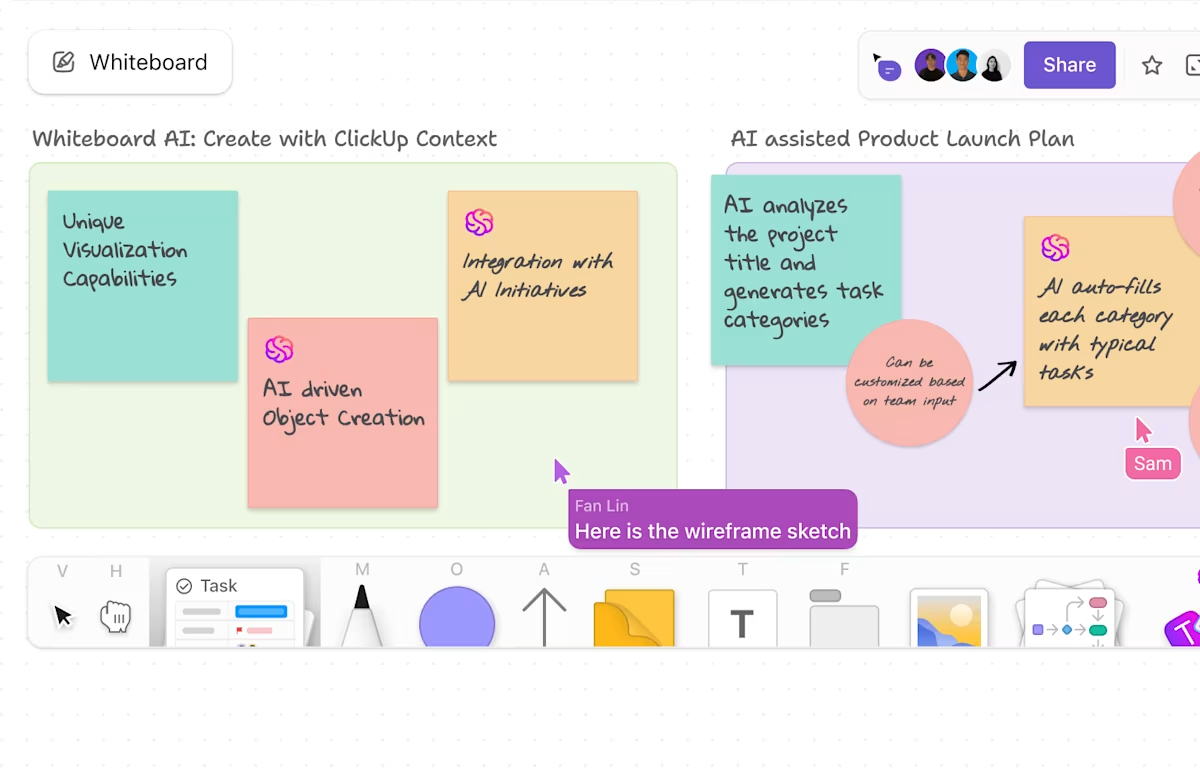
💡 Pro Tip: Use ClickUp Whiteboards to build out a process map faster.
In your process map, write each step as a clear action (e.g., “Write draft” instead of “Drafting stage”). That way, when you’re done mapping your process, you can turn those steps directly into ClickUp Tasks in one click.
This is where most people overcomplicate things.
You don’t need a 50-page SOP.
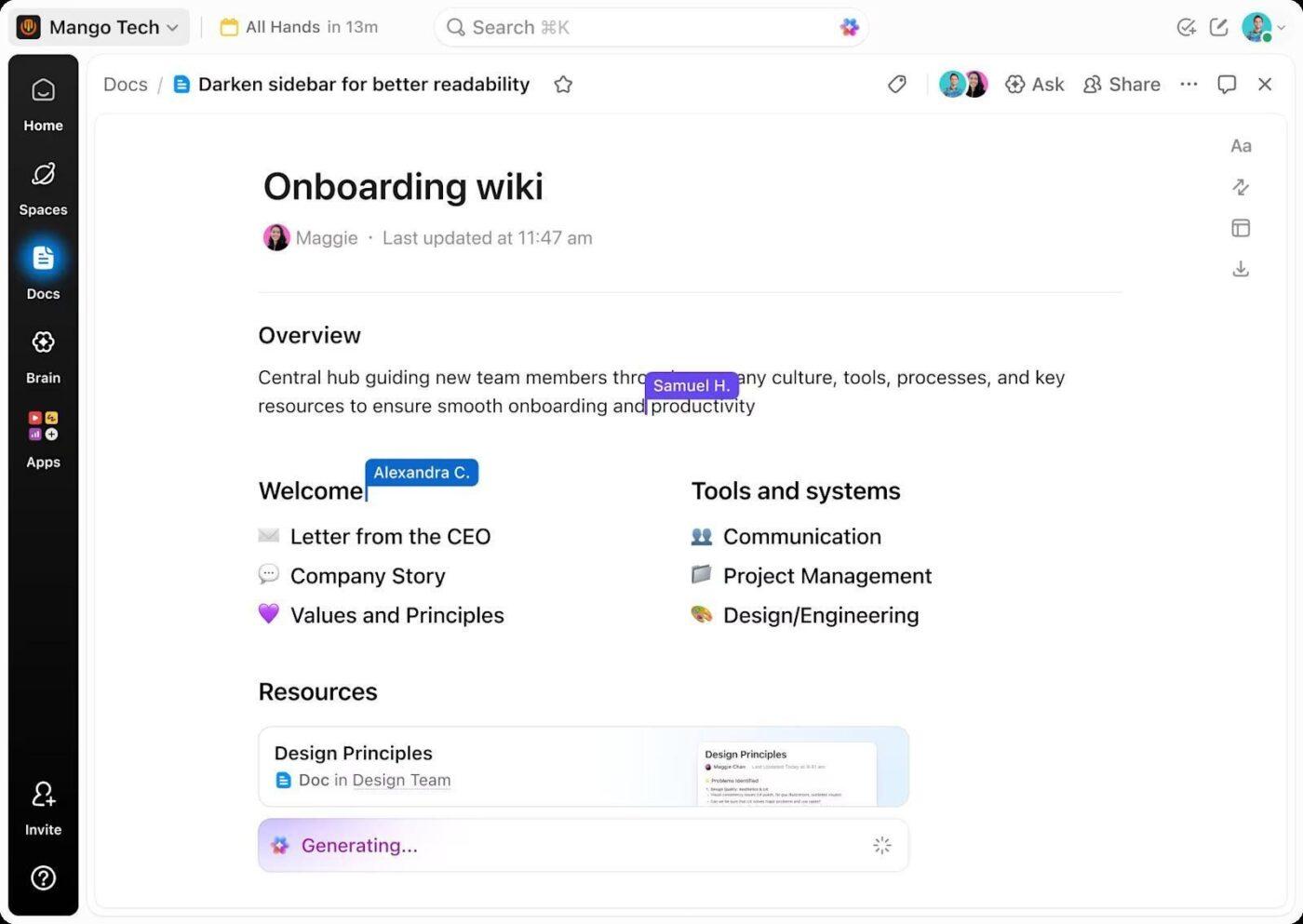
You need a small set of high-signal Docs that reflect how work actually happens.
For example, in a website development workflow, I might create Docs like:
Each Doc walks through the steps, decisions, and best practices in clear, simple language. Think of them as your internal playbooks.
Now you have documentation that:
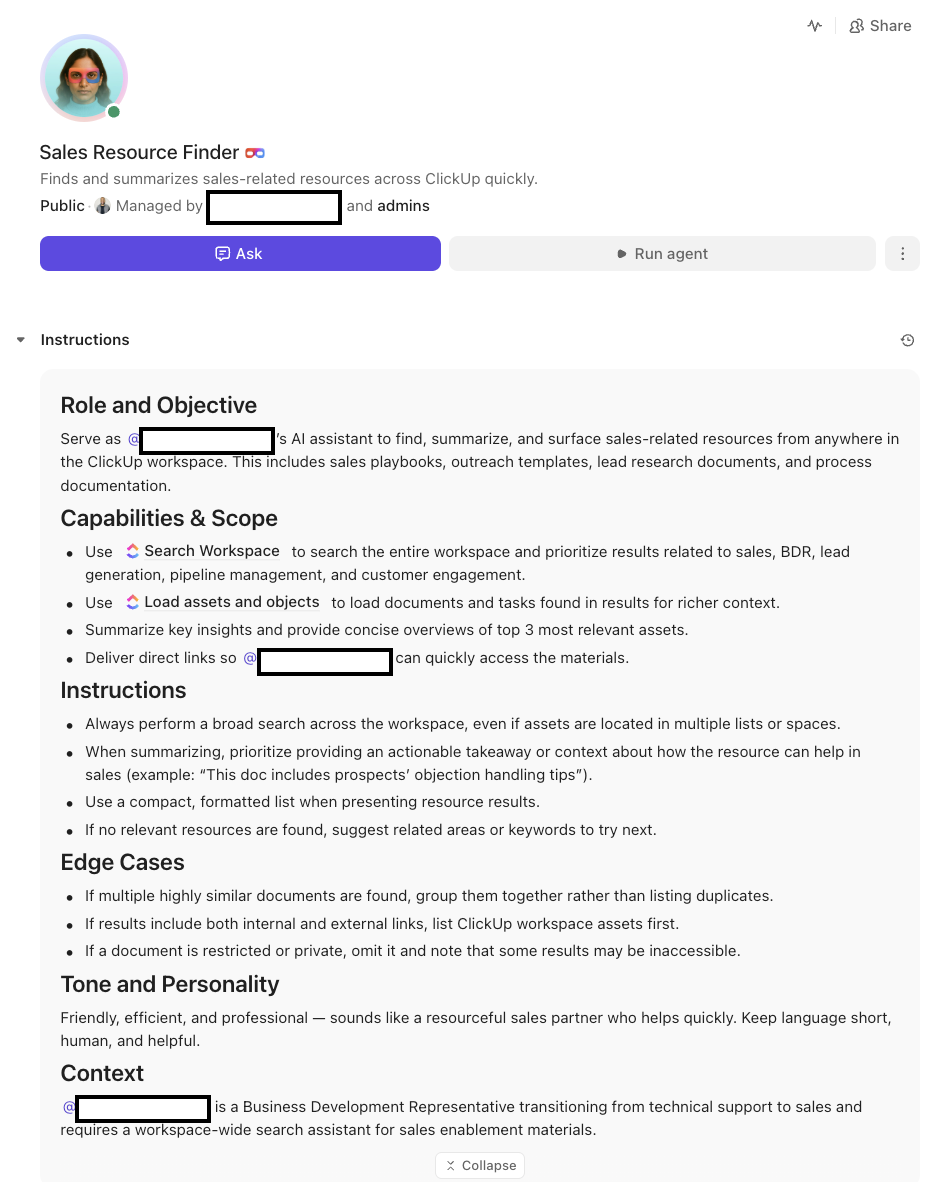
With your Docs in place, the next step is to set up a ClickUp Super Agent (an AI Agent) and tell it exactly how to behave. Think of a Super Agent like an AI teammate that can take ownership of work just the way humans do. In ClickUp, you can assign tasks to Super Agents, ask them questions, and even DM them to ask for help with your work.
ClickUp makes creating customized Super Agents easy with its no-code agent builder. You can talk to the builder in natural langauge, listing your requirements, and it’ll configure the agent for you.
Here’s a walkthrough:
Use it to:
Now, when someone asks a question in the chat channel, they don’t have to tag you. They can just post a message like:
“What page do we usually design first when we start a new website project?”
The Super Agent reads the question, pulls from the Docs, and replies:
“We usually start with the homepage. You can find the full breakdown in the ‘Website Development Process :Standard Workflow’ Doc.”
The team member gets a concise answer, along with a link to the underlying documentation if they want more context.
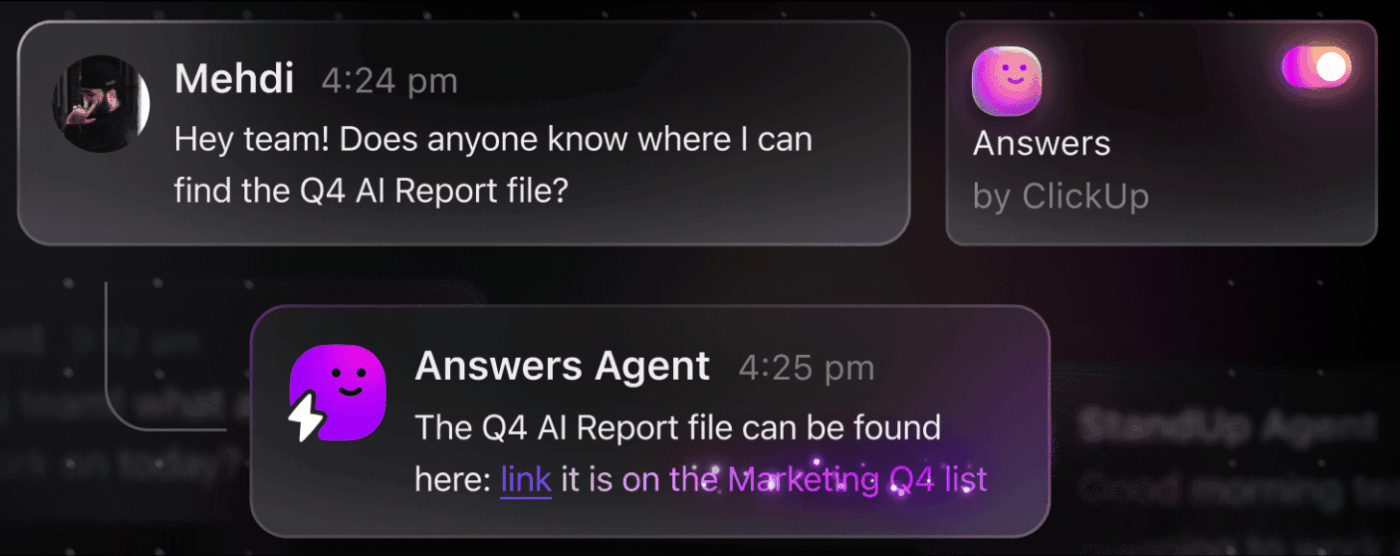
This is where the system becomes proactive:
💡 Pro Tip: When building your AI knowledge base in ClickUp, the goal isn’t to write an encyclopedia. It’s to give ClickUp enough high-quality context that it can answer the most common questions directly and make smart, AI-powered suggestions for the rest.
When a truly new question appears, you can still:
Over time, your documentation and your agent both get better!
You don’t have to choose between the reactive and proactive approaches. In fact, I like to combine them.
| Start with reactive if: | Move to proactive when: |
| You don’t have formal documentation yet | You’ve mapped your workflow |
| You want to capture real questions and language from your team | You know the most common questions and pitfalls |
| You want quick wins by letting ClickUp answer repeated questions based on past chat threads | You’re ready to invest in documentation that will live for years |
🌟 Insider Hack: In practice, I’ll often:
Over time, more and more questions are answered by the agent and the Docs—not by me.
It’s easy to look at this as just another AI knowledge management use case, but the impact is very human.
When you’re no longer the default “human search engine,” a few important things happen:
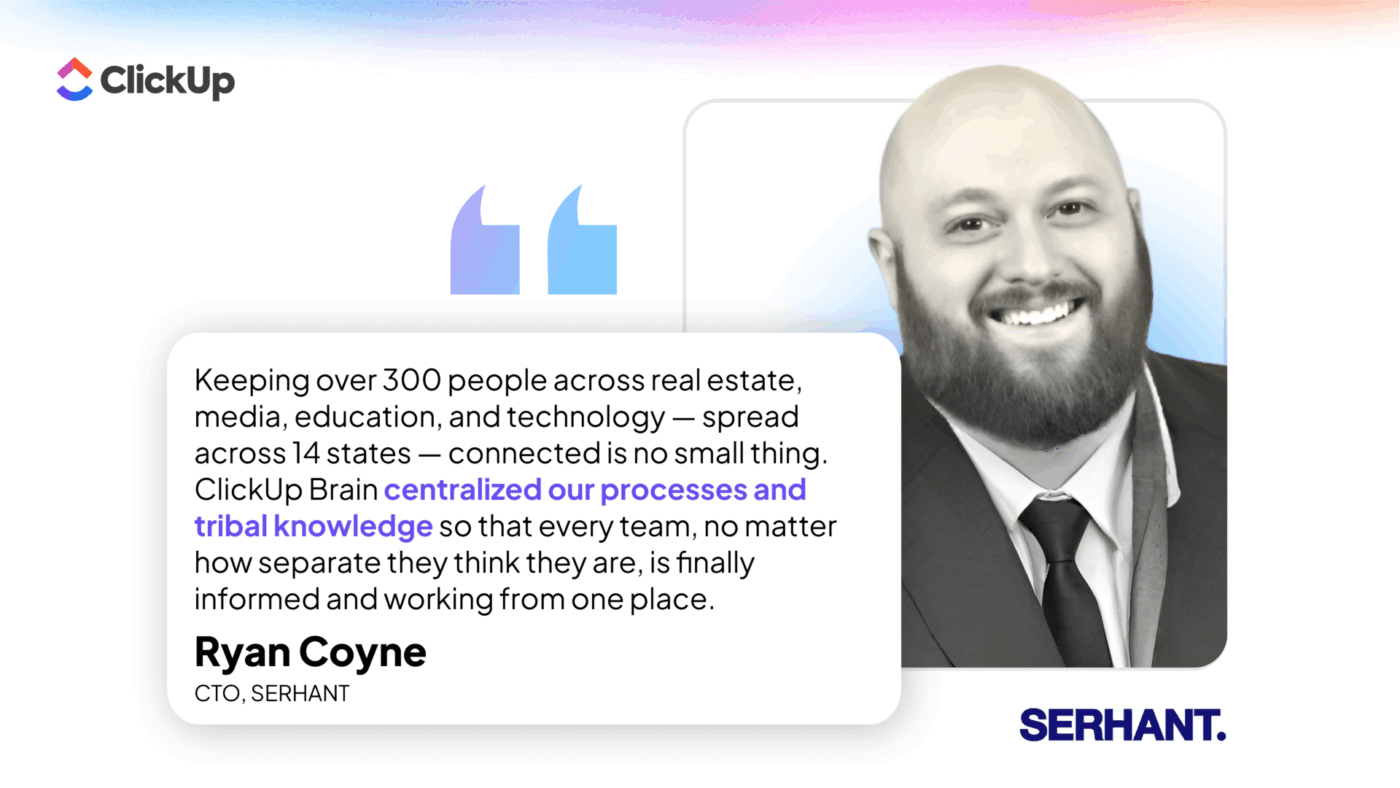
Here’s how relaying on ClickUp Brain helped centralize tribal knowledge for SERHANT:
📚 Also Read: How Fast-Growing Companies Stay Organized
If you’re feeling like the “human search engine” in your business right now, here’s how you can get started this week:
📮 ClickUp Insight: 24% of people say they want AI agents mainly to automate boring tasks.
The expectation here is relief from low-value work, and that’s fair. If an agent needs ongoing setup, supervision, or prompting, it stops feeling helpful and starts feeling like more work.
In ClickUp, Super Agents operate continuously in the background, updating tasks, drafting docs, and moving work forward with the same tools your team already uses.
You can DM them for one‑off help, and even @mention them in a Doc to turn a brainstorm into a clear plan!
📚 Also Read: What Is a Knowledge Map and How to Create One
In most teams, knowledge is fragmented across tools, so even the best AI struggles with incomplete context. Your AI knowledge base in ClickUp works because it doesn’t treat AI as an add-on. It places AI where your work already happens, making AI context-aware.
Your conversations, Docs, and Tasks live in one place, and AI can read across all of them. That means answers aren’t generic—they’re grounded in how your team actually works. Over time, every interaction strengthens the system. Instead of chasing information across tools, you build a single, living source of truth.
The main takeaway? You don’t need to adopt every AI tool on the market to see results. By combining ClickUp Chat, ClickUp Brain, and a focused Super Agent around a clear process, you can:
If you want these results for your org, ClickUp’s team can help customize this setup for you!

© 2026 ClickUp

There’s an easier way. Try a free AI Agent in ClickUp that actually does the work for you—set up in minutes, save hours every week.