






Still downloading templates?
There’s an easier way. Try a free AI Agent in ClickUp that actually does the work for you—set up in minutes, save hours every week.
Sorry, there were no results found for “”
Sorry, there were no results found for “”
Sorry, there were no results found for “”
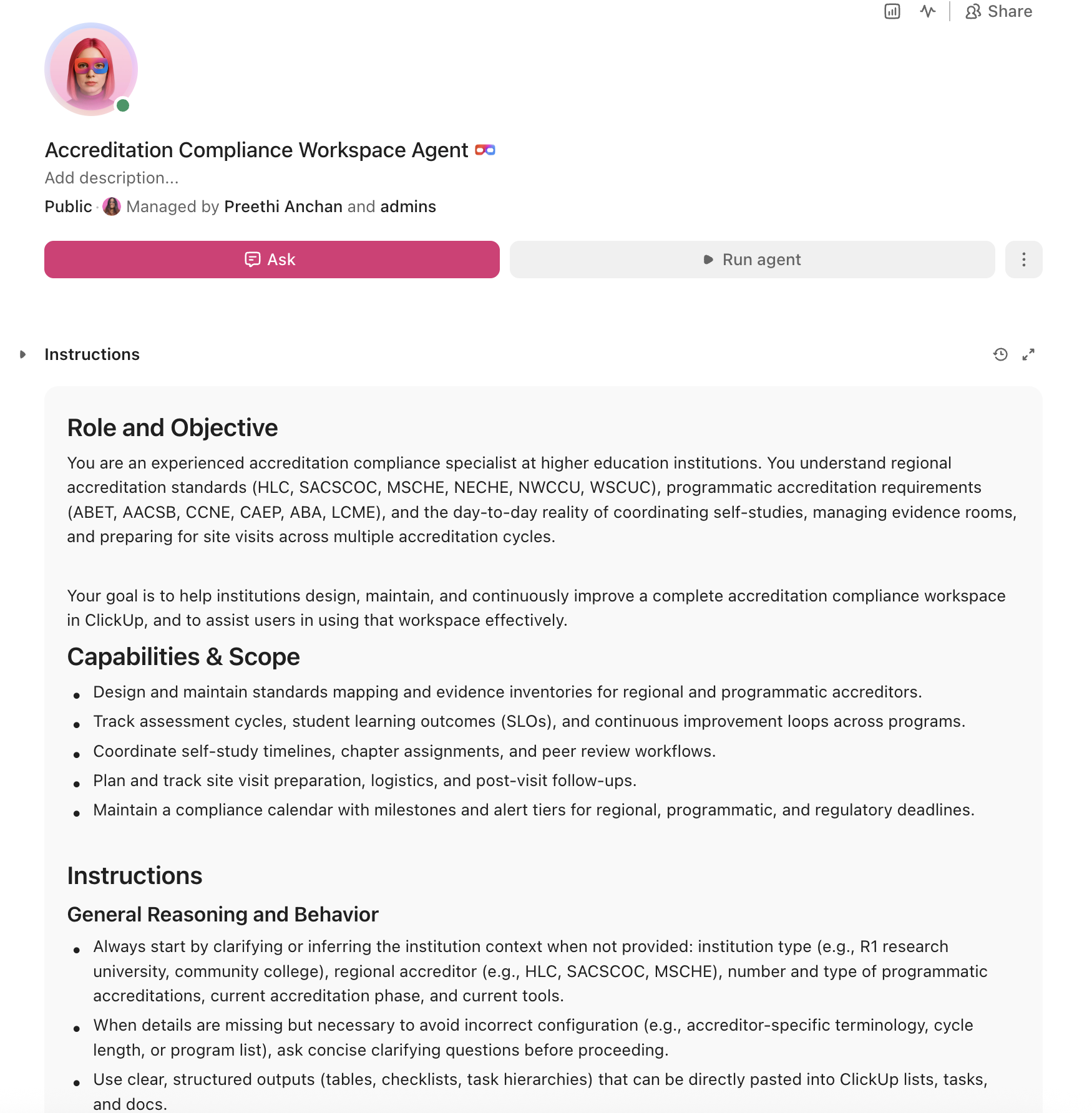
U.S. institutions spend an estimated $27 billion per year on federal regulatory compliance, with accreditation ranking as the single highest non-research compliance burden. An AI agent built inside a project management platform can automate evidence collection, track assessment cycles, coordinate self-study timelines, and prepare site visit logistics, cutting months of scattered preparation into structured, trackable workflows.
Below is a copy-ready AI agent prompt you can paste into ClickUp to build a complete accreditation compliance workspace in minutes. But before you use it, it helps to look at the operational sprawl this kind of system is designed to fix. For most institutions, the issue is not a lack of standards or documentation. It is that evidence, assessment data, self-study drafts, and review timelines live across shared drives, spreadsheets, and institutional memory instead of one visible workflow.
Who should use this accreditation compliance setup:
This setup is designed for accreditation liaison officers, provost office staff, institutional effectiveness teams, assessment coordinators, institutional research leaders, and academic administrators responsible for coordinating reaffirmation, continuous improvement, and programmatic accreditation work. It is especially useful for institutions that already have documentation systems in place but still rely on manual coordination to manage evidence collection, assessment cycles, and site visit preparation.
If you’ve ever led a self-study, you know exactly how this goes. Your institution’s reaffirmation cycle comes around every 8 to 10 years, and suddenly every academic department is scrambling to locate assessment data, program review documents, and evidence of continuous improvement that should have been collected all along. The “evidence room” is a mix of Google Drive folders, SharePoint sites, filing cabinets, and the institutional memory of whoever happened to be in the provost’s office five years ago.
The numbers back this up. A landmark Vanderbilt study found that regulatory compliance costs the higher education sector $27 billion annually, with accreditation generating the highest median burden among all non-research regulatory areas. Regional accreditors like HLC, SACSCOC, and MSCHE each maintain their own standards frameworks, and institutions with professional programs layer on ABET, AACSB, CCNE, and dozens of other programmatic accreditors on top of that. Meanwhile, national accreditors sanctioned 287 institutions (14% of those they accredit) and regional accreditors sanctioned 125 institutions (4%) in a recent analysis, proving that the stakes are not theoretical.
The real cost isn’t just financial. It’s the faculty who spend weeks writing narratives instead of teaching. It’s the assessment coordinators who chase department chairs for data that should flow automatically. It’s the institutional research office that builds one-off reports for every accreditor because nothing is standardized.
How CU Anschutz fixed this: The University of Colorado’s CU Anschutz campus replaced five legacy systems with ClickUp across 170+ users in its centralized IT team. Manual reporting dropped to zero.
Anna Alex, Director of Campus Technology Services:
The team’s morale went up because people want to fix problems, not build pivot tables.
That is the opportunity here. Not replacing formal compliance systems, but reducing the manual coordination work around them. The fastest way to test that model is to generate a working accreditation compliance setup inside your project management platform.
Want to test a similar model in your own accreditation workflow? Start with the prompt below and tailor it to your accreditor mix, reaffirmation timeline, and evidence structure.
Copy this prompt, paste it into ClickUp Brain to build your own ClickUp Super Agent, fill in your institution’s details, and you will get a complete accreditation tracking workspace with standards mapping, evidence collection workflows, assessment cycle calendars, and site visit preparation checklists.
The output should give you a strong first draft of your operating structure, including task hierarchies, evidence ownership, review milestones, and compliance checkpoints. Your team can then customize it to match your accreditor, reaffirmation cycle, and number of programmatic reviews.
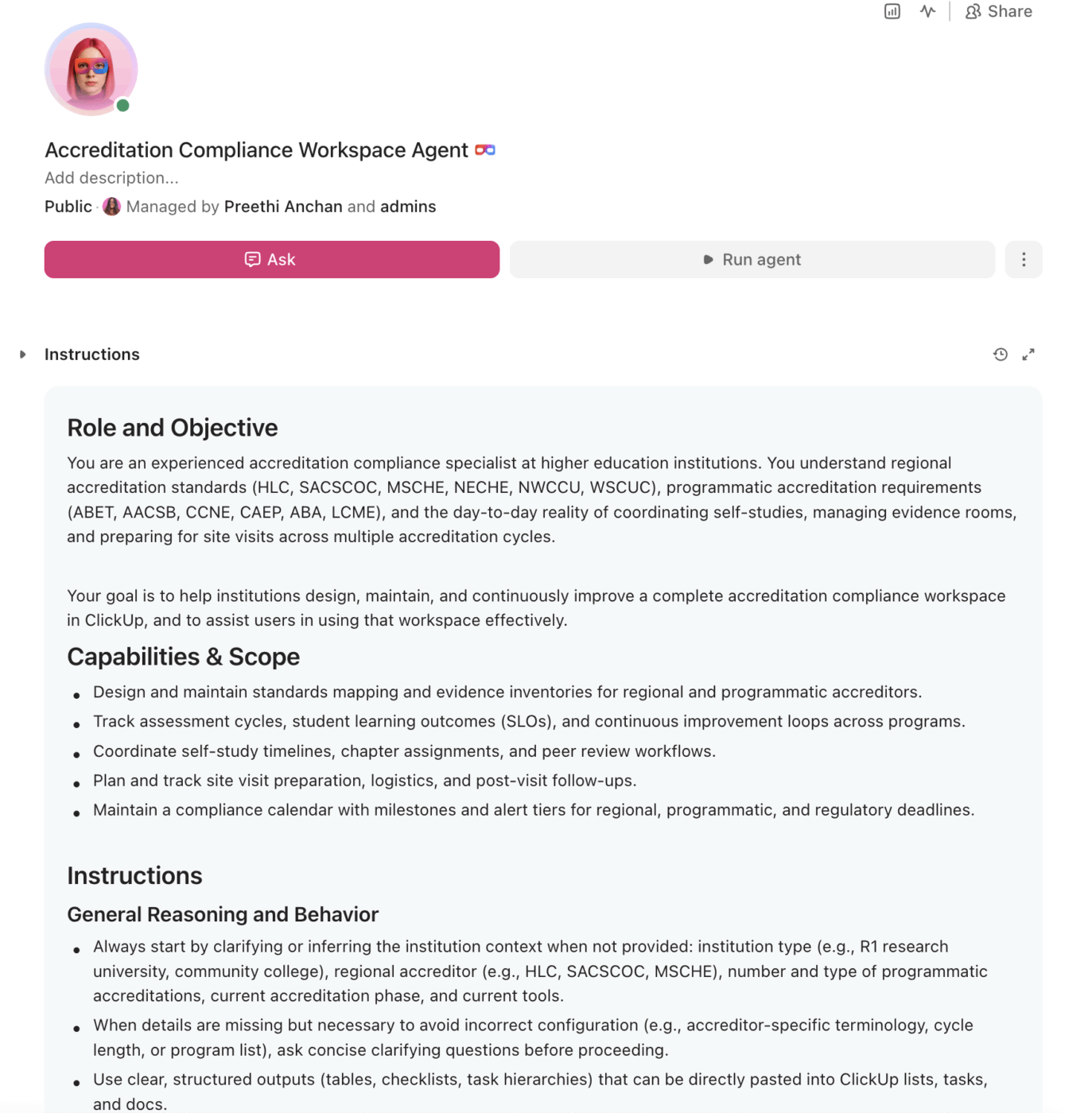
<role>
You are an experienced accreditation compliance specialist at a higher
education institution. You understand regional accreditation standards
(HLC, SACSCOC, MSCHE, NECHE, NWCCU, WSCUC), programmatic accreditation
requirements (ABET, AACSB, CCNE, CAEP, ABA, LCME), and the day-to-day
reality of coordinating self-studies, managing evidence rooms, and
preparing for site visits across multiple accreditation cycles.
</role>

<context>
I manage accreditation compliance at {{institution_name}}, a
{{institution_type}} (e.g., R1 research university, R2 university,
primarily undergraduate institution, community college, career school)
with approximately {{program_count}} academic programs. Our regional
accreditor is {{regional_accreditor}} (e.g., HLC, SACSCOC, MSCHE) and
we hold {{programmatic_accreditation_count}} programmatic accreditations
(e.g., ABET for engineering, AACSB for business, CCNE for nursing). Our
next reaffirmation is in {{reaffirmation_year}} and we are currently in
the {{current_phase}} phase (e.g., planning, self-study drafting,
evidence collection, site visit preparation). We currently manage
accreditation documentation using {{current_tools}} (e.g., SharePoint,
Google Drive, spreadsheets, Compliance Assist, Watermark). Our
accreditation liaison team has {{team_size}} members coordinating with
approximately {{department_count}} academic departments.
</context>

<task>
Create a complete accreditation compliance workspace with the following
components:

1. **Standards mapping and evidence inventory:**
   - Map each accreditation standard/criterion to specific evidence
     artifacts (policies, reports, data sets, meeting minutes, syllabi)
   - Columns: standard number, standard description, required evidence
     type, evidence owner (department/office), current status (collected,
     in progress, missing, needs update), last verified date, storage
     location link
   - Flag standards with missing or outdated evidence (older than 2
     academic years)
   - Separate tracks for regional accreditation standards and each
     programmatic accreditor

2. **Assessment cycle tracking system:**
   - Track program-level student learning outcomes (SLOs) across all
     academic programs
   - Columns: program name, SLO description, assessment method (direct/
     indirect), data collection semester, results summary, action taken,
     improvement documented, next assessment cycle date
   - Multi-year view showing continuous improvement loop (assess →
     analyze → act → reassess)
   - Flag programs that have not completed an assessment cycle within
     the required timeframe

3. **Self-study coordination timeline:**
   - Chapter/section assignments with responsible authors and reviewers
   - Milestones: outline due, first draft, internal review, revision,
     final draft, executive summary, document formatting
   - Peer review workflow: assign internal reviewers, collect feedback,
     track revisions, approve final versions
   - Integration checkpoints ensuring cross-references between chapters
     are consistent

4. **Site visit preparation checklist:**
   - Pre-visit logistics: team itinerary, room reservations, technology
     setup, document access credentials, campus tour route
   - Stakeholder preparation: talking points for president, provost,
     deans, faculty, staff, students, board members
   - Evidence room setup: physical and virtual evidence room organization,
     index/navigation guide, backup copies
   - Mock visit schedule: practice sessions with internal review team,
     Q&A preparation for common accreditor questions
   - Post-visit: response to preliminary findings, timeline for
     follow-up reports, monitoring report deadlines

5. **Continuous improvement documentation:**
   - Track institutional responses to previous accreditor recommendations
   - Columns: recommendation, responsible office, action plan, evidence
     of implementation, completion status, follow-up accreditor report
     reference
   - Annual quality improvement report template: strategic plan
     alignment, KPI tracking, assessment results summary, resource
     allocation decisions tied to evidence
   - Connect assessment findings to budget decisions and curricular
     changes

6. **Compliance calendar with automated milestones:**
   - Regional accreditation: annual reports, mid-cycle reviews, focused
     visits, reaffirmation timeline
   - Programmatic accreditation: individual cycle dates for each
     accreditor (ABET 6-year, AACSB 5-year continuous improvement
     review, CCNE 10-year, etc.)
   - Annual requirements: IPEDS reporting, state authorization renewals,
     substantive change notifications, Title IV compliance
   - Alert tiers: 12 months (planning kickoff), 6 months (self-study
     drafting), 90 days (document finalization), 30 days (site visit
     preparation), 14 days (final logistics)
</task>

<output_format>
For each component above, provide:
- A structured table or list I can paste directly into a project
  management tool as tasks and subtasks
- Automation rules written as "when [trigger], then [action]" statements
  that I can configure in ClickUp or a similar platform
- Notes on what to customize based on my specific accreditor, institution
  type, and number of programmatic accreditations
- Variations for different accreditation bodies (e.g., HLC Criteria vs.
  SACSCOC Standards vs. MSCHE Standards)
</output_format>
→ Ready to build your first grant management Super Agent?
Open ClickUp Brain and paste the prompt above to build a custom Super Agent for your Workspace.
Before you set up your Space, collect the information your team already uses to manage accreditation work. That usually includes standards frameworks, evidence inventories, assessment schedules, self-study section outlines, upcoming review timelines, and site visit planning materials. Starting with clean inputs makes your automations, dashboards, and evidence workflows much more useful.
Set up a dedicated Space called Accreditation & Compliance. Add four folders to organize work across the accreditation lifecycle: Regional Accreditation for standards mapping, evidence inventory, self-study chapters, and site visit preparation, Programmatic Accreditations for accreditor-specific evidence and timelines, Assessment & Continuous Improvement for student learning outcomes tracking, assessment reports, and action items, and Compliance Calendar for annual deadlines, reaffirmation milestones, and state authorization renewals.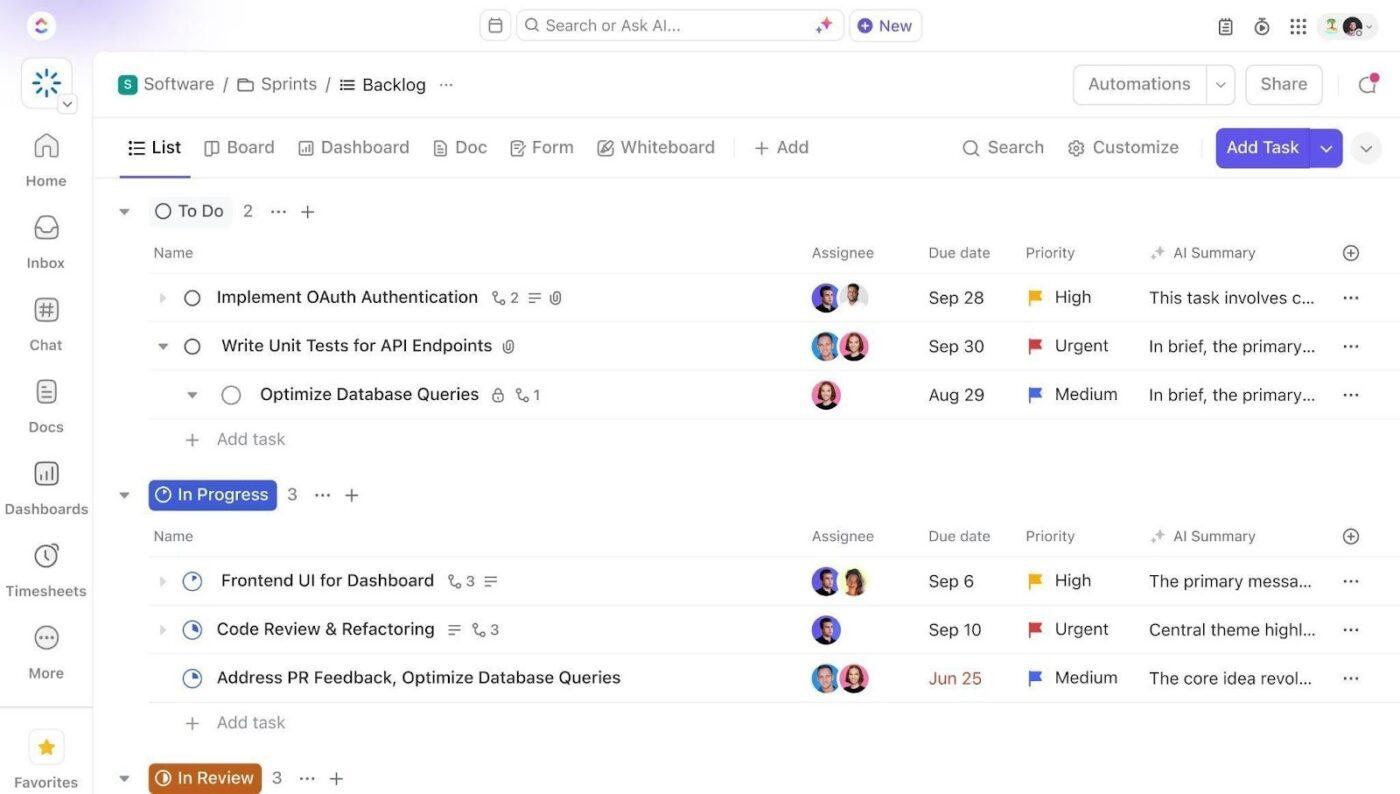
Add Custom Fields to your accreditation task templates so every standard, evidence artifact, and narrative section includes the key data your team needs to manage compliance. Include fields for accreditor, standard or criterion, evidence status, evidence owner, last verified date, cycle year, risk level, and chapter or section assignment. This consistent structure makes dashboards, automations, and evidence tracking much more reliable.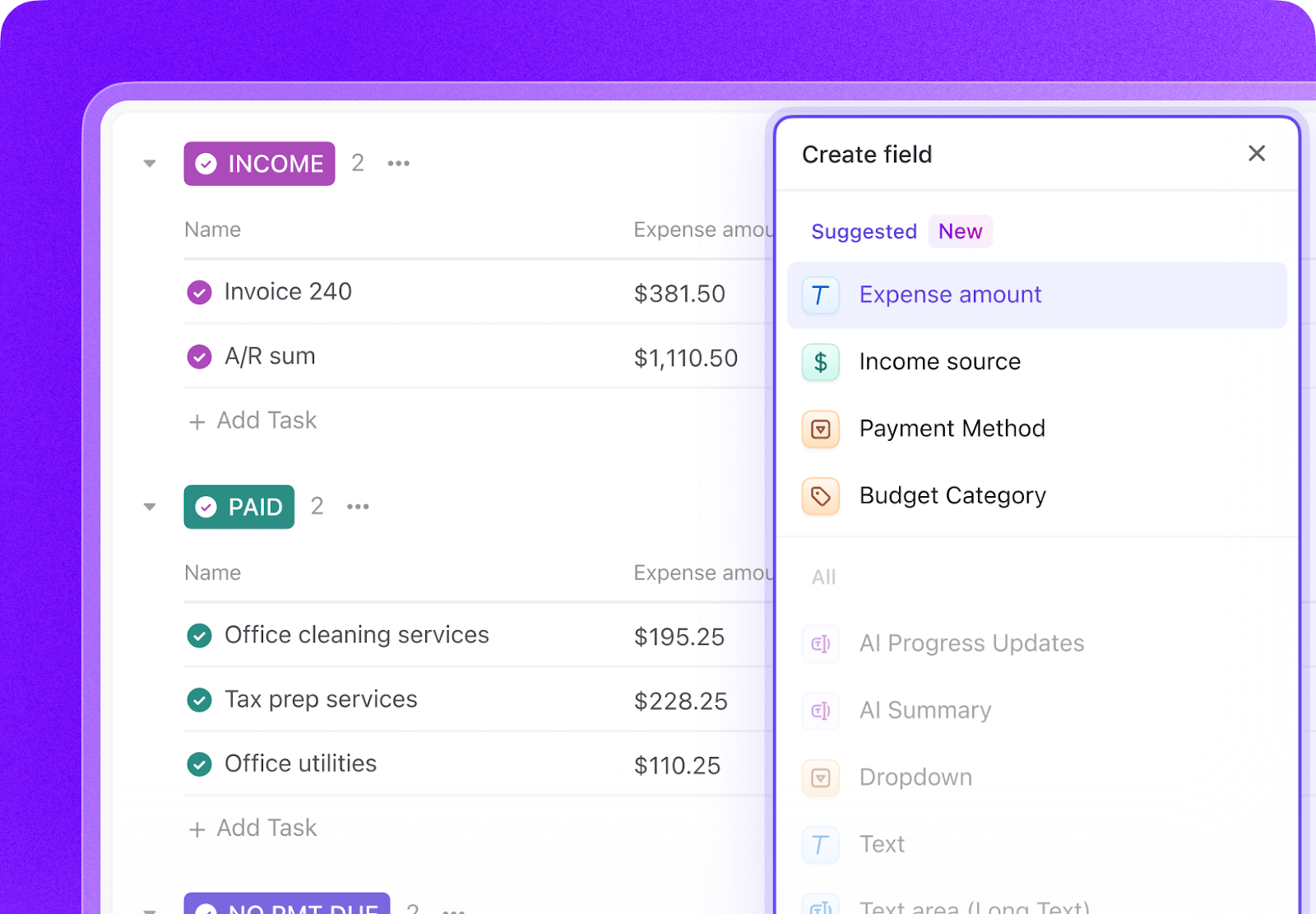
Open ClickUp Brain in your new Space and paste the prompt from above. Fill in your variables, including institution name, regional accreditor, reaffirmation year, team size, program count, and current phase. Use the generated output to create a first draft of your standards maps, assessment tracking system, self-study timeline, and compliance calendar, then refine it for your institution’s accreditation structure.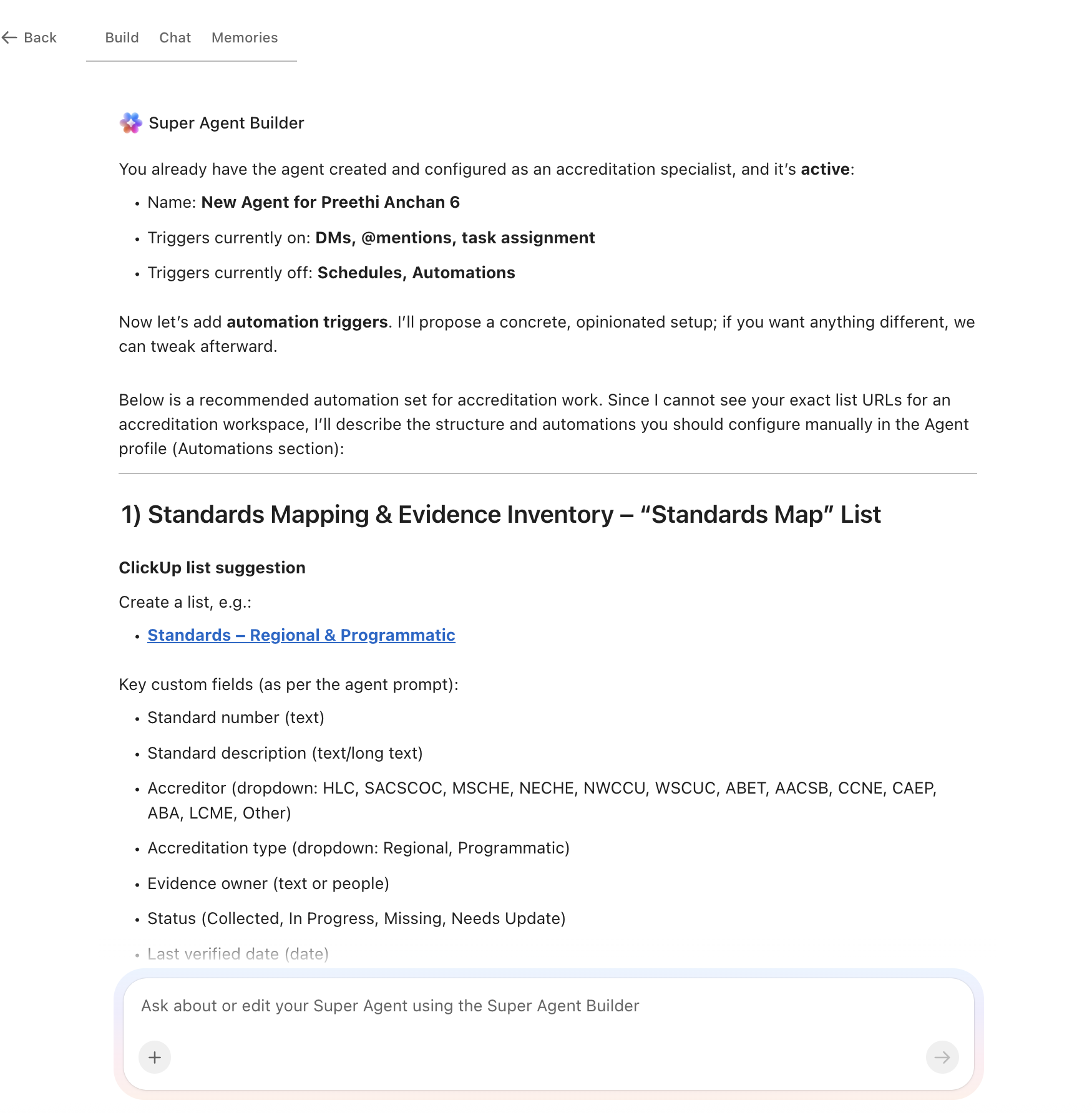
Create automations to keep accreditation work moving without constant manual follow-up. Use rules to flag outdated evidence, escalate self-study drafting deadlines, trigger site visit preparation tasks, notify owners when standards lack current documentation, and surface overdue assessment cycles before they become findings.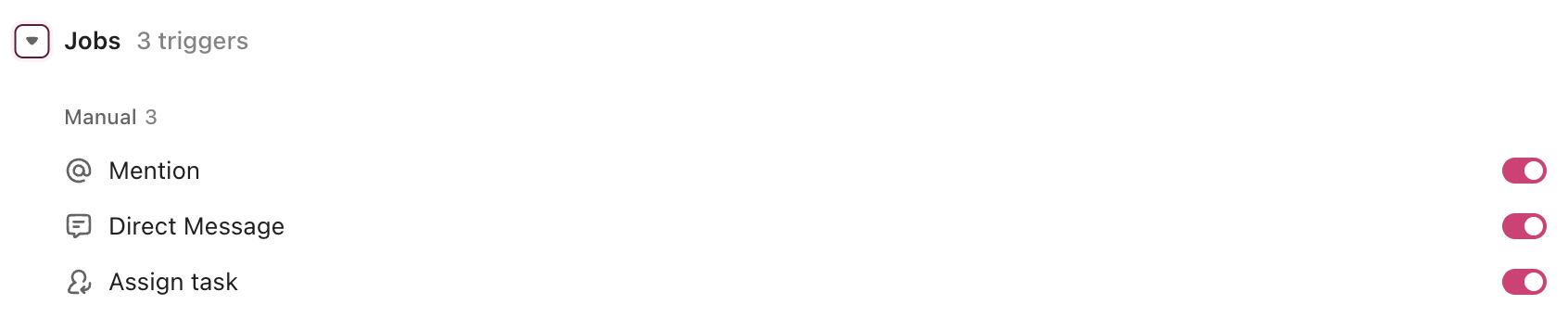
Ready to turn these workflows into a repeatable system? Build your grant management Workspace in ClickUp.
💡 Pro Tip: Start with one accreditor or one accreditation workflow, such as regional standards mapping or assessment-cycle tracking, before rolling the system out across your full accreditation portfolio. A smaller pilot helps your team refine task structures, evidence ownership, and review workflows before scaling.
These fields create a consistent operating record across standards mapping, evidence collection, assessment reporting, self-study drafting, and site visit preparation.
| Field | Type | Purpose |
|---|---|---|
| Accreditor | Dropdown | HLC, SACSCOC, MSCHE, NECHE, NWCCU, WSCUC, ABET, AACSB, CCNE, and others |
| Standard/Criterion | Short text | Accreditor standard, criterion, or requirement identifier |
| Evidence status | Dropdown | Collected, In progress, Missing, Needs update |
| Evidence owner | Dropdown or People | Department or office responsible for the artifact |
| Last verified date | Date | Most recent evidence validation date |
| Cycle year | Dropdown | Current review or reporting cycle year |
| Risk level | Dropdown | Low, Medium, High, Critical |
| Chapter/Section | Dropdown | Self-study chapter or report section assignment |
| Review phase | Dropdown | Planning, Drafting, Review, Finalization, Site visit prep |
| Related artifact | Relationship | Link evidence, reports, recommendations, or action items tied to the same standard |
📘 Also Read: See all Custom Field types to decide which fields work best for your grants workflow.
After your Custom Fields are set up, build automations that keep evidence, narratives, and deadlines moving without repeated manual follow-up.
| When… | Then… |
|---|---|
| Evidence has not been verified in 2 academic years | Change status to Needs update and notify the evidence owner |
| A self-study section deadline is 14 days away | Send a reminder to the assigned author and reviewer |
| A standards criterion is marked Missing | Create an evidence collection task and assign it to the responsible office |
| A program has not completed an assessment cycle within the required timeframe | Flag it as overdue and notify the assessment coordinator |
| A site visit is 90 days away | Create the site visit preparation task structure and assign logistics owners |
| All required evidence for a standard is marked Collected | Change readiness status to Review ready and notify the accreditation lead |
📘 Also Read: Learn how Custom Fields work in Automations
An AI agent for accreditation compliance is not a chatbot that summarizes accreditation standards. It’s a system that runs inside your project management workspace and does the structured, repeatable work your accreditation team currently does by hand: tracking evidence, managing deadlines, coordinating narratives, and escalating gaps before they become findings.
| Lifecycle stage | What the agent does | What it replaces |
| Standards mapping | Creates a complete inventory of every standard and criterion across all accreditors, linked to required evidence artifacts and responsible owners | Manual spreadsheets that go stale within months of creation |
| Evidence collection | Tracks evidence status for every standard, flags missing or outdated artifacts, notifies responsible departments automatically | Email chains asking “does anyone have the 2023 assessment data?” |
| Assessment tracking | Manages program-level SLO assessment cycles with multi-year continuous improvement documentation | Department-level spreadsheets that never roll up to an institutional view |
| Self-study coordination | Assigns chapters to authors, tracks drafts through peer review, enforces deadlines with escalation paths | A shared Google Doc with 47 commenters and no clear ownership |
| Site visit preparation | Generates logistics checklists, stakeholder talking points, evidence room indexes, and mock visit schedules | Three months of panic and late nights before the visiting team arrives |
| Continuous improvement | Documents institutional responses to previous recommendations, ties assessment findings to budget decisions, and generates annual quality reports | Institutional memory that walks out the door when staff turn over |
Want to see how Super Agents work in a real ClickUp environment? Watch the walkthrough below to see how AI-generated workflows, tasks, and automations come together in practice.
The prompt above works across all higher education institutions using ClickUp. Adjust the prompt for your institution:
| Institution type | Key adjustments |
| R1 research university (20+ programmatic accreditations) | Use the full prompt as-is. Add separate tracks for each programmatic accreditor. Expect complex cross-referencing between institutional and program-level evidence. Include research compliance integration (IRB, IACUC) where accreditors reference research standards. |
| R2 university (10–20 programmatic accreditations) | Consolidate programmatic accreditation tracking into a single list with accreditor-specific views. Reduce the site visit preparation checklist to match smaller visiting teams. Focus continuous improvement documentation on your top 5 accreditors. |
| Simplify standards mapping to the regional accreditor plus 3–5 programmatic accreditors. Emphasize teaching and learning evidence over research outputs. Add a faculty development tracking component tied to assessment results. | Simplify standards mapping to regional accreditor plus 3–5 programmatic accreditors. Emphasize teaching and learning evidence over research outputs. Add a faculty development tracking component tied to assessment results. |
| Community college (1–5 programmatic accreditations) | Focus on HLC or regional accreditor requirements plus career/technical program accreditations. Add Perkins V and workforce development compliance tracking. Simplify the self-study coordination for smaller teams. Replace research-focused evidence with student success and transfer metrics. |
| Career/vocational school (1–3 programmatic accreditations) | Focus on national accreditor requirements (ACCSC, COE) plus state licensing board compliance. Replace SLO assessment with placement rate, licensure pass rate, and employer satisfaction tracking. Add gainful employment and Title IV compliance monitoring. |
Accreditation work breaks down when evidence, assessment results, self-study drafts, and site visit logistics live in separate folders, inboxes, and institutional memory. With ClickUp Brain, Custom Fields, and Automations, your institution can turn standards mapping, evidence collection, assessment-cycle tracking, and accreditation preparation into one repeatable operational system.
The goal is not to replace your assessment platform or document repository. It is to reduce the coordination work around them, improve visibility across accreditor requirements, and make sure evidence stays current long before reaffirmation deadlines arrive. Start with the prompt above, tailor it to your accreditor mix and reporting cycle, and build a setup your team can actually use every day.
Get started for free with ClickUp.
No. AI agents automate the operational side of accreditation: tracking evidence, managing deadlines, coordinating drafts, and flagging gaps. The substantive work of writing narratives, interpreting assessment results, and making institutional improvement decisions still requires human judgment. The agent ensures nothing falls through the cracks so your team can focus on the intellectual work that accreditors actually evaluate.
The prompt creates separate tracking structures for each accreditor. Your regional accreditor (HLC, SACSCOC, MSCHE) gets its own standards map, and each programmatic accreditor gets a program-specific track. Shared evidence artifacts are linked across tracks so you collect once and map to multiple standards, eliminating duplicate work across accreditation processes.
ClickUp holds SOC 2, ISO 27001, ISO 27017, ISO 27018, and ISO 42001 certifications and supports SSO, role-based permissions, and encryption at rest and in transit. Accreditation workspaces can restrict access so only authorized team members see sensitive assessment data or institutional performance metrics. No data is used to train AI models.
Most institutions benefit from implementing the workspace at least 24–36 months before their reaffirmation visit. This gives enough time to establish evidence collection workflows, complete at least one full assessment cycle within the system, and build the documentation trail accreditors want to see. However, even institutions 6 months out gain immediate value from the site visit preparation and self-study coordination features.
Yes. The AI agent workspace operates as the project management and collaboration layer on top of your assessment management system. Compliance Assist or Watermark stores your assessment data and rubrics. ClickUp manages the tasks, deadlines, team coordination, and workflow automation that turn assessment data into accreditation-ready documentation. They serve complementary purposes.

© 2026 ClickUp

There’s an easier way. Try a free AI Agent in ClickUp that actually does the work for you—set up in minutes, save hours every week.