






Still downloading templates?
There’s an easier way. Try a free AI Agent in ClickUp that actually does the work for you—set up in minutes, save hours every week.
Sorry, there were no results found for “”
Sorry, there were no results found for “”
Sorry, there were no results found for “”
That ‘new software smell’ usually wears off the moment a workflow disappoints. It happens to the best of us—in fact, it happens to almost 60% of teams, making it apparent that traditional evaluations aren’t delivering results.
You need a way to surface risks early enough to act. In this guide, we’re exploring how to evaluate software with AI to uncover operational risks and adoption blockers before you’re locked in. We’ll provide you with the framework to vet tools and surface hidden risks, while explaining how to keep the evaluation organized in ClickUp. 🔍
Evaluating software with AI means using AI as a research and decision-making layer during the buying process. Instead of manually scanning vendor sites, reviews, documentation, and demos, your team can use AI to compare options consistently and pressure-test vendor claims early.
This matters when evaluations sprawl across tools and opinions. AI consolidates those inputs into a single view and highlights gaps or inconsistencies that are easy to miss when manually reviewing. It also refines the specific questions to ask about AI and general software capabilities to get a straight answer from the vendor.
The difference becomes clearer when you compare traditional software evaluation with an AI-assisted approach.
Traditional software evaluations often leave you piecing together a shortlist from scattered vendor pages and conflicting reviews. You end up circling back to the same basic questions, re-verifying details just as you’re trying to move toward a decision.
It’s why 83% of buyers end up changing their initial vendor list mid-stream—a clear sign of how unstable your early decisions can feel when your inputs are fragmented. You can skip that rework by using AI to synthesize information upfront, ensuring you apply the same rigorous criteria across every tool from the very start.
| Traditional evaluation | AI-assisted evaluation |
|---|---|
| Comparing features across tabs and spreadsheets | Generating side-by-side comparisons from a single prompt |
| Reading reviews individually | Summarizing sentiment and recurring themes across sources |
| Drafting RFP questions manually | Producing vendor questionnaires based on defined criteria |
| Waiting for sales calls to clarify basics | Querying public documentation and knowledge bases directly |
With that distinction in mind, it’s easier to see exactly where AI adds the most weight throughout the evaluation lifecycle.
AI is most useful during discovery, comparison, and validation, when inputs are high-volume and easy to misread. It’s most useful during discovery and comparison when you’re wading through high volumes of data and trying to pressure-test your early assumptions.
Initially, AI helps clarify problem statements and evaluation criteria. Later, it adapts the role of a strategist, consolidating findings and communicating decisions to stakeholders.
AI works best as a first-pass synthesis layer. Final decisions still require verifying critical claims in documentation, contracts, and trials.
📮 ClickUp Insight: 88% of our survey respondents use AI for their personal tasks, yet over 50% shy away from using it at work. The three main barriers? Lack of seamless integration, knowledge gaps, or security concerns.
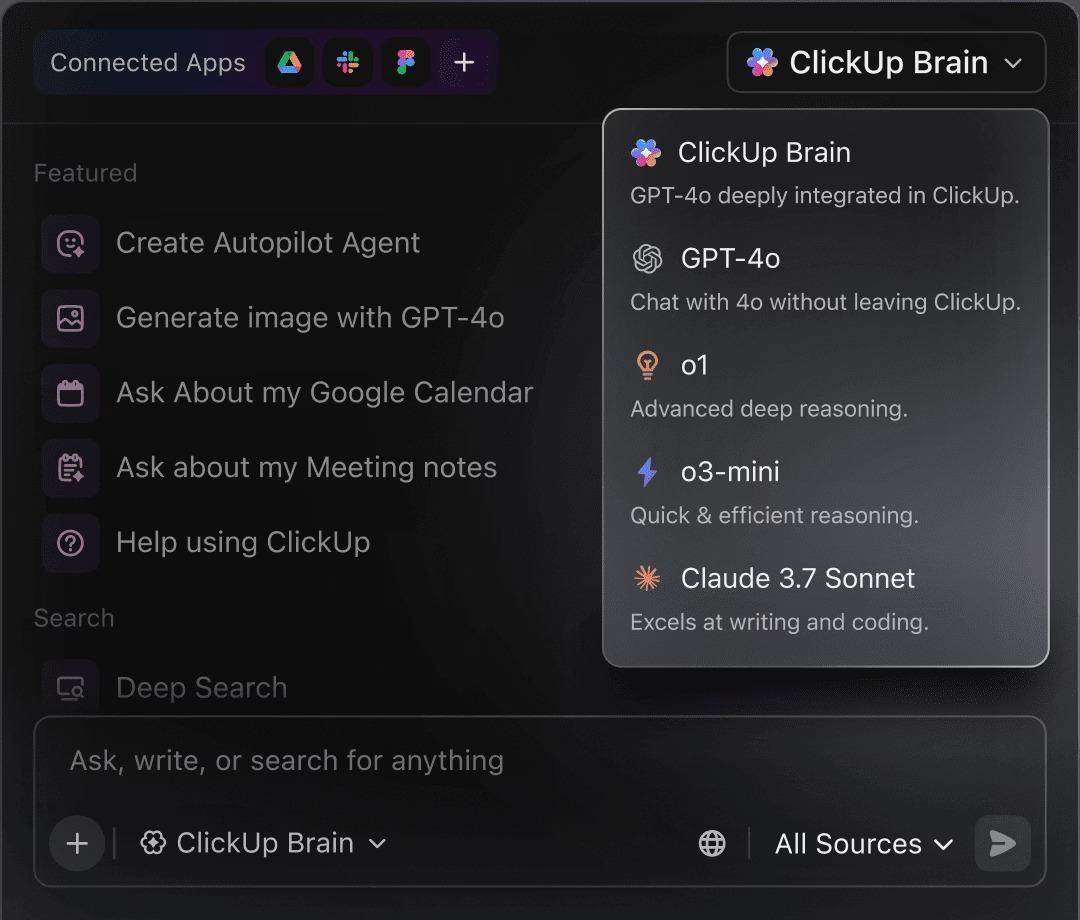
But what if AI is built into your workspace and is already secure? ClickUp Brain, ClickUp’s built-in AI assistant, makes this a reality. It understands prompts in plain language, solving all three AI adoption concerns while connecting your chat, tasks, docs, and knowledge across the workspace. Find answers and insights with a single click!
AI reduces research drag and applies a consistent lens across tools, making evaluations easier to compare and defend. Its impact shows up in a few practical ways:
🔍 Did You Know? The shift from Chatbots to AI Agents (systems that can plan and execute multi-step tasks) is expected to increase procurement and software efficiency by 25% to 40%.
Summarize this article with AI ClickUp Brain not only saves you precious time by instantly summarizing articles, it also leverages AI to connect your tasks, docs, people, and more, streamlining your workflow like never before.Why Evaluating AI Software Requires New Questions
When you’re vetting AI-driven tools, traditional features and compliance checklists only tell half the story. Standard criteria usually focus on what a tool does, but AI introduces variability and risk that legacy frameworks can’t capture.
It changes the questions you have to prioritize:
Put simply, evaluating AI software relies less on surface-level checks and more on questions about behavior, control, and long-term fit.
Use these questions as a shared AI vendor questionnaire so you can compare answers side by side, not after rollout.
| Question to ask | What a strong answer sounds like |
|---|---|
| 1) What data does the AI touch, and where does it live? | “Here are the inputs we access, where we store them (region options), how we encrypt them, and how long we retain them.” |
| 2) Is any of our data used for training, now or later? | “No by default. Training is opt-in only, and the contract/DPA reflects that.” |
| 3) Who at the vendor can access our data? | “Access is role-based, audited, and limited to specific functions. Here’s how we log and review access.” |
| 4) Which models power the feature, and do versions change silently? | “These are the models we use, how we version them, and how we notify you when behavior changes.” |
| 5) What happens when the AI is unsure? | “We surface confidence signals, ask for clarification, or fall back safely instead of guessing.” |
| 6) If we run the same prompt twice, should we expect the same result? | “Here’s what is deterministic vs variable, and how to configure for consistency when it matters.” |
| 7) What are the real context limits? | “These are the practical limits (doc size/history depth). Here’s what we do when context truncates.” |
| 8) Can we see why the AI made a recommendation or took an action? | “You can inspect inputs, outputs, and a trace of why it recommended X. Actions have an audit trail.” |
| 9) What approvals exist before it acts? | “High-risk actions require review, approvals can be role-based, and there’s an escalation path.” |
| 10) How customizable is this across teams and roles? | “You can standardize prompts/templates, restrict who can change them, and tailor outputs per role.” |
| 11) Does it integrate into real workflows or just ‘connect’? | “We support two-way sync and real triggers/actions. Here’s failure handling and how we monitor it.” |
| 12) If we downgrade or cancel, what breaks and what can we export? | “Here’s exactly what you retain, what you can export, and how we delete data on request.” |
| 13) How do you monitor quality over time? | “We track drift and incidents, run evaluations, publish release notes, and have a clear escalation and support process.” |
💡 Pro tip: Consider centralizing responses to these questions in a shared AI vendor questionnaire to spot patterns and tradeoffs. Your team can reuse them across evaluations instead of starting fresh each time, improving workflow management.
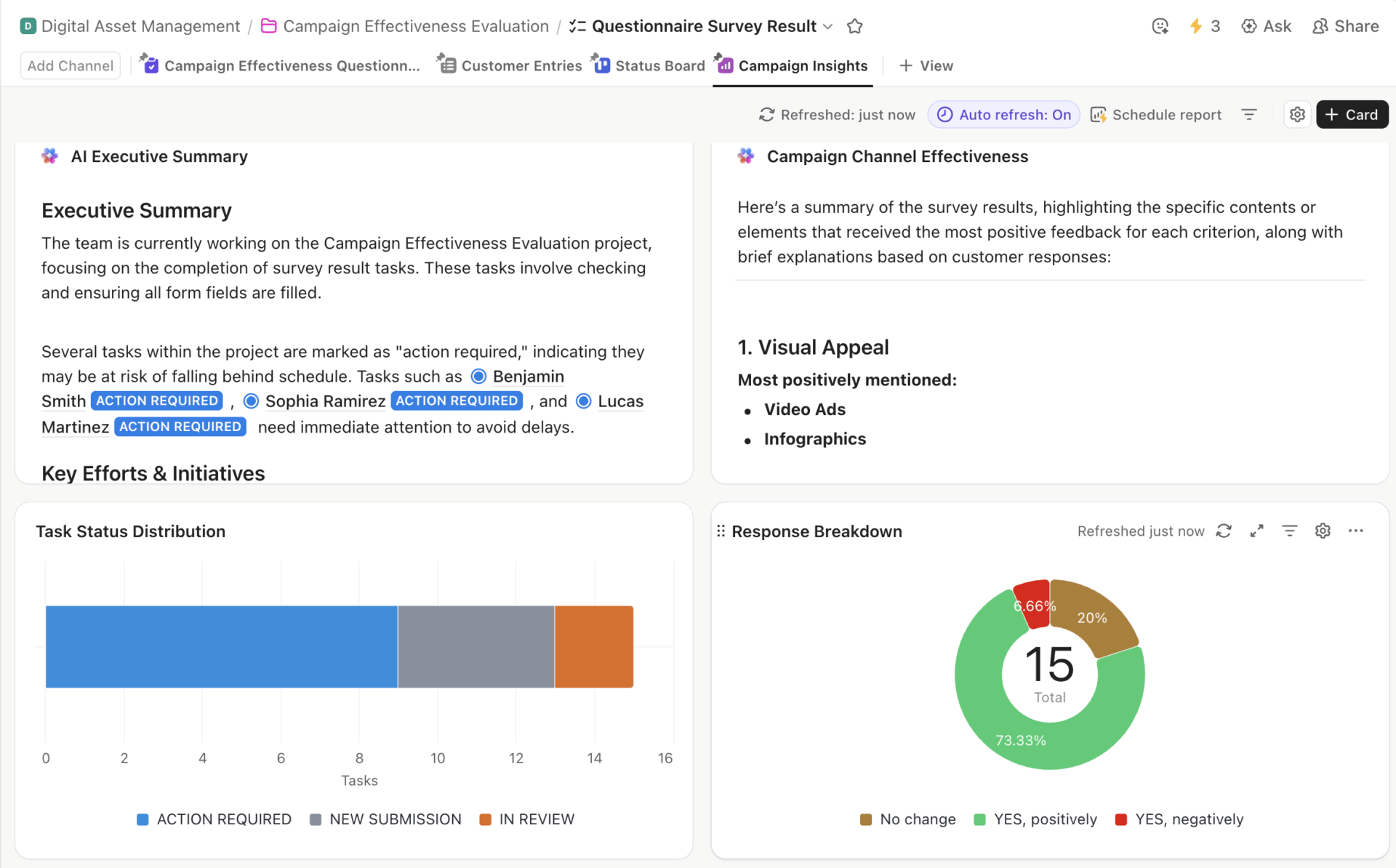
ClickUp Questionnaire template dashboard showing an AI executive summary, task distribution, channel effectiveness, and response breakdown.
You can use the ClickUp Questionnaire template to give your team a single, structured place to capture vendor responses and compare tools side by side. It also allows you to customize fields and assign owners, so you can reuse the same framework for future purchases without rebuilding your process from scratch.
The stages below show how your team can use AI to structure software evaluation, so decisions stay traceable and easy to review later.
Most evaluations break down before you’ve even seen a demo. It’s a common trap: you jump straight into comparisons without first agreeing on the problem you’re actually trying to solve. AI is most useful here because it forces clarity early.
For example, imagine you’re at a marketing agency seeking a project management tool with a vague goal, like better collaboration. AI helps narrow that intent by prompting it for specifics around your workflows, team size, and existing tech stack, effectively turning loose ideas into concrete requirements.
Try using AI to dig into questions like:
As these answers take shape, you’re less likely to chase impressive features that don’t address real needs. You can capture all of this in ClickUp Docs, where requirements live as a shared reference instead of a one-time checklist.
As new input comes in, the document evolves:
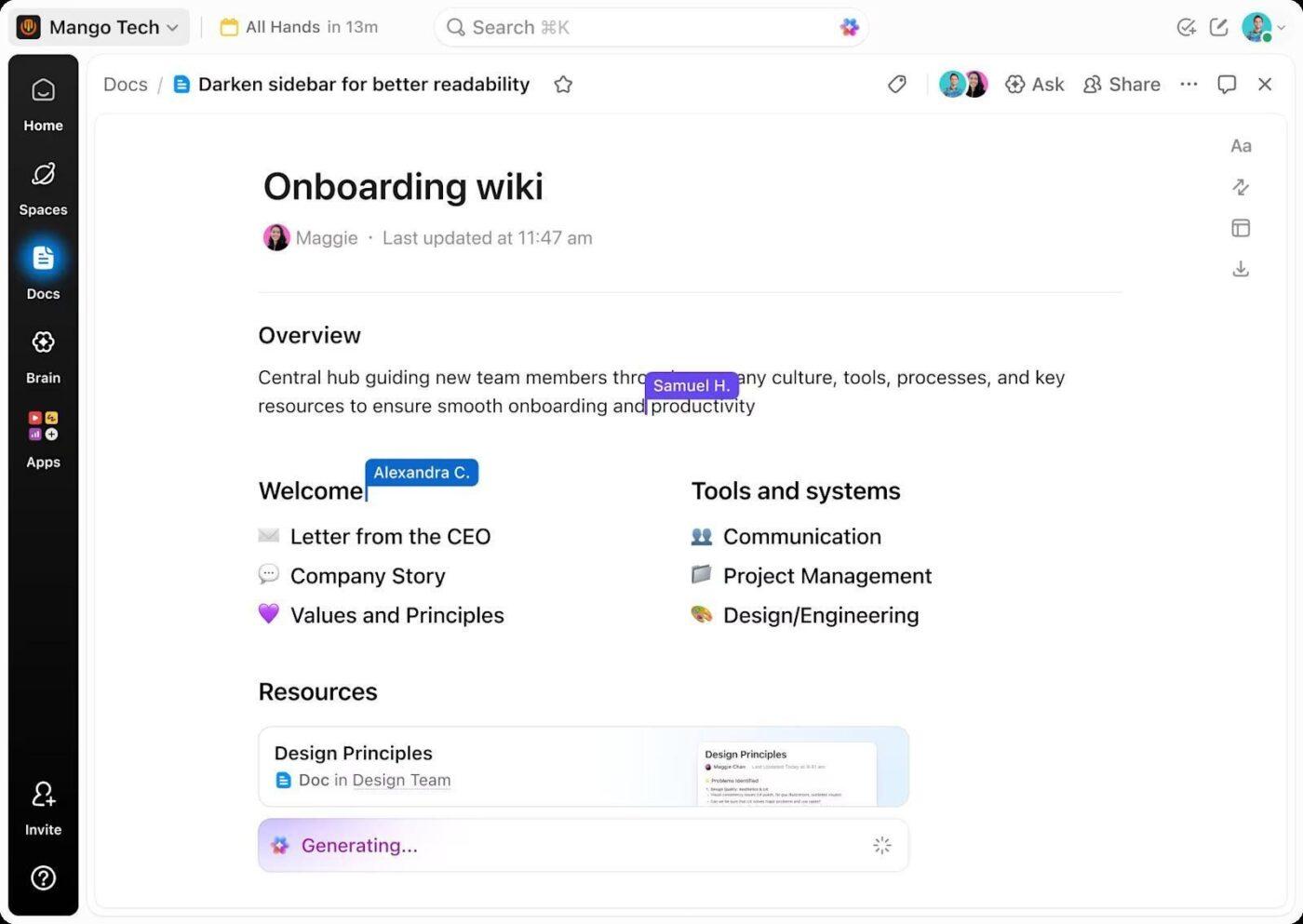
Because Docs live in the same workspace as evaluation tasks, the context doesn’t drift. When you move into the research or demo phase, you can link your activities directly back to the requirements you’ve already validated.
📌 Outcome: The evaluation process is clearly defined, making the next step far more focused.
Once requirements are set, the problem changes. The question shifts its focus from what we need to what realistically fits. Evaluation also slows down here, while expanding the search and blurring options together.
AI contains that sprawl by mapping options directly to criteria, like industry, team size, budget range, and core workflows, before digging deeper.
At this stage, your prompts might look like:
To keep this manageable, you can track each candidate as its own item in ClickUp Tasks. Each tool gets a single task with an owner, links to research, notes from AI outputs, and clear next steps. As options move forward or drop off, the list updates in one place without requiring context to be chased across conversations.
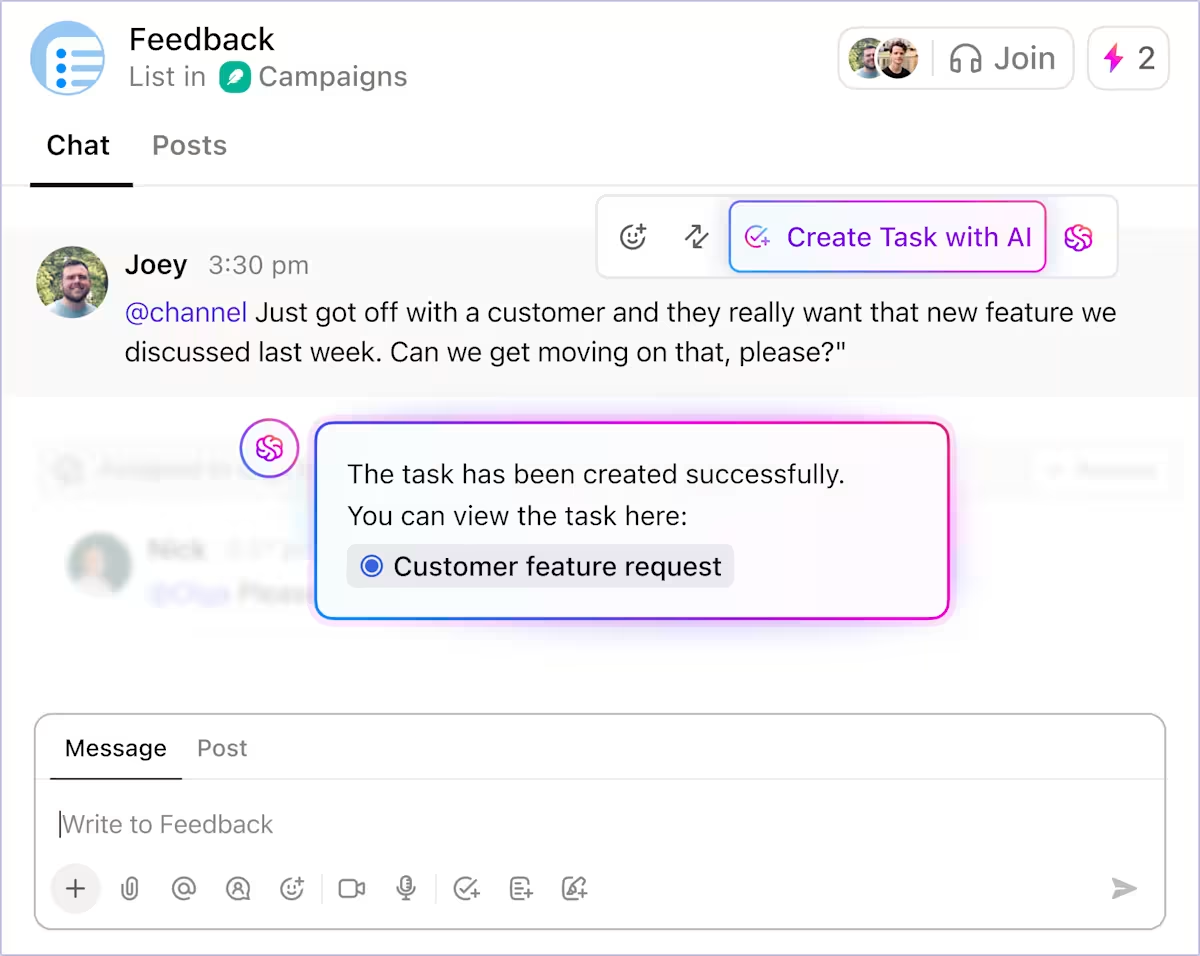
📌 Outcome: The result is a narrowed-down shortlist of viable options, each with its own ownership and history, ready for a much deeper comparison.
Shortlists create a new problem: comparison fatigue. Features don’t align cleanly, pricing tiers obscure constraints, and vendor categories don’t align with how teams work.
You can use AI to normalize differences across tools by mapping features to their own requirements, summarizing pricing tiers in plain terms, and surfacing constraints that only appear at scale. It surfaces issues like capped automations or add-on pricing, saving you time.
At this point, you’ll want to ask:
Once those inputs are available, build side-by-side comparison tables in ClickUp Docs, shaped around their original requirements rather than vendor marketing categories.
Using ClickUp Brain, you can generate concise pros-and-cons summaries directly from the comparison. That keeps interpretation anchored to the source material to prevent drifting into separate notes or conversations.
📌 Outcome: Your decisions are narrowed based on documented trade-offs, not gut feel. It becomes easier to point to exactly why one option advances and another doesn’t, with the reasoning preserved alongside the comparison itself.
Two tools can appear similar on paper, yet behave very differently in your existing stack. Thus, making it critical to determine whether the new tool simplifies work or imposes an additional burden.
AI maps each shortlisted tool into your current setup. Beyond asking only what integrations exist, you can pressure-test how work actually flows. For example, what happens when a lead moves in your CRM or a support ticket comes in?
Questions at this stage sound like these:
It highlights issues such as missing triggers or integrations that appear complete but still cause fallouts. ClickUp is a strong choice in this case, as integrations and automation operate within the same system.
ClickUp Integrations connects 1,000+ tools, including Slack, HubSpot, and GitHub, to extend visibility. They also support creating tasks, updating statuses, routing work, and triggering follow-ups within the workspace where execution already occurs.
Using ClickUp Automations, you can check whether routine transitions run consistently without supervision. They can skip wiring external tools together and define behavior once, letting it apply across Spaces, Lists, and workflows.
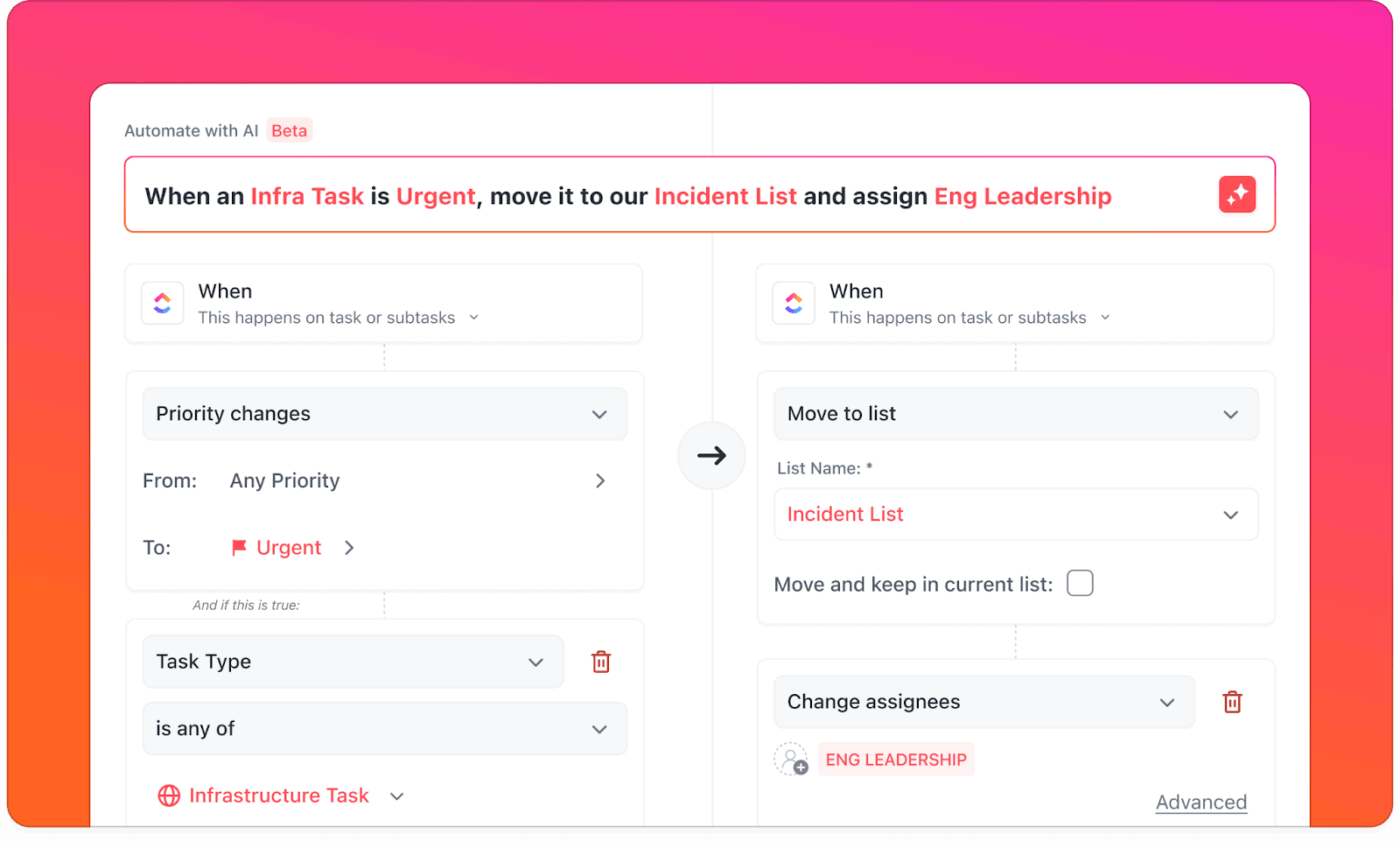
📌 Outcome: By the end of this stage, the difference becomes clearer.
This understanding tends to outweigh feature parity when the final decision is made.
Now, the decision rarely hinges on missing features or unclear pricing. What’s harder to answer is whether the tool will continue to work once the novelty wears off and real usage sets in.
AI becomes useful here as a pattern-finder rather than a researcher. AI can summarize recurring themes across review sources you provide (G2, documentation, forums), then help you test whether issues cluster by team size or use case.
Common questions at this stage include:
AI can distinguish between onboarding friction and structural limits, or show whether complaints cluster around certain team sizes, industries, or use cases. That context helps decide whether an issue is a manageable tradeoff or a fundamental mismatch.
As insights pile up, you can make the data visible in ClickUp Dashboards—tracking risks, open questions, rollout concerns, and reviewer patterns in one place. Your stakeholders can see the same signs: recurring complaints, adoption risks, dependencies, and unresolved gaps.
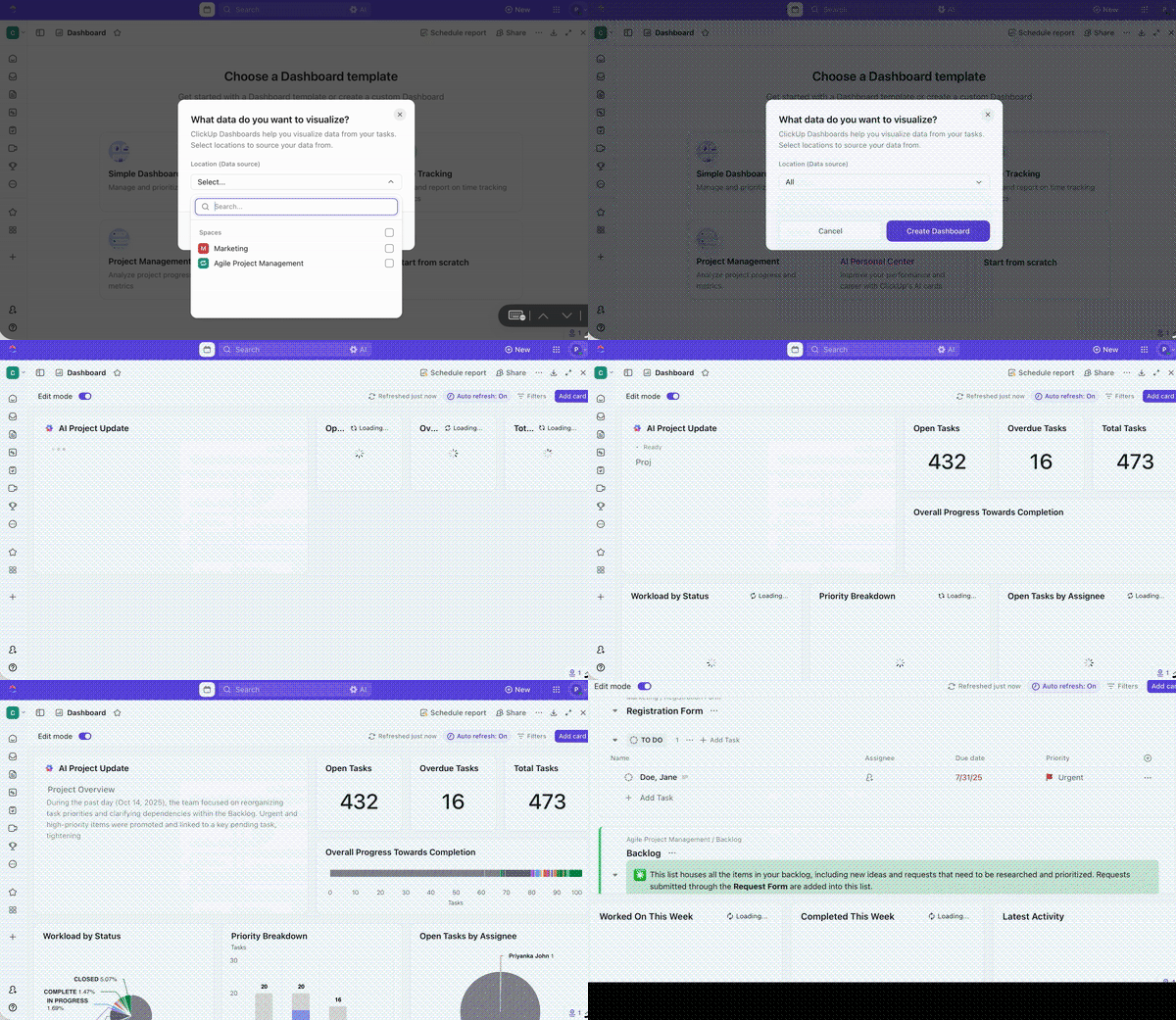
📌 Outcome: This stage provides clarity about where friction is likely to appear, who will feel it first, and whether your organization is prepared to absorb it.
By now, the evaluation work is largely done, but even when the right option is clear, decisions can remain pending if your team can’t show how the rollout will work in practice.
You can use AI to consolidate everything learned so far into decision-ready outputs. That includes executive summaries comparing the final options, clear statements of accepted trade-offs, and rollout plans that anticipate friction.
You can expect AI to answer questions like:
Since ClickUp Brain has access to the complete evaluation context—Docs, comparisons, tasks, feedback, and risks—it can generate summaries and rollout checklists, eliminating the need for generic evaluation templates. You can use it to draft leadership-facing memos, create onboarding plans, and align owners around success metrics without exporting context into separate tools.
📌 Outcome: Once those materials are shared, the conversation changes. Your stakeholders review the same evidence, assumptions, and risks in one place. Questions become targeted, and buy-in tends to follow more naturally.
What to test in the trial so you don’t get fooled by demos
In trials, test workflows, not features:
AI can strengthen software evaluation, but only when it’s used with discipline. Avoid these missteps:
AI-driven software evaluation works best when you apply it systematically across decisions using the practices below:
These best practices are easy to implement when you have a central platform like ClickUp to manage them.
Software evaluation doesn’t fail because you lack information. It fails because your decisions get scattered across tools, conversations, and documents that aren’t built to work together.
ClickUp brings evaluation into a single workspace, where requirements, research, comparisons, and approvals stay connected. You can document needs in ClickUp Docs, track vendors as tasks, summarize findings in ClickUp Brain, and give leadership real-time visibility through Dashboards without creating SaaS sprawl.
Since evaluation lives alongside execution, the rationale behind them also remains visible and auditable, as your team changes or tools require re-evaluation. What starts as a buying process becomes part of how your organization makes decisions.
If your team is already using AI to evaluate software, ClickUp helps turn that insight into action without adding another system to manage.
Get started with ClickUp for free and centralize your software decisions. ✨
Yes, when accuracy means spotting patterns, inconsistencies, and missing information across many sources, AI can help evaluate software. It can compare features, summarize reviews, and stress-test vendor claims at scale, which makes early and mid-stage evaluation more reliable.
Bias creeps in due to vague prompts or incorrect outputs. Use clearly defined requirements, ask comparative questions, and verify claims against primary sources like documentation and trials.
No, AI can narrow options and prepare sharper demo questions, but it can’t replicate hands-on use. Demos and trials are still necessary to test workflows, usability, and team adoption in real conditions.
Effective teams document software decisions by centralizing requirements, comparisons, and final rationales in one shared workspace. This preserves context and prevents repeated debates when revisiting tools later.
While evaluating AI software answers, watch for vague claims, inconsistent explanations, and missing details around data handling or model behavior.

© 2026 ClickUp

There’s an easier way. Try a free AI Agent in ClickUp that actually does the work for you—set up in minutes, save hours every week.