

⏰ TL;DR
Executive assistants don’t need more tools—they need smarter ones. ClickUp with ClickUp Brain handles task management, daily workflows, and AI-powered updates like a pro. The rest? Tools to transcribe meetings, draft content, and organize your digital world—here’s the curated AI stack that actually saves time.
- ClickUp – Best AI collaborative project and task management tool
- Cortana – Best for Windows users
- DALL‑E – Best for generating visual content
- Jasper – Best for content creation
- Google Assistant – Best for organizing daily tasks
- Otter.ai – Best for meeting transcriptions
- Fireflies – Best for centralizing conversations
- Murf – Best for creating voice‑overs
- Socratic – Best for quick research
- Amazon Alexa – Best for hands‑free convenience
Have you ever watched those action movies where the hero seems to be everywhere at once, dodging bullets and saving the day with superhuman efficiency? That’s the kind of executive assistant you dream of being, right? Cool, calm, and collected, handling a whirlwind of tasks without breaking a sweat.
But even the most experienced Executive Assistants (EAs) can reach their limit by tackling endless emails and to-do lists and keeping executives on track.
With the right artificial intelligence (AI) productivity tool, you can simplify and automate workflows and free up precious time.
Among 600 businesses that Forbes surveyed in 2024, 47% already use AI as digital assistants in their business operations.
Think of it this way: AI is like having a highly-trained, never-tiring personal assistant for your boss (for you too!). It can handle everything from scheduling meetings that work for everyone to summarizing important documents and even generating reports.
To help you find AI-powered tools that meet your needs, my team and I searched the web for the best options for EAs in 2024. Then, we tested these tools, analyzing everything from their task automation capabilities to their collaboration prowess.
Based on these tests, we’ve compiled a list of the top 10 productivity tools that use artificial intelligence and machine learning to simplify your workflow as an EA.
10 Best AI Tools for Executive Assistants
- ⏰ TL;DR
- How we review software at ClickUp
- 1. ClickUp: Best for boosting productivity
- Use cases of ClickUp for Executive Assistants:
- 2. DALL-E: Best for generating visual content
- Use cases:
- 3. Jasper: Best for content creation
- Use cases:
- 4. Google Assistant: Best for organizing daily tasks
- Use cases:
- 5. Otter.ai: Best for meeting transcriptions
- Use cases:
- 6. Fireflies: Best for centralizing conversations
- Use cases:
- 7. Murf: Best for creating voice-overs
- Use cases:
- 8. Socratic: Best for quick research
- Use cases:
- 9. Amazon Alexa: Best for hands-free convenience
- Use cases:
- 10. Cortana: Best for Windows users
- Use cases:
How we review software at ClickUp
Our editorial team follows a transparent, research-backed, and vendor-neutral process, so you can trust that our recommendations are based on real product value.
Here’s a detailed rundown of how we review software at ClickUp.

 Summarize this article for me please
The 10 Best AI Tools for Executive Assistants to Use
This list includes a wide range of virtual assistants mimicking human intelligence to optimize tasks from meeting scheduling to automated note-taking.
1. ClickUp: Best for boosting productivity

ClickUp is a project management tool that lets you organize your work, collaborate with your team and customers, automate repetitive tasks, and generally simplify your workflow.
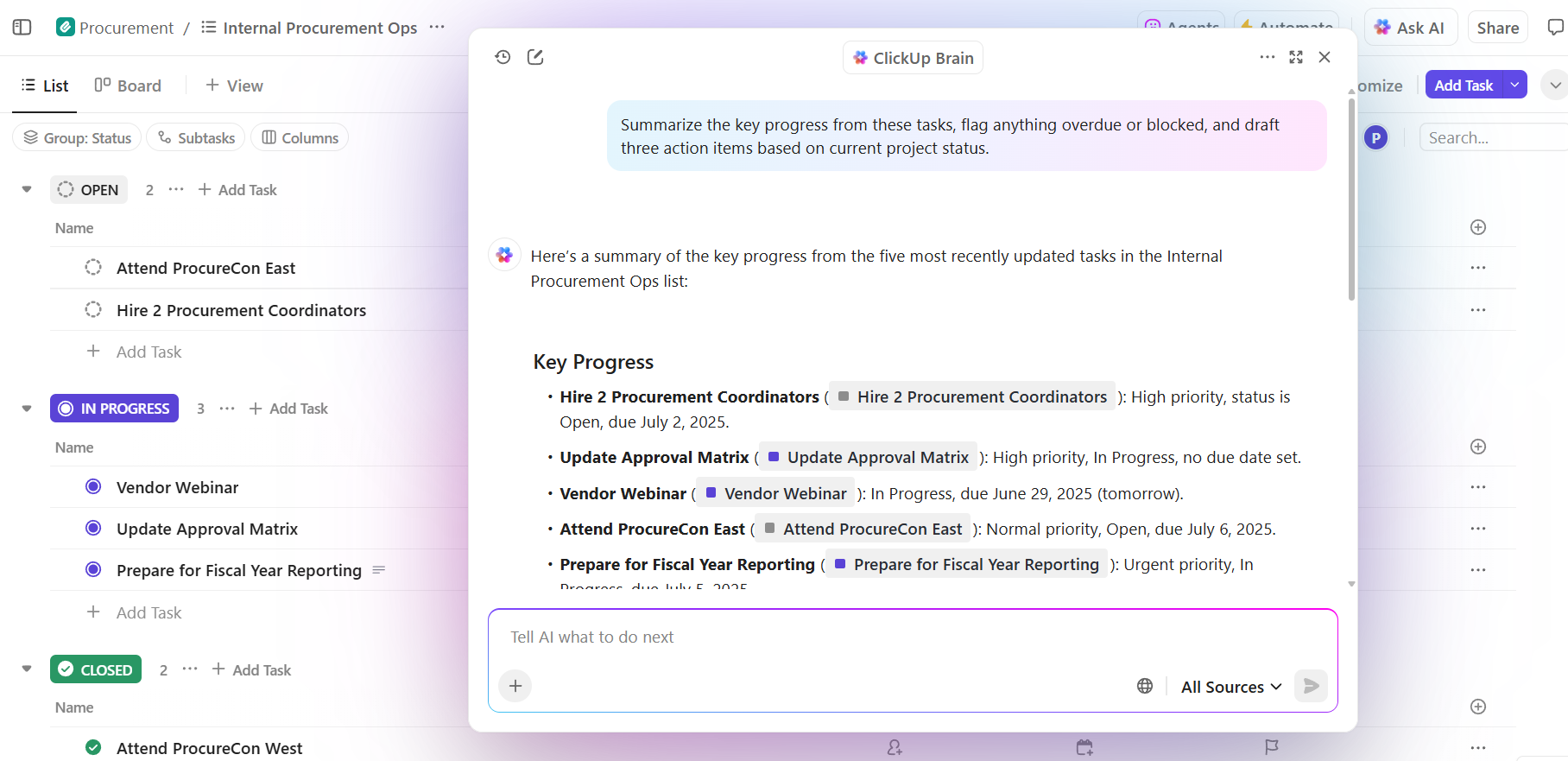
Most knowledge workers are especially impressed by ClickUp Brain, the platform’s in-built AI assistant. ClickUp Brain’s AI Knowledge Manager gets you answers to any of your task-related questions directly from your tasks, documents, and company knowledge base within ClickUp. This AI technology can be incredibly useful for quickly finding information, answering inquiries, and staying informed on key details without manually searching through various sources.
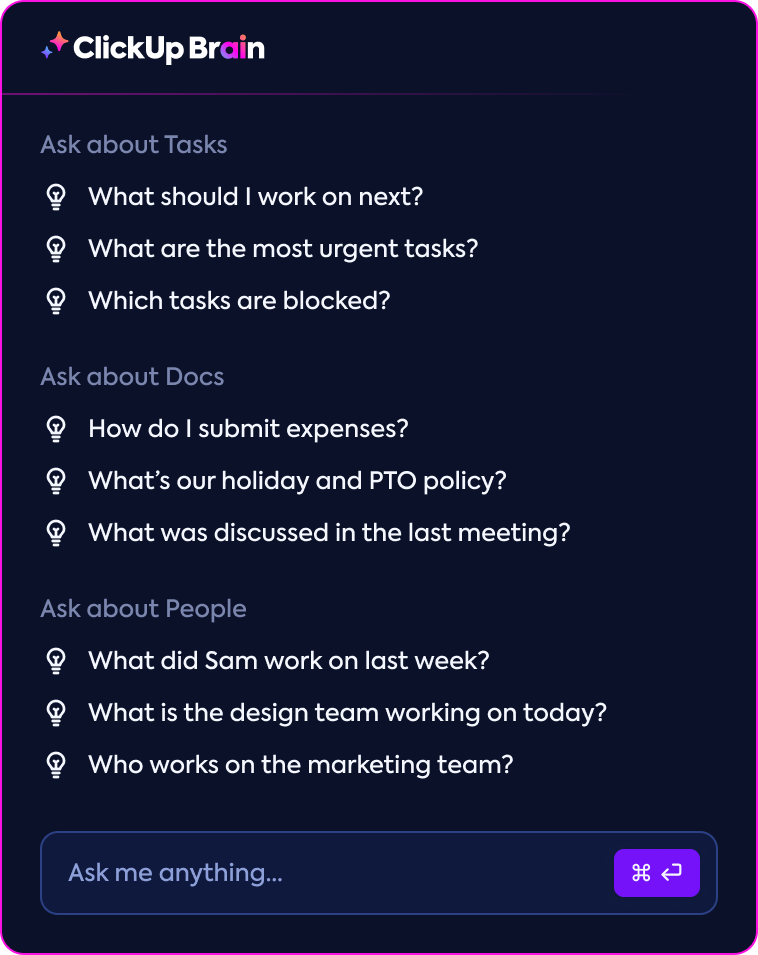
As someone who spends an unhealthy amount of time figuring out how to start an email, I found the AI Writer for Work helpful. All I had to do was prompt it with the elements I wanted addressed, and it could draft error-free emails and messages for me instantly.
With ClickUp Automations, I could automate repetitive tasks like sending notifications and reminders, managing incoming emails, and updating task statuses and progress. There are over 100 automations to help you manage routine and recurring tasks, project updates, and more.
You can easily get an overview of all you’ve to do with ClickUp Tasks, where you can create, delegate, and track task status within projects. This helped me keep up to date with all my work without confusion. After you’ve created a task, you can use custom statuses like ‘to-do,’ ‘Rework,’ or ‘Ready’ ‘to show its progress.
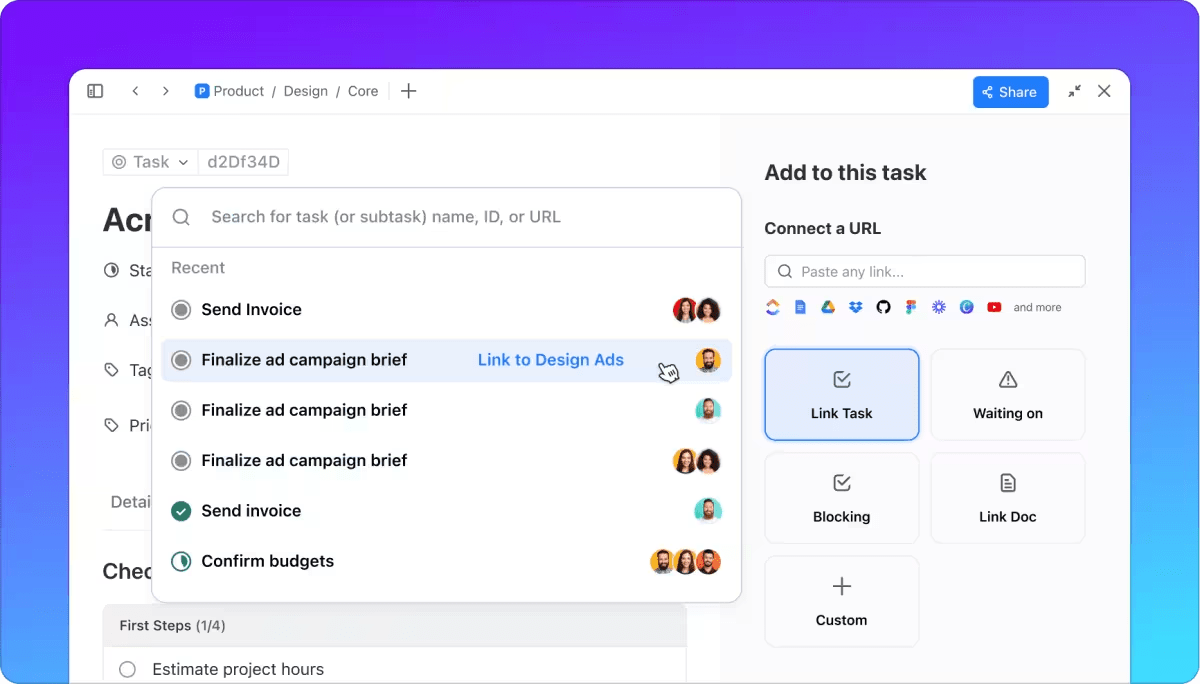
Add custom fields to organize and keep tabs on important info, such as how urgent a task is, when it’s due, and who’s working on it.
Use ClickUp Views to visualize and manage your executive assistant tasks efficiently. There are 15+ views that you can try out and choose the one that meets your needs.
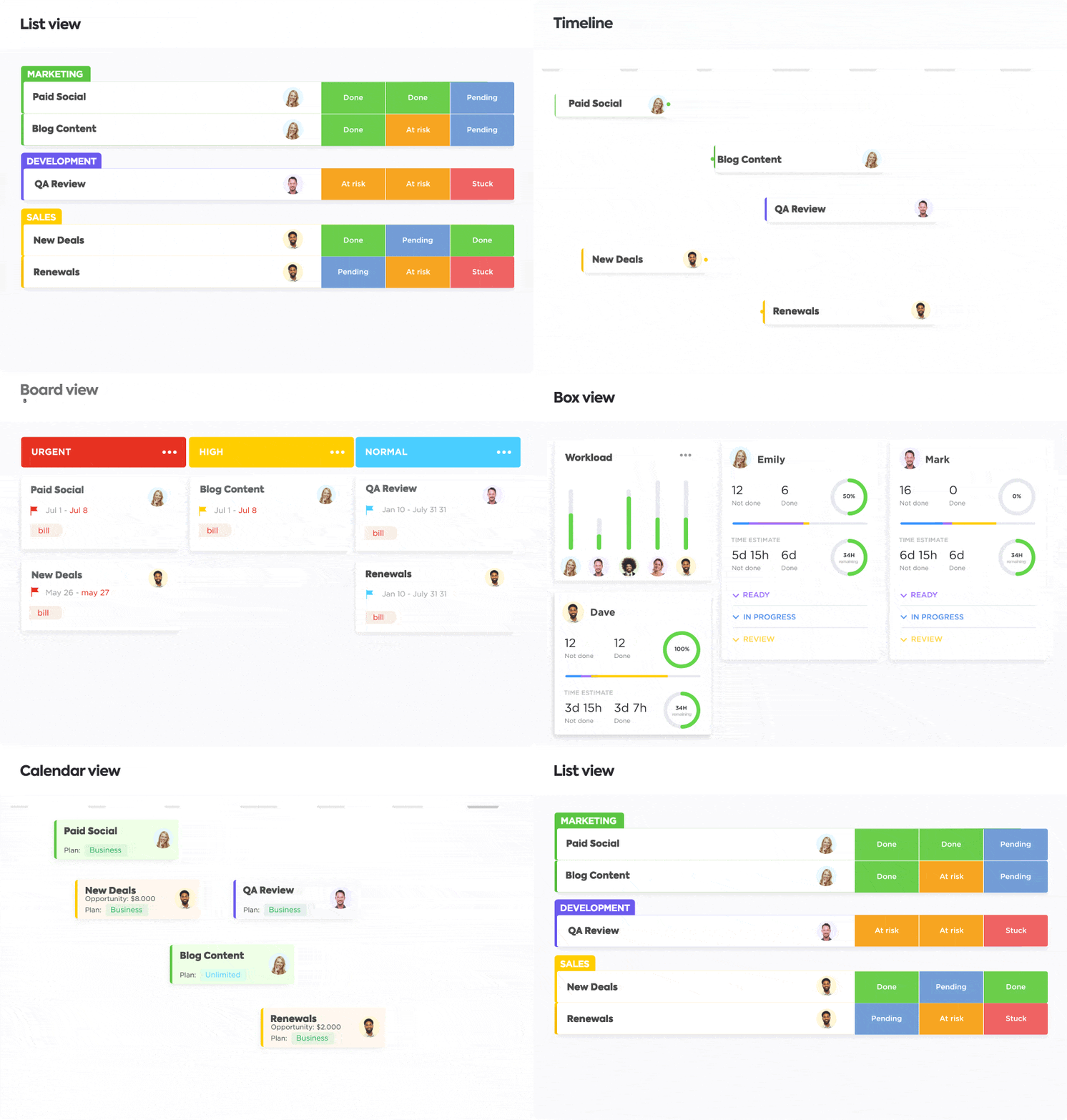
ClickUp’s Calendar view, for example, makes scheduling appointments and meetings easier. Since ClickUp integrates with Google Calendar, you can also effortlessly import your task dependencies, blocked time, and deadlines right within the tool, helping you plan each day better.
ClickUp also offers various pre-built templates for common use cases, such as project plans, meeting agendas, and status reports. I found the ClickUp Schedule Blocking Template particularly useful.

When we were doing the research for this article, we found it frustrating to find a meeting slot to get together and develop this list. This template helped us:
- Keep track of meetings and events
- See which tasks had to be prioritized
- Plan out our schedule accurately
- Avoid overscheduling
We could allocate time blocks and put our ideas together without much manual effort. Executive assistants can effectively use this template for task and appointment scheduling and time blocking.
If you’re a newbie EA at a company, you can use ClickUp’s 30-60-90 Day Plan for Executive Assistants Template. This template can help the manager and the executive assistant by charting a clear plan for the first three months.
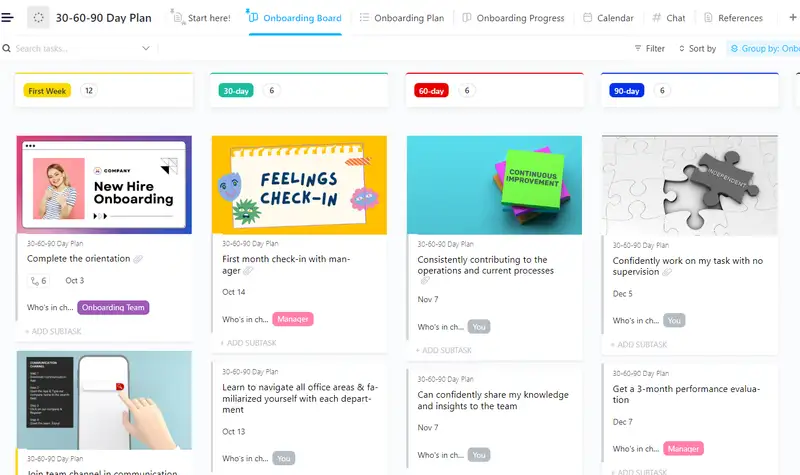
Use this template for:
- Setting clear goals and actionable steps for your transition
- Collaborating with your manager to make sure expectations are met
- Track progress with custom statuses and fields
ClickUp isn’t just about individual tasks. It’s a full-fledged collaboration hub where you can manage entire projects, keep your team in sync, and store all your important documents in one place.
The best part is that you can customize ClickUp to fit your executive workflow perfectly.
Plus, it integrates effortlessly with all your favorite apps, making it a true one-stop shop for all your organizational needs.
ClickUp best features
- Analyze your workload and get suggested deadlines with ClickUp Brain. This allows you to focus on high-impact items
- Use ClickUp Integrations to connect with your existing tools—calendars, communication platforms, and email
- Build customized ClickUp Dashboards to visualize your tasks and their progress, making it easier to prioritize tasks
- Store all documents on ClickUp Docs, making them easily and centrally accessible
ClickUp limitations
- The mobile app has fewer features than the desktop app
- New users may have some difficulty in learning and understanding all the extensive features
ClickUp pricing
free forever
Best for personal use
Free Free
Key Features:
60MB Storage
Unlimited Tasks
Unlimited Free Plan Members
unlimited
Best for small teams
$7 $10
Everything in Free Forever plus:
2GB Storage per user
Unlimited Folders and Spaces
Unlimited Integrations
business
Best for mid-sized teams
$12 $19
Everything in Unlimited, plus:
Google SSO
Unlimited Storage
Unlimited Teams
enterprise
Best for many large teams
Get a custom demo and see how ClickUp aligns with your goals.
Everything in Business, plus:
White Labeling
Conditional Logic in Forms
Team Sharing for Spaces
* Prices when billed annually
The world's most complete work AI, starting at $9 per month
ClickUp Brain is a no Brainer. One AI to manage your work, at a fraction of the cost.
ClickUp ratings and reviews
- G2: 4.7/5 (9000+ reviews)
- Capterra: 4.7/5 (4000+ reviews)
Use cases of ClickUp for Executive Assistants:
- Executive assistants supporting C-level leaders who need to prep briefs, track tasks, and keep calendars clean—without the daily back-and-forth
- Chiefs of staff juggling multiple priorities, from strategic initiatives to stakeholder follow-ups, while needing fast, reliable support
- Remote assistants who work asynchronously and rely on centralized knowledge to stay efficient and responsive
- Administrative professionals looking to automate repetitive work like scheduling follow-ups, writing agendas, and organizing to-do lists
- Busy EAs managing multiple execs who need an AI assistant that keeps up with context switches and cross-functional responsibilities
- Support staff handling internal comms, data entry, or knowledge organization across multiple platforms
2. DALL-E: Best for generating visual content
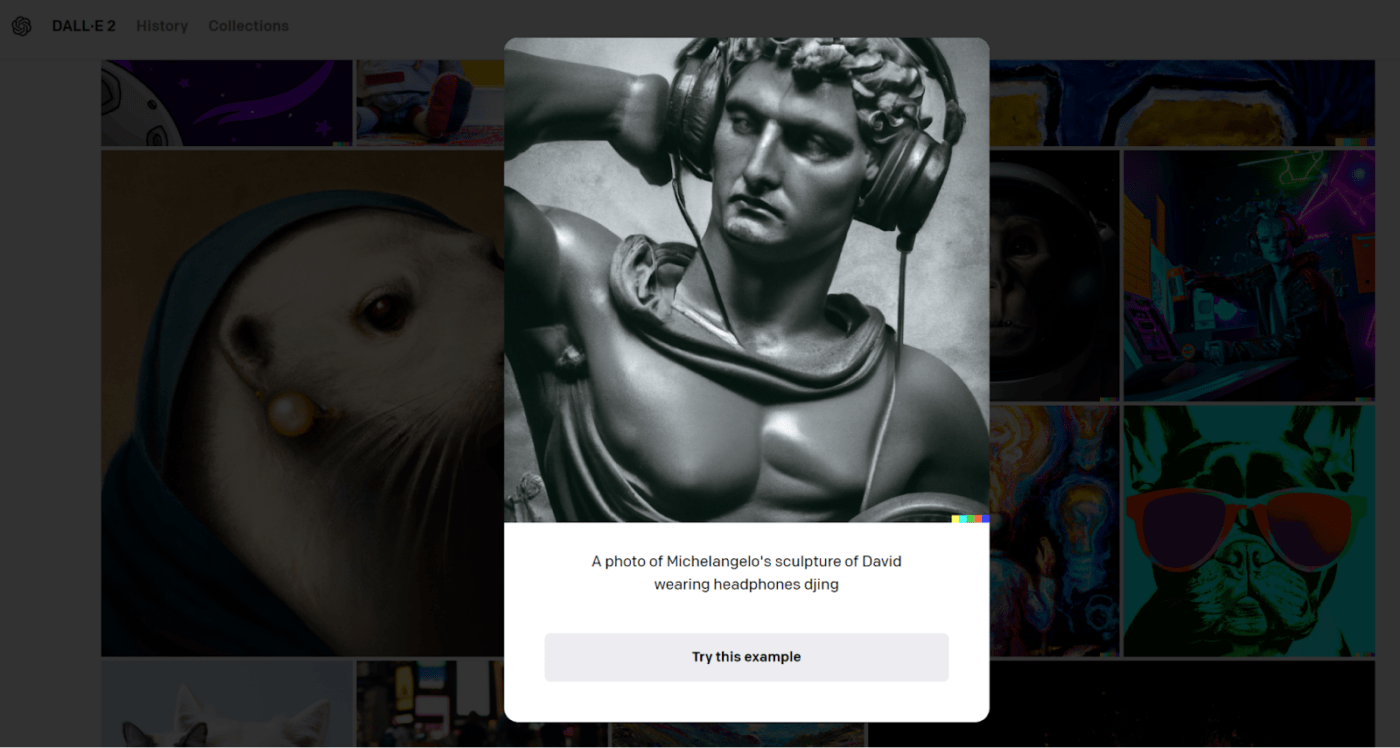
I tested Dall-E, an AI tool from OpenAI, and found it to be the perfect brainstorming partner for an EA, especially one who spends a lot of time generating visual content. You can use it to create images for presentations, reports, or marketing materials.
The tool helps generate images based on text descriptions without needing any coding or graphic design skills. For example, if you need social media graphics for an upcoming product launch, Dall-E can create eye-catching images based on a simple description.
The best part? It’s also integrated with Canva, so you can bring its text-to-image generation capabilities together with Canva’s customization.
Dall-E best features
- Create visuals and designs directly within your conversation using DALL-E’s ChatGPT plugin
- Provide specific details about style, composition, and even the texture of objects
- Edit existing images while maintaining the overall aesthetic of the image
Dall-E limitations
- Low-resolution output can be a downer
- DALL-E isn’t yet fully integrated with AI assistants
DALL-E pricing
- Custom pricing
DALL-E ratings & reviews
- G2: 3.8/5 (30+ reviews)
- Capterra: 4.4/5 (14+ reviews)
Use cases:
- Executive assistants supporting leaders who frequently present to internal and external stakeholders and need clean, branded visuals fast
- Remote assistants who don’t have a design team on hand and need self-sufficiency in content creation
- Administrative professionals building documentation, onboarding materials, or welcome kits with engaging visuals
- Support staff creating pitch decks, proposal covers, or visual briefs for leadership without waiting on creative cycles
3. Jasper: Best for content creation
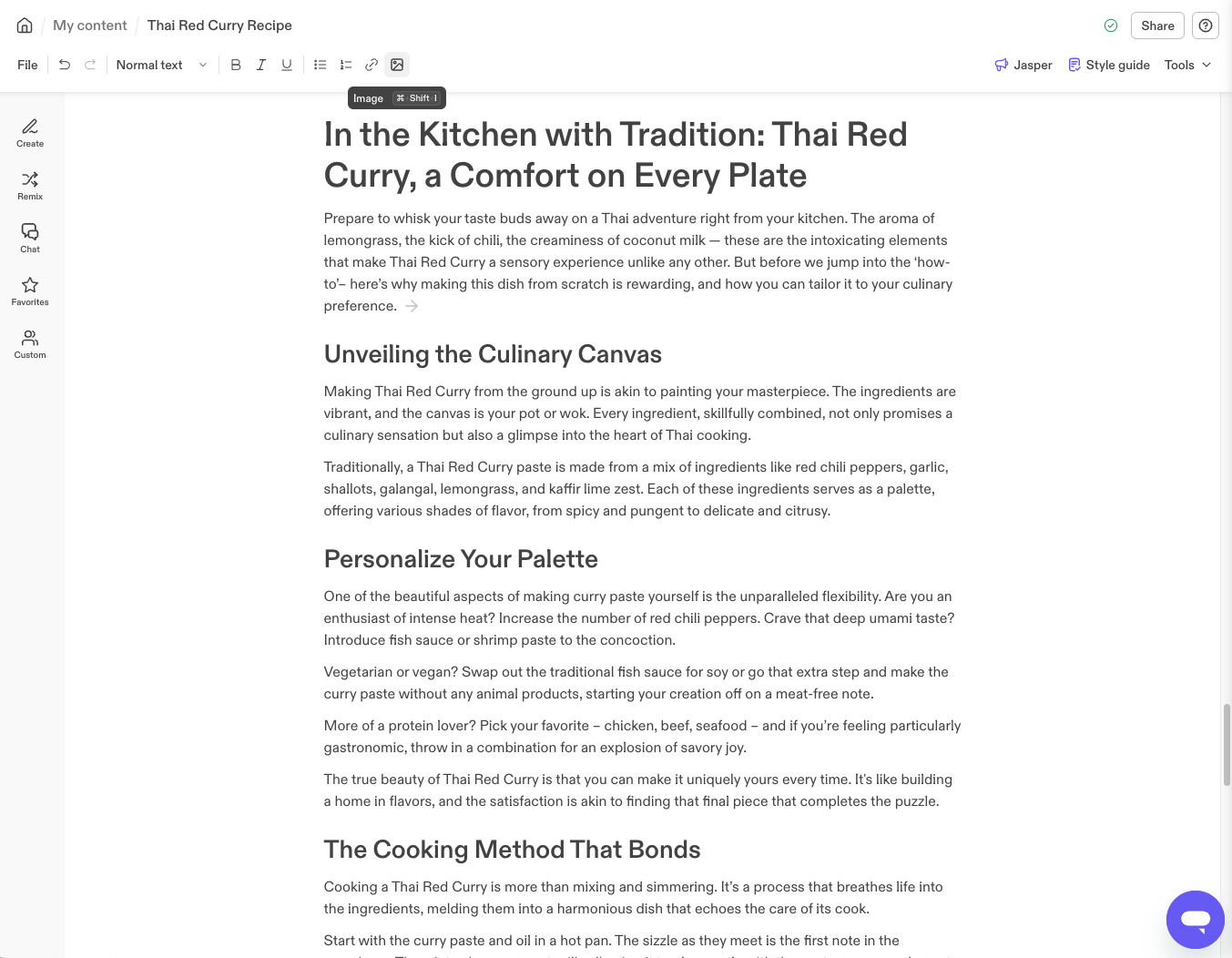
Jasper (formerly Jarvis) is an AI writing assistant that can craft compelling written content for all use cases. It helps with various tasks, including decoding and summarizing data, drafting emails, creating reports, and writing social media posts. It also offers templates to create content for specific purposes.
Jasper integrates with various tools, such as Canva, Slack, and Zapier, allowing you to incorporate AI-generated content into your everyday workflows.
I used Jasper’s AI writing assistant to generate creative marketing copy (including website content, blog posts, ad headlines, etc.). It also helped my team brainstorm new ideas and create persuasive presentations.
Jasper best features
- Customize the tone and writing style to match your brand identity, ensuring consistency across all content produced
- Track the performance of the AI-generated content to optimize your content strategy
- Create content more efficiently with over 50 writing templates covering different formats and use cases, from blog posts to video scripts
Jasper limitations
- Output can sometimes contain incorrect facts or information that needs to be fact-checked before use
- Even the highest-tier plans have limits on the amount of content that can be generated per month
Jasper pricing
- Free: 7-day free trial
- Creator: $49/month per user
- Pro: $69/month per user
- Business: Custom pricing
Jasper ratings & reviews
- G2: 4.7/5 (1200+ reviews)
- Capterra: 4.8/5 (1800+ reviews)
Use cases:
- Assistants managing communications on behalf of C-suite or department heads who need fast, high-quality writing
- Remote support staff juggling internal and external messaging across multiple platforms
- Admin professionals responsible for drafting internal updates, newsletters, or onboarding materials
4. Google Assistant: Best for organizing daily tasks
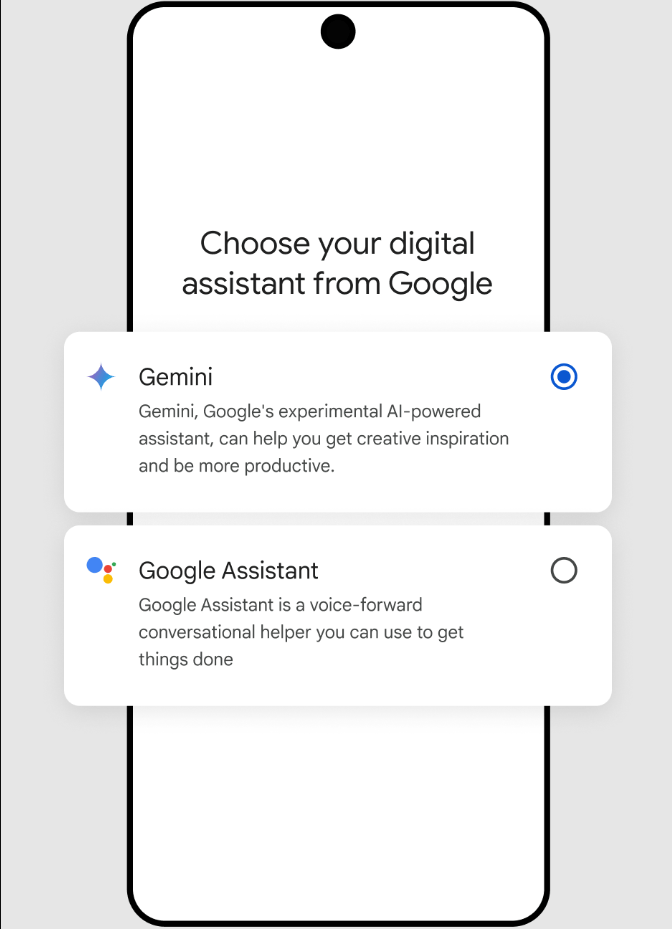
I don’t think anyone here is unfamiliar with Google Assistant, but its capabilities go far beyond playing music or setting alarms. Google Assistant is also a valuable tool for organizing daily tasks and meetings.
With simple voice commands, you can add appointments, check calendars, and reschedule meetings. It can make calls and send texts on your behalf without you needing to dial a contact or type a word, ensuring fast, smooth communication using voice commands.
Google Assistant is more than just a glorified contact list and calendar manager. It can also be your research assistant, swiftly finding and summarizing key details from the web when you don’t have time to peruse long articles.
You can also set voice-activated reminders and take notes to ensure you stay on track with your tasks and goals and nothing gets overlooked.
Google Assistant’s best features
- Control various aspects of your daily lives hands-free, making it convenient and easy to use
- Analyze schedule and workload to categorize tasks based on urgency and importance
- Update your planner and calendar templates based on conversations, summarize lengthy emails, and generate draft responses
Google Assistant limitations
- Not fully customizable to specific needs and preferences
- Performance can be inconsistent, with some tasks working better than others
Google Assistant pricing
- Free
Google Assistant ratings & reviews
- G2: Not available
- Capterra: Not available
Use cases:
- Executive assistants managing tightly packed calendars and needing real-time scheduling support
- Operations coordinators who need to log tasks, follow-ups, or reminders on the fly
- Team support roles that need quick access to files, directions, or contact info while multitasking
5. Otter.ai: Best for meeting transcriptions
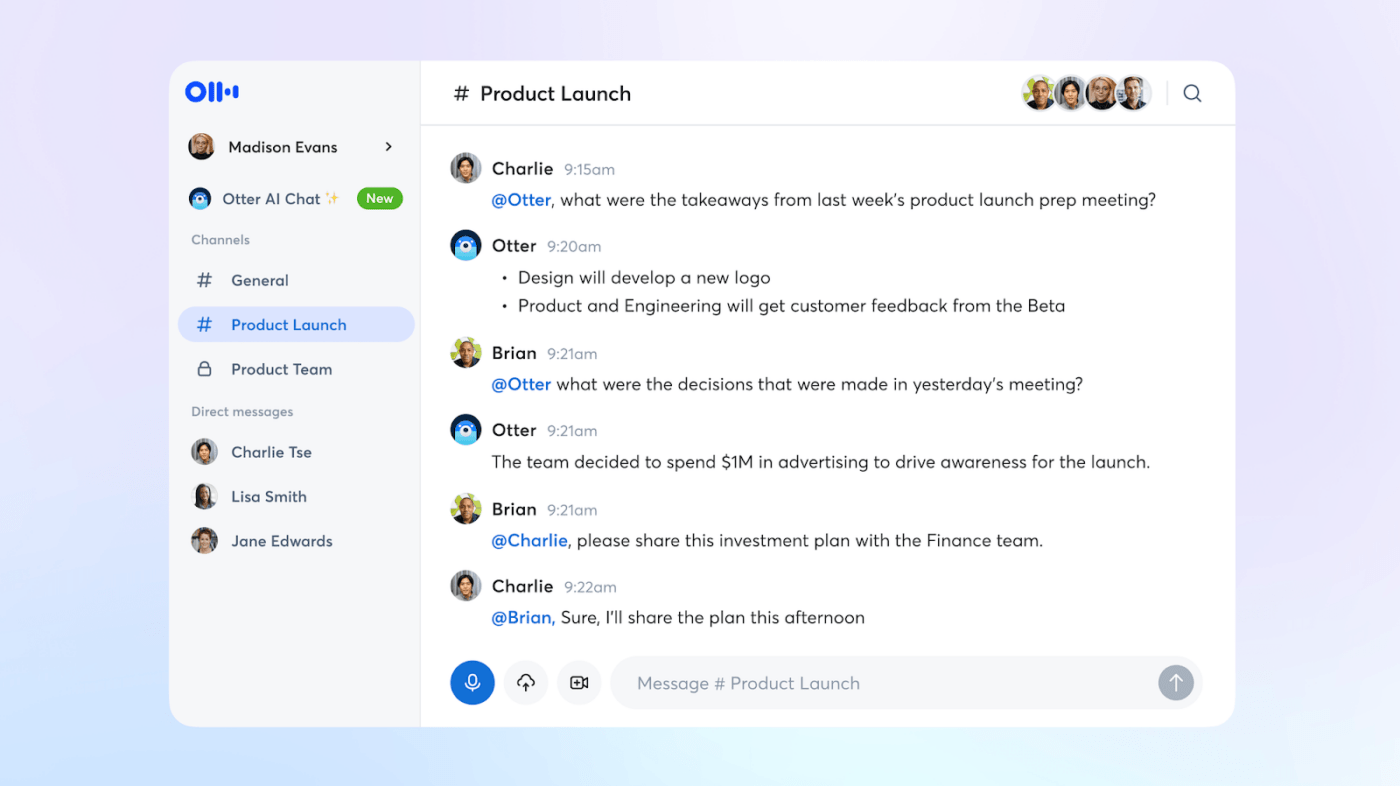
The struggle to take comprehensive notes during information-heavy meetings is real. Do you listen attentively, or do you jot key points down so you can refer to and recall them later? Otter.ai tackles that challenge head-on with its AI-powered transcription and summarization features.
Otter’s real-time transcription captures every word spoken, letting you participate in the meeting without taking frantic notes. Plus, it automatically figures out who’s talking and assigns speaker labels to the transcript, making it easier to go back and understand what transpired in the meeting.
It highlights action items and key takeaways, saving you from manually summarizing and assigning tasks.
Otter.ai best features
- Revisit any specific point mentioned in the meeting notes with just a few clicks
- Share your transcripts with colleagues, highlight key points, and assign action items—all within the platform
- Integrate with communication tools like Zoom effortlessly
Otter.ai limitations
- Otter’s free plan has limitations on recording length and transcription features
- Background noise or strong accents may affect the accuracy
Otter.ai pricing
- Basic: Free
- Pro: $16.99/month per user
- Business: $30/month per user
- Enterprise: Custom pricing
Otter.ai ratings & reviews
- G2: 4.3/5 (180+ reviews)
- Capterra: 4.5/5 (80+ reviews)
Use cases:
- Executive assistants responsible for capturing and summarizing key takeaways from C-suite meetings
- Project coordinators supporting cross-functional teams and tracking follow-ups across departments
- Anyone who dreads taking notes and wants to stay fully present during discussions without missing context
6. Fireflies: Best for centralizing conversations
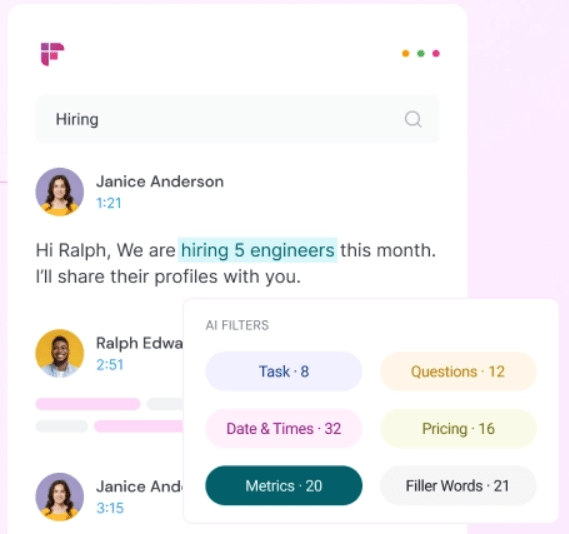
EAs can find it challenging to keep track of conversations across calls, video meetings, and in-person interactions. Fireflies.ai steps in as your central hub for all things conversation-related.
It offers automatic transcriptions and summarization of the key points from meetings. It goes beyond capturing the ‘what’ and cleverly identifies the next steps and assigns them as to-do list items for the appropriate team members.
Fireflies also create a searchable knowledge base from your conversations, saving time and eliminating the need to ask repetitive questions.
They offer a Conversation Intelligence feature that provides powerful analytics and insights that help you and your teams improve productivity and make more informed business decisions. By tracking metrics such as sentiment, talk time, and topic frequency across conversations, Fireflies gives you key takeaways to improve strategies.
Fireflies best features
- Integrate with 40+ apps, including video conferencing, project management, and calendars
- Analyze the conversation, identifying key points, action items, and sentiment analysis for a concise post-meeting summary
- Ensure secure access to meeting transcripts so you can share the transcript with specific team members
Fireflies limitations
- Some users report that the user interface is complicated to navigate
Fireflies pricing
- Free
- Pro: $18/seat per month
- Business: $29/seat per month
- Enterprise: $39/seat per month (billed annually)
Fireflies ratings & reviews
- G2: 4.8/5 (400+ reviews)
- Capterra: 4.2/5 (9 reviews)
Use cases:
- Project admins who want to turn conversations into trackable tasks without losing time
- Assistants managing multiple leaders and juggling a high meeting load who need summarized, actionable notes instantly
- Anyone tired of scribbling during meetings and looking to streamline meeting documentation and delegation
7. Murf: Best for creating voice-overs
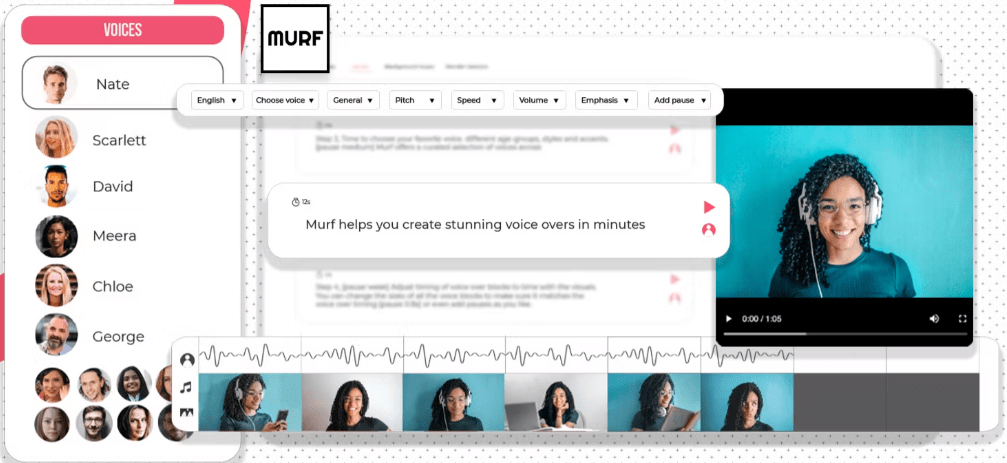
Crafting high-quality voiceovers for presentations, explainer videos, or even social media content can be time-consuming and expensive. Murf.ai, with its AI-powered text-to-speech technology, can solve this problem.
You don’t need expensive voiceover talent or clunky editing software. Murf.ai can help you create professional-sounding presentations and videos quickly and easily.
Instead of a boring, robotic voice, Murf offers a library of incredibly natural-sounding AI voices, allowing you to pick the perfect tone for any project.
Murf even integrates your voiceover with existing videos or presentations, creating a cohesive multimedia experience.
Murf best features
- Paste the brief of your requirements into Murf, and it’ll be transformed into a polished voiceover in minutes
- Edit and fine-tune the pace, emphasize, and even add pauses for a truly human touch
- Keep complete control over the final product as Murf prioritizes user privacy, and voiceovers are never shared with third-party applications
Murf limitations
- While Murf’s free plan allows for some basic voiceover creation, it has limitations on voice selection and project length
- Custom voice creation requires a separate subscription
Murf pricing
- Free
- Creator: $29/month
- Business: $99/month
- Enterprise: Custom pricing
Murf ratings & reviews
- G2: 4.7/5 (800+ reviews)
- Capterra: Not enough ratings
Use cases:
- Executive assistants tasked with preparing internal update videos or audio briefs for leadership
- EAs supporting HR or training teams, needing to convert SOPs or onboarding documents into engaging formats
- Assistants managing executive comms, crafting audio content for town halls or board presentations
8. Socratic: Best for quick research
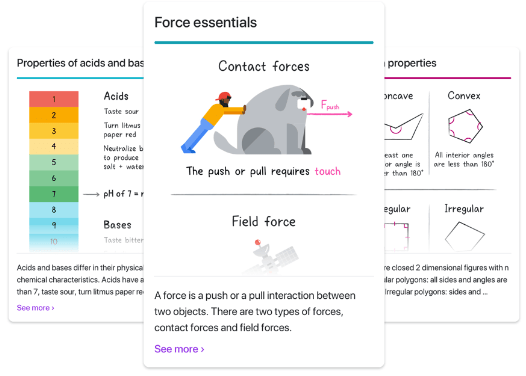
Socratic by Google is great for busy EAs seeking to brush up on specific topics. It covers a wide range of academic subjects, including science, math, literature, and social studies.
As an executive assistant (EA), ensuring your boss has access to the right information at the right time is paramount. But what if they need a quick refresher or clarification on a complex topic without interrupting their workflow or revealing knowledge gaps in front of colleagues?
Socratic can provide clear explanations, relevant visuals, and links to reputable sources—all in a concise, professional format.
The best part is that Socratic caters to different learning styles by utilizing text and voice recognition, and it even integrates with YouTube to deliver information in a way that clicks.
Socratic best features
- Review key concepts related to upcoming client discussions
- Explore complex topics at your own pace and ask follow-up questions to gain a deeper understanding of critical issues
- Access educational resources in multiple languages
Socratic limitations
- It may not be suitable for highly specialized fields or niche academic areas
- The app is available for iOS users only
Socratic pricing
- Free
Socratic ratings & reviews
- G2: Not available
- Capterra: Not enough reviews
Use cases:
- Assistants working with cross-functional teams who need to decode technical documents or jargon
- New EAs or interns brushing up on essential topics without relying solely on internet searches
- Assistants drafting knowledge-driven content, SOPs, or reports and needing fact-checked information fast
9. Amazon Alexa: Best for hands-free convenience
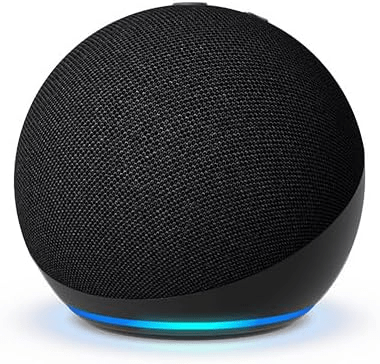
Like Google Assistant, Amazon Alexa is an AI assistant device that can help you manage administrative tasks efficiently.
Alexa can help an EA manage their work schedule with voice commands.
With this AI-powered virtual assistant, adding appointments, checking calendars, and rescheduling meetings is easy. Alexa delivers personalized updates and summaries of any topic that you ask for.
But Alexa’s reach extends beyond the office walls. Does your executive have a smart home? Alexa can seamlessly integrate with it, allowing them to control lights, thermostats, and other features with simple voice commands.
You can handle calls and texts with voice commands, keeping details flowing smoothly even during the busiest moments.
Amazon Alexa’s best features
- Plan itineraries, check flight information, or get real-time traffic updates—all with simple voice commands
- Group actions that can be triggered with a single voice command. For example, an EA could say, “Alexa, start my workday” to have Alexa turn on the lights, read the daily schedule, and start playing background music
- Stay up-to-date on the latest news and quickly look up information
Amazon Alexa limitations
- Functionality may vary depending on different Alexa devices
- While business-related functionalities are limited, Alexa’s core strength lies in personal-use applications
Amazon Alexa pricing
- Free
Amazon Alexa ratings & reviews
- G2: 4.1/5 (40+ reviews)
- Capterra: 4.4/5 (83 review)
Use cases:
- Remote or hybrid EAs who need a voice-activated assistant while managing household and work duties simultaneously
- Assistants supporting execs who use Alexa-enabled devices—you can sync reminders and meeting prep right into their workspace
- Administrative teams looking to streamline repetitive tasks with voice-triggered workflows
10. Cortana: Best for Windows users
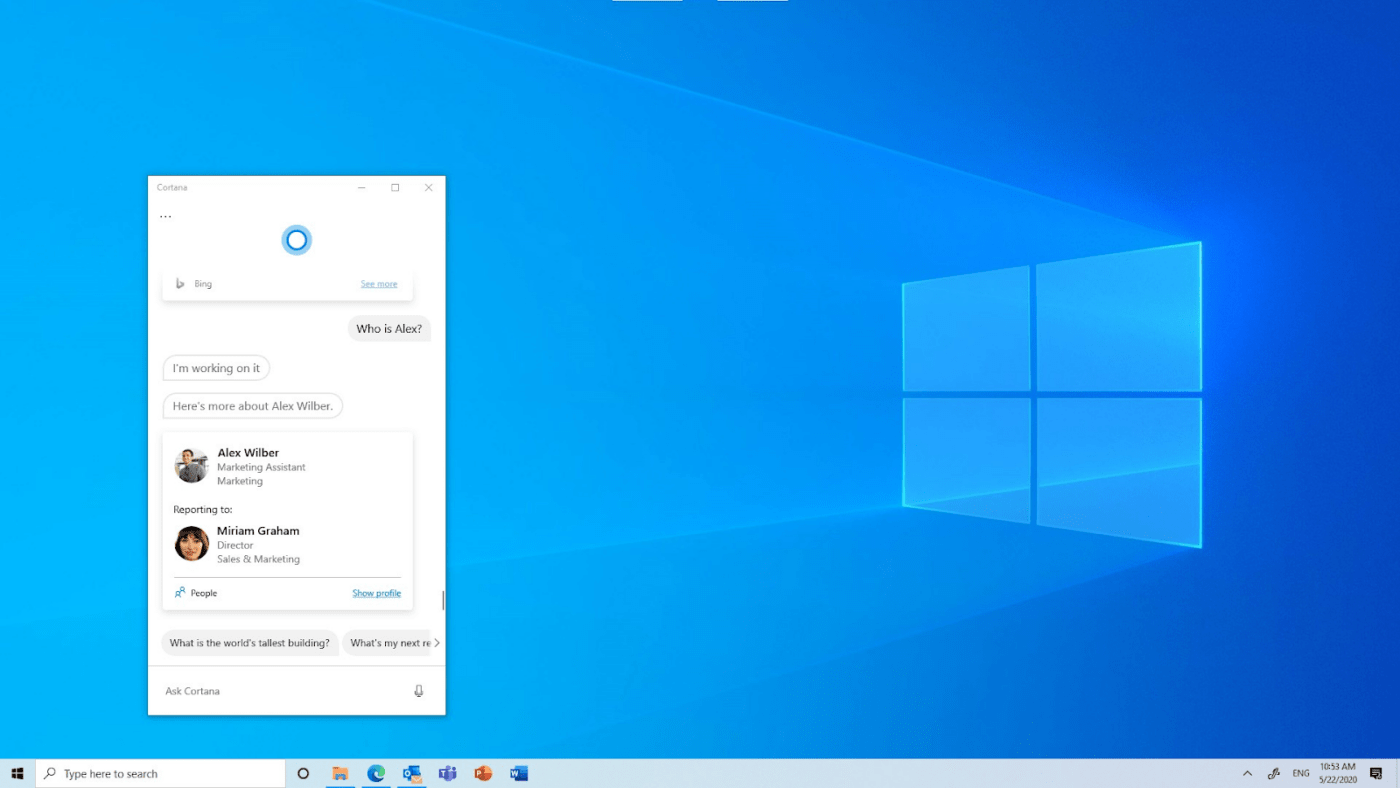
Although Microsoft has scaled back Cortana’s overall support functionality, it can still be a helpful tool for EAs working within the Windows ecosystem.
Think of it as a digital assistant specifically for your PC. Need to stay on top of your executive’s schedule? Cortana lets you set reminders, manage to-do lists, and keep track of deadlines with your voice or just a few taps.
Cortana can also act as your executive’s gatekeeper. Access and manage their calendar, schedule meetings, and draft and send emails—all through voice commands.
Cortana best features
- Activate Cortana by saying “Hey Cortana” to get its attention and issue voice commands
- Launch apps and open websites on your PC just by telling Cortana to do so
- Search not just the web but also your local files and OneDrive storage to find what you’re looking for. You can use natural language queries like “Find files from last month,” and Cortana will understand
Cortana limitations
- Functionality is primarily focused on Windows devices and Microsoft applications
- Cortana has limited third-party integrations compared to some other AI assistants
Cortana pricing
- Free: Comes along with Windows 10 and 11 at no additional cost
Cortana ratings & reviews
- G2: Not available
- Capterra: Not available
Use cases:
- Executive assistants in Microsoft-powered environments—Cortana shines when you’re using Outlook, Teams, and Excel daily
- Assistants supporting execs with tight meeting schedules—get real-time reminders and adjust plans on the fly
- Remote and hybrid teams using Microsoft Teams—easily coordinate schedules and tasks using built-in Cortana suggestions
Summarize this article for me pleaseWhat Should You Look for in AI Tools for Executive Assistants?
We developed a list of criteria to ensure that we chose the best AI executive assistant for administrative professionals. To make our list, the tools had to meet all or most of these criteria. After all, we were looking for technology that mimics human intelligence well. The tools outlined above did a fantastic job!
Here’s what we absolutely require in our AI tools (and you should, too):
- Automation: Free yourself from routine tasks by looking for AI tools that can schedule meetings with automated reminders and conflict checks and draft routine emails based on pre-defined templates, saving you time and ensuring consistent messaging
- Integration: Choose an AI personal assistant that seamlessly integrates with your existing productivity tools, such as calendars, task management software, and workflow management platforms
- Smart prioritization: Look for AI that prioritizes office management tasks based on urgency and importance and does predictive scheduling to anticipate your needs and suggest time slots for meetings and tasks
- Intelligent search and organization abilities: Choose an AI assistant that quickly locates documents and information you need and categorizes them for effortless organization
- Communication assistance: Let AI handle the back-and-forth. Look for tools that have smart template updates, summarize emails, assist with email drafting, and create meeting transcriptions
- Security protocols: Choose tools that prioritize security protocols to safeguard sensitive data, data encryption to protect confidential information, and strict access controls to ensure only authorized users can access information
- User interface: Opt for AI assistants with intuitive interfaces that are easy to learn and navigate to get the most out of all functionalities
Summarize this article for me pleaseBecome a Future-proof Executive Assistant with AI
Choosing the right AI tools can boost your operational efficiency as an executive assistant and make you invaluable in any workspace. The idea is to build a stack of AI tools that can support you in different areas of your work, automating repetitive tasks, scheduling meetings, assigning tasks, integrating with other communication tools, taking meeting notes, etc.
If you don’t want to scatter your work across half a dozen AI apps, try ClickUp. ClickUp offers a more unified stack of AI-powered tools that can help with most of your tasks.
Effortlessly manage tasks, schedule meetings with pinpoint accuracy, and use AI automation to free up your time for strategic planning. ClickUp has almost everything you need to become more than an administrative professional; it transforms you into an indispensable partner.

Everything you need to stay organized and get work done.
