






Still downloading templates?
There’s an easier way. Try a free AI Agent in ClickUp that actually does the work for you—set up in minutes, save hours every week.
Sorry, there were no results found for “”
Sorry, there were no results found for “”
Sorry, there were no results found for “”

AI is already changing how you run your retail operations—from predicting demand to personalizing shopping experiences and automating routine tasks.
In fact, a 2023 study by McKinsey & Company found that retailers using AI for demand forecasting reduced inventory costs by 20–50% while improving product availability at the same time.
But what’s the point of adopting AI if it only leaves you with more fragmented systems? Your forecasting lives in one tool, customer insights in another, and operations somewhere else. Your team still has to jump between platforms just to turn insights into action.
That’s why smart retail teams are consolidating their AI in retail initiatives into a single operational workspace like ClickUp⚒️, so predictions, automations, and team workflows all live in one place and actually move work forward. This blog post breaks down how you can adopt AI and do the same. Let’s dive in!
AI in retail simply means applying artificial intelligence to optimize every corner of your retail operations, whether it’s predicting demand, automating operational tasks, or interacting with customers through intelligent chat systems.
In practice, this looks like:
Let’s start by looking at the core AI technologies making this transformation possible. Understanding what’s under the hood helps you see how it can transform your retail operations from the ground up. They include:
Machine learning (ML) is a type of AI that helps you recognize patterns in your retail data at a massive scale. Instead of relying on guesswork, ML analyzes your historical sales data, seasonal trends, weather patterns, and other external signals to predict what your customers are likely to buy next.
With these insights, you can forecast demand more accurately, stock the right products, and avoid costly overstocking or stockouts.
Predictive analytics then takes those insights and turns them into a clear action plan for your retail operations—showing you what products will sell, when demand will spike, and where you need inventory the most.
As a retailer, you constantly receive feedback from customers through product reviews, support tickets, surveys, and social media comments. Making sense of it manually can cause human mistakes, especially if you serve a large customer base.
Natural Language Processing is a type of AI that helps you analyze these large volumes of unstructured text, pulling out key themes in product feedback and customer sentiment. It uses the data from said analysis to tell you what customers love, what they hate, and why they’re returning products.
Computer Vision, on the other hand, acts like your eyes in the store. Using cameras and sensors, it can monitor shelves for out-of-stock products, identify misplaced items, detect long checkout queues, and even flag suspicious activity that may indicate shoplifting. This gives you real-time visibility into what’s happening on the sales floor so you can restock faster, manage customer flow, and respond quickly to potential theft incidents.
The Internet of Things (IoT) is basically a network of physical devices, things you wouldn’t normally think of as ‘smart’, that are connected to the internet and can collect, send, and receive data.
In retail, IoT devices include things like:
The idea is that these devices talk to each other and to a central system so you can monitor and automate operations in real time. They can be used for:
The result? Your team spends less time manually checking stock, reduces theft, prevents out-of-stock situations, and makes smarter merchandising decisions, all while the IoT system quietly handles the ‘watching and counting’ work.
The technology is impressive, but the real value is in how it solves specific, everyday retail problems. Here are the top use cases where AI in retail is making a measurable impact.
AI helps you create a personalized shopping experience at scale by analyzing each customer’s behavior, like browsing activity, past purchases, and engagement history, to help you understand where they are in their buying journey, so you can group them into different segments accordingly.
This helps you deliver more relevant experiences to them. For example, a new shopper might receive a welcome email introducing your brand or highlighting popular products. A repeat customer who frequently buys from your store could receive personalized product recommendations, loyalty rewards, or targeted promotions. Meanwhile, a churn-risk customer who browsed items but left without completing a purchase might receive an abandoned cart reminder or a small discount to encourage them to return.
But analysis is only the beginning; you still need to turn those insights into actions that make your customers’ shopping experience better.
Using ClickUp Automations, you can connect signals from your CRM or analytics tools directly to your marketing workflows. For example, if your system identifies a group of customers showing churn signals, that insight can automatically trigger a workflow in ClickUp.
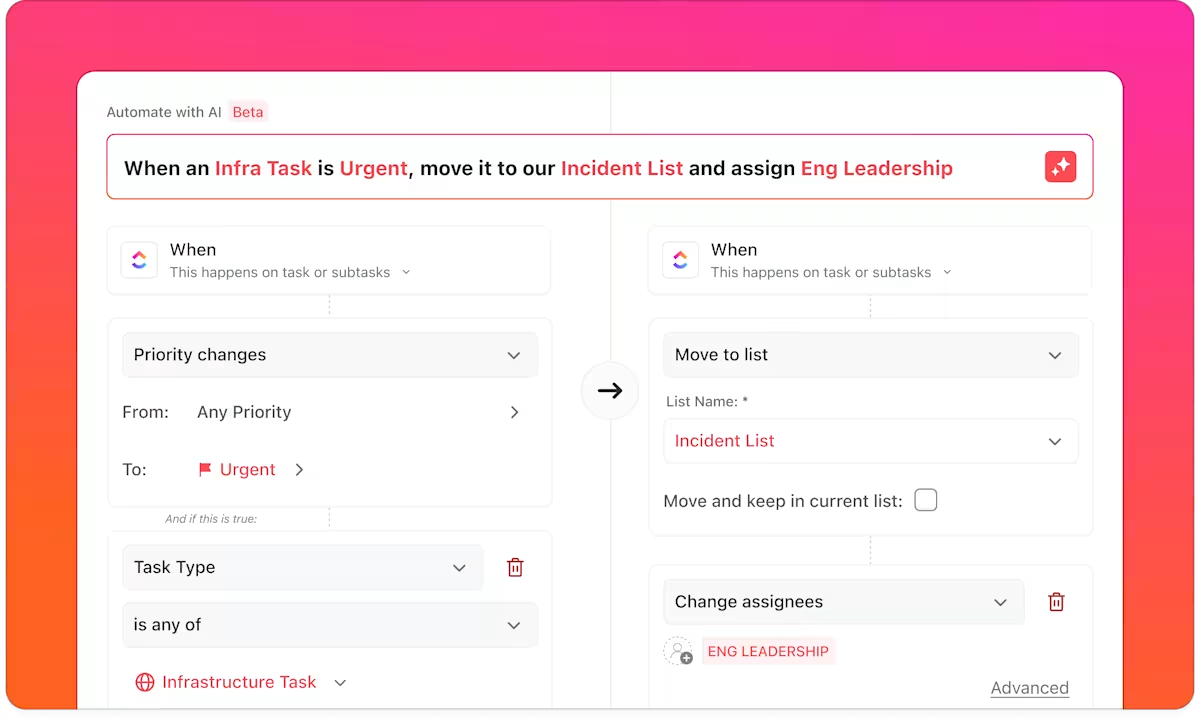
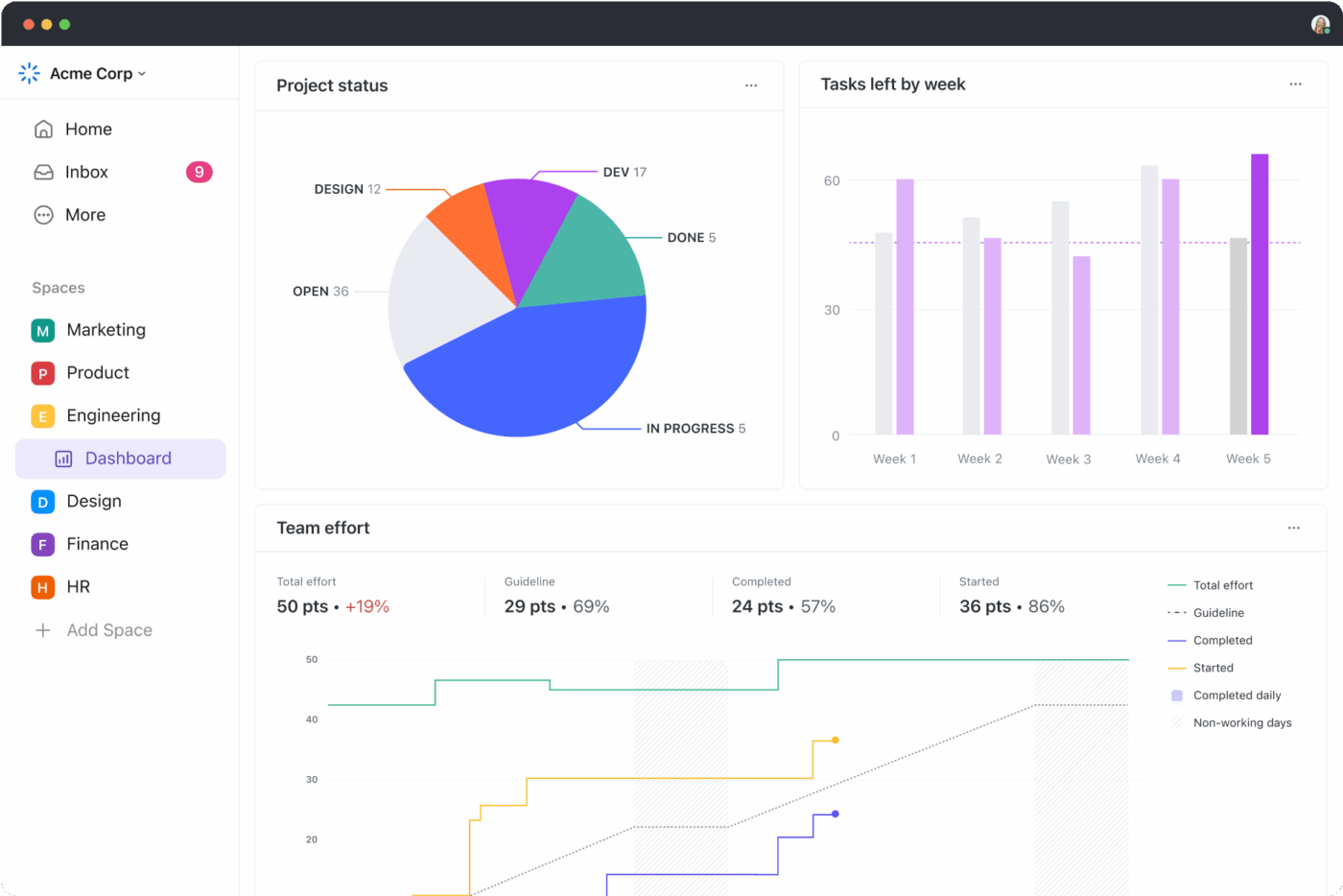
Based on predefined rules, a marketing campaign project can spin up instantly with tasks for email sequences, loyalty offers, and retargeting ads, all assigned to the right teams. Campaign performance metrics like open rates or conversions can then flow back into ClickUp Dashboards so marketers can see what’s working and iterate quickly.
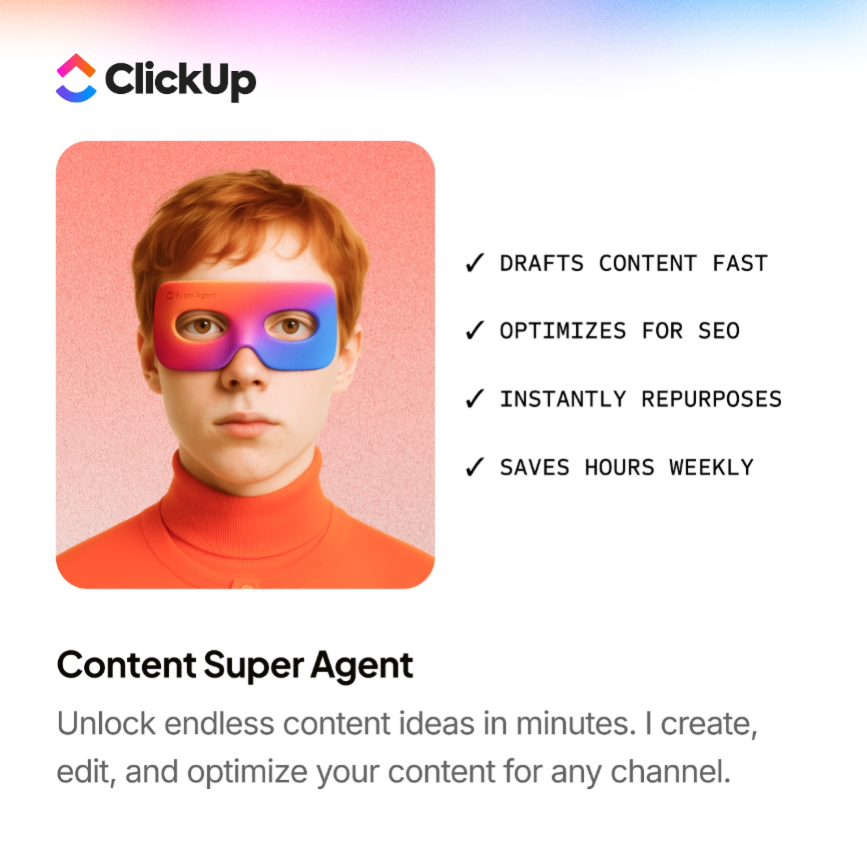
ClickUp Super Agents can also assist with execution. A marketing-focused agent might analyze campaign performance data and draft email copy or social posts aligned with recent trends and brand guidelines, helping you move faster without sacrificing consistency.
Demand forecasting and inventory management
If you’ve ever run out of a best-selling item right when customers want it, or watched slow-moving products collect dust in your stock room, you already know how tricky inventory management can be.
AI helps you stay ahead of those problems by turning inventory management from a reactive task into a proactive strategy. So instead of waiting for weekly sales reports to tell you what already happened, predictive models analyze signals like historical sales trends, seasonal patterns, weather forecasts, local events, and even social media buzz to anticipate what customers are likely to buy next.
The result is a store that’s always better prepared, fewer stockouts, less excess inventory sitting in storage, and a smoother shopping experience for your customers.
But forecasting is only half the story. The real challenge is turning those predictions into operational decisions your team can act on quickly.
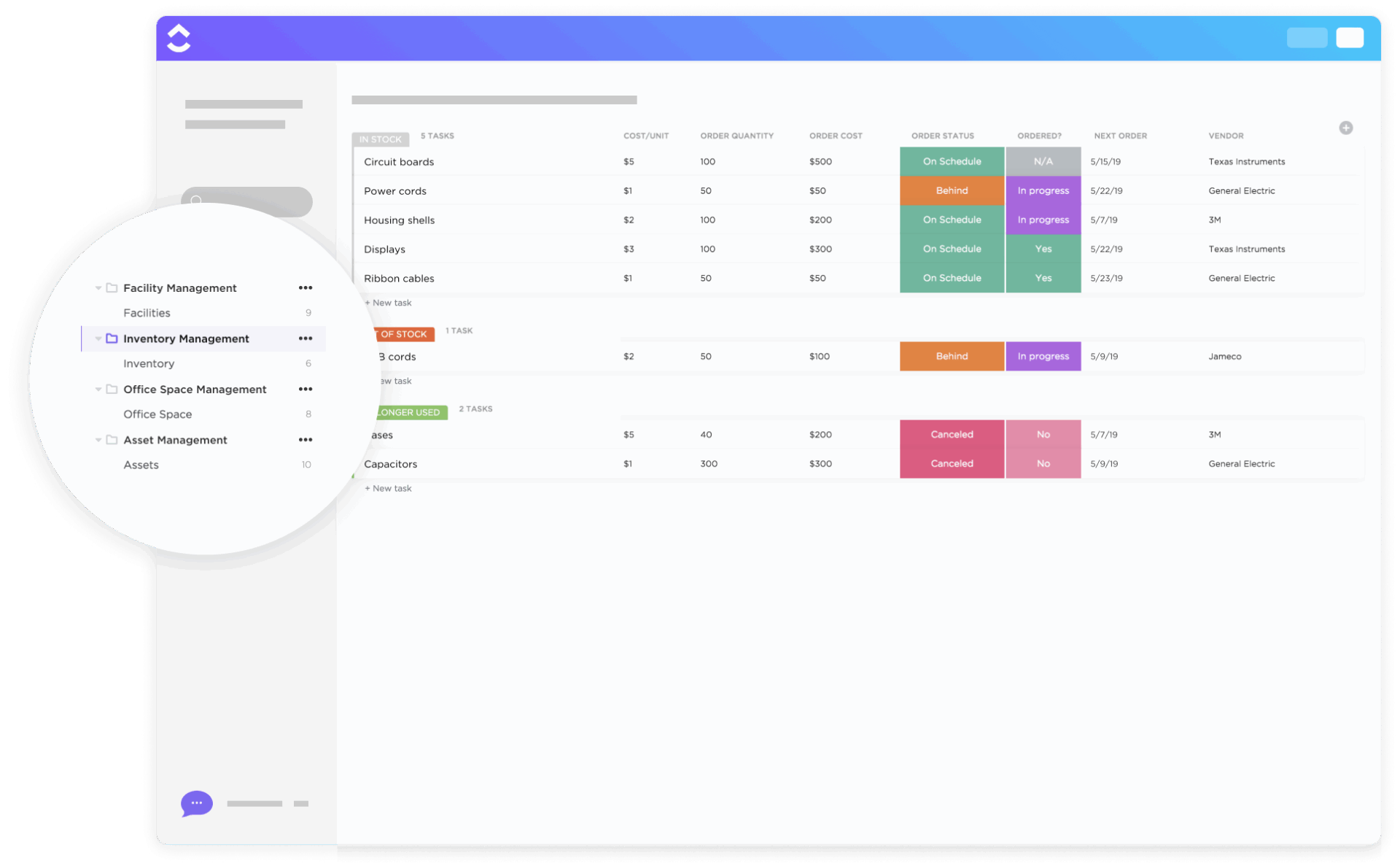
If you’re already using RFID tags, barcode scanners, and IoT inventory sensors to track products as they move through stores and warehouses, ClickUp makes it all easier by acting as the central place where your inventory data flows into.

You can create a task or database entry for each product or SKU. As customers pick up products from smart shelves or RFID scanners detect that a product has been sold, ClickUp Automations can update those records automatically, showing stock levels as they change in real time.
Automation can also trigger actions when thresholds are reached. If stock levels fall below a predefined reorder point, ClickUp can automatically create a restocking task for the procurement team, notify warehouse managers, or trigger a supplier order workflow.
On the flip side, products that aren’t moving fast enough can be flagged. Instead of continuing to reorder it, ClickUp can surface that insight on your dashboard and alert the merchandising team to review pricing, promotions, or future purchasing decisions.
This turns inventory management into a continuous feedback loop:
If you’re not using RFIDs already, you can use ClickUp Tasks to manage inventory workflows across your team, from tracking stock levels to coordinating reorders and supplier communication. For example, when your forecasting system predicts demand spikes for certain products, you can automatically create tasks for replenishment, assign them to purchasing teams, and track the progress in one place.
ClickUp’s context-aware AI, ClickUp Brain, also lets you search across your workspace to quickly understand what’s happening with your inventory. Instead of digging through spreadsheets or reports, you can simply ask questions like:
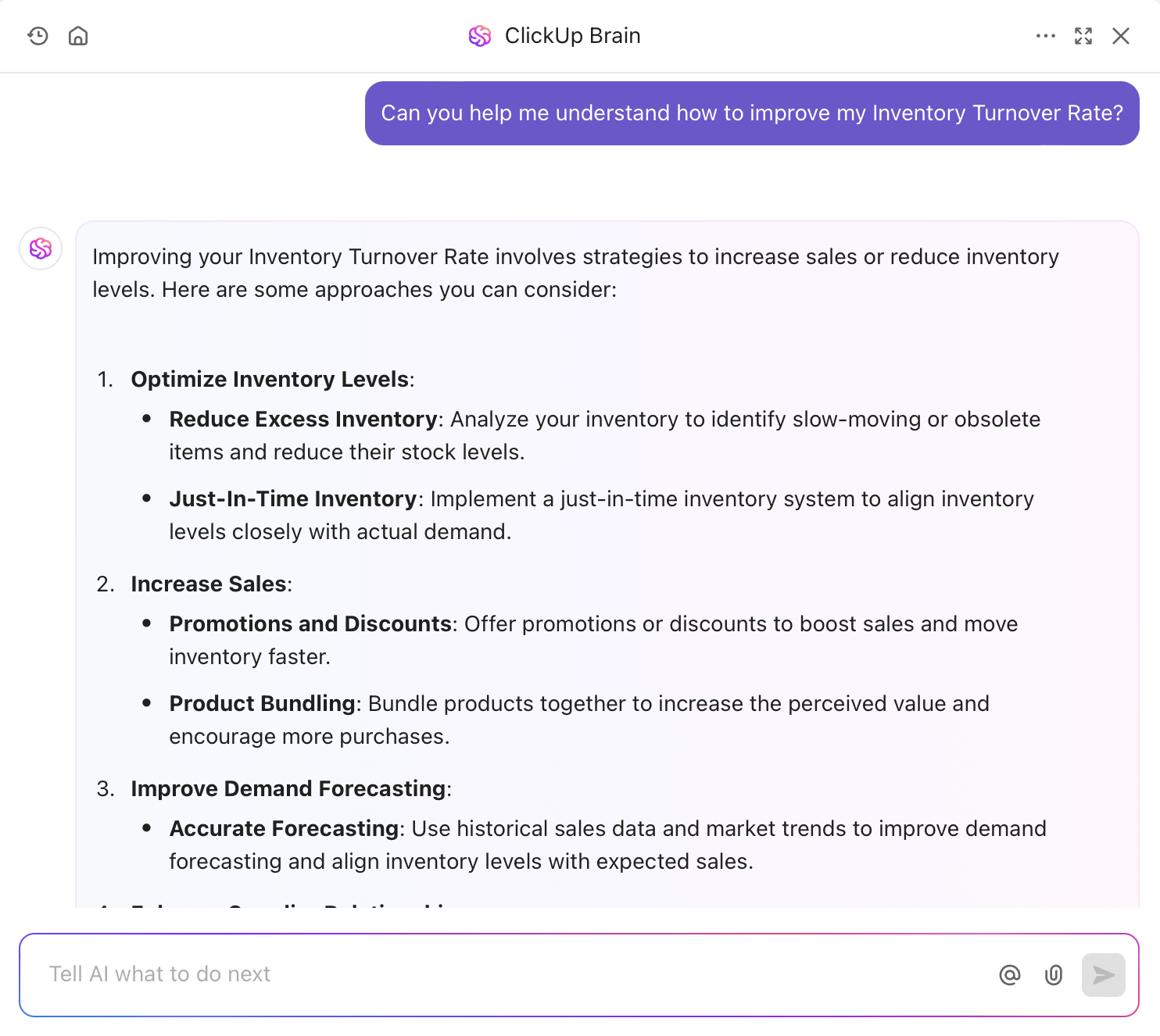
The AI pulls insights directly from your tasks, dashboards, and connected data so you can make faster decisions.
Getting products from suppliers to your shelves is one of the most complex parts of running a retail business. From delayed shipments to inefficient delivery routes, or poorly organized warehouses.
AI-powered route optimization helps you bring order to that complexity by analyzing supply chain data and identifying smarter ways to move and store your inventory.
It analyzes factors like traffic patterns, delivery schedules, and fuel costs to determine the fastest and most efficient delivery routes. This helps you reduce transportation costs, speed up deliveries, and ensure products arrive at stores or fulfillment centers on time.
AI also plays a major role in warehouse automation. By analyzing order patterns and inventory movement, AI systems can recommend the best storage locations for products, guide warehouse robots to pick and pack items faster, and optimize how goods flow through the facility.
Frequently purchased products can be placed closer to packing stations, while slower-moving inventory is stored further away.
In large retail operations, these systems can even predict potential disruptions—such as supplier delays or sudden spikes in demand—and recommend adjustments before they affect your shelves.
The result is a supply chain that runs more efficiently behind the scenes, ensuring the right products reach the right store or customer at the right time.
But here’s the thing: none of these systems operate in isolation.
Every shipment, warehouse movement, and restocking decision triggers a chain of operational tasks across teams—procurement, logistics, warehouse staff, merchandising, and store managers.
If those workflows aren’t connected somewhere, insights stay trapped in separate reports instead of turning into action.
ClickUp consolidates these insights by bringing all your workflows into one place.
Think of it as the convergence point for your supply chain operations. Instead of tracking logistics across disconnected spreadsheets, emails, and tools, you can map the entire workflow—from supplier orders to warehouse intake to store replenishment—inside one system.
Each step becomes a trackable task or workflow. Shipment updates, delivery timelines, supplier communications, warehouse activities, and restocking plans all live in the same operational environment.
When something changes, the workflow adapts.
And because all those activities live in one workspace, ClickUp Brain can analyze the data across your tasks, timelines, and operational updates.
That means you can ask questions like:
You can use ClickUp Brain to pull insights from your operational history and highlight patterns across the supply chain. Over time, that data becomes the foundation for smarter predictions—helping you anticipate bottlenecks, adjust supplier relationships, or reroute logistics before problems escalate.
To make these insights easier to act on, you can use ClickUp Dashboards to visualize supply chain performance in real time. You can monitor delivery timelines, warehouse throughput, supplier reliability, and logistics KPIs in one place, while AI-powered cards highlight anomalies or emerging trends.
The result isn’t just a faster supply chain.
It’s a smarter one—where operational data, AI insights, and team workflows all live in the same system, allowing your supply chain to adapt continuously instead of reacting after problems appear.
📮 ClickUp Insight: The average professional spends 30+ minutes a day searching for work-related information—that’s over 120 hours a year lost to digging through emails, Slack threads, and scattered files. An intelligent AI assistant embedded in your workspace can change that. Enter ClickUp Brain. It delivers instant insights and answers by surfacing the right documents, conversations, and task details in seconds—so you can stop searching and start working.
💫 Real Results: Teams like QubicaAMF reclaimed 5+ hours weekly using ClickUp—that’s over 250 hours annually per person—by eliminating outdated knowledge management processes. Imagine what your team could create with an extra week of productivity every quarter!
AI-powered chatbots and virtual assistants can take over as your first line of defense against massive waves of customer inquiries, helping you handle them automatically. They can answer common questions, track orders, check product availability, and even initiate returns—24/7.
And when a customer has a more complicated issue, the chatbot can pass the conversation to a human support agent along with the full chat history, so the customer doesn’t have to repeat themselves.
Integrate the chatbots into customer support tasks in ClickUp and alert them when a problem needs escalation
This means your support team spends less time answering routine questions and more time solving complex problems that actually require a human touch.
With ClickUp, these escalations can automatically turn into trackable support tasks the moment a chatbot flags an issue. The right team member gets notified instantly, with all the context attached as ClickUp Docs, customer message, order details, and previous interactions.
From there, the issue is no longer floating in a chat tool. It’s tracked, assigned, and moved through a clear workflow until it’s fully resolved. Everyone involved can see the status, add updates, and ensure nothing slips through the cracks.
The result? Faster resolutions, smoother handoffs, and a support system that feels seamless to your customer—even when multiple people are involved behind the scenes.
🎥 To get a better understanding of how these technologies work in real-world applications, watch this overview of practical AI tools designed specifically for e-commerce and retail operations✨
A successful AI implementation is a project like any other; it needs a clear plan, defined steps, and a way to track progress. Stop trying to manage it with a chaotic mix of emails, slide decks, and spreadsheets.
Before introducing any new technology, take a step back and look at how your operations run today. Identify the manual bottlenecks, disconnected data, and friction points in your current processes so you know exactly where AI can make the biggest impact.
Shifting to an AI-driven retail operation takes more than just installing new software. You need to train your store staff, operations teams, and managers so they understand how the new systems fit into their daily work. This helps everyone get comfortable with the change and actually use the tools to improve how your stores run.
Don’t try to overhaul your entire retail operation at once. Start with a high-impact, manageable use case, like using AI for demand forecasting. Once you see results and your team gets comfortable with the technology, you can expand into more complex initiatives, like automated checkout or fully AI-driven store operations.
Before you layer on AI and automation, make sure your foundational data is in order. That means consistent product names and SKUs, accurate pricing info, clear category labels, and organized inventory or sales records. You don’t need a full system overhaul, just enough consistency so AI can accurately read, connect, and act on your store data.
AI in retail touches every corner of your business. Make sure you involve teams across your operations, merchandising, marketing, finance, etc., from the start. Each team brings valuable insights into how inventory moves, how customers shop, and where inefficiencies exist.
As you implement AI across your retail operations, track the results using metrics that actually matter to your business. Focus on key performance indicators like improved forecast accuracy, fewer stockouts, faster order fulfillment, lower inventory costs, or higher customer conversion rates. These metrics help you understand what’s working, where AI is delivering real value, and which areas of your retail operation are worth expanding next.
AI in retail isn’t just about adopting smarter technology; it’s about solving the everyday operational challenges slowing your business down, from unpredictable demand to fragmented data and manual work.
As you’ve seen, AI can help you forecast demand, personalize customer experiences, optimize inventory, streamline supply chains, and handle customer support at scale. But those benefits only matter if the insights actually translate into action across your team.
That’s why many retail teams are bringing their AI initiatives into one operational workspace like ClickUp. When your workflows, data, and automations live in the same place, tools like ClickUp Brain can surface insights and help your team act on them faster.
The retailers gaining an edge today aren’t just collecting more data; they’re building systems that turn that data into coordinated action.
Ready to do the same? Get started for free with ClickUp and turn smarter predictions into real results✨.
Traditional retail software operates on fixed, pre-programmed rules. AI retail automation uses machine learning to learn from data and adapt over time. This allows it to handle new situations and provide more accurate insights.
Project management tools are essential for coordinating complex AI implementations. They centralize project plans, assign tasks to team members, and track milestones. This ensures IT, operations, and merchandising teams stay aligned.
Predictive AI analyzes historical data to forecast future outcomes, such as predicting customer demand or churn. Generative AI creates entirely new content, like unique product descriptions or personalized marketing emails.
Absolutely. Modern cloud-based AI tools have significantly lowered the cost and complexity of implementation. Mid-sized retailers often see a faster return on investment because they can adapt more quickly without being weighed down by outdated legacy systems.

© 2026 ClickUp

There’s an easier way. Try a free AI Agent in ClickUp that actually does the work for you—set up in minutes, save hours every week.