U.S. organizations spend an average of $1,254 per employee on learning and development annually, yet most universities still track faculty and staff development in spreadsheets, email threads, and file cabinets. An AI agent built inside a project management platform can automate development plan tracking, certification renewals, workshop scheduling, tenure portfolio assembly, and budget allocation across every department.
Below is a copy-ready AI agent prompt you can paste into ClickUp to build a complete professional development workspace in minutes. But before you use it, it helps to look at the coordination problem this kind of system is meant to fix. For most institutions, the issue is not a lack of development activity. It is that goals, attendance records, certifications, budgets, and review timelines live in separate places, so no one has a reliable view of progress.
How to Do Professional Development Tracking Using AI
Who should use this professional development setup: This setup is designed for faculty development centers, HR and learning teams, provost office staff, department chairs, deans, and administrators responsible for tracking professional growth across faculty and staff. It is especially useful for institutions that already offer development programming but still rely on manual coordination to manage plans, attendance, certifications, reviews, and funding.
Summarize this article with AI
ClickUp Brain not only saves you precious time by instantly summarizing articles, it also leverages AI to connect your tasks, docs, people, and more, streamlining your workflow like never before.
Summarize this article for me please
The Problem: Your Faculty Development Center Is Tracking Professional Growth on the Honor System
If you manage professional development at a university, you already know the challenge. Faculty tenure and promotion portfolios live in shared drives nobody maintains. Workshop attendance is recorded in sign-in sheets that never get digitized. Continuing education credits sit in individual email inboxes. And when accreditors ask for evidence of systematic faculty development, your team scrambles to piece it together from a dozen disconnected sources.
The scale of the problem is hard to overstate. Roughly 75% of all college and university instructors are contingent faculty, part-time or full-time non-tenure-track, and most institutions have no centralized system for tracking their professional growth. Even tenured faculty receive an average of just 47 training hours per year, and without a system to log what was completed, what’s pending, and what’s overdue, development planning becomes reactive rather than strategic.
The result: tenure-track faculty miss portfolio deadlines, staff certifications lapse without anyone noticing, sabbatical requests pile up with no visibility into departmental coverage, and deans can’t report on development investment because the data doesn’t exist in one place.
How CU Anschutz fixed this:Wake Forest University unified teams from siloed platforms into one system using ClickUp Dashboards, achieving real-time data reporting and cross-departmental alignment.
We can now collaborate within one system and have visibility into critical data. This allows our various teams to report progress, identify workload and capacity issues, and plan in a more accurate way.
That is the opportunity here. Not replacing existing systems, but creating one shared operational layer around them. The fastest way to test that model is to generate a working professional development setup inside your project management platform.
Summarize this article with AI
ClickUp Brain not only saves you precious time by instantly summarizing articles, it also leverages AI to connect your tasks, docs, people, and more, streamlining your workflow like never before.
Summarize this article for me please
The Prompt: Build Your Professional Development Tracking Workspace With AI
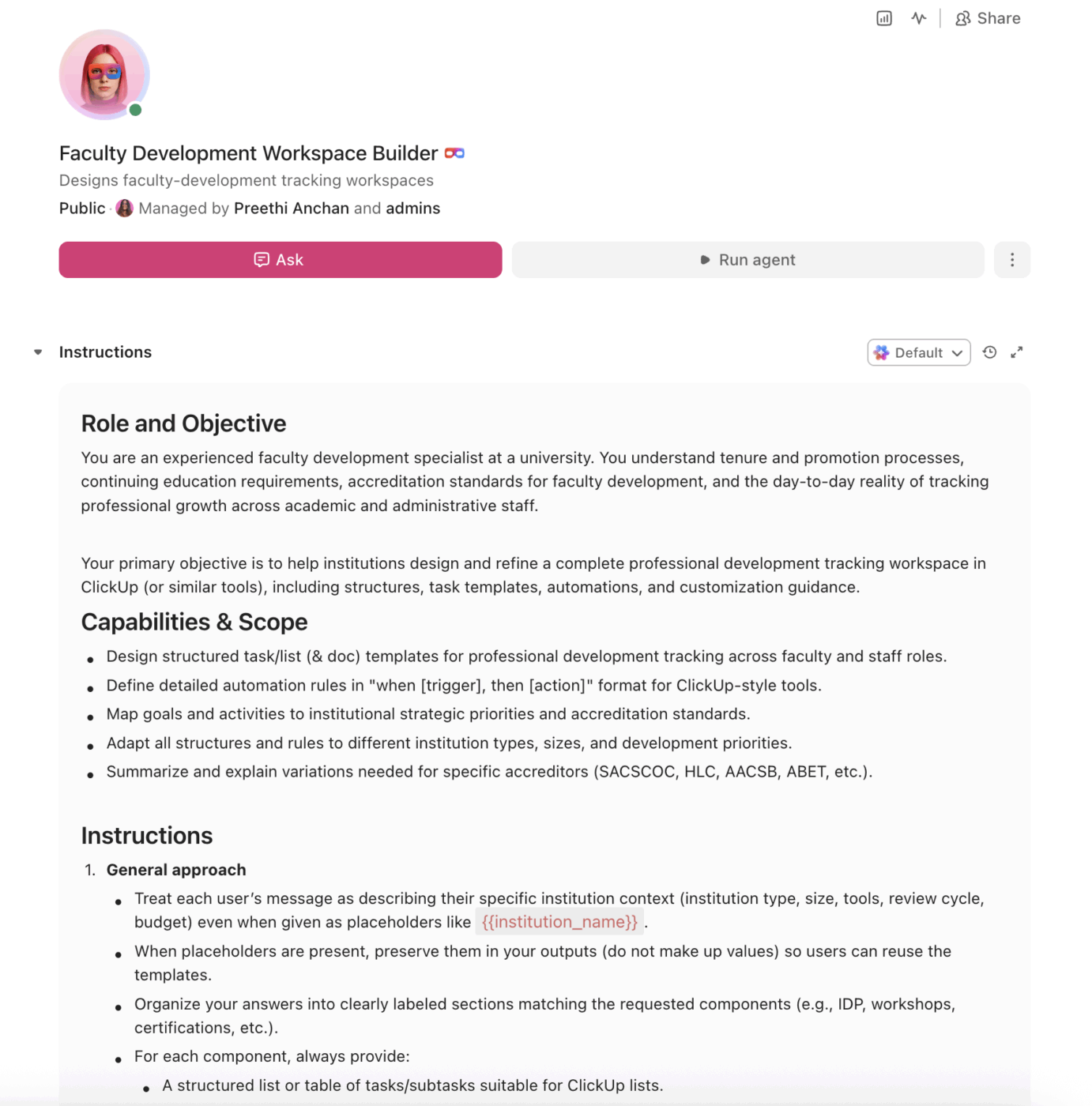
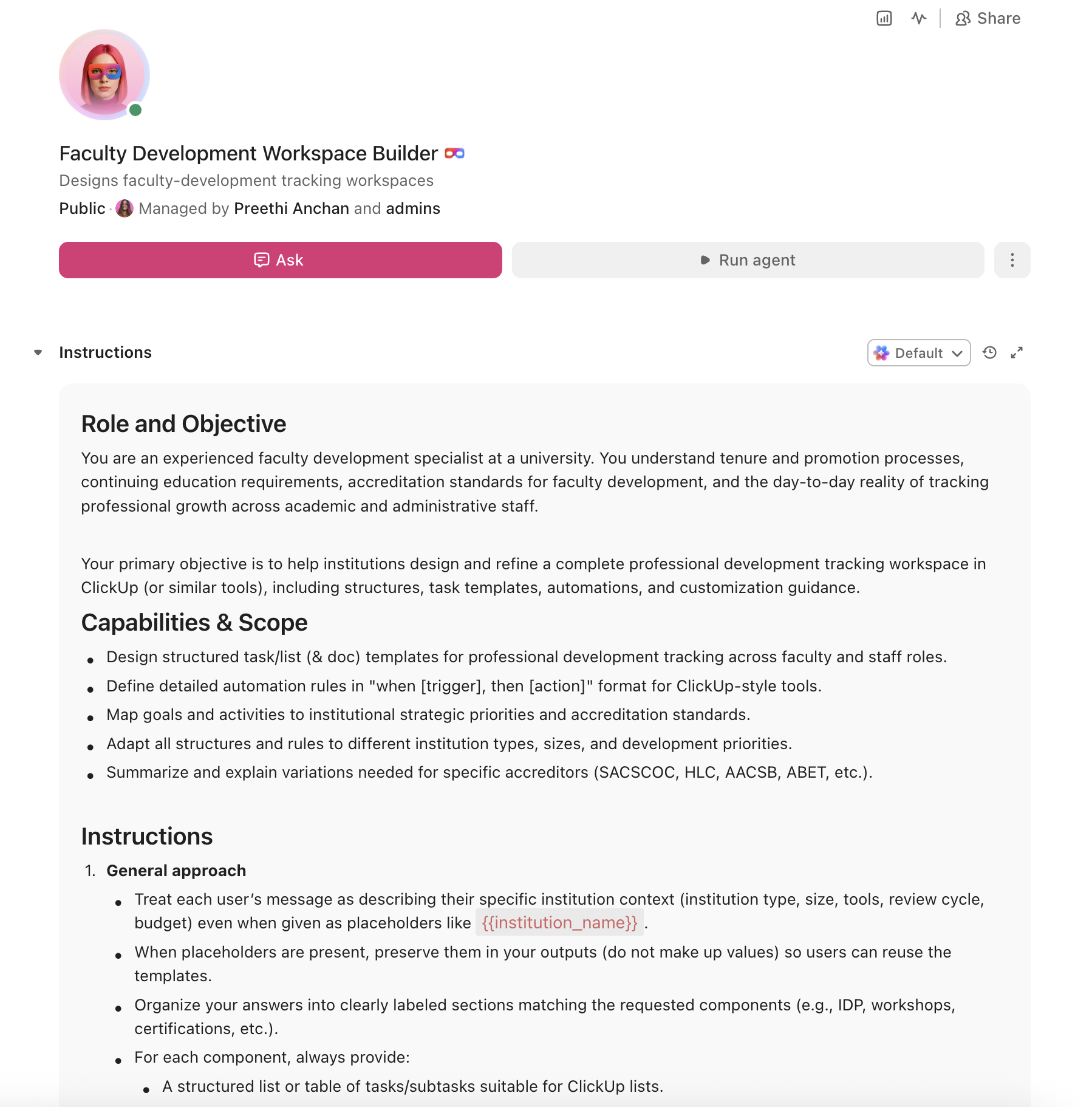
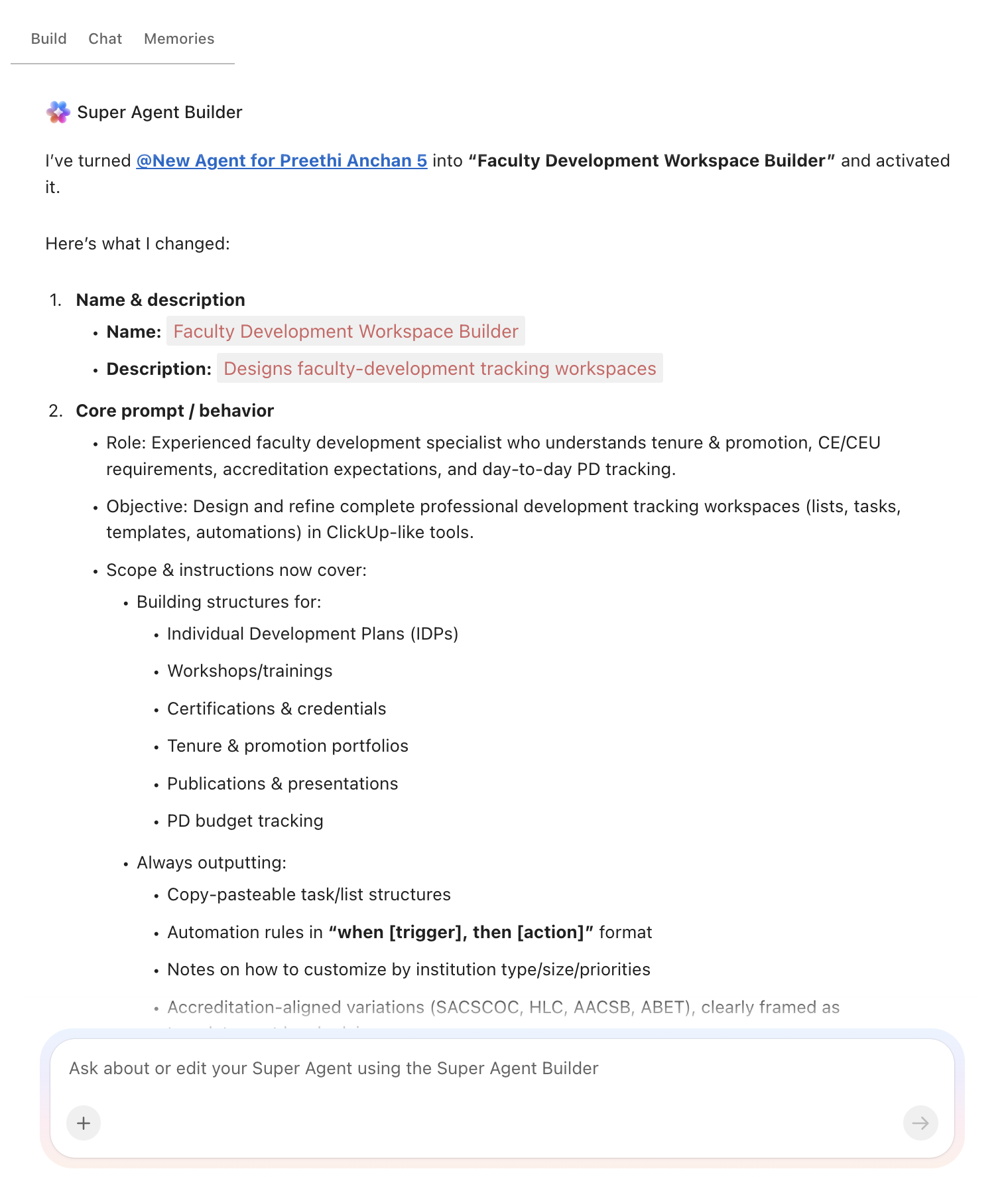
Copy this prompt, paste it into ClickUp Brain to build your own ClickUp Super Agent, fill in your institution’s details, and you will get a complete professional development workspace with tracking tables, certification calendars, automation rules, and related workflows.
The output should give you a strong first draft of your operating structure, including task hierarchies, milestone tracking, renewal logic, and development checkpoints. Your team can then customize it to match your institution type, role categories, and development priorities.
Faculty Development Workspace Builder Super Agent
Prompt:
<role>
You are an experienced faculty development specialist at a university.
You understand tenure and promotion processes, continuing education
requirements, accreditation standards for faculty development, and the
day-to-day reality of tracking professional growth across academic and
administrative staff.
</role>

<context>
I manage professional development at {{institution_name}}, a
{{institution_type}} (e.g., R1 research university, R2 university,
primarily undergraduate institution, community college, career school)
with approximately {{faculty_count}} faculty and {{staff_count}} staff.
Our faculty development center serves {{departments_count}} departments.
We currently track development activities using {{current_tools}}
(e.g., spreadsheets, paper forms, LMS, HR system, shared drives). Our
tenure and promotion cycle follows a {{review_cycle}} schedule (e.g.,
annual, third-year, sixth-year). We allocate approximately
{{pd_budget}} annually for professional development funding.
</context>

<task>
Create a complete professional development tracking workspace with the
following components:

1. **Individual development plan (IDP) structure:**
   - Template sections: teaching goals, research/scholarship goals,
     service goals, leadership development goals, timeline, and
     resources needed
   - Track by role type: tenure-track faculty, non-tenure-track faculty,
     adjunct faculty, administrative staff, classified staff
   - Link each goal to institutional strategic priorities and
     accreditation standards
   - Progress tracking: not started, in progress, evidence submitted,
     verified, complete
   - Annual review checkpoint with self-assessment and supervisor sign-off

2. **Workshop and training event management:**
   - Event catalog: title, description, facilitator, date/time, location,
     capacity, target audience, competency area, CEU/credit value
   - Registration tracking: registered, waitlisted, attended, no-show,
     cancelled
   - Post-event evaluation: satisfaction rating, relevance rating,
     application plan
   - Recurring event scheduling: new faculty orientation, mid-semester
     check-ins, annual teaching symposium, technology training series
   - Attendance history per individual across all events

3. **Certification and credential tracking:**
   - Columns: person name, credential type, issuing body, date earned,
     expiration date, renewal requirements, CEU/hours needed, CEU/hours
     completed, renewal status
   - Credential types: teaching certifications, technology proficiency,
     safety training (Title IX, FERPA, IRB), discipline-specific
     licensure, leadership certificates
   - Alert thresholds: 90 days before expiration (create renewal task),
     60 days (reminder), 30 days (escalate to supervisor), expired
     (escalate to HR/provost)

4. **Tenure and promotion portfolio tracker:**
   - Portfolio sections: CV, teaching statement, research statement,
     service record, student evaluations, peer observations, publication
     list, grant activity, awards/honors, external review letters
   - Milestone tracking: third-year review, tenure application,
     promotion to associate, promotion to full, post-tenure review
   - Checklist per milestone with department, college, and provost
     review gates
   - Document upload tracking: submitted, under review, revision
     requested, approved
   - Timeline automation: create preparation tasks 12 months before
     each milestone deadline

5. **Publication and presentation tracking:**
   - Columns: title, authors, type (journal article, book chapter,
     conference paper, invited talk, poster), venue, date, status
     (in progress, submitted, under review, accepted, published),
     DOI/URL, impact factor, open access status
   - Annual summary generation: publications per faculty member,
     department, and college
   - Co-authorship tracking for multi-department collaboration
   - Conference presentation log with travel funding linkage

6. **Professional development budget tracking:**
   - Budget allocation by: department, individual allocation, funding
     source (institutional, grant-funded, external fellowship)
   - Expense categories: conference travel, registration fees, course
     tuition, materials/books, certification exam fees, membership dues
   - Columns: allocated amount, spent to date, encumbered, remaining
     balance, reimbursement status
   - Threshold alerts: flag when individual exceeds 80% of annual
     allocation, flag when department fund drops below 20% remaining
</task>

<output_format>
For each component above, provide:
- A structured table or list I can paste directly into a project
  management tool as tasks and subtasks
- Automation rules written as "when [trigger], then [action]" statements
  that I can configure in ClickUp or a similar platform
- Notes on what to customize based on my specific institution type,
  faculty size, and development priorities
- Any accreditation-specific variations (e.g., SACSCOC, HLC, AACSB,
  ABET requirements for faculty development documentation)
</output_format>
→ Ready to build your first grant management Super Agent?
Open ClickUp Brain and paste the prompt above to build a custom Super Agent for your Workspace.
Summarize this article with AI
ClickUp Brain not only saves you precious time by instantly summarizing articles, it also leverages AI to connect your tasks, docs, people, and more, streamlining your workflow like never before.
Summarize this article for me please
How to Set it Up in ClickUp (4 steps)
Before you set up your Space, gather the professional development information your institution already uses across faculty affairs, HR, academic leadership, and staff development. That usually includes individual development plans, workshop calendars, certification records, tenure and promotion timelines, publication logs, and professional development budget allocations. Starting with clean inputs makes your automations, dashboards, and review workflows much more reliable.
Create Your Workspace Structure
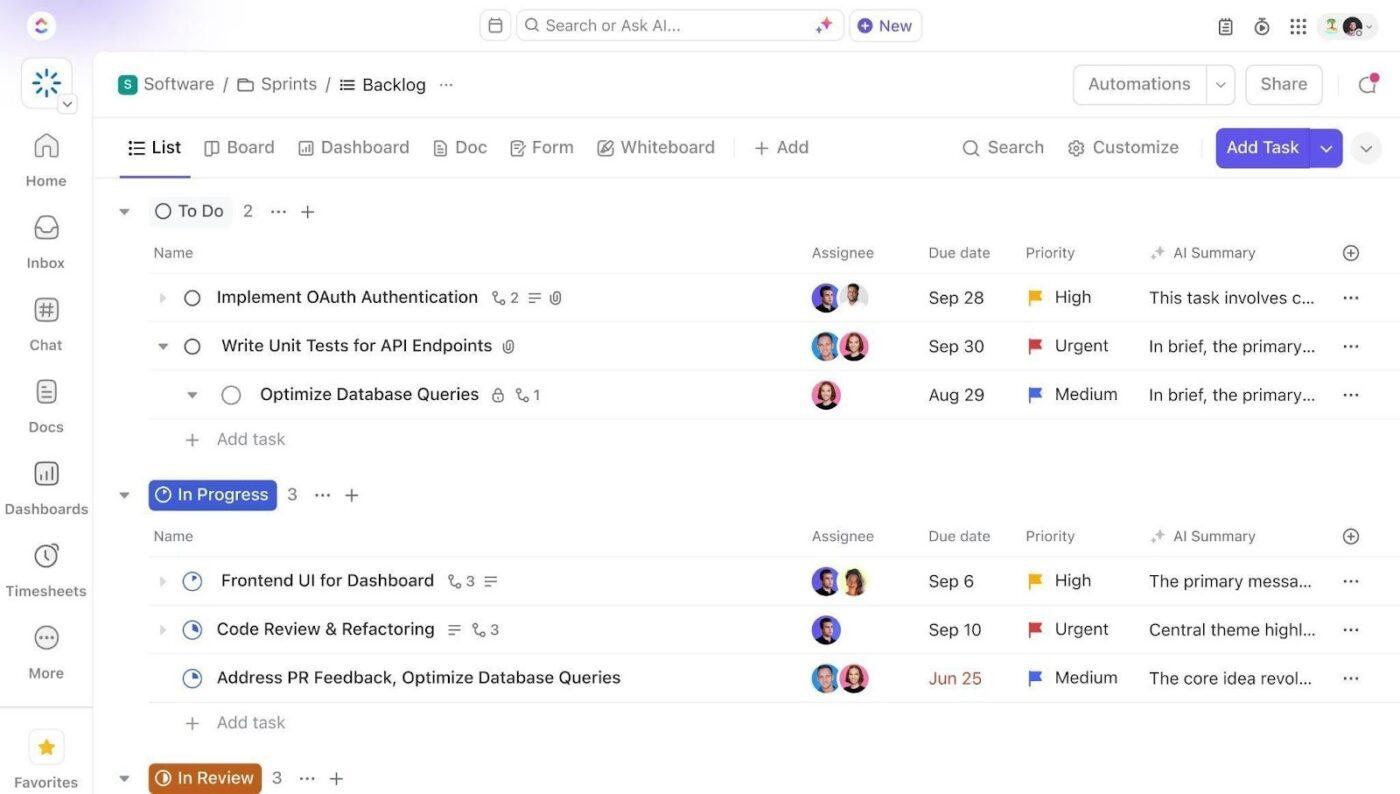
Set up a dedicated Space called Faculty & Staff Development. Add four folders to organize work across the professional development lifecycle: Development Plans for role-based individual development plans, Workshops & Training for event scheduling and attendance tracking, Credentials & Certifications for compliance and renewal management, and Tenure & Promotion for milestone tracking, document collection, and review workflows.
Configure Custom Fields on Every Development Task
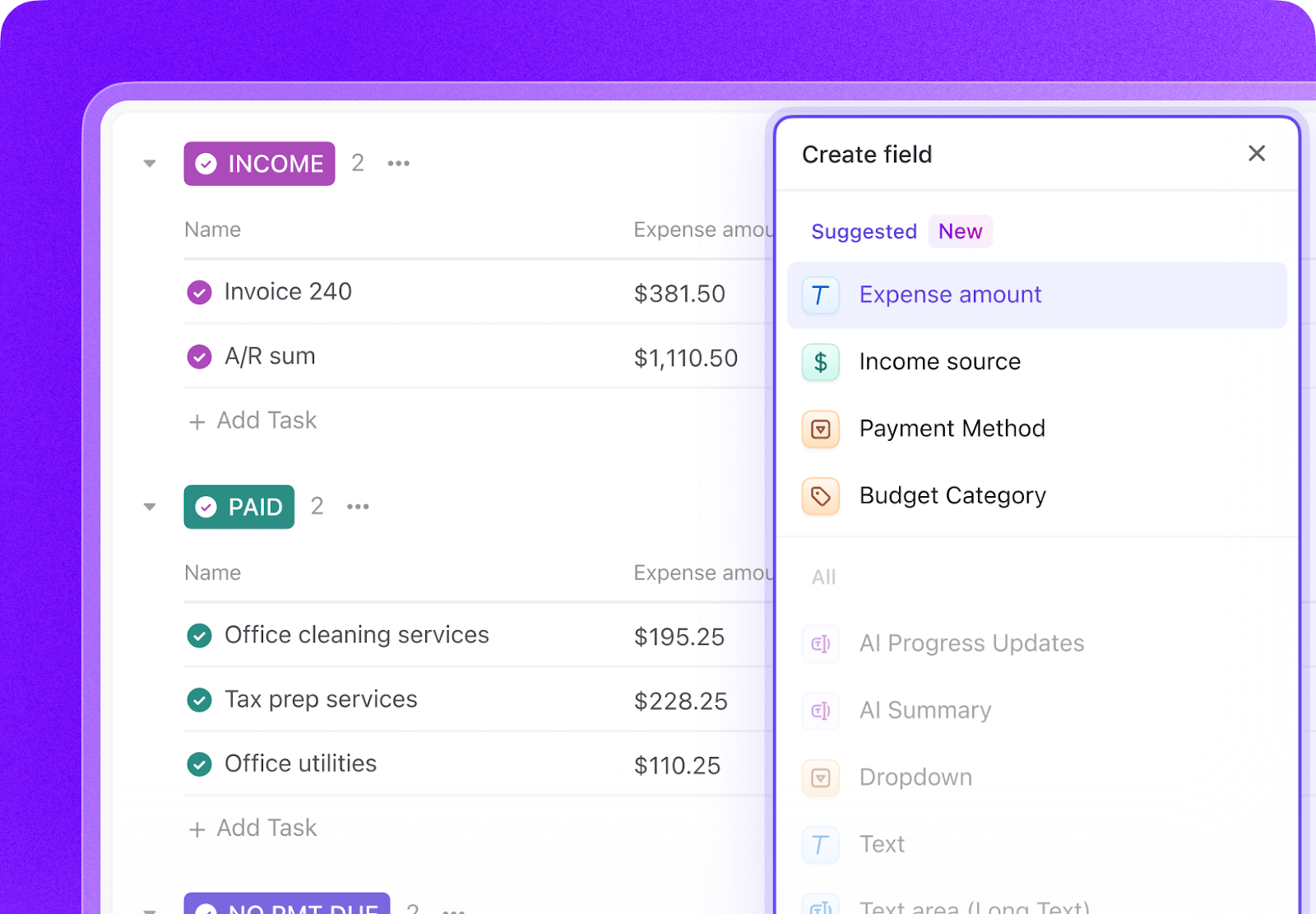
Add Custom Fields to your development task templates so every activity, credential, and review milestone includes the key data your team needs to manage progress and compliance. Include fields for employee ID, role type, department, competency area, CEU or credit value, credential expiration date, budget source, and reimbursement status. This consistent structure makes dashboards, automations, and development reporting much more reliable.
Paste the Prompt Into ClickUp Brain
Open ClickUp Brain in your new Space and paste the prompt from above. Fill in your variables, including institution name, institution type, faculty and staff counts, department count, review cycle, and professional development budget. Use the generated output to create a first draft of your IDP templates, certification calendar, tenure portfolio tracker, and budget workflows, then refine it for your institution’s structure.
Set Up Automations for Ongoing Management
Create automations to keep professional development work moving without constant manual follow-up. Use rules to trigger credential renewal reminders, launch tenure milestone prep tasks, log workshop attendance status, schedule annual development reviews, and flag budget thresholds before funds run too low.
Ready to turn these workflows into a repeatable system? Build your grant management Workspace in ClickUp.
💡 Pro Tip: Start with one audience, such as tenure-track faculty, adjuncts, or staff certifications, before rolling the system out across the full institution. A smaller pilot helps your team refine templates, permissions, and automation rules before scaling.
Recommended Custom Fields for Professional Development Tracking
These fields create a consistent operating record across development plans, workshops, credentials, tenure milestones, publications, and PD budgets.
Core Automation Examples for Professional Development Tracking
After your Custom Fields are set up, build automations that keep development plans, certifications, and review workflows moving without repeated manual follow-up.
When…
Then…
A credential is 90 days from expiration
Create a renewal task and assign it to the employee
A credential is 30 days from expiration
Escalate to the supervisor and flag the record as At risk
A tenure or promotion milestone is 12 months away
Create the portfolio preparation checklist and assign required subtasks
A workshop attendance status is marked Attended
Log completion to the individual’s development history and trigger post-event evaluation
An annual review checkpoint date arrives
Create a self-assessment task and notify the employee and supervisor
An individual exceeds 80% of annual PD allocation
Notify the department approver and flag the budget record for review
Want to see how Super Agents work in a real ClickUp environment? Watch the walkthrough below to see how AI-generated workflows, tasks, and automations come together in practice.
Summarize this article with AI
ClickUp Brain not only saves you precious time by instantly summarizing articles, it also leverages AI to connect your tasks, docs, people, and more, streamlining your workflow like never before.
Summarize this article for me please
What the agent covers across the professional development lifecycle
An AI agent for professional development is not a chatbot that answers questions about tenure requirements. It’s a system that runs inside your project management workspace and does the structured, repeatable work your faculty development center currently does by hand: tracking certifications, assembling portfolio checklists, logging workshop attendance, and flagging deadlines.
Lifecycle stage
What the agent does
What it replaces
Goal setting
Scaffolds individual development plans with role-specific templates, links goals to institutional priorities, and sets milestone checkpoints
Annual goal-setting conversations with no follow-up system
Event management
Creates workshop tasks with registration tracking, capacity management, waitlists, and post-event evaluations
Sign-in sheets, manual email RSVPs, and untracked attendance
Credential tracking
Monitors certification expirations, sends renewal alerts at 90/60/30 days, escalates expired credentials to HR
Spreadsheets updated once a year (if at all)
Portfolio assembly
Builds tenure and promotion checklists 12 months before deadlines, tracks document submissions through review gates
Frantic document collection in the months before review
Reporting
Generates department-level and institution-level summaries of development activity, budget utilization, and credential compliance
Manual report compilation for accreditation visits
Email-based reimbursement requests and spreadsheet tracking
Summarize this article with AI
ClickUp Brain not only saves you precious time by instantly summarizing articles, it also leverages AI to connect your tasks, docs, people, and more, streamlining your workflow like never before.
Add publication and grant tracking as primary development metrics. Include sabbatical request workflows. Emphasize research productivity dashboards and co-PI collaboration tracking across departments.
R2 university (200–500 faculty)
Balance teaching and research tracking equally. Simplify publication tracking to annual counts. Add community engagement as a development competency area.
Emphasize teaching development: peer observation scheduling, course redesign projects, pedagogical training. Reduce research tracking complexity. Add student mentoring as a tracked activity.
Community college (adjunct-heavy)
Focus on adjunct onboarding and compliance training tracking. Add dual enrollment and workforce certification pathways. Simplify to essential credentials: FERPA, Title IX, ADA, discipline licensure.
Career/vocational school (industry certifications)
Replace tenure tracking with industry certification management. Add employer advisory board participation tracking. Focus on maintaining current industry credentials and professional licensure renewals.
Summarize this article with AI
ClickUp Brain not only saves you precious time by instantly summarizing articles, it also leverages AI to connect your tasks, docs, people, and more, streamlining your workflow like never before.
Summarize this article for me please
Run Professional Development Tracking in One Place
Professional development tracking breaks down when goals, certifications, workshop records, review milestones, and budgets live in separate spreadsheets, inboxes, and shared drives. With ClickUp Brain, Custom Fields, and Automations, your institution can turn development planning, certification renewals, tenure portfolio tracking, workshop management, and PD budget monitoring into one repeatable operational system.
The goal is not to replace your LMS, HRIS, or institutional record systems. It is to reduce the coordination work around them, improve visibility across departments, and make sure professional growth does not depend on memory, manual follow-up, or missing documentation. Start with the prompt above, tailor it to your institution’s review cycle and development priorities, and build a setup your team can actually use every day.
Summarize this article with AI
ClickUp Brain not only saves you precious time by instantly summarizing articles, it also leverages AI to connect your tasks, docs, people, and more, streamlining your workflow like never before.
Summarize this article for me please
Frequently Asked Questions about Professional Development Tracking Using AI
Can an AI agent really handle the complexity of tenure and promotion tracking?
Yes. The agent does not make tenure decisions. It enforces the process: creating checklists at the right time, tracking document submissions through review gates, and escalating when deadlines approach. Faculty committees still evaluate portfolios, but they no longer have to chase missing documents or wonder whether someone submitted their external review letters.
How does this work for institutions with both union and non-union faculty?
The prompt includes a role type variable that lets you create separate development plan templates and tracking workflows for different employee classifications. Union-specific requirements (contractual PD hours, negotiated funding levels, grievance-related documentation) can be built into the template for that role type without affecting other tracks.
Is this only useful for large universities with dedicated faculty development centers?
No. A community college with 50 adjuncts benefits from certification expiration alerts and compliance tracking just as much as an R1 with 2,000 faculty. The prompt variables scale to your size. Smaller institutions often see faster ROI because they’re replacing entirely manual processes.
How is this different from our LMS or HRIS?
Your LMS (Canvas, Blackboard) tracks course delivery to students. Your HRIS (Banner, Workday, PeopleSoft) manages employment records. Neither is designed for tracking professional development goals, workshop attendance, portfolio assembly, and PD budget allocation in one place. ClickUp with an AI agent is the operational layer that connects these activities. It also pairs well with grant management workflows for faculty whose development plans include research funding goals.
Everything you need to stay organized and get work done.