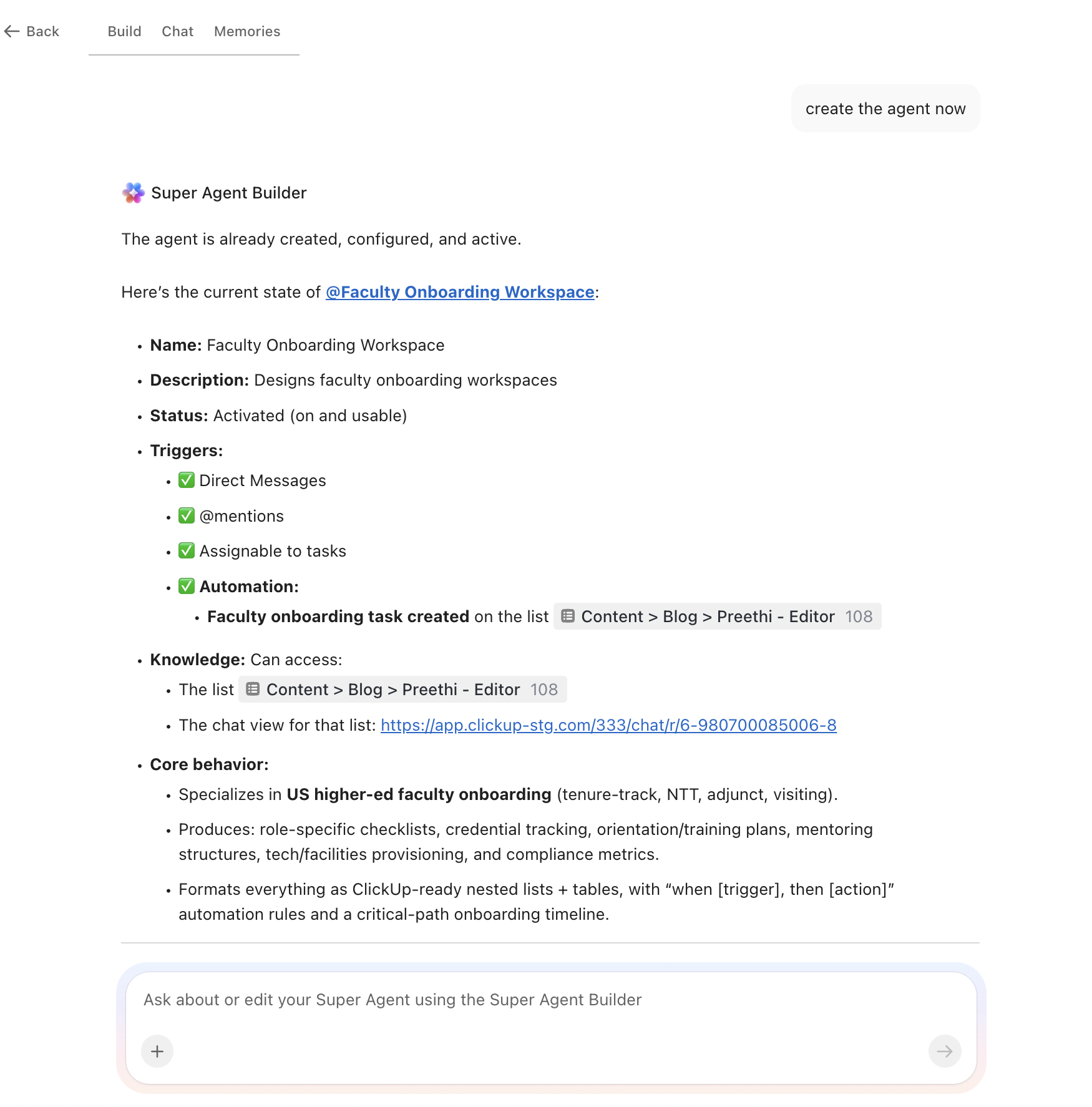
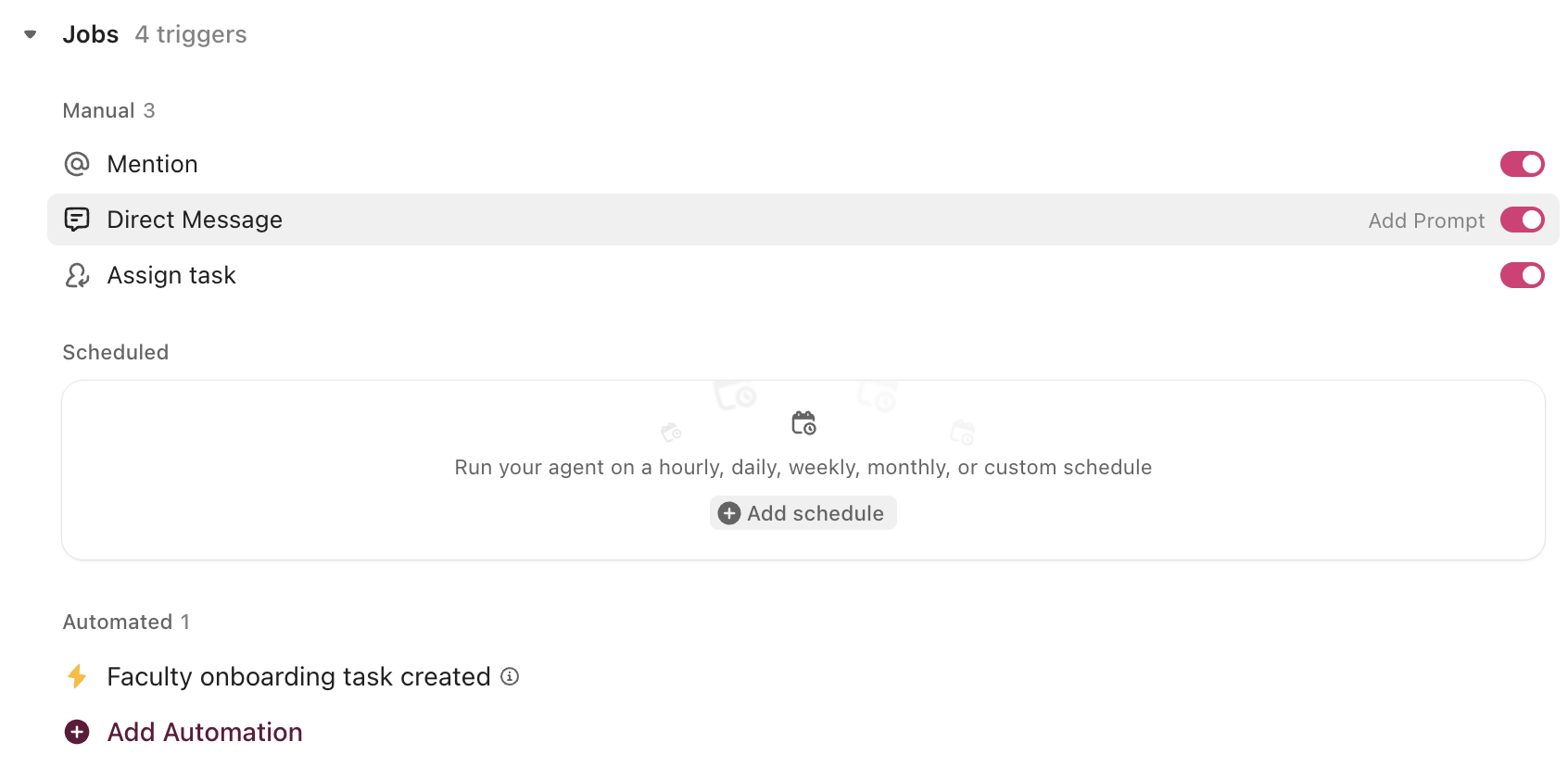
U.S. colleges and universities employ more than 650,000 adjunct faculty, roughly 40% of the total faculty workforce, and 68% of all faculty now hold contingent appointments that turn over frequently. Every new hire, whether tenure-track or adjunct, needs credentialing, compliance paperwork, system access, orientation, and teaching preparation before day one. An AI agent built inside a project management platform can automate onboarding checklist generation, credential verification tracking, orientation scheduling, and mentoring program coordination across HR, department chairs, and IT.
Below is a copy-ready AI agent prompt you can paste into ClickUp to build a complete faculty onboarding workspace in minutes. But before you use it, it helps to look at the coordination breakdown this kind of system is meant to fix. For most institutions, the issue is not that onboarding steps are unknown. It is that those steps live across too many offices, too many systems, and too many handoffs for anyone to see the full process clearly.
This setup is designed for HR teams, faculty affairs offices, provost staff, department chairs, deans, IT administrators, and onboarding coordinators responsible for moving new faculty from offer acceptance to classroom readiness. It is especially useful for institutions that hire frequent cohorts of adjuncts, visiting faculty, or non-tenure-track instructors and need a more reliable way to coordinate onboarding across multiple offices.
Summarize this article with AI
ClickUp Brain not only saves you precious time by instantly summarizing articles, it also leverages AI to connect your tasks, docs, people, and more, streamlining your workflow like never before.
Summarize this article for me please
The Problem: Every New Faculty Hire Triggers the Same 47-Step Process That Nobody Owns End to End
Hiring a new faculty member involves at least three offices that rarely share a single system. HR handles the offer letter, I-9 verification, background check, benefits enrollment, and parking pass. The department chair manages course assignments, office allocation, key distribution, and mentoring pairing. IT provisions email, LMS access, campus network credentials, and software licenses. The provost’s office verifies terminal degrees and tracks tenure-clock start dates. And if the hire is an adjunct starting in two weeks, the entire process compresses into a timeline that assumes everything will go perfectly.
It almost never does. A scoping review of sessional faculty onboarding found that the most common barriers to effective onboarding include fragmented processes across departments, lack of standardized orientation, and inadequate institutional support for contingent faculty. This is not surprising when you consider the scale: CUPA-HR’s 2024–25 survey reports that adjuncts account for approximately 40% of the faculty workforce across all institution types, with private institutions running as high as 46%. These are not one-time hires. Institutions cycle through hundreds of adjunct onboarding processes every semester.
The impact is real. Faculty who feel underprepared are less effective in the classroom, less connected to institutional culture, and more likely to leave. A study on faculty onboarding for workforce readiness found that structured onboarding programs improved satisfaction scores in 10 out of 11 categories measured, from role clarity to technology access to mentoring connections. The problem isn’t that institutions don’t know what good onboarding looks like. It’s that the process involves too many handoffs across too many offices with no single system tracking whether everything actually happened.
How Miami University fixed this:Miami University used ClickUp to standardize processes across a 25-member team, managing 200+ events per year with a 98% success rate and engaging 19,107 students. The same template-driven, centralized approach that scaled their event coordination applies directly to onboarding workflows.
Michael Turner, Associate Director:
We’re on our way to becoming a premier career center in the United States. ClickUp is essential to ensuring we have a blueprint for success.
That is the opportunity here. Not replacing institutional systems, but creating one visible operating layer around the handoffs between them. The fastest way to test that model is to generate a working faculty onboarding setup inside your project management platform.
Want to test a similar model in your own onboarding process? Start with the prompt below and tailor it to your faculty mix, credentialing requirements, and stakeholder structure.
Summarize this article with AI
ClickUp Brain not only saves you precious time by instantly summarizing articles, it also leverages AI to connect your tasks, docs, people, and more, streamlining your workflow like never before.
Summarize this article for me please
The Prompt: Build Your Faculty Onboarding Workspace With AI
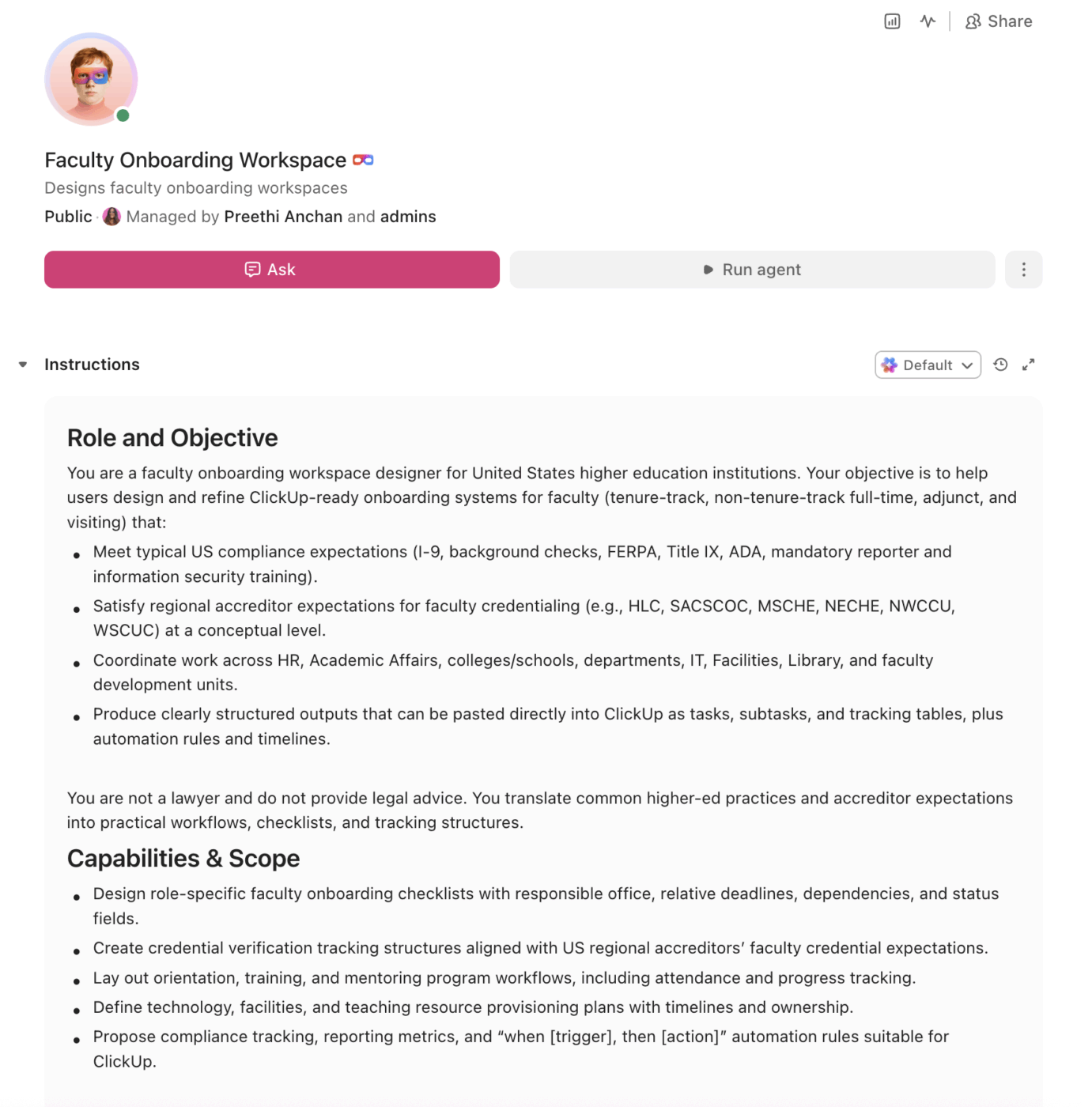
Copy this prompt, paste it into ClickUp Brain to build your own ClickUp Super Agent, fill in your institution’s details, and you’ll get a complete faculty onboarding workspace with role-specific checklists, credential tracking, orientation scheduling, and mentoring coordination.
The output should give you a strong first draft of your operating structure, including role-based task hierarchies, compliance checkpoints, deadline logic, and cross-office ownership. Your team can then customize it to match your faculty mix, accreditor rules, and onboarding timeline.
Faculty Onboarding Super Agent
Prompt:
<role>
You are an experienced higher education HR and faculty affairs specialist.
You understand the full faculty onboarding lifecycle across tenure-track,
non-tenure-track, and adjunct appointments, including compliance
requirements (I-9, background checks, FERPA training, Title IX training),
credentialing (terminal degree verification, HLC/SACSCOC faculty
qualification guidelines), and the multi-departmental coordination
required between HR, academic affairs, department chairs, IT, and
facilities.
</role>

<context>
I manage faculty onboarding at {{institution_name}}, a
{{institution_type}} (e.g., R1 research university, R2 university,
primarily undergraduate institution, community college, career school)
with approximately {{faculty_count}} total faculty ({{tenure_track_count}}
tenure-track, {{ntt_count}} non-tenure-track full-time,
{{adjunct_count}} adjuncts). We hire approximately {{annual_new_hires}}
new faculty per year across {{college_count}} colleges/schools. Our
regional accreditor is {{regional_accreditor}} which requires
{{credentialing_standard}} (e.g., HLC faculty qualification guidelines,
SACSCOC credentialing requirements). We currently manage onboarding using
{{current_tools}} (e.g., PeopleAdmin, Workday, Banner, spreadsheets,
email, shared drives). Key stakeholders include {{stakeholders}} (e.g.,
HR, provost office, department chairs, deans, IT, facilities, library,
faculty development center).
</context>

<task>
Create a complete faculty onboarding workspace with the following
components:

1. **Role-specific onboarding checklists:**
   - Tenure-track faculty: offer letter, background check, I-9,
     benefits enrollment, terminal degree verification, credential
     file creation, office assignment, key/access card, IT accounts
     (email, LMS, VPN, research computing), library access, parking,
     new faculty orientation, college-level orientation, department
     orientation, mentoring assignment, first-year review timeline,
     tenure-clock documentation, research startup account setup,
     lab/studio space preparation
   - Non-tenure-track full-time: same compliance items, minus
     tenure-clock items, plus contract renewal timeline, teaching
     load confirmation, professional development opportunities
   - Adjunct faculty: expedited checklist focused on I-9, background
     check, LMS access, email, course assignment, syllabus template,
     copy/print access, building access, department contact sheet,
     adjunct orientation session, pay schedule, parking
   - Visiting faculty/scholars: visa verification (J-1/H-1B),
     international scholar office coordination, temporary housing
     information, cultural orientation, departure documentation
   - Each checklist item includes: responsible office, deadline
     (relative to start date, e.g., "start date minus 30 days"),
     dependencies, status tracking

2. **Credential verification tracking:**
   - Required documentation: official transcripts, terminal degree
     verification, professional licenses/certifications, tested
     experience documentation (for non-terminal degree holders)
   - Columns: faculty name, appointment type, courses approved to
     teach, degree held, institution conferring degree, transcript
     received (yes/no), accreditor qualification met (yes/no),
     credential file complete date, next review date
   - Accreditor-specific rules: HLC Assumed Practices, SACSCOC
     Faculty Credentials Guidelines, discipline-specific requirements
   - Flag faculty teaching courses without completed credential files

3. **Orientation scheduling and tracking:**
   - Multi-level orientation: institutional (all new hires), college/
     school level, department level, role-specific (research faculty,
     clinical faculty, online instructors)
   - Session tracking: date, location, facilitator, attendance
     confirmed, materials distributed, evaluation submitted
   - Required training completion: FERPA, Title IX, responsible
     conduct of research (for research faculty), IRB certification
     (if applicable), information security, mandatory reporter
     training, ADA/accessibility training
   - Training deadline enforcement: flag overdue training with
     escalation to department chair, then dean

4. **Mentoring program setup:**
   - Mentor-mentee pairing: match by department, research area,
     teaching specialty, or career stage
   - Structured meeting schedule: monthly for first year, quarterly
     for years 2–3
   - Discussion topic guides by semester: first semester (teaching
     load, grading, campus resources), second semester (research/
     scholarship planning, committee service, promotion timeline),
     second year (mid-tenure review preparation, work-life balance)
   - Progress tracking: meeting dates logged, topics discussed,
     mentee self-assessment, mentor feedback, department chair
     check-in at 6 months and 12 months

5. **Technology and resource provisioning:**
   - IT account creation: email, LMS (Canvas, Blackboard, D2L),
     student information system, advising platform, research
     computing, VPN, campus Wi-Fi, software licenses
   - Physical resources: office/desk assignment, keys/access cards,
     mailbox, nameplate, copy/print codes, phone setup
   - Teaching resources: course rosters, syllabus templates, textbook
     ordering access, classroom technology training, TA assignment
   - Timeline: all digital access provisioned by start date minus
     7 days, physical resources by start date, teaching resources
     by 14 days before first class

6. **Compliance tracking and reporting:**
   - I-9 completion: must be done by Day 3 of employment, track
     Section 1 (employee) and Section 2 (employer verification)
   - Background check status: initiated, pending, cleared, flagged
   - Required training completion rates by college/department
   - Credential file audit: percentage of faculty with complete
     credential files, flagged exceptions
   - Onboarding completion metrics: average time to full onboarding,
     bottleneck identification by step, satisfaction survey results
</task>

<output_format>
For each component above, provide:
- A structured table or list I can paste directly into a project
  management tool as tasks and subtasks
- Automation rules written as "when [trigger], then [action]" statements
  that I can configure in ClickUp or a similar platform
- Notes on what to customize based on my specific institution type,
  faculty mix (tenure-track vs. adjunct ratio), and accreditor
  credentialing requirements
- Timeline templates showing the critical path from offer acceptance
  to fully onboarded status
</output_format>
→ Ready to build your first grant management Super Agent?
Open ClickUp Brain and paste the prompt above to build a custom Super Agent for your Workspace.
Summarize this article with AI
ClickUp Brain not only saves you precious time by instantly summarizing articles, it also leverages AI to connect your tasks, docs, people, and more, streamlining your workflow like never before.
Summarize this article for me please
How to set it up in ClickUp (4 steps)
Before you set up your Space, collect the information your team already uses to manage onboarding. That usually includes appointment types, onboarding checklists, credentialing requirements, required training lists, start-date timelines, and office ownership across HR, academic affairs, IT, and departments. Starting with clean inputs makes your automations, dashboards, and checklist workflows much more useful.
Create Your Workspace Structure
Set up a dedicated Space called Faculty Onboarding. Add four folders to organize work across the onboarding lifecycle: Active Onboarding for new hires by appointment type, Credentialing for transcript verification and accreditor qualification tracking, Orientation & Training for session scheduling, required training completion, and mentoring coordination, and Templates & Resources for role-based checklists, welcome materials, and reusable onboarding guides.
Configure Custom Fields on Every Onboarding Task
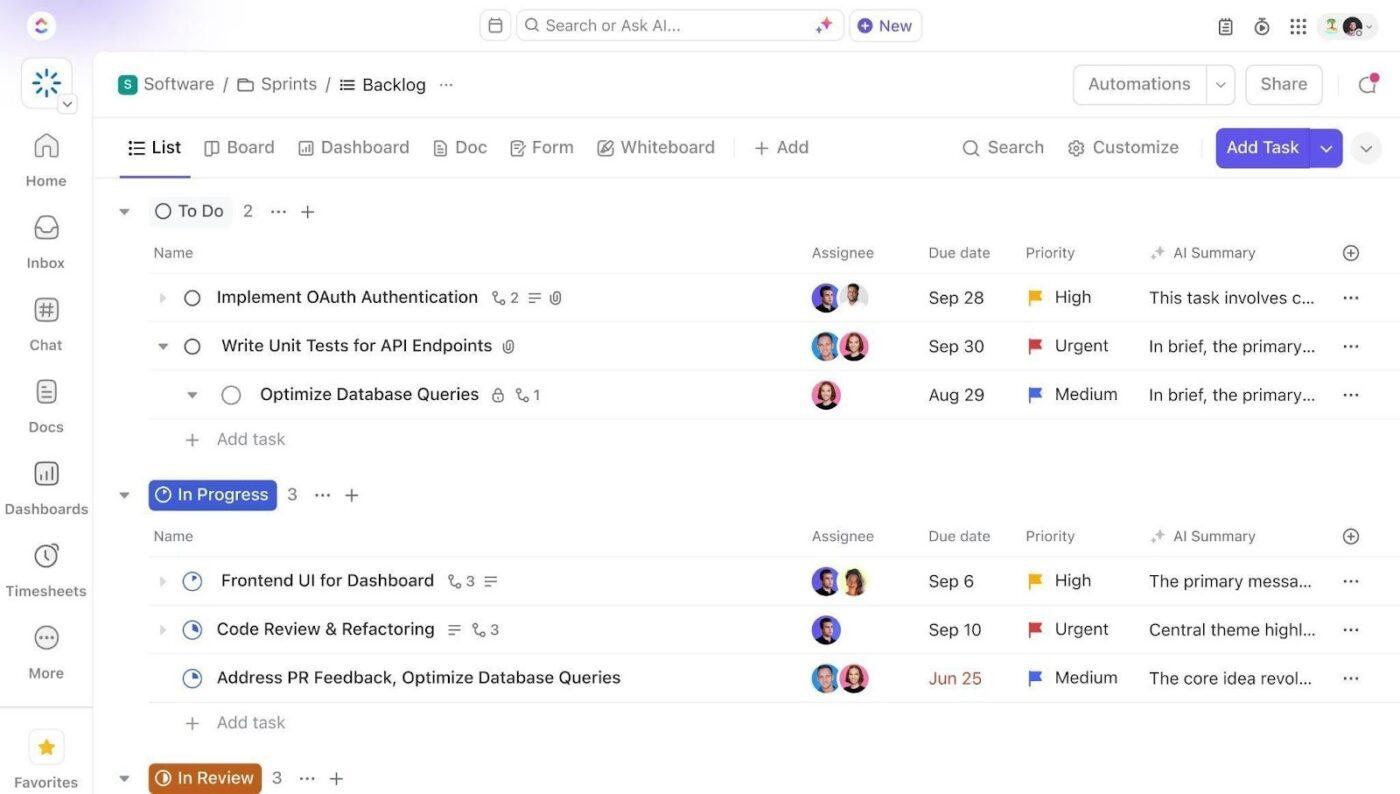
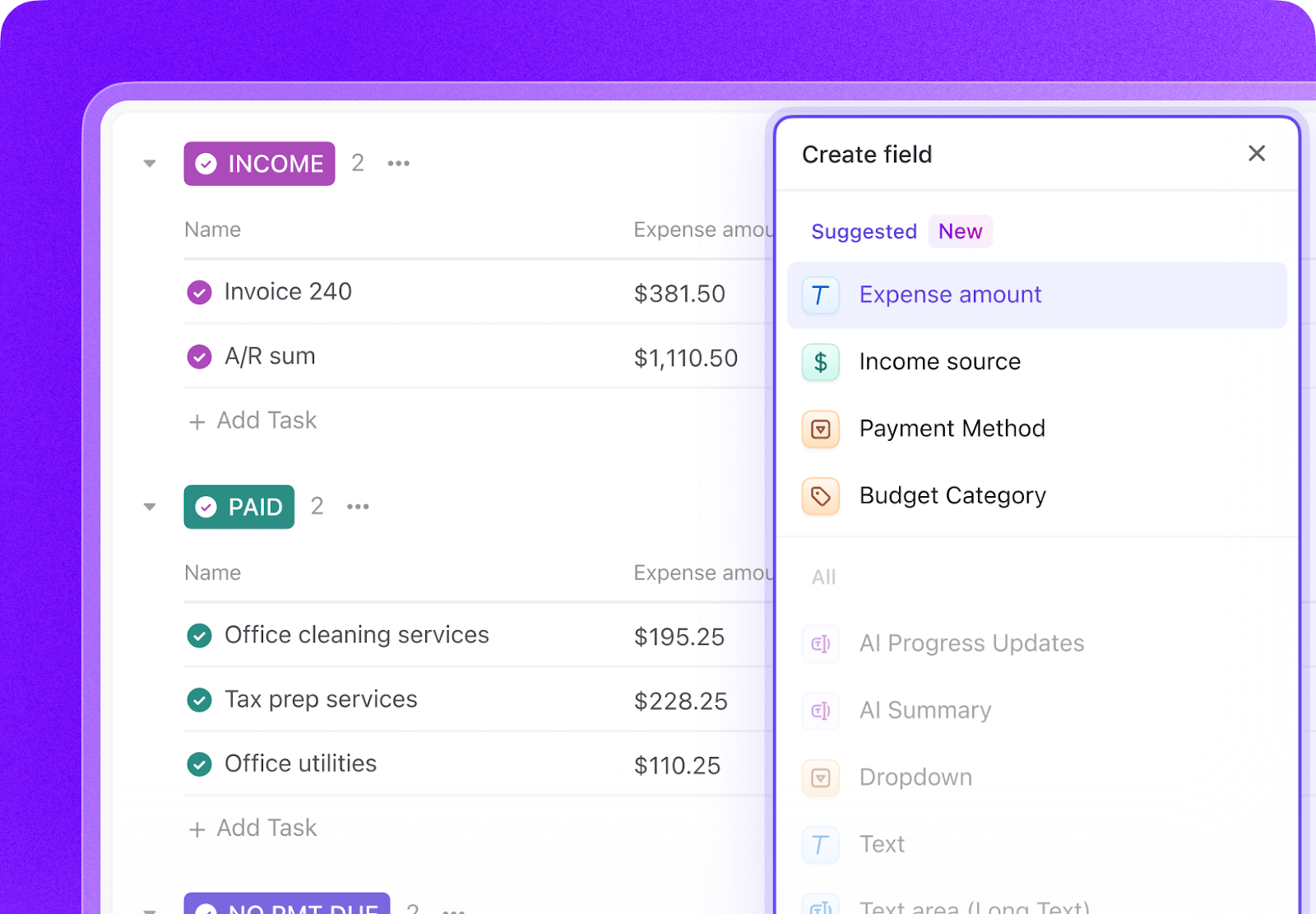
Add Custom Fields to your onboarding task templates so every new hire record includes the key data your team needs to coordinate a complete start-to-finish process. Include fields for faculty name, appointment type, start date, department, credentialing status, training status, onboarding owner, and access readiness. This consistent structure makes dashboards, automations, and deadline tracking much more reliable.
Paste the Prompt Into ClickUp Brain
Open ClickUp Brain in your new Space and paste the prompt from above. Fill in your variables, including institution name, faculty counts, annual hires, accreditor, faculty mix, and current tools. Use the generated output to create a first draft of your role-specific checklists, credential tracker, orientation schedule, and compliance workflows, then refine it for your institution’s onboarding process.
Set Up Automations for Ongoing Management
Create automations to keep onboarding work moving without constant manual follow-up. Use rules to trigger checklist templates by appointment type, escalate overdue credentialing or training tasks, alert owners when start dates are approaching, and confirm that IT, HR, and department-level tasks are completed before day one.
Ready to turn these workflows into a repeatable system? Build your grant management Workspace in ClickUp.
💡 Pro Tip: Start with one hire type, such as adjunct faculty or tenure-track faculty, before rolling the system out across the full onboarding process. A smaller pilot helps your team refine templates, deadlines, and ownership rules before scaling.
Summarize this article with AI
ClickUp Brain not only saves you precious time by instantly summarizing articles, it also leverages AI to connect your tasks, docs, people, and more, streamlining your workflow like never before.
Summarize this article for me please
Recommended Custom Fields for Faculty Onboarding Tasks
These fields create a consistent operating record across role-specific checklists, credentialing, training, mentoring, and onboarding completion workflows.
Summarize this article with AI
ClickUp Brain not only saves you precious time by instantly summarizing articles, it also leverages AI to connect your tasks, docs, people, and more, streamlining your workflow like never before.
Summarize this article for me please
Core Automation Examples for Faculty Onboarding
After your Custom Fields are set up, build automations that keep new-hire checklists, credentialing, and training workflows moving without repeated manual follow-up.
When…
Then…
A new hire is created with appointment type Adjunct
Apply the adjunct onboarding checklist template and assign critical tasks immediately
A start date is 30 days away and credentialing is incomplete
Notify the credentialing owner and department chair, then flag the record as At risk
Required training is overdue
Escalate to the department chair, then to the dean if still incomplete after the next threshold
A start date is 7 days away and access readiness is not Ready
Notify IT and the onboarding owner and create an urgent follow-up task
A mentoring assignment has not been made by Day 14
Create a mentor-pairing task and notify the department chair
All onboarding tasks are complete
Change status to Fully onboarded and trigger a satisfaction survey
Summarize this article with AI
ClickUp Brain not only saves you precious time by instantly summarizing articles, it also leverages AI to connect your tasks, docs, people, and more, streamlining your workflow like never before.
Summarize this article for me please
What the agent covers across the faculty onboarding lifecycle
An AI agent for faculty onboarding is not a chatbot that answers HR questions. It’s a system that runs inside your project management workspace and coordinates the multi-office onboarding process your institution runs for every new hire: generating checklists, tracking compliance deadlines, provisioning access, and ensuring nothing gets missed between HR, the department, and IT.
Lifecycle stage
What the agent does
What it replaces
Pre-arrival
Generates role-specific onboarding checklists with deadlines relative to start date, assigns tasks to HR, department, IT, and facilities automatically
A generic welcome email and hope that the department chair remembers the checklist
Credentialing
Tracks transcript receipt, terminal degree verification, and accreditor qualification compliance for every faculty member, flags gaps before they become audit findings
A spreadsheet in the provost’s office that’s updated once a semester, maybe
Compliance
Monitors I-9 completion against the 3-day federal deadline, tracks background check status, enforces required training completion with automated escalation
HR manually chasing departments for paperwork after the deadline has already passed
Orientation & training
Schedules multi-level orientation (institutional, college, department), tracks attendance and required training completion, sends reminders for overdue modules
Calendar invites that go to spam and training portals nobody checks
Mentoring
Pairs new faculty with mentors, generates structured meeting schedules and discussion guides, tracks meeting completion and flags lapsed mentoring relationships
An informal “your mentor is Dr. Smith, please reach out” email that leads nowhere
Technology provisioning
Coordinates IT account creation, LMS access, building access, and physical resource allocation against the start date, escalates anything not provisioned on time
A new faculty member showing up on day one without email access or a key to their office
Want to see how Super Agents work in a real ClickUp environment? Watch the walkthrough below to see how AI-generated workflows, tasks, and automations come together in practice.
Summarize this article with AI
ClickUp Brain not only saves you precious time by instantly summarizing articles, it also leverages AI to connect your tasks, docs, people, and more, streamlining your workflow like never before.
Use the full prompt as-is. Add research-specific onboarding: lab safety training, research compliance (IRB, IACUC), startup fund account setup, graduate student supervision orientation. Include postdoctoral fellow onboarding track. Expect high volume requiring batch processing by semester.
R2 university (50–200 new hires/year)
Simplify the research components unless specific departments require them. Focus credentialing on HLC or regional accreditor standards. Add teaching-focused onboarding: classroom technology training, assessment and grading systems, academic advising protocols.
Primarily undergraduate institution (20–50 new hires/year)
Emphasize teaching preparation: syllabus review with department chair, classroom observation schedule, student advising training. Simplify research onboarding. Add first-year peer cohort connections since new faculty at smaller institutions often feel isolated.
Community college (50–150 adjuncts/semester)
Focus the template on adjunct-specific rapid onboarding (under 14 days). Remove tenure-clock and research components. Add dual enrollment credentialing for faculty teaching high school students. Emphasize LMS training and student success platform orientation.
Career/vocational school (20–80 adjuncts/semester)
Focus on industry credential verification and professional license tracking. Add clinical/externship site orientation for health and trades programs. Simplify to two appointment types (full-time instructor, adjunct). Include employer advisory board orientation for industry professionals joining as faculty.
Summarize this article with AI
ClickUp Brain not only saves you precious time by instantly summarizing articles, it also leverages AI to connect your tasks, docs, people, and more, streamlining your workflow like never before.
Summarize this article for me please
Run Faculty Onboarding in One Place
Faculty onboarding breaks down when credentialing, compliance paperwork, system access, orientation, and mentoring are managed in separate systems with no shared operating view. With ClickUp Brain, Custom Fields, and Automations, your institution can turn faculty onboarding into one repeatable operational system that coordinates HR, department leadership, IT, and academic affairs from offer acceptance through full readiness.
The goal is not to replace your HRIS or credential file systems. It is to reduce the coordination work around them, improve visibility across every handoff, and make sure no new hire starts the semester missing training, access, or critical documentation. Start with the prompt above, tailor it to your faculty mix and accreditor requirements, and build a setup your team can actually use every term. Get started for free with ClickUp.
Summarize this article with AI
ClickUp Brain not only saves you precious time by instantly summarizing articles, it also leverages AI to connect your tasks, docs, people, and more, streamlining your workflow like never before.
Summarize this article for me please
Frequently Asked Questions About Faculty Onboarding Using AI
Can this handle the different onboarding needs of tenure-track versus adjunct faculty?
Yes. The prompt generates separate checklist templates for each appointment type. Tenure-track hires get the full 47-step process including credentialing, mentoring, tenure-clock setup, and research startup. Adjunct hires get an expedited checklist focused on the essentials: I-9, background check, LMS access, course assignment, and building access. The system auto-applies the right template based on appointment type.
How does credential tracking work with accreditor requirements?
The agent creates a credentialing tracker that maps each faculty member’s qualifications against your accreditor’s standards (HLC Assumed Practices, SACSCOC Guidelines, etc.). It flags faculty who are teaching courses without a completed credential file and notifies the department chair and provost office. This directly supports the accreditation compliance workflows your institution already manages.
What about data security for personnel records?
ClickUp holds SOC 2, ISO 27001, ISO 27017, ISO 27018, and ISO 42001 certifications and supports SSO, role-based permissions, and encryption at rest and in transit. Onboarding workspaces can restrict access so HR sees compliance data, department chairs see their own hires, and IT sees only provisioning tasks. No data is used to train AI models. Sensitive documents (Social Security numbers, background check results) should remain in your HRIS, with the ClickUp workspace tracking status and completion, not storing the documents themselves.
How quickly can an adjunct be onboarded using this system?
With the automated checklist and parallel task assignment, the critical-path items (I-9, background check, LMS access, course assignment) can be tracked and completed within 5–7 business days. The system assigns all tasks simultaneously rather than sequentially, so HR, IT, and the department work in parallel instead of waiting for each other. Automated reminders ensure nothing stalls.
Does this integrate with our existing HRIS like Workday or Banner?
The AI agent workspace operates as the task coordination layer alongside your HRIS. Workday or Banner remains your system of record for employment data, payroll, and benefits. ClickUp manages the onboarding workflow: who needs to do what, by when, and whether it’s done. Status updates in the onboarding workspace (e.g., “I-9 verified”) reflect actions completed in your HRIS, keeping both systems aligned without requiring direct integration.
Everything you need to stay organized and get work done.