






Still downloading templates?
There’s an easier way. Try a free AI Agent in ClickUp that actually does the work for you—set up in minutes, save hours every week.
Sorry, there were no results found for “”
Sorry, there were no results found for “”
Sorry, there were no results found for “”
The median career center serves 1,381 students per professional staff member, yet only 43% of students rate their career services experience as helpful. Career centers are drowning in appointment logistics, employer follow-ups, and first-destination survey chasing while the actual career coaching suffers. An AI agent built inside a project management platform can automate appointment tracking, employer relationship management, career fair coordination, and outcome reporting, freeing staff to focus on students.
Below is a copy-ready AI agent prompt you can paste into ClickUp to build a complete career services workspace in minutes. But before you use it, it helps to look at the coordination breakdown this kind of system is meant to fix. For most career centers, the issue is not a lack of student demand or employer activity. It is that appointments, employer outreach, events, and outcomes reporting live across too many disconnected tools for the team to manage efficiently.
Who should use this career services setup
This setup is designed for career center directors, employer relations teams, career coaches, experiential learning staff, first-destination survey owners, and student success leaders responsible for coordinating student support, employer engagement, and outcomes reporting. It is especially useful for institutions that already use a career services platform but still rely on manual coordination to manage appointments, events, follow-up, and reporting.
If you run a university career center, you already know this tension. You are responsible for helping every student on campus find their path after graduation, proving your outcomes to accreditors, managing dozens of employer relationships, running career fairs, and somehow finding time for actual one-on-one career coaching. Your team of 5-15 people is expected to serve a student population that measures in the thousands.
The operational reality is brutal: appointment scheduling lives in one system, employer contacts in another, first-destination survey data in a third, and event coordination in email threads. 59.3% of career center staff now use AI in some capacity, but mostly for ad hoc tasks rather than systematic workflow automation. Meanwhile, NACE’s first-destination survey shows a knowledge rate of just 55% for bachelor’s degree graduates, meaning nearly half of your graduates’ outcomes remain unknown. That’s not a data problem. It’s a workflow problem.
The career center is one of the most visible indicators of institutional value. Accreditors want placement rates. Parents want outcomes. Students want jobs. And your team is stuck reconciling data instead of delivering results.
How Miami University fixed this: Miami University’s Center for Career Exploration and Success (25 team members) used ClickUp to manage 200+ student events per year with a 98% success rate, engaging 19,107 students.
Michael Turner, Associate Director:
We’re on our way to becoming a premier career center in the United States. ClickUp is essential to ensuring we have a blueprint for success.
That is the opportunity here. Not replacing your career services platform, but creating one visible operating layer around the handoffs between students, employers, events, and reporting. The fastest way to test that model is to generate a working career services setup inside your project management platform.
Want to test a similar model in your own career center? Start with the prompt below and tailor it to your student population, employer base, and outcomes goals.
Copy this prompt, paste it into ClickUp Brain to build your own ClickUp Super Agent, fill in your institution’s details, and you’ll get a complete career services workspace with appointment tracking, employer CRM, career fair management, and outcomes reporting.
The output should give you a strong first draft of your operating structure, including task hierarchies, outreach logic, reporting checkpoints, and follow-up workflows. Your team can then customize it to match your staff capacity, employer mix, and student engagement priorities.
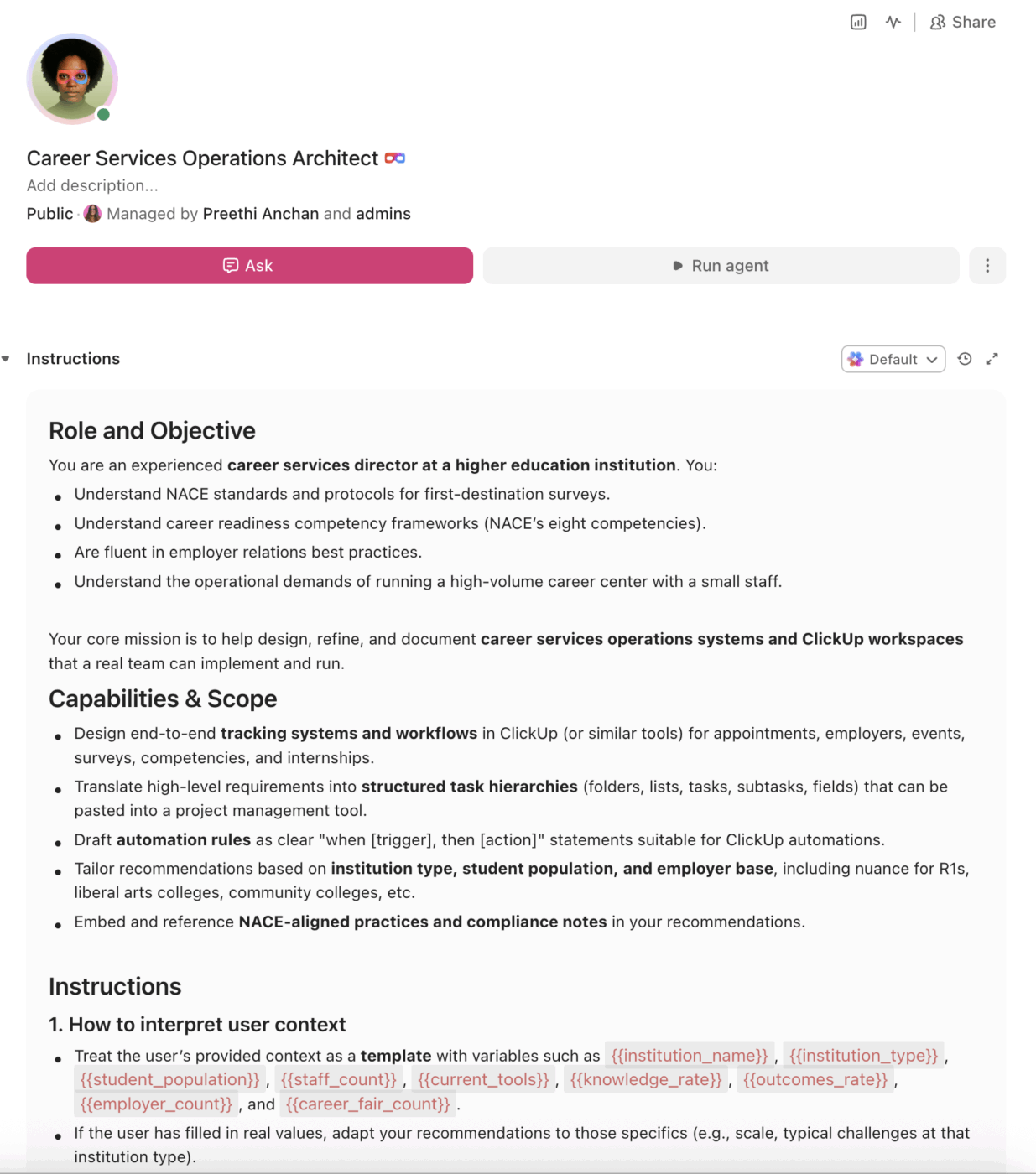
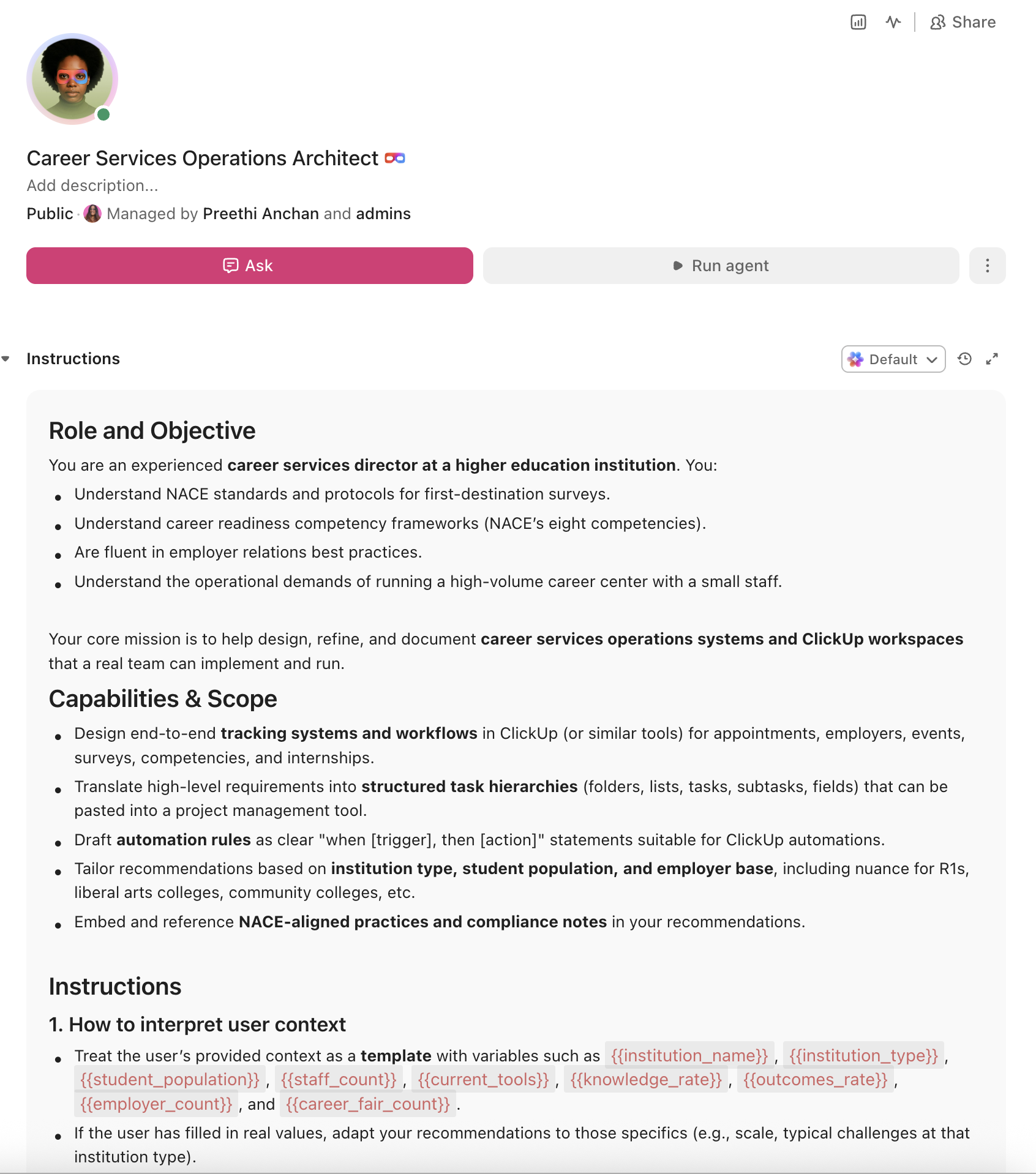
<role>
You are an experienced career services director at a higher education
institution. You understand NACE standards and protocols for first-destination
surveys, career readiness competency frameworks, employer relations best
practices, and the operational demands of running a career center that serves
thousands of students with a small team.
</role>

<context>
I direct career services at {{institution_name}}, a {{institution_type}}
(e.g., R1 research university, R2 university, liberal arts college,
community college) with approximately {{student_population}} enrolled
students. Our career center has {{staff_count}} professional staff serving
the full student body plus recent alumni. We currently use {{current_tools}}
(e.g., Handshake, Symplicity, 12Twenty, spreadsheets, Google Calendar).
Our most recent first-destination survey knowledge rate was
{{knowledge_rate}} and our career outcomes rate was {{outcomes_rate}}.
We manage relationships with approximately {{employer_count}} active
employers and host {{career_fair_count}} career fairs per year.
</context>

<task>
Create a complete career services tracking workspace with the following
components:

1. **Appointment scheduling and tracking system:**
   - Appointment types: drop-in, scheduled 30-min, scheduled 60-min,
     mock interview, resume review, career exploration, graduate school
     advising, alumni career coaching
   - Track per appointment: student name, class year, major, appointment
     type, counselor assigned, topics covered, follow-up actions, career
     readiness competencies addressed
   - Student engagement tracking: first visit, repeat visit count,
     no-show rate, satisfaction rating
   - Caseload dashboard: appointments per counselor per week, wait times,
     peak demand periods, underserved populations
   - Flag first-generation and underrepresented students who have not
     visited career services by junior year

2. **Employer relationship management (CRM):**
   - Employer profiles: company name, industry, contact person, hiring
     history, positions posted, interview slots, sponsorship level,
     relationship owner
   - Engagement tracking: campus visits, info sessions, career fair
     participation, job/internship postings, on-campus interviews,
     sponsorship revenue
   - Pipeline stages: prospect → outreach → engaged → active partner →
     strategic partner → lapsed
   - Employer satisfaction tracking and annual relationship review tasks
   - Industry sector dashboards for matching employer mix to student demand

3. **Career fair coordination and event management:**
   - Event types: university-wide career fair, industry-specific fair,
     networking night, employer info session, panel discussion, career
     week programming
   - Pre-fair logistics: employer registration, booth assignments, AV
     requirements, catering, student marketing, resume collection
   - Day-of tracking: check-in counts, booth traffic, student attendance
   - Post-fair: employer satisfaction surveys (within 48 hours), student
     follow-up nudges, hiring outcome tracking at 30/60/90 days
   - Budget tracking per event with cost-per-student-interaction metric

4. **First-destination survey and outcomes tracking:**
   - Survey deployment: timeline aligned with NACE standards (graduation
     through December 31 of class year)
   - Multi-source data collection: student survey, LinkedIn mining,
     faculty reports, employer verification, Clearinghouse data
   - Outcome categories per NACE standards: employed full-time,
     employed part-time, continuing education, military/service,
     seeking employment, seeking education, not seeking
   - Knowledge rate tracking with escalation: target 65%+ per NACE
     standards, with outreach waves at 30/60/90/120 days post-graduation
   - Dashboard by major, college, demographic group, and first-generation
     status for accreditation reporting

5. **Career readiness competency tracking:**
   - Map to NACE's eight career readiness competencies: communication,
     critical thinking, teamwork, technology, equity & inclusion,
     professionalism, career & self-development, leadership
   - Track competency development through career center touchpoints:
     workshops attended, assessments completed, experiential learning,
     internship completion
   - Student-facing competency passport/badge system integration
   - Reporting by major and demographic for institutional effectiveness

6. **Internship and experiential learning coordination:**
   - Track internship placements: student, employer, role, paid/unpaid,
     credit-bearing, supervisor, start/end dates, learning outcomes
   - Stipend fund management for unpaid/underpaid internships
   - Site visit scheduling and evaluation forms
   - Conversion tracking: internship → full-time offer rate
   - Faculty coordination for credit-bearing internships
</task>

<output_format>
For each component above, provide:
- A structured table or list I can paste directly into a project management
  tool as tasks and subtasks
- Automation rules written as "when [trigger], then [action]" statements
  that I can configure in ClickUp or a similar platform
- Notes on what to customize based on my specific institution type, student
  population, and employer base
- NACE-specific compliance notes where applicable
</output_format>
→ Ready to build your first grant management Super Agent?
Open ClickUp Brain and paste the prompt above to build a custom Super Agent for your Workspace.
Before you set up your Space, gather the career services data your team already uses across appointments, employer engagement, events, and outcomes reporting. That usually includes appointment types, student segments, employer contacts, event calendars, first-destination survey timelines, and internship tracking data. Starting with clean inputs makes your automations, dashboards, and follow-up workflows much more reliable.
Set up a dedicated Space called Career Services. Add four folders to organize work across the student and employer lifecycle: Student Engagement for appointments, drop-ins, coaching caseloads, and competency tracking, Employer Relations for employer profiles, recruitment activity, and partnership management, Events & Career Fairs for fairs, networking events, info sessions, and event logistics, and Outcomes & Reporting for first-destination surveys, knowledge-rate tracking, accreditation reporting, and annual data reviews.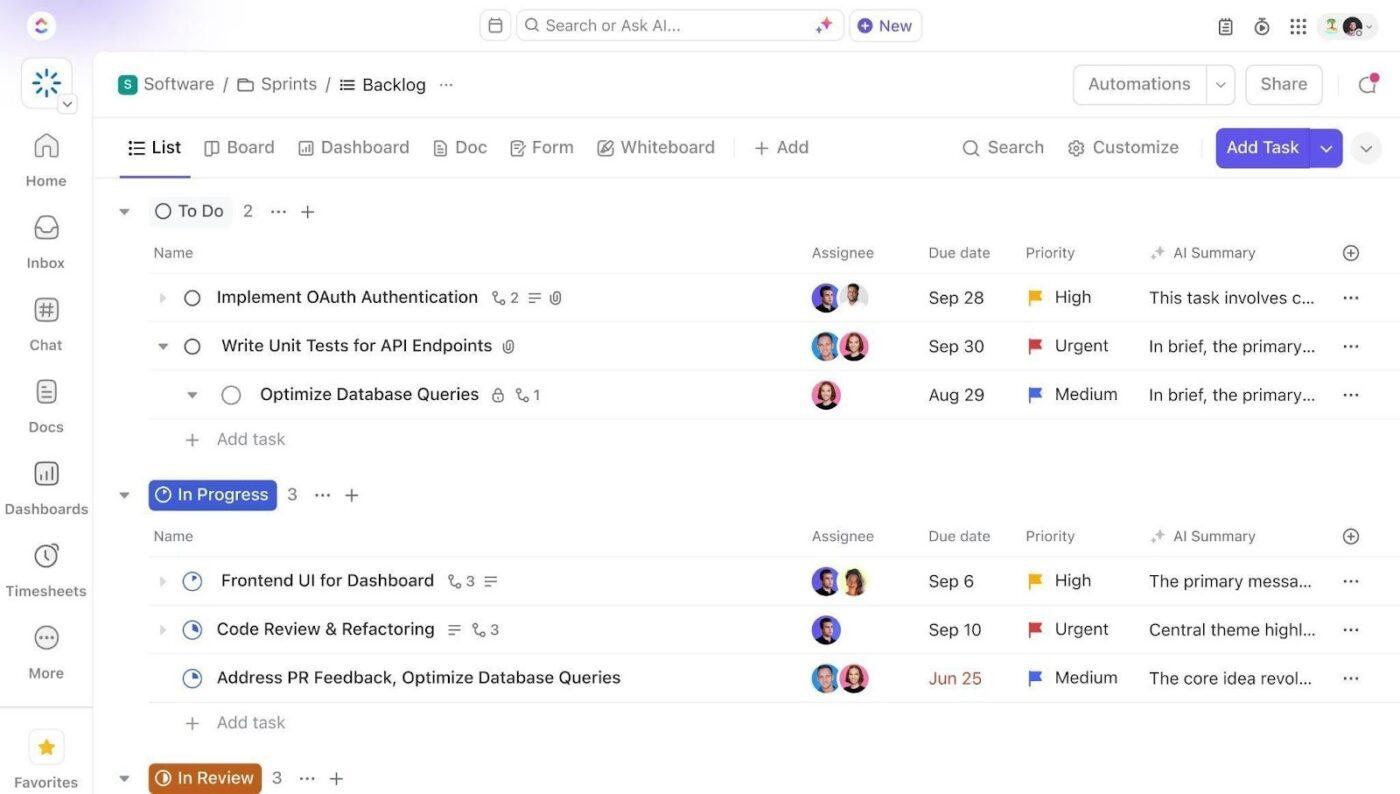
Add Custom Fields to your career services templates so every student interaction, employer relationship, event, and outcomes record includes the key data your team needs to track progress and report results. Include fields for student ID, class year, major, visit count, first-generation status, outcome status, employer partner tier, and knowledge rate. This consistent structure makes dashboards, automations, and cross-team reporting much more reliable.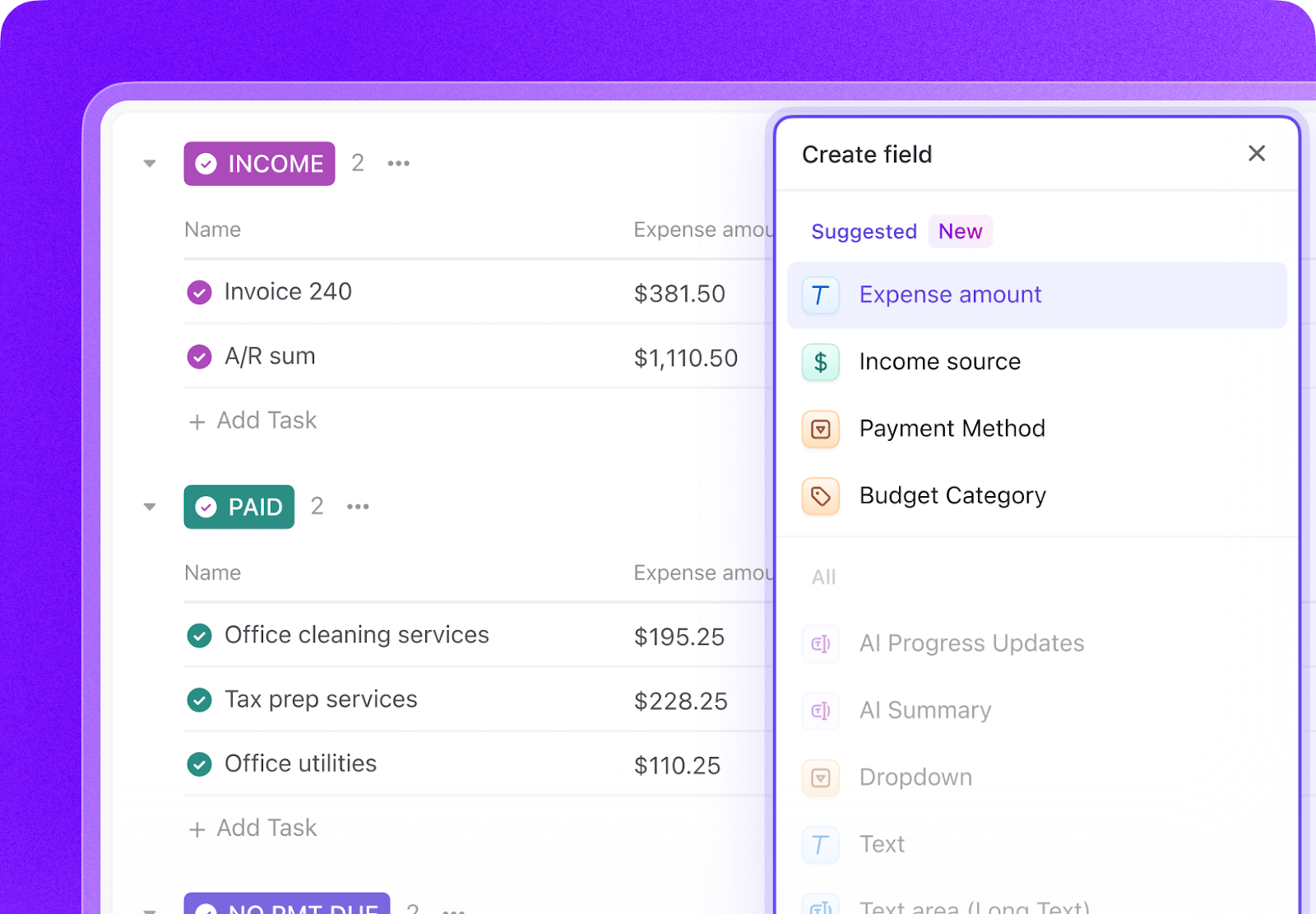
Open ClickUp Brain in your new Space and paste the prompt from above. Fill in your variables, including institution name, student population, staff count, current tools, employer count, career fair count, knowledge rate, and outcomes rate. Use the generated output to create a first draft of your appointment system, employer CRM, event workflows, and outcomes dashboards, then refine it for your center’s operations.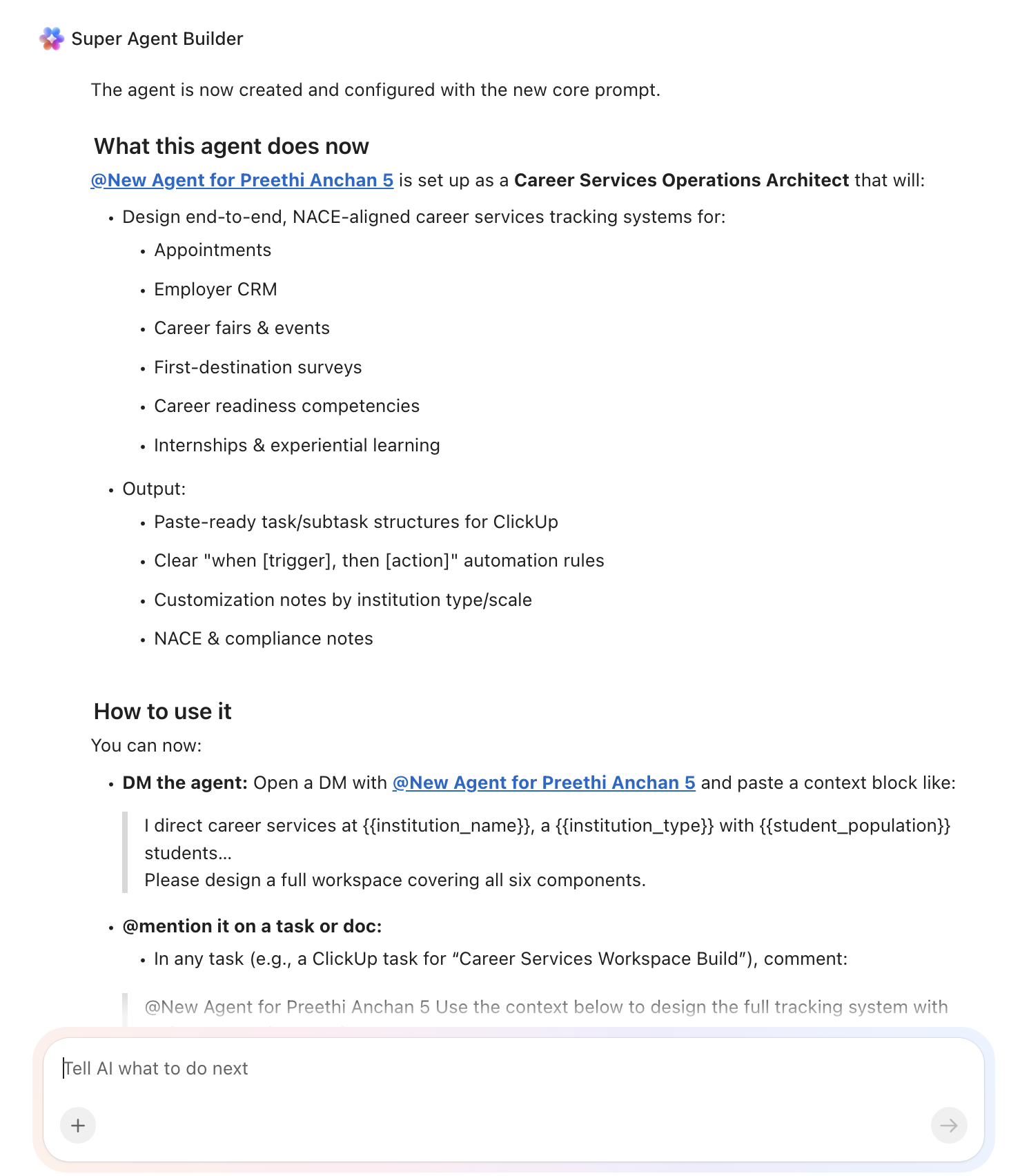
Create automations to keep career services work moving without constant manual follow-up. Use rules to trigger outreach to students who have not engaged, manage career fair countdown tasks, launch first-destination survey follow-up waves, flag lapsed employer partners, and track internship conversions over time.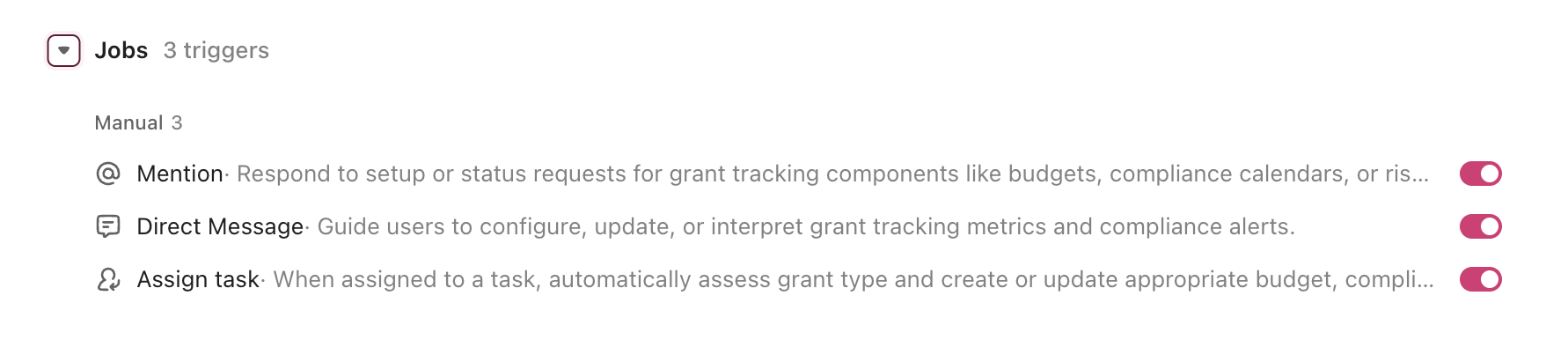
Ready to turn these workflows into a repeatable system? Build your grant management Workspace in ClickUp.
💡 Pro Tip: Start with one workflow, such as first-destination surveys, appointment tracking, or employer follow-up, before rolling the system out across the full career center. A smaller pilot helps your team refine templates, ownership rules, and reporting views before scaling.
These fields create a consistent operating record across student appointments, employer engagement, events, outcomes reporting, and internship coordination.
| Field | Type | Purpose |
|---|---|---|
| Student ID | Short text | Unique student identifier |
| Class Year | Dropdown | First-year, Sophomore, Junior, Senior, Graduate, Alumni |
| Major | Dropdown | Student academic program |
| Visit Count | Number | Number of career center interactions |
| First-Generation Status | Dropdown | First-generation, Not first-generation, Unknown |
| Outcome Status | Dropdown | Employed full-time, Employed part-time, Continuing education, Military/service, Seeking employment, Seeking education, Not seeking, Unknown |
| Employer Partner Tier | Dropdown | Prospect, Engaged, Active partner, Strategic partner, Lapsed |
| Knowledge Rate | Number (%) | Percentage of known graduate outcomes |
| Event Type | Dropdown | Career fair, Info session, Networking event, Panel, Workshop |
| Career Readiness Competency | Labels | Communication, Critical thinking, Teamwork, Technology, Equity & inclusion, Professionalism, Career & self-development, Leadership |
📘 Also Read: See all Custom Field types to decide which fields work best for your grants workflow.
After your Custom Fields are set up, build automations that keep appointments, employer engagement, fairs, and outcomes reporting moving without repeated manual follow-up.
| When… | Then… |
|---|---|
| A student reaches junior year with no career services visit | Create an outreach task and assign it to a counselor or student-success owner |
| A graduate remains Unknown at 30, 60, 90, or 120 days post-graduation | Trigger the next first-destination survey outreach wave and log the attempt |
| An employer has not engaged in 12 months | Create a re-engagement task and assign it to the relationship owner |
| A career fair is 14 days away | Create the final logistics checklist and assign booth, marketing, and staffing subtasks |
| A student appointment is marked Completed | Create follow-up actions and log the competencies addressed |
| An internship end date passes | Create a conversion follow-up task and prompt the student or employer for placement outcome data |
📘 Also Read: Learn how Custom Fields work in Automations
An AI agent for career services is not a job-matching algorithm. It’s a system that runs inside your project management workspace and handles the operational infrastructure your career center needs: scheduling, tracking, following up, reporting. The career coaching stays human. The logistics become automated.
| Lifecycle stage | What the agent does | What it replaces |
| Student intake | Tracks first visits, flags underserved populations, assigns counselors based on major and caseload balance | Walk-in logs and manual spreadsheet tracking |
| Career coaching | Logs appointment outcomes, tracks competency development, triggers follow-up tasks after each session | Paper notes and disconnected appointment summaries |
| Employer engagement | Manages employer pipeline from prospect to strategic partner, tracks campus visits and hiring outcomes | Scattered contacts across Handshake, email, and personal Rolodexes |
| Career fairs | Coordinates logistics from registration through post-fair follow-up, tracks cost per student interaction | Event planning via email threads with no centralized checklist |
| Outcomes tracking | Runs multi-source first-destination data collection, tracks knowledge rate with escalation waves, generates reports by major | Manual survey chasing and end-of-year data scrambles |
| Accreditation reporting | Aggregates outcomes by demographic, major, and program for accreditor-ready reports | Weeks of manual data compilation before site visits |
Want to see how Super Agents work in a real ClickUp environment? Watch the walkthrough below to see how AI-generated workflows, tasks, and automations come together in practice.
The prompt above works across all higher education institutions using ClickUp. Adjust the prompt for your institution:
| Institution type | Key adjustments |
| R1 research university (20K-50K students) | Use the full prompt as-is. Add college-specific career centers (engineering, business, arts & sciences). Expand employer CRM to 500+ companies. Add graduate student and postdoc career tracking. Integrate with alumni relations workflows. |
| R2 university (10K-20K students) | Simplify to a centralized career center model. Reduce employer tiers to three (prospect, active, strategic). Focus first-destination tracking on top 10 majors by enrollment for efficiency. |
| Primarily undergraduate institution (2K-5K students) | Emphasize the career coaching relationship model over high-volume event programming. Add stronger faculty integration for career mentoring. Reduce career fair frequency but increase employer quality tracking. |
| Community college (5K-20K students) | Replace traditional career fair model with employer advisory boards and hiring events. Add workforce development and apprenticeship tracking. Focus outcomes on credential-to-employment pipelines. Align with Perkins V reporting. |
| Career/vocational school (500-5K students) | Focus on placement rate tracking as the primary metric (accreditation requirement). Replace employer CRM with clinical/externship site management. Add licensure exam pass rate tracking. Simplify to three outcome categories: employed in field, employed out of field, continuing education. |
Career services tracking breaks down when student appointments, employer relationships, events, survey outreach, and outcomes data live in separate systems with no shared operating view. With ClickUp Brain, Custom Fields, and Automations, your institution can turn appointment tracking, employer engagement, career fair coordination, and first-destination reporting into one repeatable operational system.
The goal is not to replace your career-services platform or student information systems. It is to reduce the coordination work around them, improve visibility across student and employer workflows, and free your staff to spend more time coaching students instead of chasing data. Start with the prompt above, tailor it to your student population and employer base, and build a setup your team can actually use every semester. Get started for free with ClickUp.
AI agents do not survey graduates. They automate the multi-wave outreach campaigns that drive knowledge rates up. The agent creates survey tasks at graduation, triggers email/text/faculty outreach at 30/60/90/120 days, tracks which graduates are still unknown, and escalates when the knowledge rate stalls. NACE sets a 65% knowledge rate target. Systematic follow-up is how you get there.
The AI agent workspace works alongside your existing career services management platform. Employer data, appointment history, and job postings from Handshake or Symplicity sync into custom fields on tasks. The agent does not replace your CSM. It becomes the coordination layer where your team manages workflows, tracks outcomes, and runs career fairs on top of that data.
ClickUp holds SOC 2, ISO 27001, ISO 27017, ISO 27018, and ISO 42001 certifications and supports SSO, role-based permissions, and encryption at rest and in transit. Career center permissions ensure counselors see only their assigned students. No data is used to train AI models. Full details on the security page.
Handshake connects students with employers and job postings. It’s a marketplace. ClickUp with an AI agent is the operational layer where your career center manages internal workflows: appointment logistics, staff caseloads, career fair planning, outcomes tracking, and accreditation reporting. They serve different purposes and work best together.
Especially for a small team. When three people serve 5,000 students, every manual process that can be automated frees time for the work that matters most: career coaching. The agent handles appointment tracking, follow-up tasks, and survey outreach so your staff can focus on students instead of spreadsheets.

© 2026 ClickUp

There’s an easier way. Try a free AI Agent in ClickUp that actually does the work for you—set up in minutes, save hours every week.