
How AI Agents Can Elevate Client Service Delivery (Without Losing the Human Touch)

Sorry, there were no results found for “”
Sorry, there were no results found for “”
Sorry, there were no results found for “”
Most client service leaders feel the same tension right now.
They can see the potential of AI agents everywhere: faster response times, richer insights, smoother handoffs, and less manual status chasing. At the same time, they worry about breaking the trust they have spent years building with clients.
They don’t want to turn every interaction into a scripted bot experience. They don’t want to put sensitive client data at risk. And they definitely don’t want to roll out AI in a way that looks impressive in a slide, then quietly creates more work for their teams.
This article speaks to those leaders.
It focuses on a simple question:
How can you use AI agents to make client service better for your teams and your clients, without losing the human relationships that matter most?
What follows is a practical point of view shaped by real conversations with customers, internal assessments, and day-to-day work helping organizations move from AI curiosity to durable, agent-powered workflows.
Most writing about AI and client service quietly assumes a narrow audience:
That’s not who shows up in most rooms.
In reality, you usually have a mix:
If you treat that whole group as if they’re already operating at advanced AI maturity, you lose them.
So the starting point for any useful AI conversation in client service is a shared, honest picture of where you are now—not a grand vision of agents everywhere.
From that baseline, the right question is not “How do we automate everything?” It’s much smaller and more useful:
Where can agents quietly remove friction, reduce risk, or surface insights in ways our clients will actually feel as an improvement?
👀 Did You Know? McKinsey research found that employees spend nearly 20% of their workweek searching for internal information or tracking down colleagues for help.
When the client context spans ten different locations, your team burns hours just getting up to speed before every call. That’s time taken directly from actually serving clients. ClickUp brings tasks, docs, and conversations into one workspace—so the context travels with the work instead of living in someone’s head.
You don’t need a perfect AI strategy before you start. You do need a few basic signals that the groundwork is there.
Here are patterns that tell you agents can meaningfully help:
If you have those three in place, you can start using agents in real client workflows without treating your customers as test data.
👀 Did You Know? A Gartner survey found that 47% of digital workers struggle to find the information or data needed to perform their jobs effectively. That’s not a search problem—it’s a convergence problem.
Inside most organizations, the loudest questions about AI in client service aren’t philosophical. They’re tactical.
People want to know:
If you ignore those questions, AI becomes an abstract slide. Teams nod in meetings, then quietly avoid using the thing you built.
If you answer them directly, you create the conditions where people can experiment without feeling like they’re gambling with a client relationship.
💡 Pro Tip: Before designing any agent, write down answers to these tactical questions. If you can’t answer them clearly, you’re not ready to deploy.
There are a few categories of work in client service that almost always benefit from well-designed agents.
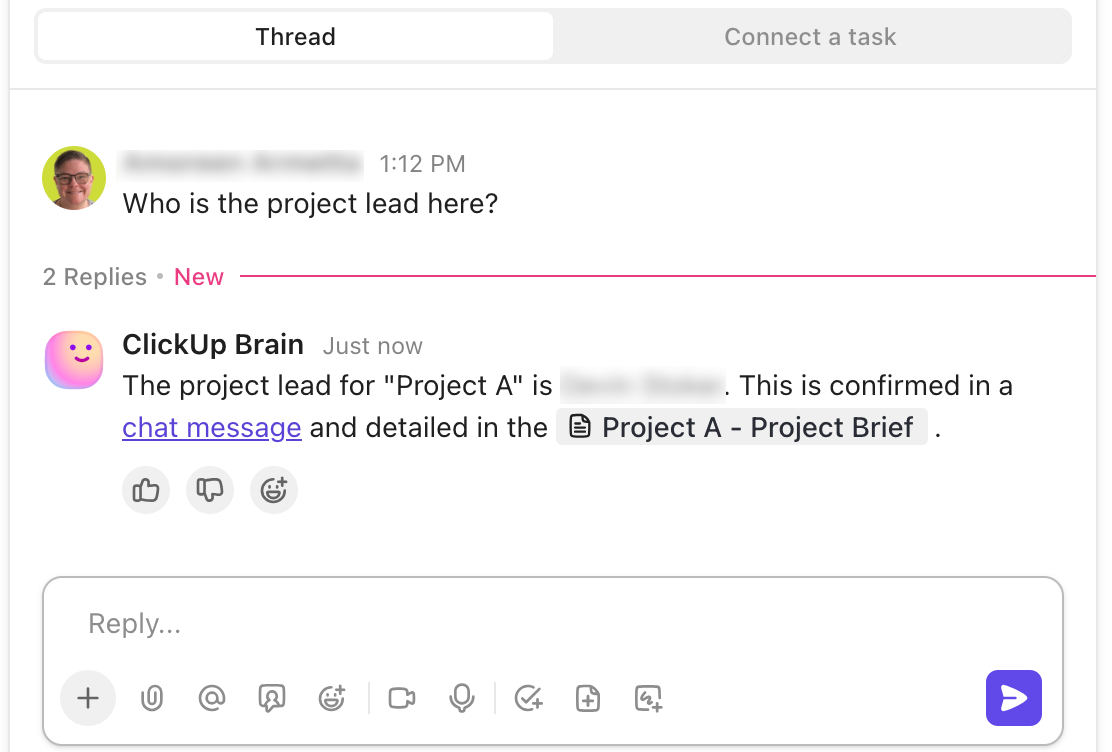
Client context is often the most fragile part of the system.
Important information lives in:
A practical first step is to ask agents to watch the places where real work happens and keep a living record that humans can trust.
For example:
This isn’t about replacing the person who owns the relationship. It’s about ensuring the story of the relationship survives handoffs, vacations, and org changes.
📘 Also Read: 8 Step Client Onboarding Process with Templates
Most teams have the signals for client health. They just live in too many places.
You might have:
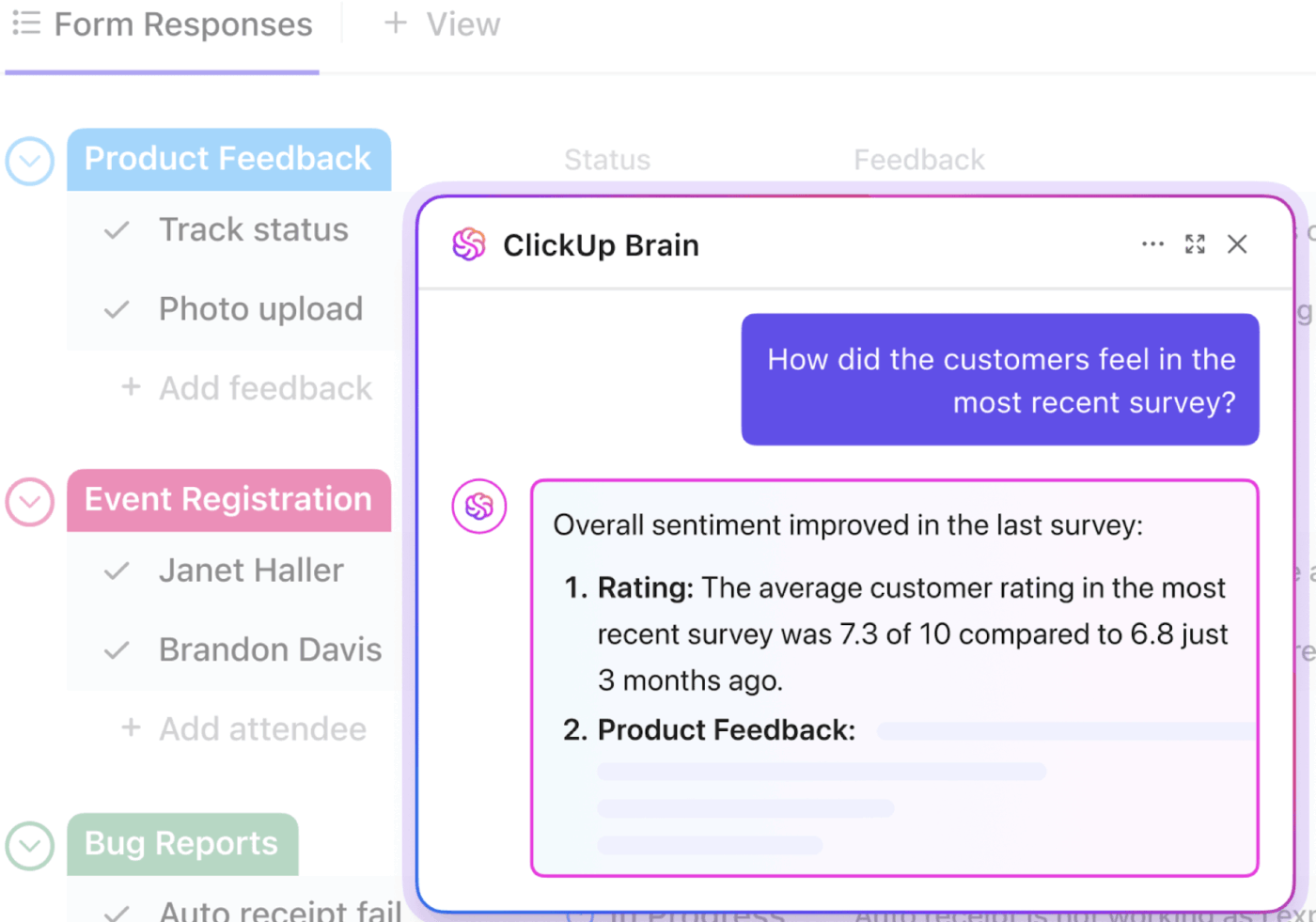
Agents can help by:
The important thing isn’t that an agent replaces the human judgment on whether a client is at risk. It’s the agent that makes it much harder for real signals to go unnoticed until it’s too late.
📮 ClickUp Insight: 83% of knowledge workers rely primarily on email and chat for team communication—but nearly 60% of their day gets consumed by switching between these tools and searching for information.
With ClickUp, all your updates flow through one connected workspace. Start a task from a chat message, link it to the relevant doc, and never lose the thread again.
A surprising amount of client service work isn’t actually about serving clients. It’s:
These are precisely the kinds of tasks that burn people out and introduce inconsistency.
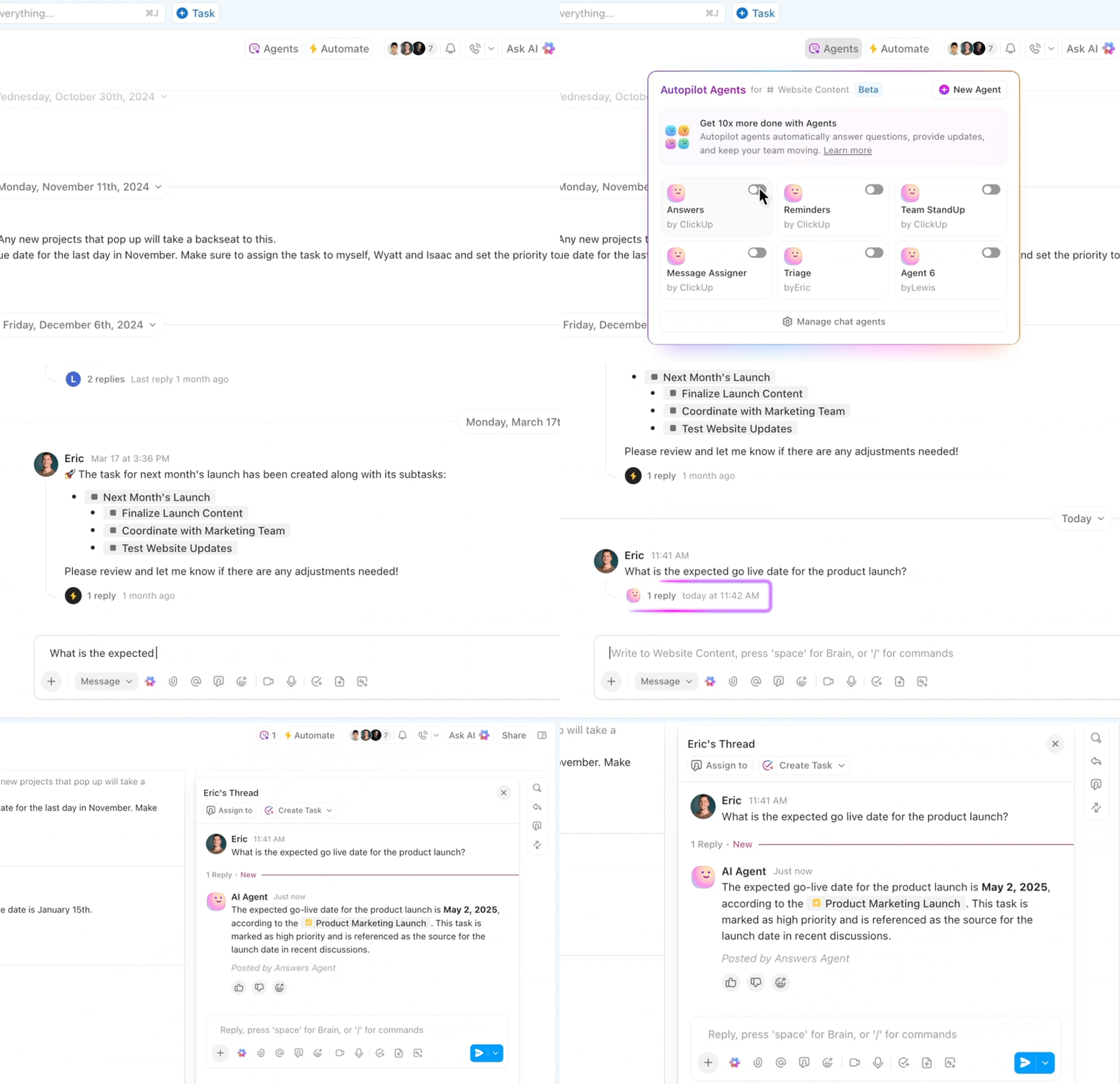
Agents embedded in your workspace can:
Done well, this gives humans more time for the conversations that actually move relationships forward.
💡 Pro Tip: Start with coordination tasks, not client-facing ones. Let agents prove their value on internal work before you trust them with anything a customer will see.
AI teammates built for client work
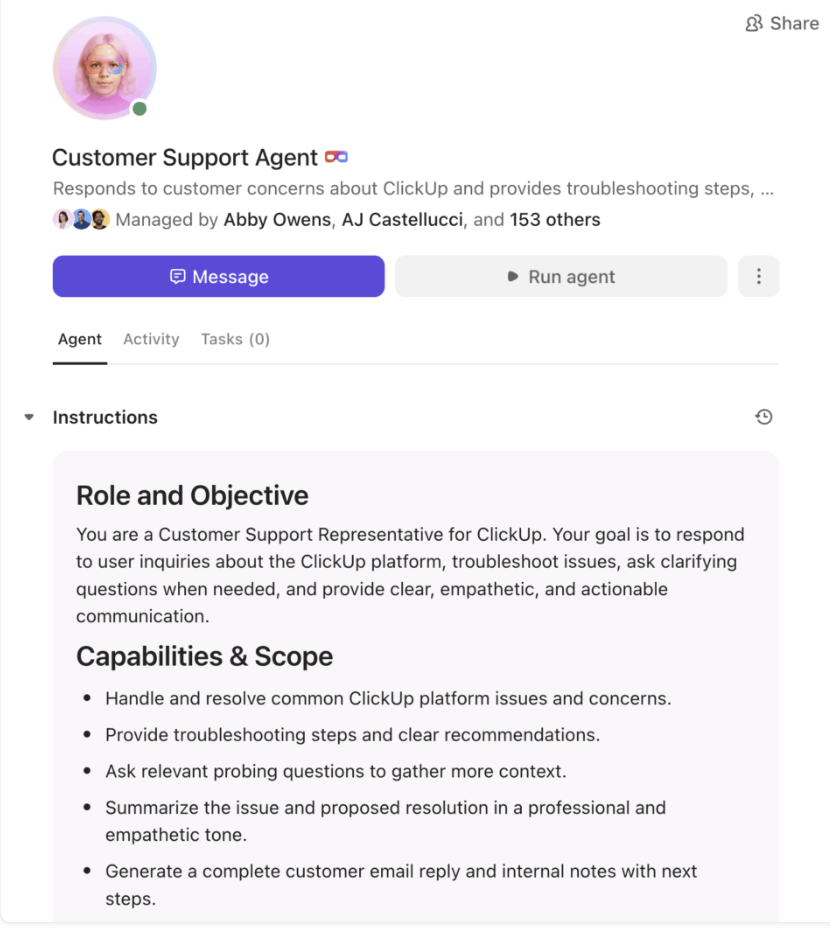
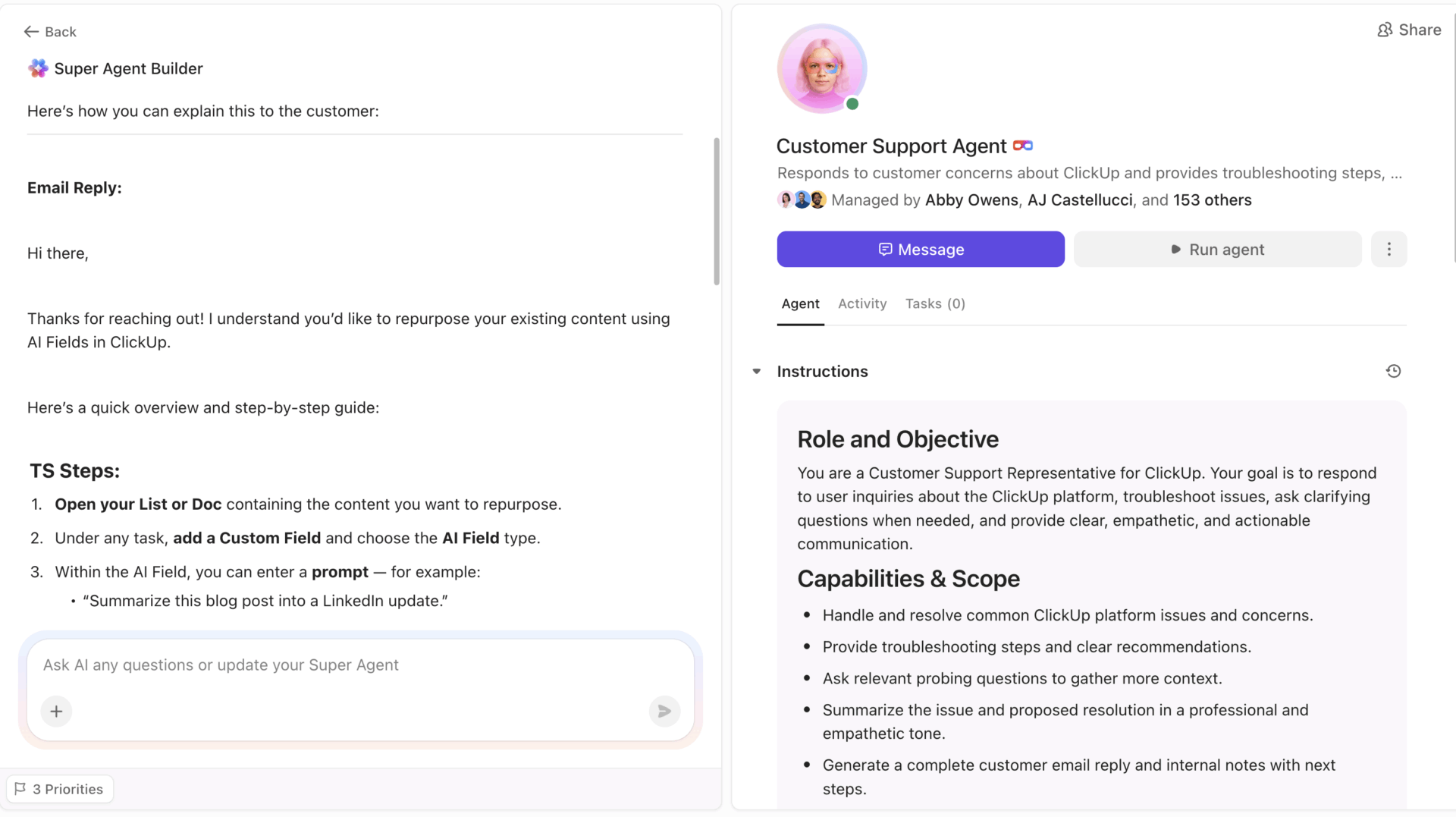
Super Agents act like real members of your client delivery team. They join your ClickUp workspace as AI-powered teammates, able to read tasks, docs, and conversations, then take action with full context. You can assign them to projects, tag them in threads, and let them handle the work that normally eats up your team’s time: follow-ups, prep, coordination, documentation, and routine handoffs.
They aren’t bots bolted onto your tools. They operate inside the same system of record your team already uses, which means their actions are informed, contextual, and consistent. And because Super Agents are built with human-like skills such as scheduling, writing updates, escalating issues, updating wikis, and preparing agendas, they support client delivery without ever replacing the human connection behind it.
For leaders, this means every agent you deploy has a clear job, a measurable outcome, and the guardrails you choose. They’re force multipliers that help your team show up more prepared, not less human.
There are places where you want to move slower, not faster.
If your goal is to strengthen relationships—not just drive down handle time—you need clear red lines for where agents should not be in the lead.
A few examples:
A practical way to encode this is simple:
Let agents touch everything that makes humans better prepared. Keep humans in front of anything that materially changes the relationship.
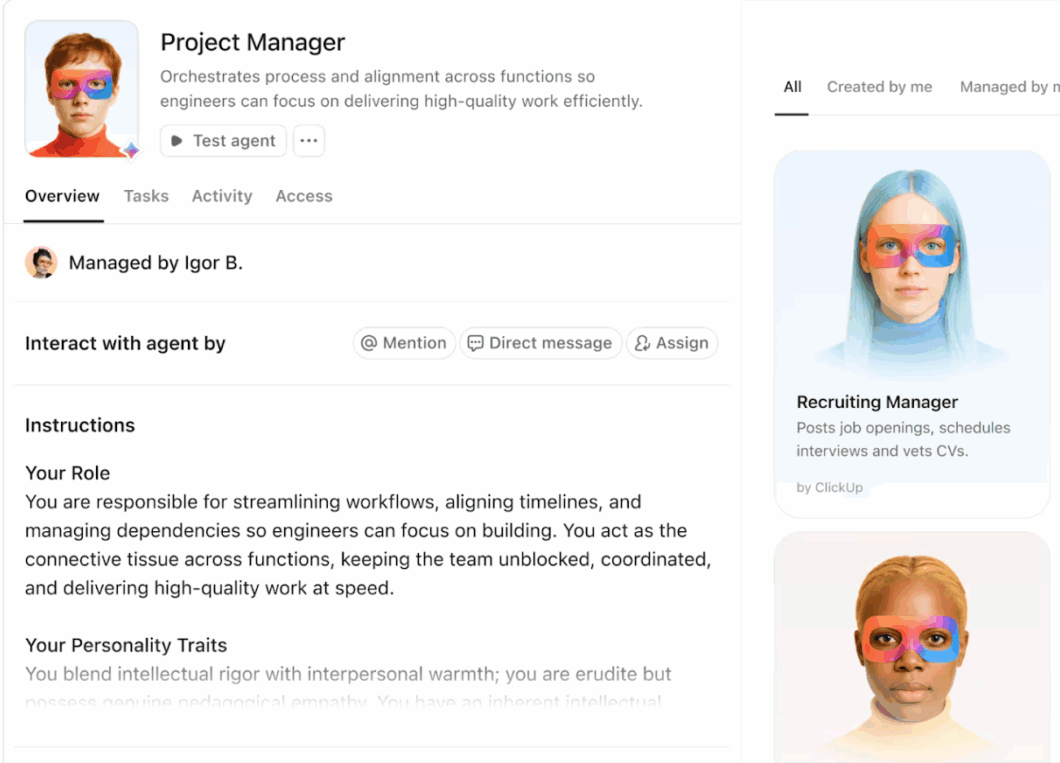
The best agent patterns in client service treat agents less like generic helpers and more like specific teammates.
Instead of one do-everything assistant, you define clear roles:
Each role has:
This approach makes a few things easier:
Over time, you can connect these roles into more ambient patterns, where multiple agents quietly maintain the client experience. You earn that complexity. You don’t start there.
🧠 Fun Fact: In ClickUp, Super Agents can join your workspace like real coworkers. You can @mention them in a task or DM them in Chat, and they’ll respond with full context from your tasks, docs, and conversations.
📘 Also Read: How to Build an AI Agent for Better Automation
Once you start running agents on client workflows, something interesting happens. The workflow is no longer the bottleneck. Input quality is.
Your client-facing teams have insights. They just don’t always have time to type them out between meetings. And the best context isn’t the polished summary—it’s the raw “wait, I think there’s something here” moment that disappears if you don’t capture it fast.
That’s where voice input changes the equation.
With ClickUp BrainGPT and Talk-to-Text, client service teams can drop notes, updates, and observations straight into tasks and docs before the thought cools. No friction. No “I’ll write this later.” No lost context.
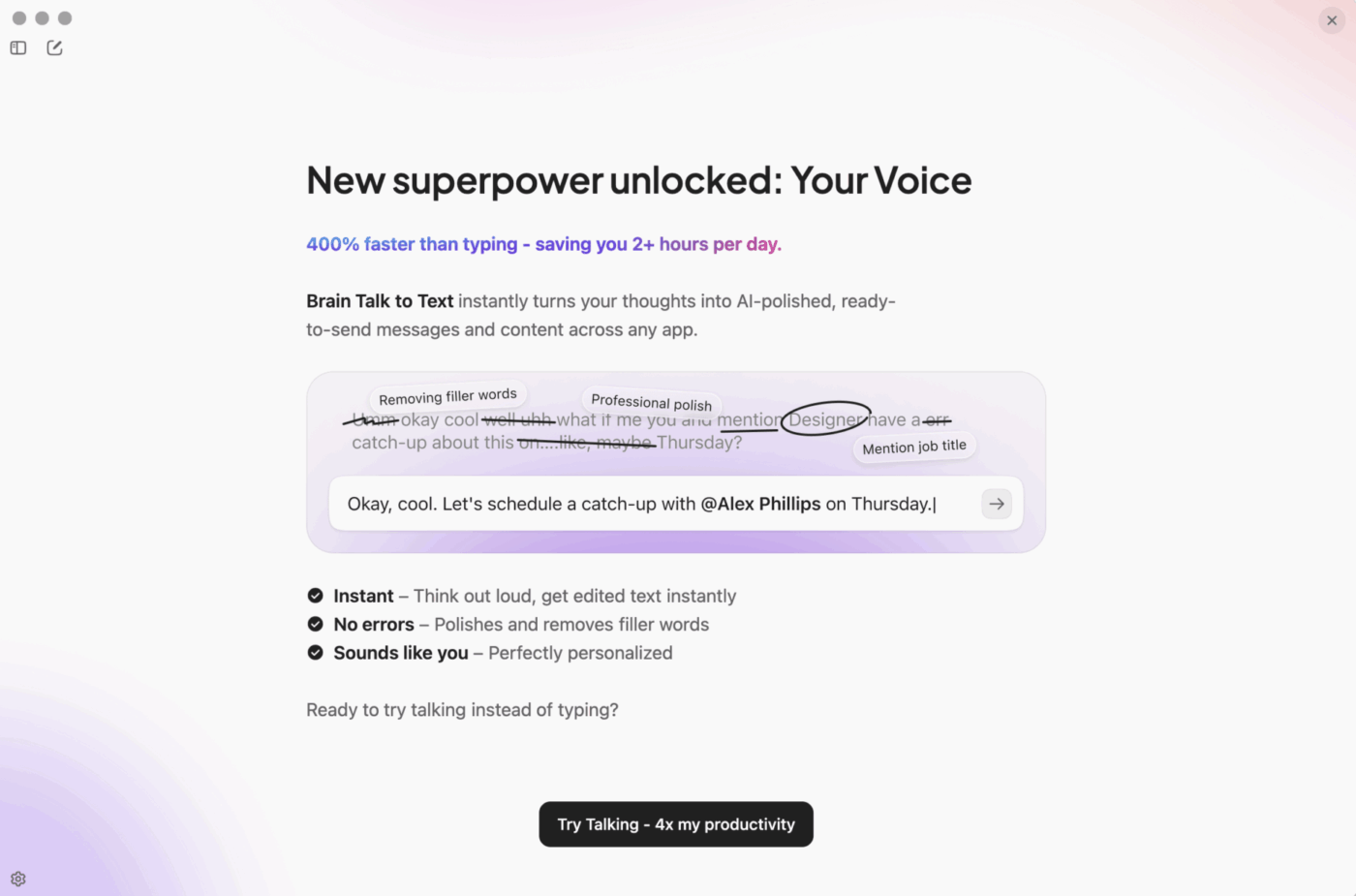
The downstream effect is real: better raw input → better agent analysis → better prepared humans → better client outcomes.
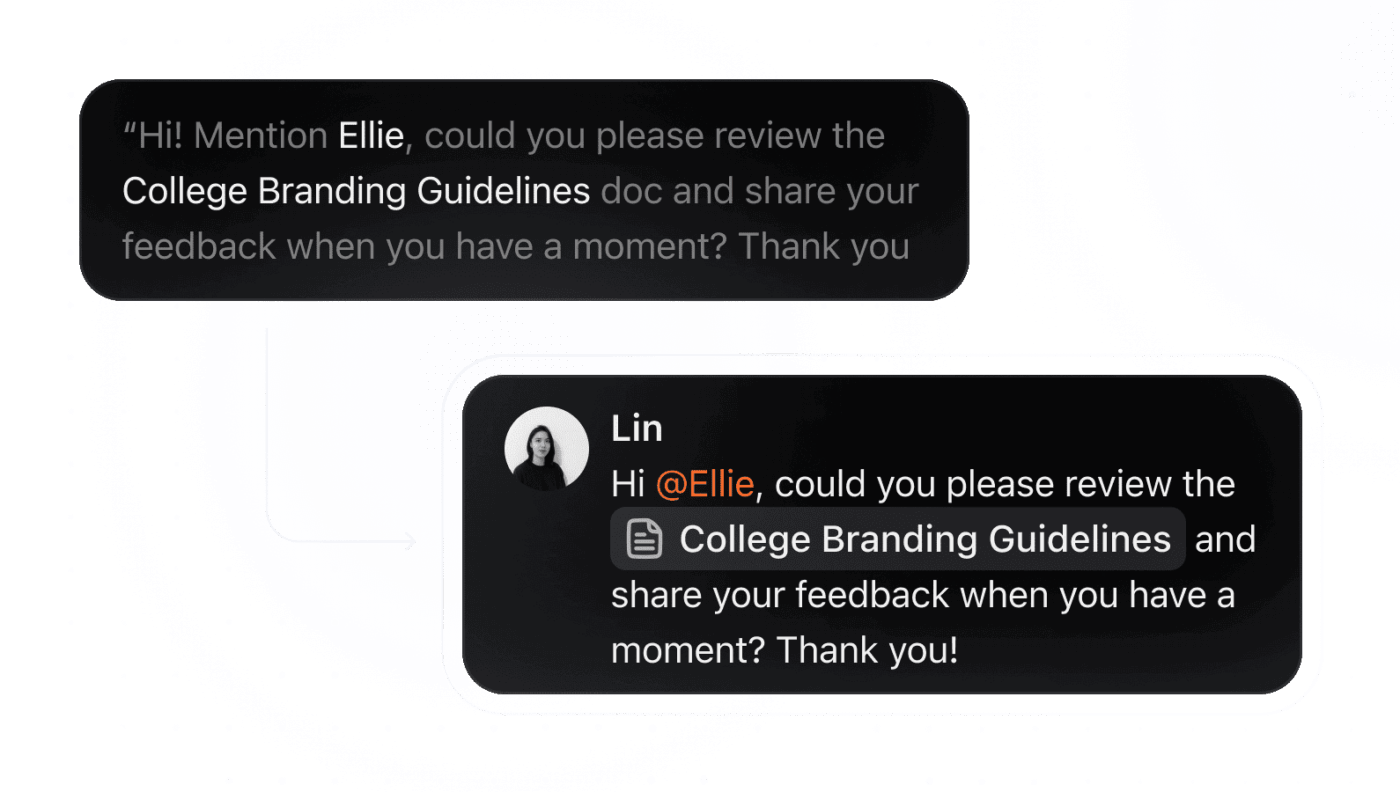
The agent doesn’t just get more information. It gets more accurate information—closer to how your team actually thinks before they refine it.
If you’re a client service leader trying to move from AI talk to AI that actually helps, you don’t need a forty-page strategy deck.
You need a small, honest plan.
Here’s one way to start:
Pick one client journey that matters. Onboarding for new customers. Strategic renewals. High-touch support for your top tier.
Map the actual workflow, not the ideal one. Where do people take notes? Where do decisions get recorded? Where do handoffs usually fall apart?
Identify two or three places where agents could help right now. Keeping shared context current. Preparing humans for key conversations. Pulling signals into a simple health view.
Design one small, mission-driven agent for each of those jobs. Name the agent. Define what good looks like. Decide who owns reviewing its work.
Run it with a small group of accounts before you go wide. Ask the humans doing the work: did this actually help? Did it save time, reduce risk, or make clients feel more cared for?
Write down what you learn and adjust. Which prompts were vague? Which data was missing? Which outputs did people trust without thinking, and which did they double-check?
If this feels unglamorous, that’s a good sign. The point isn’t to launch the most ambitious AI project on paper. The point is to establish a rhythm where agents and humans mutually improve each other week after week.
💡 Pro Tip: Human review isn’t optional. Agents accelerate work, but humans elevate it. The best systems pair the two intentionally.
There’s a temptation to treat AI in client service as a binary choice.
Either you keep everything fully human and risk falling behind. Or you let agents take over and hope the experience doesn’t get worse.
That framing misses the real opportunity.
The most interesting work happening right now lives in the middle:
If you’re responsible for client delivery, you don’t need to become an AI researcher. You need to be clear-eyed about where agents can genuinely help your teams and your clients.
Start small. Pick one journey. Design agents like teammates with real jobs. Protect the moments where only a human should speak for your company.
If you do that consistently, you move beyond simply “adding AI” to client service. You build a system where your best people and your best agents work together in ways your clients can feel.
Ready to see what this looks like in practice? Try ClickUp for free.
Pick one high-value client journey—like onboarding or renewals—and map where context gets lost, or coordination breaks down. Design a narrow agent for one specific job (keeping notes current, flagging risk signals, prepping meeting agendas) and test it with a small group before expanding.
Agents should handle coordination and context: updating records, surfacing signals, preparing agendas, and tracking follow-ups. Humans should own anything that materially changes the relationship: difficult conversations, commercial negotiations, and emotionally charged situations where tone matters.
Set clear guardrails. Agents can prepare context and suggest responses, but should not send client-facing communications autonomously—especially for high-stakes or emotionally sensitive situations. Build in human review for anything that could materially impact the relationship.
You need three things: repeatable documented workflows (even imperfect ones), work that’s at least partly converged in a shared workspace, and leadership willing to invest in testing and iteration rather than treating AI as a one-time deployment.
Ask the humans doing the work. Did the agent save time? Reduce risk? Surface something they would have missed? Track leading indicators like prep time for meetings, context gaps during handoffs, and early risk detection rates alongside client satisfaction metrics.
Agents work best when your core work is converged in one workspace. If context is scattered across ten tools, you’ll spend more time on integrations than on actual client outcomes. Start by bringing your key workflows together, then layer agents on top.
You can see early wins within weeks if you start a narrow, one-journey, one-agent, one-clear-job. Broader transformation takes months of iteration. The key is building a rhythm of small improvements rather than waiting for a perfect rollout.
Starting too broad. Teams try to automate everything at once, then wonder why nothing works well. The best results come from narrow agents with tight missions that prove value before you expand scope.

© 2026 ClickUp




