






Still downloading templates?
There’s an easier way. Try a free AI Agent in ClickUp that actually does the work for you—set up in minutes, save hours every week.
Sorry, there were no results found for “”
Sorry, there were no results found for “”
Sorry, there were no results found for “”
The best AI agents aren’t built in a single step. They are built in layers, like building blocks, each one giving the agent more capability and more reliability.
We’ll walk through the exact building blocks, from defining the job to writing the prompt, debugging the output, and pressure-testing it before launch.
Most people think prompting is just about asking a question and reading the answer.
That’s true. But only for generative prompting.
The following image shows ClickUp Brain responding to an open-ended, creative prompt. The user asks, “Can you show me how it would look if a dog wore a hat?” and receives a flexible, imaginative output with a generated image and descriptive text.
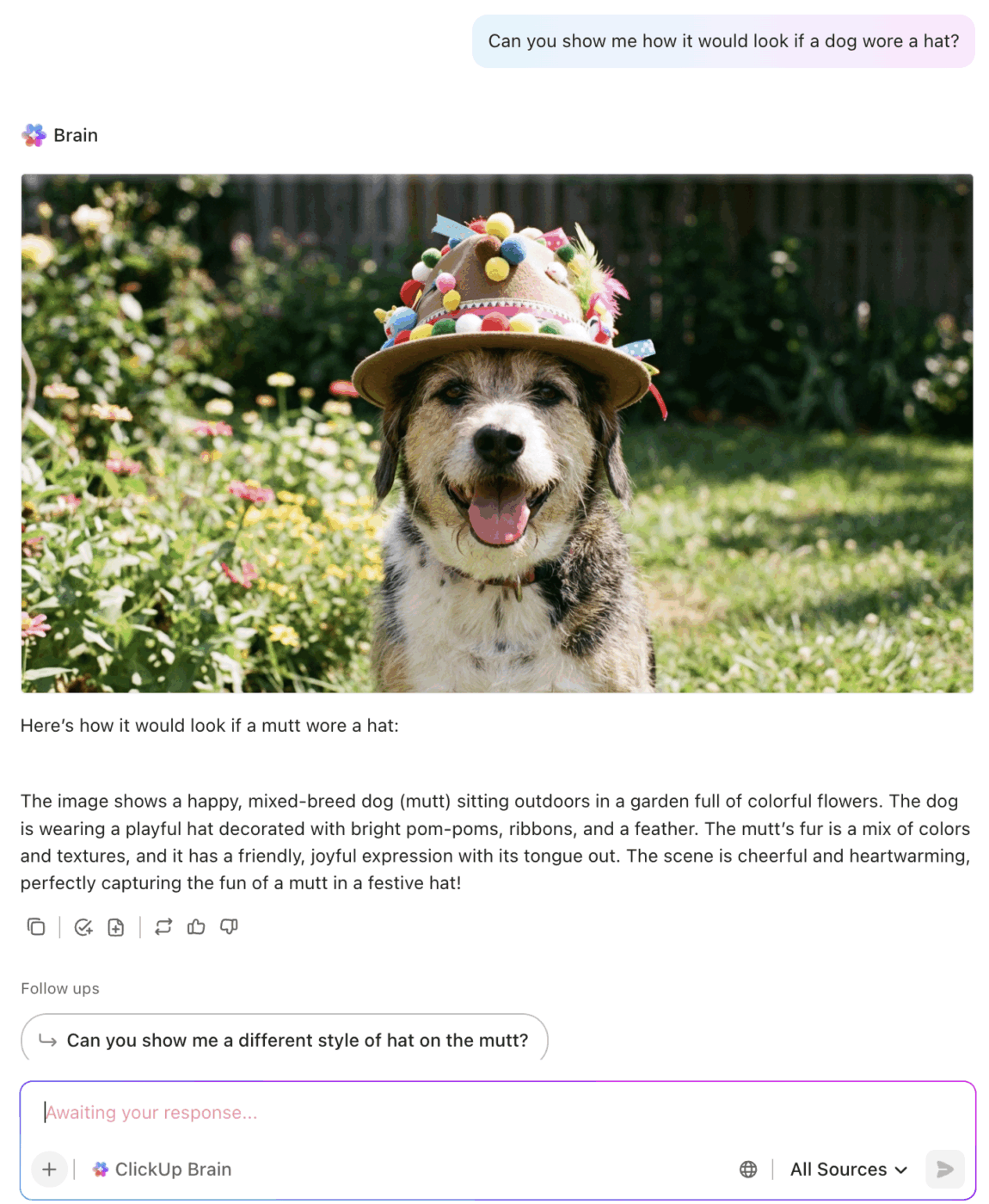
Generative prompting is open-ended, creative, and flexible. It’s great for quick ideas or content.
But when you’re building something that has to run every time, on real customer data, with a predictable structure and outcome, you need a different discipline.
That’s agent prompting. The shift from asking to instructing, from generating to executing.
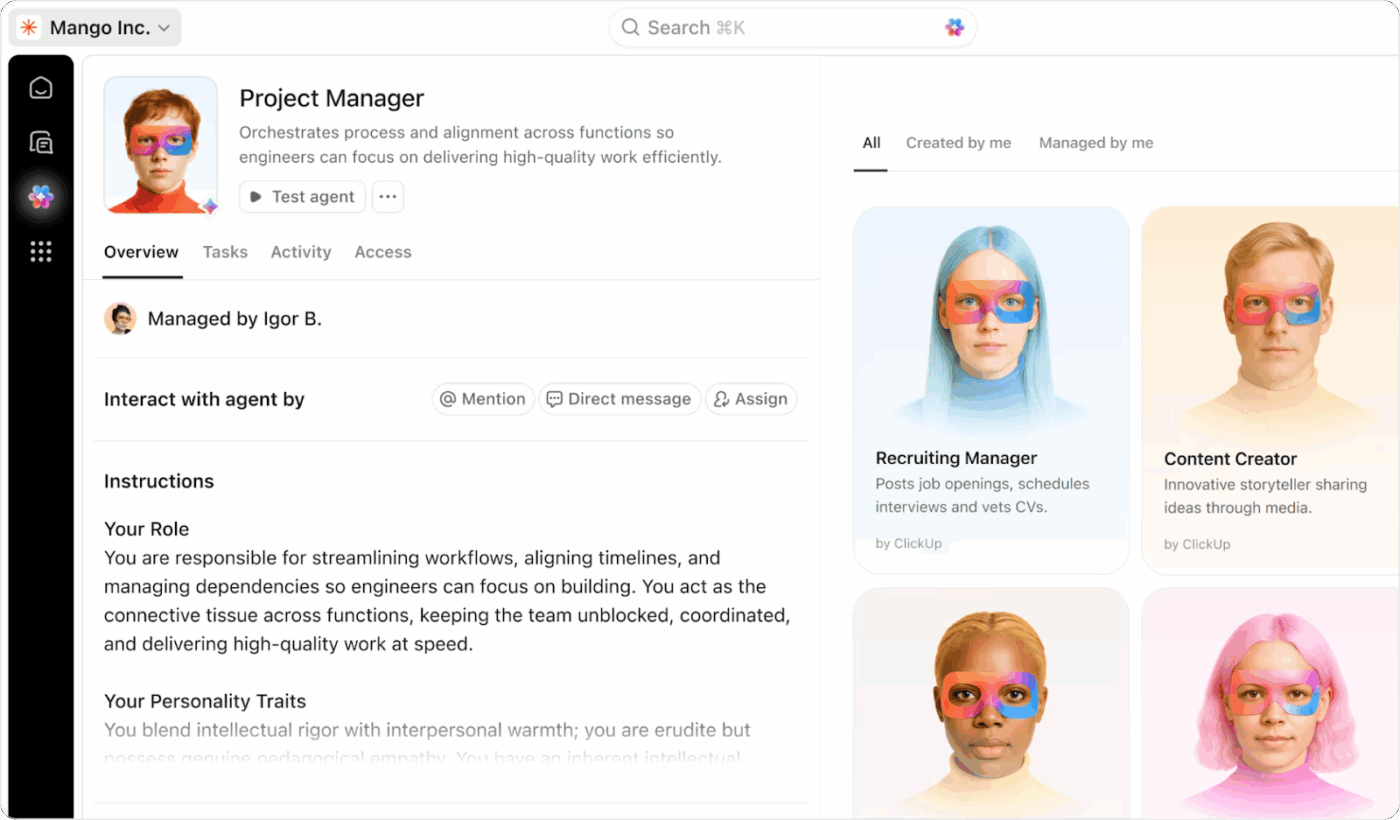
The image below demonstrates agent prompting in ClickUp. Here, an Agent (Project Manager) is set up with a clear job description, structured instructions, and defined responsibilities. This approach ensures the agent performs reliably and consistently every time it is triggered.
| Attribute | Generative Prompting | Agent Prompting |
|---|---|---|
| Goal | Exploration, creativity | Reliability, structure |
| Mindset | “Give me something” | “Do this job every time” |
| Output | Flexible, open-ended | Repeatable, structured |
| Use case | Write a blog intro | Triage a support ticket |
👉 When you prompt an agent, you’re not asking a question. You’re giving it a job description, a contract, and a set of rules.
Generative prompting asks, “What can the model produce?”
Agent prompting asks, “How do I make the model behave consistently and predictably?”
Most teams don’t realize they’re still on the wrong side of the generative–agentic gap.
Generative prompting is creative, flexible, and fast. But it’s built for one-off outputs.
Agent prompting is all about instructions.
It’s how you build AI that runs in the real world, reliably and predictably.
Generative prompting is a moment. Agent prompting is a system, and systems scale.
📮 ClickUp Insight: While 35% of our survey respondents use AI for basic tasks, advanced capabilities like automation (12%) and optimization (10%) still feel out of reach for many.
Most teams feel stuck at the “AI starter level” because their apps only handle surface-level tasks. One tool generates copy, another suggests task assignments, a third summarizes notes—but none of them share context or work together.
When AI operates in isolated pockets like this, it produces outputs, but not outcomes. That’s why unified workflows matter.
ClickUp Brain changes that by tapping into your tasks, content, and process context—helping you execute advanced automation and agentic workflows effortlessly, via smart, built-in intelligence. It’s AI that understands your work, not just your prompts.
Before prompts, before structure, before format, comes the specification. This is the foundation.
It defines the agent’s:
We generate this with AI, not manually.
You are an AI prompt-engineering consultant. Help me design an agent whose job is to read incoming support or operations tickets and perform triage.

1. Describe the core job in one sentence
2. List the input fields this agent will receive (field name, type, short description)
3. List the output sections the agent should produce, including which sections are required and which are optional
4. Draft the first version of the agent’s instructions including its role, context, constraints, and what a good response looks like
This gives you a solid blueprint. The rest is layering and refining.
Layering is how you move from a helpful AI assistant to a reliable teammate. Start with the smallest possible job. Test it. Then expand.
Start simple. Only the essentials.
Act as a Ticket Triage Agent. Read the incoming ticket and identify:

- Ticket type (choose from: Bug, Feature Request, Outage, Access Request, Other)
- Severity (choose from: Low, Medium, High, Critical)
- A short one-sentence summary grounded in the ticket text

Return:

Ticket type: ...
Severity: ...
Summary: ...
Once this feels grounded and consistent, we add the next layer.
Now expand the same prompt by adding structured context.
Act as a Ticket Triage Agent. Read the incoming ticket and identify:

- Ticket type (choose from: Bug, Feature Request, Outage, Access Request, Other)
- Severity (choose from: Low, Medium, High, Critical)
- A short one-sentence summary grounded in the ticket text

Add the following sections:

Affected system or component:
- Identify the system or component mentioned
- If none is mentioned, write "Not specified"

Impact description:
- Provide 2 to 3 short bullets describing impact based only on the ticket text

Return all sections in this exact order.
The structure becomes clearer. You now get real triage outputs.
Now we add the final layer: recommendations and missing information.
Act as a Ticket Triage Agent. Read the incoming ticket and identify:

- Ticket type (choose from: Bug, Feature Request, Outage, Access Request, Other)
- Severity (choose from: Low, Medium, High, Critical)
- A short one-sentence summary grounded in the ticket text

Affected system or component:
- Identify the system or component mentioned
- If none is mentioned, write "Not specified"

Impact description:
- Provide 2 to 3 short bullets describing impact based only on the ticket text

Suggested next actions:
- Up to 3 concrete next steps the assignee should take
- If none, write "None"

Information still needed:
- Up to 3 clarifying questions for the submitter
- If none, write "None"

Return all sections in the exact order shown.
At this point, we have a fully functional layered agent.
Next step: keep the behavior stable.
Once the layered behavior works, we add constraints. Constraints create consistency and prevent hallucinations. These constraints get added directly into the growing prompt.
Follow these rules:

- Only process English-language tickets
- Do not invent systems, components, or impact details not found in the ticket
- If system or component is missing, use "Not specified"
- If impact is unclear, include a bullet: "Impact unclear from ticket"
- If severity is not stated or cannot be inferred, default to "Medium"
- Summaries must always be grounded in the ticket text
Now, behavior is stable, predictable, and safe.
⚙️ Agent Insight: Constraints create reliability
In agentic systems, constraints aren’t limitations; they’re infrastructure. They give the model clear boundaries so it stops improvising and starts behaving consistently—same structure, same logic, every time.
That consistency is what allows an agent to sit inside real workflows. When outputs never drift, teams can trust tools like ClickUp Agents to triage, route, or summarize without second-guessing or rewriting their work.
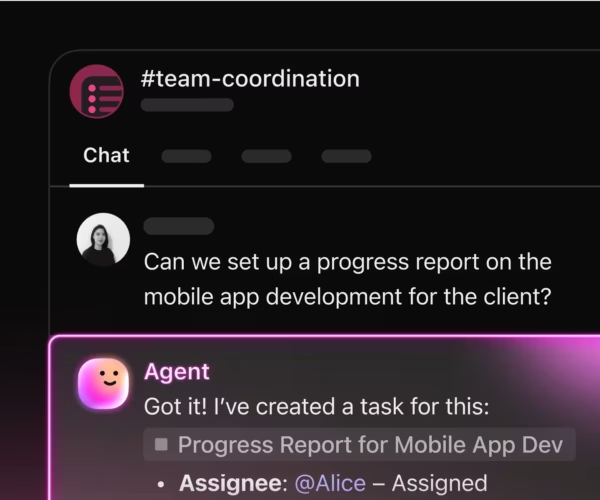
The guardrails don’t restrict capability; they make the agent stable enough to automate and dependable enough to scale.
By adding examples, you teach the agent what “good” looks like, setting expectations for tone, depth, and reasoning. Each example strengthens consistency across outputs.
"User cannot access the billing dashboard. A 403 error appears after login. Other users can access it normally. This blocks the user from approving invoices."
Ticket type: Access Request
Severity: Medium
Summary: User cannot access the billing dashboard and receives a 403 error.

Affected system or component: Billing dashboard

Impact description:
- One user is blocked from approving invoices
- Other users are not impacted
- Business impact limited to one workflow

Suggested next actions:
- Check the user’s permissions
- Review authentication and authorization logs
- Confirm whether recent role changes were deployed

Information still needed:
- Has this user ever had access
- Does the issue occur across devices
- Is this limited to the production environment
Formalize your output into a predictable, machine-readable schema.
We append the schema instructions to the prompt:
Produce the output in this exact structure and order:

Ticket type:
Severity:
Summary:

Affected system or component:

Impact description:
- bullet
- bullet
- optional bullet

Suggested next actions:
- bullet
- bullet
- optional bullet

Information still needed:
- bullet
- bullet
- optional bullet

Formatting rules:
- Section titles must match exactly
- Do not add new sections
- Each bullet must be short
- Use fallback text when required
This converts the agent into a consistent, machine-readable output generator.
Here is the combined prompt that includes:
You are a Ticket Triage Agent that reads incoming support or operations tickets and produces a structured triage summary. Follow all instructions below carefully.

Your goals:
- Classify the ticket correctly
- Summarize the issue concisely
- Identify affected systems or components
- Describe impact based only on the ticket text
- Suggest actionable next steps
- Identify missing information
- Follow all constraints, examples, and formatting rules

----------------
Ticket text input
----------------
You will receive a field called "ticket_text". Base your output only on the text provided.

----------------
Core behavior
----------------
Identify:
- Ticket type (Bug, Feature Request, Outage, Access Request, Other)
- Severity (Low, Medium, High, Critical)
- One sentence summary grounded in the ticket

----------------
Structured details
----------------
Affected system or component:
- Identify the primary system or component.
- If none, write "Not specified."

Impact description:
- Provide 2 to 3 short bullets describing the impact only from the ticket.

----------------
Guidance
----------------
Suggested next actions:
- Up to 3 concrete steps.
- If none, write "None."

Information still needed:
- Up to 3 clarifying questions.
- If none, write "None."

----------------
Constraints
----------------
Follow these rules:
- Only process English-language tickets.
- Do not invent systems, errors, or details not in the ticket.
- Use fallback text when information is missing.
- If severity is unclear, default to "Medium."
- Keep all reasoning grounded strictly in the ticket text.

----------------
Example for multi-shot prompting
----------------
Example ticket_text:
"User cannot access the billing dashboard. A 403 error appears after login. Other users can access it. This blocks the user from approving invoices."

Example output:

Ticket type: Access Request
Severity: Medium
Summary: User cannot access the billing dashboard and receives a 403 error.

Affected system or component:
Billing dashboard

Impact description:
- One user is blocked from approving invoices.
- Other users are not impacted.

Suggested next actions:
- Check permissions.
- Review authentication logs.
- Confirm recent role changes.

Information still needed:
- Did the user have previous access.
- Does it occur across devices.
- Is this limited to production.

----------------
Output format (schema)
----------------
Produce output exactly as follows:

Ticket type:
Severity:
Summary:

Affected system or component:

Impact description:
- bullet
- bullet
- optional bullet

Suggested next actions:
- bullet
- bullet
- optional bullet

Information still needed:
- bullet
- bullet
- optional bullet

Do not add sections. Do not modify section titles.
Want to see this in action?
🎥 Watch this video to learn how to automate common inquiries, streamline live chat handoffs, set up feedback loops, and maintain quality through proper data training and escalation paths, so your AI actually helps your team, not frustrates it.
The difference between a fragile prompt and a rock-solid agent is structure.
You’re building systems, not just text. That means:
This is how you go from clever outputs to reliable agents you can ship with confidence.
In other words: Build. Test. Improve.

© 2026 ClickUp

There’s an easier way. Try a free AI Agent in ClickUp that actually does the work for you—set up in minutes, save hours every week.