


As a project manager, you’re no stranger to juggling multiple projects, each with a zillion tasks and deadlines. This can become overwhelming. And like a chess grandmaster, you need to carefully calculate and time each move and plan for all its possible repercussions. ♚
In such situations, task analysis offers clarity of thought by breaking down complex activities into smaller, more manageable parts.
A focused approach makes understanding, optimizing, and delegating responsibilities easier. It also allows you to identify patterns, improve efficiency, track project progress, and enrich the client experience.
This guide will explain how to conduct a task analysis to create a smoother, more efficient workflow. Let’s begin! 🤖

 Summarize this article for me please
⏰ 60-Second Summary
1. What is a task analysis, and why is it conducted?
Task analysis breaks down complex activities into manageable steps, clarifying roles and objectives and boosting productivity in fields such as business, healthcare, and UX design.
2. How to conduct a task analysis?
- Step 1: Define the purpose and scope
- Step 2: Collect relevant data
- Step 3: Outline tasks/subtasks
- Step 4: Observe task performance
- Step 5: Analyze data
- Step 6: Document findings
- Step 7: Review findings
- Step 8: Implement changes with ClickUp Automations and monitor outcomes.
3. Applications of task analysis across industries:
Task analysis improves efficiency and workflows in education, healthcare, UX, software development, event management, and recruitment.
4. Challenges in conducting a task analysis:
Issues like lack of clear goals, information gaps, complexity in task breakdown, and stakeholder communication can be solved with productivity tools like ClickUp. ✅
How to Conduct a Task Analysis: Steps, Tools, and Applications
- ⏰ 60-Second Summary
- What Is a Task Analysis?
- Types of Task Analysis
- Why Conduct a Task Analysis?
- A Step-by-Step Guide on How to Conduct a Task Analysis
- Step 1: Define the purpose and scope
- Step 2: Collect relevant information
- Step 3: Determine the task and subtask
- Step 4: Observe task performance
- Step 5: Analyze the collected data
- Step 6: Prepare a task analysis document
- Step 7: Review and validate the analysis
- Step 8: Implement changes and monitor outcomes
- Real-World Examples of Task Analysis
- Common Challenges in Task Analysis
Summarize this article for me pleaseWhat Is a Task Analysis?
A task analysis consists of breaking down complex tasks into smaller, actionable components. It is a divide-and-conquer approach to completing tasks.
The process is part of task management that sheds light on the task structure, requirements, and every step involved.
Such a systematic breakdown, followed by mapping smaller components, clarifies roles, assigns responsibility, permits delegation, and ensures accuracy. This ensures that each team member understands their role and contributes to the larger goal.
It also functions as a process analysis tool since teams use it to identify potential areas of improvement and develop consistent methods for future tasks.
Role of task analysis in various fields
While task management is easy to visualize in software development or event management, it’s an integral part of most business activities.
Here’s how it is used in different sectors/activities:
- Education: Break down educational courses or training programs into smaller, teachable steps, allowing for effective lesson planning and personalization for a richer learning experience ✅
- Business: Streamline workflows, identify employees’ training needs, and improve workforce performance through standardized processes ✅
- Recruitment: Aid recruiters and HR professionals in identifying skill gaps and articulating job descriptions using job task analysis to match applications and identify top talent precisely and effectively ✅
- Software development: Divide the development process into smaller units to support smooth collaboration among team members and departments, driving productivity and code quality in record time ✅
- UX design: Share insights into user needs and behaviors by analyzing tasks involved in improving usability, user experience, and the design thinking process ✅
- Healthcare: Support accurate diagnoses, personalized patient care plans, and training protocols for new procedures ✅
- Event management: Optimize every stage of planning and execution of event management, such as vendor coordination, venue setup, guest management, etc., to meet deadlines, optimize resources, and deliver a memorable experience ✅
Summarize this article for me pleaseTypes of Task Analysis
Before we begin conducting a task analysis, we should understand the different types of task analysis.
The task analysis process is broadly categorized into two main types: cognitive task analysis and hierarchical task analysis. Both offer unique insights into the processes and a specialized approach to understanding and improving tasks. Let’s understand both in-depth.
Type 1: Cognitive task analysis
The cognitive task analysis focuses on the mental processes and decision-making steps in completing a task.
Understanding the thought patterns, problem-solving strategies, and cognitive skills involved while identifying skill gaps, training needs, or optimizations to enhance comprehension or usability is crucial. This makes this task analysis suitable for educational and training purposes or areas of UX design or recruitment.
Type 2: Hierarchical task analysis
With hierarchical task analysis, you split a task into smaller, manageable, individualistic components and map them in a structured hierarchy.
It offers a step-by-step structure that helps with work planning and delegation, followed by workflow optimization. Hierarchical task analysis is perfect for software development, project management, construction projects, and performance appraisals.
🧠 Fun Fact: In the late 19th century, early work method analyses pioneered by Frederick Taylor laid the groundwork for modern task analysis. Taylor’s studies aimed to maximize productivity by breaking down tasks to determine the most efficient way to perform jobs, like shoveling pig iron.
Summarize this article for me pleaseWhy Conduct a Task Analysis?
We’ve discussed how task analysis improves productivity, organization, and goal achievement. But how does it achieve this in the first place?
Understanding the why behind the process allows us to appreciate what task analysis brings. Here’s what makes it critical to project success:
- Breaking down tasks enables project teams to categorize tasks, identify redundancy, streamline workflows, and optimize processes to save time and resources ⚡️
- Creating clear, step-by-step guides assists new hires or team members in adhering to training programs and industry best practices while working on specific tasks 🛠️
- Enhancing existing documentation with rich, task-specific information ensures that all tasks are completed on time and accurately with minimal errors for higher quality 🎯
- Detailing task information and highlighting key data to guide the decision-making process and prioritizing tasks based on time, effort, and impact 🌟
- Assigning roles and responsibilities to team members and communicating these to minimize misunderstandings and promote smoother collaboration where more than one person is involved with a task 🤝🏼
Summarize this article for me pleaseA Step-by-Step Guide on How to Conduct a Task Analysis
Now that you understand the role of task analysis, let’s dive into the process. Remember, task analysis is a systematic process. As such, you need an equally well-structured and organized tool.
Luckily, you’ve got ClickUp.
ClickUp is a robust project management platform that clarifies each task’s requirements, sequence, and priority. So, let’s check out how to perform task analysis with ClickUp by your side:
Step 1: Define the purpose and scope
Any form of analysis requires a goal. So, the first step of task analysis starts by defining what you aim to accomplish along with the boundaries of the process. In simpler words, the objective and the scope.
Doing so clarifies the primary purpose while keeping the analysis actionable and focused as it contributes to the larger goal. It also influences resource allocation and maintains accountability among team members.

Use ClickUp Goals to set and track strategic goals. Quantify your goals along the SMART parameters. Set targets, assign responsibilities, and monitor real-time progress to stay focused on the primary objective and within the defined scope.
When your team goes off-track, carry out interventions and keep everyone aligned with the larger mission.
Step 2: Collect relevant information
You’ll want to collect data related to the current task status, processes, and potential improvements here. To access this, you may have to pore over existing documentation, workflow charts, past project reports, task analysis benchmarks, and performance evaluations.
You may also gather experiential knowledge or actionable insights from stakeholders involved in such tasks. Capturing data from such varied sources helps paint a clear picture of the tasks and processes.

ClickUp Forms is a great tool to collect feedback from stakeholders and team members. The feature lets you gather structured feedback from stakeholders and team members, ensuring critical insights are easily captured.
This input directly supports task analysis by highlighting pain points, improvement areas, and task efficiency from those most involved.

With ClickUp Docs, you can store, organize, and share key documents like workflow charts, past project reports, and relevant performance evaluations.
Within Docs, create sections for each category of information, making it easier to navigate and reference later. You can also link directly to Tasks, attachments, or external resources within ClickUp Docs, centralizing all relevant data for quick access.

Additionally, ClickUp Brain, an AI assistant, is invaluable for experiential knowledge and actionable insights. Use it as a hub to capture ongoing knowledge from stakeholders and team members.
You can useBrain to create entries for different tasks, processes, or projects, document key learnings and best practices from those actively involved. This makes information easy to access and encourages a knowledge-sharing culture across the team.
🔎 Did You Know? Around 25% of American and British companies use AI for routine administrative processes, including task analysis.
Step 3: Determine the task and subtask
Once you’ve completed the groundwork, it’s time to create a hierarchical task list. Define tasks at the highest level and break them into smaller steps until you describe the actionable subtasks.
Doing so will help you understand task requirements, dependencies, roles and responsibilities, and potential setbacks. When done right, you’ll know which tasks or steps are mission-critical, optional, and repetitive.
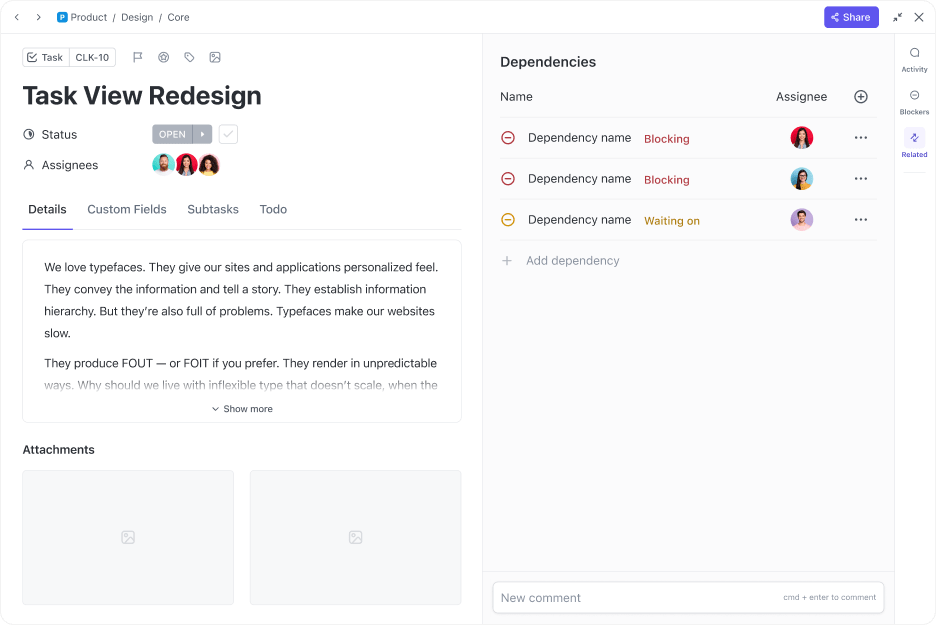
ClickUp Tasks and Subtasks allow you to decompose high-level objectives into smaller, more manageable portions. Map the main task with associated subtasks for a granular breakdown.
Then, assign each subtask to a team member, set due dates, and declare priority levels to maintain transparency and accountability, keep everything on track, and facilitate seamless coordination.
Step 4: Observe task performance
Upon outlining the tasks and subtasks, observe how your team approaches the task in real time.
Doing this will help you document the time required to complete a task, the specific steps involved, the sequence of activities to solve problems, the challenges and obstacles, and potential improvements. Use this to contrast planning and implementation to fine-tune task execution.
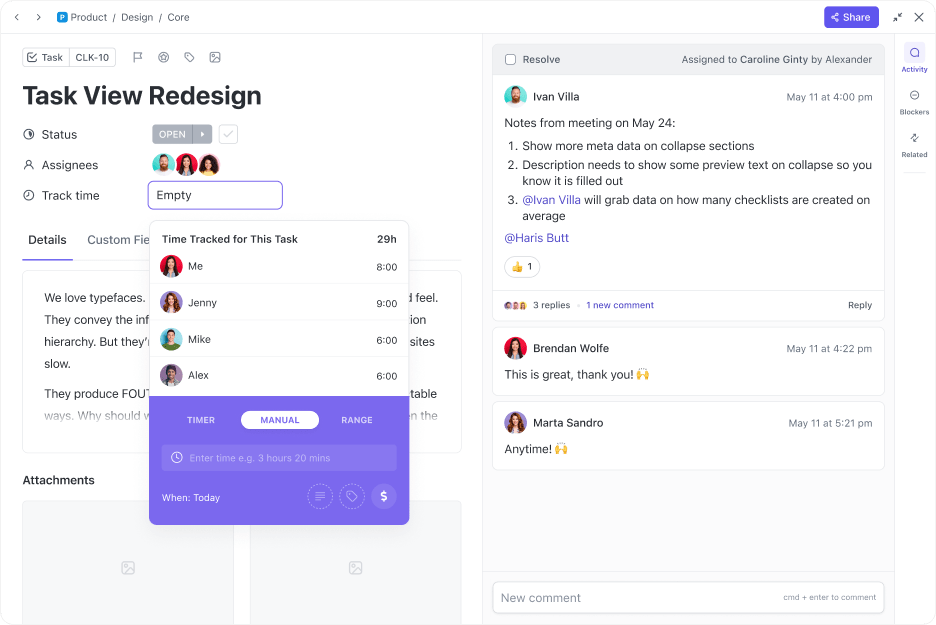
ClickUp’s Time Tracking feature allows you to measure the duration required for each task. Start, stop, and pause to get accurate time estimates for the period necessary for task completion.
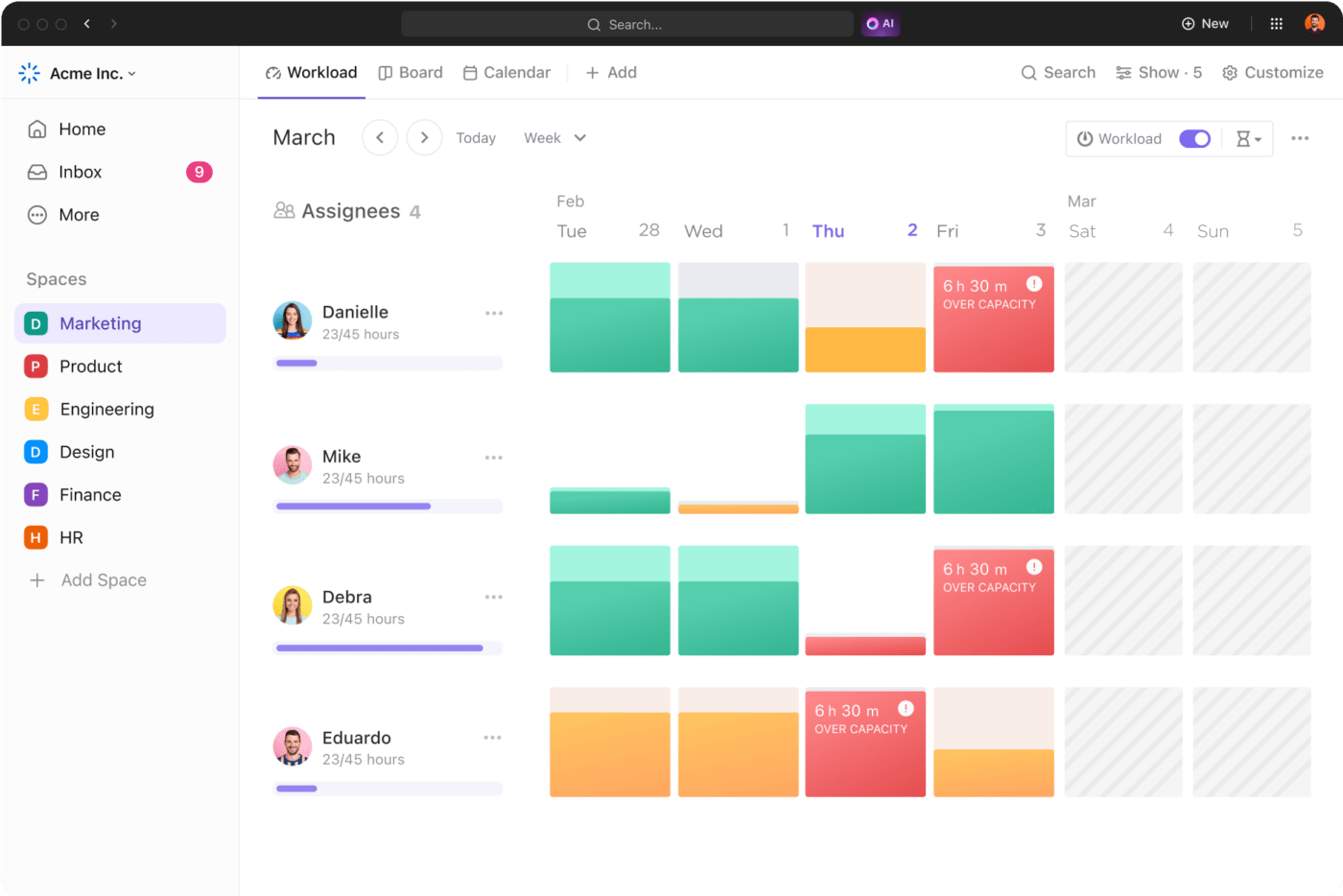
Similarly, the Workload View helps visualize the number of tasks employees perform, along with their capacity, productivity, and efficiency for that specific task.
With this view, identify the amount of work each team member has during a specified period, with options to choose them on a monthly or weekly duration. Plus, you can compare each person’s workload with their assigned capacity.
Step 5: Analyze the collected data
Now that you have a wealth of historical and real-time data, it is time to extract meaningful knowledge and actionable insights. After all, this data-driven task dashboard will fuel informed decisions on task modifications, redundancies, and resource allocation.
Deliberate on the time, effort, and resources used on each task. Evaluate if any of the tasks have room for automation. Look for any trends and patterns that accompany task execution. Essentially, you want to analyze ways to improve efficiency and productivity.

ClickUp Dashboards cut through the noise to translate your to-do list into actionable tasks. The rich and interactive dashboards display all the knowledge and insights from your observations and analysis so that you can focus on what truly matters.
Moreover, it lets you add custom widgets to measure metrics like task duration, team member productivity, tasks completed, and more. This makes it easier to spot trends, patterns, and outliers, powering data-driven decisions and proactive action.
Step 6: Prepare a task analysis document
Once you perform a detailed analysis, it is time to create a ClickUp Doc that records your findings. This Doc should include a summary of the tasks, a breakdown into subtasks, challenges identified, and adjustments made.
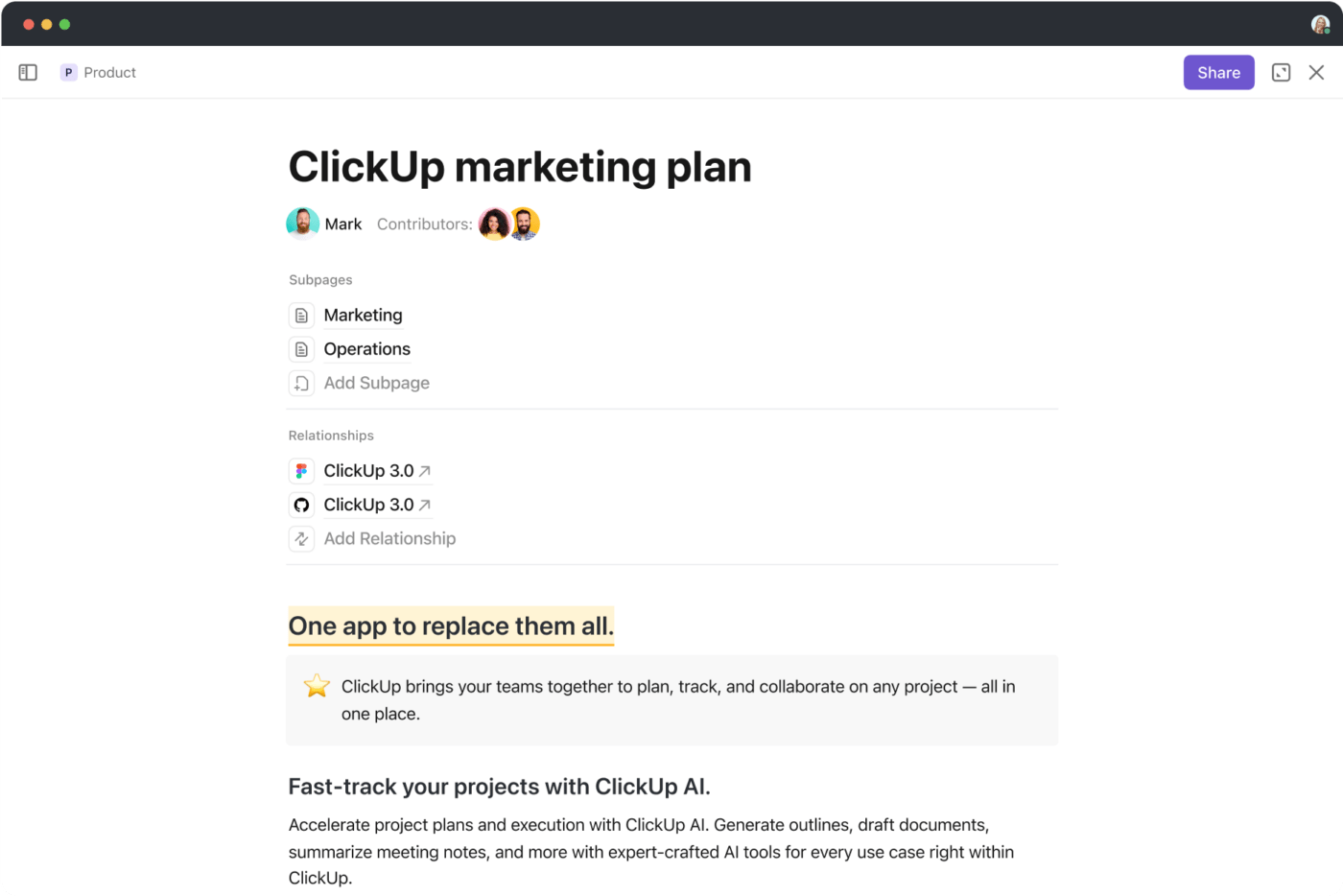
Once it’s complete, circulate it among stakeholders to give an overview of the analysis for specific tasks. It will also guide any future projects with similar tasks.
Step 7: Review and validate the analysis
Developing a task analysis document is just the beginning of an iterative process.
Once satisfied with the final draft, prepare a structured questionnaire for consulting stakeholders, such as clients, project managers, subject matter experts, and team members, for their feedback. They will review and validate your findings, adding another layer of accuracy and refinement. It also ensures alignment between key stakeholders.

ClickUp Chat is the perfect option for discussing the findings of the task analysis process.
Chat allows users to have contextual conversations in real time as they review the analysis document. Features like Comments and Mentions enable users to tag specific people for feedback on certain points, making it easier to have a focused interaction.
This communication tool also links every conversation between team members and stakeholders to all the related documents, threads, and tasks.
Step 8: Implement changes and monitor outcomes
This is the final step for performing task analysis.
Once the stakeholders have validated the findings in the task analysis document, you can proceed with implementing the suggested changes.
Here, you will assign the revised task, automate repetitive tasks, and monitor outcomes to assess the effectiveness of the adjustments. Don’t just stop at this; continue observing and refining the improved workflows and processes to benefit from optimal results.
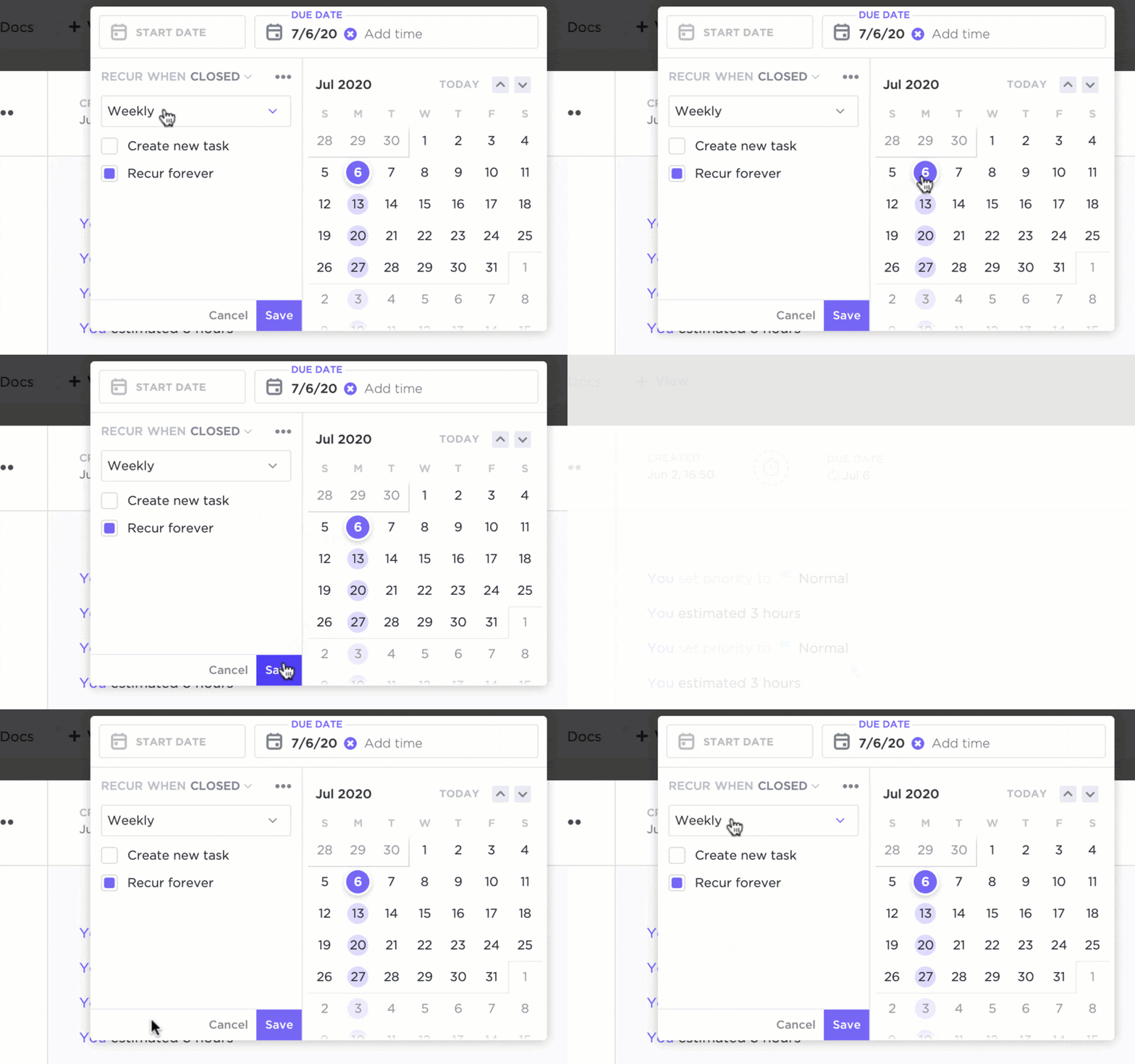
ClickUp’s Automations feature re-engineers repetitive tasks and frees up resources for more high-value tasks.
Pair this with ClickUp’s powerful reporting capabilities to monitor metrics like task completion rate, team performance, overall progress, and more. This closes the continuous feedback loop and allows you to make data-driven improvements.
💡 Pro Tip: ClickUp has 1000+ integrations for every aspect of project management and task analysis. Use the platform’s quick and easy integration with Easy Insight for customized project management and task analysis reporting.
ClickUp Task Management Template
Further, you can utilize task management templates to work smart and standardize work.

For example, the ClickUp Task Management Template streamlines task analysis with a readymade yet configurable structure for organizing tasks, subtasks, and timelines. It is ideal for teams that require a clear and standardized tool for tracking and managing tasks.
Here’s why you should be using it:
- Plug-and-play format for logical break-up of tasks and subtasks
- Easy tracking of deadlines, schedules, and progress for each task
- Customizable to meet different project or team requirements
- Comes with a built-in reporting tool to analyze and visualize data effectively
Summarize this article for me pleaseReal-World Examples of Task Analysis
As mentioned, task analysis is used in various projects and industries.
To illustrate this, we’ve compiled some real-world examples of task analysis to help you picture its multiple applications:
Example 1: App sign-up process (UX design)
Here, the UX design process adapts to the findings of the task analysis to enrich workflows and eliminate friction points.
Here’s a sample task analysis process:
- Return to the app and complete the verification
- Launch the app store
- Search for the app by name/use
- Download the app
- Launch the app on the user’s device
- Select ‘Create an Account’
- Enter a valid email ID
- Check your email for verification
UX designers could perform this task analysis and notice that steps #7 and #8 disrupt the sign-up process and cause user drop-off. Consequently, they could create smoother in-app verification to enhance the user experience.
Example 2: Setting up a project kick-off (project management)
Project management analytics shed light on delegated tasks and how project managers can maintain efficiency.
Here’s a sample task analysis process:
- Monitor progress using reporting tools
- Review project scope and objectives
- Create an agenda for the kick-off meeting
- Schedule the meeting and notify the participants
- Prepare or compile documentation and resources
- Conduct the kick-off meeting
- Delegate action items
- Follow up on assigned tasks
After performing this task analysis, the project manager may determine that activities like notifying participants and preparing documentation can be automated, saving time and effort.
Example 3: Performing a daily classroom activity (learning and development)
A task analysis greatly benefits those with non-standard learning styles or learning disabilities. The breakdown of complex routines into more detail makes it more manageable.
Here’s a sample task analysis process:
- Return unused supplies to the cabinet
- Locate the supplies cabinet
- Determine the supplies involved (for example, paper, cardstock, pencil, etc.)
- Arrange the items neatly on the desk
- Check off each item from the list
- Start the activity
Such logical sequencing offers support and guidance, cultivating independence and confidence in people with disabilities.
Example 4: Creating a job description (recruitment)
A job task analysis allows recruiters to determine the key skills required for a specific role.
Here’s a sample of successful job task analysis for a software developer role:
- Monitor performance and release patches or updates
- Review project specifications
- Break down software requirements into features
- Write and test code for each feature
- Collaborate with team members to integrate features
- Run code checks and quality assurance tests
- Identify and fix any bugs in the code
- Document the software development process
Such a job task analysis helps recruiters identify the key skills, such as coding, testing, debugging, documentation, teamwork, etc., that should form accurate job descriptions.
Summarize this article for me pleaseCommon Challenges in Task Analysis
Despite its several benefits, task analysis comes with a few challenges.
Here’s an overview of these obstacles, along with how ClickUp solves them for you:
❌ Problem: A lack of clear purpose or goals leads to an unfocused task analysis process.
✅ Solution: Use ClickUp Goals to set SMART goals that keep you laser-focused on the objectives and outcomes.
❌ Problem: Gathering comprehensive information, especially when working on complex projects involving multiple stakeholders, presents difficulties.
✅ Solution: Fortunately, the combination of ClickUp Brain and Docs is the best way to collect, store, and organize information and make it accessible.
❌ Problem: Breaking down tasks into subtasks could be difficult for complex processes.
✅ Solution: Use ClickUp Brain to break down and map these against Tasks and Subtasks on ClickUp for a hierarchical view.
❌ Problem: Tracking time and work performance is tricky when multiple teams are involved.
✅ Solution: ClickUp has rich dashboards and time and workload tracking features to monitor performance and efficiency.
❌ Problem: Sharing and validating findings with stakeholders is often complicated and leads to misunderstandings.
✅ Solution: ClickUp comes with a host of features for collaboration and communication that make it easier to involve and engage stakeholders.
Summarize this article for me pleaseBe Wise, Analyze With ClickUp
Task analysis isn’t just for project management or software development; its usage spans everything—from retail and eCommerce to special needs and healthcare.
It’s an effective tool for streamlining processes, identifying bottlenecks, and making data-led decisions for a more productive, efficient, and goal-oriented workflow.
Tools like ClickUp are a game changer in developing and supporting processes like task analysis. With ClickUp, you can analyze, break down, and perform critical tasks with ease! 🏆
Sign up for ClickUp and give your task analysis skills an unfair advantage! ✅


Everything you need to stay organized and get work done.

Recent Articles
Project Governance: A Practical Framework That Doesn’t Slow Teams Down 
Project Governance: A Practical Framework That Doesn’t Slow Teams Down
10 Monte Carlo Simulation Software in 2026 (Free & Paid) 
10 Monte Carlo Simulation Software in 2026 (Free & Paid)
