






Still downloading templates?
There’s an easier way. Try a free AI Agent in ClickUp that actually does the work for you—set up in minutes, save hours every week.
Sorry, there were no results found for “”
Sorry, there were no results found for “”
Sorry, there were no results found for “”
Here’s the typical process:
You can kiss that goodbye with Everhour’s ClickUp Integration. Here’s how!
Each person on your team can track their time, which simplifies your payroll and also gives you an idea of how much time a worker spends on tasks and assignments. This knowledge will give you an accurate gauge of how long a project should take before assigning it.
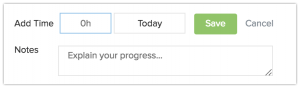
What’s great about Everhour is that it’s not just for individual contributors. Managers and team leads will receive reports about what each team member worked on that day or week. You can drill down on specific tasks and set timers so that your team doesn’t exceed the set number of hours.
Accurately measure how much work has been done and how that stacks up to what’s left to do. You can see how many team members contributed time to a project and learn how much time was spent in total to that project.
Everhour’s website provides amazing reports. You’ll get a monthly timesheet for all team members, featuring tasks worked on by each member by project/task.
Go here to learn more about Everhour and ClickUp.
Really, a time tracking tool like this is the perfect complement to what you’re already doing in ClickUp. Everhour will appear directly inline with your ClickUp tasks. Hit that button and go to work!
Everhour is more than just a gauge of what you’ve done. You can also set up estimates and then compare the results. Estimates will give management a good sense of how long you think a task will take–and will help you adjust if you’re off. Do all of that in one place without tab switching.

Time spent and estimates will appear right along with your tasks in ClickUp. It’s a simple but powerful combination and will help you gauge your personal and team’s performance without bulky time reports.
Know exactly how much time you and your team are spending on each project. You’ll gain insights not only into how long a task will take but also into ways to enhance your productivity. This is more than only a connection–it’s a direct integration into your favorite project management app.
ClickUp also has native time tracking through the Chrome Extension.
Need even more integrations? ClickUp has you covered.

© 2026 ClickUp

There’s an easier way. Try a free AI Agent in ClickUp that actually does the work for you—set up in minutes, save hours every week.