






Still downloading templates?
There’s an easier way. Try a free AI Agent in ClickUp that actually does the work for you—set up in minutes, save hours every week.
Sorry, there were no results found for “”
Sorry, there were no results found for “”
Sorry, there were no results found for “”
Nov 10, 2025
5min read
Yes. GitHub Copilot includes a fully autonomous coding agent that handles multi-step tasks without needing constant human direction.
The agent works as a self-directed coding partner. It reads through codebases, proposes fixes, runs tests, and keeps iterating until it completes the task. Unlike traditional code completion tools that wait for prompts, this agent takes initiative based on assigned work.
GitHub rolled out the agent preview in February 2025, then pushed it to all users by April. The company built this capability directly into its platform, letting teams assign issues to Copilot the same way they’d assign work to another developer.
Teams can now drop a ticket into the agent’s queue and watch it generate production-ready code by analyzing repository context and existing patterns.
The agent springs into action the moment a developer assigns a GitHub issue to Copilot.
It starts by spinning up a secure development environment through GitHub Actions, then reads through your repository using Code Search to understand the existing codebase. From there, it autonomously generates proposed code edits.
The process unfolds in multiple steps – runing tests, checking for errors, and iterating on its changes until the task reaches completion. Each iteration refines the code based on test results and repository patterns.
When satisfied with its work, the agent packages everything into a draft pull request.
The agent uses retrieval-augmented generation to find relevant files and functions across the repository. That means code changes actually match existing patterns instead of introducing random new styles.
Vision models add another layer here, letting the agent read screenshots embedded in issues to understand UI mockups or decipher error messages.
Four core components drive this workflow:
Throughout this workflow, the agent operates within the existing repository guardrails, pushing changes only to new branches so branch protections remain enforced.
Every pull request still requires human approval before triggering CI/CD pipelines, keeping final production decisions in your hands. That safeguard matters because autonomous systems need oversight.
Imagine a developer facing a critical bug buried in a 50,000-line codebase.
Instead of spending hours tracing function calls, they assign the issue to Copilot’s agent and watch as the tool rapidly analyzes the code, identifies the faulty logic, proposes necessary changes, and creates a draft pull request within minutes.
One Reddit user reported creating a fully functional web application with a single command using agent mode.
This streamlined journey exemplifies how the agent transforms routine tasks into efficient workflows. Where manual debugging might consume an entire afternoon, the agent delivers a testable solution in under ten minutes.
The time savings compound across hundreds of issues per quarter. These gains position GitHub’s offering differently than competitors who focus solely on code completion.
Copilot’s agent slots into the development tools teams already use. It runs natively in GitHub, VS Code, and JetBrains, and can reach beyond those environments through the Model Context Protocol to query databases or call internal APIs mid-task.
| Platform | Integration Type |
|---|---|
| GitHub | Native, via GitHub Actions |
| VS Code | Integrated in Copilot Chat UI |
| JetBrains | Upcoming support through plugins |
| Slack | Agent updates via built-in connector |
The platform side of this matters too, because the agent taps into GitHub’s 25,000+ Action templates, it can leverage any CI/CD step already in the marketplace.
Organizations that need on-premises deployment can run it through Codespaces or self-hosted runners.
Developer reactions on Reddit and Hacker News paint a picture of genuine excitement mixed with pragmatic caution.
One engineer described agent mode as “absolutely incredible,” sharing how they built a functional web app with a single command. Another commenter reported productivity gains that jumped from 5x to 30x once they stopped treating Copilot like a chatbot and let it run autonomously.
However, that enthusiasm hits limits on complex work.
Several users report the agent struggles when tasks aren’t broken into smaller chunks, with one developer warning that “LLMs get things wrong and hallucinate” without tight scoping.
GitHub’s engineering team tracks these reports closely, hosting Reddit threads specifically to collect feedback on issues like terminal hangs and linter integration problems.
The quotes developers share capture both sides. “Agent Mode is absolutely incredible for scaffolding apps,” one writes, while another notes “productivity gains went from 5x to 30x with full autonomy.” But the cautionary take shows up just as often: “Complex tasks still require careful human oversight and debugging.”
What emerges from these discussions is excitement tempered by learning. Developers who experiment with custom configurations and structured prompts consistently report better results than those expecting magic. That pattern suggests best practices are still forming, which sets realistic expectations as GitHub pushes the feature forward.
GitHub is moving from single-agent assistance to multi-agent orchestration. Agent HQ, announced at Universe 2025, will bring third-party agents from Anthropic, OpenAI, Google, and Cognition directly into Copilot subscriptions so teams can route frontend work to one AI engine and compliance checks to another.
Mission Control arrives in early 2026 as a unified dashboard for managing multiple agents running in parallel. It will provide real-time monitoring across GitHub web, VS Code, mobile, and CLI, plus new governance features like branch rules for agent commits and identity credentials that treat each AI agent like a team member.
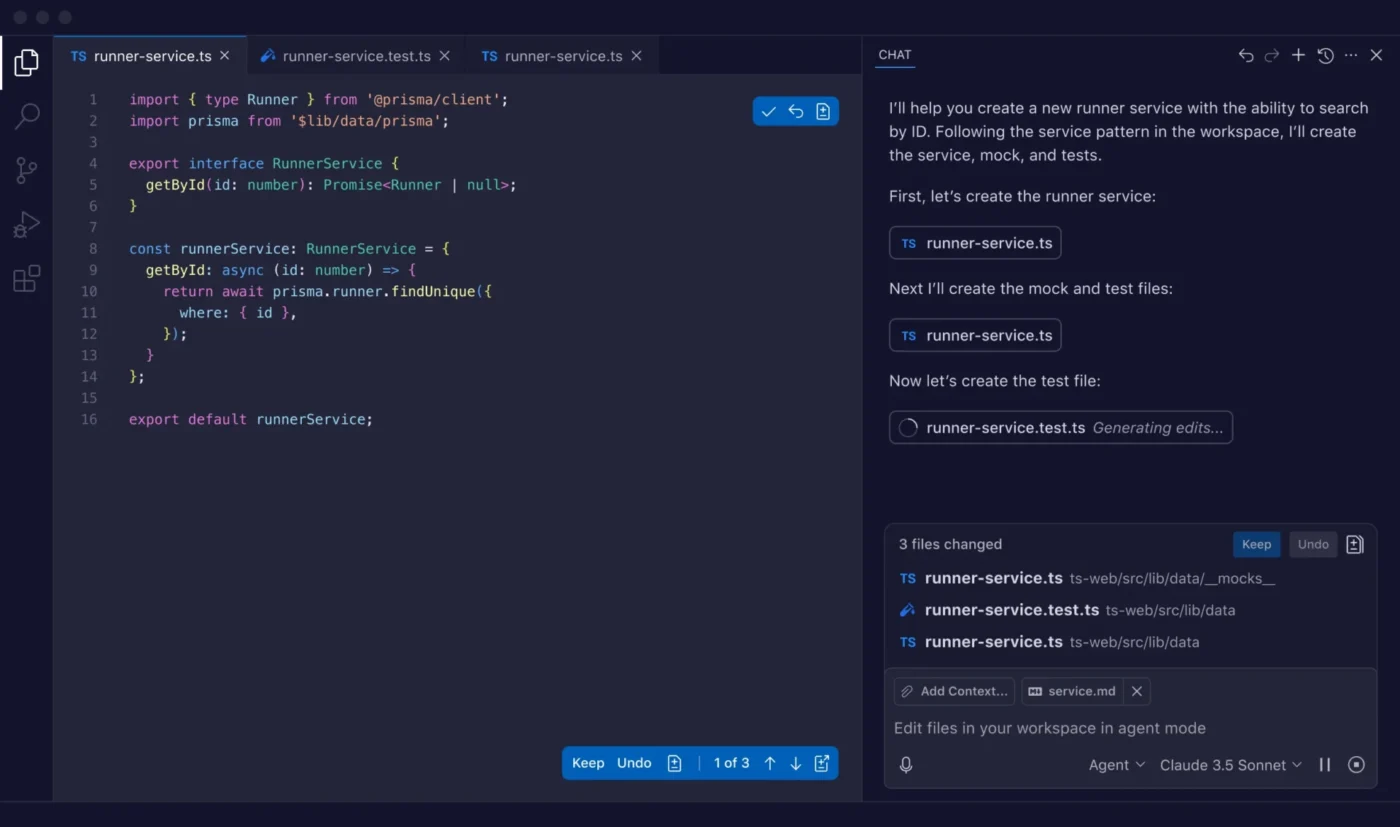
“This is how we think the future of development works: agents and developers building together, on the infrastructure you already trust,” an Anthropic product officer said about the partnership.
Two other features round out the roadmap. Plan Mode will conduct interactive Q&A before coding starts to map out solutions step by step. Custom agent support will let teams define specialized AI personas through configuration files, like a UI Agent trained on specific frontend libraries and design patterns.
These additions shift Copilot from a single assistant into a platform for AI-powered development, which raises practical questions about what all this costs.
GitHub Copilot Business runs $19 per user monthly, while Enterprise costs $39. Individual developers can choose Copilot Pro at $10 monthly or the new Pro+ tier at $39 for heavy usage.
The agent itself operates on a premium request system. Business tier includes 300 premium requests per user each month, Enterprise provides 1,000, and overages run about 4 cents per request. Each time the agent tackles an issue, it burns one premium request from that allowance.
Standard code completions stay unlimited, so only advanced features like agent invocations, GPT-4 chat, or vision queries count against your quota.

© 2026 ClickUp

There’s an easier way. Try a free AI Agent in ClickUp that actually does the work for you—set up in minutes, save hours every week.