




Curious About Zapier MCP? Here’s What It Really Does

Start using ClickUp today

  • Manage all your work in one place
  • Collaborate with your team
  • Use ClickUp for FREEโ€”forever
Home ยป Hub ยป AI ยป MCP ยป Curious About Zapier MCP? Here’s What It Really Does

Summary: Zapier MCP handles the heavy lifting behind AI-triggered automation. Discover how to connect, control access, and keep task usage in check.

Key Takeaways

  • Zapier MCP supports AI assistants with access to 30,000+ app actions
  • The client integration lets Zaps use tools from remote MCP servers
  • Each tool call counts as two tasks, which affects usage budgets
  • Best for teams comfortable with cloud automation and scoped access
Summarize this article with AI ClickUp Brain not only saves you precious time by instantly summarizing articles, it also leverages AI to connect your tasks, docs, people, and more, streamlining your workflow like never before.
ClickUp Brain
Avatar of person using AI Summarize this article for me please

Does Zapier Support MCP (Model Context Protocol)?

Yes. Zapier supports the standard through two parts: a server that assistants connect to, and a client integration that lets Zaps call remote servers.

In practice, the server gives tools like Claude or ChatGPT access to 8,000+ app integrations and 30,000+ actions. The client piece runs inside automations so they can use tools exposed by thirdโ€‘party providers.

Together, this means one connection opens a large toolbox of actions for assistants, while Zaps can also reach out to external tool servers when needed.

Related: How Zapier’s agentic AI works

How Zapier Uses MCP or MCP-Like Integrations

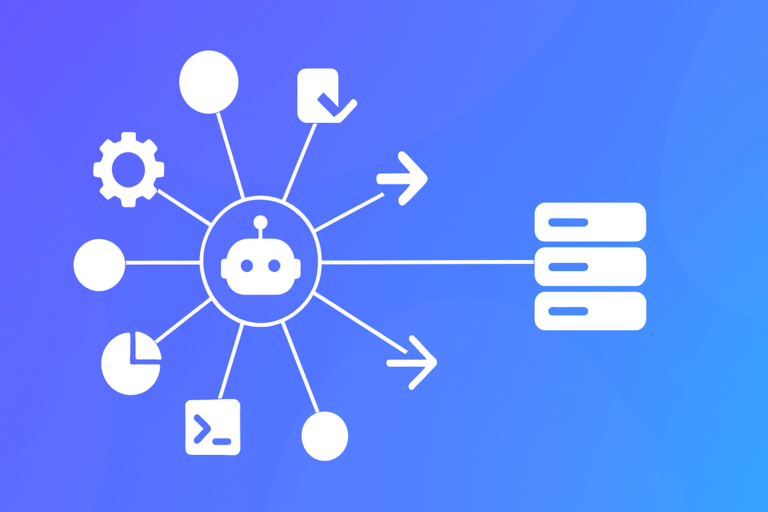
Think of the server as a big toolbox your agent can reach through a single door. You connect an assistant, choose which apps and actions it may use, and the service turns plain requests into concrete steps across your stack.

First, enable the server, link an AI client, and authorize a short list of apps and actions the agent is allowed to use.

Second, from the AI side, ask for outcomes in everyday language – find a customer, summarize activity, book a followโ€‘up.

Third, the agent calls the server, which runs the corresponding actions, handles auth and retries, and returns results for confirmation or summarization.

When tools live elsewhere, add the client integration like any other app connection. A Zap step calls a remote server, uses one of its tools, then passes results into downstream steps across your usual apps.

  • Client limits: Tool calls only; Streamable HTTP or SSE; cannot connect to the platformโ€™s own server.
  • Availability: Beta, included in current plans.
  • Cost: Each tool call consumes two tasks.
  • Enterprise: Disabled by default; admin enablement required.
Summarize this article with AI ClickUp Brain not only saves you precious time by instantly summarizing articles, it also leverages AI to connect your tasks, docs, people, and more, streamlining your workflow like never before.
ClickUp Brain
Avatar of person using AI Summarize this article for me please

Who It Is For and Common Use Cases

This fits teams that want assistants to take real actions across many SaaS tools without building oneโ€‘off integrations.

It suits individuals, small to midโ€‘sized teams, and departments inside larger companies that are comfortable with cloud automation and scoped permissions.

  • Marketing and growth: ask an assistant to pull email, ads, and analytics metrics, draft a recap, and create followโ€‘ups in a work manager.
  • Customer success: look up a customer across CRM and help desk, summarize history, draft a checkโ€‘in email, and schedule a call.
  • Engineering and product: from an AIโ€‘enabled IDE, create GitHub issues, update docs, and post updates to Slack without tool switching.
  • Operations: run a Zap that calls a specialist external server for enrichment, then push results into spreadsheets, databases, or messaging apps.
  • Community management: summarize active threads across Slack or Discord, tag themes, and open tasks for followโ€‘up in your tracker.

Itโ€™s probably not a fit if you require strictly selfโ€‘hosted data paths, if policies forbid assistants from touching production SaaS even with narrow scopes, or if you need ultraโ€‘lowโ€‘latency, bespoke integrations beyond typical taskโ€‘based automation.

Summarize this article with AI ClickUp Brain not only saves you precious time by instantly summarizing articles, it also leverages AI to connect your tasks, docs, people, and more, streamlining your workflow like never before.
ClickUp Brain
Avatar of person using AI Summarize this article for me please

Key Benefits and Limitations to Know

Hereโ€™s a quick, balanced look at strengths and tradeโ€‘offs.

  • One connection, many apps: a single server exposes thousands of integrations and actions to assistants.
  • Naturalโ€‘language actions: users describe outcomes, and the service translates intent into concrete steps.
  • Less glue work: authentication, encryption, rate limits, and retries are handled for you.
  • Reuse across clients: the same configuration can serve multiple AI tools.
  • Compose external tools: the client integration lets Zaps call remote servers and blend those tools with standard apps.
  • Task consumption: every tool call counts as two tasks, which adds up in chatty conversations.
  • Beta maturity: behavior and surface area may change, with occasional instability during pilots.
  • Enterprise gating: larger organizations need admin enablement before teams can experiment.
  • Client limits: only tool calls over specific transports; cannot connect back to the platformโ€™s own servers.
  • Access governance: broad app access is possible, so permissions must be scoped carefully and audited.

Overall fit depends on your comfort with cloud automation, task budgets, and governance for assistants acting across many systems.

Summarize this article with AI ClickUp Brain not only saves you precious time by instantly summarizing articles, it also leverages AI to connect your tasks, docs, people, and more, streamlining your workflow like never before.
ClickUp Brain
Avatar of person using AI Summarize this article for me please

How to Get Started and Where to Learn More

The easiest path is a small pilot that touches only a few apps while you watch task usage and logs.

  1. Confirm account access and task headroom; on Enterprise, get the feature enabled by an admin.
  2. Turn on the server, connect a compatible assistant (e.g., Claude or ChatGPT), and authorize only a few apps with limited scopes.
  3. From the AI side, try simple requestsโ€”create a task, look up a CRM record, schedule a short meetingโ€”then verify results in logs and target apps.
  4. If you need thirdโ€‘party tools, add the client integration as a connection, configure one remote server, and test it in a single Zap.
  5. Review permissions, audit trails, and task consumption with security or operations, then expand slowly.
Summarize this article with AI ClickUp Brain not only saves you precious time by instantly summarizing articles, it also leverages AI to connect your tasks, docs, people, and more, streamlining your workflow like never before.
ClickUp Brain
Avatar of person using AI Summarize this article for me please

Final Thoughts

With one connection to a large catalog of actions – and the option to tap external tool servers – this approach offers a practical way to let assistants act across your stack.

Keep scopes narrow, monitor task consumption, and validate behavior in a small pilot; if it clears your reliability and governance bar, expand gradually and codify guardrails as you go.

Everything you need to stay organized and get work done.
clickup product image
Sign up for FREE and start using ClickUp in seconds!
Please enter valid email address
